tow FORD EXPLORER SPORT TRAC 2009 User Guide
[x] Cancel search | Manufacturer: FORD, Model Year: 2009, Model line: EXPLORER SPORT TRAC, Model: FORD EXPLORER SPORT TRAC 2009Pages: 351, PDF Size: 2.67 MB
Page 66 of 351
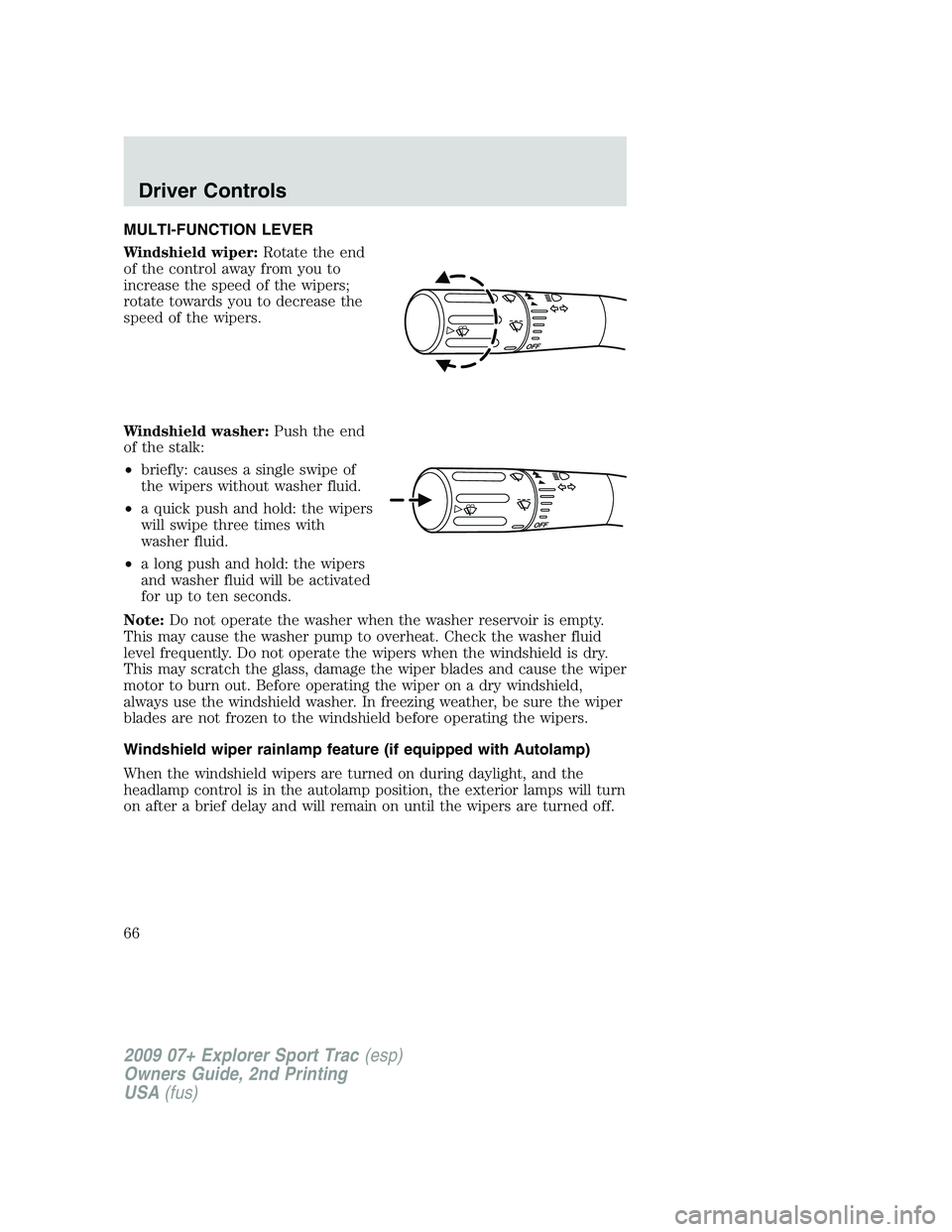
MULTI-FUNCTION LEVER
Windshield wiper:Rotate the end
of the control away from you to
increase the speed of the wipers;
rotate towards you to decrease the
speed of the wipers.
Windshield washer:Push the end
of the stalk:
•briefly: causes a single swipe of
the wipers without washer fluid.
•a quick push and hold: the wipers
will swipe three times with
washer fluid.
•a long push and hold: the wipers
and washer fluid will be activated
for up to ten seconds.
Note:Do not operate the washer when the washer reservoir is empty.
This may cause the washer pump to overheat. Check the washer fluid
level frequently. Do not operate the wipers when the windshield is dry.
This may scratch the glass, damage the wiper blades and cause the wiper
motor to burn out. Before operating the wiper on a dry windshield,
always use the windshield washer. In freezing weather, be sure the wiper
blades are not frozen to the windshield before operating the wipers.
Windshield wiper rainlamp feature (if equipped with Autolamp)
When the windshield wipers are turned on during daylight, and the
headlamp control is in the autolamp position, the exterior lamps will turn
on after a brief delay and will remain on until the wipers are turned off.
2009 07+ Explorer Sport Trac(esp)
Owners Guide, 2nd Printing
USA(fus)
Driver Controls
66
Page 68 of 351
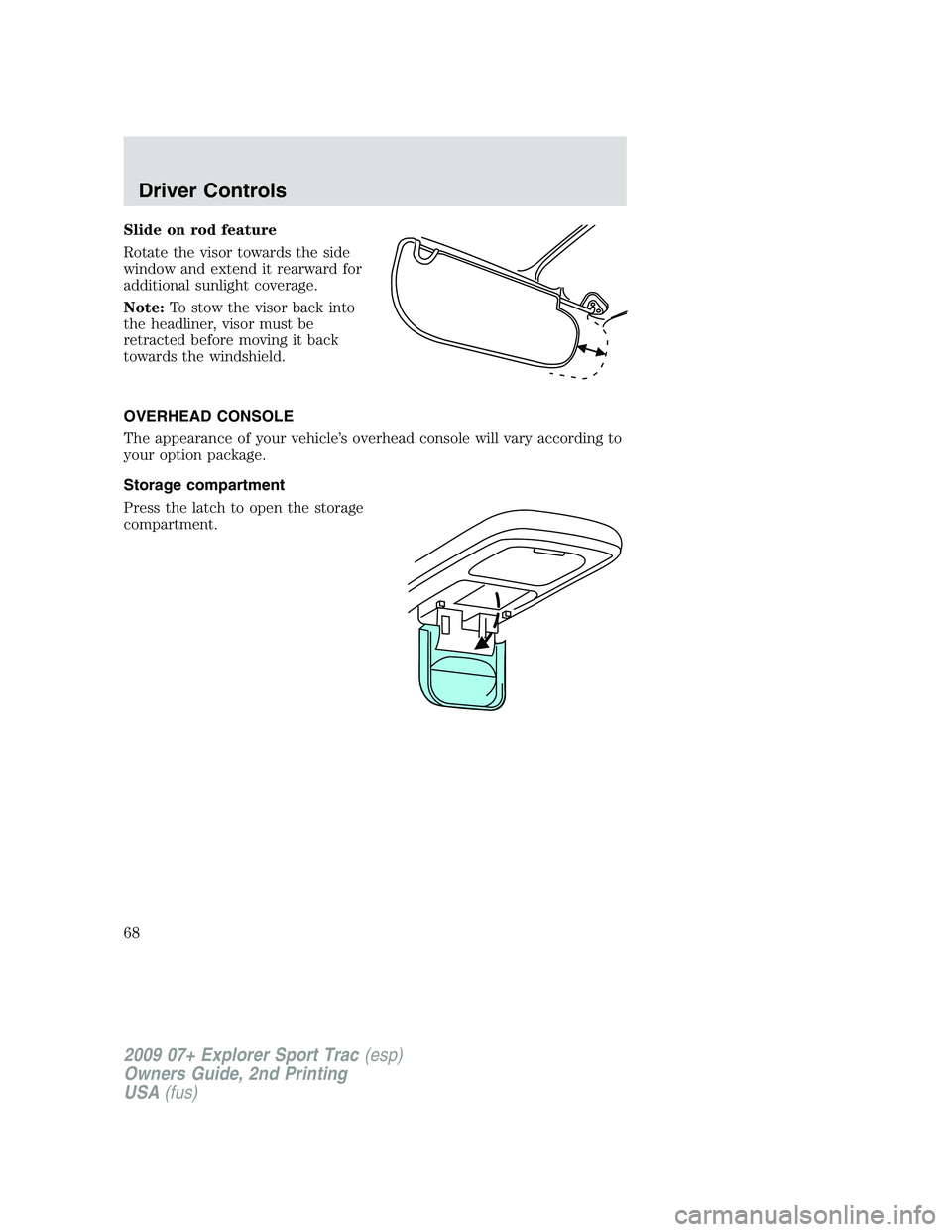
Slide on rod feature
Rotate the visor towards the side
window and extend it rearward for
additional sunlight coverage.
Note:To stow the visor back into
the headliner, visor must be
retracted before moving it back
towards the windshield.
OVERHEAD CONSOLE
The appearance of your vehicle’s overhead console will vary according to
your option package.
Storage compartment
Press the latch to open the storage
compartment.
2009 07+ Explorer Sport Trac(esp)
Owners Guide, 2nd Printing
USA(fus)
Driver Controls
68
Page 74 of 351
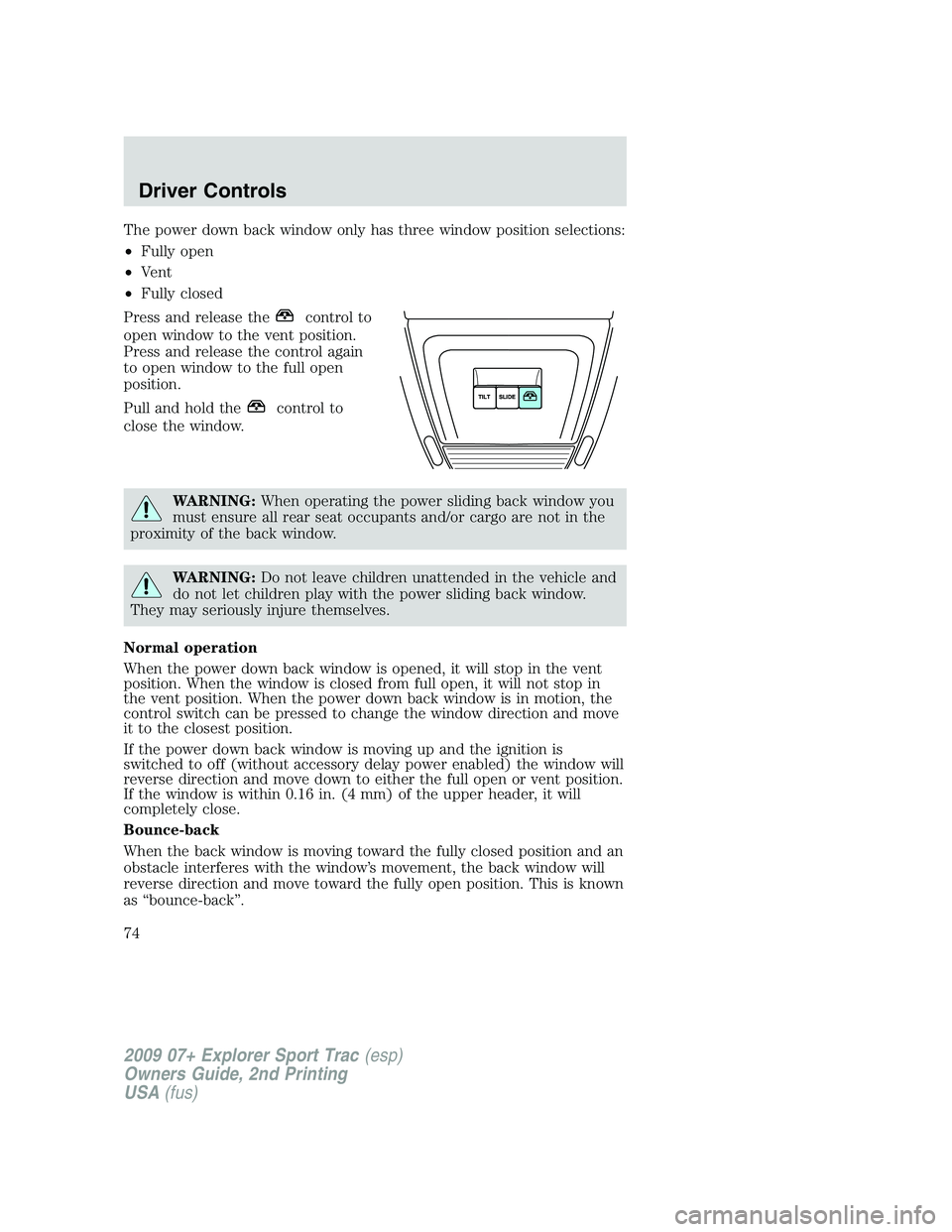
The power down back window only has three window position selections:
•Fully open
•Vent
•Fully closed
Press and release the
control to
open window to the vent position.
Press and release the control again
to open window to the full open
position.
Pull and hold the
control to
close the window.
WARNING:When operating the power sliding back window you
must ensure all rear seat occupants and/or cargo are not in the
proximity of the back window.
WARNING:Do not leave children unattended in the vehicle and
do not let children play with the power sliding back window.
They may seriously injure themselves.
Normal operation
When the power down back window is opened, it will stop in the vent
position. When the window is closed from full open, it will not stop in
the vent position. When the power down back window is in motion, the
control switch can be pressed to change the window direction and move
it to the closest position.
If the power down back window is moving up and the ignition is
switched to off (without accessory delay power enabled) the window will
reverse direction and move down to either the full open or vent position.
If the window is within 0.16 in. (4 mm) of the upper header, it will
completely close.
Bounce-back
When the back window is moving toward the fully closed position and an
obstacle interferes with the window’s movement, the back window will
reverse direction and move toward the fully open position. This is known
as “bounce-back”.
2009 07+ Explorer Sport Trac(esp)
Owners Guide, 2nd Printing
USA(fus)
Driver Controls
74
Page 78 of 351
POWER ADJUSTABLE FOOT PEDALS (IF EQUIPPED)
The accelerator and brake pedal
should only be adjusted when the
vehicle is stopped and the gearshift
lever is in the P (Park) position.
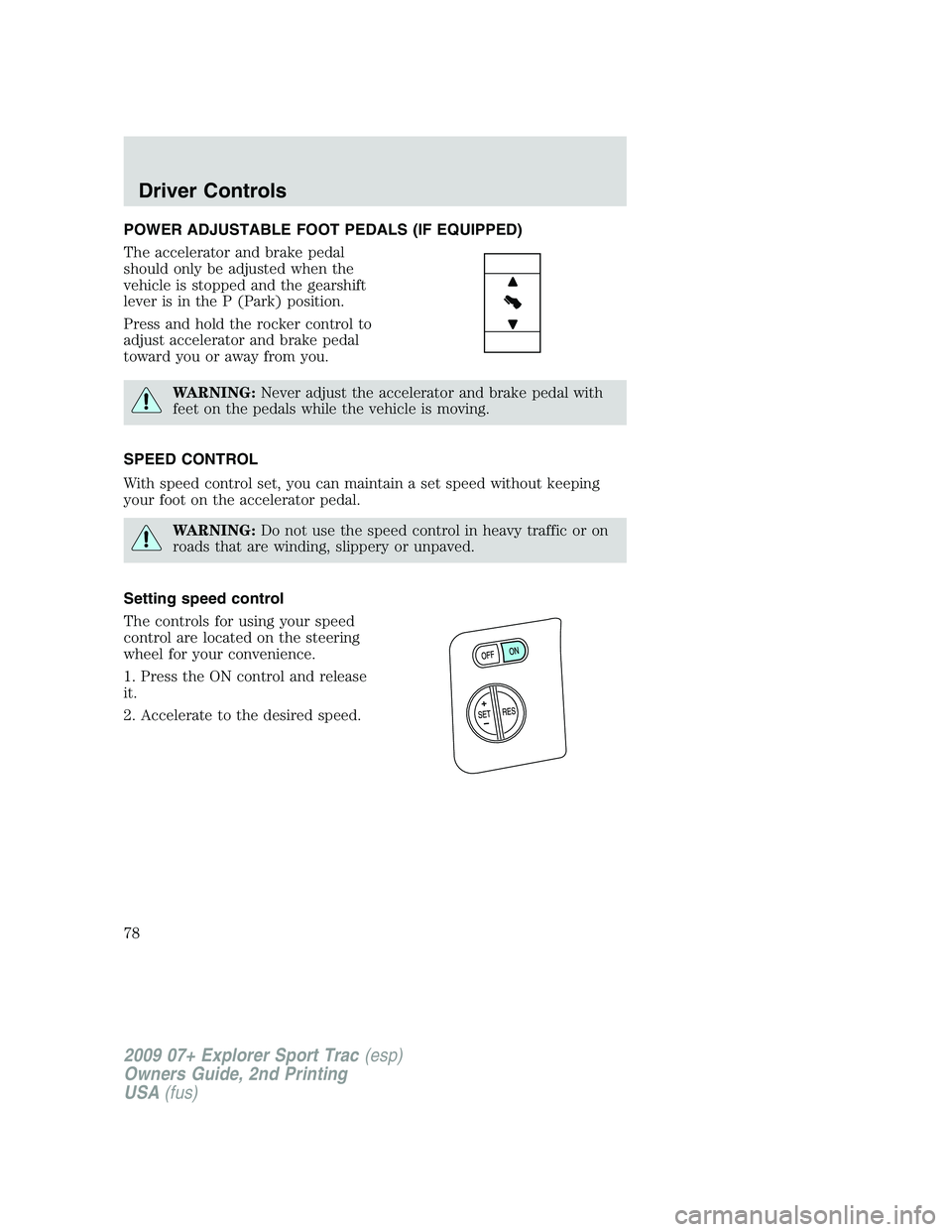
Press and hold the rocker control to
adjust accelerator and brake pedal
toward you or away from you.
WARNING:Never adjust the accelerator and brake pedal with
feet on the pedals while the vehicle is moving.
SPEED CONTROL
With speed control set, you can maintain a set speed without keeping
your foot on the accelerator pedal.
WARNING:Do not use the speed control in heavy traffic or on
roads that are winding, slippery or unpaved.
Setting speed control
The controls for using your speed
control are located on the steering
wheel for your convenience.
1. Press the ON control and release
it.
2. Accelerate to the desired speed.
2009 07+ Explorer Sport Trac(esp)
Owners Guide, 2nd Printing
USA(fus)
Driver Controls
78
Page 84 of 351
Bounce-back:When an obstacle has been detected in the moon roof
opening as the moon roof is closing, the moon roof will automatically
open and stop at a prescribed position.
Bounce-back override:To override bounce-back function, pull and hold
the SLIDE switch within two seconds of a bounce-back event. The
closing force will begin to increase each time the moon roof is closed for
the first three closing cycles, with bounce-back active. For example:
Bounce-back can be used to overcome the resistance of ice on the moon
roof or seals
To vent the moon roof:Press and release the TILT control, the moon
roof will move to the vent position automatically from any moon roof
position. Press the switch again to stop the moon roof. Pull and hold the
TILT control to close the moon roof.
The moon roof has a built-in sliding shade that can be manually opened
or closed when the glass panel is shut. To close the shade, pull it toward
the front of the vehicle.
Accessory delay:
With accessory delay, the window switches, audio system, and moon roof
may be used for up to 10 minutes after the ignition switch is turned to
the off position or until either front door is opened.
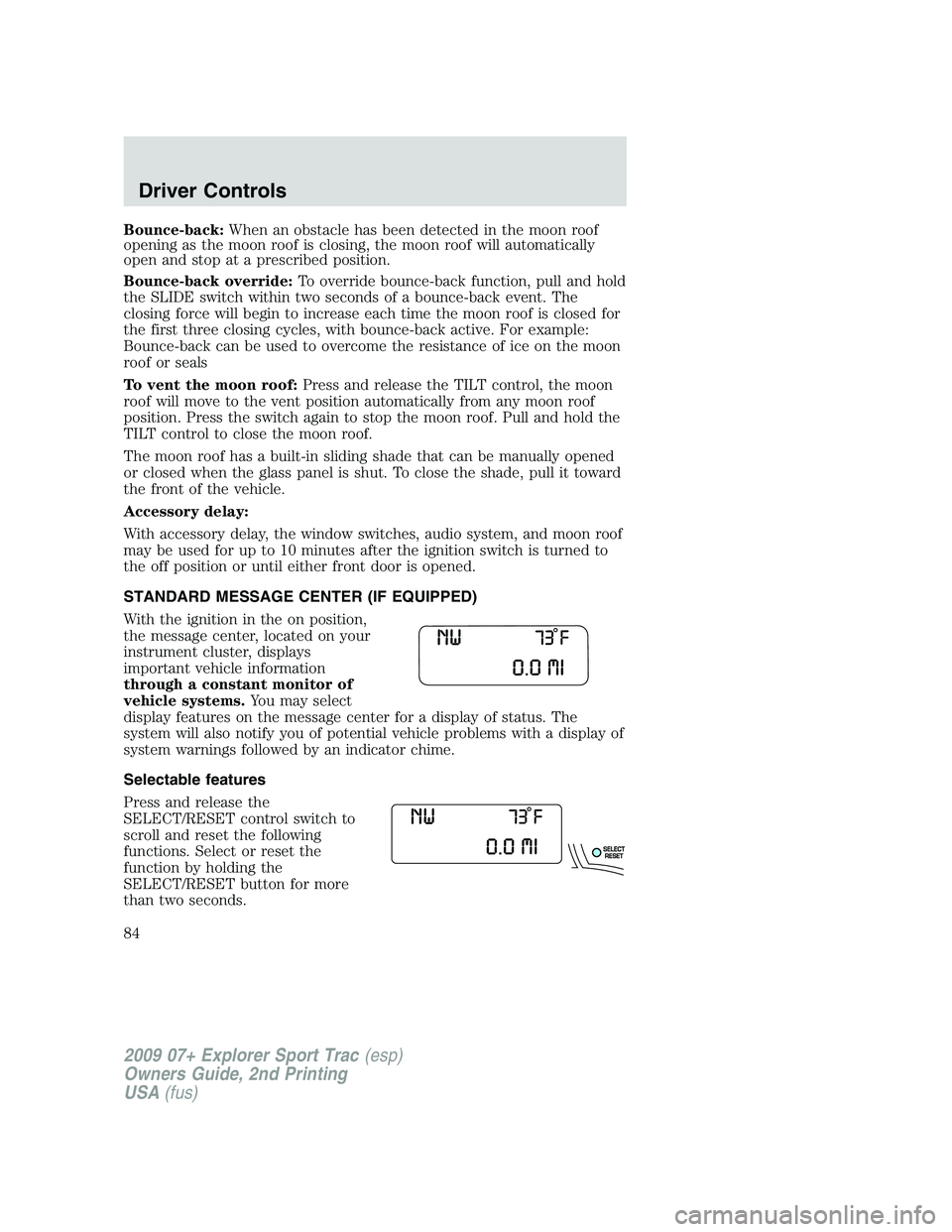
STANDARD MESSAGE CENTER (IF EQUIPPED)
With the ignition in the on position,
the message center, located on your
instrument cluster, displays
important vehicle information
through a constant monitor of
vehicle systems.You may select
display features on the message center for a display of status. The
system will also notify you of potential vehicle problems with a display of
system warnings followed by an indicator chime.
Selectable features
Press and release the
SELECT/RESET control switch to
scroll and reset the following
functions. Select or reset the
function by holding the
SELECT/RESET button for more
than two seconds.
2009 07+ Explorer Sport Trac(esp)
Owners Guide, 2nd Printing
USA(fus)
Driver Controls
84
Page 95 of 351
TIRE PRESSURE MONITOR FAULT— Displayed when the Tire
Pressure Monitoring System is malfunctioning. If the warning stays on or
continues to come on, have the system inspected by your authorized
dealer.
TIRE PRESSURE SENSOR FAULT— Displayed when a tire pressure
sensor is malfunctioning, or your spare tire is in use. For more
information on how the system operates under these conditions, refer to
Understanding Your Tire Pressure Monitoring System (TPMS)in the
Tires, Wheels and Loadingchapter. If the warning stays on or
continues to come on, have the system inspected by your authorized
dealer.
BRAKE FLUID LEVEL LOW— Indicates the brake fluid level is low
and the brake system should be inspected immediately. Refer toBrake
Fluidin theMaintenance and Specificationschapter.
WASHER FLUID LEVEL LOW— Indicates the washer fluid reservoir
is less than one quarter full. Check the washer fluid level. Refer to
Windshield washer fluidin theMaintenance and Specifications
chapter.
OIL LIFE CHANGE SOON— Displayed when the engine oil life
reaches 5% or less of the Oil Life Start Value.
OIL CHANGE REQUIRED— Displayed when the engine oil life
remaining is 0%. An oil change is required whenever indicated by the
message center and according to the recommended maintenance
schedule. USE ONLY RECOMMENDED ENGINE OILS.
TRAILER SWAY REDUCE SPEED— Displayed when your trailer
starts to sway when towing. Refer toTrailer sway controlin the
Drivingchapter for more information.
FOR 4X4 LOW STOP VEHICLE (if equipped)— Displayed when
4X4 LOW is selected while the vehicle is moving. For more information,
refer toUsing the Control Trac 4WD systemin theDrivingchapter.
FOR 4X4 LOW SHIFT TO N (if equipped)— Displayed when 4X4
LOW is selected and the vehicle is stopped. For more information, refer
toUsing the Control Trac 4WD systemin theDrivingchapter.
TO EXIT 4X4 LOW STOP VEHICLE (if equipped)— Displayed
when 2WD is selected while the vehicle is operating in 4X4 LOW. For
more information, refer toUsing the Control Trac 4WD systemin the
Drivingchapter.
TO EXIT 4X4 LOW SHIFT TO N (if equipped)— Displayed when
2WD is selected while the vehicle has been stopped in 4X4 LOW. For
more information, refer toUsing the Control Trac 4WD systemin the
Drivingchapter.
2009 07+ Explorer Sport Trac(esp)
Owners Guide, 2nd Printing
USA(fus)
Driver Controls
95
Page 109 of 351
TRAILER SWAY REDUCE SPEED— Displayed when your trailer
starts to sway when towing. Refer toTrailer Sway Controlin the
Drivingchapter for more information.
FOR 4X4 LOW STOP VEHICLE (if equipped)— Displayed when
4X4 LOW is selected while the vehicle is moving. For more information,
refer toUsing the Control Trac 4WD systemin theDrivingchapter.
FOR 4X4 LOW SHIFT TO N (if equipped)— Displayed when 4X4
LOW is selected and the vehicle is stopped. For more information, refer
toUsing the Control Trac 4WD systemin theDrivingchapter.
TO EXIT 4X4 LOW STOP VEHICLE (if equipped)— Displayed
when 2WD is selected while the vehicle is operating in 4X4 LOW. For
more information, refer toUsing the Control Trac 4WD systemin the
Drivingchapter.
TO EXIT 4X4 LOW SHIFT TO N (if equipped)— Displayed when
2WD is selected while the vehicle has been stopped in 4X4 LOW. For
more information, refer toUsing the Control Trac 4WD systemin the
Drivingchapter.
POSITIVE RETENTION FLOOR MAT
WARNING:Do not install additional floor mats on top of the
factory installed floor mats as they may interfere with the
accelerator or the brake pedals.
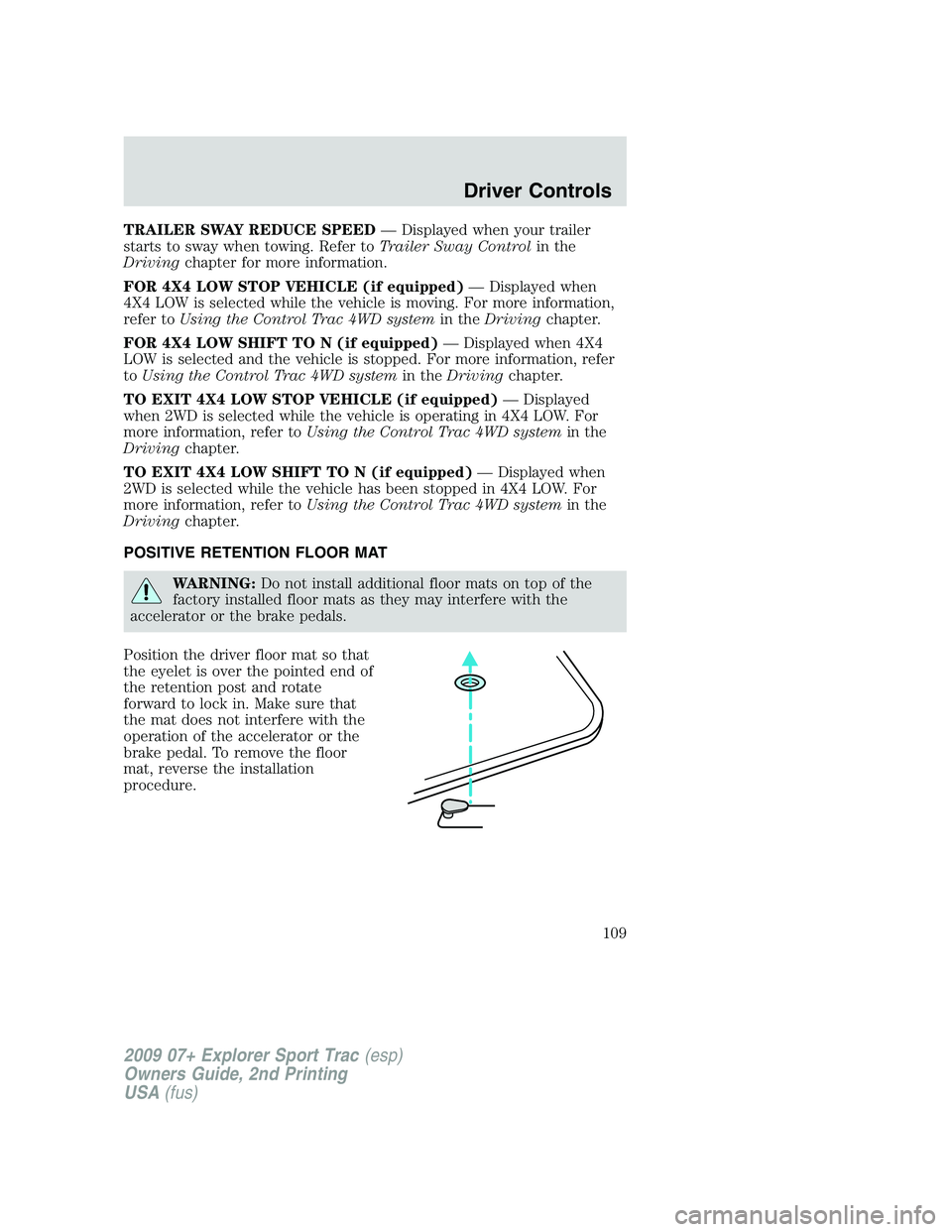
Position the driver floor mat so that
the eyelet is over the pointed end of
the retention post and rotate
forward to lock in. Make sure that
the mat does not interfere with the
operation of the accelerator or the
brake pedal. To remove the floor
mat, reverse the installation
procedure.
2009 07+ Explorer Sport Trac(esp)
Owners Guide, 2nd Printing
USA(fus)
Driver Controls
109
Page 111 of 351
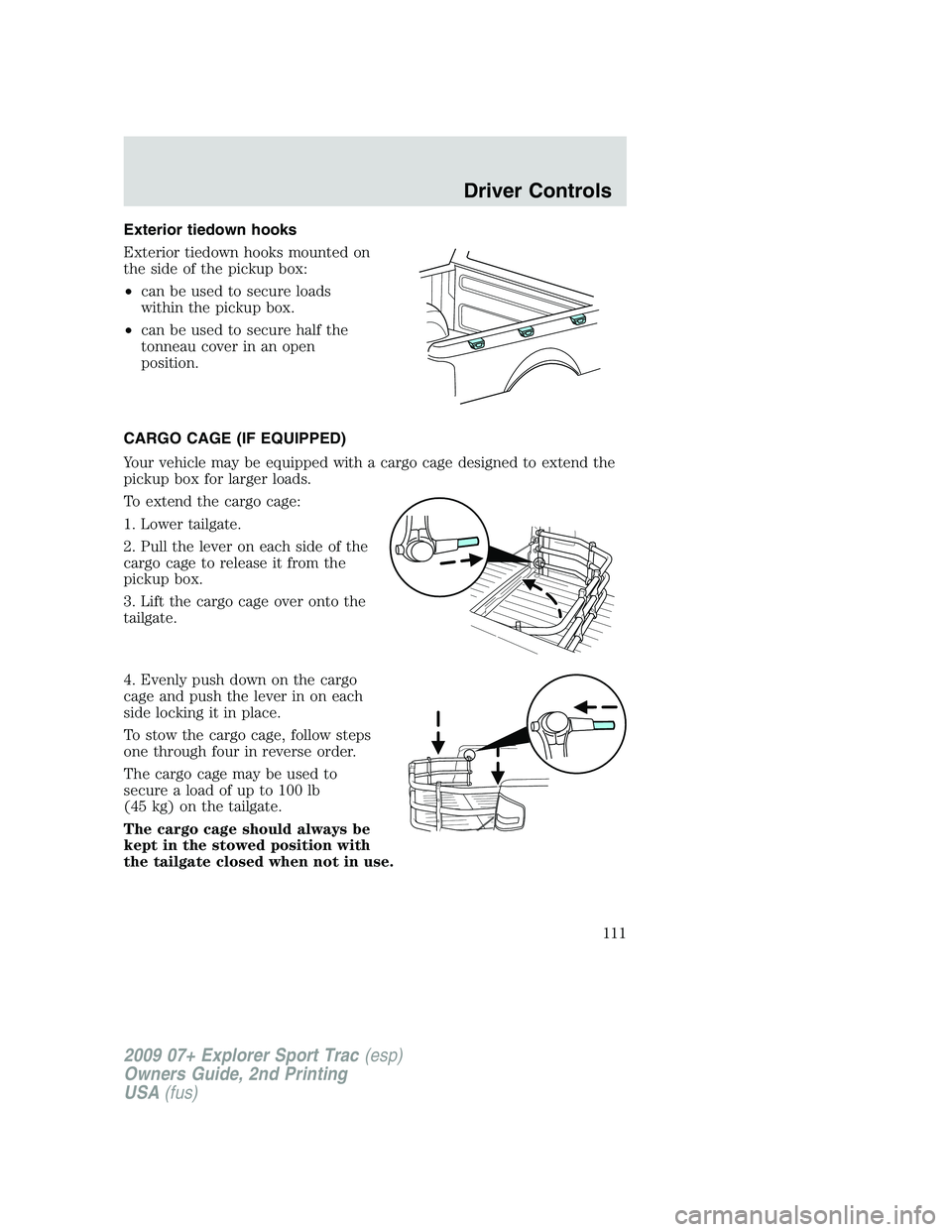
Exterior tiedown hooks
Exterior tiedown hooks mounted on
the side of the pickup box:
•can be used to secure loads
within the pickup box.
•can be used to secure half the
tonneau cover in an open
position.
CARGO CAGE (IF EQUIPPED)
Your vehicle may be equipped with a cargo cage designed to extend the
pickup box for larger loads.
To extend the cargo cage:
1. Lower tailgate.
2. Pull the lever on each side of the
cargo cage to release it from the
pickup box.
3. Lift the cargo cage over onto the
tailgate.
4. Evenly push down on the cargo
cage and push the lever in on each
side locking it in place.
To stow the cargo cage, follow steps
one through four in reverse order.
The cargo cage may be used to
secure a load of up to 100 lb
(45 kg) on the tailgate.
The cargo cage should always be
kept in the stowed position with
the tailgate closed when not in use.
2009 07+ Explorer Sport Trac(esp)
Owners Guide, 2nd Printing
USA(fus)
Driver Controls
111
Page 112 of 351
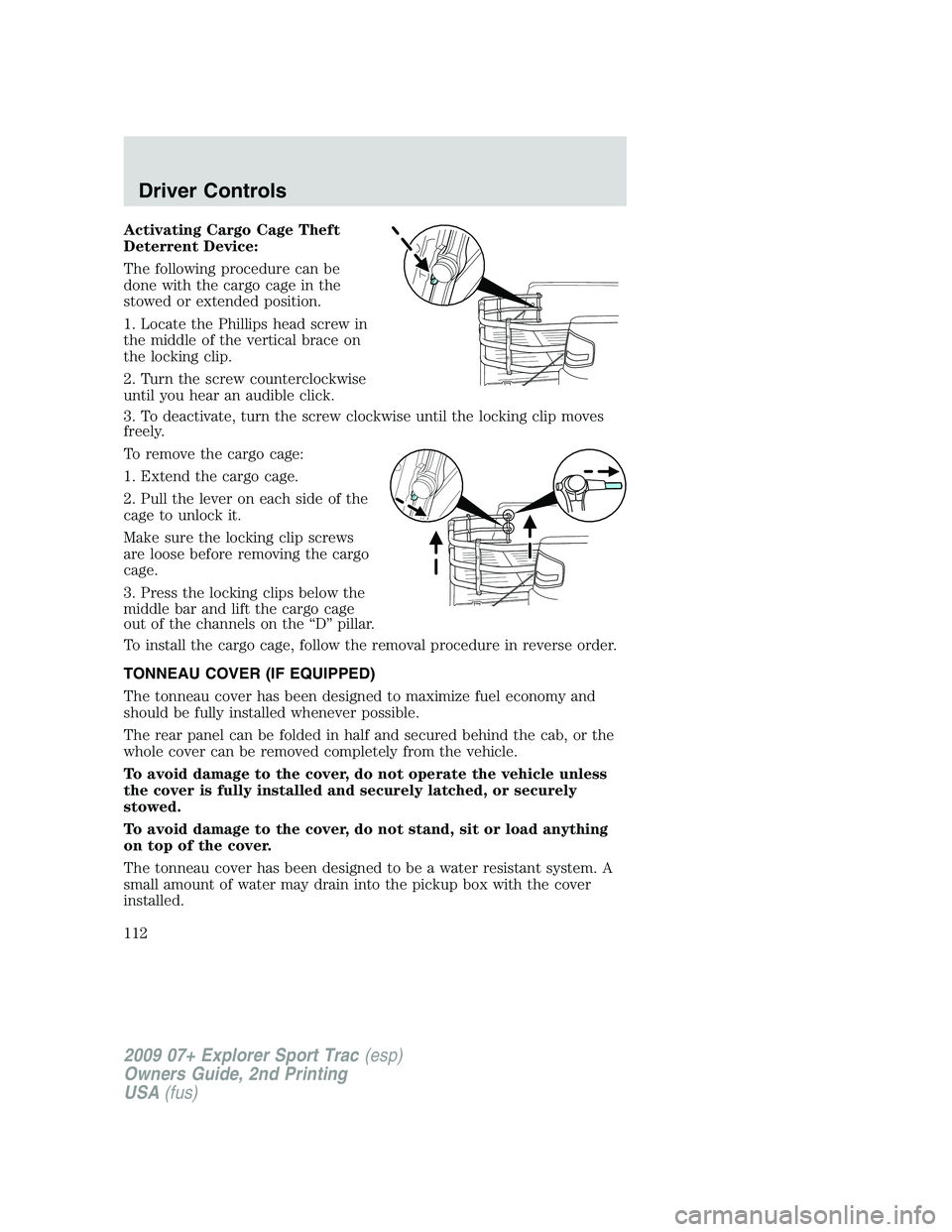
Activating Cargo Cage Theft
Deterrent Device:
The following procedure can be
done with the cargo cage in the
stowed or extended position.
1. Locate the Phillips head screw in
the middle of the vertical brace on
the locking clip.
2. Turn the screw counterclockwise
until you hear an audible click.
3. To deactivate, turn the screw clockwise until the locking clip moves
freely.
To remove the cargo cage:
1. Extend the cargo cage.
2. Pull the lever on each side of the
cage to unlock it.
Make sure the locking clip screws
are loose before removing the cargo
cage.
3. Press the locking clips below the
middle bar and lift the cargo cage
out of the channels on the “D” pillar.
To install the cargo cage, follow the removal procedure in reverse order.
TONNEAU COVER (IF EQUIPPED)
The tonneau cover has been designed to maximize fuel economy and
should be fully installed whenever possible.
The rear panel can be folded in half and secured behind the cab, or the
whole cover can be removed completely from the vehicle.
To avoid damage to the cover, do not operate the vehicle unless
the cover is fully installed and securely latched, or securely
stowed.
To avoid damage to the cover, do not stand, sit or load anything
on top of the cover.
The tonneau cover has been designed to be a water resistant system. A
small amount of water may drain into the pickup box with the cover
installed.
2009 07+ Explorer Sport Trac(esp)
Owners Guide, 2nd Printing
USA(fus)
Driver Controls
112
Page 113 of 351
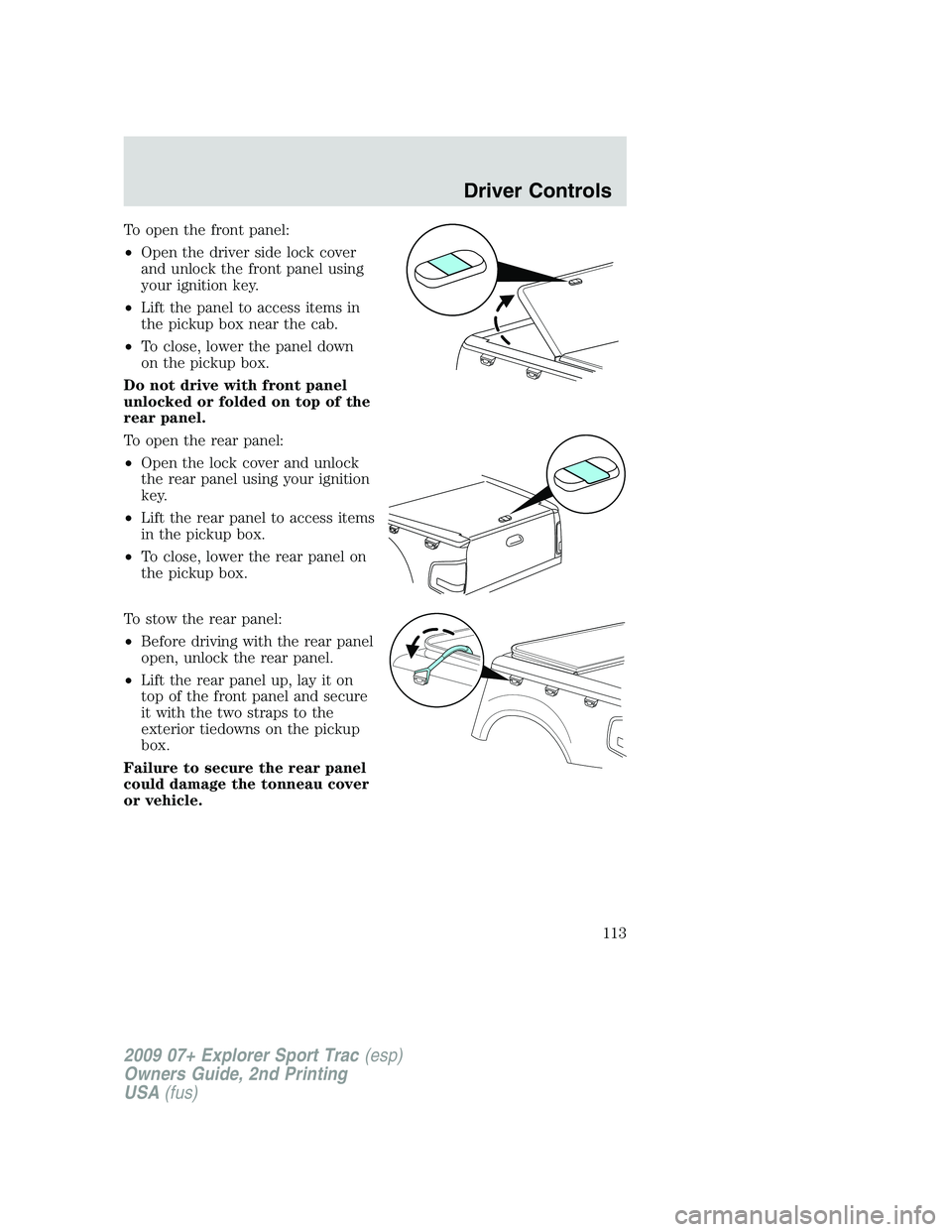
To open the front panel:
•Open the driver side lock cover
and unlock the front panel using
your ignition key.
•Lift the panel to access items in
the pickup box near the cab.
•To close, lower the panel down
on the pickup box.
Do not drive with front panel
unlocked or folded on top of the
rear panel.
To open the rear panel:
•Open the lock cover and unlock
the rear panel using your ignition
key.
•Lift the rear panel to access items
in the pickup box.
•To close, lower the rear panel on
the pickup box.
To stow the rear panel:
•Before driving with the rear panel
open, unlock the rear panel.
•Lift the rear panel up, lay it on
top of the front panel and secure
it with the two straps to the
exterior tiedowns on the pickup
box.
Failure to secure the rear panel
could damage the tonneau cover
or vehicle.
2009 07+ Explorer Sport Trac(esp)
Owners Guide, 2nd Printing
USA(fus)
Driver Controls
113