sport mode FORD EXPLORER SPORT TRAC 2009 Owner's Manual
[x] Cancel search | Manufacturer: FORD, Model Year: 2009, Model line: EXPLORER SPORT TRAC, Model: FORD EXPLORER SPORT TRAC 2009Pages: 351, PDF Size: 2.67 MB
Page 40 of 351
In CATEGORY MODE,press SCAN to hear a brief sampling of the
channels in the selected category. Press again to stop.
Satellite radio is available only with a valid SIRIUS radio
subscription. Check with your authorized dealer for availability.
In TEXT MODE,sometimes the display requires additional text to be
displayed. When the “>” indicator is active, press SEEK
to view the
additional display text. When the “<” indicator is active, press
SEEK
to view the previous display text.
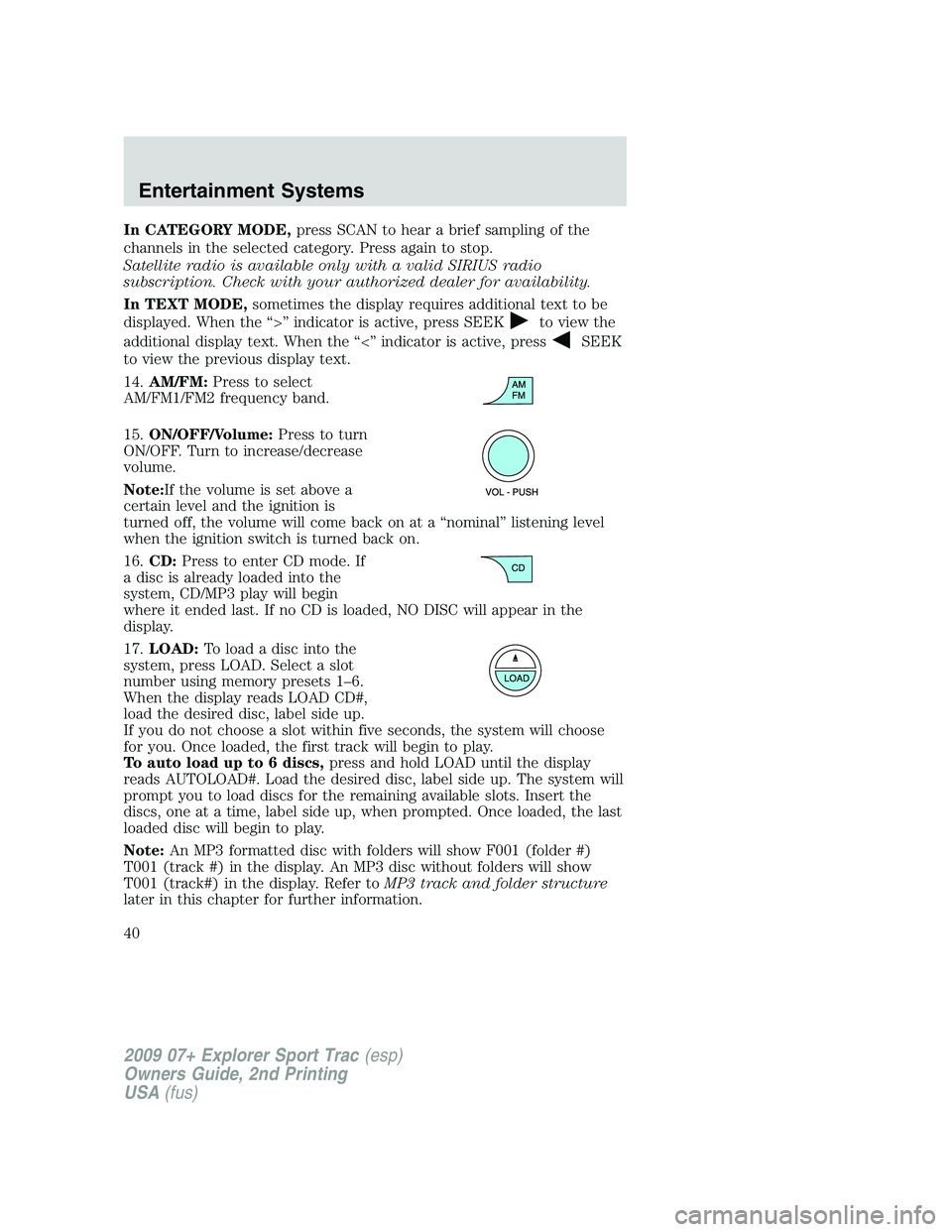
14.AM/FM:Press to select
AM/FM1/FM2 frequency band.
15.ON/OFF/Volume:Press to turn
ON/OFF. Turn to increase/decrease
volume.
Note:If the volume is set above a
certain level and the ignition is
turned off, the volume will come back on at a “nominal” listening level
when the ignition switch is turned back on.
16.CD:Press to enter CD mode. If
a disc is already loaded into the
system, CD/MP3 play will begin
where it ended last. If no CD is loaded, NO DISC will appear in the
display.
17.LOAD:Toloadadiscintothe
system, press LOAD. Select a slot
number using memory presets 1–6.
When the display reads LOAD CD#,
load the desired disc, label side up.
If you do not choose a slot within five seconds, the system will choose
for you. Once loaded, the first track will begin to play.
To auto load up to 6 discs,press and hold LOAD until the display
reads AUTOLOAD#. Load the desired disc, label side up. The system will
prompt you to load discs for the remaining available slots. Insert the
discs, one at a time, label side up, when prompted. Once loaded, the last
loaded disc will begin to play.
Note:An MP3 formatted disc with folders will show F001 (folder #)
T001 (track #) in the display. An MP3 disc without folders will show
T001 (track#) in the display. Refer toMP3 track and folder structure
later in this chapter for further information.
2009 07+ Explorer Sport Trac(esp)
Owners Guide, 2nd Printing
USA(fus)
Entertainment Systems
40
Page 45 of 351
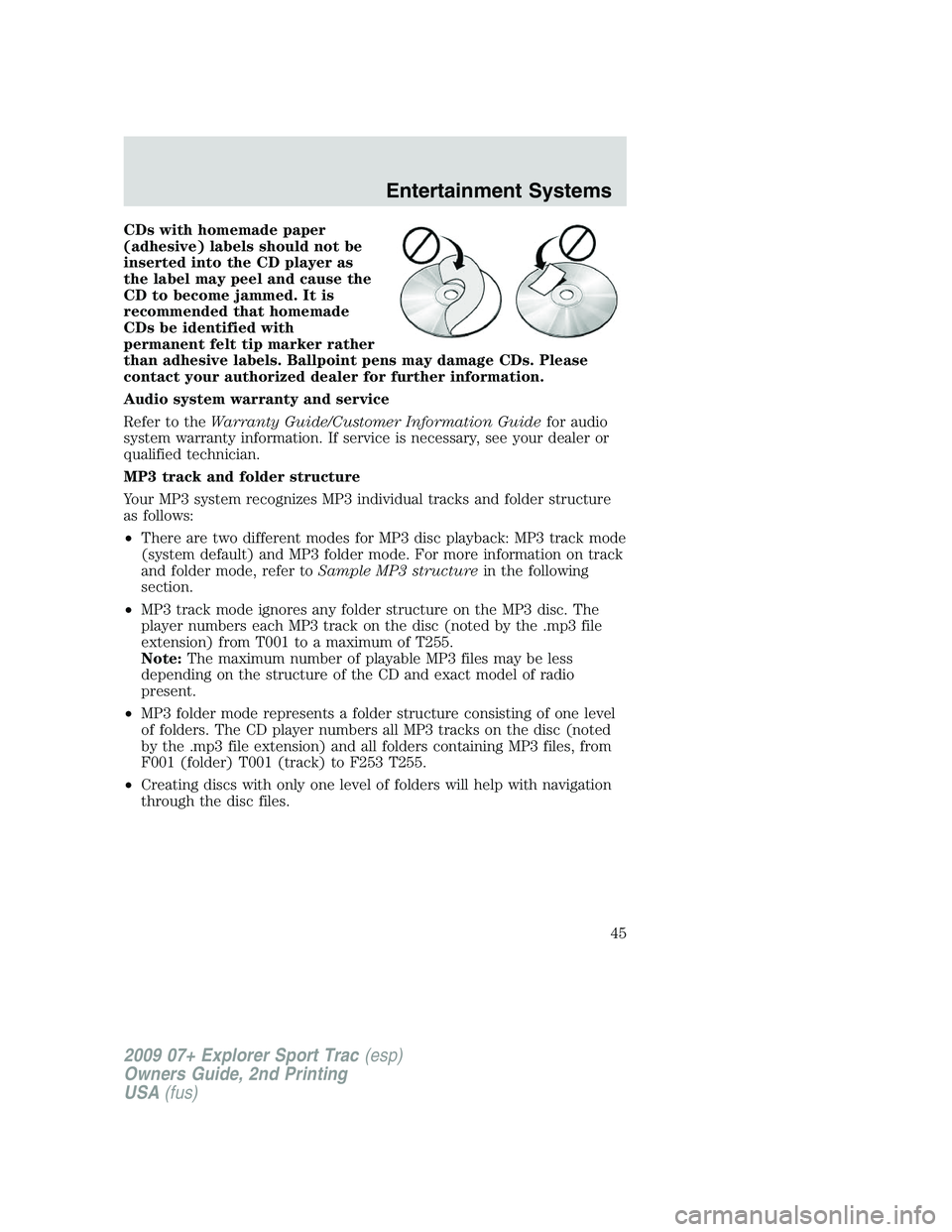
CDs with homemade paper
(adhesive) labels should not be
inserted into the CD player as
the label may peel and cause the
CD to become jammed. It is
recommended that homemade
CDs be identified with
permanent felt tip marker rather
than adhesive labels. Ballpoint pens may damage CDs. Please
contact your authorized dealer for further information.
Audio system warranty and service
Refer to theWarranty Guide/Customer Information Guidefor audio
system warranty information. If service is necessary, see your dealer or
qualified technician.
MP3 track and folder structure
Your MP3 system recognizes MP3 individual tracks and folder structure
as follows:
•There are two different modes for MP3 disc playback: MP3 track mode
(system default) and MP3 folder mode. For more information on track
and folder mode, refer toSample MP3 structurein the following
section.
•MP3 track mode ignores any folder structure on the MP3 disc. The
player numbers each MP3 track on the disc (noted by the .mp3 file
extension) from T001 to a maximum of T255.
Note:The maximum number of playable MP3 files may be less
depending on the structure of the CD and exact model of radio
present.
•MP3 folder mode represents a folder structure consisting of one level
of folders. The CD player numbers all MP3 tracks on the disc (noted
by the .mp3 file extension) and all folders containing MP3 files, from
F001 (folder) T001 (track) to F253 T255.
•Creating discs with only one level of folders will help with navigation
through the disc files.
2009 07+ Explorer Sport Trac(esp)
Owners Guide, 2nd Printing
USA(fus)
Entertainment Systems
45
Page 46 of 351
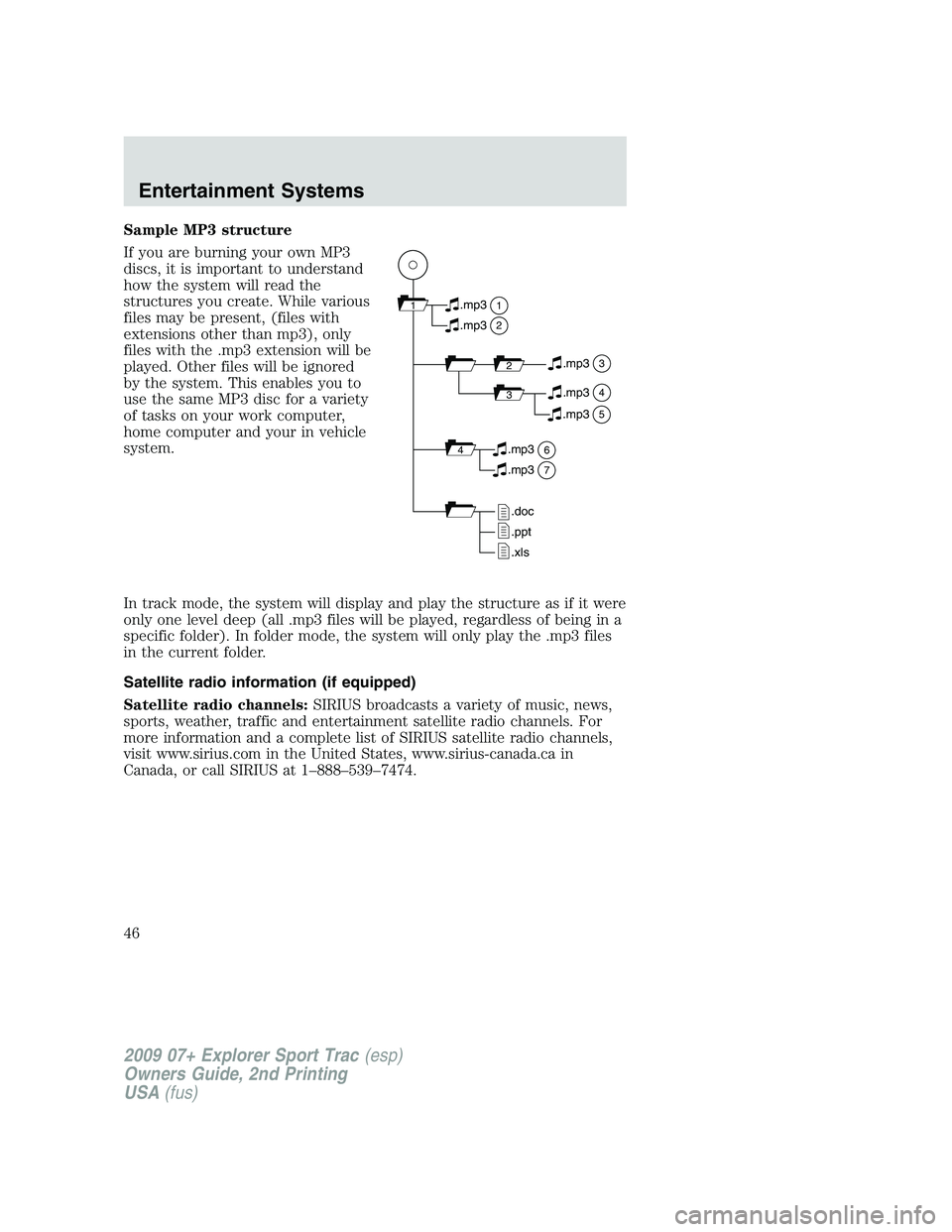
Sample MP3 structure
If you are burning your own MP3
discs, it is important to understand
how the system will read the
structures you create. While various
files may be present, (files with
extensions other than mp3), only
files with the .mp3 extension will be
played. Other files will be ignored
by the system. This enables you to
use the same MP3 disc for a variety
of tasks on your work computer,
home computer and your in vehicle
system.
In track mode, the system will display and play the structure as if it were
only one level deep (all .mp3 files will be played, regardless of being in a
specific folder). In folder mode, the system will only play the .mp3 files
in the current folder.
Satellite radio information (if equipped)
Satellite radio channels:SIRIUS broadcasts a variety of music, news,
sports, weather, traffic and entertainment satellite radio channels. For
more information and a complete list of SIRIUS satellite radio channels,
visit www.sirius.com in the United States, www.sirius-canada.ca in
Canada, or call SIRIUS at 1–888–539–7474.
11
2
.mp3
2.mp3
3.mp3
34.mp3
64.mp3
7.mp3
.doc
.ppt
.xls
5.mp3
2009 07+ Explorer Sport Trac(esp)
Owners Guide, 2nd Printing
USA(fus)
Entertainment Systems
46
Page 48 of 351
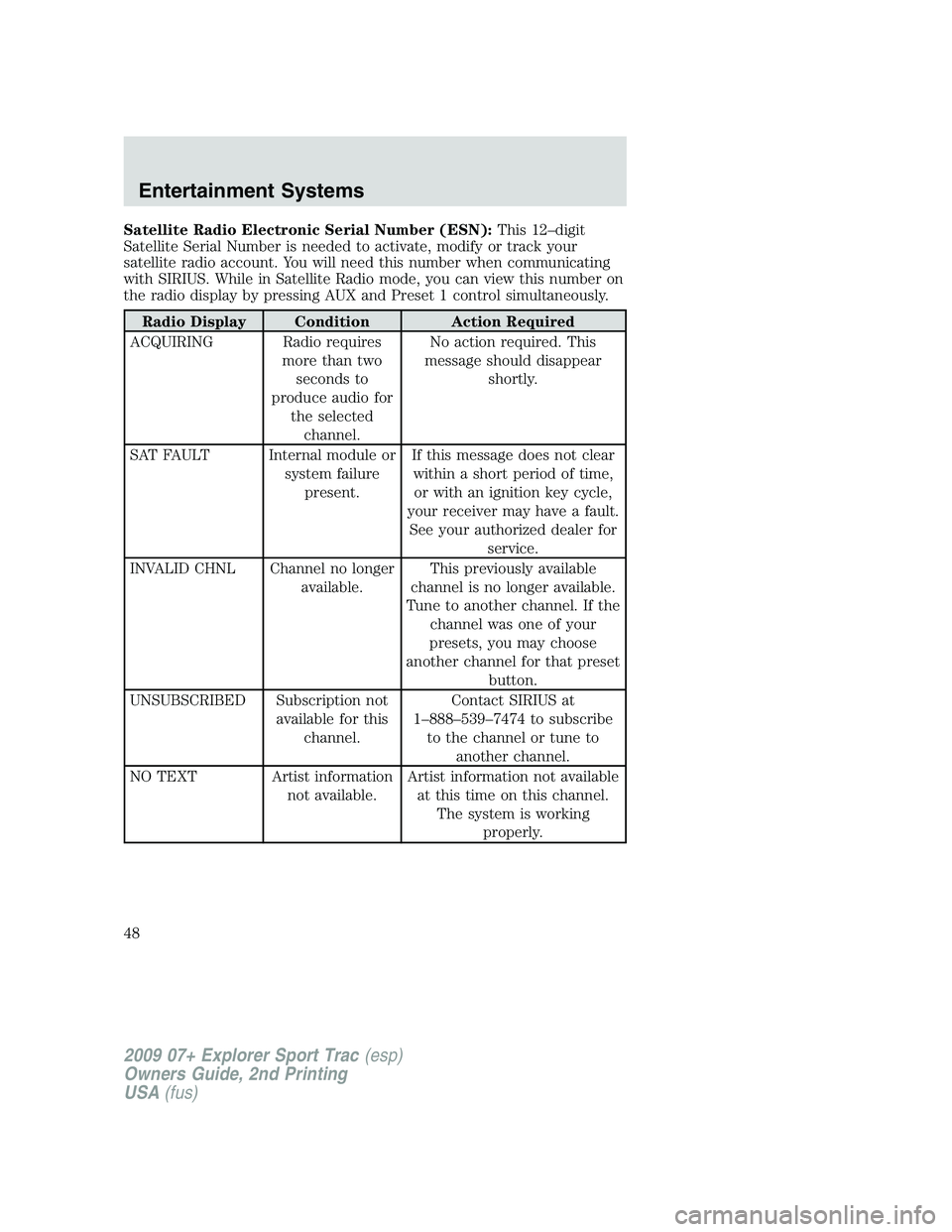
Satellite Radio Electronic Serial Number (ESN):This 12–digit
Satellite Serial Number is needed to activate, modify or track your
satellite radio account. You will need this number when communicating
with SIRIUS. While in Satellite Radio mode, you can view this number on
the radio display by pressing AUX and Preset 1 control simultaneously.
Radio Display Condition Action Required
ACQUIRING Radio requires
more than two
seconds to
produce audio for
the selected
channel.No action required. This
message should disappear
shortly.
SAT FAULT Internal module or
system failure
present.If this message does not clear
within a short period of time,
or with an ignition key cycle,
your receiver may have a fault.
See your authorized dealer for
service.
INVALID CHNL Channel no longer
available.This previously available
channel is no longer available.
Tune to another channel. If the
channel was one of your
presets, you may choose
another channel for that preset
button.
UNSUBSCRIBED Subscription not
available for this
channel.Contact SIRIUS at
1–888–539–7474 to subscribe
to the channel or tune to
another channel.
NO TEXT Artist information
not available.Artist information not available
at this time on this channel.
The system is working
properly.
2009 07+ Explorer Sport Trac(esp)
Owners Guide, 2nd Printing
USA(fus)
Entertainment Systems
48
Page 51 of 351
•Remove any snow, ice or leaves from the air intake area at the base of
the windshield.
•To improve the A/C cool down when the vehicle interior is
significantly warmer than the outside temperature, drive with the
windows slightly open for 2–3 minutes after start up or until the
vehicle has been “aired out.”
•If you are driving during extreme high ambient temperatures and
idling for extended periods of time in gear, it is recommended to run
the A/C in the MAX A/C position, adjust the blower fan speed to the
lowest setting, turn off the rear A/C unit and put the vehicle’s
transmission into the P (Park) to continue to receive cool air from
your A/C system.
For maximum cooling performance in panel (
) mode:
•Select MAX A/C mode. MAX A/C uses recirculated air with A/C to
provide a cooler airflow.
•Move the temperature control to the coolest setting.
•Set the fan to the highest speed initially, then adjust in order to
maintain comfort.
To allow side window defogging and demisting while warming up the
vehicle cabin:
1. Select
.
2. Select A/C.
3. Set the temperature control to maintain comfort.
4. Set the fan speed to the highest setting.
5. Direct the outer instrument panel vents towards the side windows. To
increase airflow to the outer instrument panel vents, close the vents
located in the middle of the instrument panel.
To allow windshield defogging and demisting while warming up vehicle:
1. Select
floor/defrost mode.
2. Set temperature control to maintain comfort.
3. Set fan to highest setting.
2009 07+ Explorer Sport Trac(esp)
Owners Guide, 2nd Printing
USA(fus)
Climate Controls
51
Page 52 of 351
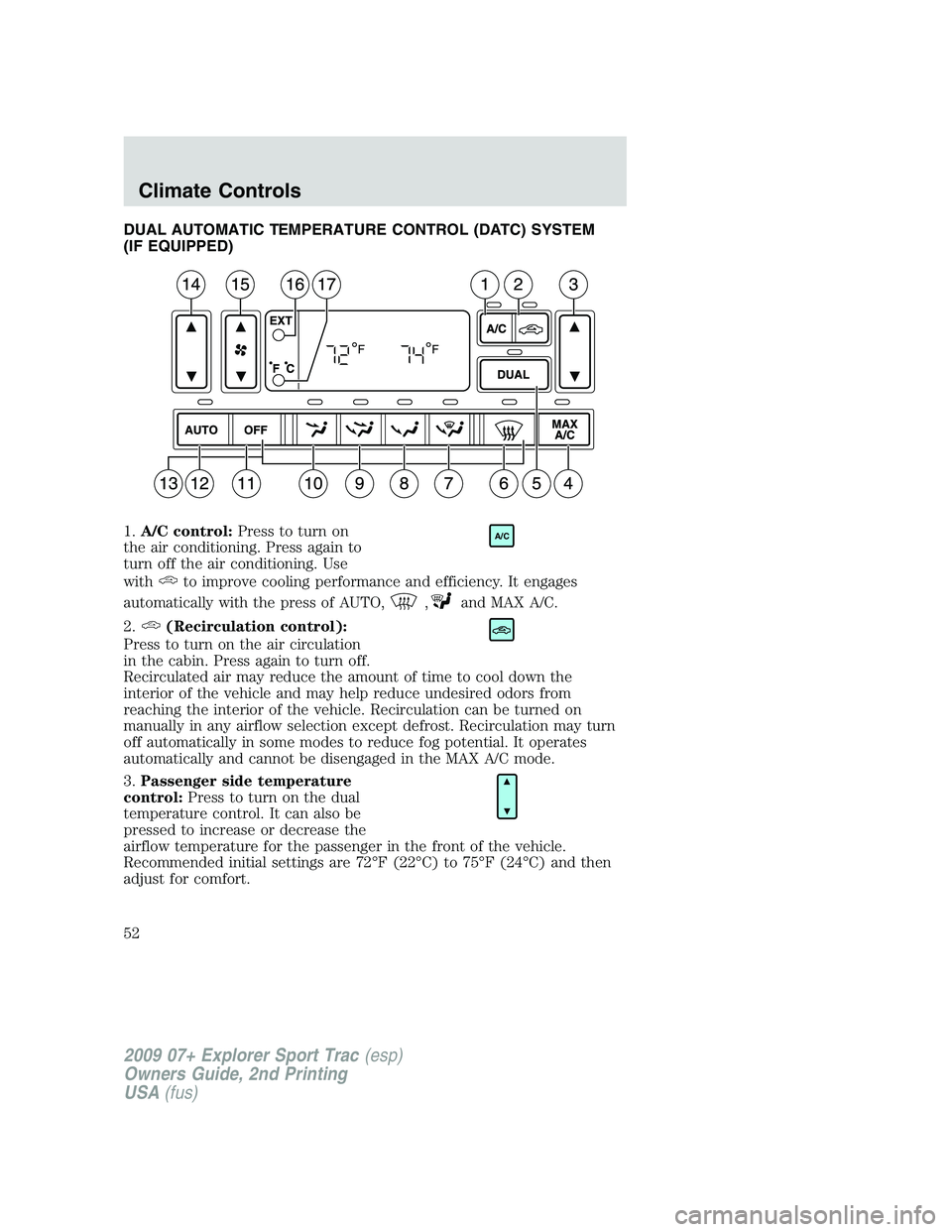
DUAL AUTOMATIC TEMPERATURE CONTROL (DATC) SYSTEM
(IF EQUIPPED)
1.A/C control:Press to turn on
the air conditioning. Press again to
turn off the air conditioning. Use
with
to improve cooling performance and efficiency. It engages
automatically with the press of AUTO,
,and MAX A/C.
2.
(Recirculation control):
Press to turn on the air circulation
in the cabin. Press again to turn off.
Recirculated air may reduce the amount of time to cool down the
interior of the vehicle and may help reduce undesired odors from
reaching the interior of the vehicle. Recirculation can be turned on
manually in any airflow selection except defrost. Recirculation may turn
off automatically in some modes to reduce fog potential. It operates
automatically and cannot be disengaged in the MAX A/C mode.
3.Passenger side temperature
control:Press to turn on the dual
temperature control. It can also be
pressed to increase or decrease the
airflow temperature for the passenger in the front of the vehicle.
Recommended initial settings are 72°F (22°C) to 75°F (24°C) and then
adjust for comfort.
A/C
2009 07+ Explorer Sport Trac(esp)
Owners Guide, 2nd Printing
USA(fus)
Climate Controls
52
Page 75 of 351
Security override
If, during a bounce-back condition and within two seconds after the
window stops, the control is held in the closed direction,the back
window will travel closed with no bounce-back protection.If the
control is released before the window reaches fully closed, the back
window will continue moving with bounce-back re-enabled.
The following are possible reasons for using the security override:
•Ice on the window causing a restriction.
•Window unexpectedly reverses.
Position recovery mode
If the motor loses position and stops mid travel, the motor will respond
to switch inputs by moving 0.6 in. (15 mm) each switch command in the
up direction only. Down will be a one touch down operation. If the
window is stalled in the down position and there are no other system
faults, the motor shall relearn its position and resume full functionality. If
there is a feedback signal loss, the window will remain in its 0.6 in.
(15 mm) travel mode with each switch command and will not recover
full functionality. This will allow you to “inch” the window up to the fully
closed position. If the window does not operate correctly, see your dealer
for service.
INTERIOR MIRROR
The interior rear view mirror has two pivot points on the support arm
which lets you adjust the mirror UP or DOWN and from SIDE to SIDE.
WARNING:Do not adjust the mirror while the vehicle is in
motion.
Automatic dimming interior rear view mirror (if equipped)
Your vehicle may be equipped with an interior rear view mirror which
has an auto-dimming function. The electronic day/night mirror will
change from the normal (high reflective) state to the non-glare
(darkened) state when bright lights (glare) reach the mirror. When the
mirror detects bright light from behind the vehicle, it will automatically
adjust (darken) to minimize glare.
2009 07+ Explorer Sport Trac(esp)
Owners Guide, 2nd Printing
USA(fus)
Driver Controls
75
Page 81 of 351
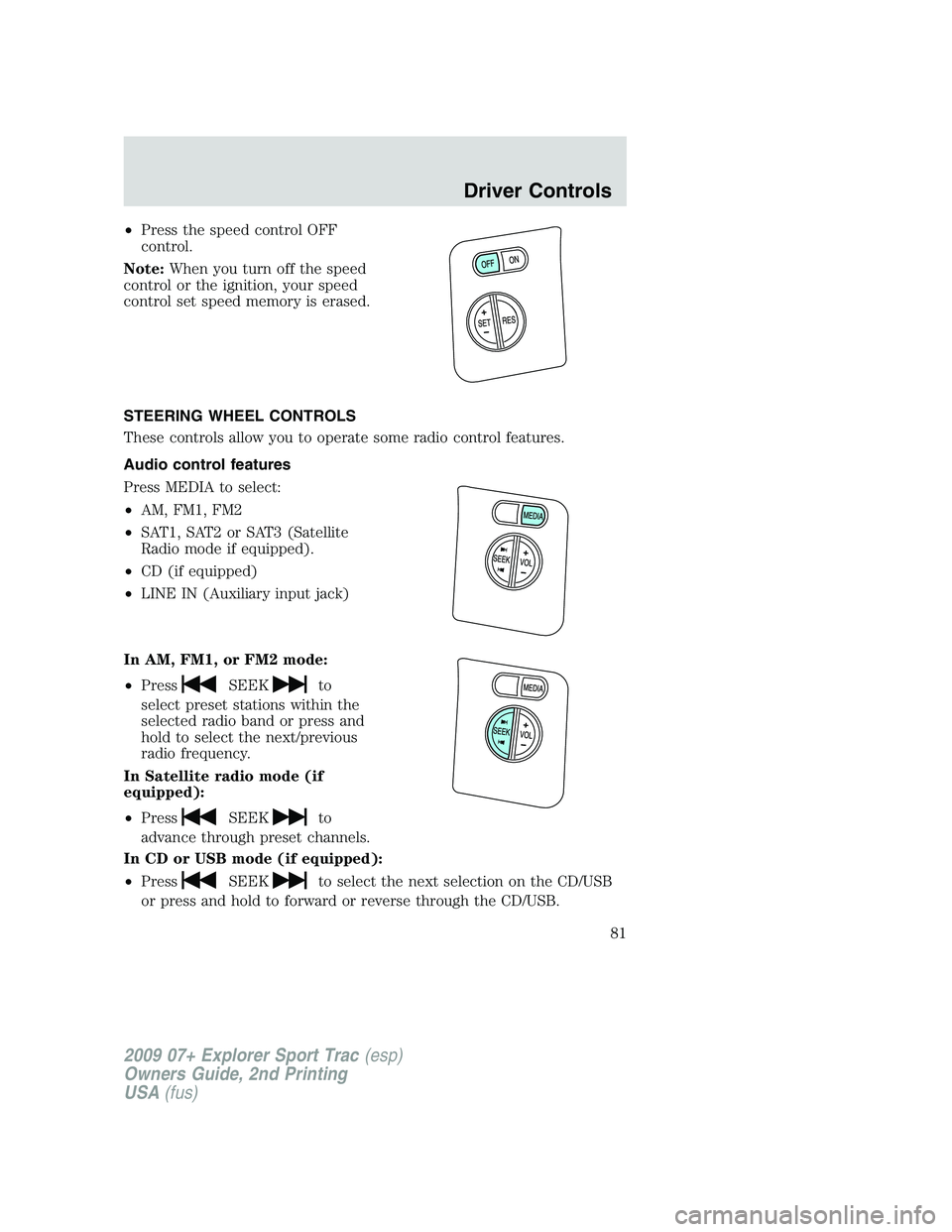
•Press the speed control OFF
control.
Note:When you turn off the speed
control or the ignition, your speed
control set speed memory is erased.
STEERING WHEEL CONTROLS
These controls allow you to operate some radio control features.
Audio control features
Press MEDIA to select:
•AM, FM1, FM2
•SAT1, SAT2 or SAT3 (Satellite
Radio mode if equipped).
•CD (if equipped)
•LINE IN (Auxiliary input jack)
In AM, FM1, or FM2 mode:
•Press
SEEKto
select preset stations within the
selected radio band or press and
hold to select the next/previous
radio frequency.
In Satellite radio mode (if
equipped):
•Press
SEEKto
advance through preset channels.
In CD or USB mode (if equipped):
•Press
SEEKto select the next selection on the CD/USB
or press and hold to forward or reverse through the CD/USB.
2009 07+ Explorer Sport Trac(esp)
Owners Guide, 2nd Printing
USA(fus)
Driver Controls
81
Page 82 of 351
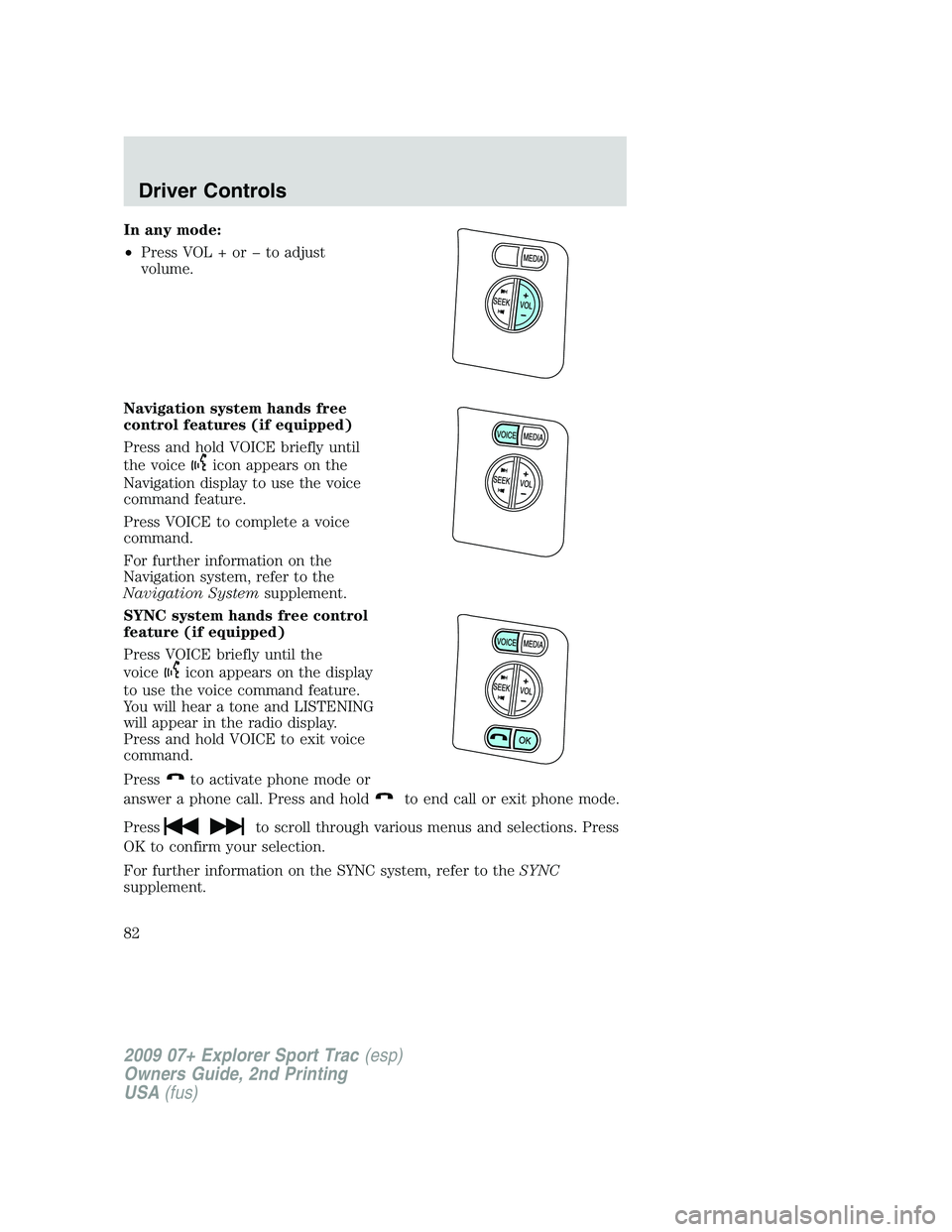
In any mode:
•Press VOL + or to adjust
volume.
Navigation system hands free
control features (if equipped)
Press and hold VOICE briefly until
the voice
icon appears on the
Navigation display to use the voice
command feature.
Press VOICE to complete a voice
command.
For further information on the
Navigation system, refer to the
Navigation Systemsupplement.
SYNC system hands free control
feature (if equipped)
Press VOICE briefly until the
voice
icon appears on the display
to use the voice command feature.
You will hear a tone and LISTENING
will appear in the radio display.
Press and hold VOICE to exit voice
command.
Press
to activate phone mode or
answer a phone call. Press and hold
to end call or exit phone mode.
Press
to scroll through various menus and selections. Press
OK to confirm your selection.
For further information on the SYNC system, refer to theSYNC
supplement.
2009 07+ Explorer Sport Trac(esp)
Owners Guide, 2nd Printing
USA(fus)
Driver Controls
82
Page 83 of 351

Navigation system/SYNC hands
free control features
(if equipped)
Press VOICE briefly until the
voice
icon appears on the
Navigation display to use the voice
command feature.
Press
to activate phone mode or
answer a phone call. Press and
hold
to exit phone mode or end
call.
For further information on the Navigation system/SYNC system, refer to
theNavigation SystemandSYNCsupplements.
MOON ROOF (IF EQUIPPED)
The moon roof control is located on the overhead console.
WARNING:Do not let children play with the moon roof or leave
children unattended in the vehicle. They may seriously hurt
themselves.
WARNING:When closing the moon roof, you should verify that
it is free of obstructions and ensure that children and/or pets are
not in the proximity of the moon roof opening.
The moon roof is equipped with an automatic, one-touch, express
opening and closing feature. To stop motion at any time during the
one-touch operation, press the control a second time.
To open the moon roof:Press and
release the SLIDE control, the moon
roof will open automatically. Press
the switch again to stop the moon
roof.
To close the moon roof:Pull and
release the SLIDE control, the moon
roof will close automatically. Press
the switch again to stop the moon
roof.
2009 07+ Explorer Sport Trac(esp)
Owners Guide, 2nd Printing
USA(fus)
Driver Controls
83