4WD FORD F-150 2020 User Guide
[x] Cancel search | Manufacturer: FORD, Model Year: 2020, Model line: F-150, Model: FORD F-150 2020Pages: 625, PDF Size: 7.98 MB
Page 418 of 625
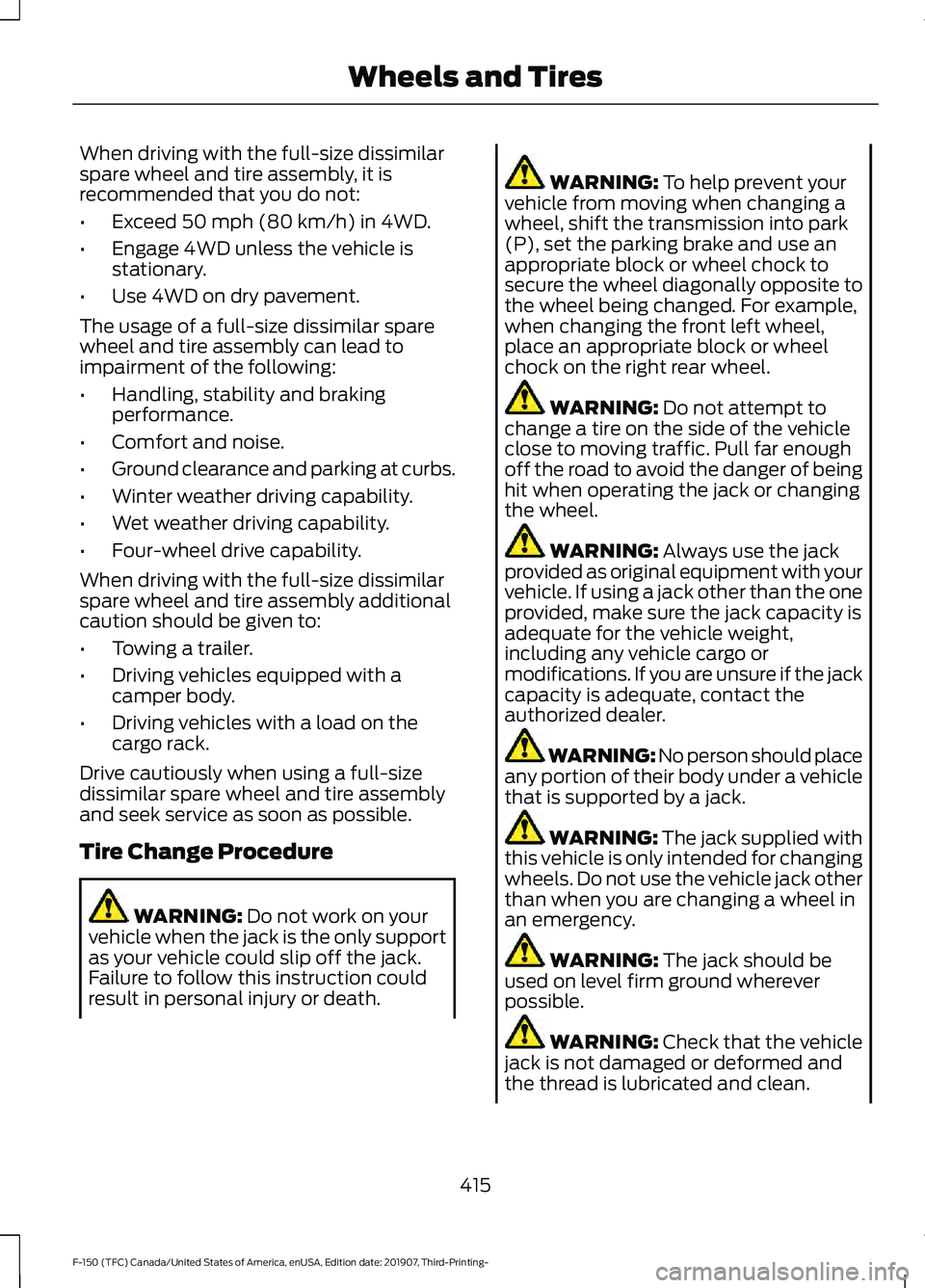
When driving with the full-size dissimilar
spare wheel and tire assembly, it is
recommended that you do not:
•
Exceed 50 mph (80 km/h) in 4WD.
• Engage 4WD unless the vehicle is
stationary.
• Use 4WD on dry pavement.
The usage of a full-size dissimilar spare
wheel and tire assembly can lead to
impairment of the following:
• Handling, stability and braking
performance.
• Comfort and noise.
• Ground clearance and parking at curbs.
• Winter weather driving capability.
• Wet weather driving capability.
• Four-wheel drive capability.
When driving with the full-size dissimilar
spare wheel and tire assembly additional
caution should be given to:
• Towing a trailer.
• Driving vehicles equipped with a
camper body.
• Driving vehicles with a load on the
cargo rack.
Drive cautiously when using a full-size
dissimilar spare wheel and tire assembly
and seek service as soon as possible.
Tire Change Procedure WARNING:
Do not work on your
vehicle when the jack is the only support
as your vehicle could slip off the jack.
Failure to follow this instruction could
result in personal injury or death. WARNING:
To help prevent your
vehicle from moving when changing a
wheel, shift the transmission into park
(P), set the parking brake and use an
appropriate block or wheel chock to
secure the wheel diagonally opposite to
the wheel being changed. For example,
when changing the front left wheel,
place an appropriate block or wheel
chock on the right rear wheel. WARNING:
Do not attempt to
change a tire on the side of the vehicle
close to moving traffic. Pull far enough
off the road to avoid the danger of being
hit when operating the jack or changing
the wheel. WARNING:
Always use the jack
provided as original equipment with your
vehicle. If using a jack other than the one
provided, make sure the jack capacity is
adequate for the vehicle weight,
including any vehicle cargo or
modifications. If you are unsure if the jack
capacity is adequate, contact the
authorized dealer. WARNING: No person should place
any portion of their body under a vehicle
that is supported by a jack. WARNING:
The jack supplied with
this vehicle is only intended for changing
wheels. Do not use the vehicle jack other
than when you are changing a wheel in
an emergency. WARNING:
The jack should be
used on level firm ground wherever
possible. WARNING: Check that the vehicle
jack is not damaged or deformed and
the thread is lubricated and clean.
415
F-150 (TFC) Canada/United States of America, enUSA, Edition date: 201907, Third-Printing- Wheels and Tires
Page 610 of 625
3
360 Degree Camera...................................250
Camera Views...................................................... 251
Front Camera...................................................... 252
Side Camera........................................................ 252
4
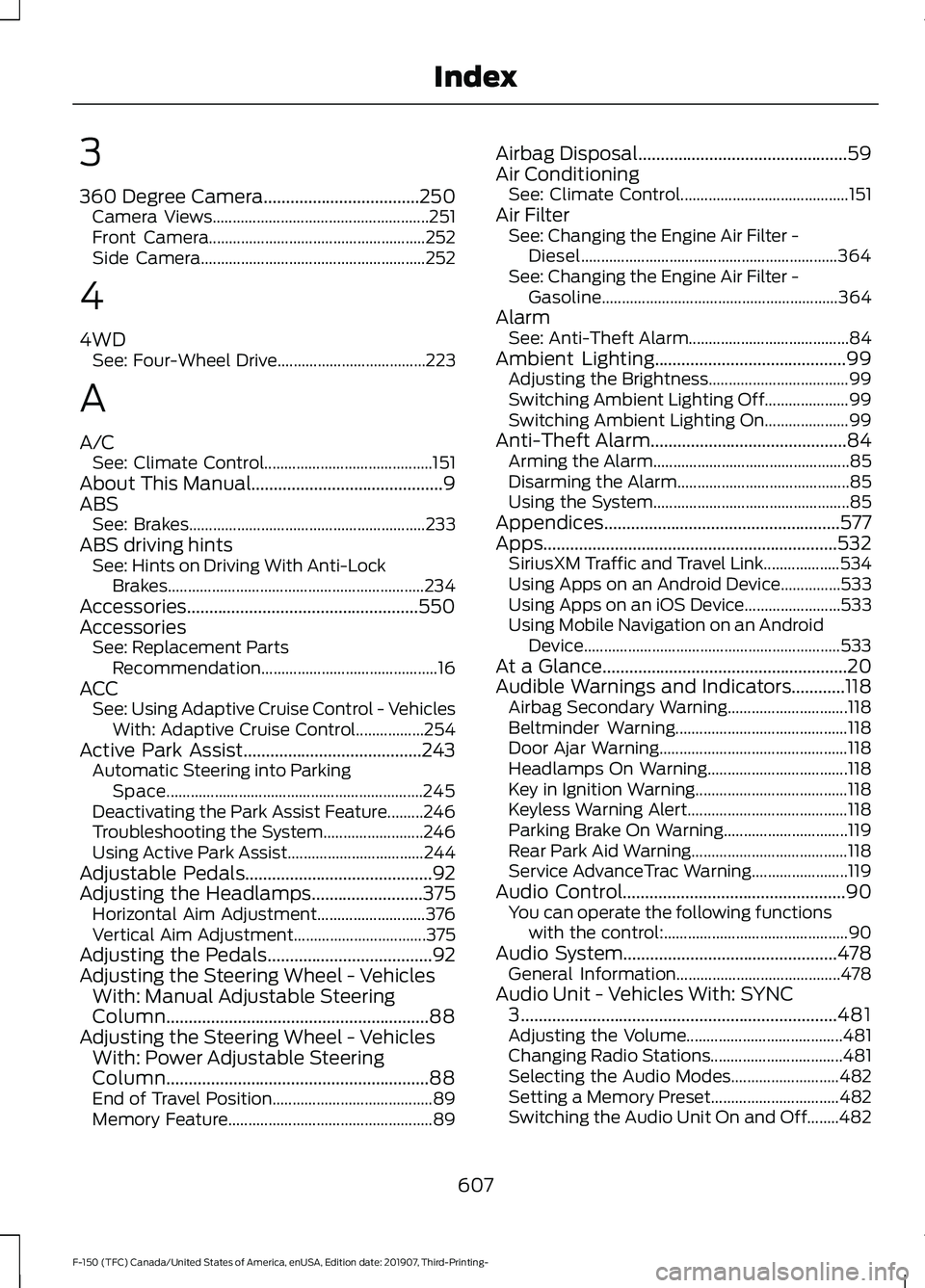
4WD See: Four-Wheel Drive..................................... 223
A
A/C See: Climate Control.......................................... 151
About This Manual...........................................9
ABS See: Brakes........................................................... 233
ABS driving hints See: Hints on Driving With Anti-Lock
Brakes................................................................ 234
Accessories....................................................550
Accessories See: Replacement Parts
Recommendation............................................ 16
ACC See: Using Adaptive Cruise Control - Vehicles
With: Adaptive Cruise Control.................254
Active Park Assist........................................243 Automatic Steering into Parking
Space................................................................ 245
Deactivating the Park Assist Feature.........246
Troubleshooting the System......................... 246
Using Active Park Assist.................................. 244
Adjustable Pedals..........................................92
Adjusting the Headlamps.........................375 Horizontal Aim Adjustment........................... 376
Vertical Aim Adjustment................................. 375
Adjusting the Pedals.....................................92
Adjusting the Steering Wheel - Vehicles With: Manual Adjustable Steering
Column
...........................................................88
Adjusting the Steering Wheel - Vehicles With: Power Adjustable Steering
Column
...........................................................88
End of Travel Position........................................ 89
Memory Feature................................................... 89Airbag Disposal
...............................................59
Air Conditioning See: Climate Control.......................................... 151
Air Filter See: Changing the Engine Air Filter -
Diesel................................................................ 364
See: Changing the Engine Air Filter - Gasoline........................................................... 364
Alarm See: Anti-Theft Alarm........................................ 84
Ambient Lighting
...........................................99
Adjusting the Brightness................................... 99
Switching Ambient Lighting Off..................... 99
Switching Ambient Lighting On..................... 99
Anti-Theft Alarm
............................................84
Arming the Alarm................................................. 85
Disarming the Alarm........................................... 85
Using the System................................................. 85
Appendices.....................................................577
Apps..................................................................532 SiriusXM Traffic and Travel Link................... 534
Using Apps on an Android Device...............533
Using Apps on an iOS Device........................ 533
Using Mobile Navigation on an Android Device................................................................ 533
At a Glance.......................................................20
Audible Warnings and Indicators
............118
Airbag Secondary Warning.............................. 118
Beltminder Warning........................................... 118
Door Ajar Warning............................................... 118
Headlamps On Warning................................... 118
Key in Ignition Warning...................................... 118
Keyless Warning Alert........................................ 118
Parking Brake On Warning............................... 119
Rear Park Aid Warning....................................... 118
Service AdvanceTrac Warning........................ 119
Audio Control
..................................................90
You can operate the following functions
with the control:.............................................. 90
Audio System
................................................478
General Information......................................... 478
Audio Unit - Vehicles With: SYNC 3.......................................................................481
Adjusting the Volume....................................... 481
Changing Radio Stations................................. 481
Selecting the Audio Modes........................... 482
Setting a Memory Preset................................ 482
Switching the Audio Unit On and Off........482
607
F-150 (TFC) Canada/United States of America, enUSA, Edition date: 201907, Third-Printing- Index
Page 618 of 625
Hints on Controlling the Interior Climate
- Vehicles With: Automatic
Temperature Control................................154
Defogging the Side Windows in Cold
Weather............................................................. 155
General Hints....................................................... 154
Quickly Cooling the Interior............................. 155
Quickly Heating the Interior............................ 154
Recommended Settings for Cooling...........155
Recommended Settings for Heating..........155
Hints on Controlling the Interior Climate - Vehicles With: Manual Temperature
Control...........................................................155
Defogging the Side Windows in Cold Weather............................................................. 156
General Hints....................................................... 155
Quickly Cooling the Interior............................. 155
Quickly Heating the Interior............................ 155
Recommended Settings for Cooling...........155
Recommended Settings for Heating..........155
Vehicle Stationary for Extended Periods During Extreme High Ambient
Temperatures.................................................. 156
Hints on Driving With Anti-Lock Brakes
...........................................................234
Hood Lock See: Opening and Closing the Hood..........355
Horn......................................................................91
How Does the Rear Occupant Alert System Work
...............................................169
I
Ignition Switch...............................................179
In California (U.S. Only)
............................338
Information Display Control........................91
Information Displays...................................120 General Information.......................................... 120
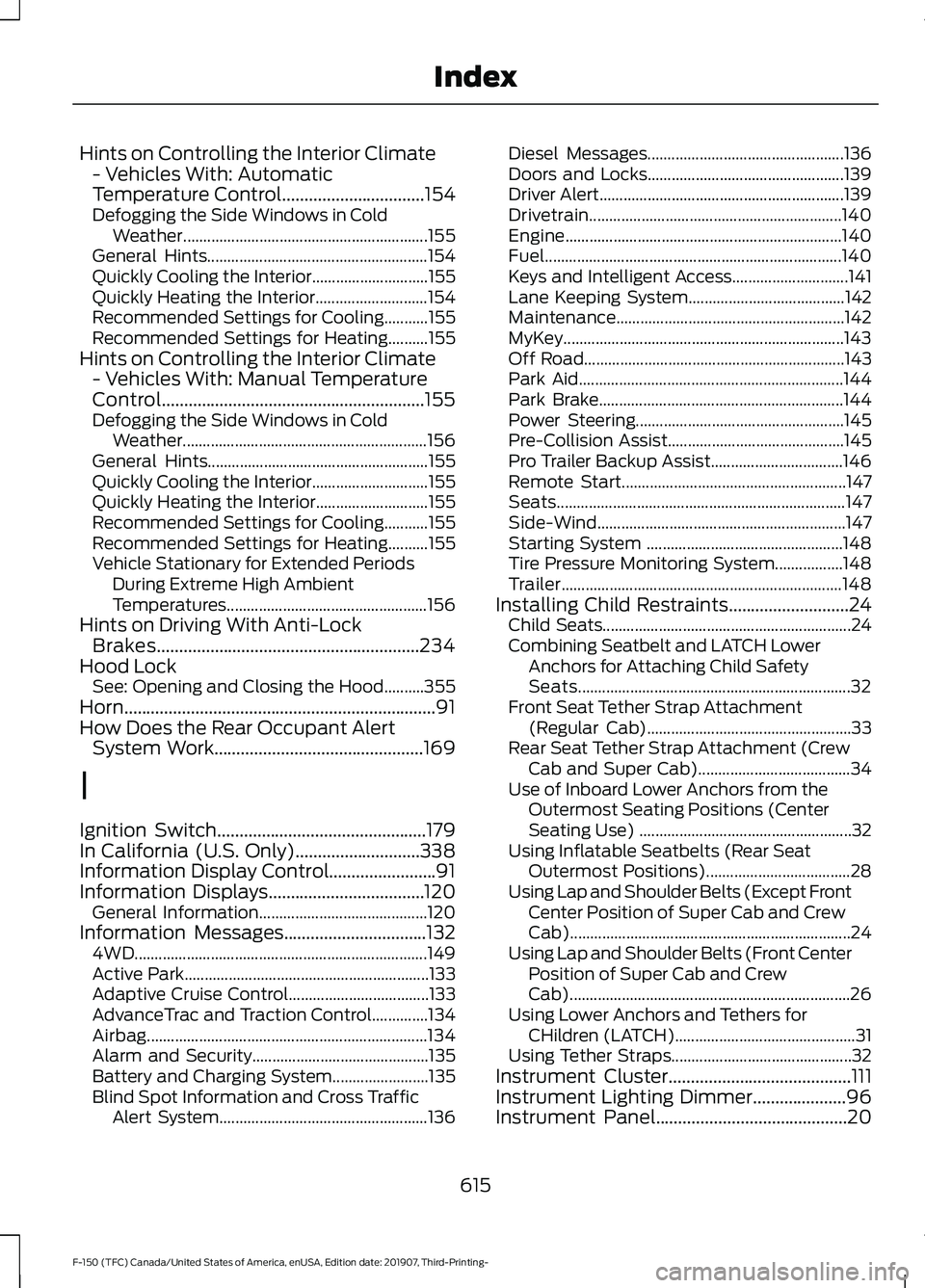
Information Messages................................132 4WD........................................................................\
. 149
Active Park............................................................. 133
Adaptive Cruise Control................................... 133
AdvanceTrac and Traction Control..............134
Airbag...................................................................... 134
Alarm and Security............................................ 135
Battery and Charging System........................ 135
Blind Spot Information and Cross Traffic Alert System.................................................... 136Diesel Messages.................................................
136
Doors and Locks................................................. 139
Driver Alert............................................................. 139
Drivetrain............................................................... 140
Engine..................................................................... 140
Fuel........................................................................\
.. 140
Keys and Intelligent Access............................. 141
Lane Keeping System....................................... 142
Maintenance......................................................... 142
MyKey...................................................................... 143
Off Road................................................................. 143
Park Aid.................................................................. 144
Park Brake............................................................. 144
Power Steering.................................................... 145
Pre-Collision Assist............................................ 145
Pro Trailer Backup Assist................................. 146
Remote Start........................................................ 147
Seats........................................................................\
147
Side-Wind.............................................................. 147
Starting System ................................................. 148
Tire Pressure Monitoring System.................148
Trailer...................................................................... 148
Installing Child Restraints
...........................24
Child Seats.............................................................. 24
Combining Seatbelt and LATCH Lower Anchors for Attaching Child Safety
Seats.................................................................... 32
Front Seat Tether Strap Attachment (Regular Cab)................................................... 33
Rear Seat Tether Strap Attachment (Crew Cab and Super Cab)...................................... 34
Use of Inboard Lower Anchors from the Outermost Seating Positions (Center
Seating Use) ..................................................... 32
Using Inflatable Seatbelts (Rear Seat Outermost Positions).................................... 28
Using Lap and Shoulder Belts (Except Front Center Position of Super Cab and Crew
Cab)...................................................................... 24
Using Lap and Shoulder Belts (Front Center Position of Super Cab and Crew
Cab)...................................................................... 26
Using Lower Anchors and Tethers for CHildren (LATCH)............................................. 31
Using Tether Straps............................................. 32
Instrument Cluster
.........................................111
Instrument Lighting Dimmer.....................96
Instrument Panel...........................................20
615
F-150 (TFC) Canada/United States of America, enUSA, Edition date: 201907, Third-Printing- Index
Page 624 of 625
Transfer Case Fluid Check.........................371
Transmission Code Designation............432
Transmission...................................................217
Transporting the Vehicle
...........................335
U
Under Hood Overview - 2.7L EcoBoost™.................................................356
Under Hood Overview - 3.0L Diesel.............................................................357
Under Hood Overview - 3.3L...................358
Under Hood Overview - 3.5L Ecoboost™.................................................359
Under Hood Overview - 5.0L
..................360
Unique Driving Characteristics................190
Universal Garage Door Opener.................171 HomeLink Wireless Control System.............171
USB Port
.........................................................487
Using Adaptive Cruise Control - Vehicles With: Adaptive Cruise Control.............254
Automatic Cancellation................................... 257
Blocked Sensor................................................... 259
Canceling the Set Speed................................. 257
Changing the Set Speed................................. 257
Detection Issues.................................................258
Following a Vehicle........................................... 255
Following a Vehicle to a Complete Stop................................................................... 256
Hilly Condition Usage....................................... 258
Overriding the Set Speed................................ 257
Park Brake Application.................................... 258
Resuming the Set Speed................................. 257
Setting the Adaptive Cruise Speed.............255
Setting the Adaptive Cruise Speed When Your Vehicle is Stationary.......................... 255
Setting the Gap Distance............................... 256
Switching Adaptive Cruise Control Off...................................................................... 258
Switching Adaptive Cruise Control On....................................................................... 255
Switching to Normal Cruise Control..........260
System Not Available...................................... 259
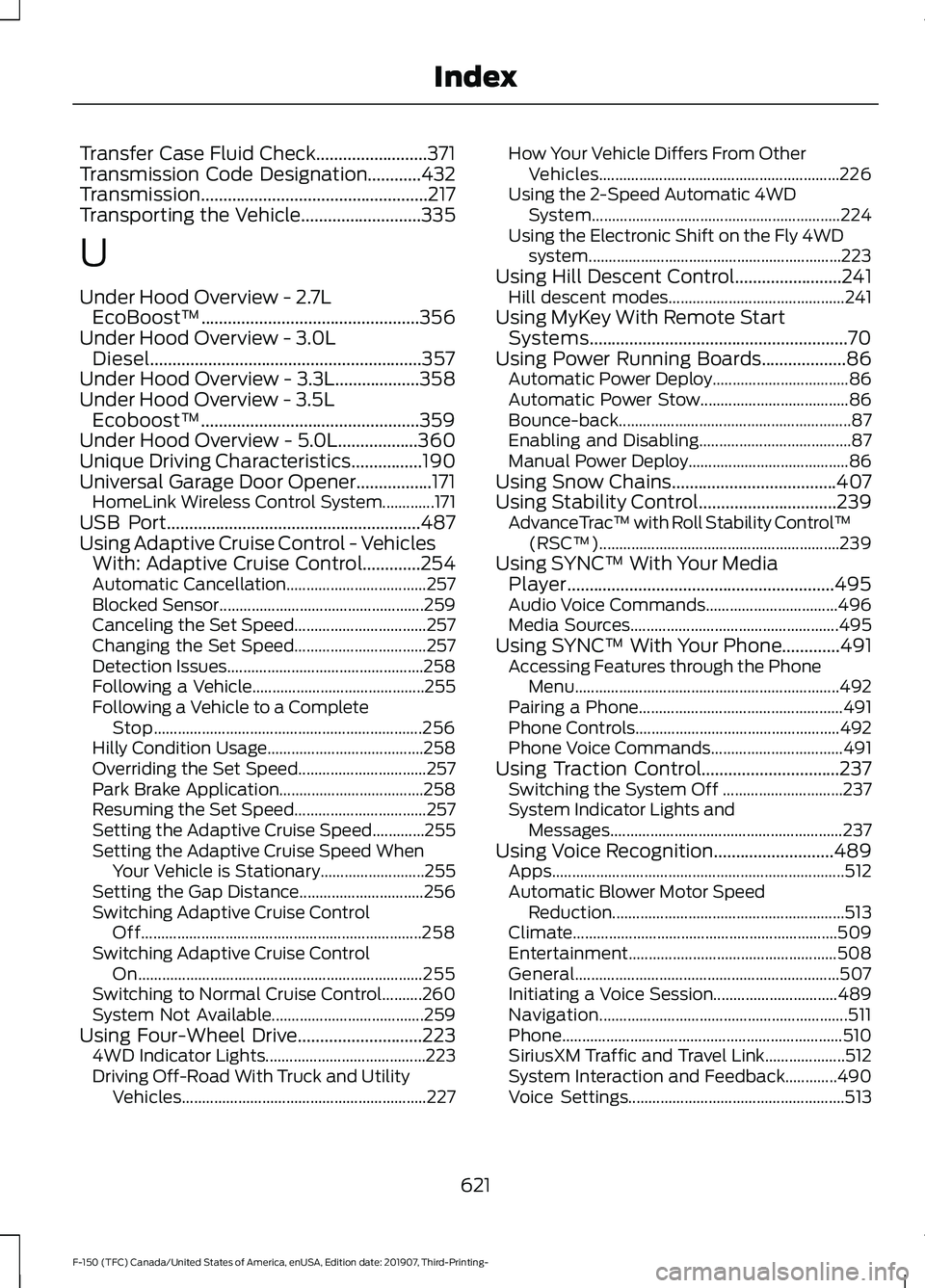
Using Four-Wheel Drive
............................223
4WD Indicator Lights........................................ 223
Driving Off-Road With Truck and Utility Vehicles............................................................. 227How Your Vehicle Differs From Other
Vehicles............................................................ 226
Using the 2-Speed Automatic 4WD System.............................................................. 224
Using the Electronic Shift on the Fly 4WD system............................................................... 223
Using Hill Descent Control........................241 Hill descent modes............................................ 241
Using MyKey With Remote Start Systems..........................................................70
Using Power Running Boards
...................86
Automatic Power Deploy.................................. 86
Automatic Power Stow..................................... 86
Bounce-back.......................................................... 87
Enabling and Disabling...................................... 87
Manual Power Deploy........................................ 86
Using Snow Chains.....................................407
Using Stability Control...............................239 AdvanceTrac ™ with Roll Stability Control ™
(RSC™)............................................................ 239
Using SYNC™ With Your Media Player
............................................................495
Audio Voice Commands................................. 496
Media Sources.................................................... 495
Using SYNC™ With Your Phone.............491 Accessing Features through the Phone
Menu.................................................................. 492
Pairing a Phone................................................... 491
Phone Controls................................................... 492
Phone Voice Commands................................. 491
Using Traction Control...............................237 Switching the System Off .............................. 237
System Indicator Lights and Messages.......................................................... 237
Using Voice Recognition
...........................489
Apps........................................................................\
. 512
Automatic Blower Motor Speed Reduction.......................................................... 513
Climate.................................................................. 509
Entertainment.................................................... 508
General.................................................................. 507
Initiating a Voice Session............................... 489
Navigation.............................................................. 511
Phone...................................................................... 510
SiriusXM Traffic and Travel Link.................... 512
System Interaction and Feedback.............490
Voice Settings...................................................... 513
621
F-150 (TFC) Canada/United States of America, enUSA, Edition date: 201907, Third-Printing- Index