climate settings FORD F-150 2020 User Guide
[x] Cancel search | Manufacturer: FORD, Model Year: 2020, Model line: F-150, Model: FORD F-150 2020Pages: 625, PDF Size: 7.98 MB
Page 527 of 625
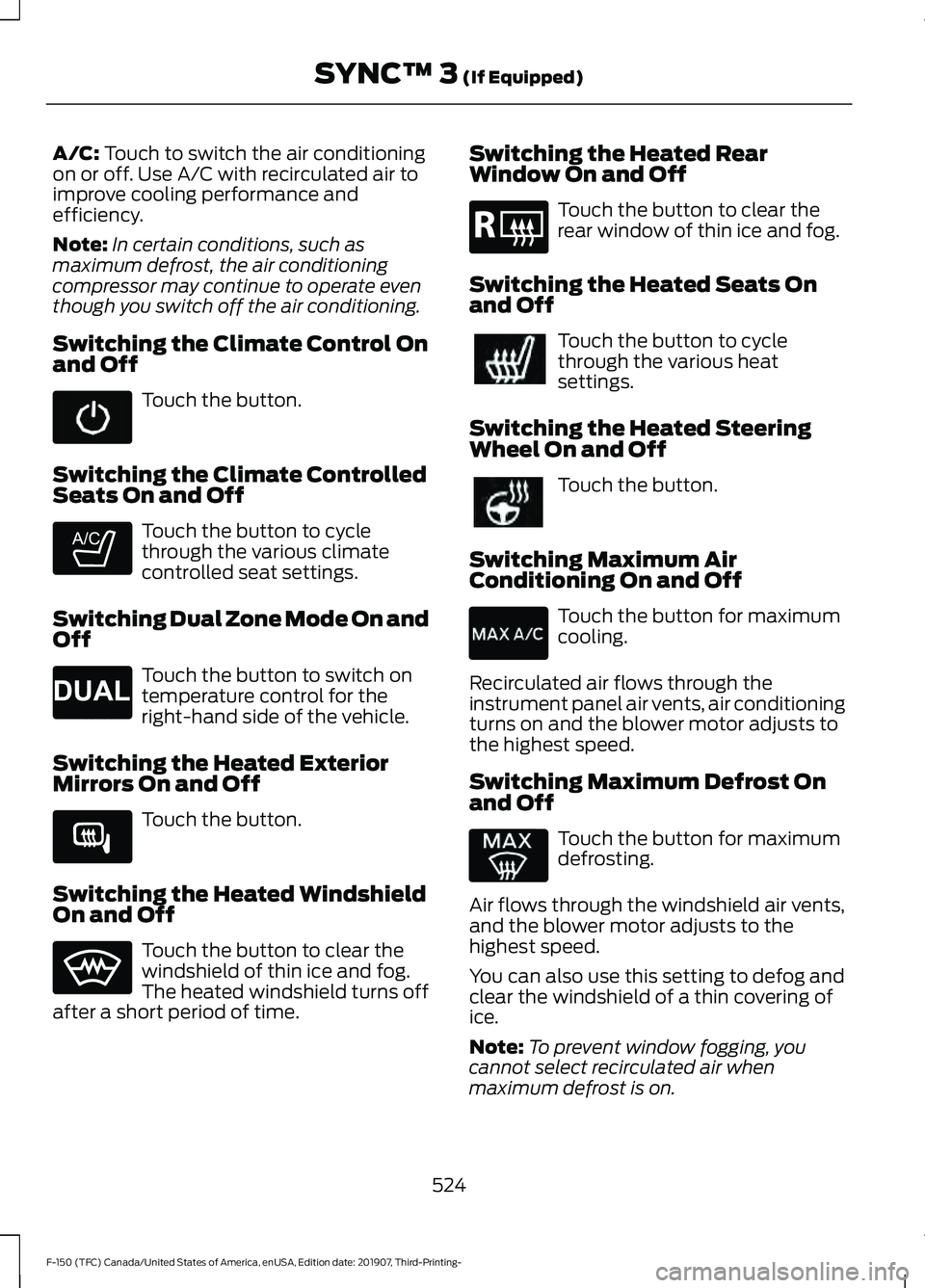
A/C: Touch to switch the air conditioning
on or off. Use A/C with recirculated air to
improve cooling performance and
efficiency.
Note: In certain conditions, such as
maximum defrost, the air conditioning
compressor may continue to operate even
though you switch off the air conditioning.
Switching the Climate Control On
and Off Touch the button.
Switching the Climate Controlled
Seats On and Off Touch the button to cycle
through the various climate
controlled seat settings.
Switching Dual Zone Mode On and
Off Touch the button to switch on
temperature control for the
right-hand side of the vehicle.
Switching the Heated Exterior
Mirrors On and Off Touch the button.
Switching the Heated Windshield
On and Off Touch the button to clear the
windshield of thin ice and fog.
The heated windshield turns off
after a short period of time. Switching the Heated Rear
Window On and Off Touch the button to clear the
rear window of thin ice and fog.
Switching the Heated Seats On
and Off Touch the button to cycle
through the various heat
settings.
Switching the Heated Steering
Wheel On and Off Touch the button.
Switching Maximum Air
Conditioning On and Off Touch the button for maximum
cooling.
Recirculated air flows through the
instrument panel air vents, air conditioning
turns on and the blower motor adjusts to
the highest speed.
Switching Maximum Defrost On
and Off Touch the button for maximum
defrosting.
Air flows through the windshield air vents,
and the blower motor adjusts to the
highest speed.
You can also use this setting to defog and
clear the windshield of a thin covering of
ice.
Note: To prevent window fogging, you
cannot select recirculated air when
maximum defrost is on.
524
F-150 (TFC) Canada/United States of America, enUSA, Edition date: 201907, Third-Printing- SYNC™ 3
(If Equipped) E265282 E265280 E266189 E184884
Page 528 of 625
Note:
The heated rear window also turns
on when you select maximum defrost.
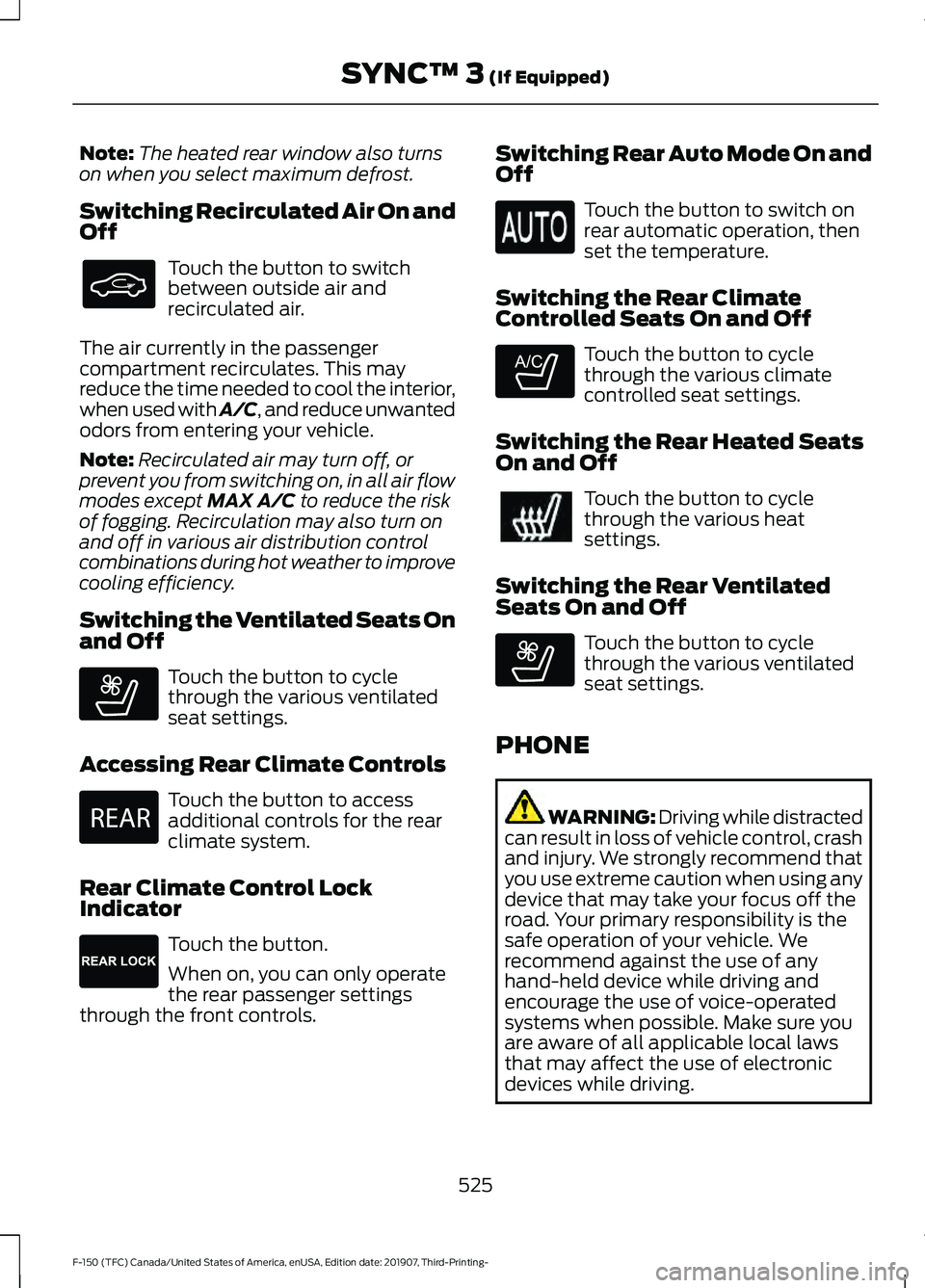
Switching Recirculated Air On and
Off Touch the button to switch
between outside air and
recirculated air.
The air currently in the passenger
compartment recirculates. This may
reduce the time needed to cool the interior,
when used with A/C, and reduce unwanted
odors from entering your vehicle.
Note: Recirculated air may turn off, or
prevent you from switching on, in all air flow
modes except MAX A/C to reduce the risk
of fogging. Recirculation may also turn on
and off in various air distribution control
combinations during hot weather to improve
cooling efficiency.
Switching the Ventilated Seats On
and Off Touch the button to cycle
through the various ventilated
seat settings.
Accessing Rear Climate Controls Touch the button to access
additional controls for the rear
climate system.
Rear Climate Control Lock
Indicator Touch the button.
When on, you can only operate
the rear passenger settings
through the front controls. Switching Rear Auto Mode On and
Off Touch the button to switch on
rear automatic operation, then
set the temperature.
Switching the Rear Climate
Controlled Seats On and Off Touch the button to cycle
through the various climate
controlled seat settings.
Switching the Rear Heated Seats
On and Off Touch the button to cycle
through the various heat
settings.
Switching the Rear Ventilated
Seats On and Off Touch the button to cycle
through the various ventilated
seat settings.
PHONE WARNING: Driving while distracted
can result in loss of vehicle control, crash
and injury. We strongly recommend that
you use extreme caution when using any
device that may take your focus off the
road. Your primary responsibility is the
safe operation of your vehicle. We
recommend against the use of any
hand-held device while driving and
encourage the use of voice-operated
systems when possible. Make sure you
are aware of all applicable local laws
that may affect the use of electronic
devices while driving.
525
F-150 (TFC) Canada/United States of America, enUSA, Edition date: 201907, Third-Printing- SYNC™ 3
(If Equipped) E268558 E270447 E265289 E265282 E268558
Page 611 of 625
Using Seek, Fast Forward and
Reverse............................................................. 482
Audio Unit - Vehicles Without: SYNC 3.......................................................................478
Accessing the Apps Menu.............................. 479
Accessing the Clock Settings........................ 479
Accessing the Media Source Menu.............479
Accessing the Phone Features..................... 479
Accessing the Settings Menu........................ 479
Accessing the Sound Settings...................... 479
Adjusting the Volume....................................... 479
Changing Radio Stations................................ 479
Listening to the Radio..................................... 480
Playing or Pausing Media............................... 480
Switching Radio Text On and Off...............480
Switching Repeat Mode On and Off.........480
Switching Shuffle Mode On and Off.........480
Switching the Audio Unit On and Off.......480
Switching the Display On and Off..............480
Using Seek, Fast Forward and Reverse............................................................ 480
Using the Display Control.............................. 480
Using the Number Block................................ 480
Autolamps........................................................96 Windshield Wiper Activated
Headlamps........................................................ 96
Automatic Climate Control.......................152 Directing the Airflow.......................................... 152
Setting the Blower Motor Speed.................. 153
Setting the Temperature.................................. 153
Switching Auto Mode On and Off................153
Switching Dual Zone Mode On and Off........................................................................\
153
Switching Maximum Air Conditioning On and Off............................................................... 153
Switching Maximum Defrost On and Off........................................................................\
153
Switching Recirculated Air On and Off....................................................................... 154
Switching the Air Conditioning On and Off........................................................................\
153
Switching the Climate Control On and Off........................................................................\
153
Automatic High Beam Control.................101
Automatic High Beam Control Indicators.......................................................101
Automatic Transmission
............................217
Brake-Shift Interlock........................................ 220If Your Vehicle Gets Stuck in Mud or
Snow.................................................................. 222
Understanding the Shift Positions of your Automatic Transmission............................. 217
Understanding your SelectShift™ Automatic Transmission............................. 219
Automatic Transmission Fluid Check..............................................................371
Auto-Start-Stop...........................................190 Disabling Auto-Start-Stop............................... 191
Enabling Auto-Start-Stop.............................. 190
Autowipers
.......................................................93
Auxiliary Power Points................................175
400 Watt AC Power Point............................... 175
DC Power Point.................................................... 175
Locations................................................................ 176
B
Battery See: Changing the 12V Battery...................... 373
Bed Access
....................................................286
Box Side Step..................................................... 286
Bed Extender...................................................80 Grocery Mode......................................................... 81
Tailgate Mode....................................................... 80
Bed Ramps
.....................................................287
Installing the Ramp Holder........................... 289
Stowing the Bed Ramp................................... 288
Using the Bed Ramp......................................... 287
Blind Spot Information System.............266 Blind Spot Information System with Trailer
Tow..................................................................... 267
Switching the System On and Off...............270
System Errors...................................................... 270
Using the Blind Spot Information System.............................................................. 267
BLIS See: Blind Spot Information System.........266
Body Styling Kits.........................................390
Bonnet Lock See: Opening and Closing the Hood..........355
Booster Seats
..................................................35
Types of Booster Seats...................................... 35
Brake Fluid Check.........................................372 Brake Fluid Service Interval............................ 372
Brakes...............................................................233 General Information.......................................... 233
608
F-150 (TFC) Canada/United States of America, enUSA, Edition date: 201907, Third-Printing- Index
Page 614 of 625
Switching Maximum Defrost On and
Off....................................................................... 524
Switching Rear Auto Mode On and Off....................................................................... 525
Switching Recirculated Air On and Off....................................................................... 525
Switching the Air Conditioning On and Off....................................................................... 523
Switching the Climate Controlled Seats On and Off.............................................................. 524
Switching the Climate Control On and Off....................................................................... 524
Switching the Heated Exterior Mirrors On and Off.............................................................. 524
Switching the Heated Rear Window On and Off....................................................................... 524
Switching the Heated Seats On and Off....................................................................... 524
Switching the Heated Steering Wheel On and Off.............................................................. 524
Switching the Heated Windshield On and Off....................................................................... 524
Switching the Rear Climate Controlled Seats On and Off.......................................... 525
Switching the Rear Heated Seats On and Off....................................................................... 525
Switching the Rear Ventilated Seats On and Off.............................................................. 525
Switching the Ventilated Seats On and Off....................................................................... 525
Climate Control..............................................151
Connected Vehicle.......................................471 Connecting the Vehicle to a Mobile Network
- Vehicles With: Connectivity
Device................................................................. 471
Connecting the Vehicle to a Mobile Network - Vehicles With: Modem.............................. 471
Connected Vehicle Limitations................471
Connected Vehicle Requirements..........471
Connected Vehicle – Troubleshooting - Vehicles With: Connectivity
Device............................................................472
Connected Vehicle – Troubleshooting - Vehicles With: Modem............................473
Connected Vehicle – Troubleshooting - Vehicles With: SYNC 3............................474 Connecting the Vehicle to a Mobile
Network - Vehicles With: Connectivity
Device.............................................................471
Connecting FordPass to the Connectivity Device................................................................. 471
Disabling the Connectivity Device................471
What Is the Connectivity Device................... 471
Connecting the Vehicle to a Mobile Network - Vehicles With: Modem........471
Connecting FordPass to the Modem...........471
Enabling and Disabling the Modem............471
What Is the Modem........................................... 471
Connecting the Vehicle to a Wi-Fi Network - Vehicles With: SYNC 3.......472
Coolant Check See: Engine Coolant Check........................... 366
Crash Sensors and Airbag Indicator.......58
Creating a MyKey...........................................68 Programming and Changing Configurable
Settings............................................................... 69
Creating a Vehicle Wi-Fi Hotspot - Vehicles With: Connectivity
Device............................................................476
Connecting a Device to the Wi-Fi Hotspot............................................................. 476
Purchasing a Data Plan................................... 476
Creating a Vehicle Wi-Fi Hotspot - Vehicles With: SYNC 3............................476
Connecting a Device to the Wi-Fi Hotspot............................................................. 477
Finding the Wi-Fi Hotspot Name and Password......................................................... 476
Cross Traffic Alert........................................270 Cross Traffic Alert Behavior When Trailer
is Attached....................................................... 272
Cross Traffic Alert Indicator............................ 272
Cross Traffic Alert Information Messages.......................................................... 273
Cross Traffic Alert System Limitations....................................................... 272
Cross Traffic Alert System Sensors.............272
Switching the System On and Off...............272
Using Cross Traffic Alert.................................. 270
Cruise Control
...............................................253
Cruise Control Indicators..........................254
Cruise Control - Vehicles With: Adaptive Cruise Control..............................................90
611
F-150 (TFC) Canada/United States of America, enUSA, Edition date: 201907, Third-Printing- Index
Page 618 of 625
Hints on Controlling the Interior Climate
- Vehicles With: Automatic
Temperature Control................................154
Defogging the Side Windows in Cold
Weather............................................................. 155
General Hints....................................................... 154
Quickly Cooling the Interior............................. 155
Quickly Heating the Interior............................ 154
Recommended Settings for Cooling...........155
Recommended Settings for Heating..........155
Hints on Controlling the Interior Climate - Vehicles With: Manual Temperature
Control...........................................................155
Defogging the Side Windows in Cold Weather............................................................. 156
General Hints....................................................... 155
Quickly Cooling the Interior............................. 155
Quickly Heating the Interior............................ 155
Recommended Settings for Cooling...........155
Recommended Settings for Heating..........155
Vehicle Stationary for Extended Periods During Extreme High Ambient
Temperatures.................................................. 156
Hints on Driving With Anti-Lock Brakes
...........................................................234
Hood Lock See: Opening and Closing the Hood..........355
Horn......................................................................91
How Does the Rear Occupant Alert System Work
...............................................169
I
Ignition Switch...............................................179
In California (U.S. Only)
............................338
Information Display Control........................91
Information Displays...................................120 General Information.......................................... 120
Information Messages................................132 4WD........................................................................\
. 149
Active Park............................................................. 133
Adaptive Cruise Control................................... 133
AdvanceTrac and Traction Control..............134
Airbag...................................................................... 134
Alarm and Security............................................ 135
Battery and Charging System........................ 135
Blind Spot Information and Cross Traffic Alert System.................................................... 136Diesel Messages.................................................
136
Doors and Locks................................................. 139
Driver Alert............................................................. 139
Drivetrain............................................................... 140
Engine..................................................................... 140
Fuel........................................................................\
.. 140
Keys and Intelligent Access............................. 141
Lane Keeping System....................................... 142
Maintenance......................................................... 142
MyKey...................................................................... 143
Off Road................................................................. 143
Park Aid.................................................................. 144
Park Brake............................................................. 144
Power Steering.................................................... 145
Pre-Collision Assist............................................ 145
Pro Trailer Backup Assist................................. 146
Remote Start........................................................ 147
Seats........................................................................\
147
Side-Wind.............................................................. 147
Starting System ................................................. 148
Tire Pressure Monitoring System.................148
Trailer...................................................................... 148
Installing Child Restraints
...........................24
Child Seats.............................................................. 24
Combining Seatbelt and LATCH Lower Anchors for Attaching Child Safety
Seats.................................................................... 32
Front Seat Tether Strap Attachment (Regular Cab)................................................... 33
Rear Seat Tether Strap Attachment (Crew Cab and Super Cab)...................................... 34
Use of Inboard Lower Anchors from the Outermost Seating Positions (Center
Seating Use) ..................................................... 32
Using Inflatable Seatbelts (Rear Seat Outermost Positions).................................... 28
Using Lap and Shoulder Belts (Except Front Center Position of Super Cab and Crew
Cab)...................................................................... 24
Using Lap and Shoulder Belts (Front Center Position of Super Cab and Crew
Cab)...................................................................... 26
Using Lower Anchors and Tethers for CHildren (LATCH)............................................. 31
Using Tether Straps............................................. 32
Instrument Cluster
.........................................111
Instrument Lighting Dimmer.....................96
Instrument Panel...........................................20
615
F-150 (TFC) Canada/United States of America, enUSA, Edition date: 201907, Third-Printing- Index
Page 619 of 625
Interior Lamps.................................................98
Front Interior Lamp............................................. 98
Rear Interior Lamps............................................ 99
Interior Mirror..................................................107
Automatic Dimming Mirror............................. 108
Manual Dimming Mirror.................................... 107
Introduction........................................................9
J
Jump Starting the Vehicle
........................333
Connecting the Jumper Cables.................... 333
Jump Starting...................................................... 334
Preparing Your Vehicle..................................... 333
Removing the Jumper Cables....................... 334
K
Keyless Entry....................................................75 SECURICODE™ KEYLESS ENTRY
KEYPAD............................................................... 75
Keyless Starting
.............................................179
Ignition Modes..................................................... 180
Keys and Remote Controls........................60
L
Lane Keeping System................................262 Switching the System On and Off..............263
System Display................................................... 264
System Settings................................................. 263
Troubleshooting................................................. 265
Lighting Control..............................................95 Flashing the Headlamp High Beam..............96
Headlamp High Beam........................................ 95
Lighting..............................................................95 General Information............................................ 95
Load Carrying.................................................281
Load Limit
.......................................................282
Special Loading Instructions for Owners of
Pick-up Trucks and Utility-type
Vehicles............................................................ 286
Vehicle Loading - with and without a Trailer................................................................. 282
Load Retaining Fixtures..............................281 BoxLink ™ Cleats................................................. 281
Locking and Unlocking
.................................72
Activating Intelligent Access............................ 72Autolock...................................................................
74
Battery Saver.......................................................... 74
Illuminated Entry................................................... 74
Power Door Locks................................................. 72
Remote Control..................................................... 72
Smart Unlock......................................................... 73
Smart Unlocks for Intelligent Access Keys....................................................................... 73
Lug Nuts See: Changing a Road Wheel........................ 414
M
Maintenance.................................................355 General Information......................................... 355
Manual Climate Control
..............................151
Directing the Airflow........................................... 151
Setting the Blower Motor Speed................... 151
Setting the Temperature................................... 151
Switching Maximum Air Conditioning On and Off............................................................... 152
Switching Maximum Defrost On and Off........................................................................\
152
Switching Recirculated Air On and Off........................................................................\
152
Switching the Air Conditioning On and Off........................................................................\
. 151
Switching the Climate Control On and Off........................................................................\
152
Manual Seats.................................................160 Manual Lumbar ................................................... 161
Moving the Seat Backward and Forward............................................................. 160
Recline Adjustment............................................ 161
Manual Tailgate
...............................................77
Memory Function.........................................164
Easy Entry and Exit Feature............................ 165
Linking a PreSet Position to your Remote Control or Intelligent Access Key.............164
Saving a PreSet Position................................. 164
Message Center See: Information Displays............................... 120
Mirrors See: Windows and Mirrors.............................. 103
Mobile Communications Equipment......................................................18
Moonroof.........................................................109 Bounce-Back....................................................... 109
616
F-150 (TFC) Canada/United States of America, enUSA, Edition date: 201907, Third-Printing- Index
Page 624 of 625
Transfer Case Fluid Check.........................371
Transmission Code Designation............432
Transmission...................................................217
Transporting the Vehicle
...........................335
U
Under Hood Overview - 2.7L EcoBoost™.................................................356
Under Hood Overview - 3.0L Diesel.............................................................357
Under Hood Overview - 3.3L...................358
Under Hood Overview - 3.5L Ecoboost™.................................................359
Under Hood Overview - 5.0L
..................360
Unique Driving Characteristics................190
Universal Garage Door Opener.................171 HomeLink Wireless Control System.............171
USB Port
.........................................................487
Using Adaptive Cruise Control - Vehicles With: Adaptive Cruise Control.............254
Automatic Cancellation................................... 257
Blocked Sensor................................................... 259
Canceling the Set Speed................................. 257
Changing the Set Speed................................. 257
Detection Issues.................................................258
Following a Vehicle........................................... 255
Following a Vehicle to a Complete Stop................................................................... 256
Hilly Condition Usage....................................... 258
Overriding the Set Speed................................ 257
Park Brake Application.................................... 258
Resuming the Set Speed................................. 257
Setting the Adaptive Cruise Speed.............255
Setting the Adaptive Cruise Speed When Your Vehicle is Stationary.......................... 255
Setting the Gap Distance............................... 256
Switching Adaptive Cruise Control Off...................................................................... 258
Switching Adaptive Cruise Control On....................................................................... 255
Switching to Normal Cruise Control..........260
System Not Available...................................... 259
Using Four-Wheel Drive
............................223
4WD Indicator Lights........................................ 223
Driving Off-Road With Truck and Utility Vehicles............................................................. 227How Your Vehicle Differs From Other
Vehicles............................................................ 226
Using the 2-Speed Automatic 4WD System.............................................................. 224
Using the Electronic Shift on the Fly 4WD system............................................................... 223
Using Hill Descent Control........................241 Hill descent modes............................................ 241
Using MyKey With Remote Start Systems..........................................................70
Using Power Running Boards
...................86
Automatic Power Deploy.................................. 86
Automatic Power Stow..................................... 86
Bounce-back.......................................................... 87
Enabling and Disabling...................................... 87
Manual Power Deploy........................................ 86
Using Snow Chains.....................................407
Using Stability Control...............................239 AdvanceTrac ™ with Roll Stability Control ™
(RSC™)............................................................ 239
Using SYNC™ With Your Media Player
............................................................495
Audio Voice Commands................................. 496
Media Sources.................................................... 495
Using SYNC™ With Your Phone.............491 Accessing Features through the Phone
Menu.................................................................. 492
Pairing a Phone................................................... 491
Phone Controls................................................... 492
Phone Voice Commands................................. 491
Using Traction Control...............................237 Switching the System Off .............................. 237
System Indicator Lights and Messages.......................................................... 237
Using Voice Recognition
...........................489
Apps........................................................................\
. 512
Automatic Blower Motor Speed Reduction.......................................................... 513
Climate.................................................................. 509
Entertainment.................................................... 508
General.................................................................. 507
Initiating a Voice Session............................... 489
Navigation.............................................................. 511
Phone...................................................................... 510
SiriusXM Traffic and Travel Link.................... 512
System Interaction and Feedback.............490
Voice Settings...................................................... 513
621
F-150 (TFC) Canada/United States of America, enUSA, Edition date: 201907, Third-Printing- Index