fog light FORD F-150 2020 Owners Manual
[x] Cancel search | Manufacturer: FORD, Model Year: 2020, Model line: F-150, Model: FORD F-150 2020Pages: 625, PDF Size: 7.98 MB
Page 5 of 625
Anti-Theft Alarm
...........................................84
Power Running Boards
Using Power Running Boards ...................
86
Steering Wheel
Adjusting the Steering Wheel - Vehicles With: Manual Adjustable Steering
Column .........................................................
88
Adjusting the Steering Wheel - Vehicles With: Power Adjustable Steering
Column .........................................................
88
Audio Control .................................................
90
Voice Control ..................................................
90
Cruise Control - Vehicles With: Adaptive Cruise Control ............................................
90
Cruise Control - Vehicles With: Cruise Control ...........................................................
91
Information Display Control .......................
91
Heated Steering Wheel ...............................
91
Horn .....................................................................
91
Adjustable Pedals
Adjusting the Pedals ....................................
92
Wipers and Washers
Windshield Wipers ........................................
93
Autowipers ......................................................
93
Windshield Washers ....................................
94
Lighting
General Information .....................................
95
Lighting Control .............................................
95
Autolamps .......................................................
96
Instrument Lighting Dimmer ....................
96
Daytime Running Lamps - Vehicles With: Daytime Running Lamps (DRL) .........
96
Daytime Running Lamps - Vehicles With: Configurable Daytime Running Lamps
........................................................................\
...
97
Front Fog Lamps ...........................................
97
Direction Indicators ......................................
98Spot Lamps
....................................................
98
Interior Lamps ................................................
98
Ambient Lighting ..........................................
99
Cargo Lamps ..................................................
99
Automatic High Beam Control
What Is Automatic High Beam Control ........................................................................\
..
101
Switching Automatic High Beam Control On and Off ..................................................
101
Automatic High Beam Control Indicators ........................................................................\
..
101
Overriding Automatic High Beam Control ........................................................................\
.
102
Windows and Mirrors
Power Windows ...........................................
103
Exterior Mirrors .............................................
104
Interior Mirror .................................................
107
Sliding Windows .........................................
108
Sun Visors ......................................................
108
Moonroof ........................................................
109
Instrument Cluster
Gauges ...............................................................
111
Warning Lamps and Indicators ...............
114
Audible Warnings and Indicators ...........
118
Information Displays
General Information ...................................
120
Information Messages ...............................
132
Climate Control
Manual Climate Control .............................
151
Automatic Climate Control ......................
152
Hints on Controlling the Interior Climate - Vehicles With: Automatic
Temperature Control .............................
154
2
F-150 (TFC) Canada/United States of America, enUSA, Edition date: 201907, Third-Printing- Table of Contents
Page 13 of 625
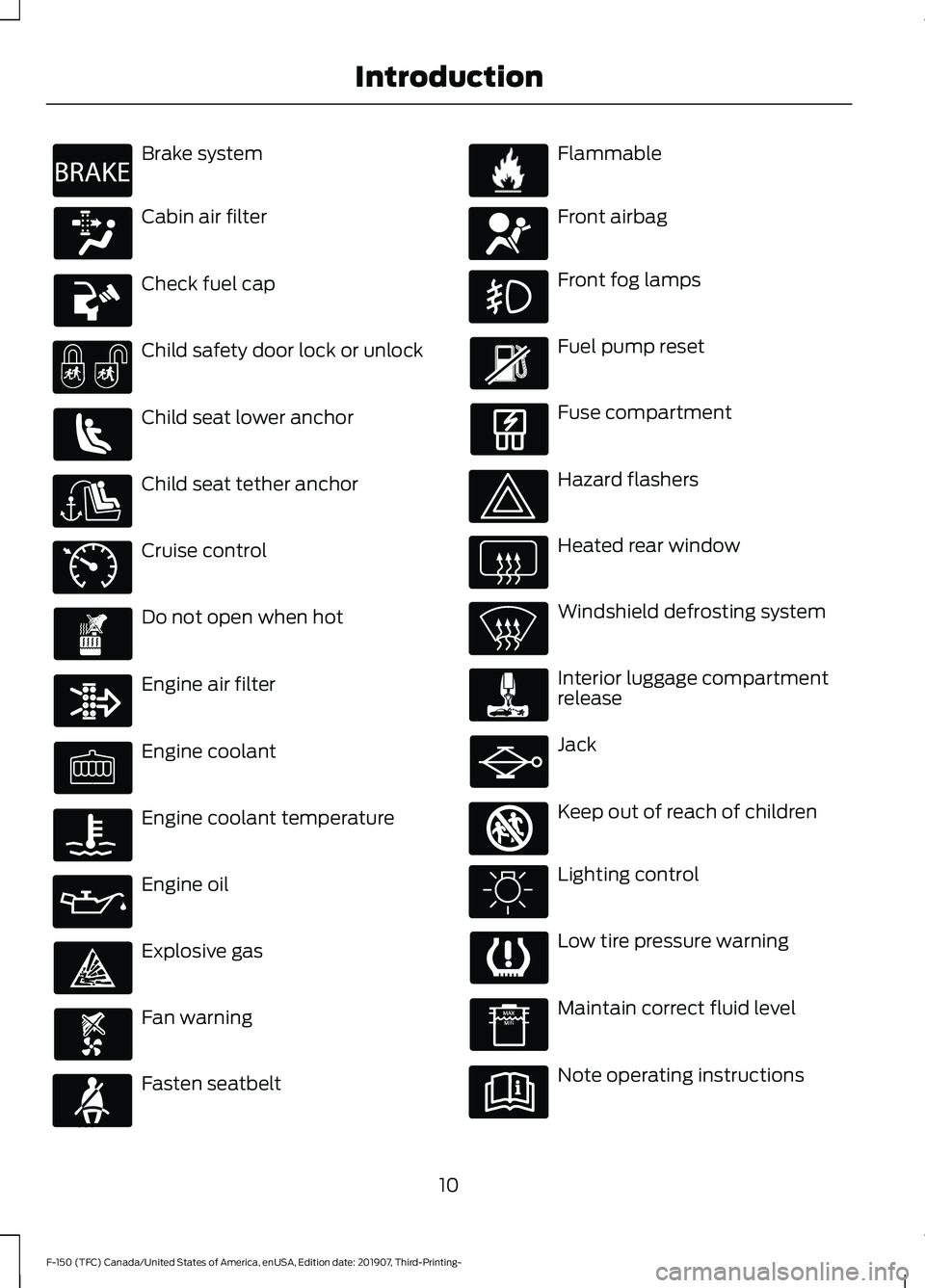
Brake system
Cabin air filter
Check fuel cap
Child safety door lock or unlock
Child seat lower anchor
Child seat tether anchor
Cruise control
Do not open when hot
Engine air filter
Engine coolant
Engine coolant temperature
Engine oil
Explosive gas
Fan warning
Fasten seatbelt Flammable
Front airbag
Front fog lamps
Fuel pump reset
Fuse compartment
Hazard flashers
Heated rear window
Windshield defrosting system
Interior luggage compartment
release
Jack
Keep out of reach of children
Lighting control
Low tire pressure warning
Maintain correct fluid level
Note operating instructions
10
F-150 (TFC) Canada/United States of America, enUSA, Edition date: 201907, Third-Printing- IntroductionE270480 E71340 E71880 E231160 E67017 E161353
Page 99 of 625
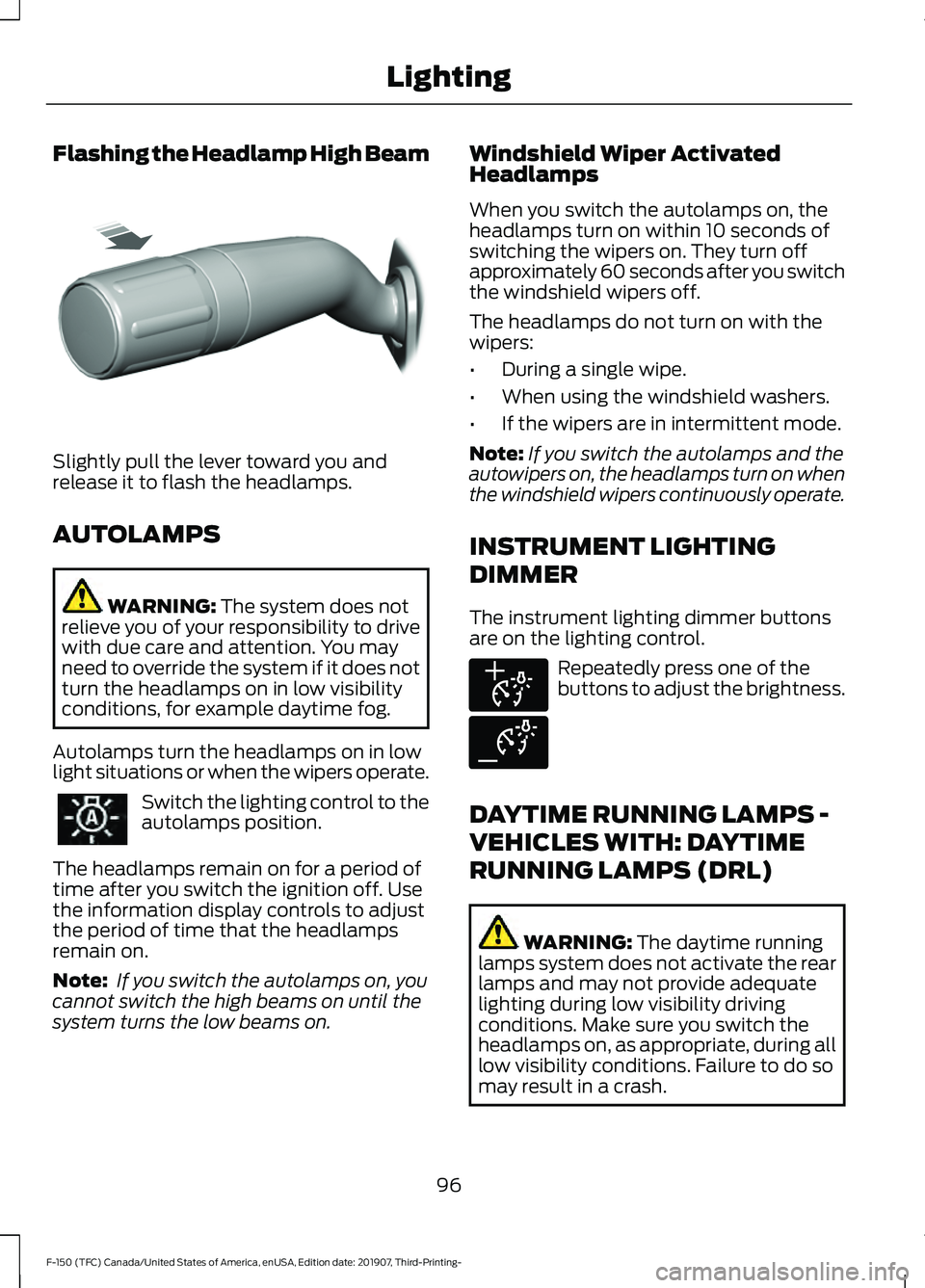
Flashing the Headlamp High Beam
Slightly pull the lever toward you and
release it to flash the headlamps.
AUTOLAMPS
WARNING: The system does not
relieve you of your responsibility to drive
with due care and attention. You may
need to override the system if it does not
turn the headlamps on in low visibility
conditions, for example daytime fog.
Autolamps turn the headlamps on in low
light situations or when the wipers operate. Switch the lighting control to the
autolamps position.
The headlamps remain on for a period of
time after you switch the ignition off. Use
the information display controls to adjust
the period of time that the headlamps
remain on.
Note: If you switch the autolamps on, you
cannot switch the high beams on until the
system turns the low beams on. Windshield Wiper Activated
Headlamps
When you switch the autolamps on, the
headlamps turn on within 10 seconds of
switching the wipers on. They turn off
approximately 60 seconds after you switch
the windshield wipers off.
The headlamps do not turn on with the
wipers:
•
During a single wipe.
• When using the windshield washers.
• If the wipers are in intermittent mode.
Note: If you switch the autolamps and the
autowipers on, the headlamps turn on when
the windshield wipers continuously operate.
INSTRUMENT LIGHTING
DIMMER
The instrument lighting dimmer buttons
are on the lighting control. Repeatedly press one of the
buttons to adjust the brightness.
DAYTIME RUNNING LAMPS -
VEHICLES WITH: DAYTIME
RUNNING LAMPS (DRL) WARNING:
The daytime running
lamps system does not activate the rear
lamps and may not provide adequate
lighting during low visibility driving
conditions. Make sure you switch the
headlamps on, as appropriate, during all
low visibility conditions. Failure to do so
may result in a crash.
96
F-150 (TFC) Canada/United States of America, enUSA, Edition date: 201907, Third-Printing- LightingE311233 E291299 E291298
Page 100 of 625
The system turns the lamps on in daylight
conditions.
To switch the system on, switch the
lighting control to any position except
headlamps.
DAYTIME RUNNING LAMPS -
VEHICLES WITH:
CONFIGURABLE DAYTIME
RUNNING LAMPS
WARNING: The daytime running
lamps system does not activate the rear
lamps and may not provide adequate
lighting during low visibility driving
conditions. Make sure you switch the
headlamps on, as appropriate, during all
low visibility conditions. Failure to do so
may result in a crash.
Switch the daytime running lamps on or
off using the information display. See
General Information
(page 120).
The daytime running lamps turn on when:
1. The lamps are on in the information display.
2. You switch the ignition on.
3. The transmission is not in park (P) for vehicles with automatic transmissions
or you release the parking brake for
vehicles with manual transmissions.
4. The lighting control is in the autolamps
position.
5. The headlamps are off.
The other lighting control switch positions
do not turn on the daytime running lamps.
If the daytime running lamps are off in the
information display, the lamps stay off in
all switch positions. FRONT FOG LAMPS
(IF EQUIPPED)
Switching the Front Fog Lamps On
or Off
Only switch the front fog lamps on during
reduced visibility.
You can switch the front fog lamps on if
any of the following occur:
• You set the lighting control to the
parking lamps position.
• You set the lighting control to the
headlamps position.
• You set the lighting control to the
autolamps position and the headlamps
are on.
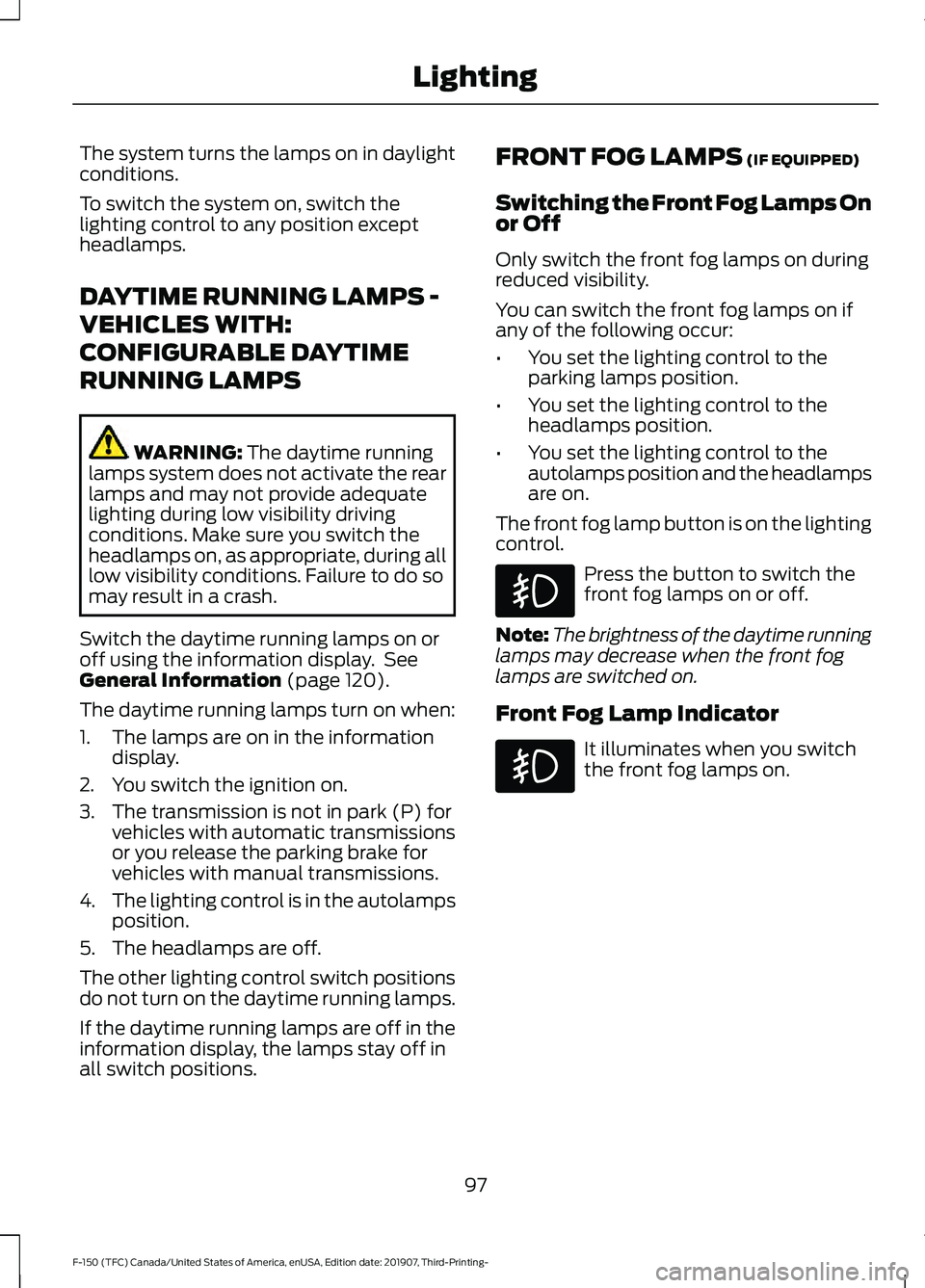
The front fog lamp button is on the lighting
control. Press the button to switch the
front fog lamps on or off.
Note: The brightness of the daytime running
lamps may decrease when the front fog
lamps are switched on.
Front Fog Lamp Indicator It illuminates when you switch
the front fog lamps on.
97
F-150 (TFC) Canada/United States of America, enUSA, Edition date: 201907, Third-Printing- Lighting
Page 104 of 625
WHAT IS AUTOMATIC HIGH
BEAM CONTROL
The system turns on high beams if it is dark
enough and no other traffic is present. If it
detects an approaching vehicle
’s
headlamps or tail lamps, or street lighting
ahead, the system turns the high beams
off. Low beams remain on.
A camera sensor, centrally mounted
behind the windshield of your vehicle,
continuously monitors conditions to turn
the high beams on and off.
SWITCHING AUTOMATIC HIGH
BEAM CONTROL ON AND OFF
Switch the system on or off using the
information display. See Switching
Automatic High Beam Control On and
Off
(page 101).
Activating the Automatic High
Beam Control Switch the lighting control to the
autolamps position to activate.
See
Autolamps (page 96).
Note: Automatic high beams are not
available when autolamps are not turned
on.
When active, the high beams turn on if:
• The ambient light level is low enough.
• There is no traffic in front of your
vehicle.
• The vehicle speed is greater than
approximately
32 mph (52 km/h).
When active, the high beams turn off if:
• The ambient light level is high enough
that high beams are not required.
• The system detects an approaching
vehicle's headlamps or tail lamps. •
The system detects severe rain, snow
or fog.
• The camera is blocked.
• The vehicle speed falls below
approximately
27 mph (44 km/h).
Note: The deactivation speed is lower on
curves.
Note: High beam reactivation may be
delayed in certain curvy road situations.
Note: The system may not operate properly
if the sensor is blocked. Keep the windshield
free from obstruction or damage.
Note: The system may not operate properly
in cold or inclement conditions. You can
switch on the high beams by overriding the
system.
Note: If the system detects a blockage, for
example bird droppings, bug splatter, snow
or ice, the system goes into low beam mode
until you clear the blockage. A message may
appear in the information display if the
camera is blocked.
Note: Using much larger tires or equipping
vehicle accessories such as snowplows can
modify your vehicle's ride height and
degrade automatic high beam control
performance.
AUTOMATIC HIGH BEAM
CONTROL INDICATORS The indicator illuminates to
confirm when the system is
ready to assist.
101
F-150 (TFC) Canada/United States of America, enUSA, Edition date: 201907, Third-Printing- Automatic High Beam Control
Page 194 of 625
•
If you select Normal, Eco, Snow/Wet
or Grass/Gravel/Snow modes. (if
equipped).
• You are not in 4H or 4L.
• You have not selected Manual shift
mode.
• Trail control is not active.
• You have not selected Tow haul, Sport,
Sand, Mud/Rut or Baja modes. (if
equipped). The green Auto-Start-Stop
indicator light on the instrument
cluster will illuminate to indicate
when the automatic engine stop occurs. If the instrument cluster is
equipped with a grey
Auto-Start-Stop indicator light,
it illuminates when automatic engine stop
is not available due to one of the above
noted conditions not being met.
Automatic Engine Restart
Any of the following conditions will result
in an automatic restart of the engine:
• You have removed your foot from the
brake pedal.
• You press the accelerator pedal.
• You press the accelerator and the
brake pedal at the same time.
• The driver safety belt becomes
unfastened or the driver door is ajar.
• Your vehicle is moving.
• The interior compartment does not
meet customer comfort when air
conditioning or heat is on.
• Fogging of the windows could occur
and the air conditioning is on.
• The battery is not within optimal
operating conditions.
• You have exceeded the maximum
engine off time. •
When you press the Auto-Start-Stop
button with the engine automatically
stopped.
• The front defroster is turned to the Max
setting.
Any of the following conditions may result
in an automatic restart of the engine:
• You have increased the blower fan
speed or changed the climate control
temperature.
• You have an electrical accessory
turned on or plugged in.
Note: You may notice that the climate seat
fan fluctuates during an automatic restart.
Disabling Auto-Start-Stop Press the Auto-Start-Stop button located
on the center console to switch the system
off. The button will illuminate. Deactivating
using the button lasts only one key cycle.
Press the button again to restore
Auto-Start-Stop function.
Note:
If the Shift to P, Restart Engine
message appears and the amber
Auto-Start-Stop indicator light is flashing,
automatic restart is not available. You must
restart the vehicle manually. See
Information Displays (page 120).
191
F-150 (TFC) Canada/United States of America, enUSA, Edition date: 201907, Third-Printing- Unique Driving Characteristics E146361 E181352
Page 268 of 625
•
The road has no or poor lane markings
in the camera field-of-view.
• The camera is obscured or unable to
detect the lane markings due to
environmental, traffic or vehicle
conditions. For example, significant sun
angles, shadows, snow, heavy rain or
fog, following a large vehicle that is
blocking or shadowing the lane or poor
headlamp illumination.
See Troubleshooting for additional
information.
Green: Indicates that the system is
available or ready to provide a warning or
intervention, on the indicated side. Yellow: Indicates that the system is
providing or has just provided a lane
keeping aid intervention.
Red: Indicates that the system is providing
or has just provided a lane keeping alert
warning.
The system can be temporarily suppressed
at any time by the following:
•
Quick braking.
• Fast acceleration.
• Using the direction indicator.
• Evasive steering maneuver.
• Driving too close to the lane markings.
Troubleshooting Why is the feature not available (line markings are gray) when I can see the lane markings
on the road?
Your vehicle speed is outside the operational range of the feature.
The sun is shining directly into the camera lens.
A quick intentional lane change has occurred.
Your vehicle stays too close to the lane markings.
Driving at high speeds in curves.
The last alert warning or aid intervention occurred a short time ago.
Ambiguous lane markings, for example in construction zones.
Rapid transition from light to dark, or from dark to light.
Sudden offset in lane markings.
ABS or AdvanceTrac ™ is active.
There is a camera blockage due to dirt, grime, fog, frost or water on the windshield.
You are driving too close to the vehicle in front of you.
Transitioning between no lane markings to lane markings or vice versa.
There is standing water on the road.
Faint lane markings, for example partial yellow lane markings on concrete roads.
265
F-150 (TFC) Canada/United States of America, enUSA, Edition date: 201907, Third-Printing- Driving Aids
Page 277 of 625
Extreme continuous steering may increase
the effort required for you to steer your
vehicle, this increased effort prevents
overheating and permanent damage to
the steering system. You do not lose the
ability to steer your vehicle manually.
Typical steering and driving maneuvers
allow the system to cool and return to
normal operation.
Steering Tips
If the steering wanders or pulls, check for:
•
Correct tire pressures.
• Uneven tire wear.
• Loose or worn suspension
components.
• Loose or worn steering components.
• Improper vehicle alignment.
Note: A high crown in the road or high
crosswinds may also make the steering
seem to wander or pull.
Adaptive Learning (If Equipped)
The electronic power steering system
adaptive learning helps correct road
irregularities and improves overall handling
and steering feel. It communicates with
the brake system to help operate
advanced stability control and accident
avoidance systems. Additionally, whenever
the battery is disconnected or a new
battery installed, you must drive your
vehicle a short distance before the system
relearns the strategy and reactivates all
systems. PRE-COLLISION ASSIST WARNING: You are responsible for
controlling your vehicle at all times. The
system is designed to be an aid and does
not relieve you of your responsibility to
drive with due care and attention. Failure
to follow this instruction could result in
the loss of control of your vehicle,
personal injury or death. WARNING:
The system does not
detect vehicles that are driving in a
different direction, cyclists or animals.
Failure to take care may result in the loss
of control of your vehicle, serious
personal injury or death. WARNING:
The system does not
operate during hard acceleration or
steering. Failure to take care may lead
to a crash or personal injury. WARNING: The system may fail or
operate with reduced function during
cold and severe weather conditions.
Snow, ice, rain, spray and fog can
adversely affect the system. Keep the
front camera and radar free of snow and
ice. Failure to take care may result in the
loss of control of your vehicle, serious
personal injury or death. WARNING:
In situations where the
vehicle camera has limited detection
capability, this may reduce system
performance. These situations include
but are not limited to direct or low
sunlight, vehicles at night without tail
lights, unconventional vehicle types,
pedestrians with complex backgrounds,
274
F-150 (TFC) Canada/United States of America, enUSA, Edition date: 201907, Third-Printing- Driving Aids
Page 331 of 625
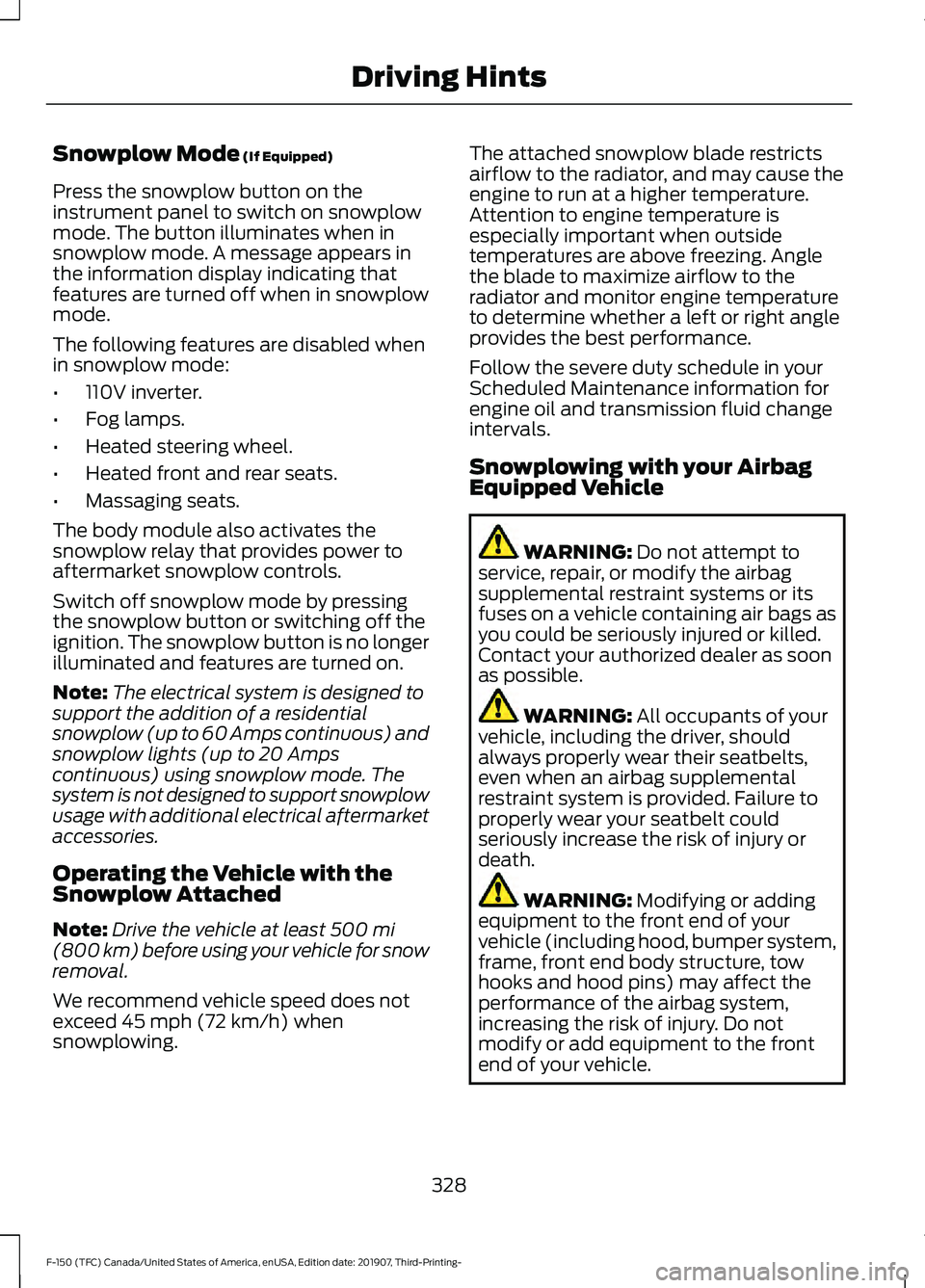
Snowplow Mode (If Equipped)
Press the snowplow button on the
instrument panel to switch on snowplow
mode. The button illuminates when in
snowplow mode. A message appears in
the information display indicating that
features are turned off when in snowplow
mode.
The following features are disabled when
in snowplow mode:
• 110V inverter.
• Fog lamps.
• Heated steering wheel.
• Heated front and rear seats.
• Massaging seats.
The body module also activates the
snowplow relay that provides power to
aftermarket snowplow controls.
Switch off snowplow mode by pressing
the snowplow button or switching off the
ignition. The snowplow button is no longer
illuminated and features are turned on.
Note: The electrical system is designed to
support the addition of a residential
snowplow (up to 60 Amps continuous) and
snowplow lights (up to 20 Amps
continuous) using snowplow mode. The
system is not designed to support snowplow
usage with additional electrical aftermarket
accessories.
Operating the Vehicle with the
Snowplow Attached
Note: Drive the vehicle at least
500 mi
(800 km) before using your vehicle for snow
removal.
We recommend vehicle speed does not
exceed
45 mph (72 km/h) when
snowplowing. The attached snowplow blade restricts
airflow to the radiator, and may cause the
engine to run at a higher temperature.
Attention to engine temperature is
especially important when outside
temperatures are above freezing. Angle
the blade to maximize airflow to the
radiator and monitor engine temperature
to determine whether a left or right angle
provides the best performance.
Follow the severe duty schedule in your
Scheduled Maintenance information for
engine oil and transmission fluid change
intervals.
Snowplowing with your Airbag
Equipped Vehicle
WARNING:
Do not attempt to
service, repair, or modify the airbag
supplemental restraint systems or its
fuses on a vehicle containing air bags as
you could be seriously injured or killed.
Contact your authorized dealer as soon
as possible. WARNING:
All occupants of your
vehicle, including the driver, should
always properly wear their seatbelts,
even when an airbag supplemental
restraint system is provided. Failure to
properly wear your seatbelt could
seriously increase the risk of injury or
death. WARNING:
Modifying or adding
equipment to the front end of your
vehicle (including hood, bumper system,
frame, front end body structure, tow
hooks and hood pins) may affect the
performance of the airbag system,
increasing the risk of injury. Do not
modify or add equipment to the front
end of your vehicle.
328
F-150 (TFC) Canada/United States of America, enUSA, Edition date: 201907, Third-Printing- Driving Hints
Page 618 of 625
Hints on Controlling the Interior Climate
- Vehicles With: Automatic
Temperature Control................................154
Defogging the Side Windows in Cold
Weather............................................................. 155
General Hints....................................................... 154
Quickly Cooling the Interior............................. 155
Quickly Heating the Interior............................ 154
Recommended Settings for Cooling...........155
Recommended Settings for Heating..........155
Hints on Controlling the Interior Climate - Vehicles With: Manual Temperature
Control...........................................................155
Defogging the Side Windows in Cold Weather............................................................. 156
General Hints....................................................... 155
Quickly Cooling the Interior............................. 155
Quickly Heating the Interior............................ 155
Recommended Settings for Cooling...........155
Recommended Settings for Heating..........155
Vehicle Stationary for Extended Periods During Extreme High Ambient
Temperatures.................................................. 156
Hints on Driving With Anti-Lock Brakes
...........................................................234
Hood Lock See: Opening and Closing the Hood..........355
Horn......................................................................91
How Does the Rear Occupant Alert System Work
...............................................169
I
Ignition Switch...............................................179
In California (U.S. Only)
............................338
Information Display Control........................91
Information Displays...................................120 General Information.......................................... 120
Information Messages................................132 4WD........................................................................\
. 149
Active Park............................................................. 133
Adaptive Cruise Control................................... 133
AdvanceTrac and Traction Control..............134
Airbag...................................................................... 134
Alarm and Security............................................ 135
Battery and Charging System........................ 135
Blind Spot Information and Cross Traffic Alert System.................................................... 136Diesel Messages.................................................
136
Doors and Locks................................................. 139
Driver Alert............................................................. 139
Drivetrain............................................................... 140
Engine..................................................................... 140
Fuel........................................................................\
.. 140
Keys and Intelligent Access............................. 141
Lane Keeping System....................................... 142
Maintenance......................................................... 142
MyKey...................................................................... 143
Off Road................................................................. 143
Park Aid.................................................................. 144
Park Brake............................................................. 144
Power Steering.................................................... 145
Pre-Collision Assist............................................ 145
Pro Trailer Backup Assist................................. 146
Remote Start........................................................ 147
Seats........................................................................\
147
Side-Wind.............................................................. 147
Starting System ................................................. 148
Tire Pressure Monitoring System.................148
Trailer...................................................................... 148
Installing Child Restraints
...........................24
Child Seats.............................................................. 24
Combining Seatbelt and LATCH Lower Anchors for Attaching Child Safety
Seats.................................................................... 32
Front Seat Tether Strap Attachment (Regular Cab)................................................... 33
Rear Seat Tether Strap Attachment (Crew Cab and Super Cab)...................................... 34
Use of Inboard Lower Anchors from the Outermost Seating Positions (Center
Seating Use) ..................................................... 32
Using Inflatable Seatbelts (Rear Seat Outermost Positions).................................... 28
Using Lap and Shoulder Belts (Except Front Center Position of Super Cab and Crew
Cab)...................................................................... 24
Using Lap and Shoulder Belts (Front Center Position of Super Cab and Crew
Cab)...................................................................... 26
Using Lower Anchors and Tethers for CHildren (LATCH)............................................. 31
Using Tether Straps............................................. 32
Instrument Cluster
.........................................111
Instrument Lighting Dimmer.....................96
Instrument Panel...........................................20
615
F-150 (TFC) Canada/United States of America, enUSA, Edition date: 201907, Third-Printing- Index