ECO mode FORD F-150 2021 Workshop Manual
[x] Cancel search | Manufacturer: FORD, Model Year: 2021, Model line: F-150, Model: FORD F-150 2021Pages: 796, PDF Size: 13.89 MB
Page 206 of 796
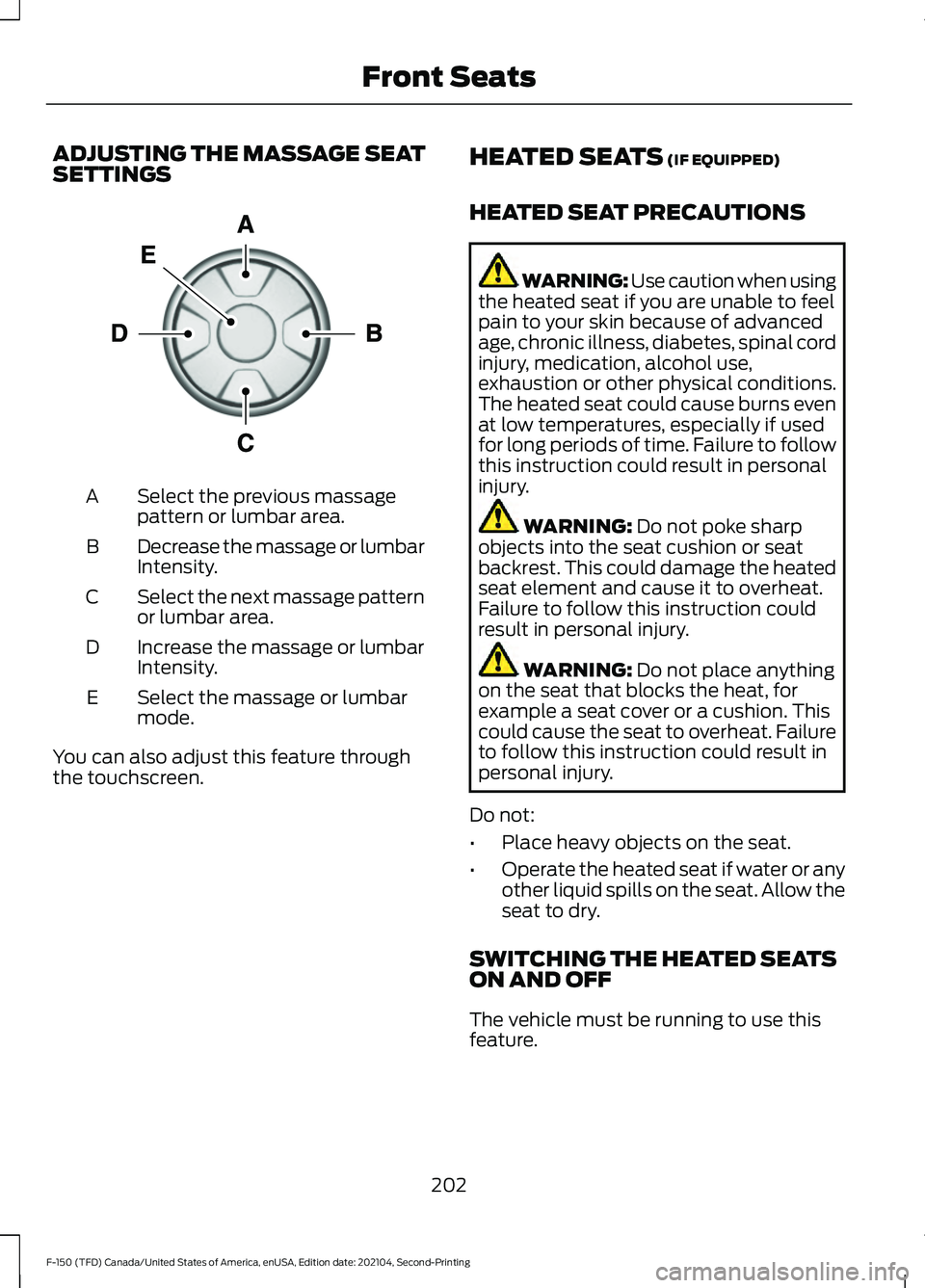
ADJUSTING THE MASSAGE SEAT
SETTINGS
Select the previous massage
pattern or lumbar area.
A
Decrease the massage or lumbar
Intensity.
B
Select the next massage pattern
or lumbar area.
C
Increase the massage or lumbar
Intensity.
D
Select the massage or lumbar
mode.
E
You can also adjust this feature through
the touchscreen. HEATED SEATS (IF EQUIPPED)
HEATED SEAT PRECAUTIONS WARNING: Use caution when using
the heated seat if you are unable to feel
pain to your skin because of advanced
age, chronic illness, diabetes, spinal cord
injury, medication, alcohol use,
exhaustion or other physical conditions.
The heated seat could cause burns even
at low temperatures, especially if used
for long periods of time. Failure to follow
this instruction could result in personal
injury. WARNING:
Do not poke sharp
objects into the seat cushion or seat
backrest. This could damage the heated
seat element and cause it to overheat.
Failure to follow this instruction could
result in personal injury. WARNING:
Do not place anything
on the seat that blocks the heat, for
example a seat cover or a cushion. This
could cause the seat to overheat. Failure
to follow this instruction could result in
personal injury.
Do not:
• Place heavy objects on the seat.
• Operate the heated seat if water or any
other liquid spills on the seat. Allow the
seat to dry.
SWITCHING THE HEATED SEATS
ON AND OFF
The vehicle must be running to use this
feature.
202
F-150 (TFD) Canada/United States of America, enUSA, Edition date: 202104, Second-Printing Front SeatsE156301
Page 207 of 796
Press the heated seat symbol on the
climate controls or touchscreen to cycle
through the various heat settings and off.
The more indicators that display, the
warmer the temperature of the seat.
Note:
The heated seats may remain on
after you remote start your vehicle, based
on your remote start settings. The heated
seats may also turn on when you start your
vehicle if they were on when you switched
your vehicle off.
VENTILATED SEATS (IF EQUIPPED)
VENTILATED SEAT PRECAUTIONS
Do not:
• Spill liquid on the front seats. This may
cause the air vent holes to become
blocked and not work properly.
• Place cargo or objects under the seats.
They may block the air intake causing
the air vents to not work properly.
SWITCHING THE VENTILATED
SEATS ON AND OFF
The vehicle must be running to use this
feature. Press this symbol on the climate controls
or the touchscreen to cycle through the
various ventilation settings and off. More
indicator lights indicate higher fan speeds.
Note:
When you switch the climate control
fan speed and the ventilated seats to their
maximum settings, the ventilated seats
provide increased cooling.
If the engine falls below 350 RPM while
the ventilated seats are on, the feature
turns itself off unless the vehicle is in
Auto-Start-Stop mode. You may need to
reactivate the ventilated seats.
Note: The ventilated seats may remain on
after you remote start your vehicle, based
on your remote start settings. The ventilated
seats may also turn on when you start your
vehicle if they were on when you switched
your vehicle off.
203
F-150 (TFD) Canada/United States of America, enUSA, Edition date: 202104, Second-Printing Front SeatsE146322 E224689
Page 219 of 796
Connect your device to the USB port.
Press the audio button on the
feature bar.
Select Sources. Select the USB option.
Press the button to play a track.
Press the button again to pause
the track.
Press the button to skip to the
next track.
Press and hold the button to fast
forward through the track. Press the button once to return
to the beginning of a track.
Repeatedly press the button to
return to previous tracks.
Press and hold the button to fast rewind.
CHARGING A DEVICE
Connect your device to the USB port.
Data Transfer USB Ports You can charge your device through the
data transfer USB port when SYNC is on.
Charge Only USB Ports
You can charge your device through the
charge only USB port when the vehicle is
in accessory mode or when the vehicle is
running.
215
F-150 (TFD) Canada/United States of America, enUSA, Edition date: 202104, Second-Printing USB PortsE100027
Page 220 of 796
WHAT IS THE POWER OUTLET
The vehicle functions as a portable
generator and can power devices that
require up to the rating listed on power
outlet label.
POWER OUTLET
PRECAUTIONS - VEHICLES
WITH: 2KW
WARNING: Do not start the engine
in a closed garage or in other enclosed
areas. Exhaust fumes are toxic. Always
open the garage door before you start
the engine. Failure to follow this
instruction could result in personal injury
or death. WARNING: Exhaust leaks may
result in entry of harmful and potentially
lethal fumes into the passenger
compartment. If you smell exhaust
fumes inside your vehicle, have your
vehicle inspected immediately. Do not
drive if you smell exhaust fumes. WARNING:
Do not connect any
vehicle power outlets to any premises.
This can create a backfeed to utility lines.
Failure to follow this instruction could
result in property damage, fire, electrical
shock or death. WARNING:
The vehicle's engine
runs while the generator is switched on.
Running engines emit carbon monoxide.
Only use the generator when the vehicle
is outdoors. Failure to follow this
instruction could result in personal injury
or death.
Note: Automatic engine stop is disabled
and the gasoline engine will continue to idle
when the outlet is switched on.
Note: We recommend using UL approved
devices for use with the power outlet.
Note: Unplug electrical devices from the
power outlet when they are not switched
on.
Note: Make sure there is no damage to the
outlets before driving your vehicle.
Note: Make sure that objects are not
blocking the inverter inlet and exhaust near
the rear underseat storage compartment.
Note: The climate control system may turn
on and power may be limited during extreme
hot or cold temperatures to optimize the
performance of the system.
Note: When the outlet is switched on and
the vehicle is in Park (P) the engine turns
off 30 minutes after the low fuel warning is
displayed. After the vehicle is turned off,
generator mode only operates while driving
or until the vehicle is refueled.
216
F-150 (TFD) Canada/United States of America, enUSA, Edition date: 202104, Second-Printing Power Outlet - Vehicles With: Pickup Bed Power Generator
Outlet
Page 221 of 796
Grounding Types
Grounding Type
Vehicle Type
Neutral floating: The neutral of the invertergenerator is isolated from system ground.
Gas
Neutral bonded: The neutral of the invertergenerator is bonded to system ground.
Connecting loads that also have neutral bonded to ground will cause the ground fault detection to trip.
HEV
Note: If additional grounding measures are
required, consult with a qualified electrician.
POWER OUTLET
PRECAUTIONS - VEHICLES
WITH: 2.4KW/7.2KW WARNING: Do not start the engine
in a closed garage or in other enclosed
areas. Exhaust fumes are toxic. Always
open the garage door before you start
the engine. Failure to follow this
instruction could result in personal injury
or death. WARNING: Exhaust leaks may
result in entry of harmful and potentially
lethal fumes into the passenger
compartment. If you smell exhaust
fumes inside your vehicle, have your
vehicle inspected immediately. Do not
drive if you smell exhaust fumes. WARNING:
Do not connect any
vehicle power outlets to any premises,
including buildings or recreational
vehicles. This can create a backfeed to
utility lines. Failure to follow this
instruction could result in damage to the
vehicle, fire, electrical shock or death. WARNING:
The vehicle's engine
runs while the generator is switched on.
Running engines emit carbon monoxide.
Only use the generator when the vehicle
is outdoors. Failure to follow this
instruction could result in personal injury
or death.
Note: The gasoline engine may start and
stop to provide power when the outlet is
switched on.
Note: We recommend using UL approved
devices for use with the power outlet.
Note: Unplug electrical devices from the
power outlet when they are not switched
on.
Note: The climate control system may turn
on and power may be limited during extreme
hot or cold temperatures to optimize the
performance of the system.
Note: When the outlet is switched on and
the vehicle is in Park (P) the engine turns
off 30 minutes after the low fuel warning is
displayed. After the vehicle is turned off,
generator mode only operates while driving
or until the vehicle is refueled.
217
F-150 (TFD) Canada/United States of America, enUSA, Edition date: 202104, Second-Printing Power Outlet - Vehicles With: Pickup Bed Power Generator
Outlet
Page 222 of 796
Grounding Types
Grounding Type
Vehicle Type
Neutral floating: The neutral of the invertergenerator is isolated from system ground.
Gas
Neutral bonded: The neutral of the invertergenerator is bonded to system ground.
Connecting loads that also have neutral bonded to ground will cause the ground fault detection to trip.
HEV
Note: If additional grounding measures are
required, consult with a qualified electrician.
LOCATING THE POWER
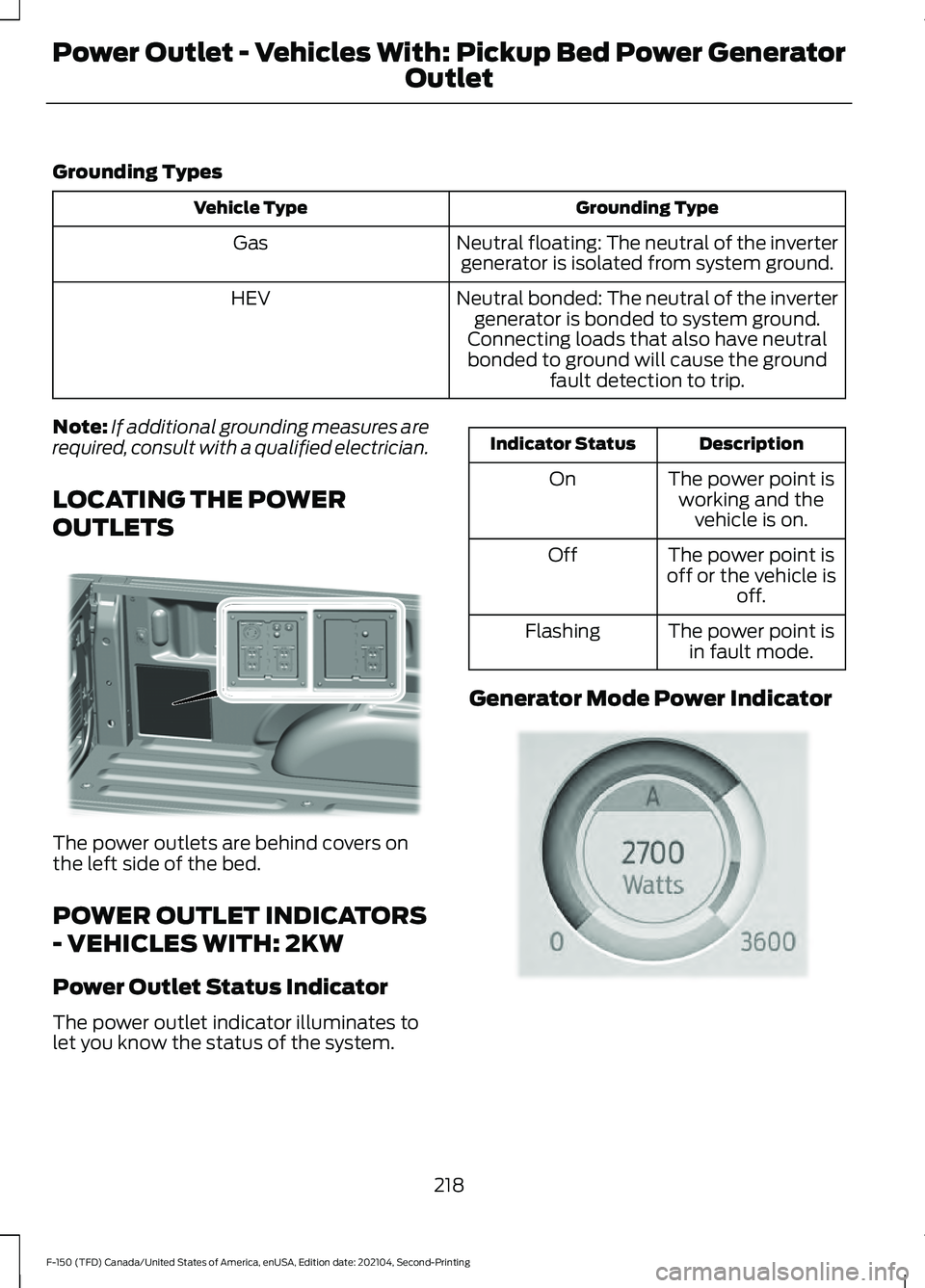
OUTLETS The power outlets are behind covers on
the left side of the bed.
POWER OUTLET INDICATORS
- VEHICLES WITH: 2KW
Power Outlet Status Indicator
The power outlet indicator illuminates to
let you know the status of the system. Description
Indicator Status
The power point isworking and the vehicle is on.
On
The power point is
off or the vehicle is off.
Off
The power point isin fault mode.
Flashing
Generator Mode Power Indicator 218
F-150 (TFD) Canada/United States of America, enUSA, Edition date: 202104, Second-Printing Power Outlet - Vehicles With: Pickup Bed Power Generator
Outlet E335065 E335469
Page 223 of 796
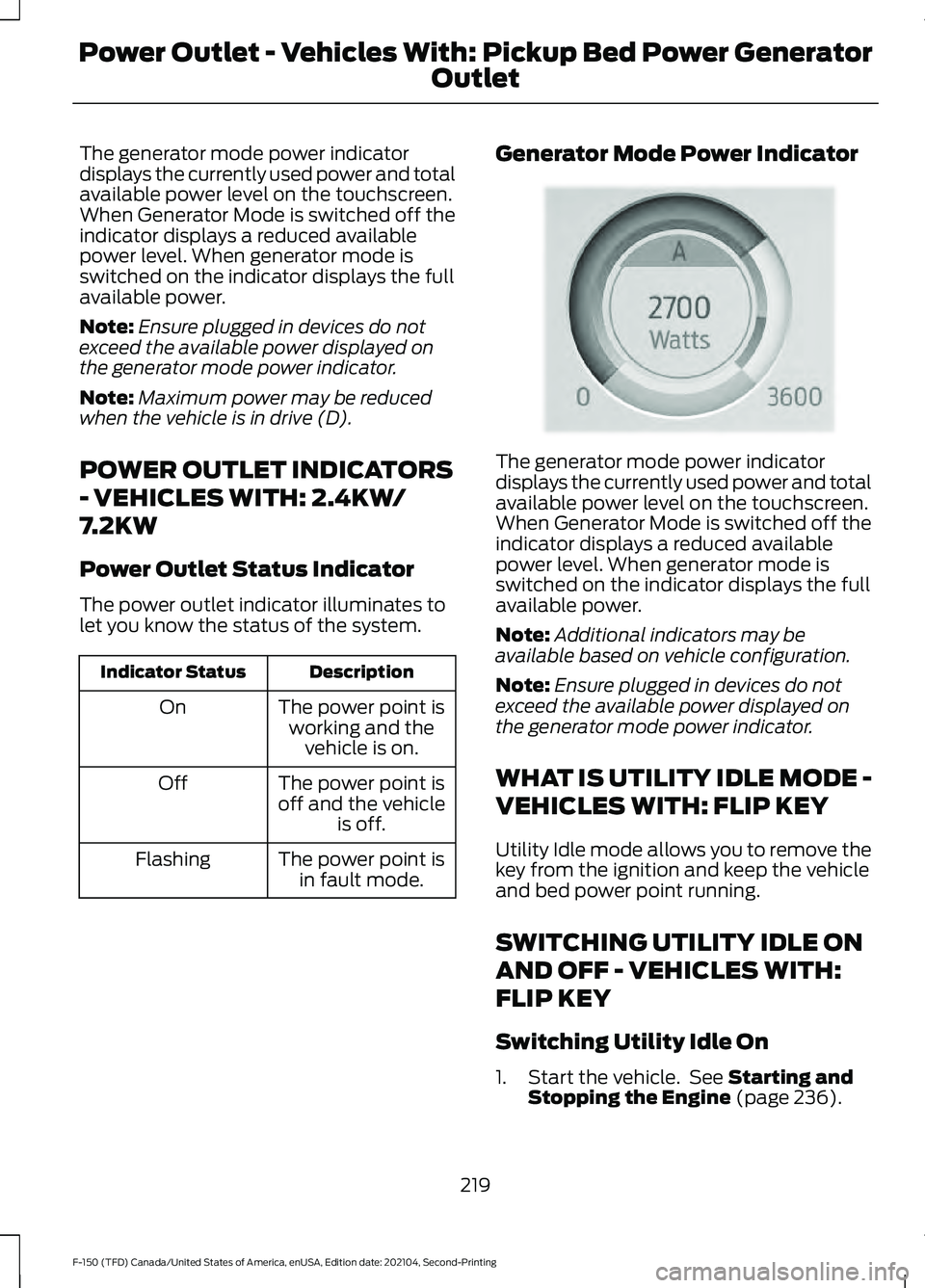
The generator mode power indicator
displays the currently used power and total
available power level on the touchscreen.
When Generator Mode is switched off the
indicator displays a reduced available
power level. When generator mode is
switched on the indicator displays the full
available power.
Note:
Ensure plugged in devices do not
exceed the available power displayed on
the generator mode power indicator.
Note: Maximum power may be reduced
when the vehicle is in drive (D).
POWER OUTLET INDICATORS
- VEHICLES WITH: 2.4KW/
7.2KW
Power Outlet Status Indicator
The power outlet indicator illuminates to
let you know the status of the system. Description
Indicator Status
The power point isworking and the vehicle is on.
On
The power point is
off and the vehicle is off.
Off
The power point isin fault mode.
Flashing Generator Mode Power Indicator The generator mode power indicator
displays the currently used power and total
available power level on the touchscreen.
When Generator Mode is switched off the
indicator displays a reduced available
power level. When generator mode is
switched on the indicator displays the full
available power.
Note:
Additional indicators may be
available based on vehicle configuration.
Note: Ensure plugged in devices do not
exceed the available power displayed on
the generator mode power indicator.
WHAT IS UTILITY IDLE MODE -
VEHICLES WITH: FLIP KEY
Utility Idle mode allows you to remove the
key from the ignition and keep the vehicle
and bed power point running.
SWITCHING UTILITY IDLE ON
AND OFF - VEHICLES WITH:
FLIP KEY
Switching Utility Idle On
1. Start the vehicle. See Starting and
Stopping the Engine (page 236).
219
F-150 (TFD) Canada/United States of America, enUSA, Edition date: 202104, Second-Printing Power Outlet - Vehicles With: Pickup Bed Power Generator
OutletE335469
Page 224 of 796
2. Press the Features button on the
touchscreen.
3. Press the Pro Power Onboard button.
4. Press the Generator Mode button to switch the power outlet to the rating
listed on the power outlet label.
5. Press the Utility Idle button.
6. Turn the key to position 0.
7. Remove the key from the ignition.
Switching Utility Idle Off using the
Key
1. Insert the key into the ignition.
2. Turn the key to position
III.
Switching Utility Idle off using the
Information and Entertainment
Display Screen
Use the controls on the touchscreen to
switch off the vehicle.
WHAT IS GENERATOR MODE
Generator Mode uses the vehicle engine
to increase power to the bed power outlets
up to the rating listed on the power outlet
label.
SWITCHING GENERATOR
MODE ON AND OFF
Using the Information and
Entertainment Display Screen
1. Switch the vehicle on.
See Starting
and Stopping the Engine (page 236).
2. Press the Features button on the touchscreen.
3. Press the Pro Power Onboard button.
4. Press the Generator Mode button to switch the power outlet to the full
rating listed on the power outlet label. Using the Instrument Panel Press the button to switch
between off, Convenience Mode,
and Generator Mode.
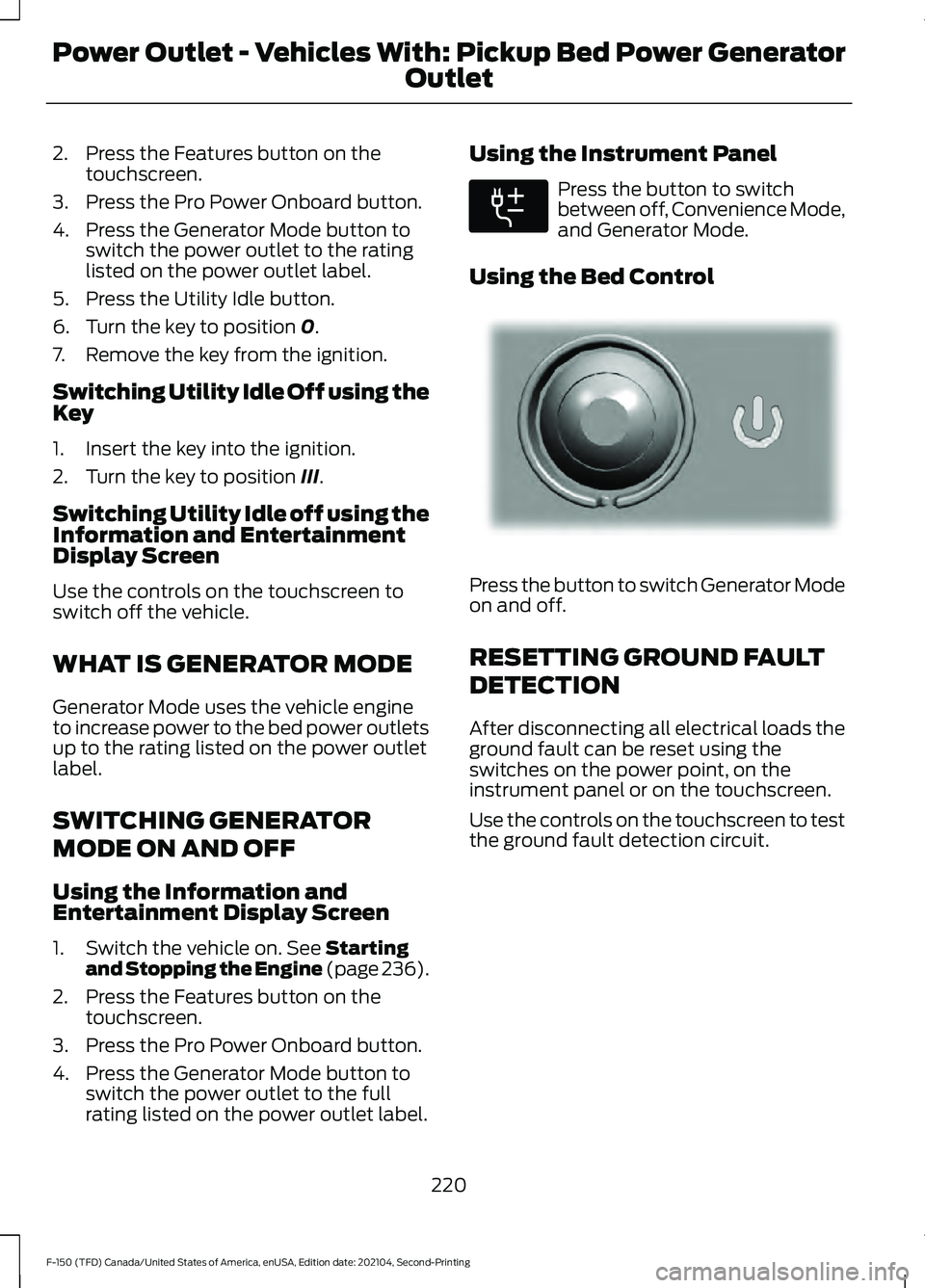
Using the Bed Control Press the button to switch Generator Mode
on and off.
RESETTING GROUND FAULT
DETECTION
After disconnecting all electrical loads the
ground fault can be reset using the
switches on the power point, on the
instrument panel or on the touchscreen.
Use the controls on the touchscreen to test
the ground fault detection circuit.
220
F-150 (TFD) Canada/United States of America, enUSA, Edition date: 202104, Second-Printing Power Outlet - Vehicles With: Pickup Bed Power Generator
OutletE311311 E337175
Page 226 of 796
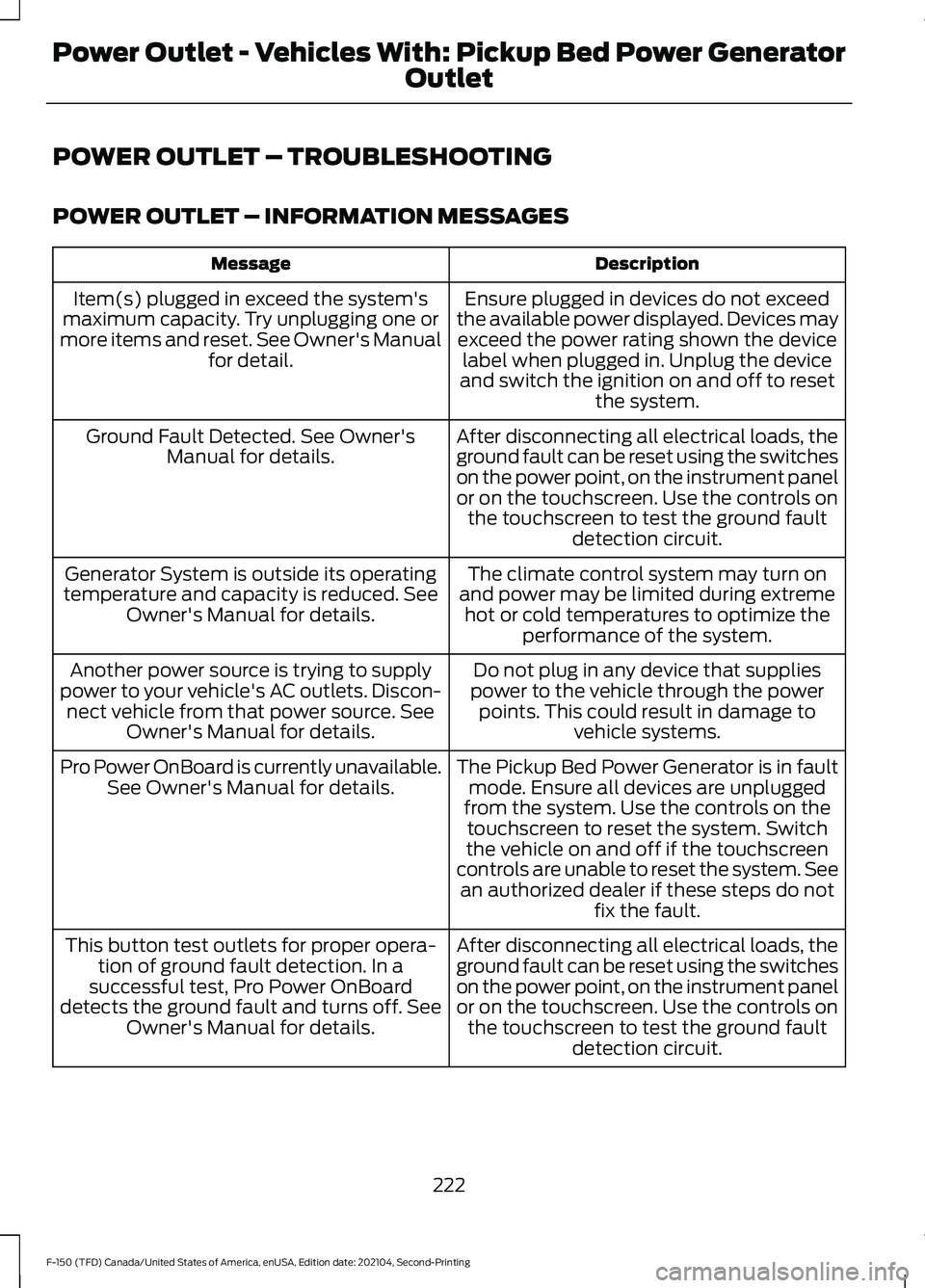
POWER OUTLET – TROUBLESHOOTING
POWER OUTLET – INFORMATION MESSAGES
Description
Message
Ensure plugged in devices do not exceed
the available power displayed. Devices may exceed the power rating shown the device label when plugged in. Unplug the device
and switch the ignition on and off to reset the system.
Item(s) plugged in exceed the system's
maximum capacity. Try unplugging one or
more items and reset. See Owner's Manual for detail.
After disconnecting all electrical loads, the
ground fault can be reset using the switches
on the power point, on the instrument panel
or on the touchscreen. Use the controls onthe touchscreen to test the ground fault detection circuit.
Ground Fault Detected. See Owner's
Manual for details.
The climate control system may turn on
and power may be limited during extreme hot or cold temperatures to optimize the performance of the system.
Generator System is outside its operating
temperature and capacity is reduced. See Owner's Manual for details.
Do not plug in any device that supplies
power to the vehicle through the power points. This could result in damage to vehicle systems.
Another power source is trying to supply
power to your vehicle's AC outlets. Discon- nect vehicle from that power source. See Owner's Manual for details.
The Pickup Bed Power Generator is in faultmode. Ensure all devices are unplugged
from the system. Use the controls on the touchscreen to reset the system. Switch
the vehicle on and off if the touchscreen
controls are unable to reset the system. See an authorized dealer if these steps do not fix the fault.
Pro Power OnBoard is currently unavailable.
See Owner's Manual for details.
After disconnecting all electrical loads, the
ground fault can be reset using the switches
on the power point, on the instrument panel
or on the touchscreen. Use the controls onthe touchscreen to test the ground fault detection circuit.
This button test outlets for proper opera-
tion of ground fault detection. In a
successful test, Pro Power OnBoard
detects the ground fault and turns off. See Owner's Manual for details.
222
F-150 (TFD) Canada/United States of America, enUSA, Edition date: 202104, Second-Printing Power Outlet - Vehicles With: Pickup Bed Power Generator
Outlet
Page 230 of 796
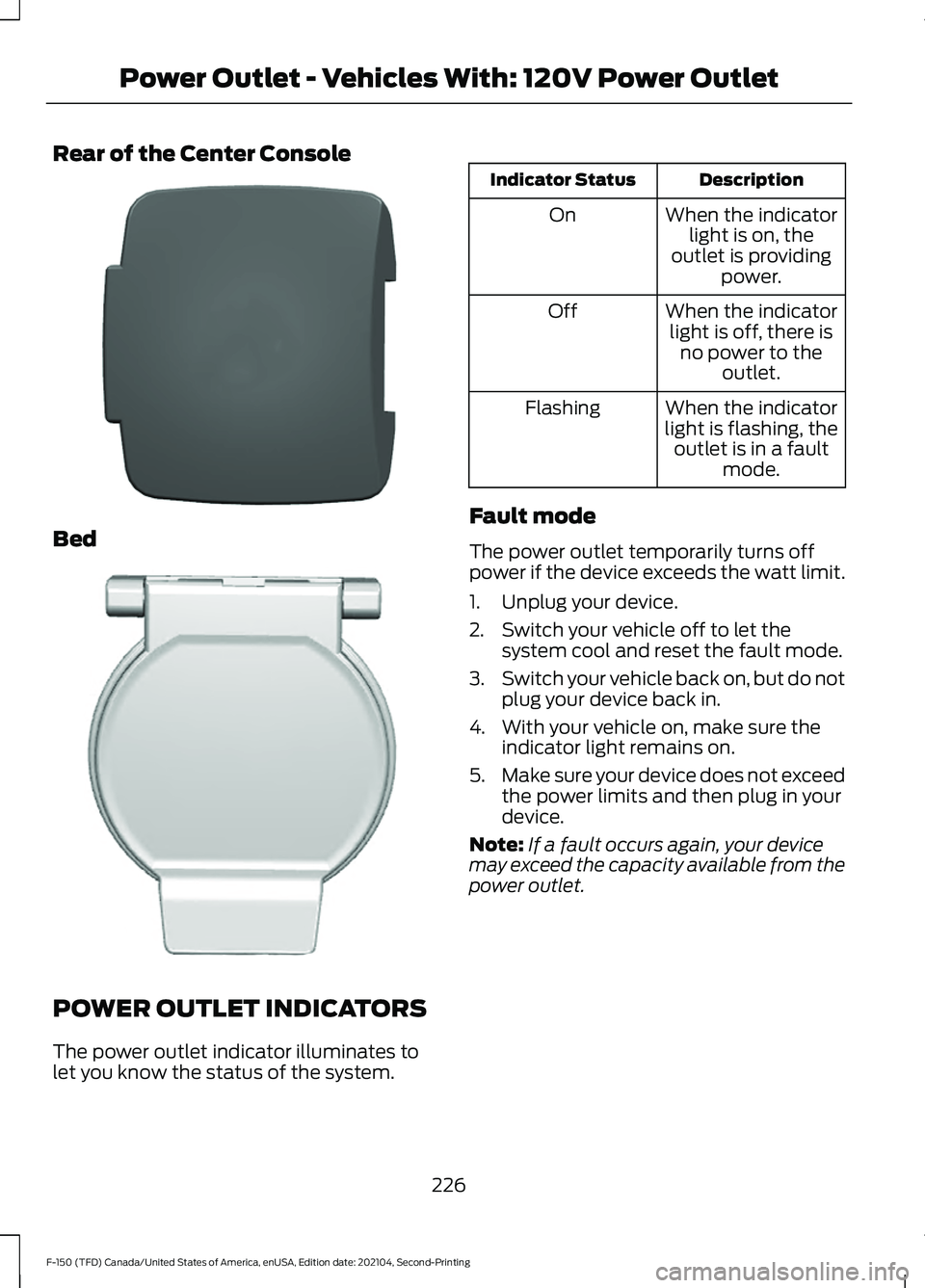
Rear of the Center Console
Bed
POWER OUTLET INDICATORS
The power outlet indicator illuminates to
let you know the status of the system. Description
Indicator Status
When the indicatorlight is on, the
outlet is providing power.
On
When the indicatorlight is off, there is no power to the outlet.
Off
When the indicator
light is flashing, the outlet is in a fault mode.
Flashing
Fault mode
The power outlet temporarily turns off
power if the device exceeds the watt limit.
1. Unplug your device.
2. Switch your vehicle off to let the system cool and reset the fault mode.
3. Switch your vehicle back on, but do not
plug your device back in.
4. With your vehicle on, make sure the indicator light remains on.
5. Make sure your device does not exceed
the power limits and then plug in your
device.
Note: If a fault occurs again, your device
may exceed the capacity available from the
power outlet.
226
F-150 (TFD) Canada/United States of America, enUSA, Edition date: 202104, Second-Printing Power Outlet - Vehicles With: 120V Power OutletE337926 E338700