ECU FORD F-150 2021 Workshop Manual
[x] Cancel search | Manufacturer: FORD, Model Year: 2021, Model line: F-150, Model: FORD F-150 2021Pages: 796, PDF Size: 13.89 MB
Page 624 of 796
WHAT IS A CONNECTED
VEHICLE
A connected vehicle has technology that
allows your vehicle to connect to a mobile
network and for you to access a range of
features. When used in conjunction with
the FordPass app, it could allow you to
monitor and control your vehicle further,
for example checking the tire pressures,
the fuel level and the vehicle location. For
additional information, refer to the local
Ford website.
CONNECTED VEHICLE
REQUIREMENTS
Connected service and related feature
functionality requires a compatible vehicle
network.
Some remote features require additional
service activation. Log in to your Ford
account for details. Some restrictions, third
party terms and message or data rates
may apply.
CONNECTED VEHICLE
LIMITATIONS
Evolving technology, cellular networks, or
regulations could affect functionality and
availability, or continued provision of some
features. These changes could even stop
some features from functioning.
CONNECTING THE VEHICLE TO
A MOBILE NETWORK
WHAT IS THE MODEM
The modem allows access to a
range of features built into your
vehicle. ENABLING AND DISABLING THE
MODEM
1. Press Settings.
2. Press
Connectivity.
3. Press
Connected Vehicle Features.
4. Switch vehicle connectivity on or off.
CONNECTING FORDPASS TO THE
MODEM
1. Make sure that the modem is enabled using the vehicle settings menu.
2. Open the FordPass app on your device
and log in.
3. Add your vehicle or select your vehicle if already added.
4. Select the option to activate your vehicle.
5. Make sure that the name on the screen
matches the name shown in your
FordPass account.
6. Confirm that FordPass account is connected to the modem.
CONNECTING THE VEHICLE TO
A WI-FI NETWORK Select the settings option on the
feature bar.
1. Press
Connectivity.
2. Press
Manage Wi-Fi Networks.
3. Switch
Wi-Fi on.
4. Press
View Available Networks.
5. Select an available Wi-Fi network.
Note: Enter the network password to
connect to a secure network.
620
F-150 (TFD) Canada/United States of America, enUSA, Edition date: 202104, Second-Printing Connected Vehicle E280315
Page 626 of 796
CONNECTED VEHICLE –
FREQUENTLY ASKED QUESTIONS
- VEHICLES WITH: SYNC 4
Why can I not confirm the
connection of my FordPass
account to the modem?
•
The modem is not enabled. Switch
vehicle connectivity on.
• The network signal is weak. Move your
vehicle closer to a place where the
network signal is not obstructed.
Why can I not connect to a Wi-Fi
network?
• You entered the wrong network
password. Enter the correct password.
• The network signal is weak. Move your
vehicle closer to the Wi-Fi router or to
a place where the network signal is not
obstructed.
• There are multiple access points in
range with the same network name.
Choose a unique name for your
network. Do not use the default name
unless it contains a unique identifier,
for example as part of the MAC
address.
Why does the Wi-Fi connection
disconnect after successful
connection?
• The network signal is weak. Move your
vehicle closer to the Wi-Fi router or to
a place where the network signal is not
obstructed.
What can I do if I am close to a Wi-
Fi router but the network signal
strength is weak?
• If your vehicle has a heated windshield,
position your vehicle so that the
windshield is not facing the Wi-Fi
router. •
If your vehicle has metallic tinting on
the windows but not on the windshield,
position your vehicle so that the
windshield is facing the Wi-Fi router or
open the windows that are facing the
router.
• If your vehicle has metallic tinting on
the windows and the windshield, open
the windows that are facing the router.
• If your vehicle is in a garage and you
have the garage door closed, open the
garage door as it could block the signal.
Why can I not see a network I
expect to see in the list of available
networks?
• The network is hidden. Make the
network visible and try again, or
manually add a network in the Wi-Fi
settings menu.
• Some network security types are not
supported, for example WEP.
Why do software downloads take
too long?
• The network signal is weak. Move your
vehicle closer to the Wi-Fi router or to
a place where the network signal is not
obstructed.
• Wi-Fi network is in high demand or has
a slow Internet connection. Use a more
reliable Wi-Fi network.
622
F-150 (TFD) Canada/United States of America, enUSA, Edition date: 202104, Second-Printing Connected Vehicle
Page 628 of 796
CREATING A VEHICLE WI-FI
HOTSPOT
You can create a Wi-Fi hotspot in your
vehicle and allow devices to connect to it
for access to the Internet.
Select the settings option on the
feature bar.
1. Press Vehicle Hotspot.
Note: The vehicle hotspot default setting
is on.
2. Press
Settings.
3. Press
Edit.
4. Press
Hotspot visibility.
Note: The hotspot visibility default setting
is on.
Finding the Wi-Fi Hotspot Name
and Password Select the settings option on the
feature bar.
1. Press
Vehicle Hotspot.
2. Press
Settings.
Note: The network name is the hotspot
name.
3. Press
View Password.
Connecting a Device to the Wi-Fi
Hotspot
1. On your device, switch Wi-Fi on and select the hotspot from the list of
available Wi-Fi networks.
2. When prompted, enter the password.
Purchasing a Data Plan
1. Connect a device to the hotspot.
Note: The vehicle network carrier ’s portal
opens on your device. 2. If the portal does not open on your
device, open a website and it redirects
to the vehicle network carrier ’s portal.
Note: Secure websites do not redirect.
3. Follow the instructions on the carrier portal to purchase a plan.
Note: If you have an active plan, the system
does not redirect to the vehicle network
carrier ’s portal when you connect a device.
Visit the vehicle network carrier ’s website
to purchase more data.
Note: If data usage information is available
in the vehicle hotspot menu, it is
approximate.
Note: If you carry out a master reset, the
system does not remove your vehicle from
your vehicle network carrier ’s account. To
remove your vehicle from the account,
contact your vehicle network carrier.
Note: The vehicle network carrier provides
Vehicle Hotspot services, subject to your
vehicle network carrier agreement, coverage
and availability.
CHANGING THE VEHICLE WI-
FI HOTSPOT NAME OR
PASSWORD Select the settings option on the
feature bar.
1. Press
Vehicle Hotspot.
2. Press
Settings.
3. Press
Edit.
4. Press
Change Network Name.
5. Enter your required network name.
6. Press
Done.
7. Press
Change Password.
8. Enter your required password.
9. Press
Done.
624
F-150 (TFD) Canada/United States of America, enUSA, Edition date: 202104, Second-Printing Vehicle Wi-Fi HotspotE280315 E280315 E280315
Page 660 of 796
UPDATING THE VEHICLE
SYSTEMS WIRELESSLY
Over the air system updates
allow you to update your vehicle
system software wirelessly. To
make sure you receive all updates, set a
recurring schedule and connect to Wi-Fi.
Updates may take longer if not connected
to Wi-Fi, or may not download at all. See
Connected Vehicle (page 620).
Over the Air System Update
Requirements
Before updating, reference this list to make
sure your vehicle is ready be updated. If
these requirements are not met during a
scheduled update, the update will be
canceled and you can reschedule.
• Your vehicle is not running.
• Your vehicle is stopped.
• Your vehicle is parked.
• The hazard indicators are switched off.
• The alarm is not sounding.
• The doors are closed.
• The parking lights are switched off.
• You are not pressing the brake pedal.
• An emergency call is not in progress.
• Your vehicle is not in limp mode.
Enabling Over the Air Updates
1. Press
Settings on the touchscreen.
2. Press
Software Update.
3. Switch
Automatic Updates on or off.
Note: Over the air updates are enabled by
default.
Note: If you do not want to receive over the
air updates you can turn them off. You will
not be notified of new updates. Scheduling an Update
Scheduling an update allows you to set a
convenient time for the update to
complete. We recommend updating
overnight when your vehicle is not in use.
Ensure Vehicle Connectivity and Automatic
Updates are enabled. Once you complete
these steps, your schedule will be saved
for future updates. As long as an update is
not in process you can adjust your
schedule.
Note:
Some updates may be applied
outside of your set schedule. Information
about the unscheduled update appears on
the touchscreen after it is applied.
Using the Settings Menu
1. Press
Settings on the touchscreen.
2. Press
Software Update.
3. Press
Schedule Updates.
4. Use the controls to set the time and day of the update.
5. Save the schedule.
Note: You can set the updates to occur at
any time.
Using the Status Bar Icon When an update is available, tap
the notification icon and follow
the prompts on the screen.
Applying an Over the Air Update
You can see the progress of the update on
the touchscreen. An update cannot be
canceled once it has been started.
656
F-150 (TFD) Canada/United States of America, enUSA, Edition date: 202104, Second-Printing Vehicle System UpdatesE327789 E327785
Page 667 of 796
Less Cost to Properly Maintain Your
Vehicle
The Ford Protect extended service plan
also offers a Premium Maintenance Plan
that covers all scheduled maintenance,
and selected wear items. The coverage is
prepaid, so you never have to worry about
the cost of your vehicle
’s maintenance.
Covered maintenance includes:
• Windshield wiper blades.
• Spark plugs.
• The clutch disc (if equipped).
• Brake pads and linings.
• Shock absorbers.
• Struts.
• Engine belts.
• Engine coolant hoses, clamps and
o-rings.
• Diesel exhaust fluid replenishment (if
equipped).
• Cabin air filter replacement every
20,000 mi (32,000 km) for electric
vehicles only.
Interest Free Finance Options
Just a 5% down payment provides you
with an affordable, no interest, no fee
payment program allowing you all the
security and benefits Ford Protect
extended service plan has to offer while
paying over time. You are pre-approved
with no credit check or hassles. To learn
more, call our Ford Protect extended
service plan specialists at 800-367-3377.
Ford Protect Extended Service Plan
P.O. Box 321067
Detroit, MI 48232 Ford Protect Extended Service
Plan (Canada Only)
You can get more protection for your
vehicle by purchasing a Ford Protect
extended service plan. Ford Protect
extended service plan is the only service
contract backed by Ford Motor Company
of Canada, Limited. Depending on the plan
you purchase, Ford Protect extended
service plan provides benefits such as:
•
Rental reimbursement.
• Coverage for certain maintenance and
wear items.
• Protection against repair costs after
your New Vehicle Limited Warranty
Coverage expires.
• Roadside Assistance benefits.
There are several Ford Protect extended
service plans available in various time,
distance and deductible combinations.
Each plan is tailored to fit your own driving
needs, including reimbursement for towing
and rental. When you purchase Ford
Protect extended service plan, you receive
added peace-of-mind protection
throughout Canada, the United States and
Mexico, provided by a network of
participating authorized Ford Motor
Company dealers.
Note: Repairs performed outside of Canada
and the United States are not eligible for
Ford Protect extended service plan
coverage.
This information is subject to change. Visit
your local Ford of Canada dealer or
www.ford.ca to find the Ford Protect
extended service plan that is right for you.
663
F-150 (TFD) Canada/United States of America, enUSA, Edition date: 202104, Second-Printing Ford Protect
Page 739 of 796
MOBILE COMMUNICATIONS
EQUIPMENT
WARNING: Driving while distracted
can result in loss of vehicle control, crash
and injury. We strongly recommend that
you use extreme caution when using any
device that may take your focus off the
road. Your primary responsibility is the
safe operation of your vehicle. We
recommend against the use of any
hand-held device while driving and
encourage the use of voice-operated
systems when possible. Make sure you
are aware of all applicable local laws
that may affect the use of electronic
devices while driving.
Using mobile communications equipment
is becoming increasingly important in the
conduct of business and personal affairs.
However, you must not compromise your
own or others’ safety when using such
equipment. Mobile communications can
enhance personal safety and security when
appropriately used, particularly in
emergency situations. Safety must be
paramount when using mobile
communications equipment to avoid
negating these benefits. Mobile
communication equipment includes, but
is not limited to, cellular phones, pagers,
portable email devices, text messaging
devices and portable two-way radios. END USER LICENSE
AGREEMENT
VEHICLE SOFTWARE END USER
LICENSE AGREEMENT (EULA) (If
Equipped)
• You (“You” or “Your ” as applicable)
have acquired a vehicle having several
devices, including SYNC ® and various
control modules, ("DEVICES") that
include software licensed or owned by
Ford Motor Company and its affiliates
("FORD MOTOR COMPANY"). Those
software products of FORD MOTOR
COMPANY origin, as well as associated
media, printed materials, and "online"
or electronic documentation
("SOFTWARE") are protected by
international intellectual property laws
and treaties. The SOFTWARE is
licensed, not sold. All rights reserved.
• The SOFTWARE may interface with
and/or communicate with, or may be
later upgraded to interface with and/or
communicate with additional software
and/or systems provided by FORD
MOTOR COMPANY.
IF YOU DO NOT AGREE TO THIS END
USER LICENSE AGREEMENT ("EULA")
DO NOT USE THE DEVICES OR COPY
THE SOFTWARE. ANY USE OF THE
SOFTWARE, INCLUDING BUT NOT
LIMITED TO USE ON THE DEVICES,
WILL CONSTITUTE YOUR AGREEMENT
TO THIS EULA (OR RATIFICATION OF
ANY PREVIOUS CONSENT).
GRANT OF SOFTWARE LICENSE:
This
EULA grants you the following license:
• You may use the SOFTWARE as
installed on the DEVICES and as
otherwise interfacing with systems
and/or services provide by or through
FORD MOTOR COMPANY or its third
party software and service providers.
735
F-150 (TFD) Canada/United States of America, enUSA, Edition date: 202104, Second-Printing Customer Information
Page 747 of 796
filing, AAA, and arbitrator
’s fees and
expenses. It will not seek its attorney ’s
fees or expenses from you in any
arbitration. Fees and expenses are not
counted in determining how much a
dispute involves.
(h) Claims or disputes must be filed
within one year. To the extent permitted
by law, any claim or dispute under this
EULA to which this Section applies must
be filed within one year in small claims
court (Section c) or in arbitration (Section
d). The one-year period begins when the
claim or dispute first could be filed. If such
a claim or dispute is not filed within one
year, it is permanently barred.
(I) Severability. If the class action waiver
(Section e) is found to be illegal or
unenforceable as to all or some parts of a
dispute, then that portion of Section e will
not apply to those parts. Instead, those
parts will be severed and proceed in a court
of law, with the remaining parts proceeding
in arbitration. If any other provision of that
portion Section e is found to be illegal or
unenforceable, that provision will be
severed with the remainder of Section e
remaining in full force and effect.
Telenav Software End User License
Agreement
Please read these terms and conditions
carefully before you use the TeleNav
Software. Your use of the TeleNav
Software indicates that you accept these
terms and conditions. If you do not accept
these terms and conditions, do not break
the seal of the package, launch, or
otherwise use the TeleNav Software.
TeleNav may revise this Agreement and
the privacy policy at any time, with or
without notice to you. You agree to visit
http://www.telenav.com from time to time
to review the then current version of this
Agreement and of the privacy policy. 1. Safe and Lawful Use
You acknowledge that devoting attention
to the TeleNav Software may pose a risk
of injury or death to you and others in
situations that otherwise require your
undivided attention, and you therefore
agree to comply with the following when
using the TeleNav Software:
(a) observe all traffic laws and otherwise
drive safely;
(b) use your own personal judgment while
driving. If you feel that a route suggested
by the TeleNav Software instructs you to
perform an unsafe or illegal maneuver,
places you in an unsafe situation, or directs
you into an area that you consider to be
unsafe, do not follow such instructions;
(c) do not input destinations, or otherwise
manipulate the TeleNav Software, unless
your vehicle is stationary and parked;
(d) do not use the TeleNav Software for
any illegal, unauthorized, unintended,
unsafe, hazardous, or unlawful purposes,
or in any manner inconsistent with this
Agreement;
(e) arrange all GPS and wireless devices
and cables necessary for use of the
TeleNav Software in a secure manner in
your vehicle so that they will not interfere
with your driving and will not prevent the
operation of any safety device (such as an
airbag).
You agree to indemnify and hold TeleNav
harmless against all claims resulting from
any dangerous or otherwise inappropriate
use of the TeleNav Software in any moving
vehicle, including as a result of your failure
to comply with the directions above.
743
F-150 (TFD) Canada/United States of America, enUSA, Edition date: 202104, Second-Printing Customer Information
Page 752 of 796
Restrictions. Except where you have been
specifically licensed to do so by Telenav,
and without limiting the preceding
paragraph, you may not use this Data (a)
with any products, systems, or applications
installed or otherwise connected to or in
communication with vehicles, capable of
vehicle navigation, positioning, dispatch,
real time route guidance, fleet
management or similar applications; or (b)
with or in communication with any
positioning devices or any mobile or
wireless-connected electronic or computer
devices, including without limitation
cellular phones, palmtop and handheld
computers, pagers, and personal digital
assistants or PDAs.
Warning. The Data may contain
inaccurate or incomplete information due
to the passage of time, changing
circumstances, sources used and the
nature of collecting comprehensive
geographic data, any of which may lead to
incorrect results.
No Warranty.
This Data is provided to you
“ as is, ” and you agree to use it at your own
risk. Telenav and its licensors (and their
licensors and suppliers) make no
guarantees, representations or warranties
of any kind, express or implied, arising by
law or otherwise, including but not limited
to, content, quality, accuracy,
completeness, effectiveness, reliability,
fitness for a particular purpose, usefulness,
use or results to be obtained from this
Data, or that the Data or server will be
uninterrupted or error-free.
Disclaimer of Warranty:
TELENAV AND
ITS LICENSORS (INCLUDING THEIR
LICENSORS AND SUPPLIERS) DISCLAIM
ANY WARRANTIES, EXPRESS OR IMPLIED,
OF QUALITY, PERFORMANCE,
MERCHANTABILITY, FITNESS FOR A PARTICULAR PURPOSE OR
NON-INFRINGEMENT. Some States,
Territories and Countries do not allow
certain warranty exclusions, so to that
extent the above exclusion may not apply
to you.
Disclaimer of Liability:
TELENAV AND
ITS LICENSORS (INCLUDING THEIR
LICENSORS AND SUPPLIERS) SHALL NOT
BE LIABLE TO YOU: IN RESPECT OF ANY
CLAIM, DEMAND OR ACTION,
IRRESPECTIVE OF THE NATURE OF THE
CAUSE OF THE CLAIM, DEMAND OR
ACTION ALLEGING ANY LOSS, INJURY OR
DAMAGES, DIRECT OR INDIRECT, WHICH
MAY RESULT FROM THE USE OR
POSSESSION OF THE INFORMATION; OR
FOR ANY LOSS OF PROFIT, REVENUE,
CONTRACTS OR SAVINGS, OR ANY
OTHER DIRECT, INDIRECT, INCIDENTAL,
SPECIAL OR CONSEQUENTIAL DAMAGES
ARISING OUT OF YOUR USE OF OR
INABILITY TO USE THIS INFORMATION,
ANY DEFECT IN THE INFORMATION, OR
THE BREACH OF THESE TERMS OR
CONDITIONS, WHETHER IN AN ACTION
IN CONTRACT OR TORT OR BASED ON A
WARRANTY, EVEN IF TELENAV OR ITS
LICENSORS HAVE BEEN ADVISED OF THE
POSSIBILITY OF SUCH DAMAGES. Some
States, Territories and Countries do not
allow certain liability exclusions or
damages limitations, so to that extent the
above may not apply to you.
Export Control.
You shall not export from
anywhere any part of the Data or any direct
product thereof except in compliance with,
and with all licenses and approvals
required under, applicable export laws,
rules and regulations, including but not
limited to the laws, rules and regulations
administered by the Office of Foreign
Assets Control of the U.S. Department of
Commerce and the Bureau of Industry and
Security of the U.S. Department of
Commerce. To the extent that any such
748
F-150 (TFD) Canada/United States of America, enUSA, Edition date: 202104, Second-Printing Customer Information
Page 755 of 796
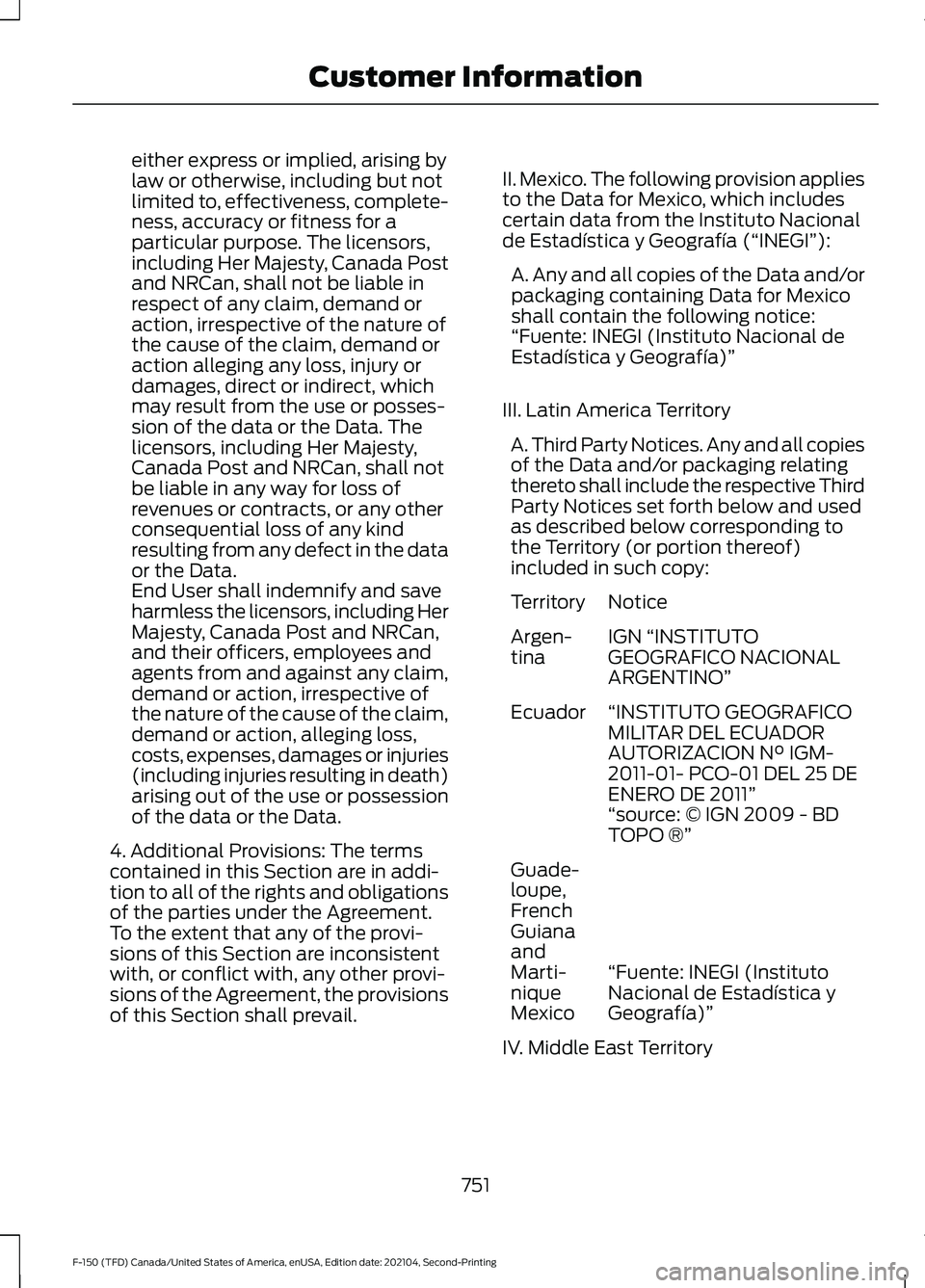
either express or implied, arising by
law or otherwise, including but not
limited to, effectiveness, complete-
ness, accuracy or fitness for a
particular purpose. The licensors,
including Her Majesty, Canada Post
and NRCan, shall not be liable in
respect of any claim, demand or
action, irrespective of the nature of
the cause of the claim, demand or
action alleging any loss, injury or
damages, direct or indirect, which
may result from the use or posses-
sion of the data or the Data. The
licensors, including Her Majesty,
Canada Post and NRCan, shall not
be liable in any way for loss of
revenues or contracts, or any other
consequential loss of any kind
resulting from any defect in the data
or the Data.
End User shall indemnify and save
harmless the licensors, including Her
Majesty, Canada Post and NRCan,
and their officers, employees and
agents from and against any claim,
demand or action, irrespective of
the nature of the cause of the claim,
demand or action, alleging loss,
costs, expenses, damages or injuries
(including injuries resulting in death)
arising out of the use or possession
of the data or the Data.
4. Additional Provisions: The terms
contained in this Section are in addi-
tion to all of the rights and obligations
of the parties under the Agreement.
To the extent that any of the provi-
sions of this Section are inconsistent
with, or conflict with, any other provi-
sions of the Agreement, the provisions
of this Section shall prevail. II. Mexico. The following provision applies
to the Data for Mexico, which includes
certain data from the Instituto Nacional
de Estadística y Geografía (“INEGI”):
A. Any and all copies of the Data and/or
packaging containing Data for Mexico
shall contain the following notice:
“Fuente: INEGI (Instituto Nacional de
Estadística y Geografía)”
III. Latin America Territory A. Third Party Notices. Any and all copies
of the Data and/or packaging relating
thereto shall include the respective Third
Party Notices set forth below and used
as described below corresponding to
the Territory (or portion thereof)
included in such copy: Notice
Territory
IGN “INSTITUTO
GEOGRAFICO NACIONAL
ARGENTINO”
Argen-
tina
“INSTITUTO GEOGRAFICO
MILITAR DEL ECUADOR
AUTORIZACION N° IGM-
2011-01- PCO-01 DEL 25 DE
ENERO DE 2011”
Ecuador
“source: © IGN 2009 - BD
TOPO ®”
“Fuente: INEGI (Instituto
Nacional de Estadística y
Geografía)”
Guade-
loupe,
French
Guiana
and
Marti-
nique
Mexico
IV. Middle East Territory
751
F-150 (TFD) Canada/United States of America, enUSA, Edition date: 202104, Second-Printing Customer Information
Page 758 of 796
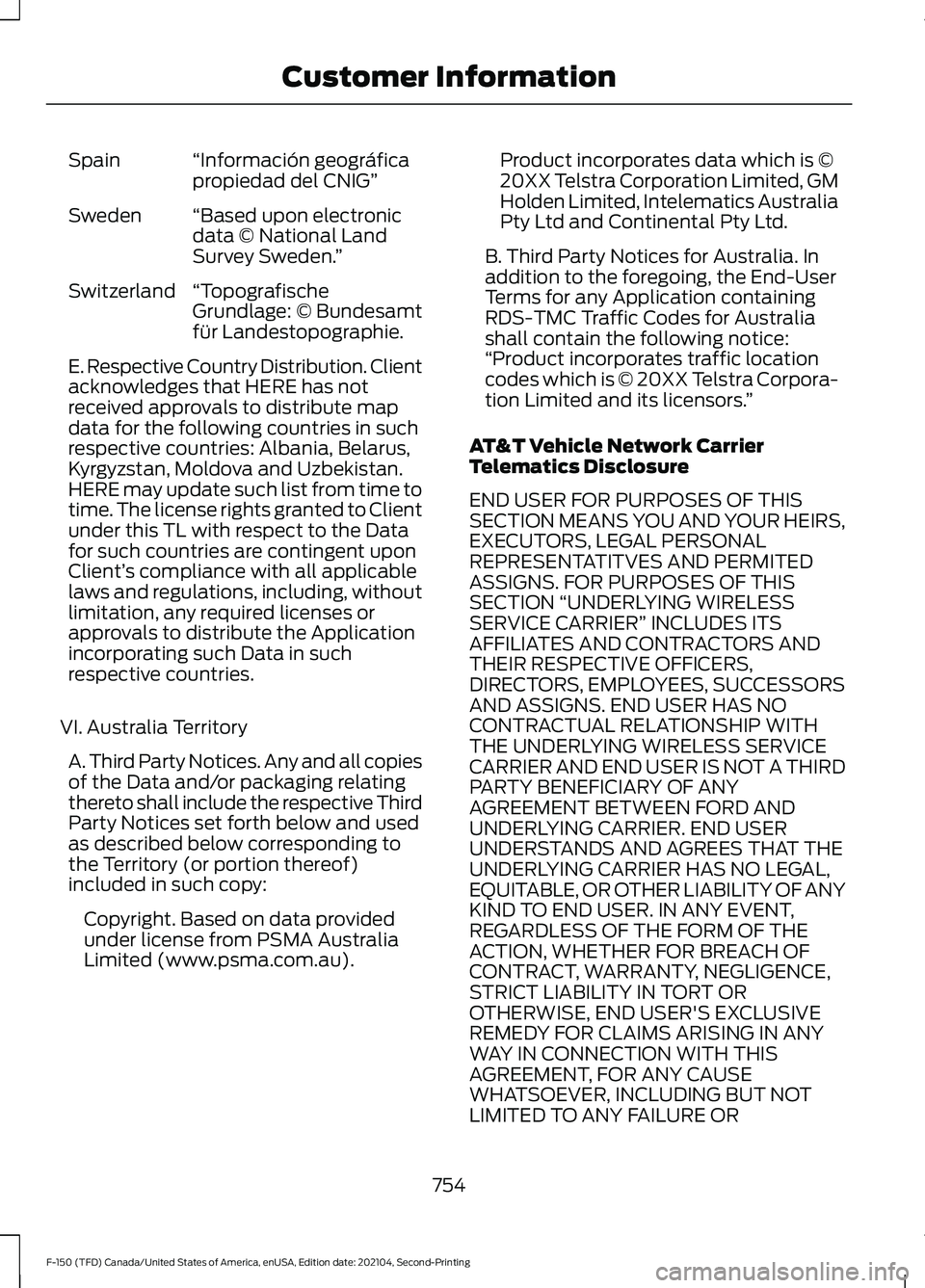
“Información geográfica
propiedad del CNIG”
Spain
“Based upon electronic
data © National Land
Survey Sweden. ”
Sweden
“Topografische
Grundlage: © Bundesamt
für Landestopographie.
Switzerland
E. Respective Country Distribution. Client
acknowledges that HERE has not
received approvals to distribute map
data for the following countries in such
respective countries: Albania, Belarus,
Kyrgyzstan, Moldova and Uzbekistan.
HERE may update such list from time to
time. The license rights granted to Client
under this TL with respect to the Data
for such countries are contingent upon
Client’
s compliance with all applicable
laws and regulations, including, without
limitation, any required licenses or
approvals to distribute the Application
incorporating such Data in such
respective countries.
VI. Australia Territory A. Third Party Notices. Any and all copies
of the Data and/or packaging relating
thereto shall include the respective Third
Party Notices set forth below and used
as described below corresponding to
the Territory (or portion thereof)
included in such copy: Copyright. Based on data provided
under license from PSMA Australia
Limited (www.psma.com.au). Product incorporates data which is ©
20XX Telstra Corporation Limited, GM
Holden Limited, Intelematics Australia
Pty Ltd and Continental Pty Ltd.
B. Third Party Notices for Australia. In
addition to the foregoing, the End-User
Terms for any Application containing
RDS-TMC Traffic Codes for Australia
shall contain the following notice:
“Product incorporates traffic location
codes which is © 20XX Telstra Corpora-
tion Limited and its licensors. ”
AT&T Vehicle Network Carrier
Telematics Disclosure
END USER FOR PURPOSES OF THIS
SECTION MEANS YOU AND YOUR HEIRS,
EXECUTORS, LEGAL PERSONAL
REPRESENTATITVES AND PERMITED
ASSIGNS. FOR PURPOSES OF THIS
SECTION “UNDERLYING WIRELESS
SERVICE CARRIER” INCLUDES ITS
AFFILIATES AND CONTRACTORS AND
THEIR RESPECTIVE OFFICERS,
DIRECTORS, EMPLOYEES, SUCCESSORS
AND ASSIGNS. END USER HAS NO
CONTRACTUAL RELATIONSHIP WITH
THE UNDERLYING WIRELESS SERVICE
CARRIER AND END USER IS NOT A THIRD
PARTY BENEFICIARY OF ANY
AGREEMENT BETWEEN FORD AND
UNDERLYING CARRIER. END USER
UNDERSTANDS AND AGREES THAT THE
UNDERLYING CARRIER HAS NO LEGAL,
EQUITABLE, OR OTHER LIABILITY OF ANY
KIND TO END USER. IN ANY EVENT,
REGARDLESS OF THE FORM OF THE
ACTION, WHETHER FOR BREACH OF
CONTRACT, WARRANTY, NEGLIGENCE,
STRICT LIABILITY IN TORT OR
OTHERWISE, END USER'S EXCLUSIVE
REMEDY FOR CLAIMS ARISING IN ANY
WAY IN CONNECTION WITH THIS
AGREEMENT, FOR ANY CAUSE
WHATSOEVER, INCLUDING BUT NOT
LIMITED TO ANY FAILURE OR
754
F-150 (TFD) Canada/United States of America, enUSA, Edition date: 202104, Second-Printing Customer Information