garage door opener FORD F-150 2021 Owners Manual
[x] Cancel search | Manufacturer: FORD, Model Year: 2021, Model line: F-150, Model: FORD F-150 2021Pages: 796, PDF Size: 13.89 MB
Page 10 of 796

Switching Air Conditioning On and Off
........................................................................\
..191
Switching Defrost On and Off .................
191
Switching Maximum Defrost On and Off ........................................................................\
..
191
Switching Maximum Cooling On and Off ........................................................................\
..
191
Switching the Heated Rear Window On and Off ........................................................
192
Setting the Blower Motor Speed ...........
192
Switching the Heated Mirrors On and Off ........................................................................\
.
192
Setting the Temperature ..........................
192
Directing the Flow of Air ............................
192
Climate Control Hints ................................
193
Interior Air Quality
What Is the Cabin Air Filter ......................
194
Replacing the Cabin Air Filter .................
194
Front Seats
Front Seat Precautions .............................
195
Sitting in the Correct Position .................
195
Manual Seats ................................................
196
Power Seats ..................................................
198
Massage Seats .............................................
201
Heated Seats ................................................
202
Ventilated Seats .........................................
203
Rear Seats
Manual Seats ...............................................
204
Heated Seats ...............................................
205
Rear Occupant Alert System
What is the Rear Occupant Alert System ........................................................................\
207
How Does the Rear Occupant Alert System Work ............................................
207
Rear Occupant Alert System Precautions ........................................................................\
207 Rear Occupant Alert System Limitations
........................................................................\
207
Switching Rear Occupant Alert System On and Off ................................................
207
Rear Occupant Alert System Indicators .......................................................................
208
Rear Occupant Alert System Audible Warnings ...................................................
208
Memory Function
What Is the Memory Function ...............
209
Memory Function Precautions ..............
209
Locating the Memory Function Buttons .......................................................................
209
Saving a Preset Position ..........................
209
Recalling a Preset Position .....................
209
Garage Door Opener
What Is the Garage Door Opener ..........
210
How Does the Garage Door Opener Work ........................................................................\
.
210
Garage Door Opener Precautions .........
210
Garage Door Opener Limitations ..........
210
Programming the Garage Door Opener to Your Hand-Held Transmitter ...........
211
Programming the Garage Door Opener to Your Garage Door Opener Motor
........................................................................\
..
211
Programming the Garage Door Opener to Your Gate Opener Motor ..................
212
Clearing the Garage Door Opener .........
212
Reprogramming the Garage Door Opener ........................................................................\
.
213
Garage Door Opener Radio Frequencies ........................................................................\
.
213
USB Ports
Locating the USB Ports .............................
214
Locating the USB Ports - Raptor ...........
214
Playing Media Using the USB Port ........
214
Charging a Device ........................................
215
6
F-150 (TFD) Canada/United States of America, enUSA, Edition date: 202104, Second-Printing Table of Contents
Page 214 of 796
WHAT IS THE GARAGE DOOR
OPENER
HomeLink Wireless Control
System
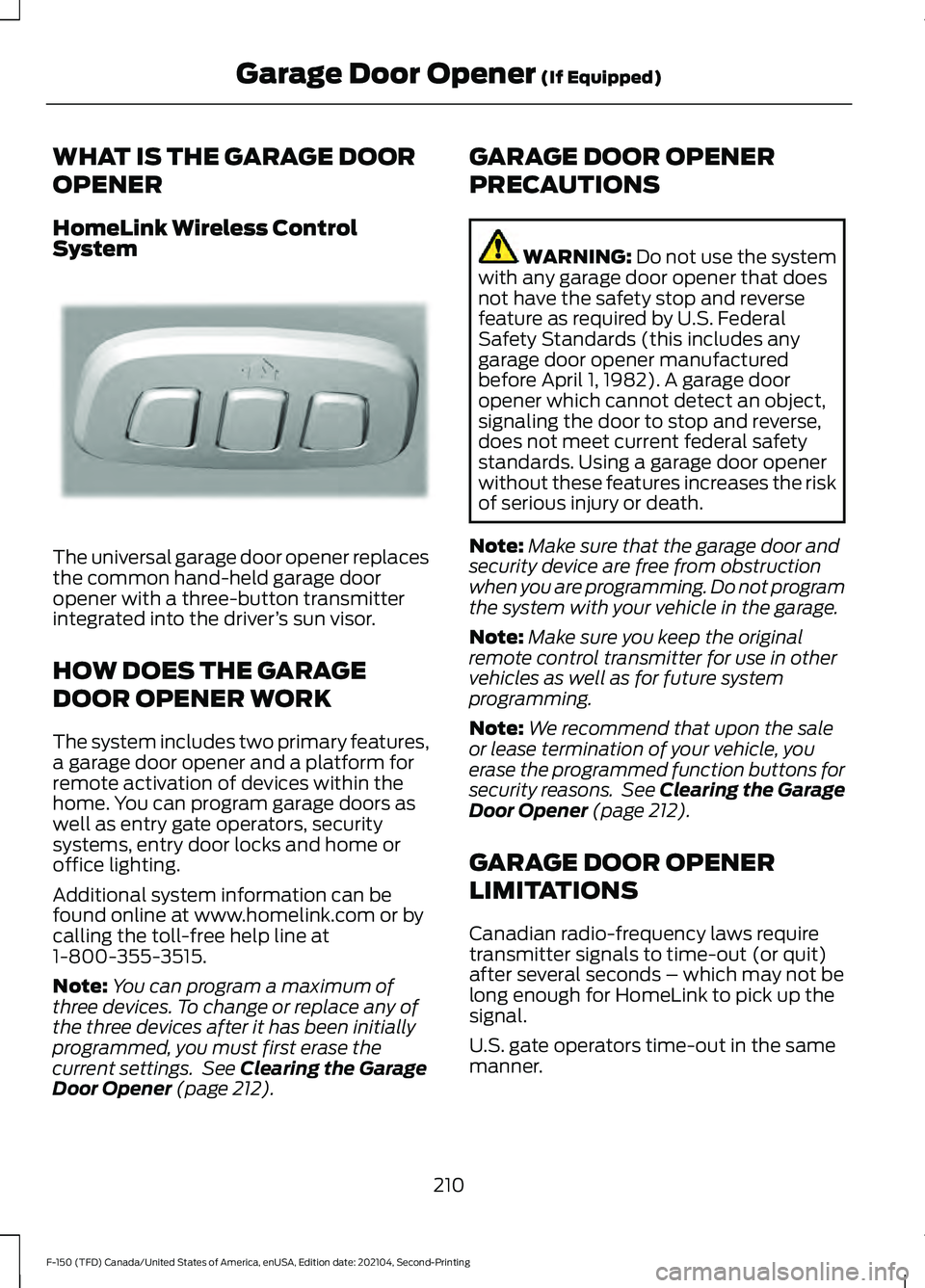
The universal garage door opener replaces
the common hand-held garage door
opener with a three-button transmitter
integrated into the driver
’s sun visor.
HOW DOES THE GARAGE
DOOR OPENER WORK
The system includes two primary features,
a garage door opener and a platform for
remote activation of devices within the
home. You can program garage doors as
well as entry gate operators, security
systems, entry door locks and home or
office lighting.
Additional system information can be
found online at www.homelink.com or by
calling the toll-free help line at
1-800-355-3515.
Note: You can program a maximum of
three devices. To change or replace any of
the three devices after it has been initially
programmed, you must first erase the
current settings. See Clearing the Garage
Door Opener (page 212). GARAGE DOOR OPENER
PRECAUTIONS WARNING:
Do not use the system
with any garage door opener that does
not have the safety stop and reverse
feature as required by U.S. Federal
Safety Standards (this includes any
garage door opener manufactured
before April 1, 1982). A garage door
opener which cannot detect an object,
signaling the door to stop and reverse,
does not meet current federal safety
standards. Using a garage door opener
without these features increases the risk
of serious injury or death.
Note: Make sure that the garage door and
security device are free from obstruction
when you are programming. Do not program
the system with your vehicle in the garage.
Note: Make sure you keep the original
remote control transmitter for use in other
vehicles as well as for future system
programming.
Note: We recommend that upon the sale
or lease termination of your vehicle, you
erase the programmed function buttons for
security reasons. See Clearing the Garage
Door Opener
(page 212).
GARAGE DOOR OPENER
LIMITATIONS
Canadian radio-frequency laws require
transmitter signals to time-out (or quit)
after several seconds – which may not be
long enough for HomeLink to pick up the
signal.
U.S. gate operators time-out in the same
manner.
210
F-150 (TFD) Canada/United States of America, enUSA, Edition date: 202104, Second-Printing Garage Door Opener
(If Equipped)E188211
Page 215 of 796
Note:
If programming a garage door opener
or gate operator, it is advised to unplug the
device during the “cycling” process to
prevent possible overheating.
PROGRAMMING THE GARAGE
DOOR OPENER TO YOUR
HAND-HELD TRANSMITTER
This process is to program your in-vehicle
HomeLink function button with your
hand-held transmitter.
Note: The programming steps below
assume you will be programming HomeLink
that was not previously programmed. If your
HomeLink was previously programmed, you
may need to erase your HomeLink buttons.
See Clearing the Garage Door Opener
(page 212). 1.
With your vehicle parked outside of the
garage, switch your ignition to the on
position, but do not start your vehicle.
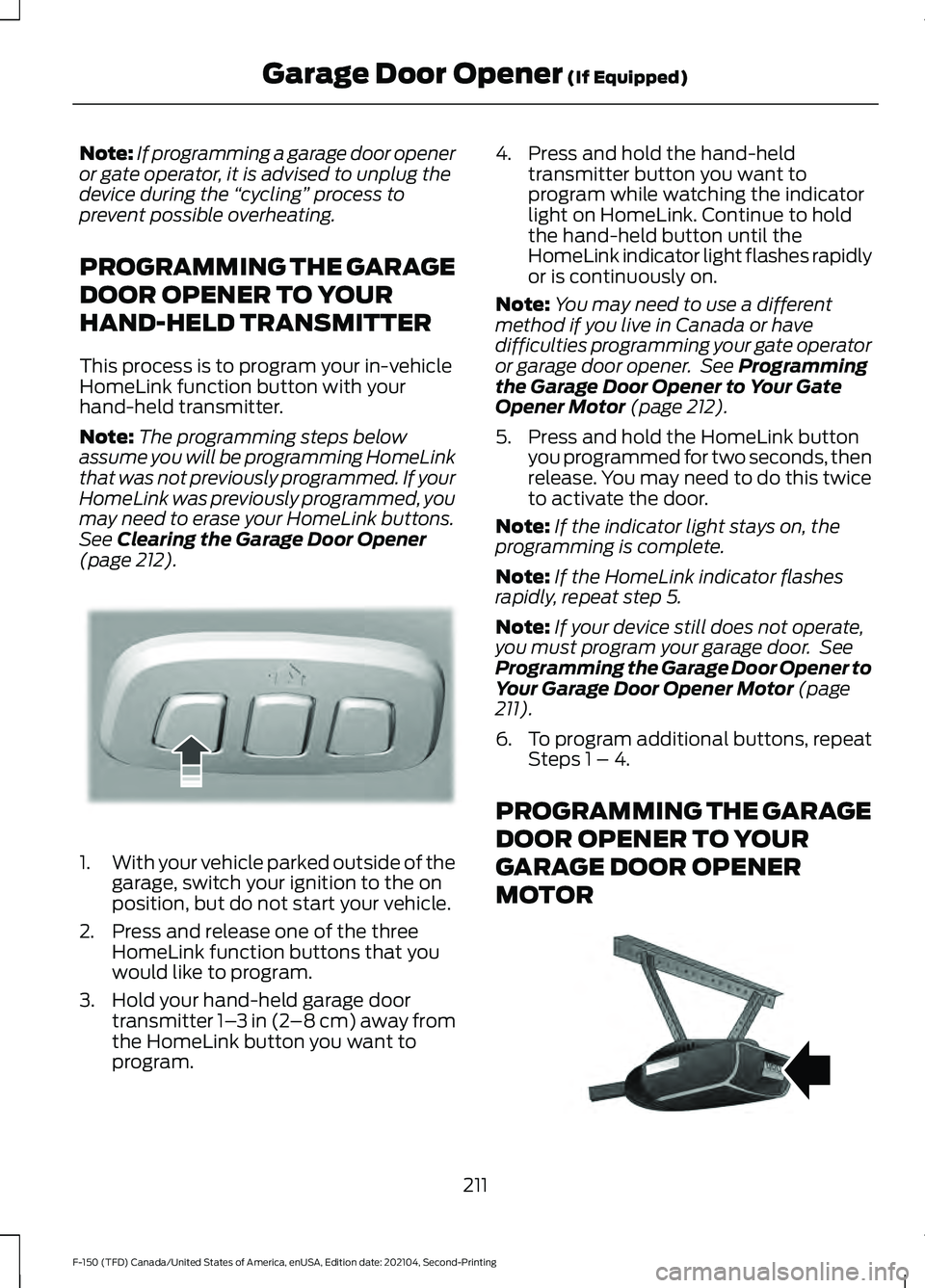
2. Press and release one of the three HomeLink function buttons that you
would like to program.
3. Hold your hand-held garage door transmitter 1– 3 in (2–8 cm) away from
the HomeLink button you want to
program. 4. Press and hold the hand-held
transmitter button you want to
program while watching the indicator
light on HomeLink. Continue to hold
the hand-held button until the
HomeLink indicator light flashes rapidly
or is continuously on.
Note: You may need to use a different
method if you live in Canada or have
difficulties programming your gate operator
or garage door opener. See
Programming
the Garage Door Opener to Your Gate
Opener Motor
(page 212).
5. Press and hold the HomeLink button you programmed for two seconds, then
release. You may need to do this twice
to activate the door.
Note: If the indicator light stays on, the
programming is complete.
Note: If the HomeLink indicator flashes
rapidly, repeat step 5.
Note: If your device still does not operate,
you must program your garage door. See
Programming the Garage Door Opener to
Your Garage Door Opener Motor
(page
211).
6. To program additional buttons, repeat Steps 1 – 4.
PROGRAMMING THE GARAGE
DOOR OPENER TO YOUR
GARAGE DOOR OPENER
MOTOR 211
F-150 (TFD) Canada/United States of America, enUSA, Edition date: 202104, Second-Printing Garage Door Opener
(If Equipped)E188212 E142659
Page 216 of 796
1. Press the learn button on the garage
door opener motor, you have 30
seconds to complete the next two
steps.
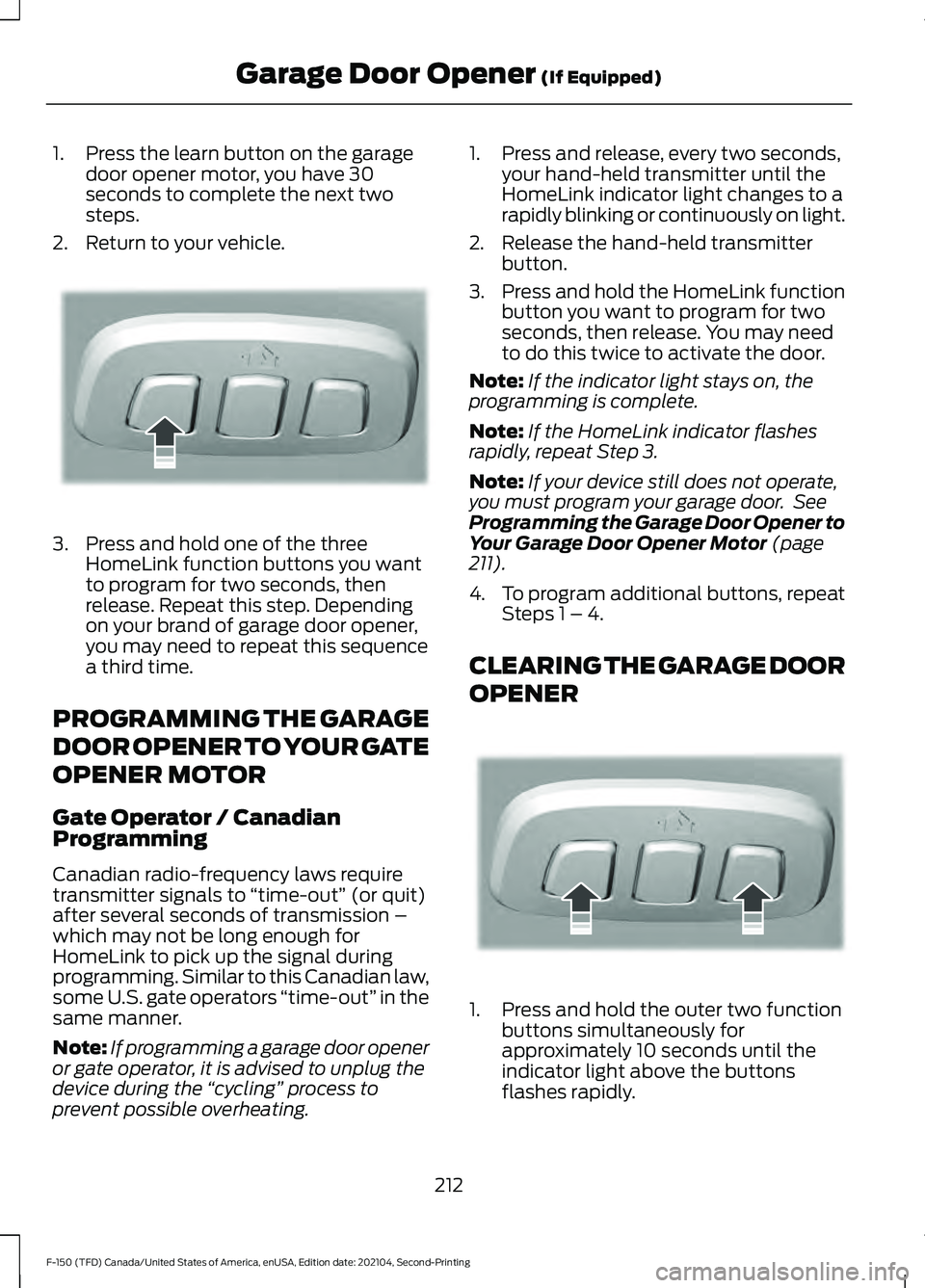
2. Return to your vehicle. 3. Press and hold one of the three
HomeLink function buttons you want
to program for two seconds, then
release. Repeat this step. Depending
on your brand of garage door opener,
you may need to repeat this sequence
a third time.
PROGRAMMING THE GARAGE
DOOR OPENER TO YOUR GATE
OPENER MOTOR
Gate Operator / Canadian
Programming
Canadian radio-frequency laws require
transmitter signals to “time-out” (or quit)
after several seconds of transmission –
which may not be long enough for
HomeLink to pick up the signal during
programming. Similar to this Canadian law,
some U.S. gate operators “time-out” in the
same manner.
Note: If programming a garage door opener
or gate operator, it is advised to unplug the
device during the “cycling” process to
prevent possible overheating. 1. Press and release, every two seconds,
your hand-held transmitter until the
HomeLink indicator light changes to a
rapidly blinking or continuously on light.
2. Release the hand-held transmitter button.
3. Press and hold the HomeLink function
button you want to program for two
seconds, then release. You may need
to do this twice to activate the door.
Note: If the indicator light stays on, the
programming is complete.
Note: If the HomeLink indicator flashes
rapidly, repeat Step 3.
Note: If your device still does not operate,
you must program your garage door. See
Programming the Garage Door Opener to
Your Garage Door Opener Motor (page
211).
4. To program additional buttons, repeat Steps 1 – 4.
CLEARING THE GARAGE DOOR
OPENER 1. Press and hold the outer two function
buttons simultaneously for
approximately 10 seconds until the
indicator light above the buttons
flashes rapidly.
212
F-150 (TFD) Canada/United States of America, enUSA, Edition date: 202104, Second-Printing Garage Door Opener
(If Equipped)E188212 E188213
Page 217 of 796
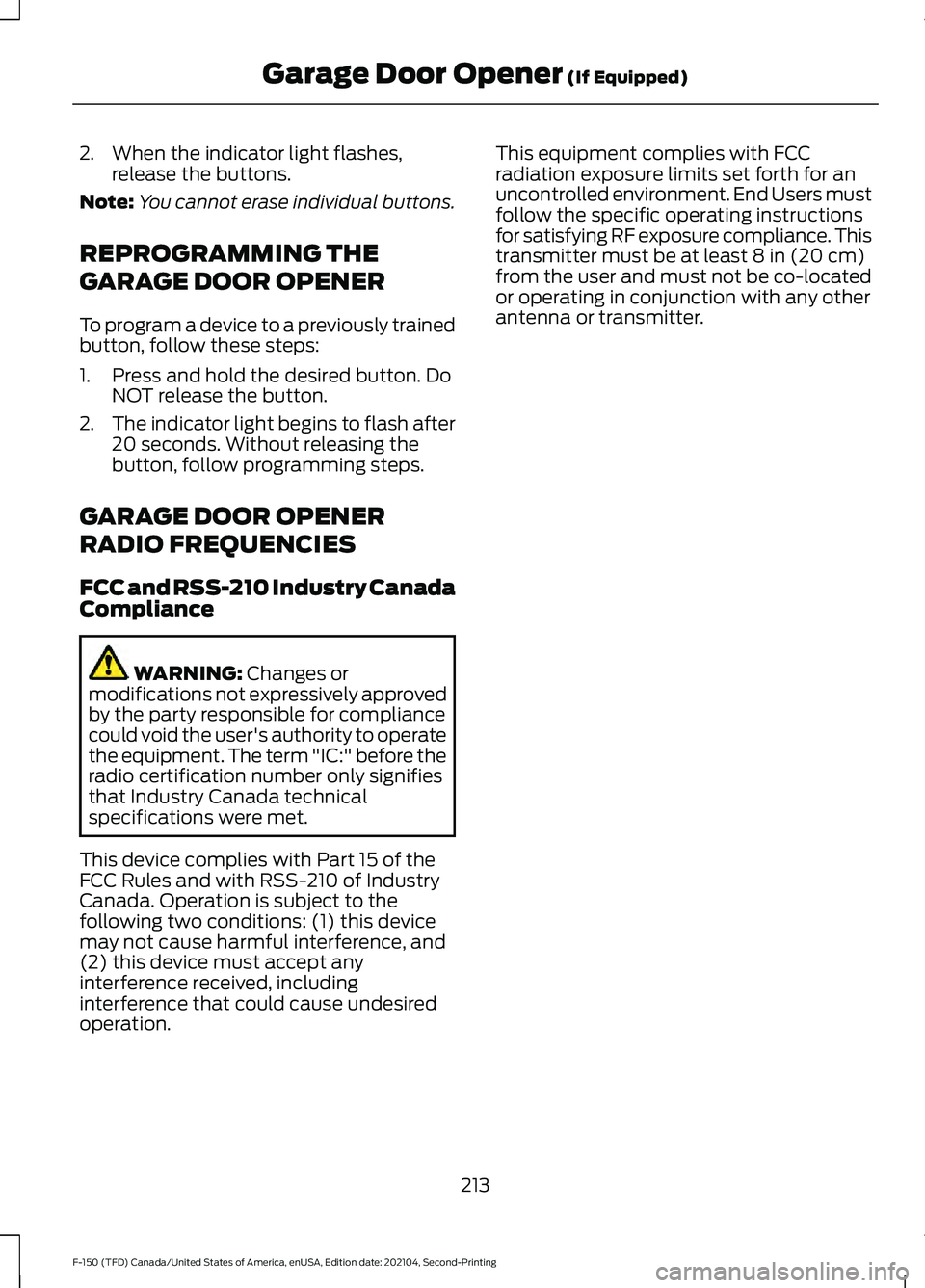
2. When the indicator light flashes,
release the buttons.
Note: You cannot erase individual buttons.
REPROGRAMMING THE
GARAGE DOOR OPENER
To program a device to a previously trained
button, follow these steps:
1. Press and hold the desired button. Do NOT release the button.
2. The indicator light begins to flash after
20 seconds. Without releasing the
button, follow programming steps.
GARAGE DOOR OPENER
RADIO FREQUENCIES
FCC and RSS-210 Industry Canada
Compliance WARNING: Changes or
modifications not expressively approved
by the party responsible for compliance
could void the user's authority to operate
the equipment. The term "IC:" before the
radio certification number only signifies
that Industry Canada technical
specifications were met.
This device complies with Part 15 of the
FCC Rules and with RSS-210 of Industry
Canada. Operation is subject to the
following two conditions: (1) this device
may not cause harmful interference, and
(2) this device must accept any
interference received, including
interference that could cause undesired
operation. This equipment complies with FCC
radiation exposure limits set forth for an
uncontrolled environment. End Users must
follow the specific operating instructions
for satisfying RF exposure compliance. This
transmitter must be at least
8 in (20 cm)
from the user and must not be co-located
or operating in conjunction with any other
antenna or transmitter.
213
F-150 (TFD) Canada/United States of America, enUSA, Edition date: 202104, Second-Printing Garage Door Opener
(If Equipped)
Page 707 of 796
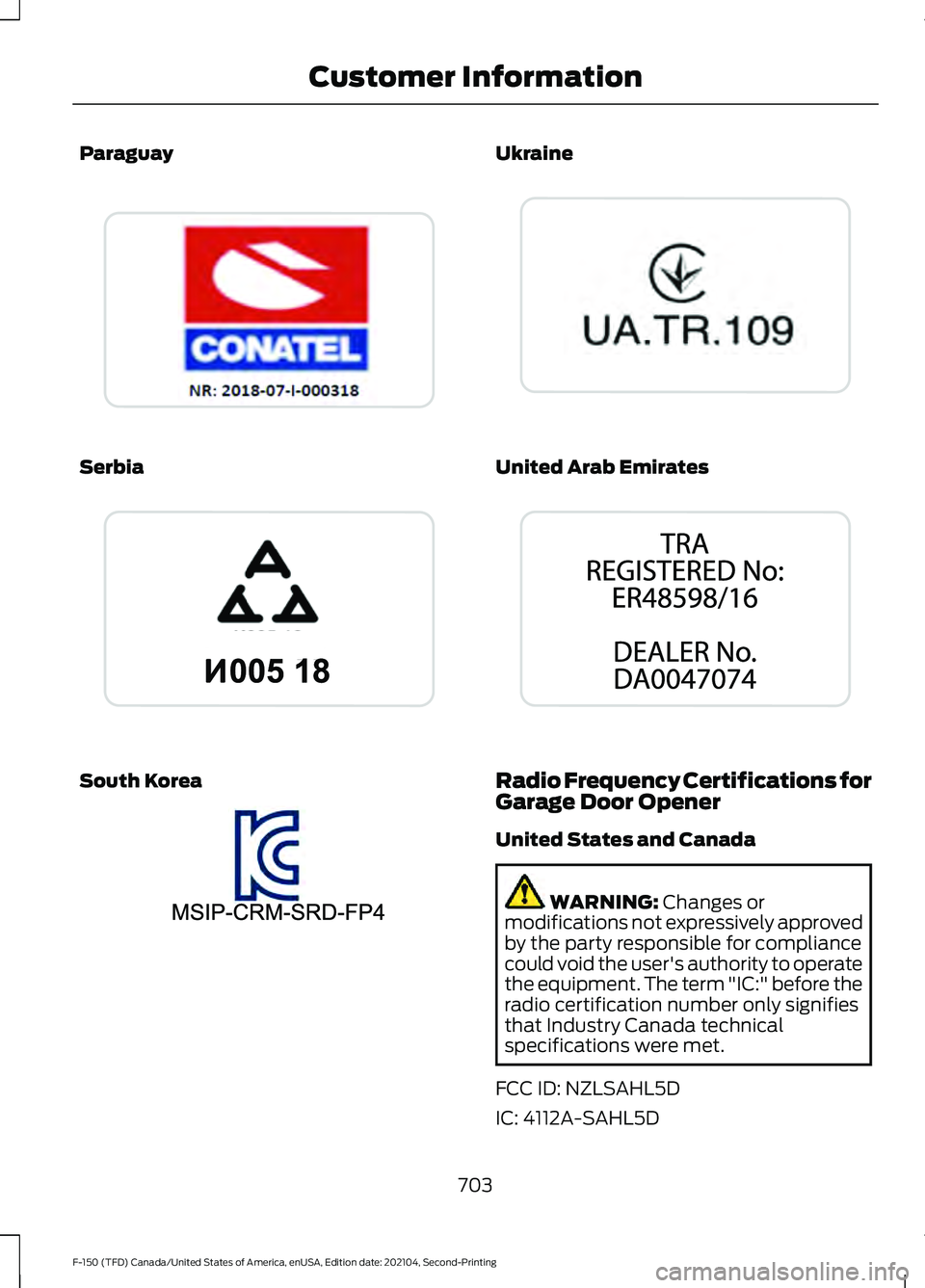
Paraguay
Serbia
South Korea Ukraine
United Arab Emirates
Radio Frequency Certifications for
Garage Door Opener
United States and Canada
WARNING: Changes or
modifications not expressively approved
by the party responsible for compliance
could void the user's authority to operate
the equipment. The term "IC:" before the
radio certification number only signifies
that Industry Canada technical
specifications were met.
FCC ID: NZLSAHL5D
IC: 4112A-SAHL5D
703
F-150 (TFD) Canada/United States of America, enUSA, Edition date: 202104, Second-Printing Customer InformationE338018 E338019 E338023 E338024 E338025
Page 715 of 796
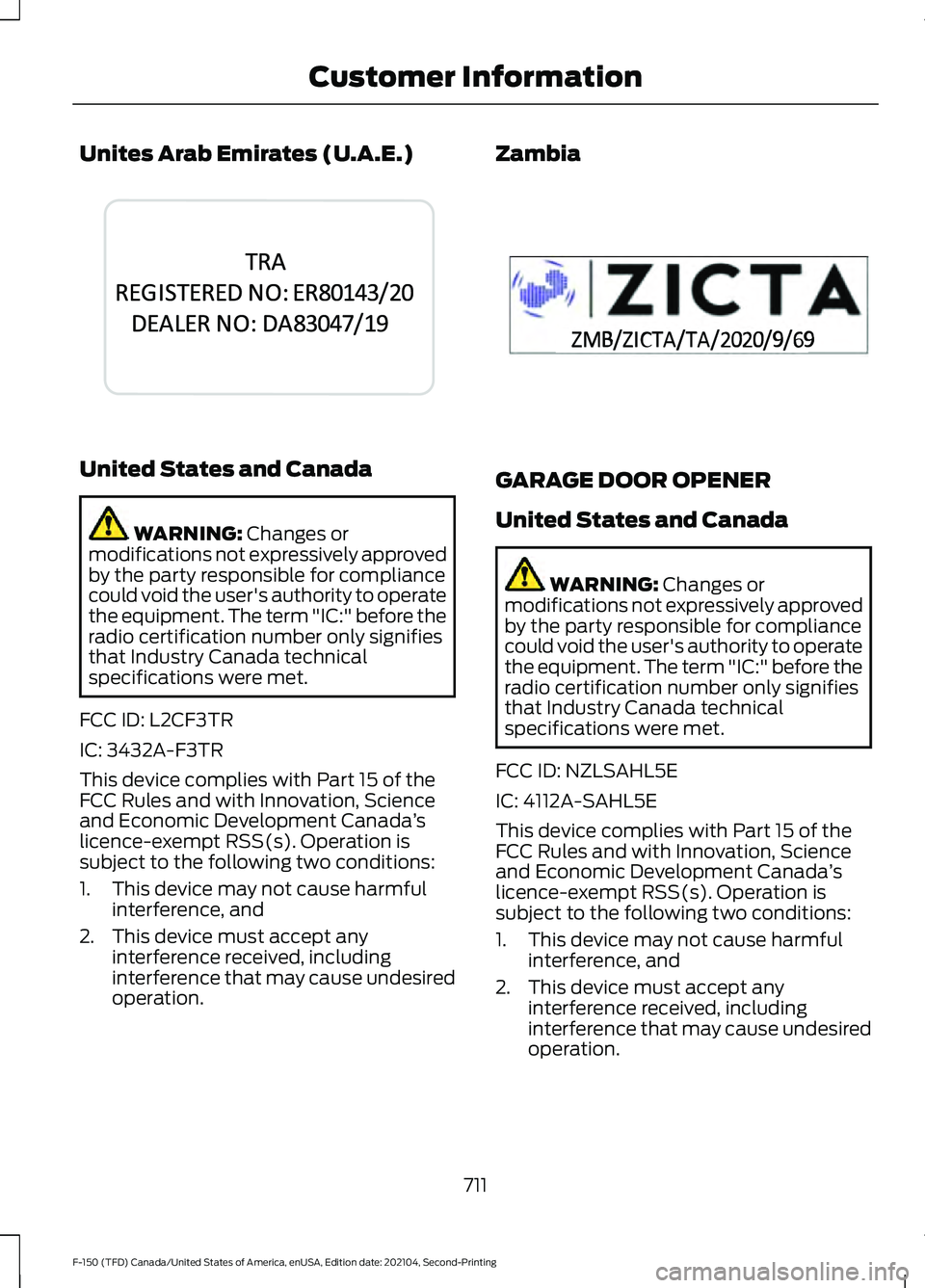
Unites Arab Emirates (U.A.E.)
United States and Canada
WARNING: Changes or
modifications not expressively approved
by the party responsible for compliance
could void the user's authority to operate
the equipment. The term "IC:" before the
radio certification number only signifies
that Industry Canada technical
specifications were met.
FCC ID: L2CF3TR
IC: 3432A-F3TR
This device complies with Part 15 of the
FCC Rules and with Innovation, Science
and Economic Development Canada ’s
licence-exempt RSS(s). Operation is
subject to the following two conditions:
1. This device may not cause harmful interference, and
2. This device must accept any interference received, including
interference that may cause undesired
operation. Zambia
GARAGE DOOR OPENER
United States and Canada
WARNING:
Changes or
modifications not expressively approved
by the party responsible for compliance
could void the user's authority to operate
the equipment. The term "IC:" before the
radio certification number only signifies
that Industry Canada technical
specifications were met.
FCC ID: NZLSAHL5E
IC: 4112A-SAHL5E
This device complies with Part 15 of the
FCC Rules and with Innovation, Science
and Economic Development Canada ’s
licence-exempt RSS(s). Operation is
subject to the following two conditions:
1. This device may not cause harmful interference, and
2. This device must accept any interference received, including
interference that may cause undesired
operation.
711
F-150 (TFD) Canada/United States of America, enUSA, Edition date: 202104, Second-Printing Customer InformationE344042 E356902
Page 775 of 796
Changing the Remote Control Battery -
Vehicles With: Push Button Start..........92
Changing the Vehicle Wi-Fi Hotspot Name or Password..................................624
Charging a Device.........................................215
Charging a Wireless Device.......................231
Checking MyKey System Status............100
Checking the Brake Fluid
..........................309
Checking the Coolant..................................511
Checking the Seatbelts
...............................69
Checking the Selective Catalytic Reduction System Status.......................277
Checking the Tire Pressures....................555
Checking the Wiper Blades
......................144
Children and Airbags.....................................75
Child Restraint Anchor Points...................50 Locating the Child Restraint Lower Anchor
Points................................................................... 50
Locating the Child Restraint Top Tether Anchor Points.................................................... 51
What Are the Child Restraint Anchor Points................................................................... 50
Child Restraints...............................................52 Child Restraint Position Information.............52
Child Restraints Recommendation...............53
Child Safety......................................................49 Child Restraint Anchor Points......................... 50
Child Restraints..................................................... 52
Installing Child Restraints................................. 53
Child Safety Locks.........................................62
Child Safety Precautions.............................49
Cleaning Products.......................................534
Cleaning the Exterior..................................535 Cleaning Camera Lenses and
Sensors............................................................. 536
Cleaning Chrome, Aluminium or Stainless Steel................................................................... 535
Cleaning Headlamps and Rear Lamps............................................................... 535
Cleaning Stripes or Graphics.........................536
Cleaning the Engine Compartment...........536
Cleaning the Exterior Precautions...............535
Cleaning the Underbody................................. 536
Cleaning Wheels................................................ 535
Cleaning Windows and Wiper Blades............................................................... 535
Cleaning the Interior....................................537 Cleaning Carpets and Floor Mats................538 Cleaning Displays and Screens.....................
537
Cleaning Moonroof Tracks............................. 538
Cleaning Plastic.................................................. 537
Cleaning Seatbelts............................................ 538
Cleaning Seats and the Headliner...............537
Cleaning the Instrument Panel.....................537
Clearing All MyKeys
.....................................100
Clearing the Garage Door Opener..........212
Climate Control
.............................................186
Auto Mode............................................................ 188
Climate Control Hints.................................189
Closing the Tailgate
......................................119
Closing the Tailgate From Inside Your
Vehicle................................................................ 119
Closing the Tailgate From Outside Your Vehicle................................................................ 119
Closing the Tailgate Using the Remote Control............................................................... 120
Cold Weather Precautions.......................476
Connected Vehicle
......................................620
Connected Vehicle –
Troubleshooting............................................. 621
Connecting the Vehicle to a Mobile Network........................................................... 620
Connected Vehicle Data...............................31
Connected Vehicle Limitations..............620
Connected Vehicle Requirements
........620
Connected Vehicle – Troubleshooting.........................................621
Connected Vehicle – Frequently Asked Questions......................................................... 621
Connecting a Bluetooth® Device.........648
Connecting a Trailer....................................424 Connecting a Trailer –
Troubleshooting............................................ 427
Hitches................................................................... 424
Connecting a Trailer Precautions..........424
Connecting a Trailer – Troubleshooting........................................427
Connecting a Trailer – Information Messages.......................................................... 427
Connecting the Vehicle to a Mobile Network.......................................................620
Connecting FordPass to the Modem.........620
Enabling and Disabling the Modem...........620
What Is the Modem.......................................... 620
Connecting the Vehicle to a Wi-Fi Network.......................................................620
771
F-150 (TFD) Canada/United States of America, enUSA, Edition date: 202104, Second-Printing Index
Page 780 of 796
Four-Wheel Drive –
Troubleshooting........................................297
Four-Wheel Drive – Information Messages......................................................... 297
Four-Wheel Drive – Warning Lamps..........297
Front Axle Fluid Capacity and Specification - 4x4...................................616
Front Exterior...................................................43
Front Exterior - Police Responder............45
Front Exterior - Raptor.................................44
Front Parking Aid.........................................335 Front Parking Aid Audible Warnings...........336
Front Parking Aid Limitations........................ 335
Locating the Front Parking Aid Sensors............................................................. 336
What is the Front Parking Aid....................... 335
Front Passenger Sensing System............76 Front Passenger Sensing System
Indicators............................................................ 78
Front Passenger Sensing System Precautions........................................................ 78
How Does the Front Passenger Sensing System Work..................................................... 76
What Is the Front Passenger Sensing System................................................................. 76
Front Seat Precautions..............................195
Front Seats.....................................................195 Heated Seats....................................................... 202
Manual Seats....................................................... 196
Massage Seats.................................................... 201
Power Seats......................................................... 198
Ventilated Seats................................................. 203
Fuel and Refueling
......................................255
Fuel and Refueling –
Troubleshooting............................................ 267
Fuel Quality.......................................................... 256
Refueling................................................................ 261
Running Out of Fuel......................................... 260
Fuel and Refueling Precautions.............255
Fuel and Refueling – Troubleshooting........................................267
Fuel and Refueling – Information Messages..........................................................267
Fuel and Refueling – Warning Lamps................................................................ 267
Fuel Gauge
........................................................171
Fuel Gauge Limitations..................................... 172
Locating the Fuel Filler Door........................... 172What Is Distance to Empty..............................
172
What Is the Fuel Gauge..................................... 171
What Is the Low Fuel Reminder..................... 172
Fuel Quality
...................................................256
Selecting the Correct Fuel.............................. 256
Selecting the Correct Fuel for Cold Weather............................................................ 257
Switching Between E85 and Gasoline........................................................... 260
Fuel Tank Capacity - Diesel
....................604
Fuel Tank Capacity - Excluding: Hybrid Electric Vehicle (HEV)............................266
Fuel Tank Capacity - Gasoline, Excluding: Hybrid Electric Vehicle (HEV)
.............603
Fuel Tank Capacity - Gasoline, Hybrid Electric Vehicle (HEV)............................605
Fuel Tank Capacity - Hybrid Electric Vehicle (HEV)
.............................................267
Fuel Tank Capacity - Raptor...................606
Fuse Precautions
.........................................493
Fuses................................................................493
Body Control Module Fuse Box................... 499
Fuses – Troubleshooting................................ 502
Under Hood Fuse Box...................................... 493
Fuses – Troubleshooting..........................502 Fuses – Frequently Asked Questions........502
G
Garage Door Opener...................................210
Garage Door Opener Limitations...........210
Garage Door Opener Precautions..........210
Garage Door Opener Radio Frequencies..................................................213
General Maintenance Information.......664
Glare Free Lighting
.......................................155
Glare Free Lighting Indicators........................ 156
Glare Free Lighting Limitations..................... 156
Glare Free Lighting Precautions....................155
Glare Free Lighting Requirements................155
How Does Glare Free Lighting Work............155
Overriding Glare Free Lighting....................... 156
Switching Glare Free Lighting On and Off....................................................................... 156
Glare Free Lighting – Troubleshooting.........................................157
Glare Free Lighting – Information Messages........................................................... 157
776
F-150 (TFD) Canada/United States of America, enUSA, Edition date: 202104, Second-Printing Index
Page 782 of 796
How Does the Electronic Locking
Differential Work - Raptor......................301
How Does the Garage Door Opener Work...............................................................210
How Does the Lane Keeping System Work..............................................................382
How Does the Personal Safety System Work...................................................................71
How Does the Rear Occupant Alert System Work..............................................207
How Does the Safety Canopy ™
Work
..................................................................73
How Does the Selective Catalytic Reduction System Work.........................273
How Does Traction Control Work...........319
How Does Trailer Backup Assistance Work..............................................................446
How Does Trailer Hitching Assistance Work..............................................................439
How Does Trailer Reverse Guidance Work..............................................................459
How Does Trailer Sway Control Work..............................................................438
How Do Personal Profiles Work..............651
How Do the Front Airbags Work...............72
How Do the Knee Airbags Work................73
How Do the Side Airbags Work.................72
Hybrid Display Information........................181 How Does EV Coach Work............................... 181
What Is EV Coach................................................ 181
Hybrid Electric Vehicle Driving Characteristics...........................................249
Hybrid Electric Vehicle Indicators..........249
Hybrid Electric Vehicle Information.................................................249
Eco Idle.................................................................. 250
Eco Idle – Troubleshooting............................. 251
Hybrid Electric Vehicle Information – Troubleshooting............................................ 250
Hybrid Electric Vehicle Information – Troubleshooting........................................250
Hybrid Electric Vehicle Information – Frequently Asked Questions....................250
I
Identifying Fuse Types
...............................502
Identifying the Audio Unit........................626 Identifying the Auxiliary Switch
Wiring...........................................................660
Identifying the Climate Control Unit.................................................................186
Ignition Switch
..............................................236
Inflating the Tires.........................................555
Information On Demand Screen - Vehicles With: 12.3 Inch Screen...........639
Information on the Tire Sidewall
...........543
Inspecting the Tire for Damage.............556
Inspecting the Tire for Wear....................556
Inspecting the Wheel Valve Stems.......557
Installing Child Restraints...........................53 Attaching the Front Seat Tether
Strap.................................................................... 58
Attaching the Rear Seat Tether Strap..........59
Combining the Seatbelt and Lower Anchors for Attaching Child Restraints.................... 58
Installing a Child Restraint in a Center Seat....................................................................... 57
Using Lower Anchors and Tethers for Children............................................................... 57
Using Seatbelts..................................................... 53
Using Tether Straps............................................. 58
Instrument Cluster Display.......................178 Hybrid Display Information.............................. 181
Personalized Settings........................................ 181
Trip Computer - Vehicles With: 4.2 Inch Screen............................................................... 180
Trip Computer - Vehicles With: 8 Inch Screen/12.3 Inch Screen............................. 180
Instrument Cluster Display Main Menu - Raptor, Vehicles With: 12.3 Inch
Screen............................................................179
Instrument Cluster Display Main Menu - Vehicles With: 12.3 Inch Screen
............178
Instrument Cluster Display Main Menu - Vehicles With: 4.2 Inch Screen..............179
Instrument Cluster Display Main Menu - Vehicles With: 8 Inch Screen
.................179
Instrument Cluster Indicators...................174
Instrument Cluster Indicators - Police Responder....................................................176
Instrument Cluster.......................................169 Fuel Gauge.............................................................. 171
Instrument Cluster Overview - Vehicles With: 12.3 Inch Screen
................................171
778
F-150 (TFD) Canada/United States of America, enUSA, Edition date: 202104, Second-Printing Index