brake light FORD F-150 2021 Owners Manual
[x] Cancel search | Manufacturer: FORD, Model Year: 2021, Model line: F-150, Model: FORD F-150 2021Pages: 796, PDF Size: 13.89 MB
Page 17 of 796
Evasive Steering Assist
............................402
Pre-Collision Assist – Troubleshooting .......................................................................
403
Driver Alert
What Is Driver Alert ....................................
407
How Does Driver Alert Work ...................
407
Driver Alert Precautions ...........................
407
Driver Alert Limitations .............................
407
Switching Driver Alert On and Off ........
407
Driver Alert – Troubleshooting ..............
408
Speed Sign Recognition
What Is Speed Sign Recognition .........
409
How Does Speed Sign Recognition Work .......................................................................
409
Speed Sign Recognition Precautions .......................................................................
409
Speed Sign Recognition Limitations .......................................................................
409
Speed Sign Recognition Indicators ......
409
Setting the Speed Sign Recognition Speed Warning ........................................
410
Setting the Speed Sign Recognition Speed Tolerance .....................................
410
Speed Sign Recognition – Troubleshooting ......................................
410
Load Carrying
Load Carrying Precautions .......................
412
Using a Slide-In Camper ...........................
413
Locating the Safety Compliance Certification Labels ................................
413
What Is the Gross Axle Weight Rating ........................................................................\
.
413
What Is the Gross Vehicle Weight Rating ........................................................................\
.
413
What Is the Gross Combined Weight Rating ..........................................................
414
Calculating Payload ....................................
415
Calculating the Load Limit .......................
415Pickup Bed
Pickup Bed Precautions
............................
418
Pickup Bed Anchor Points .......................
418
Tailgate Anchor Points .............................
420
Pickup Bed Ramps ......................................
421
Connecting a Trailer
Connecting a Trailer Precautions .........
424
Hitches ............................................................
424
Connecting a Trailer ...................................
424
Trailer Lighting Check ...............................
426
Connecting a Trailer – Troubleshooting ........................................................................\
427
Towing a Trailer
Towing a Trailer Precautions ..................
428
Trailer Brake Precautions ........................
428
Towing a Trailer Limitations ...................
429
Loading Your Trailer ...................................
429
Trailer Towing Hints ...................................
429
Launching or Retrieving a Boat or Personal Watercraft ..............................
430
Towing Weights and Dimensions ..........
431
Towing a Trailer – Troubleshooting ......
433
Integrated Trailer Brake Controller
What Is the Integrated Trailer Brake Controller ..................................................
434
Integrated Trailer Brake Controller Precautions ..............................................
434
Using the Integrated Trailer Brake Controller ..................................................
434
Adjusting the Integrated Trailer Brake Controller Mode ......................................
436
Integrated Trailer Brake Controller – Troubleshooting .....................................
436
Trailer Sway Control
How Does Trailer Sway Control Work ........................................................................\
438
13
F-150 (TFD) Canada/United States of America, enUSA, Edition date: 202104, Second-Printing Table of Contents
Page 73 of 796
SEATBELT REMINDER
INDICATORS
A warning lamp illuminates if the ignition
is on, a front seat is occupied and the
seatbelt has not been fastened.
The warning lamp illuminates
until you fasten your seatbelt.
SEATBELT REMINDER AUDIBLE
WARNINGS
A warning tone sounds if the warning lamp
illuminates and your vehicle exceeds a
relatively low speed.
The warning tone sounds for up to five
minutes or until you fasten your seatbelt.
SWITCHING THE SEATBELT
REMINDER ON AND OFF WARNING: While the system
allows you to deactivate it, this system
is designed to improve your chances of
being safely belted and surviving an
accident. We recommend you leave the
system activated for yourself and others
who may use the vehicle.
Note: The driver and front passenger
warnings switch off independently. When
you perform this procedure for one seating
position, do not buckle the other position as
this cancels the process.
Note: If you are using MyKey, you cannot
disable the seatbelt reminder. Also, if the
seatbelt reminder has been previously
disabled, it will be re-enabled during the use
of MyKey. See
MyKey ™ (page 98).
Read Steps 1 - 4 before proceeding with
the programming procedure. Make sure that:
•
The parking brake is set.
• The transmission is in park (P).
• The ignition is off.
• The driver and front passenger
seatbelts are unfastened.
1. Switch the ignition on. Do not start the
engine.
2. Wait about one minute until the seatbelt warning light switches off.
After Step 2, wait an additional five
seconds before proceeding with Step
3. Once you start Step 3, you must
complete the procedure within 30
seconds.
3. For the seating position you are switching off, buckle then unbuckle the
seatbelt three times at a moderate
speed, ending in the unbuckled state.
After Step 3, the seatbelt warning light
switches on.
4. When the seatbelt warning light is on, buckle then unbuckle the seatbelt.
After Step 4, the seatbelt warning light
flashes for confirmation.
This switches the feature off for that
seating position if it is currently on.
This switches the feature on for that
seating position if it is currently off.
CHECKING THE SEATBELTS
Check the seatbelts and child restraints
periodically to make sure they work
properly and are not damaged. Make sure
there are no nicks, tears or cuts. Replace if
necessary.
Check the following seatbelt assemblies
after a crash.
• Retractors.
• Buckles.
• Front seatbelt buckle assemblies.
69
F-150 (TFD) Canada/United States of America, enUSA, Edition date: 202104, Second-Printing SeatbeltsE71880
Page 154 of 796
4. Switch Daytime Running Lights on or
off.
The daytime running lamps turn on when
all of the following occur:
• You switch the system on.
• You switch your vehicle on.
• The transmission is not in park (P) for
vehicles with automatic transmissions
or you release the parking brake for
vehicles with manual transmissions.
• The lighting control is in the autolamps
position.
• The headlamps are off.
Note: Other lighting control positions do
not turn on the daytime running lamps.
SWITCHING THE DAYTIME
RUNNING LAMPS ON AND OFF -
VEHICLES WITH: DAYTIME
RUNNING LAMPS (DRL) WARNING:
The daytime running
lamps system does not activate the rear
lamps and may not provide adequate
lighting during low visibility driving
conditions. Make sure you switch the
headlamps on, as appropriate, during all
low visibility conditions. Failure to do so
may result in a crash.
Daytime running lamps are always on
unless you switch on the headlamps or
your vehicle is in park (P).
SWITCHING THE FRONT FOG
LAMPS ON AND OFF
(If Equipped)
The front fog lamp button is on the lighting
control. Press the button to switch the
front fog lamps on or off. Note:
Only switch the front fog lamps on
during reduced visibility.
Note: The brightness of the daytime running
lamps may decrease when the front fog
lamps are switched on.
Note: When the lighting control is in the
autolamps position, you cannot switch the
fog lamps on unless the headlamps are on.
SWITCHING THE FRONT FOG
LAMPS ON AND OFF - RAPTOR
The front fog lamp button is on the lighting
control. Press the button to switch the
front fog lamps on or off.
Note: Only switch the front fog lamps on
during reduced visibility.
Note: The brightness of the daytime running
lamps may decrease when you switch the
front fog lamps on.
Note: When the lighting control is in the
autolamps position, you cannot switch the
fog lamps on unless the headlamps are on.
Switching the Off-Road Lamps On
and Off
(If Equipped)
Use auxiliary switch 1 to switch the off-road
lamps on and off. See
What Are the
Auxiliary Switches (page 659).
SWITCHING THE CARGO LAMPS
ON
(If Equipped) Press the button in the lighting
control or in the rear cargo box.
SWITCHING THE SPOT LAMPS ON
AND OFF
(If Equipped)
The spot lamp buttons are near the lighting
control.
150
F-150 (TFD) Canada/United States of America, enUSA, Edition date: 202104, Second-Printing Exterior Lighting E189587
Page 179 of 796
BlueCruise
See BlueCruise (page 365).
Cruise Control See Cruise Control (page 350).
Electronic Locking Differential See
Electronic Locking
Differential (page 301).
Four-Wheel Drive See
Four-Wheel Drive (page
291).
Note: Some indicators appear different
depending on vehicle options.
Front Airbag See
Airbags (page 72).
Front Fog Lamp See
Switching the Front Fog
Lamps On and Off (page 150).
High Beam See
Using the High Beam
Headlamps (page 147). Hill Descent See Hill Descent Control
(page
330).
Lamps On See
Exterior Lighting Control
(page 147).
Ready to Drive See
Hybrid Electric Vehicle
Information (page 249).
Reverse Brake Assist See
Reverse Braking Assist
(page 314).
Stability Control and Traction
Control See
Traction Control (page
319). See Stability Control
(page 321).
Turn Signal Lamps See Switching the Turn Signal
Lamps On and Off (page 149).
Tow Haul See
Towing a Trailer (page 428).
Wait to Start See
Starting a Diesel Engine
(page 238).
175
F-150 (TFD) Canada/United States of America, enUSA, Edition date: 202104, Second-Printing Instrument ClusterE297977 E332905 E325779 E181778 E181781 E181780 E181779 E67017 E163171 E224090 E293490 E138639 E130458 E246592
Page 181 of 796
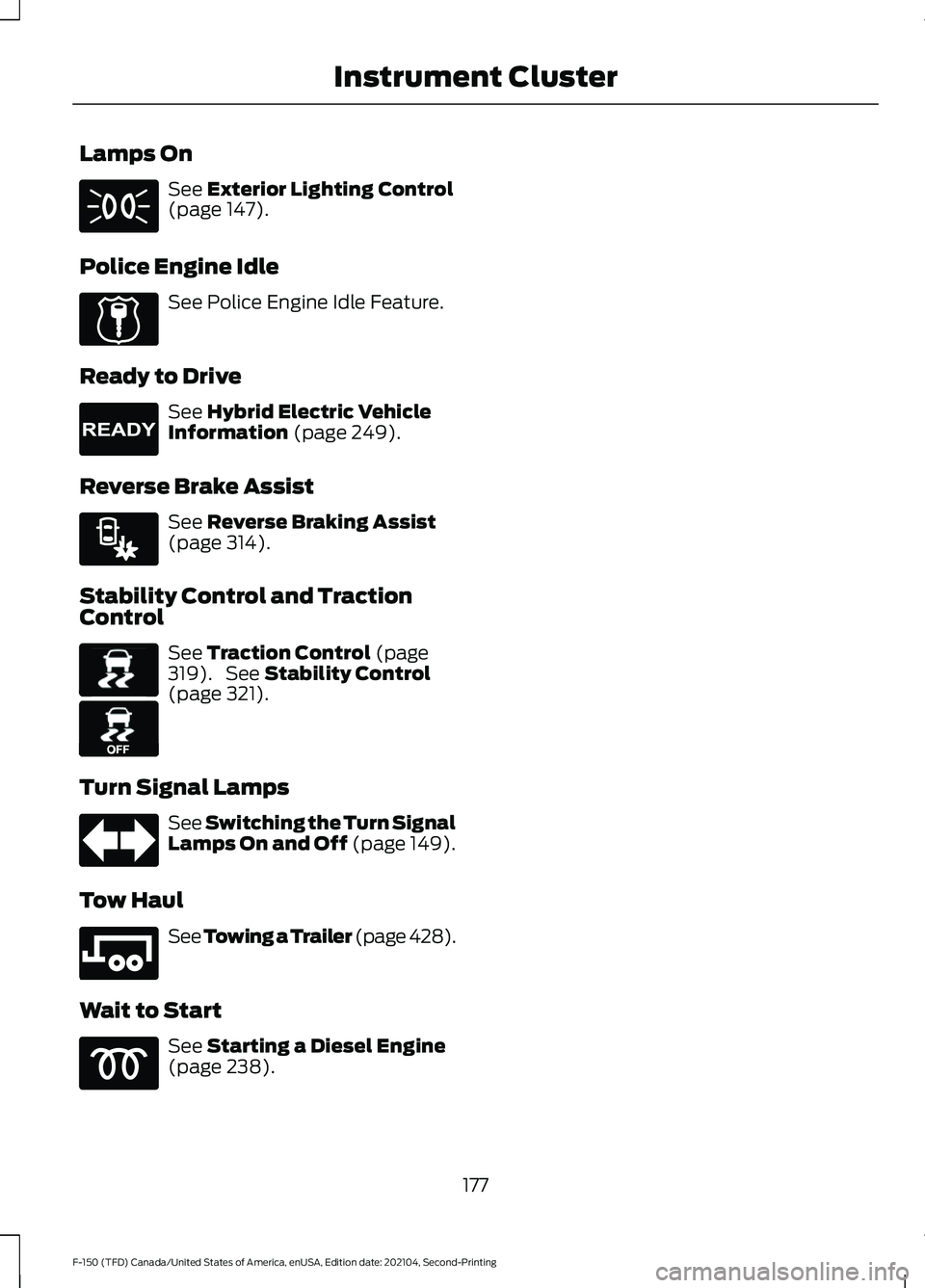
Lamps On
See Exterior Lighting Control
(page 147).
Police Engine Idle See Police Engine Idle Feature.
Ready to Drive See
Hybrid Electric Vehicle
Information (page 249).
Reverse Brake Assist See
Reverse Braking Assist
(page 314).
Stability Control and Traction
Control See
Traction Control (page
319). See Stability Control
(page 321).
Turn Signal Lamps See Switching the Turn Signal
Lamps On and Off (page 149).
Tow Haul See
Towing a Trailer (page 428).
Wait to Start See
Starting a Diesel Engine
(page 238).
177
F-150 (TFD) Canada/United States of America, enUSA, Edition date: 202104, Second-Printing Instrument Cluster E224045 E224090 E293490 E138639 E130458 E246592
Page 241 of 796
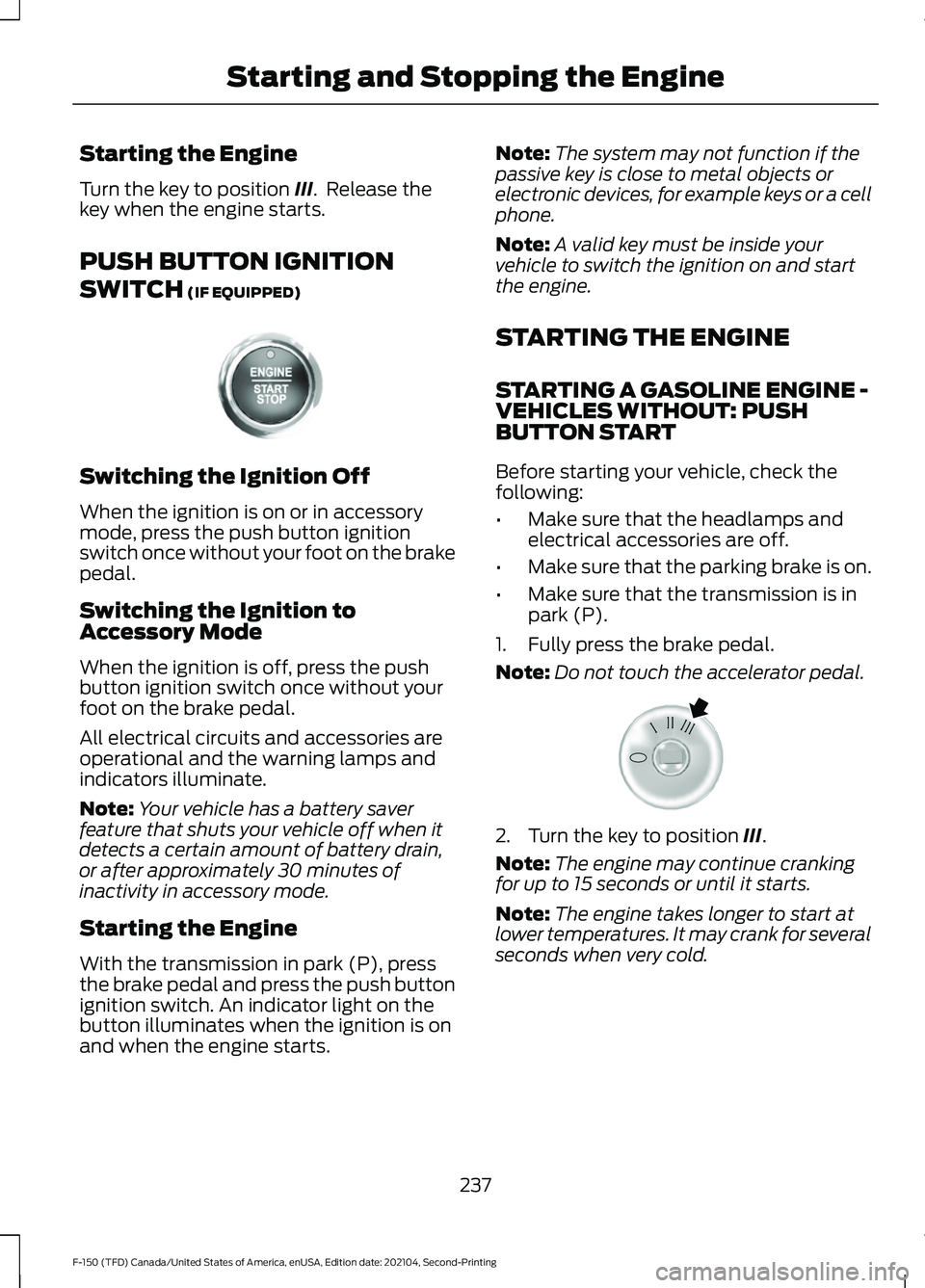
Starting the Engine
Turn the key to position III. Release the
key when the engine starts.
PUSH BUTTON IGNITION
SWITCH
(IF EQUIPPED) Switching the Ignition Off
When the ignition is on or in accessory
mode, press the push button ignition
switch once without your foot on the brake
pedal.
Switching the Ignition to
Accessory Mode
When the ignition is off, press the push
button ignition switch once without your
foot on the brake pedal.
All electrical circuits and accessories are
operational and the warning lamps and
indicators illuminate.
Note:
Your vehicle has a battery saver
feature that shuts your vehicle off when it
detects a certain amount of battery drain,
or after approximately 30 minutes of
inactivity in accessory mode.
Starting the Engine
With the transmission in park (P), press
the brake pedal and press the push button
ignition switch. An indicator light on the
button illuminates when the ignition is on
and when the engine starts. Note:
The system may not function if the
passive key is close to metal objects or
electronic devices, for example keys or a cell
phone.
Note: A valid key must be inside your
vehicle to switch the ignition on and start
the engine.
STARTING THE ENGINE
STARTING A GASOLINE ENGINE -
VEHICLES WITHOUT: PUSH
BUTTON START
Before starting your vehicle, check the
following:
• Make sure that the headlamps and
electrical accessories are off.
• Make sure that the parking brake is on.
• Make sure that the transmission is in
park (P).
1. Fully press the brake pedal.
Note: Do not touch the accelerator pedal. 2. Turn the key to position
III.
Note: The engine may continue cranking
for up to 15 seconds or until it starts.
Note: The engine takes longer to start at
lower temperatures. It may crank for several
seconds when very cold.
237
F-150 (TFD) Canada/United States of America, enUSA, Edition date: 202104, Second-Printing Starting and Stopping the EngineE321258 E322354
Page 253 of 796
WHAT IS A HYBRID ELECTRIC
VEHICLE
A hybrid vehicle has an electric motor and
a high voltage battery combined with a
gasoline engine.
HOW DOES A HYBRID
ELECTRIC VEHICLE WORK
The hybrid vehicle combines electric and
gasoline propulsion to provide optimal
performance and improved efficiency.
HYBRID ELECTRIC VEHICLE
DRIVING CHARACTERISTICS
The gasoline engine starts and stops to
provide power when required and to save
fuel when not needed. When coasting at
low speeds, coming to a stop or standing,
the gas engine normally shuts down and
your vehicle operates in electric-only
mode.
Conditions that may cause the gasoline
engine to start or remain running include:
•
Considerable vehicle acceleration.
• Driving uphill.
• The high voltage battery charge level
is low.
• Heating or cooling the vehicle interior
in high or low outside temperatures.
• The gasoline engine is below normal
operating temperature.
• Towing a trailer.
• Certain selectable drive modes could
cause the engine to run. See Selecting
a Drive Mode (page 373). Use of the
paddle shifters while in drive (D) could
cause the engine to run. Your hybrid vehicle also comes with
standard hydraulic braking and
regenerative braking. Regenerative braking
is performed by your transmission and
captures brake energy and stores it in the
high voltage battery.
You could also notice that your engine
continues to run instead of shutting off
during extended downhill driving. The
engine stays on during this engine braking
but is not using any fuel.
You could also hear a slight whine or
whistle when operating your vehicle. This
is the normal operation of the electric
motor in the hybrid system.
HYBRID ELECTRIC VEHICLE
INDICATORS
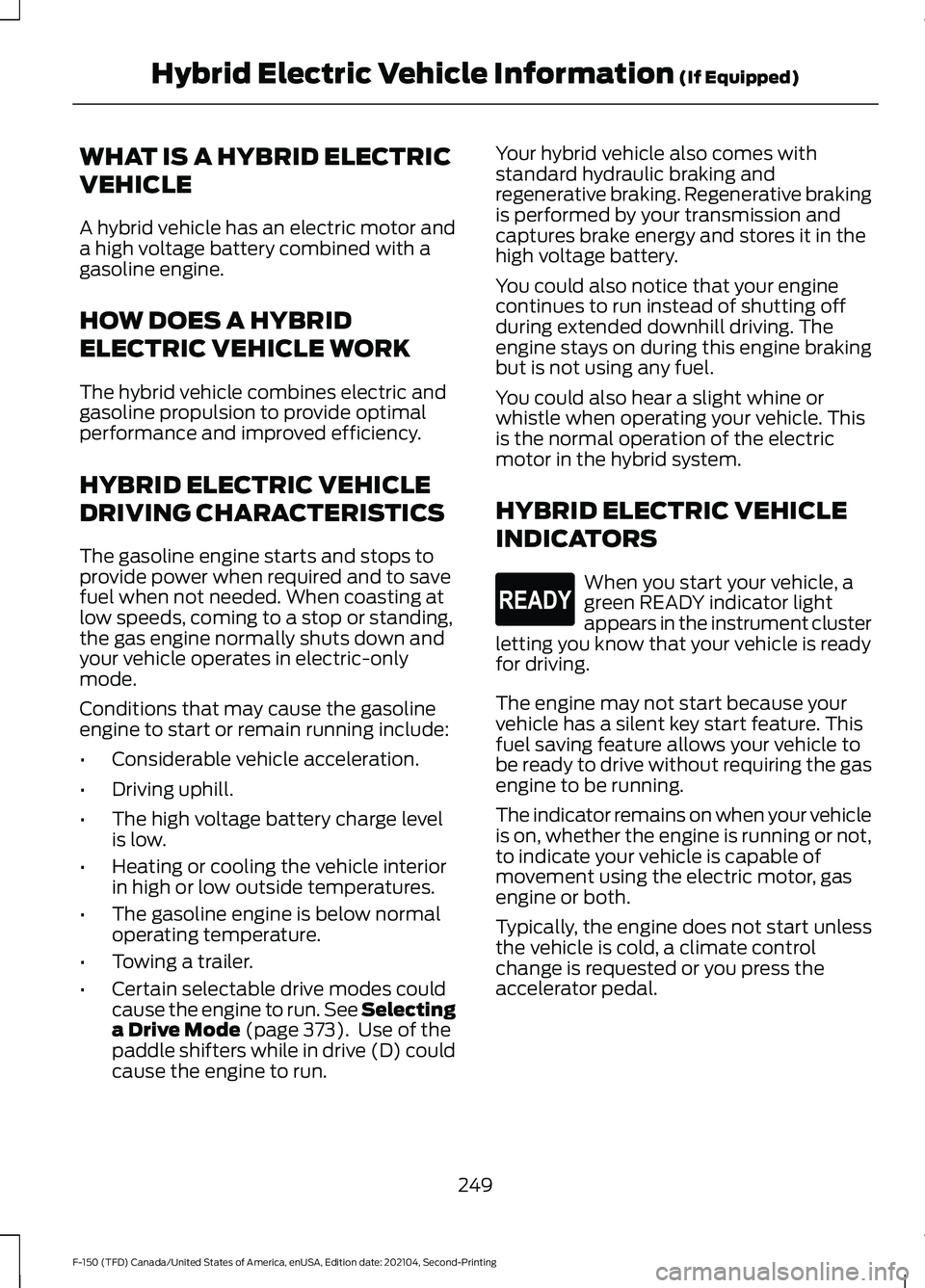
When you start your vehicle, a
green READY indicator light
appears in the instrument cluster
letting you know that your vehicle is ready
for driving.
The engine may not start because your
vehicle has a silent key start feature. This
fuel saving feature allows your vehicle to
be ready to drive without requiring the gas
engine to be running.
The indicator remains on when your vehicle
is on, whether the engine is running or not,
to indicate your vehicle is capable of
movement using the electric motor, gas
engine or both.
Typically, the engine does not start unless
the vehicle is cold, a climate control
change is requested or you press the
accelerator pedal.
249
F-150 (TFD) Canada/United States of America, enUSA, Edition date: 202104, Second-Printing Hybrid Electric Vehicle Information
(If Equipped)E293827
Page 256 of 796
WHAT IS AUTO-START-STOP
The system is designed to help reduce fuel
consumption and CO
2 emissions by
stopping the engine when it is idling, for
example at traffic lights.
AUTO-START-STOP
PRECAUTIONS WARNING: Apply the parking
brake, shift into park (P), switch the
ignition off and remove the key before
you leave your vehicle. Failure to follow
this instruction could result in personal
injury or death. WARNING:
Apply the parking
brake, shift into park (P), switch the
ignition off and remove the key before
you open the hood or have any service
or repair work completed. If you do not
switch the ignition off, the engine could
restart at any time. Failure to follow this
instruction could result in personal injury
or death.
SWITCHING AUTO-START-
STOP ON AND OFF
The system turns on when you switch the
ignition on. Press the button to switch the
system off.
Note: OFF
illuminates in the switch.
Note: Deactivating the system using the
button lasts only one key cycle.
Press the button again to switch the
system back on. Note:
The system turns off if it detects a
malfunction. If the system malfunctions,
have your vehicle checked as soon as
possible.
STOPPING THE ENGINE
Stop your vehicle, keep your foot on the
brake pedal and the transmission in drive
(D).
Note: Power assist steering turns off when
the engine stops.
RESTARTING THE ENGINE
Release the brake pedal or press the
accelerator pedal.
A message appears in the information
display if the system requires you to take
action.
AUTO-START-STOP
INDICATORS WARNING:
The system may
require the engine to automatically
restart when the auto-start-stop
indicator illuminates green or flashes
amber. Failure to follow this instruction
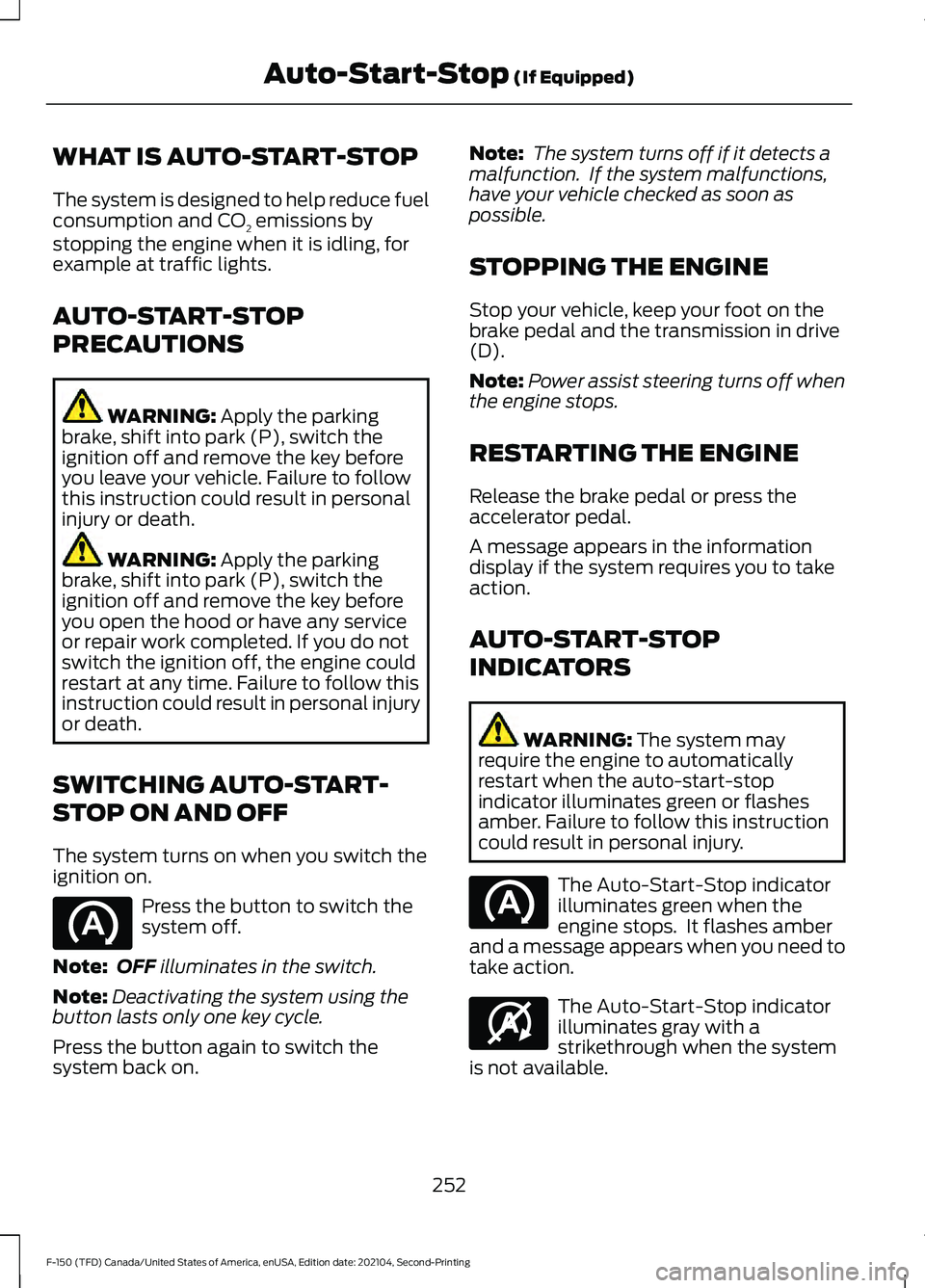
could result in personal injury. The Auto-Start-Stop indicator
illuminates green when the
engine stops. It flashes amber
and a message appears when you need to
take action. The Auto-Start-Stop indicator
illuminates gray with a
strikethrough when the system
is not available.
252
F-150 (TFD) Canada/United States of America, enUSA, Edition date: 202104, Second-Printing Auto-Start-Stop
(If Equipped) E146361
Page 318 of 796
WHAT IS REVERSE BRAKING
ASSIST
The system uses sensors on the rear of
your vehicle to detect a possible collision
and applies the brakes to either reduce the
damage from impact, or to assist in
avoiding the collision.
HOW DOES REVERSE
BRAKING ASSIST WORK
Reverse Braking Assist functions when in
reverse (R) and traveling at a speed of
1–
7 mph (1.5– 12 km/h).
If the system detects an obstacle behind
your vehicle, it provides a warning through
the rear parking aid or cross traffic alert
system.
REVERSE BRAKING ASSIST
PRECAUTIONS WARNING: You are responsible for
controlling your vehicle at all times. The
system is designed to be an aid and does
not relieve you of your responsibility to
drive with due care and attention. Failure
to follow this instruction could result in
the loss of control of your vehicle,
personal injury or death. WARNING:
To help avoid personal
injury, always use caution when in
reverse (R) and when using the sensing
system. WARNING:
The system may not
operate properly during severe weather
conditions, for example snow, ice, heavy
rain and spray. Always drive with due
care and attention. Failure to take care
may result in a crash. WARNING: Traffic control systems,
inclement weather, air brakes, external
motors and fans may affect the correct
operation of the sensing system. This
may cause reduced performance or false
alerts. WARNING:
Some situations and
objects prevent hazard detection. For
example low or direct sunlight, inclement
weather, unconventional vehicle types,
and pedestrians. Apply the brakes when
necessary. Failure to follow this
instruction could result in the loss of
control of your vehicle, personal injury or
death. WARNING:
Do not use the system
with accessories that extend beyond the
front or rear of your vehicle, for example
a trailer hitch or bike rack. The system is
not able to make corrections for the
additional length of the accessories.
The system only applies the brakes for a
short period of time when an event occurs.
Act as soon as you notice the brakes apply
in order to remain in control of the vehicle.
Note: Certain add-on devices around the
bumper or fascia may create false alerts.
For example, large trailer hitches, bicycle or
surfboard racks, license plate brackets,
bumper covers or any other device that may
block the normal detection zone of the
system. Remove the add-on device to
prevent false alerts.
Note: The system does not react to small
or moving objects, particularly those close
to the ground.
Note: The system does not operate during
hard acceleration or steering.
314
F-150 (TFD) Canada/United States of America, enUSA, Edition date: 202104, Second-Printing Reverse Braking Assist
(If Equipped)
Page 325 of 796
HOW DOES STABILITY
CONTROL WORK
WARNING: Vehicle modifications
involving braking system, aftermarket
roof racks, suspension, steering system,
tire construction and wheel and tire size
may change the handling characteristics
of your vehicle and may adversely affect
the performance of the electronic
stability control system. In addition,
installing any stereo speakers may
interfere with and adversely affect the
electronic stability control system.
Reducing the effectiveness of the
electronic stability control system could
lead to an increased risk of loss of vehicle
control, vehicle rollover, personal injury
and death. WARNING:
Remember that even
advanced technology cannot defy the
laws of physics. It's always possible to
lose control of a vehicle due to
inappropriate driver input for the
conditions. Aggressive driving on any
road condition can cause you to lose
control of your vehicle increasing the risk
of personal injury or property damage.
Activation of the electronic stability
control system is an indication that at
least some of the tires have exceeded
their ability to grip the road; this could
reduce the operator's ability to control
the vehicle potentially resulting in a loss
of vehicle control, vehicle rollover,
personal injury and death. WARNING: You are responsible for
controlling your vehicle at all times. The
system is designed to be an aid and does
not relieve you of your responsibility to
drive with due care and attention. Failure
to follow this instruction could result in
the loss of control of your vehicle,
personal injury or death.
If a driving condition activates either the
stability control or traction control you may
experience the following conditions:
• The stability and traction control light
flashes.
• Your vehicle slows down.
• Reduced engine power.
The stability control system has several
features built into it to help you maintain
control of your vehicle:
Electronic Stability Control
Electronic stability control enhances your
vehicle ’s ability to prevent skids or lateral
slides by applying brakes to one or more
of the wheels individually and, if necessary,
reducing engine power.
Roll Stability Control
Roll stability control enhances your
vehicle ’s ability to prevent rollovers by
detecting your vehicle ’s roll motion and
the rate at which it changes by applying
the brakes to one or more wheels
individually.
Curve Control
Curve control enhances your vehicle ’s
ability to follow the road when cornering
severely or avoiding objects in the roadway.
Curve control operates by reducing engine
power and, if necessary, applying brakes
to one or more of the wheels individually.
321
F-150 (TFD) Canada/United States of America, enUSA, Edition date: 202104, Second-Printing Stability Control