Audio FORD F-150 2022 Owner's Manual
[x] Cancel search | Manufacturer: FORD, Model Year: 2022, Model line: F-150, Model: FORD F-150 2022Pages: 750, PDF Size: 12.96 MB
Page 615 of 750
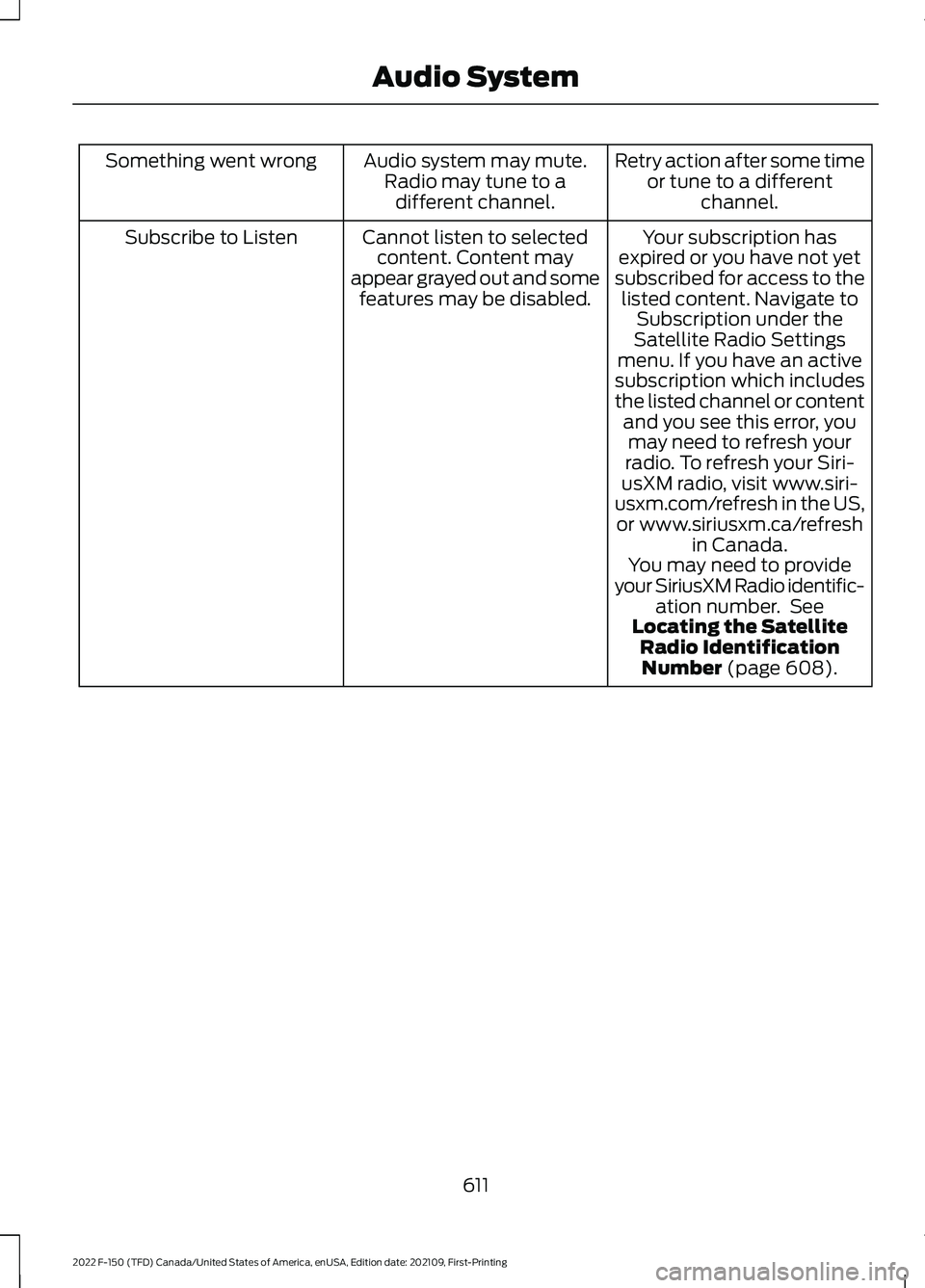
Retry action after some time
or tune to a different channel.
Audio system may mute.
Radio may tune to adifferent channel.
Something went wrong
Your subscription has
expired or you have not yet
subscribed for access to the listed content. Navigate to Subscription under the
Satellite Radio Settings
menu. If you have an active
subscription which includes
the listed channel or content and you see this error, youmay need to refresh your
radio. To refresh your Siri-
usXM radio, visit www.siri-
usxm.com/refresh in the US, or www.siriusxm.ca/refresh in Canada.
You may need to provide
your SiriusXM Radio identific- ation number. See
Locating the Satellite Radio IdentificationNumber (page 608).
Cannot listen to selected
content. Content may
appear grayed out and some features may be disabled.
Subscribe to Listen
611
2022 F-150 (TFD) Canada/United States of America, enUSA, Edition date: 202109, First-Printing Audio System
Page 616 of 750
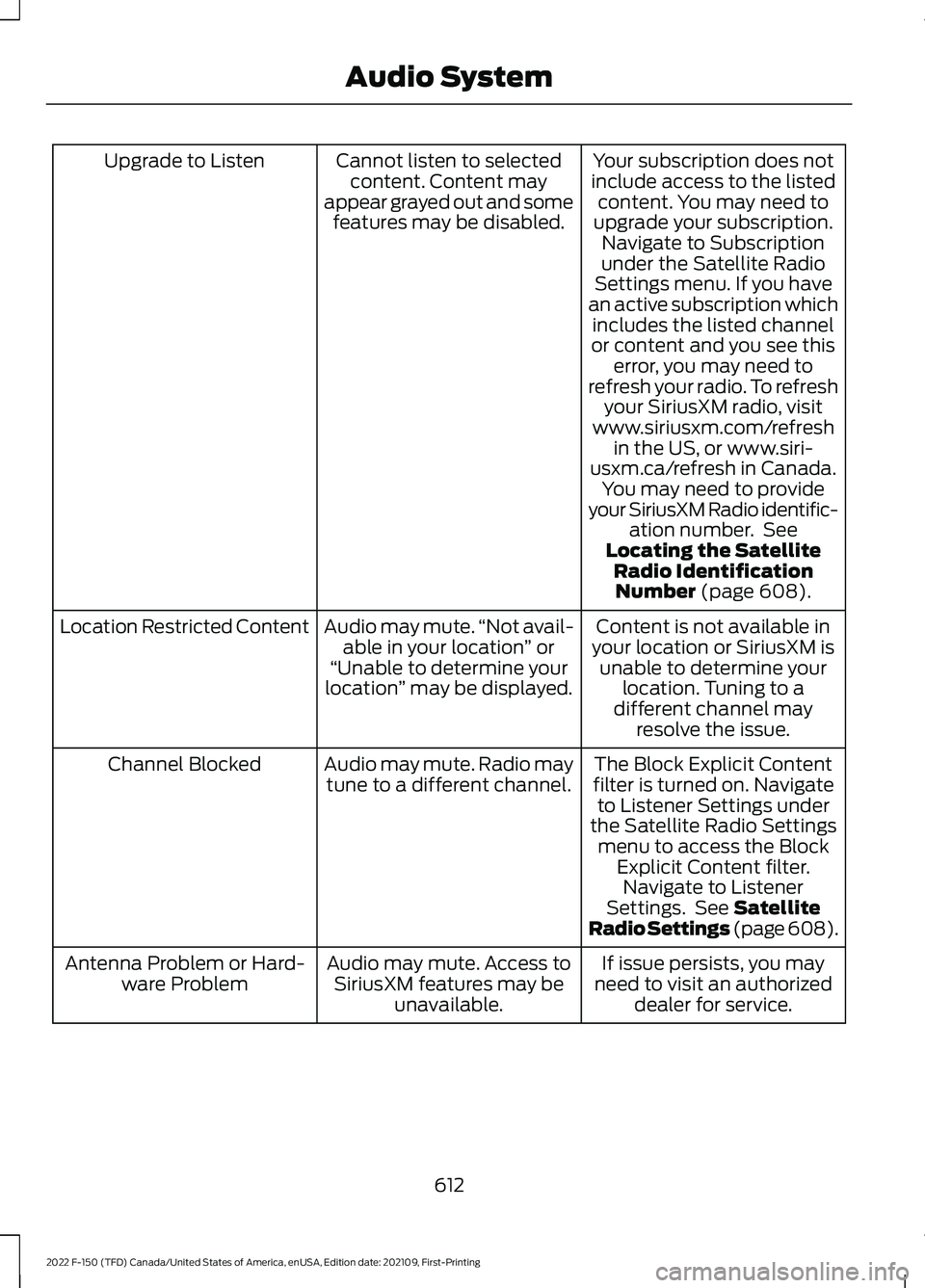
Your subscription does not
include access to the listed content. You may need to
upgrade your subscription. Navigate to Subscription
under the Satellite Radio
Settings menu. If you have
an active subscription which includes the listed channel
or content and you see this error, you may need to
refresh your radio. To refresh your SiriusXM radio, visit
www.siriusxm.com/refresh in the US, or www.siri-
usxm.ca/refresh in Canada. You may need to provide
your SiriusXM Radio identific- ation number. See
Locating the Satellite Radio IdentificationNumber (page 608).
Cannot listen to selected
content. Content may
appear grayed out and some features may be disabled.
Upgrade to Listen
Content is not available in
your location or SiriusXM is unable to determine your location. Tuning to a
different channel may resolve the issue.
Audio may mute.
“Not avail-
able in your location ” or
“Unable to determine your
location ” may be displayed.
Location Restricted Content
The Block Explicit Content
filter is turned on. Navigate to Listener Settings under
the Satellite Radio Settings menu to access the Block Explicit Content filter.Navigate to Listener
Settings. See
Satellite
Radio Settings (page 608).
Audio may mute. Radio may
tune to a different channel.
Channel Blocked
If issue persists, you may
need to visit an authorized dealer for service.
Audio may mute. Access to
SiriusXM features may be unavailable.
Antenna Problem or Hard-
ware Problem
612
2022 F-150 (TFD) Canada/United States of America, enUSA, Edition date: 202109, First-Printing Audio System
Page 617 of 750
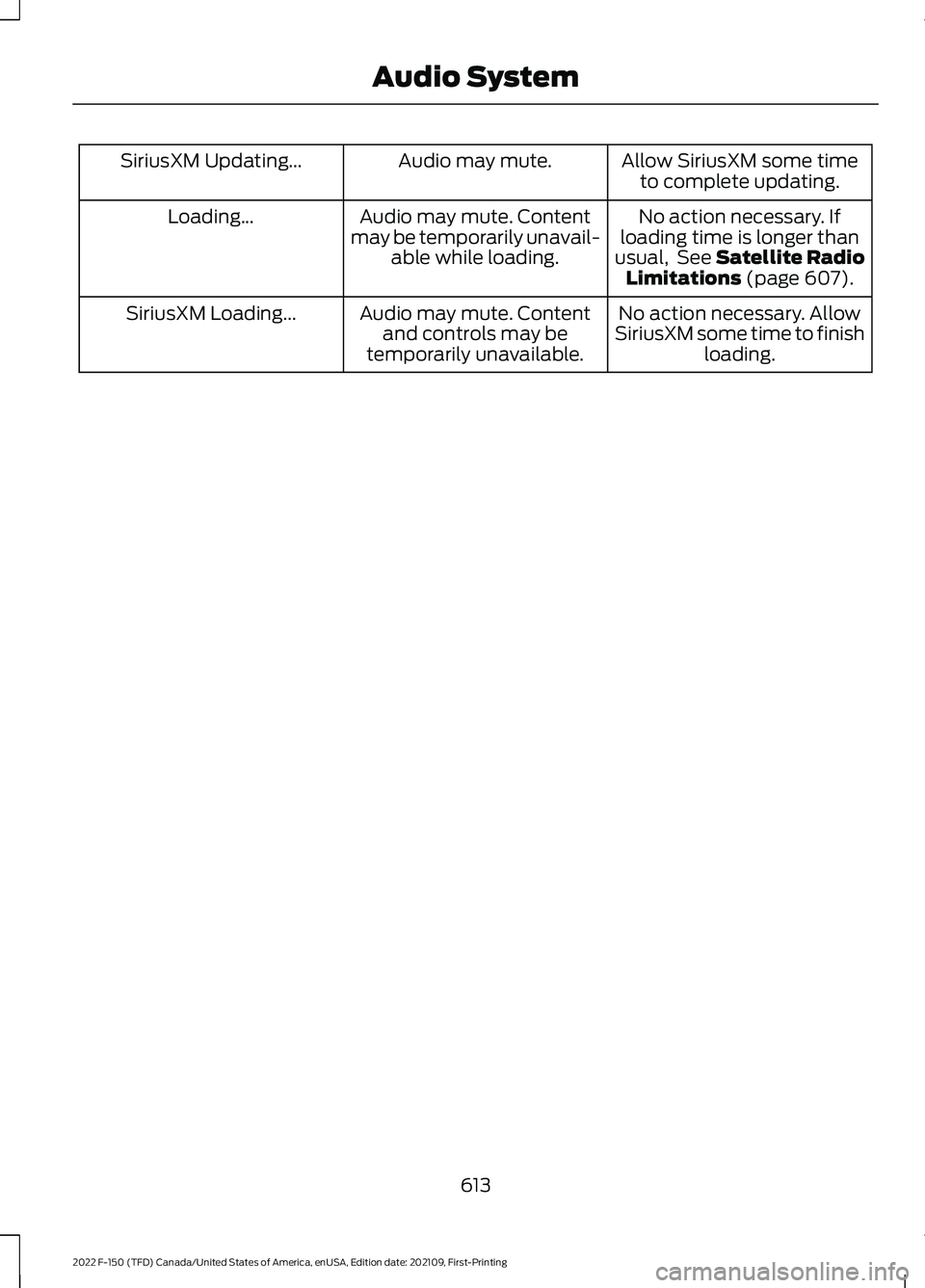
Allow SiriusXM some time
to complete updating.
Audio may mute.
SiriusXM Updating...
No action necessary. If
loading time is longer than
usual, See Satellite Radio Limitations (page 607).
Audio may mute. Content
may be temporarily unavail- able while loading.
Loading...
No action necessary. Allow
SiriusXM some time to finish loading.
Audio may mute. Content
and controls may be
temporarily unavailable.
SiriusXM Loading...
613
2022 F-150 (TFD) Canada/United States of America, enUSA, Edition date: 202109, First-Printing Audio System
Page 618 of 750
CENTER DISPLAY
PRECAUTIONS
WARNING: Driving while distracted
can result in loss of vehicle control, crash
and injury. We strongly recommend that
you use extreme caution when using any
device that may take your focus off the
road. Your primary responsibility is the
safe operation of your vehicle. We
recommend against the use of any
hand-held device while driving and
encourage the use of voice-operated
systems when possible. Make sure you
are aware of all applicable local laws
that may affect the use of electronic
devices while driving.
CENTER DISPLAY
LIMITATIONS
Speed-restricted Features
For your safety, some features are not
available while the vehicle is in motion at
or above 5 mph (8 km/h). Settings that
are not critical while driving your vehicle
are shown as restricted on your display.
Some of these settings include:
• System updates.
• Personal profiles setup.
• Valet mode setup.
• Driver assistance settings.
Vehicle Settings
• MyKey setup.
• Door keypad code setup.
• Backup start passcode setup.
These restricted features become
available when your vehicle is no longer in
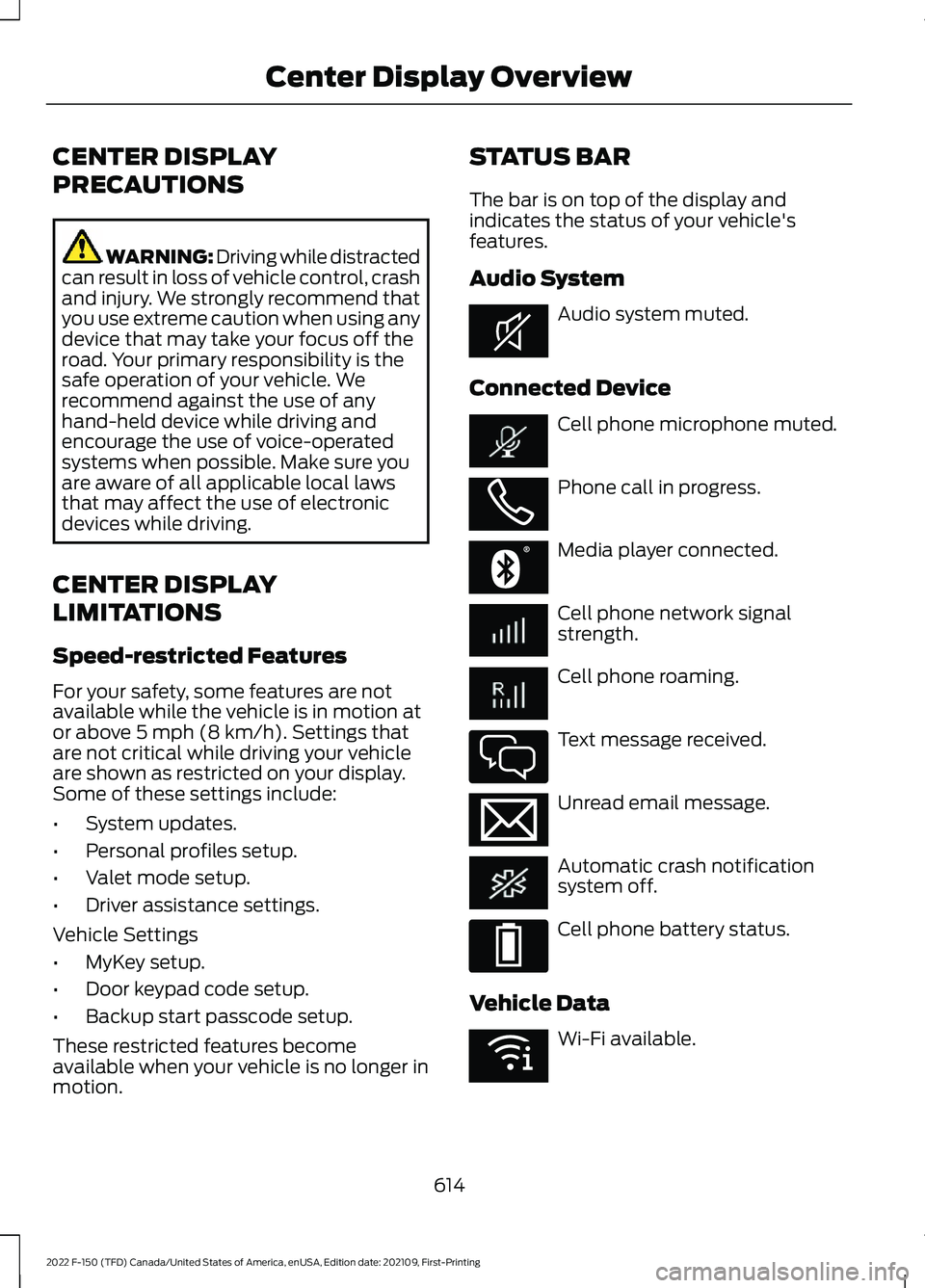
motion. STATUS BAR
The bar is on top of the display and
indicates the status of your vehicle's
features.
Audio System
Audio system muted.
Connected Device Cell phone microphone muted.
Phone call in progress.
Media player connected.
Cell phone network signal
strength.
Cell phone roaming.
Text message received.
Unread email message.
Automatic crash notification
system off.
Cell phone battery status.
Vehicle Data Wi-Fi available.
614
2022 F-150 (TFD) Canada/United States of America, enUSA, Edition date: 202109, First-Printing Center Display OverviewE353221 E353213 E353208 E335295 E353216 E335293 E353219
Page 620 of 750
INFORMATION ON DEMAND
SCREEN - VEHICLES WITH: 12.3
INCH SCREEN
The information on demand screen
displays cards on the side of the display
and allows you to see information from
different features.
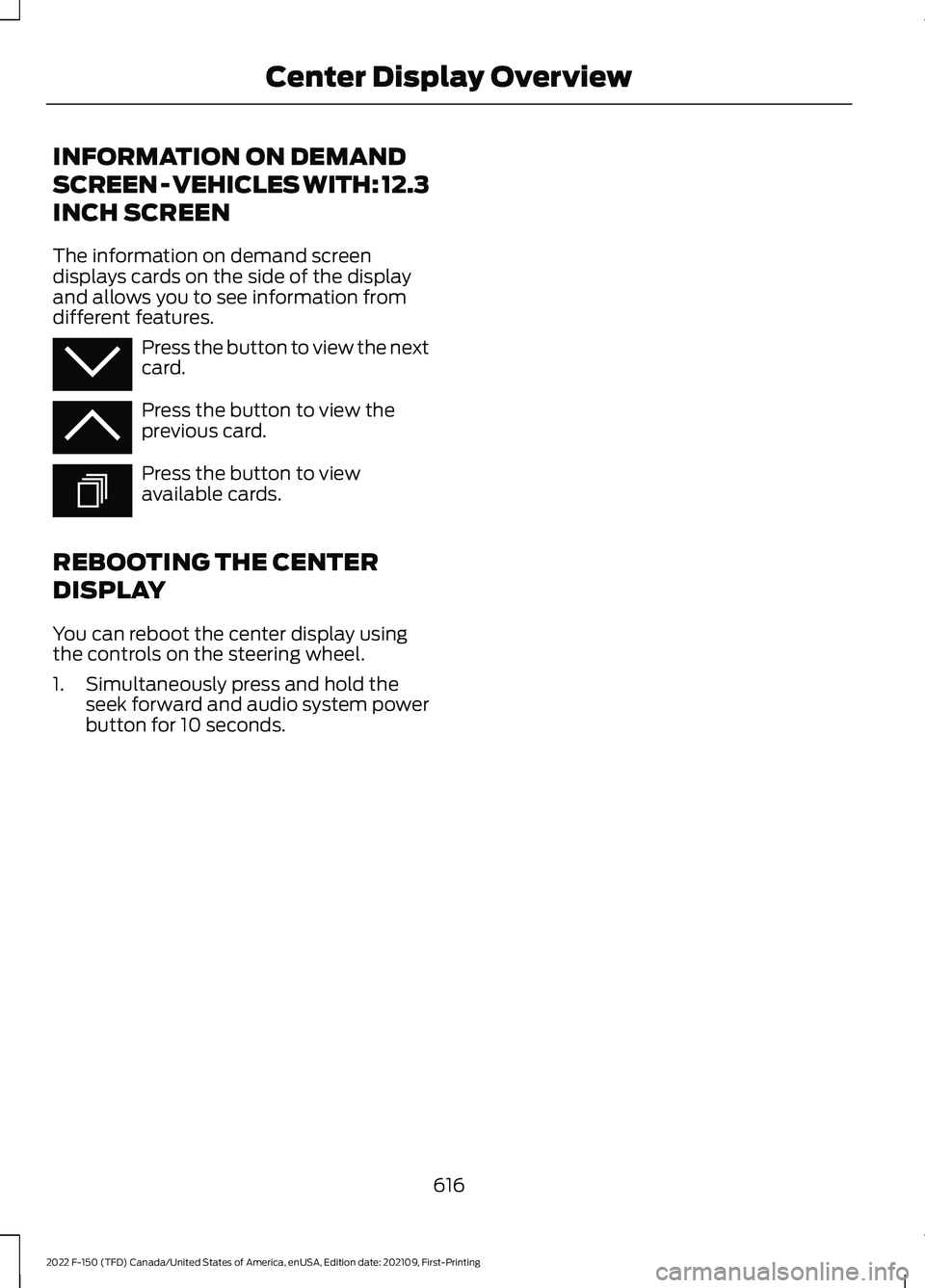
Press the button to view the next
card.
Press the button to view the
previous card.
Press the button to view
available cards.
REBOOTING THE CENTER
DISPLAY
You can reboot the center display using
the controls on the steering wheel.
1. Simultaneously press and hold the seek forward and audio system power
button for 10 seconds.
616
2022 F-150 (TFD) Canada/United States of America, enUSA, Edition date: 202109, First-Printing Center Display OverviewE353212 E353211 E353209
Page 629 of 750
CONNECTING A BLUETOOTH®
DEVICE
1. Make sure Bluetooth® is enabled on
your device.
2. Press
Settings on the touchscreen.
3. Press
Connectivity.
4. Press
Bluetooth.
5. Press
Add a Bluetooth Device.
Note: A prompt alerts you to search for your
vehicle on your device.
6. Select your vehicle on your device.
Note: A number appears on your device and
on the touchscreen.
7. Confirm that the number on your device matches the number on the
touchscreen.
Note: The touchscreen indicates that you
have successfully paired your device.
The Bluetooth® word mark and logos are
registered trademarks owned by Bluetooth
SIG, Inc.
and any use of such marks by
Ford Motor Company is under license.
Other trademarks and trade names are
those of their respective owners.
PLAYING MEDIA USING
BLUETOOTH® WARNING: Driving while distracted
can result in loss of vehicle control, crash
and injury. We strongly recommend that
you use extreme caution when using any
device that may take your focus off the
road. Your primary responsibility is the
safe operation of your vehicle. We
recommend against the use of any hand-held device while driving and
encourage the use of voice-operated
systems when possible. Make sure you
are aware of all applicable local laws
that may affect the use of electronic
devices while driving.
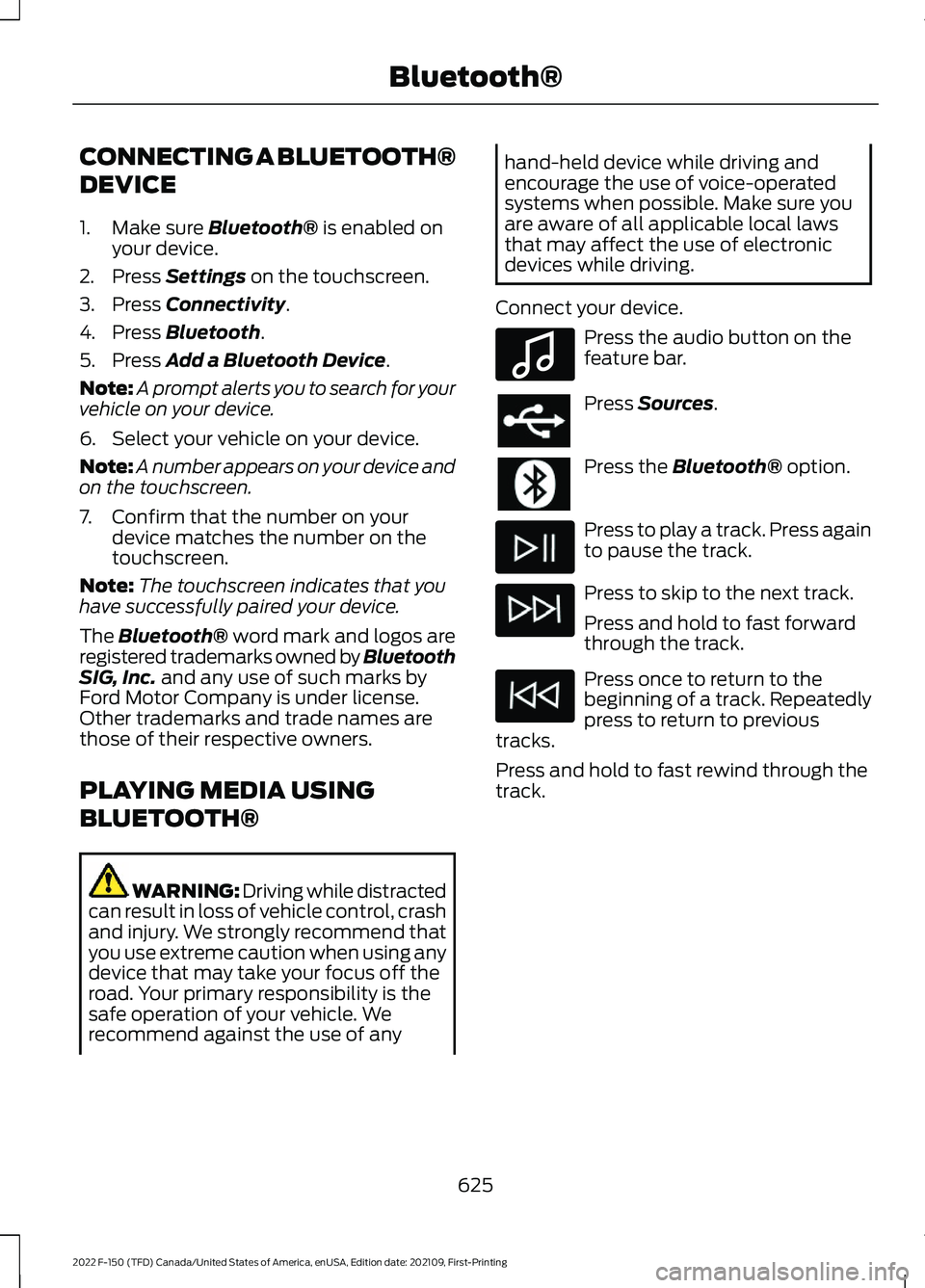
Connect your device. Press the audio button on the
feature bar.
Press
Sources.
Press the
Bluetooth® option.
Press to play a track. Press again
to pause the track.
Press to skip to the next track.
Press and hold to fast forward
through the track.
Press once to return to the
beginning of a track. Repeatedly
press to return to previous
tracks.
Press and hold to fast rewind through the
track.
625
2022 F-150 (TFD) Canada/United States of America, enUSA, Edition date: 202109, First-Printing Bluetooth®E100027
Page 695 of 750
•
Links to Third Party Sites: The
SOFTWARE may provide you with the
ability to link to third party sites. The
third party sites are not under the
control of FORD MOTOR COMPANY,
its affiliates and/or its designated
agent. Neither FORD MOTOR
COMPANY nor its affiliates nor its
designated agent are responsible for
(I) the contents of any third party sites,
any links contained in third party sites,
or any changes or updates to third
party sites, or (ii) webcasting or any
other form of transmission received
from any third party sites. If the
SOFTWARE provides links to third
party sites, those links are provided to
you only as a convenience, and the
inclusion of any link does not imply an
endorsement of the third party site by
FORD MOTOR COMPANY, its affiliates
and/or its designated agent.
• Obligation to Drive Responsibly:
You recognize your obligation to drive
responsibly and keep attention on the
road. You will read and abide with the
DEVICES operating instructions
particularly as they pertain to safety
and you agree to assume any risk
associated with the use of the
DEVICES.
UPGRADES AND RECOVERY MEDIA:
If the SOFTWARE is provided by FORD
MOTOR COMPANY separate from the
DEVICES on media such as a ROM chip,
CD ROM disk(s) or via web download or
other means, and is labeled "For Upgrade
Purposes Only" or "For Recovery Purposes
Only" you may install one (1) copy of such
SOFTWARE onto the DEVICES as a
replacement copy for the existing
SOFTWARE, and use it in accordance with
this EULA, including any additional EULA
terms accompanying the upgrade
SOFTWARE. INTELLECTUAL PROPERTY RIGHTS:
All title and intellectual property rights in
and to the SOFTWARE (including but not
limited to any images, photographs,
animations, video, audio, music, text and
"applets" incorporated into the
SOFTWARE), the accompanying printed
materials, and any copies of the
SOFTWARE, are owned by FORD MOTOR
COMPANY, or its affiliates or suppliers. The
SOFTWARE is licensed, not sold. You may
not copy the printed materials
accompanying the SOFTWARE. All title
and intellectual property rights in and to
the content which may be accessed
through use of the SOFTWARE is the
property of the respective content owner
and may be protected by applicable
copyright or other intellectual property
laws and treaties. This EULA grants you no
rights to use such content outside its
intended use. All rights not specifically
granted under this EULA are reserved by
FORD MOTOR COMPANY, its affiliates,
and third party software and service
providers and suppliers. Use of any on-line
services which may be accessed through
the SOFTWARE may be governed by the
respective terms of use relating to such
services. If this SOFTWARE contains
documentation that is provided only in
electronic form, you may print one copy of
such electronic documentation.
EXPORT RESTRICTIONS:
You
acknowledge that the SOFTWARE is
subject to U.S. and European Union export
jurisdiction. You agree to comply with all
applicable international and national laws
that apply to the SOFTWARE, including
the U.S. Export Administration Regulations,
as well as end-user, end-use and
destination restrictions issued by U.S. and
other governments.
691
2022 F-150 (TFD) Canada/United States of America, enUSA, Edition date: 202109, First-Printing Customer Information
Page 701 of 750
1. Safe and Lawful Use
You acknowledge that devoting attention
to the TeleNav Software may pose a risk
of injury or death to you and others in
situations that otherwise require your
undivided attention, and you therefore
agree to comply with the following when
using the TeleNav Software:
(a) observe all traffic laws and otherwise
drive safely;
(b) use your own personal judgment while
driving. If you feel that a route suggested
by the TeleNav Software instructs you to
perform an unsafe or illegal maneuver,
places you in an unsafe situation, or directs
you into an area that you consider to be
unsafe, do not follow such instructions;
(c) do not input destinations, or otherwise
manipulate the TeleNav Software, unless
your vehicle is stationary and parked;
(d) do not use the TeleNav Software for
any illegal, unauthorized, unintended,
unsafe, hazardous, or unlawful purposes,
or in any manner inconsistent with this
Agreement;
(e) arrange all GPS and wireless devices
and cables necessary for use of the
TeleNav Software in a secure manner in
your vehicle so that they will not interfere
with your driving and will not prevent the
operation of any safety device (such as an
airbag).
You agree to indemnify and hold TeleNav
harmless against all claims resulting from
any dangerous or otherwise inappropriate
use of the TeleNav Software in any moving
vehicle, including as a result of your failure
to comply with the directions above.
2. Account Information
You agree: (a) when registering the
TeleNav Software, to provide TeleNav with
true, accurate, current, and complete
information about yourself, and (b) to
inform TeleNav promptly of any changes
to such information, and to keep it true,
accurate, current and complete.
3. Software License
•
Subject to your compliance with the
terms of this Agreement, TeleNav
hereby grants to you a personal,
non-exclusive, non-transferable license
(except as expressly permitted below
in connection with your permanent
transfer of the TeleNav Software
license), without the right to
sublicense, to use the TeleNav
Software (in object code form only) in
order to access and use the TeleNav
Software. This license shall terminate
upon any termination or expiration of
this Agreement. You agree that you will
use the TeleNav Software only for your
personal business or leisure purposes,
and not to provide commercial
navigation services to other parties.
3.1 License Limitations
• (a) reverse engineer, decompile,
disassemble, translate, modify, alter
or otherwise change the TeleNav
Software or any part thereof;
(b)
attempt to derive the source code,
audio library or structure of the
TeleNav Software without the prior
express written consent of TeleNav;
(c)
remove from the TeleNav
Software, or alter, any of TeleNav's or
its suppliers' trademarks, trade names,
logos, patent or copyright notices, or
other notices or markings;
(d)
697
2022 F-150 (TFD) Canada/United States of America, enUSA, Edition date: 202109, First-Printing Customer Information
Page 724 of 750
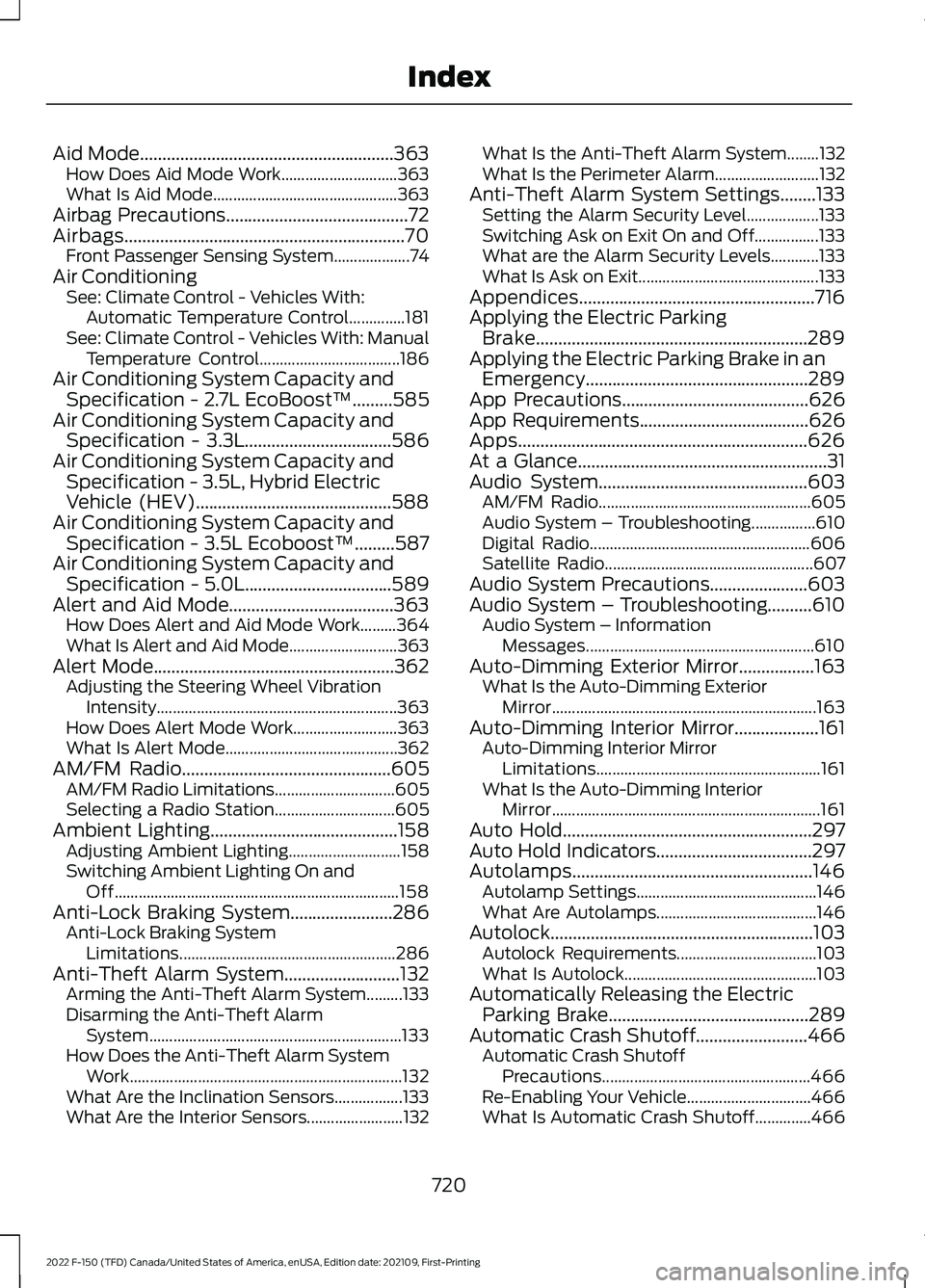
Aid Mode.........................................................363
How Does Aid Mode Work............................. 363
What Is Aid Mode.............................................. 363
Airbag Precautions
.........................................72
Airbags...............................................................70 Front Passenger Sensing System................... 74
Air Conditioning See: Climate Control - Vehicles With:
Automatic Temperature Control..............181
See: Climate Control - Vehicles With: Manual Temperature Control................................... 186
Air Conditioning System Capacity and Specification - 2.7L EcoBoost™
.........585
Air Conditioning System Capacity and Specification - 3.3L.................................586
Air Conditioning System Capacity and Specification - 3.5L, Hybrid Electric
Vehicle (HEV)............................................588
Air Conditioning System Capacity and Specification - 3.5L Ecoboost™.........587
Air Conditioning System Capacity and Specification - 5.0L.................................589
Alert and Aid Mode.....................................363 How Does Alert and Aid Mode Work.........364
What Is Alert and Aid Mode........................... 363
Alert Mode......................................................362 Adjusting the Steering Wheel Vibration
Intensity............................................................ 363
How Does Alert Mode Work.......................... 363
What Is Alert Mode........................................... 362
AM/FM Radio
...............................................605
AM/FM Radio Limitations.............................. 605
Selecting a Radio Station.............................. 605
Ambient Lighting
..........................................158
Adjusting Ambient Lighting............................ 158
Switching Ambient Lighting On and Off....................................................................... 158
Anti-Lock Braking System.......................286 Anti-Lock Braking System
Limitations...................................................... 286
Anti-Theft Alarm System..........................132 Arming the Anti-Theft Alarm System.........133
Disarming the Anti-Theft Alarm
System............................................................... 133
How Does the Anti-Theft Alarm System Work.................................................................... 132
What Are the Inclination Sensors.................133
What Are the Interior Sensors........................ 132What Is the Anti-Theft Alarm System........132
What Is the Perimeter Alarm..........................
132
Anti-Theft Alarm System Settings........133 Setting the Alarm Security Level.................. 133
Switching Ask on Exit On and Off................133
What are the Alarm Security Levels............133
What Is Ask on Exit............................................. 133
Appendices
.....................................................716
Applying the Electric Parking Brake.............................................................289
Applying the Electric Parking Brake in an Emergency..................................................289
App Precautions..........................................626
App Requirements
......................................626
Apps.................................................................626
At a Glance........................................................31
Audio System...............................................603
AM/FM Radio..................................................... 605
Audio System – Troubleshooting................610
Digital Radio....................................................... 606
Satellite Radio.................................................... 607
Audio System Precautions
......................603
Audio System – Troubleshooting..........610 Audio System – Information
Messages......................................................... 610
Auto-Dimming Exterior Mirror
.................163
What Is the Auto-Dimming Exterior
Mirror
.................................................................. 163
Auto-Dimming Interior Mirror...................161 Auto-Dimming Interior Mirror
Limitations........................................................ 161
What Is the Auto-Dimming Interior Mirror................................................................... 161
Auto Hold
........................................................297
Auto Hold Indicators...................................297
Autolamps......................................................146 Autolamp Settings............................................. 146
What Are Autolamps........................................ 146
Autolock...........................................................103 Autolock Requirements................................... 103
What Is Autolock................................................ 103
Automatically Releasing the Electric Parking Brake
.............................................289
Automatic Crash Shutoff.........................466
Automatic Crash Shutoff
Precautions.................................................... 466
Re-Enabling Your Vehicle............................... 466
What Is Automatic Crash Shutoff..............466
720
2022 F-150 (TFD) Canada/United States of America, enUSA, Edition date: 202109, First-Printing Index
Page 733 of 750
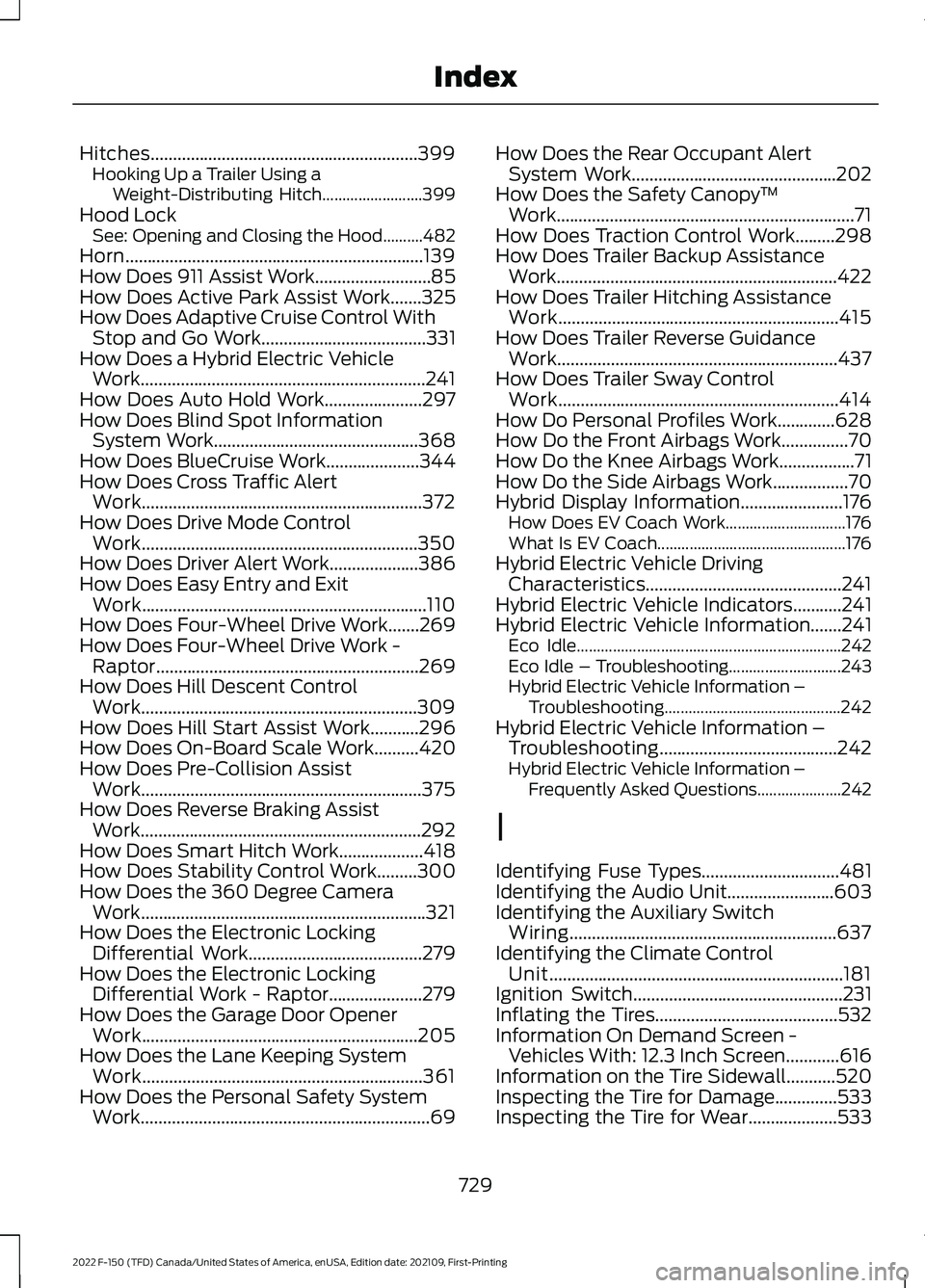
Hitches............................................................399
Hooking Up a Trailer Using a
Weight-Distributing Hitch......................... 399
Hood Lock See: Opening and Closing the Hood..........482
Horn...................................................................139
How Does 911 Assist Work..........................85
How Does Active Park Assist Work.......325
How Does Adaptive Cruise Control With Stop and Go Work.....................................331
How Does a Hybrid Electric Vehicle Work................................................................241
How Does Auto Hold Work......................297
How Does Blind Spot Information System Work
..............................................368
How Does BlueCruise Work.....................344
How Does Cross Traffic Alert Work...............................................................372
How Does Drive Mode Control Work..............................................................350
How Does Driver Alert Work....................386
How Does Easy Entry and Exit Work................................................................110
How Does Four-Wheel Drive Work.......269
How Does Four-Wheel Drive Work - Raptor...........................................................269
How Does Hill Descent Control Work..............................................................309
How Does Hill Start Assist Work...........296
How Does On-Board Scale Work..........420
How Does Pre-Collision Assist Work
...............................................................375
How Does Reverse Braking Assist Work
...............................................................292
How Does Smart Hitch Work...................418
How Does Stability Control Work.........300
How Does the 360 Degree Camera Work................................................................321
How Does the Electronic Locking Differential Work
.......................................279
How Does the Electronic Locking Differential Work - Raptor
.....................279
How Does the Garage Door Opener Work..............................................................205
How Does the Lane Keeping System Work...............................................................361
How Does the Personal Safety System Work.................................................................69 How Does the Rear Occupant Alert
System Work
..............................................202
How Does the Safety Canopy ™
Work...................................................................71
How Does Traction Control Work.........298
How Does Trailer Backup Assistance Work...............................................................422
How Does Trailer Hitching Assistance Work...............................................................415
How Does Trailer Reverse Guidance Work...............................................................437
How Does Trailer Sway Control Work...............................................................414
How Do Personal Profiles Work.............628
How Do the Front Airbags Work...............70
How Do the Knee Airbags Work.................71
How Do the Side Airbags Work.................70
Hybrid Display Information.......................176 How Does EV Coach Work.............................. 176
What Is EV Coach............................................... 176
Hybrid Electric Vehicle Driving Characteristics............................................241
Hybrid Electric Vehicle Indicators
...........241
Hybrid Electric Vehicle Information.......241 Eco Idle.................................................................. 242
Eco Idle – Troubleshooting............................ 243
Hybrid Electric Vehicle Information – Troubleshooting............................................ 242
Hybrid Electric Vehicle Information – Troubleshooting........................................242
Hybrid Electric Vehicle Information – Frequently Asked Questions..................... 242
I
Identifying Fuse Types...............................481
Identifying the Audio Unit........................603
Identifying the Auxiliary Switch Wiring............................................................637
Identifying the Climate Control Unit..................................................................181
Ignition Switch
...............................................231
Inflating the Tires.........................................532
Information On Demand Screen - Vehicles With: 12.3 Inch Screen............616
Information on the Tire Sidewall...........520
Inspecting the Tire for Damage..............533
Inspecting the Tire for Wear....................533
729
2022 F-150 (TFD) Canada/United States of America, enUSA, Edition date: 202109, First-Printing Index