Audio FORD F-150 2022 User Guide
[x] Cancel search | Manufacturer: FORD, Model Year: 2022, Model line: F-150, Model: FORD F-150 2022Pages: 750, PDF Size: 12.96 MB
Page 484 of 750
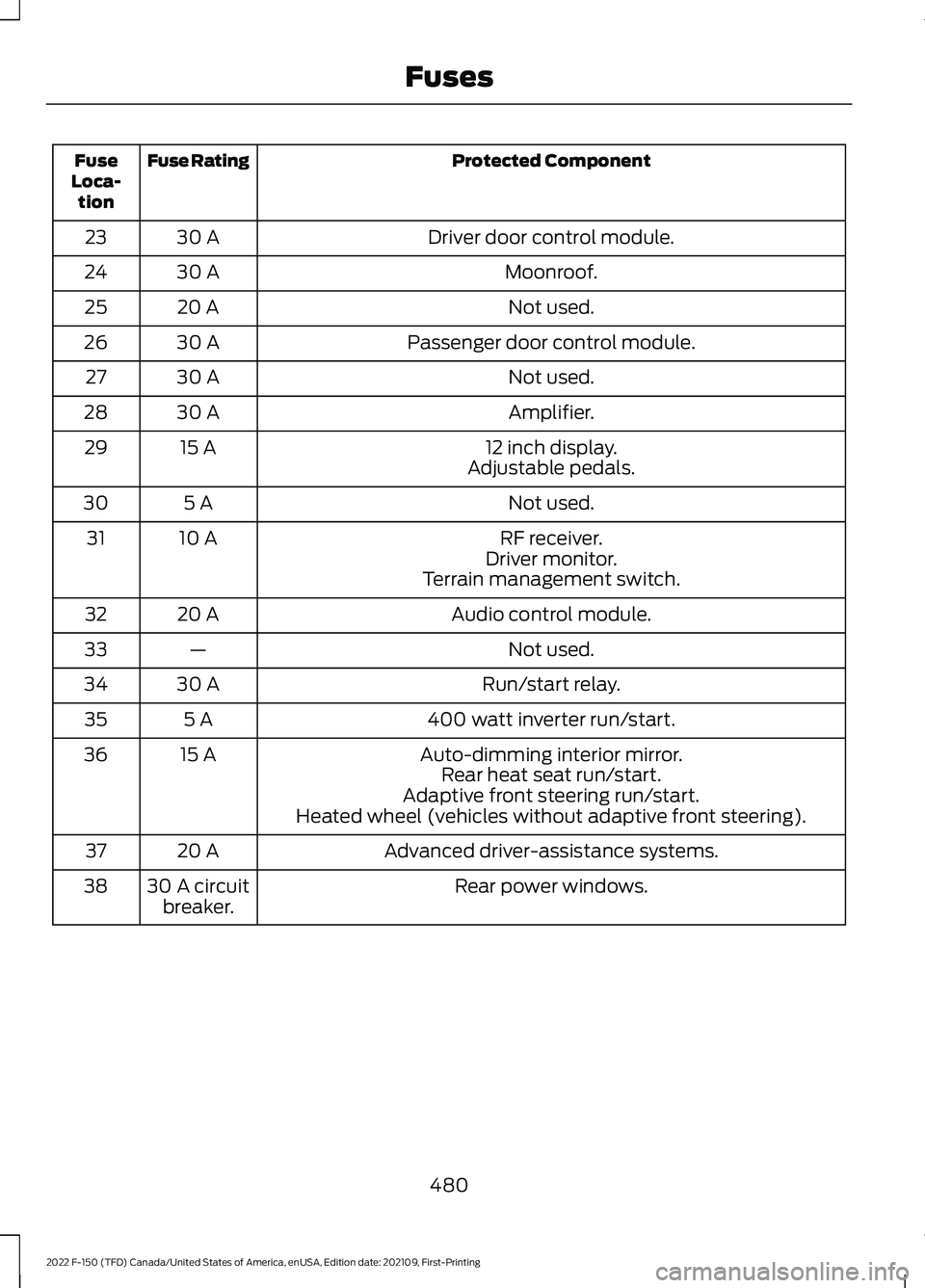
Protected Component
Fuse Rating
Fuse
Loca- tion
Driver door control module.
30 A
23
Moonroof.
30 A
24
Not used.
20 A
25
Passenger door control module.
30 A
26
Not used.
30 A
27
Amplifier.
30 A
28
12 inch display.
15 A
29
Adjustable pedals.
Not used.
5 A
30
RF receiver.
10 A
31
Driver monitor.
Terrain management switch.
Audio control module.
20 A
32
Not used.
—
33
Run/start relay.
30 A
34
400 watt inverter run/start.
5 A
35
Auto-dimming interior mirror.
15 A
36
Rear heat seat run/start.
Adaptive front steering run/start.
Heated wheel (vehicles without adaptive front steering).
Advanced driver-assistance systems.
20 A
37
Rear power windows.
30 A circuit
breaker.
38
480
2022 F-150 (TFD) Canada/United States of America, enUSA, Edition date: 202109, First-Printing Fuses
Page 499 of 750
If you replace the battery make sure it
matches the electrical requirements of
your vehicle.
If you disconnect or replace the battery
and your vehicle has an automatic
transmission, it must relearn its adaptive
strategy. Because of this, the transmission
may shift firmly when first driven. This is
normal operation while the transmission
fully updates its operation to optimum
shift feel.
Battery Sensor Reset
When you install a new battery, reset the
battery sensor by doing the following:
1. Switch the ignition on, and leave the
engine off.
Note: Complete Steps 2 and 3 within 10
seconds.
2. Flash the high beam headlamps five times, ending with the high beams off.
3. Press and release the brake pedal three
times.
The battery warning lamp flashes three
times to confirm that the reset is
successful.
Battery Management System (If
Equipped)
The system monitors battery conditions
and takes actions to extend battery life. If
excessive battery drain is detected, the
system temporarily disables some
electrical systems to protect the battery.
Systems included are:
• Heated rear window.
• Heated seats.
• Climate control.
• Heated steering wheel.
• Audio unit.
• Navigation system. A message may appear in the information
display to alert you that battery protection
actions are active. This message is only for
notification that an action is taking place,
and not intended to indicate an electrical
problem or that the battery requires
replacement.
After battery replacement, or in some
cases after charging the battery with an
external charger, the battery management
system requires eight hours of vehicle sleep
time to relearn the battery state of charge.
During this time, your vehicle must remain
fully locked with the ignition switched off.
Note:
Prior to relearning the battery state
of charge, the battery management system
may temporarily disable some electrical
systems.
Electrical Accessory Installation
To make sure the battery management
system works correctly, do not connect an
electrical device ground connection
directly to the battery negative post. This
can cause inaccurate measurements of
the battery condition and potential
incorrect system operation.
Note: If you add electrical accessories or
components to the vehicle, it may adversely
affect battery performance and durability.
This may also affect the performance of
other electrical systems in the vehicle.
Remove and Reinstall the Battery
Install a battery approved for use by our
specifications. See
Capacities and
Specifications (page 558).
To disconnect or remove the battery, do
the following:
1. Apply the parking brake and switch the
ignition off.
2. Switch all electrical equipment off, for
example lights and radio.
495
2022 F-150 (TFD) Canada/United States of America, enUSA, Edition date: 202109, First-Printing Maintenance
Page 607 of 750
AUDIO SYSTEM
PRECAUTIONS
WARNING: Driving while distracted
can result in loss of vehicle control, crash
and injury. We strongly recommend that
you use extreme caution when using any
device that may take your focus off the
road. Your primary responsibility is the
safe operation of your vehicle. We
recommend against the use of any
hand-held device while driving and
encourage the use of voice-operated
systems when possible. Make sure you
are aware of all applicable local laws
that may affect the use of electronic
devices while driving.
Listening to loud audio for long periods of
time could damage your hearing.
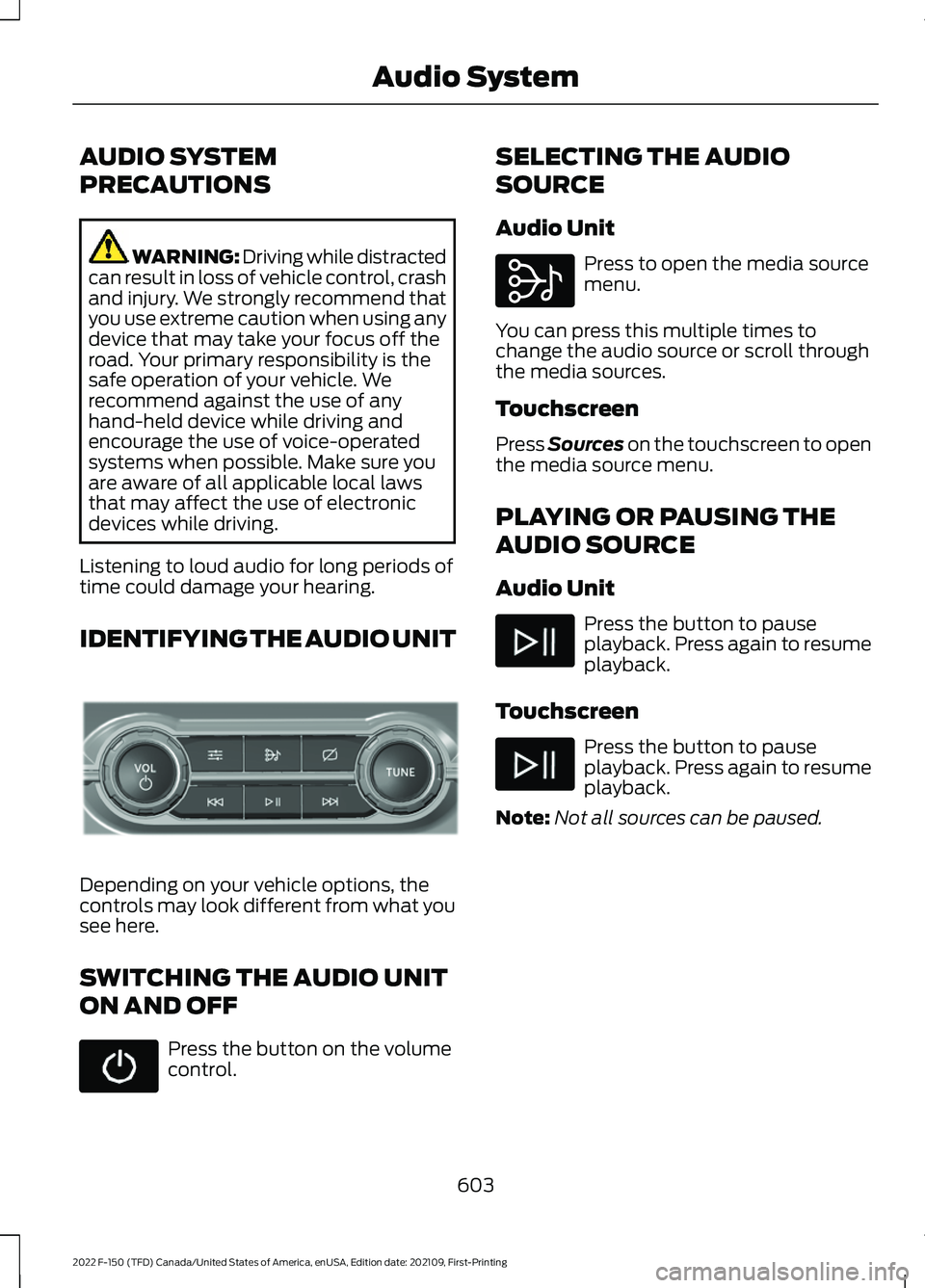
IDENTIFYING THE AUDIO UNIT Depending on your vehicle options, the
controls may look different from what you
see here.
SWITCHING THE AUDIO UNIT
ON AND OFF
Press the button on the volume
control. SELECTING THE AUDIO
SOURCE
Audio Unit Press to open the media source
menu.
You can press this multiple times to
change the audio source or scroll through
the media sources.
Touchscreen
Press Sources on the touchscreen to open
the media source menu.
PLAYING OR PAUSING THE
AUDIO SOURCE
Audio Unit Press the button to pause
playback. Press again to resume
playback.
Touchscreen Press the button to pause
playback. Press again to resume
playback.
Note: Not all sources can be paused.
603
2022 F-150 (TFD) Canada/United States of America, enUSA, Edition date: 202109, First-Printing Audio SystemE308144 E308143
Page 608 of 750
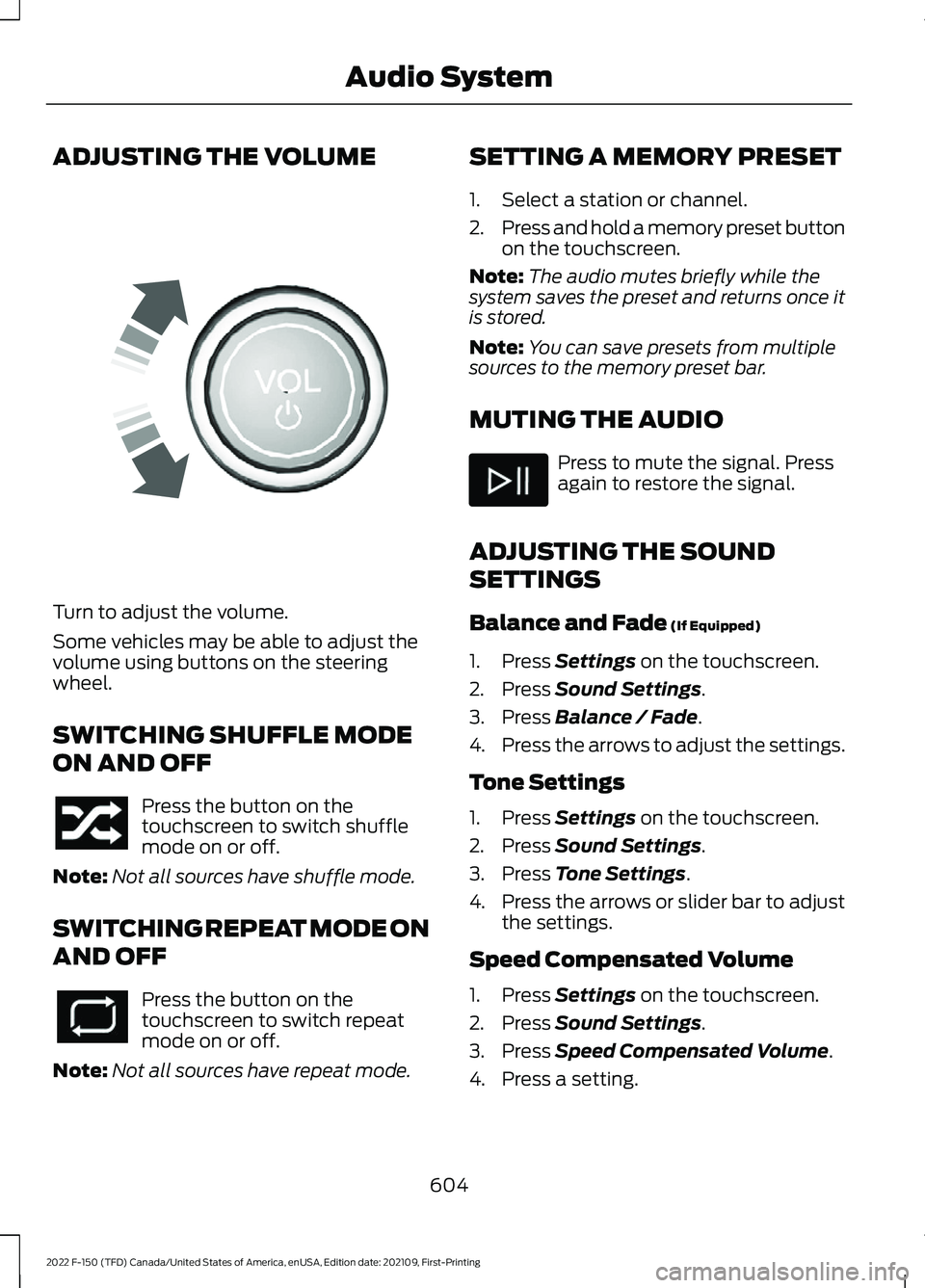
ADJUSTING THE VOLUME
Turn to adjust the volume.
Some vehicles may be able to adjust the
volume using buttons on the steering
wheel.
SWITCHING SHUFFLE MODE
ON AND OFF
Press the button on the
touchscreen to switch shuffle
mode on or off.
Note: Not all sources have shuffle mode.
SWITCHING REPEAT MODE ON
AND OFF Press the button on the
touchscreen to switch repeat
mode on or off.
Note: Not all sources have repeat mode. SETTING A MEMORY PRESET
1. Select a station or channel.
2.
Press and hold a memory preset button
on the touchscreen.
Note: The audio mutes briefly while the
system saves the preset and returns once it
is stored.
Note: You can save presets from multiple
sources to the memory preset bar.
MUTING THE AUDIO Press to mute the signal. Press
again to restore the signal.
ADJUSTING THE SOUND
SETTINGS
Balance and Fade (If Equipped)
1. Press
Settings on the touchscreen.
2. Press
Sound Settings.
3. Press
Balance / Fade.
4. Press the arrows to adjust the settings.
Tone Settings
1. Press
Settings on the touchscreen.
2. Press
Sound Settings.
3. Press
Tone Settings.
4. Press the arrows or slider bar to adjust
the settings.
Speed Compensated Volume
1. Press
Settings on the touchscreen.
2. Press
Sound Settings.
3. Press
Speed Compensated Volume.
4. Press a setting.
604
2022 F-150 (TFD) Canada/United States of America, enUSA, Edition date: 202109, First-Printing Audio SystemE248939
Page 609 of 750
Occupancy Mode (If Equipped)
1. Press
Settings on the touchscreen.
2. Press
Sound Settings.
3. Press
Occupancy Mode.
4. Press a setting.
Sound Mode
(If Equipped)
1. Press
Settings on the touchscreen.
2. Press
Sound Settings.
3. Press
Sound Mode.
4. Press a setting.
SETTING THE CLOCK AND
DATE
1. Press
Settings on the touchscreen.
2. Press
Clock Settings.
3. Set the time.
Note: The
AM and PM options are not
available if 24-hour mode is on.
Switching Automatic Time
Updates On and Off
1. Press
Settings on the touchscreen.
2. Press
Clock Settings.
3. Switch
Automatic time zone update
on or off.
AM/FM RADIO
AM/FM RADIO LIMITATIONS
The further you travel from an AM or FM
station, the weaker the signal and the
weaker the reception. Hills, mountains, tall buildings, bridges,
tunnels, freeway overpasses, parking
garages, dense tree foliage and
thunderstorms can interfere with the
reception.
When you pass a ground-based broadcast
repeating tower, a stronger signal may
overtake a weaker one and result in the
audio system muting.
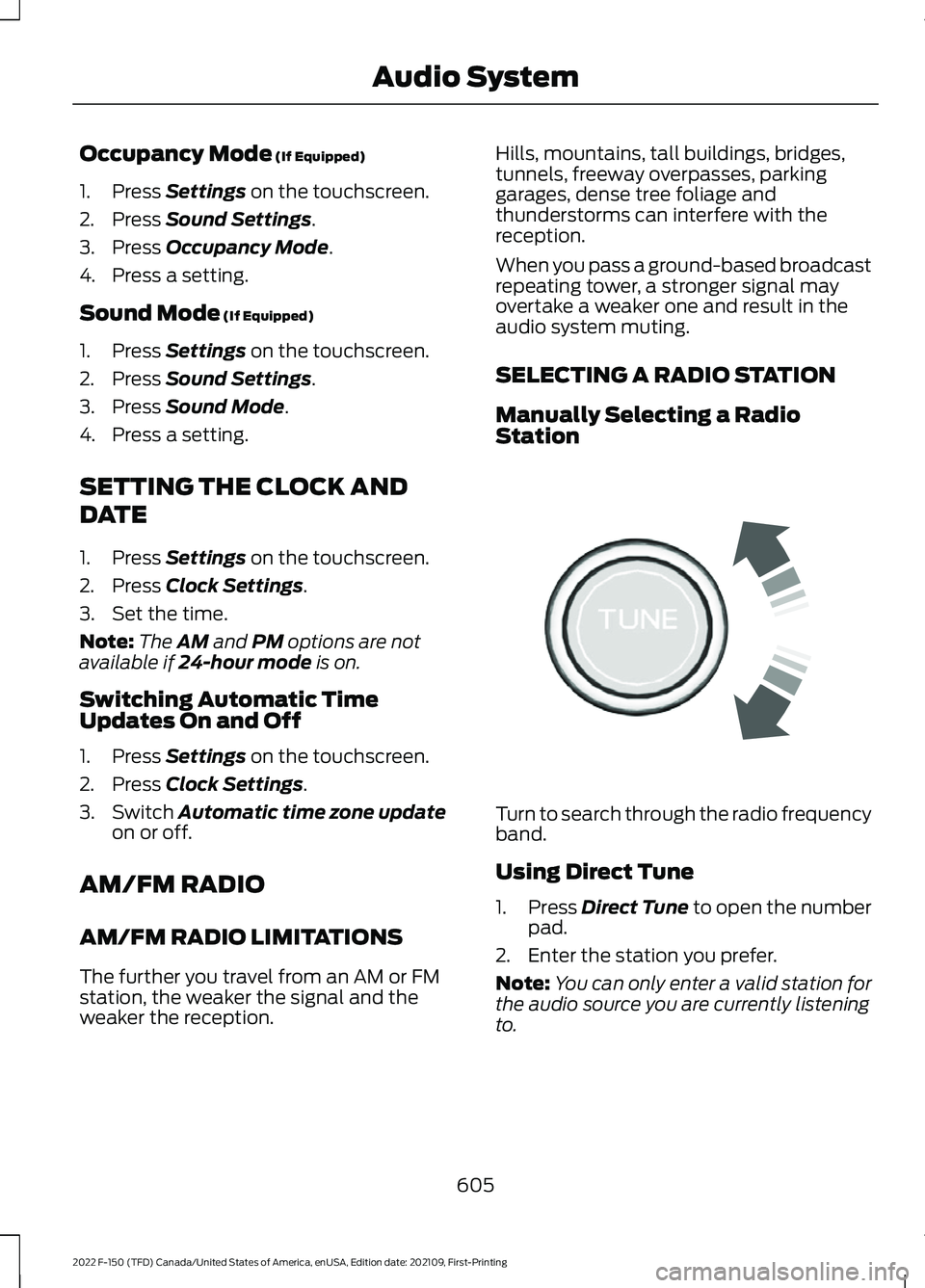
SELECTING A RADIO STATION
Manually Selecting a Radio
Station
Turn to search through the radio frequency
band.
Using Direct Tune
1.
Press
Direct Tune to open the number
pad.
2. Enter the station you prefer.
Note: You can only enter a valid station for
the audio source you are currently listening
to.
605
2022 F-150 (TFD) Canada/United States of America, enUSA, Edition date: 202109, First-Printing Audio SystemE270235
Page 610 of 750
Using Seek
Press either button. The system
stops at the first station it finds
in that direction.
Using the Station List
1. Press Browse.
Note: Available on FM radio only.
2. Press a station.
SWITCHING THE DISPLAY ON
AND OFF
Audio Unit Press the button.
Touchscreen
To switch the display off:
1. Press
Settings on the touchscreen.
2. Press
Display Settings.
3. Press
Display Off.
Note: The display defaults to on each time
you switch your vehicle on.
To switch the display on, press anywhere
on the touchscreen.
DIGITAL RADIO
(IF EQUIPPED)
WHAT IS DIGITAL RADIO
HD Radio ™ technology is the digital
evolution of analog AM/FM radio.
For additional information, visit
www .HDR a dio . c om . HD Radio Technology is manufactured
under license from iBiquity Digital
Corporation and foreign patents. HD Radio
and the HD and HD Radio logos are
proprietary trademarks of DTS. The vehicle
manufacturer and DTS are not responsible
for the content sent using HD Radio
technology. Content may be changed,
added or deleted at any time at the station
owner's discretion.
HOW DOES DIGITAL RADIO WORK
Your system has a special receiver that
allows it to receive digital broadcasts in
addition to analog broadcasts.
HD1 signifies the main programming status
and is available in both analog and digital
broadcasts. Other multicast stations are
only available digitally and could contain
new or different content.
Note:
When the system first receives an
HD1 station, it plays the station in the analog
version until it verifies the station is an HD
Radio station. Then it shifts to the digital
version.
Note: There is an audio mute delay when
switching to an HD2 or HD3 station because
the system has to reacquire and decode the
digital signal.
DIGITAL RADIO LIMITATIONS
If you are outside the reception area, the
system could not work.
If you are on the fringe of the reception
area, the station could mute due to weak
signal strength.
Note: If you are listening to HD1, the system
changes back to the analog broadcast until
the digital broadcast is available again. If
you are listening to any other multicast
channels, the station mutes and stays
muted unless it is able to connect to the
digital signal again.
606
2022 F-150 (TFD) Canada/United States of America, enUSA, Edition date: 202109, First-Printing Audio System E272035
Page 611 of 750
Depending on the station quality, you could
hear a slight sound change when the
station changes between analog and
digital audio.
You cannot access a saved HD station if
your vehicle is outside the station
’s
reception area.
SWITCHING DIGITAL RADIO
RECEPTION ON AND OFF
1. Press Settings on the touchscreen.
2. Press
Radio Settings.
3. Switch
AM HD Radio or FM HD Radio
on or off.
DIGITAL RADIO INDICATORS
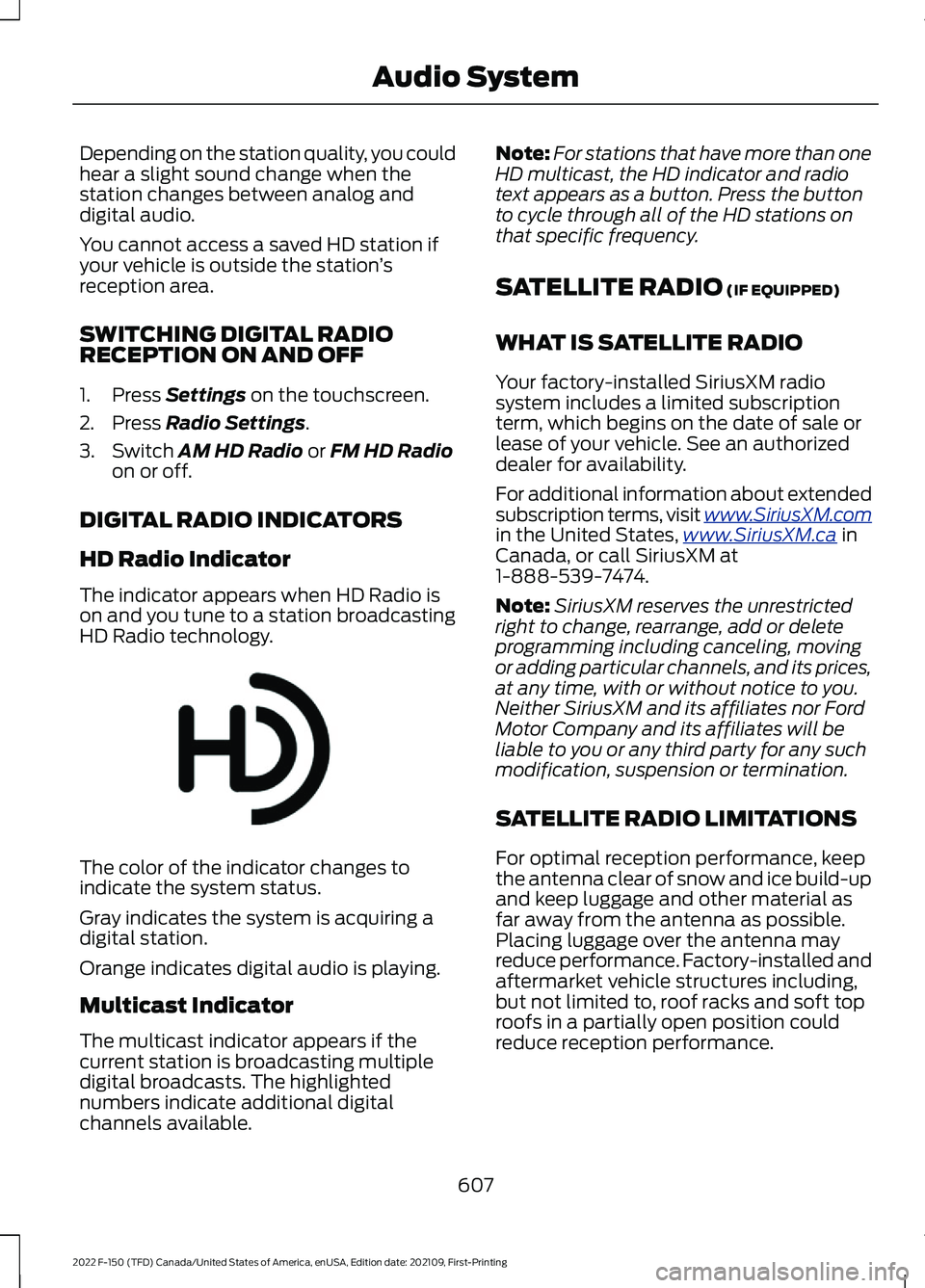
HD Radio Indicator
The indicator appears when HD Radio is
on and you tune to a station broadcasting
HD Radio technology. The color of the indicator changes to
indicate the system status.
Gray indicates the system is acquiring a
digital station.
Orange indicates digital audio is playing.
Multicast Indicator
The multicast indicator appears if the
current station is broadcasting multiple
digital broadcasts. The highlighted
numbers indicate additional digital
channels available. Note:
For stations that have more than one
HD multicast, the HD indicator and radio
text appears as a button. Press the button
to cycle through all of the HD stations on
that specific frequency.
SATELLITE RADIO
(IF EQUIPPED)
WHAT IS SATELLITE RADIO
Your factory-installed SiriusXM radio
system includes a limited subscription
term, which begins on the date of sale or
lease of your vehicle. See an authorized
dealer for availability.
For additional information about extended
subscription terms, visit www .SiriusXM. c om
in the United States,
www .SiriusXM. c a in
Canada, or call SiriusXM at
1-888-539-7474.
Note: SiriusXM reserves the unrestricted
right to change, rearrange, add or delete
programming including canceling, moving
or adding particular channels, and its prices,
at any time, with or without notice to you.
Neither SiriusXM and its affiliates nor Ford
Motor Company and its affiliates will be
liable to you or any third party for any such
modification, suspension or termination.
SATELLITE RADIO LIMITATIONS
For optimal reception performance, keep
the antenna clear of snow and ice build-up
and keep luggage and other material as
far away from the antenna as possible.
Placing luggage over the antenna may
reduce performance. Factory-installed and
aftermarket vehicle structures including,
but not limited to, roof racks and soft top
roofs in a partially open position could
reduce reception performance.
607
2022 F-150 (TFD) Canada/United States of America, enUSA, Edition date: 202109, First-Printing Audio SystemE142616
Page 612 of 750
Hills, mountains, tall buildings, bridges,
tunnels, freeway overpasses, parking
garages, dense tree foliage and
thunderstorms can interfere with your
reception.
When you pass a ground-based
broadcast-repeating tower, a stronger
signal may overtake a weaker one and
could result in the audio system muting.
Your display could show an error message
to indicate the interference.
LOCATING THE SATELLITE RADIO
IDENTIFICATION NUMBER
1. Select SiriusXM as the audio source.
2. Tune to channel 0.
SELECTING A CHANNEL
Manually Selecting a Channel
Press the button to find the
previous or next available radio
channel.
Linear Tuner
The linear tuner is displayed when
manually selecting a channel. You can
swipe left or right on the linear tuner
carousel to navigate through the channel
list. Tap on a channel title to listen to it.
Using Direct Tune
1. Press the channel up or down button to open the linear tuner screen.
2. Press Direct Tune to open the number
pad.
3. Enter the channel you prefer.
Using Browse
1. Press
Browse. 2. Select a channel.
SATELLITE RADIO SETTINGS
Subscription
Your subscription status is displayed. You
can subscribe or manage your subscription
directly from the touchscreen.
Listener Add/Switch
You can create up to five listener profiles
per SiriusXM account. Each listener profile
can be personalized with a name and
profile image.
Note:
Requires a trial or active subscription
to use.
Note: A default profile is available when no
listener profiles are created.
SiriusXM Favorites
SiriusXM Favorites are shown for the active
listener profile. While you are listening to
SiriusXM, you can save favorites by:
• Tapping the currently tuned channel
or show logo on the SiriusXM audio
screen. A favorite icon appears next to
the logo when it is saved as a favorite.
• Tuning to a channel or show you want
to save as a favorite. Navigate to the
SiriusXM Favorites screen and press
the Add Current button. The currently
tuned channel or show is saved as a
favorite.
• Saving a radio preset. This saves the
currently tuned SiriusXM channel or
show as a favorite.
Note: Requires a trial or active subscription
to use.
608
2022 F-150 (TFD) Canada/United States of America, enUSA, Edition date: 202109, First-Printing Audio SystemE328569 E328570
Page 613 of 750
Listening History
Listening history is a list of recently listened
to SiriusXM content and is shown for the
active listener profile. You can view,
manage and reset the listening history
using the controls on the touchscreen.
Note:
Requires a trial or active subscription
to use.
Listener Settings
Listener settings apply to the active
listener profile. Note:
Requires a trial or active subscription
to use.
Note: A default profile is available when no
listener profiles are created.
Help and Support
You can contact SiriusXM Customer Care
directly from SYNC and view information
required to manage your SiriusXM account.
609
2022 F-150 (TFD) Canada/United States of America, enUSA, Edition date: 202109, First-Printing Audio System
Page 614 of 750
AUDIO SYSTEM – TROUBLESHOOTING
AUDIO SYSTEM – INFORMATION MESSAGES
Satellite Radio Troubleshooting
Recommended Action
Potential Effects
Error Message
Internet connectivity is
turned off. See Connected Vehicle (page 597).
Internet streaming and On
Demand shows are unavail- able and some SiriusXMfeatures are disabled.
Connectivity Disabled
SYNC will attempt to
connect. See
Satellite
Radio Limitations (page
607). Switch to a satellite
connection for the current channel if the option is available.
Audio system may mute.
"Switch to Satellite" button may be displayed on the
SiriusXM audio screen if the
channel is also available via satellite.
No Internet
Antenna may be obstructed
or satellite reception is weak
in your location. See Satel-lite Radio Limitations
(page
607). Switch to an
internet connection for the
current channel if the option is available.
Audio system may mute.
“Switch to Internet” button
may be displayed on the
SiriusXM audio screen if the
channel is also available via streaming.
No Satellite Signal
Allow some time for audio
to load or tune to a different channel.
Audio system may mute
while audio attempts to load.
Slow Network Connection
A temporary update may be
in progress. Allow some time
before retrying to tune to the
channel. If issue persists, thechannel may no longer be available.
Audio system may mute.
Radio may tune to adifferent channel.
Channel Unavailable
A temporary update may be
in progress. Allow some timebefore retrying to play the
episode. If issue persists, the episode may no longer be available.
Audio system may mute.
Radio may tune to adifferent channel.
Episode Unavailable
610
2022 F-150 (TFD) Canada/United States of America, enUSA, Edition date: 202109, First-Printing Audio System