buttons FORD F-150 2022 Owner's Manual
[x] Cancel search | Manufacturer: FORD, Model Year: 2022, Model line: F-150, Model: FORD F-150 2022Pages: 750, PDF Size: 12.96 MB
Page 333 of 750
WHAT IS CRUISE CONTROL
Cruise control lets you maintain a set
speed without keeping your foot on the
accelerator pedal.
Requirements
Use cruise control when the vehicle speed
is greater than 15 mph in imperial units and
20 km/h in metric units.
SWITCHING CRUISE CONTROL
ON AND OFF
WARNING: Do not use cruise
control on winding roads, in heavy traffic
or when the road surface is slippery. This
could result in loss of vehicle control,
serious injury or death.
The cruise controls are on the steering
wheel.
Switching Cruise Control On Press the button to activate the
system. When the system
activates, the set speed is equal
to whichever is greater, the current vehicle
speed, or 15 mph when in imperial units or
20 km/h when in metric units. If the speed
is too low, or other conditions are not
correct for cruise control activation, the
system will instead enter standby mode.
Switching Cruise Control Off Press the button when the
system is active or switch the
ignition off.
Note: When you switch cruise control off,
the set speed clears. SETTING THE CRUISE
CONTROL SPEED WARNING:
When you are going
downhill, your vehicle speed could
increase above the set speed. The
system does not apply the brakes.
Drive to the speed you prefer. Press either the SET+ or SET-
buttons to set the current speed.
Take your foot off the accelerator pedal.
Note: The indicator changes color in the
information display.
Changing the Set Speed Press the SET+ button to
increase the set speed in small
increments. Press and hold the
SET+ button to accelerate. Release the
button when you have reached your
preferred speed. Press the SET- button to
decrease the set speed in small
increments. Press and hold the
SET- button to decelerate. Release the
button when you have reached your
preferred speed.
Note: If you accelerate by pressing the
accelerator pedal, the set speed does not
change. When you release the accelerator
pedal, your vehicle returns to the speed that
you previously set.
329
2022 F-150 (TFD) Canada/United States of America, enUSA, Edition date: 202109, First-Printing Cruise Control
(If Equipped)E332905 E332905
Page 338 of 750
Switching Adaptive Cruise Control
Off
Press the button when the
system is in standby mode or
switch the ignition off.
Note: When you switch the system off, the
set speed clears.
ADAPTIVE CRUISE CONTROL
AUTOMATIC CANCELLATION
The system may cancel if:
• The tires lose traction.
• You apply the parking brake.
The system may cancel and set the parking
brake if:
• You unbuckle the seatbelt and open
the driver door after you stop your
vehicle.
• Your vehicle is at a stop continuously
for more than three minutes.
The system may deactivate or prevent
activating when requested if:
• The vehicle has a blocked sensor.
• The brake temperature is too high.
• There is a failure in the system or a
related system.
SETTING THE ADAPTIVE
CRUISE CONTROL SPEED
Drive to the speed you prefer. Press the SET+ or SET- buttons
to set the current speed.
Take your foot off the accelerator pedal. The indicator, current gap setting and set
speed appear in the instrument cluster
display.
A vehicle image illuminates if there is a
vehicle detected in front of you.
Note:
When adaptive cruise control is
active, the speedometer may vary slightly
from the set speed displayed in the
instrument cluster display.
Setting the Adaptive Cruise Speed
from a Complete Stop Press the SET+ or SET- buttons
while keeping the brake pedal
fully depressed.
The set speed adjusts to 20 km/h when in
metric units or 15 mph when in imperial
units.
The indicator, current gap setting and set
speed appear in the instrument cluster
display.
Note: The system activates from a
complete stop only when it detects a lead
vehicle in close proximity.
334
2022 F-150 (TFD) Canada/United States of America, enUSA, Edition date: 202109, First-Printing Adaptive Cruise Control (If Equipped)E144529 E337576
Page 350 of 750
The driver-facing camera may not operate
correctly due to any of the following:
•
You have a pre-existing eye condition,
such as an eye misalignment, or have
had eye surgery.
• You cover your facial features by a
mask, hat or other items.
• The lighting conditions change
significantly.
• You are not in the field of view of the
camera.
• You position or tilt yourself to one side.
• You are moving around extensively.
• You are wearing glasses or sunglasses
that are too dark or reflective.
Note: The system has limited steering
assistance and may not be sufficient for all
driving situations.
Note: In exceptional conditions, such as
inclement weather or direct sunlight, the
system could deviate from the center line.
Note: The information provided by the
navigation map data could be inaccurate or
out of date.
BLUECRUISE SETTINGS
Enabling BlueCruise
1. Press Features on the touchscreen.
2. Press
Driver Assistance.
3. Press
Cruise Control.
4. Press
Lane Centering with
Hands-Free.
Enabling Activation Prompts
1. Press
Features on the touchscreen.
2. Press
Driver Assistance.
3. Press
Cruise Control.
4. Press
Activation Prompts. SWITCHING BLUECRUISE ON
AND OFF
Switching BlueCruise On
The controls are on the steering wheel.
Using Activation Prompts
When the prompt appears, press
the button to switch BlueCruise
on.
The indicator appears in the instrument
cluster. When the system is on, the color
of the indicator changes to indicate the
system status.
Note: You must enable activation prompts
in the touchscreen.
Using Steering Wheel Controls Using the adaptive cruise control
and lateral support buttons,
ensure both systems are active.
BlueCruise activates.
Switching BlueCruise Off Press either the lateral support
or adaptive cruise control button
when system is active or in
standby mode.
BlueCruise turns off through
each ignition cycle.
346
2022 F-150 (TFD) Canada/United States of America, enUSA, Edition date: 202109, First-Printing BlueCruise
(If Equipped)E144529 E308131 E144529 E308131 E144529
Page 374 of 750
Make sure the trailer width is less than or
equal to 8.5 ft (2.6 m) and the length is
less than 33 ft (10.1 m). If you input values
higher, the system turns off.
Some trailers could cause a slight change
in system performance:
• Large box trailers could cause false
alerts to occur when driving next to
infrastructures or near parked cars. A
false alert could also occur while
making a 90-degree turn.
• Trailers that have a width greater than
8.5 ft (2.6 m)
at the front and have a
total length greater than 20 ft (6 m)
could cause delayed alerts when a
vehicle is passing at high speeds.
• Box trailers that have a width greater
than
8.5 ft (2.6 m) at the front could
cause early alerts when you pass a
vehicle.
• Clam shell or v-nose box trailers with
a width greater than
8.5 ft (2.6 m) at
the front could cause delayed alerts
when a vehicle traveling the same
speed as your vehicle merges lanes.
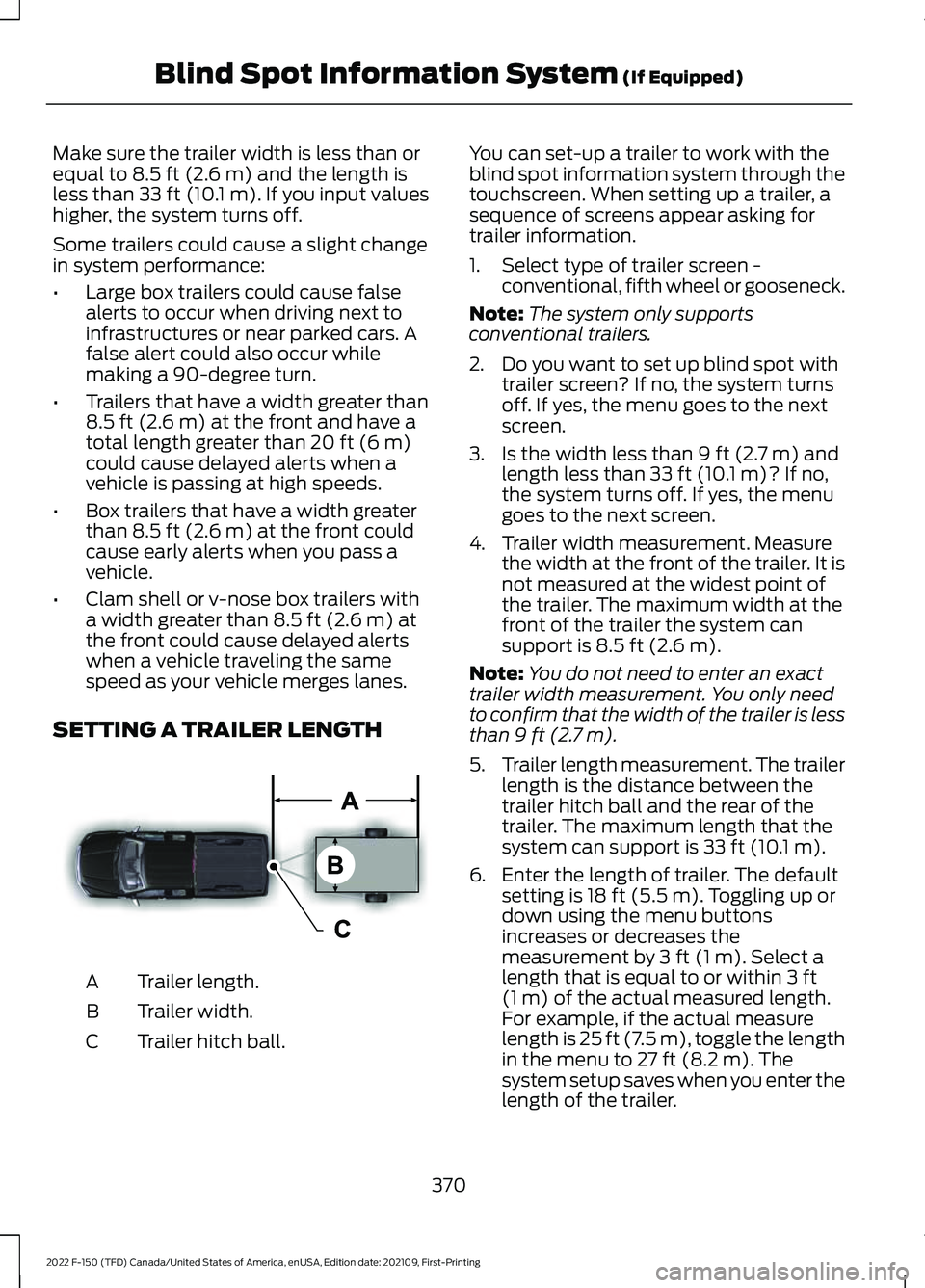
SETTING A TRAILER LENGTH Trailer length.
A
Trailer width.
B
Trailer hitch ball.
C You can set-up a trailer to work with the
blind spot information system through the
touchscreen. When setting up a trailer, a
sequence of screens appear asking for
trailer information.
1. Select type of trailer screen -
conventional, fifth wheel or gooseneck.
Note: The system only supports
conventional trailers.
2. Do you want to set up blind spot with trailer screen? If no, the system turns
off. If yes, the menu goes to the next
screen.
3. Is the width less than
9 ft (2.7 m) and
length less than 33 ft (10.1 m)? If no,
the system turns off. If yes, the menu
goes to the next screen.
4. Trailer width measurement. Measure the width at the front of the trailer. It is
not measured at the widest point of
the trailer. The maximum width at the
front of the trailer the system can
support is
8.5 ft (2.6 m).
Note: You do not need to enter an exact
trailer width measurement. You only need
to confirm that the width of the trailer is less
than
9 ft (2.7 m).
5. Trailer length measurement. The trailer
length is the distance between the
trailer hitch ball and the rear of the
trailer. The maximum length that the
system can support is
33 ft (10.1 m).
6. Enter the length of trailer. The default setting is
18 ft (5.5 m). Toggling up or
down using the menu buttons
increases or decreases the
measurement by
3 ft (1 m). Select a
length that is equal to or within 3 ft
(1 m) of the actual measured length.
For example, if the actual measure
length is
25 ft (7.5 m), toggle the length
in the menu to 27 ft (8.2 m). The
system setup saves when you enter the
length of the trailer.
370
2022 F-150 (TFD) Canada/United States of America, enUSA, Edition date: 202109, First-Printing Blind Spot Information System
(If Equipped)E225008
Page 608 of 750
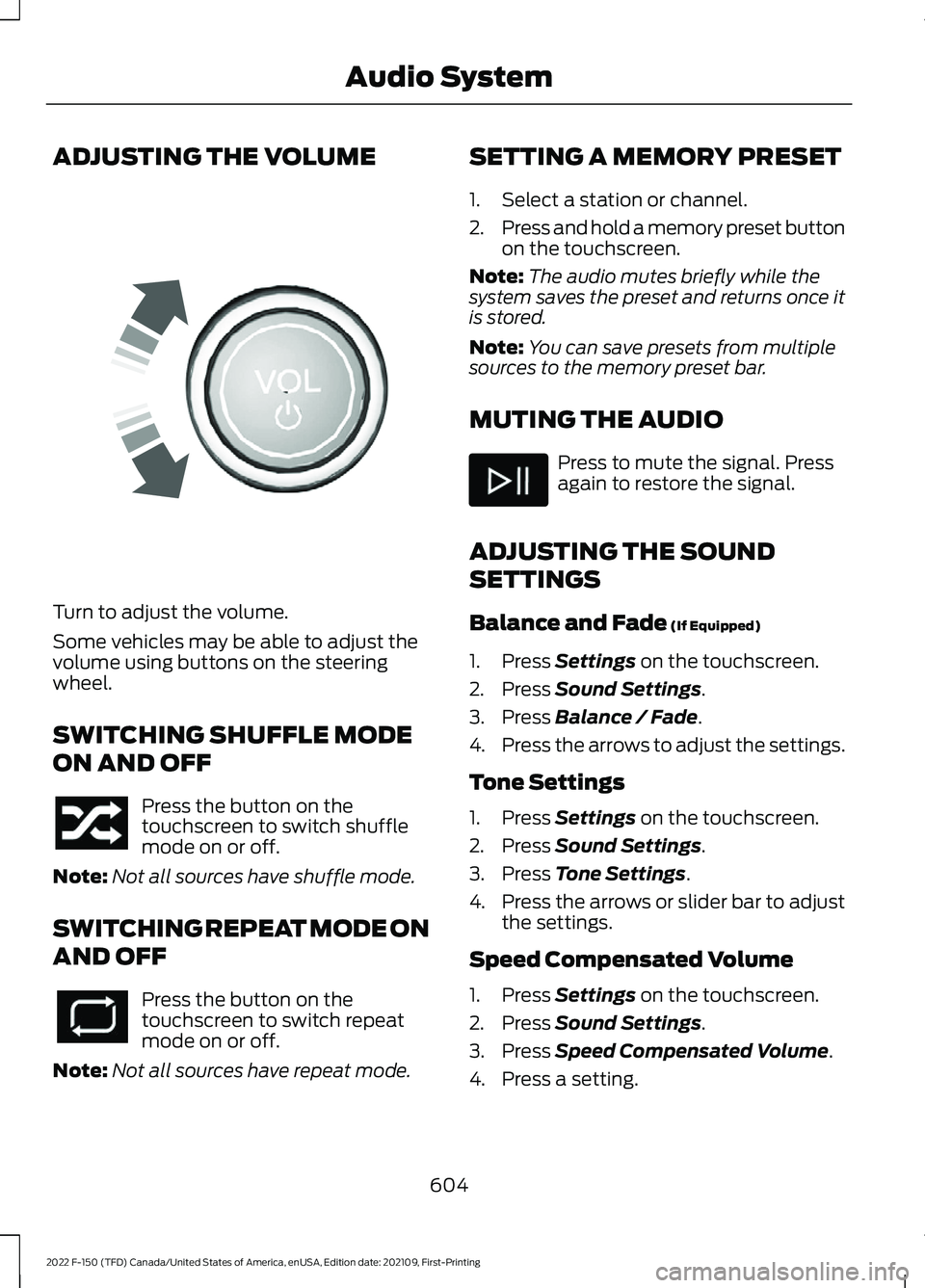
ADJUSTING THE VOLUME
Turn to adjust the volume.
Some vehicles may be able to adjust the
volume using buttons on the steering
wheel.
SWITCHING SHUFFLE MODE
ON AND OFF
Press the button on the
touchscreen to switch shuffle
mode on or off.
Note: Not all sources have shuffle mode.
SWITCHING REPEAT MODE ON
AND OFF Press the button on the
touchscreen to switch repeat
mode on or off.
Note: Not all sources have repeat mode. SETTING A MEMORY PRESET
1. Select a station or channel.
2.
Press and hold a memory preset button
on the touchscreen.
Note: The audio mutes briefly while the
system saves the preset and returns once it
is stored.
Note: You can save presets from multiple
sources to the memory preset bar.
MUTING THE AUDIO Press to mute the signal. Press
again to restore the signal.
ADJUSTING THE SOUND
SETTINGS
Balance and Fade (If Equipped)
1. Press
Settings on the touchscreen.
2. Press
Sound Settings.
3. Press
Balance / Fade.
4. Press the arrows to adjust the settings.
Tone Settings
1. Press
Settings on the touchscreen.
2. Press
Sound Settings.
3. Press
Tone Settings.
4. Press the arrows or slider bar to adjust
the settings.
Speed Compensated Volume
1. Press
Settings on the touchscreen.
2. Press
Sound Settings.
3. Press
Speed Compensated Volume.
4. Press a setting.
604
2022 F-150 (TFD) Canada/United States of America, enUSA, Edition date: 202109, First-Printing Audio SystemE248939
Page 735 of 750
Jump Starting the Vehicle..............................
465
Preparing the Vehicle...................................... 464
K
Keyless Entry..................................................106 Keyless Entry – Troubleshooting.................. 107
Keyless Entry Keypad.................................108
Keyless Entry Keypad –
Troubleshooting............................................ 109
Keyless Entry Keypad Limitations.........108
Keyless Entry Keypad Master Access Code
...............................................................108
Keyless Entry Keypad Personal Access Codes.............................................................108
Keyless Entry Keypad – Troubleshooting........................................109
Keyless Entry Keypad – Frequently Asked Questions......................................................... 109
Keyless Entry Limitations..........................106
Keyless Entry Settings
................................106
Keyless Entry – Troubleshooting............107 Keyless Entry – Frequently Asked
Questions.......................................................... 107
Keys and Remote Controls.........................87 Keys and Remote Controls –
Troubleshooting.............................................. 95
Keys and Remote Controls – Troubleshooting..........................................95
Keys and Remote Controls – Information Messages........................................................... 95
L
Lane Centering
.............................................338
How Does Lane Centering Work.................. 338
Lane Centering Alerts...................................... 339
Lane Centering Automatic Cancellation................................................... 339
Lane Centering Indicators.............................. 340
Lane Centering Limitations............................ 339
Lane Centering Precautions.......................... 338
Lane Centering Requirements...................... 338
Switching Lane Centering On and Off...................................................................... 339
Lane Keeping System Indicators
...........364
Lane Keeping System.................................361 Aid Mode............................................................... 363Alert and Aid Mode...........................................
363
Alert Mode............................................................ 362
Lane Keeping System – Troubleshooting............................................ 365
Lane Keeping System Limitations
.........361
Lane Keeping System Precautions........361
Lane Keeping System – Troubleshooting........................................365
Lane Keeping System – Frequently Asked Questions........................................................ 366
Lane Keeping System – Information Messages......................................................... 365
Launching or Retrieving a Boat or Personal Watercraft................................405
Linking or Unlinking a Personal Profile to a Remote Control
.....................................629
Live Traffic.....................................................630
Switching Live Traffic On and Off...............630
What Is Live Traffic........................................... 630
Load Carrying
................................................388
Load Carrying Precautions......................388
Loading Your Trailer...................................404
Locating the 360 Degree Cameras........321
Locating the 360 Degree Cameras - Raptor/Tremor...........................................322
Locating the Auxiliary Switches
............636
Locating the Auxiliary Switch Wiring............................................................637
Locating the Blind Spot Information System Sensors
........................................369
Locating the Brake Fluid Reservoir.......286
Locating the Cross Traffic Alert Sensors.........................................................373
Locating the Fuel Filler Funnel...............250
Locating the Keyless Entry Keypad..........................................................108
Locating the Memory Function Buttons.........................................................204
Locating the Power Outlets......................213
Locating the Pre-Collision Assist Sensors.........................................................378
Locating the Pre-Collision Assist Sensors - Police Responder...................................378
Locating the Rear View Camera.............318
Locating the Safety Compliance Certification Labels
.................................389
Locating the Tire label................................519
Locating the USB Ports............................209
731
2022 F-150 (TFD) Canada/United States of America, enUSA, Edition date: 202109, First-Printing Index
Page 736 of 750
Locating the USB Ports - Raptor...........209
Locating the Wireless Accessory
Charger.........................................................226
Locating Your Vehicle...................................89
Locking and Unlocking the Tailgate.........111
Locking the Rear Window Controls........................................................160
M
Maintenance.................................................482
Engine Air Filter.................................................. 493
Engine Oil............................................................. 488
Exterior Bulbs..................................................... 499
Interior Bulbs...................................................... 508
Maintenance Precautions
........................482
Making and Receiving a Phone Call.................................................................622
Manually Dimming the Interior Mirror
...............................................................161
Manually Releasing the Electric Parking Brake.............................................................289
Manually Shifting Gears............................262 Shifting Using the Buttons on the Selector
Lever.................................................................. 263
Shifting Using the Paddle Shifters..............262
Manual Park Release
..................................267
Manual Park Release Precautions...............267
Using Manual Park Release............................ 267
What Is Manual Park Release........................ 267
Manual Seats..................................................191 Adjusting the Head Restraint.......................... 191
Adjusting the Lumbar Support...................... 192
Adjusting the Seat Backrest........................... 192
Folding the Seats............................................... 199
Head Restraint Components.......................... 191
Installing the Head Restraint......................... 192
Moving the Seat Backward and Forward............................................................. 192
Removing the Head Restraint........................ 192
Unfolding the Seats......................................... 200
Massage Seats..............................................196 Adjusting the Massage Seat Settings........196
Massage Seat Limitations.............................. 196
Memory Function
........................................204
Memory Function Precautions...............204
Mislock.............................................................103 Mislock Limitations............................................ 103Switching Mislock On and Off.......................
103
What Is Mislock................................................... 103
Mobile Communications Equipment
..................................................688
Mobile Device Data.......................................30
Moonroof Bounce-Back
............................165
Overriding Moonroof Bounce-Back.............165
What Is Moonroof Bounce-Back.................. 165
Moonroof.........................................................164 Moonroof Bounce-Back................................... 165
Motorcraft Parts - 2.7L EcoBoost™.................................................563
Motorcraft Parts - 3.3L
..............................564
Motorcraft Parts - 3.5L, Hybrid Electric Vehicle (HEV)
............................................566
Motorcraft Parts - 3.5L Ecoboost™.................................................565
Motorcraft Parts - 5.0L
..............................567
Motorcraft Parts - Raptor........................568
Muting the Audio........................................604
MyKey Settings...............................................96
Configurable MyKey Settings.......................... 96
Non-Configurable MyKey Settings................96
MyKey – Troubleshooting
...........................99
MyKey – Frequently Asked Questions.........101
MyKey – Information Messages..................... 99
MyKey ™
............................................................96
MyKey Settings..................................................... 96
MyKey – Troubleshooting................................. 99
N
Navigation Map Updates.........................630
Navigation......................................................630 Adjusting the Map............................................. 630
Live Traffic............................................................ 630
Route Guidance................................................... 631
Setting a Destination....................................... 630
Waypoints............................................................. 631
Normal Scheduled Maintenance..........645
O
Off-Road Driving.........................................449 After Driving Your Vehicle Off-Road...........454
Basic Off-Road Driving Techniques...........449
Driving Off-Road............................................... 450
Driving Through Water Limitations.............453
732
2022 F-150 (TFD) Canada/United States of America, enUSA, Edition date: 202109, First-Printing Index