steering FORD F-150 2022 Owner's Manual
[x] Cancel search | Manufacturer: FORD, Model Year: 2022, Model line: F-150, Model: FORD F-150 2022Pages: 750, PDF Size: 12.96 MB
Page 177 of 750
USING THE INSTRUMENT
CLUSTER DISPLAY CONTROLS
WARNING: Driving while distracted
can result in loss of vehicle control, crash
and injury. We strongly recommend that
you use extreme caution when using any
device that may take your focus off the
road. Your primary responsibility is the
safe operation of your vehicle. We
recommend against the use of any
hand-held device while driving and
encourage the use of voice-operated
systems when possible. Make sure you
are aware of all applicable local laws
that may affect the use of electronic
devices while driving.
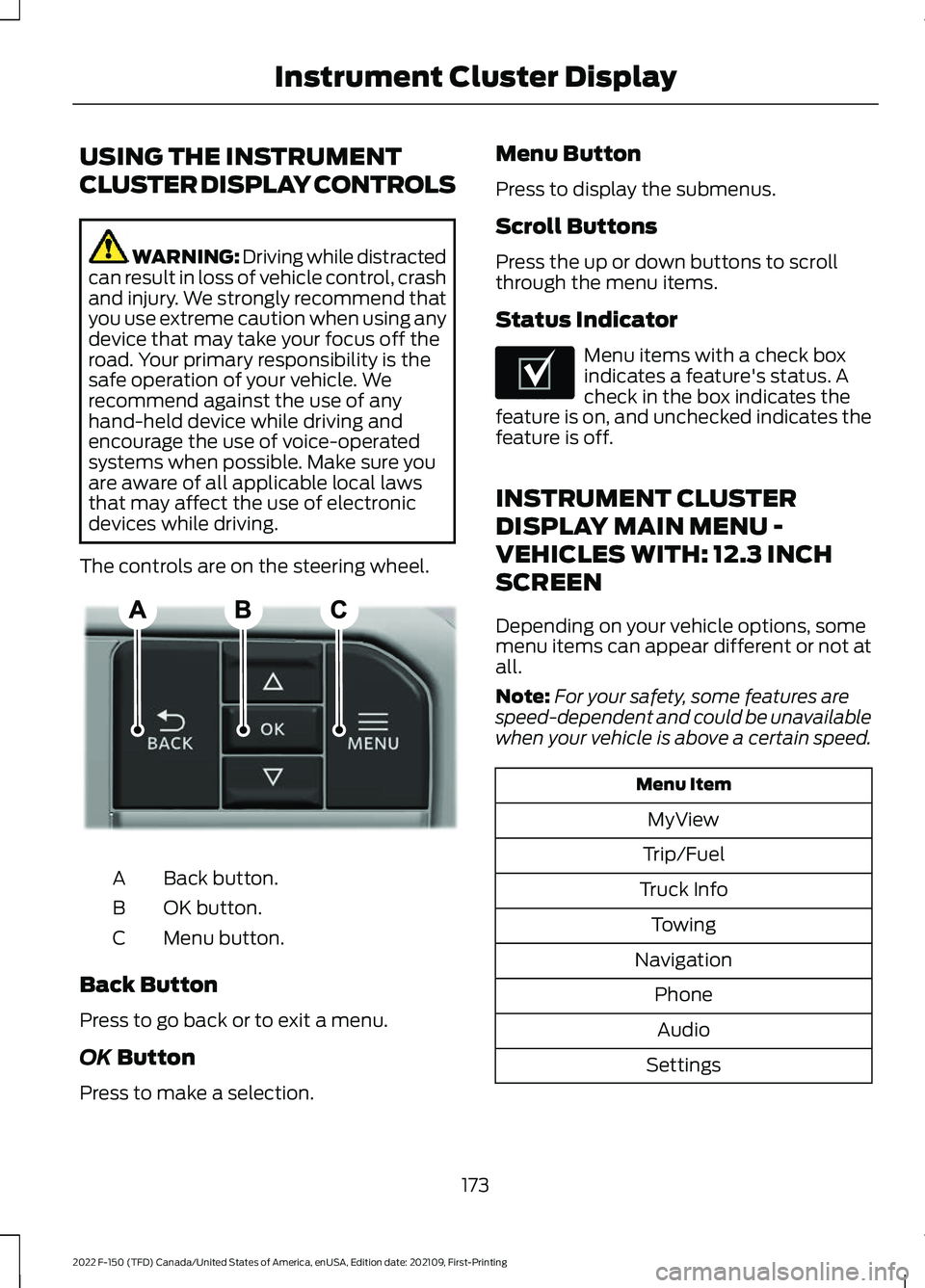
The controls are on the steering wheel. Back button.
A
OK button.
B
Menu button.
C
Back Button
Press to go back or to exit a menu.
OK Button
Press to make a selection. Menu Button
Press to display the submenus.
Scroll Buttons
Press the up or down buttons to scroll
through the menu items.
Status Indicator
Menu items with a check box
indicates a feature's status. A
check in the box indicates the
feature is on, and unchecked indicates the
feature is off.
INSTRUMENT CLUSTER
DISPLAY MAIN MENU -
VEHICLES WITH: 12.3 INCH
SCREEN
Depending on your vehicle options, some
menu items can appear different or not at
all.
Note: For your safety, some features are
speed-dependent and could be unavailable
when your vehicle is above a certain speed. Menu Item
MyView
Trip/Fuel
Truck Info Towing
Navigation PhoneAudio
Settings
173
2022 F-150 (TFD) Canada/United States of America, enUSA, Edition date: 202109, First-Printing Instrument Cluster DisplayE309379 E204495
Page 179 of 750
TRIP COMPUTER - VEHICLES
WITH: 4.2 INCH SCREEN
ACCESSING THE TRIP COMPUTER
Using Select Screens
1. Select Select Screens.
2. Use the controls on the steering wheel
to navigate the menu. See
Customizing the Instrument Cluster
Display
(page 175).
Using the Home Screen
Once screens have been added, use the
controls on the steering wheel to view each
trip screen.
RESETTING THE TRIP COMPUTER
1. Use the controls on the steering wheel
to navigate the home screen.
2. Select
Trip 1 or Trip 2.
3. Press and hold the OK button for a few
seconds.
Note: This Trip resets every time you start
your vehicle.
TRIP COMPUTER - VEHICLES
WITH: 8 INCH SCREEN/12.3
INCH SCREEN
ACCESSING THE TRIP COMPUTER
1. Select
Trip/Fuel.
2. Select
This Trip, Trip 1 or Trip 2.
RESETTING THE TRIP COMPUTER
1. Select
Trip/Fuel.
2. Select
Trip 1 or Trip 2. 3.
Press and hold the OK button for a few
seconds.
Note: This Trip resets every time you start
your vehicle.
CUSTOMIZING THE
INSTRUMENT CLUSTER
DISPLAY
Adding Screens Using MyView
1. Using the information display controls on the steering wheel, select
MyView.
2. Select
Configure MyView.
3. Select a screen.
4. Press the
OK button.
Note: The number of screens you can add
is limited. If the selected screen does not
appear you must deselect screens from the
MyView menu.
Adding Screens Using Select
Screens
1. Select
Select Screens.
2. Use the controls on the steering wheel
to highlight a screen to add.
3. Press the
OK button.
Note: The number of screens you can add
is limited. If the selected screen does not
appear you must deselect screens from the
Select Screens menu.
Configuring Gauges
1. Select
Settings.
2. Select
Configure Gauges.
3. Select to swap or change left-hand side and right-hand side gauges.
175
2022 F-150 (TFD) Canada/United States of America, enUSA, Edition date: 202109, First-Printing Instrument Cluster Display
Page 184 of 750
SWITCHING THE HEATED SEAT
SETTINGS ON AND OFF
1. Press Settings on the touchscreen.
2. Press
Vehicle Settings.
3. Press
Remote Start Setup.
4. Press
Seats.
5. Switch
Auto on or off.
Note: If you switch the heated seat settings
on, the heated seats turn on during cold
weather.
SWITCHING THE HEATED
STEERING WHEEL SETTINGS ON
AND OFF
1. Press
Settings on the touchscreen.
2. Press
Vehicle Settings.
3. Press
Remote Start Setup.
4. Press
Seats and Steering Wheel.
5. Switch
Auto on or off.
Note: If you switch the heated steering
wheel settings on, the heated steering wheel
turns on during cold weather.
SETTING THE REMOTE START
DURATION
1. Press
Settings on the touchscreen.
2. Press
Vehicle Settings.
3. Press
Remote Start Setup.
4. Press
Duration.
Note: Wait a few seconds before remotely
starting the vehicle after the vehicle stops
running.
180
2022 F-150 (TFD) Canada/United States of America, enUSA, Edition date: 202109, First-Printing Remote Start
(If Equipped)
Page 194 of 750
FRONT SEAT PRECAUTIONS
WARNING: Sitting improperly, out
of position or with the seatback reclined
too far can take weight off the seat
cushion and affect the decision of the
passenger sensing system, resulting in
serious injury or death in the event of a
crash. Always sit upright against your
seat back, with your feet on the floor. WARNING: Do not recline the seat
backrest too far as this can cause the
occupant to slide under the seatbelt,
resulting in personal injury in the event
of a crash. WARNING:
Do not place objects
higher than the top of the seat backrest.
Failure to follow this instruction could
result in personal injury or death in the
event of a sudden stop or crash. WARNING: Do not adjust the driver
seat or seat backrest when your vehicle
is moving. This may result in sudden seat
movement, causing the loss of control
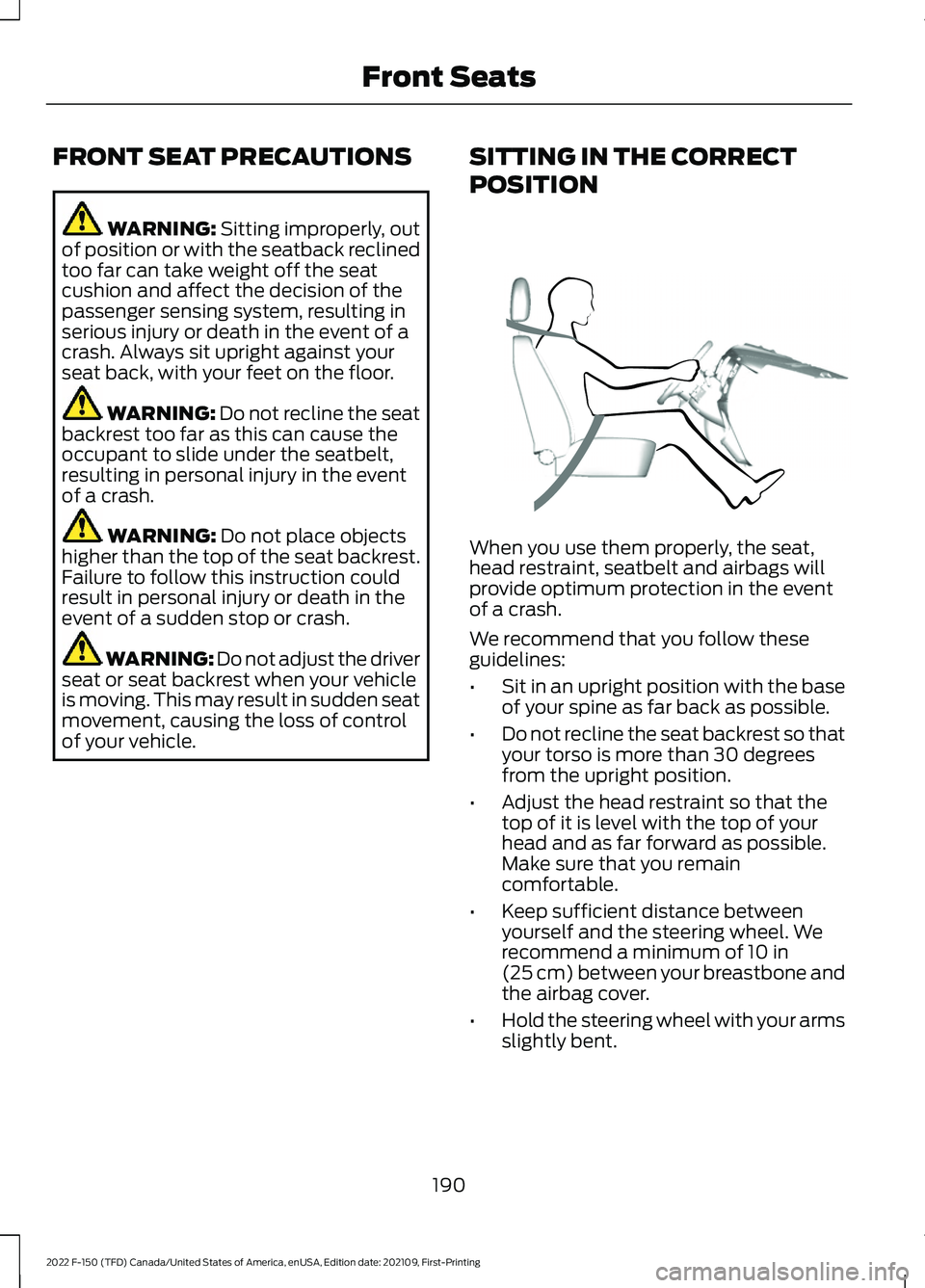
of your vehicle. SITTING IN THE CORRECT
POSITION When you use them properly, the seat,
head restraint, seatbelt and airbags will
provide optimum protection in the event
of a crash.
We recommend that you follow these
guidelines:
•
Sit in an upright position with the base
of your spine as far back as possible.
• Do not recline the seat backrest so that
your torso is more than 30 degrees
from the upright position.
• Adjust the head restraint so that the
top of it is level with the top of your
head and as far forward as possible.
Make sure that you remain
comfortable.
• Keep sufficient distance between
yourself and the steering wheel. We
recommend a minimum of
10 in
(25 cm) between your breastbone and
the airbag cover.
• Hold the steering wheel with your arms
slightly bent.
190
2022 F-150 (TFD) Canada/United States of America, enUSA, Edition date: 202109, First-Printing Front SeatsE68595
Page 208 of 750
WHAT IS THE MEMORY
FUNCTION
The memory function recalls the position
of these features:
•
Driver seat.
• Power mirrors.
• Optional power steering column.
• Optional power adjustable pedals.
MEMORY FUNCTION
PRECAUTIONS WARNING: Before activating the
memory seat, make sure that the area
immediately surrounding the seat is clear
of obstructions and that all occupants
are clear of moving parts. WARNING:
Do not use the memory
function when your vehicle is moving.
LOCATING THE MEMORY
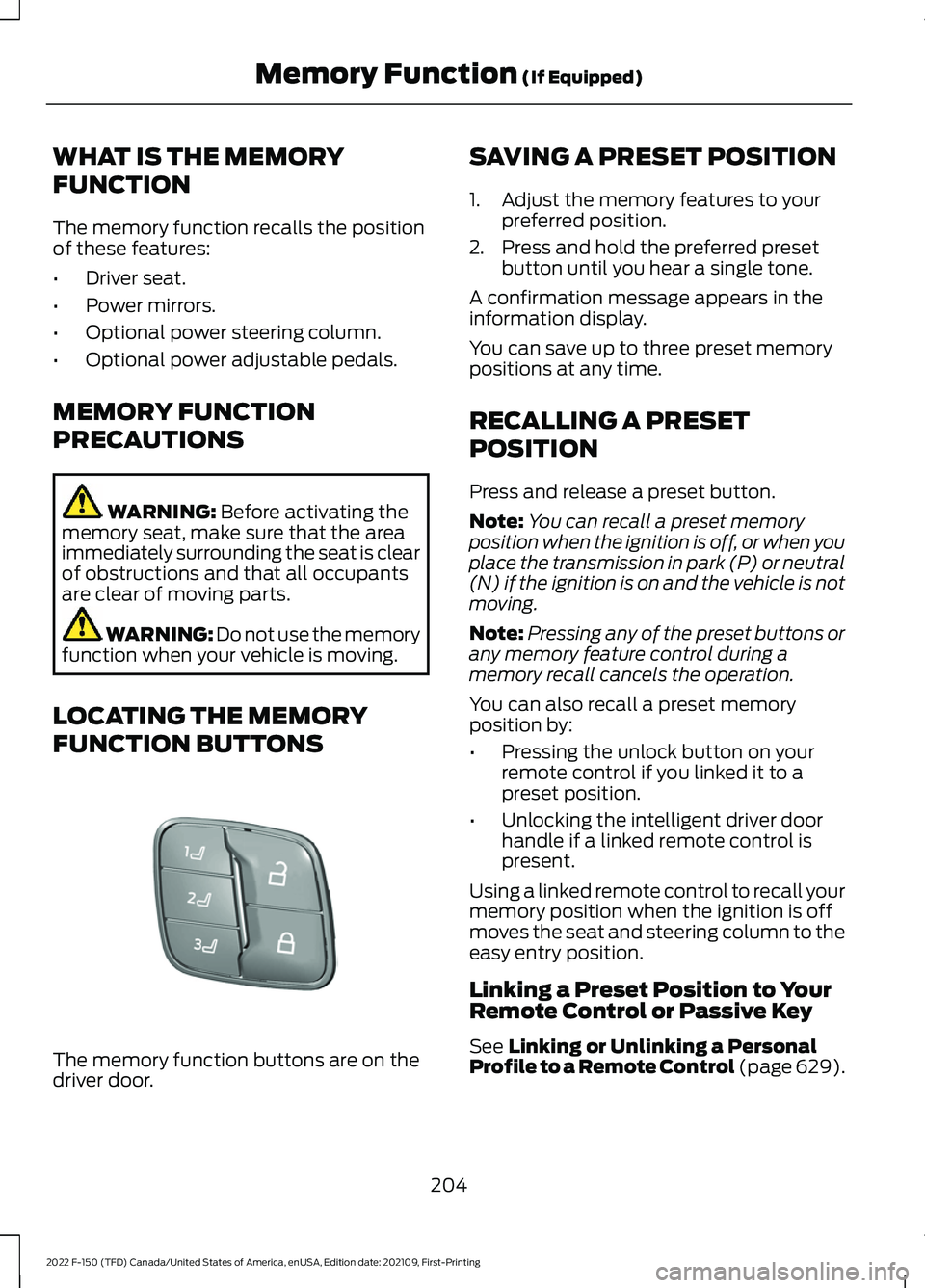
FUNCTION BUTTONS The memory function buttons are on the
driver door. SAVING A PRESET POSITION
1. Adjust the memory features to your
preferred position.
2. Press and hold the preferred preset button until you hear a single tone.
A confirmation message appears in the
information display.
You can save up to three preset memory
positions at any time.
RECALLING A PRESET
POSITION
Press and release a preset button.
Note: You can recall a preset memory
position when the ignition is off, or when you
place the transmission in park (P) or neutral
(N) if the ignition is on and the vehicle is not
moving.
Note: Pressing any of the preset buttons or
any memory feature control during a
memory recall cancels the operation.
You can also recall a preset memory
position by:
• Pressing the unlock button on your
remote control if you linked it to a
preset position.
• Unlocking the intelligent driver door
handle if a linked remote control is
present.
Using a linked remote control to recall your
memory position when the ignition is off
moves the seat and steering column to the
easy entry position.
Linking a Preset Position to Your
Remote Control or Passive Key
See
Linking or Unlinking a Personal
Profile to a Remote Control (page 629).
204
2022 F-150 (TFD) Canada/United States of America, enUSA, Edition date: 202109, First-Printing Memory Function
(If Equipped)E332006
Page 228 of 750
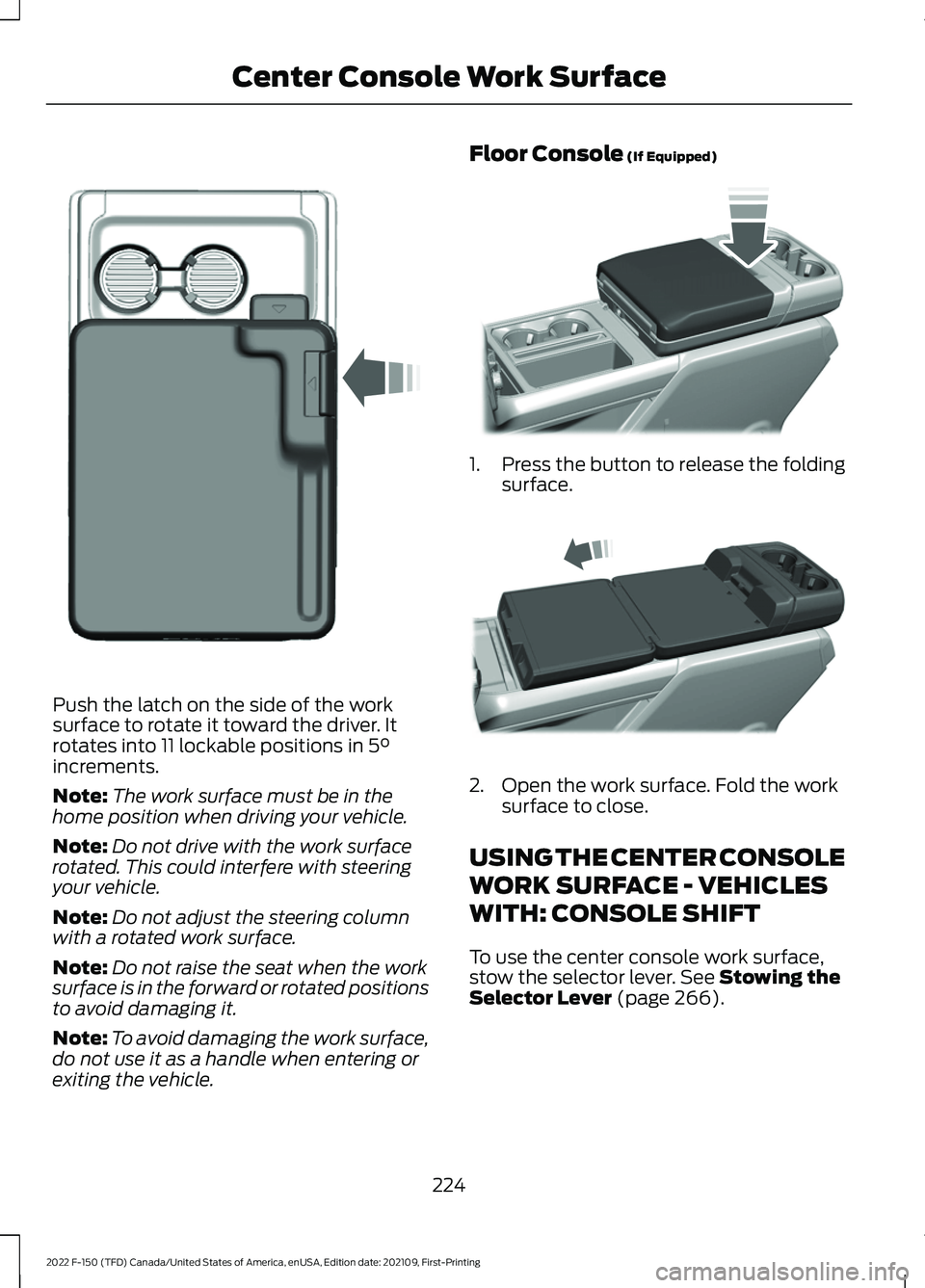
Push the latch on the side of the work
surface to rotate it toward the driver. It
rotates into 11 lockable positions in 5°
increments.
Note: The work surface must be in the
home position when driving your vehicle.
Note: Do not drive with the work surface
rotated. This could interfere with steering
your vehicle.
Note: Do not adjust the steering column
with a rotated work surface.
Note: Do not raise the seat when the work
surface is in the forward or rotated positions
to avoid damaging it.
Note: To avoid damaging the work surface,
do not use it as a handle when entering or
exiting the vehicle. Floor Console
(If Equipped)
1.
Press the button to release the folding
surface. 2. Open the work surface. Fold the work
surface to close.
USING THE CENTER CONSOLE
WORK SURFACE - VEHICLES
WITH: CONSOLE SHIFT
To use the center console work surface,
stow the selector lever.
See Stowing the
Selector Lever (page 266).
224
2022 F-150 (TFD) Canada/United States of America, enUSA, Edition date: 202109, First-Printing Center Console Work SurfaceE331800 E346160 E327043
Page 240 of 750
STOPPING THE ENGINE WHEN
YOUR VEHICLE IS MOVING -
VEHICLES WITHOUT: PUSH
BUTTON START
WARNING: Switching off the
engine when your vehicle is still moving
results in a significant decrease in
braking assistance. Higher effort is
required to apply the brakes and to stop
your vehicle. A significant decrease in
steering assistance could also occur. The
steering does not lock, but higher effort
could be required to steer your vehicle.
When you switch the ignition off, some
electrical circuits, for example airbags,
also turn off. If you unintentionally switch
the ignition off, shift into neutral (N) and
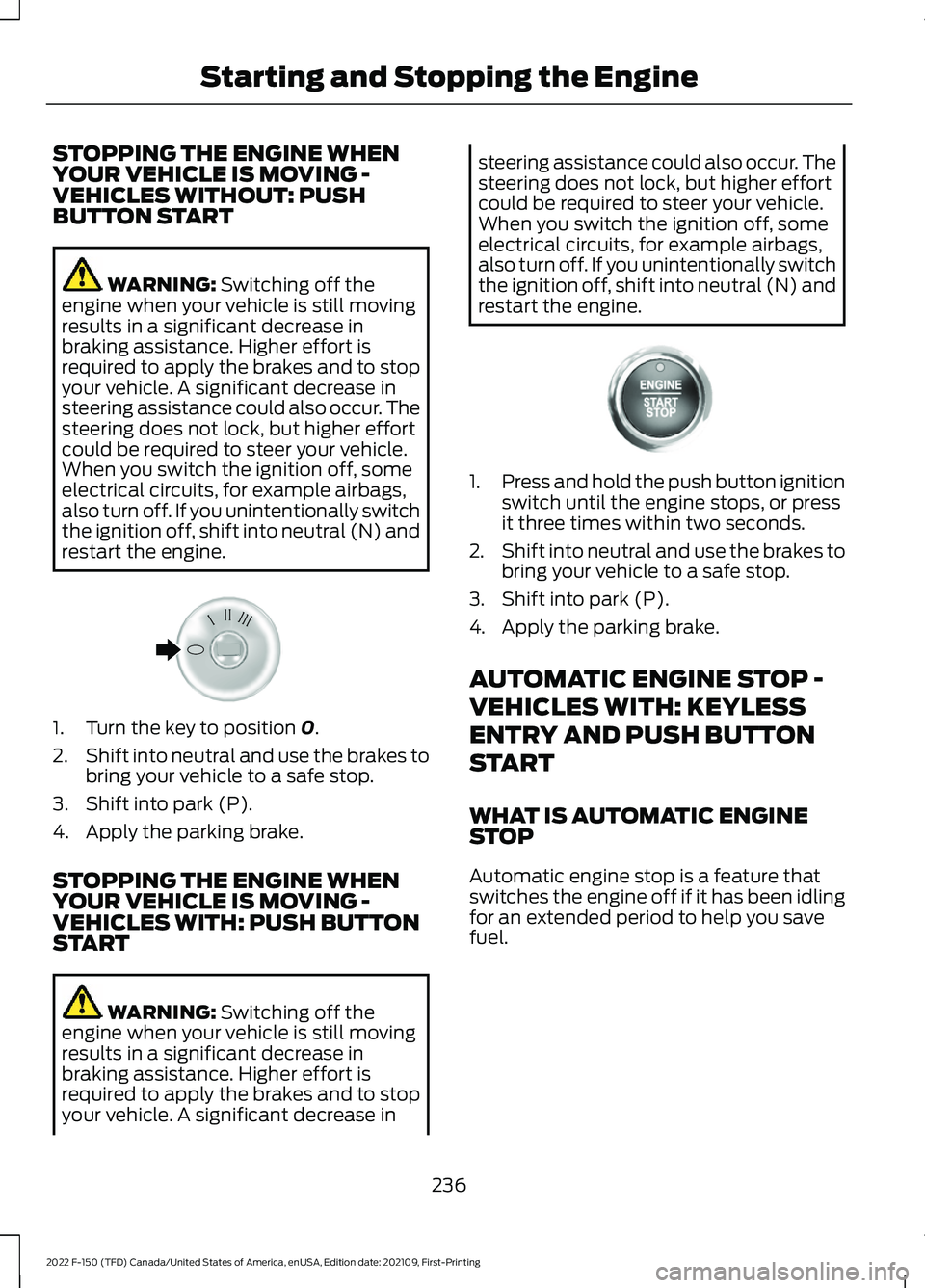
restart the engine. 1. Turn the key to position
0.
2. Shift into neutral and use the brakes to
bring your vehicle to a safe stop.
3. Shift into park (P).
4. Apply the parking brake.
STOPPING THE ENGINE WHEN
YOUR VEHICLE IS MOVING -
VEHICLES WITH: PUSH BUTTON
START WARNING:
Switching off the
engine when your vehicle is still moving
results in a significant decrease in
braking assistance. Higher effort is
required to apply the brakes and to stop
your vehicle. A significant decrease in steering assistance could also occur. The
steering does not lock, but higher effort
could be required to steer your vehicle.
When you switch the ignition off, some
electrical circuits, for example airbags,
also turn off. If you unintentionally switch
the ignition off, shift into neutral (N) and
restart the engine.
1.
Press and hold the push button ignition
switch until the engine stops, or press
it three times within two seconds.
2. Shift into neutral and use the brakes to
bring your vehicle to a safe stop.
3. Shift into park (P).
4. Apply the parking brake.
AUTOMATIC ENGINE STOP -
VEHICLES WITH: KEYLESS
ENTRY AND PUSH BUTTON
START
WHAT IS AUTOMATIC ENGINE
STOP
Automatic engine stop is a feature that
switches the engine off if it has been idling
for an extended period to help you save
fuel.
236
2022 F-150 (TFD) Canada/United States of America, enUSA, Edition date: 202109, First-Printing Starting and Stopping the EngineE322405 E321258
Page 265 of 750
MANUAL (M)
To select manual mode press the (M)
button on the shifter.
Note:
In order to activate manual mode
your vehicle must be in drive (D).
This position allows you to change gears
up or down as preferred using + or -
buttons on the shifter lever.
To return to the normal drive (D) position,
press the (M) button again to exit manual
mode.
SHIFTING YOUR VEHICLE INTO
GEAR
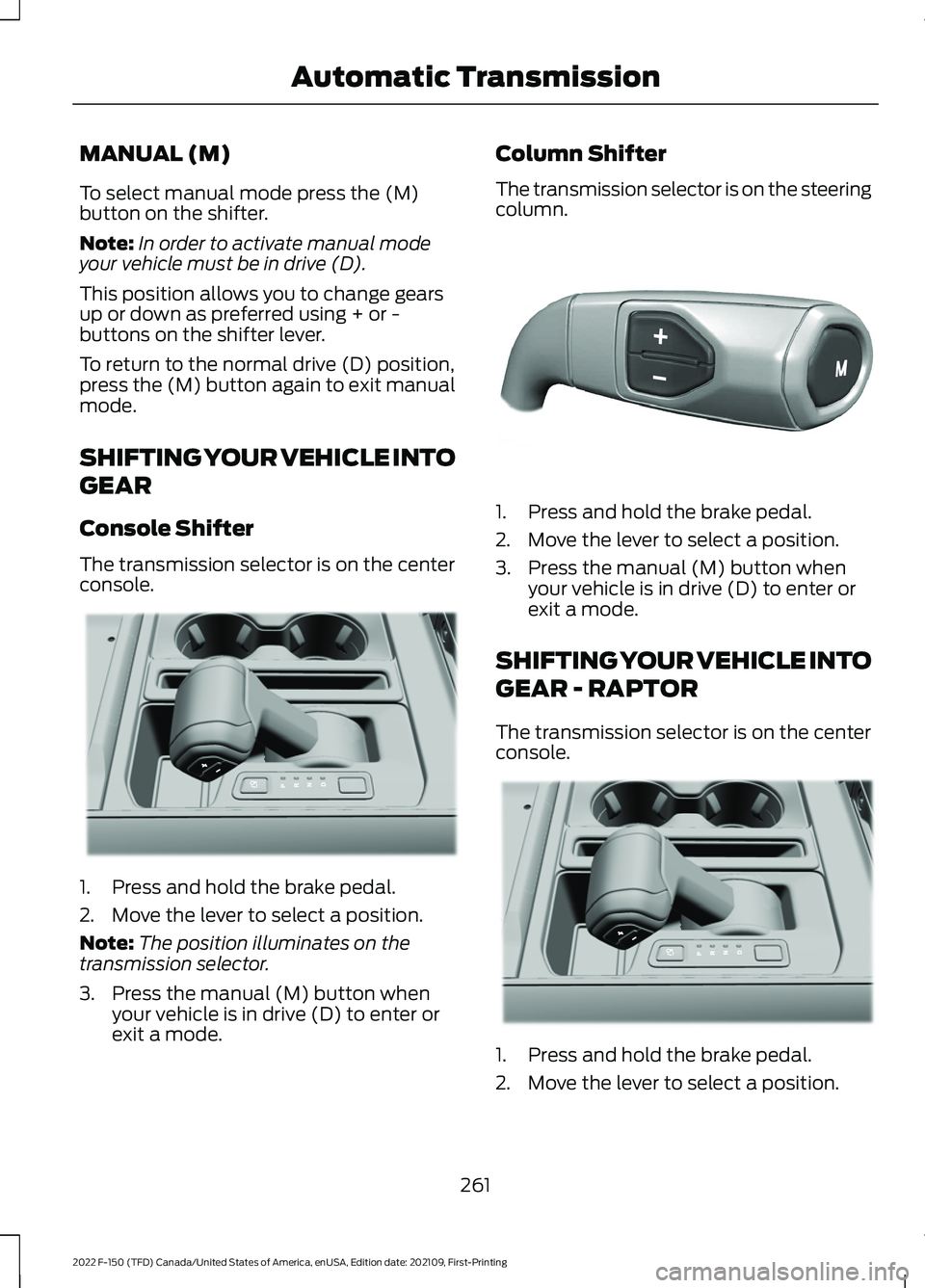
Console Shifter
The transmission selector is on the center
console. 1. Press and hold the brake pedal.
2. Move the lever to select a position.
Note:
The position illuminates on the
transmission selector.
3. Press the manual (M) button when your vehicle is in drive (D) to enter or
exit a mode. Column Shifter
The transmission selector is on the steering
column.
1. Press and hold the brake pedal.
2. Move the lever to select a position.
3. Press the manual (M) button when
your vehicle is in drive (D) to enter or
exit a mode.
SHIFTING YOUR VEHICLE INTO
GEAR - RAPTOR
The transmission selector is on the center
console. 1. Press and hold the brake pedal.
2. Move the lever to select a position.
261
2022 F-150 (TFD) Canada/United States of America, enUSA, Edition date: 202109, First-Printing Automatic TransmissionE311503 E327267 E311503
Page 266 of 750
Note:
The position illuminates on the
transmission selector.
3. Press the manual (M) button when your vehicle is in drive (D) to enter or
exit a mode.
SHIFTING YOUR VEHICLE INTO
GEAR - POLICE RESPONDER
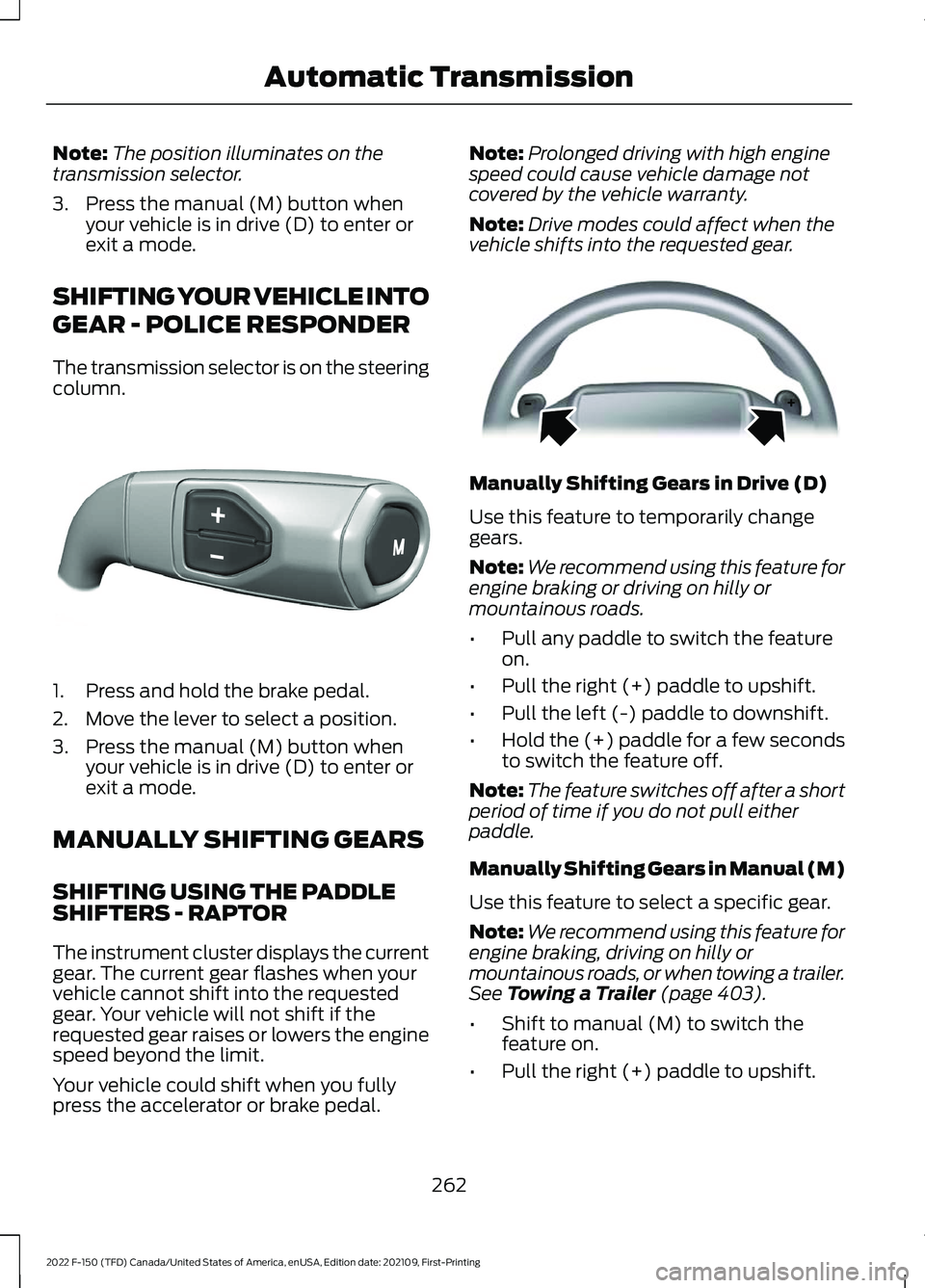
The transmission selector is on the steering
column. 1. Press and hold the brake pedal.
2. Move the lever to select a position.
3. Press the manual (M) button when
your vehicle is in drive (D) to enter or
exit a mode.
MANUALLY SHIFTING GEARS
SHIFTING USING THE PADDLE
SHIFTERS - RAPTOR
The instrument cluster displays the current
gear. The current gear flashes when your
vehicle cannot shift into the requested
gear. Your vehicle will not shift if the
requested gear raises or lowers the engine
speed beyond the limit.
Your vehicle could shift when you fully
press the accelerator or brake pedal. Note:
Prolonged driving with high engine
speed could cause vehicle damage not
covered by the vehicle warranty.
Note: Drive modes could affect when the
vehicle shifts into the requested gear. Manually Shifting Gears in Drive (D)
Use this feature to temporarily change
gears.
Note:
We recommend using this feature for
engine braking or driving on hilly or
mountainous roads.
• Pull any paddle to switch the feature
on.
• Pull the right (+) paddle to upshift.
• Pull the left (-) paddle to downshift.
• Hold the (+) paddle for a few seconds
to switch the feature off.
Note: The feature switches off after a short
period of time if you do not pull either
paddle.
Manually Shifting Gears in Manual (M)
Use this feature to select a specific gear.
Note: We recommend using this feature for
engine braking, driving on hilly or
mountainous roads, or when towing a trailer.
See Towing a Trailer (page 403).
• Shift to manual (M) to switch the
feature on.
• Pull the right (+) paddle to upshift.
262
2022 F-150 (TFD) Canada/United States of America, enUSA, Edition date: 202109, First-Printing Automatic TransmissionE327267 E144821
Page 271 of 750
Note:
Do not store objects in the selector
lever stow bin, and be sure that the bottom
selector lever tray mat is flat inside the
selector lever stow bin.
Note: If there are objects in the stow bin
while stowing the selector lever, the selector
lever could come back to the upright park
(P) position.
MANUAL PARK RELEASE
WHAT IS MANUAL PARK RELEASE
Manual park release allows you to move
your transmission out of the park (P)
position in the event of an electrical
malfunction or emergency.
MANUAL PARK RELEASE
PRECAUTIONS WARNING: When doing this
procedure, you need to take the
transmission out of park (P) which
means your vehicle can roll freely. To
avoid unwanted vehicle movement,
always fully apply the parking brake prior
to doing this procedure. Use wheels
chocks if appropriate. WARNING:
If the parking brake is
fully released, but the brake warning
lamp remains illuminated, the brakes
may not be working properly. Have your
vehicle checked as soon as possible. WARNING:
Do not drive your
vehicle until you verify that the
stoplamps are working.
Use the manual park release to move your
transmission from the park (P) position in
the event of an electrical malfunction or
emergency. See
Emergency Towing
(page 471). Note:
Do not engage the manual park
release with the engine on.
USING MANUAL PARK RELEASE
Activating the Manual Park
Release Cable
1. Apply the parking brake. See Electric
Parking Brake
(page 289).
Note: If vehicle battery is dead, for example,
no electrical power available, an external
power source may be required to apply the
parking brake.
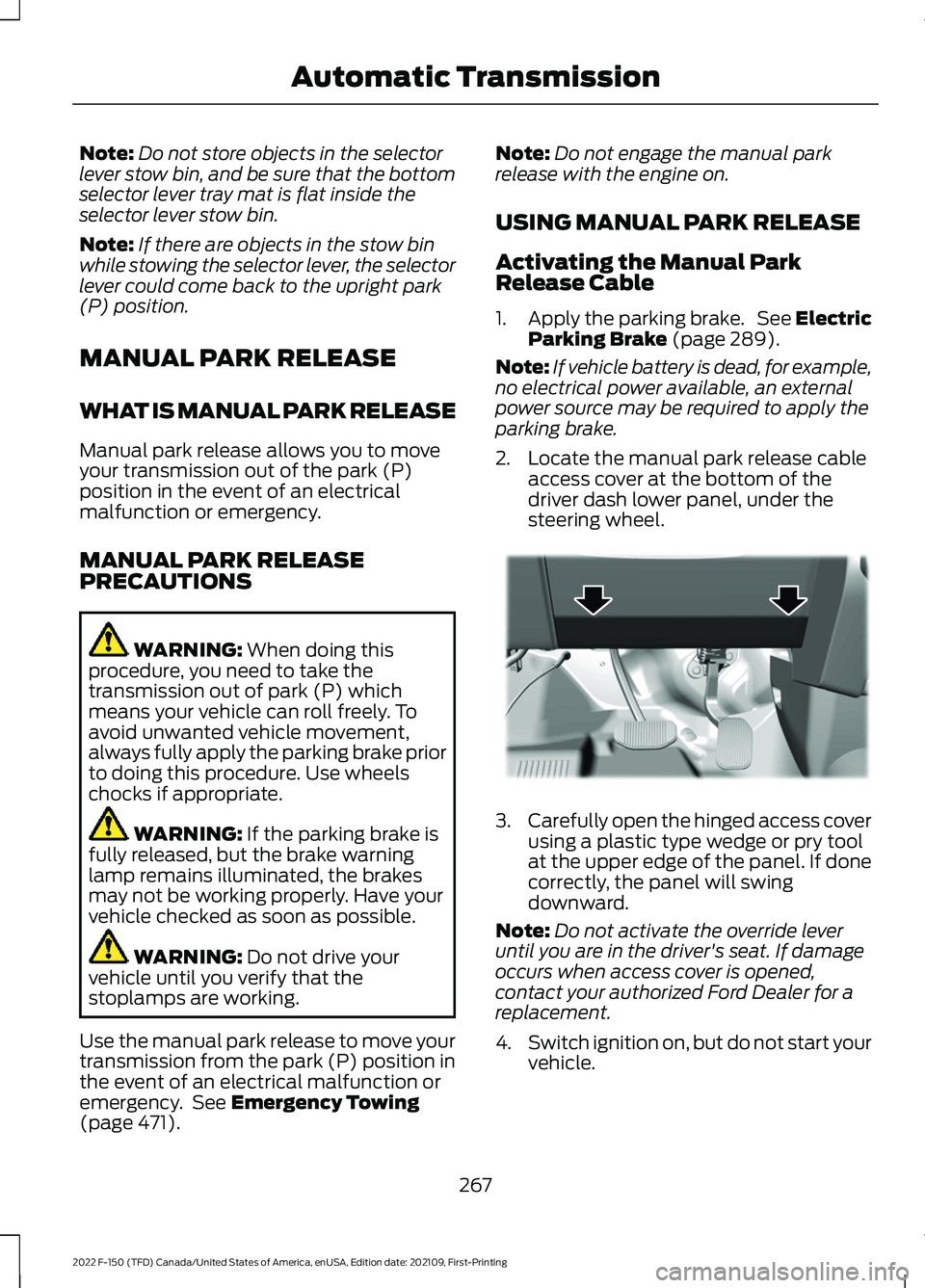
2. Locate the manual park release cable access cover at the bottom of the
driver dash lower panel, under the
steering wheel. 3.
Carefully open the hinged access cover
using a plastic type wedge or pry tool
at the upper edge of the panel. If done
correctly, the panel will swing
downward.
Note: Do not activate the override lever
until you are in the driver's seat. If damage
occurs when access cover is opened,
contact your authorized Ford Dealer for a
replacement.
4. Switch ignition on, but do not start your
vehicle.
267
2022 F-150 (TFD) Canada/United States of America, enUSA, Edition date: 202109, First-Printing Automatic TransmissionE336473