audio FORD F-350 2022 Repair Manual
[x] Cancel search | Manufacturer: FORD, Model Year: 2022, Model line: F-350, Model: FORD F-350 2022Pages: 740, PDF Size: 12.6 MB
Page 600 of 740
CENTER DISPLAY
PRECAUTIONS
WARNING: Driving while distracted
can result in loss of vehicle control, crash
and injury. We strongly recommend that
you use extreme caution when using any
device that may take your focus off the
road. Your primary responsibility is the
safe operation of your vehicle. We
recommend against the use of any
hand-held device while driving and
encourage the use of voice-operated
systems when possible. Make sure you
are aware of all applicable local laws
that may affect the use of electronic
devices while driving.
CENTER DISPLAY
LIMITATIONS
Speed-restricted Features
For your safety, some features are not
available while the vehicle is in motion at
or above 6 mph (10 km/h). Settings that
are not critical while driving your vehicle
will be shown as restricted on your display.
See below for examples:
• System Updates.
• Personal Profiles Setup.
• Valet Mode Setup.
• Driver Assistance Settings.
• Auto-Start-Stop Speed Threshold.
Vehicle Settings
• 30 Minute Max Idle.
• MyKey Setup.
• Door Keypad Code Setup.
• Backup Start Passcode Setup. These restricted features will become
available when your vehicle is no longer in
motion.
STATUS BAR
The bar is on top of the display and
indicates the status of your vehicle's
features.
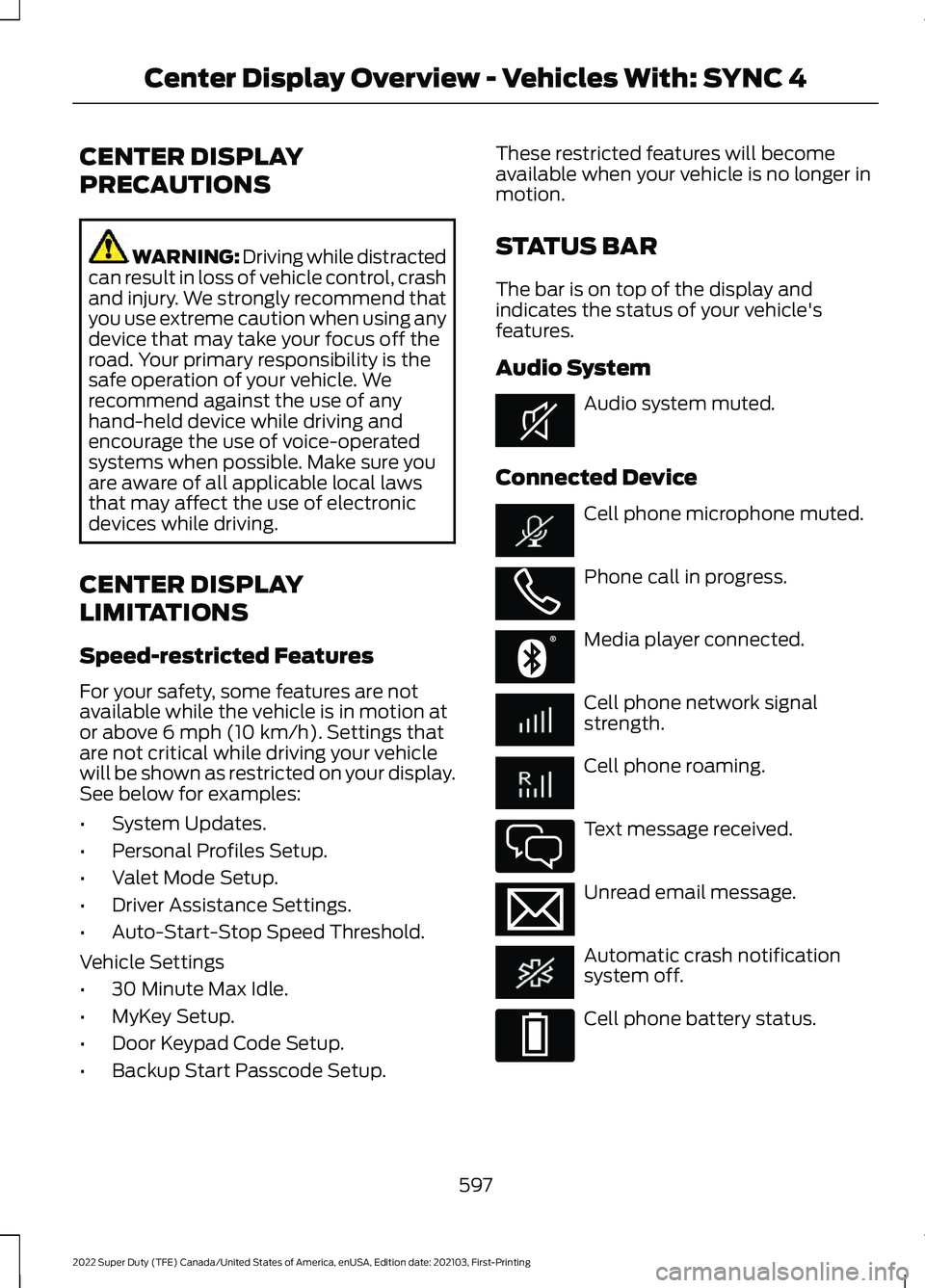
Audio System
Audio system muted.
Connected Device Cell phone microphone muted.
Phone call in progress.
Media player connected.
Cell phone network signal
strength.
Cell phone roaming.
Text message received.
Unread email message.
Automatic crash notification
system off.
Cell phone battery status.
597
2022 Super Duty (TFE) Canada/United States of America, enUSA, Edition date: 202103, First-Printing Center Display Overview - Vehicles With: SYNC 4E353221 E353213 E353208 E335295 E353216 E335293
Page 610 of 740
CONNECTING A BLUETOOTH®
DEVICE
1. Make sure Bluetooth® is enabled on
your device.
2. Press
Settings on the touchscreen.
3. Press
Connectivity.
4. Press
Bluetooth.
5. Press
Add a Bluetooth Device.
Note: A prompt alerts you to search for your
vehicle on your device.
6. Select your vehicle on your device.
Note: A number appears on your device and
on the touchscreen.
7. Confirm that the number on your device matches the number on the
touchscreen.
Note: The touchscreen indicates that you
have successfully paired your device.
The Bluetooth® word mark and logos are
registered trademarks owned by Bluetooth
SIG, Inc.
and any use of such marks by
Ford Motor Company is under license.
Other trademarks and trade names are
those of their respective owners.
PLAYING MEDIA USING
BLUETOOTH® WARNING: Driving while distracted
can result in loss of vehicle control, crash
and injury. We strongly recommend that
you use extreme caution when using any
device that may take your focus off the
road. Your primary responsibility is the
safe operation of your vehicle. We
recommend against the use of any hand-held device while driving and
encourage the use of voice-operated
systems when possible. Make sure you
are aware of all applicable local laws
that may affect the use of electronic
devices while driving.
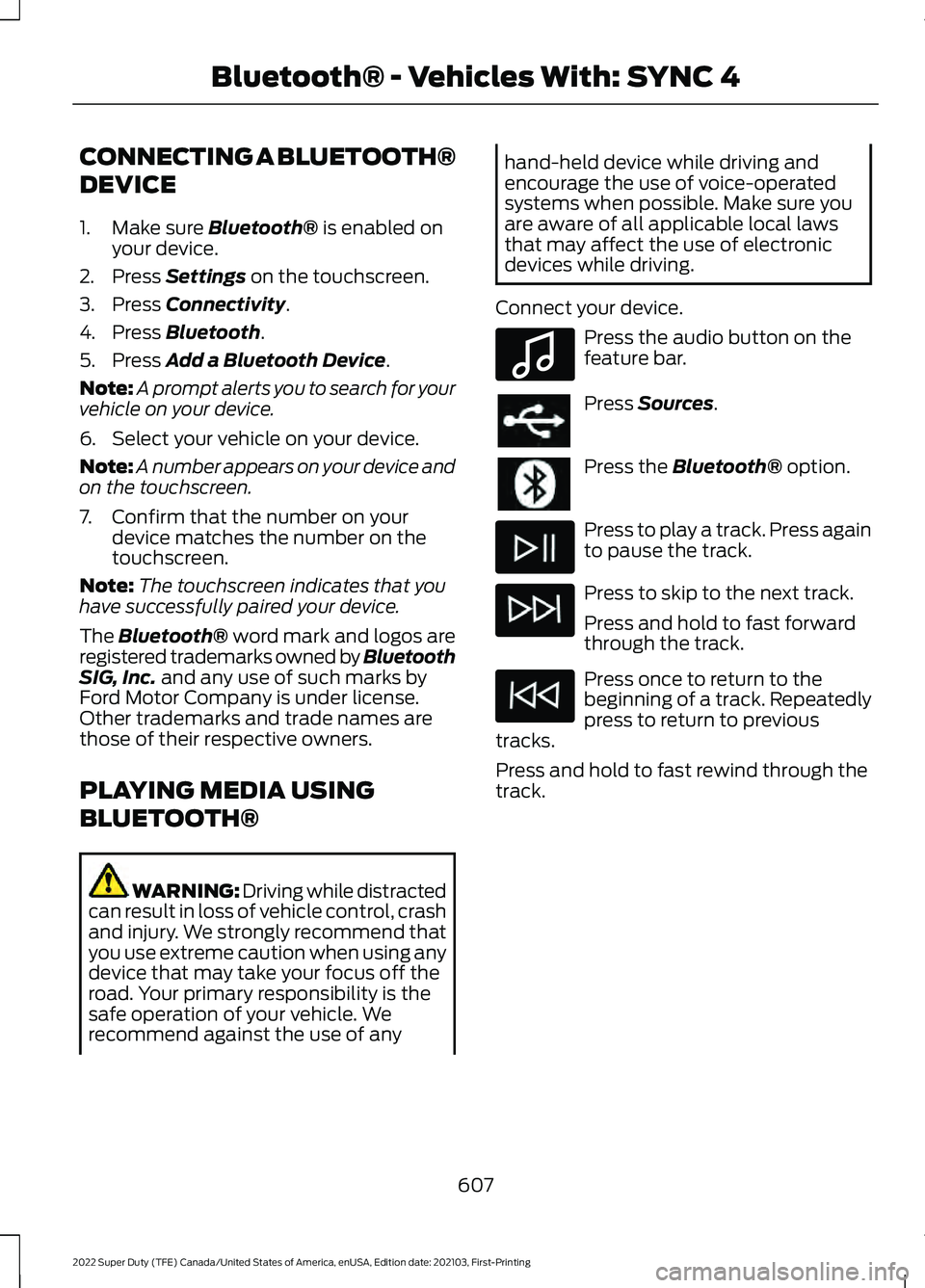
Connect your device. Press the audio button on the
feature bar.
Press
Sources.
Press the
Bluetooth® option.
Press to play a track. Press again
to pause the track.
Press to skip to the next track.
Press and hold to fast forward
through the track.
Press once to return to the
beginning of a track. Repeatedly
press to return to previous
tracks.
Press and hold to fast rewind through the
track.
607
2022 Super Duty (TFE) Canada/United States of America, enUSA, Edition date: 202103, First-Printing Bluetooth® - Vehicles With: SYNC 4E100027
Page 691 of 740
INTELLECTUAL PROPERTY RIGHTS:
All title and intellectual property rights in
and to the SOFTWARE (including but not
limited to any images, photographs,
animations, video, audio, music, text and
"applets" incorporated into the
SOFTWARE), the accompanying printed
materials, and any copies of the
SOFTWARE, are owned by FORD MOTOR
COMPANY, or its affiliates or suppliers. The
SOFTWARE is licensed, not sold. You may
not copy the printed materials
accompanying the SOFTWARE. All title
and intellectual property rights in and to
the content which may be accessed
through use of the SOFTWARE is the
property of the respective content owner
and may be protected by applicable
copyright or other intellectual property
laws and treaties. This EULA grants you no
rights to use such content outside its
intended use. All rights not specifically
granted under this EULA are reserved by
FORD MOTOR COMPANY, its affiliates,
and third party software and service
providers and suppliers. Use of any on-line
services which may be accessed through
the SOFTWARE may be governed by the
respective terms of use relating to such
services. If this SOFTWARE contains
documentation that is provided only in
electronic form, you may print one copy of
such electronic documentation.
EXPORT RESTRICTIONS: You
acknowledge that the SOFTWARE is
subject to U.S. and European Union export
jurisdiction. You agree to comply with all
applicable international and national laws
that apply to the SOFTWARE, including
the U.S. Export Administration Regulations,
as well as end-user, end-use and
destination restrictions issued by U.S. and
other governments. TRADEMARKS: This EULA does not grant
you any rights in connection with any
trademarks or service marks of FORD
MOTOR COMPANY, its affiliates, and third
party software and service providers.
PRODUCT SUPPORT:
Please refer to
FORD MOTOR COMPANY instructions
provided in the documentation for the
DEVICES product support, such as the
vehicle owner guide.
Should you have any questions concerning
this EULA, or if you desire to contact FORD
MOTOR COMPANY for any other reason,
please refer to the address provided in the
documentation for the DEVICES.
No Liability for Certain Damages:
EXCEPT AS PROHIBITED BY LAW, FORD
MOTOR COMPANY, ANY THIRD PARTY
SOFTWARE OR SERVICES SUPPLIERS,
AND THEIR AFFILIATES SHALL HAVE NO
LIABILITY FOR ANY INDIRECT, SPECIAL,
CONSEQUENTIAL OR INCIDENTAL
DAMAGES ARISING FROM OR IN
CONNECTION WITH THE USE OR
PERFORMANCE OF THE SOFTWARE. THIS
LIMITATION SHALL APPLY EVEN IF ANY
REMEDY FAILS OF ITS ESSENTIAL
PURPOSE. THERE ARE NO WARRANTIES
OTHER THAN THOSE THAT MAY BE
EXPRESSLY PROVIDED FOR YOUR NEW
VEHICLE.
SYNC® Automotive Important Safety
Information Read and follow
instructions:
• Before using your SYNC® system, read
and follow all instructions and safety
information provided in this end user
manual ("Owner Guide".) Not
following precautions found in the
Owner Guide can lead to an accident
or other serious injuries.
688
2022 Super Duty (TFE) Canada/United States of America, enUSA, Edition date: 202103, First-Printing Customer Information
Page 697 of 740
2. Account Information
You agree: (a) when registering the
TeleNav Software, to provide TeleNav with
true, accurate, current, and complete
information about yourself, and (b) to
inform TeleNav promptly of any changes
to such information, and to keep it true,
accurate, current and complete.
3. Software License
•
Subject to your compliance with the
terms of this Agreement, TeleNav
hereby grants to you a personal,
non-exclusive, non-transferable license
(except as expressly permitted below
in connection with your permanent
transfer of the TeleNav Software
license), without the right to
sublicense, to use the TeleNav
Software (in object code form only) in
order to access and use the TeleNav
Software. This license shall terminate
upon any termination or expiration of
this Agreement. You agree that you will
use the TeleNav Software only for your
personal business or leisure purposes,
and not to provide commercial
navigation services to other parties.
3.1 License Limitations
• (a) reverse engineer, decompile,
disassemble, translate, modify, alter
or otherwise change the TeleNav
Software or any part thereof;
(b)
attempt to derive the source code,
audio library or structure of the
TeleNav Software without the prior
express written consent of TeleNav;
(c)
remove from the TeleNav
Software, or alter, any of TeleNav's or
its suppliers' trademarks, trade names,
logos, patent or copyright notices, or
other notices or markings;
(d) distribute, sublicense or otherwise
transfer the TeleNav Software to
others, except as part of your
permanent transfer of the TeleNav
Software; or
(e) use the TeleNav
Software in any manner that
I. infringes the intellectual property or
proprietary rights, rights of publicity or
privacy or other rights of any party,
ii. violates any law, statute, ordinance or
regulation, including but not limited to laws
and regulations related to spamming,
privacy, consumer and child protection,
obscenity or defamation, or
iii. is harmful, threatening, abusive,
harassing, tortuous, defamatory, vulgar,
obscene, libelous, or otherwise
objectionable; and (f) lease, rent out, or
otherwise permit unauthorized access by
third parties to the TeleNav Software
without advanced written permission of
TeleNav.
4. Disclaimers
• To the fullest extent permissible
pursuant to applicable law, in no event
will TeleNav, its licensors and suppliers,
or agents or employees of any of the
foregoing, be liable for any decision
made or action taken by you or anyone
else in reliance on the information
provided by the TeleNav Software.
TeleNav also does not warrant the
accuracy of the map or other data used
for the TeleNav Software. Such data
may not always reflect reality due to,
among other things, road closures,
construction, weather, new roads and
other changing conditions. You are
responsible for the entire risk arising
out of your use of the TeleNav
Software. For example but without
limitation, you agree not to rely on the
TeleNav Software for critical
navigation in areas where the
well-being or survival of you or others
694
2022 Super Duty (TFE) Canada/United States of America, enUSA, Edition date: 202103, First-Printing Customer Information
Page 721 of 740
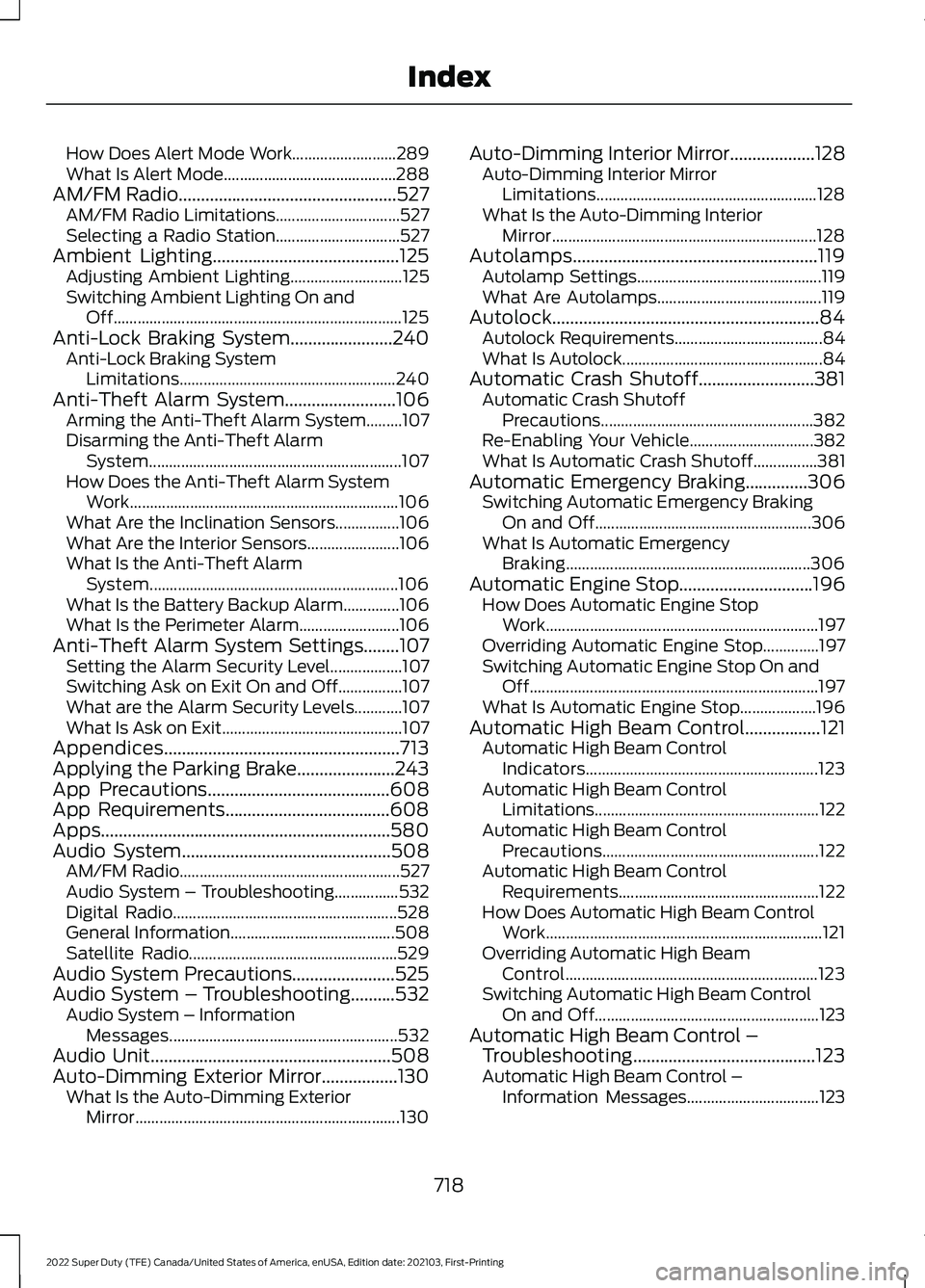
How Does Alert Mode Work..........................
289
What Is Alert Mode........................................... 288
AM/FM Radio.................................................527 AM/FM Radio Limitations............................... 527
Selecting a Radio Station............................... 527
Ambient Lighting..........................................125 Adjusting Ambient Lighting............................ 125
Switching Ambient Lighting On and Off........................................................................\
125
Anti-Lock Braking System.......................240 Anti-Lock Braking System
Limitations...................................................... 240
Anti-Theft Alarm System.........................106 Arming the Anti-Theft Alarm System.........107
Disarming the Anti-Theft Alarm
System............................................................... 107
How Does the Anti-Theft Alarm System Work................................................................... 106
What Are the Inclination Sensors................106
What Are the Interior Sensors....................... 106
What Is the Anti-Theft Alarm System.............................................................. 106
What Is the Battery Backup Alarm..............106
What Is the Perimeter Alarm......................... 106
Anti-Theft Alarm System Settings........107 Setting the Alarm Security Level.................. 107
Switching Ask on Exit On and Off................107
What are the Alarm Security Levels............107
What Is Ask on Exit............................................. 107
Appendices.....................................................713
Applying the Parking Brake......................243
App Precautions.........................................608
App Requirements.....................................608
Apps.................................................................580
Audio System
...............................................508
AM/FM Radio....................................................... 527
Audio System – Troubleshooting................532
Digital Radio........................................................ 528
General Information......................................... 508
Satellite Radio.................................................... 529
Audio System Precautions.......................525
Audio System – Troubleshooting..........532 Audio System – Information
Messages......................................................... 532
Audio Unit
......................................................508
Auto-Dimming Exterior Mirror.................130 What Is the Auto-Dimming Exterior
Mirror.................................................................. 130Auto-Dimming Interior Mirror
...................128
Auto-Dimming Interior Mirror
Limitations....................................................... 128
What Is the Auto-Dimming Interior Mirror.................................................................. 128
Autolamps
.......................................................119
Autolamp Settings.............................................. 119
What Are Autolamps......................................... 119
Autolock............................................................84 Autolock Requirements..................................... 84
What Is Autolock.................................................. 84
Automatic Crash Shutoff..........................381 Automatic Crash Shutoff
Precautions..................................................... 382
Re-Enabling Your Vehicle............................... 382
What Is Automatic Crash Shutoff................381
Automatic Emergency Braking..............306 Switching Automatic Emergency Braking
On and Off...................................................... 306
What Is Automatic Emergency Braking............................................................. 306
Automatic Engine Stop..............................196 How Does Automatic Engine Stop
Work.................................................................... 197
Overriding Automatic Engine Stop..............197
Switching Automatic Engine Stop On and Off........................................................................\
197
What Is Automatic Engine Stop................... 196
Automatic High Beam Control
.................121
Automatic High Beam Control
Indicators.......................................................... 123
Automatic High Beam Control Limitations........................................................ 122
Automatic High Beam Control Precautions...................................................... 122
Automatic High Beam Control Requirements.................................................. 122
How Does Automatic High Beam Control Work..................................................................... 121
Overriding Automatic High Beam Control............................................................... 123
Switching Automatic High Beam Control On and Off........................................................ 123
Automatic High Beam Control – Troubleshooting.........................................123
Automatic High Beam Control – Information Messages................................. 123
718
2022 Super Duty (TFE) Canada/United States of America, enUSA, Edition date: 202103, First-Printing Index
Page 729 of 740
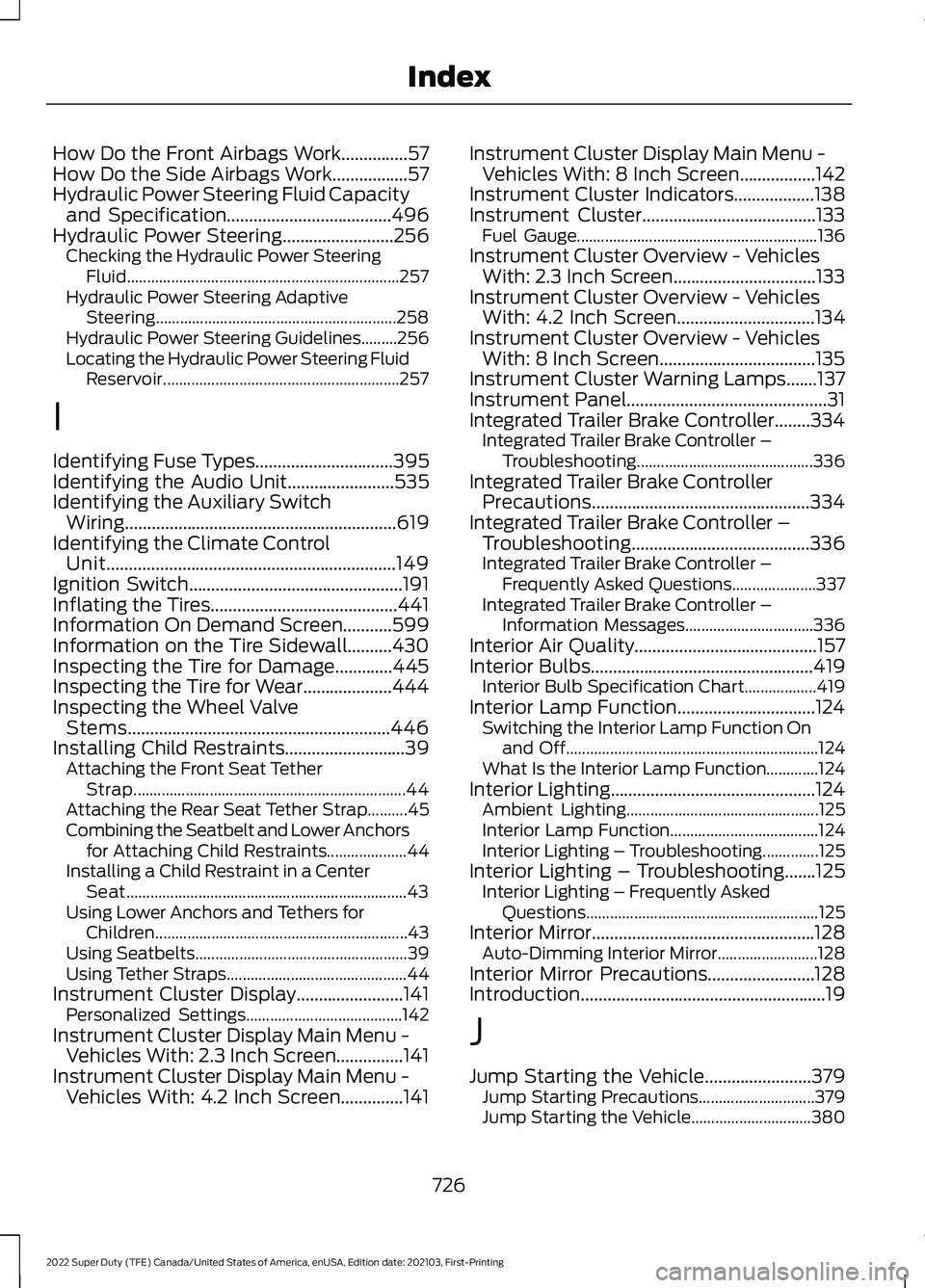
How Do the Front Airbags Work...............57
How Do the Side Airbags Work.................57
Hydraulic Power Steering Fluid Capacity and Specification.....................................496
Hydraulic Power Steering.........................256 Checking the Hydraulic Power Steering
Fluid.................................................................... 257
Hydraulic Power Steering Adaptive Steering............................................................ 258
Hydraulic Power Steering Guidelines.........256
Locating the Hydraulic Power Steering Fluid Reservoir........................................................... 257
I
Identifying Fuse Types
...............................395
Identifying the Audio Unit........................535
Identifying the Auxiliary Switch Wiring
.............................................................619
Identifying the Climate Control Unit.................................................................149
Ignition Switch
................................................191
Inflating the Tires..........................................441
Information On Demand Screen
...........599
Information on the Tire Sidewall..........430
Inspecting the Tire for Damage.............445
Inspecting the Tire for Wear
....................444
Inspecting the Wheel Valve Stems...........................................................446
Installing Child Restraints...........................39 Attaching the Front Seat Tether
Strap.................................................................... 44
Attaching the Rear Seat Tether Strap..........45
Combining the Seatbelt and Lower Anchors for Attaching Child Restraints.................... 44
Installing a Child Restraint in a Center Seat...................................................................... 43
Using Lower Anchors and Tethers for Children............................................................... 43
Using Seatbelts..................................................... 39
Using Tether Straps............................................. 44
Instrument Cluster Display
........................141
Personalized Settings....................................... 142
Instrument Cluster Display Main Menu - Vehicles With: 2.3 Inch Screen...............141
Instrument Cluster Display Main Menu - Vehicles With: 4.2 Inch Screen
..............141 Instrument Cluster Display Main Menu -
Vehicles With: 8 Inch Screen.................142
Instrument Cluster Indicators..................138
Instrument Cluster
.......................................133
Fuel Gauge............................................................ 136
Instrument Cluster Overview - Vehicles With: 2.3 Inch Screen................................133
Instrument Cluster Overview - Vehicles With: 4.2 Inch Screen
...............................134
Instrument Cluster Overview - Vehicles With: 8 Inch Screen...................................135
Instrument Cluster Warning Lamps.......137
Instrument Panel.............................................31
Integrated Trailer Brake Controller........334 Integrated Trailer Brake Controller –
Troubleshooting............................................ 336
Integrated Trailer Brake Controller Precautions.................................................334
Integrated Trailer Brake Controller – Troubleshooting........................................336
Integrated Trailer Brake Controller – Frequently Asked Questions..................... 337
Integrated Trailer Brake Controller – Information Messages................................ 336
Interior Air Quality.........................................157
Interior Bulbs
..................................................419
Interior Bulb Specification Chart.................. 419
Interior Lamp Function...............................124 Switching the Interior Lamp Function On
and Off............................................................... 124
What Is the Interior Lamp Function.............124
Interior Lighting..............................................124 Ambient Lighting................................................ 125
Interior Lamp Function..................................... 124
Interior Lighting – Troubleshooting..............125
Interior Lighting – Troubleshooting.......125 Interior Lighting – Frequently Asked
Questions.......................................................... 125
Interior Mirror..................................................128 Auto-Dimming Interior Mirror......................... 128
Interior Mirror Precautions........................128
Introduction .......................................................
19
J
Jump Starting the Vehicle
........................379
Jump Starting Precautions............................. 379
Jump Starting the Vehicle.............................. 380
726
2022 Super Duty (TFE) Canada/United States of America, enUSA, Edition date: 202103, First-Printing Index
Page 731 of 740
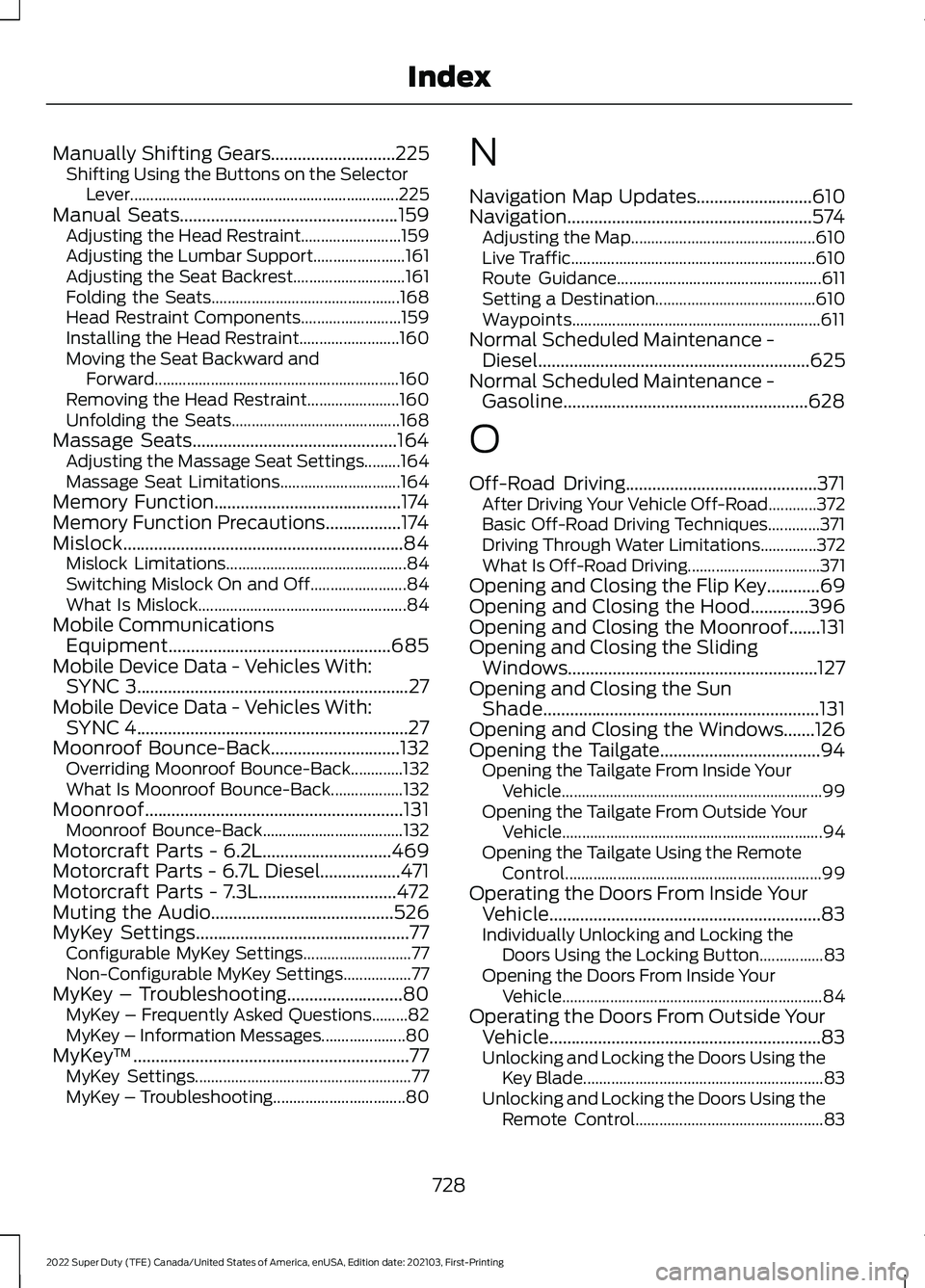
Manually Shifting Gears............................225
Shifting Using the Buttons on the Selector
Lever................................................................... 225
Manual Seats
.................................................159
Adjusting the Head Restraint......................... 159
Adjusting the Lumbar Support....................... 161
Adjusting the Seat Backrest............................ 161
Folding the Seats............................................... 168
Head Restraint Components......................... 159
Installing the Head Restraint......................... 160
Moving the Seat Backward and Forward............................................................. 160
Removing the Head Restraint....................... 160
Unfolding the Seats.......................................... 168
Massage Seats
..............................................164
Adjusting the Massage Seat Settings.........164
Massage Seat Limitations.............................. 164
Memory Function
..........................................174
Memory Function Precautions.................174
Mislock...............................................................84 Mislock Limitations............................................. 84
Switching Mislock On and Off........................ 84
What Is Mislock.................................................... 84
Mobile Communications Equipment..................................................685
Mobile Device Data - Vehicles With: SYNC 3
.............................................................27
Mobile Device Data - Vehicles With: SYNC 4.............................................................27
Moonroof Bounce-Back
.............................132
Overriding Moonroof Bounce-Back.............132
What Is Moonroof Bounce-Back.................. 132
Moonroof
..........................................................131
Moonroof Bounce-Back................................... 132
Motorcraft Parts - 6.2L.............................469
Motorcraft Parts - 6.7L Diesel..................471
Motorcraft Parts - 7.3L
...............................472
Muting the Audio.........................................526
MyKey Settings................................................77 Configurable MyKey Settings........................... 77
Non-Configurable MyKey Settings.................77
MyKey – Troubleshooting..........................80 MyKey – Frequently Asked Questions.........82
MyKey – Information Messages..................... 80
MyKey ™
..............................................................77
MyKey Settings...................................................... 77
MyKey – Troubleshooting................................. 80N
Navigation Map Updates
..........................610
Navigation.......................................................574
Adjusting the Map.............................................. 610
Live Traffic............................................................. 610
Route Guidance................................................... 611
Setting a Destination........................................ 610
Waypoints.............................................................. 611
Normal Scheduled Maintenance - Diesel
.............................................................625
Normal Scheduled Maintenance - Gasoline.......................................................628
O
Off-Road Driving...........................................371 After Driving Your Vehicle Off-Road............372
Basic Off-Road Driving Techniques.............371
Driving Through Water Limitations..............372
What Is Off-Road Driving................................. 371
Opening and Closing the Flip Key............69
Opening and Closing the Hood.............396
Opening and Closing the Moonroof.......131
Opening and Closing the Sliding Windows........................................................127
Opening and Closing the Sun Shade
..............................................................131
Opening and Closing the Windows.......126
Opening the Tailgate....................................94 Opening the Tailgate From Inside Your
Vehicle................................................................. 99
Opening the Tailgate From Outside Your Vehicle................................................................. 94
Opening the Tailgate Using the Remote Control................................................................ 99
Operating the Doors From Inside Your Vehicle.............................................................83
Individually Unlocking and Locking the Doors Using the Locking Button................83
Opening the Doors From Inside Your Vehicle................................................................. 84
Operating the Doors From Outside Your Vehicle.............................................................83
Unlocking and Locking the Doors Using the Key Blade............................................................ 83
Unlocking and Locking the Doors Using the Remote Control............................................... 83
728
2022 Super Duty (TFE) Canada/United States of America, enUSA, Edition date: 202103, First-Printing Index
Page 732 of 740
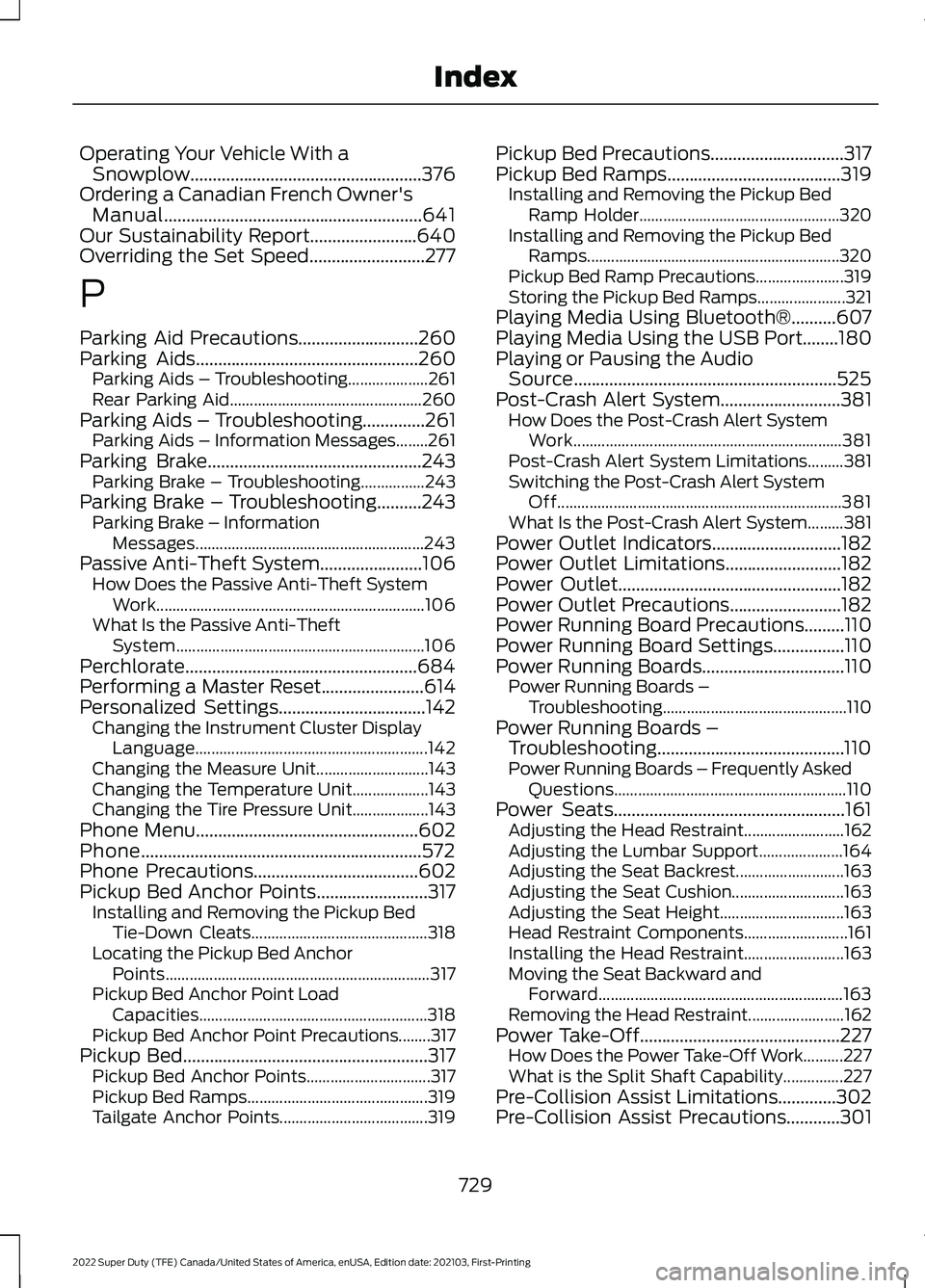
Operating Your Vehicle With a
Snowplow....................................................376
Ordering a Canadian French Owner's Manual..........................................................641
Our Sustainability Report
........................640
Overriding the Set Speed..........................277
P
Parking Aid Precautions
...........................260
Parking Aids..................................................260 Parking Aids – Troubleshooting.................... 261
Rear Parking Aid................................................ 260
Parking Aids – Troubleshooting
..............261
Parking Aids – Information Messages........261
Parking Brake
................................................243
Parking Brake – Troubleshooting................243
Parking Brake – Troubleshooting..........243 Parking Brake – Information
Messages......................................................... 243
Passive Anti-Theft System.......................106 How Does the Passive Anti-Theft System
Work................................................................... 106
What Is the Passive Anti-Theft System.............................................................. 106
Perchlorate
....................................................684
Performing a Master Reset.......................614
Personalized Settings.................................142 Changing the Instrument Cluster Display
Language.......................................................... 142
Changing the Measure Unit............................ 143
Changing the Temperature Unit................... 143
Changing the Tire Pressure Unit................... 143
Phone Menu
..................................................602
Phone...............................................................572
Phone Precautions
.....................................602
Pickup Bed Anchor Points.........................317 Installing and Removing the Pickup Bed
Tie-Down Cleats............................................ 318
Locating the Pickup Bed Anchor Points.................................................................. 317
Pickup Bed Anchor Point Load Capacities......................................................... 318
Pickup Bed Anchor Point Precautions........317
Pickup Bed
.......................................................317
Pickup Bed Anchor Points............................... 317
Pickup Bed Ramps............................................. 319
Tailgate Anchor Points..................................... 319Pickup Bed Precautions
..............................317
Pickup Bed Ramps.......................................319
Installing and Removing the Pickup Bed
Ramp Holder.................................................. 320
Installing and Removing the Pickup Bed Ramps............................................................... 320
Pickup Bed Ramp Precautions...................... 319
Storing the Pickup Bed Ramps...................... 321
Playing Media Using Bluetooth®..........607
Playing Media Using the USB Port
........180
Playing or Pausing the Audio Source...........................................................525
Post-Crash Alert System...........................381 How Does the Post-Crash Alert System
Work................................................................... 381
Post-Crash Alert System Limitations.........381
Switching the Post-Crash Alert System Off....................................................................... 381
What Is the Post-Crash Alert System.........381
Power Outlet Indicators.............................182
Power Outlet Limitations
..........................182
Power Outlet..................................................182
Power Outlet Precautions.........................182
Power Running Board Precautions.........110
Power Running Board Settings
................110
Power Running Boards................................110
Power Running Boards –
Troubleshooting.............................................. 110
Power Running Boards – Troubleshooting..........................................110
Power Running Boards – Frequently Asked Questions.......................................................... 110
Power Seats....................................................161 Adjusting the Head Restraint......................... 162
Adjusting the Lumbar Support..................... 164
Adjusting the Seat Backrest........................... 163
Adjusting the Seat Cushion............................ 163
Adjusting the Seat Height............................... 163
Head Restraint Components.......................... 161
Installing the Head Restraint......................... 163
Moving the Seat Backward and Forward............................................................. 163
Removing the Head Restraint........................ 162
Power Take-Off.............................................227 How Does the Power Take-Off Work..........227
What is the Split Shaft Capability...............227
Pre-Collision Assist Limitations.............302
Pre-Collision Assist Precautions............301
729
2022 Super Duty (TFE) Canada/United States of America, enUSA, Edition date: 202103, First-Printing Index
Page 734 of 740
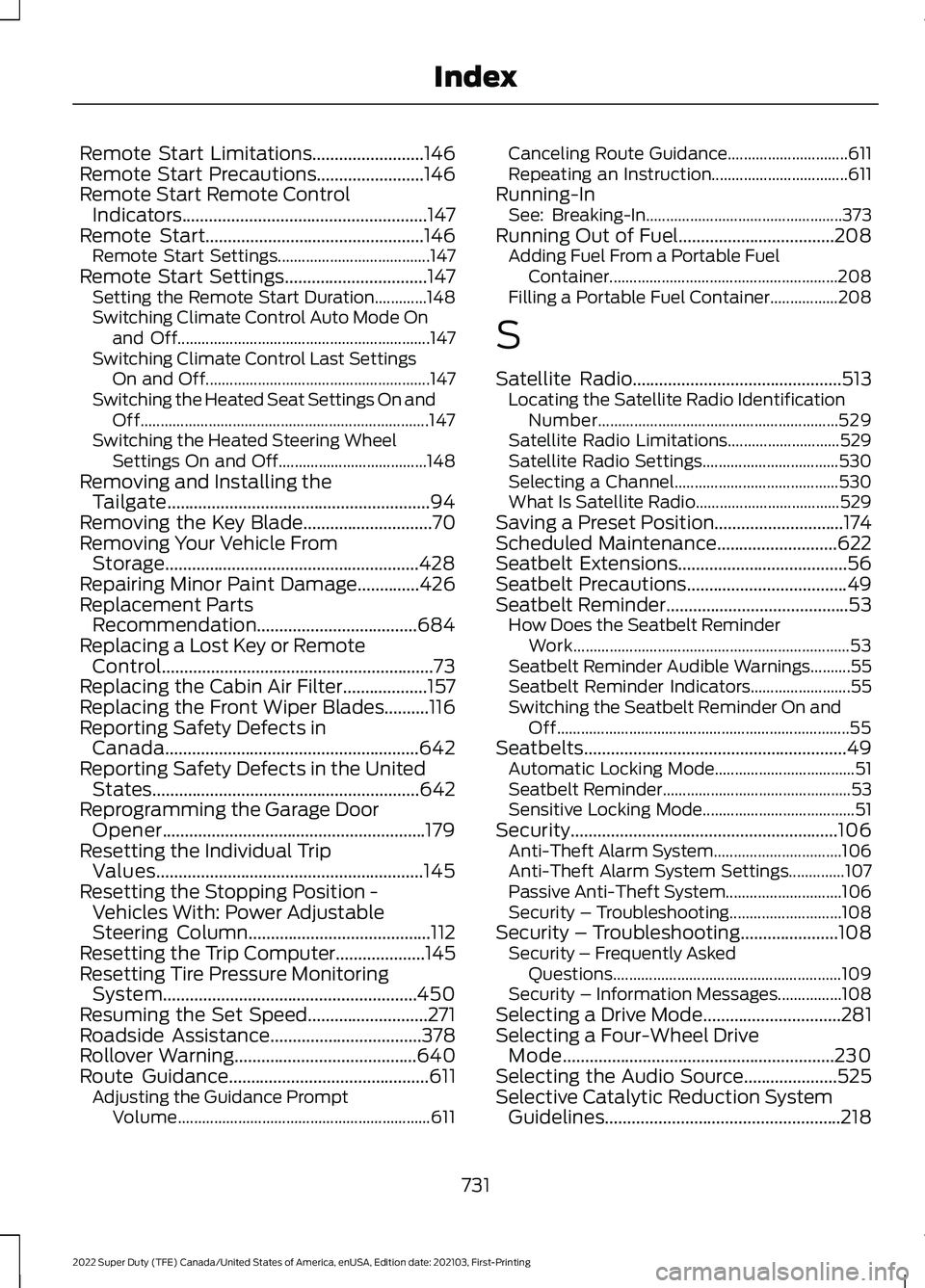
Remote Start Limitations.........................146
Remote Start Precautions........................146
Remote Start Remote Control Indicators.......................................................147
Remote Start
.................................................146
Remote Start Settings...................................... 147
Remote Start Settings................................147 Setting the Remote Start Duration.............148
Switching Climate Control Auto Mode On
and Off............................................................... 147
Switching Climate Control Last Settings On and Off........................................................ 147
Switching the Heated Seat Settings On and Off........................................................................\
147
Switching the Heated Steering Wheel Settings On and Off..................................... 148
Removing and Installing the Tailgate...........................................................94
Removing the Key Blade.............................70
Removing Your Vehicle From Storage.........................................................428
Repairing Minor Paint Damage..............426
Replacement Parts Recommendation....................................684
Replacing a Lost Key or Remote Control
.............................................................73
Replacing the Cabin Air Filter...................157
Replacing the Front Wiper Blades..........116
Reporting Safety Defects in Canada.........................................................642
Reporting Safety Defects in the United States............................................................642
Reprogramming the Garage Door Opener...........................................................179
Resetting the Individual Trip Values............................................................145
Resetting the Stopping Position - Vehicles With: Power Adjustable
Steering Column
.........................................112
Resetting the Trip Computer....................145
Resetting Tire Pressure Monitoring System.........................................................450
Resuming the Set Speed...........................271
Roadside Assistance
..................................378
Rollover Warning.........................................640
Route Guidance.............................................611
Adjusting the Guidance Prompt
Volume............................................................... 611Canceling Route Guidance..............................
611
Repeating an Instruction.................................. 611
Running-In See: Breaking-In................................................. 373
Running Out of Fuel...................................208 Adding Fuel From a Portable Fuel
Container......................................................... 208
Filling a Portable Fuel Container.................208
S
Satellite Radio
...............................................513
Locating the Satellite Radio Identification
Number............................................................ 529
Satellite Radio Limitations............................ 529
Satellite Radio Settings.................................. 530
Selecting a Channel......................................... 530
What Is Satellite Radio.................................... 529
Saving a Preset Position.............................174
Scheduled Maintenance...........................622
Seatbelt Extensions......................................56
Seatbelt Precautions
....................................49
Seatbelt Reminder.........................................53
How Does the Seatbelt Reminder
Work..................................................................... 53
Seatbelt Reminder Audible Warnings..........55
Seatbelt Reminder Indicators......................... 55
Switching the Seatbelt Reminder On and Off........................................................................\
. 55
Seatbelts...........................................................49 Automatic Locking Mode................................... 51
Seatbelt Reminder............................................... 53
Sensitive Locking Mode...................................... 51
Security............................................................106 Anti-Theft Alarm System................................ 106
Anti-Theft Alarm System Settings..............107
Passive Anti-Theft System............................. 106
Security – Troubleshooting............................ 108
Security – Troubleshooting......................108 Security – Frequently Asked
Questions......................................................... 109
Security – Information Messages................108
Selecting a Drive Mode...............................281
Selecting a Four-Wheel Drive Mode.............................................................230
Selecting the Audio Source.....................525
Selective Catalytic Reduction System Guidelines.....................................................218
731
2022 Super Duty (TFE) Canada/United States of America, enUSA, Edition date: 202103, First-Printing Index
Page 737 of 740
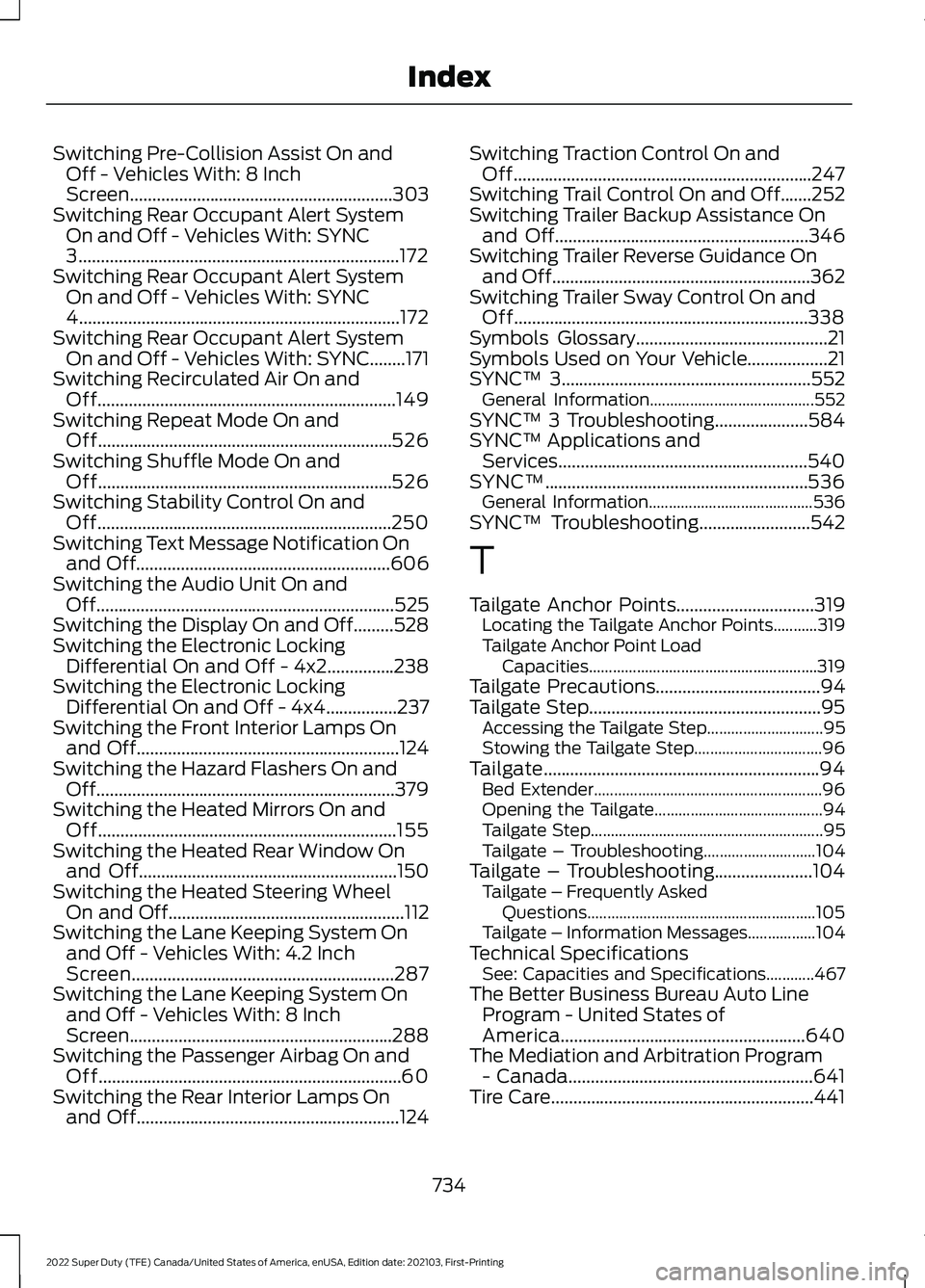
Switching Pre-Collision Assist On and
Off - Vehicles With: 8 Inch
Screen...........................................................303
Switching Rear Occupant Alert System On and Off - Vehicles With: SYNC
3
........................................................................\
172
Switching Rear Occupant Alert System On and Off - Vehicles With: SYNC
4........................................................................\
172
Switching Rear Occupant Alert System On and Off - Vehicles With: SYNC........171
Switching Recirculated Air On and Off...................................................................149
Switching Repeat Mode On and Off..................................................................526
Switching Shuffle Mode On and Off..................................................................526
Switching Stability Control On and Off..................................................................250
Switching Text Message Notification On and Off
.........................................................606
Switching the Audio Unit On and Off...................................................................525
Switching the Display On and Off.........528
Switching the Electronic Locking Differential On and Off - 4x2...............238
Switching the Electronic Locking Differential On and Off - 4x4................237
Switching the Front Interior Lamps On and Off
...........................................................124
Switching the Hazard Flashers On and Off...................................................................379
Switching the Heated Mirrors On and Off
...................................................................155
Switching the Heated Rear Window On and Off
..........................................................150
Switching the Heated Steering Wheel On and Off.....................................................112
Switching the Lane Keeping System On and Off - Vehicles With: 4.2 Inch
Screen...........................................................287
Switching the Lane Keeping System On and Off - Vehicles With: 8 Inch
Screen...........................................................288
Switching the Passenger Airbag On and Off....................................................................60
Switching the Rear Interior Lamps On and Off
...........................................................124 Switching Traction Control On and
Off...................................................................247
Switching Trail Control On and Off
.......252
Switching Trailer Backup Assistance On and Off.........................................................346
Switching Trailer Reverse Guidance On and Off
..........................................................362
Switching Trailer Sway Control On and Off..................................................................338
Symbols Glossary
...........................................21
Symbols Used on Your Vehicle..................21
SYNC™ 3........................................................552 General Information......................................... 552
SYNC™ 3 Troubleshooting.....................584
SYNC™ Applications and Services........................................................540
SYNC™...........................................................536 General Information......................................... 536
SYNC™ Troubleshooting
.........................542
T
Tailgate Anchor Points
...............................319
Locating the Tailgate Anchor Points...........319
Tailgate Anchor Point Load
Capacities......................................................... 319
Tailgate Precautions
.....................................94
Tailgate Step....................................................95 Accessing the Tailgate Step............................. 95
Stowing the Tailgate Step................................ 96
Tailgate..............................................................94 Bed Extender......................................................... 96
Opening the Tailgate.......................................... 94
Tailgate Step.......................................................... 95
Tailgate – Troubleshooting............................ 104
Tailgate – Troubleshooting......................104 Tailgate – Frequently Asked
Questions......................................................... 105
Tailgate – Information Messages.................104
Technical Specifications See: Capacities and Specifications............467
The Better Business Bureau Auto Line Program - United States of
America.......................................................640
The Mediation and Arbitration Program - Canada.......................................................641
Tire Care
...........................................................441
734
2022 Super Duty (TFE) Canada/United States of America, enUSA, Edition date: 202103, First-Printing Index