instrument cluster FORD F-450 2022 Owner's Manual
[x] Cancel search | Manufacturer: FORD, Model Year: 2022, Model line: F-450, Model: FORD F-450 2022Pages: 740, PDF Size: 12.6 MB
Page 141 of 740
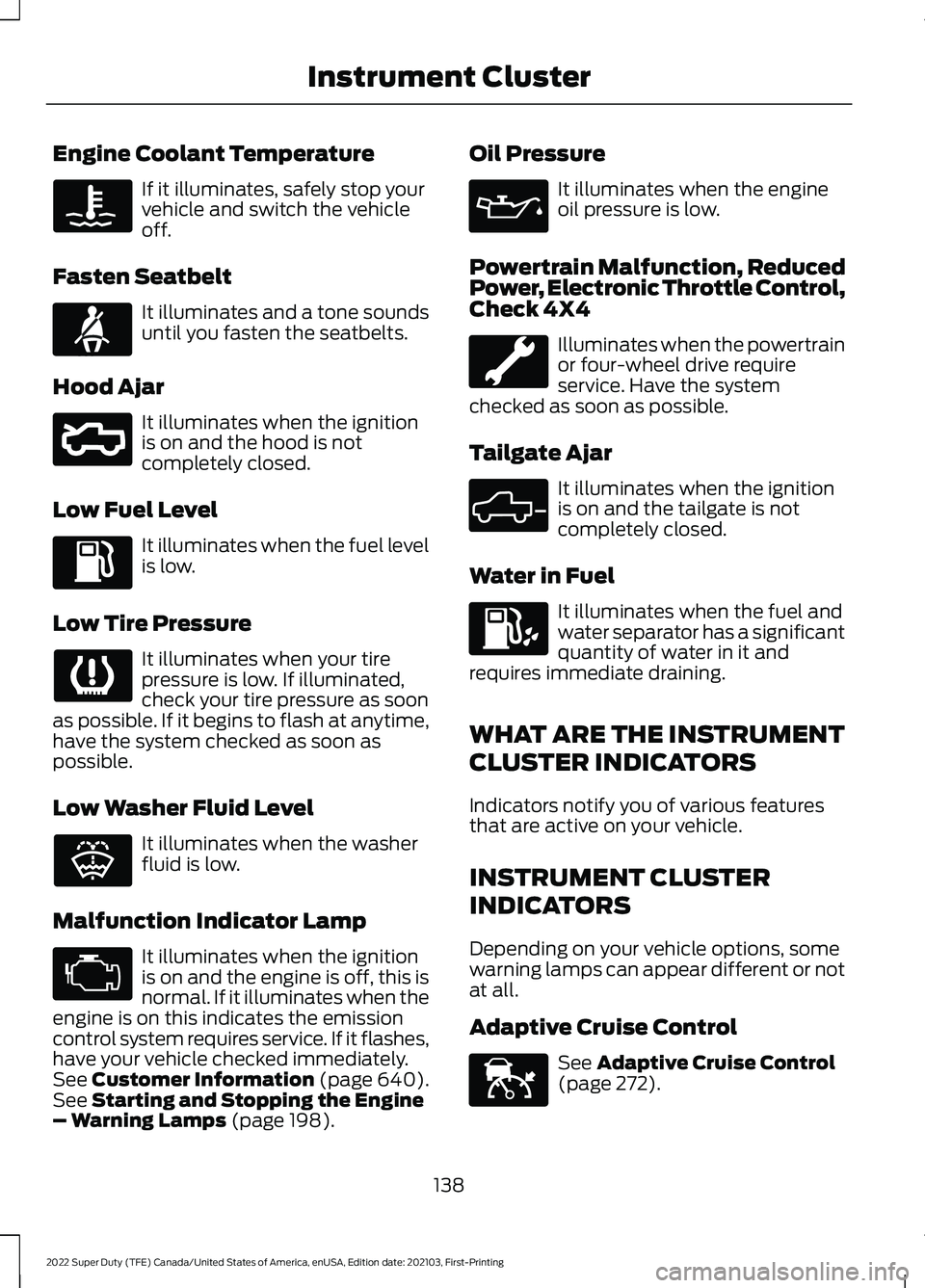
Engine Coolant Temperature
If it illuminates, safely stop your
vehicle and switch the vehicle
off.
Fasten Seatbelt It illuminates and a tone sounds
until you fasten the seatbelts.
Hood Ajar It illuminates when the ignition
is on and the hood is not
completely closed.
Low Fuel Level It illuminates when the fuel level
is low.
Low Tire Pressure It illuminates when your tire
pressure is low. If illuminated,
check your tire pressure as soon
as possible. If it begins to flash at anytime,
have the system checked as soon as
possible.
Low Washer Fluid Level It illuminates when the washer
fluid is low.
Malfunction Indicator Lamp It illuminates when the ignition
is on and the engine is off, this is
normal. If it illuminates when the
engine is on this indicates the emission
control system requires service. If it flashes,
have your vehicle checked immediately.
See Customer Information (page 640).
See Starting and Stopping the Engine
– Warning Lamps (page 198). Oil Pressure It illuminates when the engine
oil pressure is low.
Powertrain Malfunction, Reduced
Power, Electronic Throttle Control,
Check 4X4 Illuminates when the powertrain
or four-wheel drive require
service. Have the system
checked as soon as possible.
Tailgate Ajar It illuminates when the ignition
is on and the tailgate is not
completely closed.
Water in Fuel It illuminates when the fuel and
water separator has a significant
quantity of water in it and
requires immediate draining.
WHAT ARE THE INSTRUMENT
CLUSTER INDICATORS
Indicators notify you of various features
that are active on your vehicle.
INSTRUMENT CLUSTER
INDICATORS
Depending on your vehicle options, some
warning lamps can appear different or not
at all.
Adaptive Cruise Control See
Adaptive Cruise Control
(page 272).
138
2022 Super Duty (TFE) Canada/United States of America, enUSA, Edition date: 202103, First-Printing Instrument Cluster E71880 E296055 E132353 E324523 E144524
Page 142 of 740
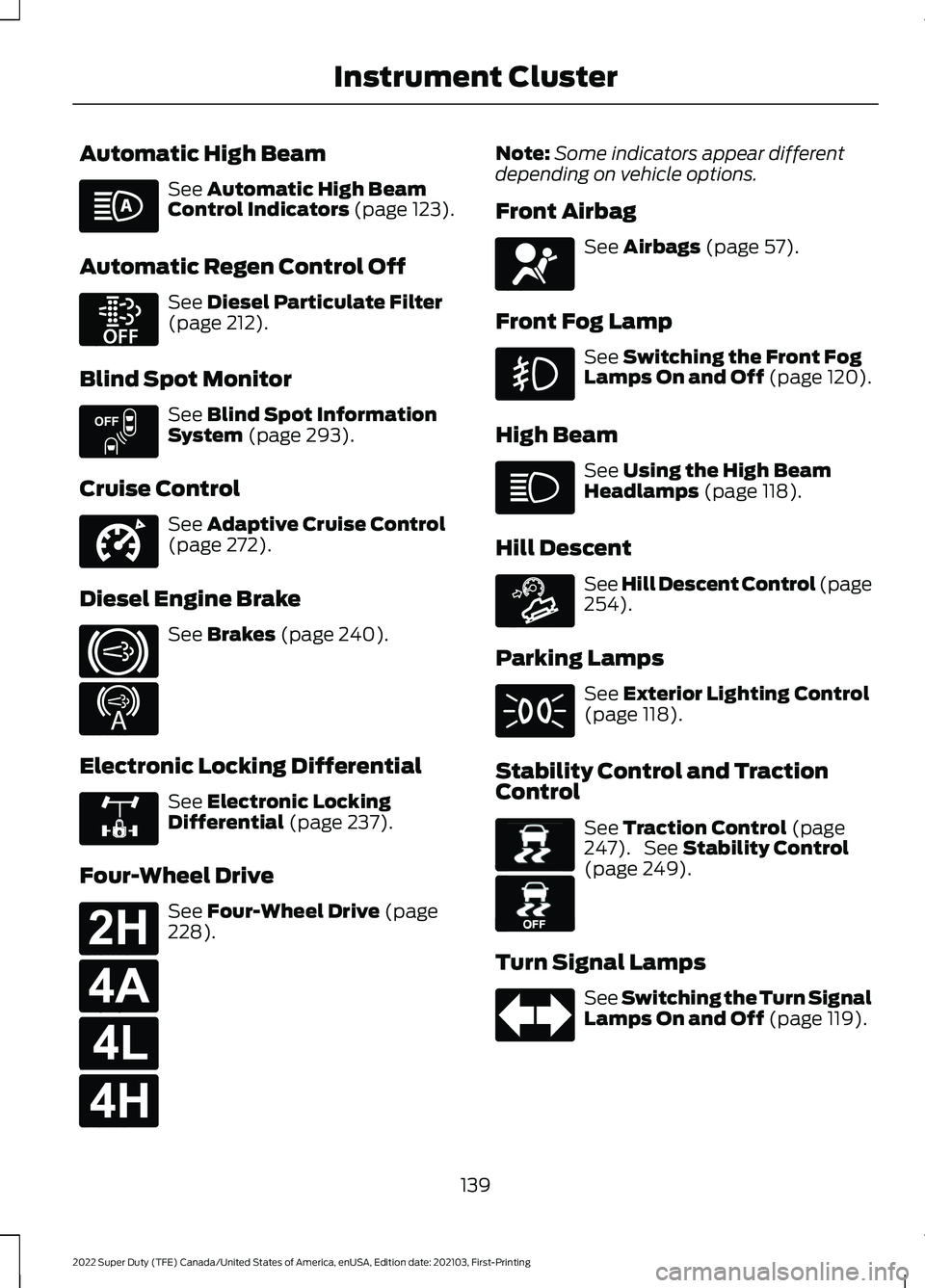
Automatic High Beam
See Automatic High Beam
Control Indicators (page 123).
Automatic Regen Control Off See
Diesel Particulate Filter
(page 212).
Blind Spot Monitor See
Blind Spot Information
System (page 293).
Cruise Control See
Adaptive Cruise Control
(page 272).
Diesel Engine Brake See
Brakes (page 240).
Electronic Locking Differential See
Electronic Locking
Differential (page 237).
Four-Wheel Drive See
Four-Wheel Drive (page
228). Note:
Some indicators appear different
depending on vehicle options.
Front Airbag See
Airbags (page 57).
Front Fog Lamp See
Switching the Front Fog
Lamps On and Off (page 120).
High Beam See
Using the High Beam
Headlamps (page 118).
Hill Descent See Hill Descent Control
(page
254).
Parking Lamps See
Exterior Lighting Control
(page 118).
Stability Control and Traction
Control See
Traction Control (page
247). See Stability Control
(page 249).
Turn Signal Lamps See Switching the Turn Signal
Lamps On and Off
(page 119).
139
2022 Super Duty (TFE) Canada/United States of America, enUSA, Edition date: 202103, First-Printing Instrument Cluster E252868 E151262 E332905 E171217 E234452 E325779 E181778 E181781 E181780 E181779 E67017 E163171 E138639 E130458
Page 143 of 740
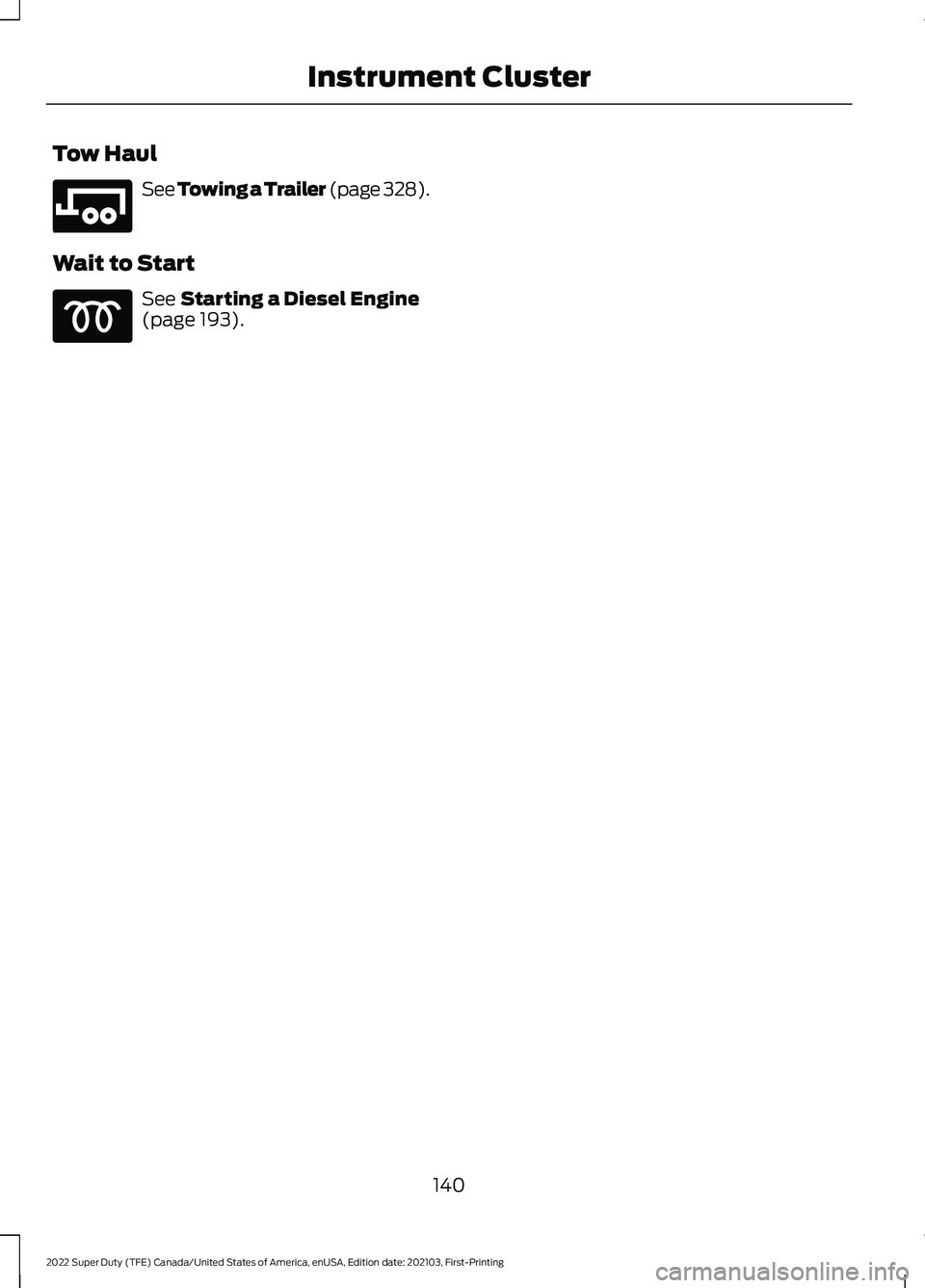
Tow Haul
See Towing a Trailer (page 328).
Wait to Start See
Starting a Diesel Engine
(page 193).
140
2022 Super Duty (TFE) Canada/United States of America, enUSA, Edition date: 202103, First-Printing Instrument ClusterE246592
Page 144 of 740
USING THE INSTRUMENT
CLUSTER DISPLAY CONTROLS
WARNING: Driving while distracted
can result in loss of vehicle control, crash
and injury. We strongly recommend that
you use extreme caution when using any
device that may take your focus off the
road. Your primary responsibility is the
safe operation of your vehicle. We
recommend against the use of any
hand-held device while driving and
encourage the use of voice-operated
systems when possible. Make sure you
are aware of all applicable local laws
that may affect the use of electronic
devices while driving.
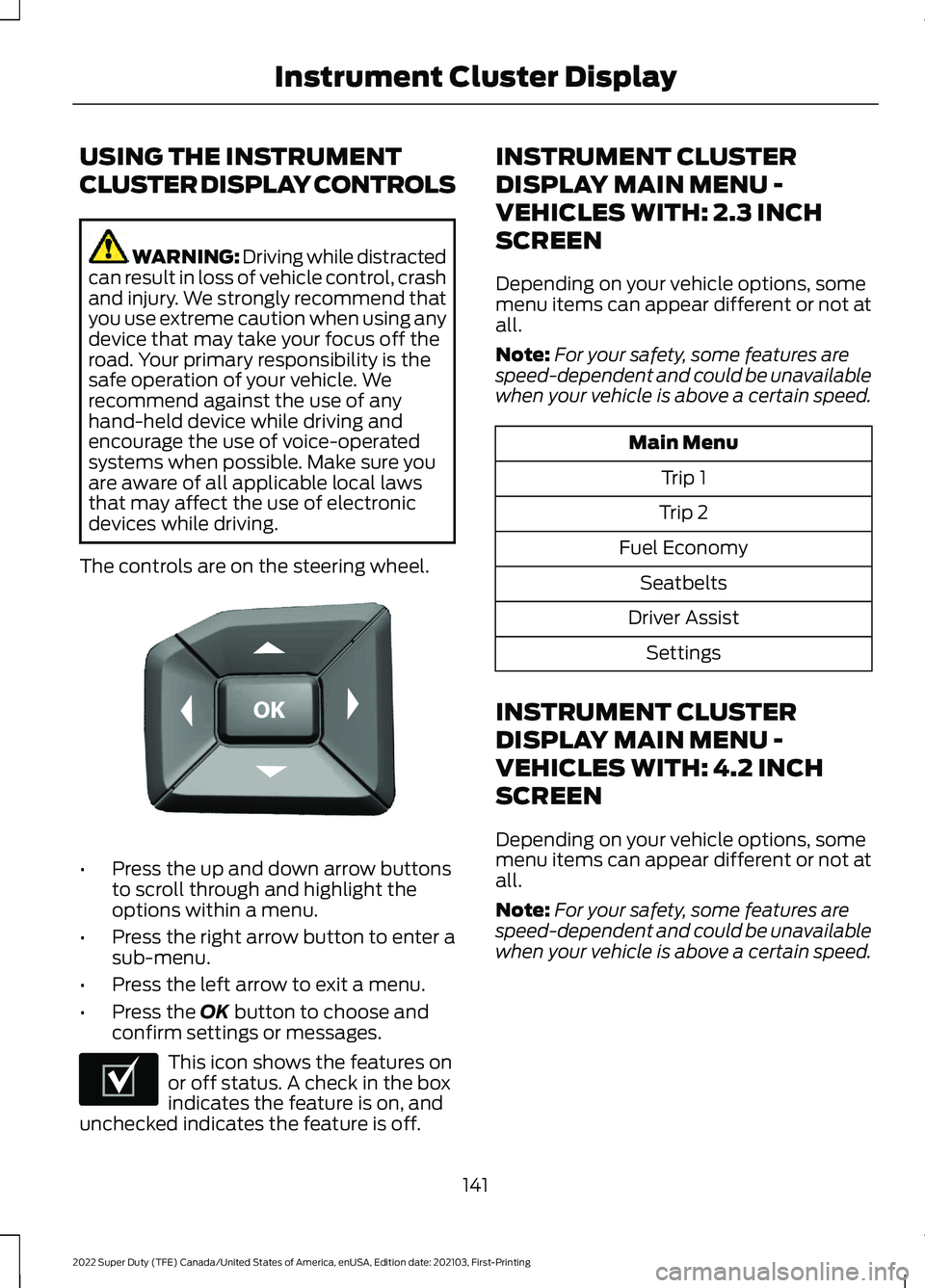
The controls are on the steering wheel. •
Press the up and down arrow buttons
to scroll through and highlight the
options within a menu.
• Press the right arrow button to enter a
sub-menu.
• Press the left arrow to exit a menu.
• Press the OK button to choose and
confirm settings or messages. This icon shows the features on
or off status. A check in the box
indicates the feature is on, and
unchecked indicates the feature is off. INSTRUMENT CLUSTER
DISPLAY MAIN MENU -
VEHICLES WITH: 2.3 INCH
SCREEN
Depending on your vehicle options, some
menu items can appear different or not at
all.
Note:
For your safety, some features are
speed-dependent and could be unavailable
when your vehicle is above a certain speed. Main Menu
Trip 1
Trip 2
Fuel Economy Seatbelts
Driver Assist Settings
INSTRUMENT CLUSTER
DISPLAY MAIN MENU -
VEHICLES WITH: 4.2 INCH
SCREEN
Depending on your vehicle options, some
menu items can appear different or not at
all.
Note: For your safety, some features are
speed-dependent and could be unavailable
when your vehicle is above a certain speed.
141
2022 Super Duty (TFE) Canada/United States of America, enUSA, Edition date: 202103, First-Printing Instrument Cluster DisplayE184451 E204495
Page 145 of 740
Main Menu
Display Mode Trip/FuelTowing
Off-Road Settings
INSTRUMENT CLUSTER
DISPLAY MAIN MENU -
VEHICLES WITH: 8 INCH
SCREEN
Depending on your vehicle options, some
menu items can appear different or not at
all.
Note: For your safety, some features are
speed-dependent and could be unavailable
when your vehicle is above a certain speed. Main Menu
MyView
Trip/Fuel
Truck Info Towing
Off-Road Settings
CUSTOMIZING THE
INSTRUMENT CLUSTER
DISPLAY - VEHICLES WITH: 8
INCH SCREEN
1. Select Settings using the instrument
cluster display controls. 2. Select
Gauge Selection.
3. Select to swap or change left-hand side and right-hand side gauges.
PERSONALIZED SETTINGS
CHANGING THE INSTRUMENT
CLUSTER DISPLAY LANGUAGE -
VEHICLES WITH: 2.3 INCH
SCREEN
1. Select
Settings using the instrument
cluster display controls.
2. Select
Display Setup.
3. Select
Language.
4. Select a language.
CHANGING THE INSTRUMENT
CLUSTER DISPLAY LANGUAGE -
VEHICLES WITH: 4.2 INCH
SCREEN
1. Select
Settings using the instrument
cluster display controls.
2. Select
Advanced Settings.
3. Select
Display Setup.
4. Select
Language.
5. Select a language.
CHANGING THE INSTRUMENT
CLUSTER DISPLAY LANGUAGE -
VEHICLES WITH: 8 INCH SCREEN
1. Select
Settings using the instrument
cluster display controls.
2. Select
Display Setup.
3. Select
Language.
4. Select a language.
142
2022 Super Duty (TFE) Canada/United States of America, enUSA, Edition date: 202103, First-Printing Instrument Cluster Display
Page 146 of 740
CHANGING THE MEASURE UNIT -
VEHICLES WITH: 2.3 INCH
SCREEN
1. Select Settings using the instrument
cluster display controls.
2. Select
Display Setup.
3. Select
Displ. Settings.
4. Select
Units.
5. Select a measurement unit.
CHANGING THE MEASURE UNIT -
VEHICLES WITH: 4.2 INCH
SCREEN
1. Select
Settings using the instrument
cluster display controls.
2. Select
Advanced Settings.
3. Select
Display Setup.
4. Select
Measurement Units.
5. Select a measurement unit.
CHANGING THE MEASURE UNIT -
VEHICLES WITH: 8 INCH SCREEN
1. Select
Settings using the instrument
cluster display controls.
2. Select
Display Setup.
3. Select
Measurement Units.
4. Select a measurement unit.
CHANGING THE TEMPERATURE
UNIT - VEHICLES WITH: 2.3 INCH
SCREEN
1. Select
Settings using the instrument
cluster display controls.
2. Select
Display Setup.
3. Select
Temperature.
4. Select a temperature unit. CHANGING THE TEMPERATURE
UNIT - VEHICLES WITH: 4.2 INCH
SCREEN
1. Select
Settings using the instrument
cluster display controls.
2. Select
Advanced Settings.
3. Select
Display Setup.
4. Select
Temperature Units.
5. Select a temperature unit.
CHANGING THE TEMPERATURE
UNIT - VEHICLES WITH: 8 INCH
SCREEN
1. Select
Settings using the instrument
cluster display controls.
2. Select
Display Setup.
3. Select
Temperature Units.
4. Select a temperature unit.
CHANGING THE TIRE PRESSURE
UNIT - VEHICLES WITH: 2.3 INCH
SCREEN
1. Select
Settings using the instrument
cluster display controls.
2. Select
Display Setup.
3. Select
Tire Pressure.
4. Select a tire pressure unit.
CHANGING THE TIRE PRESSURE
UNIT - VEHICLES WITH: 4.2 INCH
SCREEN
1. Select
Settings using the instrument
cluster display controls.
2. Select
Advanced Settings.
3. Select
Display Setup.
4. Select
Tire Pressure.
5. Select a pressure unit.
143
2022 Super Duty (TFE) Canada/United States of America, enUSA, Edition date: 202103, First-Printing Instrument Cluster Display
Page 147 of 740
CHANGING THE TIRE PRESSURE
UNIT - VEHICLES WITH: 8 INCH
SCREEN
1. Select Settings using the instrument
cluster display controls.
2. Select
Display Setup.
3. Select
Tire Pressure.
4. Select a tire pressure unit.
144
2022 Super Duty (TFE) Canada/United States of America, enUSA, Edition date: 202103, First-Printing Instrument Cluster Display
Page 148 of 740
ACCESSING THE TRIP
COMPUTER - VEHICLES WITH:
2.3 INCH SCREEN
1. Use the instrument cluster display
controls to navigate the home screen.
2. Select Trip 1 or Trip 2.
3. Select a setting and press the
OK
button.
ACCESSING THE TRIP
COMPUTER - VEHICLES WITH:
4.2 INCH SCREEN
1. Use the instrument cluster display controls to navigate the home screen.
2. Select
Trip/Fuel.
3. Press the
OK button.
4. Select
Trip 1 or Trip 2.
ACCESSING THE TRIP
COMPUTER - VEHICLES WITH:
8 INCH SCREEN
1. Use the instrument cluster display controls to navigate the home screen.
2. Select
Trip/Fuel.
3. Press the
OK button.
4. Select
Trip 1 or Trip 2.
RESETTING THE TRIP
COMPUTER
1. Use the instrument cluster display controls to navigate the home screen.
2. Select the trip screen you want to reset.
3. Press and hold the OK button until the
system reset confirmation appears. RESETTING THE INDIVIDUAL
TRIP VALUES
1. Use the instrument cluster display
controls to navigate the home screen.
2. Select
Trip 1 or Trip 2.
3. Press and hold the OK button until the
system reset confirmation appears.
CONFIGURING THE TRIP
COMPUTER
1. Use the instrument cluster display controls to navigate the home screen.
2. Select
Trip 1 or Trip 2.
3. Select a setting and press the
OK
button.
4. Select values to display.
TRIP DATA
Trip 1 and 2
Provides trip timer, trip average fuel
economy and total trip distance traveled.
For hybrid vehicles, the trip also shows the
distance traveled on electric power only.
Note: Trip 1 and 2 are selectable screens.
See
Accessing the Trip Computer (page
145).
This Trip
Provides trip timer, trip average fuel
economy, total trip distance traveled, and
distance traveled on electric power only
with the engine off. If the gasoline engine
has not turned on during the trip then trip
average fuel economy is not shown. This
Trip resets each time you start your vehicle.
Note: This trip is a selectable screen. See
Accessing the Trip Computer
(page 145).
145
2022 Super Duty (TFE) Canada/United States of America, enUSA, Edition date: 202103, First-Printing Trip Computer
Page 217 of 740
Before you start manual regeneration, do
the following:
•
Shift into park (P) and apply the
parking brake, on stable, level ground.
• Park your vehicle outside of any
structure.
• Park your vehicle 10– 15 ft (3–5 m)
away from any obstructions and away
from materials that can easily combust
or melt, for example paper, leaves,
petroleum products, fuels, plastics and
other dry organic material.
• Make sure there is a minimum of 1/8
tank of fuel.
• Make sure all fluids are at proper levels.
DIESEL PARTICULATE FILTER
MANUAL REGENERATION
LIMITATIONS
You cannot use manual regeneration until
the diesel particulate filter load percentage
has reached 100%. The diesel particulate
filter load percentage fluctuates up and
down when driving your vehicle due to
active and passive regenerations.
If your vehicle is operated with significant
stationary operation, low speed drive
cycles less than
25 mph (40 km/h), short
drive cycles, drive time less than 15 minutes
or the vehicle does not fully warm up,
passive and active regeneration may not
sufficiently clean the diesel particulate
filter system.
Aftermarket devices or modifications to
the exhaust system may reduce the
effectiveness of the exhaust system as
well as cause damage to the exhaust
system or engine. This may also degrade
vehicle performance and could lead to
engine damage that may not be covered
by the vehicle Warranty. STARTING DIESEL PARTICULATE
FILTER MANUAL REGENERATION
Start with your vehicle engine and when it
has reached the normal operating
temperature, press the information display
control button on the steering wheel. See
Instrument Cluster Display
(page 141).
If the diesel particulate filter is near or at
saturation, a message requesting
permission to initiate filter cleaning
appears in the information display. See
Diesel Particulate Filter – Information
Messages
(page 215). Answer yes to this
prompt and then follow the next prompts
regarding exhaust position required to
initiate manual regeneration. Be sure to
understand each prompt. If you are not
sure what is being asked by each prompt,
contact an authorized dealer. The display
confirms the operation has started and
when it has finished. You can also drive to
clean the filter. When the system is at the point
of oversaturation, the service
engine warning lamp illuminates
and a message appears in the information
display. You cannot initiate filter cleaning.
You must have your vehicle checked as
soon as possible.
Once manual regeneration starts, engine
speed increases to approximately 1600
rpm and the cooling fan speed increases.
You will hear a change in audible sound
due to engine speed and cooling fan speed
increases.
It is not necessary to open the hood on the
engine compartment. Once manual
regeneration completes, the engine speed
returns to normal idling. The exhaust
system remains very hot for several
minutes even after regeneration is
complete. Do not reposition the vehicle
over materials that could burn until the
214
2022 Super Duty (TFE) Canada/United States of America, enUSA, Edition date: 202103, First-Printing Diesel Particulate Filter
Page 246 of 740
APPLYING THE PARKING
BRAKE
WARNING: Apply the parking
brake, shift into park (P), switch the
ignition off and remove the key before
you leave your vehicle. Failure to follow
this instruction could result in personal
injury or death.
Apply the parking brake whenever you park
your vehicle. Press the pedal downward to
set the parking brake. The brake warning
lamp in the instrument cluster will
illuminate and remains illuminated until
you release the parking brake. If you are parking your vehicle on a grade
or with a trailer, press and hold the brake
pedal down, then set the parking brake.
There may be a little vehicle movement as
the parking brake sets to hold the vehicle's
weight. This is normal and should be no
reason for concern. If needed, press and
hold the service brake pedal down, then
try reapplying the parking brake. Chock the
wheels if required. If the parking brake
cannot hold the weight of the vehicle, the
parking brake may need service or the
vehicle may be overloaded.
RELEASING THE PARKING
BRAKE
To release, pull the brake release lever
located at the lower left side of the
instrument panel.
PARKING BRAKE – TROUBLESHOOTING
PARKING BRAKE – INFORMATION MESSAGES Action
Message
The system has detected a fault, contact an authorized dealer as soon as possible.
Check Brake System
The brake fluid level is low, inspect the brake system immedi- ately.
Brake Fluid Level Low
You have set the parking brake and you have driven the vehicle
more than 3.1 mph (5 km/h). If the warning stays on after you
have released the parking brake, contact an authorized dealer.
Park Brake Engaged
243
2022 Super Duty (TFE) Canada/United States of America, enUSA, Edition date: 202103, First-Printing Parking Brake