ignition FORD F150 2007 11.G User Guide
[x] Cancel search | Manufacturer: FORD, Model Year: 2007, Model line: F150, Model: FORD F150 2007 11.GPages: 344, PDF Size: 3.59 MB
Page 34 of 344
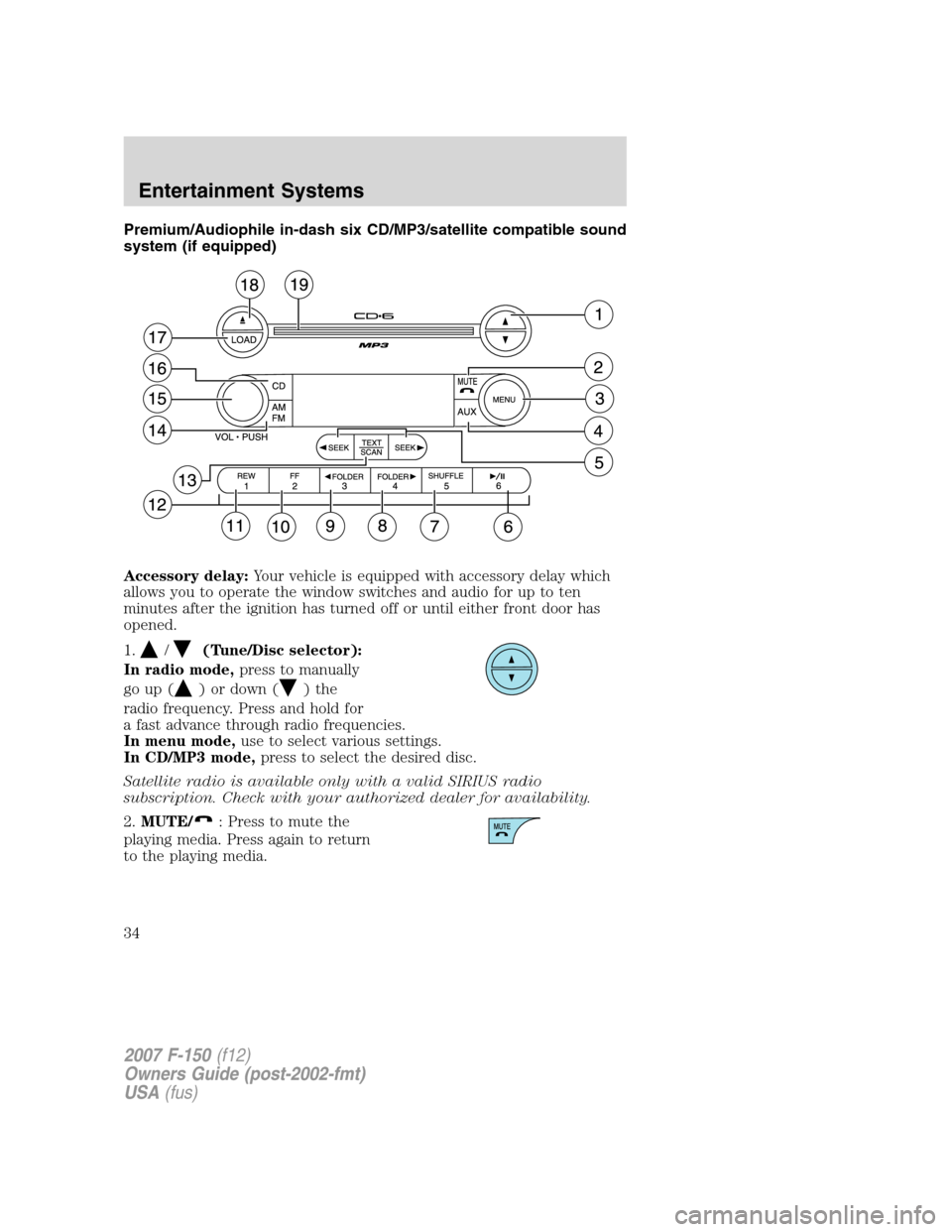
Premium/Audiophile in-dash six CD/MP3/satellite compatible sound
system (if equipped)
Accessory delay:Your vehicle is equipped with accessory delay which
allows you to operate the window switches and audio for up to ten
minutes after the ignition has turned off or until either front door has
opened.
1.
/(Tune/Disc selector):
In radio mode,press to manually
go up (
) or down ()the
radio frequency. Press and hold for
a fast advance through radio frequencies.
In menu mode,use to select various settings.
In CD/MP3 mode,press to select the desired disc.
Satellite radio is available only with a valid SIRIUS radio
subscription. Check with your authorized dealer for availability.
2.MUTE/
: Press to mute the
playing media. Press again to return
to the playing media.
2007 F-150(f12)
Owners Guide (post-2002-fmt)
USA(fus)
Entertainment Systems
34
Page 39 of 344
In CD/MP3 mode,press and release to display track title, artist name,
and disc title and file name (if available).
In satellite radio mode (if equipped),press and release to enter
TEXT MODE and display the current song title. While in TEXT MODE,
press again to scroll through the current song title, artist, channel
category and the SIRIUS long channel name.
In TEXT MODE, sometimes the display requires additional text to be
displayed. When the “>” indicator is active, press SEEK
to view the
additional display text. When the “>” indicator is active, press
SEEK
to view the previous display text.
In satellite radio mode (if equipped),press and hold to hear a brief
sampling of the next channels. Press again to stop.
In CATEGORY MODE, press SCAN to hear a brief sampling of channels
in the selected category. Press again to stop.Satellite radio is available
only with a valid SIRIUS subscription. Check with your authorized
dealer for availability.
14.AM/FM:Press to select
AM/FM1/FM2 frequency band.
15.ON/OFF/Volume:Press to turn
ON/OFF. Turn to increase/decrease
volume.
Note:If the volume is set above a
certain level and the ignition is
turned off, the volume will come back on at a “nominal” listening level
when the ignition switch is turned back on.
16.CD:Press to enter CD/MP3
mode. If a CD/MP3 is already loaded
into the system, CD/MP3 play will
begin where it ended last.
17.LOAD:Toloadadiscintothe
system, press LOAD. Select a slot
number using memory presets 1–6.
When the display reads LOAD CD#,
load the desired disc, label side up.
If you do not choose a slot within 5 seconds, the system will choose for
you. Once loaded, the first track will begin to play.
2007 F-150(f12)
Owners Guide (post-2002-fmt)
USA(fus)
Entertainment Systems
39
Page 46 of 344
Satellite Radio Electronic Serial Number (ESN):This 12–digit
Satellite Serial Number is needed to activate, modify or track your
satellite radio account. You will need this number when communicating
with SIRIUS. While in Satellite Radio mode, you can view this number on
the radio display by pressing AUX and Preset 1 control simultaneously.
Radio Display Condition Action Required
ACQUIRING Radio requires more
than two seconds to
produce audio for the
selected channel.No action required.
This message should
disappear shortly.
SAT FAULT Internal module or
system failure
present.If this message does
not clear within a short
period of time, or with
an ignition key cycle,
your receiver may have
a fault. See your
authorized dealer for
service.
INVALID CHNL Channel no longer
available.This previously
available channel is no
longer available. Tune
to another channel. If
the channel was one of
your presets, you may
choose another channel
for that preset button.
UNSUBSCRIBED Subscription not
available for this
channel.Contact SIRIUS at
1–888–539–7474 to
subscribe to the
channel or tune to
another channel.
NO TEXT Artist information not
available.Artist information not
available at this time on
this channel. The
system is working
properly.
2007 F-150(f12)
Owners Guide (post-2002-fmt)
USA(fus)
Entertainment Systems
46
Page 57 of 344
Do not place objects on top of the instrument panel as these
objects may become projectiles in a collision or sudden stop.
REAR WINDOW DEFROSTER (IF EQUIPPED)
R
The rear defroster control is located on the climate control panel and
works to defrost your rear window from fog and thin ice. If equipped, it
also operates the heated mirror to remove snow and thin ice from the
side mirrors.
Ensure that the ignition is ON. Press to turn the defroster ON/OFF. The
indicator light will illuminate when activated.
Do not use razor blades or other sharp objects to clean the inside
of the rear window or to remove decals from the inside of the
rear window. This may cause damage to the heated grid lines and
will not be covered by your warranty.
2007 F-150(f12)
Owners Guide (post-2002-fmt)
USA(fus)
Climate Controls
57
Page 58 of 344
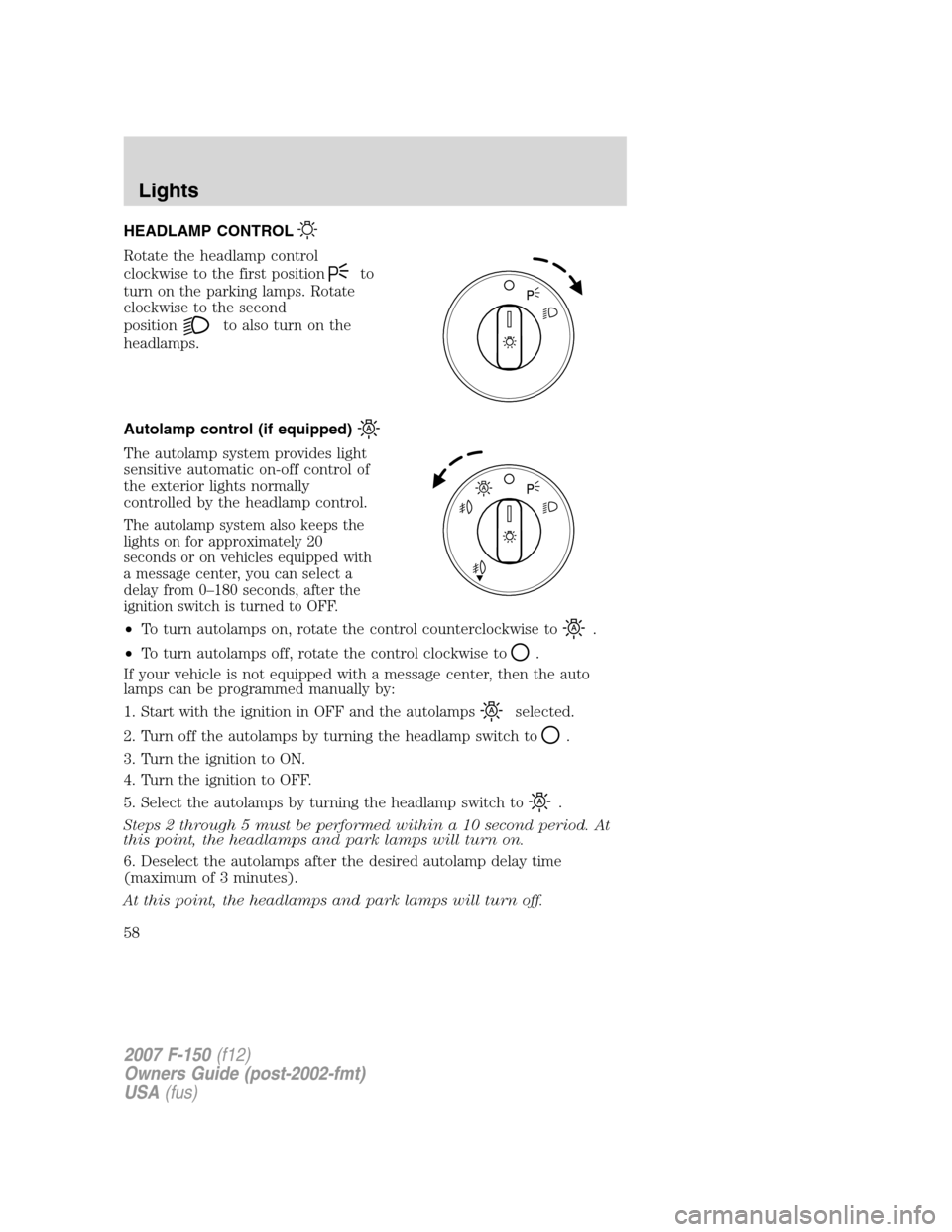
HEADLAMP CONTROL
Rotate the headlamp control
clockwise to the first position
to
turn on the parking lamps. Rotate
clockwise to the second
position
to also turn on the
headlamps.
Autolamp control (if equipped)
The autolamp system provides light
sensitive automatic on-off control of
the exterior lights normally
controlled by the headlamp control.
The autolamp system also keeps the
lights on for approximately 20
seconds or on vehicles equipped with
a message center, you can select a
delay from 0–180 seconds, after the
ignition switch is turned to OFF.
•To turn autolamps on, rotate the control counterclockwise to.
•To turn autolamps off, rotate the control clockwise to
.
If your vehicle is not equipped with a message center, then the auto
lamps can be programmed manually by:
1. Start with the ignition in OFF and the autolamps
selected.
2. Turn off the autolamps by turning the headlamp switch to
.
3. Turn the ignition to ON.
4. Turn the ignition to OFF.
5. Select the autolamps by turning the headlamp switch to
.
Steps 2 through 5 must be performed within a 10 second period. At
this point, the headlamps and park lamps will turn on.
6. Deselect the autolamps after the desired autolamp delay time
(maximum of 3 minutes).
At this point, the headlamps and park lamps will turn off.
2007 F-150(f12)
Owners Guide (post-2002-fmt)
USA(fus)
Lights
58
Page 59 of 344
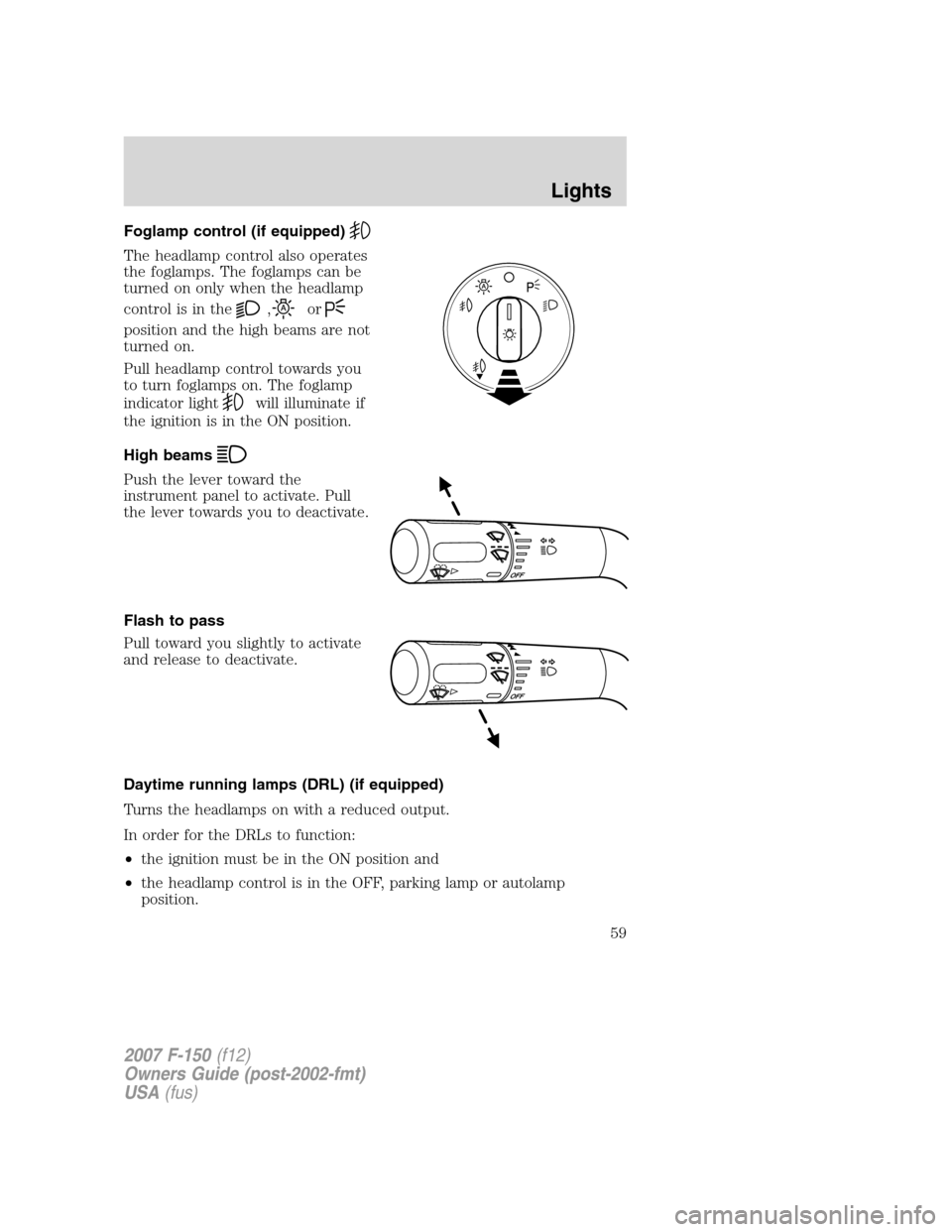
Foglamp control (if equipped)
The headlamp control also operates
the foglamps. The foglamps can be
turned on only when the headlamp
control is in the
,or
position and the high beams are not
turned on.
Pull headlamp control towards you
to turn foglamps on. The foglamp
indicator light
will illuminate if
the ignition is in the ON position.
High beams
Push the lever toward the
instrument panel to activate. Pull
the lever towards you to deactivate.
Flash to pass
Pull toward you slightly to activate
and release to deactivate.
Daytime running lamps (DRL) (if equipped)
Turns the headlamps on with a reduced output.
In order for the DRLs to function:
•the ignition must be in the ON position and
•the headlamp control is in the OFF, parking lamp or autolamp
position.
2007 F-150(f12)
Owners Guide (post-2002-fmt)
USA(fus)
Lights
59
Page 63 of 344
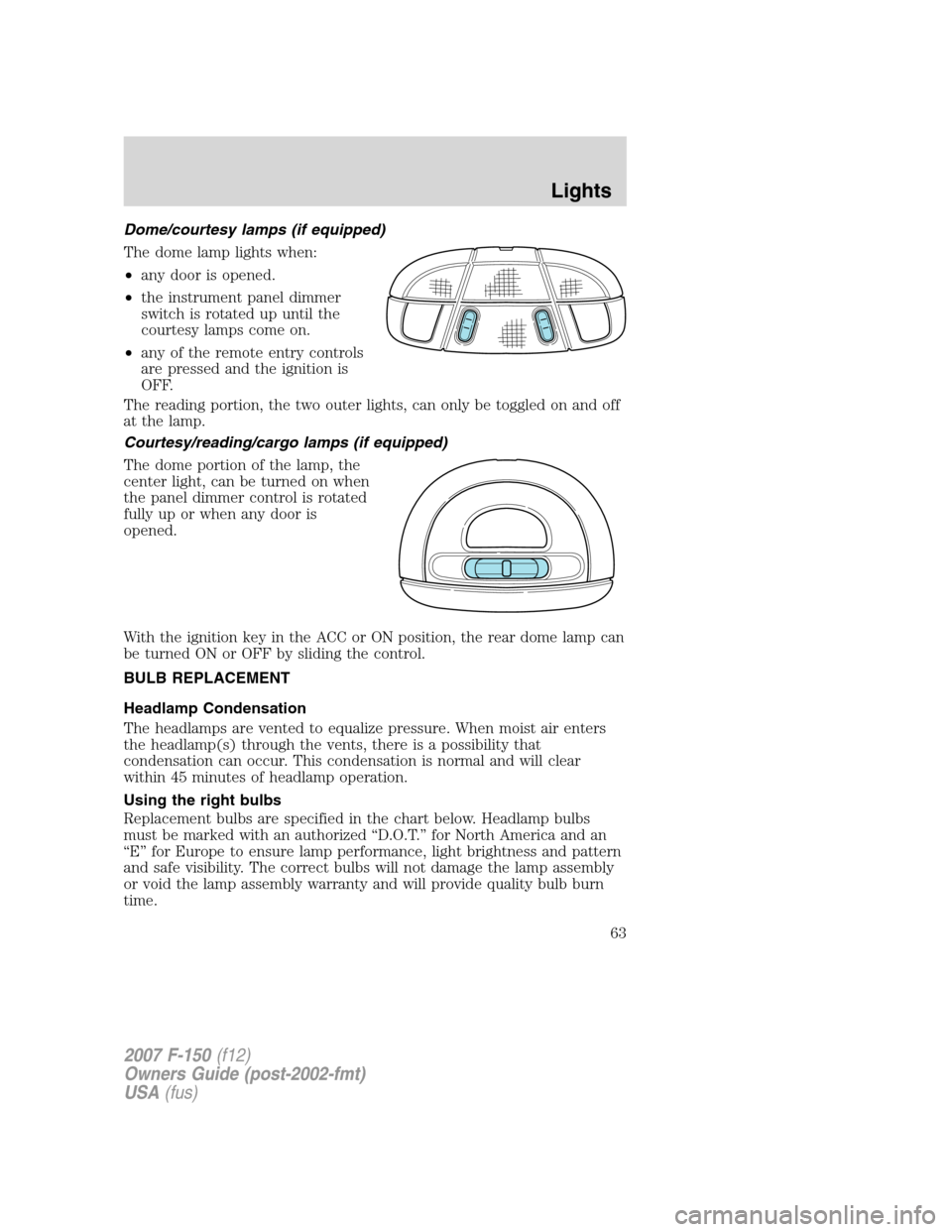
Dome/courtesy lamps (if equipped)
The dome lamp lights when:
•any door is opened.
•the instrument panel dimmer
switch is rotated up until the
courtesy lamps come on.
•any of the remote entry controls
are pressed and the ignition is
OFF.
The reading portion, the two outer lights, can only be toggled on and off
at the lamp.
Courtesy/reading/cargo lamps (if equipped)
The dome portion of the lamp, the
center light, can be turned on when
the panel dimmer control is rotated
fully up or when any door is
opened.
With the ignition key in the ACC or ON position, the rear dome lamp can
be turned ON or OFF by sliding the control.
BULB REPLACEMENT
Headlamp Condensation
The headlamps are vented to equalize pressure. When moist air enters
the headlamp(s) through the vents, there is a possibility that
condensation can occur. This condensation is normal and will clear
within 45 minutes of headlamp operation.
Using the right bulbs
Replacement bulbs are specified in the chart below. Headlamp bulbs
must be marked with an authorized “D.O.T.” for North America and an
“E” for Europe to ensure lamp performance, light brightness and pattern
and safe visibility. The correct bulbs will not damage the lamp assembly
or void the lamp assembly warranty and will provide quality bulb burn
time.
2007 F-150(f12)
Owners Guide (post-2002-fmt)
USA(fus)
Lights
63
Page 75 of 344
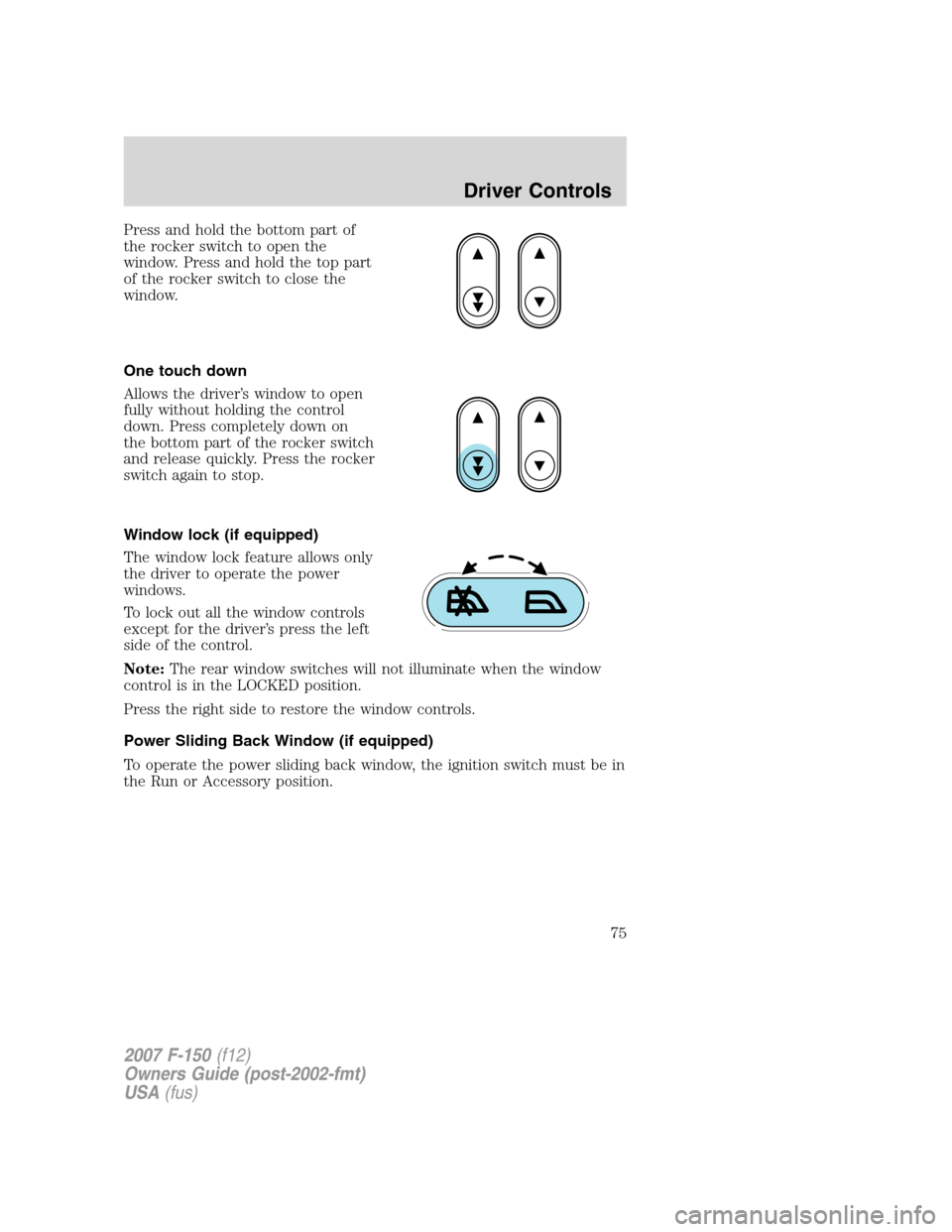
Press and hold the bottom part of
the rocker switch to open the
window. Press and hold the top part
of the rocker switch to close the
window.
One touch down
Allows the driver’s window to open
fully without holding the control
down. Press completely down on
the bottom part of the rocker switch
and release quickly. Press the rocker
switch again to stop.
Window lock (if equipped)
The window lock feature allows only
the driver to operate the power
windows.
To lock out all the window controls
except for the driver’s press the left
side of the control.
Note:The rear window switches will not illuminate when the window
control is in the LOCKED position.
Press the right side to restore the window controls.
Power Sliding Back Window (if equipped)
To operate the power sliding back window, the ignition switch must be in
the Run or Accessory position.
2007 F-150(f12)
Owners Guide (post-2002-fmt)
USA(fus)
Driver Controls
75
Page 76 of 344
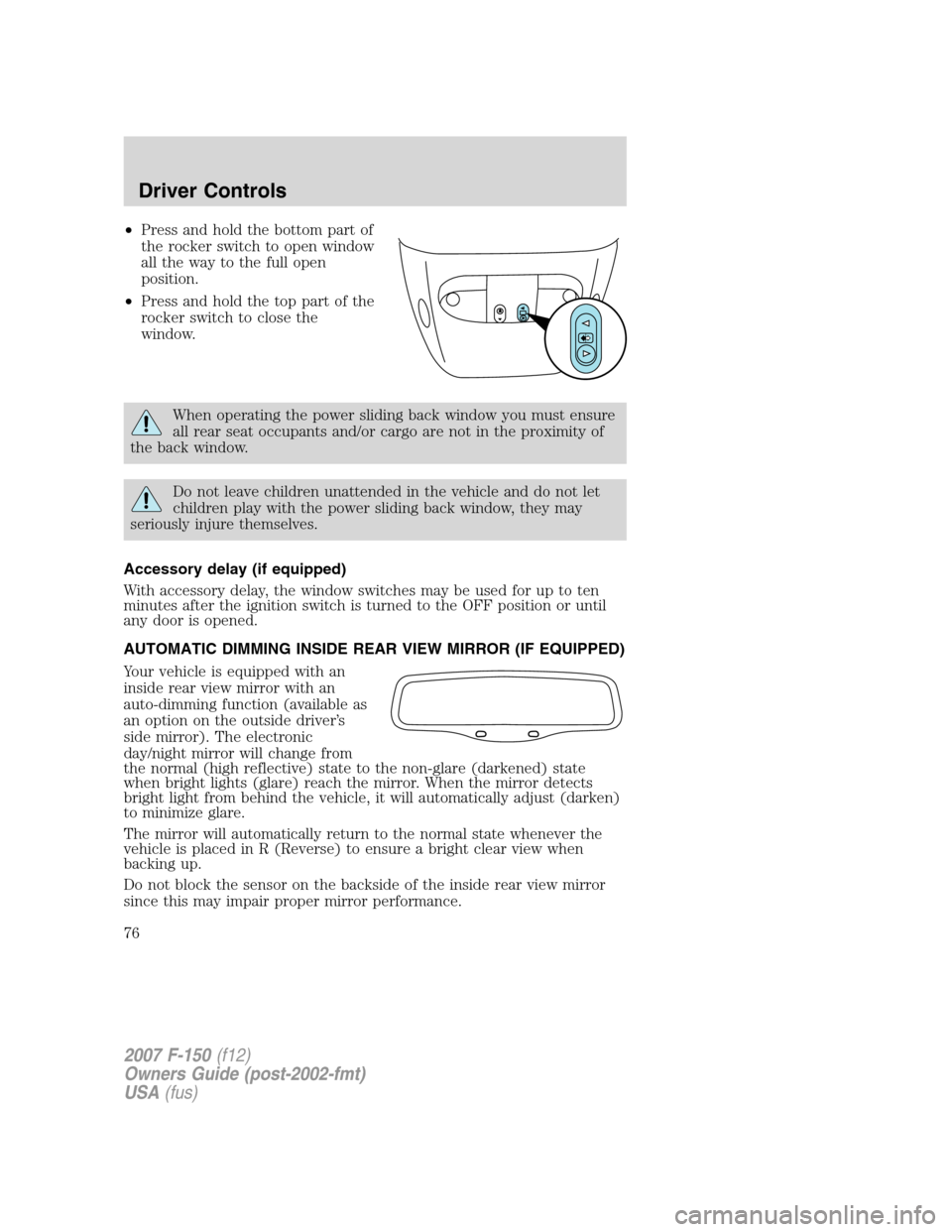
•Press and hold the bottom part of
the rocker switch to open window
all the way to the full open
position.
•Press and hold the top part of the
rocker switch to close the
window.
When operating the power sliding back window you must ensure
all rear seat occupants and/or cargo are not in the proximity of
the back window.
Do not leave children unattended in the vehicle and do not let
children play with the power sliding back window, they may
seriously injure themselves.
Accessory delay (if equipped)
With accessory delay, the window switches may be used for up to ten
minutes after the ignition switch is turned to the OFF position or until
any door is opened.
AUTOMATIC DIMMING INSIDE REAR VIEW MIRROR (IF EQUIPPED)
Your vehicle is equipped with an
inside rear view mirror with an
auto-dimming function (available as
an option on the outside driver’s
side mirror). The electronic
day/night mirror will change from
the normal (high reflective) state to the non-glare (darkened) state
when bright lights (glare) reach the mirror. When the mirror detects
bright light from behind the vehicle, it will automatically adjust (darken)
to minimize glare.
The mirror will automatically return to the normal state whenever the
vehicle is placed in R (Reverse) to ensure a bright clear view when
backing up.
Do not block the sensor on the backside of the inside rear view mirror
since this may impair proper mirror performance.
2007 F-150(f12)
Owners Guide (post-2002-fmt)
USA(fus)
Driver Controls
76
Page 81 of 344
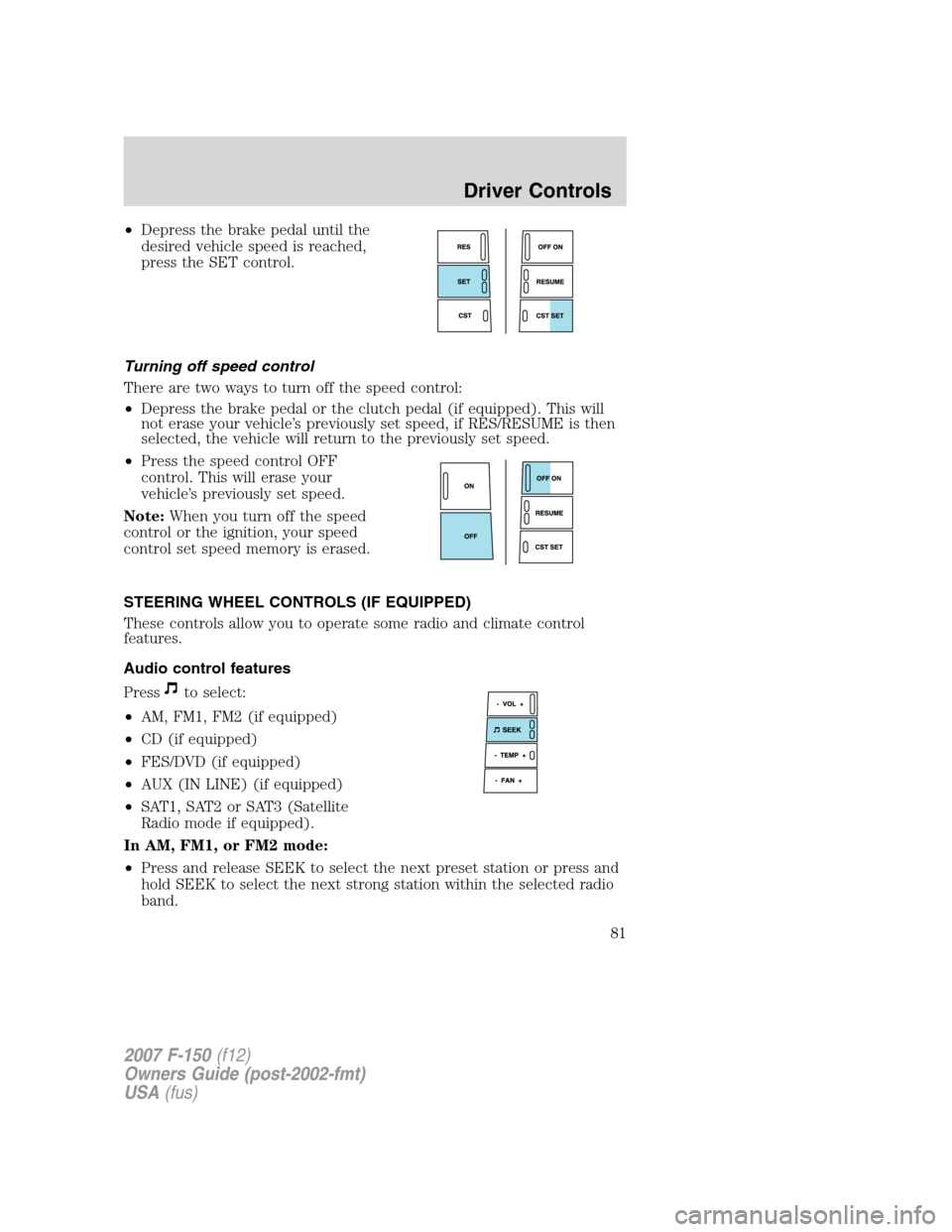
•Depress the brake pedal until the
desired vehicle speed is reached,
press the SET control.
Turning off speed control
There are two ways to turn off the speed control:
•Depress the brake pedal or the clutch pedal (if equipped). This will
not erase your vehicle’s previously set speed, if RES/RESUME is then
selected, the vehicle will return to the previously set speed.
•Press the speed control OFF
control. This will erase your
vehicle’s previously set speed.
Note:When you turn off the speed
control or the ignition, your speed
control set speed memory is erased.
STEERING WHEEL CONTROLS (IF EQUIPPED)
These controls allow you to operate some radio and climate control
features.
Audio control features
Press
to select:
•AM, FM1, FM2 (if equipped)
•CD (if equipped)
•FES/DVD (if equipped)
•AUX (IN LINE) (if equipped)
•SAT1, SAT2 or SAT3 (Satellite
Radio mode if equipped).
In AM, FM1, or FM2 mode:
•Press and release SEEK to select the next preset station or press and
hold SEEK to select the next strong station within the selected radio
band.
2007 F-150(f12)
Owners Guide (post-2002-fmt)
USA(fus)
Driver Controls
81