engine FORD F150 2008 11.G User Guide
[x] Cancel search | Manufacturer: FORD, Model Year: 2008, Model line: F150, Model: FORD F150 2008 11.GPages: 400, PDF Size: 3.94 MB
Page 21 of 400
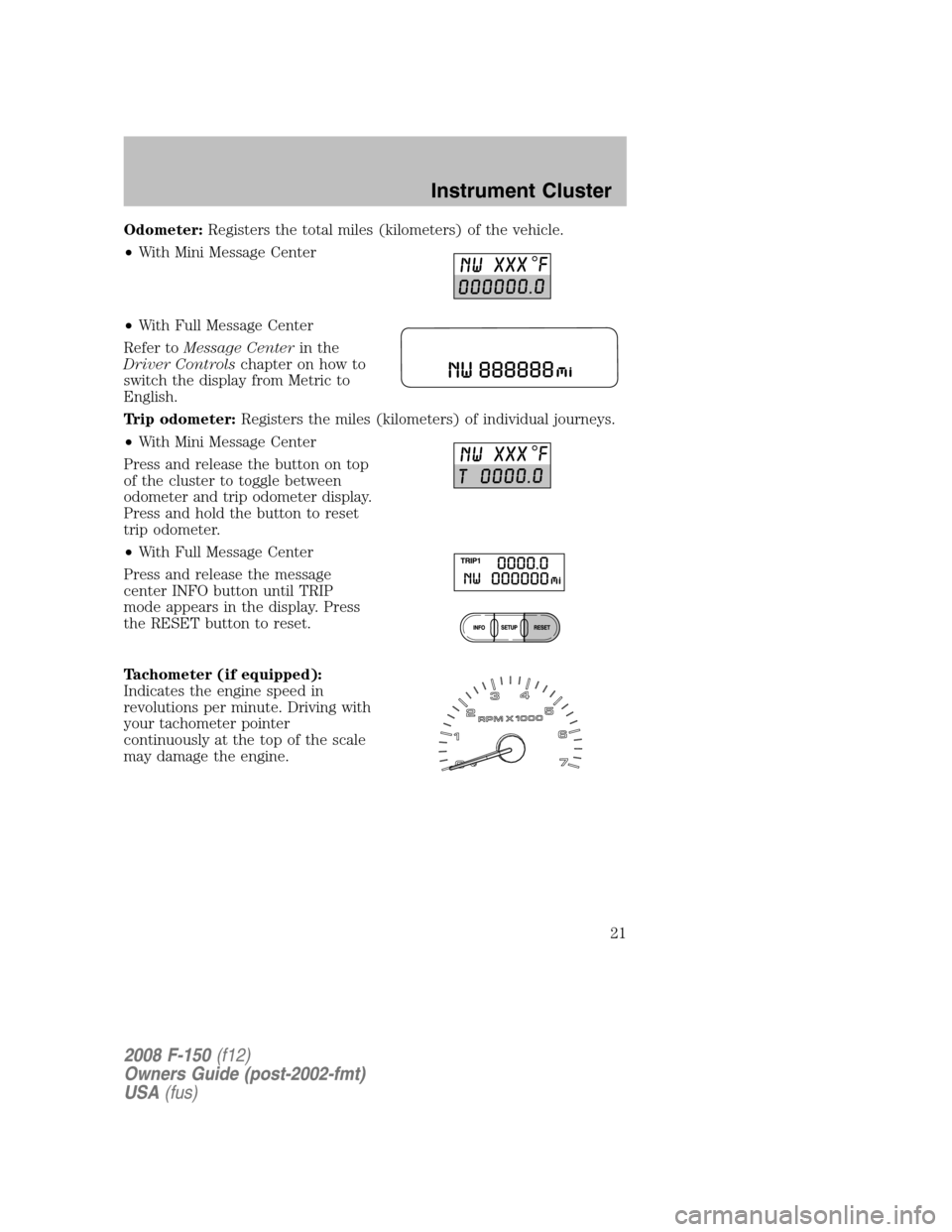
Odometer:Registers the total miles (kilometers) of the vehicle.
•With Mini Message Center
•With Full Message Center
Refer toMessage Centerin the
Driver Controlschapter on how to
switch the display from Metric to
English.
Trip odometer:Registers the miles (kilometers) of individual journeys.
•With Mini Message Center
Press and release the button on top
of the cluster to toggle between
odometer and trip odometer display.
Press and hold the button to reset
trip odometer.
•With Full Message Center
Press and release the message
center INFO button until TRIP
mode appears in the display. Press
the RESET button to reset.
Tachometer (if equipped):
Indicates the engine speed in
revolutions per minute. Driving with
your tachometer pointer
continuously at the top of the scale
may damage the engine.
2008 F-150(f12)
Owners Guide (post-2002-fmt)
USA(fus)
Instrument Cluster
21
Page 22 of 400
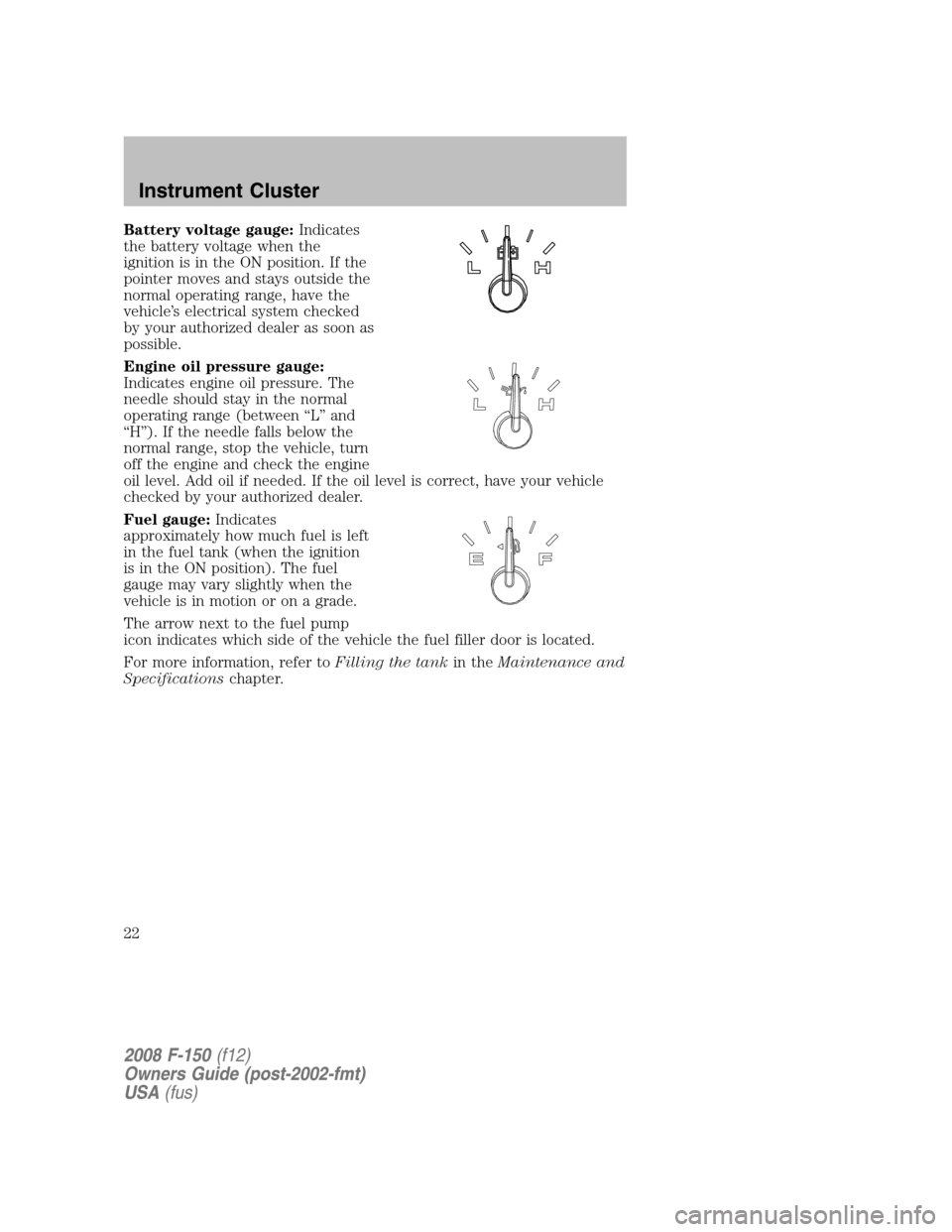
Battery voltage gauge:Indicates
the battery voltage when the
ignition is in the ON position. If the
pointer moves and stays outside the
normal operating range, have the
vehicle’s electrical system checked
by your authorized dealer as soon as
possible.
Engine oil pressure gauge:
Indicates engine oil pressure. The
needle should stay in the normal
operating range (between “L” and
“H”). If the needle falls below the
normal range, stop the vehicle, turn
off the engine and check the engine
oil level. Add oil if needed. If the oil level is correct, have your vehicle
checked by your authorized dealer.
Fuel gauge:Indicates
approximately how much fuel is left
in the fuel tank (when the ignition
is in the ON position). The fuel
gauge may vary slightly when the
vehicle is in motion or on a grade.
The arrow next to the fuel pump
icon indicates which side of the vehicle the fuel filler door is located.
For more information, refer toFilling the tankin theMaintenance and
Specificationschapter.
2008 F-150(f12)
Owners Guide (post-2002-fmt)
USA(fus)
Instrument Cluster
22
Page 76 of 400
The three states are described as:
FULL(enabled): The FES has control over the primary (speaker) and
secondary (headphone) audio sources.
LOCAL: The FES has control over the secondary source (headphones)
only. The radio will ignore button presses that affect the primary
(speaker) audio source.
LOCKED(disabled): The FES buttons are locked and all FES button
presses are ignored by the radio and the FES except for load and eject.
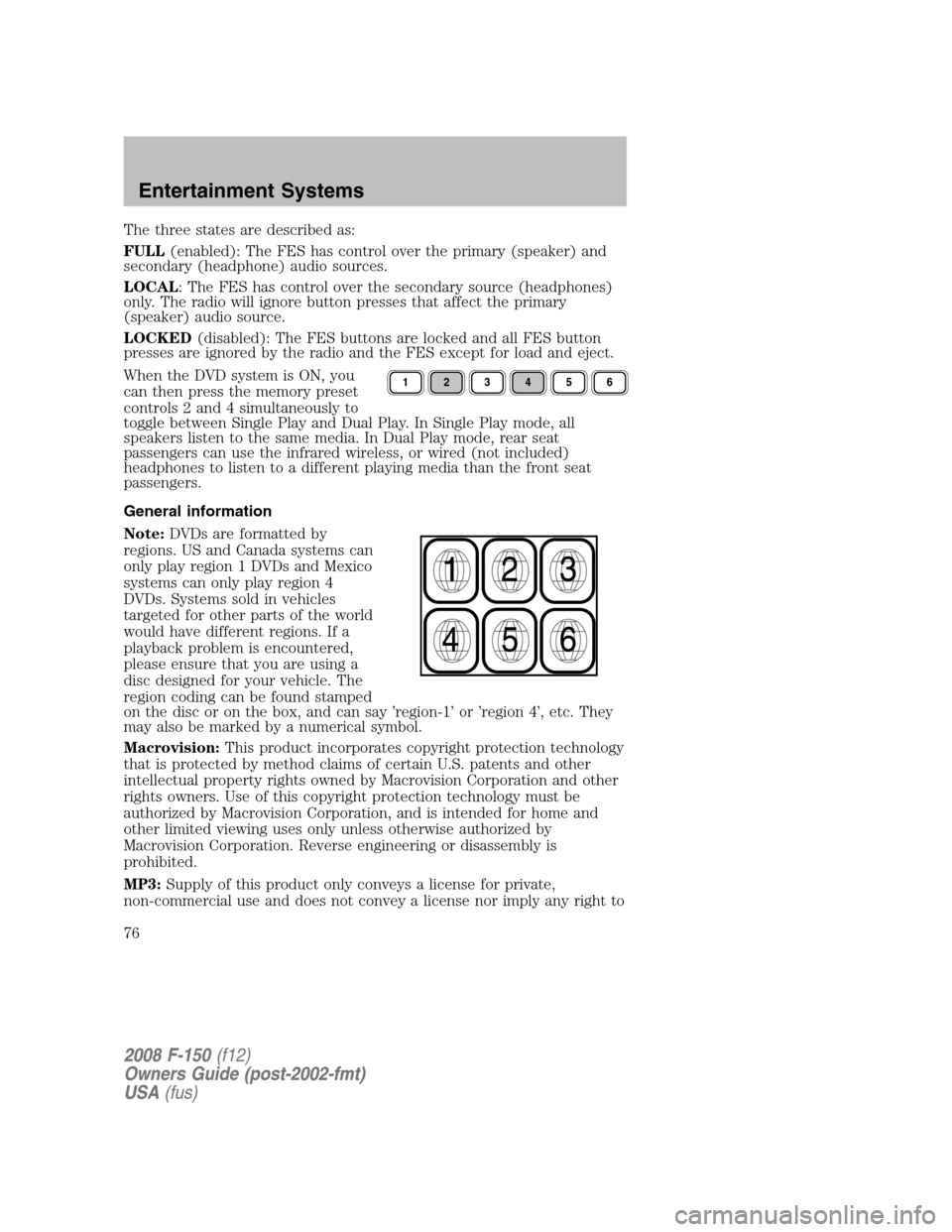
When the DVD system is ON, you
can then press the memory preset
controls 2 and 4 simultaneously to
toggle between Single Play and Dual Play. In Single Play mode, all
speakers listen to the same media. In Dual Play mode, rear seat
passengers can use the infrared wireless, or wired (not included)
headphones to listen to a different playing media than the front seat
passengers.
General information
Note:DVDs are formatted by
regions. US and Canada systems can
only play region 1 DVDs and Mexico
systems can only play region 4
DVDs. Systems sold in vehicles
targeted for other parts of the world
would have different regions. If a
playback problem is encountered,
please ensure that you are using a
disc designed for your vehicle. The
region coding can be found stamped
on the disc or on the box, and can say ’region-1’ or ’region 4’, etc. They
may also be marked by a numerical symbol.
Macrovision:This product incorporates copyright protection technology
that is protected by method claims of certain U.S. patents and other
intellectual property rights owned by Macrovision Corporation and other
rights owners. Use of this copyright protection technology must be
authorized by Macrovision Corporation, and is intended for home and
other limited viewing uses only unless otherwise authorized by
Macrovision Corporation. Reverse engineering or disassembly is
prohibited.
MP3:Supply of this product only conveys a license for private,
non-commercial use and does not convey a license nor imply any right to
123456
2008 F-150(f12)
Owners Guide (post-2002-fmt)
USA(fus)
Entertainment Systems
76
Page 108 of 400
AUXILIARY POWER POINT (12VDC)
Power outlets are designed for accessory plugs only. Do not insert
any other object in the power outlet as this will damage the
outlet and blow the fuse. Do not hang any type of accessory or
accessory bracket from the plug. Improper use of the power
outlet can cause damage not covered by your warranty.
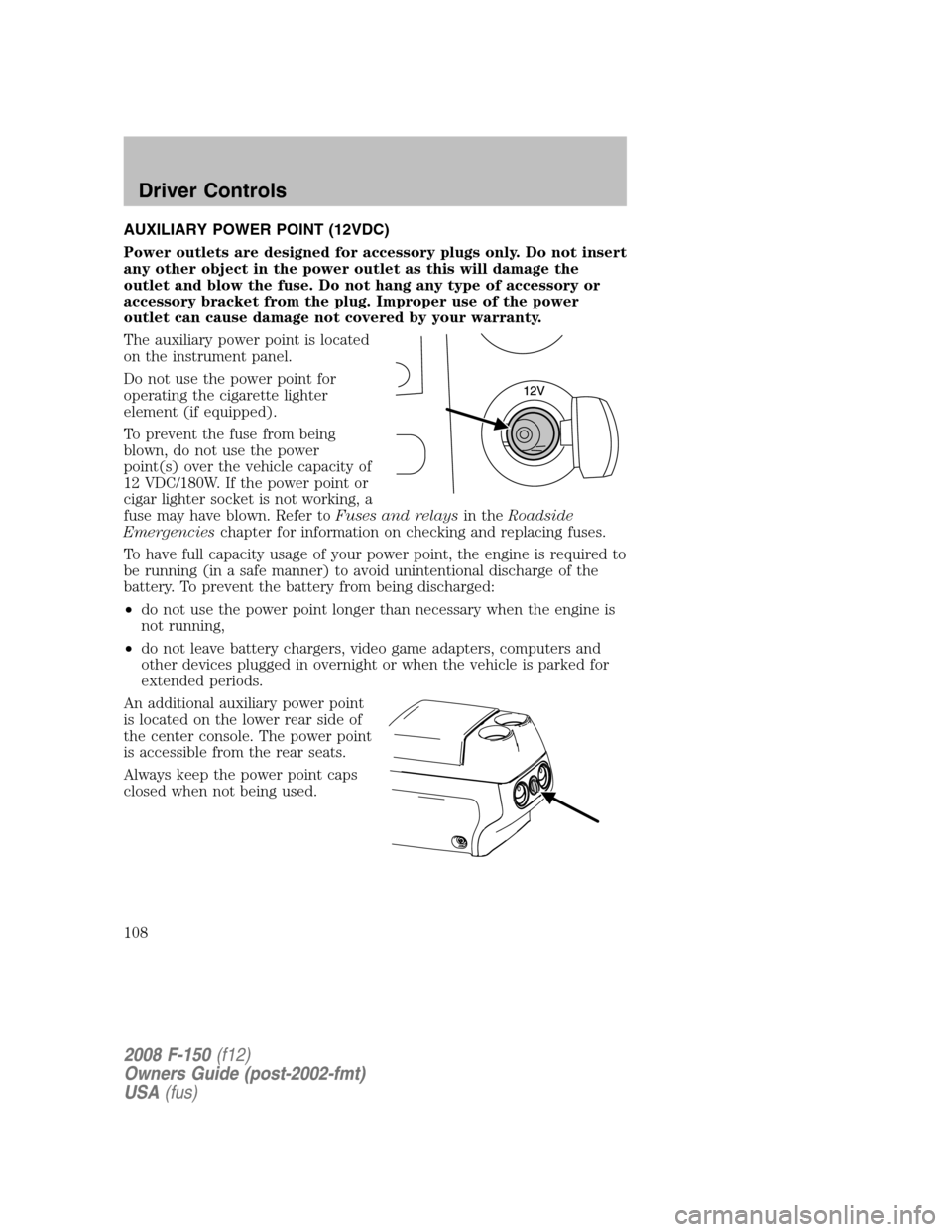
The auxiliary power point is located
on the instrument panel.
Do not use the power point for
operating the cigarette lighter
element (if equipped).
To prevent the fuse from being
blown, do not use the power
point(s) over the vehicle capacity of
12 VDC/180W. If the power point or
cigar lighter socket is not working, a
fuse may have blown. Refer toFuses and relaysin theRoadside
Emergencieschapter for information on checking and replacing fuses.
To have full capacity usage of your power point, the engine is required to
be running (in a safe manner) to avoid unintentional discharge of the
battery. To prevent the battery from being discharged:
•do not use the power point longer than necessary when the engine is
not running,
•do not leave battery chargers, video game adapters, computers and
other devices plugged in overnight or when the vehicle is parked for
extended periods.
An additional auxiliary power point
is located on the lower rear side of
the center console. The power point
is accessible from the rear seats.
Always keep the power point caps
closed when not being used.
2008 F-150(f12)
Owners Guide (post-2002-fmt)
USA(fus)
Driver Controls
108
Page 124 of 400
Usually, when something affects the compass readings, the compass will
correct itself after a few days of operating your vehicle in normal
conditions. If the compass still appears to be inaccurate, a manual
calibration may be necessary. Refer toCompass calibration
adjustment.
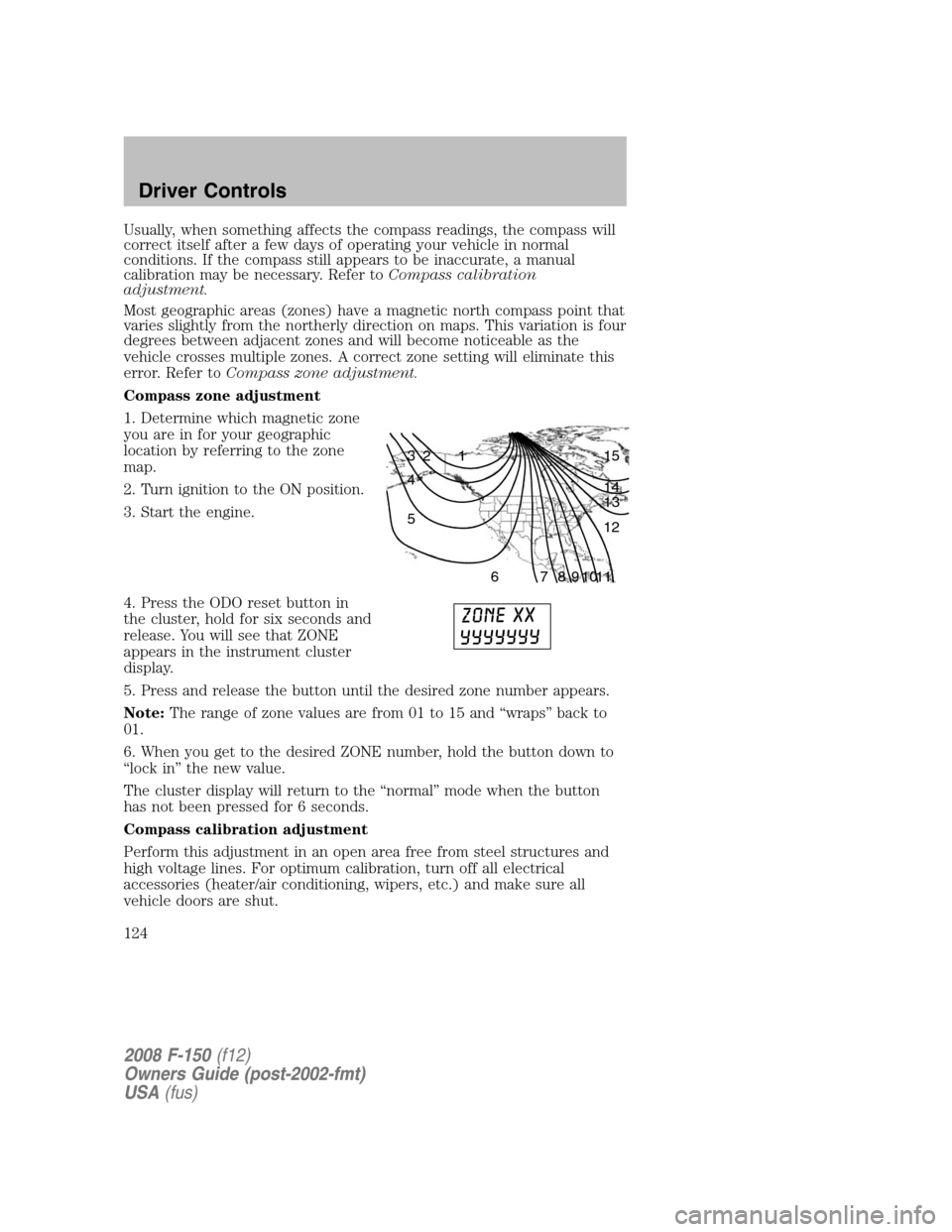
Most geographic areas (zones) have a magnetic north compass point that
varies slightly from the northerly direction on maps. This variation is four
degrees between adjacent zones and will become noticeable as the
vehicle crosses multiple zones. A correct zone setting will eliminate this
error. Refer toCompass zone adjustment.
Compass zone adjustment
1. Determine which magnetic zone
you are in for your geographic
location by referring to the zone
map.
2. Turn ignition to the ON position.
3. Start the engine.
4. Press the ODO reset button in
the cluster, hold for six seconds and
release. You will see that ZONE
appears in the instrument cluster
display.
5. Press and release the button until the desired zone number appears.
Note:The range of zone values are from 01 to 15 and “wraps” back to
01.
6. When you get to the desired ZONE number, hold the button down to
“lock in” the new value.
The cluster display will return to the “normal” mode when the button
has not been pressed for 6 seconds.
Compass calibration adjustment
Perform this adjustment in an open area free from steel structures and
high voltage lines. For optimum calibration, turn off all electrical
accessories (heater/air conditioning, wipers, etc.) and make sure all
vehicle doors are shut.
1 2 3
4
5
6 7 8 9 101112 13 14 15
2008 F-150(f12)
Owners Guide (post-2002-fmt)
USA(fus)
Driver Controls
124
Page 126 of 400
•Average Fuel Economy
•Trip Elapsed Drive Time
Odometer/Trip odometer
Refer toGaugesin theInstrument Clusterchapter.
Compass display
The compass reading may be affected when you drive near large
buildings, bridges, power lines and powerful broadcast antenna. Magnetic
or metallic objects placed in, on or near the vehicle may also affect
compass accuracy.
Usually, when something affects the compass readings, the compass will
correct itself after a few days of operating your vehicle in normal
conditions. If the compass still appears to be inaccurate, a manual
calibration may be necessary. Refer toCompass zone/calibration
adjustment.
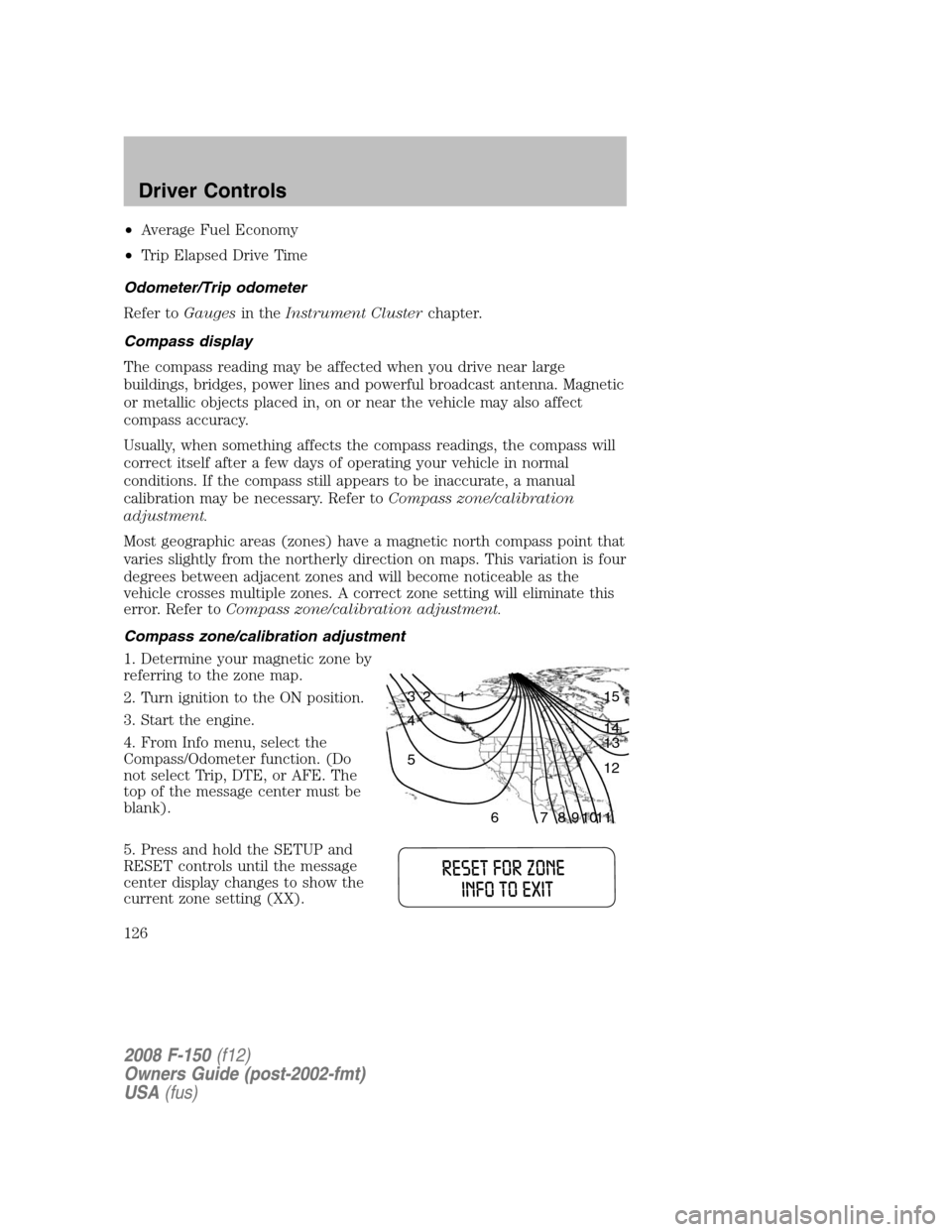
Most geographic areas (zones) have a magnetic north compass point that
varies slightly from the northerly direction on maps. This variation is four
degrees between adjacent zones and will become noticeable as the
vehicle crosses multiple zones. A correct zone setting will eliminate this
error. Refer toCompass zone/calibration adjustment.
Compass zone/calibration adjustment
1. Determine your magnetic zone by
referring to the zone map.
2. Turn ignition to the ON position.
3. Start the engine.
4. From Info menu, select the
Compass/Odometer function. (Do
not select Trip, DTE, or AFE. The
top of the message center must be
blank).
5. Press and hold the SETUP and
RESET controls until the message
center display changes to show the
current zone setting (XX).
1 2 3
4
5
6 7 8 9 101112 13 14 15
2008 F-150(f12)
Owners Guide (post-2002-fmt)
USA(fus)
Driver Controls
126
Page 129 of 400
Setup menu
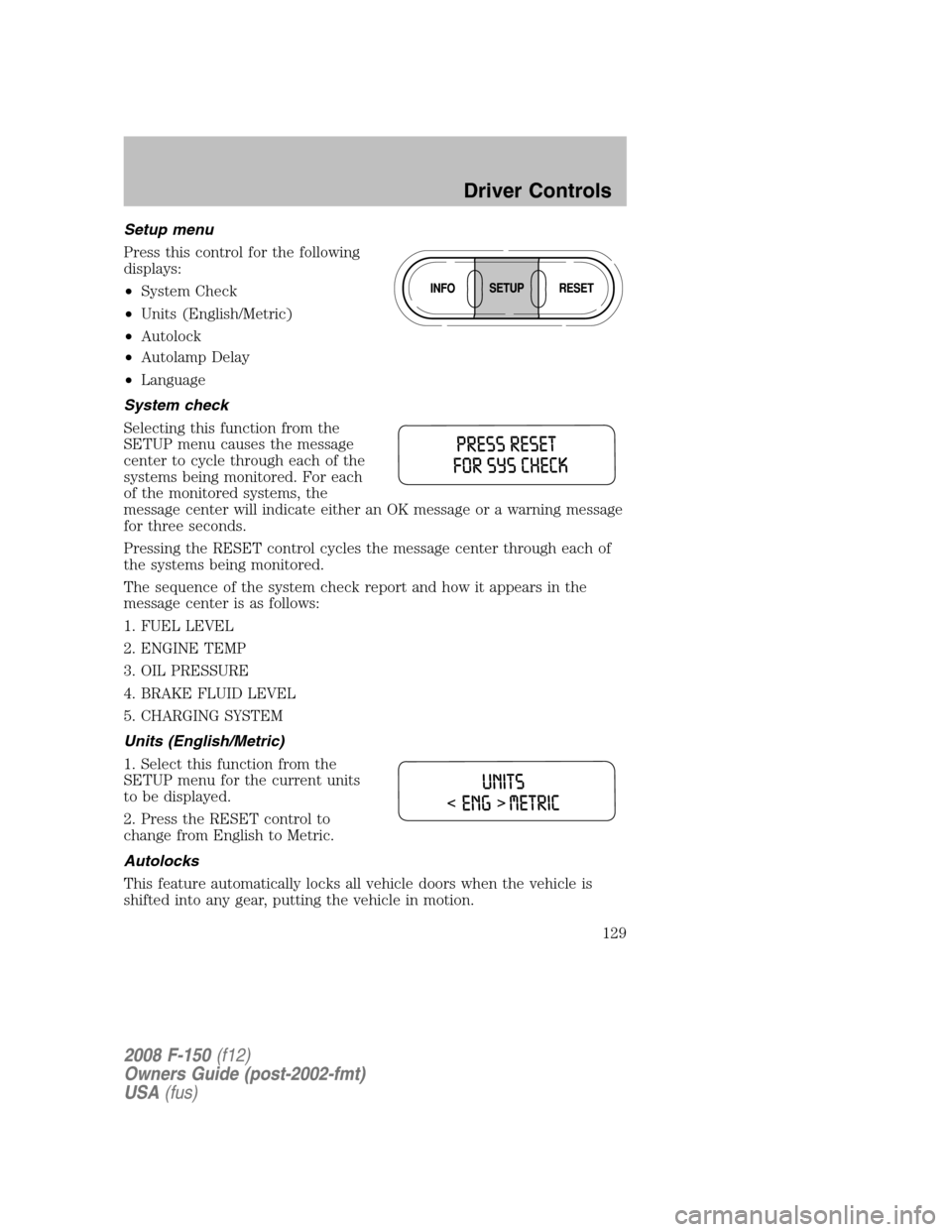
Press this control for the following
displays:
•System Check
•Units (English/Metric)
•Autolock
•Autolamp Delay
•Language
System check
Selecting this function from the
SETUP menu causes the message
center to cycle through each of the
systems being monitored. For each
of the monitored systems, the
message center will indicate either an OK message or a warning message
for three seconds.
Pressing the RESET control cycles the message center through each of
the systems being monitored.
The sequence of the system check report and how it appears in the
message center is as follows:
1. FUEL LEVEL
2. ENGINE TEMP
3. OIL PRESSURE
4. BRAKE FLUID LEVEL
5. CHARGING SYSTEM
Units (English/Metric)
1. Select this function from the
SETUP menu for the current units
to be displayed.
2. Press the RESET control to
change from English to Metric.
Autolocks
This feature automatically locks all vehicle doors when the vehicle is
shifted into any gear, putting the vehicle in motion.
2008 F-150(f12)
Owners Guide (post-2002-fmt)
USA(fus)
Driver Controls
129
Page 131 of 400
The message center will display the last selected feature if there are no
more warning messages. This allows you to use the full functionality of
the message center after you acknowledge the warning by pressing the
RESET control and clearing the warning message.
Warning messages that have been reset are divided into two categories:
•They will reappear on the display ten minutes from the reset.
•They will not reappear until an ignition OFF-ON cycle has been
completed.
This acts as a reminder that these warning conditions still exist within
the vehicle.
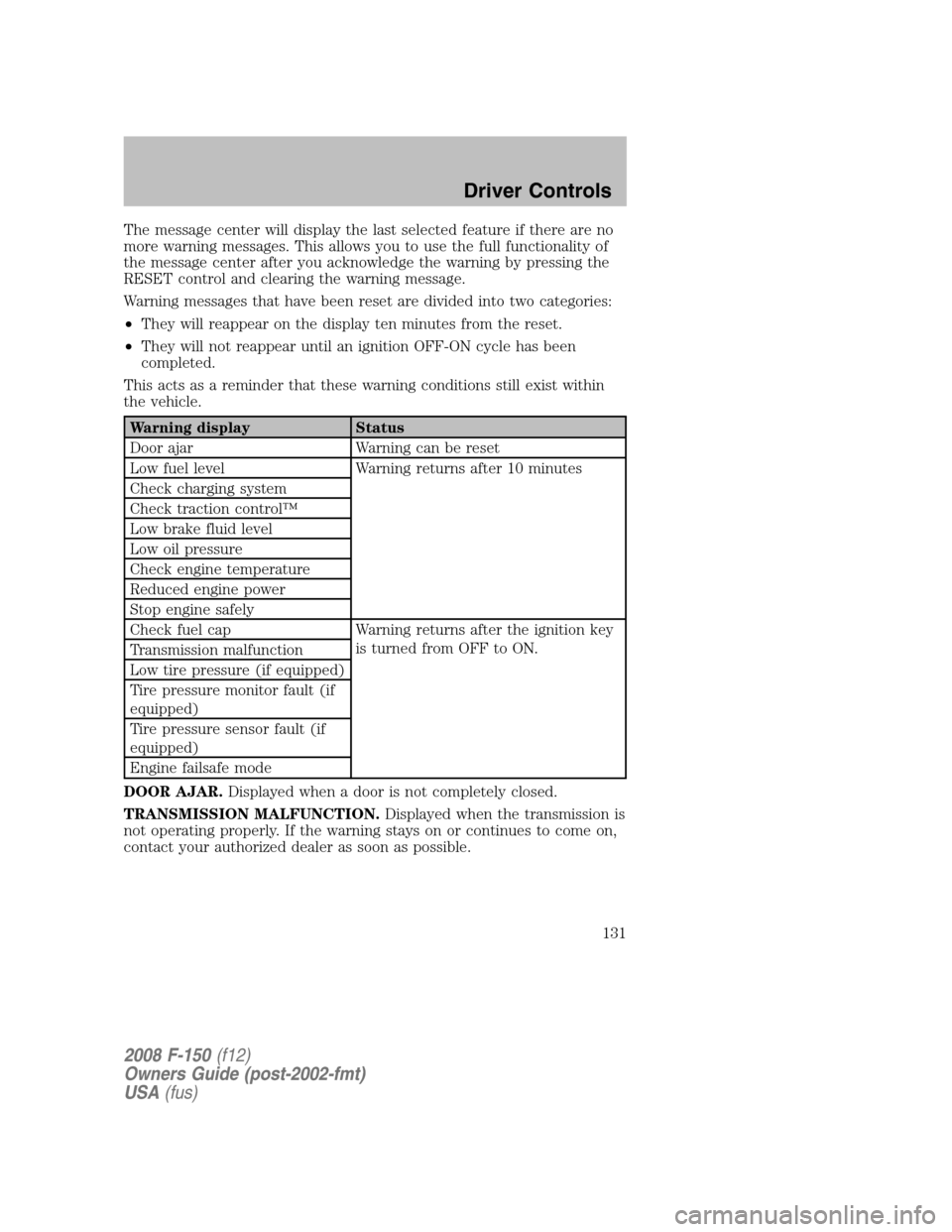
Warning display Status
Door ajar Warning can be reset
Low fuel level Warning returns after 10 minutes
Check charging system
Check traction control™
Low brake fluid level
Low oil pressure
Check engine temperature
Reduced engine power
Stop engine safely
Check fuel cap Warning returns after the ignition key
is turned from OFF to ON.
Transmission malfunction
Low tire pressure (if equipped)
Tire pressure monitor fault (if
equipped)
Tire pressure sensor fault (if
equipped)
Engine failsafe mode
DOOR AJAR.Displayed when a door is not completely closed.
TRANSMISSION MALFUNCTION.Displayed when the transmission is
not operating properly. If the warning stays on or continues to come on,
contact your authorized dealer as soon as possible.
2008 F-150(f12)
Owners Guide (post-2002-fmt)
USA(fus)
Driver Controls
131
Page 132 of 400
CHECK ENGINE TEMPERATURE.Displayed when the engine
coolant is overheating. Stop the vehicle as soon as safely possible, turn
off the engine and let it cool. Check the coolant and coolant level. Refer
toEngine coolantin theMaintenance and Specificationschapter. If
the warning stays on or continues to come on, contact your authorized
dealer as soon as possible.
Never remove the coolant reservoir cap while the engine is
running or hot.
REDUCED ENGINE POWER.Displayed when the engine is
overheating. Stop the vehicle as soon as safely possible, turn off the
engine. If the warning stays on or continues to come on, contact your
authorized dealer as soon as possible.
STOP ENGINE SAFELY.Displayed when the engine is overheating.
Stop the vehicle as soon as safely possible, turn off the engine. If the
warning stays on or continues to come on, contact your authorized
dealer as soon as possible.
LOW FUEL LEVEL.Displayed as an early reminder of a low fuel
condition.
CHECK CHARGING SYSTEM.Displayed when the electrical system is
not maintaining proper voltage. If you are operating electrical accessories
when the engine is idling at a low speed, turn off as many of the
electrical loads as soon as possible. If the warning stays on or comes on
when the engine is operating at normal speeds, have the electrical
system checked as soon as possible.
CHECK TRACTION CONTROL™.Displayed when the Traction
Control™ system is not operating properly. If this message is displayed
on the message center the Traction Control™ system will be partially
operable. If this warning stays on, contact your authorized dealer for
service as soon as possible. For further information, refer toTraction
control™in theDrivingchapter.
LOW BRAKE FLUID LEVEL.Indicates the brake fluid level is low and
the brake system should be inspected immediately. Refer toBrake fluid
reservoirin theMaintenance and Specificationschapter.
LOW OIL PRESSURE.Displayed when the engine oil pressure is low. If
this warning message is displayed, check the level of the engine oil.
Refer toEngine oilin theMaintenance and Specificationschapter for
information about adding engine oil. If the oil level is OK and this
warning persists, shut down the engine immediately and contact your
authorized dealer for service.
2008 F-150(f12)
Owners Guide (post-2002-fmt)
USA(fus)
Driver Controls
132
Page 133 of 400

CHECK FUEL CAP.Displayed when the fuel filler cap is not properly
installed. Check the fuel filler cap for proper installation. Refer toFuel
filler capunder theFuel information sectionin theMaintenance and
Specificationschapter.
LOW TIRE PRESSURE (if equipped).Displayed when one or more
tires on your vehicle have low tire pressure. Refer toInflating Your
Tiresin theTires, Wheels and Loadingchapter.
TIRE PRESSURE MONITOR FAULT (if equipped).Displayed when
the Tire Pressure Monitoring System is malfunctioning. If the warning
stays on or continues to come on, have the system inspected by your
authorized dealer.
TIRE PRESSURE SENSOR FAULT (if equipped).Displayed when a
tire pressure sensor is malfunctioning, or your spare tire is in use. For
more information on how the system operates under these conditions,
refer toUnderstanding Your Tire Pressure Monitoring Systemin the
Tires, Wheels and Loadingchapter. If the warning stays on or
continues to come on, have the system inspected by your authorized
dealer.
ENGINE FAILSAFE MODE.Displayed when the engine has defaulted
to a ’limp-home’ operation. If the warning stays on or continues to come
on, contact your authorized dealer as soon as possible.
DATA ERR.These messages indicate improper operation of the vehicle
network communication between electronic modules.
•Fuel computer
•Charging system
•Autolamp delay
•Auto locks
•Brake fluid
•Compass
•Outside temperature
•Engine sensor
Contact your authorized dealer as soon as possible if these messages
occur on a regular basis.
2008 F-150(f12)
Owners Guide (post-2002-fmt)
USA(fus)
Driver Controls
133