lock FORD F150 2009 12.G User Guide
[x] Cancel search | Manufacturer: FORD, Model Year: 2009, Model line: F150, Model: FORD F150 2009 12.GPages: 405, PDF Size: 2.82 MB
Page 40 of 405
Radio Display Condition Action Required
NO TEXT Category information
not available.Category information
not available at this
time on this channel.
The system is working
properly.
NO SIGNAL Loss of signal from
the SIRIUS satellite or
SIRIUS tower to the
vehicle antenna.You are in a location
that is blocking the
SIRIUS signal (i.e.,
tunnel, under an
overpass, dense foliage,
etc). The system is
working properly. When
you move into an open
area, the signal should
return.
UPDATING Update of channel
programming in
progress.No action required. The
process may take up to
three minutes.
CALL SIRIUS
1–888–539–7474Satellite service has
been deactivated by
SIRIUS Satellite
Radio.Call SIRIUS at
1–888–539–7474 to
re-activate or resolve
subscription issues.
NAVIGATION SYSTEM (IF EQUIPPED)
Your vehicle may be equipped with a navigation system. Refer to the
Navigation systemsupplement for further information.
SYNC (IF EQUIPPED)
Your vehicle may be equipped with SYNC, a hands-free communications
and entertainment system with special phone and media features. For
more information, please refer to theSYNCsupplement or to theSYNC
section in theNavigation systemsupplement (if equipped).
2009 F-150(f12)
Owners Guide, 1st Printing
USA(fus)
Entertainment Systems
40
Page 54 of 405
HEADLAMP CONTROL
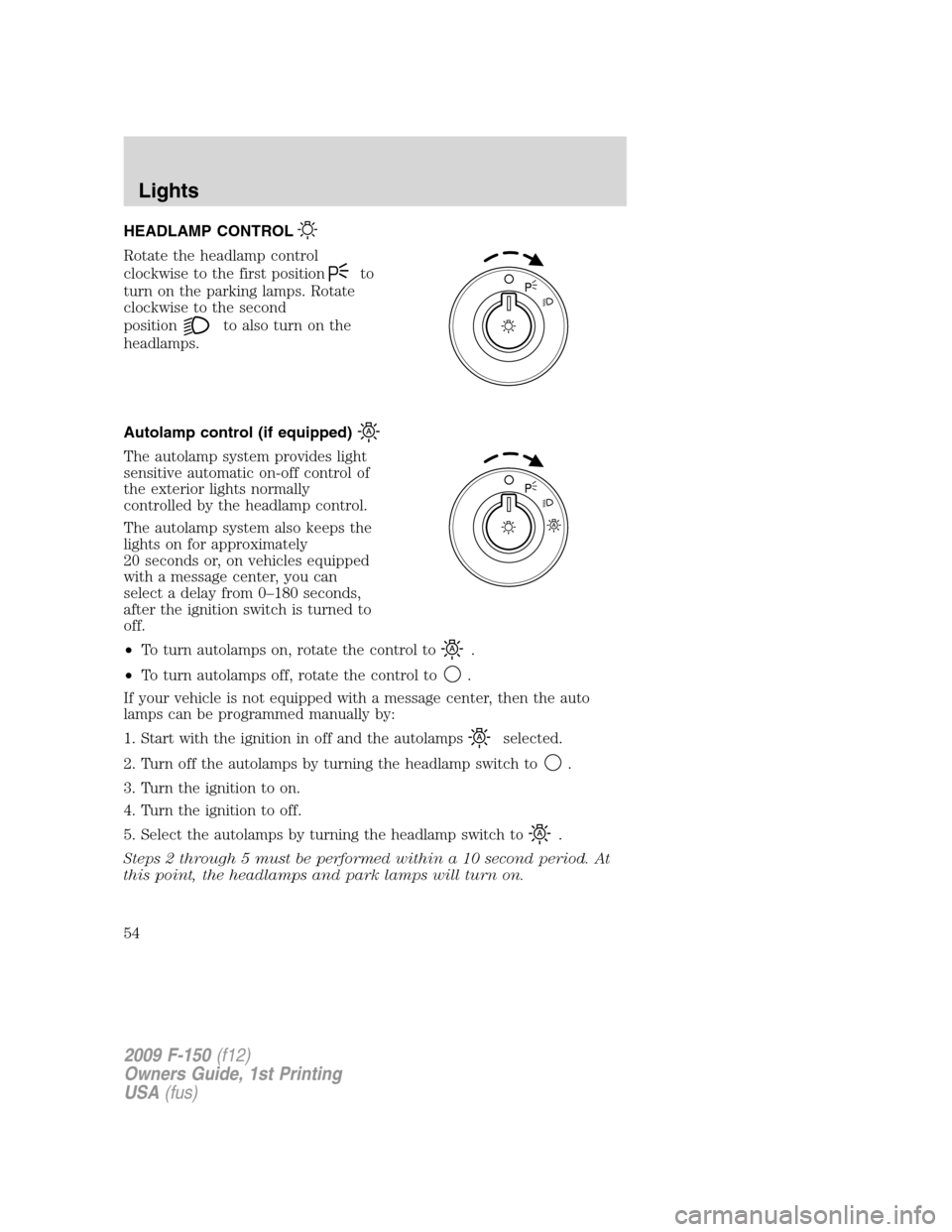
Rotate the headlamp control
clockwise to the first position
to
turn on the parking lamps. Rotate
clockwise to the second
position
to also turn on the
headlamps.
Autolamp control (if equipped)
The autolamp system provides light
sensitive automatic on-off control of
the exterior lights normally
controlled by the headlamp control.
The autolamp system also keeps the
lights on for approximately
20 seconds or, on vehicles equipped
with a message center, you can
select a delay from 0–180 seconds,
after the ignition switch is turned to
off.
•To turn autolamps on, rotate the control to
.
•To turn autolamps off, rotate the control to
.
If your vehicle is not equipped with a message center, then the auto
lamps can be programmed manually by:
1. Start with the ignition in off and the autolamps
selected.
2. Turn off the autolamps by turning the headlamp switch to
.
3. Turn the ignition to on.
4. Turn the ignition to off.
5. Select the autolamps by turning the headlamp switch to
.
Steps 2 through 5 must be performed within a 10 second period. At
this point, the headlamps and park lamps will turn on.
2009 F-150(f12)
Owners Guide, 1st Printing
USA(fus)
Lights
54
Page 57 of 405
Vertical aim adjustment
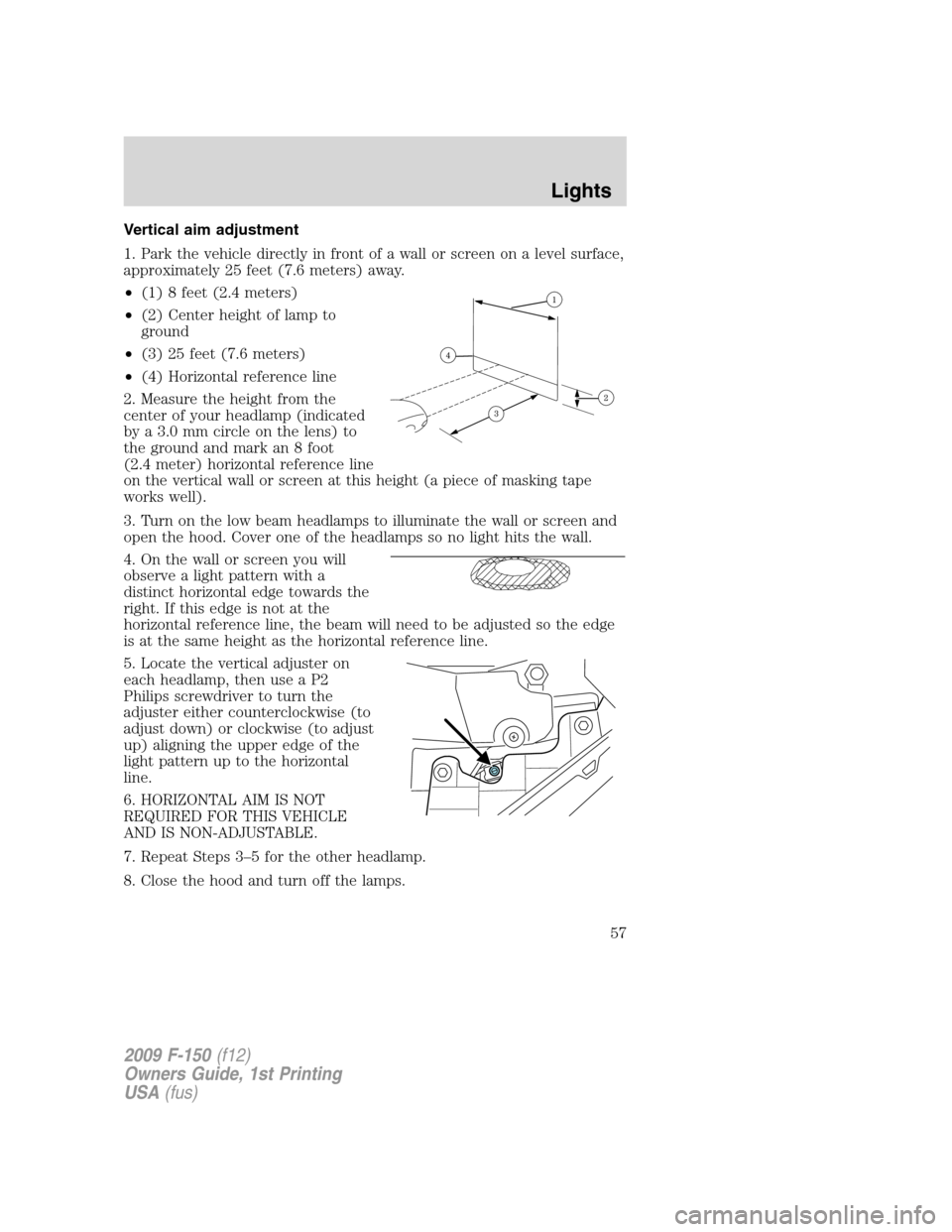
1. Park the vehicle directly in front of a wall or screen on a level surface,
approximately 25 feet (7.6 meters) away.
•(1) 8 feet (2.4 meters)
•(2) Center height of lamp to
ground
•(3) 25 feet (7.6 meters)
•(4) Horizontal reference line
2. Measure the height from the
center of your headlamp (indicated
by a 3.0 mm circle on the lens) to
the ground and mark an 8 foot
(2.4 meter) horizontal reference line
on the vertical wall or screen at this height (a piece of masking tape
works well).
3. Turn on the low beam headlamps to illuminate the wall or screen and
open the hood. Cover one of the headlamps so no light hits the wall.
4. On the wall or screen you will
observe a light pattern with a
distinct horizontal edge towards the
right. If this edge is not at the
horizontal reference line, the beam will need to be adjusted so the edge
is at the same height as the horizontal reference line.
5. Locate the vertical adjuster on
each headlamp, then use a P2
Philips screwdriver to turn the
adjuster either counterclockwise (to
adjust down) or clockwise (to adjust
up) aligning the upper edge of the
light pattern up to the horizontal
line.
6. HORIZONTAL AIM IS NOT
REQUIRED FOR THIS VEHICLE
AND IS NON-ADJUSTABLE.
7. Repeat Steps 3–5 for the other headlamp.
8. Close the hood and turn off the lamps.
2009 F-150(f12)
Owners Guide, 1st Printing
USA(fus)
Lights
57
Page 62 of 405
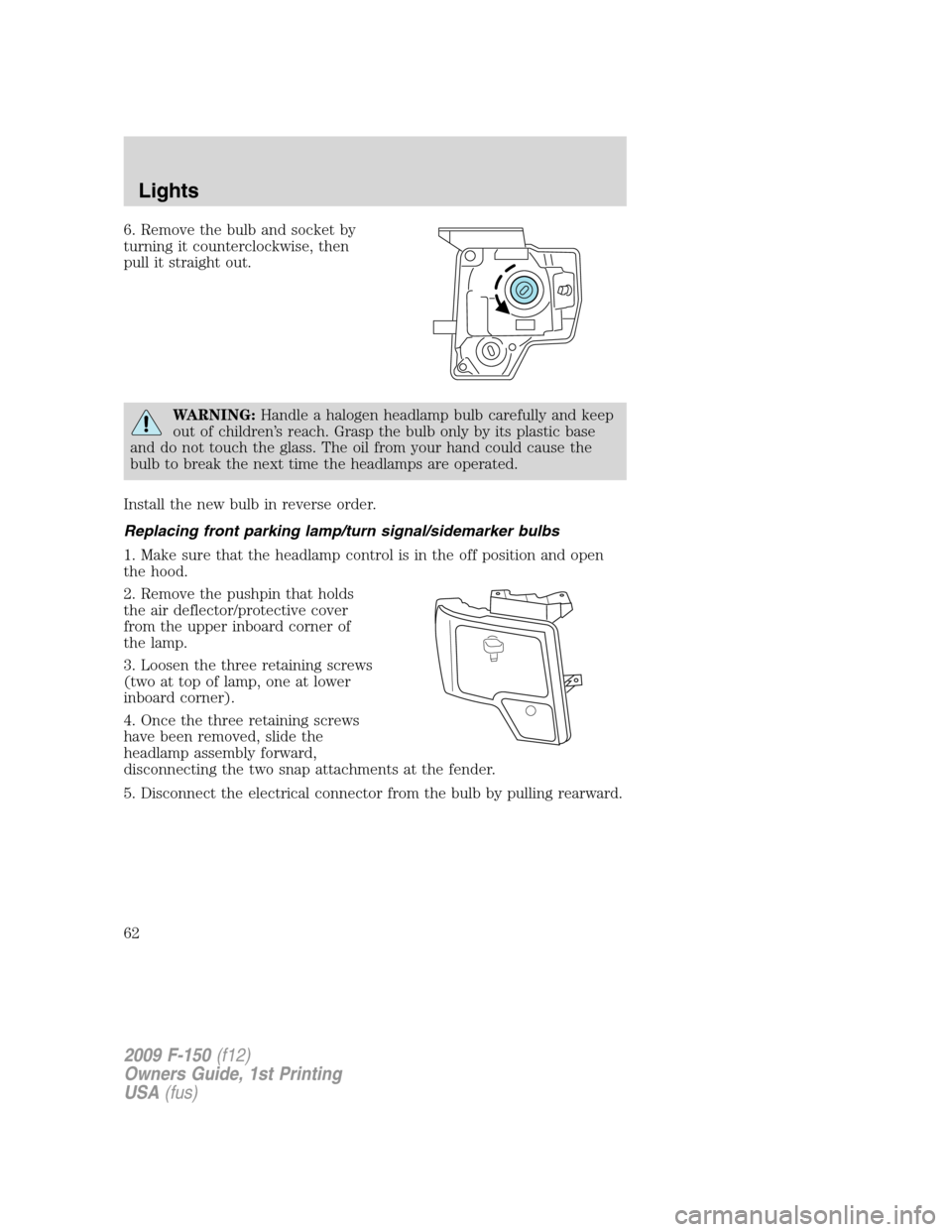
6. Remove the bulb and socket by
turning it counterclockwise, then
pull it straight out.
WARNING:Handle a halogen headlamp bulb carefully and keep
out of children’s reach. Grasp the bulb only by its plastic base
and do not touch the glass. The oil from your hand could cause the
bulb to break the next time the headlamps are operated.
Install the new bulb in reverse order.
Replacing front parking lamp/turn signal/sidemarker bulbs
1. Make sure that the headlamp control is in the off position and open
the hood.
2. Remove the pushpin that holds
the air deflector/protective cover
from the upper inboard corner of
the lamp.
3. Loosen the three retaining screws
(two at top of lamp, one at lower
inboard corner).
4. Once the three retaining screws
have been removed, slide the
headlamp assembly forward,
disconnecting the two snap attachments at the fender.
5. Disconnect the electrical connector from the bulb by pulling rearward.
2009 F-150(f12)
Owners Guide, 1st Printing
USA(fus)
Lights
62
Page 63 of 405
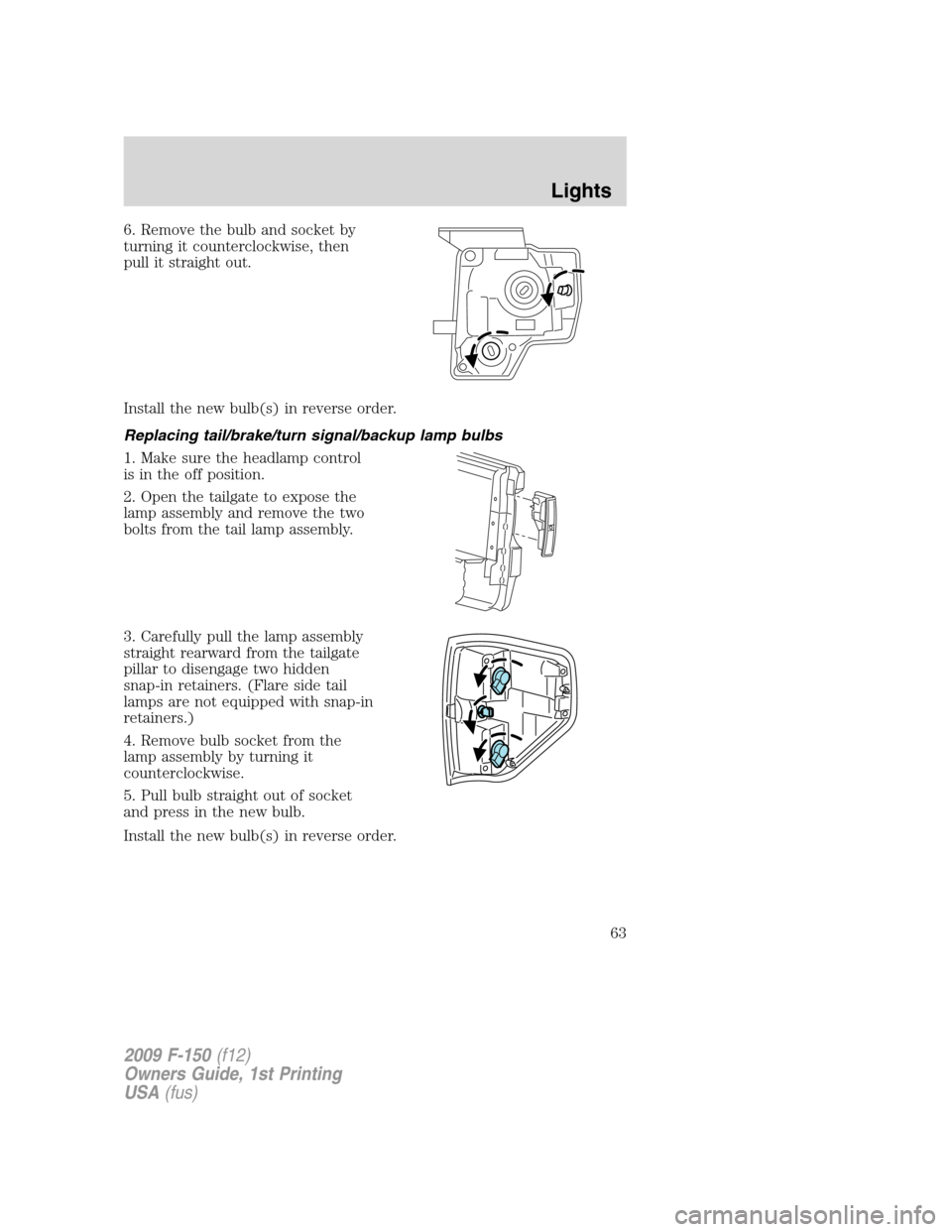
6. Remove the bulb and socket by
turning it counterclockwise, then
pull it straight out.
Install the new bulb(s) in reverse order.
Replacing tail/brake/turn signal/backup lamp bulbs
1. Make sure the headlamp control
is in the off position.
2. Open the tailgate to expose the
lamp assembly and remove the two
bolts from the tail lamp assembly.
3. Carefully pull the lamp assembly
straight rearward from the tailgate
pillar to disengage two hidden
snap-in retainers. (Flare side tail
lamps are not equipped with snap-in
retainers.)
4. Remove bulb socket from the
lamp assembly by turning it
counterclockwise.
5. Pull bulb straight out of socket
and press in the new bulb.
Install the new bulb(s) in reverse order.
2009 F-150(f12)
Owners Guide, 1st Printing
USA(fus)
Lights
63
Page 64 of 405
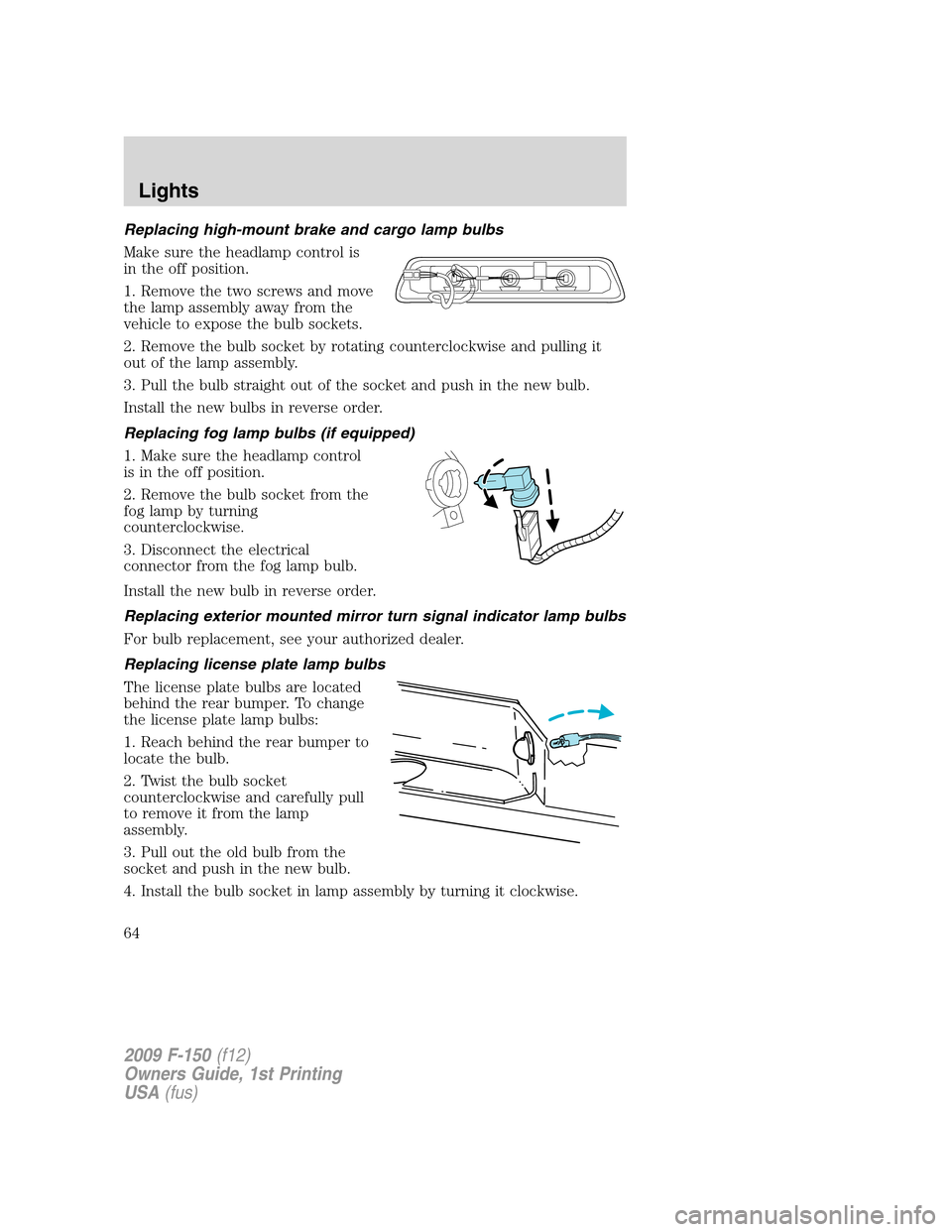
Replacing high-mount brake and cargo lamp bulbs
Make sure the headlamp control is
in the off position.
1. Remove the two screws and move
the lamp assembly away from the
vehicle to expose the bulb sockets.
2. Remove the bulb socket by rotating counterclockwise and pulling it
out of the lamp assembly.
3. Pull the bulb straight out of the socket and push in the new bulb.
Install the new bulbs in reverse order.
Replacing fog lamp bulbs (if equipped)
1. Make sure the headlamp control
is in the off position.
2. Remove the bulb socket from the
fog lamp by turning
counterclockwise.
3. Disconnect the electrical
connector from the fog lamp bulb.
Install the new bulb in reverse order.
Replacing exterior mounted mirror turn signal indicator lamp bulbs
For bulb replacement, see your authorized dealer.
Replacing license plate lamp bulbs
The license plate bulbs are located
behind the rear bumper. To change
the license plate lamp bulbs:
1. Reach behind the rear bumper to
locate the bulb.
2. Twist the bulb socket
counterclockwise and carefully pull
to remove it from the lamp
assembly.
3. Pull out the old bulb from the
socket and push in the new bulb.
4. Install the bulb socket in lamp assembly by turning it clockwise.
2009 F-150(f12)
Owners Guide, 1st Printing
USA(fus)
Lights
64
Page 66 of 405
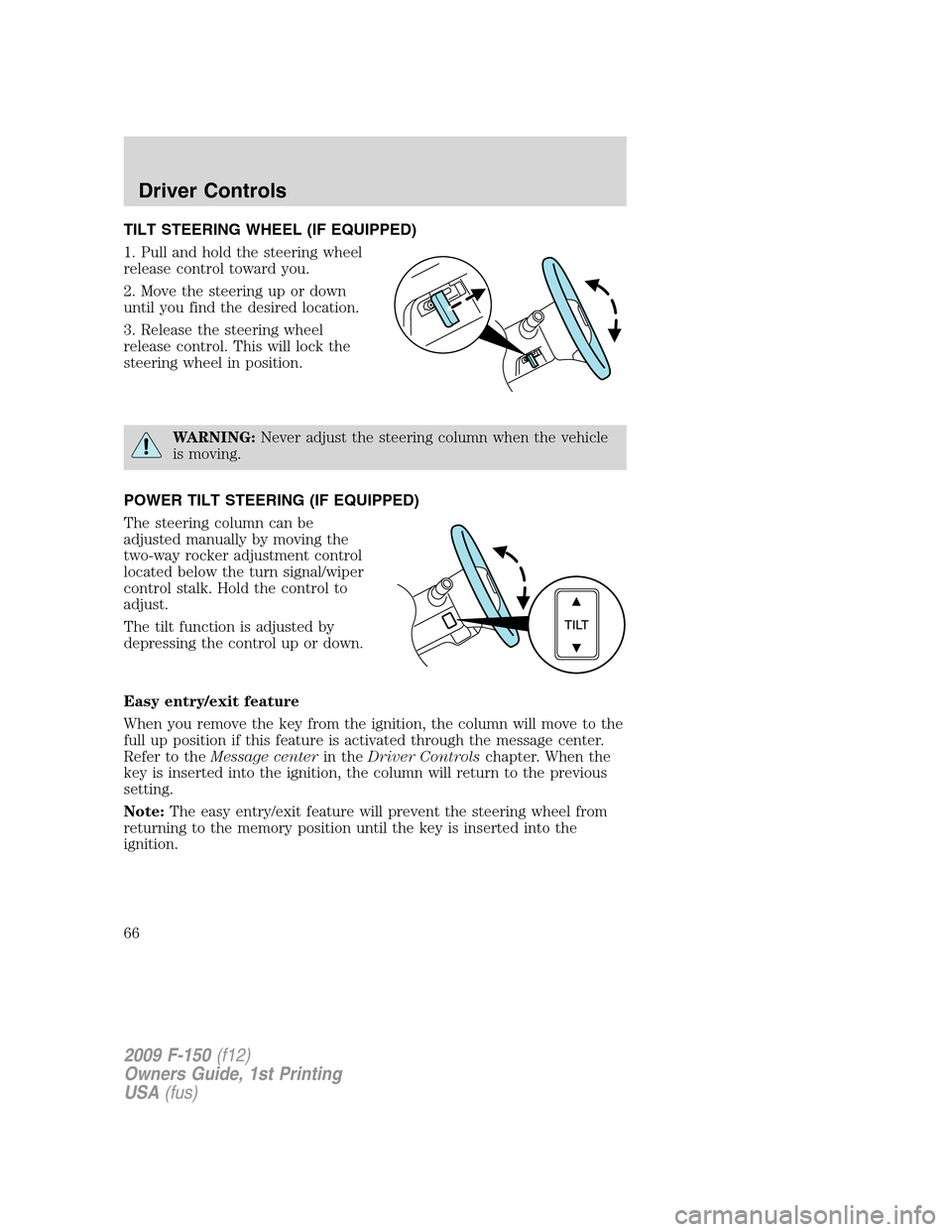
TILT STEERING WHEEL (IF EQUIPPED)
1. Pull and hold the steering wheel
release control toward you.
2. Move the steering up or down
until you find the desired location.
3. Release the steering wheel
release control. This will lock the
steering wheel in position.
WARNING:Never adjust the steering column when the vehicle
is moving.
POWER TILT STEERING (IF EQUIPPED)
The steering column can be
adjusted manually by moving the
two-way rocker adjustment control
located below the turn signal/wiper
control stalk. Hold the control to
adjust.
The tilt function is adjusted by
depressing the control up or down.
Easy entry/exit feature
When you remove the key from the ignition, the column will move to the
full up position if this feature is activated through the message center.
Refer to theMessage centerin theDriver Controlschapter. When the
key is inserted into the ignition, the column will return to the previous
setting.
Note:The easy entry/exit feature will prevent the steering wheel from
returning to the memory position until the key is inserted into the
ignition.
2009 F-150(f12)
Owners Guide, 1st Printing
USA(fus)
Driver Controls
66
Page 73 of 405
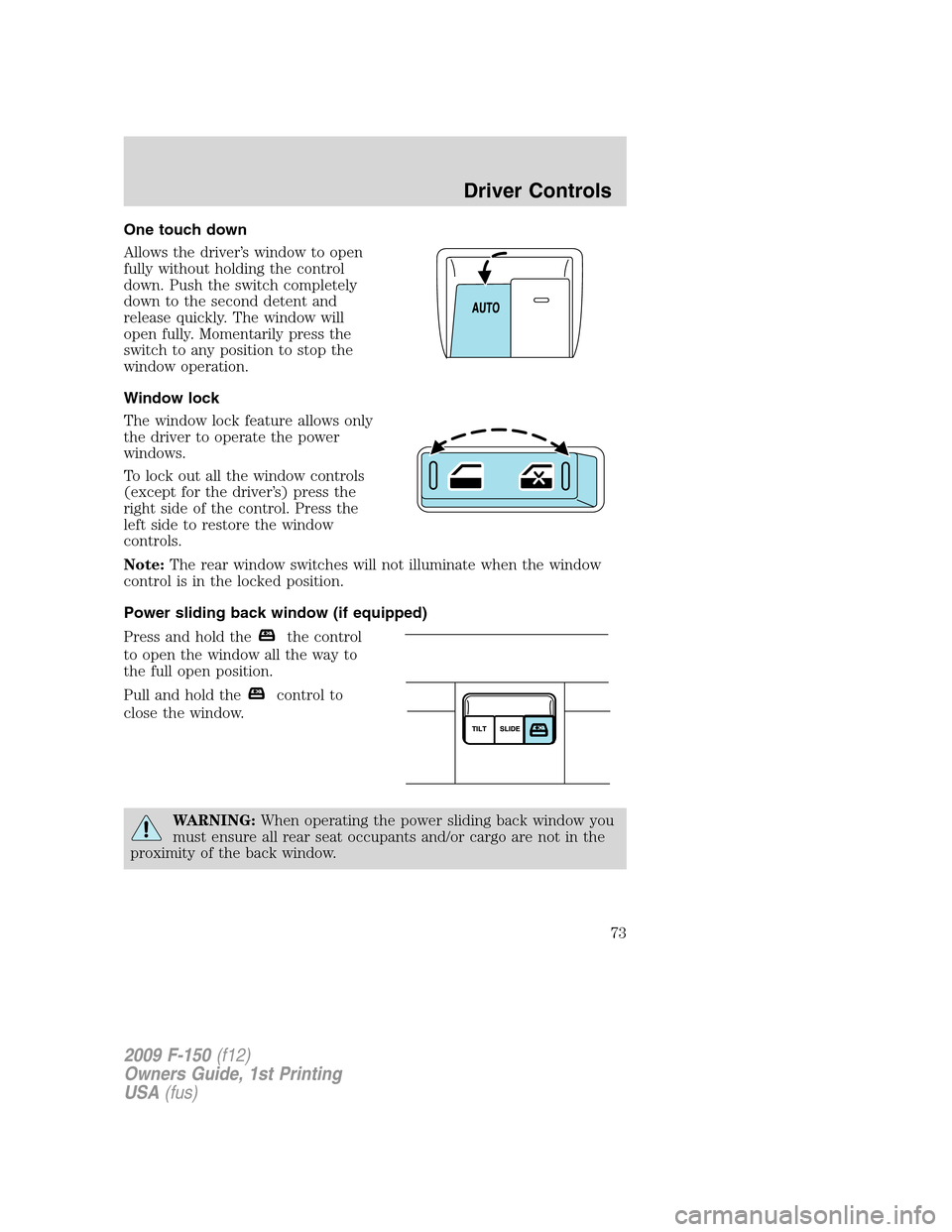
One touch down
Allows the driver’s window to open
fully without holding the control
down. Push the switch completely
down to the second detent and
release quickly. The window will
open fully. Momentarily press the
switch to any position to stop the
window operation.
Window lock
The window lock feature allows only
the driver to operate the power
windows.
To lock out all the window controls
(except for the driver’s) press the
right side of the control. Press the
left side to restore the window
controls.
Note:The rear window switches will not illuminate when the window
control is in the locked position.
Power sliding back window (if equipped)
Press and hold the
the control
to open the window all the way to
the full open position.
Pull and hold the
control to
close the window.
WARNING:When operating the power sliding back window you
must ensure all rear seat occupants and/or cargo are not in the
proximity of the back window.
2009 F-150(f12)
Owners Guide, 1st Printing
USA(fus)
Driver Controls
73
Page 75 of 405
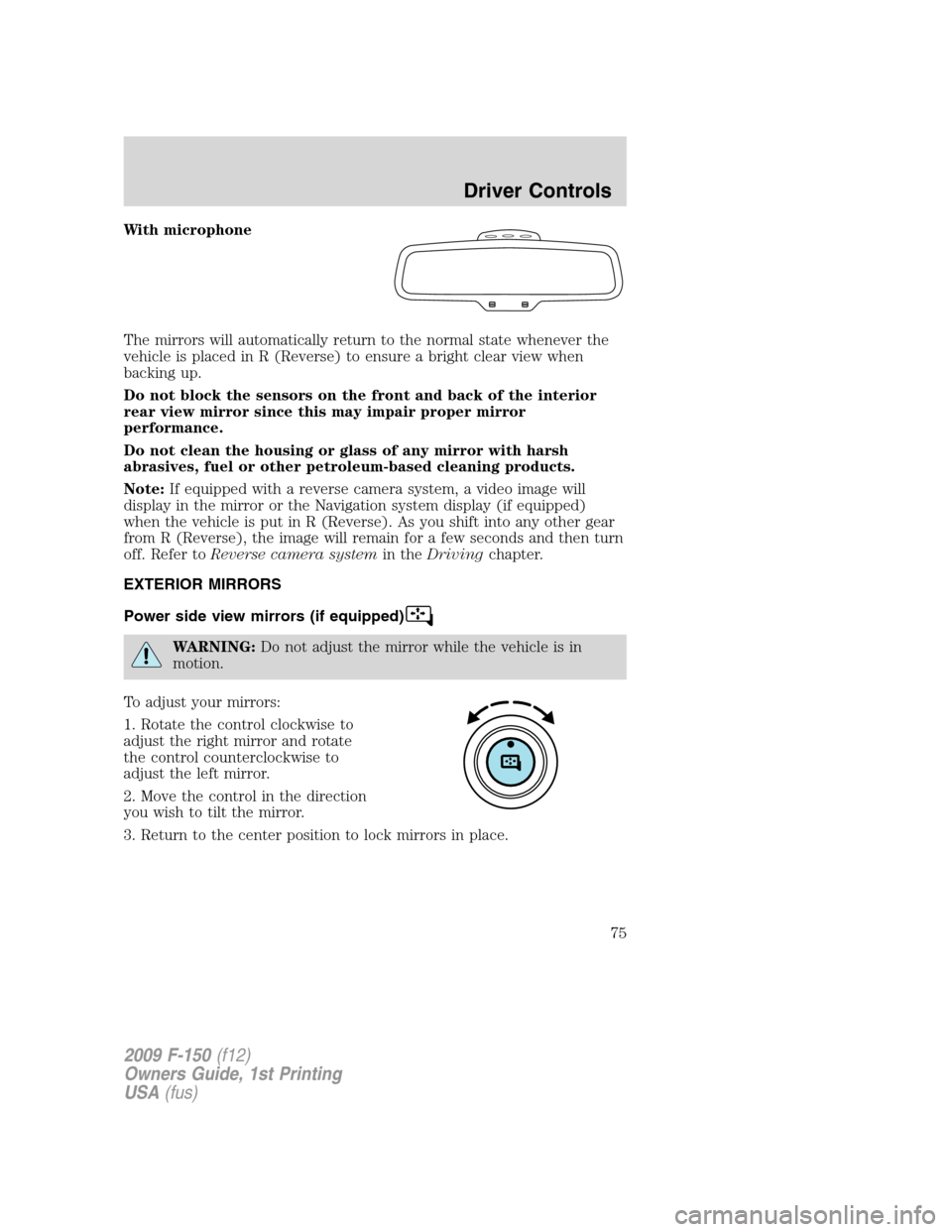
With microphone
The mirrors will automatically return to the normal state whenever the
vehicle is placed in R (Reverse) to ensure a bright clear view when
backing up.
Do not block the sensors on the front and back of the interior
rear view mirror since this may impair proper mirror
performance.
Do not clean the housing or glass of any mirror with harsh
abrasives, fuel or other petroleum-based cleaning products.
Note:If equipped with a reverse camera system, a video image will
display in the mirror or the Navigation system display (if equipped)
when the vehicle is put in R (Reverse). As you shift into any other gear
from R (Reverse), the image will remain for a few seconds and then turn
off. Refer toReverse camera systemin theDrivingchapter.
EXTERIOR MIRRORS
Power side view mirrors (if equipped)
WARNING:Do not adjust the mirror while the vehicle is in
motion.
To adjust your mirrors:
1. Rotate the control clockwise to
adjust the right mirror and rotate
the control counterclockwise to
adjust the left mirror.
2. Move the control in the direction
you wish to tilt the mirror.
3. Return to the center position to lock mirrors in place.
2009 F-150(f12)
Owners Guide, 1st Printing
USA(fus)
Driver Controls
75
Page 80 of 405
Note:Do not use the running boards, front and rear hinge assemblies,
running board motors, or the running board under body mounts to lift
the vehicle when jacking. Please utilize proper jacking points. Refer to
Changing the tiresin theRoadside Emergencieschapter.
WARNING:In extreme climates, excessive ice buildup may
occur, causing the running boards not to deploy. Be sure that the
running boards have deployed, and have finished moving before
attempting to step on them. Note: The running boards will resume
normal function once the blockage is cleared.
WARNING:Turn off the running boards before jacking or
placing any object under the vehicle. Never place your hand
between the extended running board and the vehicle. A moving
running board may cause injury.
SPEED CONTROL (IF EQUIPPED)
With speed control set, you can maintain a set speed without keeping
your foot on the accelerator pedal.
WARNING:Do not use the speed control in heavy traffic or on
roads that are winding, slippery or unpaved.
Setting speed control
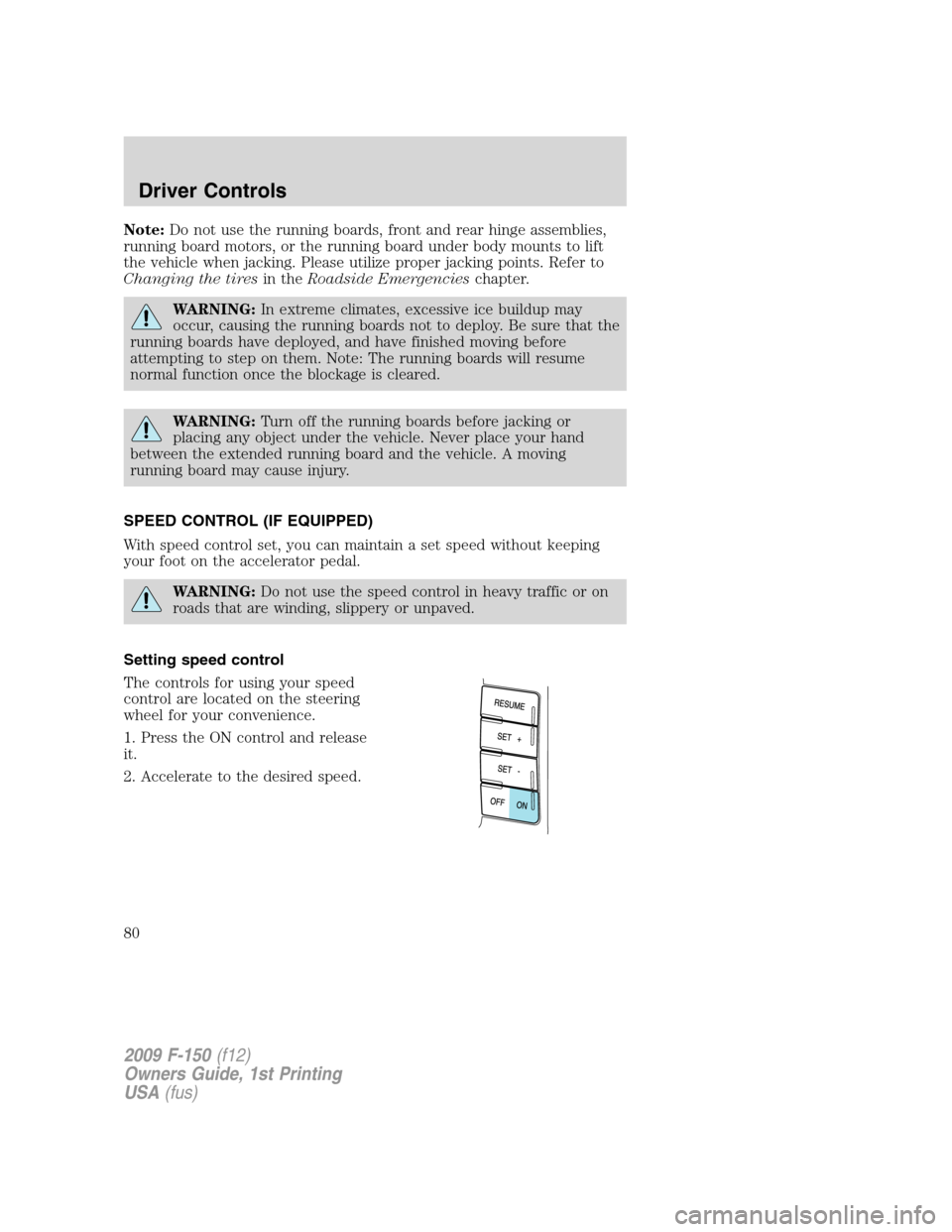
The controls for using your speed
control are located on the steering
wheel for your convenience.
1. Press the ON control and release
it.
2. Accelerate to the desired speed.
2009 F-150(f12)
Owners Guide, 1st Printing
USA(fus)
Driver Controls
80