display FORD F150 2009 12.G Owner's Manual
[x] Cancel search | Manufacturer: FORD, Model Year: 2009, Model line: F150, Model: FORD F150 2009 12.GPages: 405, PDF Size: 2.82 MB
Page 45 of 405
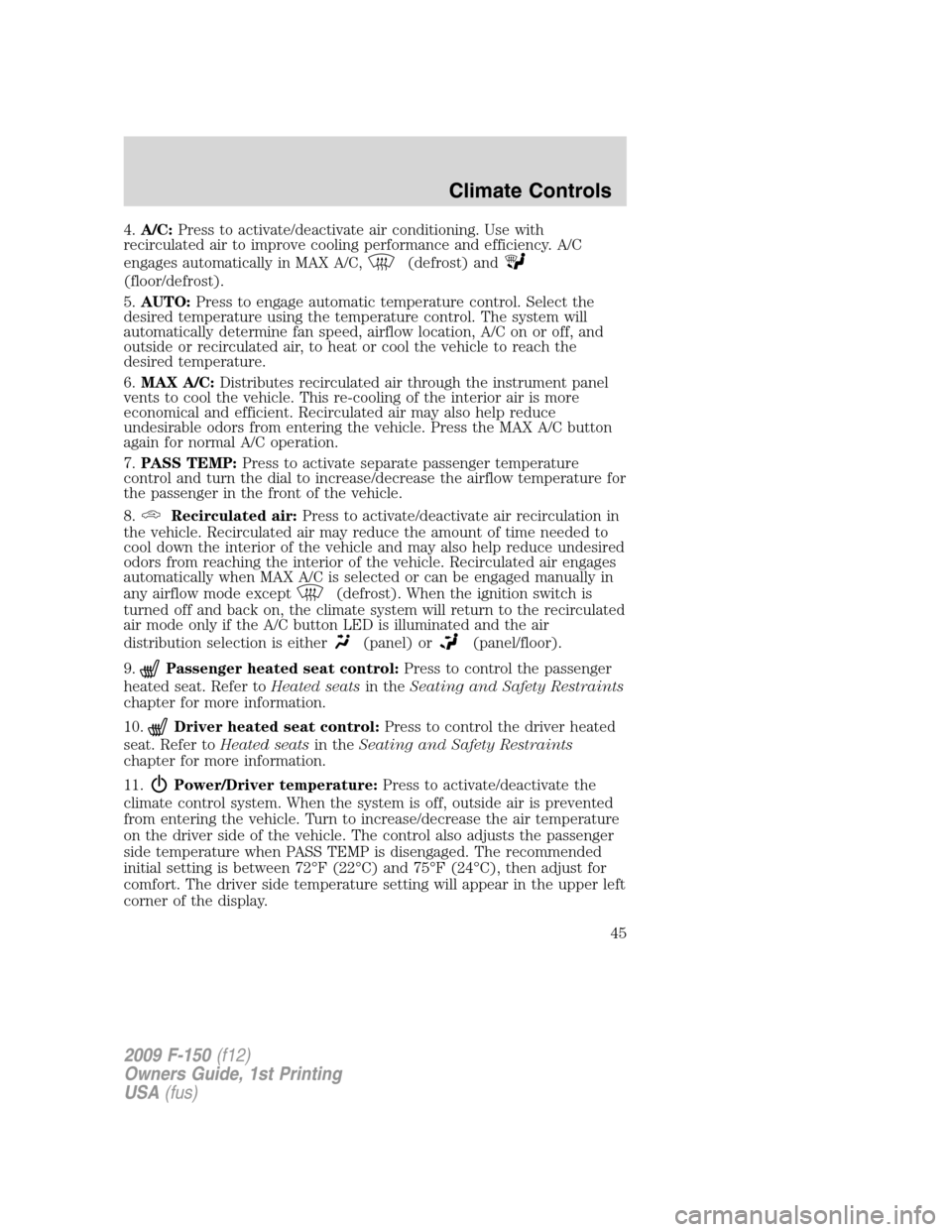
4.A/C:Press to activate/deactivate air conditioning. Use with
recirculated air to improve cooling performance and efficiency. A/C
engages automatically in MAX A/C,
(defrost) and
(floor/defrost).
5.AUTO:Press to engage automatic temperature control. Select the
desired temperature using the temperature control. The system will
automatically determine fan speed, airflow location, A/C on or off, and
outside or recirculated air, to heat or cool the vehicle to reach the
desired temperature.
6.MAX A/C:Distributes recirculated air through the instrument panel
vents to cool the vehicle. This re-cooling of the interior air is more
economical and efficient. Recirculated air may also help reduce
undesirable odors from entering the vehicle. Press the MAX A/C button
again for normal A/C operation.
7.PASS TEMP:Press to activate separate passenger temperature
control and turn the dial to increase/decrease the airflow temperature for
the passenger in the front of the vehicle.
8.
Recirculated air:Press to activate/deactivate air recirculation in
the vehicle. Recirculated air may reduce the amount of time needed to
cool down the interior of the vehicle and may also help reduce undesired
odors from reaching the interior of the vehicle. Recirculated air engages
automatically when MAX A/C is selected or can be engaged manually in
any airflow mode except
(defrost). When the ignition switch is
turned off and back on, the climate system will return to the recirculated
air mode only if the A/C button LED is illuminated and the air
distribution selection is either
(panel) or(panel/floor).
9.
Passenger heated seat control:Press to control the passenger
heated seat. Refer toHeated seatsin theSeating and Safety Restraints
chapter for more information.
10.
Driver heated seat control:Press to control the driver heated
seat. Refer toHeated seatsin theSeating and Safety Restraints
chapter for more information.
11.
Power/Driver temperature:Press to activate/deactivate the
climate control system. When the system is off, outside air is prevented
from entering the vehicle. Turn to increase/decrease the air temperature
on the driver side of the vehicle. The control also adjusts the passenger
side temperature when PASS TEMP is disengaged. The recommended
initial setting is between 72°F (22°C) and 75°F (24°C), then adjust for
comfort. The driver side temperature setting will appear in the upper left
corner of the display.
2009 F-150(f12)
Owners Guide, 1st Printing
USA(fus)
Climate Controls
45
Page 48 of 405
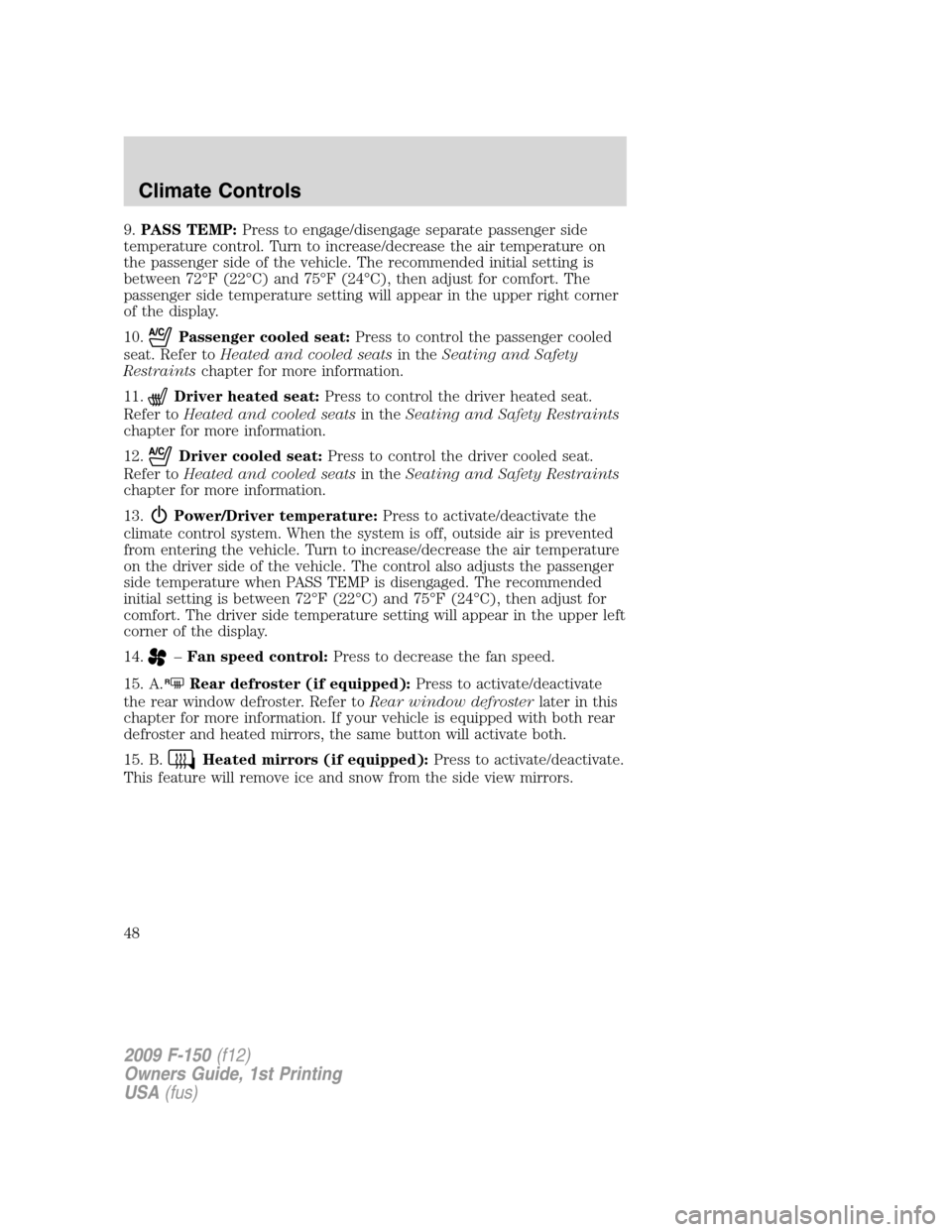
9.PASS TEMP:Press to engage/disengage separate passenger side
temperature control. Turn to increase/decrease the air temperature on
the passenger side of the vehicle. The recommended initial setting is
between 72°F (22°C) and 75°F (24°C), then adjust for comfort. The
passenger side temperature setting will appear in the upper right corner
of the display.
10.
Passenger cooled seat:Press to control the passenger cooled
seat. Refer toHeated and cooled seatsin theSeating and Safety
Restraintschapter for more information.
11.
Driver heated seat:Press to control the driver heated seat.
Refer toHeated and cooled seatsin theSeating and Safety Restraints
chapter for more information.
12.
Driver cooled seat:Press to control the driver cooled seat.
Refer toHeated and cooled seatsin theSeating and Safety Restraints
chapter for more information.
13.
Power/Driver temperature:Press to activate/deactivate the
climate control system. When the system is off, outside air is prevented
from entering the vehicle. Turn to increase/decrease the air temperature
on the driver side of the vehicle. The control also adjusts the passenger
side temperature when PASS TEMP is disengaged. The recommended
initial setting is between 72°F (22°C) and 75°F (24°C), then adjust for
comfort. The driver side temperature setting will appear in the upper left
corner of the display.
14.
–Fan speed control:Press to decrease the fan speed.
15. A.
RRear defroster (if equipped):Press to activate/deactivate
the rear window defroster. Refer toRear window defrosterlater in this
chapter for more information. If your vehicle is equipped with both rear
defroster and heated mirrors, the same button will activate both.
15. B.
Heated mirrors (if equipped):Press to activate/deactivate.
This feature will remove ice and snow from the side view mirrors.
2009 F-150(f12)
Owners Guide, 1st Printing
USA(fus)
Climate Controls
48
Page 49 of 405
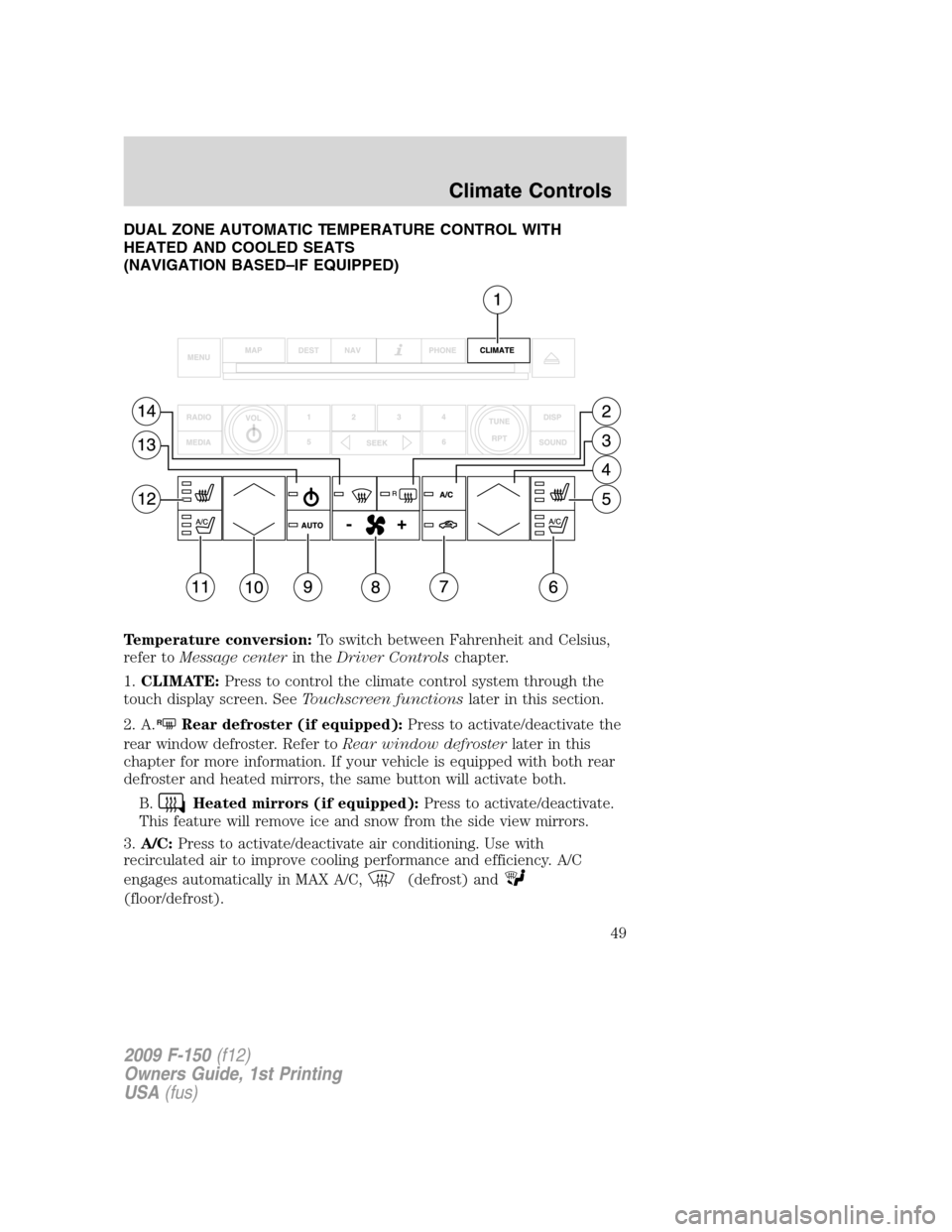
DUAL ZONE AUTOMATIC TEMPERATURE CONTROL WITH
HEATED AND COOLED SEATS
(NAVIGATION BASED–IF EQUIPPED)
Temperature conversion:To switch between Fahrenheit and Celsius,
refer toMessage centerin theDriver Controlschapter.
1.CLIMATE:Press to control the climate control system through the
touch display screen. SeeTouchscreen functionslater in this section.
2. A.
RRear defroster (if equipped):Press to activate/deactivate the
rear window defroster. Refer toRear window defrosterlater in this
chapter for more information. If your vehicle is equipped with both rear
defroster and heated mirrors, the same button will activate both.
B.
Heated mirrors (if equipped):Press to activate/deactivate.
This feature will remove ice and snow from the side view mirrors.
3.A/C:Press to activate/deactivate air conditioning. Use with
recirculated air to improve cooling performance and efficiency. A/C
engages automatically in MAX A/C,
(defrost) and
(floor/defrost).
2009 F-150(f12)
Owners Guide, 1st Printing
USA(fus)
Climate Controls
49
Page 56 of 405
Daytime running lamps (DRL) (if equipped)
Turns the headlamps on with a reduced output.
In order for the DRLs to function:
•the ignition must be in the on position and
•the headlamp control is in the
, parking lamp or autolamp position.
WARNING:Always remember to turn on your headlamps at
dusk or during inclement weather. The Daytime Running Lamp
(DRL) system does not activate the tail lamps and generally may not
provide adequate lighting during these conditions. Failure to activate
your headlamps under these conditions may result in a collision.
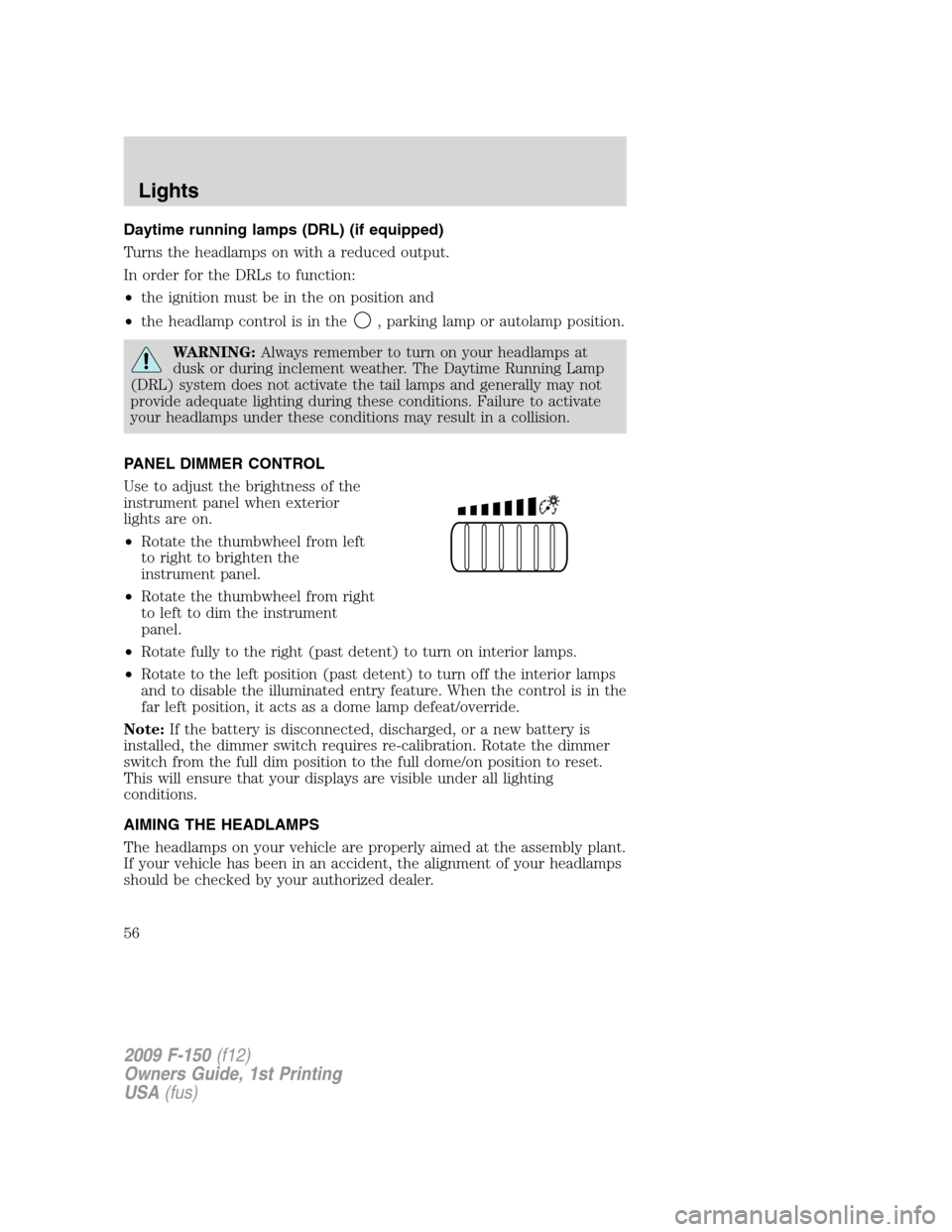
PANEL DIMMER CONTROL
Use to adjust the brightness of the
instrument panel when exterior
lights are on.
•Rotate the thumbwheel from left
to right to brighten the
instrument panel.
•Rotate the thumbwheel from right
to left to dim the instrument
panel.
•Rotate fully to the right (past detent) to turn on interior lamps.
•Rotate to the left position (past detent) to turn off the interior lamps
and to disable the illuminated entry feature. When the control is in the
far left position, it acts as a dome lamp defeat/override.
Note:If the battery is disconnected, discharged, or a new battery is
installed, the dimmer switch requires re-calibration. Rotate the dimmer
switch from the full dim position to the full dome/on position to reset.
This will ensure that your displays are visible under all lighting
conditions.
AIMING THE HEADLAMPS
The headlamps on your vehicle are properly aimed at the assembly plant.
If your vehicle has been in an accident, the alignment of your headlamps
should be checked by your authorized dealer.
2009 F-150(f12)
Owners Guide, 1st Printing
USA(fus)
Lights
56
Page 68 of 405
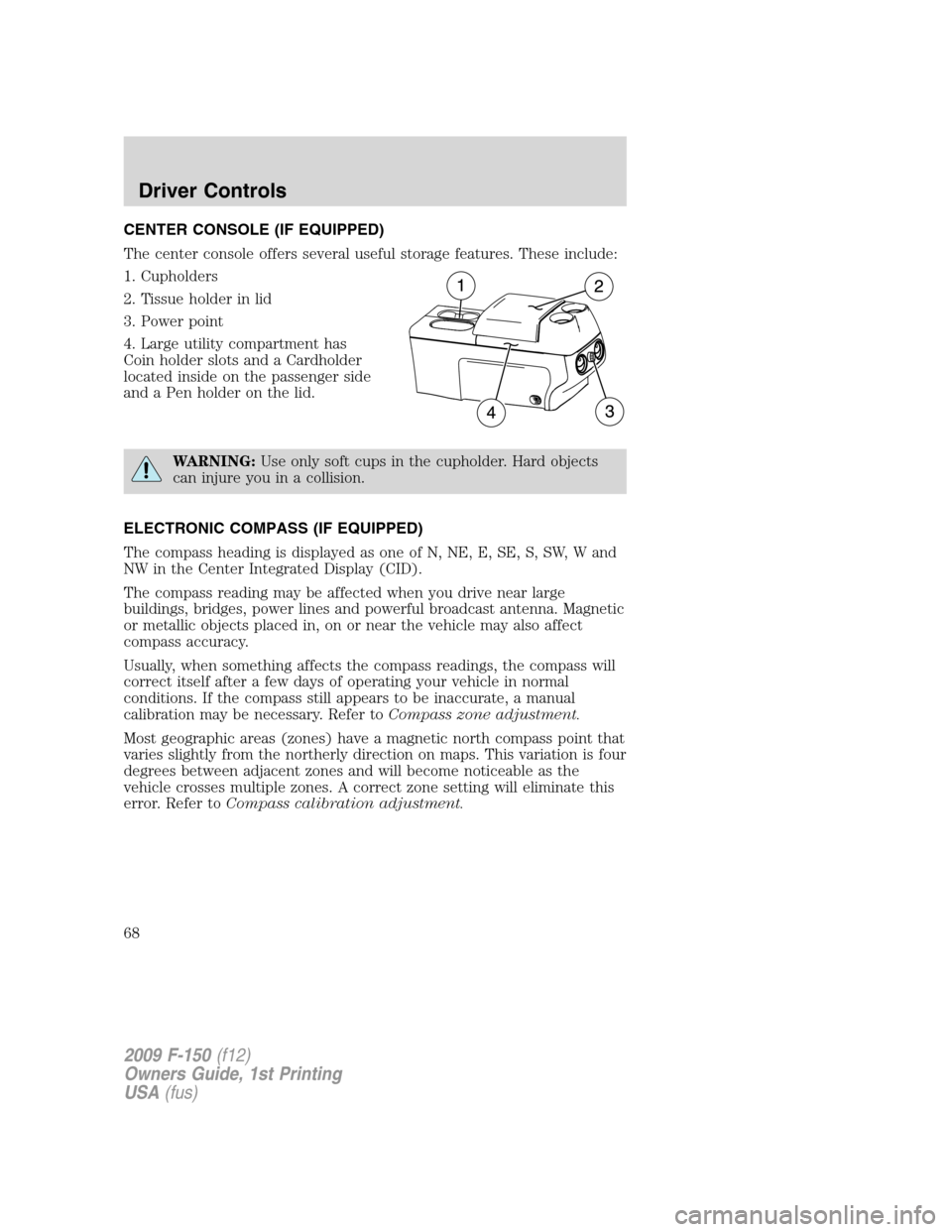
CENTER CONSOLE (IF EQUIPPED)
The center console offers several useful storage features. These include:
1. Cupholders
2. Tissue holder in lid
3. Power point
4. Large utility compartment has
Coin holder slots and a Cardholder
located inside on the passenger side
and a Pen holder on the lid.
WARNING:Use only soft cups in the cupholder. Hard objects
can injure you in a collision.
ELECTRONIC COMPASS (IF EQUIPPED)
The compass heading is displayed as one of N, NE, E, SE, S, SW, W and
NW in the Center Integrated Display (CID).
The compass reading may be affected when you drive near large
buildings, bridges, power lines and powerful broadcast antenna. Magnetic
or metallic objects placed in, on or near the vehicle may also affect
compass accuracy.
Usually, when something affects the compass readings, the compass will
correct itself after a few days of operating your vehicle in normal
conditions. If the compass still appears to be inaccurate, a manual
calibration may be necessary. Refer toCompass zone adjustment.
Most geographic areas (zones) have a magnetic north compass point that
varies slightly from the northerly direction on maps. This variation is four
degrees between adjacent zones and will become noticeable as the
vehicle crosses multiple zones. A correct zone setting will eliminate this
error. Refer toCompass calibration adjustment.
2009 F-150(f12)
Owners Guide, 1st Printing
USA(fus)
Driver Controls
68
Page 69 of 405
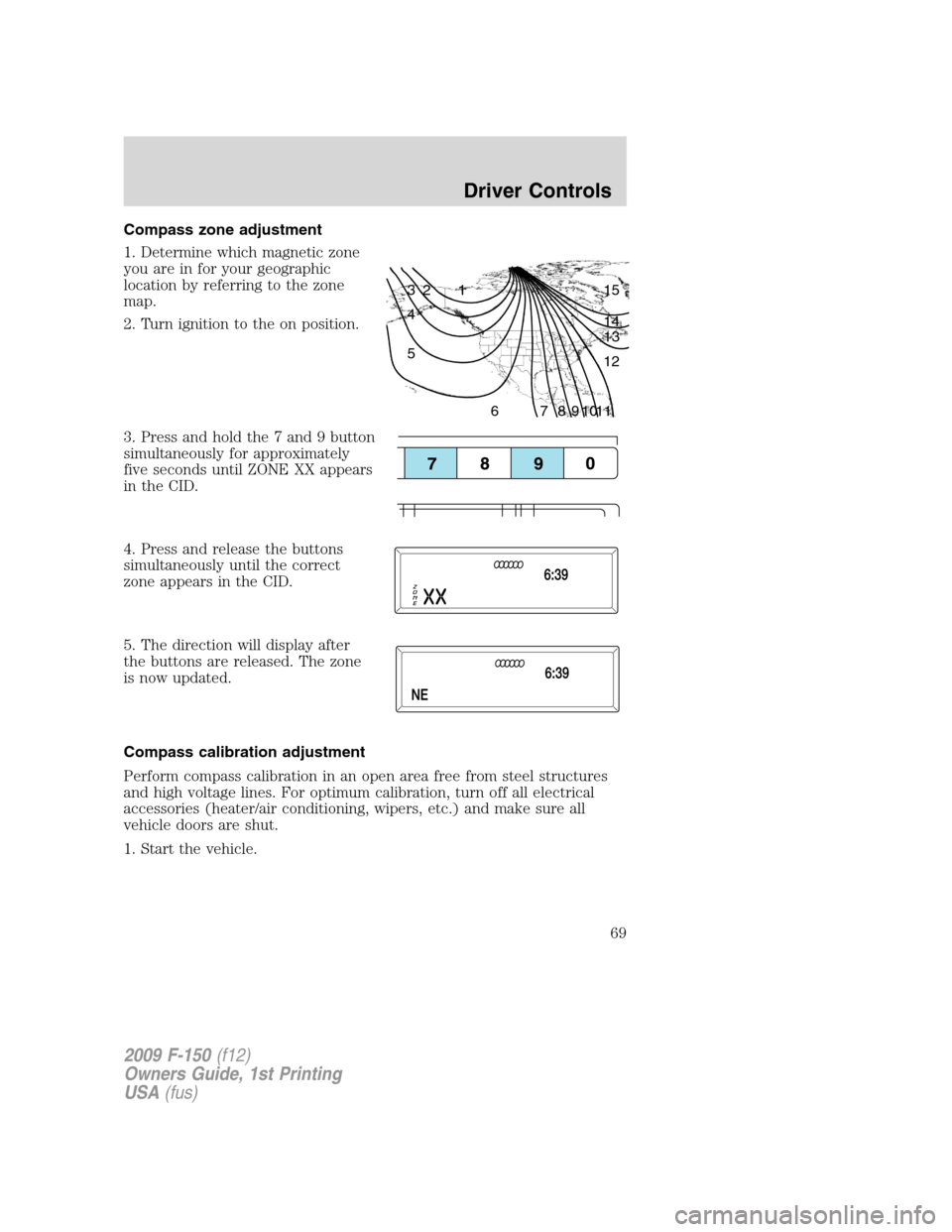
Compass zone adjustment
1. Determine which magnetic zone
you are in for your geographic
location by referring to the zone
map.
2. Turn ignition to the on position.
3. Press and hold the 7 and 9 button
simultaneously for approximately
five seconds until ZONE XX appears
in the CID.
4. Press and release the buttons
simultaneously until the correct
zone appears in the CID.
5. The direction will display after
the buttons are released. The zone
is now updated.
Compass calibration adjustment
Perform compass calibration in an open area free from steel structures
and high voltage lines. For optimum calibration, turn off all electrical
accessories (heater/air conditioning, wipers, etc.) and make sure all
vehicle doors are shut.
1. Start the vehicle.
1 2 3
4
5
6 7 8 9 101112 13 14 15
2009 F-150(f12)
Owners Guide, 1st Printing
USA(fus)
Driver Controls
69
Page 70 of 405
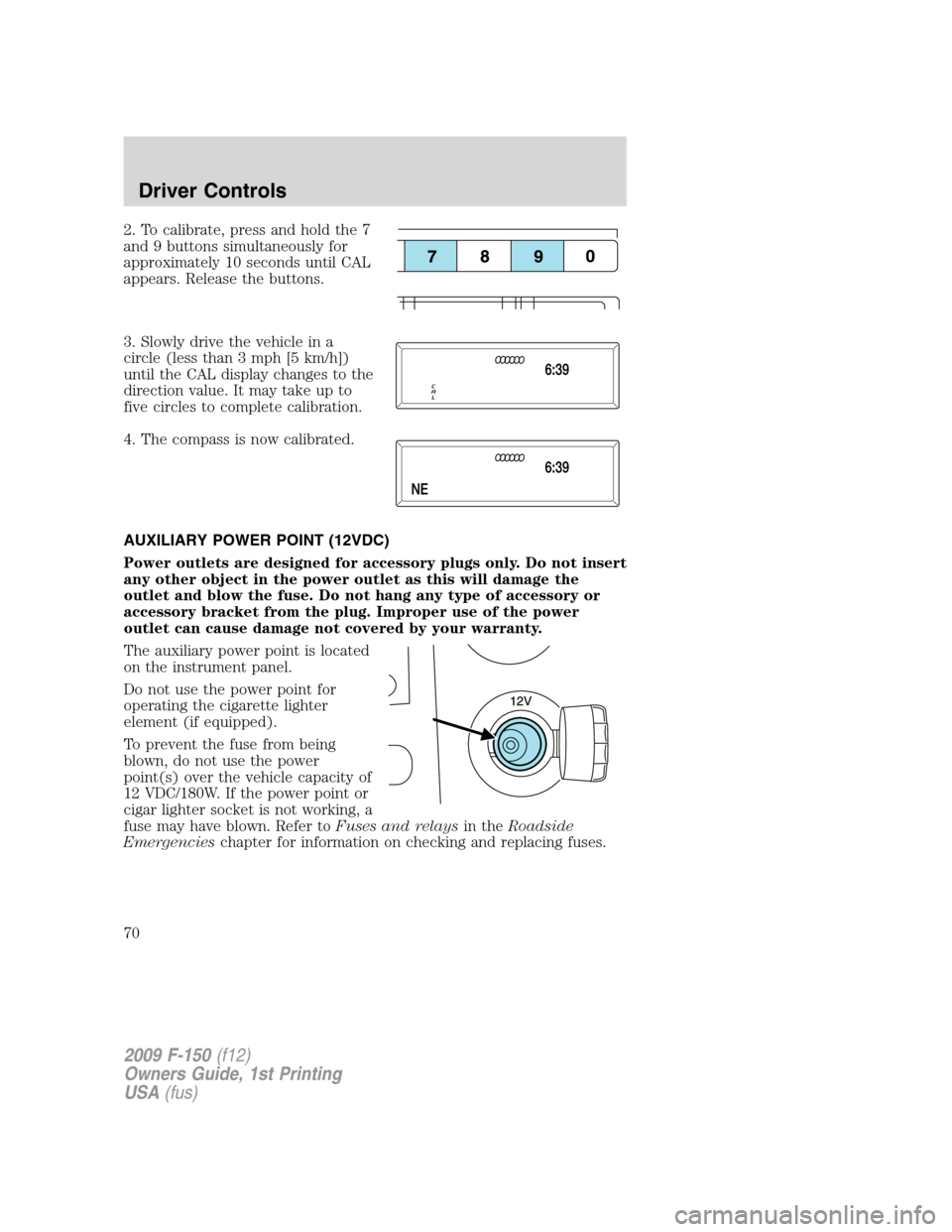
2. To calibrate, press and hold the 7
and 9 buttons simultaneously for
approximately 10 seconds until CAL
appears. Release the buttons.
3. Slowly drive the vehicle in a
circle (less than 3 mph [5 km/h])
until the CAL display changes to the
direction value. It may take up to
five circles to complete calibration.
4. The compass is now calibrated.
AUXILIARY POWER POINT (12VDC)
Power outlets are designed for accessory plugs only. Do not insert
any other object in the power outlet as this will damage the
outlet and blow the fuse. Do not hang any type of accessory or
accessory bracket from the plug. Improper use of the power
outlet can cause damage not covered by your warranty.
The auxiliary power point is located
on the instrument panel.
Do not use the power point for
operating the cigarette lighter
element (if equipped).
To prevent the fuse from being
blown, do not use the power
point(s) over the vehicle capacity of
12 VDC/180W. If the power point or
cigar lighter socket is not working, a
fuse may have blown. Refer toFuses and relaysin theRoadside
Emergencieschapter for information on checking and replacing fuses.
2009 F-150(f12)
Owners Guide, 1st Printing
USA(fus)
Driver Controls
70
Page 75 of 405
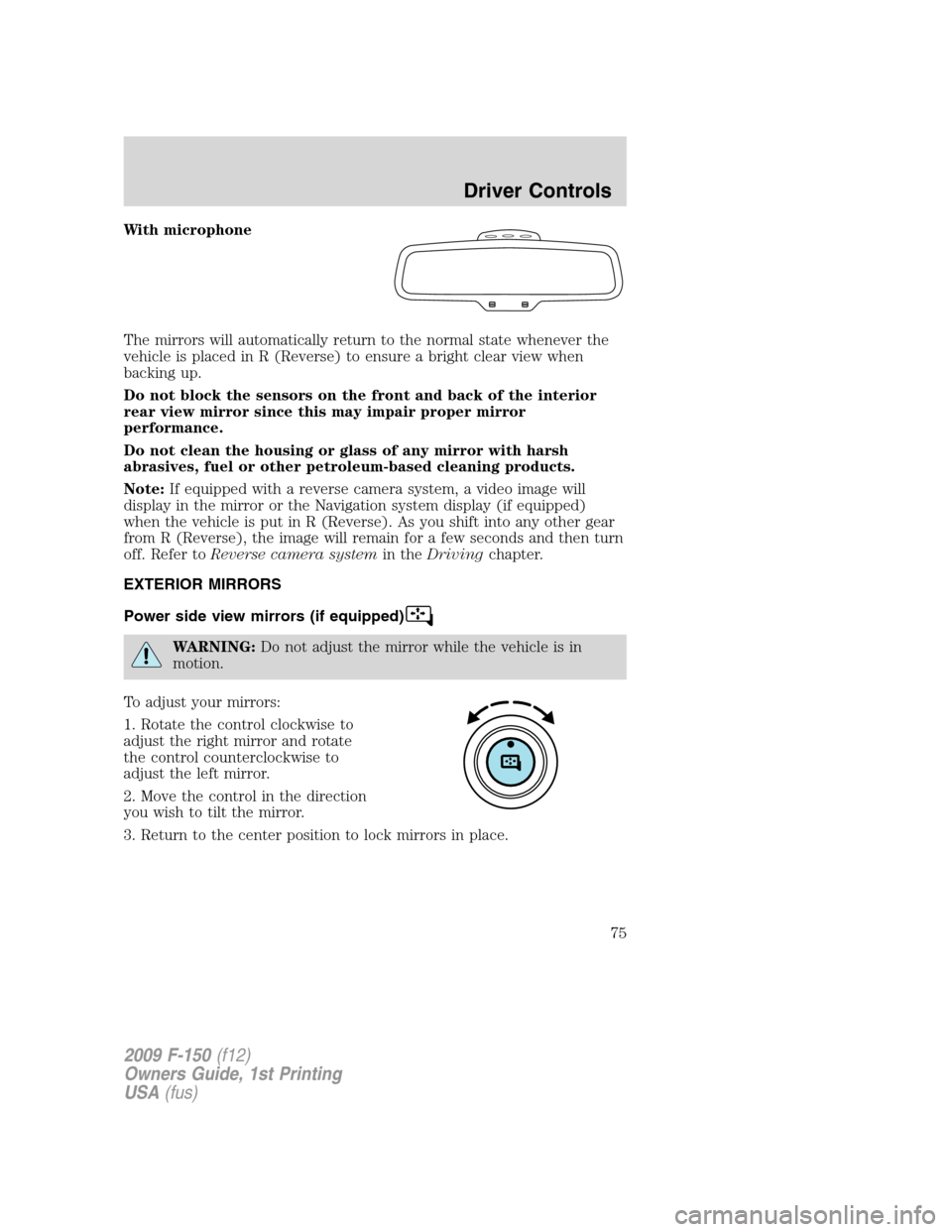
With microphone
The mirrors will automatically return to the normal state whenever the
vehicle is placed in R (Reverse) to ensure a bright clear view when
backing up.
Do not block the sensors on the front and back of the interior
rear view mirror since this may impair proper mirror
performance.
Do not clean the housing or glass of any mirror with harsh
abrasives, fuel or other petroleum-based cleaning products.
Note:If equipped with a reverse camera system, a video image will
display in the mirror or the Navigation system display (if equipped)
when the vehicle is put in R (Reverse). As you shift into any other gear
from R (Reverse), the image will remain for a few seconds and then turn
off. Refer toReverse camera systemin theDrivingchapter.
EXTERIOR MIRRORS
Power side view mirrors (if equipped)
WARNING:Do not adjust the mirror while the vehicle is in
motion.
To adjust your mirrors:
1. Rotate the control clockwise to
adjust the right mirror and rotate
the control counterclockwise to
adjust the left mirror.
2. Move the control in the direction
you wish to tilt the mirror.
3. Return to the center position to lock mirrors in place.
2009 F-150(f12)
Owners Guide, 1st Printing
USA(fus)
Driver Controls
75
Page 83 of 405
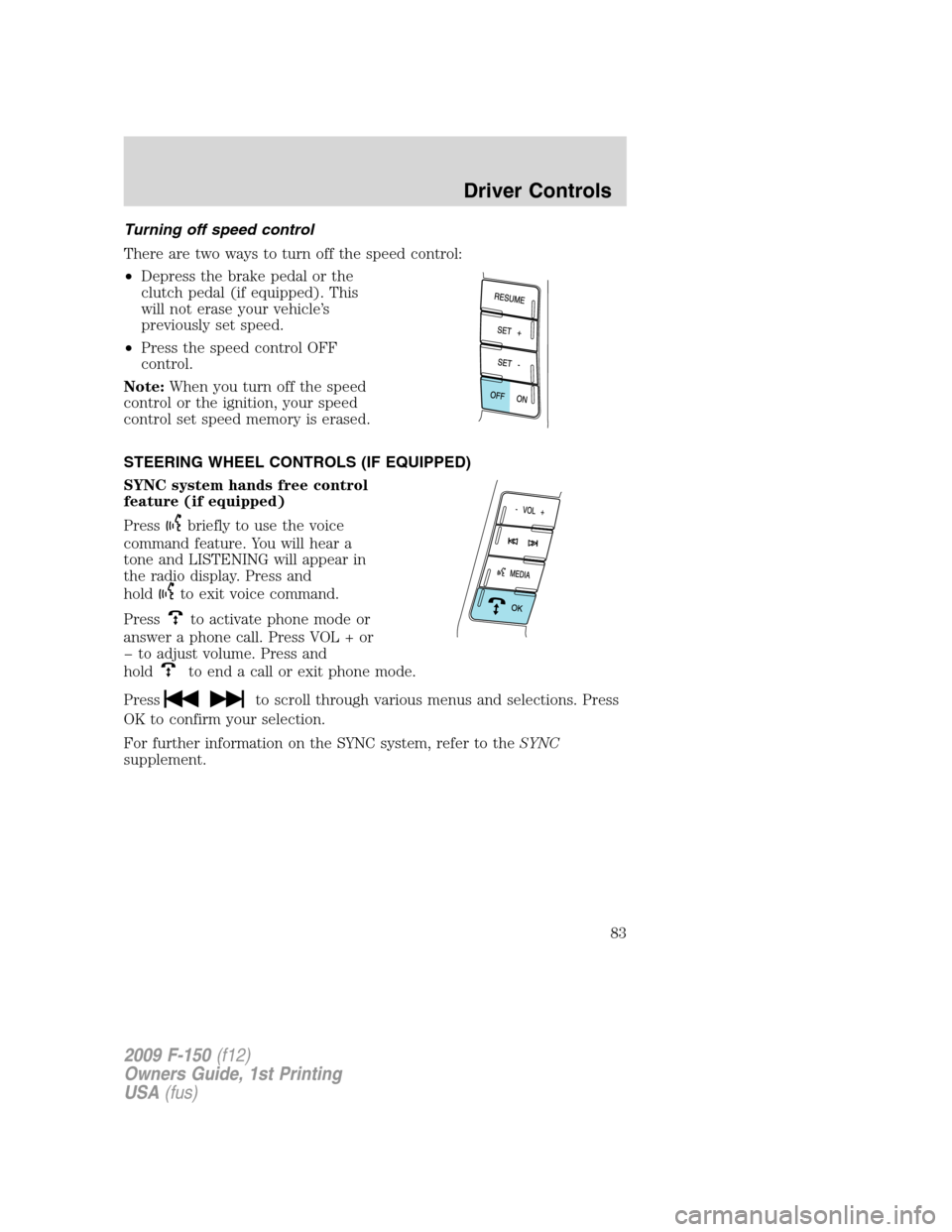
Turning off speed control
There are two ways to turn off the speed control:
•Depress the brake pedal or the
clutch pedal (if equipped). This
will not erase your vehicle’s
previously set speed.
•Press the speed control OFF
control.
Note:When you turn off the speed
control or the ignition, your speed
control set speed memory is erased.
STEERING WHEEL CONTROLS (IF EQUIPPED)
SYNC system hands free control
feature (if equipped)
Press
briefly to use the voice
command feature. You will hear a
tone and LISTENING will appear in
the radio display. Press and
hold
to exit voice command.
Press
to activate phone mode or
answer a phone call. Press VOL + or
to adjust volume. Press and
hold
to end a call or exit phone mode.
Press
to scroll through various menus and selections. Press
OK to confirm your selection.
For further information on the SYNC system, refer to theSYNC
supplement.
2009 F-150(f12)
Owners Guide, 1st Printing
USA(fus)
Driver Controls
83
Page 84 of 405
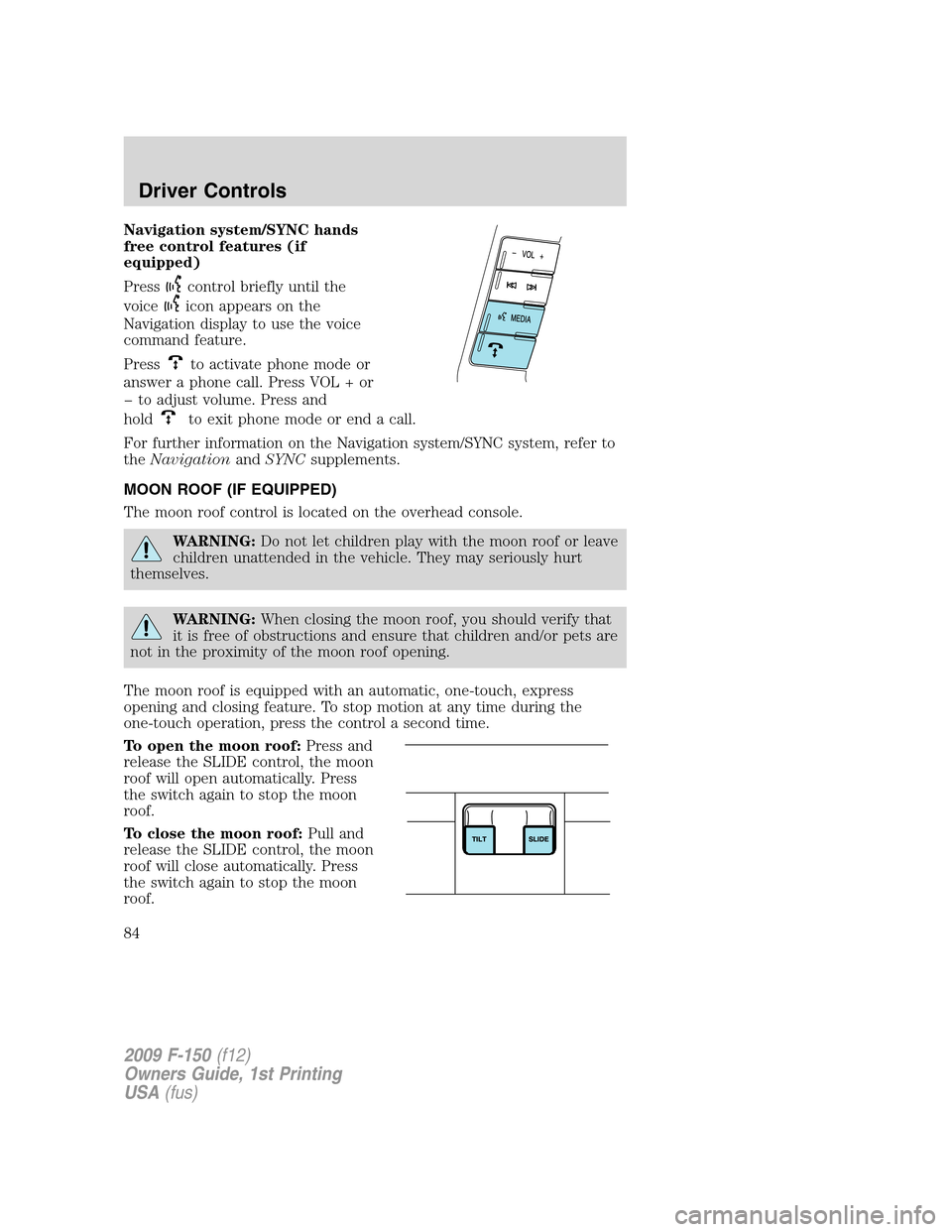
Navigation system/SYNC hands
free control features (if
equipped)
Press
control briefly until the
voice
icon appears on the
Navigation display to use the voice
command feature.
Press
to activate phone mode or
answer a phone call. Press VOL + or
to adjust volume. Press and
hold
to exit phone mode or end a call.
For further information on the Navigation system/SYNC system, refer to
theNavigationandSYNCsupplements.
MOON ROOF (IF EQUIPPED)
The moon roof control is located on the overhead console.
WARNING:Do not let children play with the moon roof or leave
children unattended in the vehicle. They may seriously hurt
themselves.
WARNING:When closing the moon roof, you should verify that
it is free of obstructions and ensure that children and/or pets are
not in the proximity of the moon roof opening.
The moon roof is equipped with an automatic, one-touch, express
opening and closing feature. To stop motion at any time during the
one-touch operation, press the control a second time.
To open the moon roof:Press and
release the SLIDE control, the moon
roof will open automatically. Press
the switch again to stop the moon
roof.
To close the moon roof:Pull and
release the SLIDE control, the moon
roof will close automatically. Press
the switch again to stop the moon
roof.
2009 F-150(f12)
Owners Guide, 1st Printing
USA(fus)
Driver Controls
84