ignition FORD F150 2011 12.G Owner's Manual
[x] Cancel search | Manufacturer: FORD, Model Year: 2011, Model line: F150, Model: FORD F150 2011 12.GPages: 461, PDF Size: 3.1 MB
Page 78 of 461
For maximum cooling performance (MAX A/C):
1. Press MAX A/C. The system will default to single zone operation and
set the temperature to 60°F (16°C). The blower will automatically go to
maximum.
2. A/C,
(recirculated air) and(panel) will be selected.
3. Fan speed can be adjusted as desired.
To aid in side window defogging/demisting in cold weather:
1. Select
.
2. Select A/C.
3. Adjust the temperature control to maintain comfort.
4. Set the fan speed to the highest setting.
5. Direct the outer instrument panel vents towards the side windows.
To increase airflow to the outer instrument panel vents, close the vents
located in the middle of the instrument panel.
REAR WINDOW DEFROSTER (IF EQUIPPED)
R
The rear defroster control is located on the climate control panel and
works to defrost your rear window from fog and thin ice. If equipped, it
also operates the heated mirror to remove snow and thin ice from the
side mirrors.
Ensure that the ignition on. Press to turn the defroster on/off. The
indicator light will illuminate when activated. For vehicles with a sliding
rear window– the defroster will be disabled when the window is opened.
Do not use razor blades or other sharp objects to clean the inside
of the rear window or to remove decals from the inside of the
rear window. This may cause damage to the heated grid lines and
will not be covered by your warranty.
REMOTE START CLIMATE OPERATION (IF EQUIPPED)
The climate control system will condition the cabin temperature during
remote start based on the outside temperature. Engine idle may increase
to help with adjusting the cabin temperature.
Note:No climate control adjustments will be recognized during remote
start operation. Once the ignition is cycled to the on position, the climate
control system will return to the previous settings (last ignition-on cycle)
and adjustments can be made normally. If the previous setting was off,
the climate control system will turn off.
Climate Controls
78
2011 F-150(f12)
Owners Guide, 1st Printing
USA(fus)
Page 79 of 461
Manual climate control
For hot weather conditions:
•The climate control system will be set to MAX A/C.
For cold weather conditions:
•The climate control system will be set to provide maximum heating
in
(floor/defrost) mode.
•Rear defrost/heated mirrors (if equipped) will be activated.
For moderate weather conditions:
•The interior cabin will be heated, cooled or off, based upon the
previous operating state (last ignition-on cycle).
•Rear defrost/heated mirrors (if equipped) will be deactivated.
Automatic climate control
For hot weather conditions:
•The interior cabin will be cooled to 72°F (22°C).
•The cooled seats (if equipped) will be set to high.
For cold weather conditions:
•The interior cabin will be heated to 72°F (22°C).
•The heated seats (if equipped) will be set to high.
•Rear defrost/heated mirrors (if equipped) will be activated.
For moderate weather conditions:
•The interior cabin will be heated, cooled, or off, based upon the
previous operating state (last ignition-on cycle).
•Heated/cooled seats (if equipped) will be deactivated.
•Rear defrost/heated mirrors (if equipped) will be deactivated.
Climate Controls
79
2011 F-150(f12)
Owners Guide, 1st Printing
USA(fus)
Page 80 of 461
HEADLAMP CONTROL
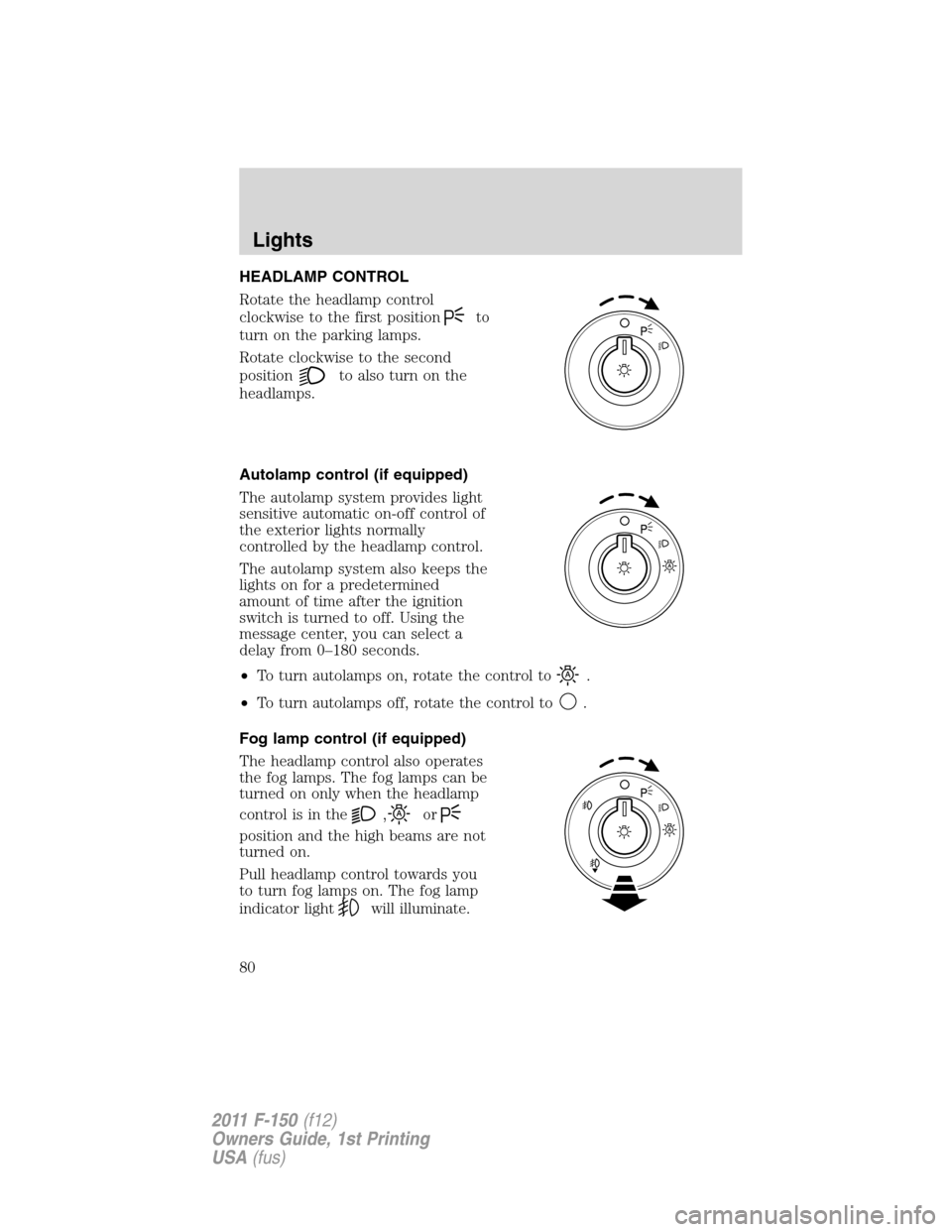
Rotate the headlamp control
clockwise to the first position
to
turn on the parking lamps.
Rotate clockwise to the second
position
to also turn on the
headlamps.
Autolamp control (if equipped)
The autolamp system provides light
sensitive automatic on-off control of
the exterior lights normally
controlled by the headlamp control.
The autolamp system also keeps the
lights on for a predetermined
amount of time after the ignition
switch is turned to off. Using the
message center, you can select a
delay from 0–180 seconds.
•To turn autolamps on, rotate the control to
.
•To turn autolamps off, rotate the control to
.
Fog lamp control (if equipped)
The headlamp control also operates
the fog lamps. The fog lamps can be
turned on only when the headlamp
controlisinthe
,or
position and the high beams are not
turned on.
Pull headlamp control towards you
to turn fog lamps on. The fog lamp
indicator light
will illuminate.
Lights
80
2011 F-150(f12)
Owners Guide, 1st Printing
USA(fus)
Page 81 of 461
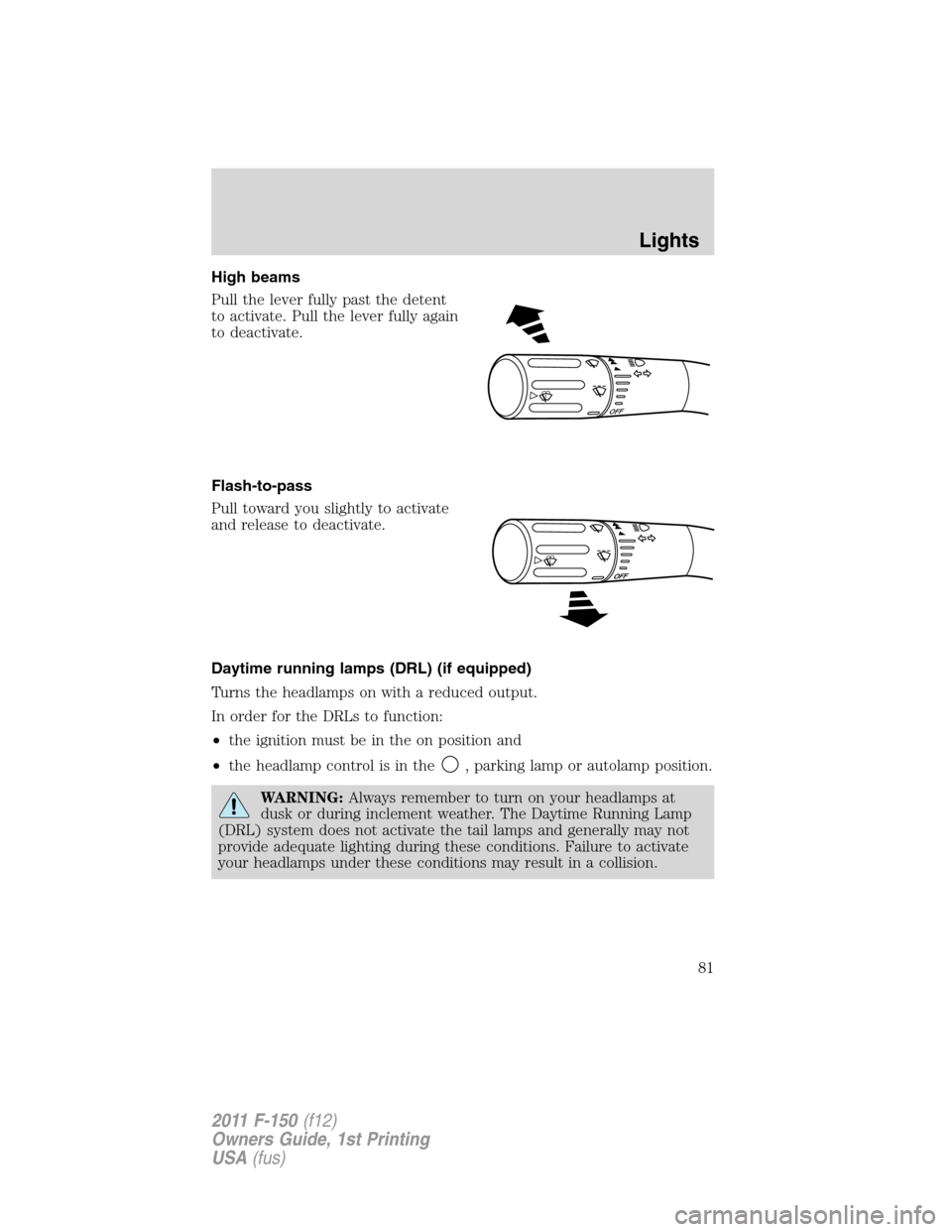
High beams
Pull the lever fully past the detent
to activate. Pull the lever fully again
to deactivate.
Flash-to-pass
Pull toward you slightly to activate
and release to deactivate.
Daytime running lamps (DRL) (if equipped)
Turns the headlamps on with a reduced output.
In order for the DRLs to function:
•the ignition must be in the on position and
•the headlamp control is in the
, parking lamp or autolamp position.
WARNING:Always remember to turn on your headlamps at
dusk or during inclement weather. The Daytime Running Lamp
(DRL) system does not activate the tail lamps and generally may not
provide adequate lighting during these conditions. Failure to activate
your headlamps under these conditions may result in a collision.
O
F
F
Lights
81
2011 F-150(f12)
Owners Guide, 1st Printing
USA(fus)
Page 84 of 461
•Push the lever up/down to the first stop position and hold. The turn
signals will flash for as long as the lever is held in this position.
INTERIOR LAMPS
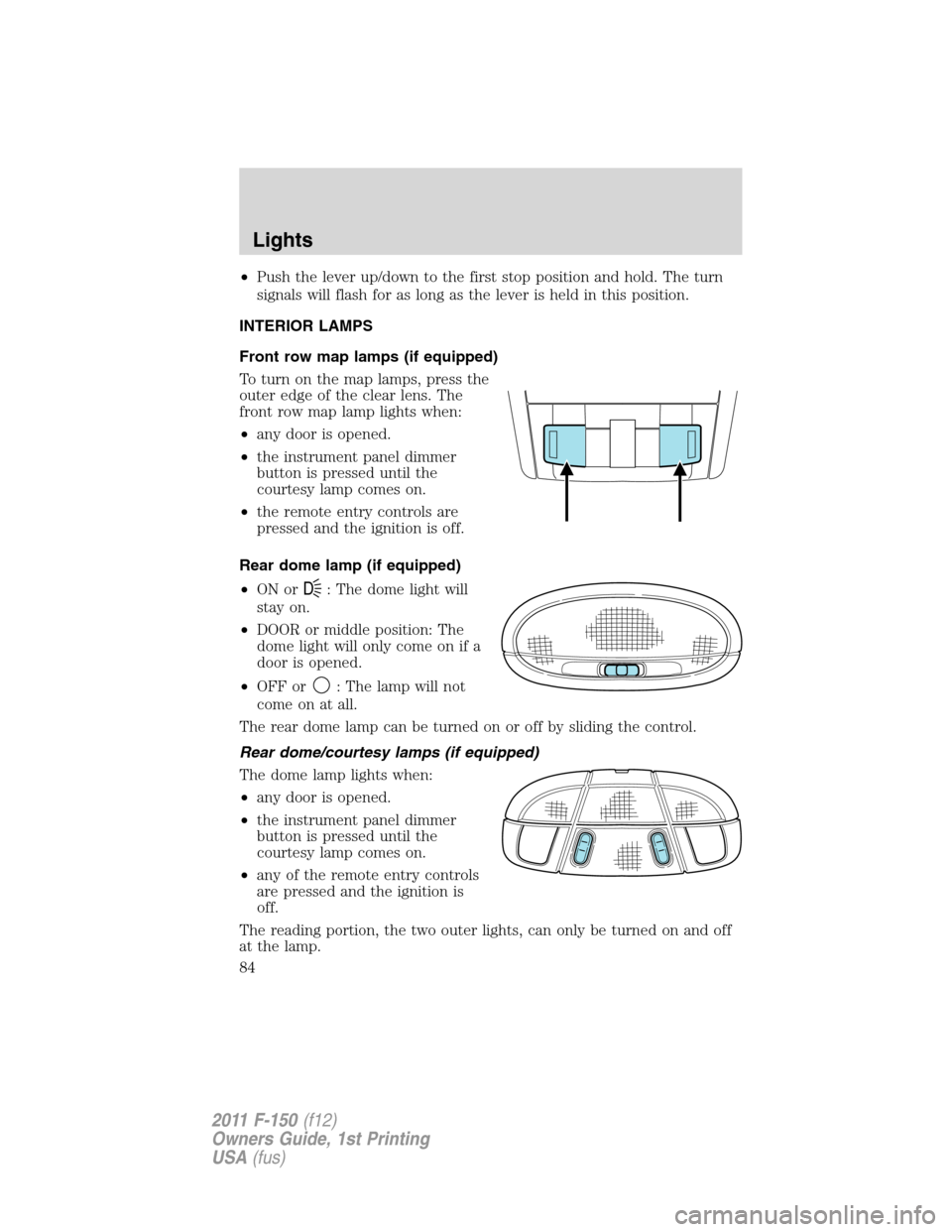
Front row map lamps (if equipped)
To turn on the map lamps, press the
outer edge of the clear lens. The
front row map lamp lights when:
•any door is opened.
•the instrument panel dimmer
button is pressed until the
courtesy lamp comes on.
•the remote entry controls are
pressed and the ignition is off.
Rear dome lamp (if equipped)
•ON or
D: The dome light will
stay on.
•DOOR or middle position: The
dome light will only come on if a
door is opened.
•OFF or
: The lamp will not
come on at all.
The rear dome lamp can be turned on or off by sliding the control.
Rear dome/courtesy lamps (if equipped)
The dome lamp lights when:
•any door is opened.
•the instrument panel dimmer
button is pressed until the
courtesy lamp comes on.
•any of the remote entry controls
are pressed and the ignition is
off.
The reading portion, the two outer lights, can only be turned on and off
at the lamp.
Lights
84
2011 F-150(f12)
Owners Guide, 1st Printing
USA(fus)
Page 85 of 461
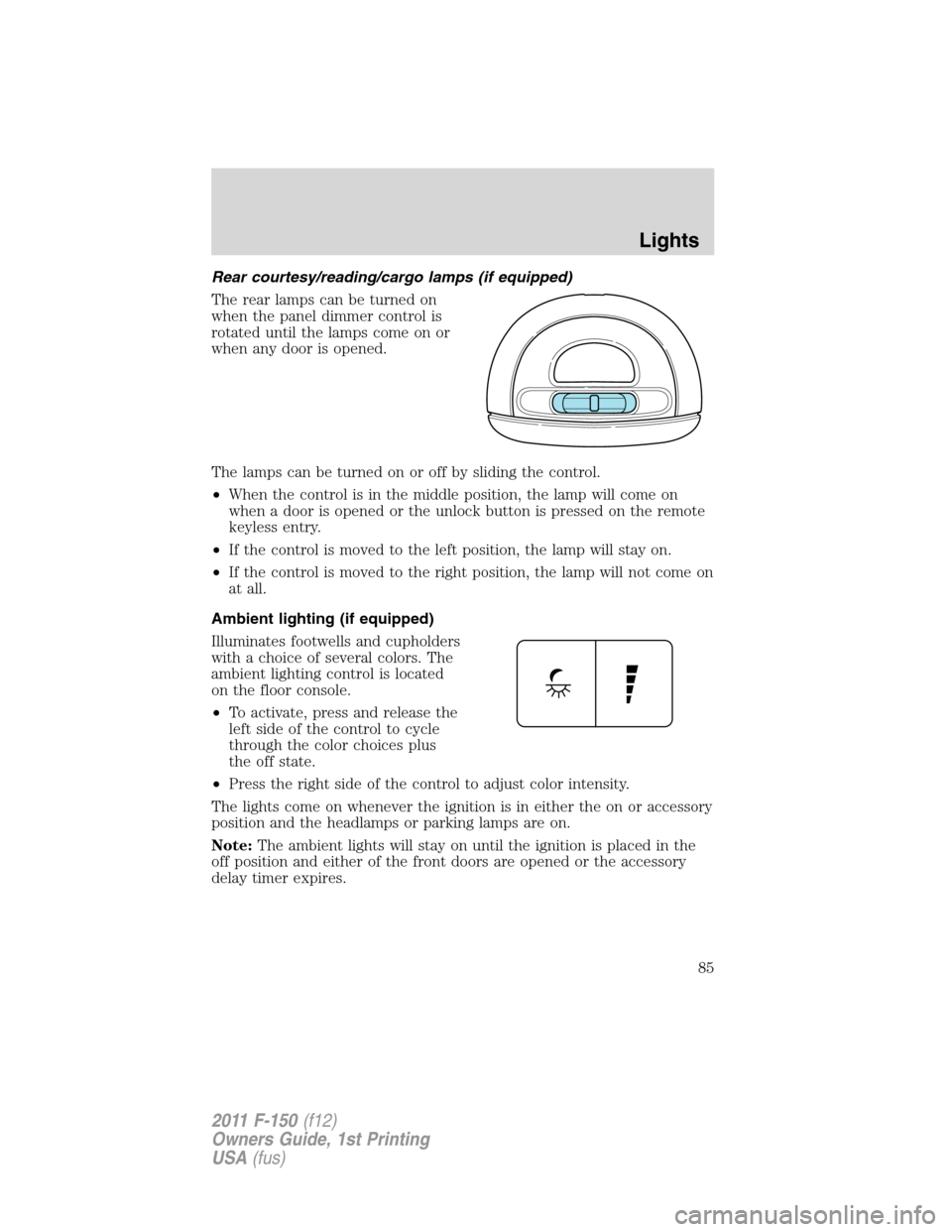
Rear courtesy/reading/cargo lamps (if equipped)
The rear lamps can be turned on
when the panel dimmer control is
rotated until the lamps come on or
when any door is opened.
The lamps can be turned on or off by sliding the control.
•When the control is in the middle position, the lamp will come on
when a door is opened or the unlock button is pressed on the remote
keyless entry.
•If the control is moved to the left position, the lamp will stay on.
•If the control is moved to the right position, the lamp will not come on
at all.
Ambient lighting (if equipped)
Illuminates footwells and cupholders
with a choice of several colors. The
ambient lighting control is located
on the floor console.
•To activate, press and release the
left side of the control to cycle
through the color choices plus
the off state.
•Press the right side of the control to adjust color intensity.
The lights come on whenever the ignition is in either the on or accessory
position and the headlamps or parking lamps are on.
Note:The ambient lights will stay on until the ignition is placed in the
off position and either of the front doors are opened or the accessory
delay timer expires.
Lights
85
2011 F-150(f12)
Owners Guide, 1st Printing
USA(fus)
Page 94 of 461
WARNING:Never adjust the steering column when the vehicle
is moving.
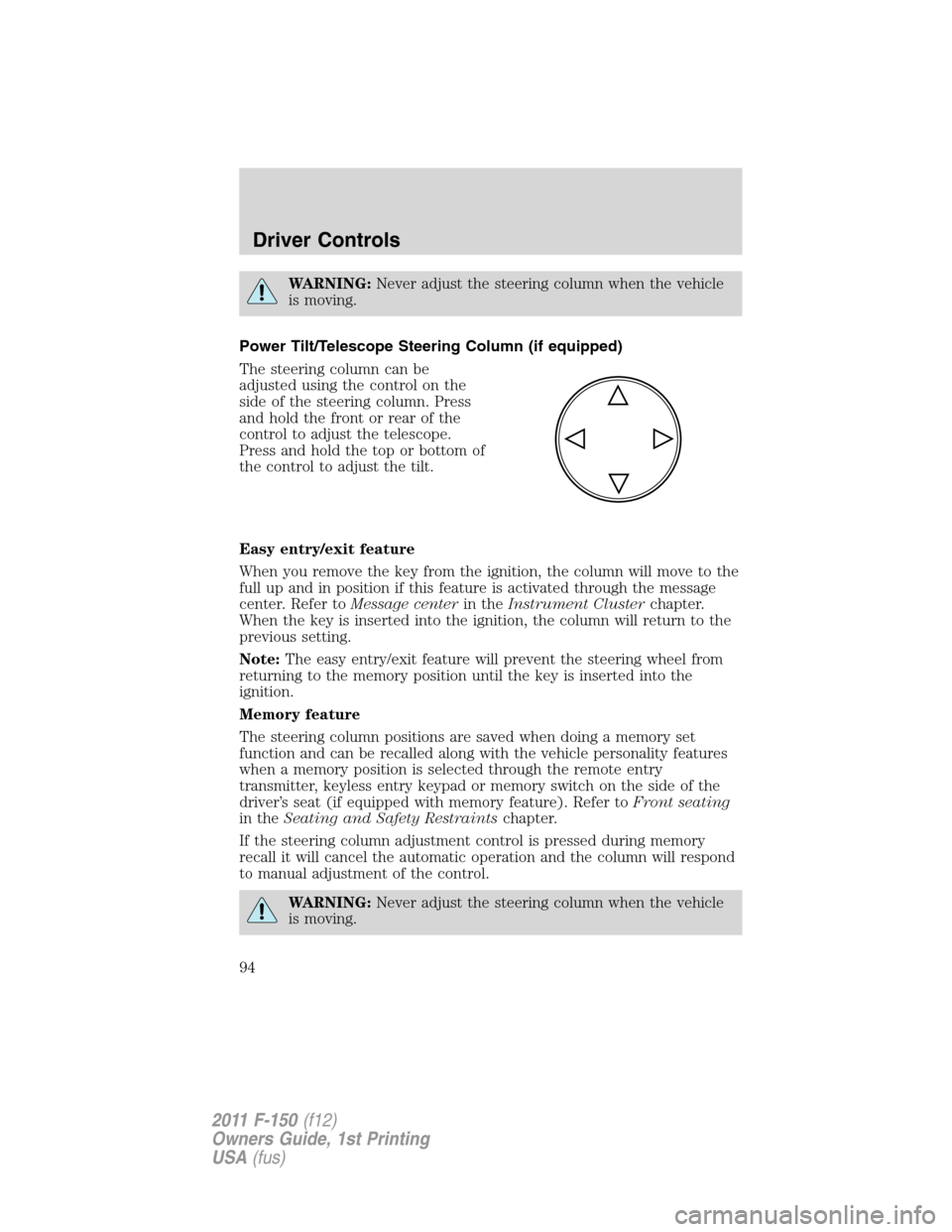
Power Tilt/Telescope Steering Column (if equipped)
The steering column can be
adjusted using the control on the
side of the steering column. Press
and hold the front or rear of the
control to adjust the telescope.
Press and hold the top or bottom of
the control to adjust the tilt.
Easy entry/exit feature
When you remove the key from the ignition, the column will move to the
full up and in position if this feature is activated through the message
center. Refer toMessage centerin theInstrument Clusterchapter.
When the key is inserted into the ignition, the column will return to the
previous setting.
Note:The easy entry/exit feature will prevent the steering wheel from
returning to the memory position until the key is inserted into the
ignition.
Memory feature
The steering column positions are saved when doing a memory set
function and can be recalled along with the vehicle personality features
when a memory position is selected through the remote entry
transmitter, keyless entry keypad or memory switch on the side of the
driver’s seat (if equipped with memory feature). Refer toFront seating
in theSeating and Safety Restraintschapter.
If the steering column adjustment control is pressed during memory
recall it will cancel the automatic operation and the column will respond
to manual adjustment of the control.
WARNING:Never adjust the steering column when the vehicle
is moving.
Driver Controls
94
2011 F-150(f12)
Owners Guide, 1st Printing
USA(fus)
Page 97 of 461
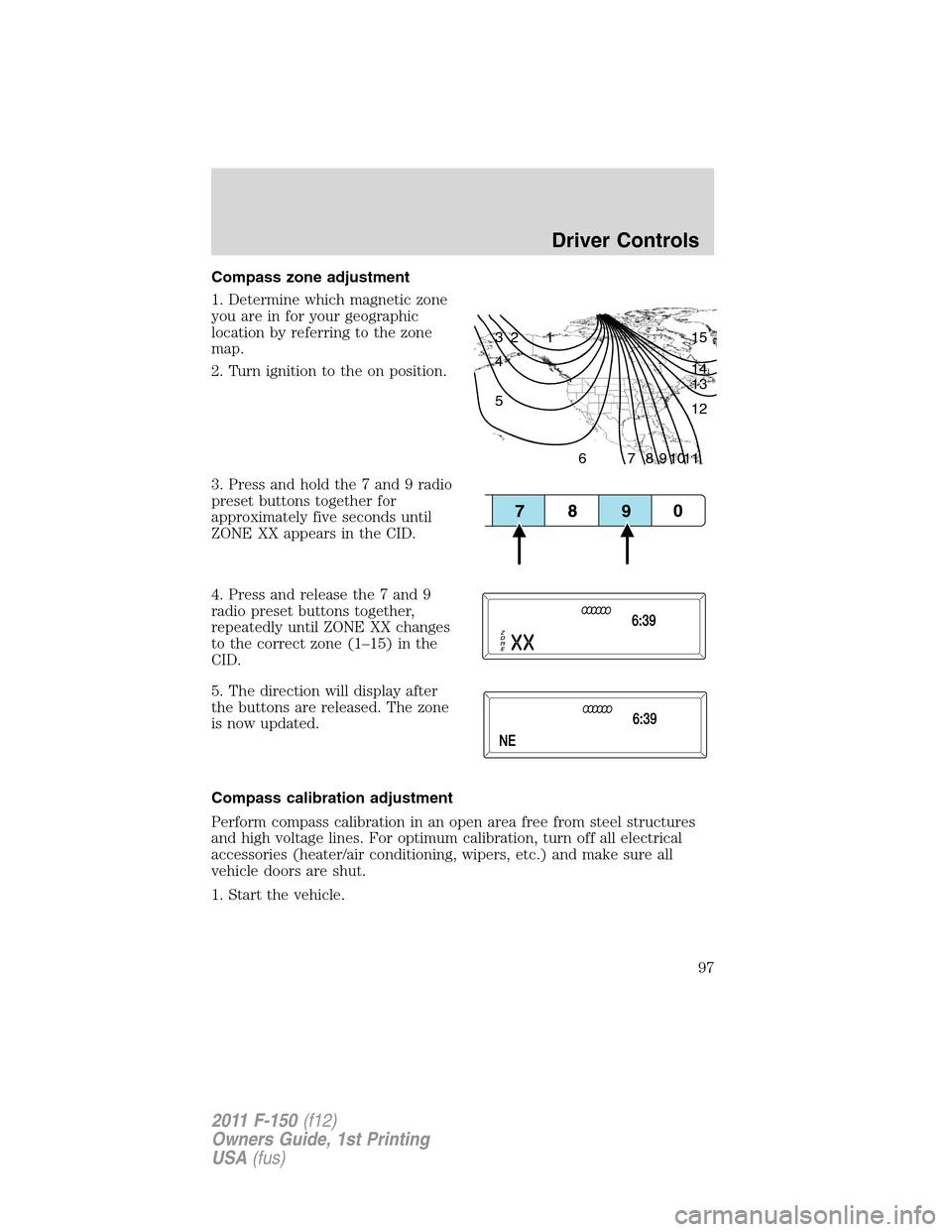
Compass zone adjustment
1. Determine which magnetic zone
you are in for your geographic
location by referring to the zone
map.
2. Turn ignition to the on position.
3. Press and hold the 7 and 9 radio
preset buttons together for
approximately five seconds until
ZONE XX appears in the CID.
4. Press and release the 7 and 9
radio preset buttons together,
repeatedly until ZONE XX changes
to the correct zone (1–15) in the
CID.
5. The direction will display after
the buttons are released. The zone
is now updated.
Compass calibration adjustment
Perform compass calibration in an open area free from steel structures
and high voltage lines. For optimum calibration, turn off all electrical
accessories (heater/air conditioning, wipers, etc.) and make sure all
vehicle doors are shut.
1. Start the vehicle.
1 2 3
4
5
6 7 8 9 101112 13 14 15
Driver Controls
97
2011 F-150(f12)
Owners Guide, 1st Printing
USA(fus)
Page 100 of 461
The power point can switch to a fault mode when it is overloaded,
overheated, or shorted. For overloading and shorting conditions, unplug
your device and turn the ignition key off then on. For an overheating
condition, let the system cool off, then turn the ignition key off then on.
The 110V AC power point can provide power whenever the vehicle
ignition is in the on position and the power point green indicator light
located in the top left corner is turned on. Refer to the indicator light
code below for the power point status.
Indicator light codes
Green light is on — Power point is ready to supply power
Green light is off — Power point power supply is off. Ignition is not in
the on position
Green light is blinking — Power point is in fault mode
Note:The 110V AC power point will turn off after 13 minutes if the
ignition is in the on position without the engine running. Keep the
engine running or cycle the ignition before the 13 minute time-out to
keep the inverter on.
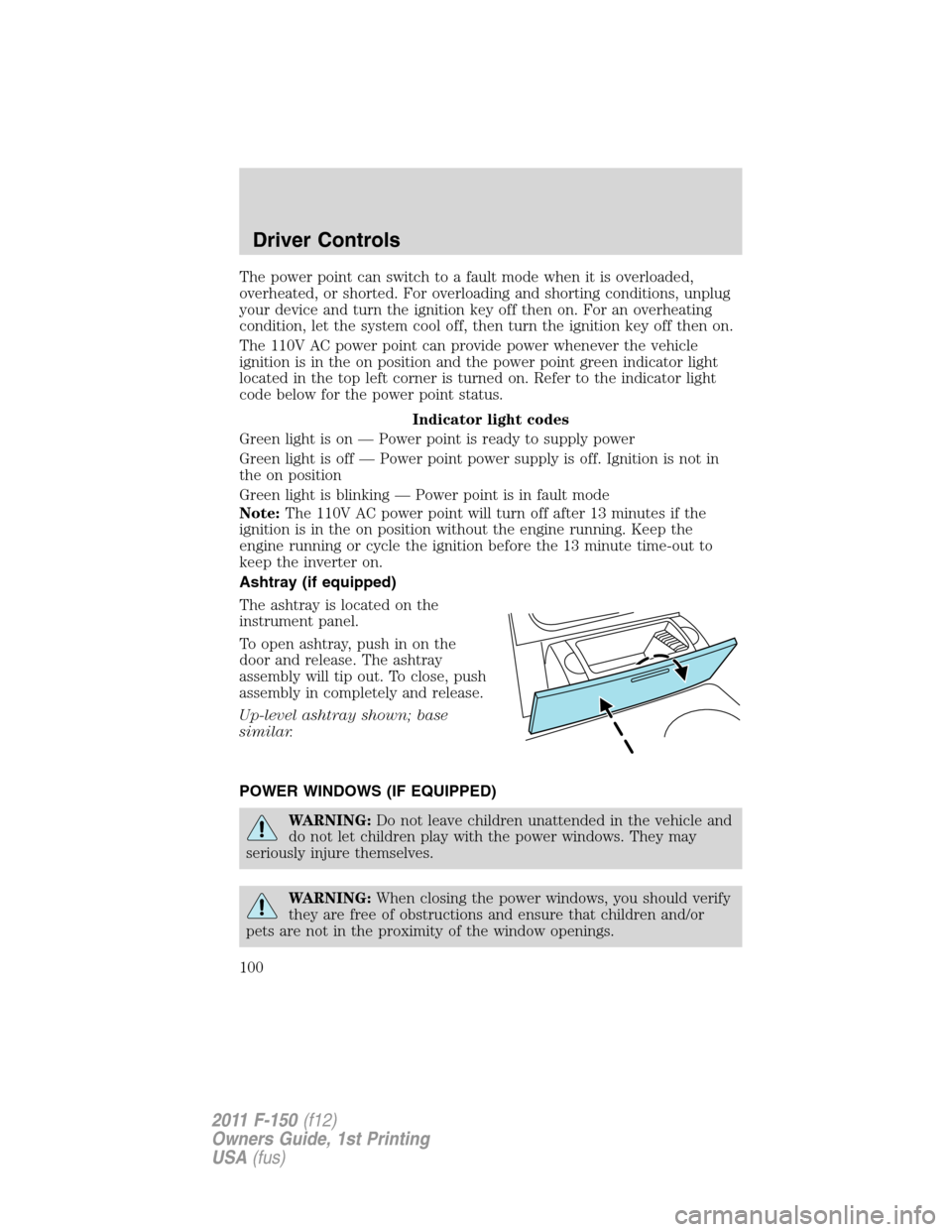
Ashtray (if equipped)
The ashtray is located on the
instrument panel.
To open ashtray, push in on the
door and release. The ashtray
assembly will tip out. To close, push
assembly in completely and release.
Up-level ashtray shown; base
similar.
POWER WINDOWS (IF EQUIPPED)
WARNING:Do not leave children unattended in the vehicle and
do not let children play with the power windows. They may
seriously injure themselves.
WARNING:When closing the power windows, you should verify
they are free of obstructions and ensure that children and/or
pets are not in the proximity of the window openings.
Driver Controls
100
2011 F-150(f12)
Owners Guide, 1st Printing
USA(fus)
Page 103 of 461
Accessory delay (if equipped)
With accessory delay, the window switches may be used for up to
10 minutes after the ignition switch is turned to the off position or until
any door is opened.
INTERIOR MIRROR
The interior rear view mirror has two pivot points on the support arm
which lets you adjust the mirror up or down and from side to side.
WARNING:Do not adjust the mirror while the vehicle is in
motion.
Automatic dimming interior rear view mirror (if equipped)
The interior rear view mirror has an auto-dimming function (optional on
the driver’s side exterior mirror). The electronic day/night mirror will
change from the normal (high reflective) state to the non-glare
(darkened) state when bright lights (glare) reach the interior mirror.
When the interior mirror detects bright light from behind the vehicle, the
interior rear view mirror and the driver’s side exterior mirror (if
equipped) will automatically adjust (darken) to minimize glare.
The mirrors will automatically return to the normal state whenever the
vehicle is placed in R (Reverse) to ensure a bright clear view when
backing up.
Do not block the sensors on the front and back of the interior
rear view mirror since this may impair proper mirror
performance.
Note:A rear center passenger and/or raised rear center headrest (if
equipped) may also block the light from reaching the sensor.
Do not clean the housing or glass of any mirror with harsh
abrasives, fuel or other petroleum-based cleaning products.
Note:If equipped with a rearview camera system, a video image will
display in the mirror or the navigation system display (if equipped) when
the vehicle is put in R (Reverse). As you shift into any other gear from R
(Reverse), the image will remain for a few seconds and then turn off.
Refer toRearview camera systemin theDrivingchapter.
Driver Controls
103
2011 F-150(f12)
Owners Guide, 1st Printing
USA(fus)