lock FORD F150 2011 12.G Owner's Manual
[x] Cancel search | Manufacturer: FORD, Model Year: 2011, Model line: F150, Model: FORD F150 2011 12.GPages: 461, PDF Size: 3.1 MB
Page 80 of 461
HEADLAMP CONTROL
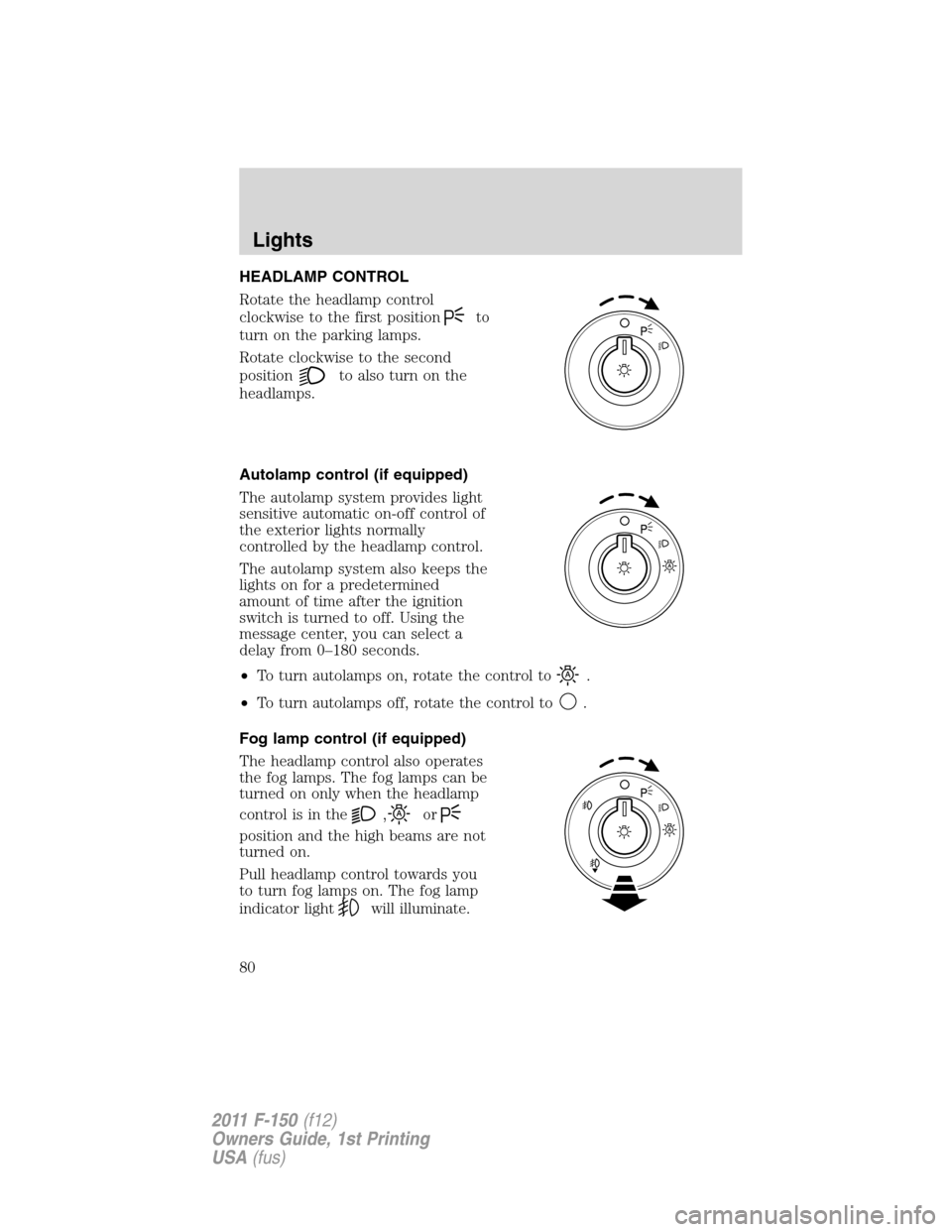
Rotate the headlamp control
clockwise to the first position
to
turn on the parking lamps.
Rotate clockwise to the second
position
to also turn on the
headlamps.
Autolamp control (if equipped)
The autolamp system provides light
sensitive automatic on-off control of
the exterior lights normally
controlled by the headlamp control.
The autolamp system also keeps the
lights on for a predetermined
amount of time after the ignition
switch is turned to off. Using the
message center, you can select a
delay from 0–180 seconds.
•To turn autolamps on, rotate the control to
.
•To turn autolamps off, rotate the control to
.
Fog lamp control (if equipped)
The headlamp control also operates
the fog lamps. The fog lamps can be
turned on only when the headlamp
controlisinthe
,or
position and the high beams are not
turned on.
Pull headlamp control towards you
to turn fog lamps on. The fog lamp
indicator light
will illuminate.
Lights
80
2011 F-150(f12)
Owners Guide, 1st Printing
USA(fus)
Page 83 of 461
3. Turn on the low beam headlamps to illuminate the wall or screen and
open the hood. Cover one of the headlamps so no light hits the wall.
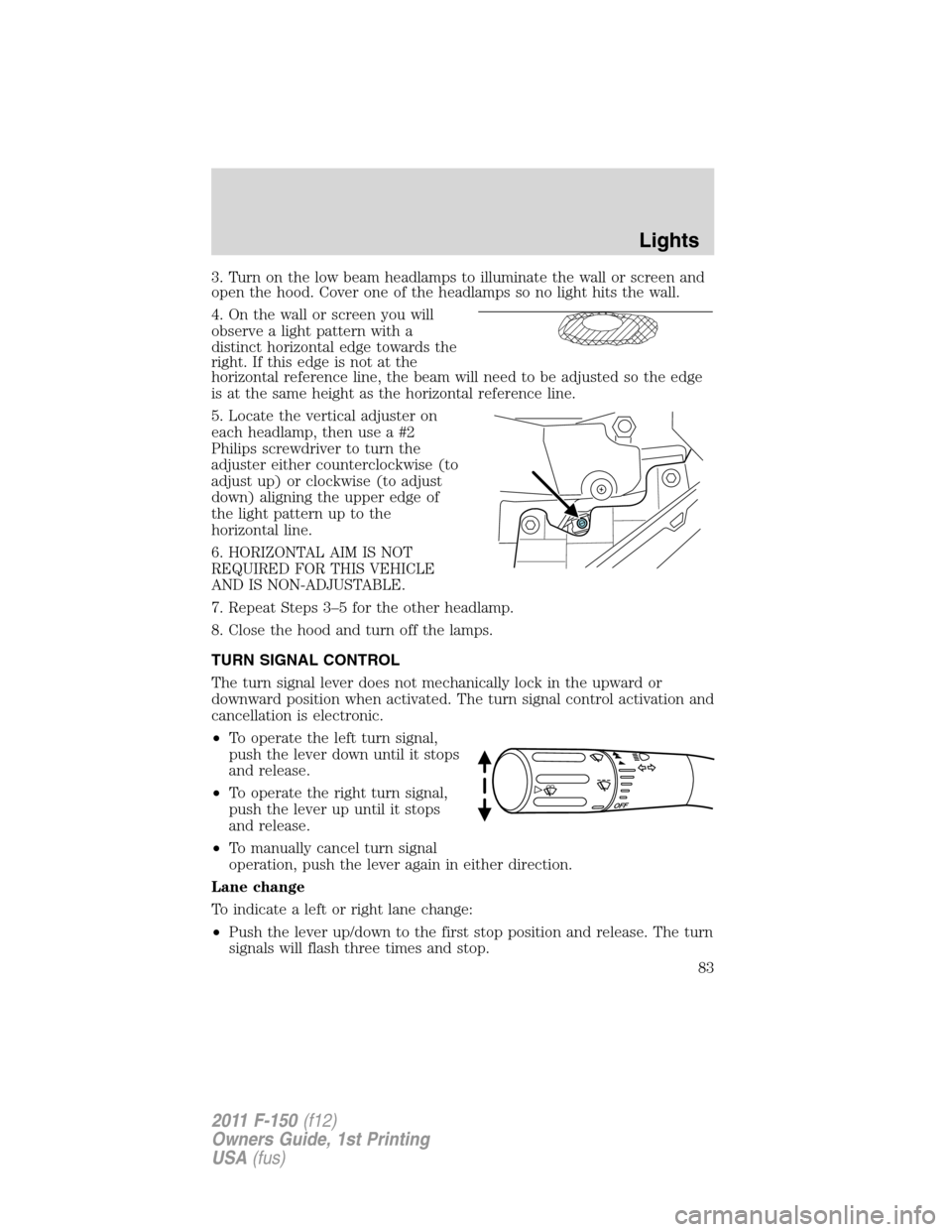
4. On the wall or screen you will
observe a light pattern with a
distinct horizontal edge towards the
right. If this edge is not at the
horizontal reference line, the beam will need to be adjusted so the edge
is at the same height as the horizontal reference line.
5. Locate the vertical adjuster on
each headlamp, then use a #2
Philips screwdriver to turn the
adjuster either counterclockwise (to
adjust up) or clockwise (to adjust
down) aligning the upper edge of
the light pattern up to the
horizontal line.
6. HORIZONTAL AIM IS NOT
REQUIRED FOR THIS VEHICLE
AND IS NON-ADJUSTABLE.
7. Repeat Steps 3–5 for the other headlamp.
8. Close the hood and turn off the lamps.
TURN SIGNAL CONTROL
The turn signal lever does not mechanically lock in the upward or
downward position when activated. The turn signal control activation and
cancellation is electronic.
•To operate the left turn signal,
push the lever down until it stops
and release.
•To operate the right turn signal,
push the lever up until it stops
and release.
•To manually cancel turn signal
operation, push the lever again in either direction.
Lane change
To indicate a left or right lane change:
•Push the lever up/down to the first stop position and release. The turn
signals will flash three times and stop.
Lights
83
2011 F-150(f12)
Owners Guide, 1st Printing
USA(fus)
Page 85 of 461
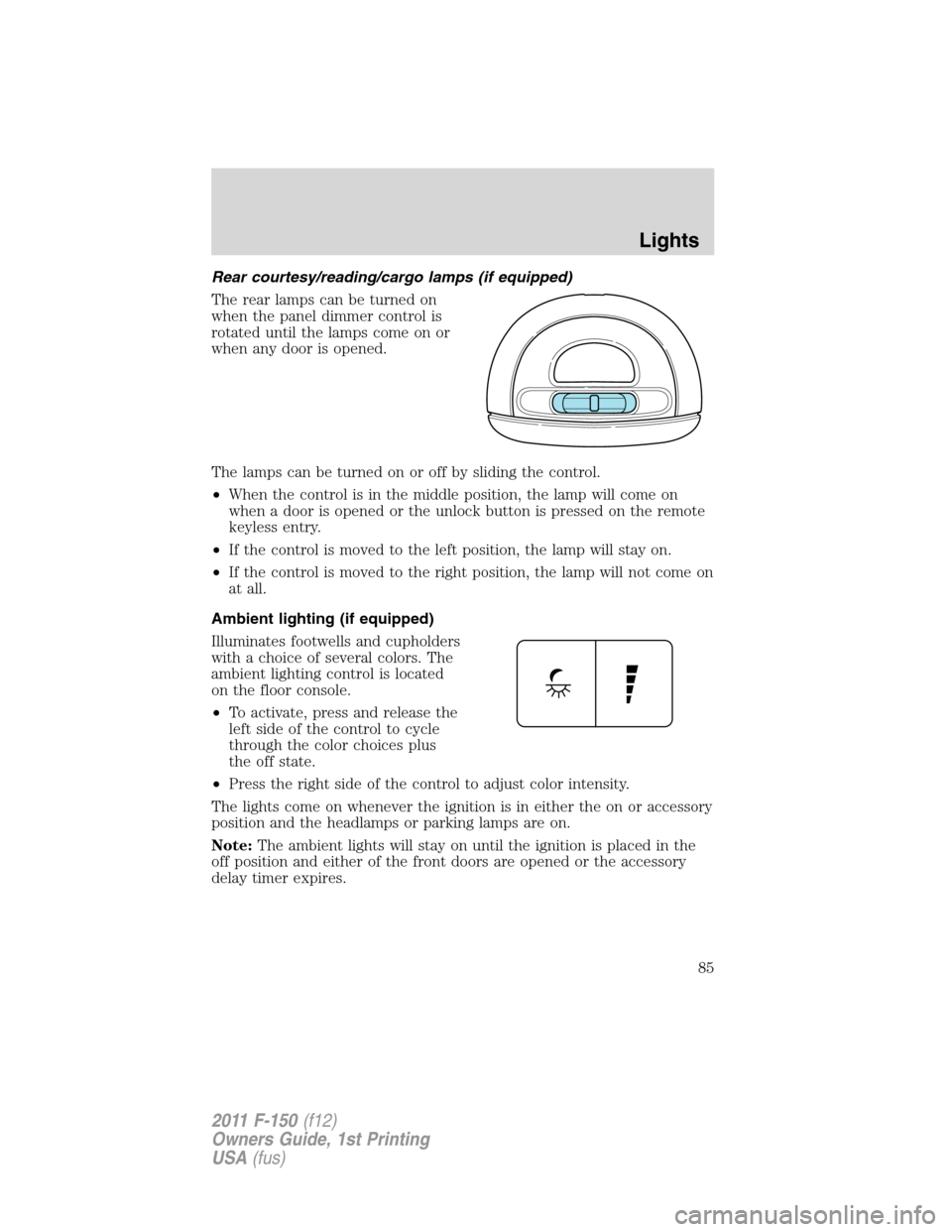
Rear courtesy/reading/cargo lamps (if equipped)
The rear lamps can be turned on
when the panel dimmer control is
rotated until the lamps come on or
when any door is opened.
The lamps can be turned on or off by sliding the control.
•When the control is in the middle position, the lamp will come on
when a door is opened or the unlock button is pressed on the remote
keyless entry.
•If the control is moved to the left position, the lamp will stay on.
•If the control is moved to the right position, the lamp will not come on
at all.
Ambient lighting (if equipped)
Illuminates footwells and cupholders
with a choice of several colors. The
ambient lighting control is located
on the floor console.
•To activate, press and release the
left side of the control to cycle
through the color choices plus
the off state.
•Press the right side of the control to adjust color intensity.
The lights come on whenever the ignition is in either the on or accessory
position and the headlamps or parking lamps are on.
Note:The ambient lights will stay on until the ignition is placed in the
off position and either of the front doors are opened or the accessory
delay timer expires.
Lights
85
2011 F-150(f12)
Owners Guide, 1st Printing
USA(fus)
Page 88 of 461
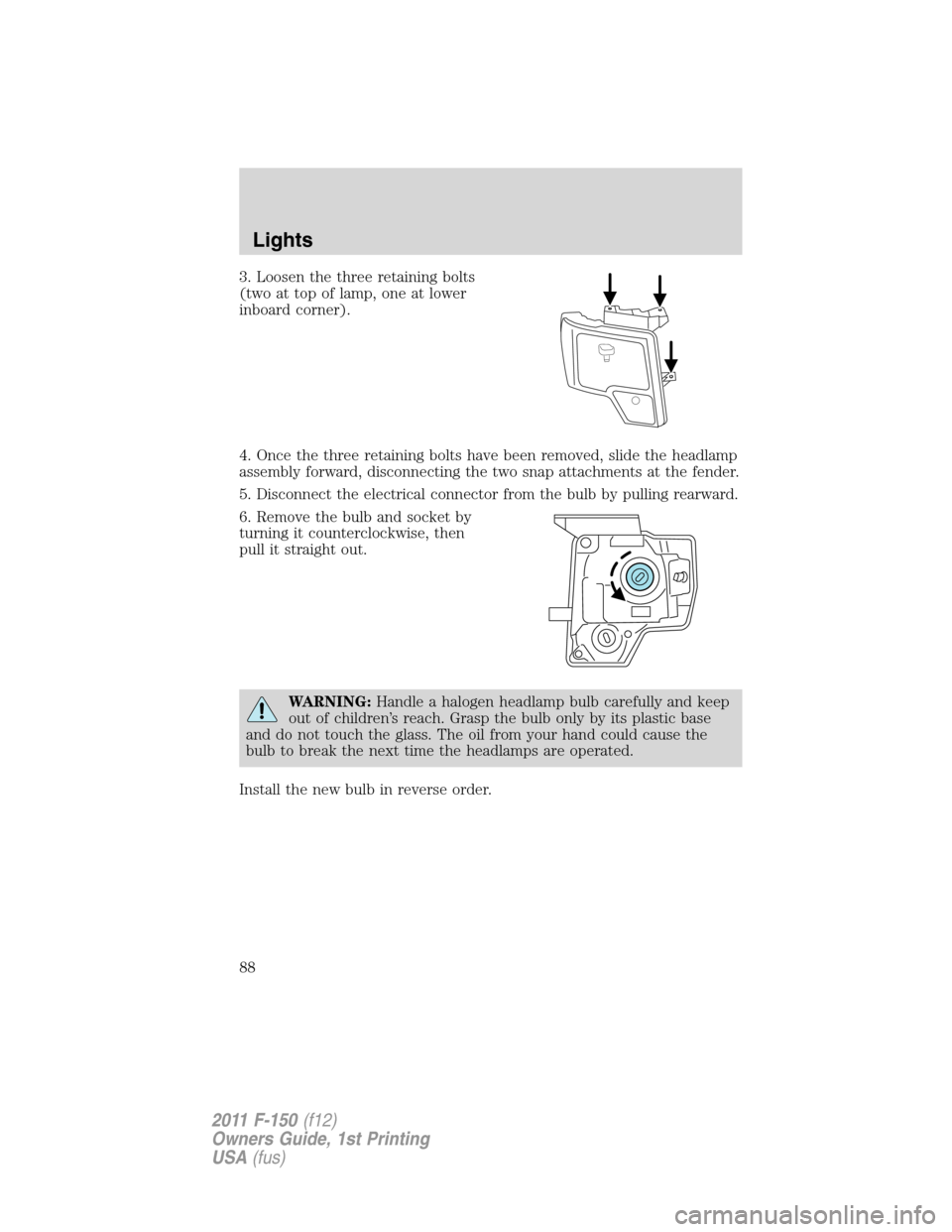
3. Loosen the three retaining bolts
(two at top of lamp, one at lower
inboard corner).
4. Once the three retaining bolts have been removed, slide the headlamp
assembly forward, disconnecting the two snap attachments at the fender.
5. Disconnect the electrical connector from the bulb by pulling rearward.
6. Remove the bulb and socket by
turning it counterclockwise, then
pull it straight out.
WARNING:Handle a halogen headlamp bulb carefully and keep
out of children’s reach. Grasp the bulb only by its plastic base
and do not touch the glass. The oil from your hand could cause the
bulb to break the next time the headlamps are operated.
Install the new bulb in reverse order.
Lights
88
2011 F-150(f12)
Owners Guide, 1st Printing
USA(fus)
Page 89 of 461
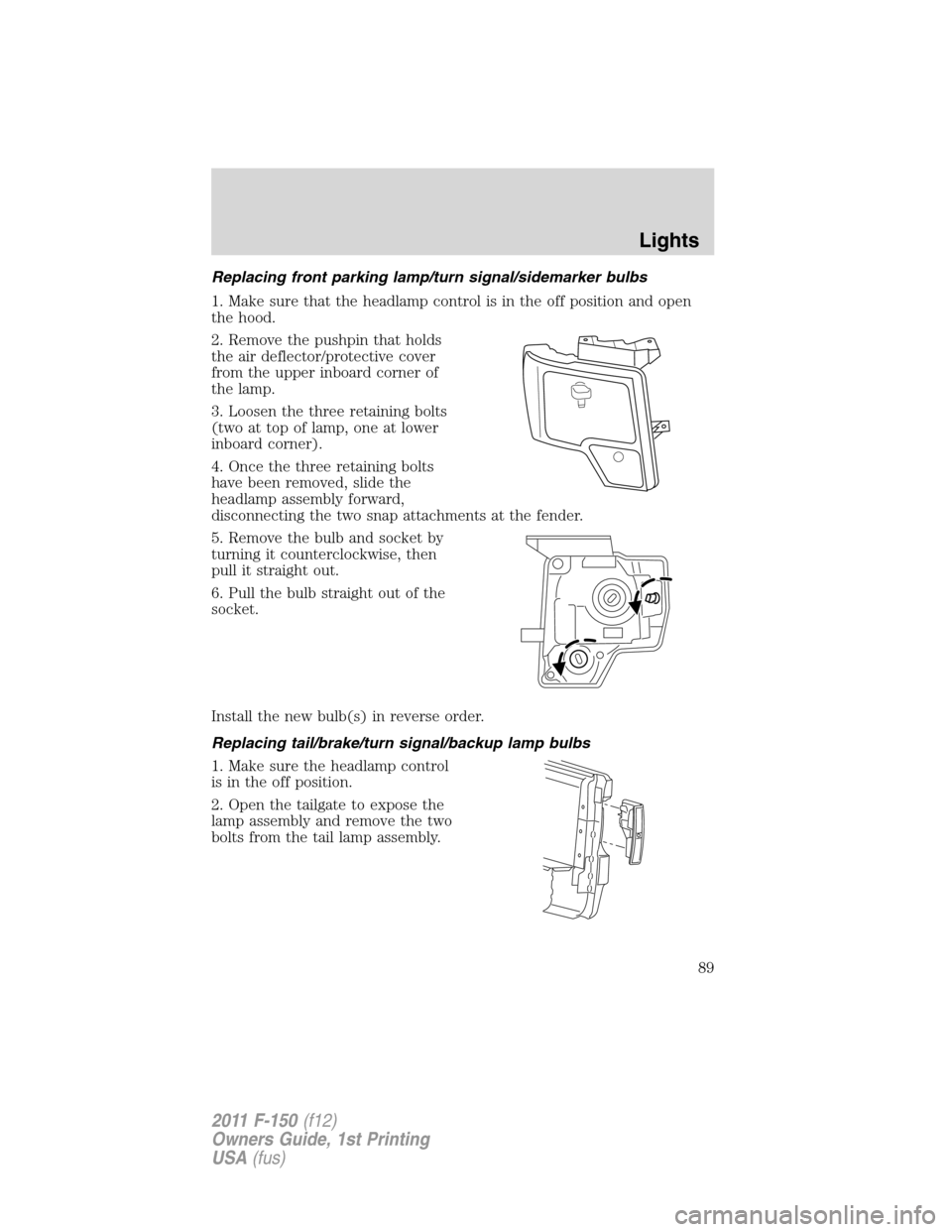
Replacing front parking lamp/turn signal/sidemarker bulbs
1. Make sure that the headlamp control is in the off position and open
the hood.
2. Remove the pushpin that holds
the air deflector/protective cover
from the upper inboard corner of
the lamp.
3. Loosen the three retaining bolts
(two at top of lamp, one at lower
inboard corner).
4. Once the three retaining bolts
have been removed, slide the
headlamp assembly forward,
disconnecting the two snap attachments at the fender.
5. Remove the bulb and socket by
turning it counterclockwise, then
pull it straight out.
6. Pull the bulb straight out of the
socket.
Install the new bulb(s) in reverse order.
Replacing tail/brake/turn signal/backup lamp bulbs
1. Make sure the headlamp control
is in the off position.
2. Open the tailgate to expose the
lamp assembly and remove the two
bolts from the tail lamp assembly.
Lights
89
2011 F-150(f12)
Owners Guide, 1st Printing
USA(fus)
Page 90 of 461
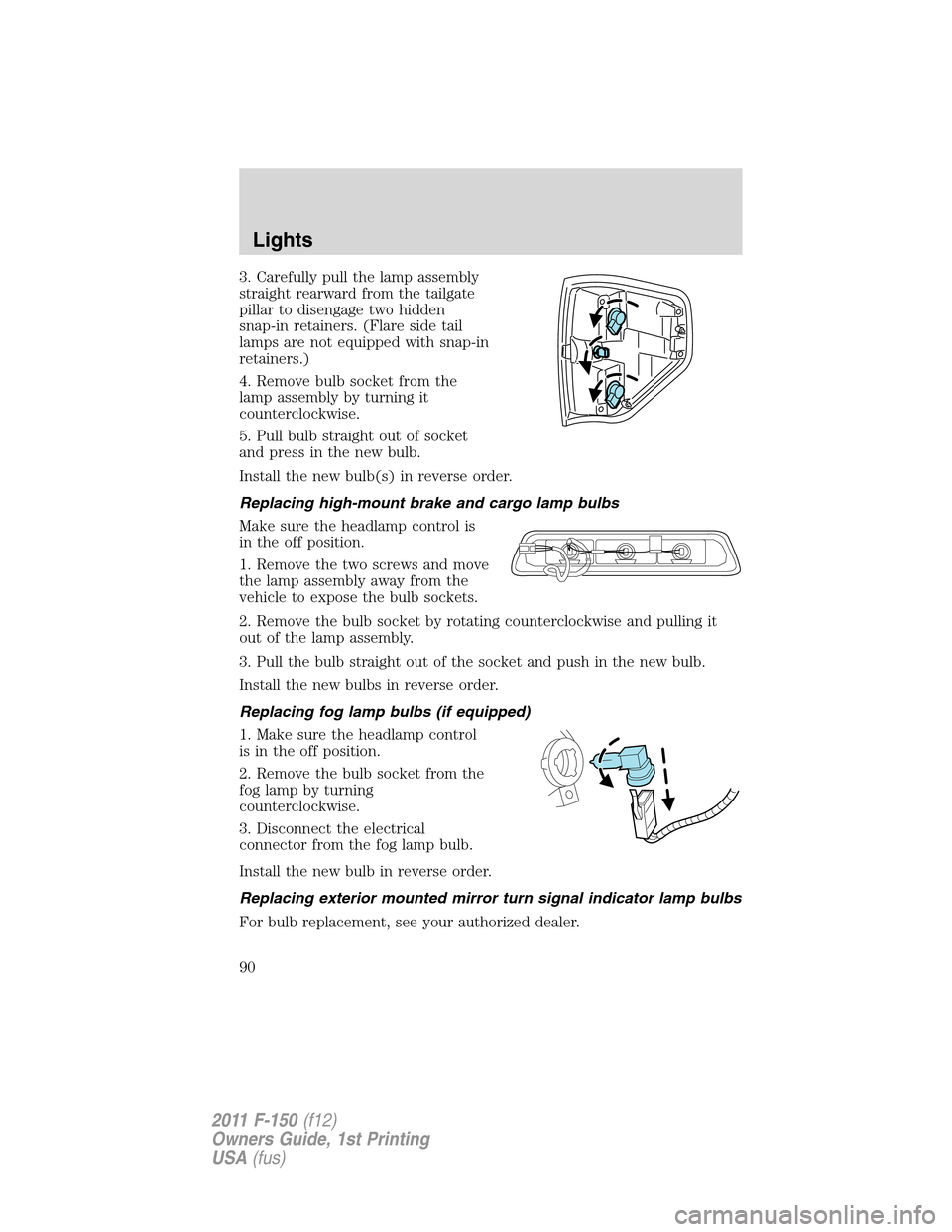
3. Carefully pull the lamp assembly
straight rearward from the tailgate
pillar to disengage two hidden
snap-in retainers. (Flare side tail
lamps are not equipped with snap-in
retainers.)
4. Remove bulb socket from the
lamp assembly by turning it
counterclockwise.
5. Pull bulb straight out of socket
and press in the new bulb.
Install the new bulb(s) in reverse order.
Replacing high-mount brake and cargo lamp bulbs
Make sure the headlamp control is
in the off position.
1. Remove the two screws and move
the lamp assembly away from the
vehicle to expose the bulb sockets.
2. Remove the bulb socket by rotating counterclockwise and pulling it
out of the lamp assembly.
3. Pull the bulb straight out of the socket and push in the new bulb.
Install the new bulbs in reverse order.
Replacing fog lamp bulbs (if equipped)
1. Make sure the headlamp control
is in the off position.
2. Remove the bulb socket from the
fog lamp by turning
counterclockwise.
3. Disconnect the electrical
connector from the fog lamp bulb.
Install the new bulb in reverse order.
Replacing exterior mounted mirror turn signal indicator lamp bulbs
For bulb replacement, see your authorized dealer.
Lights
90
2011 F-150(f12)
Owners Guide, 1st Printing
USA(fus)
Page 91 of 461
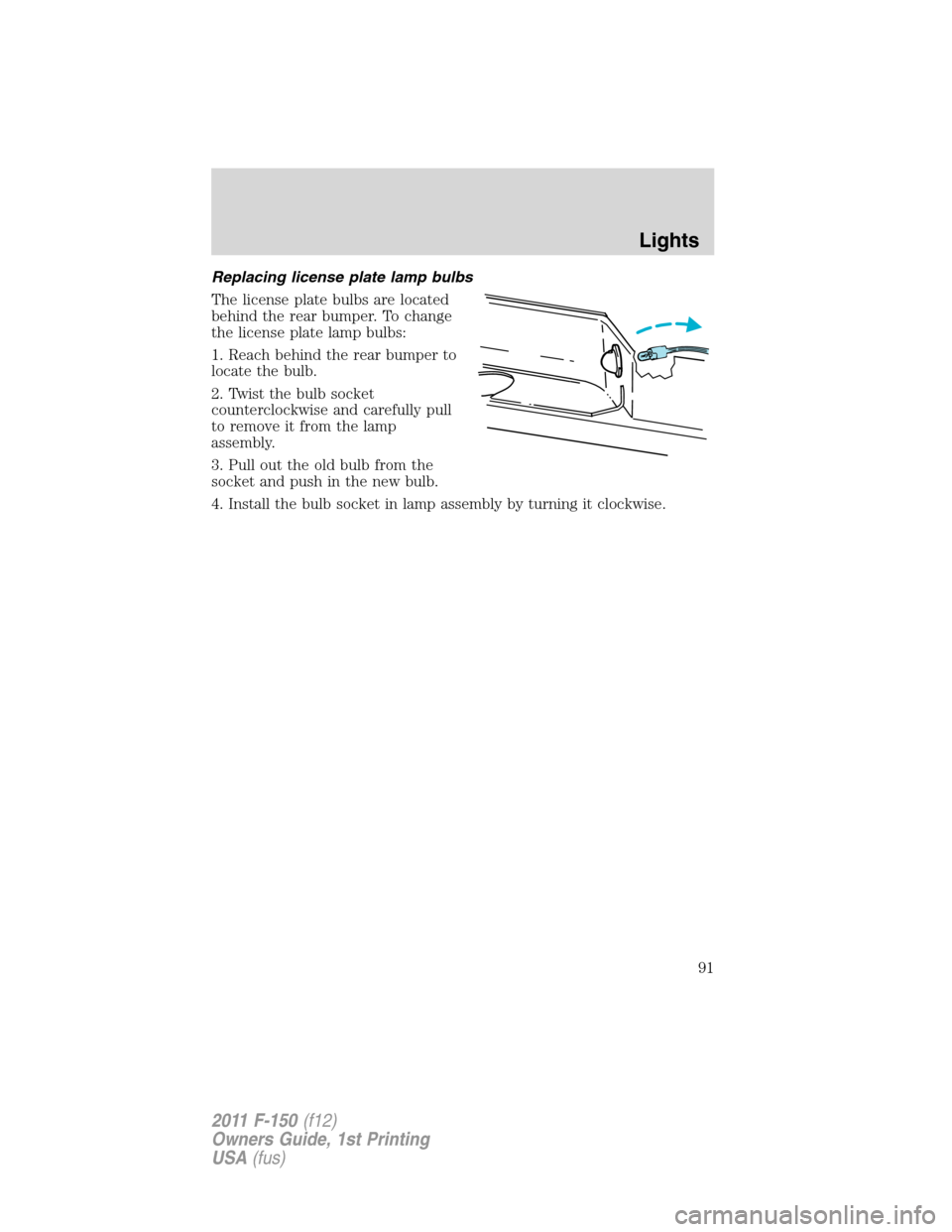
Replacing license plate lamp bulbs
The license plate bulbs are located
behind the rear bumper. To change
the license plate lamp bulbs:
1. Reach behind the rear bumper to
locate the bulb.
2. Twist the bulb socket
counterclockwise and carefully pull
to remove it from the lamp
assembly.
3. Pull out the old bulb from the
socket and push in the new bulb.
4. Install the bulb socket in lamp assembly by turning it clockwise.
Lights
91
2011 F-150(f12)
Owners Guide, 1st Printing
USA(fus)
Page 93 of 461
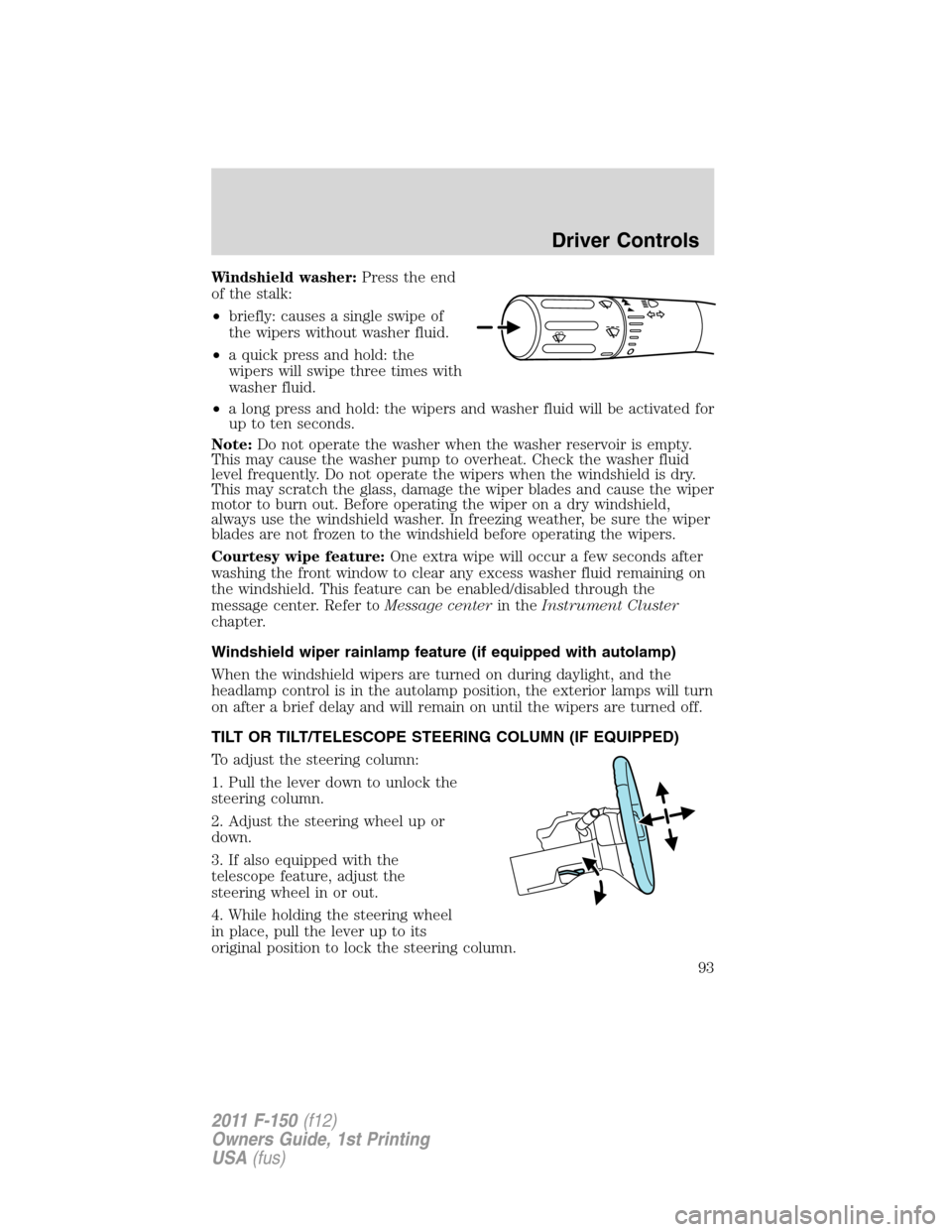
Windshield washer:Press the end
of the stalk:
•briefly: causes a single swipe of
the wipers without washer fluid.
•a quick press and hold: the
wipers will swipe three times with
washer fluid.
•a long press and hold: the wipers and washer fluid will be activated for
up to ten seconds.
Note:Do not operate the washer when the washer reservoir is empty.
This may cause the washer pump to overheat. Check the washer fluid
level frequently. Do not operate the wipers when the windshield is dry.
This may scratch the glass, damage the wiper blades and cause the wiper
motor to burn out. Before operating the wiper on a dry windshield,
always use the windshield washer. In freezing weather, be sure the wiper
blades are not frozen to the windshield before operating the wipers.
Courtesy wipe feature:One extra wipe will occur a few seconds after
washing the front window to clear any excess washer fluid remaining on
the windshield. This feature can be enabled/disabled through the
message center. Refer toMessage centerin theInstrument Cluster
chapter.
Windshield wiper rainlamp feature (if equipped with autolamp)
When the windshield wipers are turned on during daylight, and the
headlamp control is in the autolamp position, the exterior lamps will turn
on after a brief delay and will remain on until the wipers are turned off.
TILT OR TILT/TELESCOPE STEERING COLUMN (IF EQUIPPED)
To adjust the steering column:
1. Pull the lever down to unlock the
steering column.
2. Adjust the steering wheel up or
down.
3. If also equipped with the
telescope feature, adjust the
steering wheel in or out.
4. While holding the steering wheel
in place, pull the lever up to its
original position to lock the steering column.
o
Driver Controls
93
2011 F-150(f12)
Owners Guide, 1st Printing
USA(fus)
Page 96 of 461
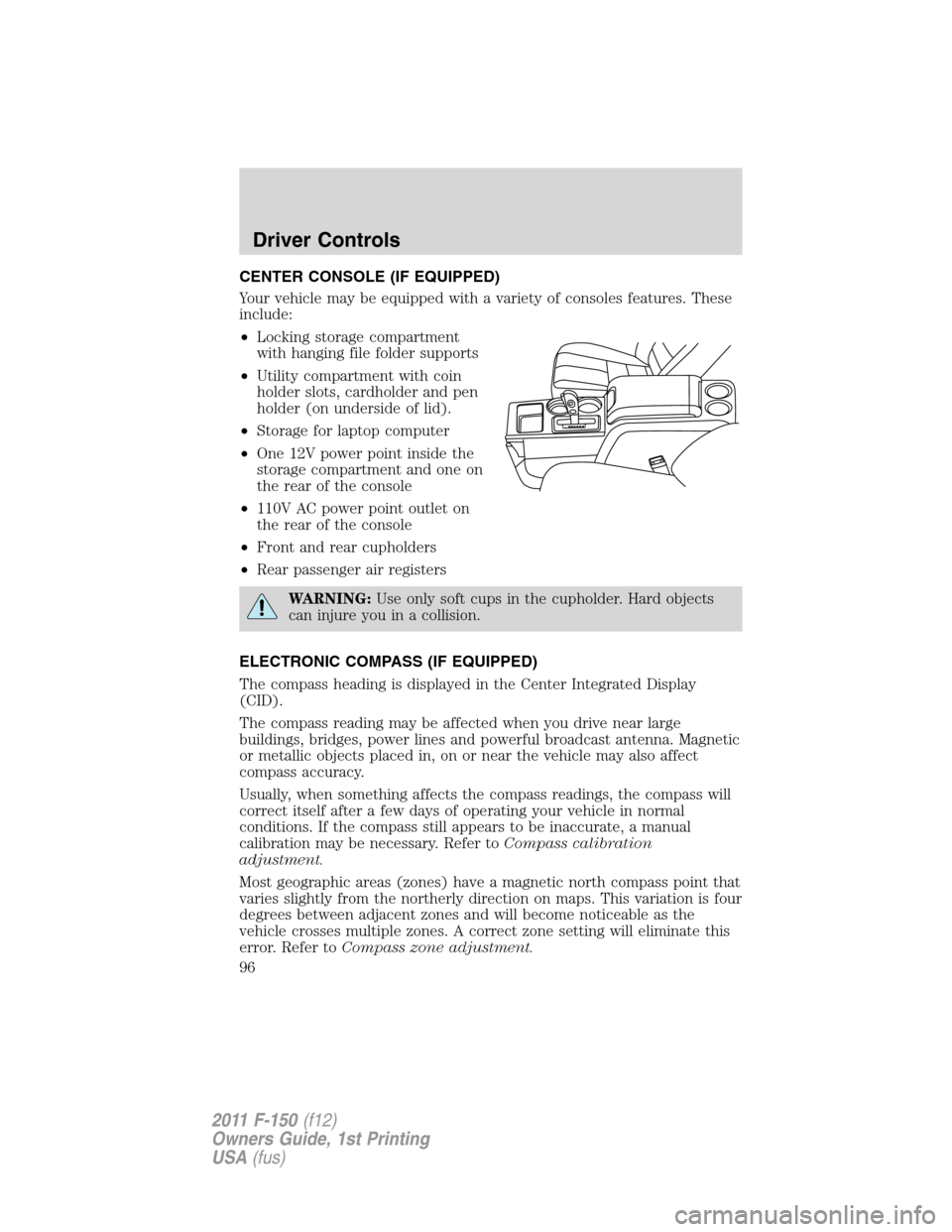
CENTER CONSOLE (IF EQUIPPED)
Your vehicle may be equipped with a variety of consoles features. These
include:
•Locking storage compartment
with hanging file folder supports
•Utility compartment with coin
holder slots, cardholder and pen
holder (on underside of lid).
•Storage for laptop computer
•One 12V power point inside the
storage compartment and one on
the rear of the console
•110V AC power point outlet on
the rear of the console
•Front and rear cupholders
•Rear passenger air registers
WARNING:Use only soft cups in the cupholder. Hard objects
can injure you in a collision.
ELECTRONIC COMPASS (IF EQUIPPED)
The compass heading is displayed in the Center Integrated Display
(CID).
The compass reading may be affected when you drive near large
buildings, bridges, power lines and powerful broadcast antenna. Magnetic
or metallic objects placed in, on or near the vehicle may also affect
compass accuracy.
Usually, when something affects the compass readings, the compass will
correct itself after a few days of operating your vehicle in normal
conditions. If the compass still appears to be inaccurate, a manual
calibration may be necessary. Refer toCompass calibration
adjustment.
Most geographic areas (zones) have a magnetic north compass point that
varies slightly from the northerly direction on maps. This variation is four
degrees between adjacent zones and will become noticeable as the
vehicle crosses multiple zones. A correct zone setting will eliminate this
error. Refer toCompass zone adjustment.
Driver Controls
96
2011 F-150(f12)
Owners Guide, 1st Printing
USA(fus)
Page 102 of 461
Bounce-back override (front windows only)
To override bounce-back, within two seconds after reaching bounce-back
position, if the switch is moved from the neutral to the express-up
positionthe window will travel up with no bounce-back protection.
If the switch is released before the window reaches fully closed position,
the window will stop. For example: bounce-back override can be used to
overcome the resistance of ice on the window or seals.
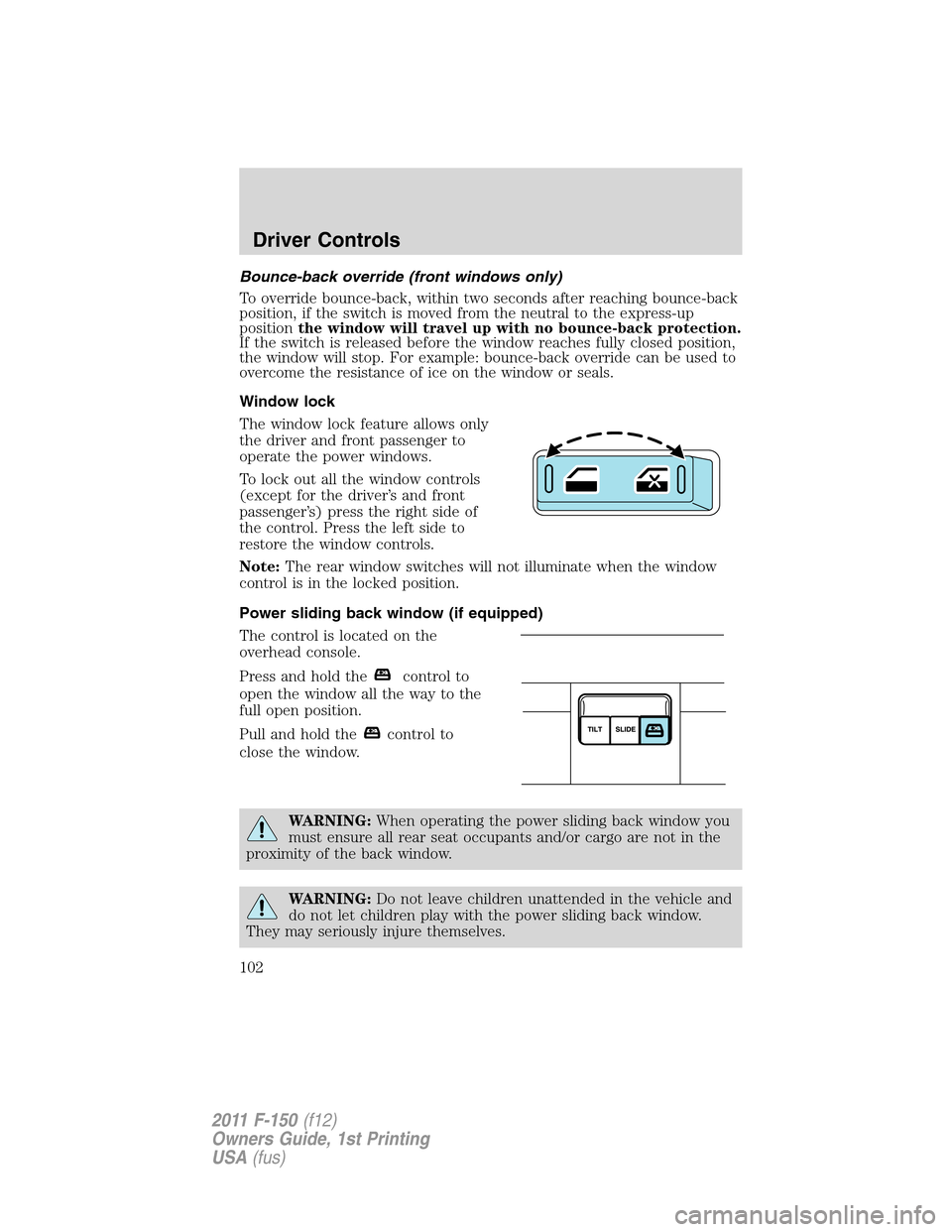
Window lock
The window lock feature allows only
the driver and front passenger to
operate the power windows.
To lock out all the window controls
(except for the driver’s and front
passenger’s) press the right side of
the control. Press the left side to
restore the window controls.
Note:The rear window switches will not illuminate when the window
control is in the locked position.
Power sliding back window (if equipped)
The control is located on the
overhead console.
Press and hold the
control to
open the window all the way to the
full open position.
Pull and hold the
control to
close the window.
WARNING:When operating the power sliding back window you
must ensure all rear seat occupants and/or cargo are not in the
proximity of the back window.
WARNING:Do not leave children unattended in the vehicle and
do not let children play with the power sliding back window.
They may seriously injure themselves.
Driver Controls
102
2011 F-150(f12)
Owners Guide, 1st Printing
USA(fus)