USB FORD F150 2015 13.G Owners Manual
[x] Cancel search | Manufacturer: FORD, Model Year: 2015, Model line: F150, Model: FORD F150 2015 13.GPages: 549, PDF Size: 5.97 MB
Page 8 of 549
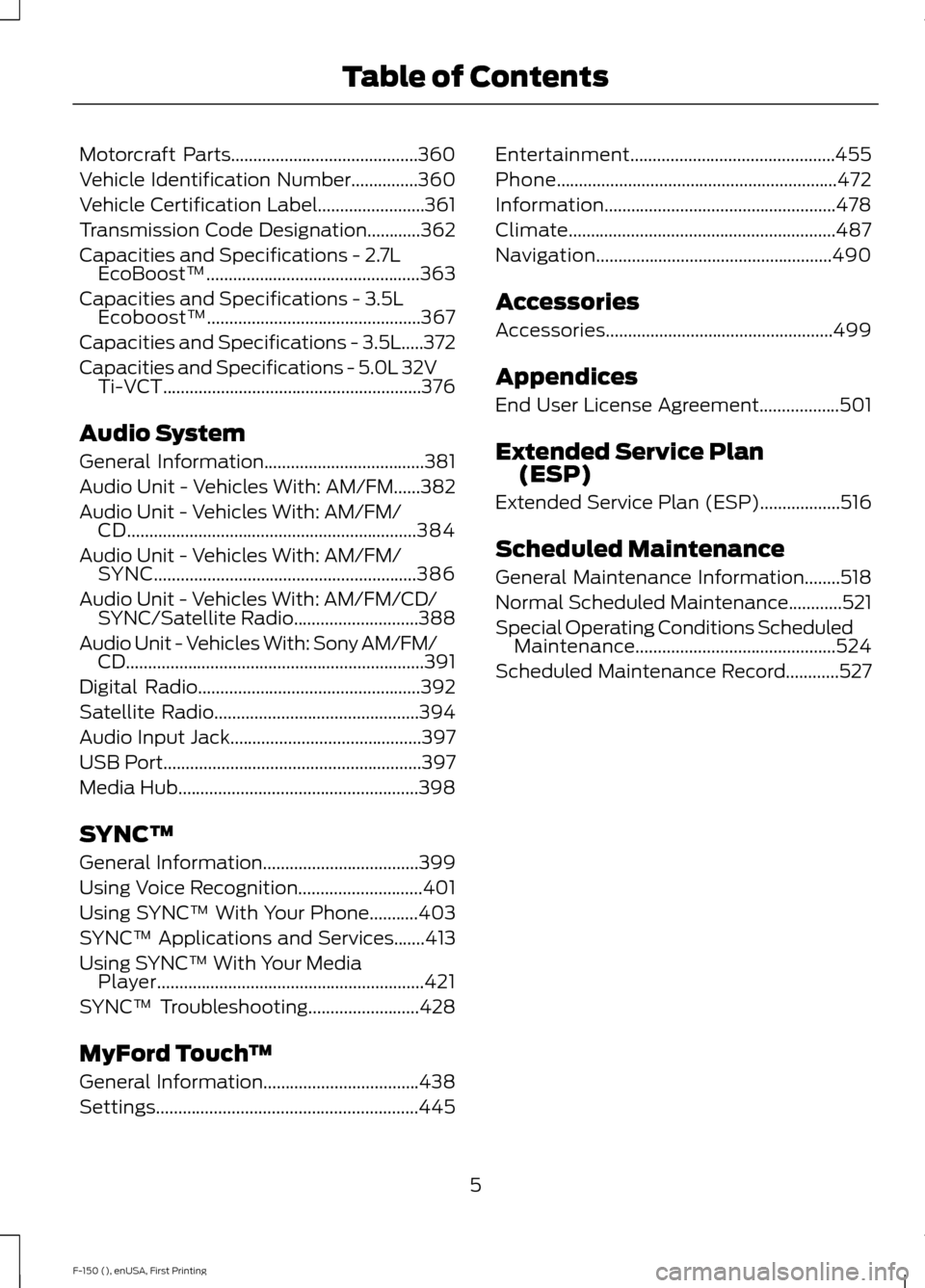
Motorcraft Parts..........................................360
Vehicle Identification Number...............360
Vehicle Certification Label........................361
Transmission Code Designation............362
Capacities and Specifications -
2.7L
EcoBoost™................................................363
Capacities and Specifications -
3.5L
Ecoboost™................................................367
Capacities and Specifications - 3.5L.....372
Capacities and Specifications -
5.0L 32V
Ti-VCT..........................................................376
Audio System
General Information....................................381
Audio Unit - Vehicles With: AM/FM......382
Audio Unit -
Vehicles With: AM/FM/
CD.................................................................384
Audio Unit -
Vehicles With: AM/FM/
SYNC...........................................................386
Audio Unit - Vehicles With: AM/FM/CD/ SYNC/
Satellite Radio............................388
Audio Unit - Vehicles With: Sony AM/FM/ CD
...................................................................391
Digital Radio
..................................................392
Satellite Radio..............................................394
Audio Input Jack
...........................................397
USB Port
..........................................................397
Media Hub
......................................................398
SYNC™
General Information
...................................399
Using Voice Recognition............................401
Using SYNC™ With Your Phone...........403
SYNC™ Applications and Services
.......413
Using SYNC™ With Your Media Player............................................................421
SYNC™ Troubleshooting
.........................428
MyFord Touch ™
General Information...................................438
Settings...........................................................445 Entertainment..............................................455
Phone
...............................................................472
Information....................................................478
Climate............................................................487
Navigation.....................................................490
Accessories
Accessories...................................................499
Appendices
End User License Agreement..................501
Extended Service Plan (ESP)
Extended Service Plan (ESP)..................516
Scheduled Maintenance
General Maintenance Information........518
Normal Scheduled Maintenance............521
Special Operating Conditions Scheduled Maintenance.............................................524
Scheduled Maintenance Record............527
5
F-150 (), enUSA, First Printing Table of Contents
Page 58 of 549
GENERAL INFORMATION ON
RADIO FREQUENCIES
This device complies with Part 15 of the
FCC Rules and with Industry Canada
license-exempt RSS standard(s).
Operation is subject to the following two
conditions: (1) This device may not cause
harmful interference, and (2) This device
must accept any interference received,
including interference that may cause
undesired operation.
Note:
Changes or modifications not
expressively approved by the party
responsible for compliance could void the
user's authority to operate the equipment.
The term IC before the radio certification
number only signifies that Industry Canada
technical specifications were met.
The typical operating range for your
transmitter is approximately 33 feet (10
meters). Vehicles with the remote start
feature will have a greater range. One of
the following could cause a decrease in
operating range:
• weather conditions
• nearby radio towers
• structures around the vehicle
• other vehicles parked next to your
vehicle
Other short-distance radio transmitters,
such as amateur radios, medical
equipment, wireless headphones, remote
controls and alarm systems may operate
on the same frequency as your remote
control. If other transmitters are operating
on those frequencies, you may not be able
to use your remote control. Using your
remote control near some types of
electronic equipment, such as USB devices, computers or cell phones can interfere with
remote operation. Operating your remote
control near metal or metallic-finished
purses, bags or clothing can interfere with
remote operation. You can lock and unlock
the doors with the key.
Note:
Make sure to lock your vehicle before
leaving it unattended.
Note: If you are in range, the remote control
will operate if you press any button
unintentionally.
Intelligent Access
The system uses a radio frequency signal
to communicate with your vehicle and
authorize your vehicle to unlock when one
of the following conditions are met:
• You touch the inside of the front
exterior door handle.
• You press the tailgate release button.
• You press a button on the transmitter.
If excessive radio frequency interference
is present in the area or if the transmitter
battery is low, you may need to
mechanically unlock your door. You can
use the mechanical key blade in your
intelligent access key to open the driver
door in this situation. See
Remote
Control (page 55).
REMOTE CONTROL
Integrated Keyhead Transmitters
(If Equipped)
Use the key blade to start your vehicle and
unlock or lock the driver door from outside
your vehicle. The transmitter portion
functions as the remote control.
55
F-150 (), enUSA, First Printing Keys and Remote Controls
Page 161 of 549
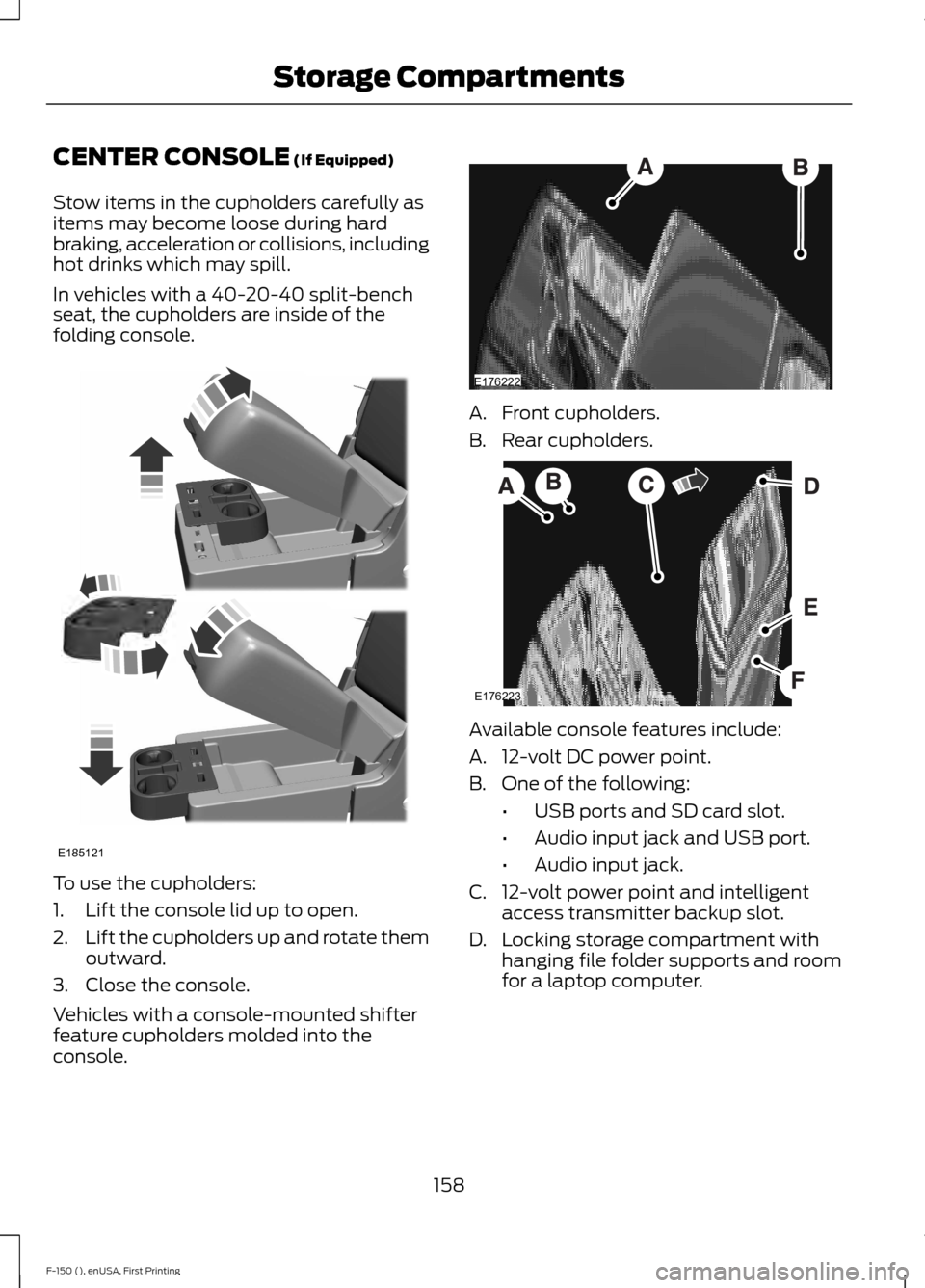
CENTER CONSOLE (If Equipped)
Stow items in the cupholders carefully as
items may become loose during hard
braking, acceleration or collisions, including
hot drinks which may spill.
In vehicles with a 40-20-40 split-bench
seat, the cupholders are inside of the
folding console. To use the cupholders:
1. Lift the console lid up to open.
2.
Lift the cupholders up and rotate them
outward.
3. Close the console.
Vehicles with a console-mounted shifter
feature cupholders molded into the
console. A. Front cupholders.
B. Rear cupholders.
Available console features include:
A. 12-volt DC power point.
B. One of the following:
•USB ports and SD card slot.
• Audio input jack and USB port.
• Audio input jack.
C. 12-volt power point and intelligent access transmitter backup slot.
D. Locking storage compartment with hanging file folder supports and room
for a laptop computer.
158
F-150 (), enUSA, First Printing Storage CompartmentsE185121 E176222 E176223
Page 386 of 549
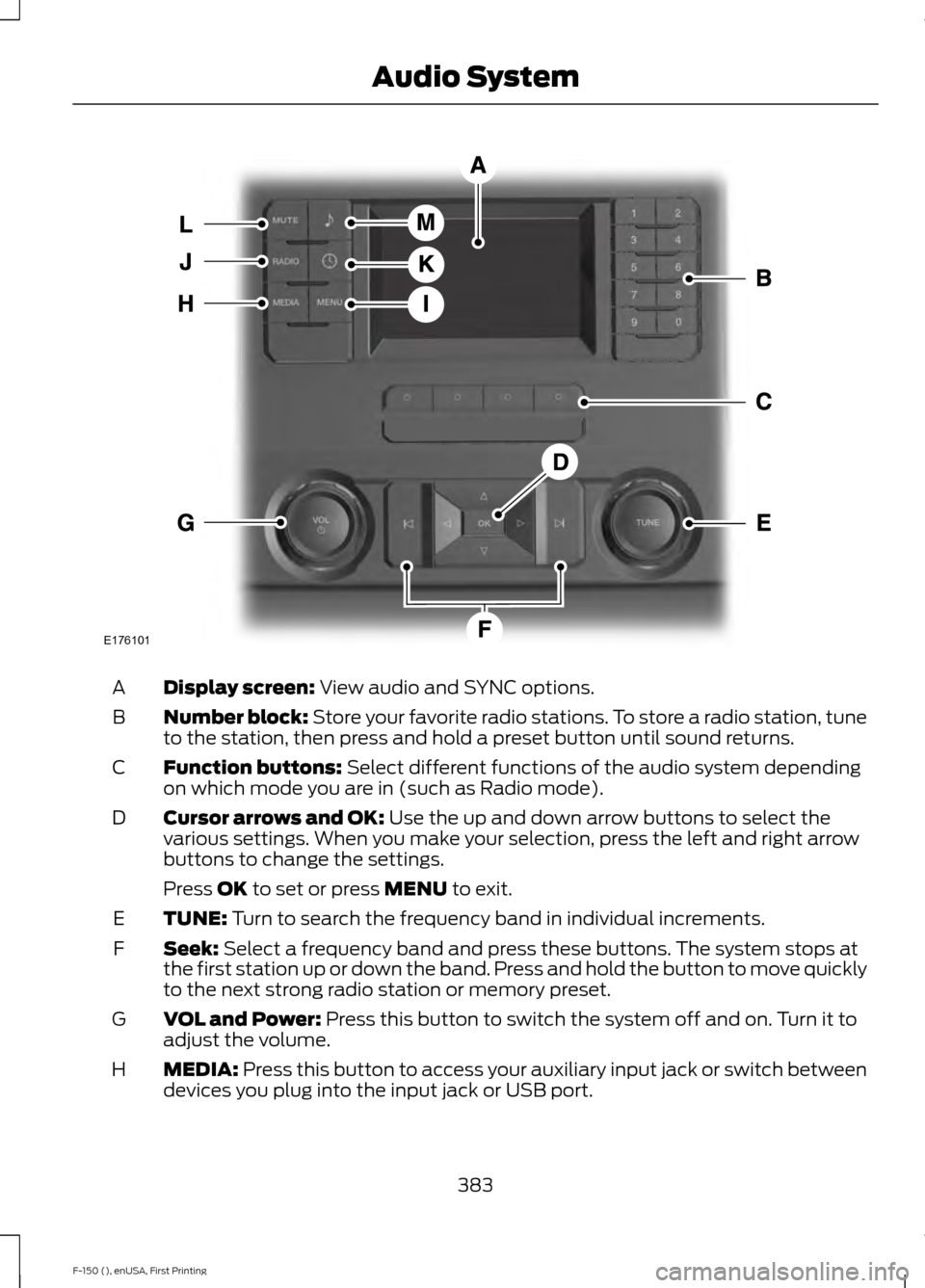
Display screen: View audio and SYNC options.
A
Number block:
Store your favorite radio stations. To store a radio station, tune
to the station, then press and hold a preset button until sound returns.
B
Function buttons:
Select different functions of the audio system depending
on which mode you are in (such as Radio mode).
C
Cursor arrows and OK:
Use the up and down arrow buttons to select the
various settings. When you make your selection, press the left and right arrow
buttons to change the settings.
D
Press
OK to set or press MENU to exit.
TUNE:
Turn to search the frequency band in individual increments.
E
Seek:
Select a frequency band and press these buttons. The system stops at
the first station up or down the band. Press and hold the button to move quickly
to the next strong radio station or memory preset.
F
VOL and Power:
Press this button to switch the system off and on. Turn it to
adjust the volume.
G
MEDIA:
Press this button to access your auxiliary input jack or switch between
devices you plug into the input jack or USB port.
H
383
F-150 (), enUSA, First Printing Audio SystemE176101
Page 389 of 549
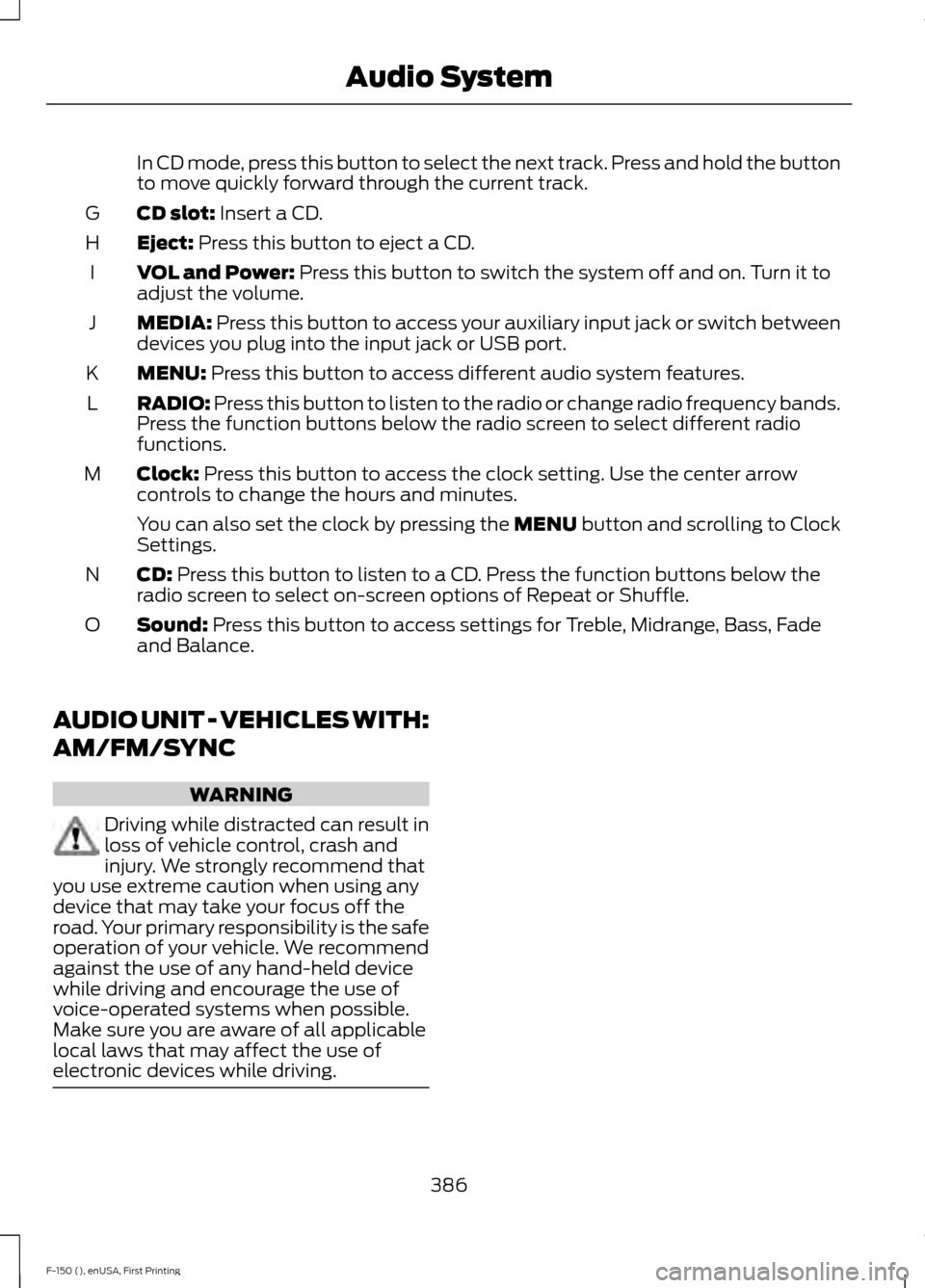
In CD mode, press this button to select the next track. Press and hold the button
to move quickly forward through the current track.
CD slot: Insert a CD.
G
Eject:
Press this button to eject a CD.
H
VOL and Power:
Press this button to switch the system off and on. Turn it to
adjust the volume.
I
MEDIA:
Press this button to access your auxiliary input jack or switch between
devices you plug into the input jack or USB port.
J
MENU:
Press this button to access different audio system features.
K
RADIO:
Press this button to listen to the radio or change radio frequency bands.
Press the function buttons below the radio screen to select different radio
functions.
L
Clock:
Press this button to access the clock setting. Use the center arrow
controls to change the hours and minutes.
M
You can also set the clock by pressing the MENU button and scrolling to Clock
Settings.
CD:
Press this button to listen to a CD. Press the function buttons below the
radio screen to select on-screen options of Repeat or Shuffle.
N
Sound:
Press this button to access settings for Treble, Midrange, Bass, Fade
and Balance.
O
AUDIO UNIT - VEHICLES WITH:
AM/FM/SYNC WARNING
Driving while distracted can result in
loss of vehicle control, crash and
injury. We strongly recommend that
you use extreme caution when using any
device that may take your focus off the
road. Your primary responsibility is the safe
operation of your vehicle. We recommend
against the use of any hand-held device
while driving and encourage the use of
voice-operated systems when possible.
Make sure you are aware of all applicable
local laws that may affect the use of
electronic devices while driving. 386
F-150 (), enUSA, First Printing Audio System
Page 391 of 549
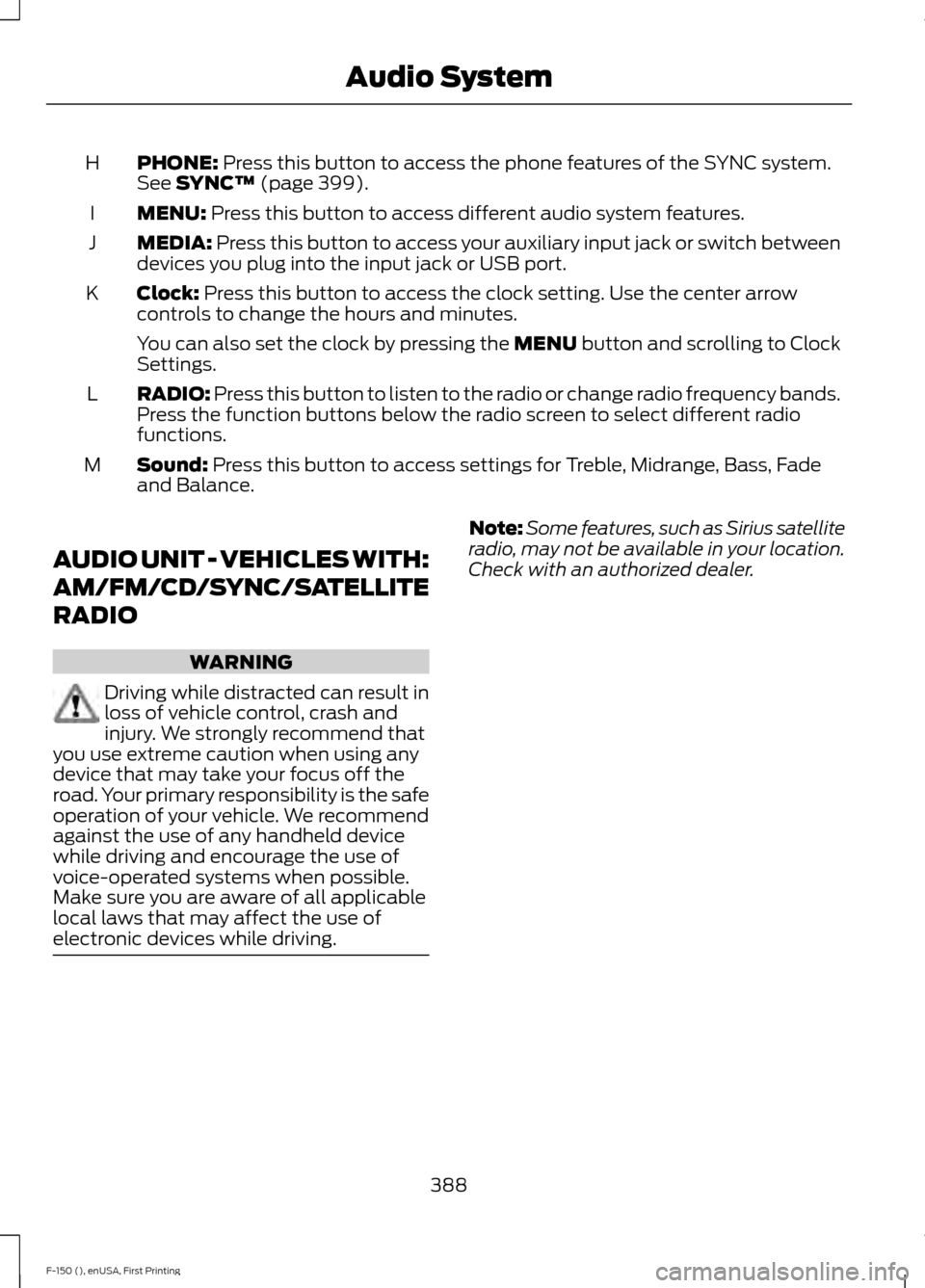
PHONE: Press this button to access the phone features of the SYNC system.
See SYNC™ (page 399).
H
MENU:
Press this button to access different audio system features.
I
MEDIA:
Press this button to access your auxiliary input jack or switch between
devices you plug into the input jack or USB port.
J
Clock:
Press this button to access the clock setting. Use the center arrow
controls to change the hours and minutes.
K
You can also set the clock by pressing the MENU button and scrolling to Clock
Settings.
RADIO:
Press this button to listen to the radio or change radio frequency bands.
Press the function buttons below the radio screen to select different radio
functions.
L
Sound:
Press this button to access settings for Treble, Midrange, Bass, Fade
and Balance.
M
AUDIO UNIT - VEHICLES WITH:
AM/FM/CD/SYNC/SATELLITE
RADIO WARNING
Driving while distracted can result in
loss of vehicle control, crash and
injury. We strongly recommend that
you use extreme caution when using any
device that may take your focus off the
road. Your primary responsibility is the safe
operation of your vehicle. We recommend
against the use of any handheld device
while driving and encourage the use of
voice-operated systems when possible.
Make sure you are aware of all applicable
local laws that may affect the use of
electronic devices while driving. Note:
Some features, such as Sirius satellite
radio, may not be available in your location.
Check with an authorized dealer.
388
F-150 (), enUSA, First Printing Audio System
Page 393 of 549
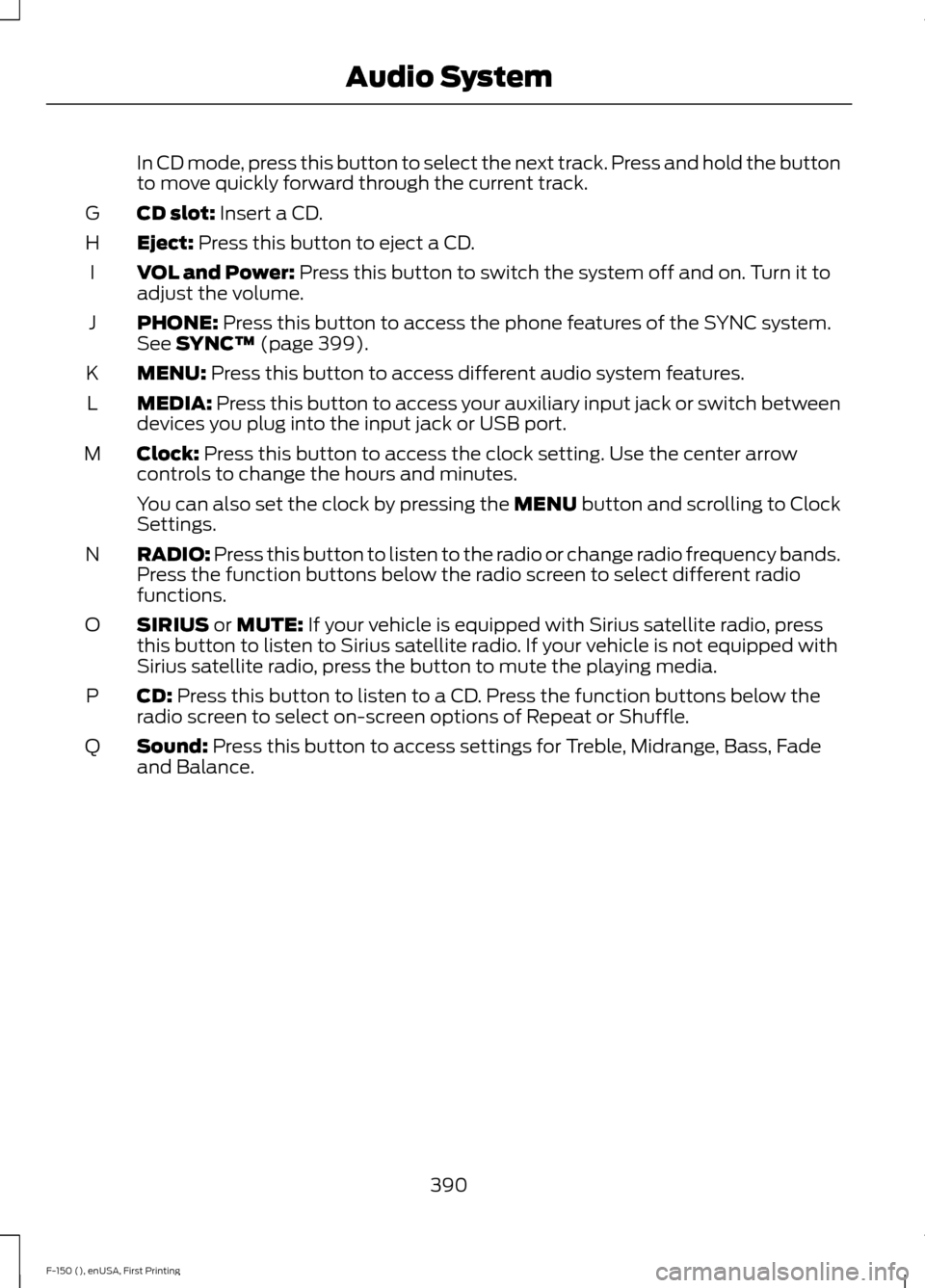
In CD mode, press this button to select the next track. Press and hold the button
to move quickly forward through the current track.
CD slot: Insert a CD.
G
Eject:
Press this button to eject a CD.
H
VOL and Power:
Press this button to switch the system off and on. Turn it to
adjust the volume.
I
PHONE:
Press this button to access the phone features of the SYNC system.
See SYNC™ (page 399).
J
MENU:
Press this button to access different audio system features.
K
MEDIA:
Press this button to access your auxiliary input jack or switch between
devices you plug into the input jack or USB port.
L
Clock:
Press this button to access the clock setting. Use the center arrow
controls to change the hours and minutes.
M
You can also set the clock by pressing the MENU button and scrolling to Clock
Settings.
RADIO:
Press this button to listen to the radio or change radio frequency bands.
Press the function buttons below the radio screen to select different radio
functions.
N
SIRIUS
or MUTE: If your vehicle is equipped with Sirius satellite radio, press
this button to listen to Sirius satellite radio. If your vehicle is not equipped with
Sirius satellite radio, press the button to mute the playing media.
O
CD:
Press this button to listen to a CD. Press the function buttons below the
radio screen to select on-screen options of Repeat or Shuffle.
P
Sound:
Press this button to access settings for Treble, Midrange, Bass, Fade
and Balance.
Q
390
F-150 (), enUSA, First Printing Audio System
Page 400 of 549
AUDIO INPUT JACK
WARNINGS
Driving while distracted can result in
loss of vehicle control, crash and
injury. We strongly recommend that
you use extreme caution when using any
device that may take your focus off the
road. Your primary responsibility is the safe
operation of your vehicle. We recommend
against the use of any hand-held device
while driving and encourage the use of
voice-operated systems when possible.
Make sure you are aware of all applicable
local laws that may affect the use of
electronic devices while driving. Do not connect or adjust the settings
on your portable music player when
your vehicle is moving.
Do not place your portable music
player on the instrument panel. Hard
objects may become projectiles in a
crash or sudden stop, which may increase
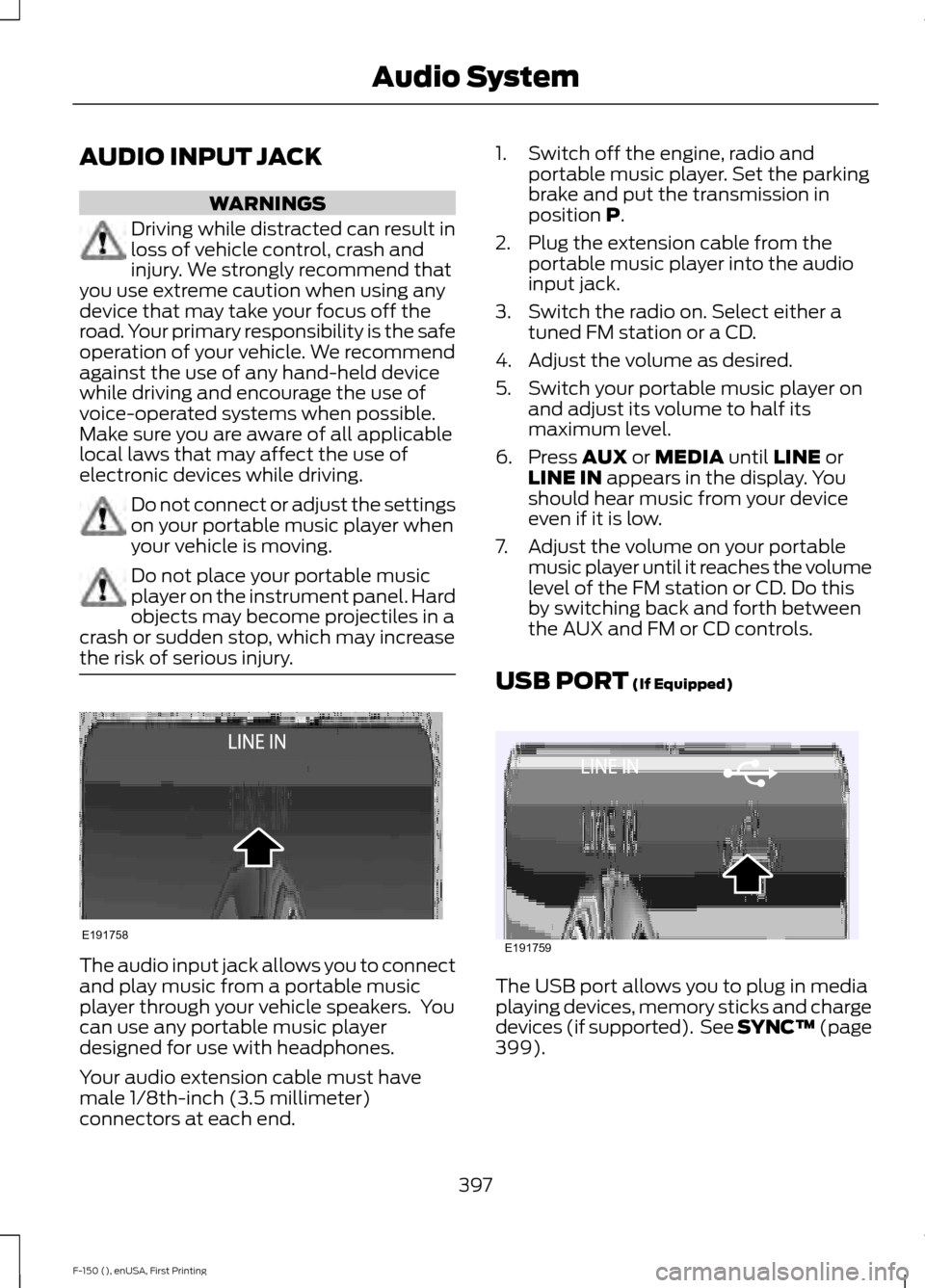
the risk of serious injury. The audio input jack allows you to connect
and play music from a portable music
player through your vehicle speakers. You
can use any portable music player
designed for use with headphones.
Your audio extension cable must have
male 1/8th-inch (3.5 millimeter)
connectors at each end. 1. Switch off the engine, radio and
portable music player. Set the parking
brake and put the transmission in
position P.
2. Plug the extension cable from the portable music player into the audio
input jack.
3. Switch the radio on. Select either a tuned FM station or a CD.
4. Adjust the volume as desired.
5. Switch your portable music player on and adjust its volume to half its
maximum level.
6. Press
AUX or MEDIA until LINE or
LINE IN appears in the display. You
should hear music from your device
even if it is low.
7. Adjust the volume on your portable music player until it reaches the volume
level of the FM station or CD. Do this
by switching back and forth between
the AUX and FM or CD controls.
USB PORT
(If Equipped) The USB port allows you to plug in media
playing devices, memory sticks and charge
devices (if supported). See SYNC™
(page
399).
397
F-150 (), enUSA, First Printing Audio SystemE191758 E191759
Page 401 of 549
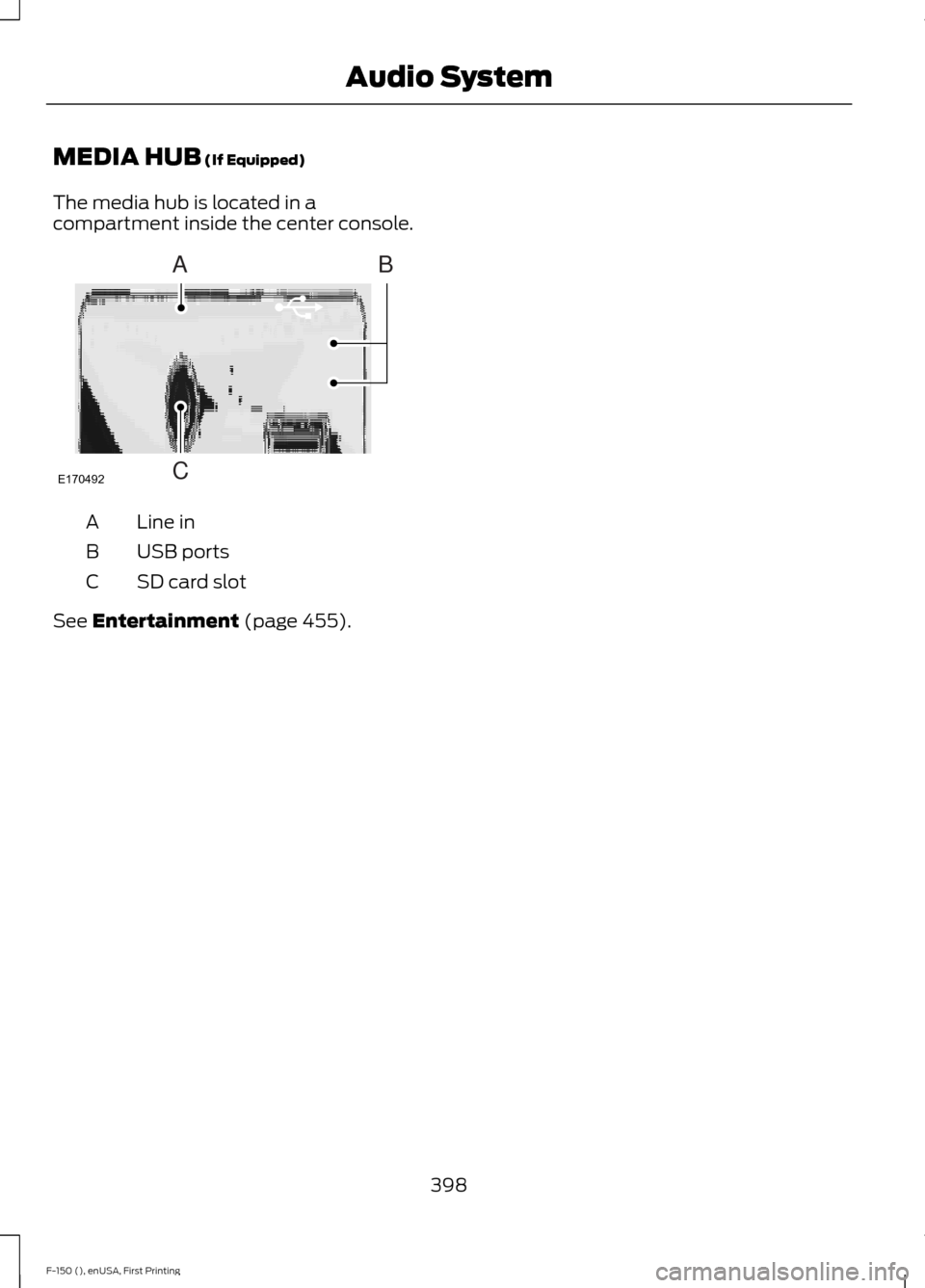
MEDIA HUB (If Equipped)
The media hub is located in a
compartment inside the center console. Line in
A
USB ports
B
SD card slot
C
See
Entertainment (page 455).
398
F-150 (), enUSA, First Printing Audio SystemE170492
A
C
B
Page 402 of 549
GENERAL INFORMATION
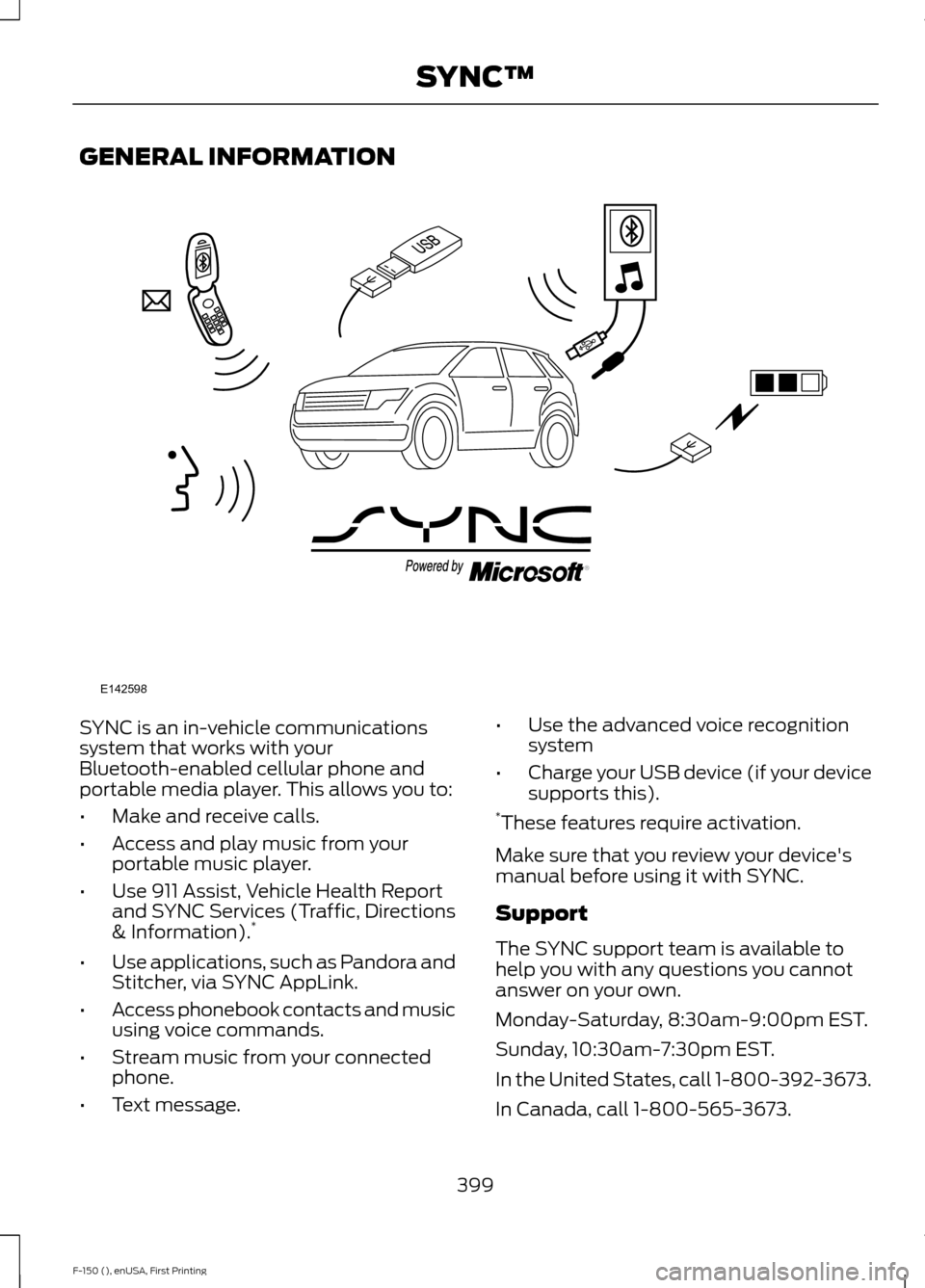
SYNC is an in-vehicle communications
system that works with your
Bluetooth-enabled cellular phone and
portable media player. This allows you to:
•
Make and receive calls.
• Access and play music from your
portable music player.
• Use 911 Assist, Vehicle Health Report
and SYNC Services (Traffic, Directions
& Information). *
• Use applications, such as Pandora and
Stitcher, via SYNC AppLink.
• Access phonebook contacts and music
using voice commands.
• Stream music from your connected
phone.
• Text message. •
Use the advanced voice recognition
system
• Charge your USB device (if your device
supports this).
* These features require activation.
Make sure that you review your device's
manual before using it with SYNC.
Support
The SYNC support team is available to
help you with any questions you cannot
answer on your own.
Monday-Saturday, 8:30am-9:00pm EST.
Sunday, 10:30am-7:30pm EST.
In the United States, call 1-800-392-3673.
In Canada, call 1-800-565-3673.
399
F-150 (), enUSA, First Printing SYNC™E142598