roof FORD F150 2016 13.G Owners Manual
[x] Cancel search | Manufacturer: FORD, Model Year: 2016, Model line: F150, Model: FORD F150 2016 13.GPages: 505, PDF Size: 6.27 MB
Page 5 of 505
Power Running Boards
Using Power Running Boards....................76
Steering Wheel
Adjusting the Steering Wheel....................78
Audio Control...................................................79
Voice Control...................................................80
Cruise Control
.................................................80
Information Display Control......................80
Pedals
Adjusting the Pedals......................................81
Wipers and Washers
Windshield Wipers
.........................................82
Autowipers.......................................................82
Windshield Washers
.....................................83
Lighting
Lighting Control
..............................................84
Autolamps........................................................84
Instrument Lighting Dimmer
.....................85
Daytime Running Lamps
............................86
Automatic High Beam Control.................86
Front Fog Lamps............................................88
Direction Indicators
.......................................88
Spot Lamps.....................................................88
Interior Lamps.................................................89
Ambient Lighting
.............................................91
Windows and Mirrors
Power Windows
..............................................92
Exterior Mirrors
................................................93
Interior Mirror
....................................................97
Sliding Windows
.............................................97
Sun Visors
.........................................................97
Moonroof..........................................................98 Instrument Cluster
Gauges.............................................................100
Warning Lamps and Indicators...............103
Audible Warnings and Indicators............107
Information Displays
General Information....................................108
Information Messages................................124
Climate Control
Manual Climate Control.............................139
Automatic Climate Control........................141
Hints on Controlling the Interior
Climate.........................................................142
Heated Windows and Mirrors..................145
Cabin Air Filter...............................................145
Remote Start.................................................146
Seats
Sitting in the Correct Position..................147
Head Restraints
.............................................147
Manual Seats.................................................149
Power Seats
...................................................150
Memory Function
..........................................152
Rear Seats
.......................................................154
Heated Seats.................................................154
Climate Controlled Seats..........................155
Front Seat Armrest.......................................157
Rear Seat Armrest
........................................157
Universal Garage Door Opener
Universal Garage Door Opener...............158
Auxiliary Power Points
Auxiliary Power Points................................162
Storage Compartments
Center Console..............................................164
2
F-150 (TFC) Canada/United States of America, enUSA, Edition date: 08/2015, First Printing Table of Contents
Page 35 of 505
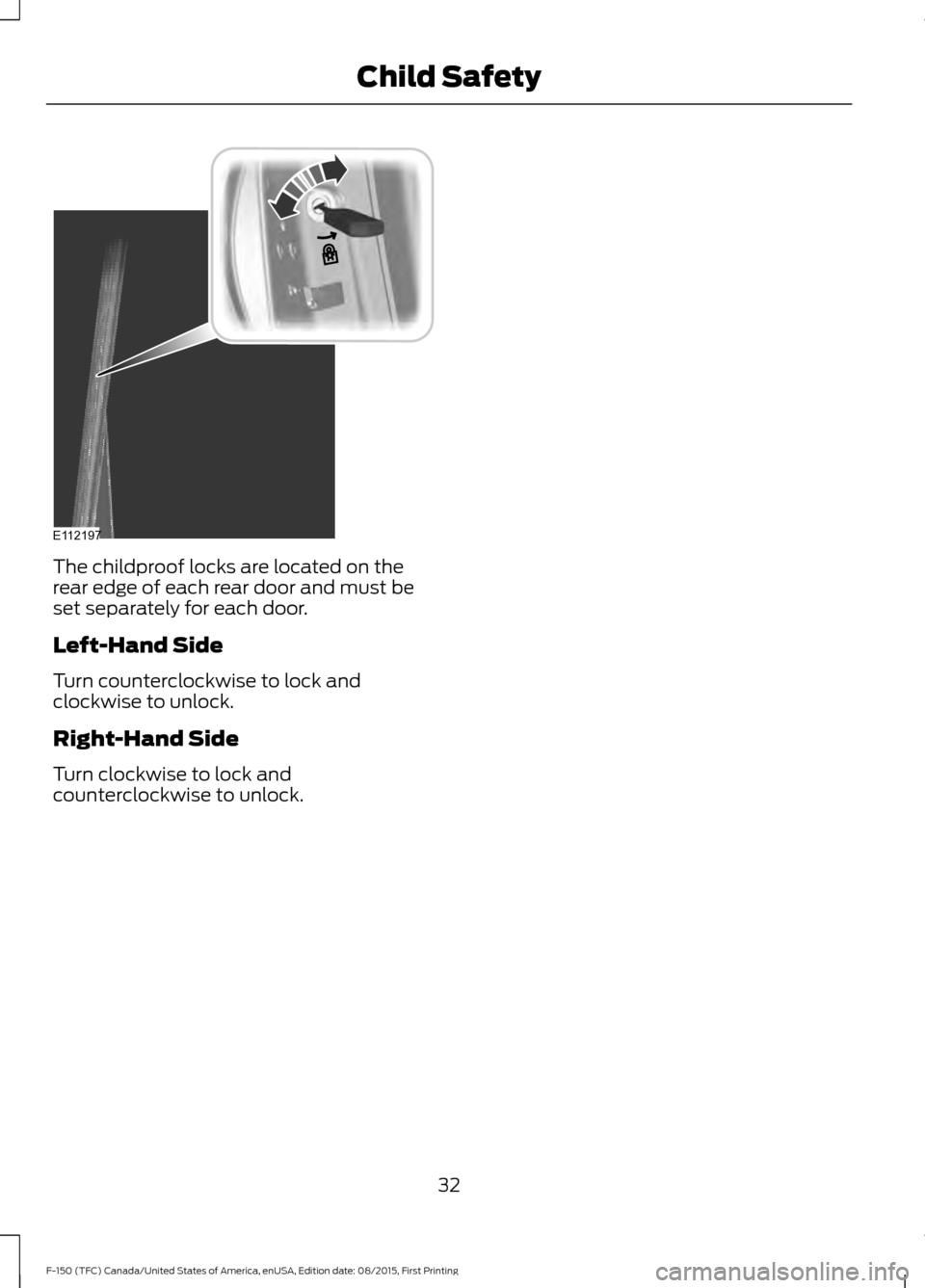
The childproof locks are located on the
rear edge of each rear door and must be
set separately for each door.
Left-Hand Side
Turn counterclockwise to lock and
clockwise to unlock.
Right-Hand Side
Turn clockwise to lock and
counterclockwise to unlock.
32
F-150 (TFC) Canada/United States of America, enUSA, Edition date: 08/2015, First Printing Child SafetyE112197
Page 52 of 505
WARNINGS
If the curtain airbags have deployed,
the curtain airbags will not function
again. The curtain airbags (including
the A, B and C pillar trim and headliner)
must be inspected and serviced by an
authorized dealer. If the curtain airbag is
not replaced, the unrepaired area will
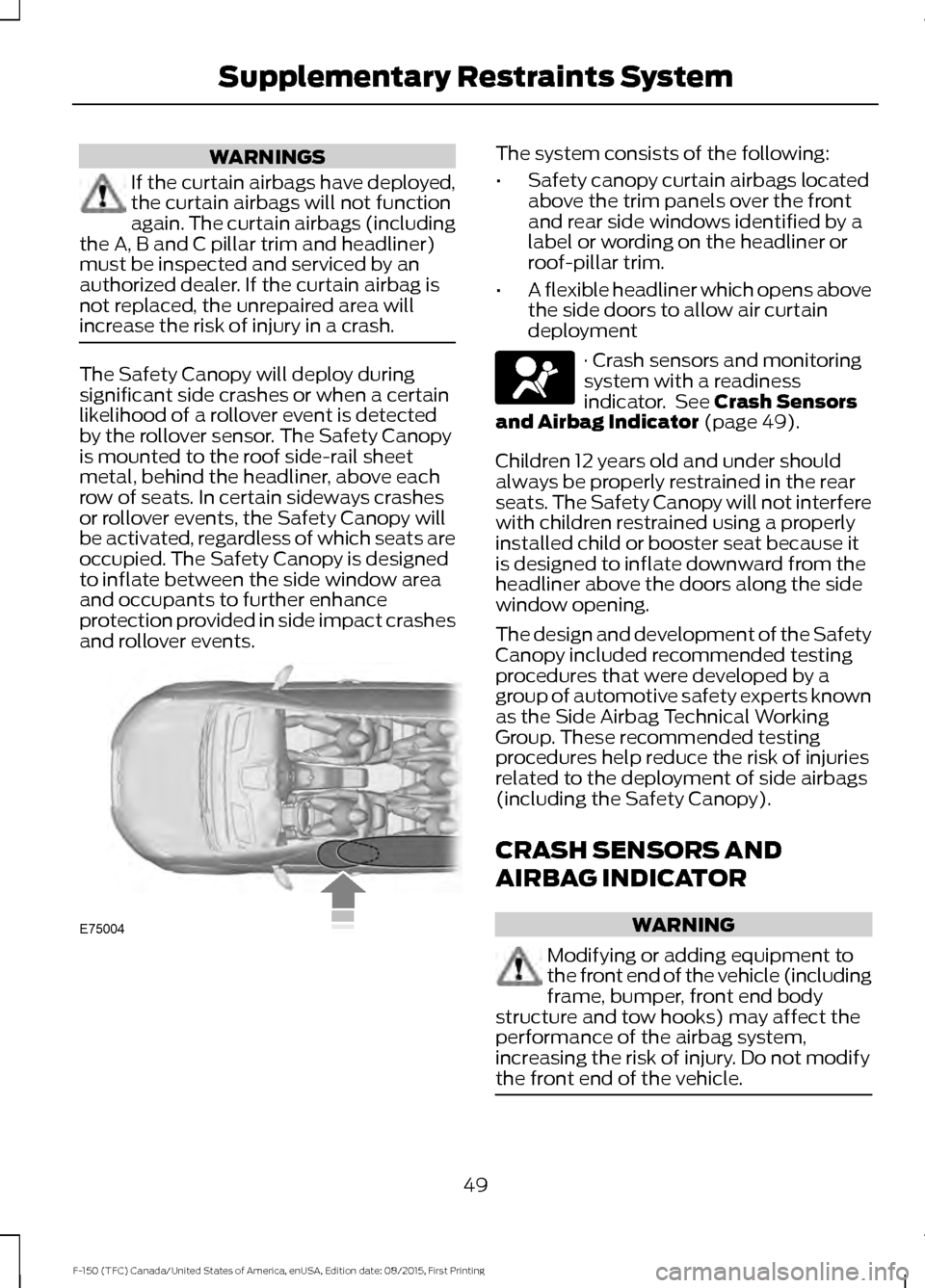
increase the risk of injury in a crash. The Safety Canopy will deploy during
significant side crashes or when a certain
likelihood of a rollover event is detected
by the rollover sensor. The Safety Canopy
is mounted to the roof side-rail sheet
metal, behind the headliner, above each
row of seats. In certain sideways crashes
or rollover events, the Safety Canopy will
be activated, regardless of which seats are
occupied. The Safety Canopy is designed
to inflate between the side window area
and occupants to further enhance
protection provided in side impact crashes
and rollover events. The system consists of the following:
•
Safety canopy curtain airbags located
above the trim panels over the front
and rear side windows identified by a
label or wording on the headliner or
roof-pillar trim.
• A flexible headliner which opens above
the side doors to allow air curtain
deployment · Crash sensors and monitoring
system with a readiness
indicator. See Crash Sensors
and Airbag Indicator (page 49).
Children 12 years old and under should
always be properly restrained in the rear
seats. The Safety Canopy will not interfere
with children restrained using a properly
installed child or booster seat because it
is designed to inflate downward from the
headliner above the doors along the side
window opening.
The design and development of the Safety
Canopy included recommended testing
procedures that were developed by a
group of automotive safety experts known
as the Side Airbag Technical Working
Group. These recommended testing
procedures help reduce the risk of injuries
related to the deployment of side airbags
(including the Safety Canopy).
CRASH SENSORS AND
AIRBAG INDICATOR WARNING
Modifying or adding equipment to
the front end of the vehicle (including
frame, bumper, front end body
structure and tow hooks) may affect the
performance of the airbag system,
increasing the risk of injury. Do not modify
the front end of the vehicle. 49
F-150 (TFC) Canada/United States of America, enUSA, Edition date: 08/2015, First Printing Supplementary Restraints SystemE75004
Page 79 of 505
USING POWER RUNNING
BOARDS
WARNINGS
In extreme climates, excessive ice
buildup may occur, causing the
running boards not to deploy. Make
sure that the running boards have
deployed, and have finished moving before
attempting to step on them. The running
boards will resume normal function once
the blockage is cleared. Turn off the running boards before
jacking or placing any object under
your vehicle. Never place your hand
between the extended running board and
your vehicle. A moving running board may
cause injury. Note:
Do not use the running boards, front
and rear hinge assemblies, running board
motors, or the running board underbody
mounts to lift your vehicle when jacking.
Always use proper jacking points.
Note: The running boards may operate
more slowly in cool temperatures.
Note: The running board mechanism may
trap debris such as mud, dirt, snow, ice and
salt. This may cause unwanted noise. If this
happens, manually set the running boards
to the deployed position. Then, wash the
system, in particular the front and rear hinge
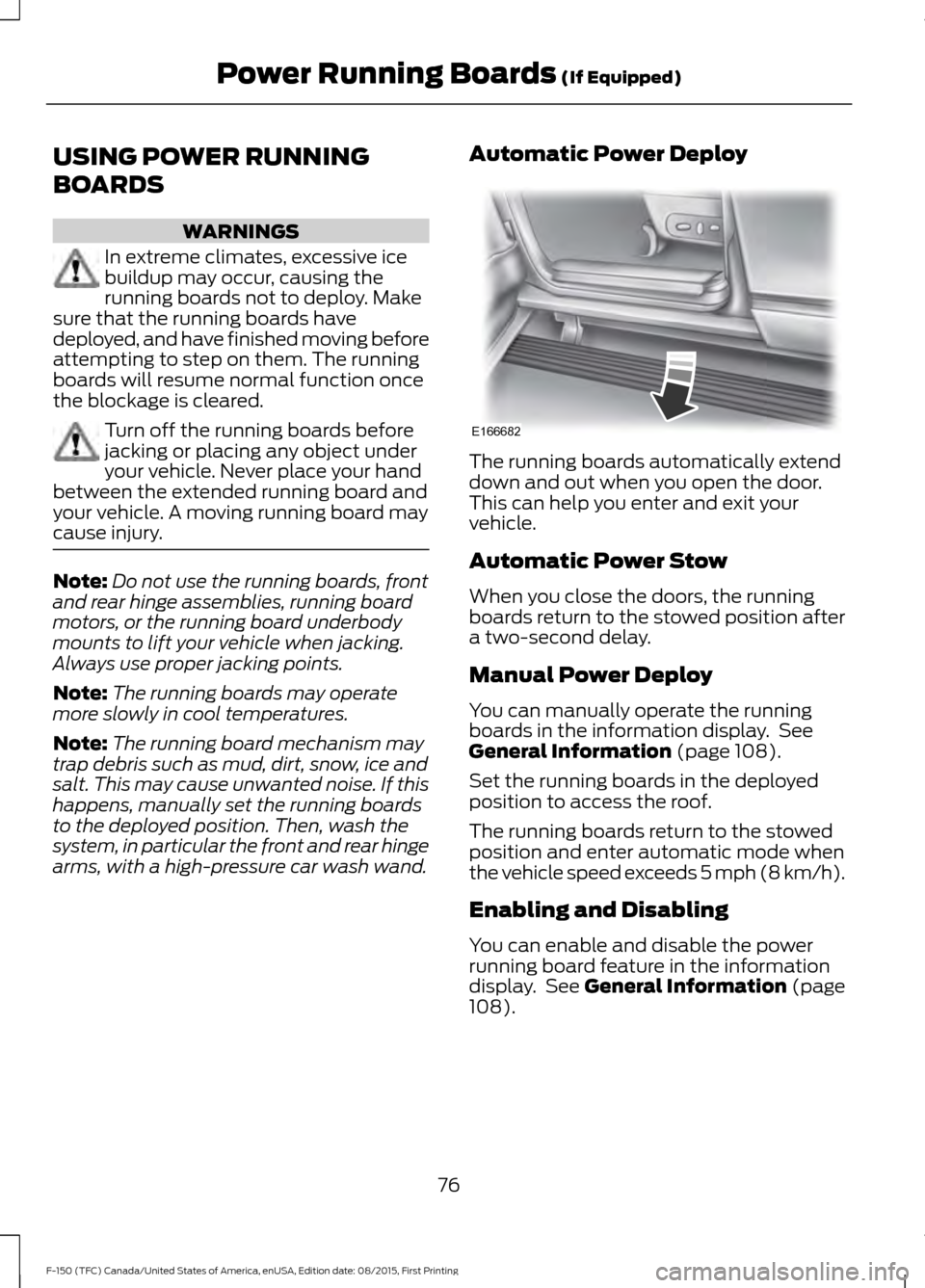
arms, with a high-pressure car wash wand. Automatic Power Deploy The running boards automatically extend
down and out when you open the door.
This can help you enter and exit your
vehicle.
Automatic Power Stow
When you close the doors, the running
boards return to the stowed position after
a two-second delay.
Manual Power Deploy
You can manually operate the running
boards in the information display. See
General Information (page 108).
Set the running boards in the deployed
position to access the roof.
The running boards return to the stowed
position and enter automatic mode when
the vehicle speed exceeds 5 mph (8 km/h).
Enabling and Disabling
You can enable and disable the power
running board feature in the information
display. See
General Information (page
108).
76
F-150 (TFC) Canada/United States of America, enUSA, Edition date: 08/2015, First Printing Power Running Boards
(If Equipped)E166682
Page 92 of 505
Once switched on, the spot lamps light the
area in front of and to the side of your
vehicle.
Adjust the aim of the spot lamps by
moving the position of the exterior mirrors.
For manual folding mirrors, adjust the aim
of the lamps by folding the exterior mirror
into or away from the windows. For
power-folding mirrors, use the switch
located on the driver-side door. See
Exterior Mirrors (page 93).
Note: The spot lamps turn off
automatically when you reach a speed of
6 mph (10 km/h)
.
Cargo and Trailer Hookup Lamps
The cargo lamps are positioned in the
central high mounted stop lamp and to
either side of the cargo box.
The trailer hookup lamp is positioned on
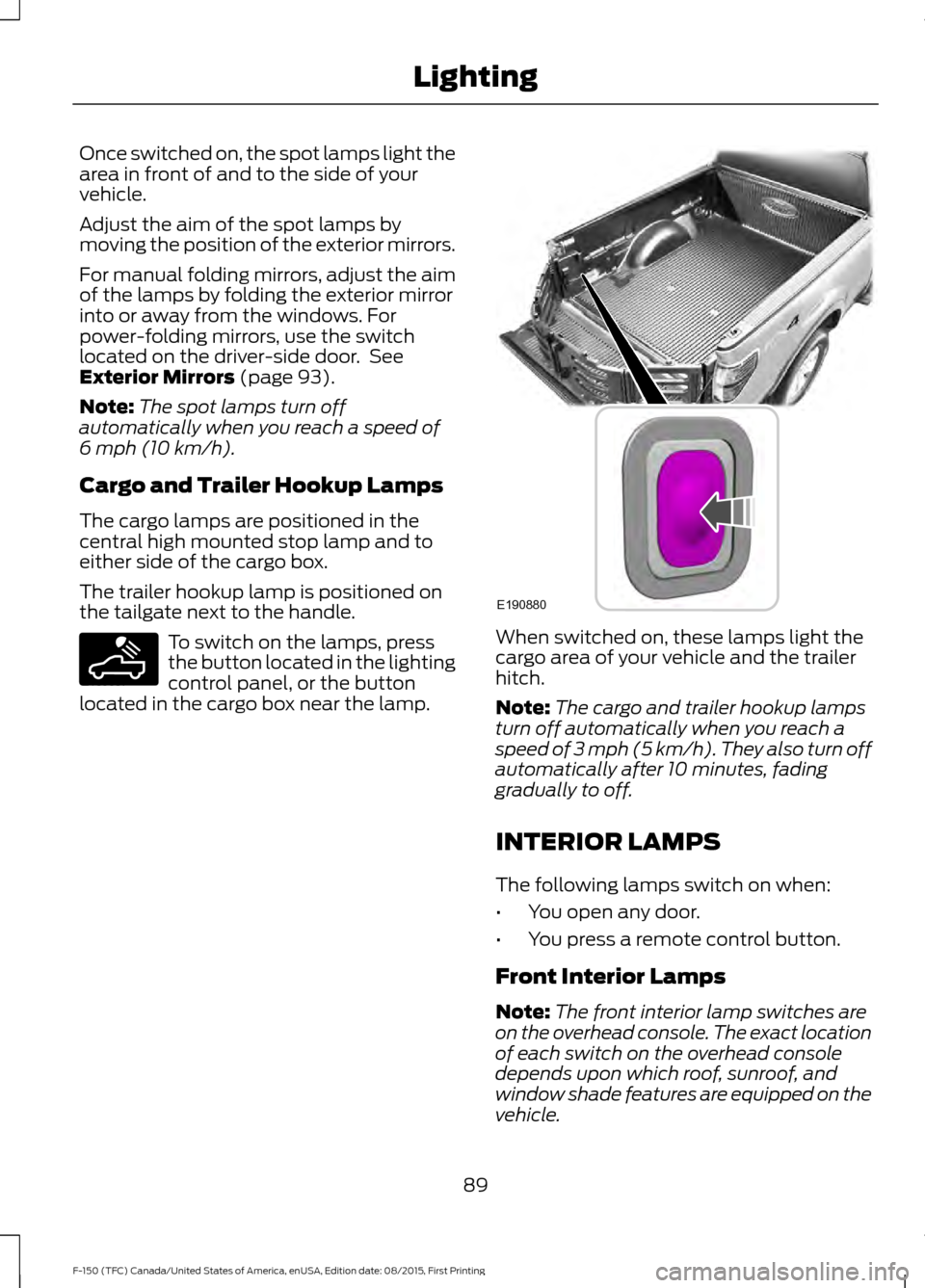
the tailgate next to the handle. To switch on the lamps, press
the button located in the lighting
control panel, or the button
located in the cargo box near the lamp. When switched on, these lamps light the
cargo area of your vehicle and the trailer
hitch.
Note:
The cargo and trailer hookup lamps
turn off automatically when you reach a
speed of
3 mph (5 km/h). They also turn off
automatically after 10 minutes, fading
gradually to off.
INTERIOR LAMPS
The following lamps switch on when:
• You open any door.
• You press a remote control button.
Front Interior Lamps
Note: The front interior lamp switches are
on the overhead console. The exact location
of each switch on the overhead console
depends upon which roof, sunroof, and
window shade features are equipped on the
vehicle.
89
F-150 (TFC) Canada/United States of America, enUSA, Edition date: 08/2015, First Printing LightingE189587 E190880
Page 101 of 505
Illuminated Vanity Mirror (If Equipped)
Lift the cover to switch the lamp on.
MOONROOF
(If Equipped)
WARNINGS
Do not let children play with the
moonroof or leave them unattended
in the vehicle. They may seriously
hurt themselves. When closing the moonroof, you
should verify that it is free of
obstructions and make sure that
children and pets are not in the proximity
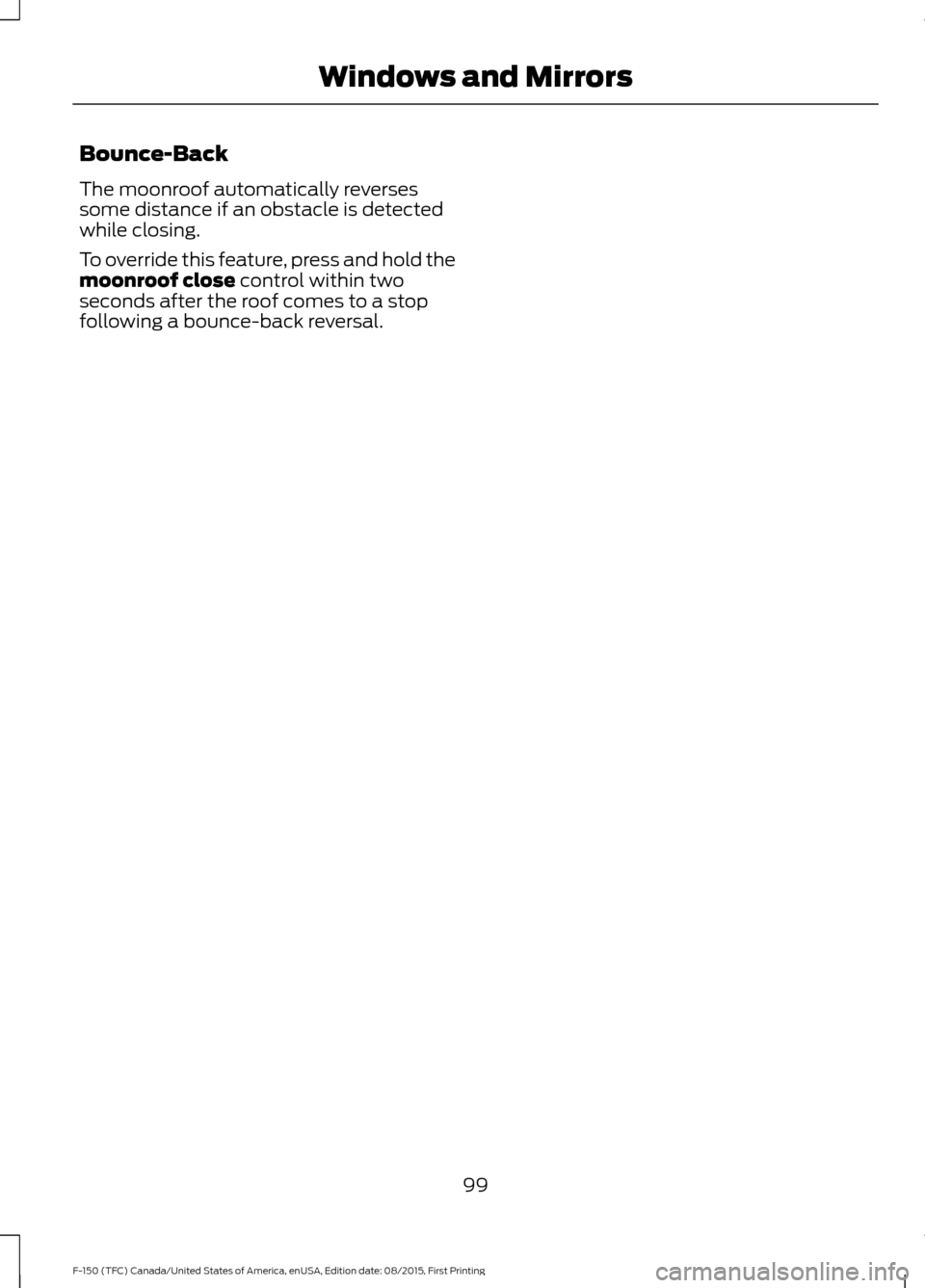
of the roof opening. The moonroof controls are located on the
overhead console and have a one-touch
open and close feature. To stop its
movement during one-touch operation,
press the control a second time. Opening and Closing the Moonroof Moonroof open.
Press and
release to open the moonroof.
The moonroof stops short of the
fully opened position. Press and
release the control again to open
the moonroof fully.
A
Moonroof vent.
Press and
release to vent the moonroof.
B
Sunshade open.
Press and
release to open the sunshade.
The sunshade opens
automatically with the
moonroof. You can also open
the sunshade with the moonroof
C
closed. Note:
The sunshade
stops short of its fully opened
position for the comfort of rear
passengers. To open the
sunshade fully, press the control
again.
Sunshade close.
Press and
release to close the sunshade.
D
Moonroof close.
Press and
release to close the moonroof
from either the open or vent
positions.
E
98
F-150 (TFC) Canada/United States of America, enUSA, Edition date: 08/2015, First Printing Windows and MirrorsE162197 E191272
Page 102 of 505
Bounce-Back
The moonroof automatically reverses
some distance if an obstacle is detected
while closing.
To override this feature, press and hold the
moonroof close control within two
seconds after the roof comes to a stop
following a bounce-back reversal.
99
F-150 (TFC) Canada/United States of America, enUSA, Edition date: 08/2015, First Printing Windows and Mirrors
Page 207 of 505
PRINCIPLE OF OPERATION
WARNINGS
Vehicle modifications involving
braking system, aftermarket roof
racks, suspension, steering system,
tire construction and wheel and tire size
may change the handling characteristics
of your vehicle and may adversely affect
the performance of the electronic stability
control system. In addition, installing any
stereo loudspeakers may interfere with
and adversely affect the electronic stability
control system. Install any aftermarket
stereo loudspeaker as far as possible from
the front center console, the tunnel, and
the front seats in order to minimize the risk
of interfering with the electronic stability
control sensors. Reducing the
effectiveness of the electronic stability
control system could lead to an increased
risk of loss of vehicle control, vehicle
rollover, personal injury and death. Remember that even advanced
technology cannot defy the laws of
physics. It’
s always possible to lose
control of a vehicle due to inappropriate
driver input for the conditions. Aggressive
driving on any road condition can cause
you to lose control of your vehicle
increasing the risk of personal injury or
property damage. Activation of the
electronic stability control system is an
indication that at least some of the tires
have exceeded their ability to grip the road;
this could reduce the operator ’s ability to
control the vehicle potentially resulting in
a loss of vehicle control, vehicle rollover,
personal injury and death. If your electronic
stability control system activates, SLOW
DOWN. The system automatically turns on each
time you switch the ignition on. If a driving condition activates either the
stability control or the traction control
system you may experience the following
conditions:
•
The stability and traction control light
flashes.
• Your vehicle slows down.
• Reduced engine power.
• A vibration in the brake pedal.
• The brake pedal is stiffer than usual.
• If the driving condition is severe and
your foot is not on the brake, the brake
pedal may move as the systems
applies higher brake forces.
The stability control system has several
features built into it to help you maintain
control of your vehicle:
Electronic Stability Control
The system enhances your vehicle ’s ability
to prevent skids or lateral slides by
applying brakes to one or more of the
wheels individually and, if necessary,
reducing engine power.
Roll Stability Control
The system enhances your vehicle ’s ability
to prevent rollovers by detecting your
vehicle ’s roll motion and the rate at which
it changes by applying the brakes to one
or more wheels individually.
Traction Control
The system enhances your vehicle ’s ability
to maintain traction of the wheels by
detecting and controlling wheel spin. See
Using Traction Control (page 203).
204
F-150 (TFC) Canada/United States of America, enUSA, Edition date: 08/2015, First Printing Stability Control
Page 214 of 505
The system may not function correctly if
something passes between the front
bumper and the parking space (a
pedestrian or cyclist) or if the edge of the
neighboring parked vehicle is high off the
ground (for example, a bus, tow truck or
flatbed truck).
Note:
The sensors may not detect objects
in heavy rain, snow or other conditions that
cause disruptive reflections.
Note: Keep the sensors, located on the
bumper or fascia, free from snow, ice and
large accumulations of dirt. Covered sensors
can affect the system's accuracy. Do not
clean the sensors with sharp objects.
Note: The sensors may not detect objects
with surfaces that absorb ultrasonic waves.
Do not use the system if:
• You have attached a foreign object
(bike rack or trailer) to the front or rear
of your vehicle or close to the sensors.
• You have attached an overhanging
object (surfboard) to the roof. •
A foreign object damages or obstructs
the sensors.
• The correct tire size is not in use on your
vehicle (for example, a mini-spare tire).
Using Active Park Assist Press the button located on the
center console near the gearshift
lever.
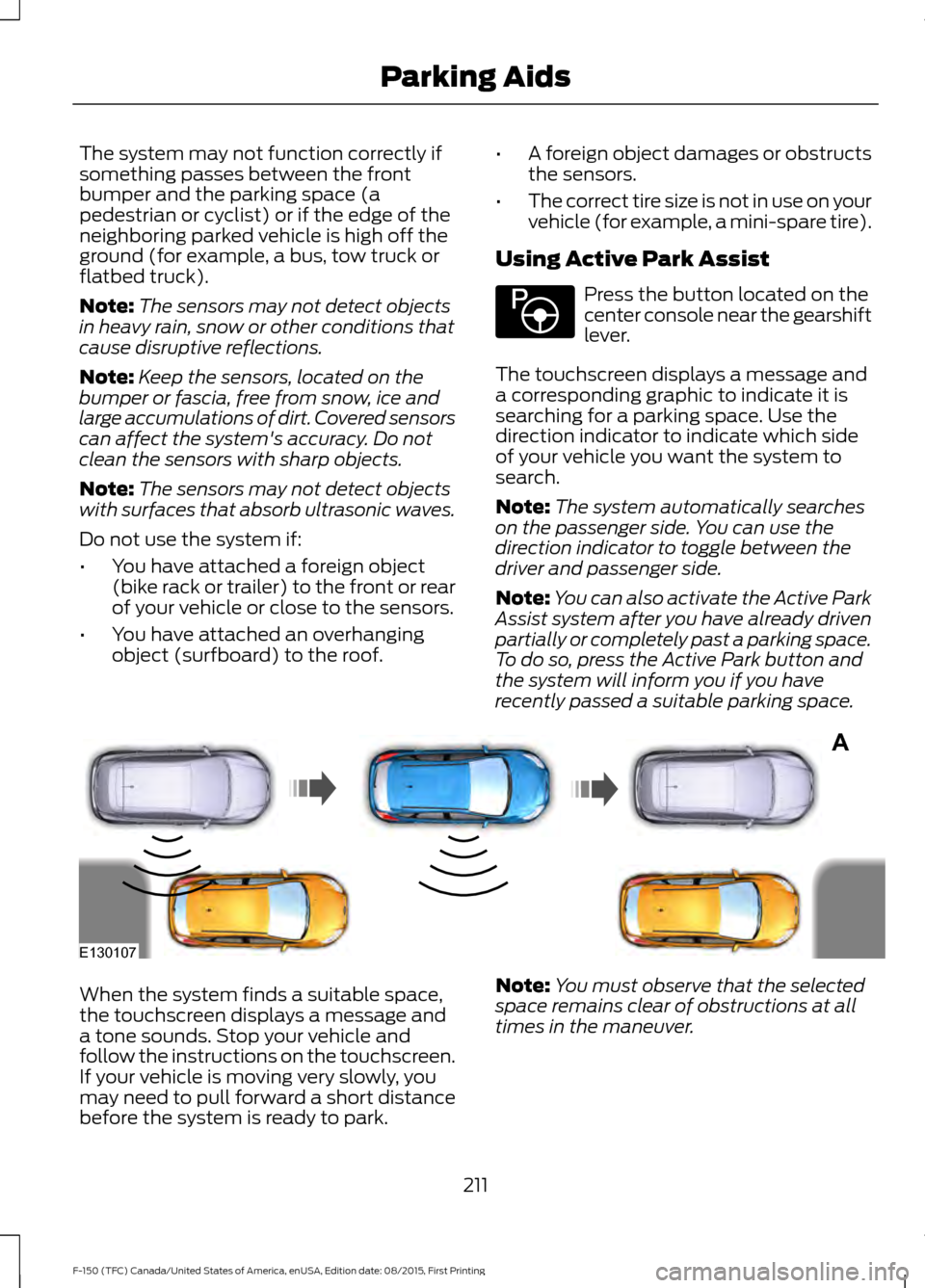
The touchscreen displays a message and
a corresponding graphic to indicate it is
searching for a parking space. Use the
direction indicator to indicate which side
of your vehicle you want the system to
search.
Note: The system automatically searches
on the passenger side. You can use the
direction indicator to toggle between the
driver and passenger side.
Note: You can also activate the Active Park
Assist system after you have already driven
partially or completely past a parking space.
To do so, press the Active Park button and
the system will inform you if you have
recently passed a suitable parking space. When the system finds a suitable space,
the touchscreen displays a message and
a tone sounds. Stop your vehicle and
follow the instructions on the touchscreen.
If your vehicle is moving very slowly, you
may need to pull forward a short distance
before the system is ready to park.
Note:
You must observe that the selected
space remains clear of obstructions at all
times in the maneuver.
211
F-150 (TFC) Canada/United States of America, enUSA, Edition date: 08/2015, First Printing Parking AidsE146186 A
E130107
Page 296 of 505
You are required to submit your warranty
dispute to BBB AUTO LINE before asserting
in court any rights or remedies conferred
by California Civil Code Section 1793.22(b).
You are also required to use BBB AUTO
LINE before exercising rights or seeking
remedies created by the Federal
Magnuson-Moss Warranty Act, 15 U.S.C.
sec. 2301 et seq. If you choose to seek
redress by pursuing rights and remedies
not created by California Civil Code Section
1793.22(b) or the Magnuson-Moss
Warranty Act, resort to BBB AUTO LINE is
not required by those statutes.
THE BETTER BUSINESS
BUREAU (BBB) AUTO LINE
PROGRAM (U.S. ONLY)
Your satisfaction is important to Ford
Motor Company and to your dealer. If a
warranty concern has not been resolved
using the three-step procedure outlined
earlier in this chapter in the Getting the
Services you need section, you may be
eligible to participate in the BBB AUTO
LINE program.
The BBB AUTO LINE program consists of
two parts – mediation and arbitration.
During mediation, a representative of the
BBB will contact both you and Ford Motor
Company to explore options for settlement
of the claim. If an agreement is not reached
during mediation or you do not want to
participate in mediation, and if your claim
is eligible, you may participate in the
arbitration process. An arbitration hearing
will be scheduled so that you can present
your case in an informal setting before an
impartial person. The arbitrator will
consider the testimony provided and make
a decision after the hearing.
Disputes submitted to the BBB AUTO LINE
program are usually decided within forty
days after you file your claim with the BBB.
You are not bound by the decision, and
may reject the decision and proceed to
court where all findings of the BBB Auto
Line dispute, and decision, are admissible
in the court action. Should you choose to
accept the BBB AUTO LINE decision, Ford
is then bound by the decision, and must
comply with the decision within 30 days
of receipt of your acceptance letter.
BBB AUTO LINE Application: Using the
information provided below, please call or
write to request a program application.
You will be asked for your name and
address, general information about your
new vehicle, information about your
warranty concerns, and any steps you have
already taken to try to resolve them. A
Customer Claim Form will be mailed that
will need to be completed, signed and
returned to the BBB along with proof of
ownership. Upon receipt, the BBB will
review the claim for eligibility under the
Program Summary Guidelines.
You can get more information by
calling BBB AUTO LINE at
1-800-955-5100, or writing to:
BBB AUTO LINE
3033 Wilson Boulevard, Suite 600
Arlington, Virginia 22201
BBB AUTO LINE applications can also be
requested by calling the Ford Motor
Company Customer Relationship Center
at 1-800-392-3673.
Note:
Ford Motor Company reserves the
right to change eligibility limitations, modify
procedures, or to discontinue this process
at any time without notice and without
obligation.
293
F-150 (TFC) Canada/United States of America, enUSA, Edition date: 08/2015, First Printing Customer Assistance