seat adjustment FORD F150 2016 13.G Owners Manual
[x] Cancel search | Manufacturer: FORD, Model Year: 2016, Model line: F150, Model: FORD F150 2016 13.GPages: 505, PDF Size: 6.27 MB
Page 4 of 505
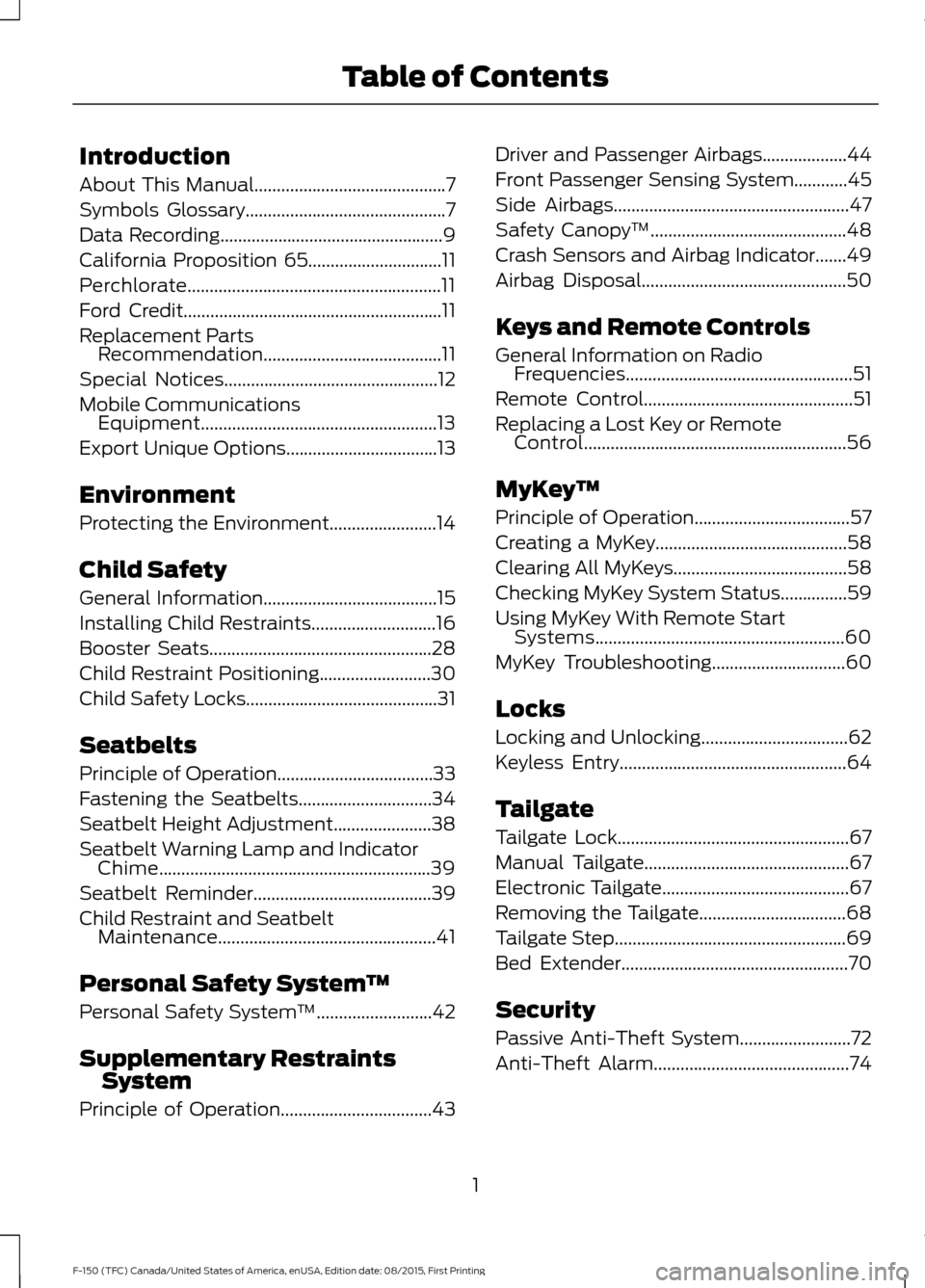
Introduction
About This Manual...........................................7
Symbols Glossary
.............................................7
Data Recording
..................................................9
California Proposition 65..............................11
Perchlorate.........................................................11
Ford Credit
..........................................................11
Replacement Parts Recommendation
........................................11
Special Notices................................................12
Mobile Communications Equipment.....................................................13
Export Unique Options..................................13
Environment
Protecting the Environment........................14
Child Safety
General Information
.......................................15
Installing Child Restraints
............................16
Booster Seats..................................................28
Child Restraint Positioning
.........................30
Child Safety Locks...........................................31
Seatbelts
Principle of Operation...................................33
Fastening the Seatbelts..............................34
Seatbelt Height Adjustment
......................38
Seatbelt Warning Lamp and Indicator Chime.............................................................39
Seatbelt Reminder........................................39
Child Restraint and Seatbelt Maintenance.................................................41
Personal Safety System ™
Personal Safety System ™
..........................42
Supplementary Restraints System
Principle of Operation..................................43 Driver and Passenger Airbags...................44
Front Passenger Sensing System............45
Side Airbags
.....................................................47
Safety Canopy ™
............................................48
Crash Sensors and Airbag Indicator.......49
Airbag Disposal..............................................50
Keys and Remote Controls
General Information on Radio Frequencies...................................................51
Remote Control
...............................................51
Replacing a Lost Key or Remote Control...........................................................56
MyKey ™
Principle of Operation
...................................57
Creating a MyKey
...........................................58
Clearing All MyKeys
.......................................58
Checking MyKey System Status...............59
Using MyKey With Remote Start Systems
........................................................60
MyKey Troubleshooting..............................60
Locks
Locking and Unlocking.................................62
Keyless Entry
...................................................64
Tailgate
Tailgate Lock
....................................................67
Manual Tailgate
..............................................67
Electronic Tailgate
..........................................67
Removing the Tailgate.................................68
Tailgate Step
....................................................69
Bed Extender
...................................................70
Security
Passive Anti-Theft System.........................72
Anti-Theft Alarm............................................74
1
F-150 (TFC) Canada/United States of America, enUSA, Edition date: 08/2015, First Printing Table of Contents
Page 39 of 505
Safety Belt Locking Modes
WARNINGS
After any vehicle crash, the safety
belt system at all passenger seating
positions must be checked by an
authorized dealer to verify that the
automatic locking retractor feature for
child seats is still functioning properly. In
addition, all safety belts should be checked
for proper function. The belt and retractor must be
replaced if the safety belt assembly
automatic locking retractor feature
or any other safety belt function is not
operating properly when checked by an
authorized dealer. Failure to replace the
belt and retractor assembly could increase
the risk of injury in crashes. All safety restraints in the vehicle are
combination lap and shoulder belts. The
driver safety belt has the first type of
locking mode, and the front outboard
passenger and rear seat safety belts have
both types of locking modes described as
follows:
Vehicle Sensitive Mode
This is the normal retractor mode, which
allows free shoulder belt length
adjustment to your movements and
locking in response to vehicle movement.
For example, if the driver brakes suddenly,
turns a corner sharply, or the vehicle
receives an impact of about 5 mph
(8 km/h) or more, the combination safety
belts will lock to help reduce forward
movement of the driver and passengers.
In addition, the retractor is designed to lock
if the webbing is pulled out too quickly. If
this occurs, let the belt retract slightly and
pull webbing out again in a slow and
controlled manner. Automatic Locking Mode
In this mode, the shoulder belt is
automatically pre-locked. The belt will still
retract to remove any slack in the shoulder
belt. The automatic locking mode is not
available on the driver safety belt.
When to Use the Automatic Locking
Mode
Use this mode any time you install a child
safety seat in a front outboard passenger
seating position in a Regular Cab,
SuperCab, SuperCrew or any rear seating
position of a SuperCab or SuperCrew. The
optional front seat's center safety belt has
a cinch mechanism. Children 12 years old
and under should be properly restrained in
a rear seat whenever possible. See
Child
Safety (page 15).
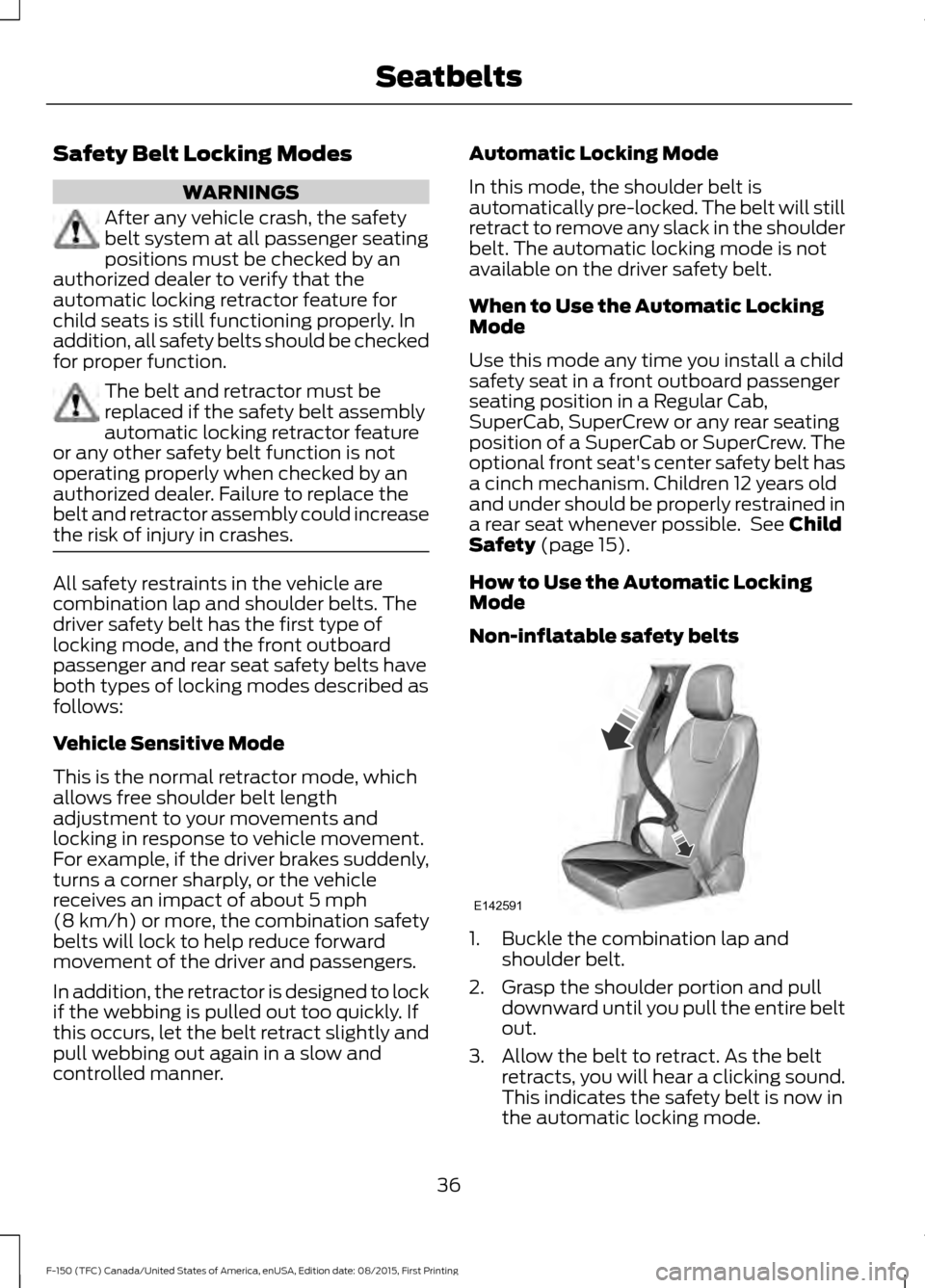
How to Use the Automatic Locking
Mode
Non-inflatable safety belts 1. Buckle the combination lap and
shoulder belt.
2. Grasp the shoulder portion and pull downward until you pull the entire belt
out.
3. Allow the belt to retract. As the belt retracts, you will hear a clicking sound.
This indicates the safety belt is now in
the automatic locking mode.
36
F-150 (TFC) Canada/United States of America, enUSA, Edition date: 08/2015, First Printing SeatbeltsE142591
Page 41 of 505
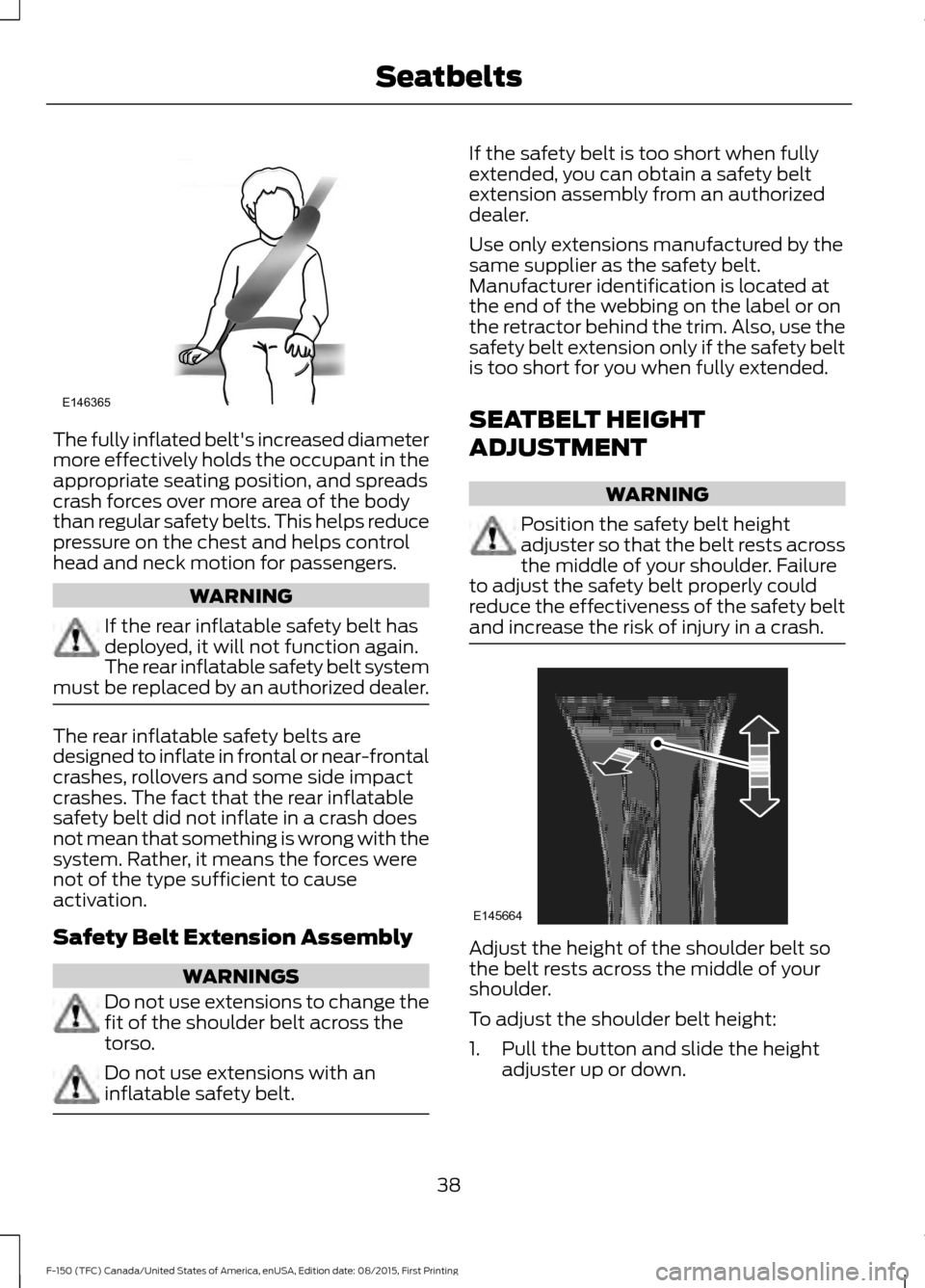
The fully inflated belt's increased diameter
more effectively holds the occupant in the
appropriate seating position, and spreads
crash forces over more area of the body
than regular safety belts. This helps reduce
pressure on the chest and helps control
head and neck motion for passengers.
WARNING
If the rear inflatable safety belt has
deployed, it will not function again.
The rear inflatable safety belt system
must be replaced by an authorized dealer. The rear inflatable safety belts are
designed to inflate in frontal or near-frontal
crashes, rollovers and some side impact
crashes. The fact that the rear inflatable
safety belt did not inflate in a crash does
not mean that something is wrong with the
system. Rather, it means the forces were
not of the type sufficient to cause
activation.
Safety Belt Extension Assembly
WARNINGS
Do not use extensions to change the
fit of the shoulder belt across the
torso.
Do not use extensions with an
inflatable safety belt. If the safety belt is too short when fully
extended, you can obtain a safety belt
extension assembly from an authorized
dealer.
Use only extensions manufactured by the
same supplier as the safety belt.
Manufacturer identification is located at
the end of the webbing on the label or on
the retractor behind the trim. Also, use the
safety belt extension only if the safety belt
is too short for you when fully extended.
SEATBELT HEIGHT
ADJUSTMENT
WARNING
Position the safety belt height
adjuster so that the belt rests across
the middle of your shoulder. Failure
to adjust the safety belt properly could
reduce the effectiveness of the safety belt
and increase the risk of injury in a crash. Adjust the height of the shoulder belt so
the belt rests across the middle of your
shoulder.
To adjust the shoulder belt height:
1. Pull the button and slide the height
adjuster up or down.
38
F-150 (TFC) Canada/United States of America, enUSA, Edition date: 08/2015, First Printing SeatbeltsE146365 E145664
Page 47 of 505
DRIVER AND PASSENGER
AIRBAGS
WARNINGS
Never place your arm or any objects
over an airbag module. Placing your
arm over a deploying airbag can
result in serious arm fractures or other
injuries. Objects placed on or over the
airbag inflation area may cause those
objects to be propelled by the airbag into
your face and torso causing serious injury. Airbags can kill or injure a child in a
child seat. Never place a rear-facing
child seat in front of an active airbag.
If you must use a forward-facing child seat
in the front seat, move the vehicle seat
upon which the child seat is installed all
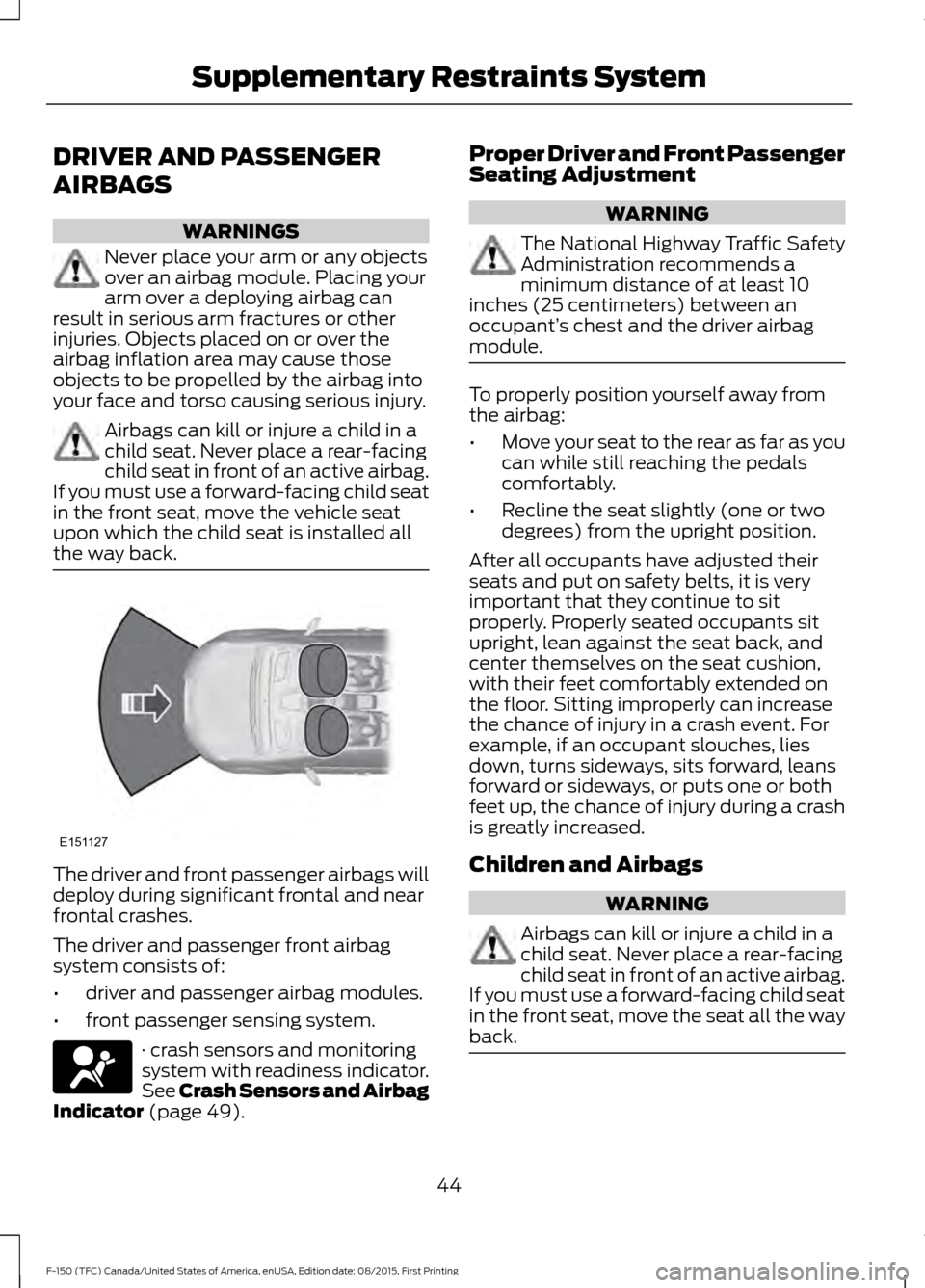
the way back. The driver and front passenger airbags will
deploy during significant frontal and near
frontal crashes.
The driver and passenger front airbag
system consists of:
•
driver and passenger airbag modules.
• front passenger sensing system. · crash sensors and monitoring
system with readiness indicator.
See Crash Sensors and Airbag
Indicator (page 49). Proper Driver and Front Passenger
Seating Adjustment WARNING
The National Highway Traffic Safety
Administration recommends a
minimum distance of at least 10
inches (25 centimeters) between an
occupant’ s chest and the driver airbag
module. To properly position yourself away from
the airbag:
•
Move your seat to the rear as far as you
can while still reaching the pedals
comfortably.
• Recline the seat slightly (one or two
degrees) from the upright position.
After all occupants have adjusted their
seats and put on safety belts, it is very
important that they continue to sit
properly. Properly seated occupants sit
upright, lean against the seat back, and
center themselves on the seat cushion,
with their feet comfortably extended on
the floor. Sitting improperly can increase
the chance of injury in a crash event. For
example, if an occupant slouches, lies
down, turns sideways, sits forward, leans
forward or sideways, or puts one or both
feet up, the chance of injury during a crash
is greatly increased.
Children and Airbags WARNING
Airbags can kill or injure a child in a
child seat. Never place a rear-facing
child seat in front of an active airbag.
If you must use a forward-facing child seat
in the front seat, move the seat all the way
back. 44
F-150 (TFC) Canada/United States of America, enUSA, Edition date: 08/2015, First Printing Supplementary Restraints SystemE151127
Page 149 of 505
For additional cabin air filter information,
or to replace the filter, see an authorized
dealer.
REMOTE START (If Equipped)
The remote start feature allows you to
pre-condition the interior of your vehicle.
The climate control system works to
achieve comfort according to your previous
settings.
Note: You cannot adjust the system during
remote start operation.
Turn the ignition on to return the system
to its previous settings. You can now make
adjustments normally, but you need to turn
certain vehicle-dependent features back
on, such as:
• Heated seats.
• Cooled seats.
• Heated steering wheel.
• Heated mirrors.
• Heated rear window.
You can adjust the default remote start
settings using the information display
controls. See
Information Displays
(page 108).
Automatic Settings
In hot weather, the system is set to
72°F
(22°C). The cooled seats are set to high
(if available, and selected to AUTO in the
information display).
In moderate weather, the system either
heats or cools (based on previous
settings). The rear defroster, heated
mirrors and heated seats do not
automatically turn on.
In cold weather, the system is set to
72°F
(22°C). The heated seats are set to high
(if available, and selected to AUTO in the
information display). The rear defroster
and heated mirrors automatically turn on.
146
F-150 (TFC) Canada/United States of America, enUSA, Edition date: 08/2015, First Printing Climate Control
Page 151 of 505
WARNINGS
Install the head restraint properly to
help minimize the risk of neck injury
in the event of a crash.
Note:
Adjust the seatback to an upright
driving position before adjusting the head
restraint. Adjust the head restraint so that
the top of it is level with the top of your head
and as far forward as possible. Make sure
that you remain comfortable. If you are
extremely tall, adjust the head restraint to
its highest position.
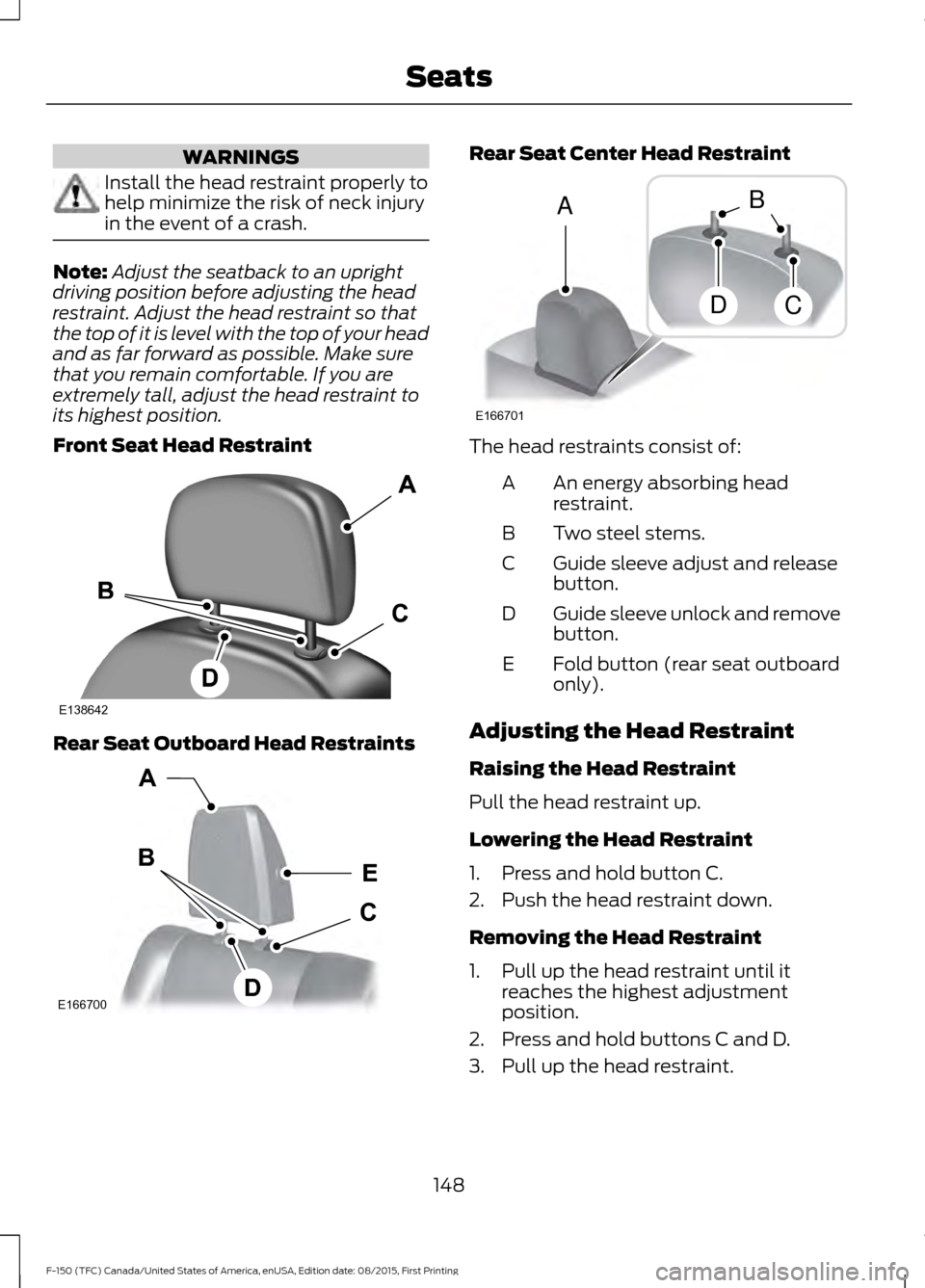
Front Seat Head Restraint Rear Seat Outboard Head Restraints Rear Seat Center Head Restraint
The head restraints consist of:
An energy absorbing head
restraint.
A
Two steel stems.
B
Guide sleeve adjust and release
button.
C
Guide sleeve unlock and remove
button.
D
Fold button (rear seat outboard
only).
E
Adjusting the Head Restraint
Raising the Head Restraint
Pull the head restraint up.
Lowering the Head Restraint
1. Press and hold button C.
2. Push the head restraint down.
Removing the Head Restraint
1. Pull up the head restraint until it reaches the highest adjustment
position.
2. Press and hold buttons C and D.
3. Pull up the head restraint.
148
F-150 (TFC) Canada/United States of America, enUSA, Edition date: 08/2015, First Printing SeatsE138642 E166700
E
D
C
B
A E166701
A
DC
B
Page 153 of 505
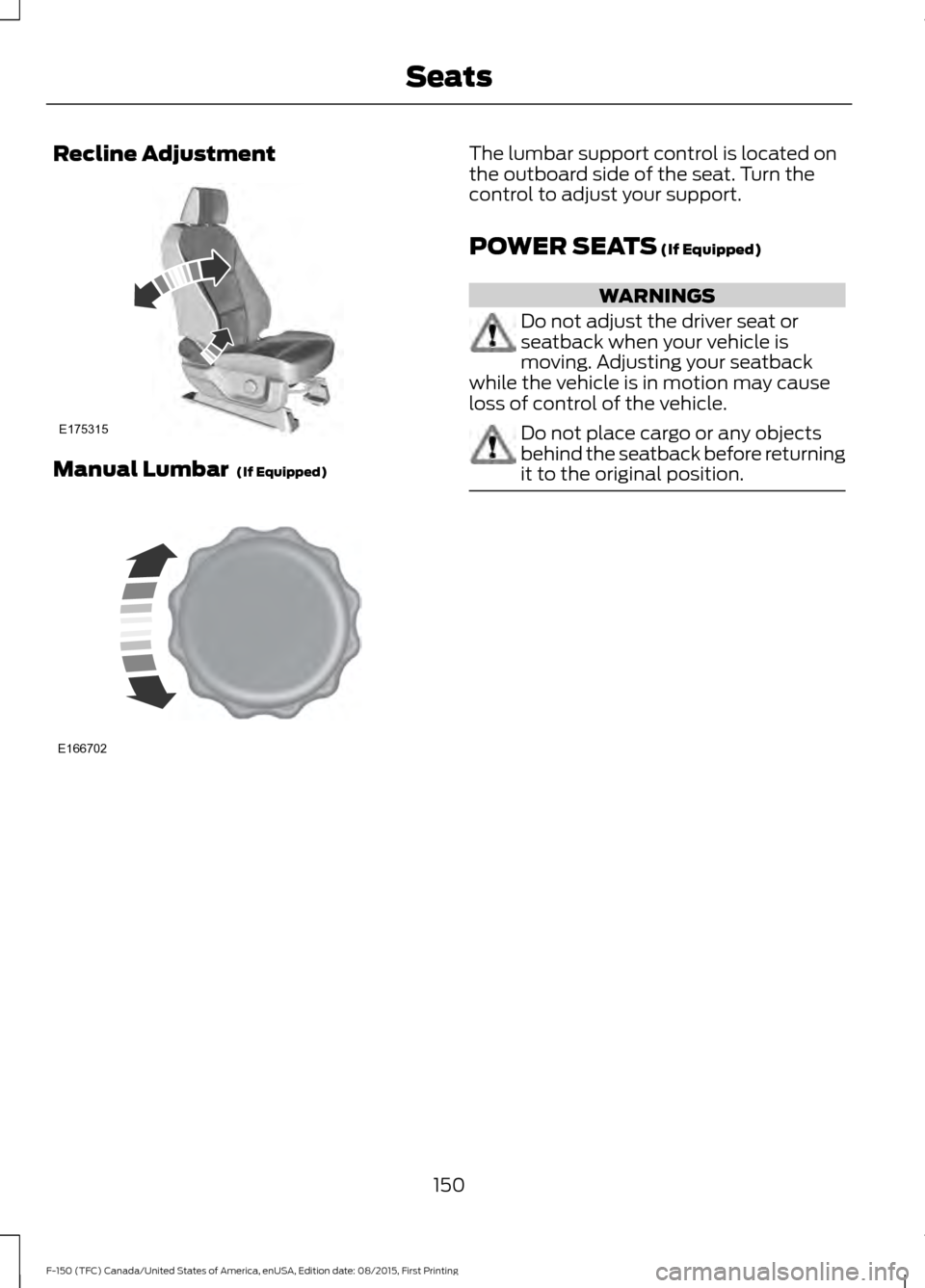
Recline Adjustment
Manual Lumbar (If Equipped) The lumbar support control is located on
the outboard side of the seat. Turn the
control to adjust your support.
POWER SEATS
(If Equipped)
WARNINGS
Do not adjust the driver seat or
seatback when your vehicle is
moving. Adjusting your seatback
while the vehicle is in motion may cause
loss of control of the vehicle. Do not place cargo or any objects
behind the seatback before returning
it to the original position.
150
F-150 (TFC) Canada/United States of America, enUSA, Edition date: 08/2015, First Printing SeatsE175315 E166702
Page 155 of 505
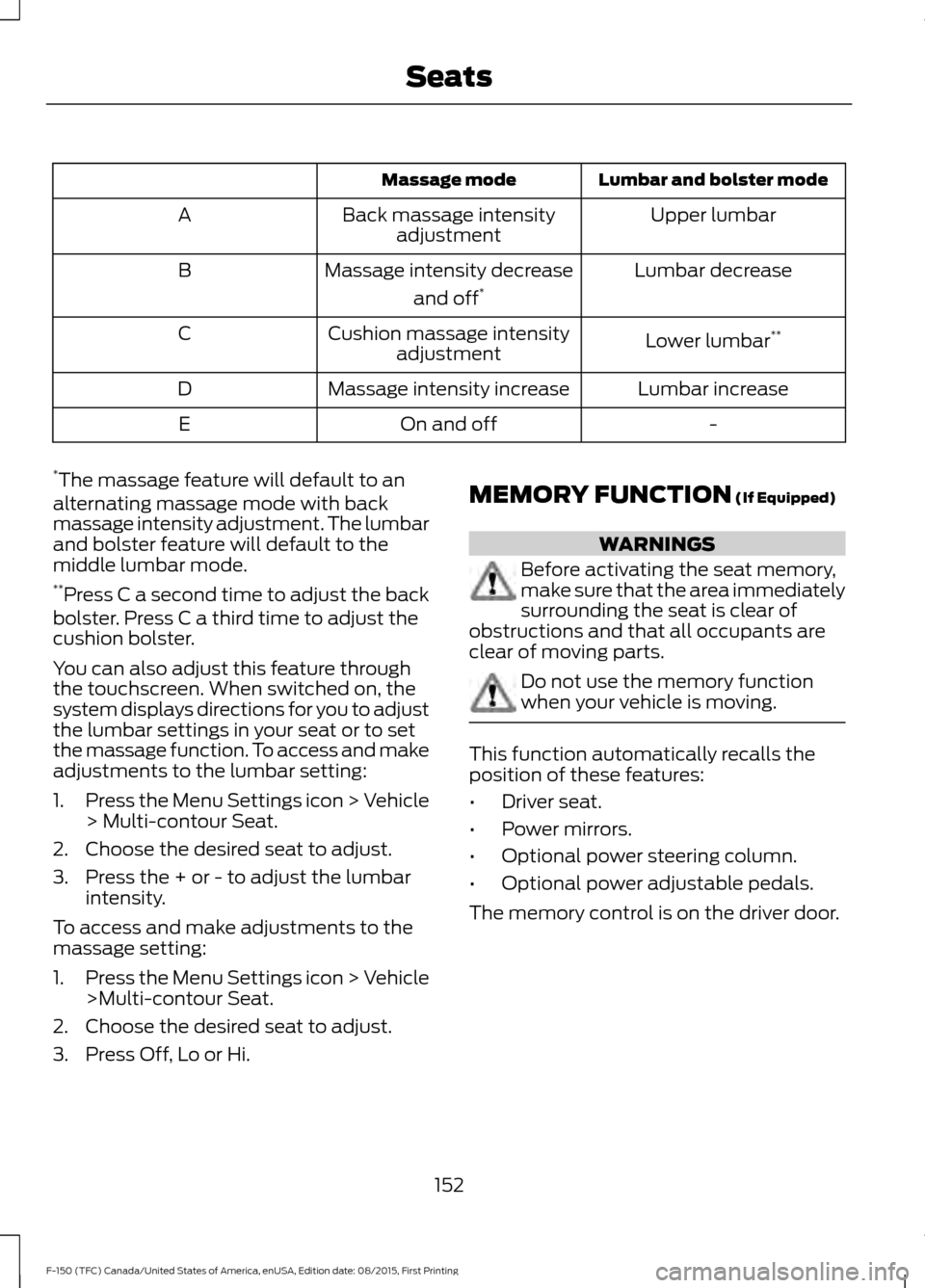
Lumbar and bolster mode
Massage mode
Upper lumbar
Back massage intensity
adjustment
A
Lumbar decrease
Massage intensity decrease
and off*
B
Lower lumbar**
Cushion massage intensity
adjustment
C
Lumbar increase
Massage intensity increase
D
-
On and off
E
* The massage feature will default to an
alternating massage mode with back
massage intensity adjustment. The lumbar
and bolster feature will default to the
middle lumbar mode.
** Press C a second time to adjust the back
bolster. Press C a third time to adjust the
cushion bolster.
You can also adjust this feature through
the touchscreen. When switched on, the
system displays directions for you to adjust
the lumbar settings in your seat or to set
the massage function. To access and make
adjustments to the lumbar setting:
1. Press the Menu Settings icon > Vehicle
> Multi-contour Seat.
2. Choose the desired seat to adjust.
3. Press the + or - to adjust the lumbar intensity.
To access and make adjustments to the
massage setting:
1. Press the Menu Settings icon > Vehicle
>Multi-contour Seat.
2. Choose the desired seat to adjust.
3. Press Off, Lo or Hi. MEMORY FUNCTION (If Equipped) WARNINGS
Before activating the seat memory,
make sure that the area immediately
surrounding the seat is clear of
obstructions and that all occupants are
clear of moving parts. Do not use the memory function
when your vehicle is moving.
This function automatically recalls the
position of these features:
•
Driver seat.
• Power mirrors.
• Optional power steering column.
• Optional power adjustable pedals.
The memory control is on the driver door.
152
F-150 (TFC) Canada/United States of America, enUSA, Edition date: 08/2015, First Printing Seats
Page 156 of 505
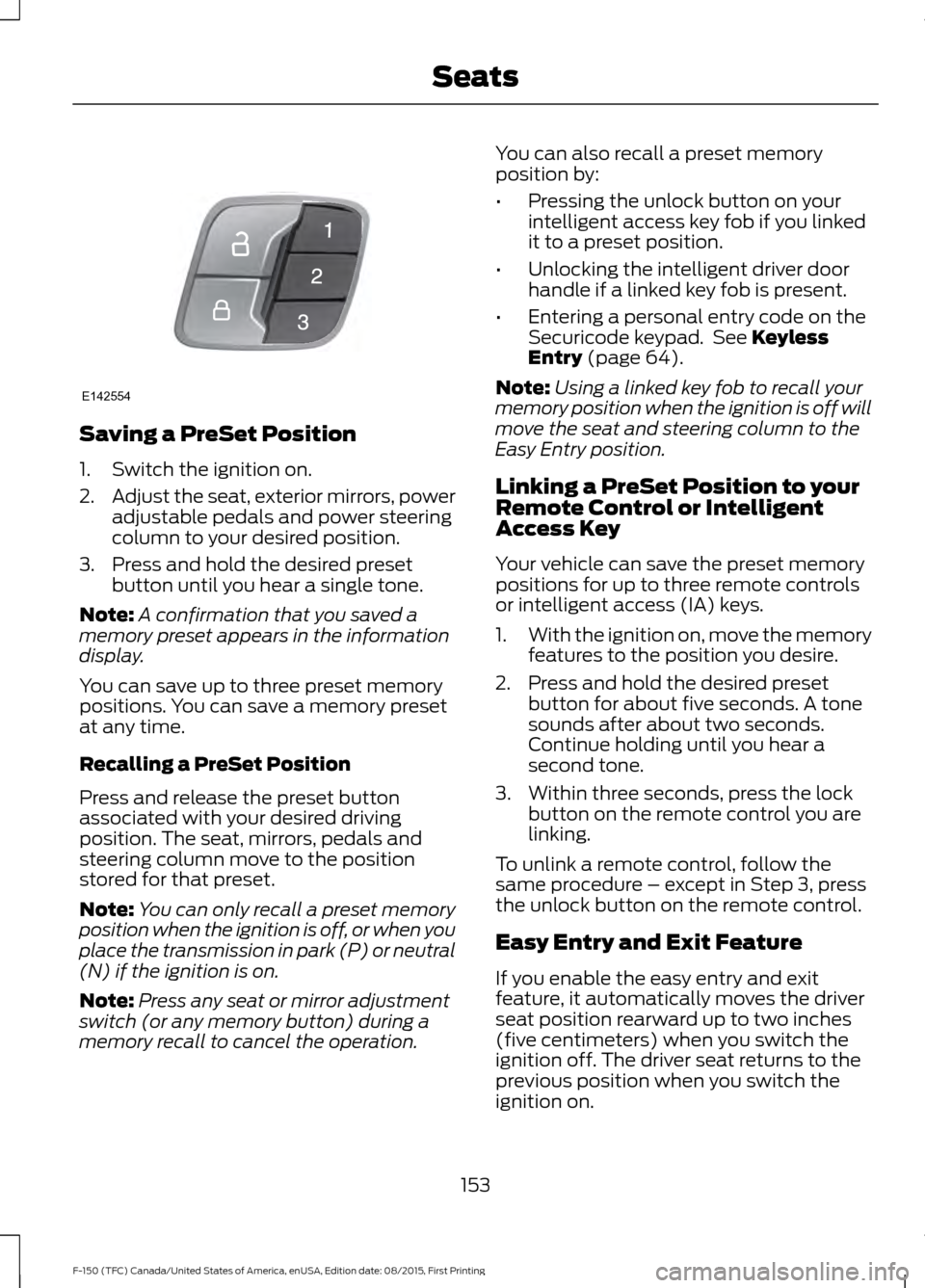
Saving a PreSet Position
1. Switch the ignition on.
2.
Adjust the seat, exterior mirrors, power
adjustable pedals and power steering
column to your desired position.
3. Press and hold the desired preset button until you hear a single tone.
Note: A confirmation that you saved a
memory preset appears in the information
display.
You can save up to three preset memory
positions. You can save a memory preset
at any time.
Recalling a PreSet Position
Press and release the preset button
associated with your desired driving
position. The seat, mirrors, pedals and
steering column move to the position
stored for that preset.
Note: You can only recall a preset memory
position when the ignition is off, or when you
place the transmission in park (P) or neutral
(N) if the ignition is on.
Note: Press any seat or mirror adjustment
switch (or any memory button) during a
memory recall to cancel the operation. You can also recall a preset memory
position by:
•
Pressing the unlock button on your
intelligent access key fob if you linked
it to a preset position.
• Unlocking the intelligent driver door
handle if a linked key fob is present.
• Entering a personal entry code on the
Securicode keypad. See Keyless
Entry (page 64).
Note: Using a linked key fob to recall your
memory position when the ignition is off will
move the seat and steering column to the
Easy Entry position.
Linking a PreSet Position to your
Remote Control or Intelligent
Access Key
Your vehicle can save the preset memory
positions for up to three remote controls
or intelligent access (IA) keys.
1. With the ignition on, move the memory
features to the position you desire.
2. Press and hold the desired preset button for about five seconds. A tone
sounds after about two seconds.
Continue holding until you hear a
second tone.
3. Within three seconds, press the lock button on the remote control you are
linking.
To unlink a remote control, follow the
same procedure – except in Step 3, press
the unlock button on the remote control.
Easy Entry and Exit Feature
If you enable the easy entry and exit
feature, it automatically moves the driver
seat position rearward up to two inches
(five centimeters) when you switch the
ignition off. The driver seat returns to the
previous position when you switch the
ignition on.
153
F-150 (TFC) Canada/United States of America, enUSA, Edition date: 08/2015, First Printing SeatsE142554
Page 287 of 505
•
The tire air pressures recommended
for general driving are on the vehicle ’s
Safety Certification Label. The
maximum cold inflation pressure for
the tire and associated load rating are
on the tire sidewall. Tire air pressure
may require re-adjustment within these
pressure limits to accommodate the
additional weight of the snowplow
installation.
• Federal and some local regulations
require additional exterior lamps for
snowplow-equipped vehicles. Contact
an authorized dealer for additional
information.
Snowplow Mode (If Equipped)
Press the snowplow button on the
instrument panel to switch on snowplow
mode. The button illuminates when in
snowplow mode. A message appears in
the information display indicating that
features are turned off when in snowplow
mode.
The following features are disabled when
in snowplow mode:
• 110V inverter.
• Fog lamps.
• Heated steering wheel.
• Heated front and rear seats.
• Massaging seats.
The body module also activates the
snowplow relay that provides power to
aftermarket snowplow controls.
Switch off snowplow mode by pressing
the snowplow button or switching off the
ignition. The snowplow button is no longer
illuminated and features are turned on. Note:
The electrical system is designed to
support the addition of a residential
snowplow (up to 60 Amps continuous) and
snowplow lights (up to 20 Amps
continuous) using snowplow mode. The
system is not designed to support snowplow
usage with additional electrical aftermarket
accessories.
Operating the Vehicle with the
Snowplow Attached
Note: Drive the vehicle at least 500 miles
(800 kilometers) before using your vehicle
for snow removal.
We recommend vehicle speed does not
exceed 45 mph (72 km/h) when
snowplowing.
The attached snowplow blade restricts
airflow to the radiator, and may cause the
engine to run at a higher temperature.
Attention to engine temperature is
especially important when outside
temperatures are above freezing. Angle
the blade to maximize airflow to the
radiator and monitor engine temperature
to determine whether a left or right angle
provides the best performance.
Follow the severe duty schedule in your
Scheduled Maintenance information for
engine oil and transmission fluid change
intervals.
Snowplowing with your Airbag
Equipped Vehicle WARNINGS
Do not attempt to service, repair, or
modify the airbag supplemental
restraint system (SRS) or its fuses.
Contact a Ford or Lincoln dealer.
284
F-150 (TFC) Canada/United States of America, enUSA, Edition date: 08/2015, First Printing Driving Hints