parking brake FORD F150 2017 13.G Owners Manual
[x] Cancel search | Manufacturer: FORD, Model Year: 2017, Model line: F150, Model: FORD F150 2017 13.GPages: 599, PDF Size: 7.34 MB
Page 6 of 599
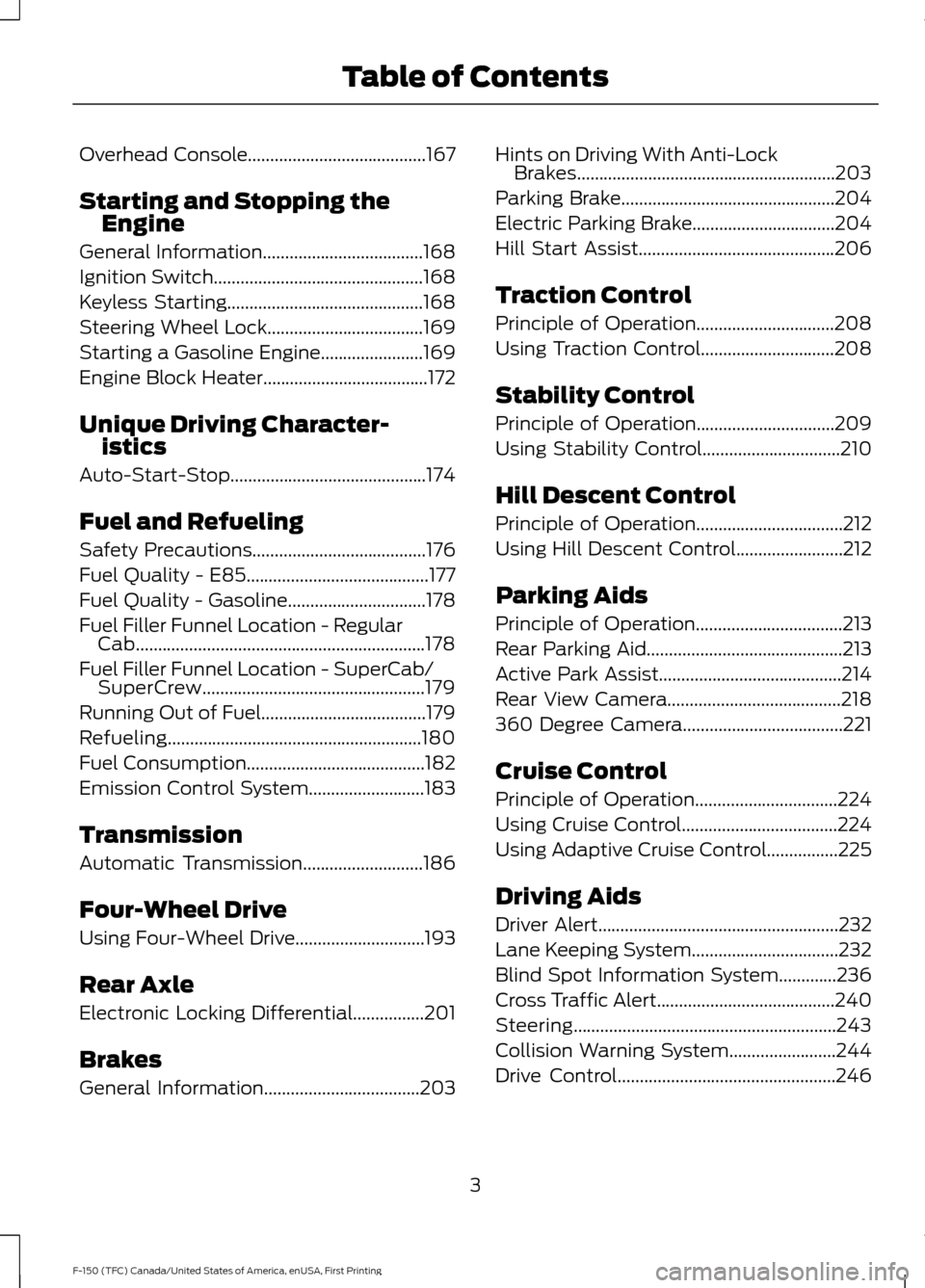
Overhead Console........................................167
Starting and Stopping the Engine
General Information
....................................168
Ignition Switch
...............................................168
Keyless Starting............................................168
Steering Wheel Lock...................................169
Starting a Gasoline Engine.......................169
Engine Block Heater.....................................172
Unique Driving Character- istics
Auto-Start-Stop............................................174
Fuel and Refueling
Safety Precautions
.......................................176
Fuel Quality - E85.........................................177
Fuel Quality - Gasoline...............................178
Fuel Filler Funnel Location - Regular Cab.................................................................178
Fuel Filler Funnel Location - SuperCab/ SuperCrew..................................................179
Running Out of Fuel.....................................179
Refueling.........................................................180
Fuel Consumption........................................182
Emission Control System..........................183
Transmission
Automatic Transmission
...........................186
Four-Wheel Drive
Using Four-Wheel Drive.............................193
Rear Axle
Electronic Locking Differential................201
Brakes
General Information...................................203 Hints on Driving With Anti-Lock
Brakes..........................................................203
Parking Brake................................................204
Electric Parking Brake................................204
Hill Start Assist
............................................206
Traction Control
Principle of Operation...............................208
Using Traction Control
..............................208
Stability Control
Principle of Operation
...............................209
Using Stability Control...............................210
Hill Descent Control
Principle of Operation
.................................212
Using Hill Descent Control
........................212
Parking Aids
Principle of Operation.................................213
Rear Parking Aid
............................................213
Active Park Assist.........................................214
Rear View Camera
.......................................218
360 Degree Camera
....................................221
Cruise Control
Principle of Operation
................................224
Using Cruise Control...................................224
Using Adaptive Cruise Control................225
Driving Aids
Driver Alert
......................................................232
Lane Keeping System.................................232
Blind Spot Information System.............236
Cross Traffic Alert........................................240
Steering...........................................................243
Collision Warning System........................244
Drive Control
.................................................246
3
F-150 (TFC) Canada/United States of America, enUSA, First Printing Table of Contents
Page 12 of 599
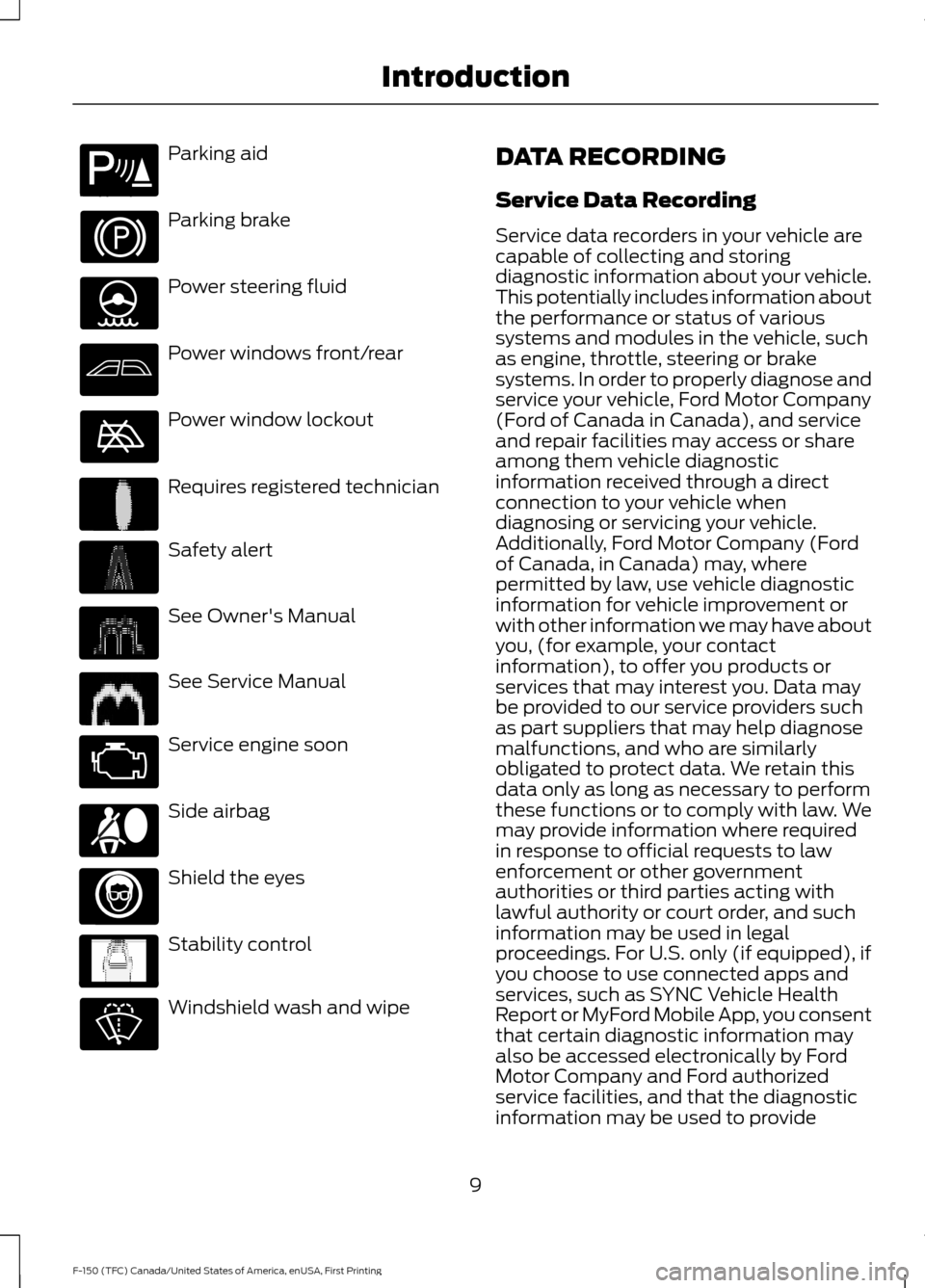
Parking aid
Parking brake
Power steering fluid
Power windows front/rear
Power window lockout
Requires registered technician
Safety alert
See Owner's Manual
See Service Manual
Service engine soon
Side airbag
Shield the eyes
Stability control
Windshield wash and wipe DATA RECORDING
Service Data Recording
Service data recorders in your vehicle are
capable of collecting and storing
diagnostic information about your vehicle.
This potentially includes information about
the performance or status of various
systems and modules in the vehicle, such
as engine, throttle, steering or brake
systems. In order to properly diagnose and
service your vehicle, Ford Motor Company
(Ford of Canada in Canada), and service
and repair facilities may access or share
among them vehicle diagnostic
information received through a direct
connection to your vehicle when
diagnosing or servicing your vehicle.
Additionally, Ford Motor Company (Ford
of Canada, in Canada) may, where
permitted by law, use vehicle diagnostic
information for vehicle improvement or
with other information we may have about
you, (for example, your contact
information), to offer you products or
services that may interest you. Data may
be provided to our service providers such
as part suppliers that may help diagnose
malfunctions, and who are similarly
obligated to protect data. We retain this
data only as long as necessary to perform
these functions or to comply with law. We
may provide information where required
in response to official requests to law
enforcement or other government
authorities or third parties acting with
lawful authority or court order, and such
information may be used in legal
proceedings. For U.S. only (if equipped), if
you choose to use connected apps and
services, such as SYNC Vehicle Health
Report or MyFord Mobile App, you consent
that certain diagnostic information may
also be accessed electronically by Ford
Motor Company and Ford authorized
service facilities, and that the diagnostic
information may be used to provide
9
F-150 (TFC) Canada/United States of America, enUSA, First Printing IntroductionE139213 E231159 E231158 E167012 E138639
Page 44 of 599
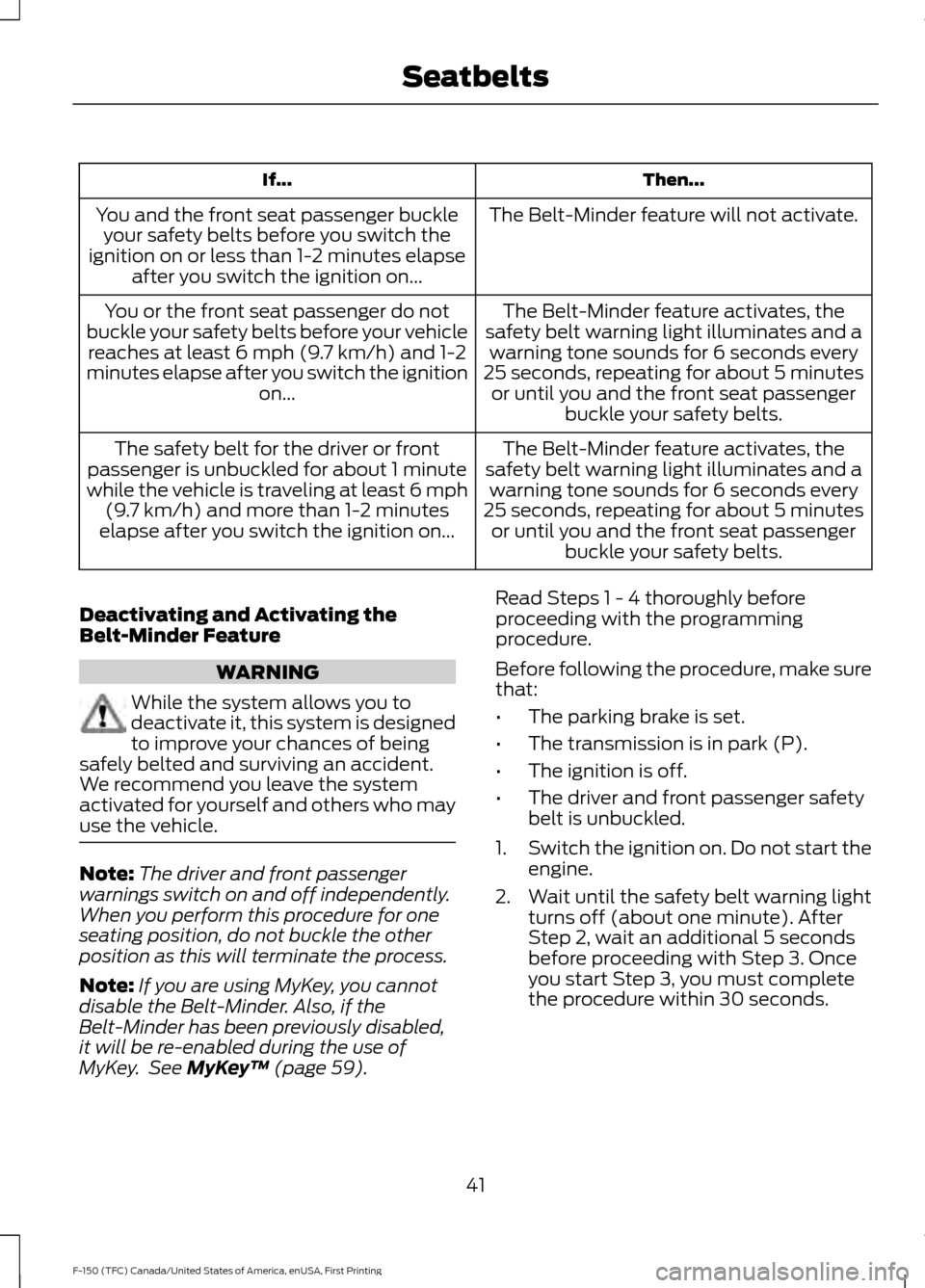
Then...
If...
The Belt-Minder feature will not activate.
You and the front seat passenger buckle
your safety belts before you switch the
ignition on or less than 1-2 minutes elapse after you switch the ignition on...
The Belt-Minder feature activates, the
safety belt warning light illuminates and a warning tone sounds for 6 seconds every
25 seconds, repeating for about 5 minutes or until you and the front seat passenger buckle your safety belts.
You or the front seat passenger do not
buckle your safety belts before your vehicle reaches at least 6 mph (9.7 km/h) and 1-2
minutes elapse after you switch the ignition on...
The Belt-Minder feature activates, the
safety belt warning light illuminates and a warning tone sounds for 6 seconds every
25 seconds, repeating for about 5 minutes or until you and the front seat passenger buckle your safety belts.
The safety belt for the driver or front
passenger is unbuckled for about 1 minute
while the vehicle is traveling at least 6 mph (9.7 km/h) and more than 1-2 minutes
elapse after you switch the ignition on...
Deactivating and Activating the
Belt-Minder Feature WARNING
While the system allows you to
deactivate it, this system is designed
to improve your chances of being
safely belted and surviving an accident.
We recommend you leave the system
activated for yourself and others who may
use the vehicle. Note:
The driver and front passenger
warnings switch on and off independently.
When you perform this procedure for one
seating position, do not buckle the other
position as this will terminate the process.
Note: If you are using MyKey, you cannot
disable the Belt-Minder. Also, if the
Belt-Minder has been previously disabled,
it will be re-enabled during the use of
MyKey. See MyKey ™ (page 59). Read Steps 1 - 4 thoroughly before
proceeding with the programming
procedure.
Before following the procedure, make sure
that:
•
The parking brake is set.
• The transmission is in park (P).
• The ignition is off.
• The driver and front passenger safety
belt is unbuckled.
1. Switch the ignition on. Do not start the
engine.
2. Wait until the safety belt warning light turns off (about one minute). After
Step 2, wait an additional 5 seconds
before proceeding with Step 3. Once
you start Step 3, you must complete
the procedure within 30 seconds.
41
F-150 (TFC) Canada/United States of America, enUSA, First Printing Seatbelts
Page 61 of 599
The horn sounds if the system fails to start,
unless quiet start is on. Quiet start runs the
blower fan at a slower speed to reduce
noise. You can switch it on or off in the
information display. See General
Information (page 110).
Note: If you have remote started your
vehicle with an integrated keyhead
transmitter, you must switch on the ignition
before driving your vehicle. With an
intelligent access transmitter, you must
press the brake pedal before driving your
vehicle.
The power windows do not work during
the remote start and the radio does not
turn on automatically.
The parking lamps remain on and the
vehicle runs for 5, 10 or 15 minutes
depending on the setting.
Extending the Vehicle Run Time
Repeat Steps 1 and 2 with the vehicle still
running to extend the run time for another
remote start period. If you programmed
the periods to last 10 minutes, the second
10 minutes begins after what is left of the
first activation time. For example, if the
vehicle has run from the first remote start
for five minutes, the vehicle continues to
run now for a total of 20 minutes. You can
extend the remote start up to a maximum
of 35 minutes.
Wait at least five seconds before remote
starting after a vehicle shutdown.
Turning the Vehicle Off After Remote
Starting Press the button once. The
parking lamps turn off.
You may have to be closer to the
vehicle than when starting due to ground
reflection and the added noise of the
running vehicle. You can disable or enable the remote start
system through the information display.
See
General Information (page 110).
REPLACING A LOST KEY OR
REMOTE CONTROL
Replacement keys or remote controls can
be purchased from an authorized dealer.
Authorized dealers can program remote
controls for your vehicle. See
Passive
Anti-Theft System (page 74).
58
F-150 (TFC) Canada/United States of America, enUSA, First Printing Keys and Remote ControlsE138625
Page 92 of 599
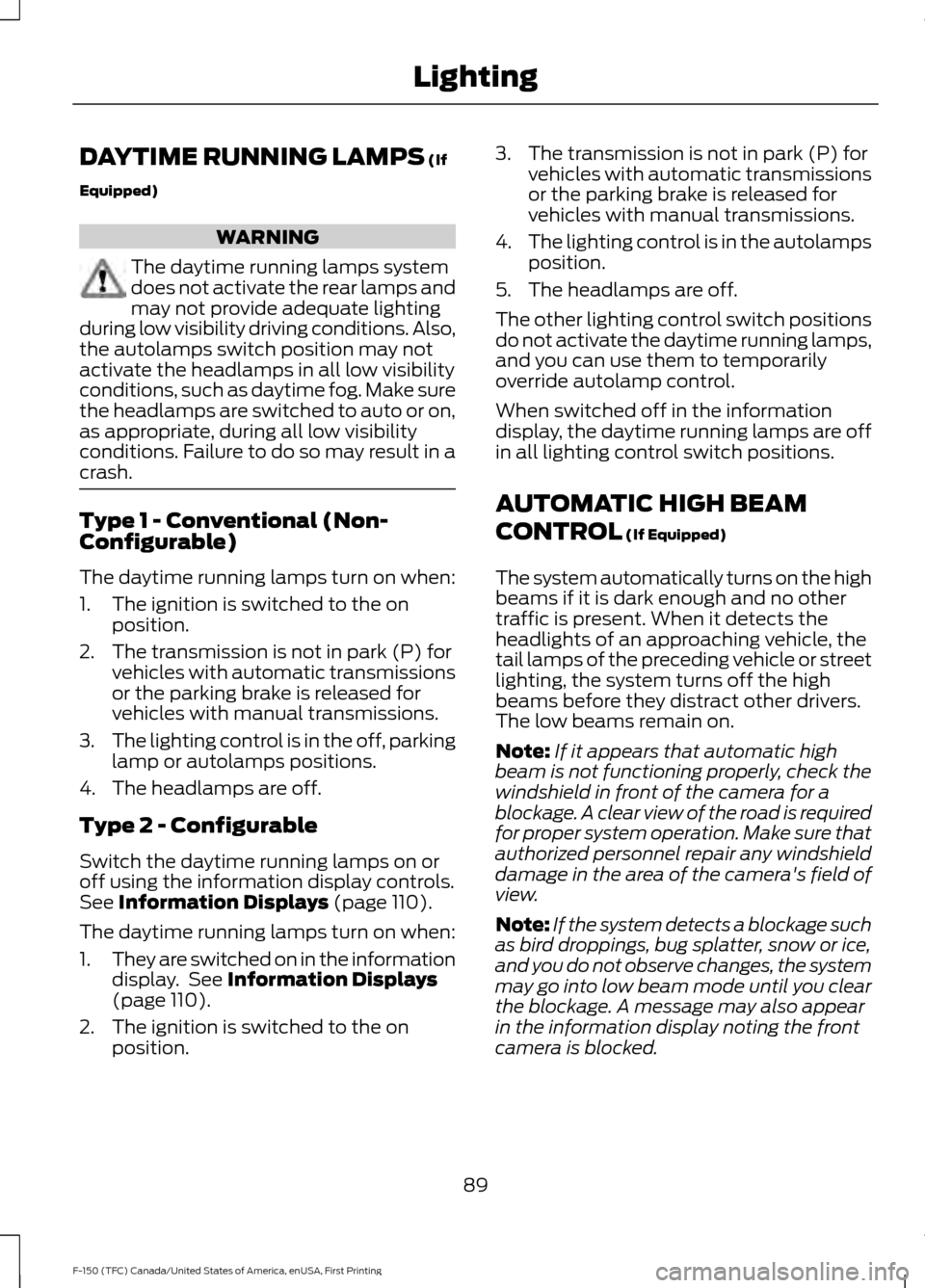
DAYTIME RUNNING LAMPS (If
Equipped) WARNING
The daytime running lamps system
does not activate the rear lamps and
may not provide adequate lighting
during low visibility driving conditions. Also,
the autolamps switch position may not
activate the headlamps in all low visibility
conditions, such as daytime fog. Make sure
the headlamps are switched to auto or on,
as appropriate, during all low visibility
conditions. Failure to do so may result in a
crash. Type 1 - Conventional (Non-
Configurable)
The daytime running lamps turn on when:
1. The ignition is switched to the on
position.
2. The transmission is not in park (P) for vehicles with automatic transmissions
or the parking brake is released for
vehicles with manual transmissions.
3. The lighting control is in the off, parking
lamp or autolamps positions.
4. The headlamps are off.
Type 2 - Configurable
Switch the daytime running lamps on or
off using the information display controls.
See
Information Displays (page 110).
The daytime running lamps turn on when:
1. They are switched on in the information
display. See
Information Displays
(page 110).
2. The ignition is switched to the on position. 3. The transmission is not in park (P) for
vehicles with automatic transmissions
or the parking brake is released for
vehicles with manual transmissions.
4. The lighting control is in the autolamps
position.
5. The headlamps are off.
The other lighting control switch positions
do not activate the daytime running lamps,
and you can use them to temporarily
override autolamp control.
When switched off in the information
display, the daytime running lamps are off
in all lighting control switch positions.
AUTOMATIC HIGH BEAM
CONTROL
(If Equipped)
The system automatically turns on the high
beams if it is dark enough and no other
traffic is present. When it detects the
headlights of an approaching vehicle, the
tail lamps of the preceding vehicle or street
lighting, the system turns off the high
beams before they distract other drivers.
The low beams remain on.
Note: If it appears that automatic high
beam is not functioning properly, check the
windshield in front of the camera for a
blockage. A clear view of the road is required
for proper system operation. Make sure that
authorized personnel repair any windshield
damage in the area of the camera's field of
view.
Note: If the system detects a blockage such
as bird droppings, bug splatter, snow or ice,
and you do not observe changes, the system
may go into low beam mode until you clear
the blockage. A message may also appear
in the information display noting the front
camera is blocked.
89
F-150 (TFC) Canada/United States of America, enUSA, First Printing Lighting
Page 108 of 599
Information Display
Odometer
Located in the bottom of the information
display. Registers the accumulated
distance your vehicle has traveled.
Compass
Displays the vehicle
’s heading direction.
Trip Computer
See General Information (page 110).
Vehicle Settings and Personalization
See
General Information (page 110).
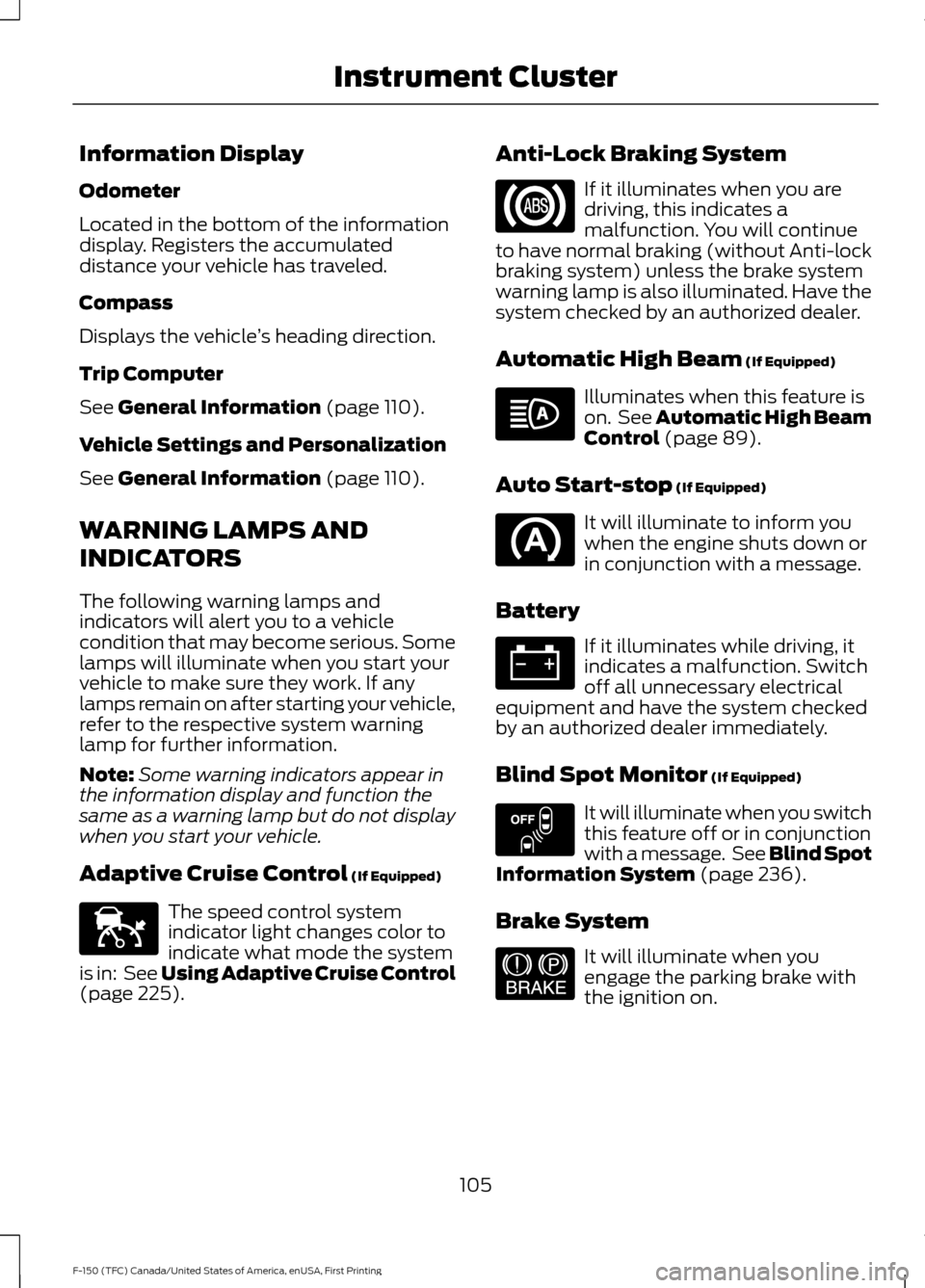
WARNING LAMPS AND
INDICATORS
The following warning lamps and
indicators will alert you to a vehicle
condition that may become serious. Some
lamps will illuminate when you start your
vehicle to make sure they work. If any
lamps remain on after starting your vehicle,
refer to the respective system warning
lamp for further information.
Note: Some warning indicators appear in
the information display and function the
same as a warning lamp but do not display
when you start your vehicle.
Adaptive Cruise Control
(If Equipped) The speed control system
indicator light changes color to
indicate what mode the system
is in: See Using Adaptive Cruise Control
(page
225). Anti-Lock Braking System If it illuminates when you are
driving, this indicates a
malfunction. You will continue
to have normal braking (without Anti-lock
braking system) unless the brake system
warning lamp is also illuminated. Have the
system checked by an authorized dealer.
Automatic High Beam
(If Equipped) Illuminates when this feature is
on. See
Automatic High Beam
Control (page 89).
Auto Start-stop
(If Equipped) It will illuminate to inform you
when the engine shuts down or
in conjunction with a message.
Battery If it illuminates while driving, it
indicates a malfunction. Switch
off all unnecessary electrical
equipment and have the system checked
by an authorized dealer immediately.
Blind Spot Monitor
(If Equipped) It will illuminate when you switch
this feature off or in conjunction
with a message. See Blind Spot
Information System
(page 236).
Brake System It will illuminate when you
engage the parking brake with
the ignition on.
105
F-150 (TFC) Canada/United States of America, enUSA, First Printing Instrument ClusterE144524 E151262 E144522
Page 109 of 599
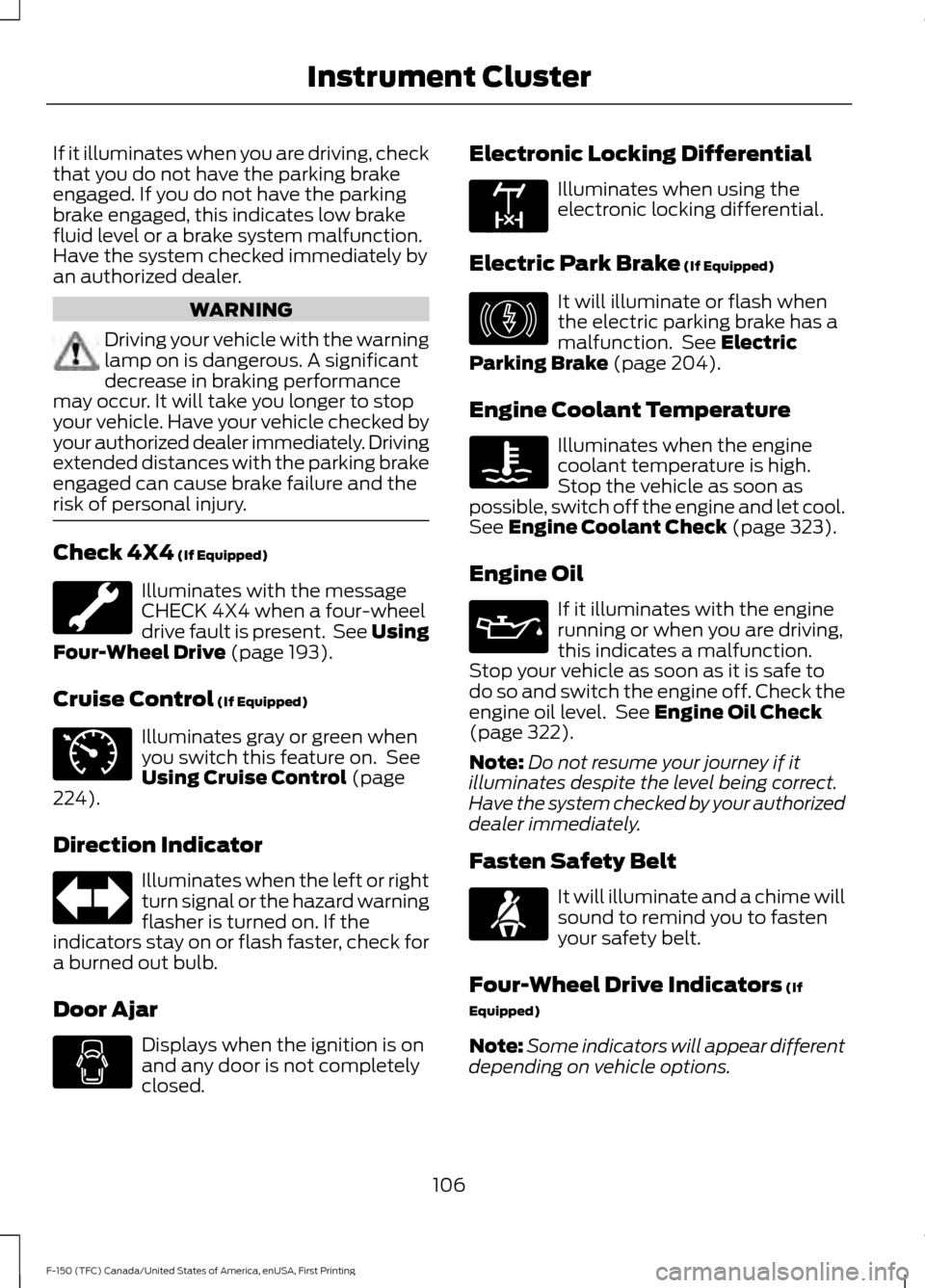
If it illuminates when you are driving, check
that you do not have the parking brake
engaged. If you do not have the parking
brake engaged, this indicates low brake
fluid level or a brake system malfunction.
Have the system checked immediately by
an authorized dealer.
WARNING
Driving your vehicle with the warning
lamp on is dangerous. A significant
decrease in braking performance
may occur. It will take you longer to stop
your vehicle. Have your vehicle checked by
your authorized dealer immediately. Driving
extended distances with the parking brake
engaged can cause brake failure and the
risk of personal injury. Check 4X4 (If Equipped)
Illuminates with the message
CHECK 4X4 when a four-wheel
drive fault is present. See
Using
Four-Wheel Drive (page 193).
Cruise Control
(If Equipped) Illuminates gray or green when
you switch this feature on. See
Using Cruise Control
(page
224).
Direction Indicator Illuminates when the left or right
turn signal or the hazard warning
flasher is turned on. If the
indicators stay on or flash faster, check for
a burned out bulb.
Door Ajar Displays when the ignition is on
and any door is not completely
closed. Electronic Locking Differential Illuminates when using the
electronic locking differential.
Electric Park Brake
(If Equipped) It will illuminate or flash when
the electric parking brake has a
malfunction. See
Electric
Parking Brake (page 204).
Engine Coolant Temperature Illuminates when the engine
coolant temperature is high.
Stop the vehicle as soon as
possible, switch off the engine and let cool.
See
Engine Coolant Check (page 323).
Engine Oil If it illuminates with the engine
running or when you are driving,
this indicates a malfunction.
Stop your vehicle as soon as it is safe to
do so and switch the engine off. Check the
engine oil level. See
Engine Oil Check
(page 322).
Note: Do not resume your journey if it
illuminates despite the level being correct.
Have the system checked by your authorized
dealer immediately.
Fasten Safety Belt It will illuminate and a chime will
sound to remind you to fasten
your safety belt.
Four-Wheel Drive Indicators
(If
Equipped)
Note: Some indicators will appear different
depending on vehicle options.
106
F-150 (TFC) Canada/United States of America, enUSA, First Printing Instrument Cluster E71340 E163170 E146190
Page 112 of 599
Beltminder Warning
Sounds when a safety belt is unfastened
in an occupied seat and your vehicle is
moving.
Door Ajar Warning
Sounds when any door is not completely
closed and your vehicle speed exceeds
3 mph (5 km/h).
Headlamps On Warning
Sounds when you remove the key from the
ignition and open the driver's door and you
have left the headlamps or parking lamps
on.
Key in Ignition Warning
Sounds when you open the driver's door
and you have left the key in the ignition.
Keyless Warning Alert
(If Equipped)
Sounds the horn twice when you exit your
vehicle with the intelligent access key, after
the last door is closed and your keyless
vehicle is in RUN, indicating your vehicle is
still on.
Rear Park Aid Warning
A detection warning sounds when
obstacles are within a certain range of the
bumper area. The system turns on
automatically whenever you switch the
ignition on.
Parking Brake On Warning
Sounds when you have left the parking
brake on and drive your vehicle. If the
warning chime remains on after you have
released the parking brake, have the
system checked by your authorized dealer
immediately. Service Advancetrac Warning
Sounds when there is a malfunction with
the Electronic Stability Control (ESC) or
Rollover Stability Control (RSC) system.
109
F-150 (TFC) Canada/United States of America, enUSA, First Printing Instrument Cluster
Page 138 of 599
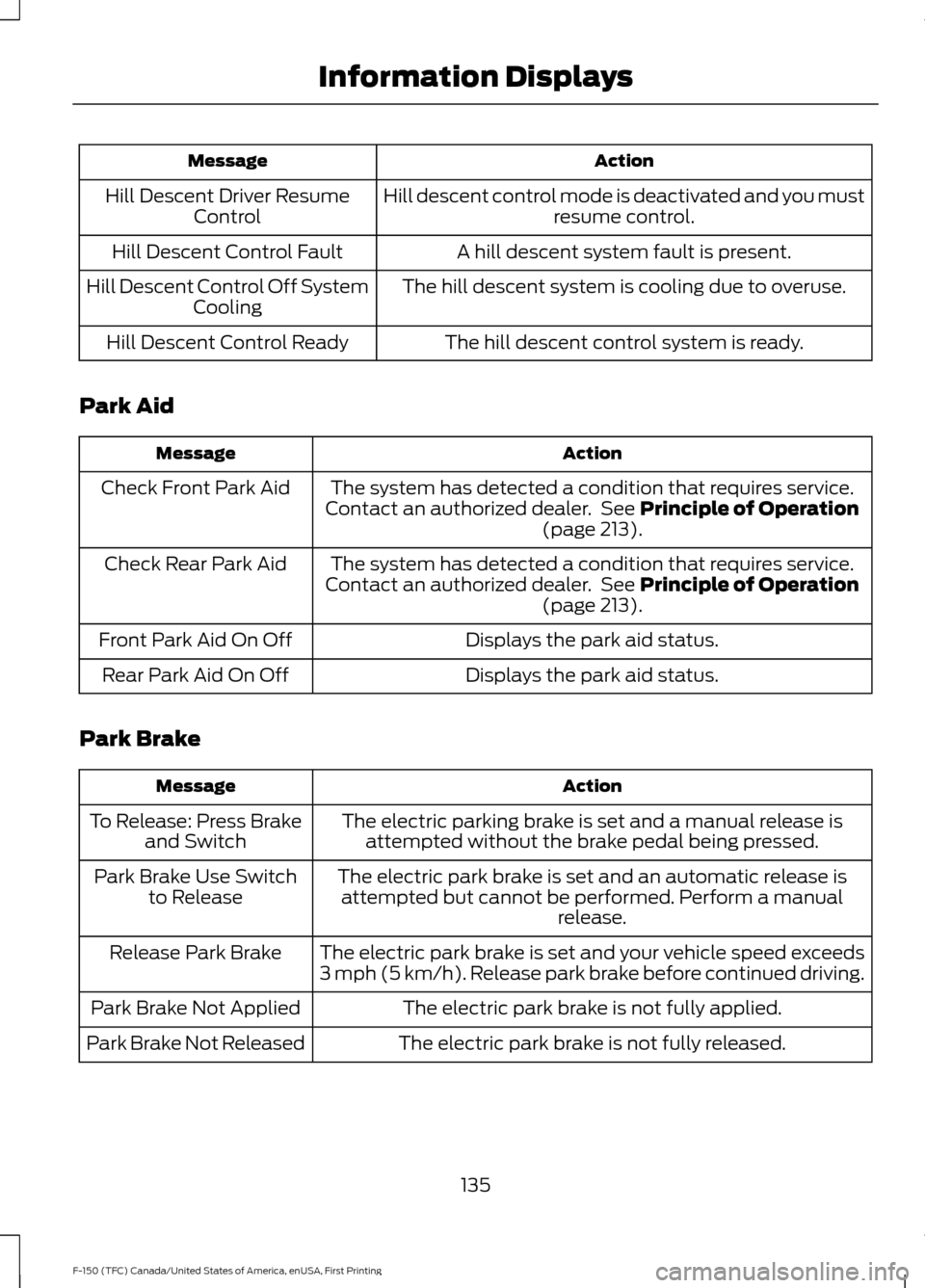
Action
Message
Hill descent control mode is deactivated and you mustresume control.
Hill Descent Driver Resume
Control
A hill descent system fault is present.
Hill Descent Control Fault
The hill descent system is cooling due to overuse.
Hill Descent Control Off System
Cooling
The hill descent control system is ready.
Hill Descent Control Ready
Park Aid Action
Message
The system has detected a condition that requires service.
Contact an authorized dealer. See Principle of Operation
(page 213).
Check Front Park Aid
The system has detected a condition that requires service.
Contact an authorized dealer. See
Principle of Operation
(page 213).
Check Rear Park Aid
Displays the park aid status.
Front Park Aid On Off
Displays the park aid status.
Rear Park Aid On Off
Park Brake Action
Message
The electric parking brake is set and a manual release isattempted without the brake pedal being pressed.
To Release: Press Brake
and Switch
The electric park brake is set and an automatic release isattempted but cannot be performed. Perform a manual release.
Park Brake Use Switch
to Release
The electric park brake is set and your vehicle speed exceeds
3 mph (5 km/h). Release park brake before continued driving.
Release Park Brake
The electric park brake is not fully applied.
Park Brake Not Applied
The electric park brake is not fully released.
Park Brake Not Released
135
F-150 (TFC) Canada/United States of America, enUSA, First Printing Information Displays
Page 172 of 599
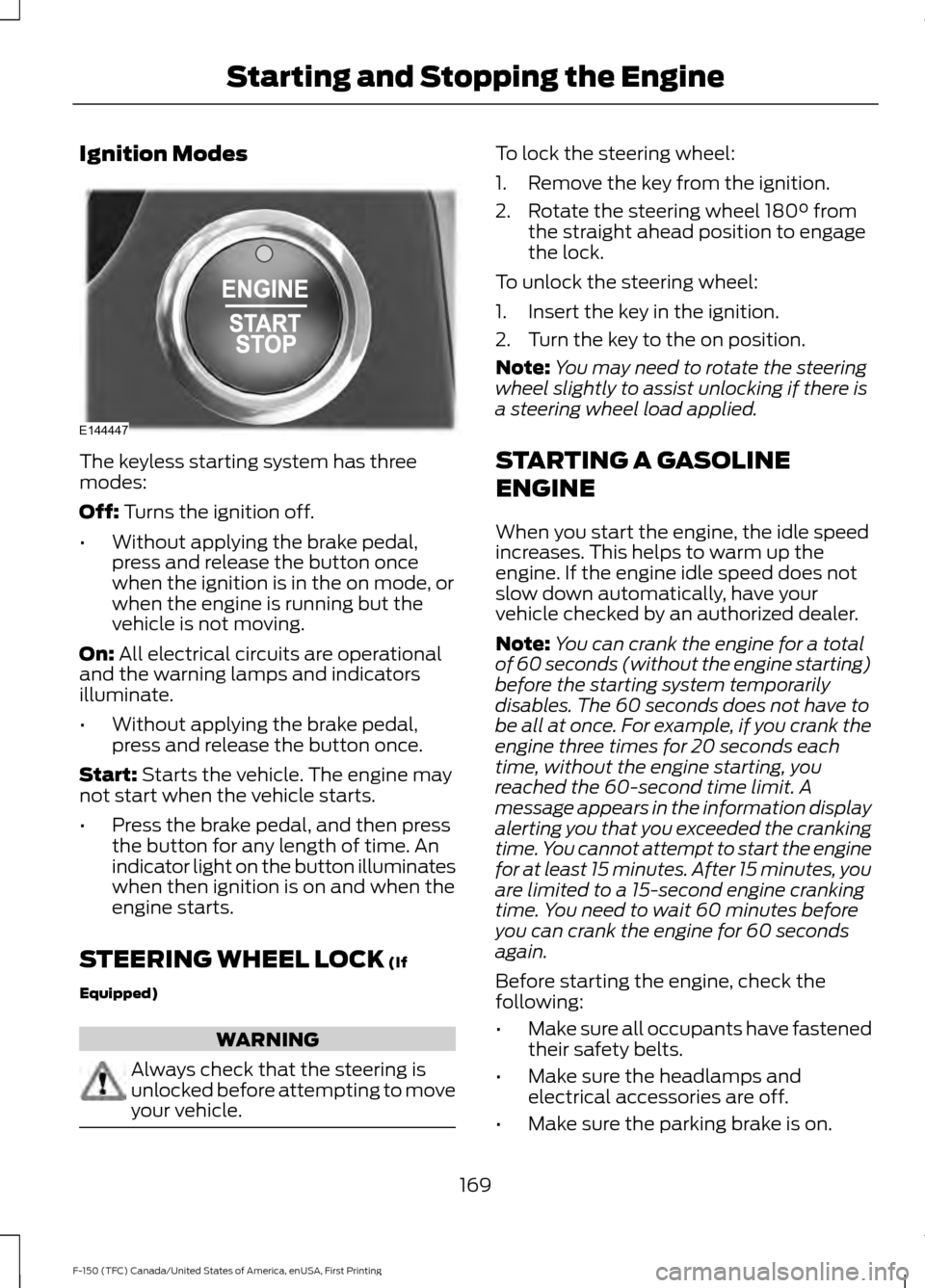
Ignition Modes
The keyless starting system has three
modes:
Off: Turns the ignition off.
• Without applying the brake pedal,
press and release the button once
when the ignition is in the on mode, or
when the engine is running but the
vehicle is not moving.
On:
All electrical circuits are operational
and the warning lamps and indicators
illuminate.
• Without applying the brake pedal,
press and release the button once.
Start:
Starts the vehicle. The engine may
not start when the vehicle starts.
• Press the brake pedal, and then press
the button for any length of time. An
indicator light on the button illuminates
when then ignition is on and when the
engine starts.
STEERING WHEEL LOCK
(If
Equipped) WARNING
Always check that the steering is
unlocked before attempting to move
your vehicle. To lock the steering wheel:
1. Remove the key from the ignition.
2. Rotate the steering wheel 180° from
the straight ahead position to engage
the lock.
To unlock the steering wheel:
1. Insert the key in the ignition.
2. Turn the key to the on position.
Note: You may need to rotate the steering
wheel slightly to assist unlocking if there is
a steering wheel load applied.
STARTING A GASOLINE
ENGINE
When you start the engine, the idle speed
increases. This helps to warm up the
engine. If the engine idle speed does not
slow down automatically, have your
vehicle checked by an authorized dealer.
Note: You can crank the engine for a total
of 60 seconds (without the engine starting)
before the starting system temporarily
disables. The 60 seconds does not have to
be all at once. For example, if you crank the
engine three times for 20 seconds each
time, without the engine starting, you
reached the 60-second time limit. A
message appears in the information display
alerting you that you exceeded the cranking
time. You cannot attempt to start the engine
for at least 15 minutes. After 15 minutes, you
are limited to a 15-second engine cranking
time. You need to wait 60 minutes before
you can crank the engine for 60 seconds
again.
Before starting the engine, check the
following:
• Make sure all occupants have fastened
their safety belts.
• Make sure the headlamps and
electrical accessories are off.
• Make sure the parking brake is on.
169
F-150 (TFC) Canada/United States of America, enUSA, First Printing Starting and Stopping the EngineE144447