mirror FORD F150 2023 Owner's Manual
[x] Cancel search | Manufacturer: FORD, Model Year: 2023, Model line: F150, Model: FORD F150 2023Pages: 786, PDF Size: 23.15 MB
Page 389 of 786
5.Trailer length measurement. The trailerlength is the distance between thetrailer hitch ball and the rear of thetrailer. The maximum length that thesystem can support is 33 ft (10.1 m).
6.Enter the length of trailer. The defaultsetting is 18 ft (5.5 m). Toggling up ordown using the menu buttonsincreases or decreases themeasurement by 1 ft (0.3 m). Select alength that is equal to or within 1 ft(0.3 m) of the actual measured length.For example, if the actual measurelength is 23 ft (7 m), toggle the lengthin the menu to 24 ft (7.2 m). Thesystem setup saves when you enter thelength of the trailer.
Note:If the trailer is a bike rack or cargorack with electrical lighting, enter a lengthof around 3 ft (1 m). Cross traffic alertremains on for trailers with a length of 3 ft(1 m) or less.
Note:The system requires propermeasurement and measure entry to functionproperly.
SELECTING A TRAILER
When you connect a trailer to your vehicle,the trailer set up menu appears in thetouchscreen. This menu allows you to setup a new trailer or choose from apreviously set up trailer. A warningmessage appears and the system turns offif you do not choose or add a new trailer.
Note:The warning message may notappear until your vehicle reaches 22 mph(35 km/h).
BLIND SPOT INFORMATION
SYSTEM INDICATORS
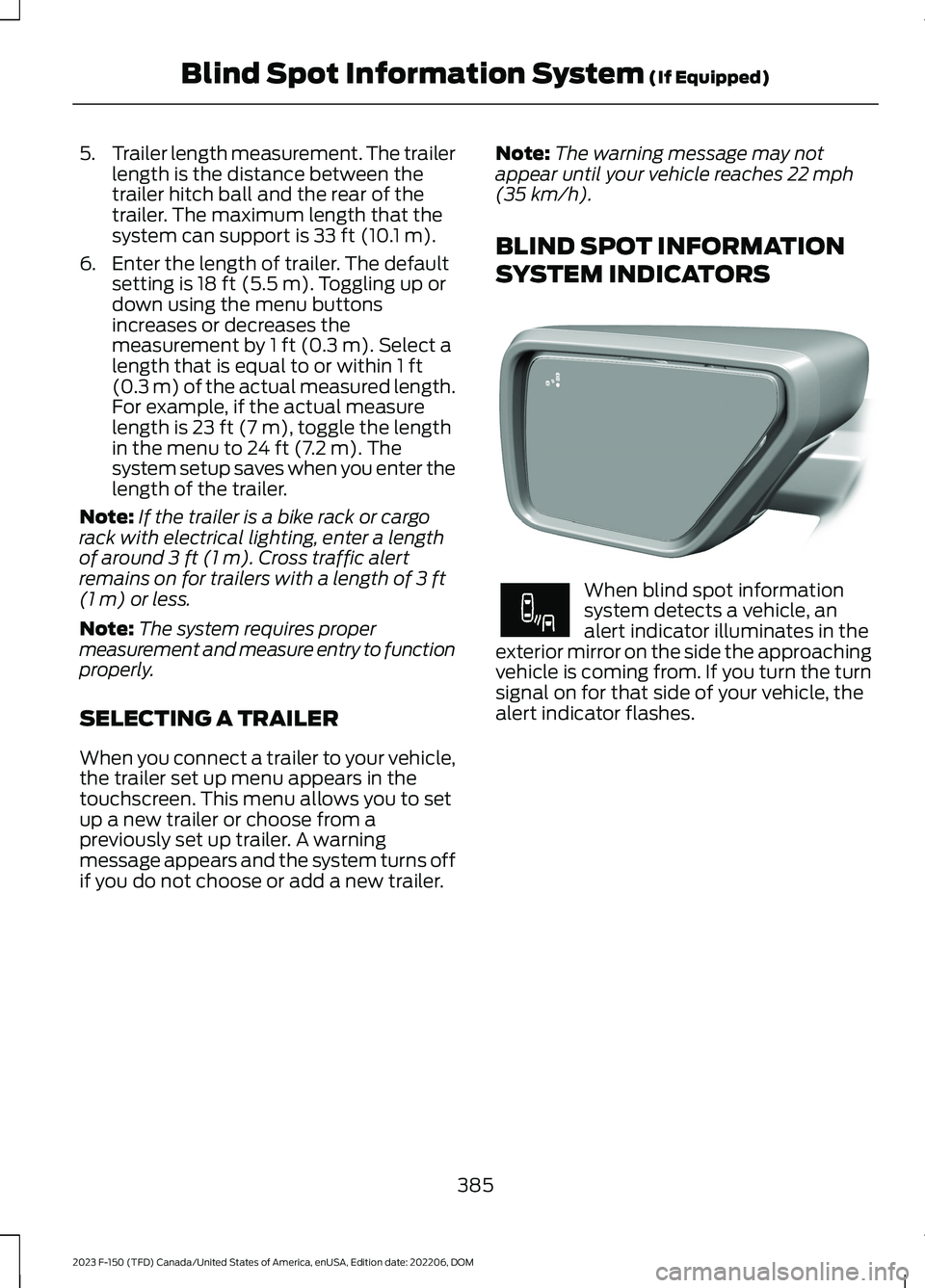
When blind spot informationsystem detects a vehicle, analert indicator illuminates in theexterior mirror on the side the approachingvehicle is coming from. If you turn the turnsignal on for that side of your vehicle, thealert indicator flashes.
385
2023 F-150 (TFD) Canada/United States of America, enUSA, Edition date: 202206, DOMBlind Spot Information System (If Equipped)E309137 E249861E249861
Page 391 of 786
WHAT IS CROSS TRAFFIC
ALERT
The system alerts you of vehiclesapproaching from the sides behind yourvehicle when you shift into reverse (R).
HOW DOES CROSS TRAFFIC
ALERT WORK
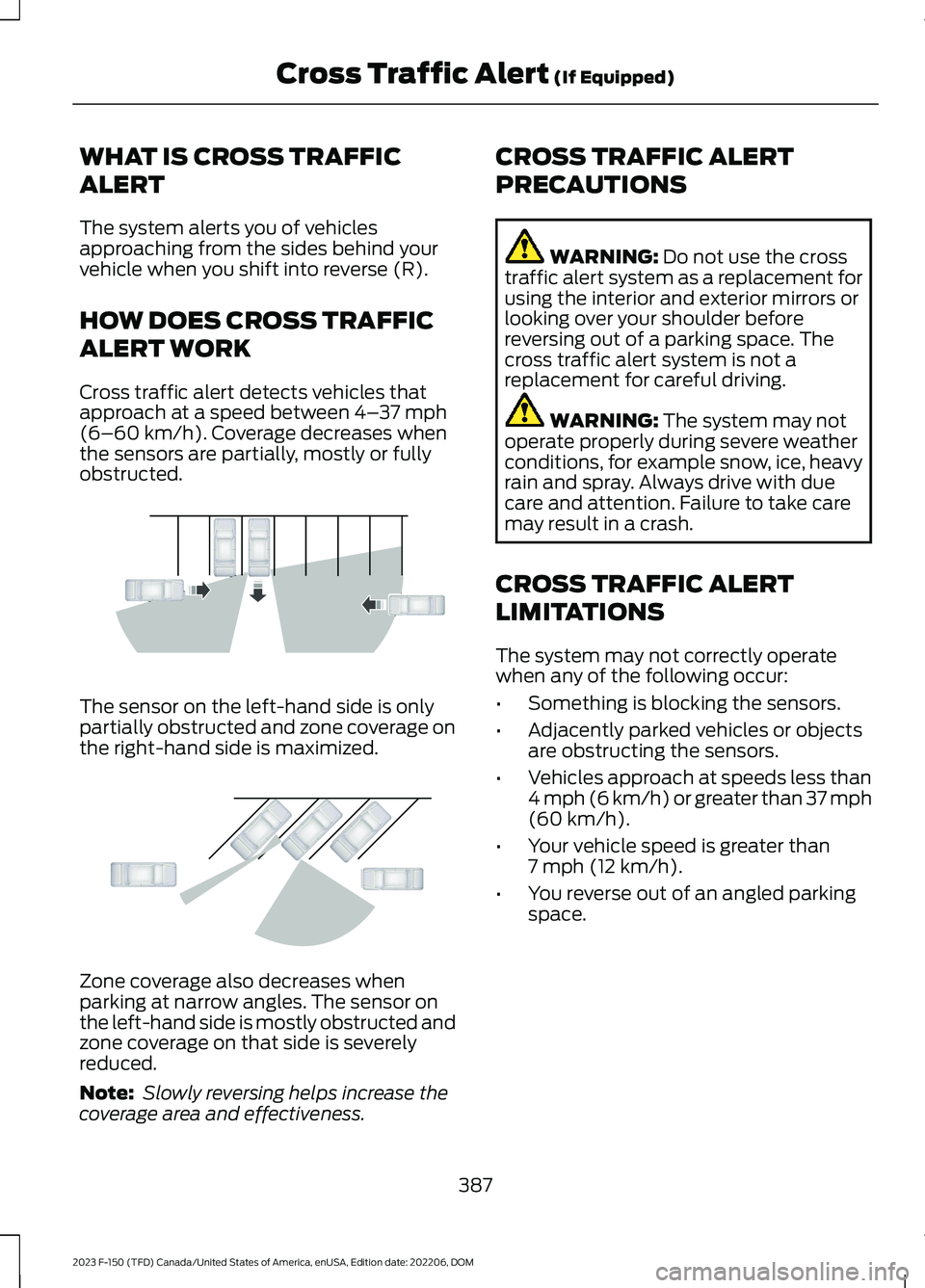
Cross traffic alert detects vehicles thatapproach at a speed between 4–37 mph(6–60 km/h). Coverage decreases whenthe sensors are partially, mostly or fullyobstructed.
The sensor on the left-hand side is onlypartially obstructed and zone coverage onthe right-hand side is maximized.
Zone coverage also decreases whenparking at narrow angles. The sensor onthe left-hand side is mostly obstructed andzone coverage on that side is severelyreduced.
Note: Slowly reversing helps increase thecoverage area and effectiveness.
CROSS TRAFFIC ALERT
PRECAUTIONS
WARNING: Do not use the crosstraffic alert system as a replacement forusing the interior and exterior mirrors orlooking over your shoulder beforereversing out of a parking space. Thecross traffic alert system is not areplacement for careful driving.
WARNING: The system may notoperate properly during severe weatherconditions, for example snow, ice, heavyrain and spray. Always drive with duecare and attention. Failure to take caremay result in a crash.
CROSS TRAFFIC ALERT
LIMITATIONS
The system may not correctly operatewhen any of the following occur:
•Something is blocking the sensors.
•Adjacently parked vehicles or objectsare obstructing the sensors.
•Vehicles approach at speeds less than4 mph (6 km/h) or greater than 37 mph(60 km/h).
•Your vehicle speed is greater than7 mph (12 km/h).
•You reverse out of an angled parkingspace.
387
2023 F-150 (TFD) Canada/United States of America, enUSA, Edition date: 202206, DOMCross Traffic Alert (If Equipped)E142440 E142441
Page 392 of 786
Cross Traffic Alert Limitationswith a Trailer Attached
The system remains on when you attacha trailer in vehicles with blind spotinformation system with trailer tow underthe following conditions:
•You connect a trailer.
•The trailer is a bike rack or cargo rackwith a maximum length of 3 ft (1 m).
•You set the trailer length to 3 ft (1 m)in the instrument cluster display.
Note:The system may not correctly operatewhen towing a trailer. For vehicles with anapproved trailer tow module and tow bar,the system turns off when you attach atrailer. For vehicles with an aftermarkettrailer tow module or tow bar, werecommend that you switch the system offwhen you attach a trailer.
SWITCHING CROSS TRAFFIC
ALERT ON AND OFF
To switch cross traffic alert on or off usethe touchscreen.
1.Press Features on the touchscreen.
2.Press Driver Assistance.
3.Switch Cross Traffic Alert on or off.
Note:The system switches on every timeyou switch the ignition on. To permanentlyswitch the system off, contact an authorizeddealer.
LOCATING THE CROSS
TRAFFIC ALERT SENSORS
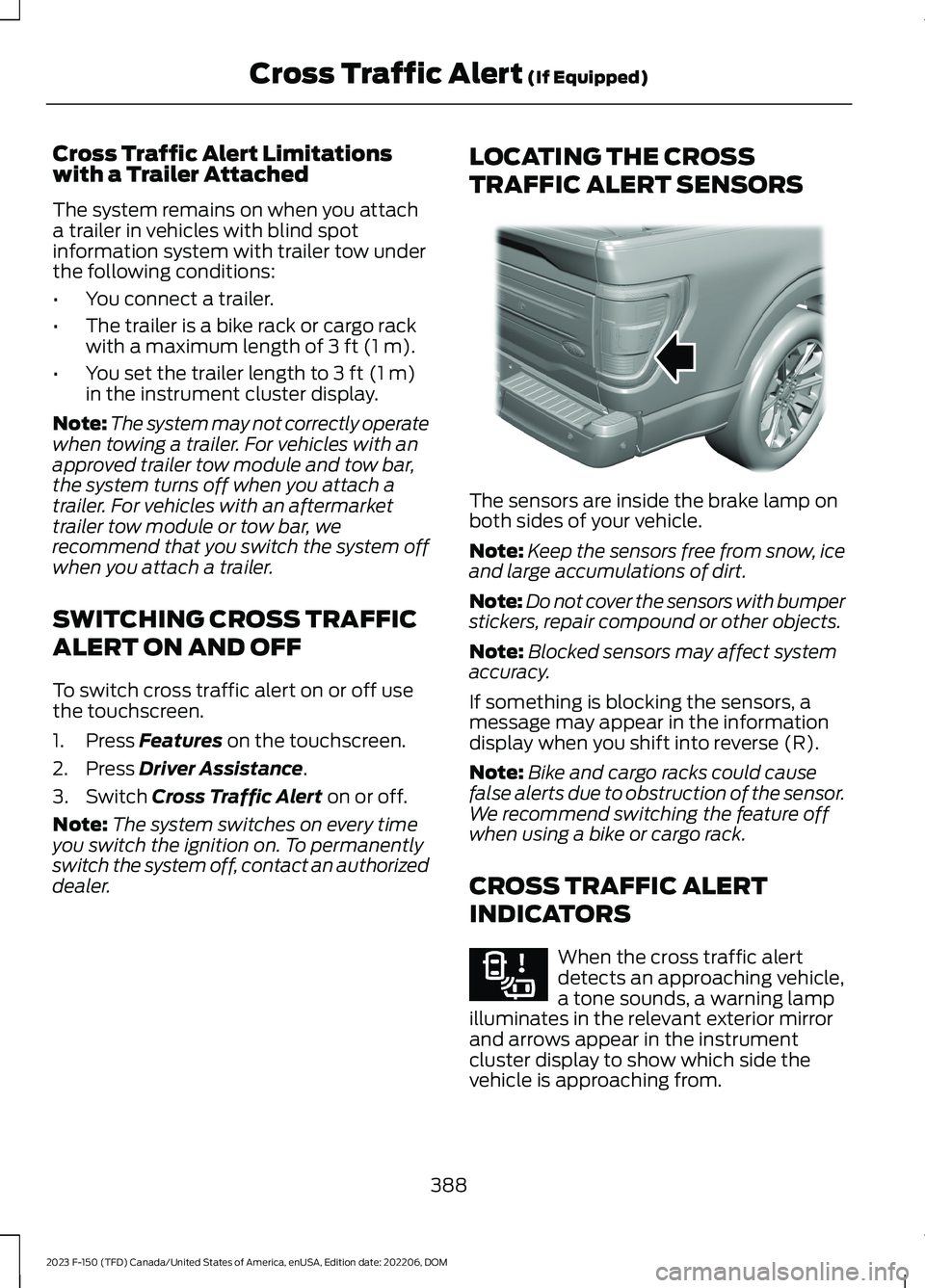
The sensors are inside the brake lamp onboth sides of your vehicle.
Note:Keep the sensors free from snow, iceand large accumulations of dirt.
Note:Do not cover the sensors with bumperstickers, repair compound or other objects.
Note:Blocked sensors may affect systemaccuracy.
If something is blocking the sensors, amessage may appear in the informationdisplay when you shift into reverse (R).
Note:Bike and cargo racks could causefalse alerts due to obstruction of the sensor.We recommend switching the feature offwhen using a bike or cargo rack.
CROSS TRAFFIC ALERT
INDICATORS
When the cross traffic alertdetects an approaching vehicle,a tone sounds, a warning lampilluminates in the relevant exterior mirrorand arrows appear in the instrumentcluster display to show which side thevehicle is approaching from.
388
2023 F-150 (TFD) Canada/United States of America, enUSA, Edition date: 202206, DOMCross Traffic Alert (If Equipped)E310325 E268294
Page 403 of 786
WHAT IS DRIVER ALERT
Driver alert alerts you if it determines thatyou are becoming drowsy or if your drivingdeteriorates.
HOW DOES DRIVER ALERT
WORK
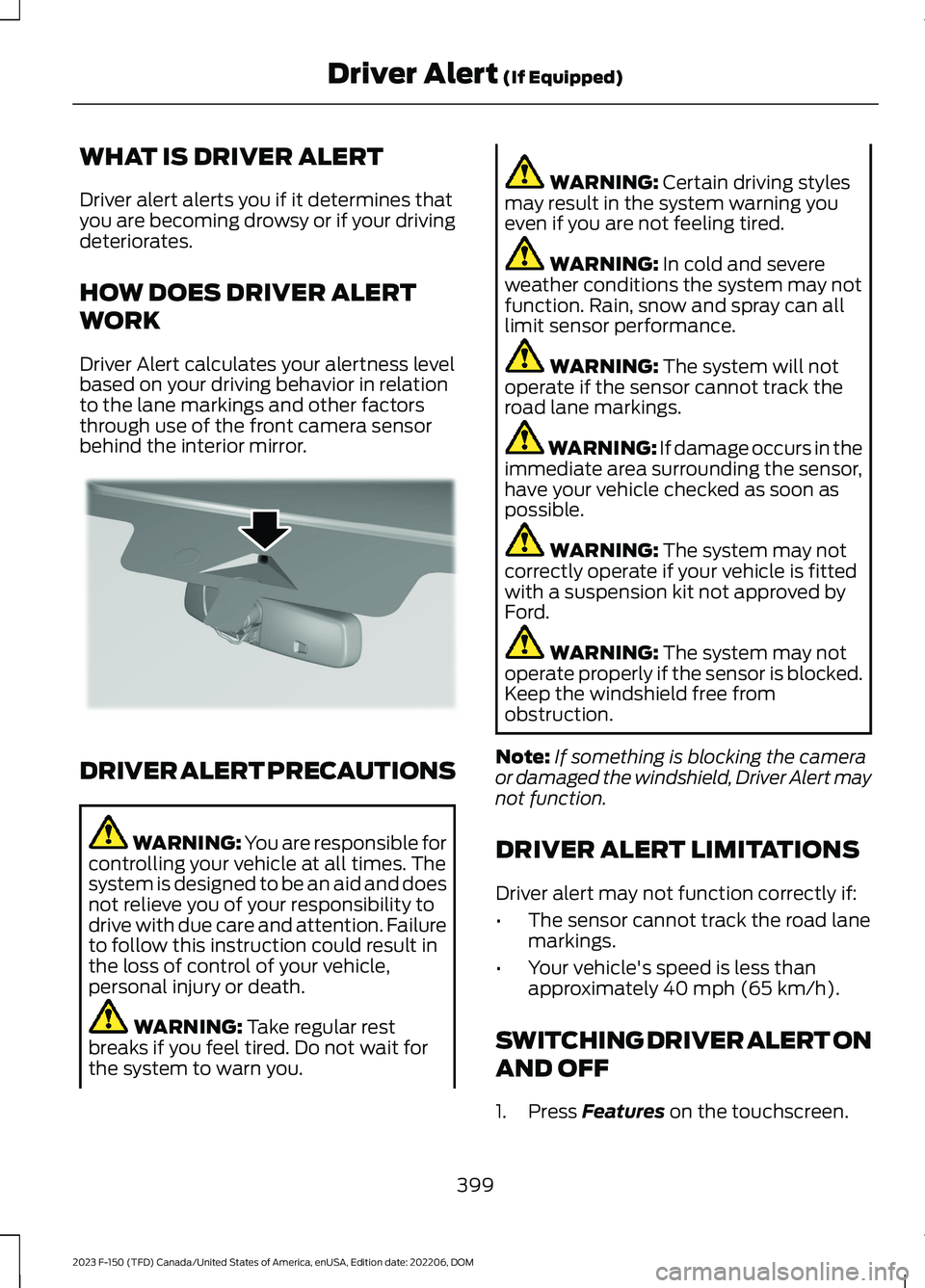
Driver Alert calculates your alertness levelbased on your driving behavior in relationto the lane markings and other factorsthrough use of the front camera sensorbehind the interior mirror.
DRIVER ALERT PRECAUTIONS
WARNING: You are responsible forcontrolling your vehicle at all times. Thesystem is designed to be an aid and doesnot relieve you of your responsibility todrive with due care and attention. Failureto follow this instruction could result inthe loss of control of your vehicle,personal injury or death.
WARNING: Take regular restbreaks if you feel tired. Do not wait forthe system to warn you.
WARNING: Certain driving stylesmay result in the system warning youeven if you are not feeling tired.
WARNING: In cold and severeweather conditions the system may notfunction. Rain, snow and spray can alllimit sensor performance.
WARNING: The system will notoperate if the sensor cannot track theroad lane markings.
WARNING: If damage occurs in theimmediate area surrounding the sensor,have your vehicle checked as soon aspossible.
WARNING: The system may notcorrectly operate if your vehicle is fittedwith a suspension kit not approved byFord.
WARNING: The system may notoperate properly if the sensor is blocked.Keep the windshield free fromobstruction.
Note:If something is blocking the cameraor damaged the windshield, Driver Alert maynot function.
DRIVER ALERT LIMITATIONS
Driver alert may not function correctly if:
•The sensor cannot track the road lanemarkings.
•Your vehicle's speed is less thanapproximately 40 mph (65 km/h).
SWITCHING DRIVER ALERT ON
AND OFF
1.Press Features on the touchscreen.
399
2023 F-150 (TFD) Canada/United States of America, enUSA, Edition date: 202206, DOMDriver Alert (If Equipped)E309385
Page 405 of 786
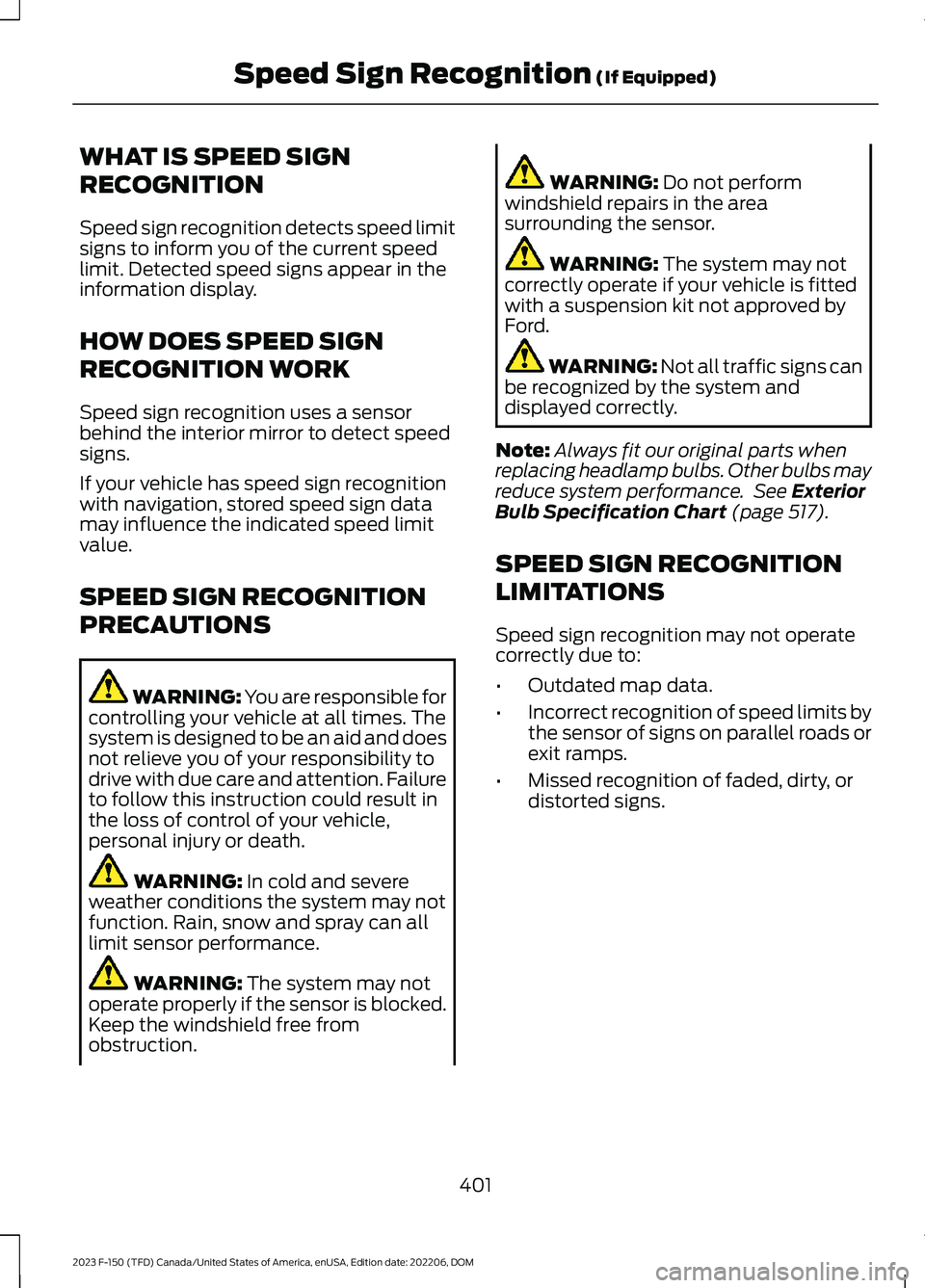
WHAT IS SPEED SIGN
RECOGNITION
Speed sign recognition detects speed limitsigns to inform you of the current speedlimit. Detected speed signs appear in theinformation display.
HOW DOES SPEED SIGN
RECOGNITION WORK
Speed sign recognition uses a sensorbehind the interior mirror to detect speedsigns.
If your vehicle has speed sign recognitionwith navigation, stored speed sign datamay influence the indicated speed limitvalue.
SPEED SIGN RECOGNITION
PRECAUTIONS
WARNING: You are responsible forcontrolling your vehicle at all times. Thesystem is designed to be an aid and doesnot relieve you of your responsibility todrive with due care and attention. Failureto follow this instruction could result inthe loss of control of your vehicle,personal injury or death.
WARNING: In cold and severeweather conditions the system may notfunction. Rain, snow and spray can alllimit sensor performance.
WARNING: The system may notoperate properly if the sensor is blocked.Keep the windshield free fromobstruction.
WARNING: Do not performwindshield repairs in the areasurrounding the sensor.
WARNING: The system may notcorrectly operate if your vehicle is fittedwith a suspension kit not approved byFord.
WARNING: Not all traffic signs canbe recognized by the system anddisplayed correctly.
Note:Always fit our original parts whenreplacing headlamp bulbs. Other bulbs mayreduce system performance. See ExteriorBulb Specification Chart (page 517).
SPEED SIGN RECOGNITION
LIMITATIONS
Speed sign recognition may not operatecorrectly due to:
•Outdated map data.
•Incorrect recognition of speed limits bythe sensor of signs on parallel roads orexit ramps.
•Missed recognition of faded, dirty, ordistorted signs.
401
2023 F-150 (TFD) Canada/United States of America, enUSA, Edition date: 202206, DOMSpeed Sign Recognition (If Equipped)
Page 500 of 786
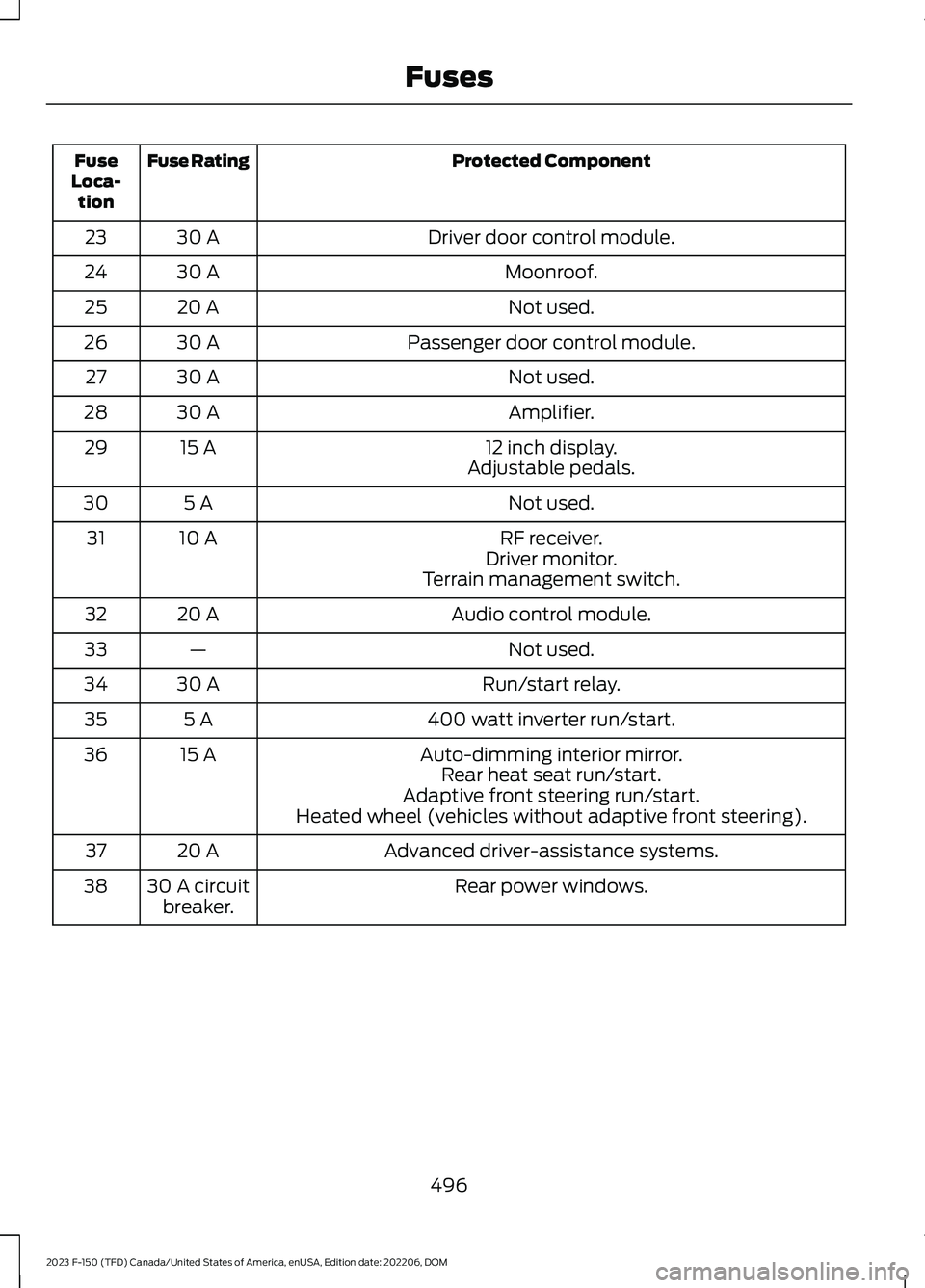
Protected ComponentFuse RatingFuseLoca-tion
Driver door control module.30 A23
Moonroof.30 A24
Not used.20 A25
Passenger door control module.30 A26
Not used.30 A27
Amplifier.30 A28
12 inch display.15 A29Adjustable pedals.
Not used.5 A30
RF receiver.10 A31Driver monitor.Terrain management switch.
Audio control module.20 A32
Not used.—33
Run/start relay.30 A34
400 watt inverter run/start.5 A35
Auto-dimming interior mirror.15 A36Rear heat seat run/start.Adaptive front steering run/start.Heated wheel (vehicles without adaptive front steering).
Advanced driver-assistance systems.20 A37
Rear power windows.30 A circuitbreaker.38
496
2023 F-150 (TFD) Canada/United States of America, enUSA, Edition date: 202206, DOMFuses
Page 656 of 786

HOW DO PERSONAL PROFILES
WORK
You can create multiple personal profilesenabling users to personalize vehiclesettings such as seats and mirrors, as wellas non-positional settings like radio,navigation and driver assist systemsettings. Positional settings are saved byholding a memory seat button.Non-positional settings are saved whenyou change a setting while a profile isactive.
ENABLING OR DISABLING
PERSONAL PROFILES
1.Press Settings on the touchscreen.
2.Press Personal Profiles.
3.Switch Personal Profiles on or off.
When enabled:
•Unlocking a door with a remote controlor mobile device that is not linked to adriver profile does not change theactive profile, but remains in the lastknown profile. It does not change thepositional settings.
•Pressing a memory seat button that isnot linked to a driver profile or saved toa preset setting does not change theactive profile, but remains in the lastknown profile. It does not change thepositional settings.
•Pressing a memory seat button that isnot linked to a driver profile but is savedto a preset setting does not change theactive profile, but remains in the lastknown profile. It recalls the positionalsettings that you saved to that memoryseat button.
When disabled:
•Unlocking a door with a remote controlor mobile device does not recall anynon-positional settings but still recallspositional settings from the driverprofile which the remote control ormobile device is linked to.
•Pressing a memory seat button that isnot linked to a driver profile or saved toa preset setting does not change thepositional or non-positional settings.
•Pressing a memory seat button that islinked to a driver profile or has savedto a preset setting recalls the positionalsettings that you saved to that memoryseat button.
CREATING A PERSONAL
PROFILE
You can create one profile for each presetmemory seat button. There is also a guestprofile.
Note:The guest profile consists of existingsettings when there is no driver profilecreated. After you create a driver profile, theguest profile serves as an additional driverprofile.
1.Press Settings on the touchscreen.
2.Press Personal Profiles.
3.Press Add Profile.
4.Follow the prompts on the display.
LINKING OR UNLINKING A
PERSONAL PROFILE
You can link your profile to a remotecontrol so that your settings are activatedwhen you use the remote control to turnon the vehicle.
652
2023 F-150 (TFD) Canada/United States of America, enUSA, Edition date: 202206, DOMPersonal Profiles
Page 759 of 786
3
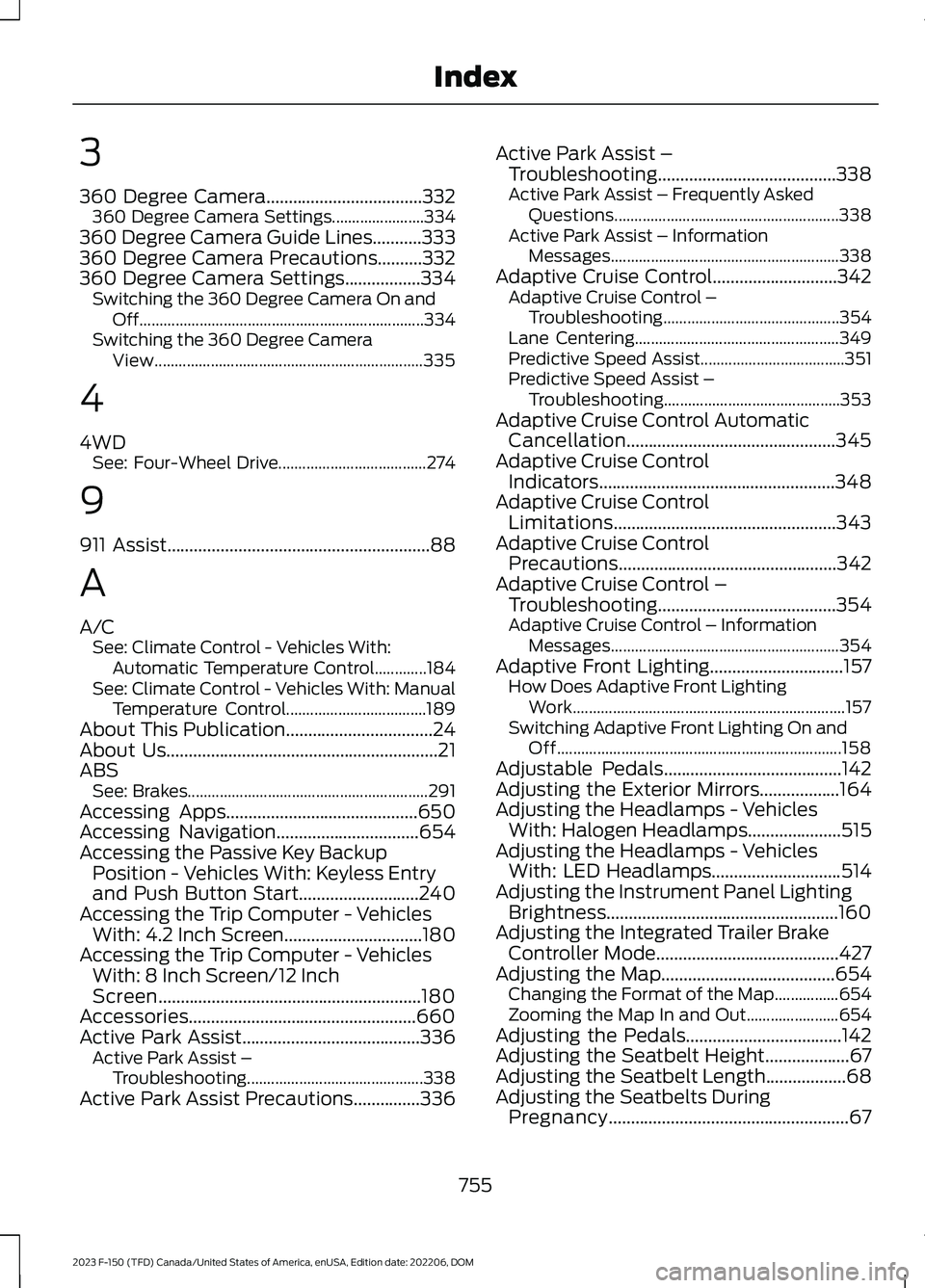
360 Degree Camera...................................332360 Degree Camera Settings.......................334360 Degree Camera Guide Lines...........333360 Degree Camera Precautions..........332360 Degree Camera Settings.................334Switching the 360 Degree Camera On andOff.......................................................................334Switching the 360 Degree CameraView...................................................................335
4
4WDSee: Four-Wheel Drive.....................................274
9
911 Assist...........................................................88
A
A/CSee: Climate Control - Vehicles With:Automatic Temperature Control.............184See: Climate Control - Vehicles With: ManualTemperature Control...................................189About This Publication.................................24About Us.............................................................21ABSSee: Brakes............................................................291Accessing Apps...........................................650Accessing Navigation................................654Accessing the Passive Key BackupPosition - Vehicles With: Keyless Entryand Push Button Start...........................240Accessing the Trip Computer - VehiclesWith: 4.2 Inch Screen...............................180Accessing the Trip Computer - VehiclesWith: 8 Inch Screen/12 InchScreen...........................................................180Accessories...................................................660Active Park Assist........................................336Active Park Assist –Troubleshooting............................................338Active Park Assist Precautions...............336
Active Park Assist –Troubleshooting........................................338Active Park Assist – Frequently AskedQuestions........................................................338Active Park Assist – InformationMessages.........................................................338Adaptive Cruise Control............................342Adaptive Cruise Control –Troubleshooting............................................354Lane Centering...................................................349Predictive Speed Assist....................................351Predictive Speed Assist –Troubleshooting............................................353Adaptive Cruise Control AutomaticCancellation...............................................345Adaptive Cruise ControlIndicators.....................................................348Adaptive Cruise ControlLimitations..................................................343Adaptive Cruise ControlPrecautions.................................................342Adaptive Cruise Control –Troubleshooting........................................354Adaptive Cruise Control – InformationMessages.........................................................354Adaptive Front Lighting..............................157How Does Adaptive Front LightingWork....................................................................157Switching Adaptive Front Lighting On andOff.......................................................................158Adjustable Pedals........................................142Adjusting the Exterior Mirrors..................164Adjusting the Headlamps - VehiclesWith: Halogen Headlamps.....................515Adjusting the Headlamps - VehiclesWith: LED Headlamps.............................514Adjusting the Instrument Panel LightingBrightness....................................................160Adjusting the Integrated Trailer BrakeController Mode.........................................427Adjusting the Map.......................................654Changing the Format of the Map................654Zooming the Map In and Out.......................654Adjusting the Pedals...................................142Adjusting the Seatbelt Height...................67Adjusting the Seatbelt Length..................68Adjusting the Seatbelts DuringPregnancy......................................................67
755
2023 F-150 (TFD) Canada/United States of America, enUSA, Edition date: 202206, DOMIndex
Page 760 of 786
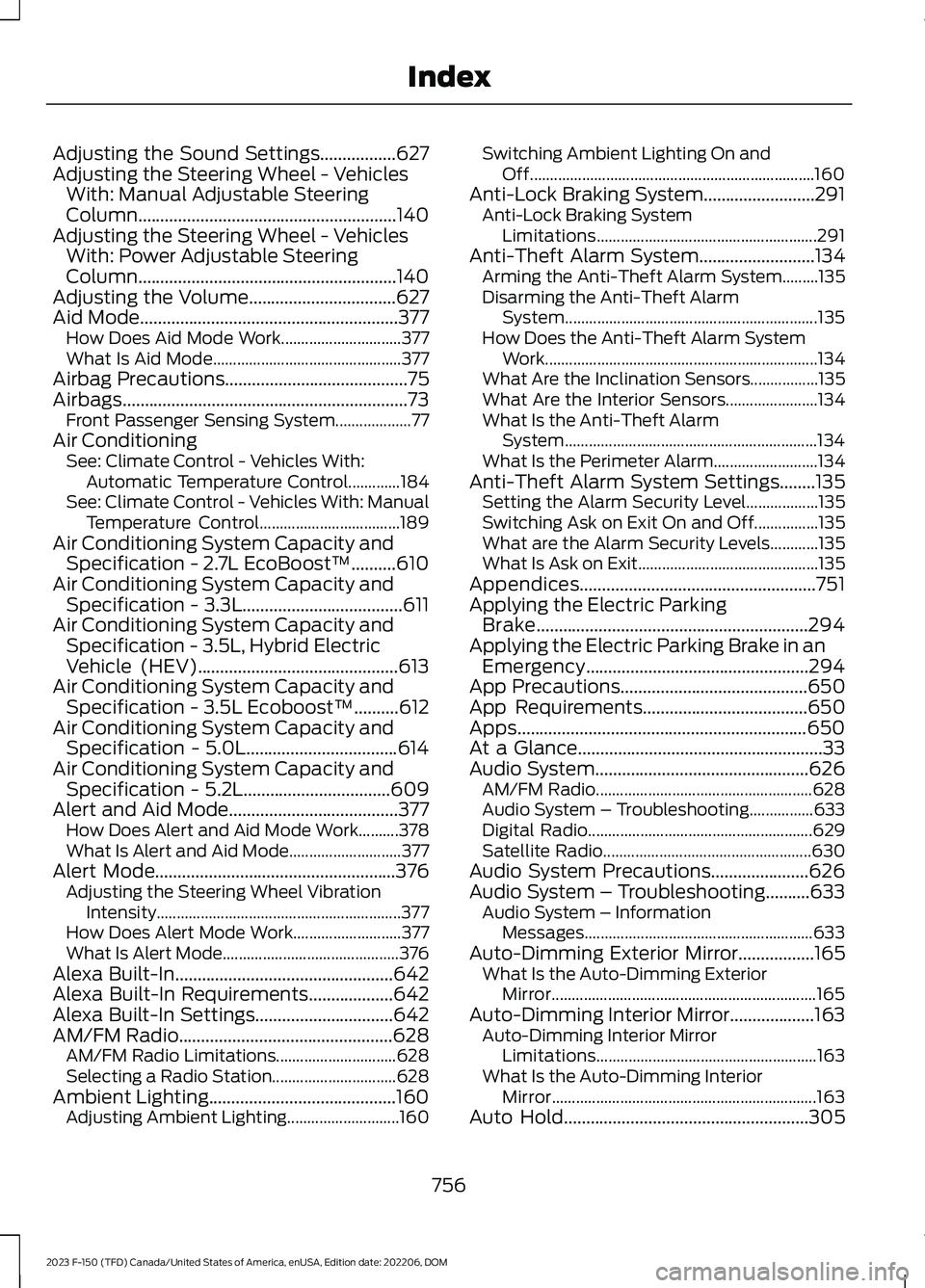
Adjusting the Sound Settings.................627Adjusting the Steering Wheel - VehiclesWith: Manual Adjustable SteeringColumn..........................................................140Adjusting the Steering Wheel - VehiclesWith: Power Adjustable SteeringColumn..........................................................140Adjusting the Volume.................................627Aid Mode..........................................................377How Does Aid Mode Work..............................377What Is Aid Mode...............................................377Airbag Precautions.........................................75Airbags................................................................73Front Passenger Sensing System...................77Air ConditioningSee: Climate Control - Vehicles With:Automatic Temperature Control.............184See: Climate Control - Vehicles With: ManualTemperature Control...................................189Air Conditioning System Capacity andSpecification - 2.7L EcoBoost™..........610Air Conditioning System Capacity andSpecification - 3.3L....................................611Air Conditioning System Capacity andSpecification - 3.5L, Hybrid ElectricVehicle (HEV).............................................613Air Conditioning System Capacity andSpecification - 3.5L Ecoboost™..........612Air Conditioning System Capacity andSpecification - 5.0L..................................614Air Conditioning System Capacity andSpecification - 5.2L.................................609Alert and Aid Mode......................................377How Does Alert and Aid Mode Work..........378What Is Alert and Aid Mode............................377Alert Mode......................................................376Adjusting the Steering Wheel VibrationIntensity.............................................................377How Does Alert Mode Work...........................377What Is Alert Mode............................................376Alexa Built-In.................................................642Alexa Built-In Requirements...................642Alexa Built-In Settings...............................642AM/FM Radio................................................628AM/FM Radio Limitations..............................628Selecting a Radio Station...............................628Ambient Lighting..........................................160Adjusting Ambient Lighting............................160
Switching Ambient Lighting On andOff.......................................................................160Anti-Lock Braking System.........................291Anti-Lock Braking SystemLimitations.......................................................291Anti-Theft Alarm System..........................134Arming the Anti-Theft Alarm System.........135Disarming the Anti-Theft AlarmSystem...............................................................135How Does the Anti-Theft Alarm SystemWork....................................................................134What Are the Inclination Sensors.................135What Are the Interior Sensors.......................134What Is the Anti-Theft AlarmSystem...............................................................134What Is the Perimeter Alarm..........................134Anti-Theft Alarm System Settings........135Setting the Alarm Security Level..................135Switching Ask on Exit On and Off................135What are the Alarm Security Levels............135What Is Ask on Exit.............................................135Appendices.....................................................751Applying the Electric ParkingBrake.............................................................294Applying the Electric Parking Brake in anEmergency..................................................294App Precautions..........................................650App Requirements.....................................650Apps.................................................................650At a Glance.......................................................33Audio System................................................626AM/FM Radio......................................................628Audio System – Troubleshooting................633Digital Radio........................................................629Satellite Radio....................................................630Audio System Precautions......................626Audio System – Troubleshooting..........633Audio System – InformationMessages.........................................................633Auto-Dimming Exterior Mirror.................165What Is the Auto-Dimming ExteriorMirror..................................................................165Auto-Dimming Interior Mirror...................163Auto-Dimming Interior MirrorLimitations.......................................................163What Is the Auto-Dimming InteriorMirror..................................................................163Auto Hold.......................................................305
756
2023 F-150 (TFD) Canada/United States of America, enUSA, Edition date: 202206, DOMIndex
Page 766 of 786
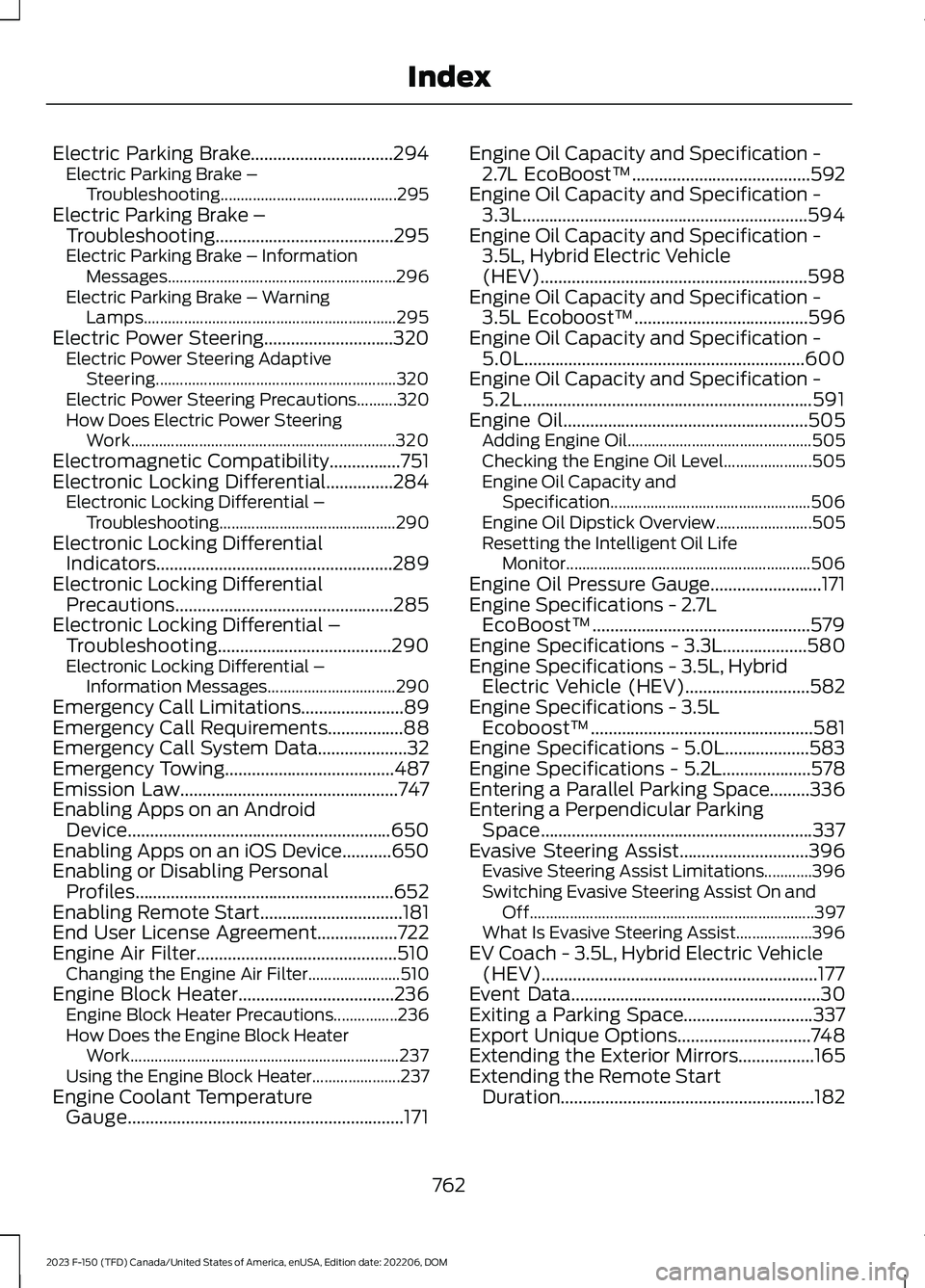
Electric Parking Brake................................294Electric Parking Brake –Troubleshooting............................................295Electric Parking Brake –Troubleshooting........................................295Electric Parking Brake – InformationMessages.........................................................296Electric Parking Brake – WarningLamps...............................................................295Electric Power Steering.............................320Electric Power Steering AdaptiveSteering............................................................320Electric Power Steering Precautions..........320How Does Electric Power SteeringWork..................................................................320Electromagnetic Compatibility................751Electronic Locking Differential...............284Electronic Locking Differential –Troubleshooting............................................290Electronic Locking DifferentialIndicators.....................................................289Electronic Locking DifferentialPrecautions.................................................285Electronic Locking Differential –Troubleshooting.......................................290Electronic Locking Differential –Information Messages................................290Emergency Call Limitations.......................89Emergency Call Requirements.................88Emergency Call System Data....................32Emergency Towing......................................487Emission Law.................................................747Enabling Apps on an AndroidDevice...........................................................650Enabling Apps on an iOS Device...........650Enabling or Disabling PersonalProfiles..........................................................652Enabling Remote Start................................181End User License Agreement..................722Engine Air Filter.............................................510Changing the Engine Air Filter.......................510Engine Block Heater...................................236Engine Block Heater Precautions................236How Does the Engine Block HeaterWork...................................................................237Using the Engine Block Heater......................237Engine Coolant TemperatureGauge..............................................................171
Engine Oil Capacity and Specification -2.7L EcoBoost™........................................592Engine Oil Capacity and Specification -3.3L................................................................594Engine Oil Capacity and Specification -3.5L, Hybrid Electric Vehicle(HEV)............................................................598Engine Oil Capacity and Specification -3.5L Ecoboost™.......................................596Engine Oil Capacity and Specification -5.0L...............................................................600Engine Oil Capacity and Specification -5.2L.................................................................591Engine Oil.......................................................505Adding Engine Oil..............................................505Checking the Engine Oil Level......................505Engine Oil Capacity andSpecification..................................................506Engine Oil Dipstick Overview........................505Resetting the Intelligent Oil LifeMonitor.............................................................506Engine Oil Pressure Gauge.........................171Engine Specifications - 2.7LEcoBoost™.................................................579Engine Specifications - 3.3L...................580Engine Specifications - 3.5L, HybridElectric Vehicle (HEV)............................582Engine Specifications - 3.5LEcoboost™..................................................581Engine Specifications - 5.0L...................583Engine Specifications - 5.2L....................578Entering a Parallel Parking Space.........336Entering a Perpendicular ParkingSpace.............................................................337Evasive Steering Assist.............................396Evasive Steering Assist Limitations............396Switching Evasive Steering Assist On andOff.......................................................................397What Is Evasive Steering Assist...................396EV Coach - 3.5L, Hybrid Electric Vehicle(HEV)..............................................................177Event Data........................................................30Exiting a Parking Space.............................337Export Unique Options..............................748Extending the Exterior Mirrors.................165Extending the Remote StartDuration.........................................................182
762
2023 F-150 (TFD) Canada/United States of America, enUSA, Edition date: 202206, DOMIndex