remote control FORD F150 2023 Workshop Manual
[x] Cancel search | Manufacturer: FORD, Model Year: 2023, Model line: F150, Model: FORD F150 2023Pages: 786, PDF Size: 23.15 MB
Page 625 of 786
WHAT IS A CONNECTED
VEHICLE
A connected vehicle has technology thatallows your vehicle to connect to a mobilenetwork and for you to access a range offeatures. When used in conjunction withthe FordPass app, it could allow you tomonitor and control your vehicle further,for example checking the tire pressures,the fuel level and the vehicle location. Foradditional information, refer to the localFord website.
CONNECTED VEHICLE
REQUIREMENTS
Connected service and related featurefunctionality requires a compatible vehiclenetwork.
Some remote features require additionalservice activation. Log in to your Fordaccount for details. Some restrictions, thirdparty terms and message or data ratesmay apply.
CONNECTED VEHICLE
LIMITATIONS
Evolving technology, cellular networks, orregulations could affect functionality andavailability, or continued provision of somefeatures. These changes could even stopsome features from functioning.
CONNECTING THE VEHICLE TO
A MOBILE NETWORK
WHAT IS THE MODEM
The modem allows access to arange of features built into yourvehicle.
ENABLING AND DISABLING THEMODEM
1.Press Settings.
2.Press Connectivity.
3.Press Connected Vehicle Features.
4.Switch vehicle connectivity on or off.
CONNECTING FORDPASS TO THEMODEM
1.Make sure that the modem is enabledusing the vehicle settings menu.
2.Open the FordPass app on your deviceand log in.
3.Add your vehicle or select your vehicleif already added.
4.Select the option to activate yourvehicle.
5.Make sure that the name on the screenmatches the name shown in yourFordPass account.
6.Confirm that FordPass account isconnected to the modem.
CONNECTING THE VEHICLE TO
A WI-FI NETWORK
Select the settings option on thefeature bar.
1.Press Connectivity.
2.Press Manage Wi-Fi Networks.
3.Switch Wi-Fi on.
4.Press View Available Networks.
5.Select an available Wi-Fi network.
Note:Enter the network password toconnect to a secure network.
621
2023 F-150 (TFD) Canada/United States of America, enUSA, Edition date: 202206, DOMConnected Vehicle E280315
Page 656 of 786

HOW DO PERSONAL PROFILES
WORK
You can create multiple personal profilesenabling users to personalize vehiclesettings such as seats and mirrors, as wellas non-positional settings like radio,navigation and driver assist systemsettings. Positional settings are saved byholding a memory seat button.Non-positional settings are saved whenyou change a setting while a profile isactive.
ENABLING OR DISABLING
PERSONAL PROFILES
1.Press Settings on the touchscreen.
2.Press Personal Profiles.
3.Switch Personal Profiles on or off.
When enabled:
•Unlocking a door with a remote controlor mobile device that is not linked to adriver profile does not change theactive profile, but remains in the lastknown profile. It does not change thepositional settings.
•Pressing a memory seat button that isnot linked to a driver profile or saved toa preset setting does not change theactive profile, but remains in the lastknown profile. It does not change thepositional settings.
•Pressing a memory seat button that isnot linked to a driver profile but is savedto a preset setting does not change theactive profile, but remains in the lastknown profile. It recalls the positionalsettings that you saved to that memoryseat button.
When disabled:
•Unlocking a door with a remote controlor mobile device does not recall anynon-positional settings but still recallspositional settings from the driverprofile which the remote control ormobile device is linked to.
•Pressing a memory seat button that isnot linked to a driver profile or saved toa preset setting does not change thepositional or non-positional settings.
•Pressing a memory seat button that islinked to a driver profile or has savedto a preset setting recalls the positionalsettings that you saved to that memoryseat button.
CREATING A PERSONAL
PROFILE
You can create one profile for each presetmemory seat button. There is also a guestprofile.
Note:The guest profile consists of existingsettings when there is no driver profilecreated. After you create a driver profile, theguest profile serves as an additional driverprofile.
1.Press Settings on the touchscreen.
2.Press Personal Profiles.
3.Press Add Profile.
4.Follow the prompts on the display.
LINKING OR UNLINKING A
PERSONAL PROFILE
You can link your profile to a remotecontrol so that your settings are activatedwhen you use the remote control to turnon the vehicle.
652
2023 F-150 (TFD) Canada/United States of America, enUSA, Edition date: 202206, DOMPersonal Profiles
Page 657 of 786
Remote Control
You can save preset memory positions forup to three remote controls by assigning aremote control to a personal profile.
1.Press Settings on the touchscreen.
2.Press Personal Profiles.
3.Select the profile to link or unlink.
Note:You cannot link a remote control toa guest profile.
4.Select the remote control to link orunlink.
5.Follow the instructions on thetouchscreen.
Note:If more than one linked remotecontrol is in range, the memory functionmoves to the settings of the first key toinitiate a memory recall.
SELECTING A PERSONAL
PROFILE
You can select a profile using thetouchscreen or the preset button youselected when you created your profile.
If you use a linked device, such as a remotecontrol or mobile device, the active profileis set to the linked profile.
To change the active profile:
1.Press Settings on the touchscreen.
2.Press Personal Profiles.
3.Select the profile to use.
4.Press Make Profile Active.
DELETING A PERSONAL
PROFILE
1.Press Settings on the touchscreen.
2.Press Personal Profiles.
3.Select the profile to delete.
4.Press Delete Profile.
653
2023 F-150 (TFD) Canada/United States of America, enUSA, Edition date: 202206, DOMPersonal Profiles
Page 661 of 786
This introduces new features and providesupdates to the vehicle's software systems.Make sure to switch Automatic Updateson, set a recurring update schedule andconnect your vehicle to Wi-Fi. Updatescould take longer when not connected toWi-Fi or could not download at all. SeeConnecting the Vehicle to a Wi-FiNetwork (page 621). See Connecting theVehicle to a Wi-Fi Network (page 621).
Your vehicle may be able to receivedrivable software updates, non-drivablesoftware updates or both. Drivablesoftware updates happen during normalvehicle usage and require limited inputfrom you. You are notified on yourtouchscreen and connected device priorto a non-drivable update.
Most updates complete in less than 30minutes, although some updates couldtake up to a few hours. Check yourtouchscreen or connected device for themost accurate estimated update time.
You are notified of the status of the vehiclesoftware update in the touchscreen andon your connected device. See SoftwareUpdate Indicators (page 658).
Vehicle Software UpdateRequirements
Non-drivable software updates do notinstall if any of the following occur:
•Your vehicle is running.
•Your vehicle is switched on.
•Your vehicle is not parked.
•The 12 V battery charge is too low.
•The hazard indicators are switched on.
•The alarm is sounding.
•The doors are open.
•The parking lamps are switched on.
•You are pressing the brake pedal.
•An emergency call is in process.
•Your vehicle is in limp home mode.
Vehicle Software UpdateLimitations
Once you begin a non-drivable softwareupdate, you cannot:
•Cancel the update.
•Lock, unlock or enter your vehicleunless you have a key blade.
•You can open the doors using themechanical latch if child locks arenot on.
•Drive your vehicle.
•Start your vehicle.
•Use the remote control to lock, unlockor start your vehicle.
•Use the alarm, central locks or doortones.
•Use the electronic door locks.
•Charge your vehicle.
•Charging resumes once the updatecompletes.
SOFTWARE UPDATE
SETTINGS
To access the Software Updates menu:
1.Press Settings on the touchscreen.
2.Press Software Updates.
You can do the following in the SoftwareUpdates menu:
•Switch Automatic Updates on and off.
•Schedule and install software updates.
•View software update details.
Press the button next to a menuoption for more information.
657
2023 F-150 (TFD) Canada/United States of America, enUSA, Edition date: 202206, DOMVehicle Software UpdatesE366956
Page 698 of 786
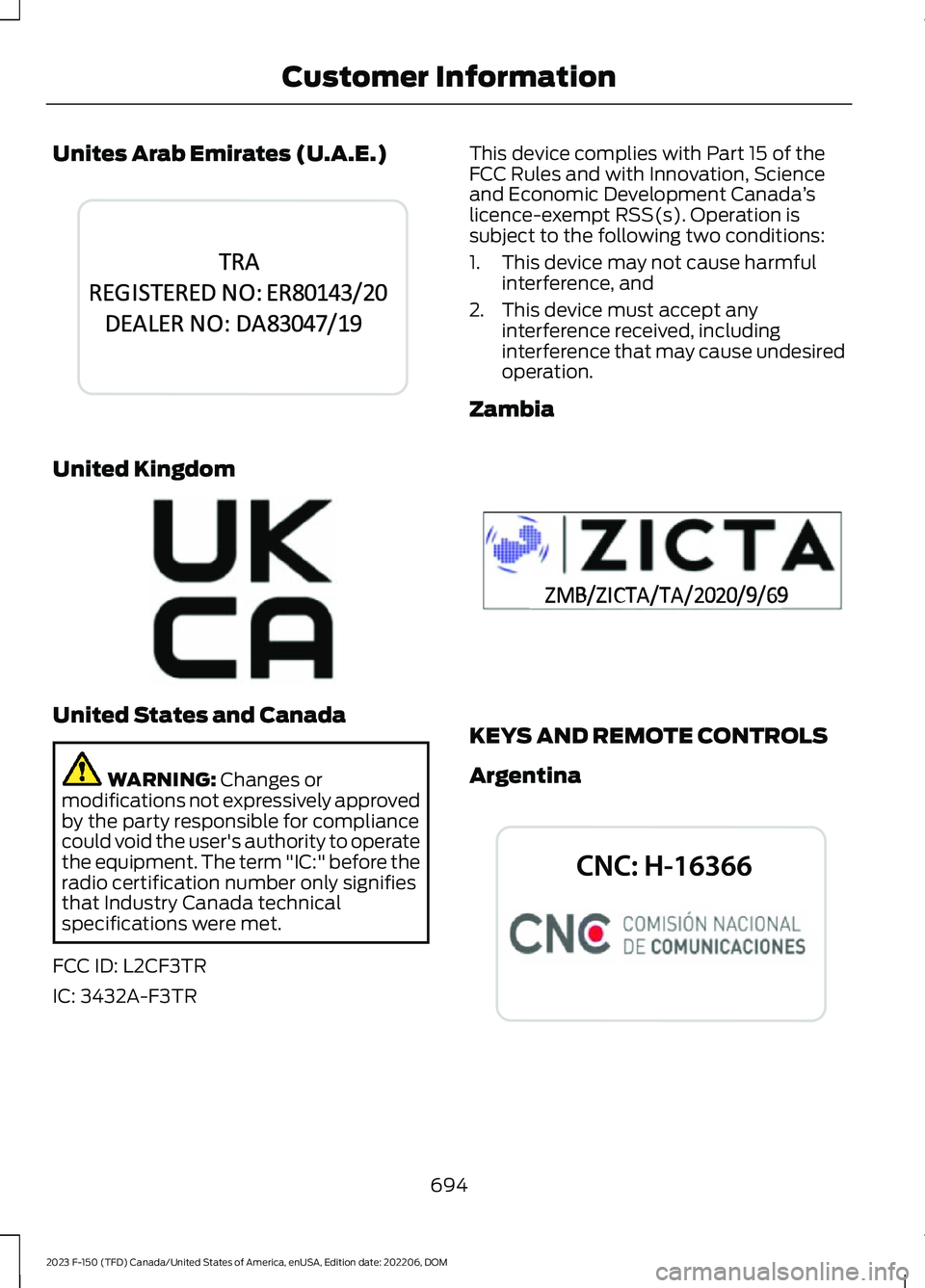
Unites Arab Emirates (U.A.E.)
United Kingdom
United States and Canada
WARNING: Changes ormodifications not expressively approvedby the party responsible for compliancecould void the user's authority to operatethe equipment. The term "IC:" before theradio certification number only signifiesthat Industry Canada technicalspecifications were met.
FCC ID: L2CF3TR
IC: 3432A-F3TR
This device complies with Part 15 of theFCC Rules and with Innovation, Scienceand Economic Development Canada’slicence-exempt RSS(s). Operation issubject to the following two conditions:
1.This device may not cause harmfulinterference, and
2.This device must accept anyinterference received, includinginterference that may cause undesiredoperation.
Zambia
KEYS AND REMOTE CONTROLS
Argentina
694
2023 F-150 (TFD) Canada/United States of America, enUSA, Edition date: 202206, DOMCustomer InformationE344042 E362840 E356902 E339844
Page 725 of 786
Zambia
PERCHLORATE
Certain components in your vehicle suchas airbag modules, seatbelt pretensionersand remote control batteries may containperchlorate material. Special handlingmay apply for service or vehicle end of lifedisposal.
For more information visit:www.dtsc.ca.gov/hazardouswaste/perchlorate.
REPLACEMENT PARTS
RECOMMENDATION
We have built your vehicle to the higheststandards using quality parts. Werecommend that you demand the use ofgenuine Ford and Motorcraft partswhenever your vehicle requires scheduledmaintenance or repair. You can clearlyidentify genuine Ford and Motorcraft partsby looking for the Ford, FoMoCo orMotorcraft branding on the parts or theirpackaging.
Scheduled Maintenance andMechanical Repairs
One of the best ways for you to make surethat your vehicle provides years of serviceis to have it maintained in line with ourrecommendations using parts thatconform to the specifications detailed inthis Owner’s Manual.
Genuine Ford and Motorcraft parts meetor exceed these specifications.
721
2023 F-150 (TFD) Canada/United States of America, enUSA, Edition date: 202206, DOMCustomer InformationE357468 E364773
Page 763 of 786
Center Console Work Surface –Troubleshooting.........................................227Center Console Work Surface – InformationMessages..........................................................227Center Display Limitations.......................637Center Display Overview...........................637Center Display Precautions......................637Changing a Flat Tire - Excluding:Raptor............................................................561Changing a Flat Tire - Raptor.................568Changing a Road Wheel............................561Changing the 12V Battery..........................512Changing the Fuel Filter..............................511Changing the Language.............................179Changing the Measurement Unit...........179Changing the Remote Control Battery -Police Responder........................................92Changing the Remote Control Battery -Vehicles With: Flip Key..............................95Changing the Remote Control Battery -Vehicles With: Push Button Start.........93Changing the Temperature Unit..............179Changing the Tire Pressure Unit.............179Changing the Vehicle Wi-Fi HotspotName or Password..................................624Charging a Device.........................................213Charging a Wireless Device......................228Checking MyKey System Status..............101Checking the Brake Fluid...........................291Checking the Coolant................................506Checking the Seatbelts................................70Checking the Tire Pressures....................550Checking the Wiper Blades......................144Children and Airbags.....................................76Child Restraint Anchor Points....................51Locating the Child Restraint Lower AnchorPoints....................................................................51Locating the Child Restraint Top TetherAnchor Points...................................................52What Are the Child Restraint AnchorPoints....................................................................51Child Restraints...............................................53Child Restraint Position Information.............53Child Restraints Recommendation...............54Child Safety......................................................50Child Restraint Anchor Points..........................51Child Restraints.....................................................53Installing Child Restraints.................................54
Child Safety Locks.........................................63Child Safety Precautions............................50Cleaning Products.......................................529Cleaning the Exterior..................................530Cleaning Camera Lenses andSensors..............................................................531Cleaning Chrome, Aluminium or StainlessSteel..................................................................530Cleaning Headlamps and RearLamps...............................................................530Cleaning Stripes or Graphics..........................531Cleaning the Engine Compartment.............531Cleaning the Exterior Precautions..............530Cleaning the Underbody..................................531Cleaning Wheels................................................530Cleaning Windows and WiperBlades...............................................................530Cleaning the Interior...................................532Cleaning Carpets and Floor Mats................533Cleaning Displays and Screens....................532Cleaning Fabric...................................................532Cleaning Leather................................................532Cleaning Moonroof Tracks.............................533Cleaning Plastic..................................................532Cleaning Seatbelts............................................533Cleaning the Instrument Panel.....................532Cleaning Vinyl......................................................533Clearing All MyKeys......................................101Climate Control.............................................184Auto Mode............................................................186Climate Control Hints..................................187Closing the Tailgate......................................119Closing the Tailgate From Inside YourVehicle................................................................119Closing the Tailgate From Outside YourVehicle...............................................................120Closing the Tailgate Using the RemoteControl...............................................................120Cold Weather Precautions........................472Connected Navigation...............................654Connected Vehicle.......................................621Connected Vehicle –Troubleshooting............................................622Connecting the Vehicle to a MobileNetwork.............................................................621Connected Vehicle Data - Excluding:Police Responder.........................................31Connected Vehicle Limitations...............621
759
2023 F-150 (TFD) Canada/United States of America, enUSA, Edition date: 202206, DOMIndex
Page 771 of 786
Integrated Trailer Brake Controller........425Integrated Trailer Brake Controller –Troubleshooting............................................428Integrated Trailer Brake ControllerPrecautions.................................................425Integrated Trailer Brake Controller –Troubleshooting........................................428Integrated Trailer Brake Controller –Frequently Asked Questions....................429Integrated Trailer Brake Controller –Information Messages................................428Interior Air Quality........................................192Interior Bulbs.................................................526Interior Bulb Specification Chart.................526Interior Lamp Function..............................160Switching the Interior Lamp Function Onand Off..............................................................160What Is the Interior Lamp Function............160Interior Lighting.............................................159Ambient Lighting................................................160Interior Lamp Function....................................160Interior Lighting – Troubleshooting.............160Interior Lighting –Troubleshooting........................................160Interior Lighting – Frequently AskedQuestions.........................................................160Interior Mirror..................................................163Auto-Dimming Interior Mirror.........................163Interior Mirror Precautions........................163Introduction......................................................24
J
Jump Starting the Vehicle.......................480Jump Starting Precautions............................480Jump Starting the Vehicle...............................481Preparing the Vehicle......................................480
K
Keyless Entry..................................................108Keyless Entry – Troubleshooting..................109Keyless Entry Keypad...................................110Keyless Entry Keypad –Troubleshooting...............................................111Keyless Entry Keypad Limitations...........110Keyless Entry Keypad Master AccessCode................................................................110
Keyless Entry Keypad Personal AccessCodes..............................................................110Keyless Entry Keypad –Troubleshooting...........................................111Keyless Entry Keypad – Frequently AskedQuestions............................................................111Keyless Entry Limitations..........................108Keyless Entry Settings................................108Keyless Entry – Troubleshooting...........109Keyless Entry – Frequently AskedQuestions.........................................................109Keys and Remote Controls........................90Keys and Remote Controls –Troubleshooting..............................................98Keys and Remote Controls –Troubleshooting..........................................98Keys and Remote Controls – InformationMessages...........................................................98
L
Lane Centering.............................................349How Does Lane Centering Work..................349Lane Centering Alerts......................................350Lane Centering AutomaticCancellation...................................................350Lane Centering Indicators................................351Lane Centering Limitations...........................349Lane Centering Manual Cancellation..........351Lane Centering Precautions..........................349Lane Centering Requirements......................349Switching Lane Centering On andOff......................................................................350Lane Keeping System Indicators...........378Lane Keeping System.................................375Aid Mode................................................................377Alert and Aid Mode............................................377Alert Mode............................................................376Lane Keeping System –Troubleshooting............................................379Lane Keeping System Limitations.........375Lane Keeping System Precautions.......375Lane Keeping System –Troubleshooting........................................379Lane Keeping System – Frequently AskedQuestions........................................................380Lane Keeping System – InformationMessages.........................................................379
767
2023 F-150 (TFD) Canada/United States of America, enUSA, Edition date: 202206, DOMIndex
Page 773 of 786
Motorcraft Parts - 3.5L, Hybrid ElectricVehicle (HEV)............................................588Motorcraft Parts - 3.5LEcoboost™.................................................587Motorcraft Parts - 5.0L.............................589Motorcraft Parts - 5.2L..............................584Motorcraft Parts - Raptor........................590Muting the Audio..........................................627MyKey Settings...............................................99Configurable MyKey Settings..........................99Non-Configurable MyKey Settings................99MyKey – Troubleshooting.........................102MyKey – Frequently AskedQuestions.........................................................103MyKey – Information Messages....................102MyKey™............................................................99MyKey Settings.....................................................99MyKey – Troubleshooting...............................102
N
Navigation Map Updates.........................654Navigation......................................................654Adjusting the Map.............................................654Live Traffic............................................................654Route Guidance.................................................655Setting a Destination.......................................654Waypoints............................................................655Normal Scheduled Maintenance..........670
O
Off-Road Driving.........................................466After Driving Your Vehicle Off-Road............471Basic Off-Road Driving Techniques...........466Driving Off-Road................................................467Driving Through Water Limitations.............470Driving Your Vehicle at High Speeds..........469Off-Road Driving Aids.......................................471Off-Road Driving Precautions......................466Water Wading.....................................................470What Is Off-Road Driving...............................466Onboard Generator Indicators................219Onboard Generator......................................217Onboard Generator –Troubleshooting............................................223Onboard Generator Precautions -Vehicles With: 2.4kW/7.2kW..................218
Onboard Generator Precautions -Vehicles With: 2kW....................................217Onboard Generator –Troubleshooting........................................223Onboard Generator – Frequently AskedQuestions.........................................................224Onboard Generator – InformationMessages.........................................................223Onboard Scales Limitations....................437Onboard Scales............................................437Opening and Closing the Flip Key.............91Opening and Closing the Hood.............498Opening and Closing theMoonroof......................................................166Opening and Closing the SlidingWindows.......................................................162Opening and Closing theSunshade.....................................................166Opening and Closing the Windows........161Opening the Tailgate....................................113Opening the Tailgate From Inside YourVehicle................................................................119Opening the Tailgate From Outside YourVehicle.................................................................113Opening the Tailgate Using the RemoteControl................................................................119Operating the Doors From Inside YourVehicle...........................................................104Opening the Doors From Inside YourVehicle...............................................................104Unlocking and Locking the Doors Using theCentral Locking..............................................104Operating the Doors From Outside YourVehicle...........................................................104Unlocking and Locking the Doors Using theKey Blade..........................................................104Unlocking and Locking the Doors Using theRemote Control.............................................104Operating Your Vehicle With aSnowplow....................................................476Ordering a Canadian French Owner'sManual.........................................................682OTASee: Software Update Settings....................657See: Vehicle Software Updates....................657Overriding Cross Traffic Braking............302Overriding Reverse Braking Assist........298Overriding the Set Speed.........................348
769
2023 F-150 (TFD) Canada/United States of America, enUSA, Edition date: 202206, DOMIndex
Page 775 of 786
Removing the Head Restraint........................197Pre-Collision Assist Limitations..............391Pre-Collision Assist Precautions...........390Pre-Collision Assist....................................390Automatic Emergency Braking....................396Distance Alert.....................................................395Distance Indication...........................................393Evasive Steering Assist...................................396Pre-Collision Assist –Troubleshooting............................................397Pre-Collision Assist –Troubleshooting........................................397Pre-Collision Assist – Frequently AskedQuestions........................................................398Pre-Collision Assist – InformationMessages.........................................................397Pre-Collision Assist – WarningLamps................................................................397Predictive Speed Assist..............................351Adjusting the Set Speed Tolerance............353How Does Predictive Speed AssistWork....................................................................351Predictive Speed Assist Alerts......................353Predictive Speed Assist Indicators..............353Predictive Speed Assist Limitations...........352Predictive Speed Assist Precautions..........351Switching Predictive Speed Assist ModeOn and Off.......................................................352Predictive Speed Assist –Troubleshooting........................................353Predictive Speed Assist – InformationMessages.........................................................353Preparing Your Vehicle forStorage.........................................................535Programming a MyKey................................101Programming the Garage DoorOpener.........................................................209Programming the Remote Control -Vehicles With: Flip Key..............................97Programming the Remote Control -Vehicles With: Push Button Start.........96Properly Adjusting the Driver and FrontPassenger Seats..........................................76PunctureSee: Changing a Flat Tire - Excluding:Raptor................................................................561See: Changing a Flat Tire - Raptor.............568Push Button Ignition Switch....................234
R
Radio Frequency CertificationLabels...........................................................684Blind Spot Information SystemSensors............................................................684Body Control Module.......................................687Cruise Control Module....................................690Keys and Remote Controls............................694Passive Anti-Theft System............................697Radio Transceiver Module...............................701SYNC......................................................................704Tire Pressure Monitoring SystemSensors.............................................................709Wireless Accessory Charging Module.........715Rear Axle Fluid Capacity andSpecification - Police Responder........619Rear Axle Fluid Capacity andSpecification - Raptor.............................618Rear Axle Fluid Capacity andSpecification...............................................618Rear Exterior - Excluding: Raptor/PoliceResponder......................................................47Rear Exterior - Police Responder.............49Rear Exterior - Raptor...................................48Rear Occupant Alert System AudibleWarnings.....................................................206Rear Occupant Alert SystemIndicators.....................................................206Rear Occupant Alert SystemLimitations..................................................205Rear Occupant Alert SystemPrecautions.................................................205Rear Occupant Alert System..................205Rear Parking Aid...........................................324Locating the Rear Parking AidSensors.............................................................324Rear Parking Aid Audible Warnings............325Rear Parking Aid Limitations.........................324What is the Rear Parking Aid.........................324Rear Seats......................................................202Heated Seats......................................................203Manual Seats......................................................202Rear View Camera Guide Lines..............330Rear View Camera Precautions.............329Rear View Camera.......................................329Rear View Camera Settings..........................330
771
2023 F-150 (TFD) Canada/United States of America, enUSA, Edition date: 202206, DOMIndex