door lock FORD F150 2023 Owners Manual
[x] Cancel search | Manufacturer: FORD, Model Year: 2023, Model line: F150, Model: FORD F150 2023Pages: 786, PDF Size: 23.15 MB
Page 6 of 786
Personal Safety System Components...........................................................................72
Airbags
How Do the Front Airbags Work..............73
How Do the Side Airbags Work................73
How Do the Knee Airbags Work...............74
How Does the Safety Canopy™ Work...........................................................................74
Airbag Precautions........................................75
Properly Adjusting the Driver and FrontPassenger Seats........................................76
Children and Airbags....................................76
Front Passenger Sensing System............77
Crash Sensors and Airbag Indicator......80
Crash Sensors and Airbag Indicator -Police Responder.......................................81
Disposing of Airbags....................................86
Pedestrian Alert System -Hybrid Electric Vehicle(HEV)
What Is the Pedestrian Alert System...........................................................................87
911 Assist
What Is 911 Assist.........................................88
How Does 911 Assist Work........................88
Emergency Call Requirements................88
Emergency Call Limitations......................89
Keys and Remote Controls
Remote Control Limitations.....................90
Using the Remote Control - PoliceResponder...................................................90
Using the Remote Control..........................91
Opening and Closing the Flip Key............91
Removing the Key Blade............................92
Sounding the Panic Alarm.........................92
Locating Your Vehicle..................................92
Changing the Remote Control Battery -Police Responder......................................92
Changing the Remote Control Battery -Vehicles With: Push Button Start.......93
Changing the Remote Control Battery -Vehicles With: Flip Key............................95
Replacing a Lost Key or Remote Control..........................................................................96
Programming the Remote Control -Vehicles With: Push Button Start.......96
Programming the Remote Control -Vehicles With: Flip Key............................97
Keys and Remote Controls –Troubleshooting........................................98
MyKey™ - Vehicles With:MyKey
What Is MyKey...............................................99
MyKey Settings..............................................99
Creating a MyKey........................................100
Programming a MyKey...............................101
Clearing All MyKeys.....................................101
Checking MyKey System Status.............101
Using MyKey With Remote StartSystems.......................................................101
MyKey – Troubleshooting........................102
Doors and Locks
Operating the Doors From Outside YourVehicle.........................................................104
Operating the Doors From Inside YourVehicle.........................................................104
Autounlock....................................................105
Autolock..........................................................105
Mislock............................................................105
Doors and Locks Audible Warnings......105
Doors and Locks – Troubleshooting........................................................................106
Keyless Entry
What Is Keyless Entry................................108
Keyless Entry Limitations.........................108
2
2023 F-150 (TFD) Canada/United States of America, enUSA, Edition date: 202206, DOMTable of Contents
Page 11 of 786
Garage Door Opener AdditionalAssistance...................................................211
USB Ports
Locating the USB Ports - Excluding:Raptor..........................................................212
Locating the USB Ports - Raptor...........212
Playing Media Using the USB Port........213
Charging a Device........................................213
Power Outlet - Vehicles With:120V Power Outlet
What Is the Power Outlet.........................214
Power Outlet Precautions........................214
Power Outlet Limitations.........................214
Locating the Power Outlets.....................214
Power Outlet Indicators............................215
Power Outlet - Vehicles With:12V Power Outlet
What Is the Power Outlet.........................216
Power Outlet Precautions........................216
Locating the Power Outlets.....................216
Onboard Generator
What Is the Onboard Generator.............217
Onboard Generator Precautions -Vehicles With: 2kW..................................217
Onboard Generator Precautions -Vehicles With: 2.4kW/7.2kW...............218
Locating the Outlets...................................219
Onboard Generator Indicators...............219
Switching the Outlets On and Off.......220
What Is Utility Idle Mode - Vehicles With:Flip Key.........................................................221
Switching Utility Idle Mode On and Off -Vehicles With: Flip Key...........................221
What Is Generator Mode...........................221
Switching Generator Mode On and Off.........................................................................221
Resetting Ground Fault Detection.........221
Resetting the Circuit Breaker - VehiclesWith: 7.2kW................................................222
Onboard Generator – Troubleshooting........................................................................223
Center Console Work Surface
Using the Center Console Work Surface- Vehicles With: Column Shift............225
Using the Center Console Work Surface- Vehicles With: Console Shift...........226
Center Console Work Surface –Troubleshooting......................................227
Wireless Accessory Charger
What Is the Wireless Accessory Charger........................................................................228
Wireless Accessory Charger Precautions........................................................................228
Locating the Wireless Accessory Charger........................................................................228
Charging a Wireless Device.....................228
Storage
Cup Holders..................................................229
Glove Compartment.................................229
Under Seat Storage...................................230
Glasses Holder.............................................232
Starting and Stopping theEngine
Starting and Stopping the Engine –Precautions...............................................233
Ignition Switch.............................................233
Push Button Ignition Switch...................234
Starting the Engine....................................234
Engine Block Heater..................................236
Stopping the Engine...................................237
Police Engine Idle - Vehicles With: PolicePack.............................................................238
Automatic Engine Stop - Vehicles With:Keyless Entry and Push Button Start........................................................................239
7
2023 F-150 (TFD) Canada/United States of America, enUSA, Edition date: 202206, DOMTable of Contents
Page 30 of 786
SYMBOLS USED ON YOUR
VEHICLE
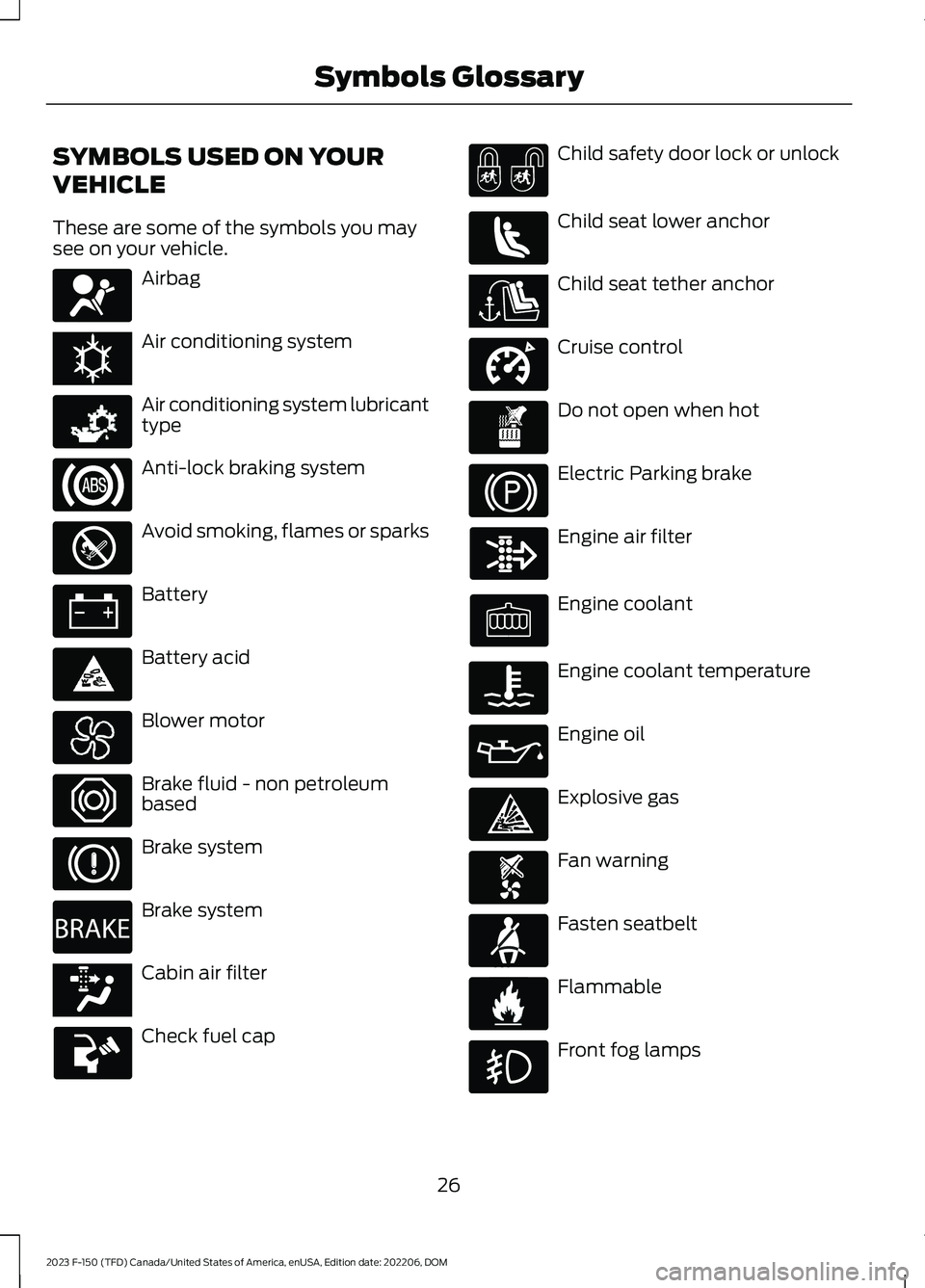
These are some of the symbols you maysee on your vehicle.
Airbag
Air conditioning system
Air conditioning system lubricanttype
Anti-lock braking system
Avoid smoking, flames or sparks
Battery
Battery acid
Blower motor
Brake fluid - non petroleumbased
Brake system
Brake system
Cabin air filter
Check fuel cap
Child safety door lock or unlock
Child seat lower anchor
Child seat tether anchor
Cruise control
Do not open when hot
Electric Parking brake
Engine air filter
Engine coolant
Engine coolant temperature
Engine oil
Explosive gas
Fan warning
Fasten seatbelt
Flammable
Front fog lamps
26
2023 F-150 (TFD) Canada/United States of America, enUSA, Edition date: 202206, DOMSymbols GlossaryE67017 E162384 E231157 E67020 E139220 E67021 E139227 E139209 E67024 E270480 E139223 E139211 E141128 E332905 E139219 E139212 E103308 E67022 E139221 E139228 E71880 E231160
Page 67 of 786
If the booster seat slides on the vehicleseat upon which it is being used, placing arubberized mesh sold as shelf or carpetliner under the booster seat may improvethis condition. Do not use any item thickerthan this under the booster seat. Checkwith the booster seat manufacturer'sinstructions.
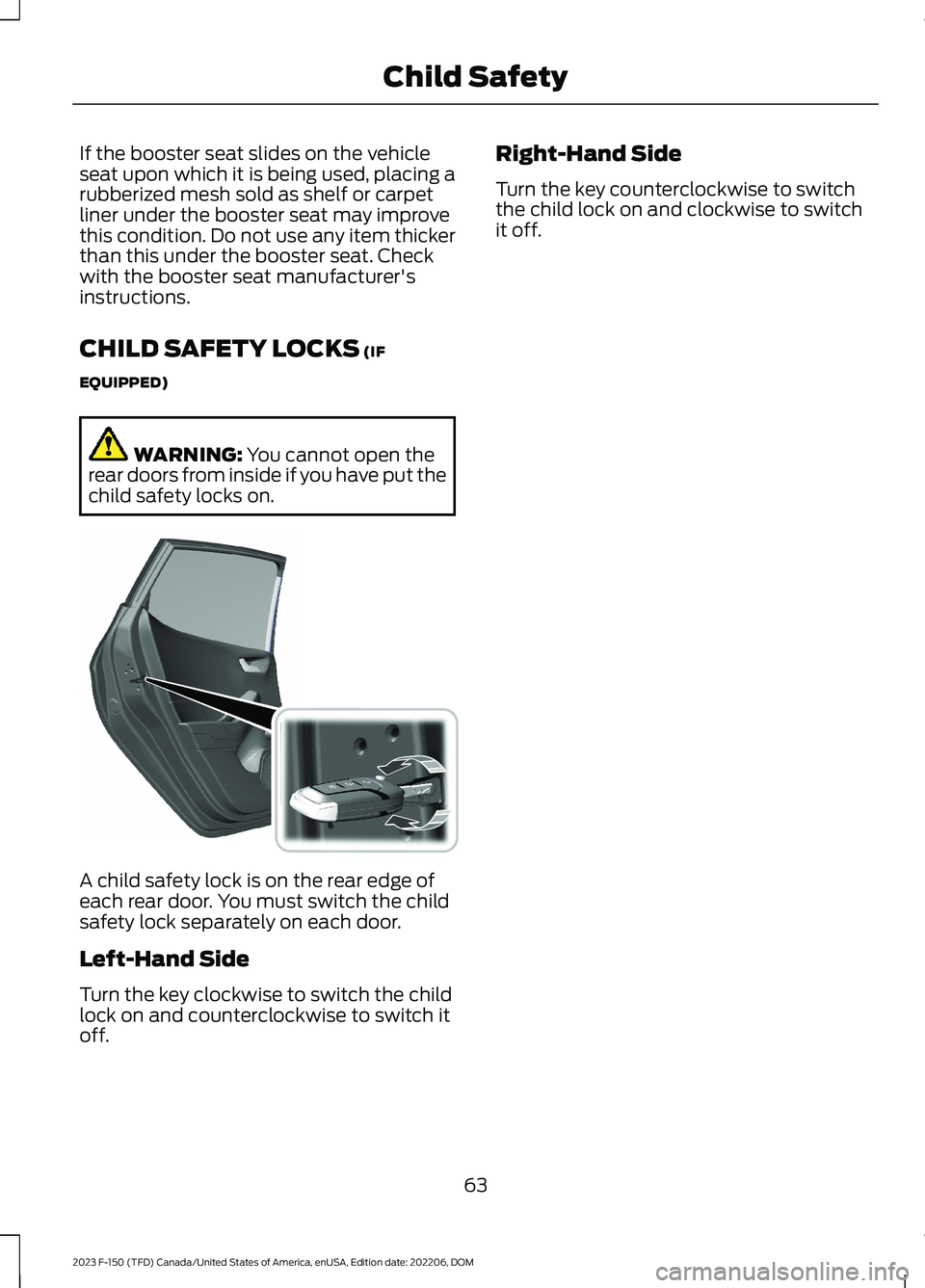
CHILD SAFETY LOCKS (IF
EQUIPPED)
WARNING: You cannot open therear doors from inside if you have put thechild safety locks on.
A child safety lock is on the rear edge ofeach rear door. You must switch the childsafety lock separately on each door.
Left-Hand Side
Turn the key clockwise to switch the childlock on and counterclockwise to switch itoff.
Right-Hand Side
Turn the key counterclockwise to switchthe child lock on and clockwise to switchit off.
63
2023 F-150 (TFD) Canada/United States of America, enUSA, Edition date: 202206, DOMChild Safety E238364
Page 86 of 786
•The knee airbag(s) may deploy basedon crash severity and occupantconditions.
•The Safety Canopy inflates in certainside impact crashes or rollover events.The Safety Canopy may activate inother types of crashes if the vehicleexperiences sufficient sideways motionor deformation, or a certain likelihoodof rollover.
Airbags and Police Equipment
WARNING: Do not place objectsor mount equipment on or near theairbag cover, on the side of the front orrear seatbacks, or in areas that maycome into contact with a deployingairbag. Failure to follow theseinstructions may increase the risk ofpersonal injury in the event of a crash.
WARNING: Keep the areas in frontof the airbags free from obstruction. Donot affix anything to or over the airbagcovers. Objects could become projectilesduring airbag deployment. Failure tofollow this instruction could result inpersonal injury or death.
Dual driver and passenger airbags, sideairbags and knee airbags affect the waypolice equipment can be mounted in policevehicles.
Any surfaces that could come into contactwith an airbag, once it has deployed, mustnot damage the airbag or alter itsdeployment path.
Once the airbag has fully deployed, anyperipheral equipment surfaces that couldcome into contact with the airbag, such aswhen the airbag deflates with the loadingof an occupant, must not damage theairbag or alter its deployment path. Sharpedges, corners or protrusions coulddamage the nylon airbag material andreduce the effectiveness of the airbag.
Some approximate dimensions for airbags,at full inflation, are provided. Thesedimensions are somewhat flexible andrepresent free form deployments withoutthe loading of occupants. The shadedareas in Figures 8 through 10 representavailable police equipment mountingzones. These zones are shown for policevehicles with standard bucket seats. Thezone dimensions provided in Figures 8through 10 are approximate and will varywith the loading of occupants in the seats.
All airbag and equipment mounting zonedimensions are approximate due todifferent airbag deploymentcharacteristics.
Do not mount equipment between the sideof the front seat and the door trim that willblock deployment of the side airbag.
Do not mount equipment between theseats and the body side as shown in Figure7 that would prevent the side curtain airbagfrom achieving occupant coverage.
82
2023 F-150 (TFD) Canada/United States of America, enUSA, Edition date: 202206, DOMAirbags
Page 94 of 786
REMOTE CONTROL
LIMITATIONS
WARNING: Changes ormodifications not expressively approvedby the party responsible for compliancecould void the user's authority to operatethe equipment. The term "IC:" before theradio certification number only signifiesthat Industry Canada technicalspecifications were met.
This device complies with Part 15 of theFCC Rules and with Industry Canadalicense-exempt RSS standard(s).Operation is subject to the following twoconditions: (1) This device may not causeharmful interference, and (2) This devicemust accept any interference received,including interference that may causeundesired operation.
Make sure a valid remote control is within3 ft (1 m) from the front door handles andrear of vehicle.
The system may not function if:
•The remote control remains stationaryfor about a minute.
•The vehicle battery has no charge.
•The remote control battery has nocharge.
•There is interference causing issueswith the remote control frequencies.
•The remote control is too close tometal objects or electronic devices, forexample keys or a cell phone.
USING THE REMOTE CONTROL
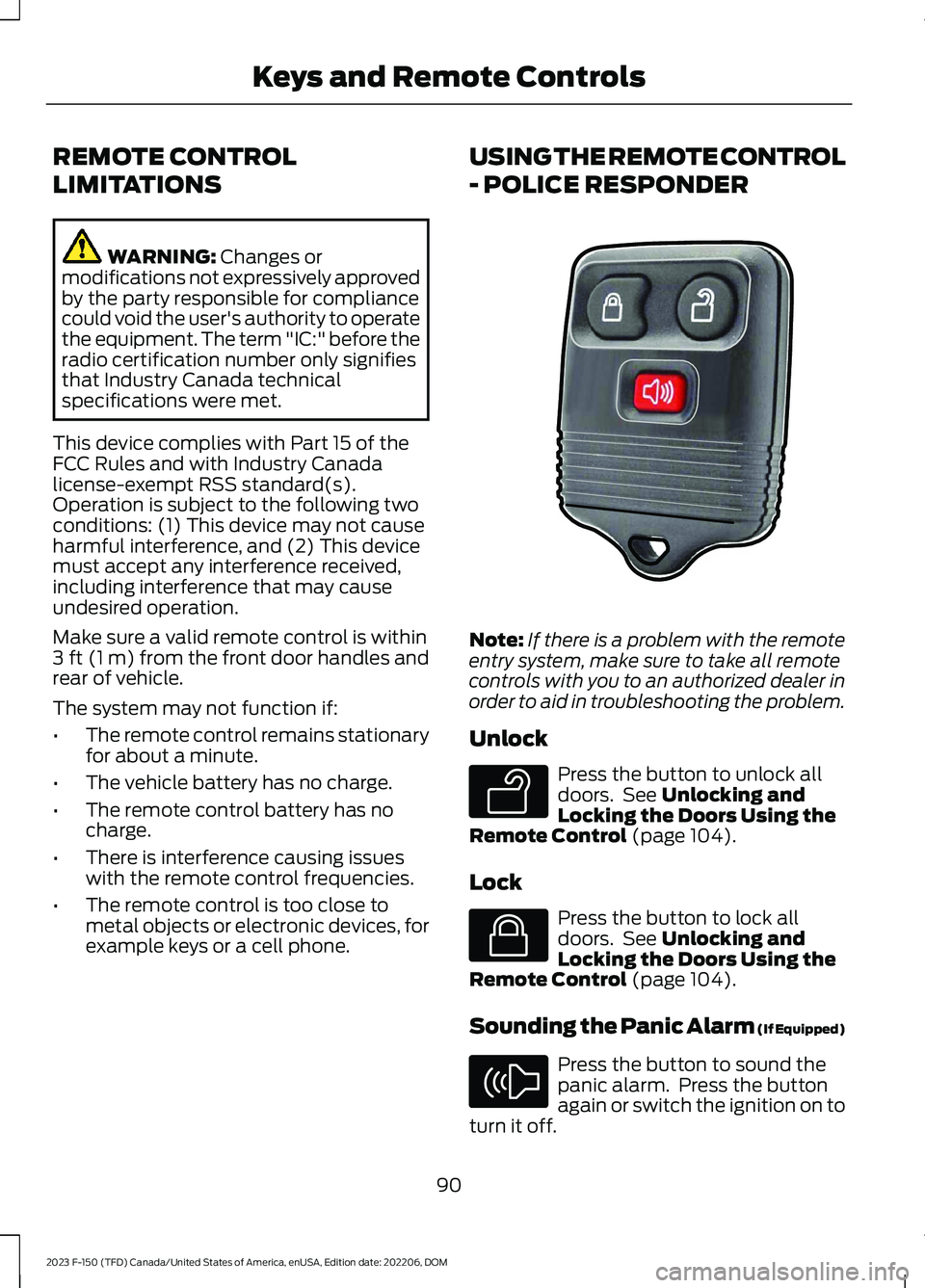
- POLICE RESPONDER
Note:If there is a problem with the remoteentry system, make sure to take all remotecontrols with you to an authorized dealer inorder to aid in troubleshooting the problem.
Unlock
Press the button to unlock alldoors. See Unlocking andLocking the Doors Using theRemote Control (page 104).
Lock
Press the button to lock alldoors. See Unlocking andLocking the Doors Using theRemote Control (page 104).
Sounding the Panic Alarm (If Equipped)
Press the button to sound thepanic alarm. Press the buttonagain or switch the ignition on toturn it off.
90
2023 F-150 (TFD) Canada/United States of America, enUSA, Edition date: 202206, DOMKeys and Remote ControlsE203600 E138629 E138623 E138624
Page 95 of 786
Note:The panic alarm operates regardlessof the ignition position.
USING THE REMOTE CONTROL
Use your remote control to access variousvehicle systems.
Note:The buttons on your remote may varydepending on the vehicle region or options.
Unlock
Press the button to unlock alldoors. See Unlocking andLocking the Doors Using theRemote Control (page 104).
Lock
Press the button to lock alldoors. See Unlocking andLocking the Doors Using theRemote Control (page 104).
Remote Start (If Equipped)
Press the button to remote start.See Remotely Starting andStopping the Vehicle (page181).
Tailgate (If Equipped)
Press the button to open thetailgate. See Opening theTailgate Using the RemoteControl (page 127).
Panic Alarm (If Equipped)
Press the button to sound thepanic alarm. See Sounding thePanic Alarm (page 92).
OPENING AND CLOSING THE
FLIP KEY
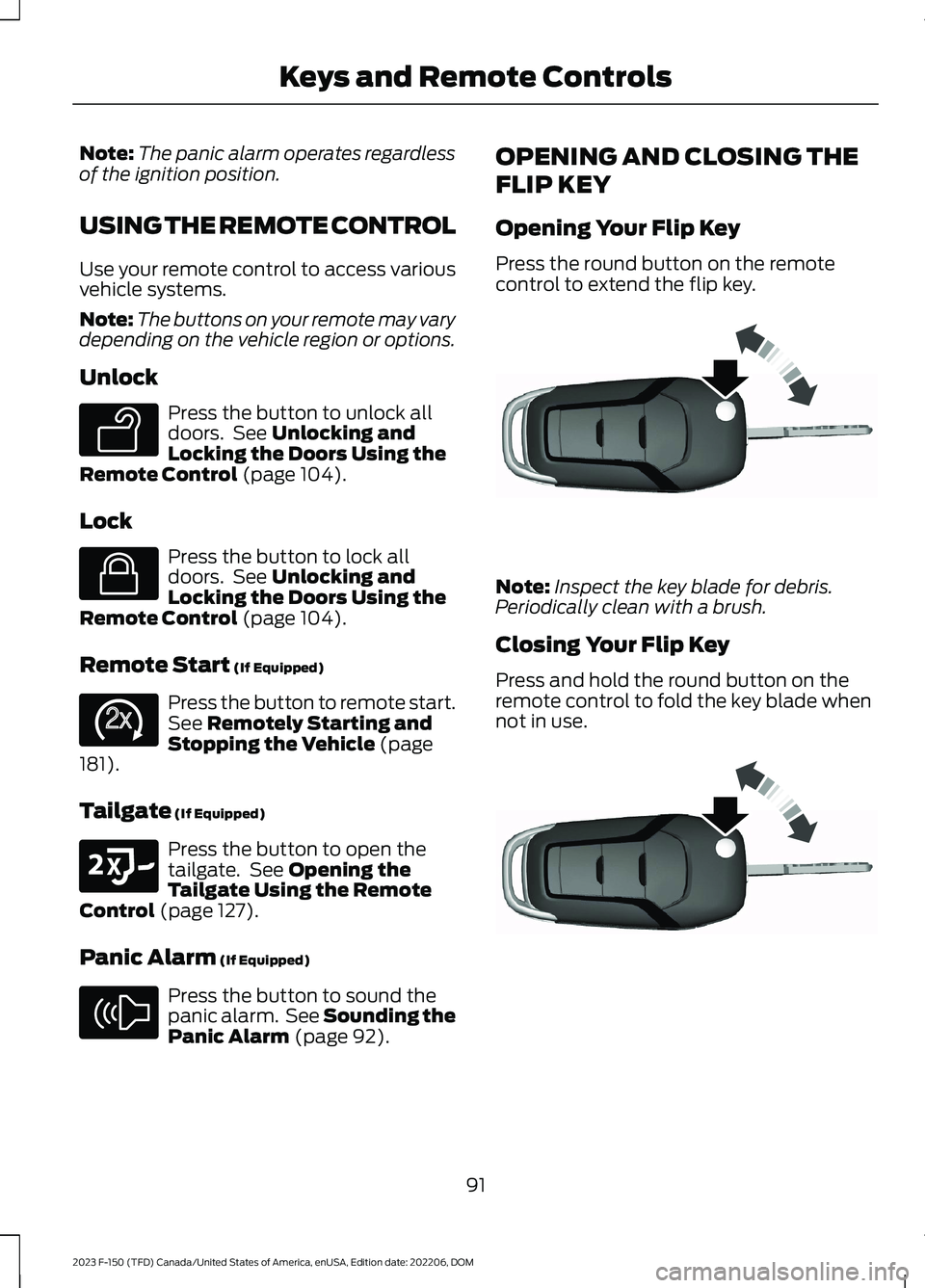
Opening Your Flip Key
Press the round button on the remotecontrol to extend the flip key.
Note:Inspect the key blade for debris.Periodically clean with a brush.
Closing Your Flip Key
Press and hold the round button on theremote control to fold the key blade whennot in use.
91
2023 F-150 (TFD) Canada/United States of America, enUSA, Edition date: 202206, DOMKeys and Remote ControlsE138629 E138623 E138625 E191530 E138624 E191532 E191532
Page 102 of 786
2.Switch the ignition from off to on. Keepthe ignition on for at least threeseconds, but no more than 10 seconds.
3.Switch the ignition off and remove thefirst coded key from the ignition.
4.After three seconds but within 10seconds of switching the ignition off,insert the second previously coded keyinto the ignition.
5.Switch the ignition from off to on. Keepthe ignition on for at least threeseconds, but no more than 10 seconds.
6.Switch the ignition off and remove thesecond previously programmed codedkey from the ignition.
7.After three seconds but within 10seconds of switching the ignition offand removing the previouslyprogrammed coded key, insert the newun–programmed key into the ignition.
8.Switch the ignition from off to on. Keepthe ignition on for at least six secondsuntil you hear the door locks cycle.
9.Remove the newly programmed codedkey from the ignition.
The key starts the engine if programmingis successful. You can operate the keylessremote entry system with the new remotecontrol with integrated key.
If programming was not successful, wait20 seconds and repeat Steps 1 through 8.If you are still unsuccessful, take yourvehicle to an authorized dealer.
Note:You can program a maximum of sixcoded remote controls to your vehicle.
KEYS AND REMOTE CONTROLS – TROUBLESHOOTING
KEYS AND REMOTE CONTROLS – INFORMATION MESSAGES
ActionMessage
Replace remote control battery.Key Battery Low ReplaceSoon
98
2023 F-150 (TFD) Canada/United States of America, enUSA, Edition date: 202206, DOMKeys and Remote Controls
Page 108 of 786
OPERATING THE DOORS
FROM OUTSIDE YOUR
VEHICLE
UNLOCKING AND LOCKING THEDOORS USING THE REMOTECONTROL
You can only use the remote control whenyour vehicle is stationary.
Unlocking the Doors
Press the button to unlock alldoors. One long flash of the turnsignal lamps confirms that yourvehicle has unlocked.
One-Stage Unlocking
Press the button to unlock alldoors.
Two-Stage Unlocking (If Equipped)
Press the button to unlock thedriver's door. Press the buttonagain within three seconds tounlock all doors.
Locking the Doors
Press the button to lock alldoors. One short flash of theturn signal lamps confirms yourvehicle is locked.
Note:For more information on operatingthe doors from outside your vehicle SeeKeyless Entry Keypad (page 110).
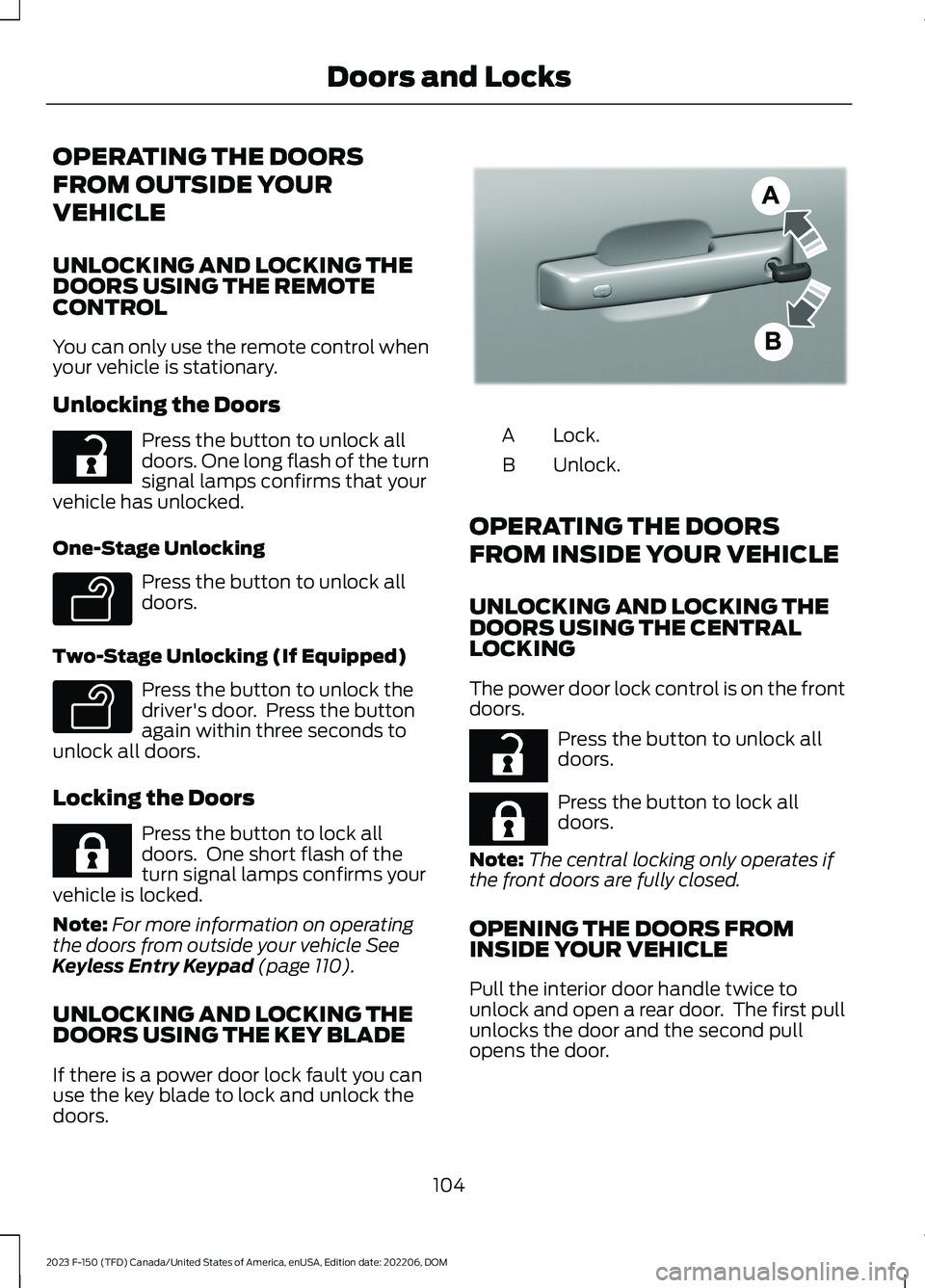
UNLOCKING AND LOCKING THEDOORS USING THE KEY BLADE
If there is a power door lock fault you canuse the key blade to lock and unlock thedoors.
Lock.A
Unlock.B
OPERATING THE DOORS
FROM INSIDE YOUR VEHICLE
UNLOCKING AND LOCKING THEDOORS USING THE CENTRALLOCKING
The power door lock control is on the frontdoors.
Press the button to unlock alldoors.
Press the button to lock alldoors.
Note:The central locking only operates ifthe front doors are fully closed.
OPENING THE DOORS FROMINSIDE YOUR VEHICLE
Pull the interior door handle twice tounlock and open a rear door. The first pullunlocks the door and the second pullopens the door.
104
2023 F-150 (TFD) Canada/United States of America, enUSA, Edition date: 202206, DOMDoors and LocksE267112 E138629 E138629 E267111 E333745 E267112 E267111
Page 109 of 786
AUTOUNLOCK (IF EQUIPPED)
WHAT IS AUTOUNLOCK
Autounlock is an unlocking feature thatunlocks the vehicle doors when yourvehicle comes to a stop.
AUTOUNLOCK REQUIREMENTS
Autounlock unlocks all the doors after allof the following occur.
1.All the doors are closed and yourvehicle is moving at a speed greaterthan 12 mph (20 km/h).
2.Your vehicle comes to a stop.
3.You open the driver door within 10minutes of switching the ignition off orto the accessory position.
Note:If you open the driver door after 10minutes, Autounlock does not unlock allother doors.
SWITCHING AUTOUNLOCK ONAND OFF
1.Press Settings on the touchscreen.
2.Press Vehicle Settings.
3.Switch Autounlock on or off.
AUTOLOCK (IF EQUIPPED)
WHAT IS AUTOLOCK
Autolock is a locking feature that locksyour vehicle doors when you start driving.
AUTOLOCK REQUIREMENTS
Autolock locks all the doors when all of thefollowing occur:
•All doors are closed.
•The ignition is on.
•Your vehicle reaches a speed greaterthan 12 mph (20 km/h).
MISLOCK (IF EQUIPPED)
WHAT IS MISLOCK
Mislock is a locking feature that warns youif your vehicle has not locked.
MISLOCK LIMITATIONS
When you press the lock button once, theturn signals do not flash if:
•Any door or the tailgate is open.
•The hood is open.
If you switch mislock off, the horn does notsound if you press the lock button on theremote control when a door is open.
SWITCHING MISLOCK ON ANDOFF
1.Press Settings on the touchscreen.
2.Press Vehicle Settings.
3.Switch Mislock Chirp on or off.
DOORS AND LOCKS AUDIBLE
WARNINGS
Door Ajar Audible Warning
Sounds when a door is not fully closed andyour vehicle is moving.
105
2023 F-150 (TFD) Canada/United States of America, enUSA, Edition date: 202206, DOMDoors and Locks