mirror FORD F250 2008 User Guide
[x] Cancel search | Manufacturer: FORD, Model Year: 2008, Model line: F250, Model: FORD F250 2008Pages: 400, PDF Size: 3.5 MB
Page 106 of 400
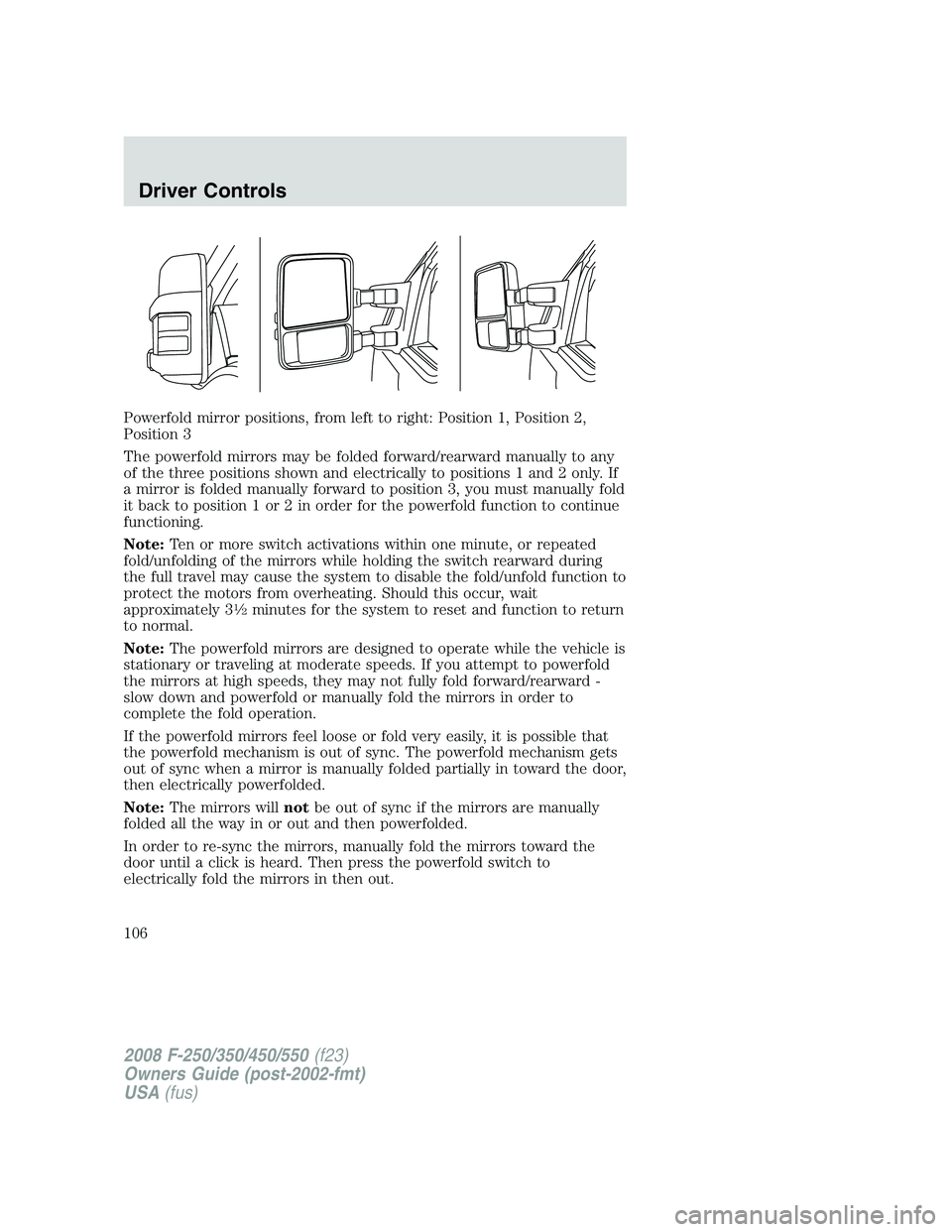
Powerfold mirror positions, from left to right: Position 1, Position 2,
Position 3
The powerfold mirrors may be folded forward/rearward manually to any
of the three positions shown and electrically to positions 1 and 2 only. If
a mirror is folded manually forward to position 3, you must manually fold
it back to position 1 or 2 in order for the powerfold function to continue
functioning.
Note:Ten or more switch activations within one minute, or repeated
fold/unfolding of the mirrors while holding the switch rearward during
the full travel may cause the system to disable the fold/unfold function to
protect the motors from overheating. Should this occur, wait
approximately 3
12minutes for the system to reset and function to return
to normal.
Note:The powerfold mirrors are designed to operate while the vehicle is
stationary or traveling at moderate speeds. If you attempt to powerfold
the mirrors at high speeds, they may not fully fold forward/rearward -
slow down and powerfold or manually fold the mirrors in order to
complete the fold operation.
If the powerfold mirrors feel loose or fold very easily, it is possible that
the powerfold mechanism is out of sync. The powerfold mechanism gets
out of sync when a mirror is manually folded partially in toward the door,
then electrically powerfolded.
Note:The mirrors willnotbe out of sync if the mirrors are manually
folded all the way in or out and then powerfolded.
In order to re-sync the mirrors, manually fold the mirrors toward the
door until a click is heard. Then press the powerfold switch to
electrically fold the mirrors in then out.
2008 F-250/350/450/550(f23)
Owners Guide (post-2002-fmt)
USA(fus)
Driver Controls
106
Page 107 of 400
Note:If the power fold/telescope mirror glass appears loose or vibrates
when driving, it is possible that the mirrors have been manually folded or
telescoped. To minimize the vibration, ensure that the mirrors are
electronically folded and telescoped in/out with the switches on the door
trim panel.
Telescoping mirrors (if equipped)
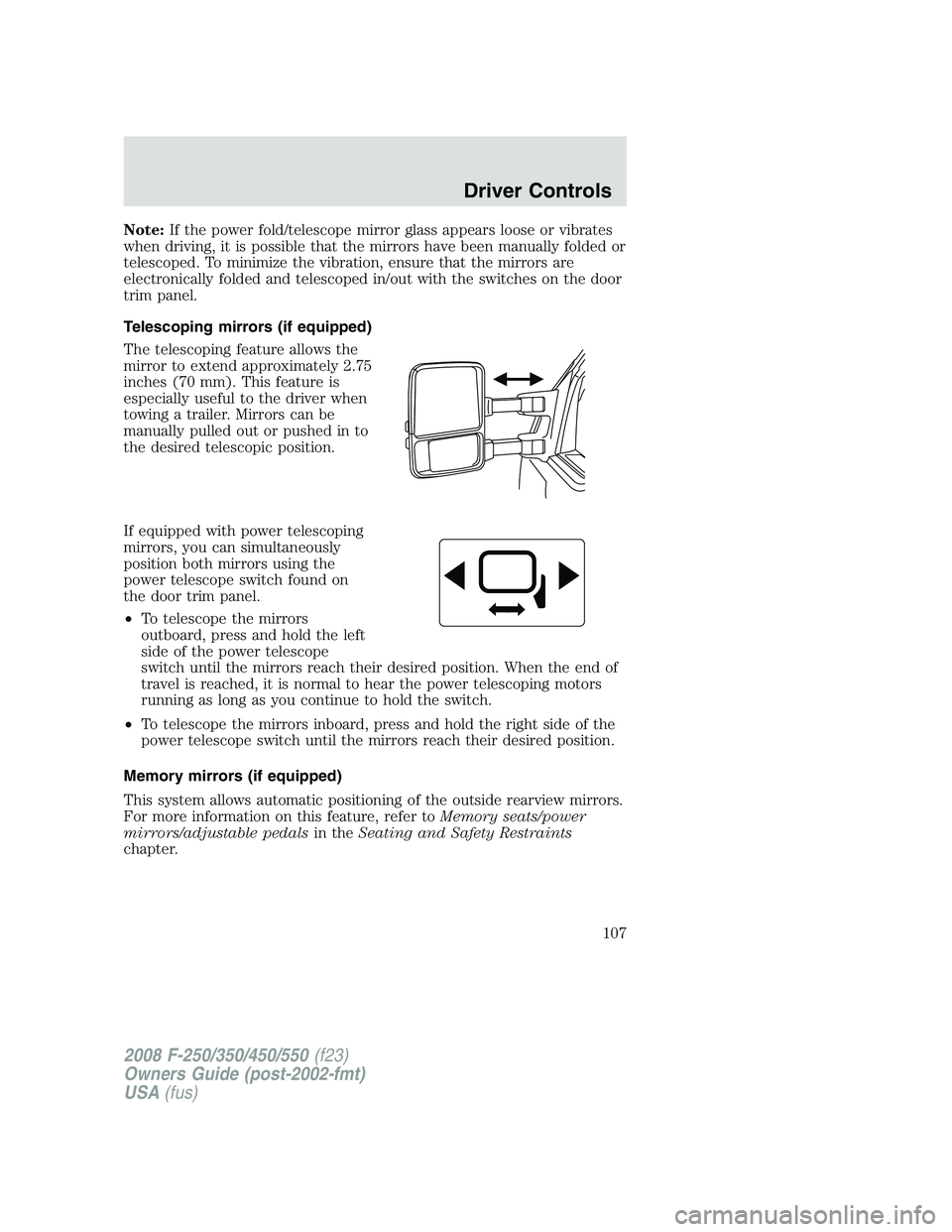
The telescoping feature allows the
mirror to extend approximately 2.75
inches (70 mm). This feature is
especially useful to the driver when
towing a trailer. Mirrors can be
manually pulled out or pushed in to
the desired telescopic position.
If equipped with power telescoping
mirrors, you can simultaneously
position both mirrors using the
power telescope switch found on
the door trim panel.
•To telescope the mirrors
outboard, press and hold the left
side of the power telescope
switch until the mirrors reach their desired position. When the end of
travel is reached, it is normal to hear the power telescoping motors
running as long as you continue to hold the switch.
•To telescope the mirrors inboard, press and hold the right side of the
power telescope switch until the mirrors reach their desired position.
Memory mirrors (if equipped)
This system allows automatic positioning of the outside rearview mirrors.
For more information on this feature, refer toMemory seats/power
mirrors/adjustable pedalsin theSeating and Safety Restraints
chapter.
2008 F-250/350/450/550(f23)
Owners Guide (post-2002-fmt)
USA(fus)
Driver Controls
107
Page 108 of 400
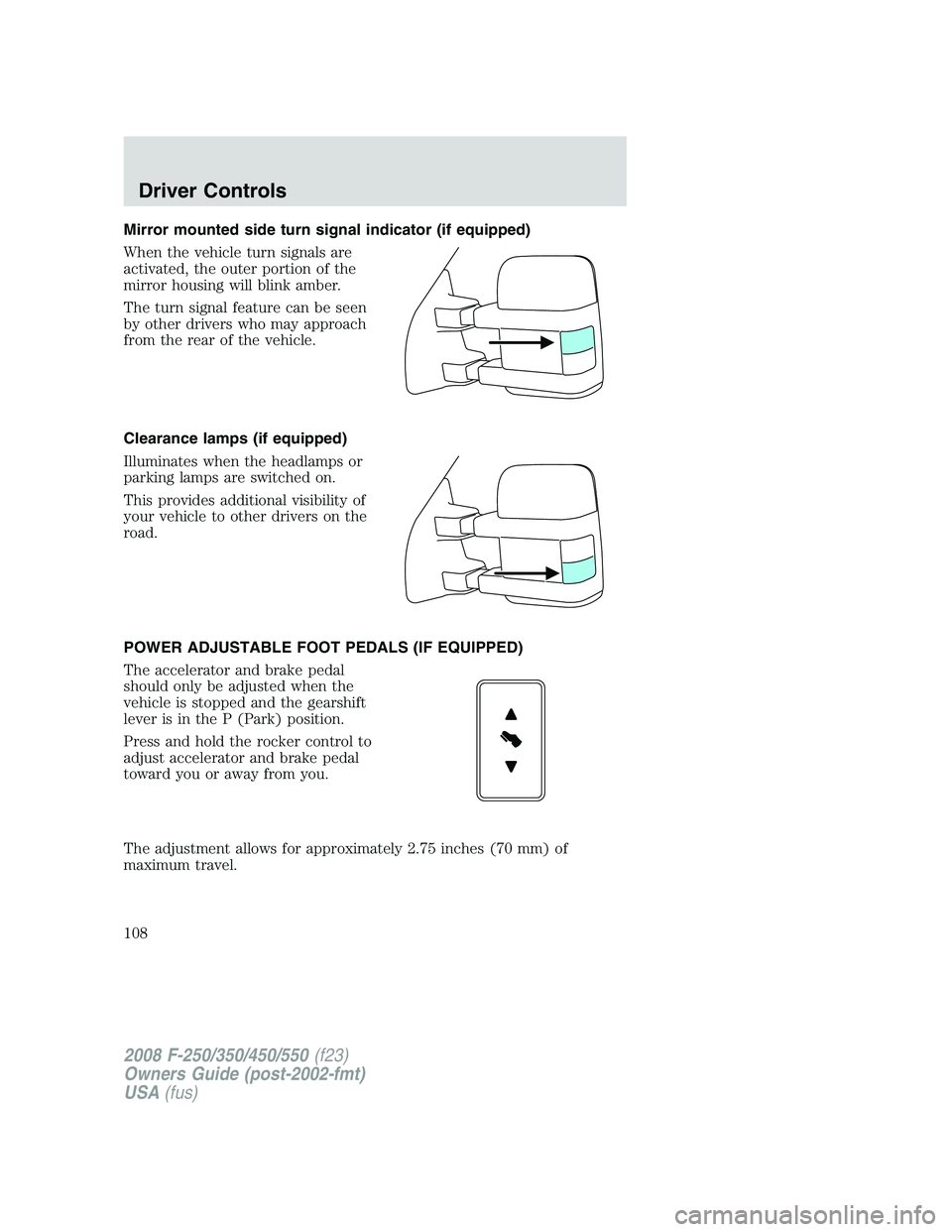
Mirror mounted side turn signal indicator (if equipped)
When the vehicle turn signals are
activated, the outer portion of the
mirror housing will blink amber.
The turn signal feature can be seen
by other drivers who may approach
from the rear of the vehicle.
Clearance lamps (if equipped)
Illuminates when the headlamps or
parking lamps are switched on.
This provides additional visibility of
your vehicle to other drivers on the
road.
POWER ADJUSTABLE FOOT PEDALS (IF EQUIPPED)
The accelerator and brake pedal
should only be adjusted when the
vehicle is stopped and the gearshift
lever is in the P (Park) position.
Press and hold the rocker control to
adjust accelerator and brake pedal
toward you or away from you.
The adjustment allows for approximately 2.75 inches (70 mm) of
maximum travel.
2008 F-250/350/450/550(f23)
Owners Guide (post-2002-fmt)
USA(fus)
Driver Controls
108
Page 109 of 400
Never adjust the accelerator and brake pedal with feet on the
pedals while the vehicle is moving.
The accelerator and brake pedal positions are saved when doing a
memory set function and can be recalled along with the vehicle
personality features when a memory position is selected through the
remote entry transmitter, keyless entry keypad or memory switch on the
driver’s door (if equipped with memory feature). Refer toMemory
seats/power mirrors/adjustable pedalsin theSeating and Safety
Restraintschapter.
SPEED CONTROL (IF EQUIPPED)
With speed control set, you can maintain a set speed without keeping
your foot on the accelerator pedal.
Do not use the speed control in heavy traffic or on roads that
are winding, slippery or unpaved.
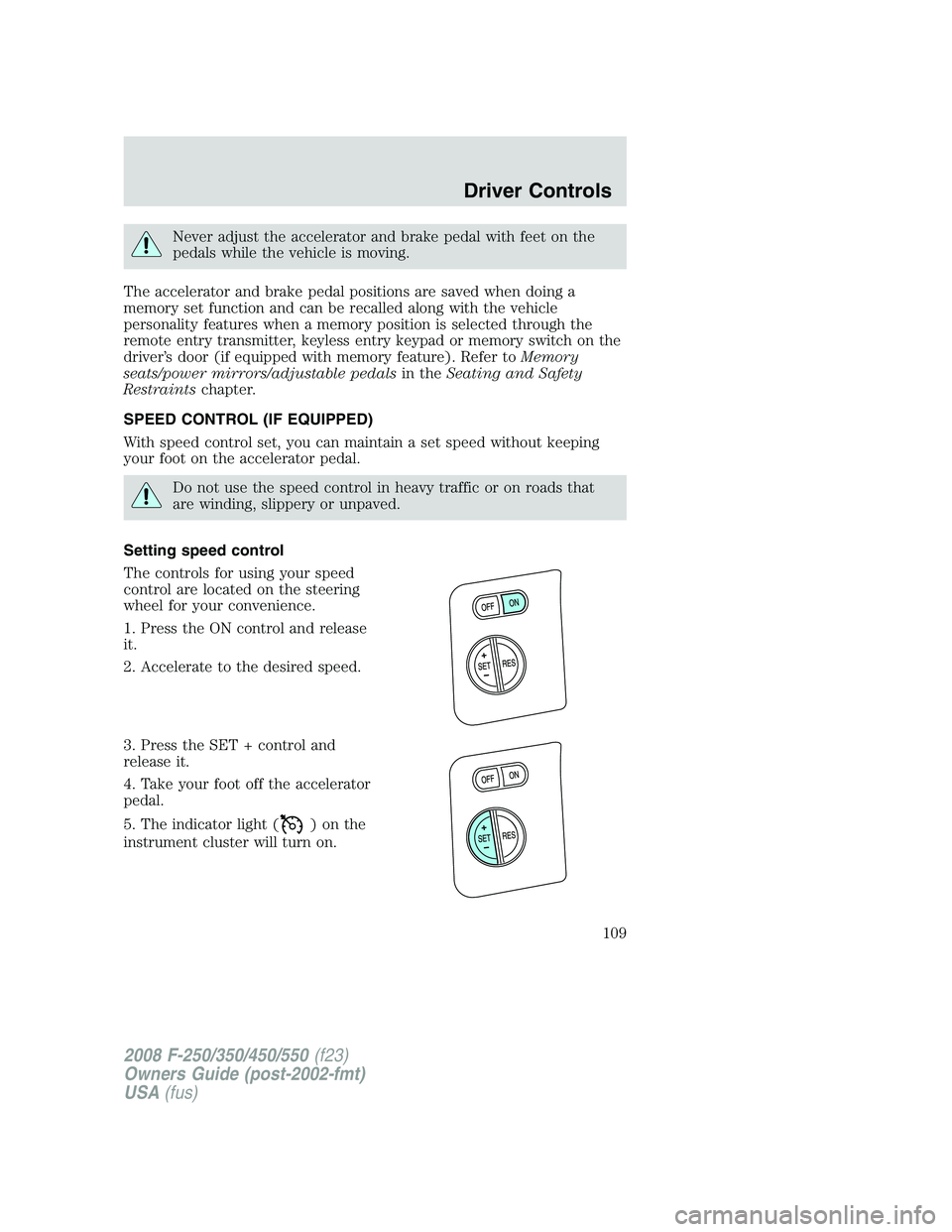
Setting speed control
The controls for using your speed
control are located on the steering
wheel for your convenience.
1. Press the ON control and release
it.
2. Accelerate to the desired speed.
3. Press the SET + control and
release it.
4. Take your foot off the accelerator
pedal.
5. The indicator light (
)onthe
instrument cluster will turn on.
2008 F-250/350/450/550(f23)
Owners Guide (post-2002-fmt)
USA(fus)
Driver Controls
109
Page 152 of 400
One step door unlocking
If the one step door unlocking feature is activated, press
and release
once to unlock all of the doors.Note:The interior lamps will illuminate
(refer to theIlluminated entryfeature later in this section) if the
control on the overhead lamp isnotset to theoffposition.
Switching from two step to one step door unlocking
Your vehicle comes with two step unlocking enabled. Unlocking can be
switched between two step and one step door unlocking by pressing and
holding both the
andbuttons simultaneously on the remote entry
transmitter for approximately 4 seconds. The hazard lamps will flash
twice to indicate that the vehicle has switched to one step unlocking.
Repeat the procedure to switch back to two-step unlocking.
Locking the doors
1. Press
and release to lock all the doors. The parking lamps will
flash if all the doors are closed and locked.
2. Press
and release again within three seconds to confirm that all
the doors are closed and locked.Note:The doors will lock again, the
horn will chirp once, and the parking lamps will flash once more.
If any of the doors are not properly closed the horn will make two quick
chirps and the parklamps will not flash.
Car finder
Press
twice within 3 seconds. the horn will chirp and the turn lamps
will flash. It is recommended that this method be used to locate your
vehicle, rather than using the panic alarm.
Sounding a panic alarm
Press
to activate the alarm. Press again or turn the ignition to 3
(ON) to deactivate.
Note:The panic alarm will only operate when the ignition is in the 1
(OFF/LOCK) position.
Memory seats/adjustable pedals/mirrors (if equipped)
The remote entry system can also control the memory seat/adjustable
pedals/mirrors.
Press
to automatically move the seat, adjustable pedals and mirrors to
the desired memory position (the seat position corresponds to the
transmitter being used).
2008 F-250/350/450/550(f23)
Owners Guide (post-2002-fmt)
USA(fus)
Locks and Security
152
Page 153 of 400
Activating the memory seat feature
To activate this feature:
1. Position the seat, adjustable pedals and mirrors to the position
desired.
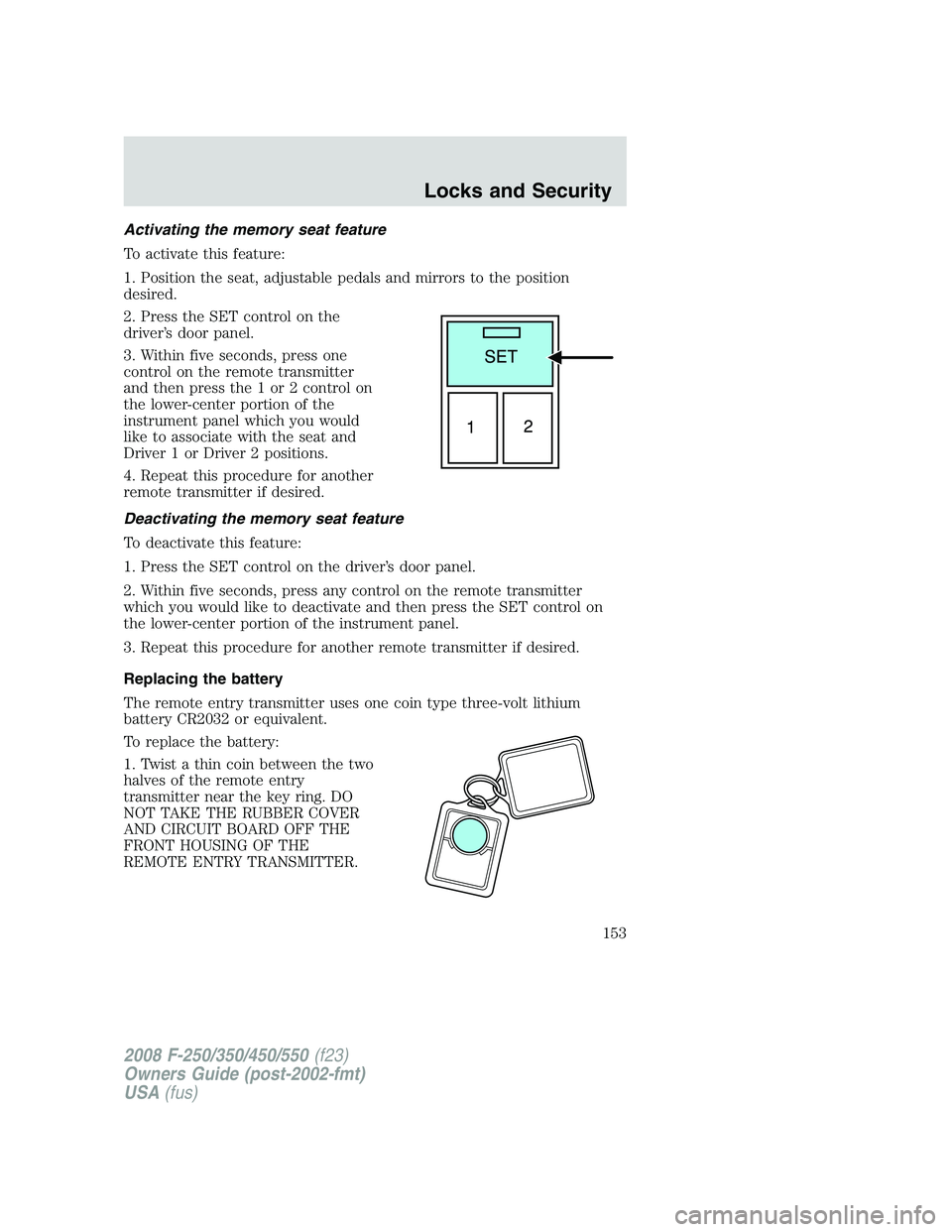
2. Press the SET control on the
driver’s door panel.
3. Within five seconds, press one
control on the remote transmitter
and then press the 1 or 2 control on
the lower-center portion of the
instrument panel which you would
like to associate with the seat and
Driver 1 or Driver 2 positions.
4. Repeat this procedure for another
remote transmitter if desired.
Deactivating the memory seat feature
To deactivate this feature:
1. Press the SET control on the driver’s door panel.
2. Within five seconds, press any control on the remote transmitter
which you would like to deactivate and then press the SET control on
the lower-center portion of the instrument panel.
3. Repeat this procedure for another remote transmitter if desired.
Replacing the battery
The remote entry transmitter uses one coin type three-volt lithium
battery CR2032 or equivalent.
To replace the battery:
1. Twist a thin coin between the two
halves of the remote entry
transmitter near the key ring. DO
NOT TAKE THE RUBBER COVER
AND CIRCUIT BOARD OFF THE
FRONT HOUSING OF THE
REMOTE ENTRY TRANSMITTER.
2008 F-250/350/450/550(f23)
Owners Guide (post-2002-fmt)
USA(fus)
Locks and Security
153
Page 154 of 400
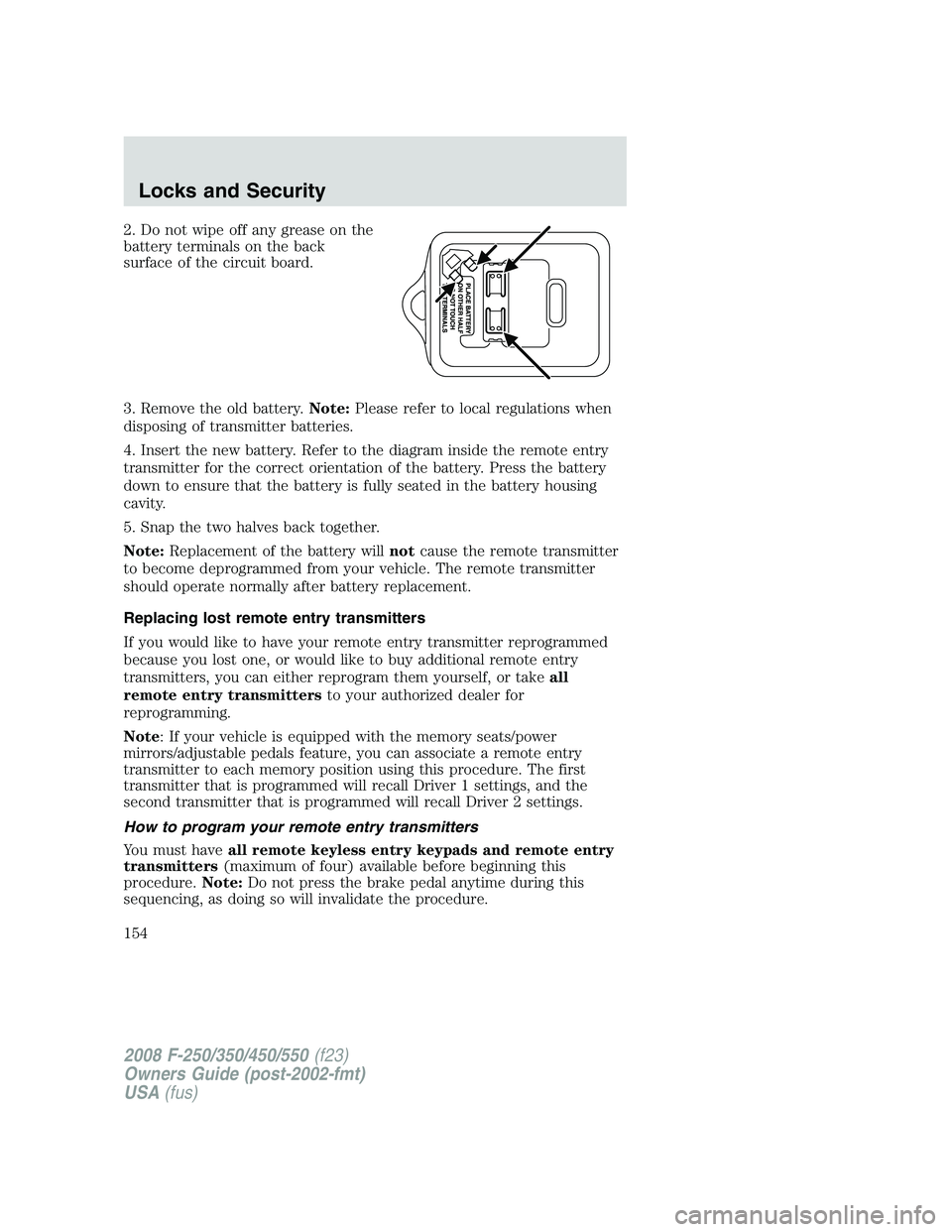
2. Do not wipe off any grease on the
battery terminals on the back
surface of the circuit board.
3. Remove the old battery.Note:Please refer to local regulations when
disposing of transmitter batteries.
4. Insert the new battery. Refer to the diagram inside the remote entry
transmitter for the correct orientation of the battery. Press the battery
down to ensure that the battery is fully seated in the battery housing
cavity.
5. Snap the two halves back together.
Note:Replacement of the battery willnotcause the remote transmitter
to become deprogrammed from your vehicle. The remote transmitter
should operate normally after battery replacement.
Replacing lost remote entry transmitters
If you would like to have your remote entry transmitter reprogrammed
because you lost one, or would like to buy additional remote entry
transmitters, you can either reprogram them yourself, or takeall
remote entry transmittersto your authorized dealer for
reprogramming.
Note: If your vehicle is equipped with the memory seats/power
mirrors/adjustable pedals feature, you can associate a remote entry
transmitter to each memory position using this procedure. The first
transmitter that is programmed will recall Driver 1 settings, and the
second transmitter that is programmed will recall Driver 2 settings.
How to program your remote entry transmitters
You must haveall remote keyless entry keypads and remote entry
transmitters(maximum of four) available before beginning this
procedure.Note:Do not press the brake pedal anytime during this
sequencing, as doing so will invalidate the procedure.
2008 F-250/350/450/550(f23)
Owners Guide (post-2002-fmt)
USA(fus)
Locks and Security
154
Page 157 of 400
•the 7•8 and the 9•0 controls on the keyless entry keypad are
pressed, or
•after 25 seconds of illumination.
The dome lamp control (if equipped) mustnotbe set to the off position
for the illuminated entry system to operate.
The inside lights will not turn off if:
•they have been turned on with the dimmer control, or
•any door is open.
The battery saver will shut off the interior lamps 30 minutes after the
ignition has been turned to the 1 (OFF/LOCK) position, 10 minutes after
if the dome lamp is off, and 30 minutes after if the dome lamp switch is
left on.
KEYLESS ENTRY SYSTEM (IF EQUIPPED)
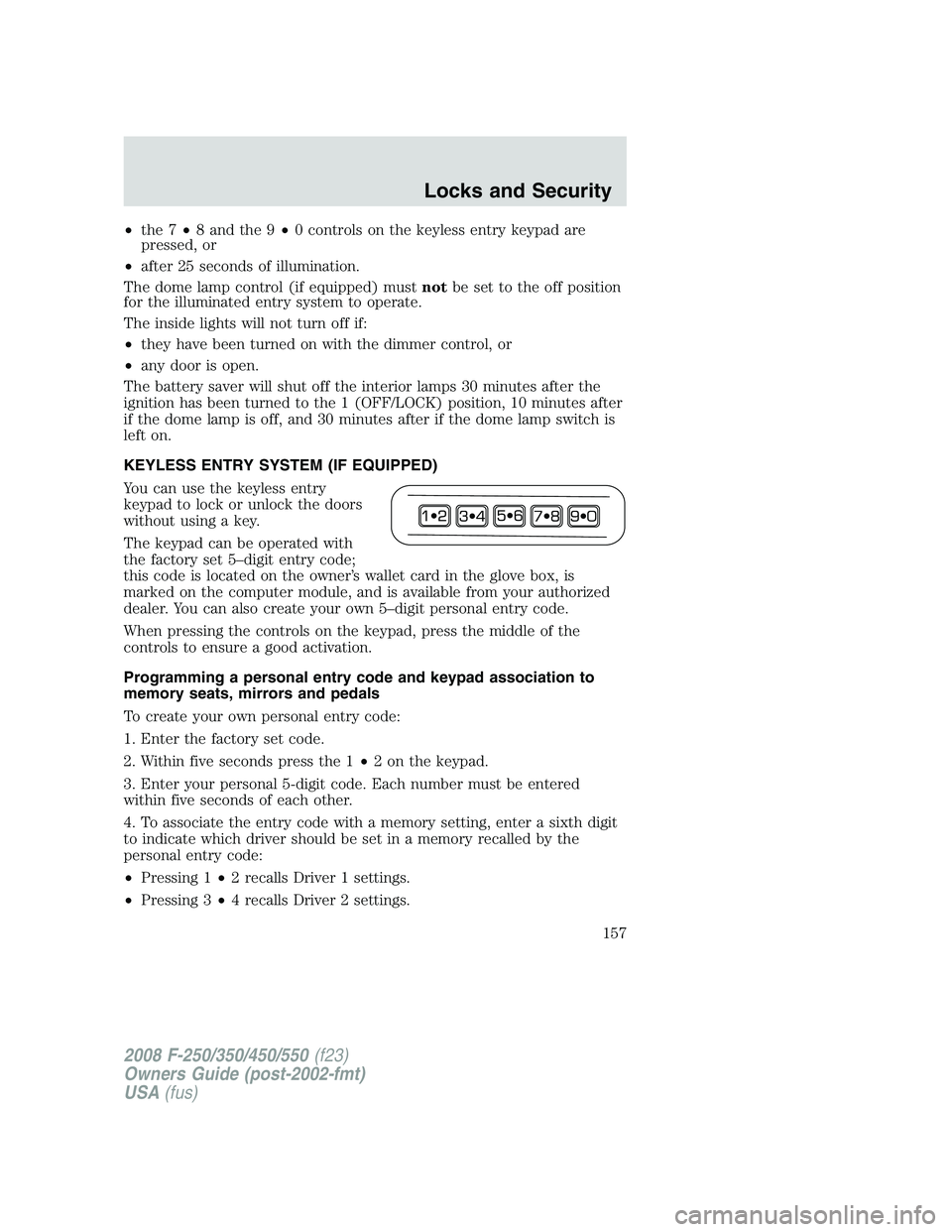
You can use the keyless entry
keypad to lock or unlock the doors
without using a key.
The keypad can be operated with
the factory set 5–digit entry code;
this code is located on the owner’s wallet card in the glove box, is
marked on the computer module, and is available from your authorized
dealer. You can also create your own 5–digit personal entry code.
When pressing the controls on the keypad, press the middle of the
controls to ensure a good activation.
Programming a personal entry code and keypad association to
memory seats, mirrors and pedals
To create your own personal entry code:
1. Enter the factory set code.
2. Within five seconds press the 1•2 on the keypad.
3. Enter your personal 5-digit code. Each number must be entered
within five seconds of each other.
4. To associate the entry code with a memory setting, enter a sixth digit
to indicate which driver should be set in a memory recalled by the
personal entry code:
•Pressing 1•2 recalls Driver 1 settings.
•Pressing 3•4 recalls Driver 2 settings.
2008 F-250/350/450/550(f23)
Owners Guide (post-2002-fmt)
USA(fus)
Locks and Security
157
Page 168 of 400
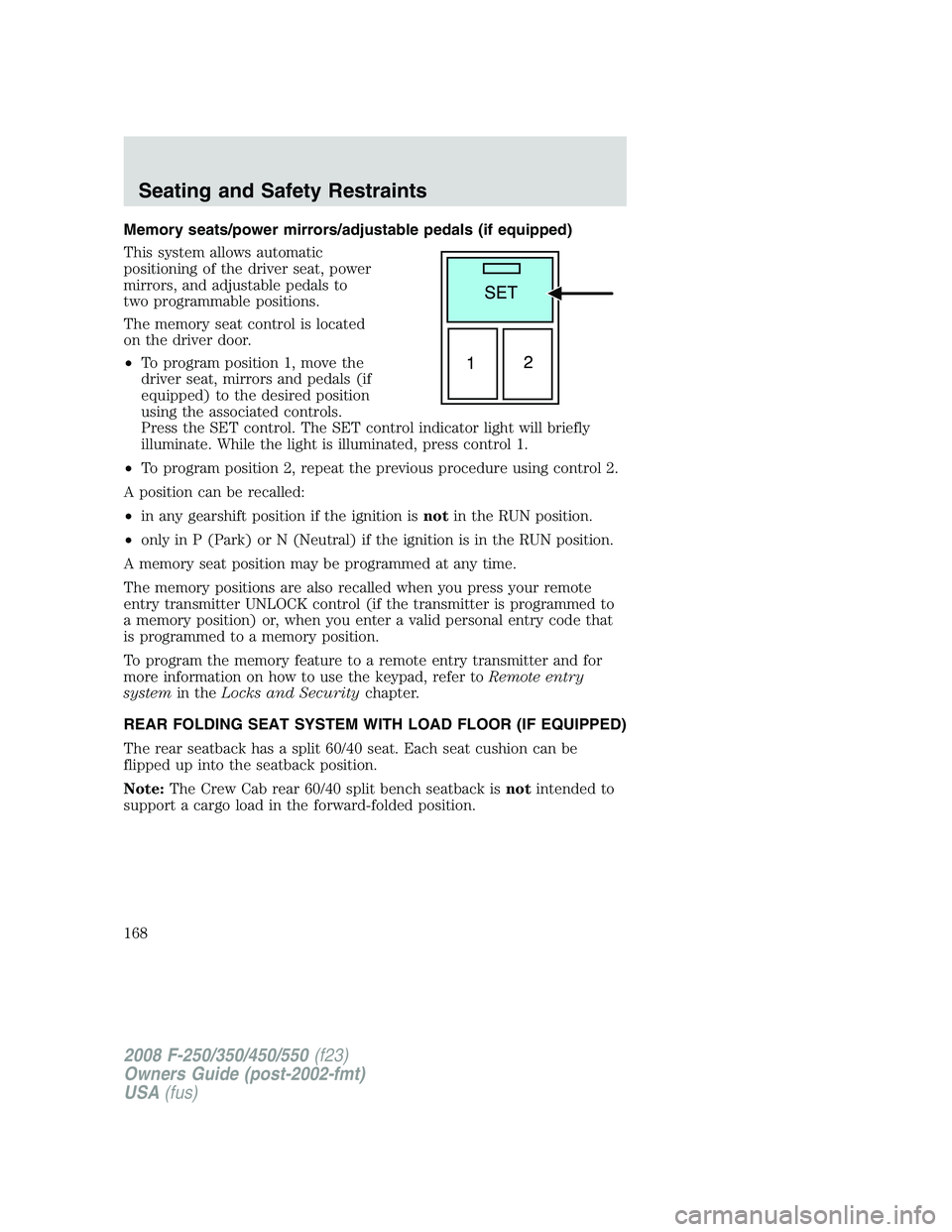
Memory seats/power mirrors/adjustable pedals (if equipped)
This system allows automatic
positioning of the driver seat, power
mirrors, and adjustable pedals to
two programmable positions.
The memory seat control is located
on the driver door.
•To program position 1, move the
driver seat, mirrors and pedals (if
equipped) to the desired position
using the associated controls.
Press the SET control. The SET control indicator light will briefly
illuminate. While the light is illuminated, press control 1.
•To program position 2, repeat the previous procedure using control 2.
A position can be recalled:
•in any gearshift position if the ignition isnotin the RUN position.
•only in P (Park) or N (Neutral) if the ignition is in the RUN position.
A memory seat position may be programmed at any time.
The memory positions are also recalled when you press your remote
entry transmitter UNLOCK control (if the transmitter is programmed to
a memory position) or, when you enter a valid personal entry code that
is programmed to a memory position.
To program the memory feature to a remote entry transmitter and for
more information on how to use the keypad, refer toRemote entry
systemin theLocks and Securitychapter.
REAR FOLDING SEAT SYSTEM WITH LOAD FLOOR (IF EQUIPPED)
The rear seatback has a split 60/40 seat. Each seat cushion can be
flipped up into the seatback position.
Note:The Crew Cab rear 60/40 split bench seatback isnotintended to
support a cargo load in the forward-folded position.
2008 F-250/350/450/550(f23)
Owners Guide (post-2002-fmt)
USA(fus)
Seating and Safety Restraints
168
Page 251 of 400
Driving while you tow
When towing a trailer:
•Do not drive faster than 70 mph (113 km/h) during the first 500 miles
(800 km) of trailer towing and don’t make full-throttle starts.
•Turn off the speed control. The speed control may shut off
automatically when you are towing on long, steep grades.
•Consult your local motor vehicle speed regulations for towing a trailer.
•To eliminate excessive transmission shifting, activate the Tow/Haul
feature. This will also assist in transmission cooling. (For additional
information, refer to theUnderstanding the shift positions of the
5–speed automatic transmissionsection in theDrivingchapter.
•Anticipate stops and brake gradually.
•Do not exceed the GCWR rating or transmission damage may occur.
•Your vehicle may be equipped with a temporary or conventional spare
tire. If the spare tire is different in size (diameter and/or width), tread
type (All-Season or All-Terrain) or is from a different manufacturer
other than the road tires on your vehicle, your spare tire is considered
“temporary”. Consult information on the spare Tire Label or Safety
Compliance Certification Label for limitations when using.
Servicing after towing
If you tow a trailer for long distances, your vehicle will require more
frequent service intervals. Refer to yourscheduled maintenance
informationfor more information.
Trailer towing safety tips
General
•Ensure that the trailer, safety chains and 7–pin electrical connectors
are securely fastened.
•Make sure the truck receiver, draw bar, and coupler are properly
connected and adjusted.
•Check rear view and side mirrors for proper visibility especially when
towing trailer wider than the truck.
•When towing, operate the vehicle at lower speeds than you would
when not towing a trailer. The likelihood of trailer sway is greater at
higher speeds.
2008 F-250/350/450/550(f23)
Owners Guide (post-2002-fmt)
USA(fus)
Tires, Wheels and Loading
251