fuel FORD F250 2013 Service Manual
[x] Cancel search | Manufacturer: FORD, Model Year: 2013, Model line: F250, Model: FORD F250 2013Pages: 577, PDF Size: 7.74 MB
Page 203 of 577
To put your vehicle in gear:
1. Start the engine
2. Press the brake pedal
3. Move the gearshift lever into the desired gear
To put your vehicle in P (Park):
1. Come to a complete stop
2. Move the gearshift lever and securely latch it in P (Park)
R (Reverse)
With the gearshift lever in R (Reverse), the vehicle will move backward.
Always come to a complete stop before shifting into and out of R
(Reverse).
N (Neutral)
With the gearshift lever in N (Neutral), the vehicle can be started and is
free to roll. Hold the brake pedal down while in this position.
D (Overdrive) with Tow/Haul Off
D (Overdrive) with tow/haul off is the normal driving position for the
best fuel economy. The overdrive function allows automatic upshifts and
downshifts through gears one through six.
D (Overdrive) with Tow/Haul On
The tow/haul feature improves transmission operation when towing a
trailer or a heavy load. All transmission gear ranges are available when
using tow/haul.
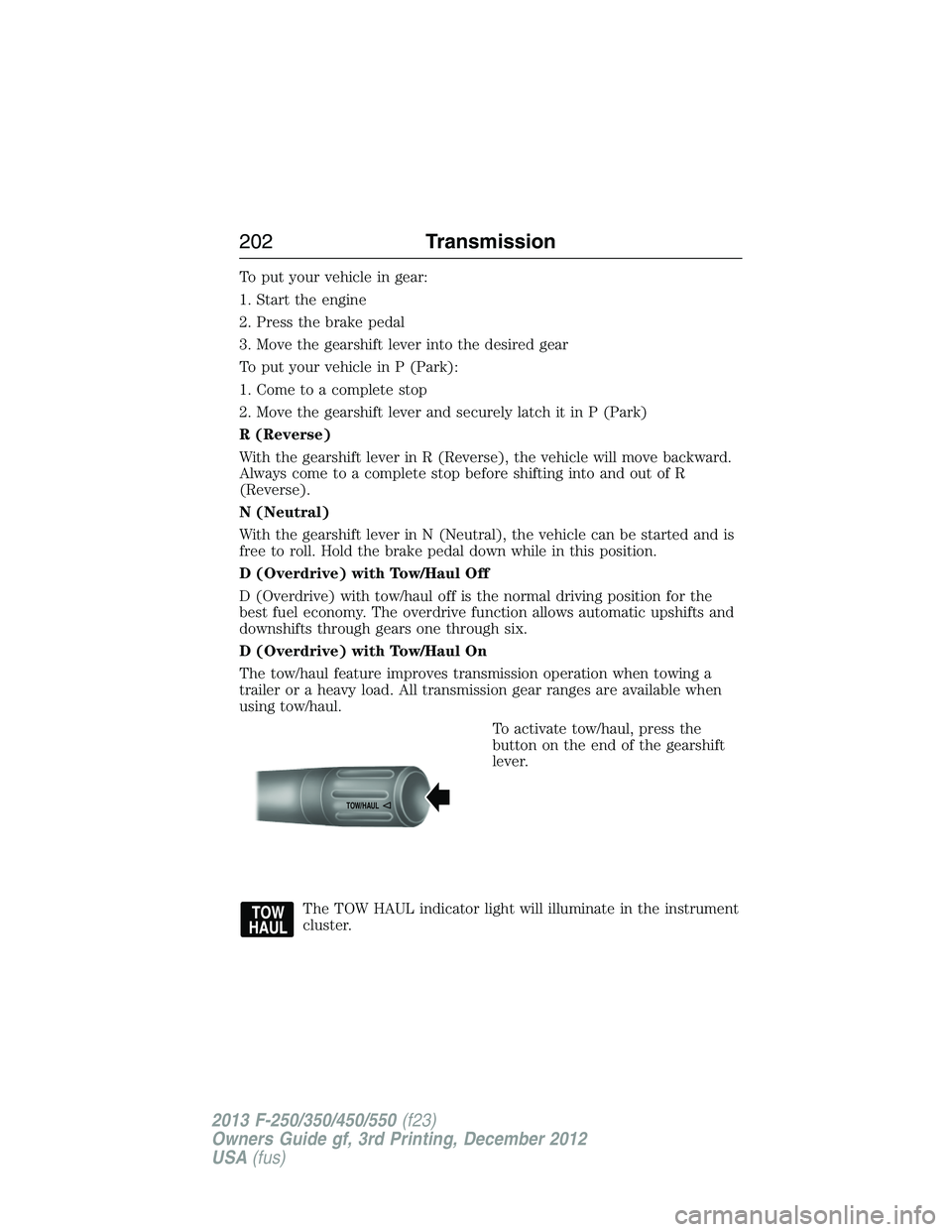
To activate tow/haul, press the
button on the end of the gearshift
lever.
The TOW HAUL indicator light will illuminate in the instrument
cluster.
TOW/H
AUL
202Transmission
2013 F-250/350/450/550(f23)
Owners Guide gf, 3rd Printing, December 2012
USA(fus)
Page 206 of 577
Recommended shift speeds
Upshift according to the following chart:
Upshifts when accelerating (recommended for best fuel
economy)
Shift from: Gasoline engines Diesel engines
1 – 2 15 mph (24 km/h) 12 mph (19 km/h)
2 – 3 25 mph (40 km/h) 19 mph (31 km/h)
3 – 4 40 mph (64 km/h) 26 mph (42 km/h)
4 – 5 45 mph (72 km/h) 34 mph (55 km/h)
5 – 6 50 mph (80 km/h) 46 mph (74 km/h)
In order to prevent the engine from running at too low an RPM, which may
cause it to stall, SelectShift will still automatically make some downshifts
if it has determined that you have not downshifted in time. Although
SelectShift will make some downshifts for you, it will still allow you to
downshift at any time as long as the SelectShift determines that the
engine will not be damaged from over-revving.
SelectShift will not automatically upshift, even if the engine is
approaching the RPM limit. It must be shifted manually by pressing
the + button.
Engine damage may occur if excessive engine revving is held
without shifting.
Automatic Transmission Adaptive Learning
This feature is designed to increase durability and provide consistent
shift feel over the life of the vehicle. A new vehicle or transmission may
have firm shifts, soft shifts or both. This operation is considered normal
and will not affect function or durability of the transmission. Over time,
the adaptive learning process will fully update transmission operation.
Additionally, whenever the battery is disconnected or a new battery
installed, the strategy must be relearned.
Transmission205
2013 F-250/350/450/550(f23)
Owners Guide gf, 3rd Printing, December 2012
USA(fus)
Page 210 of 577
USING FOUR-WHEEL DRIVE (4WD) (IF EQUIPPED )
WARNING:For important information regarding safe operation
of this type of vehicle, seeGeneral Informationin theWheels
and Tireschapter.
Note:Do not use 4X4 mode on dry, hard surfaced roads. Doing so will
produce excessive noise, increase tire wear and may damage drive
components. 4X4 mode is only intended for consistently slippery or loose
surfaces.
Note:
If 4X4 low is selected while the vehicle is moving above 3 mph
(5 km/h), the 4WD system will not perform a shift. This is normal and
should be no reason for concern. Refer toShifting to/from 4L (4X4 Low)
for proper operation.
Manual Shift On Stop (MSOS) 4WD system (if equipped)
Note:Some vehicles may be equipped with wheel ornaments that cover
the 4x4 manual hub lock. These ornaments must be removed to access
the manual hub locks.
Note:The vehicle should not be driven in 4X4 High or 4X4 Low modes
with the hub locks set to FREE as this condition may damage driveline
system components.
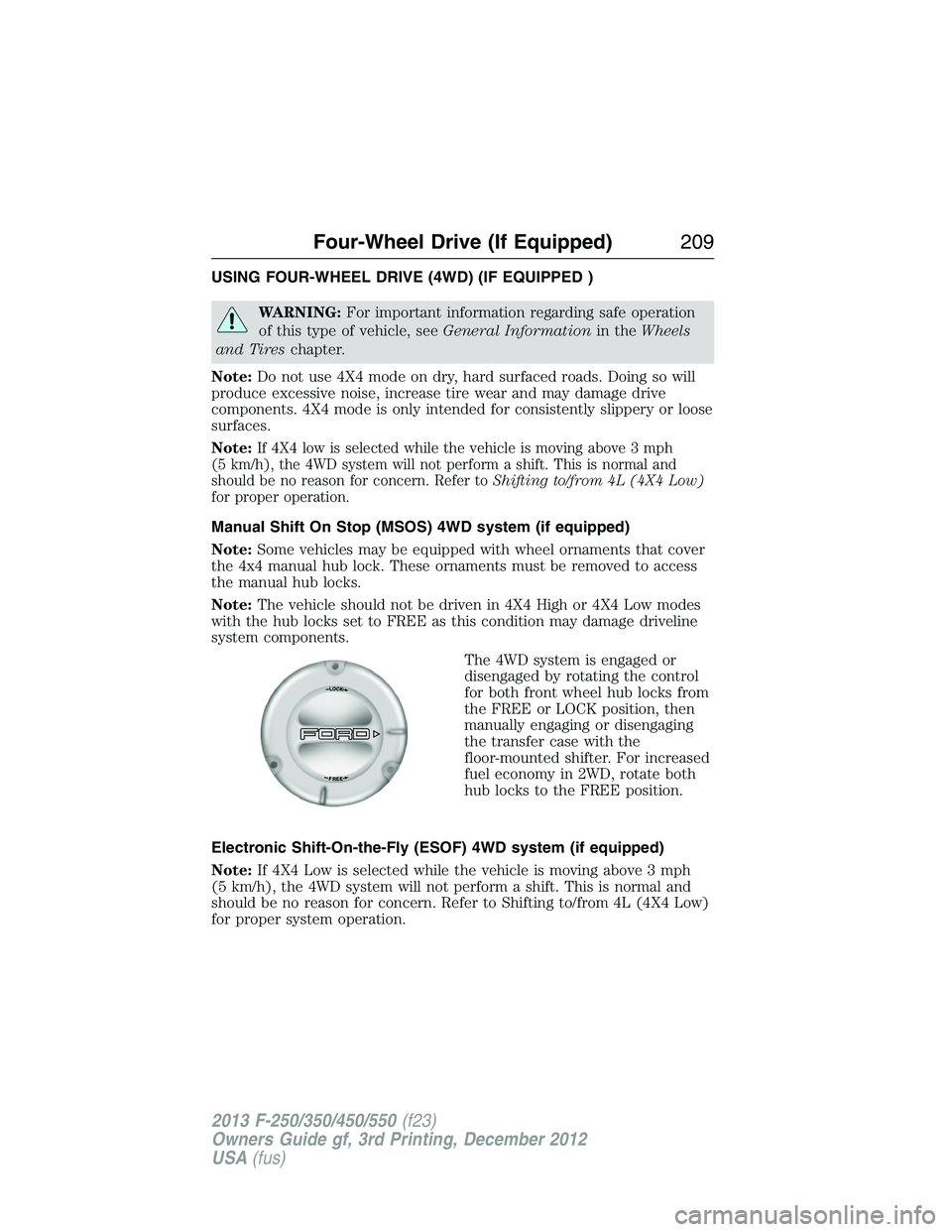
The 4WD system is engaged or
disengaged by rotating the control
for both front wheel hub locks from
the FREE or LOCK position, then
manually engaging or disengaging
the transfer case with the
floor-mounted shifter. For increased
fuel economy in 2WD, rotate both
hub locks to the FREE position.
Electronic Shift-On-the-Fly (ESOF) 4WD system (if equipped)
Note:If 4X4 Low is selected while the vehicle is moving above 3 mph
(5 km/h), the 4WD system will not perform a shift. This is normal and
should be no reason for concern. Refer to Shifting to/from 4L (4X4 Low)
for proper system operation.
Four-Wheel Drive (If Equipped)209
2013 F-250/350/450/550(f23)
Owners Guide gf, 3rd Printing, December 2012
USA(fus)
Page 211 of 577
Note:Auto-manual hub locks can be manually overridden by rotating the
hub lock control from AUTO to LOCK.
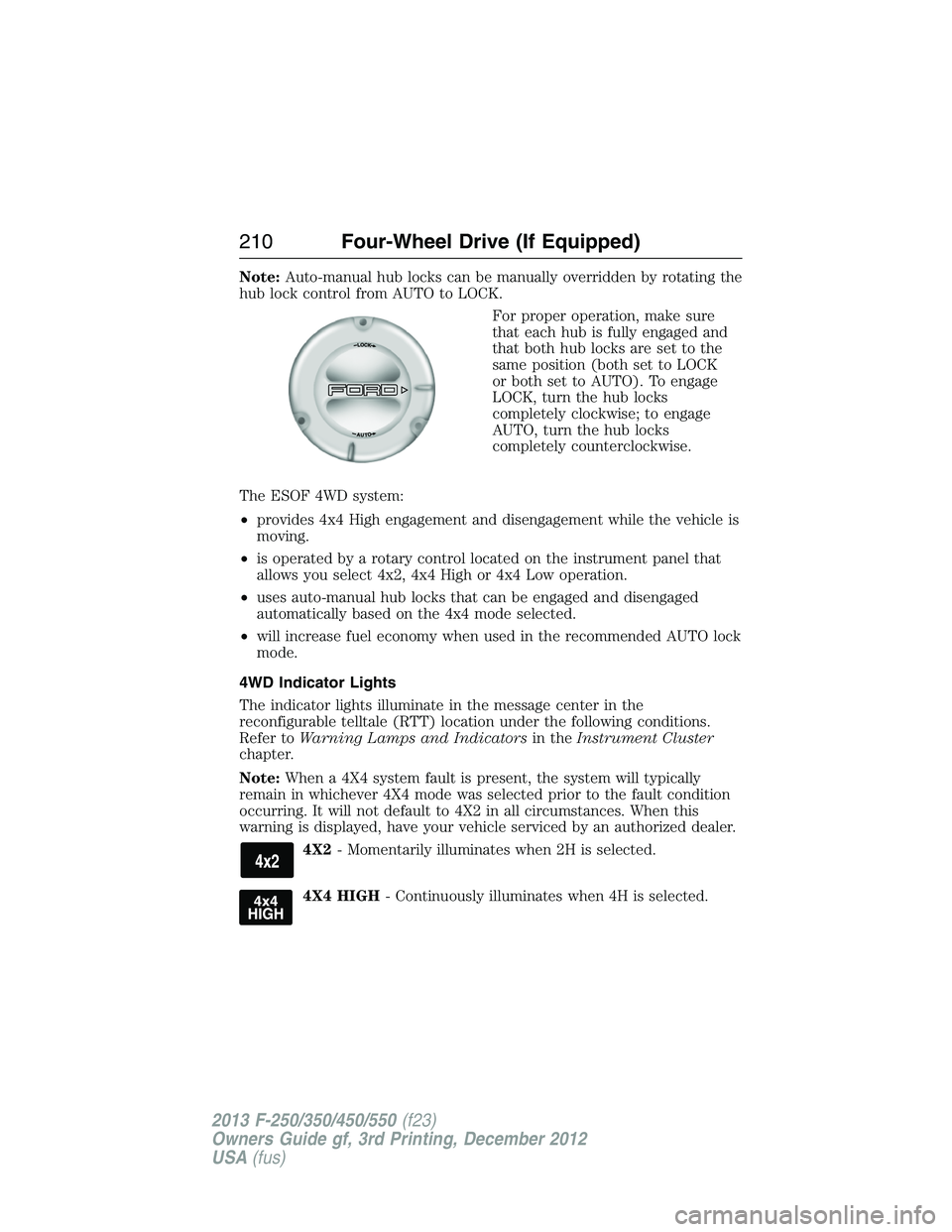
For proper operation, make sure
that each hub is fully engaged and
that both hub locks are set to the
same position (both set to LOCK
or both set to AUTO). To engage
LOCK, turn the hub locks
completely clockwise; to engage
AUTO, turn the hub locks
completely counterclockwise.
The ESOF 4WD system:
•provides 4x4 High engagement and disengagement while the vehicle is
moving.
•is operated by a rotary control located on the instrument panel that
allows you select 4x2, 4x4 High or 4x4 Low operation.
•uses auto-manual hub locks that can be engaged and disengaged
automatically based on the 4x4 mode selected.
•will increase fuel economy when used in the recommended AUTO lock
mode.
4WD Indicator Lights
The indicator lights illuminate in the message center in the
reconfigurable telltale (RTT) location under the following conditions.
Refer toWarning Lamps and Indicatorsin theInstrument Cluster
chapter.
Note:When a 4X4 system fault is present, the system will typically
remain in whichever 4X4 mode was selected prior to the fault condition
occurring. It will not default to 4X2 in all circumstances. When this
warning is displayed, have your vehicle serviced by an authorized dealer.
4X2- Momentarily illuminates when 2H is selected.
4X4 HIGH- Continuously illuminates when 4H is selected.
210Four-Wheel Drive (If Equipped)
2013 F-250/350/450/550(f23)
Owners Guide gf, 3rd Printing, December 2012
USA(fus)
Page 212 of 577
4X4 LOW- Continuously illuminates when 4L is selected.
CHECK 4X4- Displays when a 4X4 fault is present.
Using a Manual Shift On Stop (MSOS) 4wd system (if equipped)
Note:High shift efforts may be encountered when attempting to shift
into and out of 4x4 modes. It is recommended to allow the vehicle to roll
at a speed below 3 mph (5 km/h) when shifting between modes.
•2H (2WD):For general on-road
driving. Sends power to the rear
wheels only and should be used
for street and highway driving.
Provides optimal smoothness and
fuel economy at high speeds.
•4H (4x4 High):Used for extra
traction such as in snow or icy
roads or in off road situations.
This mode is not intended for
use on dry pavement.
•N (Neutral):Only used when towing the vehicle. No power to front
or rear wheels.
•4L (4x4 Low):Uses extra gearing to provide maximum power to all
four wheels at reduced speeds. Intended only for off road applications
such as deep sand, steep grades or pulling heavy objects.
Shifting between system modes
Note:Do not perform these operations if the rear wheels are slipping.
Note:Some noise may be heard as the 4x4 system shifts or engages.
This is normal. In order to reduce engagement noise, it is recommended
that all shifts be performed at speeds below 3 mph (5 km/h).
Note:The vehicle should not be driven in 4X4 High with the hub locks
disengaged as this condition may damage driveline system components.
•Engage the locking hubs by rotating the hub lock control from FREE
to LOCK, then move the transfer case lever from 2H (2WD) to 4H
(4x4 High) at a stop or a vehicle speed below 3 mph (5 km/h).
Four-Wheel Drive (If Equipped)211
2013 F-250/350/450/550(f23)
Owners Guide gf, 3rd Printing, December 2012
USA(fus)
Page 214 of 577
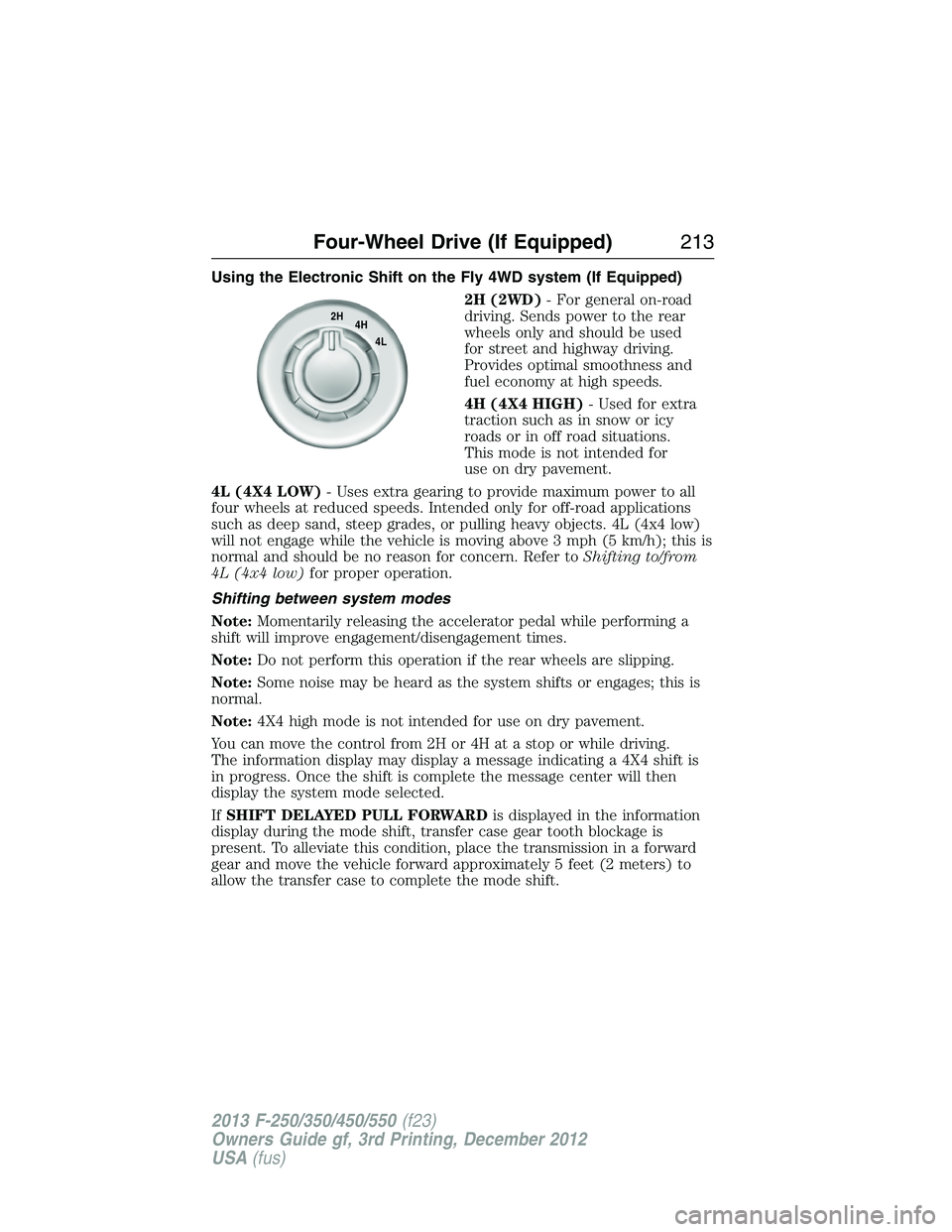
Using the Electronic Shift on the Fly 4WD system (If Equipped)
2H (2WD)- For general on-road
driving. Sends power to the rear
wheels only and should be used
for street and highway driving.
Provides optimal smoothness and
fuel economy at high speeds.
4H (4X4 HIGH)- Used for extra
traction such as in snow or icy
roads or in off road situations.
This mode is not intended for
use on dry pavement.
4L (4X4 LOW)- Uses extra gearing to provide maximum power to all
four wheels at reduced speeds. Intended only for off-road applications
such as deep sand, steep grades, or pulling heavy objects. 4L (4x4 low)
will not engage while the vehicle is moving above 3 mph (5 km/h); this is
normal and should be no reason for concern. Refer toShifting to/from
4L (4x4 low)for proper operation.
Shifting between system modes
Note:Momentarily releasing the accelerator pedal while performing a
shift will improve engagement/disengagement times.
Note:Do not perform this operation if the rear wheels are slipping.
Note:Some noise may be heard as the system shifts or engages; this is
normal.
Note:4X4 high mode is not intended for use on dry pavement.
You can move the control from 2H or 4H at a stop or while driving.
The information display may display a message indicating a 4X4 shift is
in progress. Once the shift is complete the message center will then
display the system mode selected.
IfSHIFT DELAYED PULL FORWARDis displayed in the information
display during the mode shift, transfer case gear tooth blockage is
present. To alleviate this condition, place the transmission in a forward
gear and move the vehicle forward approximately 5 feet (2 meters) to
allow the transfer case to complete the mode shift.
2H
4H
4L
Four-Wheel Drive (If Equipped)213
2013 F-250/350/450/550(f23)
Owners Guide gf, 3rd Printing, December 2012
USA(fus)
Page 242 of 577
LOAD LIMIT
Vehicle Loading – With and Without a Trailer
This section will guide you in the proper loading of your vehicle and/or
trailer, to keep your loaded vehicle weight within its design rating
capability, with or without a trailer. Properly loading your vehicle will
provide maximum return of vehicle design performance. Before loading
your vehicle, familiarize yourself with the following terms for determining
your vehicle’s weight ratings, with or without a trailer, from the vehicle’s
Tire Label or Safety Compliance Certification Label:
Base Curb Weight– is the weight of the vehicle including a full tank of
fuel and all standard equipment. It does not include passengers, cargo, or
optional equipment.
Vehicle Curb Weight– is the weight of your new vehicle when you picked
it up from your authorized dealer plus any aftermarket equipment.
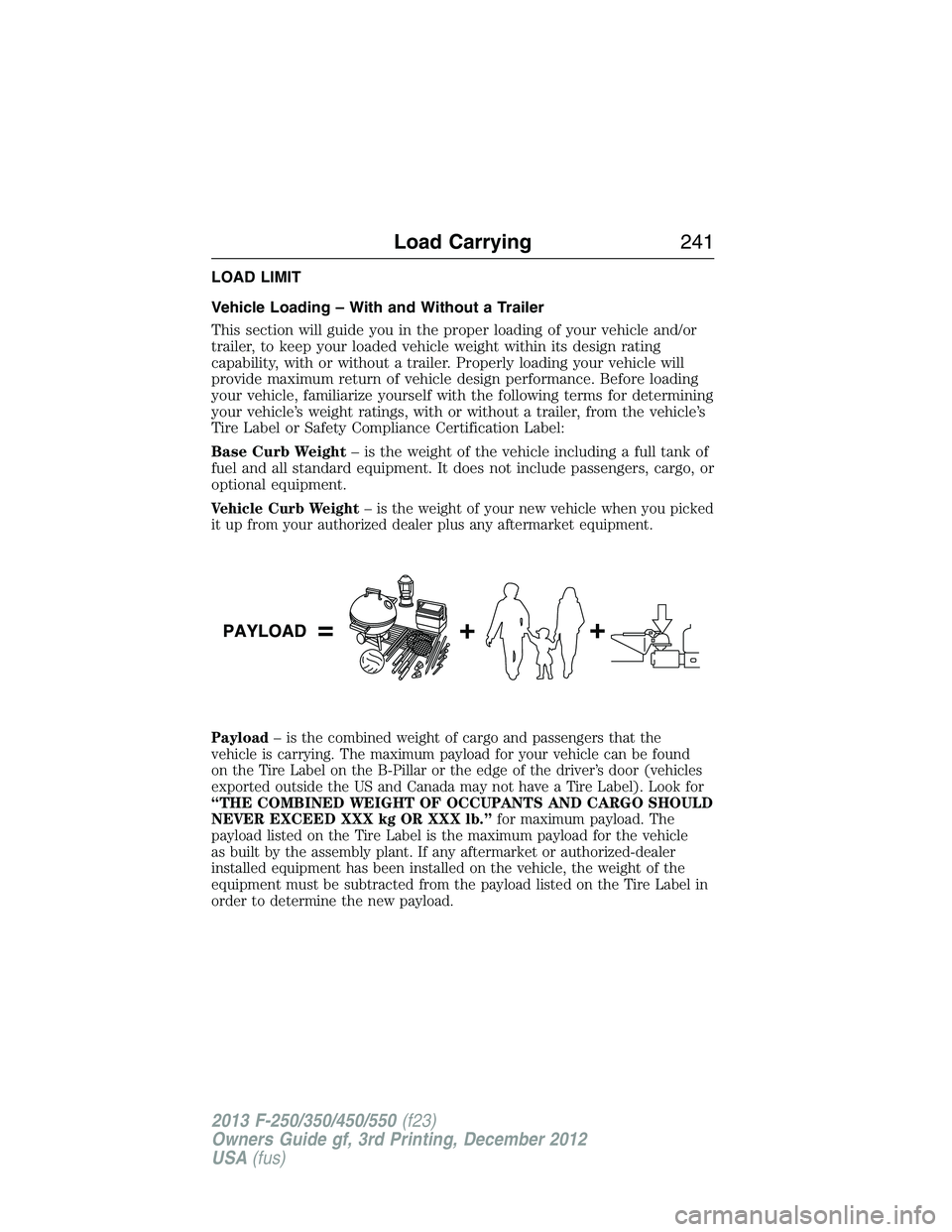
Payload– is the combined weight of cargo and passengers that the
vehicle is carrying. The maximum payload for your vehicle can be found
on the Tire Label on the B-Pillar or the edge of the driver’s door (vehicles
exported outside the US and Canada may not have a Tire Label). Look for
“THE COMBINED WEIGHT OF OCCUPANTS AND CARGO SHOULD
NEVER EXCEED XXX kg OR XXX lb.”for maximum payload. The
payload listed on the Tire Label is the maximum payload for the vehicle
as built by the assembly plant. If any aftermarket or authorized-dealer
installed equipment has been installed on the vehicle, the weight of the
equipment must be subtracted from the payload listed on the Tire Label in
order to determine the new payload.
Load Carrying241
2013 F-250/350/450/550(f23)
Owners Guide gf, 3rd Printing, December 2012
USA(fus)
Page 255 of 577
TRAILER SWAY CONTROL (IF EQUIPPED)
WARNING:Turning off trailer sway control increases the risk of
loss of vehicle control, serious injury or death. Ford does not
recommend disabling this feature except in situations where speed
reduction may be detrimental (such as hill climbing), the driver has
significant trailer towing experience, and can control trailer sway and
maintain safe operation.
Note:This feature does not prevent trailer sway, but reduces it once it
begins.
Note:This feature cannot stop all trailers from swaying.
Note:In some cases, if vehicle speed is too high, the system may turn
on multiple times, gradually reducing vehicle speed.
This feature applies your vehicle brakes at individual wheels and, if
necessary, reduces engine power. If the trailer begins to sway, the
stability control light flashes. The first thing to do is slow your vehicle
down, then pull safely to the side of the road and check for proper
tongue load and trailer load distribution. See theLoad Carryingchapter
for specific loading information.
RECOMMENDED TOWING WEIGHTS
Note:Do not exceed a trailer weight of 5000 pounds (2268 kilograms)
when towing with, or by, bumper only.
Note:The total area in square feet (meters) exposed to air resistance of
a moving vehicle and its trailer is the trailer frontal area. Do not exceed
60 feet
2(5.57 meters2) trailer frontal area.
Note:Exceeding this limitation may significantly reduce the
performance of your towing vehicle. Selecting a trailer with a low
aerodynamic drag and rounded front design helps optimize performance
and fuel economy.
Note:For high altitude operation, reduce the gross combined weight by
2% per 1000 feet (300 meters) starting at the 1000 foot (300 meter)
elevation point.
254Towing
2013 F-250/350/450/550(f23)
Owners Guide gf, 3rd Printing, December 2012
USA(fus)
Page 257 of 577
ESSENTIAL TOWING CHECKS
Follow these guidelines for safe towing:
•Do not tow a trailer until you drive your vehicle at least 1000 miles
(1600 kilometers).
•Consult your local motor vehicle laws for towing a trailer.
•See the instructions included with towing accessories for the proper
installation and adjustment specifications.
•Service your vehicle more frequently if you tow a trailer. See your
scheduled maintenance information.
•If you use a rental trailer, follow the instructions the rental agency
gives you.
For load specification terms found on the tire label and Safety
Compliance label and for instructions on calculating your vehicle’s load,
refer toLoad limitin theLoad Carryingchapter.
Remember to account for the trailer tongue weight as part of your
vehicle load when calculating the total vehicle weight.
Hitches
WARNING:On pick-up trucks, the trailer hitch provided on this
vehicle enhances crash protection for the fuel system. Do not
remove!
Do not use a hitch that either clamps onto the bumper or attaches to the
axle. You must distribute the load in your trailer so that 10–15% for
conventional towing or 15–25% for fifth wheel towing of the total weight
of the trailer is on the tongue.
Weight-Distributing Hitches
WARNING:Do not adjust a weight-distributing hitch to any
position where the rear bumper of the vehicle is higher than it
was before attaching the trailer. Doing so will defeat the function of the
weight-distributing hitch, which may cause unpredictable handling, and
could result in serious personal injury.
When hooking-up a trailer using a weight-distributing hitch, always use
the following procedure:
1. Park the loaded vehicle, without the trailer, on a level surface.
2. Measure the height to the top of your vehicle’s front wheel opening
on the fender. This is H1.
256Towing
2013 F-250/350/450/550(f23)
Owners Guide gf, 3rd Printing, December 2012
USA(fus)
Page 265 of 577
•If your transmission is equipped with the Tow/Haul feature, use this
when towing. This provides engine braking and helps eliminate
excessive transmission shifting for optimum fuel economy and
transmission cooling.
•If your vehicle is equipped with AdvanceTrac™ with RSC, this system
may turn on during typical cornering maneuvers with a heavily loaded
trailer. This is normal. Turning the corner at a slower speed while
towing may reduce this tendency.
•If you are towing a trailer frequently in hot weather, hilly conditions,
at the gross combined weight rating (or any combination of these
factors), consider refilling your rear axle with synthetic gear lubricant
(if the axle is not already filled with it). See theCapacities and
Specificationschapter for the lubricant specification.
•Allow more distance for stopping with a trailer attached. Anticipate
stops and brake gradually.
•Avoid parking on a grade. However, if you must park on a grade:
1. Turn the steering wheel to point your vehicle tires away from
traffic flow.
2. Set your vehicle parking brake.
3. Place the automatic transmission in positionP.
4. Place wheel chocks in front and back of the trailer wheels.
(Chocks not included with vehicle.)
Your vehicle may be equipped with a temporary or conventional spare
tire. A “temporary” spare tire is different in size (diameter or width),
tread-type (All-Season or All-Terrain) or is from a different manufacturer
than the road tires on your vehicle. Consult information on the tire label
or Safety Compliance label for limitations when using.
Launching or Retrieving a Boat or Personal Watercraft (PWC)
Note:Disconnect the wiring to the trailerbeforebacking the trailer into
the water.
Note:Reconnect the wiring to the trailerafterremoving the trailer from
the water.
When backing down a ramp during boat launching or retrieval:
•Do not allow the static water level to rise above the bottom edge of
the rear bumper.
•Do not allow waves to break higher than 6 inches (15 centimeters)
above the bottom edge of the rear bumper.
264Towing
2013 F-250/350/450/550(f23)
Owners Guide gf, 3rd Printing, December 2012
USA(fus)