fuel FORD F250 2013 Manual Online
[x] Cancel search | Manufacturer: FORD, Model Year: 2013, Model line: F250, Model: FORD F250 2013Pages: 577, PDF Size: 7.74 MB
Page 514 of 577
Note:Neither SIRIUS nor Ford is responsible for any errors or
inaccuracies in the SIRIUS Travel Link services or its use in vehicles.
When you subscribe to SIRIUS Travel Link, it can help you locate the
best gas prices, find movie listings, get current traffic alerts, view the
current weather map, get accurate ski conditions and see scores to
current sports games.
If your vehicle is equipped with Navigation, touch the i
(Information) button to access these features. If your vehicle
is not equipped with Navigation, touch the corner of the
touchscreen with the green tab.
Traffic On Route and Traffic Nearby
Touch these buttons to identify traffic incidents on your route, nearby
your vehicle’s current location or near any of your favorite places, if
programmed.
Fuel Prices
Touch this button to view fuel prices at stations close to your vehicle’s
location or on an active navigation route.
Movie Listings
Touch this button to view nearby movie theaters and their show times, if
available.
Weather
Touch this button to view the nearby weather, current weather, or the
five day forecast for the chosen area. SelectMapto see the weather
map, which can show storms, radar information, charts and winds.
SelectAreato select from a listing of weather locations.
Sports Info
Touch this button to view scores and schedules from a variety of sports.
You can also save up to 10 favorite teams for easier access. The score
automatically refreshes when a game is in progress.
Ski Conditions
Touch this button to view ski conditions for a specific area.
MyFord Touch® (If Equipped)513
2013 F-250/350/450/550(f23)
Owners Guide gf, 3rd Printing, December 2012
USA(fus)
Page 515 of 577
SIRIUS Travel Link Voice Commands
Note:In order to use SIRIUS Travel Link, your vehicle must be equipped
with navigation and your navigation SD card must be in the SD card slot.
Press the voice button on the steering wheel controls and, when
prompted, say any of the following:
Travel Link voice commands
“5–day weather forecast” “Sports scores”*
“Fuel prices” “Traffic”
“Movie listings” “Travel Link”**
“Sports headlines”*“Weather”
“Sports schedule”*“Weather map”
*If you have said, “Sports headlines”, “Sports schedule” or “Sports
scores”, you may say any of the commands in the “Sports headlines,
Sports schedules and Sports scores” commands chart:
**If you have said, “Travel Link”, you may say any of the commands in
the “Travel Link” chart:
Sports headlines, sports schedules and sports scores voice
commands
“Baseball” “My teams”
“College basketball” “NBA”
“College football” “NFL”
“Golf” “NHL”
“MLS” “WNBA”
“Motor sports”
“TRAVEL LINK”
“5–day weather
forecast”“Golf schedule” “NBA scores”
“Baseball headlines” “MLS headlines” “NFL headlines”
“Baseball schedule” “MLS schedule” “NFL schedule”
“Baseball scores” “MLS scores” “NFL scores”
“College basketball
headlines”“Motor sports” “NHL headlines”
514MyFord Touch® (If Equipped)
2013 F-250/350/450/550(f23)
Owners Guide gf, 3rd Printing, December 2012
USA(fus)
Page 516 of 577
“TRAVEL LINK”
“College basketball
schedule”“Motor sports order” “NHL schedule”
“College basketball
scores”“Motor sports
schedule”“NHL scores”
“College football
headlines”“Movie listings” “Traffic”
“College football
schedule”“My team headlines” “Weather”
“College football
scores”“My teams schedule” “Weather map”
“Fuel prices” “My teams scores” “WNBA headlines”
“Golf headlines” “NBA headlines” “WNBA schedule”
“Golf leaderboard” “NBA schedule” “WNBA scores”
Alerts
If your vehicle is equipped with Navigation, touch the i
(Information) button to access these features. If your vehicle is
not equipped with Navigation, touch the corner of the
touchscreen with the green tab.
PressAlerts,and then choose from any of the following services:
•Vi e wthe message.
•Deletethe message.
•Delete Allmessages.
This screen displays any system messages (such as an SD card fault).
Note:
The system alerts you to any messages by turning the information
icon yellow. After you read or delete the messages, the icon returns to
white.
Calendar
If your vehicle is equipped with Navigation, touch the i
(Information) button to access these features. If your vehicle is
not equipped with Navigation, touch the corner of the
touchscreen with the green tab.
PressCalendar.You can view the current calendar by day, week or
month.
MyFord Touch® (If Equipped)515
2013 F-250/350/450/550(f23)
Owners Guide gf, 3rd Printing, December 2012
USA(fus)
Page 517 of 577
911 Assist® (If Equipped)
WARNING:Unless the 911 Assist setting is set on before a
crash, the system will not dial for help, which could delay
response time, potentially increasing the risk of serious injury or death
after a crash.
WARNING:Do not wait for 911 Assist to make an emergency
call if you can do it yourself. Dial emergency services
immediately to avoid delayed response time, which could increase the
risk of serious injury or death after a crash. If you do not hear 911
Assist within five seconds of the crash, the system or phone may be
damaged or non-functional.
WARNING:Always place your phone in a secure location in your
vehicle so it does not become a projectile or damaged in a crash.
Failure to do so may cause serious injury to someone or damage the
phone, which could prevent 911 Assist from working properly.
Note:The SYNC 911 Assist feature must be set on prior to the incident.
Note:Before setting this feature on, make sure that you read the 911
Assist privacy notice later in this section for important information.
Note:If any user turns 911 Assist on or off, that setting applies for all
paired phones. If 911 Assist is turned off, either a voice message plays or
a display message (or icon) comes on (or both) when your vehicle is
started after a previously paired phone connects.
Note:Every phone operates differently. While SYNC 911 Assist works
with most cellular phones, some may have trouble using this feature.
If a crash deploys an airbag (excludes knee airbags and rear inflatable
safety belts [if equipped]) or activates the fuel pump shut-off, your
SYNC-equipped vehicle may be able to contact emergency services by
dialing 911 through a paired and connected Bluetooth-enabled phone.
You can learn more about the 911 Assist feature, visit
www.SYNCMyRide.com, www.SYNCMyRide.ca or www.syncmaroute.ca.
•For information on airbag deployment, see theSupplementary
Restraints Systemchapter.
•For information on the fuel pump shut-off, see theRoadside
Emergencieschapter.
516MyFord Touch® (If Equipped)
2013 F-250/350/450/550(f23)
Owners Guide gf, 3rd Printing, December 2012
USA(fus)
Page 518 of 577
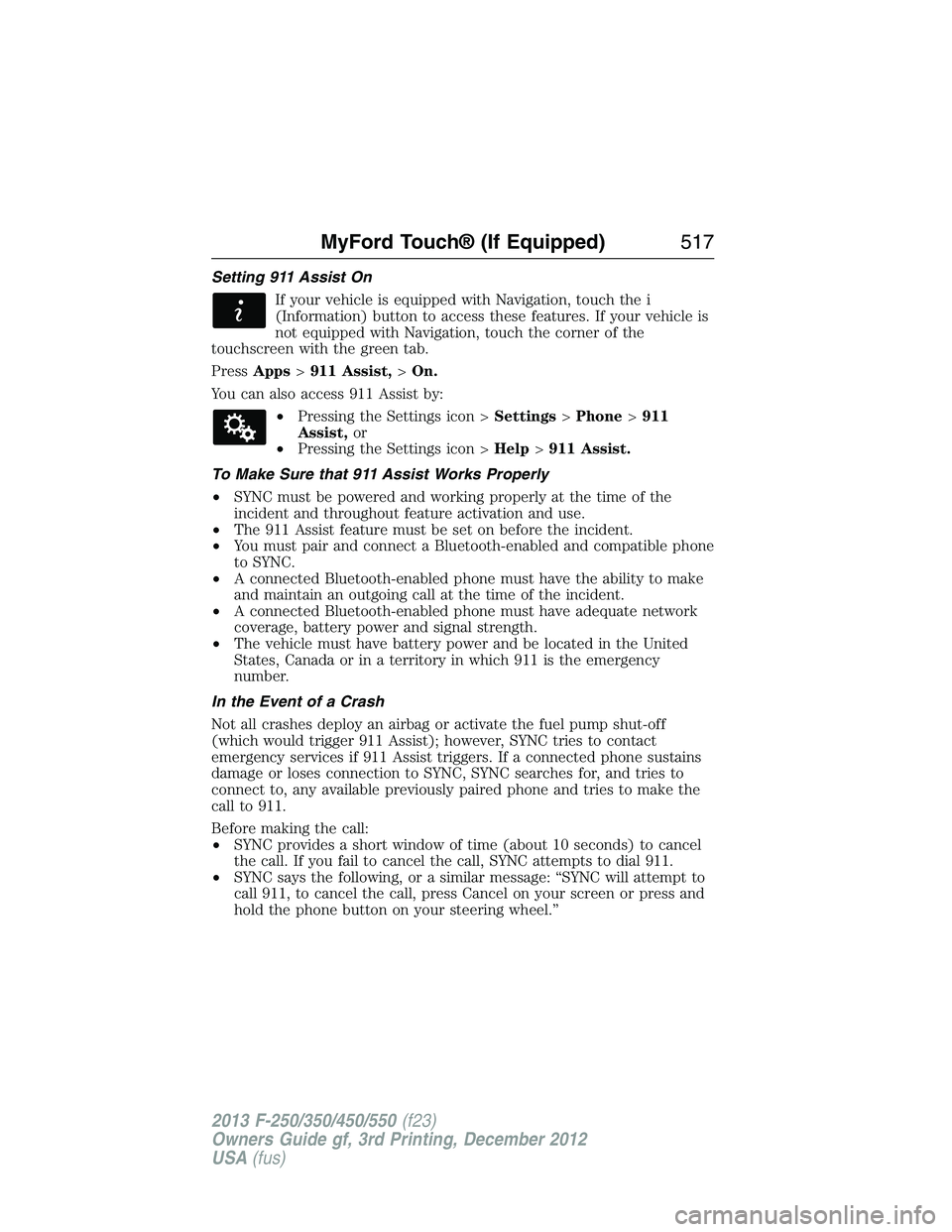
Setting 911 Assist On
If your vehicle is equipped with Navigation, touch the i
(Information) button to access these features. If your vehicle is
not equipped with Navigation, touch the corner of the
touchscreen with the green tab.
PressApps>911 Assist,>On.
You can also access 911 Assist by:
•Pressing the Settings icon >Settings>Phone>911
Assist,or
•Pressing the Settings icon >Help>911 Assist.
To Make Sure that 911 Assist Works Properly
•SYNC must be powered and working properly at the time of the
incident and throughout feature activation and use.
•The 911 Assist feature must be set on before the incident.
•You must pair and connect a Bluetooth-enabled and compatible phone
to SYNC.
•A connected Bluetooth-enabled phone must have the ability to make
and maintain an outgoing call at the time of the incident.
•A connected Bluetooth-enabled phone must have adequate network
coverage, battery power and signal strength.
•The vehicle must have battery power and be located in the United
States, Canada or in a territory in which 911 is the emergency
number.
In the Event of a Crash
Not all crashes deploy an airbag or activate the fuel pump shut-off
(which would trigger 911 Assist); however, SYNC tries to contact
emergency services if 911 Assist triggers. If a connected phone sustains
damage or loses connection to SYNC, SYNC searches for, and tries to
connect to, any available previously paired phone and tries to make the
call to 911.
Before making the call:
•SYNC provides a short window of time (about 10 seconds) to cancel
the call. If you fail to cancel the call, SYNC attempts to dial 911.
•SYNC says the following, or a similar message: “SYNC will attempt to
call 911, to cancel the call, press Cancel on your screen or press and
hold the phone button on your steering wheel.”
MyFord Touch® (If Equipped)517
2013 F-250/350/450/550(f23)
Owners Guide gf, 3rd Printing, December 2012
USA(fus)
Page 519 of 577

If you do not cancel the call, and SYNC makes a successful call, a
pre-recorded message plays for the 911 operator, and then the occupant(s)
in your vehicle is able to talk with the operator. Be prepared to provide
your name, phone number and location immediately, because not all 911
systems are capable of receiving this information electronically.
911 Assist May Not Work If
•
Your cellular phone or 911 Assist hardware sustains damage in a crash.
•The vehicle’s battery or SYNC system has no power.
•The phone(s) thrown from your vehicle are the ones paired and
connected to the system.
911 Assist Privacy Notice
When you turn on 911 Assist, it may disclose to emergency services that
your vehicle has been in a crash involving the deployment of an airbag or
activation of the fuel pump shut-off. Certain versions or updates to 911
Assist may also be capable of electronically or verbally disclosing to 911
operators your vehicle location or other details about your vehicle or
crash to assist 911 operators to provide the most appropriate emergency
services. If you do not want to disclose this information, do not turn the
feature on.
Vehicle Health Report (If Equipped, United States Only)
WARNING:Always follow scheduled maintenance instructions,
regularly inspect your vehicle, and seek repair for any damage or
problem you suspect. Vehicle Health Report supplements, but cannot
replace, normal maintenance and vehicle inspection. Vehicle Health
Report only monitors certain systems electronically monitored by your
vehicle and will not monitor or report the status of any other system,
(such as brake lining wear). Failure to perform scheduled maintenance
and regularly inspect your vehicle may result in vehicle damage and
serious injury.
Note:
Your Vehicle Health Report feature requires activation prior to use.
Visit www.SYNCMyRide.com to register. There is no fee or subscription
associated with Vehicle Health Report, but you must register to use this
feature.
Note:This feature may not function properly if you have enabled caller
ID blocking on your mobile phone. Before running a report, review the
Vehicle Health Report Privacy Notice.
518MyFord Touch® (If Equipped)
2013 F-250/350/450/550(f23)
Owners Guide gf, 3rd Printing, December 2012
USA(fus)
Page 539 of 577
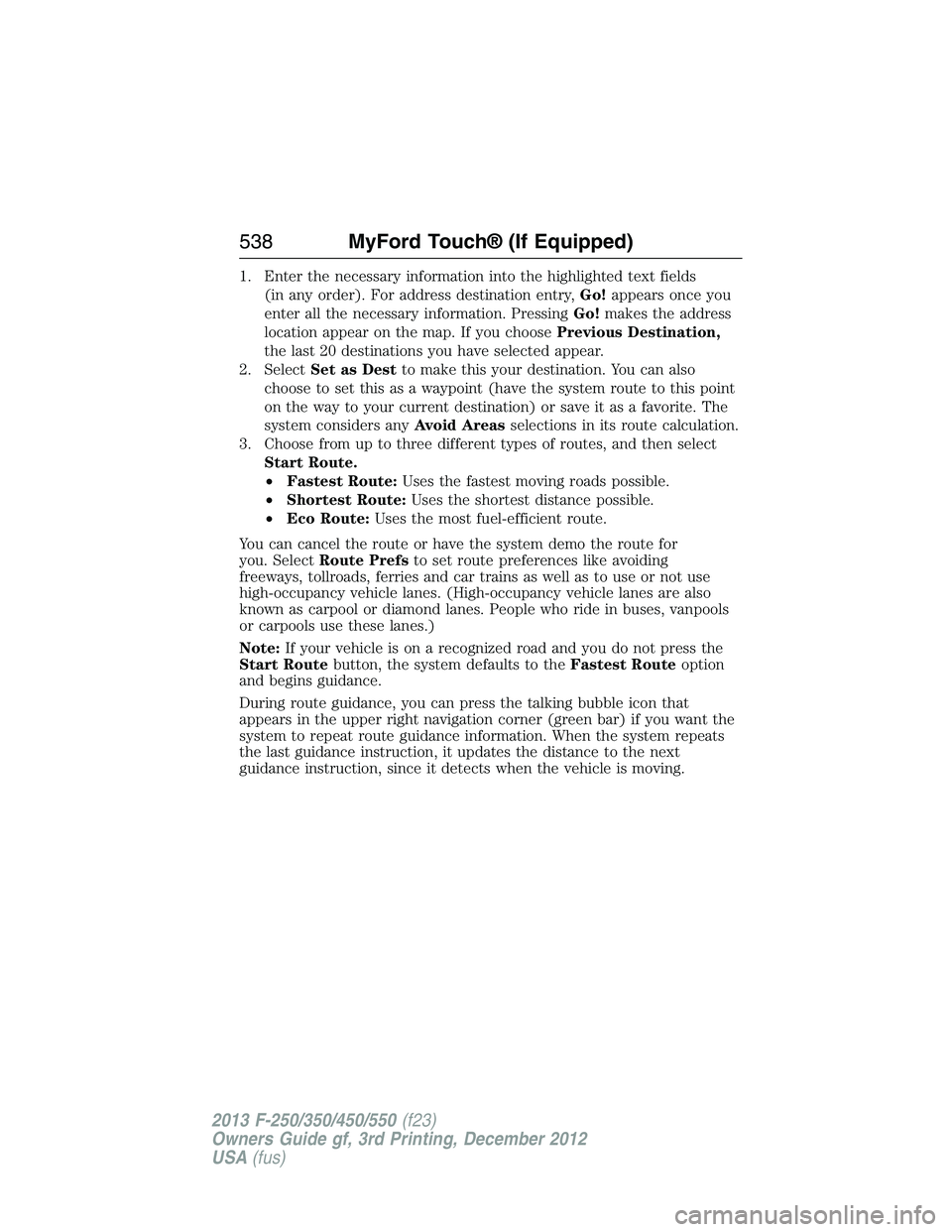
1. Enter the necessary information into the highlighted text fields
(in any order). For address destination entry,Go!appears once you
enter all the necessary information. PressingGo!makes the address
location appear on the map. If you choosePrevious Destination,
the last 20 destinations you have selected appear.
2. SelectSet as Destto make this your destination. You can also
choose to set this as a waypoint (have the system route to this point
on the way to your current destination) or save it as a favorite. The
system considers anyAvoid Areasselections in its route calculation.
3. Choose from up to three different types of routes, and then select
Start Route.
•Fastest Route:Uses the fastest moving roads possible.
•Shortest Route:Uses the shortest distance possible.
•Eco Route:Uses the most fuel-efficient route.
You can cancel the route or have the system demo the route for
you. SelectRoute Prefsto set route preferences like avoiding
freeways, tollroads, ferries and car trains as well as to use or not use
high-occupancy vehicle lanes. (High-occupancy vehicle lanes are also
known as carpool or diamond lanes. People who ride in buses, vanpools
or carpools use these lanes.)
Note:If your vehicle is on a recognized road and you do not press the
Start Routebutton, the system defaults to theFastest Routeoption
and begins guidance.
During route guidance, you can press the talking bubble icon that
appears in the upper right navigation corner (green bar) if you want the
system to repeat route guidance information. When the system repeats
the last guidance instruction, it updates the distance to the next
guidance instruction, since it detects when the vehicle is moving.
538MyFord Touch® (If Equipped)
2013 F-250/350/450/550(f23)
Owners Guide gf, 3rd Printing, December 2012
USA(fus)
Page 572 of 577
D
Daytime running lamps
(see Lamps) ................................87
Defrost ...............................146, 148
rear window ............................152
Dipstick
automatic transmission
fluid ..........................................313
engine oil .........................304, 306
Display settings .........................521
Drivebelt ....................................389
Driving under special
conditions ..................207, 218, 220
sand .........................................218
snow and ice ...........................221
through water .................219, 270
Dual automatic temperature
control (DATC) .........................148
E
Electronic message center .......104
Electronic stability control ......228
Emergencies, roadside
jump-starting ..........................279
running out of fuel .................192
Emergency Flashers .................278
Emission control system ..........195
End user license agreement ....549
Engine ................................304, 389
cleaning ...................................334
coolant .....................................307
fail-safe cooling .......................310
refill capacities ........................391
service points ..................304–305
Engine block heater .................186Engine oil
checking and adding ..............306
dipstick ....................................306
filter, specifications ................395
refill capacities ........................391
Event data recording ..................12
Exhaust fumes ..........................185
F
Fail safe cooling ........................310
Filter
fuel ...........................................317
Fleet MyKey programming ........67
Flexible Fuel Vehicle (FFV) ....188
Floor mats .................................271
Fluid capacities .........................391
Fog lamps ....................................88
Four-Wheel Drive vehicles .......209
driving off road .......................216
electronic shift ................209, 213
indicator light .........................210
lever operated shift ................211
manual locking hubs ..............209
Fuel
cap ...........................................193
capacity ...................................391
choosing the right fuel ...190–191
filler funnel .............................192
filling your vehicle with
fuel ...........................................193
fuel pump shut-off ..................278
octane rating ...................191, 389
quality ......................................190
running out of fuel .................192
safety information relating to
automotive fuels .....................188
Index571
2013 F-250/350/450/550(f23)
Owners Guide gf, 3rd Printing, December 2012
USA(fus)
Page 573 of 577
Fuel - flex fuel vehicle
(FFV) .................................188, 191
Fuses ..........................290–291, 296
G
Garage door opener ..........168, 172
Gas cap (see Fuel cap) ............193
Gauges .........................................97
H
Hazard flashers .........................278
HD Radio™ ...............................482
Headlamps ...................................85
aiming ......................................325
autolamp system .......................86
bulb specifications ..................331
checking alignment ................325
daytime running lights .............87
flash to pass ..............................85
high beam .................................85
replacing bulbs .......................327
turning on and off ....................85
Head restraints .........................155
Heated steering wheel ..............534
Heating ..............................146, 148
Help ............................................533
Hill descent mode .....................230
Hill start assist ..........................208
Homelink wireless control
system ........................................172
Hood ..........................................303
How to use voice commands ...473
I
Ignition ...............................183, 389Illuminated visor mirror .............95
Information displays .................104
Inspection/maintenance (I/M)
testing ........................................198
Instrument panel
cleaning ...........................336–337
cluster ........................................99
lighting up panel and
interior .......................................87
J
Jack ............................................371
positioning ...............................371
storage .....................................371
Joining two calls
(multiparty/conference call) ....429
Jump-starting your vehicle ......279
K
Keyless entry system
autolock .....................................73
keypad .......................................75
locking and unlocking doors ....76
programming entry code .........75
Keys .......................................62, 77
positions of the ignition .........183
L
Lamps ..........................................85
autolamp system .......................86
bulb replacement
specifications chart ................331
daytime running light ...............87
fog lamps ...................................88
headlamps .................................85
headlamps, flash to pass ..........85
instrument panel, dimming .....87
572Index
2013 F-250/350/450/550(f23)
Owners Guide gf, 3rd Printing, December 2012
USA(fus)
Page 576 of 577
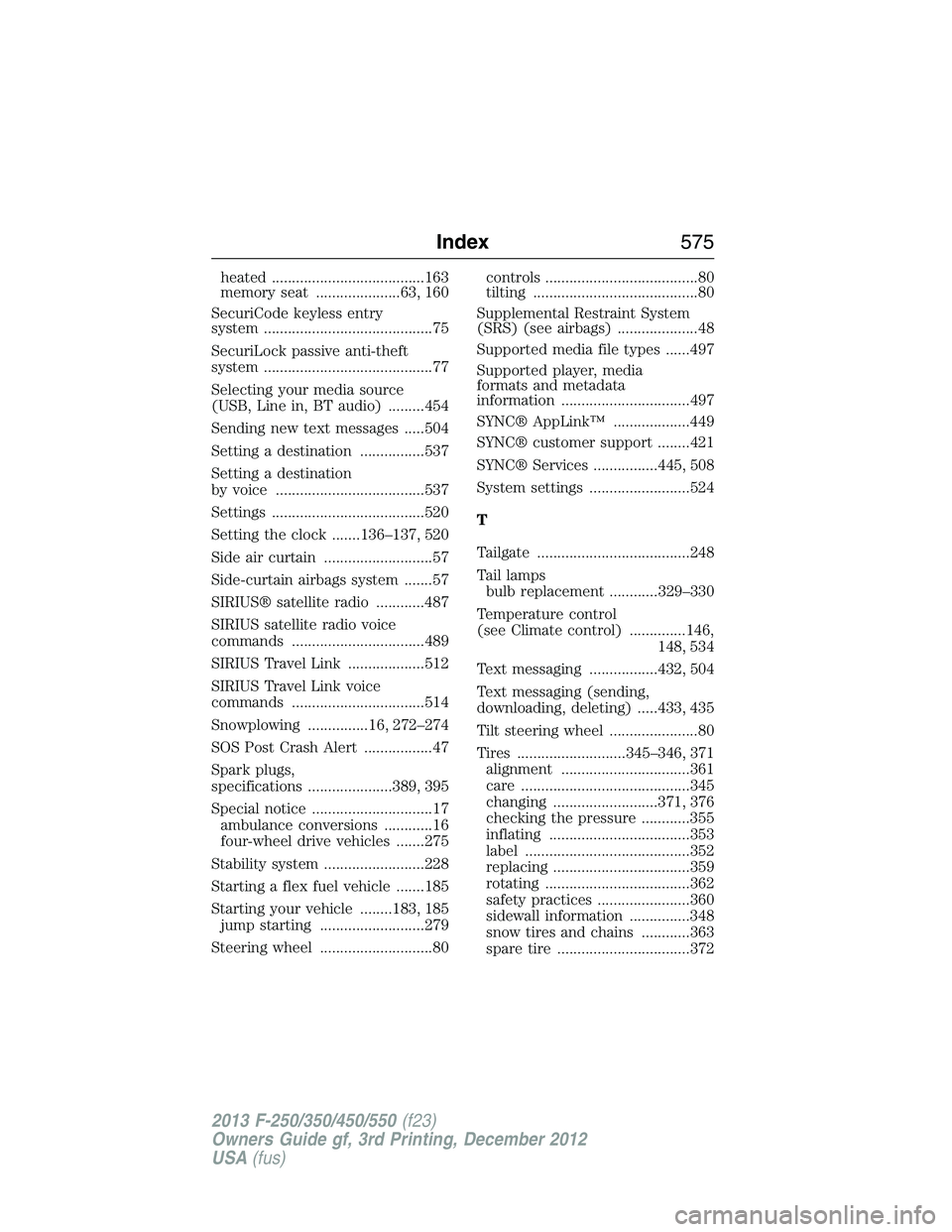
heated ......................................163
memory seat .....................63, 160
SecuriCode keyless entry
system ..........................................75
SecuriLock passive anti-theft
system ..........................................77
Selecting your media source
(USB, Line in, BT audio) .........454
Sending new text messages .....504
Setting a destination ................537
Setting a destination
by voice .....................................537
Settings ......................................520
Setting the clock .......136–137, 520
Side air curtain ...........................57
Side-curtain airbags system .......57
SIRIUS® satellite radio ............487
SIRIUS satellite radio voice
commands .................................489
SIRIUS Travel Link ...................512
SIRIUS Travel Link voice
commands .................................514
Snowplowing ...............16, 272–274
SOS Post Crash Alert .................47
Spark plugs,
specifications .....................389, 395
Special notice ..............................17
ambulance conversions ............16
four-wheel drive vehicles .......275
Stability system .........................228
Starting a flex fuel vehicle .......185
Starting your vehicle ........183, 185
jump starting ..........................279
Steering wheel ............................80controls ......................................80
tilting .........................................80
Supplemental Restraint System
(SRS) (see airbags) ....................48
Supported media file types ......497
Supported player, media
formats and metadata
information ................................497
SYNC® AppLink™ ...................449
SYNC® customer support ........421
SYNC® Services ................445, 508
System settings .........................524
T
Tailgate ......................................248
Tail lamps
bulb replacement ............329–330
Temperature control
(see Climate control) ..............146,
148, 534
Text messaging .................432, 504
Text messaging (sending,
downloading, deleting) .....433, 435
Tilt steering wheel ......................80
Tires ...........................345–346, 371
alignment ................................361
care ..........................................345
changing ..........................371, 376
checking the pressure ............355
inflating ...................................353
label .........................................352
replacing ..................................359
rotating ....................................362
safety practices .......................360
sidewall information ...............348
snow tires and chains ............363
spare tire .................................372
Index575
2013 F-250/350/450/550(f23)
Owners Guide gf, 3rd Printing, December 2012
USA(fus)