radio FORD F250 2013 Workshop Manual
[x] Cancel search | Manufacturer: FORD, Model Year: 2013, Model line: F250, Model: FORD F250 2013Pages: 577, PDF Size: 7.74 MB
Page 500 of 577
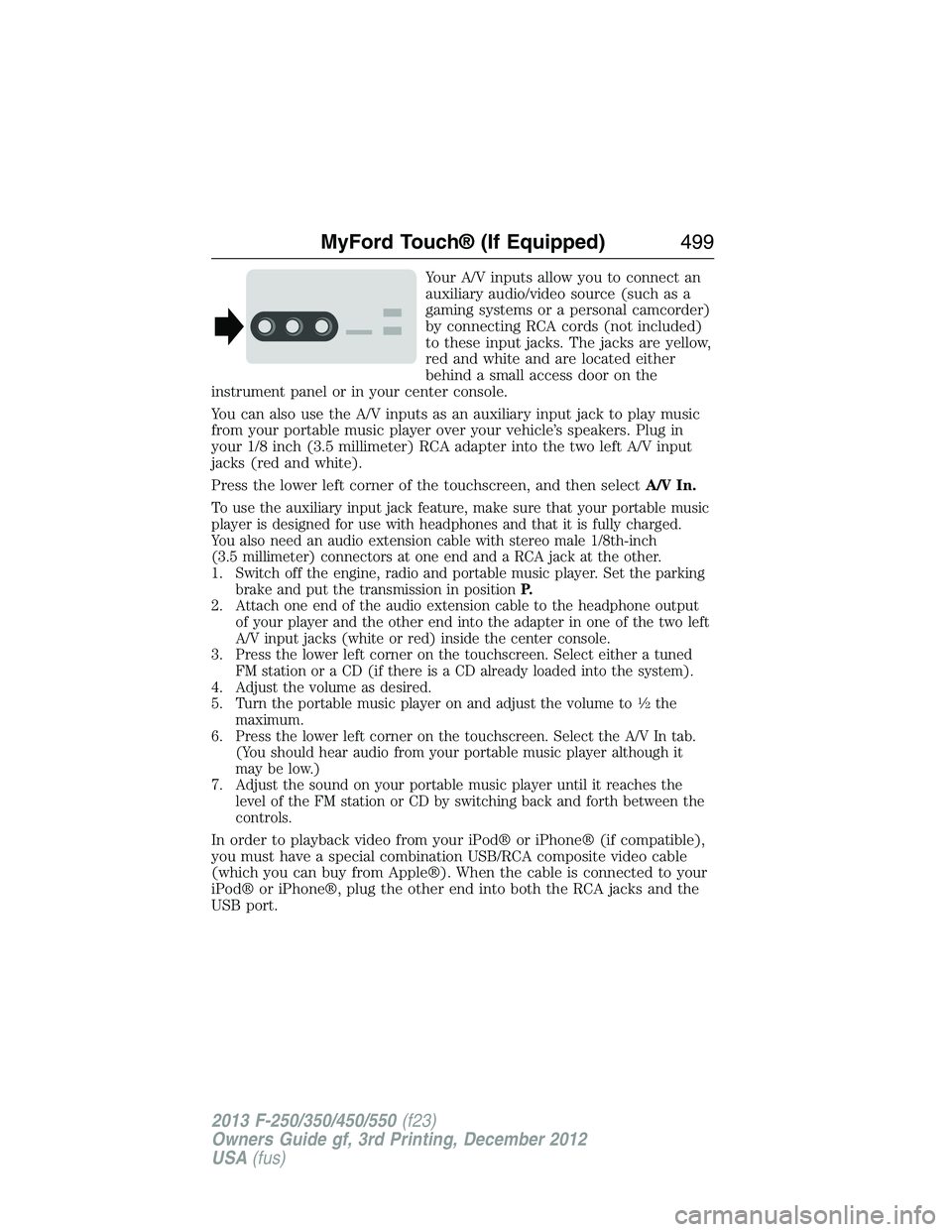
Your A/V inputs allow you to connect an
auxiliary audio/video source (such as a
gaming systems or a personal camcorder)
by connecting RCA cords (not included)
to these input jacks. The jacks are yellow,
red and white and are located either
behind a small access door on the
instrument panel or in your center console.
You can also use the A/V inputs as an auxiliary input jack to play music
from your portable music player over your vehicle’s speakers. Plug in
your 1/8 inch (3.5 millimeter) RCA adapter into the two left A/V input
jacks (red and white).
Press the lower left corner of the touchscreen, and then selectA/V In.
To use the auxiliary input jack feature, make sure that your portable music
player is designed for use with headphones and that it is fully charged.
You also need an audio extension cable with stereo male 1/8th-inch
(3.5 millimeter) connectors at one end and a RCA jack at the other.
1. Switch off the engine, radio and portable music player. Set the parking
brake and put the transmission in positionP.
2. Attach one end of the audio extension cable to the headphone output
of your player and the other end into the adapter in one of the two left
A/V input jacks (white or red) inside the center console.
3. Press the lower left corner on the touchscreen. Select either a tuned
FM station or a CD (if there is a CD already loaded into the system).
4. Adjust the volume as desired.
5. Turn the portable music player on and adjust the volume to
12the
maximum.
6. Press the lower left corner on the touchscreen. Select the A/V In tab.
(You should hear audio from your portable music player although it
may be low.)
7. Adjust the sound on your portable music player until it reaches the
level of the FM station or CD by switching back and forth between the
controls.
In order to playback video from your iPod® or iPhone® (if compatible),
you must have a special combination USB/RCA composite video cable
(which you can buy from Apple®). When the cable is connected to your
iPod® or iPhone®, plug the other end into both the RCA jacks and the
USB port.
MyFord Touch® (If Equipped)499
2013 F-250/350/450/550(f23)
Owners Guide gf, 3rd Printing, December 2012
USA(fus)
Page 501 of 577
Troubleshooting
•Do not connect the audio input jack to a line level output. The jack
only works correctly with devices that have a headphone output with
a volume control.
•Do not set the portable music player’s volume level higher than is
necessary to match the volume of the CD or FM radio as this causes
distortion and reduces sound quality.
•If the music sounds distorted at lower listening levels, turn the
portable music player volume down. If the problem persists, replace or
recharge the batteries in the portable media player.
•Control the portable media player in the same manner when used with
headphones, as the auxiliary input jack does not provide control (such
as Play or Pause) over the attached portable media player.
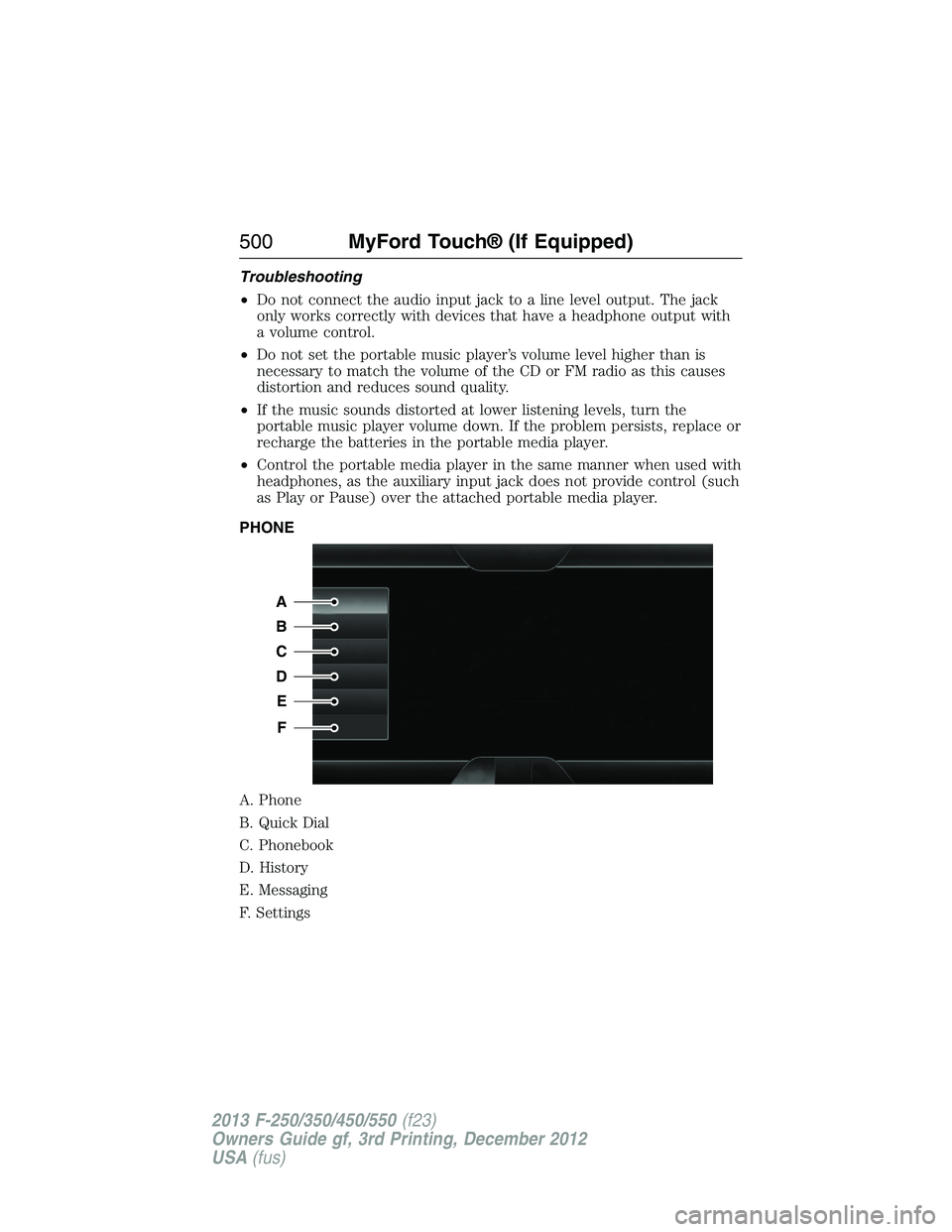
PHONE
A. Phone
B. Quick Dial
C. Phonebook
D. History
E. Messaging
F. Settings
A
B
C
D
E
F
500MyFord Touch® (If Equipped)
2013 F-250/350/450/550(f23)
Owners Guide gf, 3rd Printing, December 2012
USA(fus)
Page 502 of 577
Hands-free calling is one of the main features of SYNC®. Once you pair
your phone, you can access many options using the touchscreen or voice
commands. While the system supports a variety of features, many are
dependent on your cellular phone’s functionality. At a minimum, most
cellular phones with Bluetooth wireless technology support the following
functions:
•Answering an incoming call
•Ending a call
•Using privacy mode
•Dialing a number
•Redialing
•Call waiting notification
•Caller ID.
Other features, such as text messaging using Bluetooth and automatic
phonebook download, are phone-dependent features. To check
your phone’s compatibility, see your phone’s user manual and visit
www.SYNCMyRide.com, www.SYNCMyRide.ca or www.syncmaroute.ca.
Pairing Your Phone for the First Time
WARNING:Driving while distracted can result in loss of vehicle
control, crash and injury. We strongly recommend that you use
extreme caution when using any device that may take your focus off
the road. Your primary responsibility is the safe operation of your
vehicle. We recommend against the use of any hand-held device while
driving and encourage the use of voice-operated systems when possible.
Make sure you are aware of all applicable local laws that may affect the
use of electronic devices while driving.
The first thing you must do to use the phone features of SYNC is to pair
your Bluetooth-enabled cellular phone with SYNC. This allows you to use
your phone in a hands-free manner.
Note:Put the transmission in positionP.Turn on your vehicle ignition
and the radio.
1. TouchAdd Phonein the upper left corner of the touchscreen.Find
SYNCappears on the screen and instructs you to begin the pairing
process from your device.
2. Make sure that Bluetooth is set toOnand that your cellular phone is
in the proper mode. See your phone’s manual if necessary.
•SelectSYNC,and a six-digit PIN appears on your device.
MyFord Touch® (If Equipped)501
2013 F-250/350/450/550(f23)
Owners Guide gf, 3rd Printing, December 2012
USA(fus)
Page 503 of 577
3. If you are prompted to enter a PIN on your device, it does not
support Secure Simple Pairing. To pair, enter the PIN displayed on
the touchscreen. Skip the next step.
4. When prompted on your phone’s display, confirm that the PIN
provided by SYNC matches the PIN displayed on your cellular phone.
5. The display indicates when the pairing is successful.
SYNC may prompt you with more phone options. For more information on
your phone’s capability, see your phone’s manual and visit the website.
Pairing Subsequent Phones
Note:Put the transmission in positionP.Turn on your vehicle ignition
and the radio.
1. Press thePhonecorner of the touchscreen >Settings>BT
Devices>Add Device.
2. Make sure that Bluetooth is set toOnand that your cellular phone is
in the proper mode. See your phone’s user guide if necessary.
3. When prompted on your phone’s display, enter the six-digit PIN
provided by SYNC on the screen. The display indicates when the
pairing is successful. The system asks you if you want to download
your phonebook.
SYNC may prompt you with more phone options. For more information on
your phone’s capability, see your phone’s user guide and visit the website.
Making Calls
Press the voice button on your steering wheel controls. When
prompted, say, “Call
number.
To end the call or exit phone mode, press and hold the phone
button.
Receiving Calls
During an incoming call, an audible tone sounds. Call information
appears in the display if it is available.
Accept the call by pressingAccepton the touchscreen or by
pressing the phone button on your steering wheel controls.
Reject the call by pressingRejecton the touchscreen or by
pressing and holding the phone button on your steering wheel controls.
Ignore the call by doing nothing. SYNC logs it as a missed call.
502MyFord Touch® (If Equipped)
2013 F-250/350/450/550(f23)
Owners Guide gf, 3rd Printing, December 2012
USA(fus)
Page 528 of 577
Navigation
Press the Settings icon >Settings>Navigation,then select
from the following:
Navigation
Map PreferencesTurn breadcrumbs on and off.
Have the system display your turn list top to
bottom or bottom to top.
Turn the Parking POI notification on and off.
Route PreferencesHave the system display the shortest route,
fastest route or ecological route.
Have the system avoid freeways.
Have the system avoid tollroads.
Have the system avoid ferries or car trains.
Have the system use high-occupancy vehicle
lanes.
Navigation
PreferencesHave the system use guidance prompts.
Have the system automatically fill-in
State/Province information.
Traffic PreferencesHave the system display areas where
roadwork occurs.
Have the system display incident icons.
Have the system display areas where difficult
driving conditions may occur.
Have the system display areas where snow
and ice on the road may occur.
Have the system display any smog alerts.
Have the system display weather warnings.
Have the system display where there may be
reduced visibility.
Have the system turn on your radio for traffic
announcements.
Avoid AreasEnter specific areas that you would like to
avoid on planned navigation routes.
MyFord Touch® (If Equipped)527
2013 F-250/350/450/550(f23)
Owners Guide gf, 3rd Printing, December 2012
USA(fus)
Page 534 of 577
Help
Press the Settings icon >Help,then select from the following:
Help
Where Am I?View your vehicle’s current location, if your
vehicle is equipped with navigation. If your
vehicle is not equipped with navigation, nothing
displays.
System InformationTouchscreen system serial number.
Your vehicle identification number (VIN).
Touchscreen system software version.
Navigation system version.
Map database version.
Sirius satellite radio electronic serial number
(ESN).
Gracenote Database Information and Library
version.
Software LicensesView the licenses for any software and
applications installed on your system.
Driving RestrictionsCertain features are not accessible when your
vehicle is moving.
911 AssistTurn on and turn off the 911 Assist feature. See
911 Assistin theSYNC applications and
servicessection.
In Case of Emergency (ICE) Speed Dial
allows you to save up to two numbers as ICE
contacts for quick access if there is an
emergency. SelectEditto access your
phonebook and then select the desired contacts.
The numbers then appear as options on this
screen for the ICE 1 and ICE 2 buttons. The
ICE contacts you select appear at the end of the
911 Assist call process.
Voice Command ListView categorized lists of voice commands.
To access Help using the voice commands, press the voice button, then,
after the tone, say “Help”. The system provides allowable voice
commands for the current mode.
MyFord Touch® (If Equipped)533
2013 F-250/350/450/550(f23)
Owners Guide gf, 3rd Printing, December 2012
USA(fus)
Page 569 of 577
Vehicle with SYNC only
FCC ID: KMHSG1G1 IC: 1422A-SG1G1
FCC ID: WDGSG1G1 IC: 5248B-SG1G1
Vehicle with SYNC and MyFord Touch or MyLincoln Touch
FCC ID: KMHSYNCG2 IC: 1422A-SYNCG2
This device complies with Part 15 of the FCC Rules and with RSS-210 of
Industry Canada. Operation is subject to the following two conditions:
(1) This device may not cause harmful interference, and (2) this device
must accept any interference received, including interference that may
cause undesired operation.
WARNING:Changes or modifications not expressively approved
by the party responsible for compliance could void the user’s
authority to operate the equipment. The term “IC:” before the radio
certification number only signifies that Industry Canada technical
specifications were met.
The antenna used for this transmitter must not be co-located or
operating in conjunction with any other antenna or transmitter.
568Appendices
2013 F-250/350/450/550(f23)
Owners Guide gf, 3rd Printing, December 2012
USA(fus)
Page 570 of 577
911 Assist™ ......................441, 516
A
ABS (see Brakes) .....................223
Accessing and using your
USB port ....................................494
Accessing call history/phone
book during active call .............429
Accessing your calendar ..........515
Accessing your media menu
features ......................................454
Accessing your phone menu
features ......................................431
Accessory delay ..........................92
Active call menu options .........429
Adding (pairing) a phone ........502
Advanced menu options ...439, 459
Advanced menu options
(prompts, languages, defaults,
master reset, installing
applications) ..............................439
Airbag supplemental restraint
system ..........................................48
and child safety seats ..............49
description ................................48
disposal ......................................60
driver airbag ..............................48
passenger airbag .......................48
passenger deactivation
switch ........................................51
side airbag ...........................48, 56
Air cleaner filter ...............323, 395
Air conditioning ........................146
manual heating and air
conditioning system ...............146
Air filter .............................323, 395All Wheel Drive (AWD),
driving off road .........................209
Ambient mood/lighting .....522–523
Ambulance packages ..................16
AM/FM .......................................481
Antifreeze
(see Engine coolant) ................307
Anti-lock brake system
(see Brakes) ..............................223
Anti-theft system ..................77, 79
arming the system ..............77, 79
disarming a triggered system ..79
AppLink™ .................................449
Audio system
Single CD ................136–137, 140
Audio system
(see Radio) ................136–137, 140
Automatic transmission ............201
driving an automatic
overdrive .................................199
fluid, adding ............................313
fluid, checking ........................313
fluid, refill capacities ..............391
fluid, specification ..................391
Selectshift (SST) ....................204
Auxiliary Input Jack .................490
Auxiliary input jack (Line in) ..141
Auxiliary powerpoint ................178
A/V inputs ..........................143, 498
Axle
refill capacities ........................391
B
Battery .......................................318
acid, treating emergencies .....318
jumping a disabled battery ....279
Index569
2013 F-250/350/450/550(f23)
Owners Guide gf, 3rd Printing, December 2012
USA(fus)
Page 573 of 577
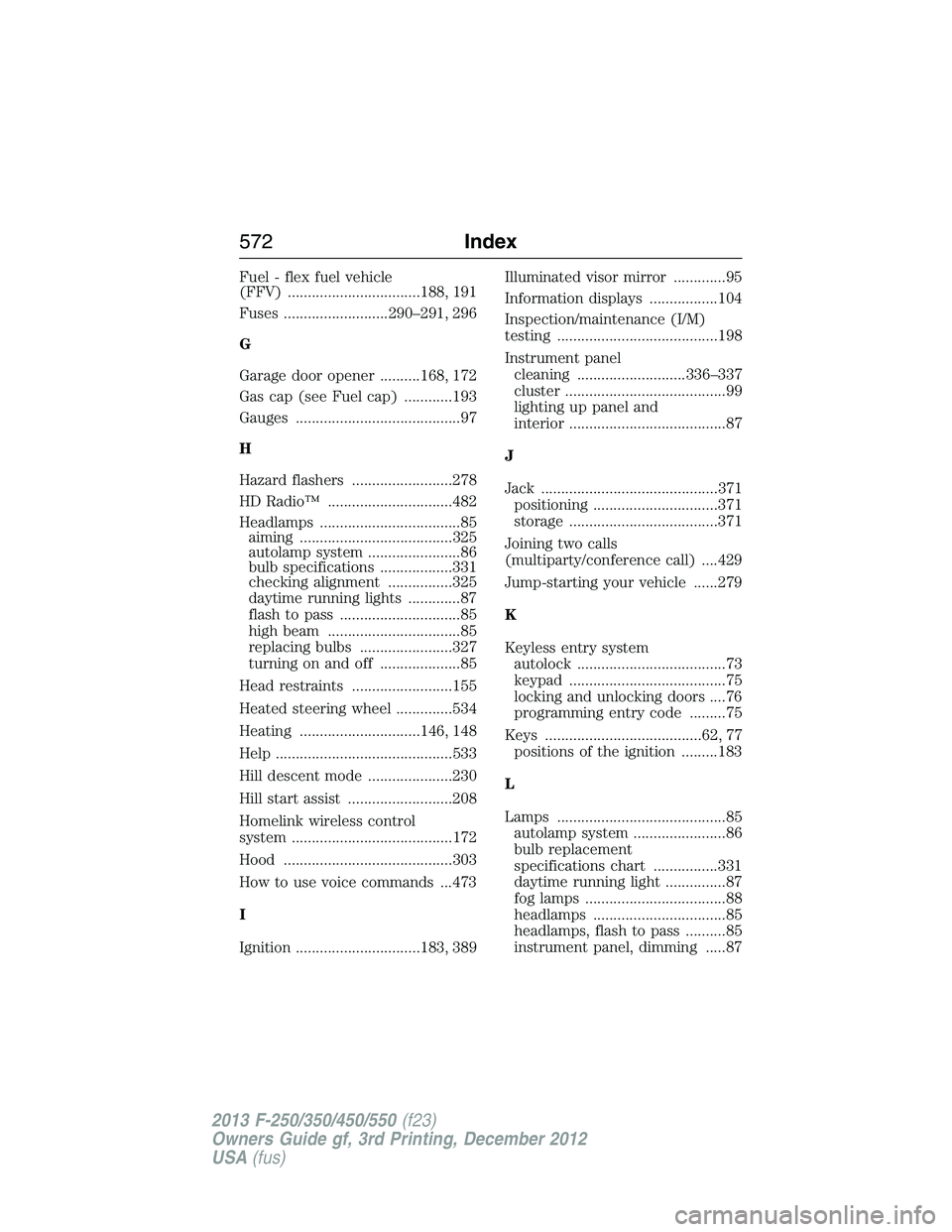
Fuel - flex fuel vehicle
(FFV) .................................188, 191
Fuses ..........................290–291, 296
G
Garage door opener ..........168, 172
Gas cap (see Fuel cap) ............193
Gauges .........................................97
H
Hazard flashers .........................278
HD Radio™ ...............................482
Headlamps ...................................85
aiming ......................................325
autolamp system .......................86
bulb specifications ..................331
checking alignment ................325
daytime running lights .............87
flash to pass ..............................85
high beam .................................85
replacing bulbs .......................327
turning on and off ....................85
Head restraints .........................155
Heated steering wheel ..............534
Heating ..............................146, 148
Help ............................................533
Hill descent mode .....................230
Hill start assist ..........................208
Homelink wireless control
system ........................................172
Hood ..........................................303
How to use voice commands ...473
I
Ignition ...............................183, 389Illuminated visor mirror .............95
Information displays .................104
Inspection/maintenance (I/M)
testing ........................................198
Instrument panel
cleaning ...........................336–337
cluster ........................................99
lighting up panel and
interior .......................................87
J
Jack ............................................371
positioning ...............................371
storage .....................................371
Joining two calls
(multiparty/conference call) ....429
Jump-starting your vehicle ......279
K
Keyless entry system
autolock .....................................73
keypad .......................................75
locking and unlocking doors ....76
programming entry code .........75
Keys .......................................62, 77
positions of the ignition .........183
L
Lamps ..........................................85
autolamp system .......................86
bulb replacement
specifications chart ................331
daytime running light ...............87
fog lamps ...................................88
headlamps .................................85
headlamps, flash to pass ..........85
instrument panel, dimming .....87
572Index
2013 F-250/350/450/550(f23)
Owners Guide gf, 3rd Printing, December 2012
USA(fus)
Page 575 of 577
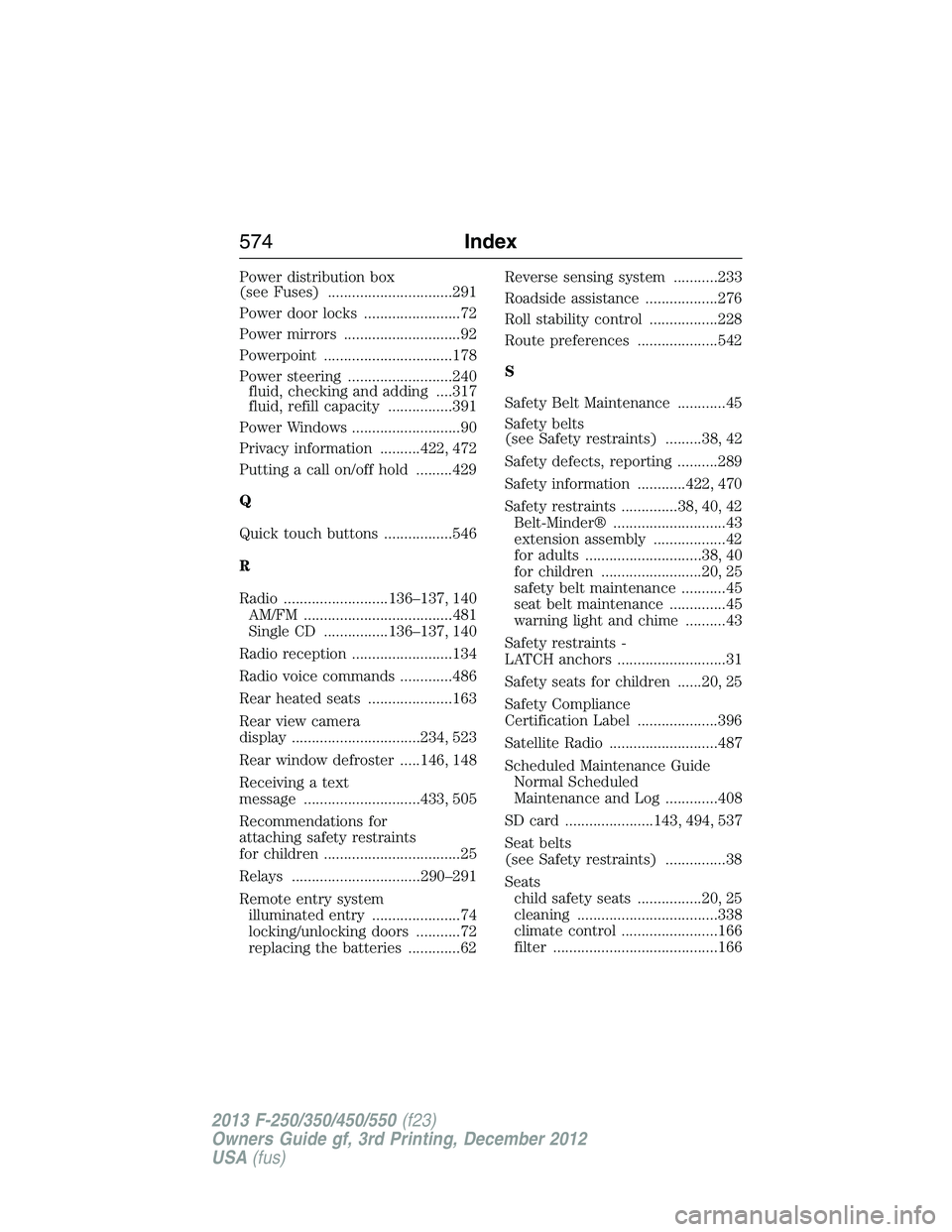
Power distribution box
(see Fuses) ...............................291
Power door locks ........................72
Power mirrors .............................92
Powerpoint ................................178
Power steering ..........................240
fluid, checking and adding ....317
fluid, refill capacity ................391
Power Windows ...........................90
Privacy information ..........422, 472
Putting a call on/off hold .........429
Q
Quick touch buttons .................546
R
Radio ..........................136–137, 140
AM/FM .....................................481
Single CD ................136–137, 140
Radio reception .........................134
Radio voice commands .............486
Rear heated seats .....................163
Rear view camera
display ................................234, 523
Rear window defroster .....146, 148
Receiving a text
message .............................433, 505
Recommendations for
attaching safety restraints
for children ..................................25
Relays ................................290–291
Remote entry system
illuminated entry ......................74
locking/unlocking doors ...........72
replacing the batteries .............62Reverse sensing system ...........233
Roadside assistance ..................276
Roll stability control .................228
Route preferences ....................542
S
Safety Belt Maintenance ............45
Safety belts
(see Safety restraints) .........38, 42
Safety defects, reporting ..........289
Safety information ............422, 470
Safety restraints ..............38, 40, 42
Belt-Minder® ............................43
extension assembly ..................42
for adults .............................38, 40
for children .........................20, 25
safety belt maintenance ...........45
seat belt maintenance ..............45
warning light and chime ..........43
Safety restraints -
LATCH anchors ...........................31
Safety seats for children ......20, 25
Safety Compliance
Certification Label ....................396
Satellite Radio ...........................487
Scheduled Maintenance Guide
Normal Scheduled
Maintenance and Log .............408
SD card ......................143, 494, 537
Seat belts
(see Safety restraints) ...............38
Seats
child safety seats ................20, 25
cleaning ...................................338
climate control ........................166
filter .........................................166
574Index
2013 F-250/350/450/550(f23)
Owners Guide gf, 3rd Printing, December 2012
USA(fus)