reset FORD F250 2013 Owners Manual
[x] Cancel search | Manufacturer: FORD, Model Year: 2013, Model line: F250, Model: FORD F250 2013Pages: 577, PDF Size: 7.74 MB
Page 12 of 577
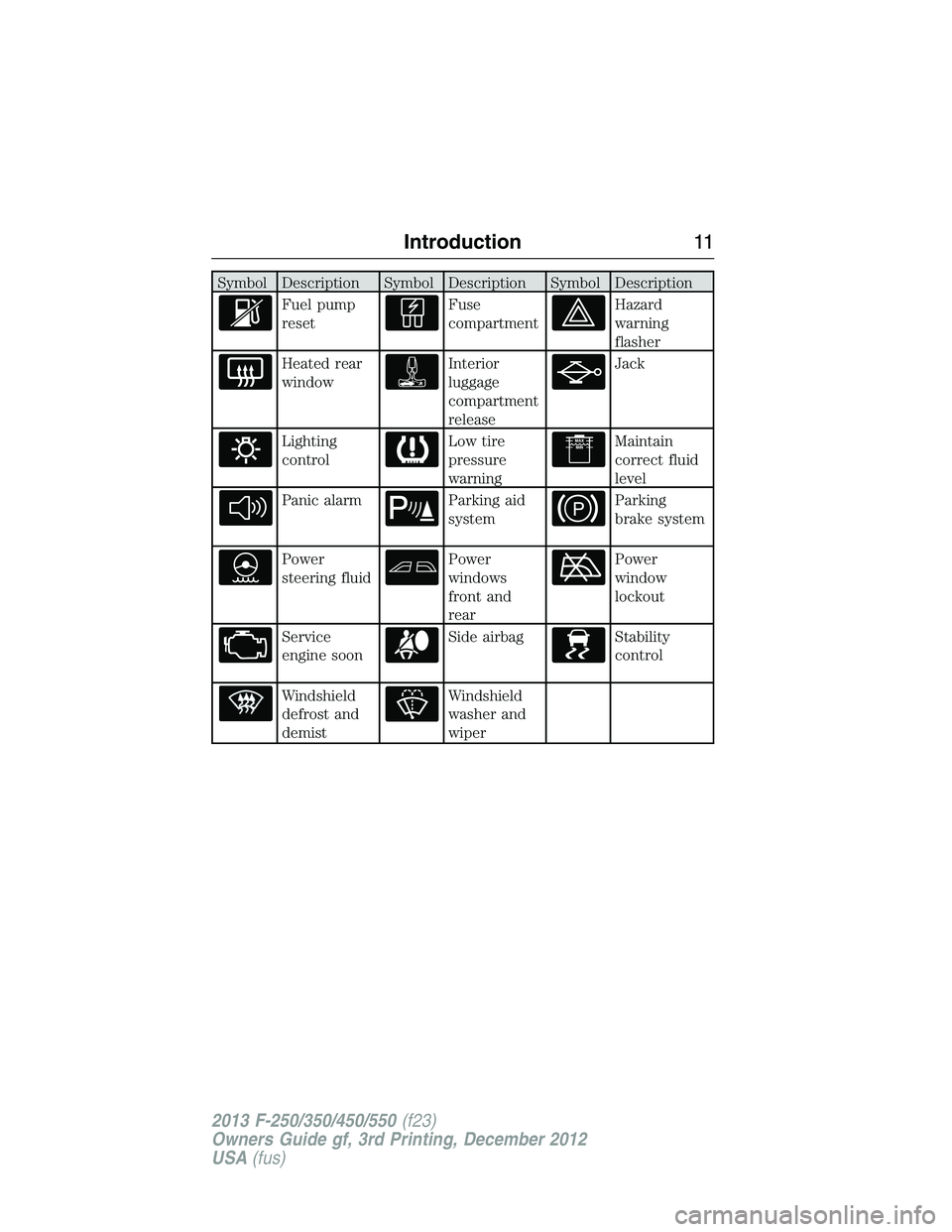
Symbol Description Symbol Description Symbol Description
Fuel pump
resetFuse
compartmentHazard
warning
flasher
Heated rear
windowInterior
luggage
compartment
releaseJack
Lighting
controlLow tire
pressure
warningMaintain
correct fluid
level
Panic alarmParking aid
systemParking
brake system
Power
steering fluidPower
windows
front and
rearPower
window
lockout
Service
engine soonSide airbagStability
control
Windshield
defrost and
demistWindshield
washer and
wiper
Introduction11
2013 F-250/350/450/550(f23)
Owners Guide gf, 3rd Printing, December 2012
USA(fus)
Page 69 of 577
Optional Settings
You can configure these settings while programming a MyKey or change
them while using an admin key:
•80 mph (130 km/h) vehicle speed limit. Drivers receive visual
warnings and an audible tone when they reach 80 mph (130 km/h).
•45, 55 or 65 mph (75, 90, or 105 km/h) vehicle speed warning. Drivers
receive visual warnings and an audible tone when they exceed the
preselected vehicle speed.
•45% of the maximum audio system output. The audio system displays
a message when drivers attempt to exceed the volume limits.
•AdvanceTrac. Program the system to Always-on and these features,
if your vehicle is equipped, cannot be turned off when drivers use a
programmed MyKey.
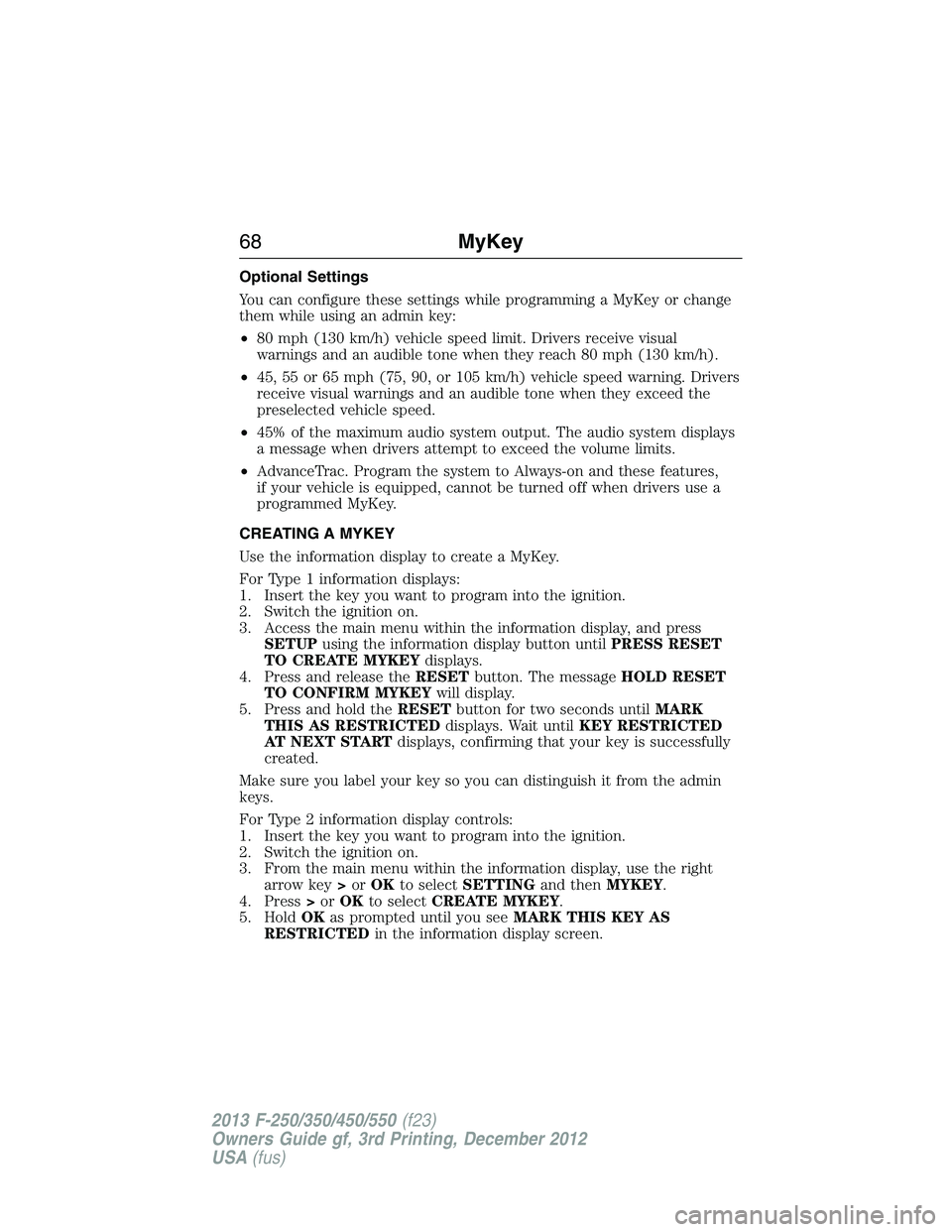
CREATING A MYKEY
Use the information display to create a MyKey.
For Type 1 information displays:
1. Insert the key you want to program into the ignition.
2. Switch the ignition on.
3. Access the main menu within the information display, and press
SETUPusing the information display button untilPRESS RESET
TO CREATE MYKEYdisplays.
4. Press and release theRESETbutton. The messageHOLD RESET
TO CONFIRM MYKEYwill display.
5. Press and hold theRESETbutton for two seconds untilMARK
THIS AS RESTRICTEDdisplays. Wait untilKEY RESTRICTED
AT NEXT STARTdisplays, confirming that your key is successfully
created.
Make sure you label your key so you can distinguish it from the admin
keys.
For Type 2 information display controls:
1. Insert the key you want to program into the ignition.
2. Switch the ignition on.
3. From the main menu within the information display, use the right
arrow key>orOKto selectSETTINGand thenMYKEY.
4. Press>orOKto selectCREATE MYKEY.
5. HoldOKas prompted until you seeMARK THIS KEY AS
RESTRICTEDin the information display screen.
68MyKey
2013 F-250/350/450/550(f23)
Owners Guide gf, 3rd Printing, December 2012
USA(fus)
Page 70 of 577
The key is successfully created. Make sure you label it so you can
distinguish it from the admin keys.
You can also program configurable settings for the key(s). Refer to the
Programming/Changing Optional Settingssection.
Programming/Changing Configurable Settings
Use the information display to access your configurable MyKey settings.
1. Switch the ignition on with an admin key.
2. Access the main menu on the information display controls, and select
Settings, thenMyKeyby pressingOKor>button.
3. Use the arrow buttons to get to a feature.
4. PressOKor>to make a selection.
Note:You can clear or change your MyKey settings at any time during
the same key cycle as you created the MyKey. Once you have switched
the engine off, however, you will need an admin key to change or clear
your MyKey settings.
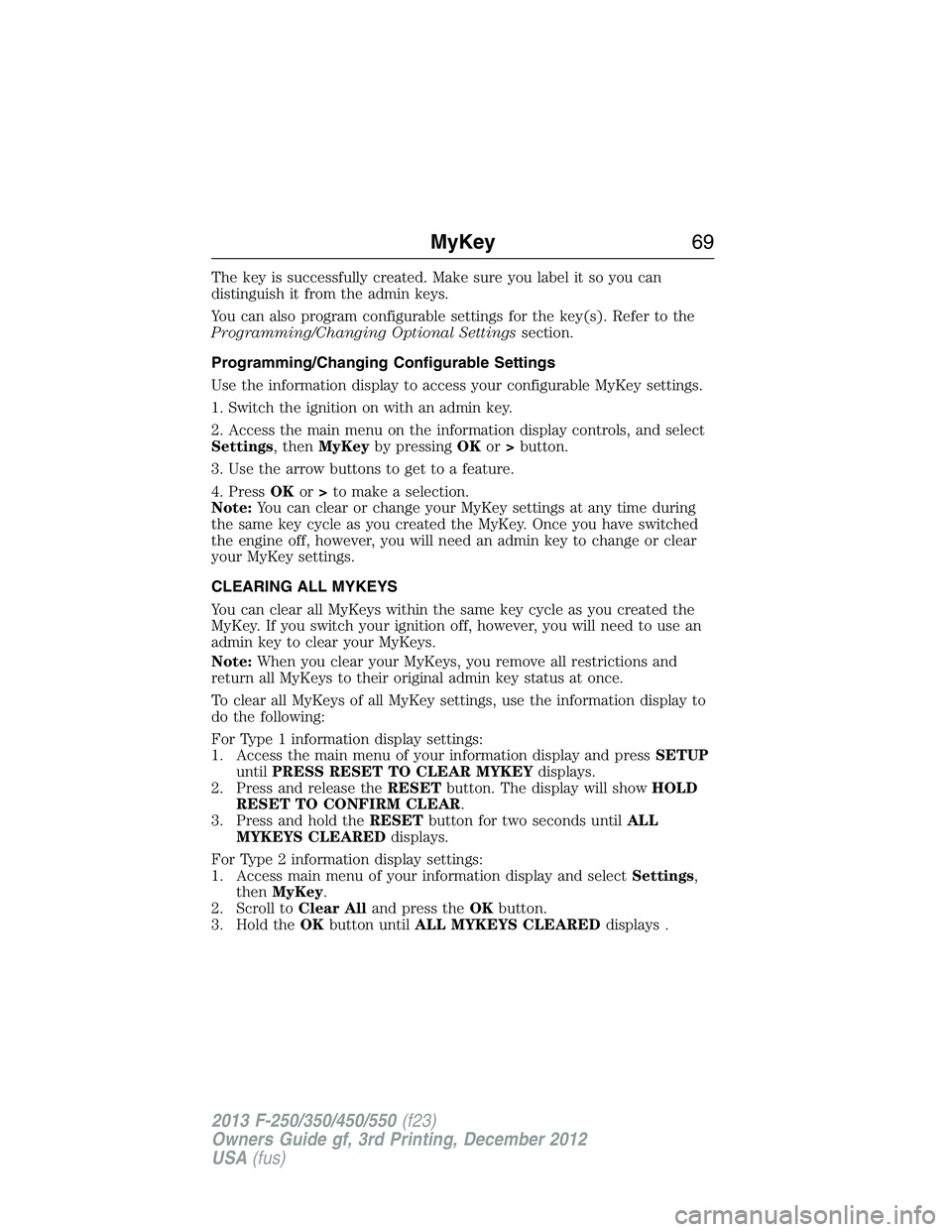
CLEARING ALL MYKEYS
You can clear all MyKeys within the same key cycle as you created the
MyKey. If you switch your ignition off, however, you will need to use an
admin key to clear your MyKeys.
Note:When you clear your MyKeys, you remove all restrictions and
return all MyKeys to their original admin key status at once.
To clear all MyKeys of all MyKey settings, use the information display to
do the following:
For Type 1 information display settings:
1. Access the main menu of your information display and pressSETUP
untilPRESS RESET TO CLEAR MYKEYdisplays.
2. Press and release theRESETbutton. The display will showHOLD
RESET TO CONFIRM CLEAR.
3. Press and hold theRESETbutton for two seconds untilALL
MYKEYS CLEAREDdisplays.
For Type 2 information display settings:
1. Access main menu of your information display and selectSettings,
thenMyKey.
2. Scroll toClear Alland press theOKbutton.
3. Hold theOKbutton untilALL MYKEYS CLEAREDdisplays .
MyKey69
2013 F-250/350/450/550(f23)
Owners Guide gf, 3rd Printing, December 2012
USA(fus)
Page 72 of 577
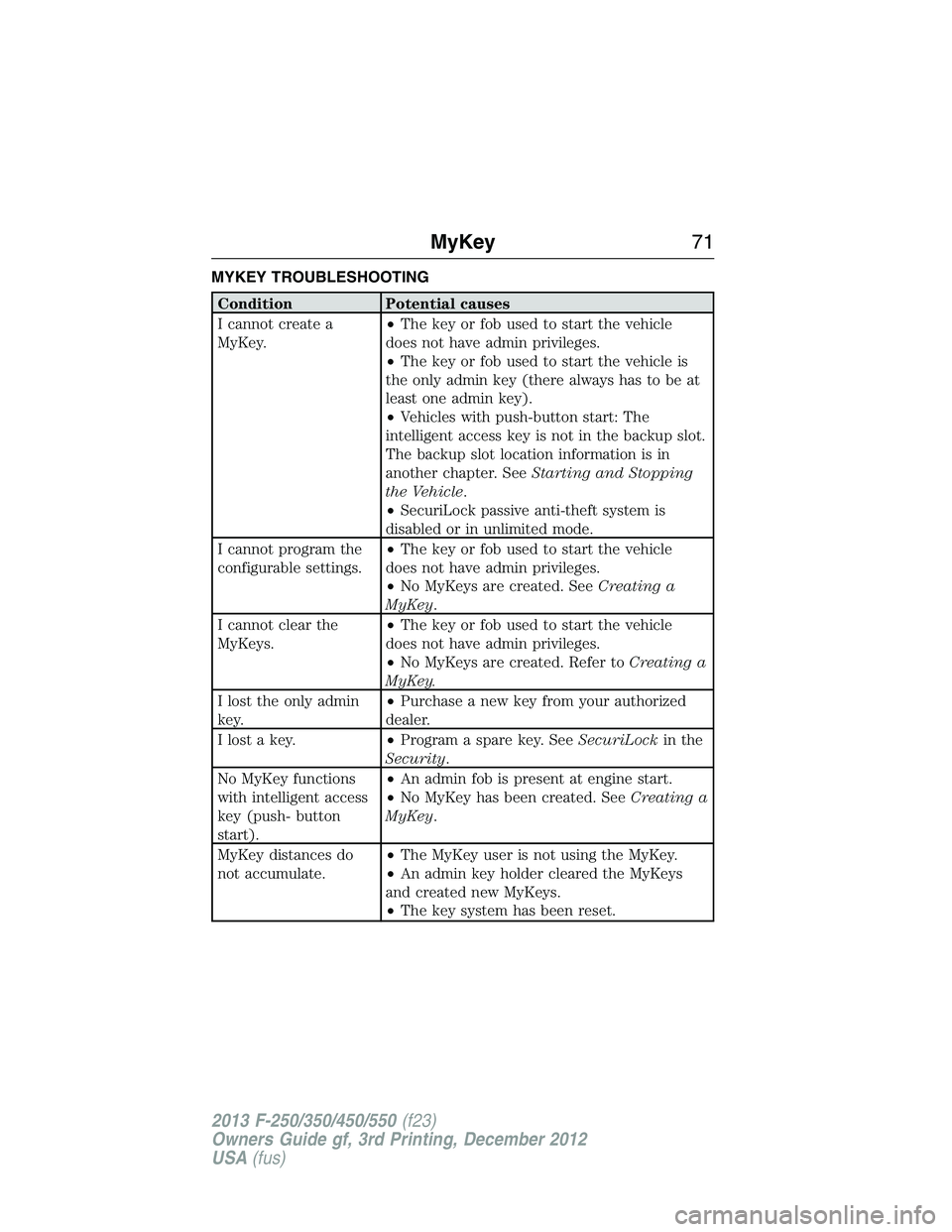
MYKEY TROUBLESHOOTING
Condition Potential causes
I cannot create a
MyKey.•The key or fob used to start the vehicle
does not have admin privileges.
•The key or fob used to start the vehicle is
the only admin key (there always has to be at
least one admin key).
•Vehicles with push-button start: The
intelligent access key is not in the backup slot.
The backup slot location information is in
another chapter. SeeStarting and Stopping
the Vehicle.
•SecuriLock passive anti-theft system is
disabled or in unlimited mode.
I cannot program the
configurable settings.•The key or fob used to start the vehicle
does not have admin privileges.
•No MyKeys are created. SeeCreating a
MyKey.
I cannot clear the
MyKeys.•The key or fob used to start the vehicle
does not have admin privileges.
•No MyKeys are created. Refer toCreating a
MyKey.
I lost the only admin
key.•Purchase a new key from your authorized
dealer.
I lost a key.•Program a spare key. SeeSecuriLockin the
Security.
No MyKey functions
with intelligent access
key (push- button
start).•An admin fob is present at engine start.
•No MyKey has been created. SeeCreating a
MyKey.
MyKey distances do
not accumulate.•The MyKey user is not using the MyKey.
•An admin key holder cleared the MyKeys
and created new MyKeys.
•The key system has been reset.
MyKey71
2013 F-250/350/450/550(f23)
Owners Guide gf, 3rd Printing, December 2012
USA(fus)
Page 82 of 577
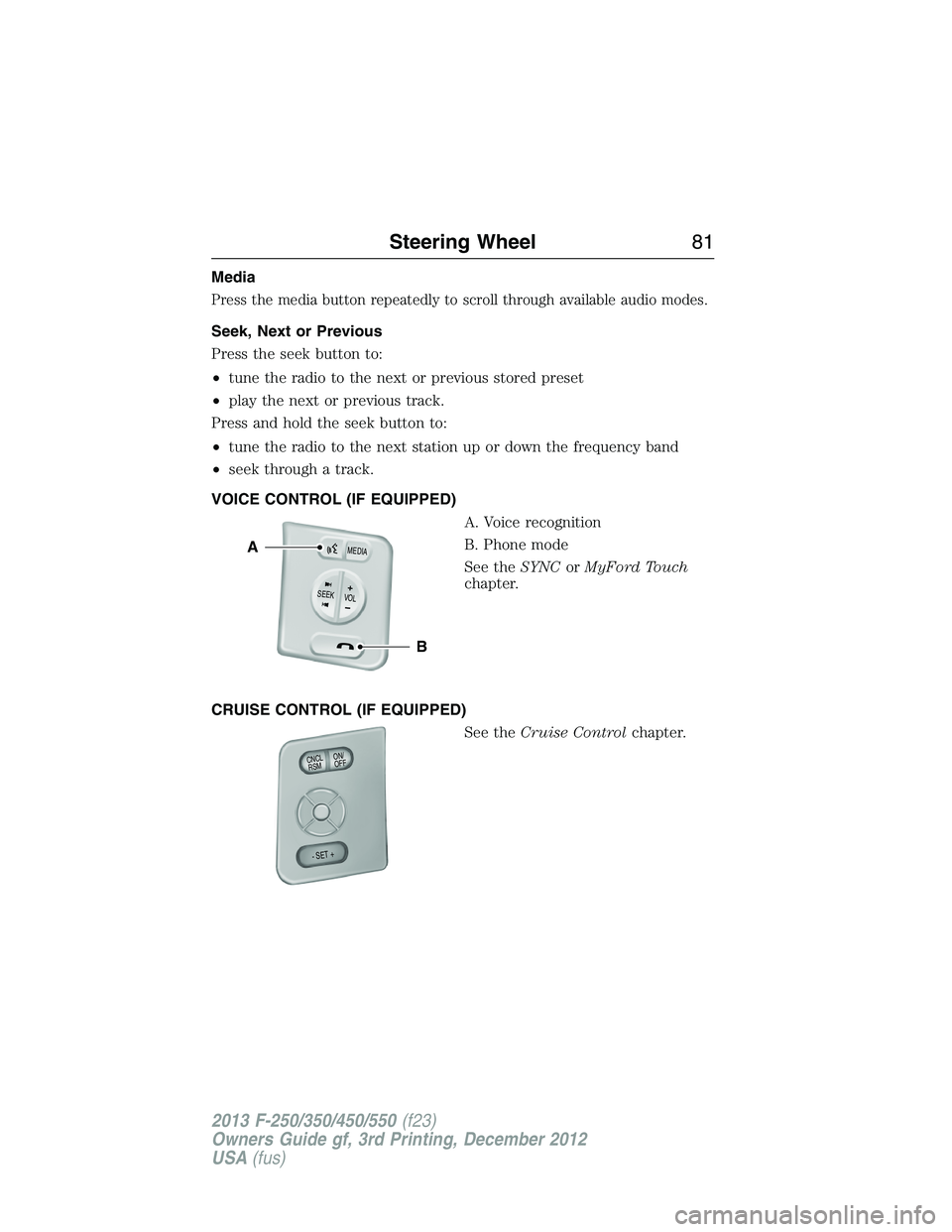
Media
Press the media button repeatedly to scroll through available audio modes.
Seek, Next or Previous
Press the seek button to:
•tune the radio to the next or previous stored preset
•play the next or previous track.
Press and hold the seek button to:
•tune the radio to the next station up or down the frequency band
•seek through a track.
VOICE CONTROL (IF EQUIPPED)
A. Voice recognition
B. Phone mode
See theSYNCorMyFord Touch
chapter.
CRUISE CONTROL (IF EQUIPPED)
See theCruise Controlchapter.
B
A
VOLSEE
K+
M
E
D
IA
ON/
OFF CNCLR
S
M
- SET +
Steering Wheel81
2013 F-250/350/450/550(f23)
Owners Guide gf, 3rd Printing, December 2012
USA(fus)
Page 83 of 577
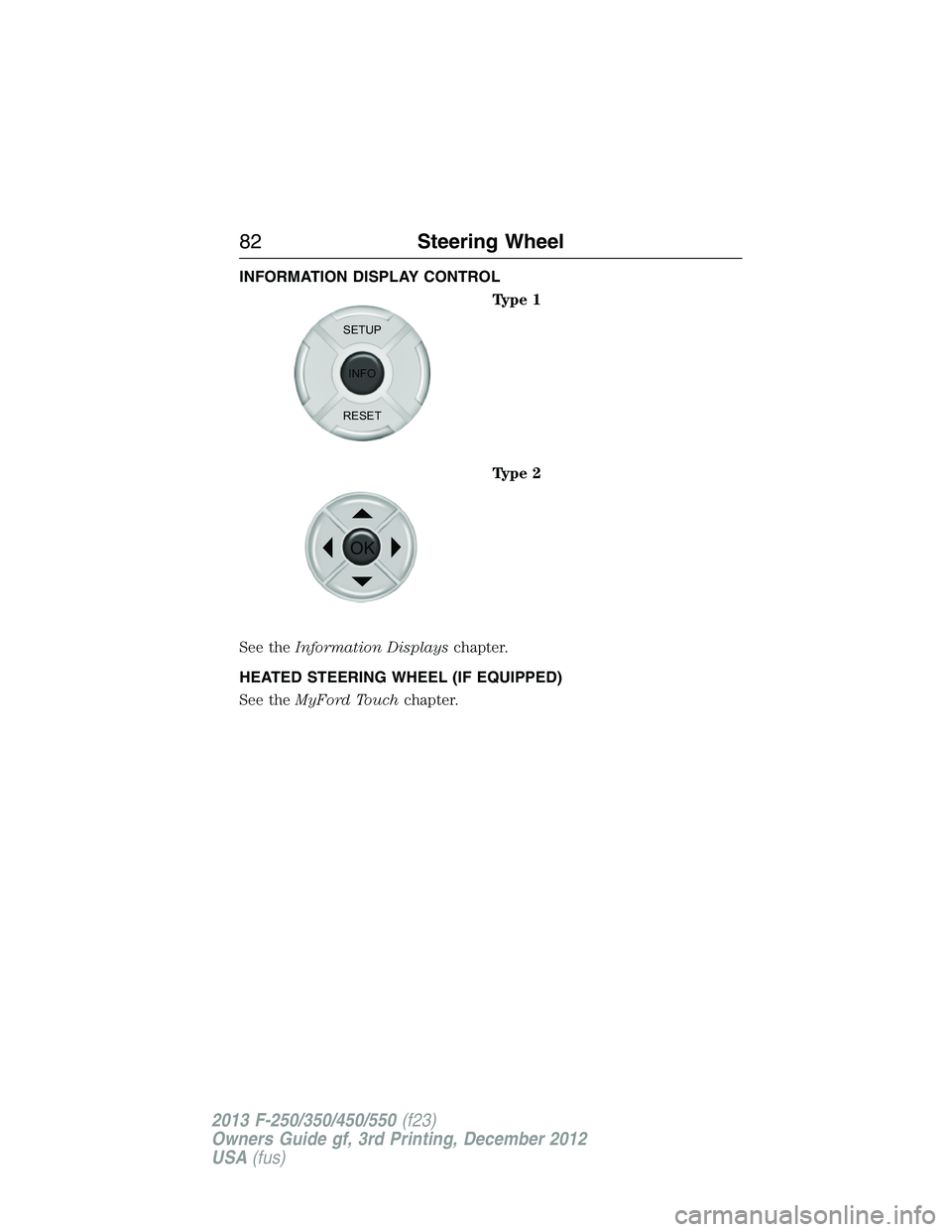
INFORMATION DISPLAY CONTROL
Type 1
Type 2
See theInformation Displayschapter.
HEATED STEERING WHEEL (IF EQUIPPED)
See theMyFord Touchchapter.
SETUP
INFO
RESET
OK
82Steering Wheel
2013 F-250/350/450/550(f23)
Owners Guide gf, 3rd Printing, December 2012
USA(fus)
Page 91 of 577
POWER WINDOWS (IF EQUIPPED)
WARNING:Do not leave children unattended in your vehicle
and do not let them play with the power windows. They may
seriously injure themselves.
WARNING:When closing the power windows, you should verify
they are free of obstructions and make sure that children and
pets are not in the proximity of the window openings.
Note:You may hear a rumbling noise when one or both of the rear
windows are open. Lower a front window slightly to reduce this noise.
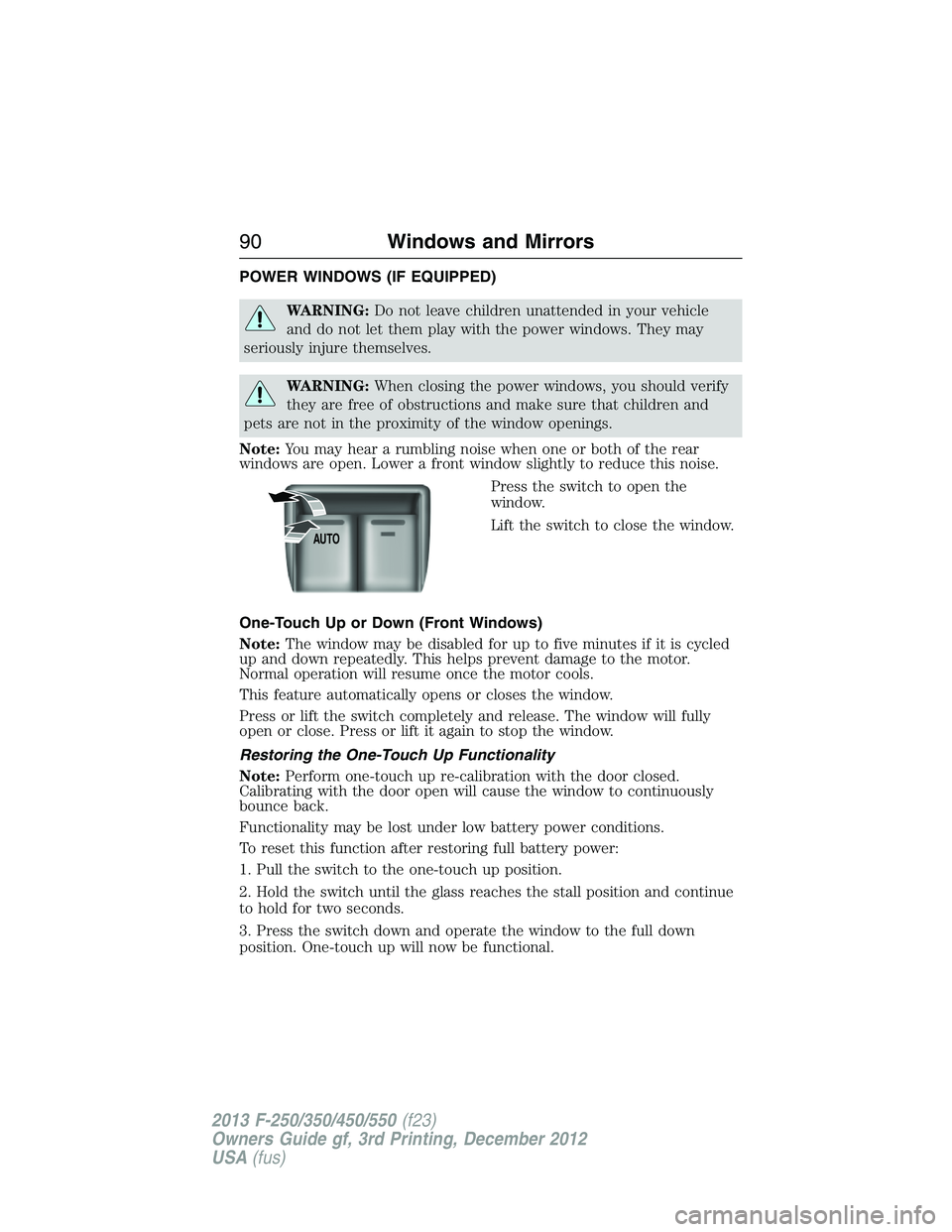
Press the switch to open the
window.
Lift the switch to close the window.
One-Touch Up or Down (Front Windows)
Note:The window may be disabled for up to five minutes if it is cycled
up and down repeatedly. This helps prevent damage to the motor.
Normal operation will resume once the motor cools.
This feature automatically opens or closes the window.
Press or lift the switch completely and release. The window will fully
open or close. Press or lift it again to stop the window.
Restoring the One-Touch Up Functionality
Note:Perform one-touch up re-calibration with the door closed.
Calibrating with the door open will cause the window to continuously
bounce back.
Functionality may be lost under low battery power conditions.
To reset this function after restoring full battery power:
1. Pull the switch to the one-touch up position.
2. Hold the switch until the glass reaches the stall position and continue
to hold for two seconds.
3. Press the switch down and operate the window to the full down
position. One-touch up will now be functional.
AUTO
90Windows and Mirrors
2013 F-250/350/450/550(f23)
Owners Guide gf, 3rd Printing, December 2012
USA(fus)
Page 94 of 577
Fold-Away Exterior Mirrors
Push the mirror toward the door window glass. Make sure that you fully
engage the mirror in its support when returning it to its original position.
Power-Folding Mirrors (If Equipped)
Note:Activating the mirrors 10 or more times within one minute, or
repeated folding and unfolding of the mirrors while holding the control
down during full travel, may disable the system to protect motors from
overheating. Wait approximately three minutes with the vehicle running,
and up to 10 minutes with the vehicle off, for the system to reset and for
function to return to normal.
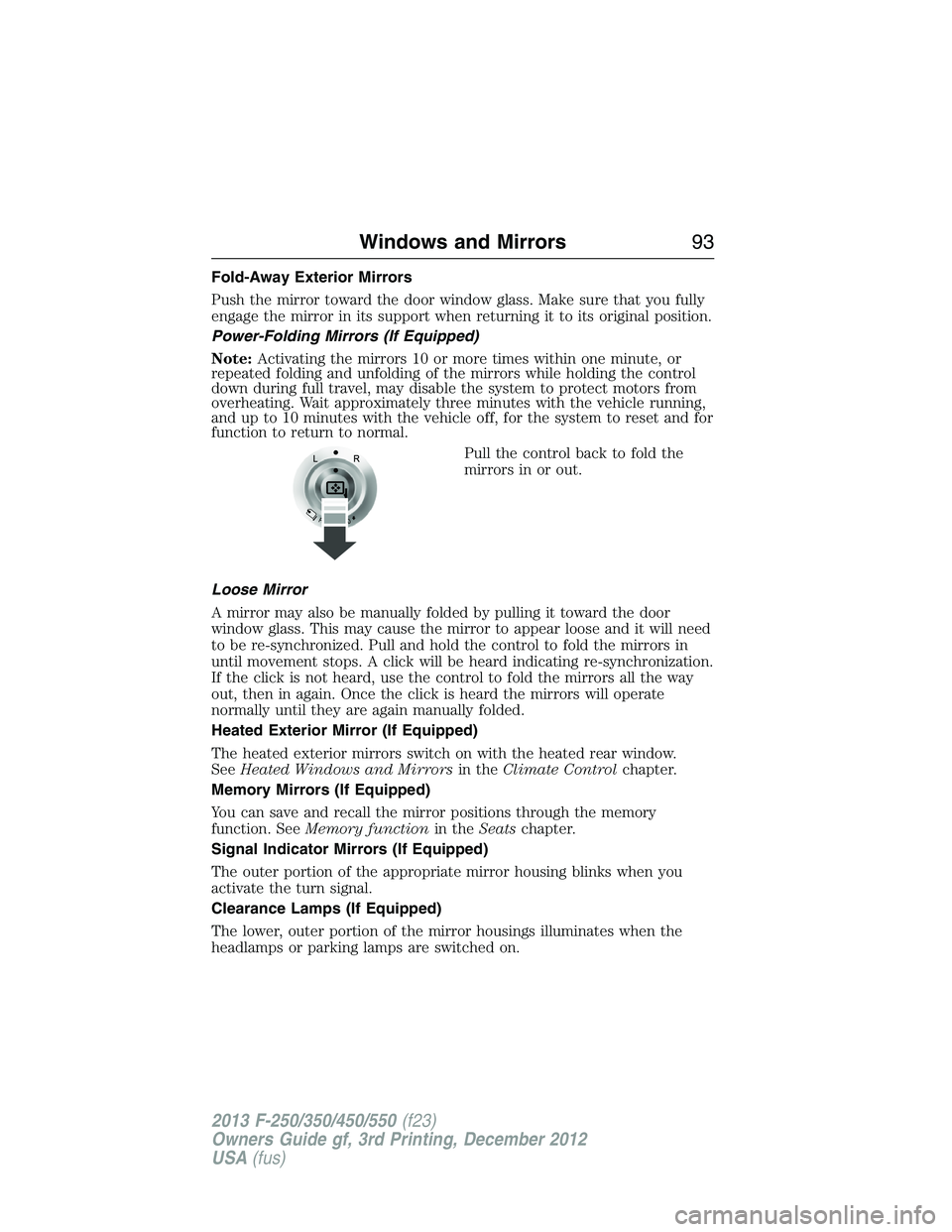
Pull the control back to fold the
mirrors in or out.
Loose Mirror
A mirror may also be manually folded by pulling it toward the door
window glass. This may cause the mirror to appear loose and it will need
to be re-synchronized. Pull and hold the control to fold the mirrors in
until movement stops. A click will be heard indicating re-synchronization.
If the click is not heard, use the control to fold the mirrors all the way
out, then in again. Once the click is heard the mirrors will operate
normally until they are again manually folded.
Heated Exterior Mirror (If Equipped)
The heated exterior mirrors switch on with the heated rear window.
SeeHeated Windows and Mirrorsin theClimate Controlchapter.
Memory Mirrors (If Equipped)
You can save and recall the mirror positions through the memory
function. SeeMemory functionin theSeatschapter.
Signal Indicator Mirrors (If Equipped)
The outer portion of the appropriate mirror housing blinks when you
activate the turn signal.
Clearance Lamps (If Equipped)
The lower, outer portion of the mirror housings illuminates when the
headlamps or parking lamps are switched on.
Windows and Mirrors93
2013 F-250/350/450/550(f23)
Owners Guide gf, 3rd Printing, December 2012
USA(fus)
Page 105 of 577
GENERAL INFORMATION
WARNING:Driving while distracted can result in loss of vehicle
control, accident and injury. Ford strongly recommends that drivers
use extreme caution when using any device or feature that may take their
focus off the road. Your primary responsibility is the safe operation of the
vehicle. We recommend against the use of any handheld device while
driving and that you comply with all applicable laws.
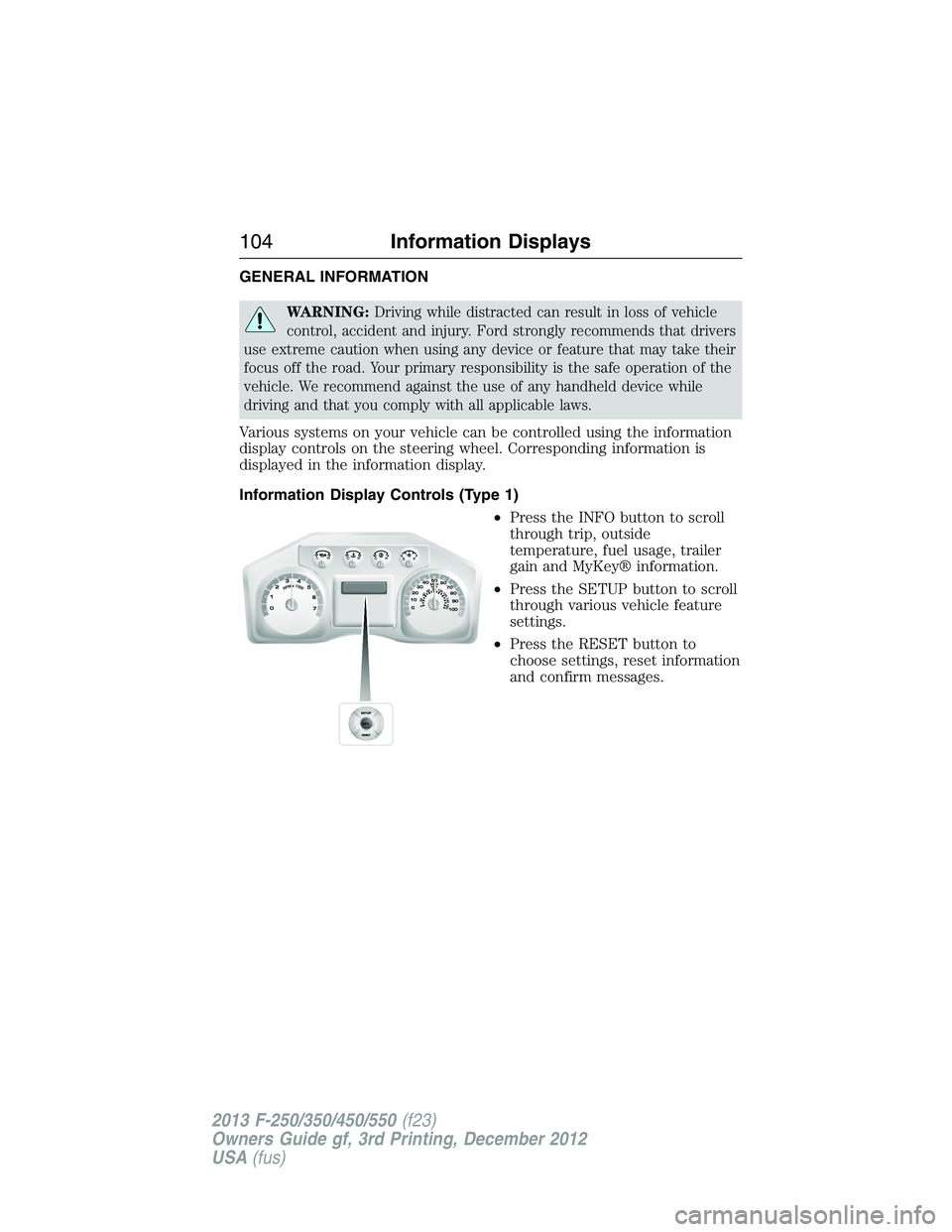
Various systems on your vehicle can be controlled using the information
display controls on the steering wheel. Corresponding information is
displayed in the information display.
Information Display Controls (Type 1)
•Press the INFO button to scroll
through trip, outside
temperature, fuel usage, trailer
gain and MyKey® information.
•Press the SETUP button to scroll
through various vehicle feature
settings.
•Press the RESET button to
choose settings, reset information
and confirm messages.
104Information Displays
2013 F-250/350/450/550(f23)
Owners Guide gf, 3rd Printing, December 2012
USA(fus)
Page 106 of 577
Info
Press the INFO button repeatedly to cycle through the following
features:
Note:Some options may appear slightly different or not at all if the
items are optional.
INFO
TRIP A/B
XXX° (if equipped)
MYKEY MILES (km) (if programmed)
XXX MILES (km) TO E
XX.X AVG MPG (L/100km)
MPG (L/km)
TIMER
TBC GAIN (if equipped)
EXHAUST FILTER (diesel only)
•TRIP A/B: Registers the distance of individual journeys. Press and
release the INFO button until TRIP A/B appears in the display (this
represents the trip mode). Press and hold the RESET button to reset.
Refer toUNITSlater in this section to switch the display from metric
to English.
•XXX° (outside air temperature) (if equipped): This displays the
outside temperature.
•MYKEY MILES (km) (if programmed): For more information, refer to
theMyKey®chapter.
•XXX MILES (km) TO E: This displays an estimate of approximately
how far you can drive with the fuel remaining in your tank under
normal driving conditions. Remember to turn the ignition off when
refueling to allow this feature to correctly detect the added fuel.
Distance to empty is calculated using a running average fuel economy,
which is based on your recent driving history of 500 miles (800 km).
This value is not the same as the average fuel economy display. The
running average fuel economy is re-initialized to a factory default
value if the battery is disconnected.
•XX.X AVG MPG (L/100km): Average fuel economy displays your
average fuel economy in miles/gallon or liters/100 km.
•MPG (L/km): This displays instantaneous fuel economy as a bar graph.
Your vehicle must be moving to calculate instantaneous fuel economy.
Instantaneous fuel economy cannot be reset.
Information Displays105
2013 F-250/350/450/550(f23)
Owners Guide gf, 3rd Printing, December 2012
USA(fus)