display FORD F250 SUPER DUTY 2014 Manual Online
[x] Cancel search | Manufacturer: FORD, Model Year: 2014, Model line: F250 SUPER DUTY, Model: FORD F250 SUPER DUTY 2014Pages: 460, PDF Size: 6.55 MB
Page 337 of 460
SYNC Services quick tips
You can personalize your Services feature to providequicker access to your most used or favorite information.You can save address points such as work or home. Youcan also save favorite information like sports teams or anews category. You can learn more about personalizationby logging onto www.SYNCMyRide.com.
Personalizing
Press the voice button at any time (while connected toSYNC Services) to interrupt a voice prompt or an audioclip (such as a sports report) and say your voice command.
Push to interrupt
Your subscription is associated with your Bluetooth-enabled cellular phone number, not your VIN (VehicleIdentification Number). You can pair and connect yourphone to any vehicle equipped with SYNC Services andcontinue enjoying your personalized services.
Portable
You can even access your account outside your vehicle.Just use the number on your phone's call history. Trafficand Directions features do not function properly butinformation services and the 411 connect and text messagefeatures are available.
SYNC AppLink
Note:This feature is only available in theUnited States.
Note:You must pair and connect yoursmartphone to SYNC to access AppLink.
Note:iPhone users need to connect thephone to the USB port in order to start theapplication. We recommend you lock youriPhone after starting an application.
Note:The AppLink feature is not availableif your vehicle is equipped with the MyFordTouch or MyLincoln Touch system.
Note:Depending on your display type, youcan access AppLink from the media menu,the phone menu, or by using voicecommands. Once an app is running throughAppLink, you can control main features ofthe app through voice commands andsteering wheel controls.
To Access Using the Phone Menu
1. Press the phone button to access theSYNC phone menu on-screen.
2. Scroll to Mobile Apps and press OK toaccess a list of available applications.
3. Scroll through the list of availableapplications and press OK to select aparticular app.
4.Once an app is running through SYNC,you can access an app’s menu bypressing the MENU button to firstaccess the SYNC menu.
5. Select "SYNC-Media" by pressing OK.
6. Scroll until "
334
Super Duty (TFA)
SYNC™ (If Equipped)
Page 338 of 460
To Access Using the Media Menu
1. Press the AUX button on the centerconsole.
2. Press MENU to access the SYNCmenu.
3. Select "SYNC-Media" by pressing OK.
4.Scroll to Mobile Apps and press OK toaccess a list of available applications.
5. Scroll through the list of availableapplications and press OK to select aparticular app.
6.Once an app is running through SYNC,you can access an app’s menu bypressing the MENU button to firstaccess the SYNC menu.
7. Select "SYNC-Media" by pressing OK.
8. Scroll until "
To Access Using Voice Commands
1. Press the voice icon.
2. When prompted, say "Mobile Apps".
3. Say the name of the application afterthe tone.
4. The app should start. While an app isrunning through SYNC, you can pressthe voice button and speak commandsspecific to the app, such as "PlayStation Quickmix". Say "Help" todiscover available voice commands.
USING SYNC™ WITH YOUR
MEDIA PLAYER
You can access and play music from yourdigital music player over your vehicle'sspeaker system using the system's mediamenu or voice commands. You can alsosort and play your music by specificcategories, such as artist and album.
Note:The system is capable of indexing upto 30,000 songs.
SYNC is capable of hosting nearly anydigital media player including: iPod®,Zune™, Plays from device players, andmost USB drives. SYNC also supportsaudio formats, such as MP3, WMA, WAVand ACC.
Connecting Your Digital MediaPlayer to the USB Port
Note:If your digital media player has apower switch, make sure you switch it onbefore plugging it in.
To Connect Using Voice Commands
1. Plug the device into the USB port.
2. Press the voice icon and whenprompted, say "USB".
3. You can now play music by saying anyof the appropriate voice commands.See the media voice commands.
To Connect Using the System Menu
1. Plug the device into the USB port.
2. Press AUX and then MENU to enterthe media menu.
3. Scroll to Select Source. Press OK.
4. Scroll to USB. Press OK.
5.Depending on how many digital mediafiles are on your connected device,Indexing may appear in the radiodisplay. When indexing is complete, thescreen returns to the Play menu.
335
Super Duty (TFA)
SYNC™ (If Equipped)
Page 342 of 460
You can:When you select:
Access Bluetooth Device menu listings (Add, Connect, Setas Primary, On and Off, Delete) as well as Advanced menulistings (prompts, languages, defaults, master reset, installapplication and system information).
System Settings
Press OK to exit the media menu.Exit Media Menu
1The time required to complete this depends on the size of the media the system needsto index. If autoplay is on, you can listen to media processed during indexing. If autoplayis off, you cannot listen to music until the system finishes indexing media. SYNC is capableof indexing thousands of average size media and notifies you if it reaches the maximumindexing file size.2If you have already connected a device to the USB port, you cannot access the line infeature. Some digital media players require both USB and line in ports to stream dataand music separately.3Some digital media players require both USB and line in ports to stream data and musicseparately4Indexing times can vary from device to device and with regard to the number of songsthe system needs to process.
Accessing Your Play Menu
This menu allows you to select and playyour media by artist, album, genre, playlist,track, similar music or even to explore whatis on your USB device.
Note:If your digital media player has apower switch, make sure you switch it onbefore plugging it in.
1. Press AUX and then MENU to enterthe media menu.
2. Scroll to Play. Press OK.
If there are no media files to access, thedisplay indicates there is no media. If thereare media files, you have the followingoptions:
You can:When you select:
Play all indexed media (tracks) from your playing devicein flat file mode, one at a time in numerical order.Play All
Press OK to select. The first track title appears in thedisplay.
Sort all indexed media by artist. Once selected, the systemlists and then play all artists and tracks alphabetically. Ifthere are fewer than 255 indexed artists, the system liststhem alphabetically in flat file mode. If there are morethan 255, the system categorizes them alphabetically.
Artists
339
Super Duty (TFA)
SYNC™ (If Equipped)
Page 344 of 460
You can:When you select:
Press OK to select. The system creates a new list of similarsongs and begins playing. This feature does not includetracks with incomplete metadata information.
Exit the current menu.Return
*With certain playing devices, if your metadata tags are not populated, the tracks are notavailable in voice recognition, play menu or similar music. However, if you place thesetracks onto your playing device in "Mass Storage Device Mode", they are available in voicerecognition, play menu browsing and similar music. The system places Unknown itemsinto any unpopulated metadata tag.
System Settings
Bluetooth Devices
The Bluetooth Devices menu allows youto add, connect and delete a device as turnthe Bluetooth feature on and off.
1. Press AUX and then MENU to enterthe media menu.
2. Scroll to System Settings. Press OK.
3. Scroll to Bluetooth Devices. Press OK.
You can:When you select:
Pair more devices to the system.Add Bluetooth Device*1. Press OK to select and press OK again when Find SYNCappears in the display.2. Follow the directions in your phone's manual to put yourphone into discovery mode. A six-digit PIN appears in thedisplay.3. When prompted on your phone's six-digit display, enterthe PIN.
Connect a previously paired Bluetooth-enabled device.Connect Bluetooth Device1. Press OK to select and view a list of previously paireddevices.2. Scroll until you find the desired device, and then pressOK to connect the device.
Turn the Bluetooth feature on and off.**Set Bluetooth
1. Press OK and scroll to toggle between On and Off.2. Make a selection, and then press OK.
Delete a paired media device.Delete Device1. Press OK and scroll to select the device.2. Press OK to confirm.
Delete all previously paired devices.Delete All Devices
341
Super Duty (TFA)
SYNC™ (If Equipped)
Page 345 of 460
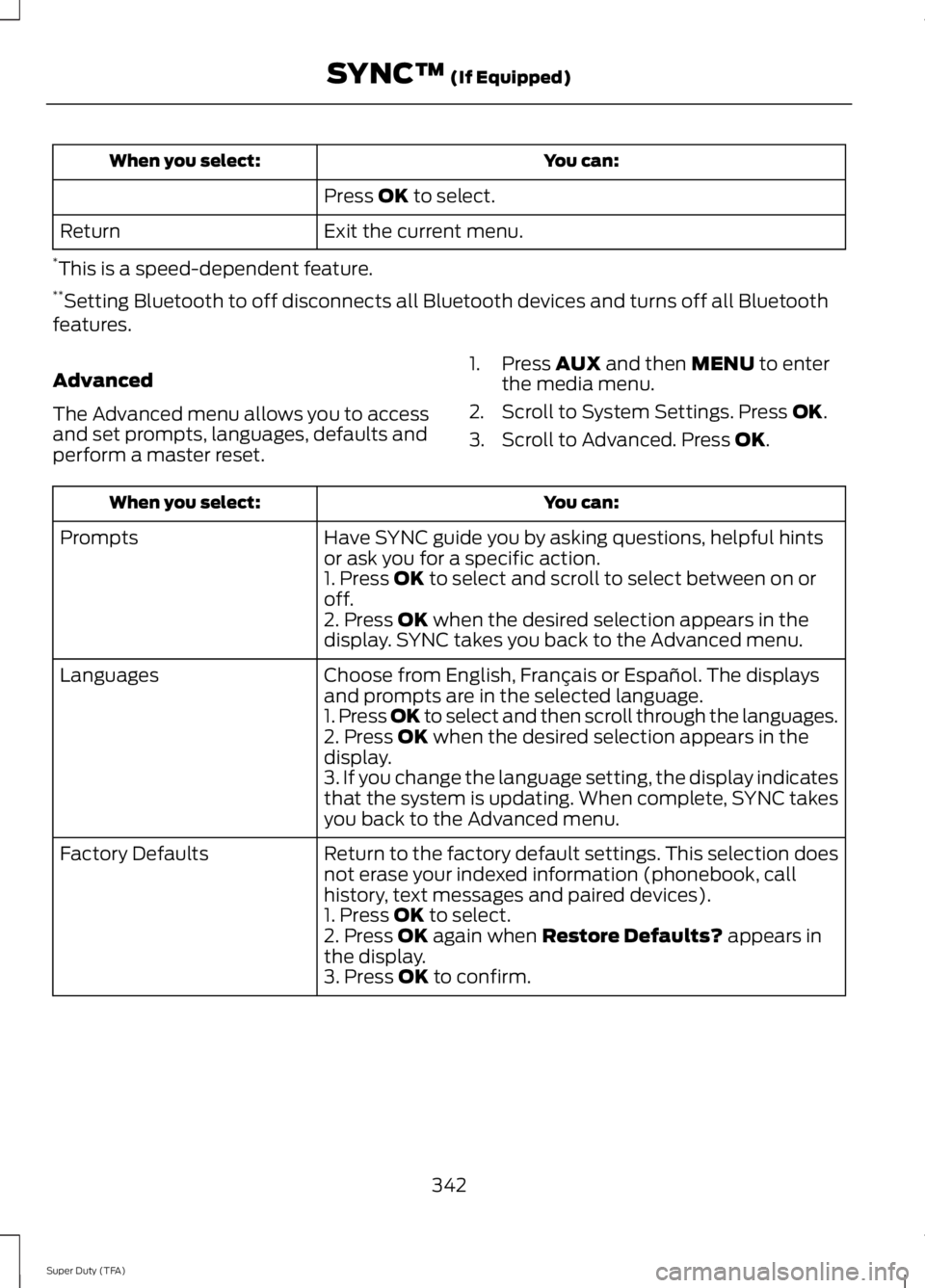
You can:When you select:
Press OK to select.
Exit the current menu.Return
*This is a speed-dependent feature.**Setting Bluetooth to off disconnects all Bluetooth devices and turns off all Bluetoothfeatures.
Advanced
The Advanced menu allows you to accessand set prompts, languages, defaults andperform a master reset.
1. Press AUX and then MENU to enterthe media menu.
2. Scroll to System Settings. Press OK.
3. Scroll to Advanced. Press OK.
You can:When you select:
Have SYNC guide you by asking questions, helpful hintsor ask you for a specific action.Prompts
1. Press OK to select and scroll to select between on oroff.2. Press OK when the desired selection appears in thedisplay. SYNC takes you back to the Advanced menu.
Choose from English, Français or Español. The displaysand prompts are in the selected language.Languages
1. Press OK to select and then scroll through the languages.2. Press OK when the desired selection appears in thedisplay.3. If you change the language setting, the display indicatesthat the system is updating. When complete, SYNC takesyou back to the Advanced menu.
Return to the factory default settings. This selection doesnot erase your indexed information (phonebook, callhistory, text messages and paired devices).
Factory Defaults
1. Press OK to select.2. Press OK again when Restore Defaults? appears inthe display.3. Press OK to confirm.
342
Super Duty (TFA)
SYNC™ (If Equipped)
Page 353 of 460
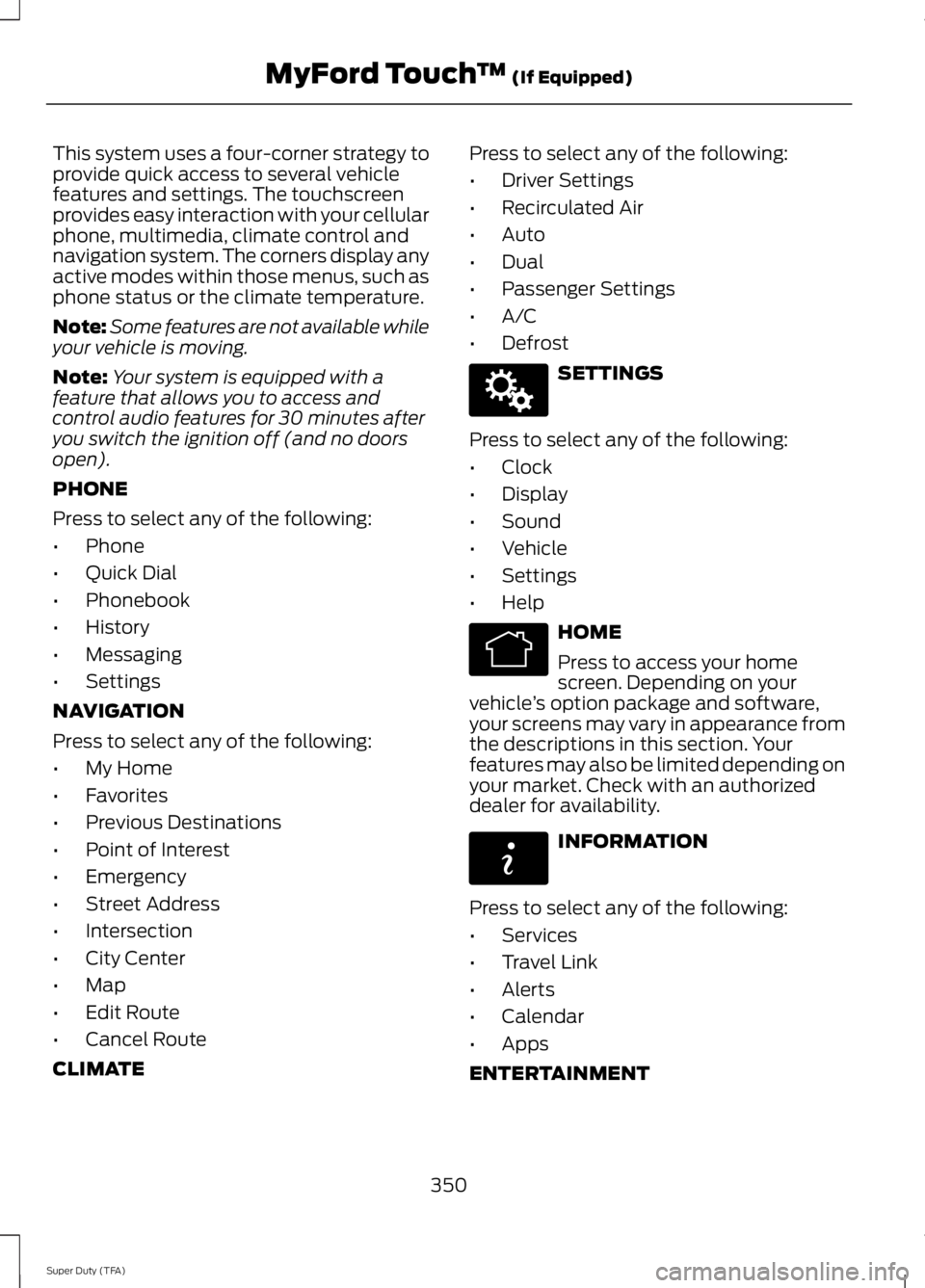
This system uses a four-corner strategy toprovide quick access to several vehiclefeatures and settings. The touchscreenprovides easy interaction with your cellularphone, multimedia, climate control andnavigation system. The corners display anyactive modes within those menus, such asphone status or the climate temperature.
Note:Some features are not available whileyour vehicle is moving.
Note:Your system is equipped with afeature that allows you to access andcontrol audio features for 30 minutes afteryou switch the ignition off (and no doorsopen).
PHONE
Press to select any of the following:
•Phone
•Quick Dial
•Phonebook
•History
•Messaging
•Settings
NAVIGATION
Press to select any of the following:
•My Home
•Favorites
•Previous Destinations
•Point of Interest
•Emergency
•Street Address
•Intersection
•City Center
•Map
•Edit Route
•Cancel Route
CLIMATE
Press to select any of the following:
•Driver Settings
•Recirculated Air
•Auto
•Dual
•Passenger Settings
•A/C
•Defrost
SETTINGS
Press to select any of the following:
•Clock
•Display
•Sound
•Vehicle
•Settings
•Help
HOME
Press to access your homescreen. Depending on yourvehicle’s option package and software,your screens may vary in appearance fromthe descriptions in this section. Yourfeatures may also be limited depending onyour market. Check with an authorizeddealer for availability.
INFORMATION
Press to select any of the following:
•Services
•Travel Link
•Alerts
•Calendar
•Apps
ENTERTAINMENT
350
Super Duty (TFA)
MyFord Touch™ (If Equipped)E142607 E142613 E142608
Page 354 of 460
Press to select any of the following:
•AM
•FM
•SIRIUS
•CD
•USB
•BT Stereo
•SD Card
•A/V In
Using the Touch-SensitiveControls on Your System
To turn a feature on and off, just touch thegraphic with your finger. To get the bestperformance from the touch-sensitivecontrols:
•Do not press hard on the controls. Theyare sensitive to light touch.
•Use your bare finger to touch the centerof a touch-control graphic. Touchingoff-center of the graphic may affectoperation of a nearby control.
•Make sure your hands are clean anddry.
•Since the touchscreen operates basedon the touch of a finger, you may havetrouble using it if you are wearinggloves.
•Keep metal and other conductivematerial away from the surface of thetouchscreen as this may causeelectronic interference (for example,inadvertently turning on a feature otherthan the one you meant to turn on).
Cleaning the Touchscreen Display
Use a clean, soft cloth such as one usedfor cleaning glasses. If dirt or fingerprintsare still visible, apply a small amount ofalcohol to the cloth. Do not pour or sprayalcohol onto the display. Do not usedetergent or any type of solvent to cleanthe display.
Using Your Bezel Controls
Depending on your vehicle and optionpackage, you may also have these controlson your bezel:
•Power: Switch the media or climatefeatures off and on.
•VOL: Control the volume of playingmedia.
•Temperature, fan and climate controlbuttons: Control the temperature, fanspeed or settings of the climate controlsystem.
•Seek and Tune buttons: Use as younormally would in media modes.
•Eject: Eject a CD from theentertainment system.
•SOURCE: Touch the word repeatedlyto see all available media modes. Thescreen does not change, but you seethe media change in the lower leftstatus bar.
•MEDIA: Touch the word to access theSound menu where you can adjustsettings such as: Bass, Treble,Midrange, Balance and Fade, DSP(Digital Signal Processing), OccupancyMode and Speed CompensatedVolume. (Your vehicle may not haveall of these sound options.)
•Hazard flasher: Switch the hazardflashers off and on.
Using Your Steering WheelControls
Depending on your vehicle and optionpackage, you can use your steering wheelcontrols to interact with the touchscreensystem. See Steering Wheel (page 60).
Support
The SYNC support team is available tohelp you with any questions you are notable to answer on your own.
351
Super Duty (TFA)
MyFord Touch™ (If Equipped)
Page 359 of 460
Voice settings using voice commands
"Interaction mode novice"
"Media candidate lists off"
"Media candidate lists on"
"Phone candidate lists off"
"Phone candidate lists on"
"Help"
Using Voice Commands with theTouchscreen Options
Your voice system has a dual mode featurewhich allows you to switch between usingvoice commands and making on-screenselections. This is available only when thesystem displays a list of candidatesgenerated during a voice session. Forexample, when entering in a street addressor trying to call a contact from the phoneyou paired to the system.
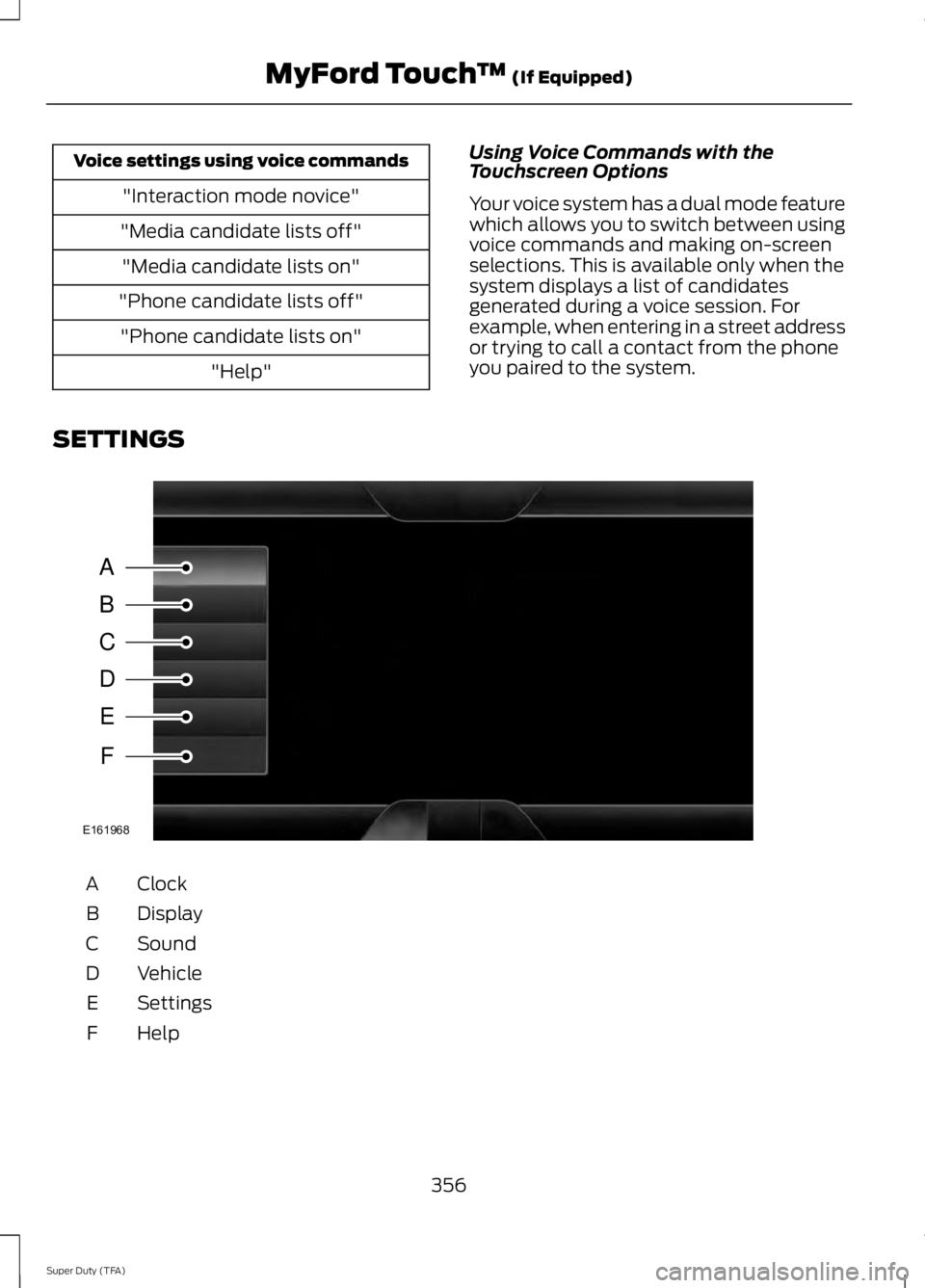
SETTINGS
ClockA
DisplayB
SoundC
VehicleD
SettingsE
HelpF
356
Super Duty (TFA)
MyFord Touch™ (If Equipped)A
B
C
D
E
F
E161968
Page 360 of 460
Under this menu, you can setyour clock, access and adjust thedisplay, sound and vehiclesettings as well as access settings forspecific modes or the help feature.
Clock
Note:You cannot manually set the date.Your vehicle’s GPS does this for you.
Note:If the battery has been disconnected,your vehicle needs to acquire a GPS signalto update the clock. Once your vehicleacquires the signal, it may take a fewminutes for the update to display the correcttime.
1. Press the Settings icon > Clock.
2. Press + and - to adjust the time.
From this screen, you can also make otheradjustments such as 12-hour or 24-hourmode, activate GPS time synchronizationand have the system automatically updatenew time zones.
You can also turn the outside airtemperature display off and on. It appearsat the top center of the touchscreen, nextto the time and date.
The system automatically saves anyupdates you make to the settings.
Display
You can adjust the touchscreen displaythrough the touchscreen or by pressing thevoice button on your steering wheelcontrols and when prompted, say, "Displaysettings".
Press the Settings icon >Display, to access and makeadjustments using thetouchscreen.
•Brightness allows you to make thescreen display brighter or dimmer.
•Auto DIM, when set to On, lets you usethe Auto Dim Manual Offset feature.When set to Off, screen brightnessdoes not change.
•Mode allows you to set the screen toa certain brightness or have the systemautomatically change based on theoutside light level, or turn the displayoff.
•If you select AUTO or NIGHT, youhave the options of turning thedisplay's Auto Dim feature on or offand changing the Auto Dim ManualOffset feature.
•Auto Dim Manual Offset allows youto adjust screen dimming as theoutside lighting conditions change fromday to night. This feature also allowsyou to adjust screen brightness usingthe instrument panel dimming control.
•Edit Wallpaper
•You can have your touchscreendisplay the default photo or uploadyour own.
Uploading Photos for Your HomeScreen Wallpaper
Note:You cannot load photos directly fromyour camera. You must access the photoseither from your USB mass storage deviceor from an SD card.
Note:Photographs with extremely largedimensions (such as 2048 x 1536) may notbe compatible and appear as a blank(black) image on the display.
Your system allows you to upload and viewup to 32 photos.
To access, press the Settingsicon > Display > EditWallpaper, and then follow thesystem prompts to upload yourphotographs.
357
Super Duty (TFA)
MyFord Touch™ (If Equipped)E142607 E142607 E142607 E142607
Page 361 of 460
Only the photograph(s), which meets thefollowing conditions, display:
•Compatible file formats are as follows:.jpg, .gif, .png, .bmp
•Each file must be 1.5 MB or less.
•Recommended dimensions: 800 x 384
Sound
Press the Settings icon > Sound,then select from the following:
Sound
Bass
Midrange
Treble
Set Balance and Fade
DSP*
Occupancy Mode*
Speed Compensated Volume
* Your vehicle may not have these soundsettings.
Vehicle
Press the Settings icon >Vehicle, then select from thefollowing:
•Vehicle Health Report
•Rear View Camera
•Enable Valet Mode.
Vehicle Health Report
Turn Automatic Reminders on and offand set the mileage interval at which youwould like to receive the reports. Press ?for more information on these selections.
When done making your selections, pressRun Vehicle Health Report Now if youwant your report.
You can find more information on VehicleHealth Report in this chapter. SeeInformation (page 389).
Rear View Camera
This menu allows you to access settingsfor your rear view camera.
Press the Settings icon >Vehicle > Rear View Camera,then select from the followingsettings:
•Rear Camera Delay
•Visual Park Aid Alert
•Guidelines.
You can find more information on the rearview camera in another chapter. See RearView Camera (page 171).
Enable Valet Mode
Valet mode allows you to lock the system.No information is accessible until thesystem is unlocked with the correct PIN.You can create your own four-digit PIN tolock and unlock the system.
1. Press the Settings icon > Vehicle >Enable Valet Mode.
2.When prompted, enter a four-digit PIN.
After you press Continue, the system locksuntil you enter the PIN again.
Note:If the system locks, and you need toreset the PIN, enter 3681 and the systemunlocks.
358
Super Duty (TFA)
MyFord Touch™ (If Equipped)E142607 E142607 E142607 E142607