phone FORD F250 SUPER DUTY 2017 Owners Manual
[x] Cancel search | Manufacturer: FORD, Model Year: 2017, Model line: F250 SUPER DUTY, Model: FORD F250 SUPER DUTY 2017Pages: 642, PDF Size: 12.35 MB
Page 8 of 642
Changing the Engine Air Filter - 6.7LDiesel............................................................357
Changing the Engine-Mounted andDiesel Fuel Conditioner Module FuelFilters - 6.7L Diesel..................................359
Vehicle Care
General Information...................................364
Cleaning Products.......................................364
Cleaning the Exterior..................................365
Waxing.............................................................366
Cleaning the Engine...................................366
Cleaning the Exhaust - 6.7L Diesel........367
Cleaning the Windows and WiperBlades..........................................................367
Cleaning the Interior...................................368
Cleaning the Instrument Panel andInstrument Cluster Lens.......................368
Cleaning Leather Seats.............................369
Repairing Minor Paint Damage..............370
Cleaning the Wheels..................................370
Vehicle Storage..............................................371
Wheels and Tires
General Information...................................374
Tire Care...........................................................377
Using Snow Chains.....................................394
Tire Pressure Monitoring System..........394
Changing a Road Wheel...........................402
Technical Specifications............................413
Capacities and Specific-ations
Engine Specifications - 6.2L.....................415
Engine Specifications - 6.7L Diesel........415
Engine Specifications - 6.8L....................416
Motorcraft Parts - 6.2L...............................417
Motorcraft Parts - 6.7L Diesel..................418
Motorcraft Parts - 6.8L..............................419
Vehicle Identification Number...............420
Vehicle Certification Label........................421
Transmission Code Designation.............421
Capacities and Specifications - 6.2L....422
Capacities and Specifications - 6.7LDiesel............................................................427
Capacities and Specifications -6.8L...............................................................434
Audio System
General Information....................................441
Audio Unit - Vehicles With: AM/FM/CD..................................................................442
Audio Unit - Vehicles With: AM/FM/CD/SYNC............................................................443
Audio Unit - Vehicles With: AM/FM/CD/Touchscreen Display..............................447
Digital Radio..................................................448
Satellite Radio...............................................451
USB Port.........................................................454
SYNC™
General Information...................................455
Using Voice Recognition...........................457
Using SYNC™ With Your Phone...........459
SYNC™ Applications and Services.......471
Using SYNC™ With Your MediaPlayer...........................................................476
SYNC™ Troubleshooting.........................485
SYNC™ 3
General Information...................................493
Home Screen................................................504
Using Voice Recognition...........................505
Entertainment................................................512
Climate............................................................522
Phone...............................................................524
Navigation......................................................530
Apps.................................................................538
Settings............................................................541
SYNC™ 3 Troubleshooting......................553
5
Super Duty (TFE) Canada/United States of America, enUSA, Edition date: 201710, Second Printing
Table of Contents
Page 14 of 642
•How fast the vehicle was traveling;and
•Where the driver was positioningthe steering wheel.
This data can help provide a betterunderstanding of the circumstances inwhich crashes and injuries occur.
Note:Event data recorder data isrecorded by your vehicle only if anon-trivial crash situation occurs; no datais recorded by the event data recorderunder normal driving conditions and nopersonal data or information (e.g., name,gender, age, and crash location) isrecorded (see limitations regarding 911Assist and Traffic, directions andInformation privacy below). However,parties, such as law enforcement, couldcombine the event data recorder datawith the type of personally identifyingdata routinely acquired during a crashinvestigation.
To read data recorded by an event datarecorder, special equipment is required,and access to the vehicle or the eventdata recorder is needed. In addition tothe vehicle manufacturer, otherparties, such as law enforcement, thathave such special equipment, can readthe information if they have access tothe vehicle or the event data recorder.Ford Motor Company and Ford ofCanada do not access event datarecorder information without obtainingconsent, unless pursuant to court orderor where required by law enforcement,other government authorities or otherthird parties acting with lawfulauthority. Other parties may seek toaccess the information independentlyof Ford Motor Company and Ford ofCanada.
Note:Including to the extent that anylaw pertaining to Event Data Recordersapplies to SYNC or its features, pleasenote the following: Once 911 Assist (ifequipped) is enabled (set ON), 911 Assistmay, through any paired and connectedcell phone, disclose to emergencyservices that the vehicle has been in acrash involving the deployment of anairbag or, in certain vehicles, theactivation of the fuel pump shut-off.Certain versions or updates to 911 Assistmay also be capable of being used toelectronically or verbally provide to 911operators the vehicle location (such aslatitude and longitude), and/or otherdetails about the vehicle or crash orpersonal information about theoccupants to assist 911 operators toprovide the most appropriate emergencyservices. If you do not want to disclosethis information, do not activate the 911Assist feature. See SYNC™ (page 455).
Additionally, when you connect toTraffic, Directions and Information (ifequipped, U.S. only), the service usesGPS technology and advanced vehiclesensors to collect the vehicle’s currentlocation, travel direction, and speed(“vehicle travel information”), only tohelp provide you with the directions,traffic reports, or business searchesthat you request. If you do not wantFord or its vendors to receive thisinformation, do not activate theservice. For more information, seeTraffic, Directions and Information,Terms and Conditions. See SYNC™(page 455).
11
Super Duty (TFE) Canada/United States of America, enUSA, Edition date: 201710, Second Printing
Introduction
Page 17 of 642
Layout Book and the Qualified VehicleModifiers (QVM) Guidelines as well aspertinent supplements. For additionalinformation, please contact the Truck BodyBuilders Advisory Service athttp://www.fleet.ford.com/truckbbas/and then by selecting Contact Us or byphone at 1–877–840–4338.
Use of your Ford light truck as anambulance, without the Ford AmbulancePreparation Package voids the Ford NewVehicle Limited Warranty and may voidthe emissions warranties. In addition,ambulance usage without the preparationpackage could cause high underbodytemperatures, overpressurized fuel and arisk of spraying fuel which could lead tofires.
If your vehicle has the Ford AmbulancePreparation Package, it will be indicatedon the Safety Compliance CertificationLabel. The label is on the driver side doorpillar or on the rear edge of the driver door.You can determine whether theambulance manufacturer followed Ford’srecommendations by directly contactingthat manufacturer. The Ford AmbulancePreparation Package is only available oncertain diesel engine equipped vehicles.
Using your Vehicle as a StationaryPower Source
Information and guidelines for operating avehicle with an aftermarket power take-offsystem are in this Owner's Manual. SeePower Take-Off (page 209).
MOBILE COMMUNICATIONS
EQUIPMENT
WARNING
Driving while distracted can result inloss of vehicle control, crash andinjury. We strongly recommend thatyou use extreme caution when using anydevice that may take your focus off theroad. Your primary responsibility is the safeoperation of your vehicle. We recommendagainst the use of any hand-held devicewhile driving and encourage the use ofvoice-operated systems when possible.Make sure you are aware of all applicablelocal laws that may affect the use ofelectronic devices while driving.
Using mobile communications equipmentis becoming increasingly important in theconduct of business and personal affairs.However, you must not compromise yourown or others’ safety when using suchequipment. Mobile communications canenhance personal safety and security whenappropriately used, particularly inemergency situations. Safety must beparamount when using mobilecommunications equipment to avoidnegating these benefits. Mobilecommunication equipment includes, butis not limited to, cellular phones, pagers,portable email devices, text messagingdevices and portable two-way radios.
EXPORT UNIQUE OPTIONS
For your particular global region, yourvehicle may be equipped with features andoptions that are different from the featuresand options that are described in thisOwner’s Manual. A market uniquesupplement may be supplied thatcomplements this book. By referring to themarket unique supplement, if provided,you can properly identify those features,
14
Super Duty (TFE) Canada/United States of America, enUSA, Edition date: 201710, Second Printing
Introduction
Page 57 of 642
GENERAL INFORMATION ON
RADIO FREQUENCIES
This device complies with Part 15 of theFCC Rules and with Industry Canadalicense-exempt RSS standard(s).Operation is subject to the following twoconditions: (1) This device may not causeharmful interference, and (2) This devicemust accept any interference received,including interference that may causeundesired operation.
Note:Changes or modifications notexpressively approved by the partyresponsible for compliance could void theuser's authority to operate the equipment.The term IC before the radio certificationnumber only signifies that Industry Canadatechnical specifications were met.
The typical operating range for yourtransmitter is approximately 33 feet (10meters). Vehicles with the remote startfeature will have a greater range. One ofthe following could cause a decrease inoperating range:
•weather conditions
•nearby radio towers
•structures around the vehicle
•other vehicles parked next to yourvehicle
Other short-distance radio transmitters,such as amateur radios, medicalequipment, wireless headphones, remotecontrols and alarm systems may operateon the same frequency as your remotecontrol. If other transmitters are operatingon those frequencies, you may not be ableto use your remote control. Using yourremote control near some types ofelectronic equipment, such as USB devices,
computers or cell phones can interfere withremote operation. Operating your remotecontrol near metal or metallic-finishedpurses, bags or clothing can interfere withremote operation. You can lock and unlockthe doors with the key.
Note:Make sure to lock your vehicle beforeleaving it unattended.
Note:If you are in range, the remote controlwill operate if you press any buttonunintentionally.
Intelligent Access
The system uses a radio frequency signalto communicate with your vehicle andauthorize your vehicle to unlock when oneof the following conditions are met:
•You touch the inside of the frontexterior door handle within 3 ft (1 m)proximity of an intelligent access key.
•You press the tailgate release button.
•You press a button on the transmitter.
If excessive radio frequency interferenceis present in the area or if the transmitterbattery is low, you may need tomechanically unlock your door. You canuse the mechanical key blade in yourintelligent access key to open the driverdoor in this situation. See RemoteControl (page 54).
REMOTE CONTROL
Integrated Keyhead Transmitter (If
Equipped)
Use the key blade to start your vehicle andunlock or lock the driver door from outsideyour vehicle. The transmitter portionfunctions as the remote control.
54
Super Duty (TFE) Canada/United States of America, enUSA, Edition date: 201710, Second Printing
Keys and Remote Controls
Page 69 of 642
The system will not function if:
•Your vehicle battery has no charge.
•The key battery has no charge.
•The passive key frequencies arejammed.
Note:The system may not function if thepassive key is close to metal objects orelectronic devices, for example keys or a cellphone.
Note:If the system does not function, usethe key blade to lock and unlock yourvehicle. See Remote Control (page 54).
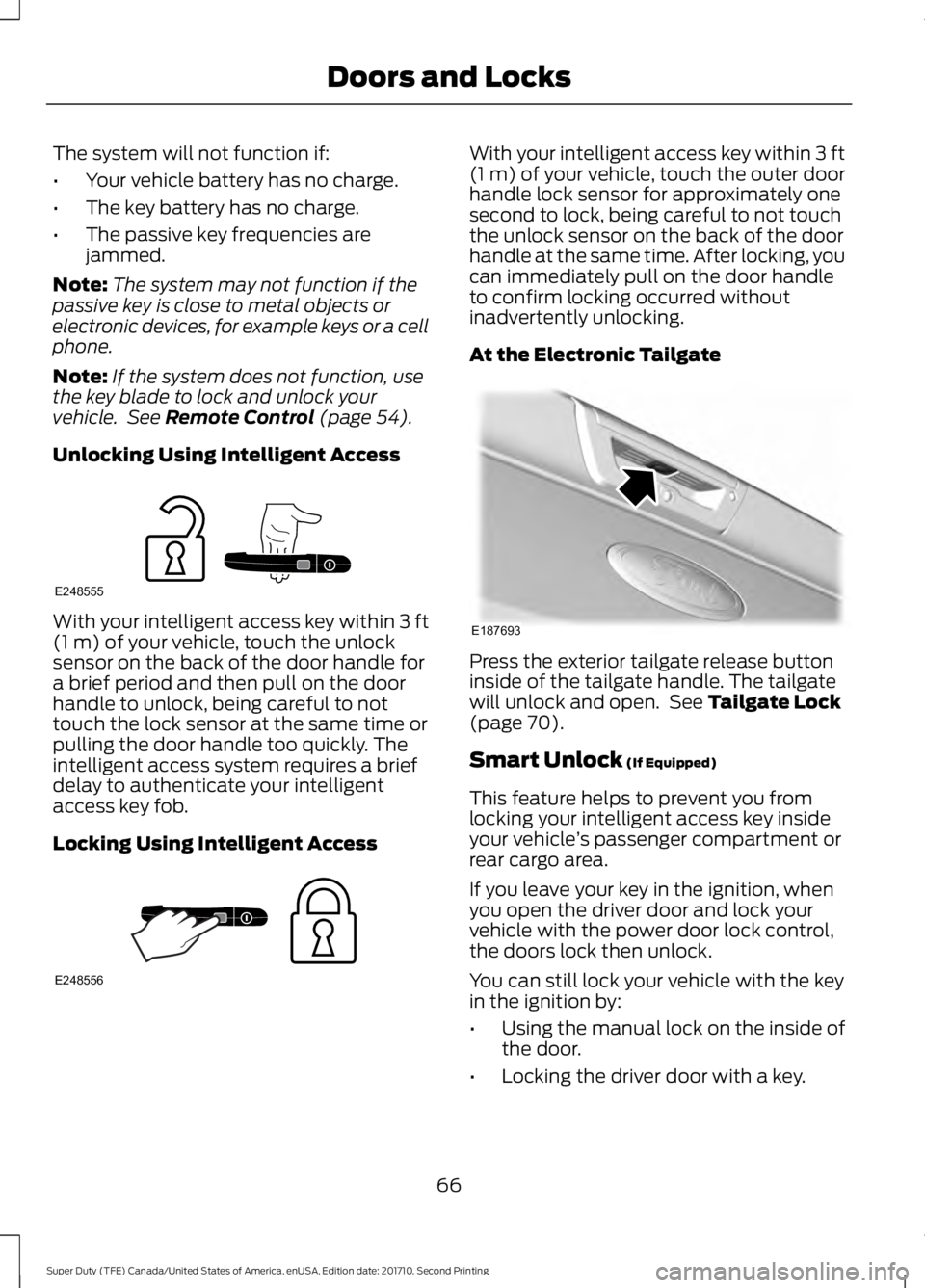
Unlocking Using Intelligent Access
With your intelligent access key within 3 ft(1 m) of your vehicle, touch the unlocksensor on the back of the door handle fora brief period and then pull on the doorhandle to unlock, being careful to nottouch the lock sensor at the same time orpulling the door handle too quickly. Theintelligent access system requires a briefdelay to authenticate your intelligentaccess key fob.
Locking Using Intelligent Access
With your intelligent access key within 3 ft(1 m) of your vehicle, touch the outer doorhandle lock sensor for approximately onesecond to lock, being careful to not touchthe unlock sensor on the back of the doorhandle at the same time. After locking, youcan immediately pull on the door handleto confirm locking occurred withoutinadvertently unlocking.
At the Electronic Tailgate
Press the exterior tailgate release buttoninside of the tailgate handle. The tailgatewill unlock and open. See Tailgate Lock(page 70).
Smart Unlock (If Equipped)
This feature helps to prevent you fromlocking your intelligent access key insideyour vehicle’s passenger compartment orrear cargo area.
If you leave your key in the ignition, whenyou open the driver door and lock yourvehicle with the power door lock control,the doors lock then unlock.
You can still lock your vehicle with the keyin the ignition by:
•Using the manual lock on the inside ofthe door.
•Locking the driver door with a key.
66
Super Duty (TFE) Canada/United States of America, enUSA, Edition date: 201710, Second Printing
Doors and LocksE248555 E248556 E187693
Page 177 of 642
KEYLESS STARTING (If Equipped)
Note:The system may not function if thepassive key is close to metal objects orelectronic devices, for example keys or a cellphone.
Note:A valid passive key must be locatedinside your vehicle to switch the ignition onand start your vehicle.
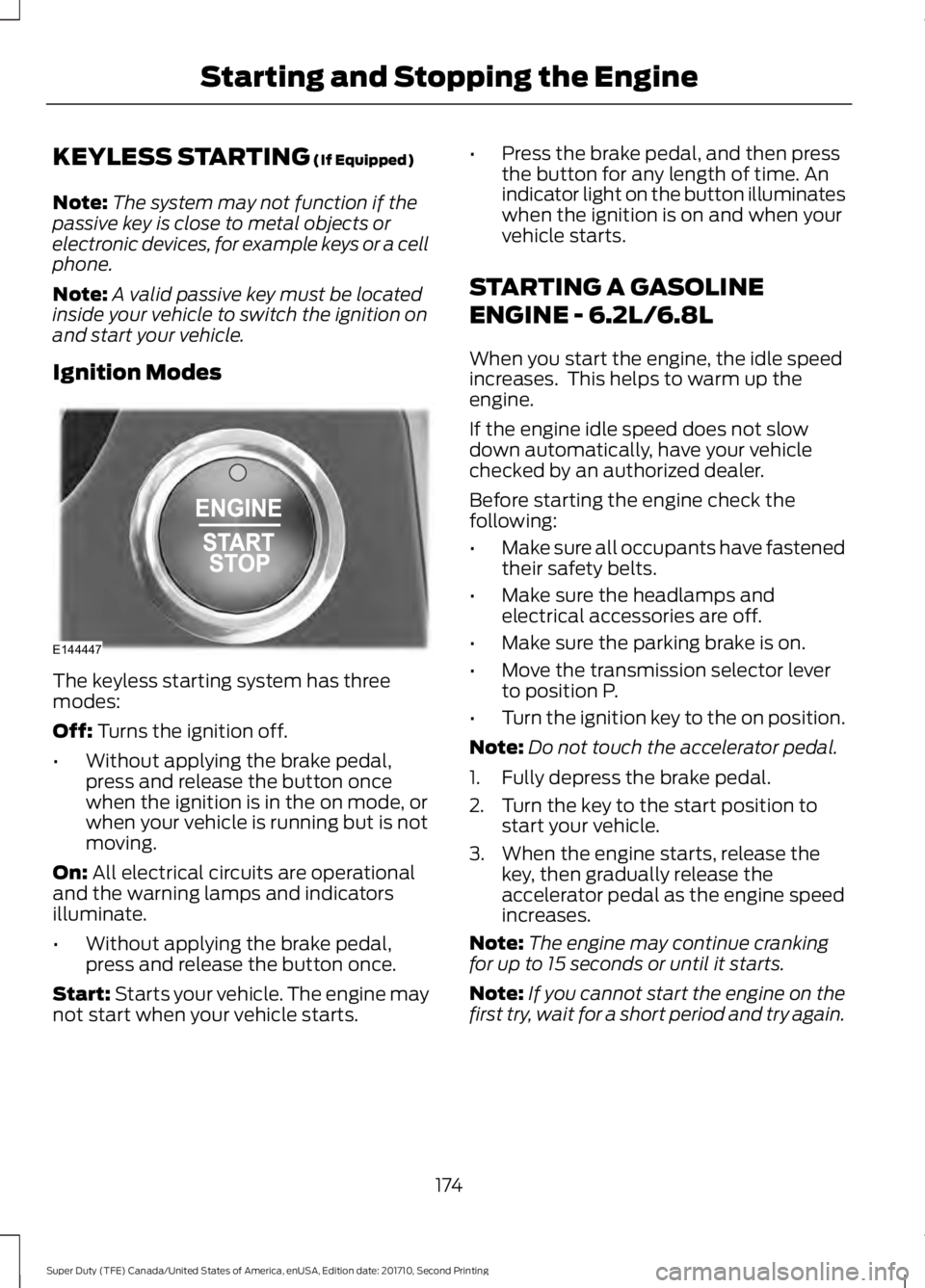
Ignition Modes
The keyless starting system has threemodes:
Off: Turns the ignition off.
•Without applying the brake pedal,press and release the button oncewhen the ignition is in the on mode, orwhen your vehicle is running but is notmoving.
On: All electrical circuits are operationaland the warning lamps and indicatorsilluminate.
•Without applying the brake pedal,press and release the button once.
Start: Starts your vehicle. The engine maynot start when your vehicle starts.
•Press the brake pedal, and then pressthe button for any length of time. Anindicator light on the button illuminateswhen the ignition is on and when yourvehicle starts.
STARTING A GASOLINE
ENGINE - 6.2L/6.8L
When you start the engine, the idle speedincreases. This helps to warm up theengine.
If the engine idle speed does not slowdown automatically, have your vehiclechecked by an authorized dealer.
Before starting the engine check thefollowing:
•Make sure all occupants have fastenedtheir safety belts.
•Make sure the headlamps andelectrical accessories are off.
•Make sure the parking brake is on.
•Move the transmission selector leverto position P.
•Turn the ignition key to the on position.
Note:Do not touch the accelerator pedal.
1. Fully depress the brake pedal.
2. Turn the key to the start position tostart your vehicle.
3. When the engine starts, release thekey, then gradually release theaccelerator pedal as the engine speedincreases.
Note:The engine may continue crankingfor up to 15 seconds or until it starts.
Note:If you cannot start the engine on thefirst try, wait for a short period and try again.
174
Super Duty (TFE) Canada/United States of America, enUSA, Edition date: 201710, Second Printing
Starting and Stopping the EngineE144447
Page 186 of 642
SAFETY PRECAUTIONS
WARNINGS
Do not overfill the fuel tank. Thepressure in an overfilled tank maycause leakage and lead to fuel sprayand fire.
The fuel system may be underpressure. If you hear a hissing soundnear the fuel filler inlet, do not refueluntil the sound stops. Otherwise, fuel mayspray out, which could cause seriouspersonal injury.
Automotive fuels can cause seriousinjury or death if misused ormishandled.
Flow of fuel through a fuel pumpnozzle can produce static electricity.This can cause a fire if you are fillingan ungrounded fuel container.
Fuel may contain benzene, which isa cancer-causing agent.
When refueling always shut theengine off and never allow sparks oropen flames near the fuel tank fillervalve. Never smoke or use a cell phonewhile refueling. Fuel vapor is extremelyhazardous under certain conditions. Avoidinhaling excess fumes.
Observe the following guidelines whenhandling automotive fuel:
•Extinguish all smoking materials andany open flames before refueling yourvehicle.
•Always turn off the vehicle beforerefueling.
•Automotive fuels can be harmful orfatal if swallowed. Fuel such asgasoline is highly toxic and ifswallowed can cause death orpermanent injury. If fuel is swallowed,call a physician immediately, even if nosymptoms are immediately apparent.The toxic effects of fuel may not bevisible for hours.
•Avoid inhaling fuel vapors. Inhaling toomuch fuel vapor of any kind can leadto eye and respiratory tract irritation.In severe cases, excessive or prolongedbreathing of fuel vapor can causeserious illness and permanent injury.
•Avoid getting fuel liquid in your eyes. Iffuel is splashed in the eyes, removecontact lenses (if worn), flush withwater for 15 minutes and seek medicalattention. Failure to seek propermedical attention could lead topermanent injury.
•Fuels can also be harmful if absorbedthrough the skin. If fuel is splashed onthe skin, clothing or both, promptlyremove contaminated clothing andwash skin thoroughly with soap andwater. Repeated or prolonged skincontact with fuel liquid or vapor causesskin irritation.
•Be particularly careful if you are takingAntabuse or other forms of Disulfiramfor the treatment of alcoholism.Breathing gasoline vapors could causean adverse reaction, serious personalinjury or sickness. If fuel is splashed onthe skin, wash the affected areasimmediately with plenty of soap andwater. Consult a physician immediatelyif you experience any adverse reactions.
183
Super Duty (TFE) Canada/United States of America, enUSA, Edition date: 201710, Second Printing
Fuel and Refueling
Page 197 of 642
WARNINGS
When refueling always shut theengine off and never allow sparks oropen flames near the fuel tank fillervalve. Never smoke or use a cell phonewhile refueling. Fuel vapor is extremelyhazardous under certain conditions. Avoidinhaling excess fumes.
Stop refueling after the fuel pumpnozzle automatically shuts off for thesecond time. Failure to follow thiswill fill the expansion space in the fuel tankand could lead to fuel overflowing.
The fuel system may be underpressure. If the fuel filler cap isventing vapor or if you hear a hissingsound, wait until it stops before completelyremoving the fuel filler cap. Otherwise, fuelmay spray out and injure you or others.
If you do not use the proper fuel fillercap, excessive pressure or vacuumin the fuel tank may damage the fuelsystem or cause the fuel cap to disengagein a collision, which may result in possiblepersonal injury.
Note:If you must replace the fuel filler cap,replace it with a fuel filler cap designed foryour vehicle. The vehicle Warranty may bevoid for any damage to the fuel tank or fuelsystem if the correct genuine Ford orMotorcraft® fuel filler cap is not used.
Fueling Tips
If air is allowed to enter the fuel system theengine automatically purges any trappedair. To purge the air sooner: prior to enginestart, prime the system by turning the keyto on for 30 seconds then to off. Repeatthis several times. The engine may runrough and produce white smoke while airis in the system. This is normal.
Use only clean, approved containers thatwill prevent the entry of dirt or waterwhenever you store diesel fuel.
Diesel fuel must not be stored in agalvanized container. The fuel will dissolvethe zinc in the galvanized container. Thezinc will then remain in the fuel. If you runthe contaminated fuel through the engine,the zinc will deposit in the fuel injectorscausing expensive-to-repair damage.
Diesel fuel dispensing nozzle fill rate
Your vehicle has a fuel fill pipe that is ableto accept fuel up to 20 gal (76 L) perminute from an 1.2 in (30 mm)fuel-dispensing nozzle. Pumping fuel atgreater flow rates may result in prematurenozzle shut-off or spit back.
Truck stops have pumps and nozzlesdesigned for larger, heavy-duty trucks.When refueling at truck stops: if the nozzleshuts off repeatedly when refueling, wait5–10 seconds; then use a slower rate offlow, do not depress the nozzle trigger asfar.
Refueling
When fueling your vehicle do the following:
1.Fully open the fuel tank filler door untilit engages and remove the fuel tankfiller cap. The fuel tank filler cap hasan indexed design with a 1/4 turnon/off feature. Carefully turn the fillercap counterclockwise until it spins off.
194
Super Duty (TFE) Canada/United States of America, enUSA, Edition date: 201710, Second Printing
Fuel and Refueling
Page 308 of 642
GETTING THE SERVICES YOU
NEED
Warranty repairs to your vehicle must beperformed by an authorized dealer. Whileany authorized dealer handling your vehicleline will provide warranty service, werecommend you return to your sellingauthorized dealer who wants to ensureyour continued satisfaction.
Please note that certain warranty repairsrequire special training and equipment, sonot all authorized dealers are authorizedto perform all warranty repairs. This meansthat, depending on the warranty repairneeded, you may have to take your vehicleto another authorized dealer.
A reasonable time must be allowed toperform a repair after taking your vehicleto the authorized dealer. Repairs will bemade using Ford or Motorcraft® parts, orremanufactured or other parts that areauthorized by Ford.
Away From Home
If you are away from home when yourvehicle needs service, contact the FordCustomer Relationship Center or use theonline resources listed below to find thenearest authorized dealer.
In the United States:
Mailing address
Ford Motor CompanyCustomer Relationship CenterP.O. Box 6248Dearborn, MI 48126
Telephone
1-800-392-3673 (FORD)(TDD for the hearing impaired:1-800-232-5952)
Additional information and resources areavailable online:
Website
www.owner.ford.com
These are some of the items that can befound online:
•U.S. dealer locator by Dealer Name,City/State or Zip Code.
•Owner Manuals.
•Maintenance Schedules.
•Recalls.
•Ford Extended Service Plans.
•Ford Genuine Accessories.
•Service specials and promotions.
In Canada:
Mailing address
Customer Relationship CentreFord Motor Company of Canada, LimitedP.O. Box 2000Oakville, Ontario L6K 0C8
Telephone
1-800-565-3673 (FORD)
Website
www.ford.ca
Twitter
@FordServiceCA (English Canada)@FordServiceQC (Quebec)
Additional Assistance
If you have questions or concerns, or areunsatisfied with the service you arereceiving, follow these steps:
1. Contact your Sales Representative orService Advisor at your selling orservicing authorized dealer.
305
Super Duty (TFE) Canada/United States of America, enUSA, Edition date: 201710, Second Printing
Customer Assistance
Page 309 of 642
2. If your inquiry or concern remainsunresolved, contact the Sales Manager,Service Manager or Customer RelationsManager.
3.If you require assistance or clarificationon Ford Motor Company policies,please contact the Ford CustomerRelationship Center.
In order to help us serve you better, pleasehave the following information availablewhen contacting a Customer RelationshipCenter:
•Vehicle Identification Number.
•Your telephone number (home andbusiness).
•The name of the authorized dealer andcity where located.
•The vehicle’s current odometer reading.
In some states within the United States,you must directly notify Ford in writingbefore pursuing remedies under yourstate's warranty laws, and Ford is alsoallowed a final repair attempt.
Additionally, in some states within theUnited States, a consumer has the optionof submitting a warranty dispute to theBBB Auto Line before taking action underthe Magnuson-Moss Warranty Act, or tothe extent allowed by state law, beforepursuing replacement or repurchaseremedies provided by certain state laws.This dispute handling procedure is notrequired prior to enforcing state createdrights or other rights which are independentof the Magnuson-Moss Warranty Act orstate replacement or repurchase laws.
IN CALIFORNIA (U.S. ONLY)
California Civil Code Section 1793.2(d)requires that, if a manufacturer or itsrepresentative is unable to repair a motorvehicle to conform to the vehicle’sapplicable express warranty after areasonable number of attempts, themanufacturer shall be required to eitherreplace the vehicle with one substantiallyidentical or repurchase the vehicle andreimburse the buyer in an amount equal tothe actual price paid or payable by theconsumer (less a reasonable allowancefor consumer use). The consumer has theright to choose whether to receive a refundor replacement vehicle.
California Civil Code Section 1793.22(b)presumes that the manufacturer has hada reasonable number of attempts toconform the vehicle to its applicableexpress warranties if, within the first 18months of ownership of a new vehicle orthe first 18,000 mi (29,000 km), whicheveroccurs first:
1.Two or more repair attempts are madeon the same non-conformity likely tocause death or serious bodily injury OR
2.Four or more repair attempts are madeon the same nonconformity (a defector condition that substantially impairsthe use, value or safety of the vehicle)OR
3. The vehicle is out of service for repairof nonconformities for a total of morethan 30 calendar days (not necessarilyall at one time).
In the case of 1 or 2 above, the consumermust also notify the manufacturer of theneed for the repair of the nonconformityat the following address:
Ford Motor Company16800 Executive Plaza DriveMail Drop 3NE-BDearborn, MI 48126
306
Super Duty (TFE) Canada/United States of America, enUSA, Edition date: 201710, Second Printing
Customer Assistance