instrument panel FORD F450 2010 User Guide
[x] Cancel search | Manufacturer: FORD, Model Year: 2010, Model line: F450, Model: FORD F450 2010Pages: 408, PDF Size: 5.46 MB
Page 109 of 408
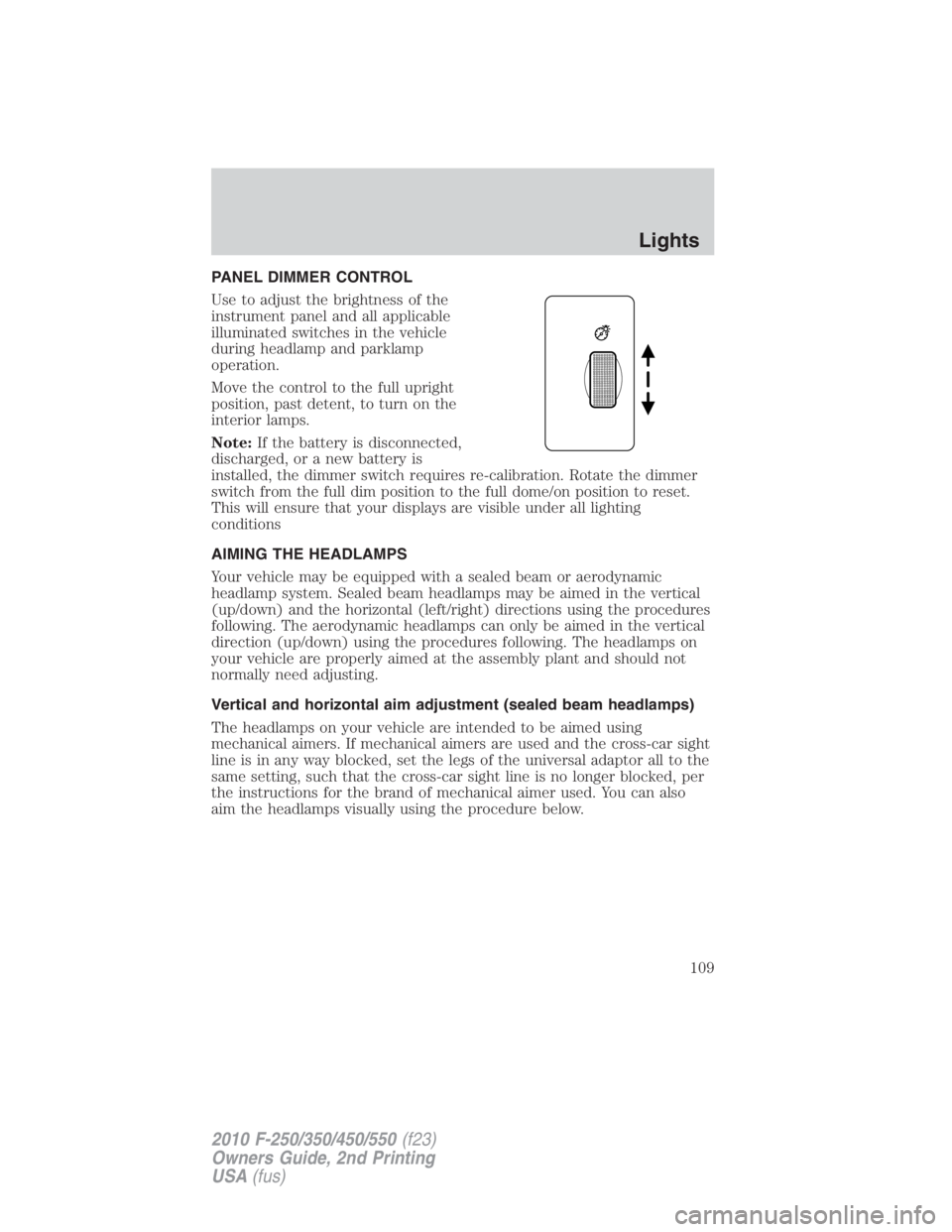
PANEL DIMMER CONTROL
Use to adjust the brightness of the
instrument panel and all applicable
illuminated switches in the vehicle
during headlamp and parklamp
operation.
Move the control to the full upright
position, past detent, to turn on the
interior lamps.
Note: If the battery is disconnected,
discharged, or a new battery is
installed, the dimmer switch requires re-calibration. Rotate the dimmer
switch from the full dim position to the full dome/on position to reset.
This will ensure that your displays are visible under all lighting
conditions
AIMING THE HEADLAMPS
Your vehicle may be equipped with a sealed beam or aerodynamic
headlamp system. Sealed beam headlamps may be aimed in the vertical
(up/down) and the horizontal (left/right) directions using the procedures
following. The aerodynamic headlamps can only be aimed in the vertical
direction (up/down) using the procedures following. The headlamps on
your vehicle are properly aimed at the assembly plant and should not
normally need adjusting.
Vertical and horizontal aim adjustment (sealed beam headlamps)
The headlamps on your vehicle are intended to be aimed using
mechanical aimers. If mechanical aimers are used and the cross-car sight
line is in any way blocked, set the legs of the universal adaptor all to the
same setting, such that the cross-car sight line is no longer blocked, per
the instructions for the brand of mechanical aimer used. You can also
aim the headlamps visually using the procedure below. Lights
109
2010 F-250/350/450/550 (f23)
Owners Guide, 2nd Printing
USA (fus)
Page 113 of 408
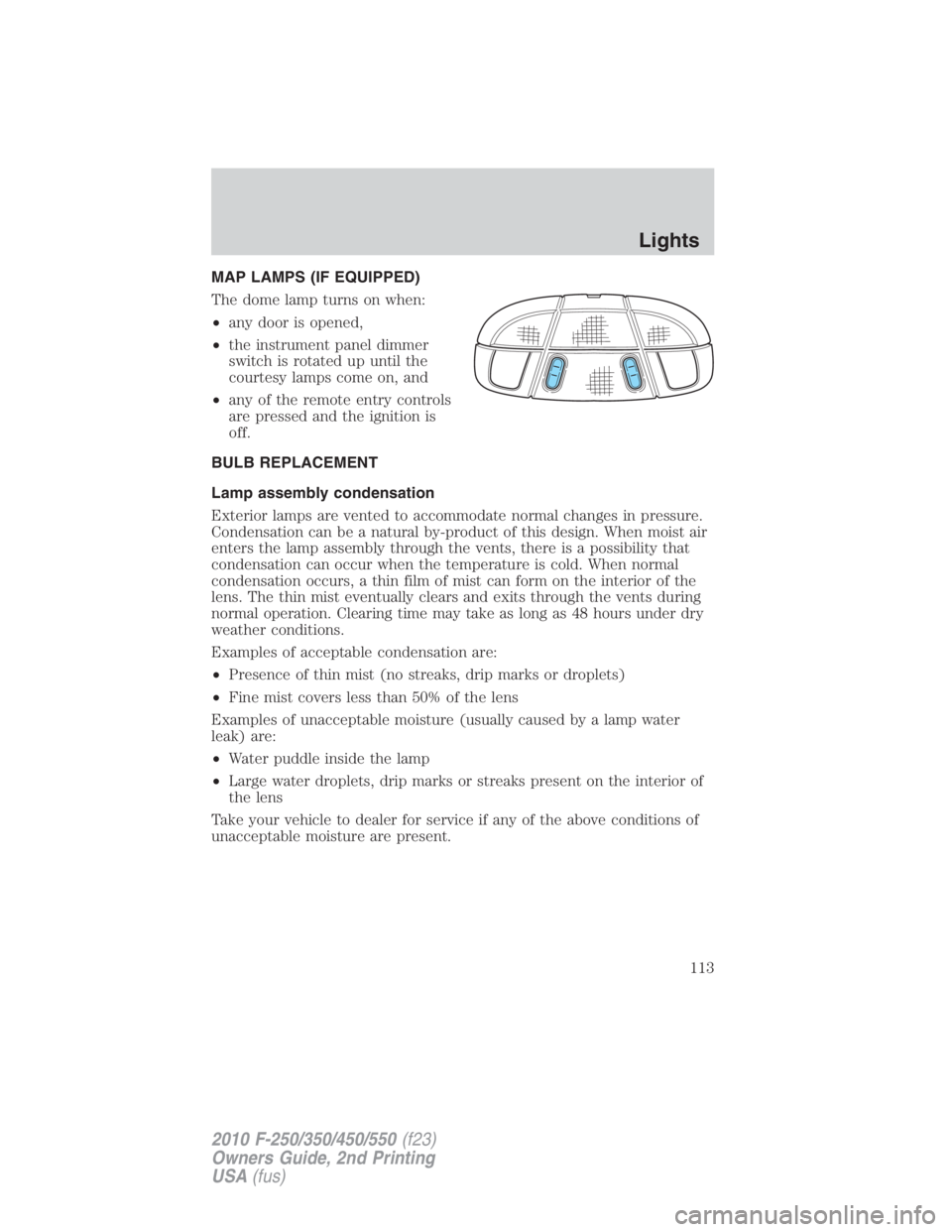
MAP LAMPS (IF EQUIPPED)
The dome lamp turns on when:
• any door is opened,
• the instrument panel dimmer
switch is rotated up until the
courtesy lamps come on, and
• any of the remote entry controls
are pressed and the ignition is
off.
BULB REPLACEMENT
Lamp assembly condensation
Exterior lamps are vented to accommodate normal changes in pressure.
Condensation can be a natural by-product of this design. When moist air
enters the lamp assembly through the vents, there is a possibility that
condensation can occur when the temperature is cold. When normal
condensation occurs, a thin film of mist can form on the interior of the
lens. The thin mist eventually clears and exits through the vents during
normal operation. Clearing time may take as long as 48 hours under dry
weather conditions.
Examples of acceptable condensation are:
• Presence of thin mist (no streaks, drip marks or droplets)
• Fine mist covers less than 50% of the lens
Examples of unacceptable moisture (usually caused by a lamp water
leak) are:
• Water puddle inside the lamp
• Large water droplets, drip marks or streaks present on the interior of
the lens
Take your vehicle to dealer for service if any of the above conditions of
unacceptable moisture are present. Lights
113
2010 F-250/350/450/550 (f23)
Owners Guide, 2nd Printing
USA (fus)
Page 114 of 408
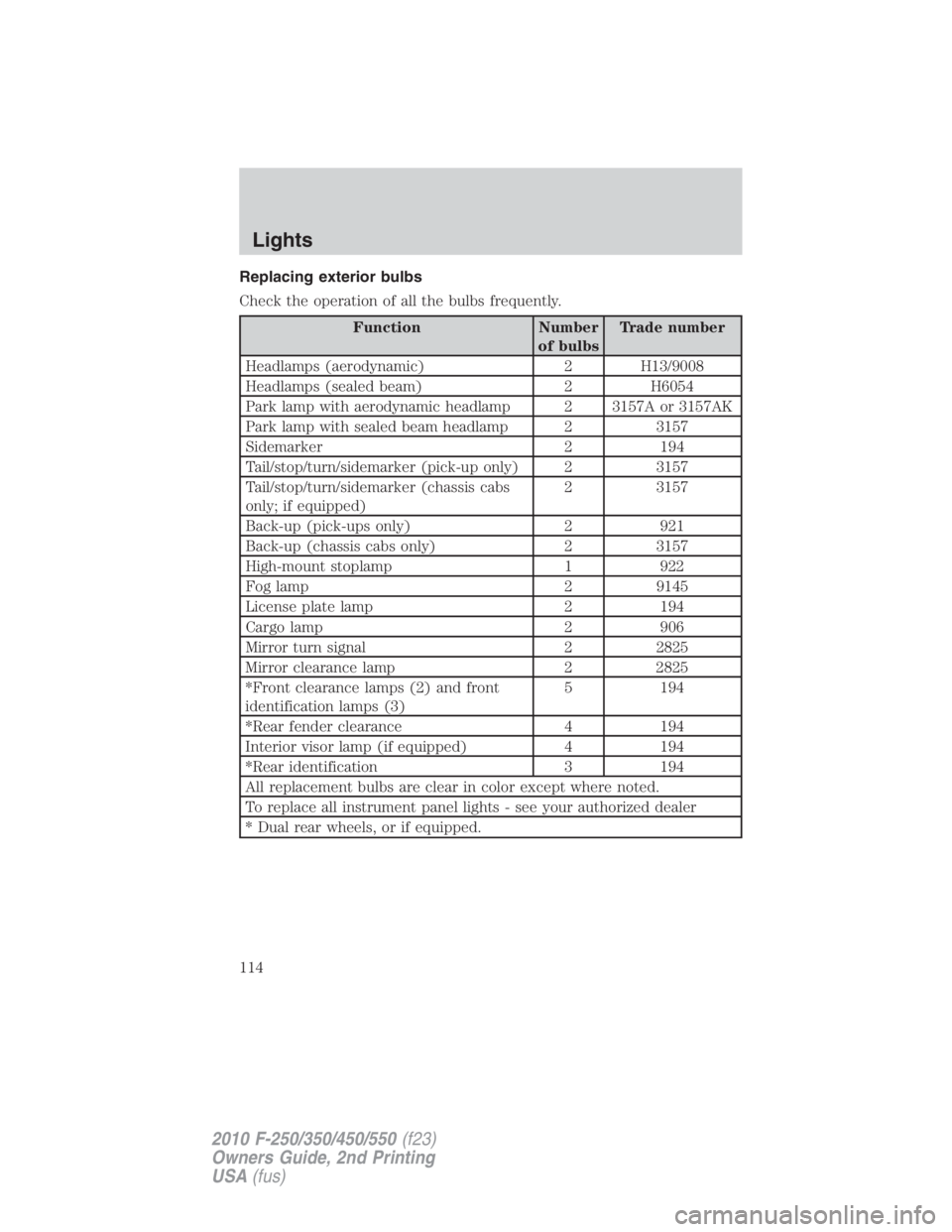
Replacing exterior bulbs
Check the operation of all the bulbs frequently.
Function Number
of bulbs Trade number
Headlamps (aerodynamic) 2 H13/9008
Headlamps (sealed beam) 2 H6054
Park lamp with aerodynamic headlamp 2 3157A or 3157AK
Park lamp with sealed beam headlamp 2 3157
Sidemarker 2 194
Tail/stop/turn/sidemarker (pick-up only) 2 3157
Tail/stop/turn/sidemarker (chassis cabs
only; if equipped) 2 3157
Back-up (pick-ups only) 2 921
Back-up (chassis cabs only) 2 3157
High-mount stoplamp 1 922
Fog lamp 2 9145
License plate lamp 2 194
Cargo lamp 2 906
Mirror turn signal 2 2825
Mirror clearance lamp 2 2825
*Front clearance lamps (2) and front
identification lamps (3) 5 194
*Rear fender clearance 4 194
Interior visor lamp (if equipped) 4 194
*Rear identification 3 194
All replacement bulbs are clear in color except where noted.
To replace all instrument panel lights - see your authorized dealer
* Dual rear wheels, or if equipped.Lights
114
2010 F-250/350/450/550 (f23)
Owners Guide, 2nd Printing
USA (fus)
Page 123 of 408
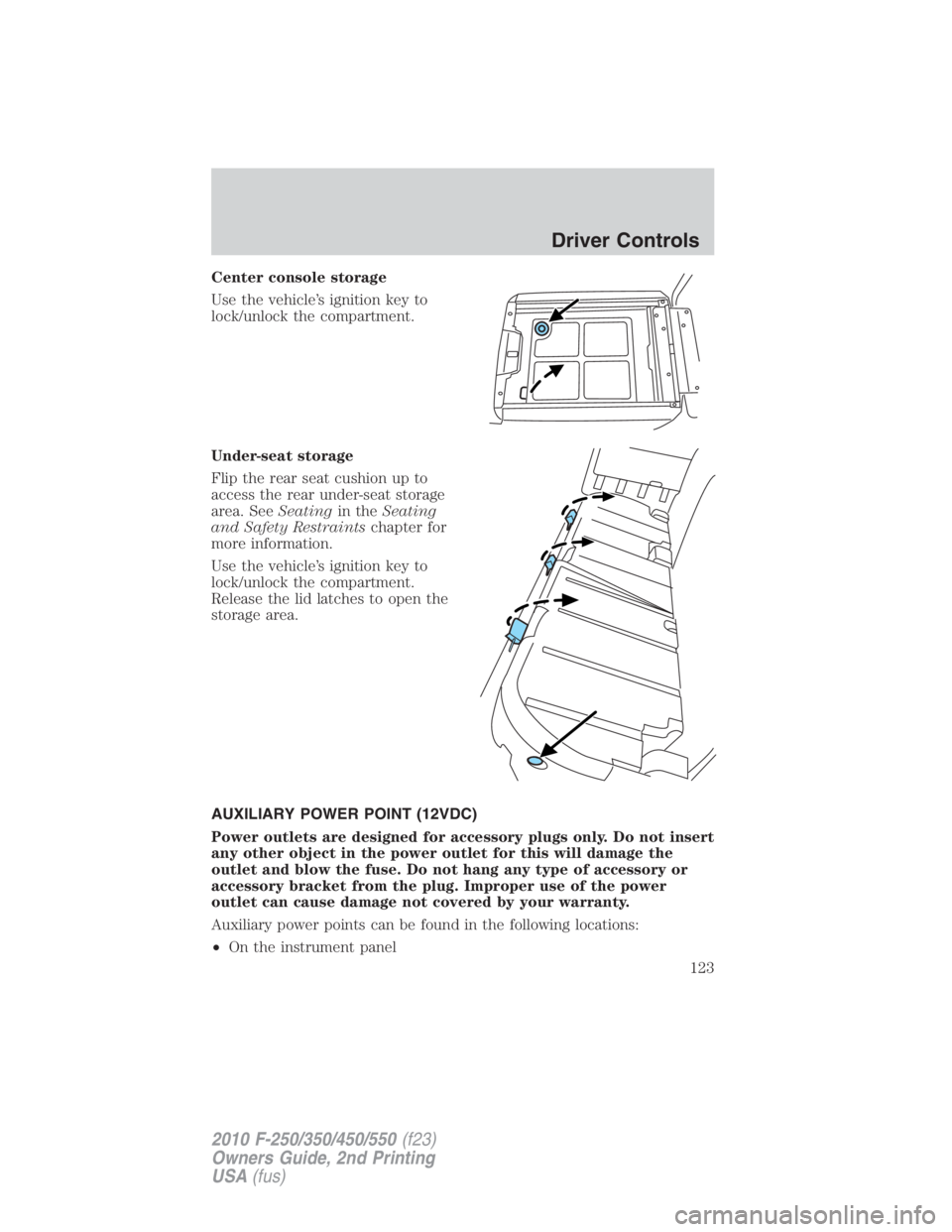
Center console storage
Use the vehicle’s ignition key to
lock/unlock the compartment.
Under-seat storage
Flip the rear seat cushion up to
access the rear under-seat storage
area. See Seating in the Seating
and Safety Restraints chapter for
more information.
Use the vehicle’s ignition key to
lock/unlock the compartment.
Release the lid latches to open the
storage area.
AUXILIARY POWER POINT (12VDC)
Power outlets are designed for accessory plugs only. Do not insert
any other object in the power outlet for this will damage the
outlet and blow the fuse. Do not hang any type of accessory or
accessory bracket from the plug. Improper use of the power
outlet can cause damage not covered by your warranty.
Auxiliary power points can be found in the following locations:
• On the instrument panel Driver Controls
123
2010 F-250/350/450/550 (f23)
Owners Guide, 2nd Printing
USA (fus)
Page 125 of 408
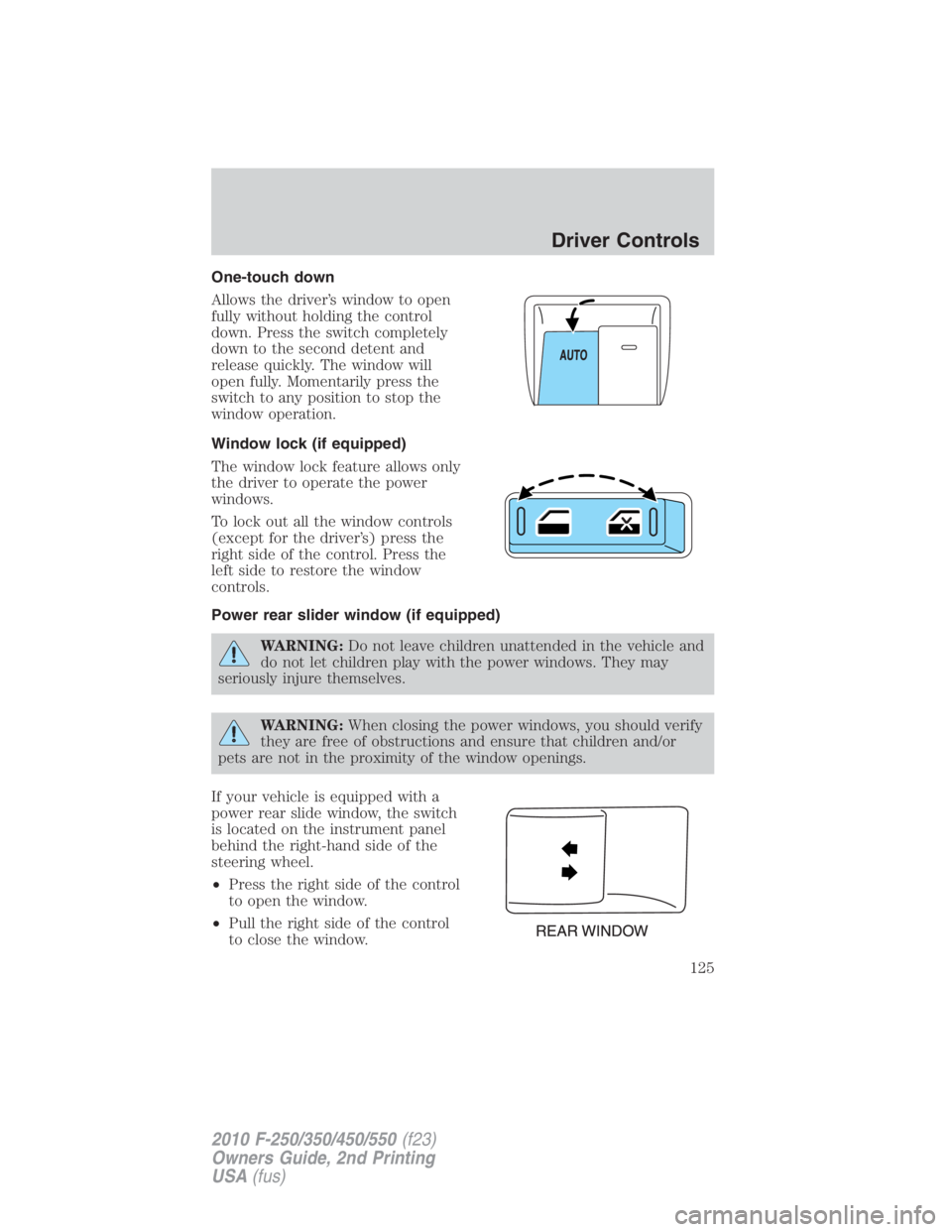
One-touch down
Allows the driver’s window to open
fully without holding the control
down. Press the switch completely
down to the second detent and
release quickly. The window will
open fully. Momentarily press the
switch to any position to stop the
window operation.
Window lock (if equipped)
The window lock feature allows only
the driver to operate the power
windows.
To lock out all the window controls
(except for the driver’s) press the
right side of the control. Press the
left side to restore the window
controls.
Power rear slider window (if equipped)
WARNING: Do not leave children unattended in the vehicle and
do not let children play with the power windows. They may
seriously injure themselves.
WARNING: When closing the power windows, you should verify
they are free of obstructions and ensure that children and/or
pets are not in the proximity of the window openings.
If your vehicle is equipped with a
power rear slide window, the switch
is located on the instrument panel
behind the right-hand side of the
steering wheel.
• Press the right side of the control
to open the window.
• Pull the right side of the control
to close the window. Driver Controls
125
2010 F-250/350/450/550 (f23)
Owners Guide, 2nd Printing
USA (fus)
Page 137 of 408
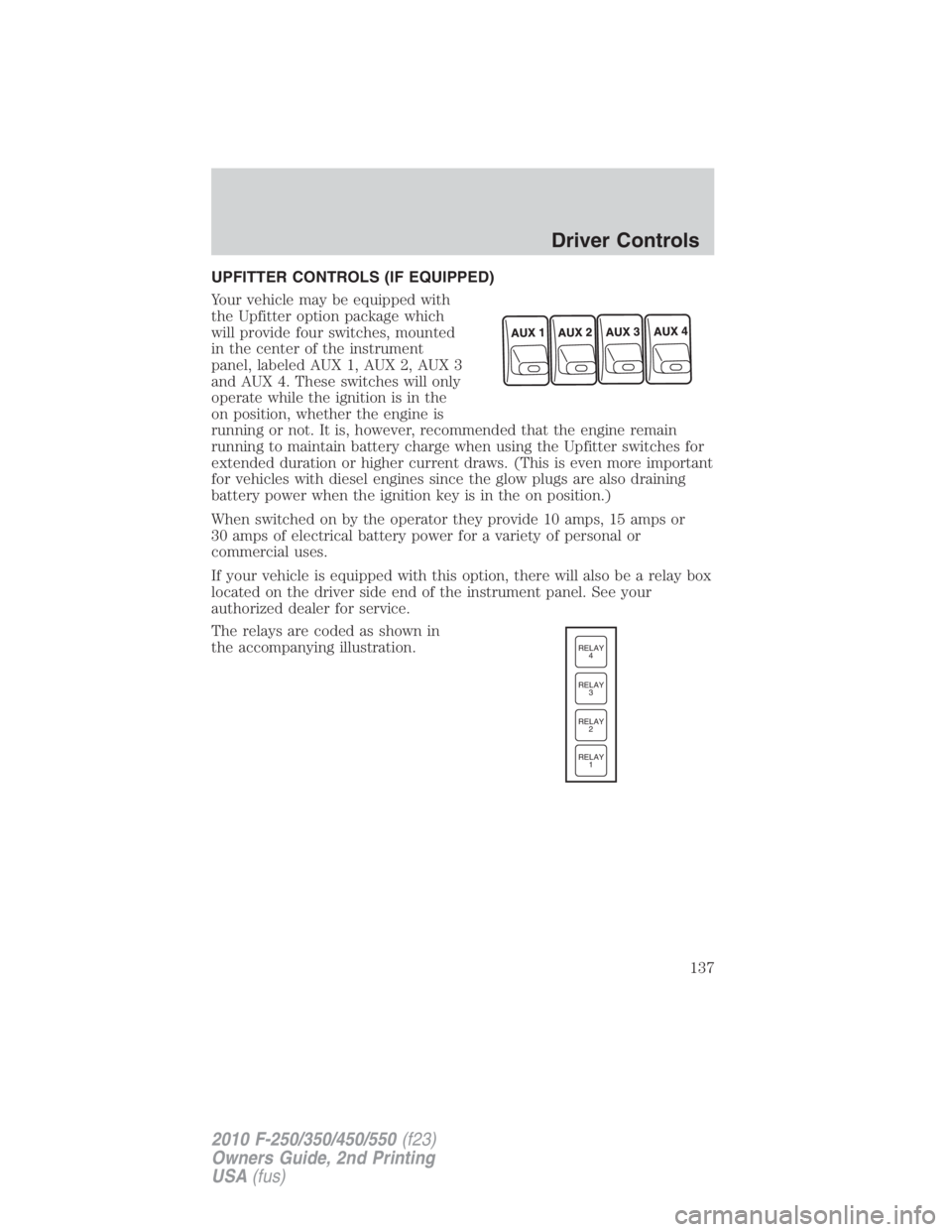
UPFITTER CONTROLS (IF EQUIPPED)
Your vehicle may be equipped with
the Upfitter option package which
will provide four switches, mounted
in the center of the instrument
panel, labeled AUX 1, AUX 2, AUX 3
and AUX 4. These switches will only
operate while the ignition is in the
on position, whether the engine is
running or not. It is, however, recommended that the engine remain
running to maintain battery charge when using the Upfitter switches for
extended duration or higher current draws. (This is even more important
for vehicles with diesel engines since the glow plugs are also draining
battery power when the ignition key is in the on position.)
When switched on by the operator they provide 10 amps, 15 amps or
30 amps of electrical battery power for a variety of personal or
commercial uses.
If your vehicle is equipped with this option, there will also be a relay box
located on the driver side end of the instrument panel. See your
authorized dealer for service.
The relays are coded as shown in
the accompanying illustration. RELAY
1RELAY
2RELAY
3RELAY
4
Driver Controls
137
2010 F-250/350/450/550 (f23)
Owners Guide, 2nd Printing
USA (fus)
Page 138 of 408
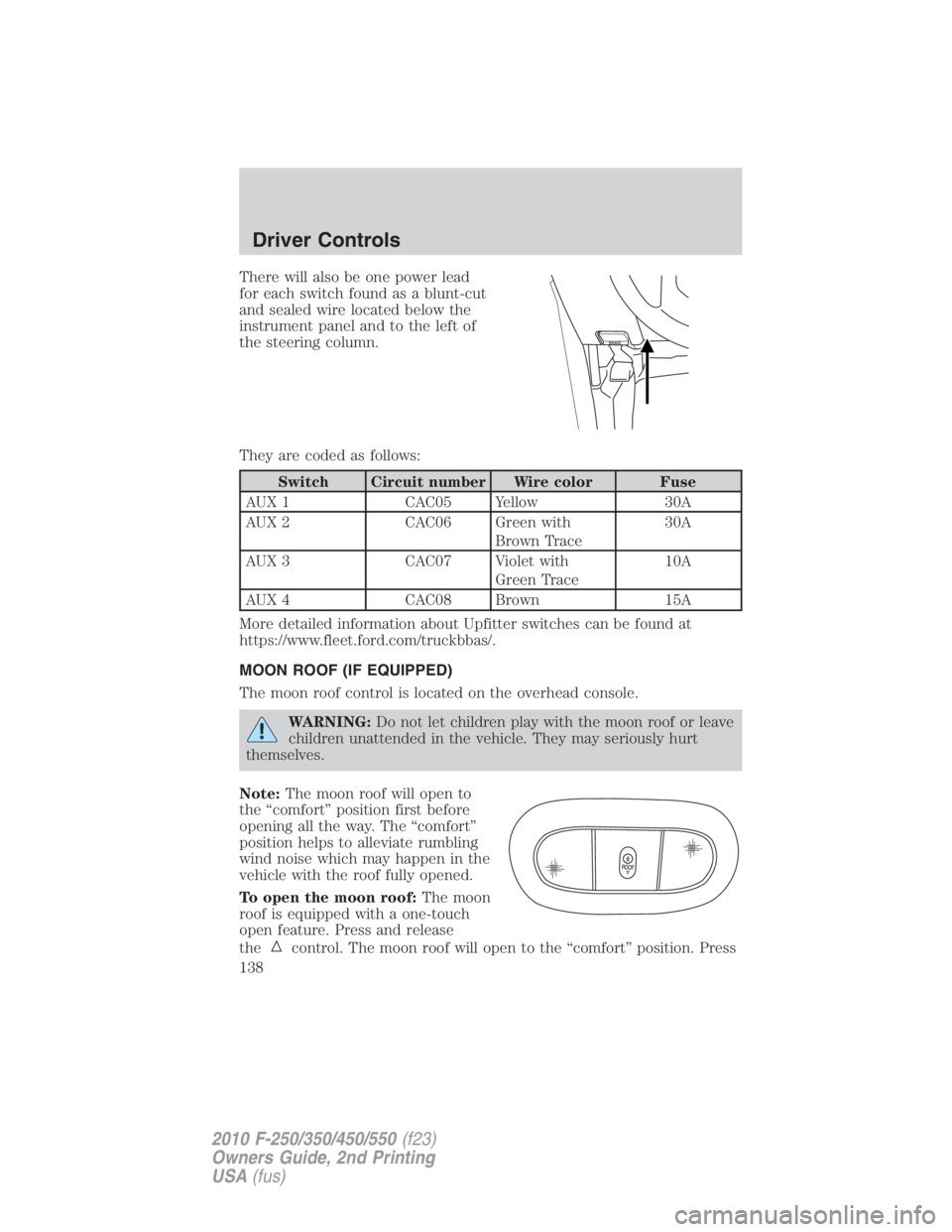
There will also be one power lead
for each switch found as a blunt-cut
and sealed wire located below the
instrument panel and to the left of
the steering column.
They are coded as follows:
Switch Circuit number Wire color Fuse
AUX 1 CAC05 Yellow 30A
AUX 2 CAC06 Green with
Brown Trace 30A
AUX 3 CAC07 Violet with
Green Trace 10A
AUX 4 CAC08 Brown 15A
More detailed information about Upfitter switches can be found at
https://www.fleet.ford.com/truckbbas/.
MOON ROOF (IF EQUIPPED)
The moon roof control is located on the overhead console.
WARNING: Do not let children play with the moon roof or leave
children unattended in the vehicle. They may seriously hurt
themselves.
Note: The moon roof will open to
the “comfort” position first before
opening all the way. The “comfort”
position helps to alleviate rumbling
wind noise which may happen in the
vehicle with the roof fully opened.
To open the moon roof: The moon
roof is equipped with a one-touch
open feature. Press and release
the control. The moon roof will open to the “comfort” position. PressDriver Controls
138
2010 F-250/350/450/550 (f23)
Owners Guide, 2nd Printing
USA (fus)
Page 149 of 408
Autolock feature (if equipped)
The autolock feature will lock all the doors when:
• all the doors are closed,
• the ignition is in the on position,
• you shift into any gear putting the vehicle in motion, and
• the vehicle attains a speed greater than 12 mph (20 km/h) for greater
than two seconds.
The autolock feature repeats when:
• any door is opened then closed while the ignition is in the on position
and the vehicle speed is 9 mph (15 km/h) or lower, and
• the vehicle then attains a speed greater than 12 mph (20 km/h) for
greater than two seconds.
Deactivating/activating autolock feature
There are four methods to enable/disable this feature:
• Through your authorized dealer,
• by using a power door unlock/lock procedure,
• using a keypad procedure (if equipped), or
• or by using the instrument cluster message center (if equipped). Refer
to Message center in the Instrument Cluster chapter.
Note: The autolock feature can be activated/deactivated independently
of the autounlock feature.
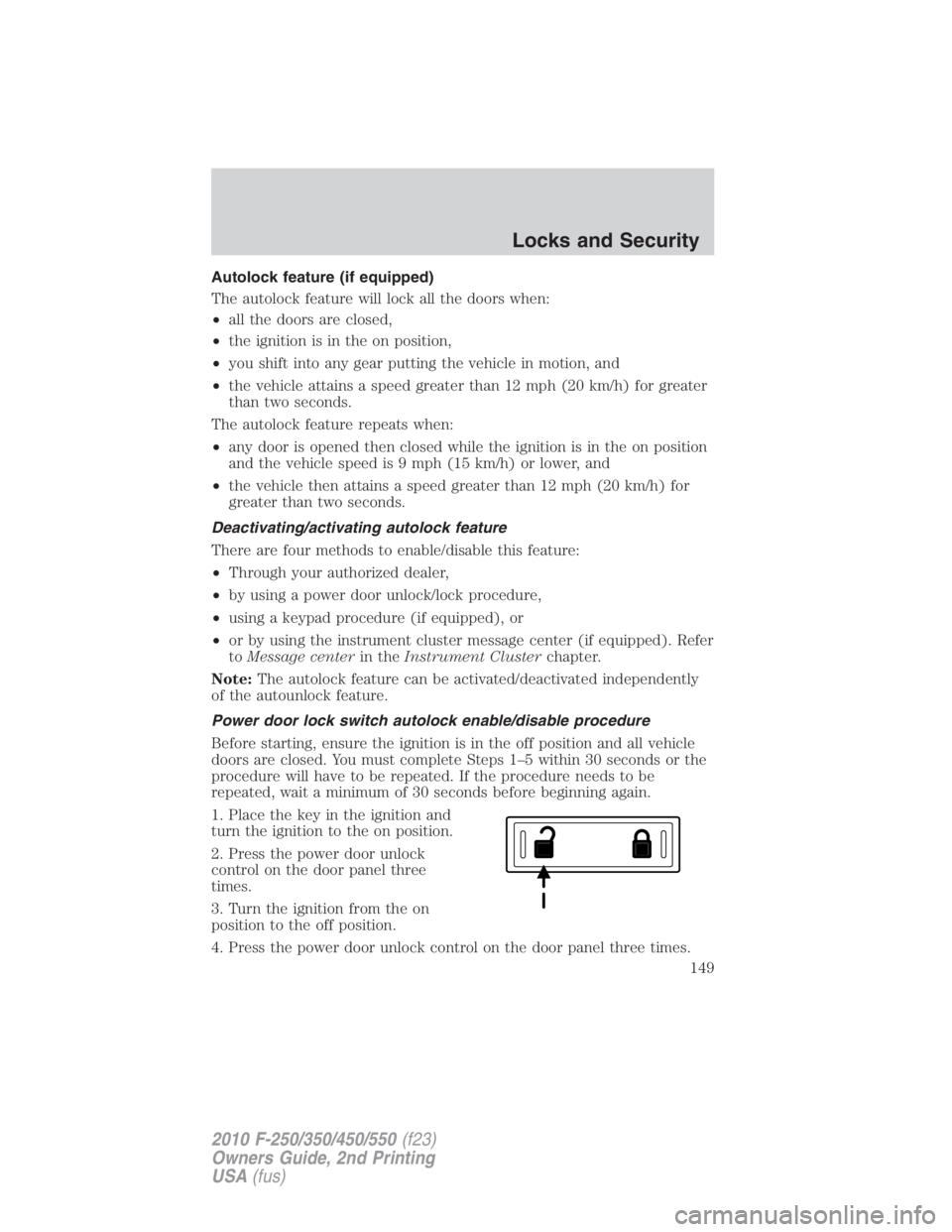
Power door lock switch autolock enable/disable procedure
Before starting, ensure the ignition is in the off position and all vehicle
doors are closed. You must complete Steps 1–5 within 30 seconds or the
procedure will have to be repeated. If the procedure needs to be
repeated, wait a minimum of 30 seconds before beginning again.
1. Place the key in the ignition and
turn the ignition to the on position.
2. Press the power door unlock
control on the door panel three
times.
3. Turn the ignition from the on
position to the off position.
4. Press the power door unlock control on the door panel three times. Locks and Security
149
2010 F-250/350/450/550 (f23)
Owners Guide, 2nd Printing
USA (fus)
Page 272 of 408
be automatically disabled. Traction control operation will resume when
the vehicle is placed back into two-wheel drive mode.
WARNING: Aggressive driving in any road conditions can cause
you to lose control of your vehicle increasing the risk of severe
personal injury or property damage. The occurrence of a traction
control event is an indication that at least some of the tires have
exceeded their ability to grip the road; this may lead to an increased
risk of loss of vehicle control, vehicle rollover, personal injury and
death. If you experience a severe road event, SLOW DOWN.
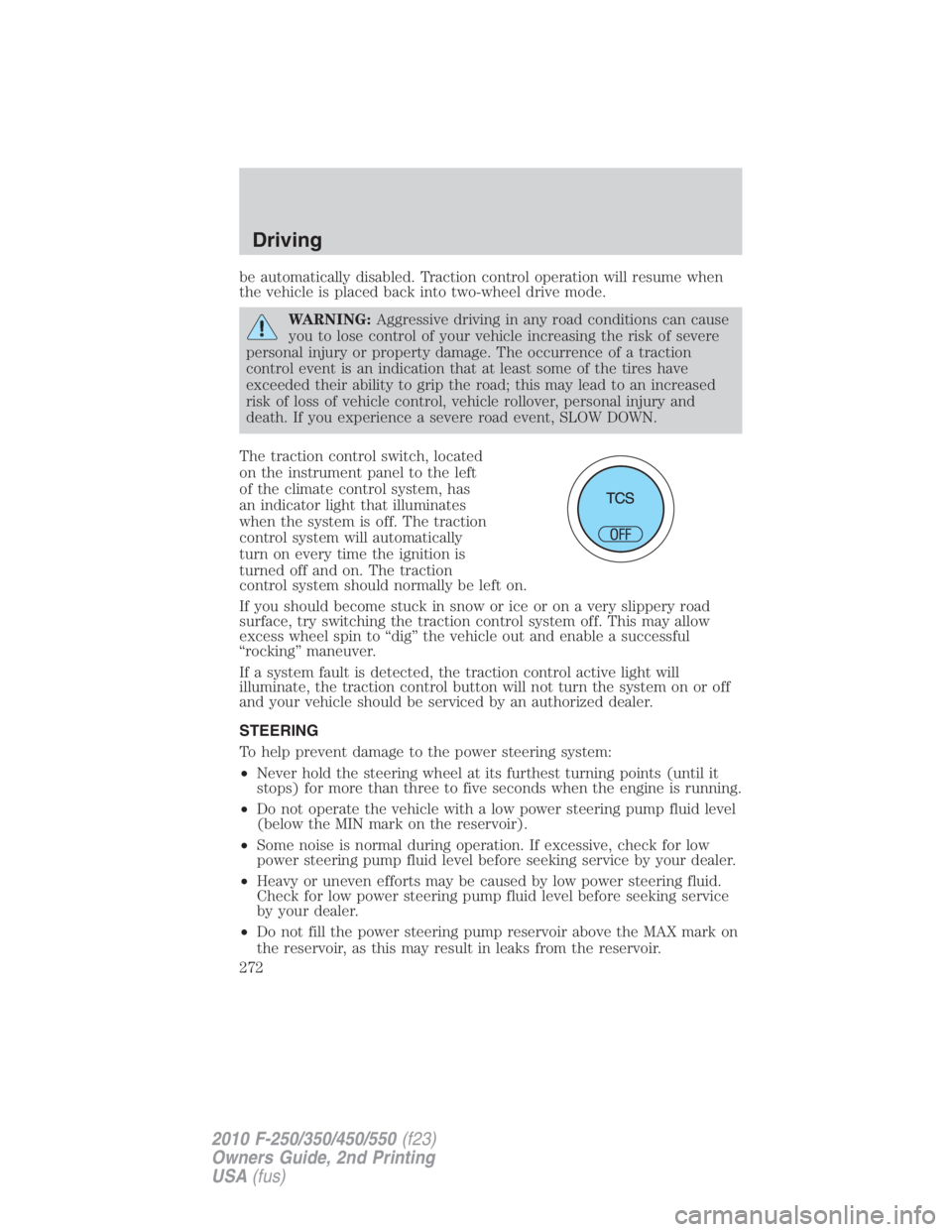
The traction control switch, located
on the instrument panel to the left
of the climate control system, has
an indicator light that illuminates
when the system is off. The traction
control system will automatically
turn on every time the ignition is
turned off and on. The traction
control system should normally be left on.
If you should become stuck in snow or ice or on a very slippery road
surface, try switching the traction control system off. This may allow
excess wheel spin to “dig” the vehicle out and enable a successful
“rocking” maneuver.
If a system fault is detected, the traction control active light will
illuminate, the traction control button will not turn the system on or off
and your vehicle should be serviced by an authorized dealer.
STEERING
To help prevent damage to the power steering system:
• Never hold the steering wheel at its furthest turning points (until it
stops) for more than three to five seconds when the engine is running.
• Do not operate the vehicle with a low power steering pump fluid level
(below the MIN mark on the reservoir).
• Some noise is normal during operation. If excessive, check for low
power steering pump fluid level before seeking service by your dealer.
• Heavy or uneven efforts may be caused by low power steering fluid.
Check for low power steering pump fluid level before seeking service
by your dealer.
• Do not fill the power steering pump reservoir above the MAX mark on
the reservoir, as this may result in leaks from the reservoir.Driving
272
2010 F-250/350/450/550 (f23)
Owners Guide, 2nd Printing
USA (fus)
Page 285 of 408
• For proper operation, make sure that each hub is fully engaged
and that both hub locks are set to the same position (both set
to LOCK or both set to FREE). To engage LOCK, turn the hub
locks completely clockwise; to disengage the hubs (FREE),
turn the hub locks completely counterclockwise.
• The vehicle should not be driven in 4X4 High or 4X4 Low
modes with the hub locks set to FREE as this condition may
damage driveline system components.
• Some vehicles may be equipped with wheel ornaments that cover the
4x4 manual hub lock. These ornaments must be removed to access
the manual hub locks.
Electronic Shift On the Fly (ESOF) 4x4 system (if equipped)
If equipped with the electronic shift 4WD System, and the
instrument panel control is moved to 4X4 LOW while the vehicle
is moving above 5 mph (8 km/h), the system will not engage and
no damage will occur to the 4WD system. Before 4X4 LOW can be
engaged, the vehicle speed must be below 5 mph (8 km/h) with
the transmission in N (Neutral). If your vehicle is equipped with
a manual transmission, the clutch pedal also must be depressed.
The 4x4 Low indicator will flash continuously until these actions
are performed by the user. This vehicle is equipped with a
non-synchronous low range gearset which will not allow the
transfer case to shift into 4X4 LOW if vehicle speed is above
5 mph (8 km/h). It is recommended that a shift to 4X4 LOW is
performed while the vehicle is rolling at a speed below 5 mph
(8 km/h).
The 4WD system:
• provides 4x4 High engagement and disengagement while the vehicle is
moving.
• is operated by a rotary control located on the instrument panel that
allows you select 2WD, 4x4 High or 4x4 Low operation.
• uses auto-manual hub locks that can be engaged and disengaged
automatically based on the 4x4 mode selected. Driving
285
2010 F-250/350/450/550 (f23)
Owners Guide, 2nd Printing
USA (fus)