battery FORD F450 SUPER DUTY 2017 Owners Manual
[x] Cancel search | Manufacturer: FORD, Model Year: 2017, Model line: F450 SUPER DUTY, Model: FORD F450 SUPER DUTY 2017Pages: 642, PDF Size: 12.35 MB
Page 7 of 642
Bed Ramps....................................................265
Towing
Towing a Trailer............................................268
Trailer Reversing Aids.................................269
Trailer Sway Control....................................277
Recommended Towing Weights............277
Essential Towing Checks...........................281
Towing the Vehicle on Four Wheels......289
Driving Hints
Breaking-In.....................................................292
Economical Driving.....................................292
Driving Through Water...............................293
Floor Mats.......................................................293
Snowplowing................................................294
Roadside Emergencies
Roadside Assistance..................................297
Hazard Flashers...........................................298
Fuel Shutoff - 6.2L/6.8L...........................298
Fuel Shutoff - 6.7L Diesel.........................298
Jump Starting the Vehicle........................299
Post-Crash Alert System..........................302
Transporting the Vehicle...........................302
Towing Points...............................................303
Customer Assistance
Getting the Services You Need..............305
In California (U.S. Only)............................306
The Better Business Bureau (BBB) AutoLine Program (U.S. Only)......................307
Utilizing the Mediation/ArbitrationProgram (Canada Only)......................308
Getting Assistance Outside the U.S. andCanada.......................................................308
Ordering Additional Owner'sLiterature....................................................309
Reporting Safety Defects (U.S.Only).............................................................310
Reporting Safety Defects (CanadaOnly).............................................................310
Fuses
Fuse Specification Chart............................312
Changing a Fuse..........................................320
Maintenance
General Information....................................322
Opening and Closing the Hood..............322
Under Hood Overview - 6.2L...................323
Under Hood Overview - 6.7L Diesel......324
Under Hood Overview - 6.8L..................326
Engine Oil Dipstick - 6.2L/6.8L...............327
Engine Oil Dipstick - 6.7L Diesel.............327
Engine Oil Check - 6.2L/6.8L...................327
Engine Oil Check - 6.7L Diesel................328
Changing the Engine Oil and OilFilter..............................................................329
Changing the Coalescer FilterElement......................................................330
Oil Change Indicator Reset.......................331
Engine Coolant Check - 6.2L/6.8L........332
Engine Coolant Check - 6.7L Diesel......336
Automatic Transmission FluidCheck...........................................................340
Transfer Case Fluid Check........................343
Brake Fluid Check........................................343
Power Steering Fluid Check....................344
Washer Fluid Check....................................344
Draining the Fuel Filter Water Trap - 6.7LDiesel...........................................................345
Fuel Filter - 6.2L/6.8L................................346
Changing the 12V Battery.........................346
Checking the Wiper Blades.....................348
Changing the Wiper Blades.....................348
Adjusting the Headlamps........................349
Changing a Bulb..........................................350
Bulb Specification Chart...........................353
Changing the Engine Air Filter - 6.2L/6.8L...............................................................356
4
Super Duty (TFE) Canada/United States of America, enUSA, Edition date: 201710, Second Printing
Table of Contents
Page 11 of 642
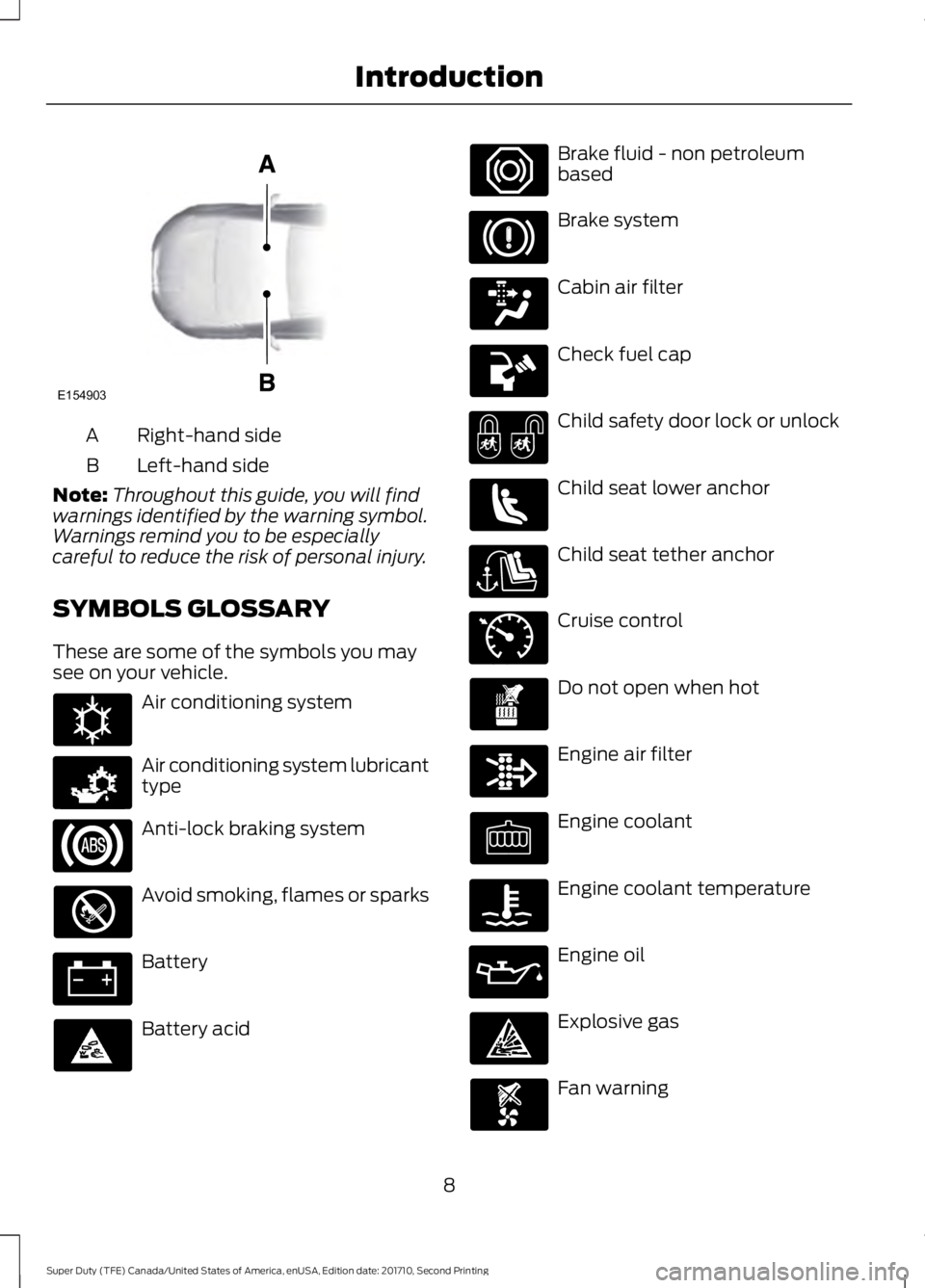
Right-hand sideA
Left-hand sideB
Note:Throughout this guide, you will findwarnings identified by the warning symbol.Warnings remind you to be especiallycareful to reduce the risk of personal injury.
SYMBOLS GLOSSARY
These are some of the symbols you maysee on your vehicle.
Air conditioning system
Air conditioning system lubricanttype
Anti-lock braking system
Avoid smoking, flames or sparks
Battery
Battery acid
Brake fluid - non petroleumbased
Brake system
Cabin air filter
Check fuel cap
Child safety door lock or unlock
Child seat lower anchor
Child seat tether anchor
Cruise control
Do not open when hot
Engine air filter
Engine coolant
Engine coolant temperature
Engine oil
Explosive gas
Fan warning
8
Super Duty (TFE) Canada/United States of America, enUSA, Edition date: 201710, Second Printing
IntroductionE154903 E162384 E231157 E71340
Page 15 of 642
CALIFORNIA PROPOSITION 65
WARNINGS
Some constituents of engineexhaust, certain vehicle components,certain fluids contained in vehiclesand certain products of component wearcontain or emit chemicals known to theState of California to cause cancer andbirth defects or other reproductive harm.
Battery posts, terminals and relatedaccessories contain lead and leadcompounds, chemicals known to theState of California to cause cancer andreproductive harm. Batteries also containother chemicals known to the State ofCalifornia to cause cancer. Wash yourhands after handling.
PERCHLORATE
Certain components in your vehicle suchas airbag modules, seatbelt pretensionersand remote control batteries may containperchlorate material. Special handlingmay apply for service or vehicle end of lifedisposal.
For more information visit:
Web Address
www.dtsc.ca.gov/hazard-ouswaste/perchlorate
FORD CREDIT
US Only
Ford Credit offers a full range of financingand lease plans to help you acquire yourvehicle. If you have financed or leased yourvehicle through Ford Credit, thank you foryour business.
We offer a number of convenient ways foryou to contact us, and to manage youraccount.
Call 1-800-727-7000.
For more information about Ford Creditand access to the Account Manager, go towww.fordcredit.com.
REPLACEMENT PARTS
RECOMMENDATION
We have built your vehicle to the higheststandards using quality parts. Werecommend that you demand the use ofgenuine Ford and Motorcraft partswhenever your vehicle requires scheduledmaintenance or repair. You can clearlyidentify genuine Ford and Motorcraft partsby looking for the Ford, FoMoCo orMotorcraft branding on the parts or theirpackaging.
Scheduled Maintenance andMechanical Repairs
One of the best ways for you to make surethat your vehicle provides years of serviceis to have it maintained in line with ourrecommendations using parts thatconform to the specifications detailed inthis Owner’s Manual. Genuine Ford andMotorcraft parts meet or exceed thesespecifications.
Collision Repairs
We hope that you never experience acollision, but accidents do happen.Genuine Ford replacement collision partsmeet our stringent requirements for fit,finish, structural integrity, corrosionprotection and dent resistance. During
12
Super Duty (TFE) Canada/United States of America, enUSA, Edition date: 201710, Second Printing
Introduction
Page 57 of 642
GENERAL INFORMATION ON
RADIO FREQUENCIES
This device complies with Part 15 of theFCC Rules and with Industry Canadalicense-exempt RSS standard(s).Operation is subject to the following twoconditions: (1) This device may not causeharmful interference, and (2) This devicemust accept any interference received,including interference that may causeundesired operation.
Note:Changes or modifications notexpressively approved by the partyresponsible for compliance could void theuser's authority to operate the equipment.The term IC before the radio certificationnumber only signifies that Industry Canadatechnical specifications were met.
The typical operating range for yourtransmitter is approximately 33 feet (10meters). Vehicles with the remote startfeature will have a greater range. One ofthe following could cause a decrease inoperating range:
•weather conditions
•nearby radio towers
•structures around the vehicle
•other vehicles parked next to yourvehicle
Other short-distance radio transmitters,such as amateur radios, medicalequipment, wireless headphones, remotecontrols and alarm systems may operateon the same frequency as your remotecontrol. If other transmitters are operatingon those frequencies, you may not be ableto use your remote control. Using yourremote control near some types ofelectronic equipment, such as USB devices,
computers or cell phones can interfere withremote operation. Operating your remotecontrol near metal or metallic-finishedpurses, bags or clothing can interfere withremote operation. You can lock and unlockthe doors with the key.
Note:Make sure to lock your vehicle beforeleaving it unattended.
Note:If you are in range, the remote controlwill operate if you press any buttonunintentionally.
Intelligent Access
The system uses a radio frequency signalto communicate with your vehicle andauthorize your vehicle to unlock when oneof the following conditions are met:
•You touch the inside of the frontexterior door handle within 3 ft (1 m)proximity of an intelligent access key.
•You press the tailgate release button.
•You press a button on the transmitter.
If excessive radio frequency interferenceis present in the area or if the transmitterbattery is low, you may need tomechanically unlock your door. You canuse the mechanical key blade in yourintelligent access key to open the driverdoor in this situation. See RemoteControl (page 54).
REMOTE CONTROL
Integrated Keyhead Transmitter (If
Equipped)
Use the key blade to start your vehicle andunlock or lock the driver door from outsideyour vehicle. The transmitter portionfunctions as the remote control.
54
Super Duty (TFE) Canada/United States of America, enUSA, Edition date: 201710, Second Printing
Keys and Remote Controls
Page 59 of 642
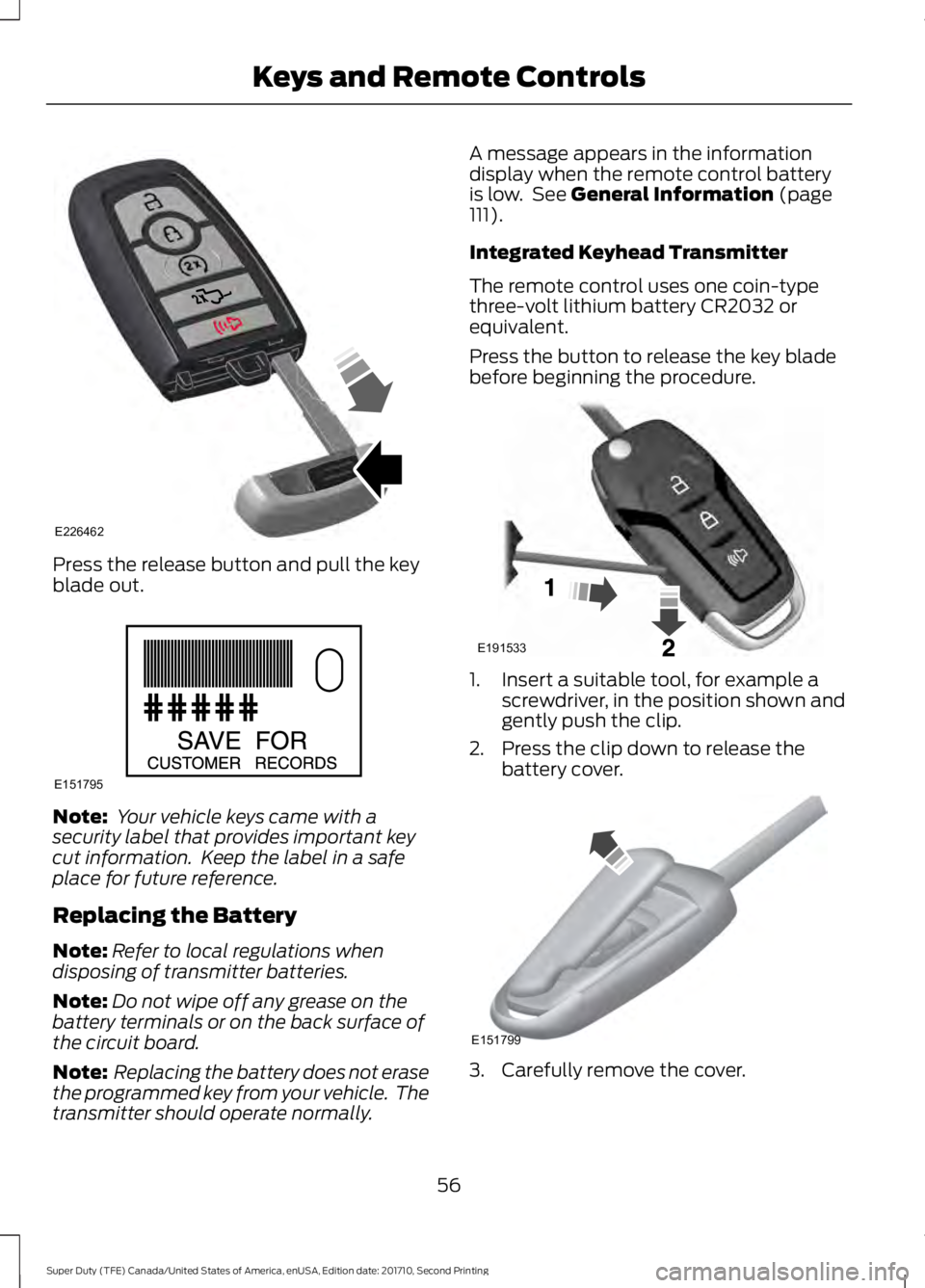
Press the release button and pull the keyblade out.
Note: Your vehicle keys came with asecurity label that provides important keycut information. Keep the label in a safeplace for future reference.
Replacing the Battery
Note:Refer to local regulations whendisposing of transmitter batteries.
Note:Do not wipe off any grease on thebattery terminals or on the back surface ofthe circuit board.
Note: Replacing the battery does not erasethe programmed key from your vehicle. Thetransmitter should operate normally.
A message appears in the informationdisplay when the remote control batteryis low. See General Information (page111).
Integrated Keyhead Transmitter
The remote control uses one coin-typethree-volt lithium battery CR2032 orequivalent.
Press the button to release the key bladebefore beginning the procedure.
1. Insert a suitable tool, for example ascrewdriver, in the position shown andgently push the clip.
2. Press the clip down to release thebattery cover.
3. Carefully remove the cover.
56
Super Duty (TFE) Canada/United States of America, enUSA, Edition date: 201710, Second Printing
Keys and Remote ControlsE226462 E151795 E191533 E151799
Page 60 of 642
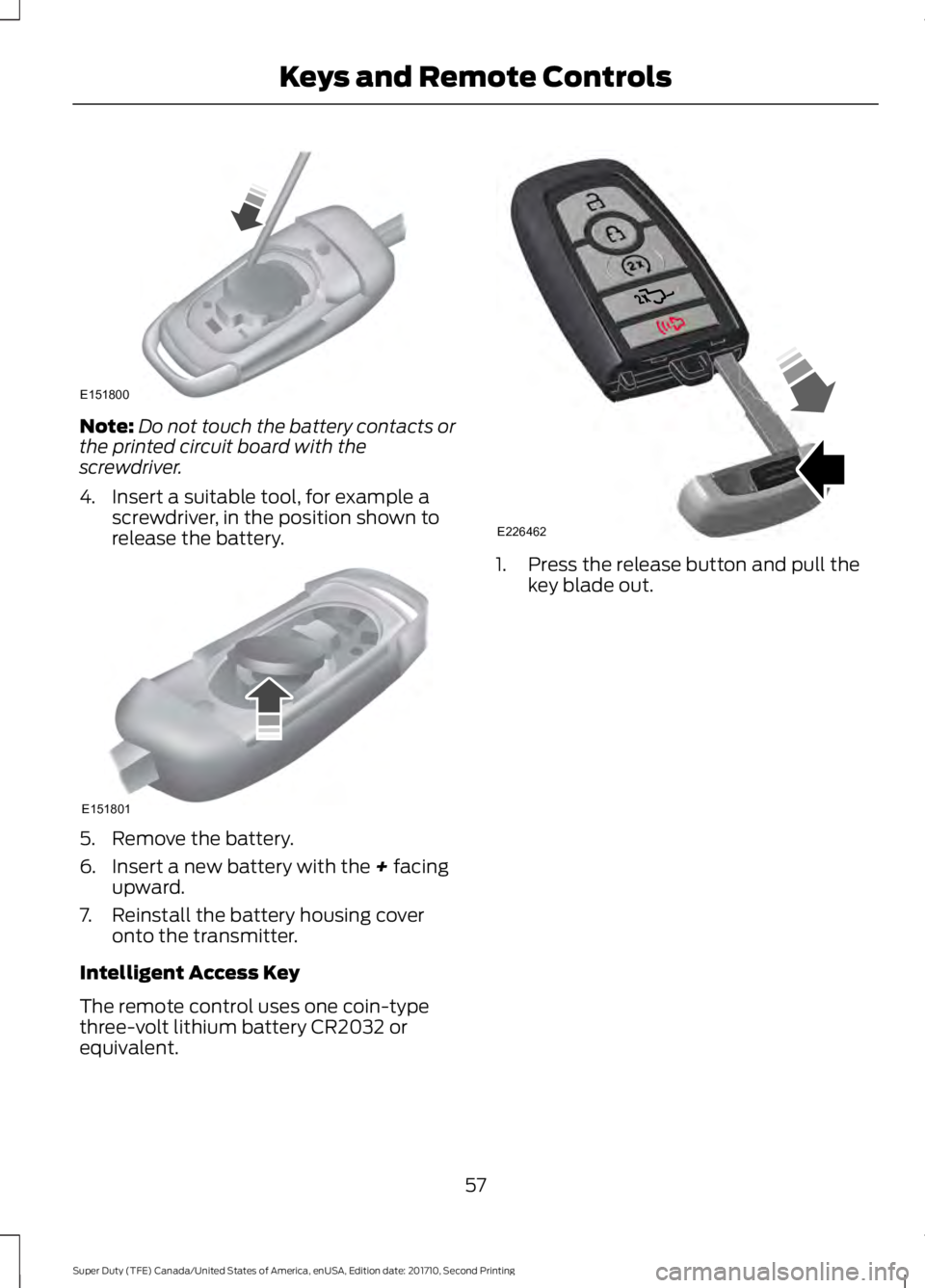
Note:Do not touch the battery contacts orthe printed circuit board with thescrewdriver.
4. Insert a suitable tool, for example ascrewdriver, in the position shown torelease the battery.
5. Remove the battery.
6. Insert a new battery with the + facingupward.
7. Reinstall the battery housing coveronto the transmitter.
Intelligent Access Key
The remote control uses one coin-typethree-volt lithium battery CR2032 orequivalent.
1. Press the release button and pull thekey blade out.
57
Super Duty (TFE) Canada/United States of America, enUSA, Edition date: 201710, Second Printing
Keys and Remote ControlsE151800 E151801 E226462
Page 61 of 642
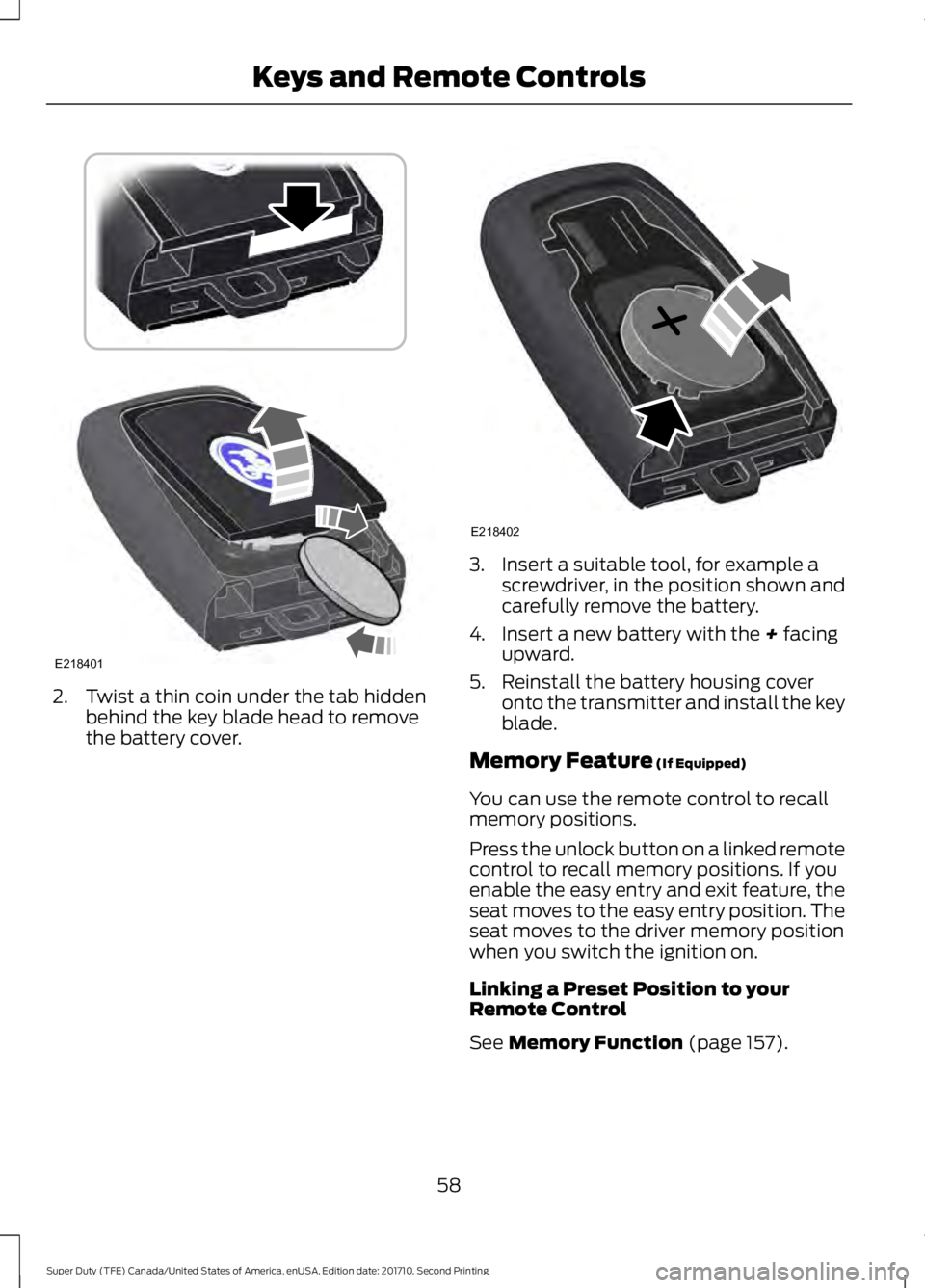
2. Twist a thin coin under the tab hiddenbehind the key blade head to removethe battery cover.
3. Insert a suitable tool, for example ascrewdriver, in the position shown andcarefully remove the battery.
4. Insert a new battery with the + facingupward.
5. Reinstall the battery housing coveronto the transmitter and install the keyblade.
Memory Feature (If Equipped)
You can use the remote control to recallmemory positions.
Press the unlock button on a linked remotecontrol to recall memory positions. If youenable the easy entry and exit feature, theseat moves to the easy entry position. Theseat moves to the driver memory positionwhen you switch the ignition on.
Linking a Preset Position to yourRemote Control
See Memory Function (page 157).
58
Super Duty (TFE) Canada/United States of America, enUSA, Edition date: 201710, Second Printing
Keys and Remote ControlsE218401 E218402
Page 62 of 642
Car Finder
Press the button twice withinthree seconds. A tone soundsand the direction indicators willflash. We recommend you use this methodto locate your vehicle, rather than usingthe panic alarm.
Sounding the Panic Alarm
Press the button to sound thepanic alarm. Press the buttonagain or switch the ignition on toturn it off.
Note:The panic alarm only operates whenthe ignition is off.
Remote Start (If Equipped)
WARNING
To avoid exhaust fumes, do not useremote start if your vehicle is parkedindoors or in areas that are not wellventilated.
Note:Do not use remote start if your fuellevel is low.
The remote start button is on thetransmitter.
This feature allows you to start yourvehicle from the outside. The transmitterhas an extended operating range.
You can configure vehicles with automaticclimate control to turn on the automaticclimate control when you remote start yourvehicle. See Automatic Climate Control(page 146). A manual climate controlsystem runs at the setting you set it towhen you switched your vehicle off.
Many states and provinces restrict the useof remote start. Check your local and stateor provincial laws for specific requirementsregarding remote start systems.
The remote start system does not work ifany of the following occur:
•The ignition is on.
•The anti-theft alarm triggers.
•You switch off the feature.
•The hood is open.
•The transmission is not in park (P).
•The battery voltage is below theminimum operating voltage.
•The service engine soon light is on.
Remote Control Feedback
An LED on the remote control providesstatus feedback of remote start or stopcommands.
StatusLED
Remote start orextensionsuccessful
Solid green
Remote stopsuccessful; vehicleoff
Solid red
Remote start orstop failedBlinking red
Waiting for statusupdateBlinking green
Remote Starting Your Vehicle
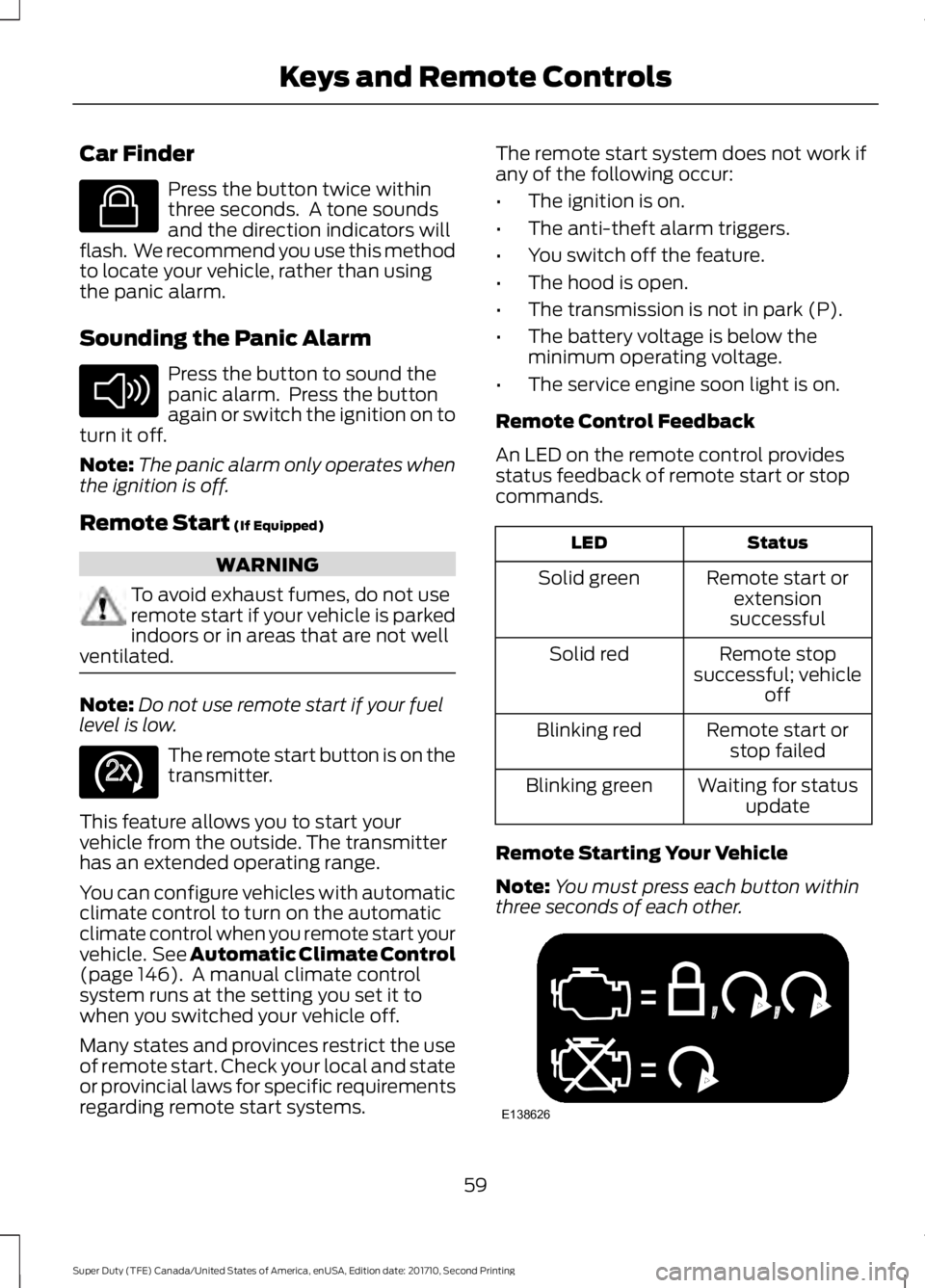
Note:You must press each button withinthree seconds of each other.
59
Super Duty (TFE) Canada/United States of America, enUSA, Edition date: 201710, Second Printing
Keys and Remote ControlsE138623 E138624 E138625 E138626
Page 69 of 642
The system will not function if:
•Your vehicle battery has no charge.
•The key battery has no charge.
•The passive key frequencies arejammed.
Note:The system may not function if thepassive key is close to metal objects orelectronic devices, for example keys or a cellphone.
Note:If the system does not function, usethe key blade to lock and unlock yourvehicle. See Remote Control (page 54).
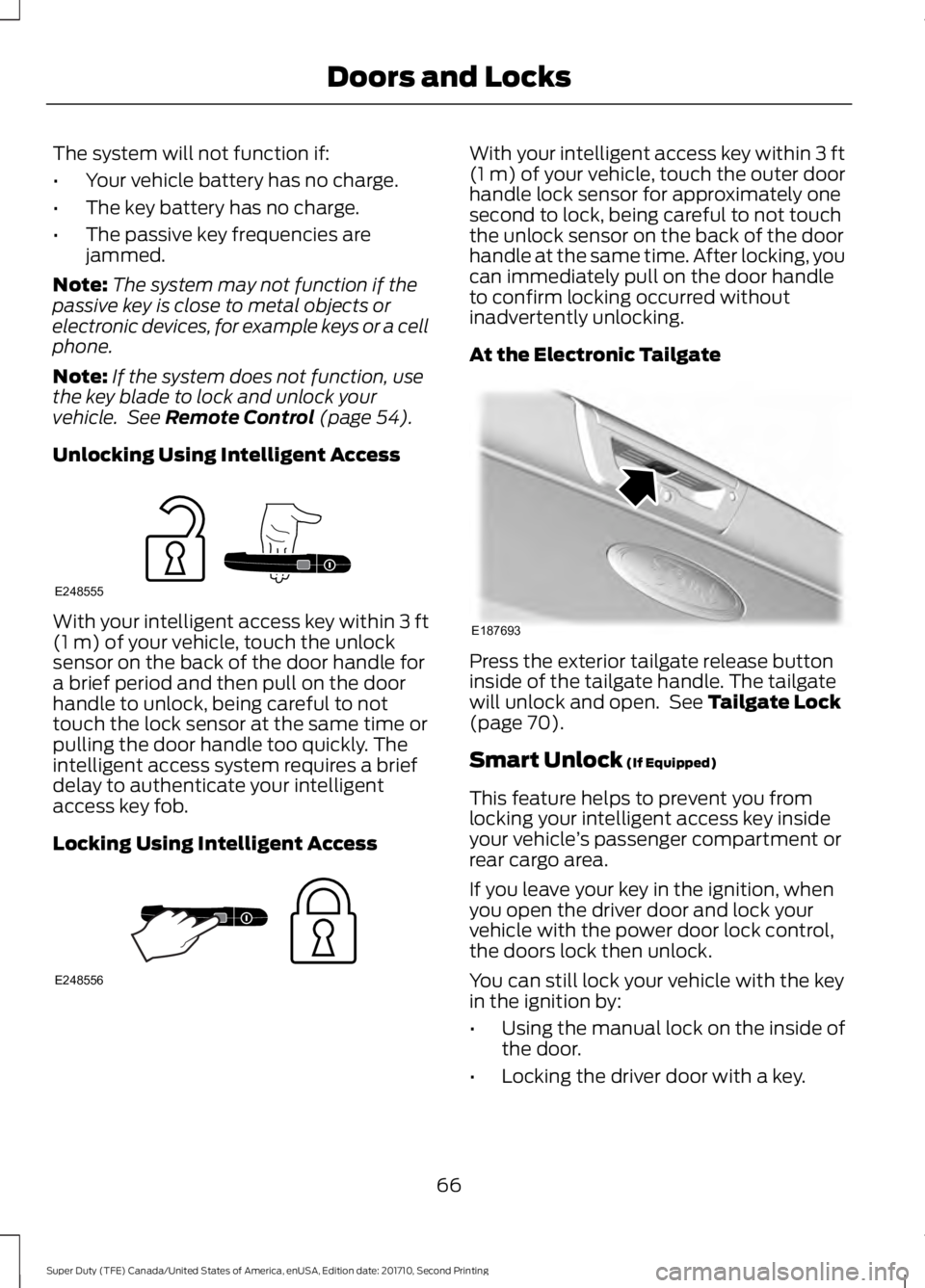
Unlocking Using Intelligent Access
With your intelligent access key within 3 ft(1 m) of your vehicle, touch the unlocksensor on the back of the door handle fora brief period and then pull on the doorhandle to unlock, being careful to nottouch the lock sensor at the same time orpulling the door handle too quickly. Theintelligent access system requires a briefdelay to authenticate your intelligentaccess key fob.
Locking Using Intelligent Access
With your intelligent access key within 3 ft(1 m) of your vehicle, touch the outer doorhandle lock sensor for approximately onesecond to lock, being careful to not touchthe unlock sensor on the back of the doorhandle at the same time. After locking, youcan immediately pull on the door handleto confirm locking occurred withoutinadvertently unlocking.
At the Electronic Tailgate
Press the exterior tailgate release buttoninside of the tailgate handle. The tailgatewill unlock and open. See Tailgate Lock(page 70).
Smart Unlock (If Equipped)
This feature helps to prevent you fromlocking your intelligent access key insideyour vehicle’s passenger compartment orrear cargo area.
If you leave your key in the ignition, whenyou open the driver door and lock yourvehicle with the power door lock control,the doors lock then unlock.
You can still lock your vehicle with the keyin the ignition by:
•Using the manual lock on the inside ofthe door.
•Locking the driver door with a key.
66
Super Duty (TFE) Canada/United States of America, enUSA, Edition date: 201710, Second Printing
Doors and LocksE248555 E248556 E187693
Page 70 of 642
•Using the keyless entry keypad.
•Using the lock button on the remotecontrol.
Smart Unlocks for IntelligentAccess Keys (If Equipped)
This feature helps to prevent you fromlocking your intelligent access key insideyour vehicle’s passenger compartment orrear cargo area.
When you lock your vehicle using thepower door lock control (with the dooropen, vehicle in park and ignition off), yourvehicle will search for an intelligent accesskey in the passenger compartment afteryou close the door. If your vehicle finds akey, all of the doors will immediatelyunlock.
In order to override the smart unlockfeature and intentionally lock theintelligent access key inside your vehicle,you can lock your vehicle after all doorsare closed by using the keyless entrykeypad, pressing the lock button onanother intelligent access key or touchingthe locking area on the handle with anotherintelligent access key in your hand.
When you open one of the front doors andlock your vehicle using the power door lockcontrol, all doors will lock then unlock ifthe ignition is on.
Autolock and Autounlock (If Equipped)
The autolock feature locks all the doorswhen your doors are closed, the ignition ison, and your vehicle reaches a speedgreater than 12 mph (20 km/h).
When your doors autolock while driving,stopping the vehicle then switching theignition off or to accessory and openingthe driver door unlocks all your doors. Thisautounlock feature remains active for 10minutes after stopping.
Note:The doors do not autounlock if youhave electronically locked them beforeopening the driver door.
Enabling or Disabling Autolock andAutounlock
You can enable or disable these featuresindependently of each other using theinformation display. An authorized dealercan also help you enable or disable thesefeatures. See General Information (page111).
Illuminated Entry
The interior lamps and select exteriorlamps illuminate when you unlock thedoors with the remote entry system.
The illuminated entry system turns off thelights if:
•The ignition is on.
•You press the remote control lockbutton.
•After 25 seconds of illumination.
The dome lamp does not turn on if thecontrol is set to the off position.
The lights do not turn off if:
•You switch them on with the dimmercontrol.
•Any door is open.
Battery Saver
The battery saver turns off the interiorlamps 30 minutes after you switch off theignition if a door is open and the domelamp switch is on. It turns off the interiorlamps after 10 minutes if the dome lampswitch is off.
Accessory Mode Battery Saver forIntelligent Access Keys (If Equipped)
If you leave the ignition on after leavingyour vehicle, it turns off 15 minutes afteryou close all of the doors.
67
Super Duty (TFE) Canada/United States of America, enUSA, Edition date: 201710, Second Printing
Doors and Locks