buttons FORD F550 2012 User Guide
[x] Cancel search | Manufacturer: FORD, Model Year: 2012, Model line: F550, Model: FORD F550 2012Pages: 448, PDF Size: 6.01 MB
Page 143 of 448
holding both the and buttons simultaneously on the remote entry
transmitter for approximately four seconds. The hazard lamps will flash
twice to indicate that the vehicle has switched to one step unlocking.
Repeat the procedure to switch back to two-step unlocking.
Locking the doors
1. Press
and release to lock all the doors. The parking lamps will
illuminate if all the doors are closed and locked.
2. Press
and release again within three seconds to confirm that all
the doors are closed and locked. Note: The doors will lock again, the
horn will chirp once, and the parking lamps will illuminate once more.
If any of the doors are not properly closed the horn will make two quick
chirps and the parking lamps will not flash.
Car finder
Press
twice within three seconds. The horn will chirp and the turn
lamps will flash. It is recommended that this method be used to locate
your vehicle, rather than using the panic alarm.
Sounding a panic alarm
Press
to activate the alarm. Press again or turn the ignition to on to
deactivate.
Note: The panic alarm will only operate when the ignition is off.
Memory feature (seat, mirrors and adjustable pedals)
The integrated keyhead transmitter (IKT) allows you to recall the
memory seat/power mirrors/adjustable pedals feature.
Press
to automatically move the driver seat, power mirrors and
adjustable pedals to the desired memory position. (The seat position
corresponds to the transmitter being used).
Programming memory feature to transmitter
To activate this feature:
1. Move the driver seat, power mirrors, and adjustable pedals to the
desired positions using the associated controls. Locks and Security
143
2012 F-250/350/450/550 (f23)
Owners Guide, 4th Printing
USA (fus)
Page 146 of 448
Remote start (if equipped)
Your vehicle may be equipped with the remote start feature which allows
you to start the engine from outside the vehicle. If your integrated
keyhead transmitter (IKT) has a icon, you have remote start. The
remote start feature has an extended operating range which allows you
to remote start your vehicle from a farther distance from your vehicle.
All the buttons have this increased range performance capability when
equipped with remote start.
Many states and provinces have restrictions for the use of remote start.
Check your local and state or provincial laws for specific requirements
regarding remote start systems.
Note: Do not use remote start if your vehicle is low on fuel.
WARNING: To avoid exhaust fumes, do not use remote start if
your vehicle is parked indoors or areas that are not well
ventilated.
The remote start system will not work if:
• The ignition is in the on position.
• The alarm system is triggered.
• The feature has been disabled.
• The hood is not closed.
• Two remote vehicle starts have already been attempted within the last
hour.
• The vehicle is not in P (Park).
Starting the engine with remote start
To start the engine using remote start:
Note: Each button press must be done within 3 seconds of each other. If
this sequence is not followed the vehicle will not remote start and the
horn will not chirp.
1. Press on the IKT to lock all the doors.
2. Press two times. The exterior lamps will flash twice.
Note: On diesel engines there will be a 3 second delay before the
engine starts.
If for some reason, the system fails to start, the horn will chirp twice.
3. Insert the key in the ignition and turn to the on position before driving.Locks and Security
146
2012 F-250/350/450/550 (f23)
Owners Guide, 4th Printing
USA (fus)
Page 148 of 448
Programming a personal entry code and keypad association to
memory feature
To create your own personal entry code:
1. Enter the factory set code.
2. Within five seconds press the 1 • 2 on the keypad.
3. Enter your personal 5-digit code. Each number must be entered
within five seconds of each other.
4. To associate the entry code with a memory setting, enter a sixth digit
to indicate which driver should be set in a memory recalled by the
personal entry code:
• Pressing 1 • 2 recalls Driver 1 settings.
• Pressing 3 • 4 recalls Driver 2 settings.
• Pressing other keypad buttons or not pressing a keypad button as a
sixth digit does not set a driver and will not recall a memory setting.
Note: The factory-set code cannot be associated with a memory
setting.
5. The doors will again lock then unlock to confirm that your personal
entry code has been programmed to the module.
Tips:
• Do not set a code that uses five of the same number.
• Do not use five numbers in sequential order.
• The factory set code will work even if you have set your own personal
code.
Erasing personal code
1. Enter the factory set 5–digit code.
2. Within five seconds, press the 1 • 2 on the keypad and release.
3. Press and hold the 1 • 2 for two seconds. This must be done within
five seconds of completing Step 2.
Your personal code is now erased and only the factory set 5–digit code
will work.
Anti-scan feature
If an incorrect code has been entered seven times (35 consecutive button
presses), the keypad will go into an anti-scan mode. This mode disables the
keypad for one minute and the keypad lamp will flash during this time.Locks and Security
148
2012 F-250/350/450/550 (f23)
Owners Guide, 4th Printing
USA (fus)
Page 156 of 448
Front row center non-adjustable head restraint (if equipped)
Vehicle’s equipped with a front center seat will have head restraints that
are non-adjustable.
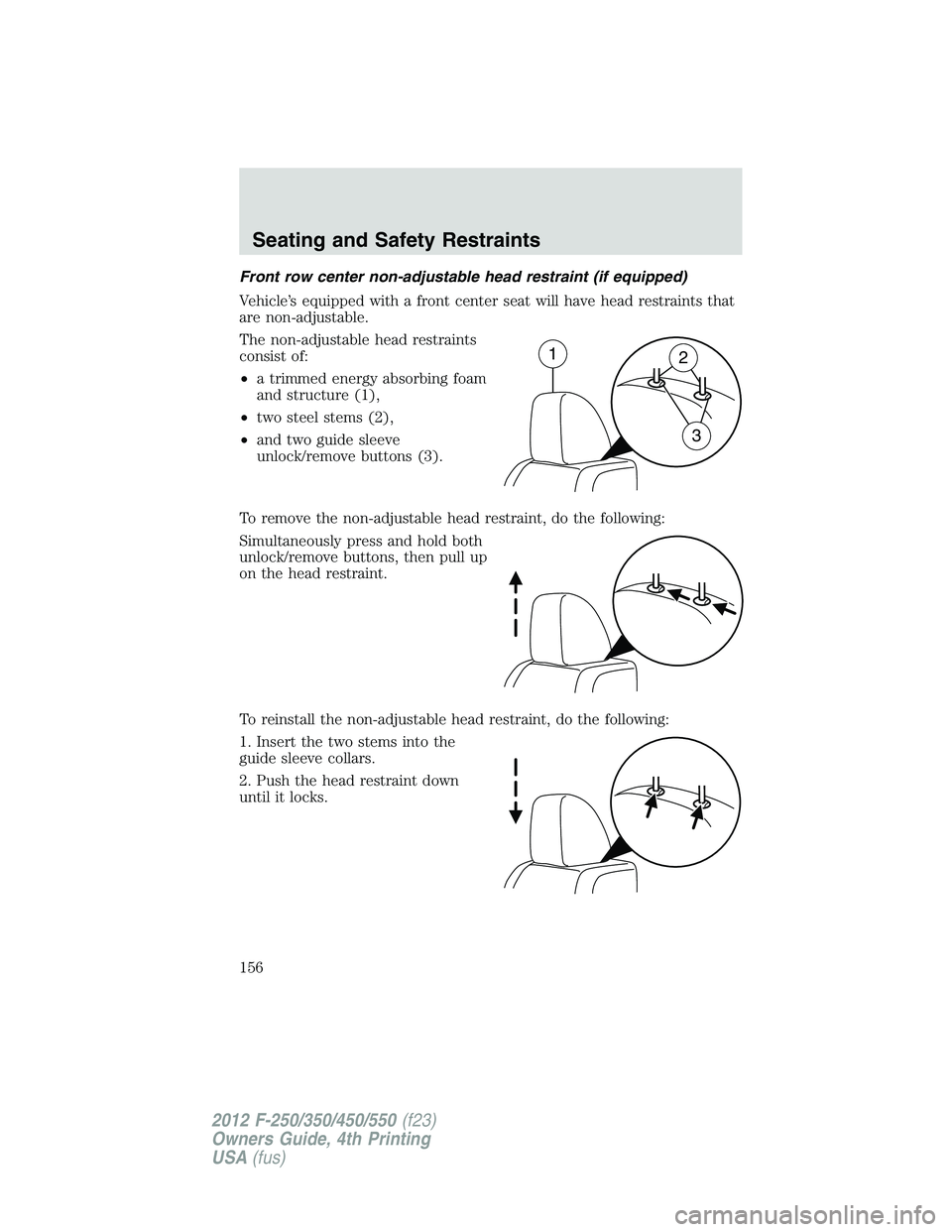
The non-adjustable head restraints
consist of:
• a trimmed energy absorbing foam
and structure (1),
• two steel stems (2),
• and two guide sleeve
unlock/remove buttons (3).
To remove the non-adjustable head restraint, do the following:
Simultaneously press and hold both
unlock/remove buttons, then pull up
on the head restraint.
To reinstall the non-adjustable head restraint, do the following:
1. Insert the two stems into the
guide sleeve collars.
2. Push the head restraint down
until it locks. 1
2
3Seating and Safety Restraints
156
2012 F-250/350/450/550 (f23)
Owners Guide, 4th Printing
USA (fus)
Page 165 of 448
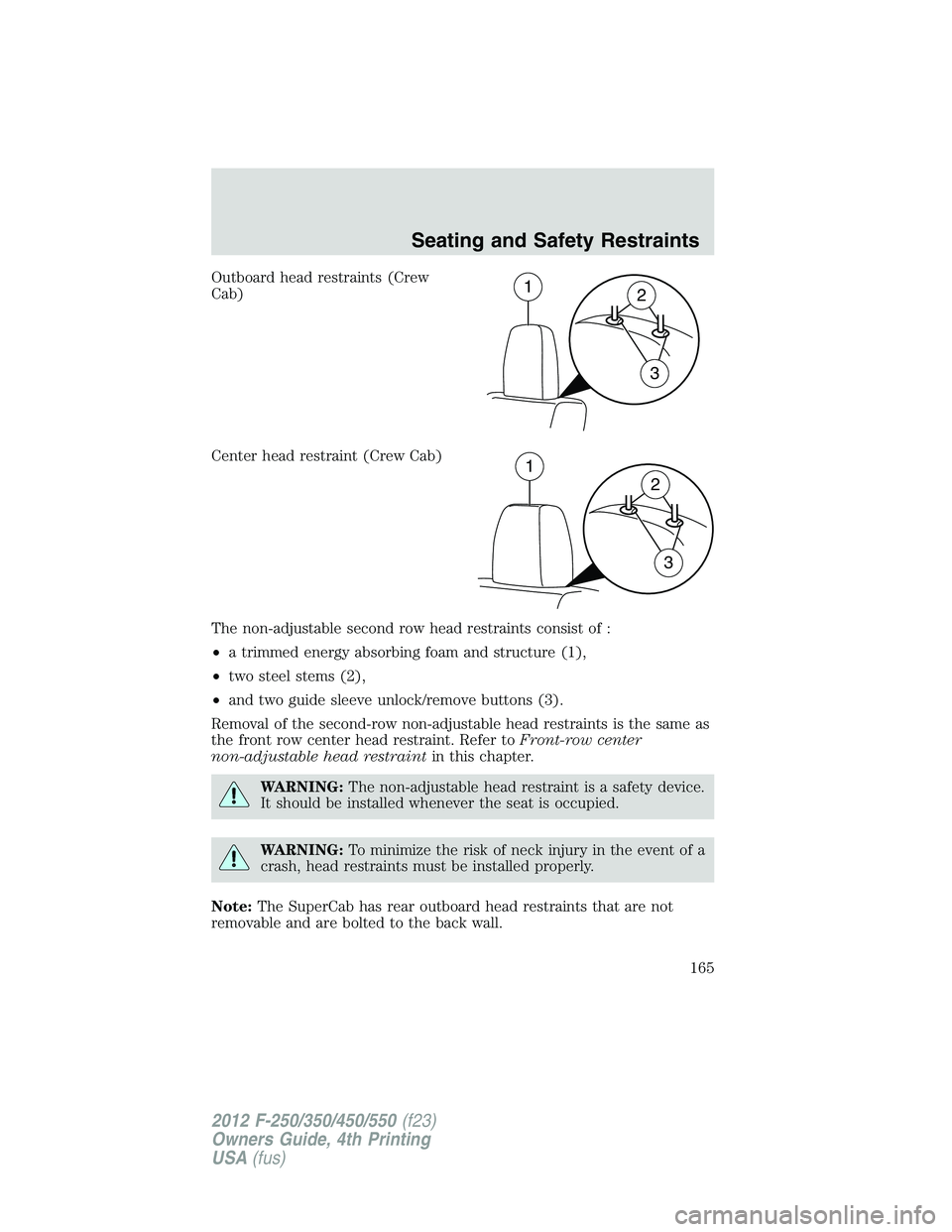
Outboard head restraints (Crew
Cab)
Center head restraint (Crew Cab)
The non-adjustable second row head restraints consist of :
• a trimmed energy absorbing foam and structure (1),
• two steel stems (2),
• and two guide sleeve unlock/remove buttons (3).
Removal of the second-row non-adjustable head restraints is the same as
the front row center head restraint. Refer to Front-row center
non-adjustable head restraint in this chapter.
WARNING: The non-adjustable head restraint is a safety device.
It should be installed whenever the seat is occupied.
WARNING: To minimize the risk of neck injury in the event of a
crash, head restraints must be installed properly.
Note: The SuperCab has rear outboard head restraints that are not
removable and are bolted to the back wall. 1
2
3
1
2
3Seating and Safety Restraints
165
2012 F-250/350/450/550 (f23)
Owners Guide, 4th Printing
USA (fus)
Page 257 of 448
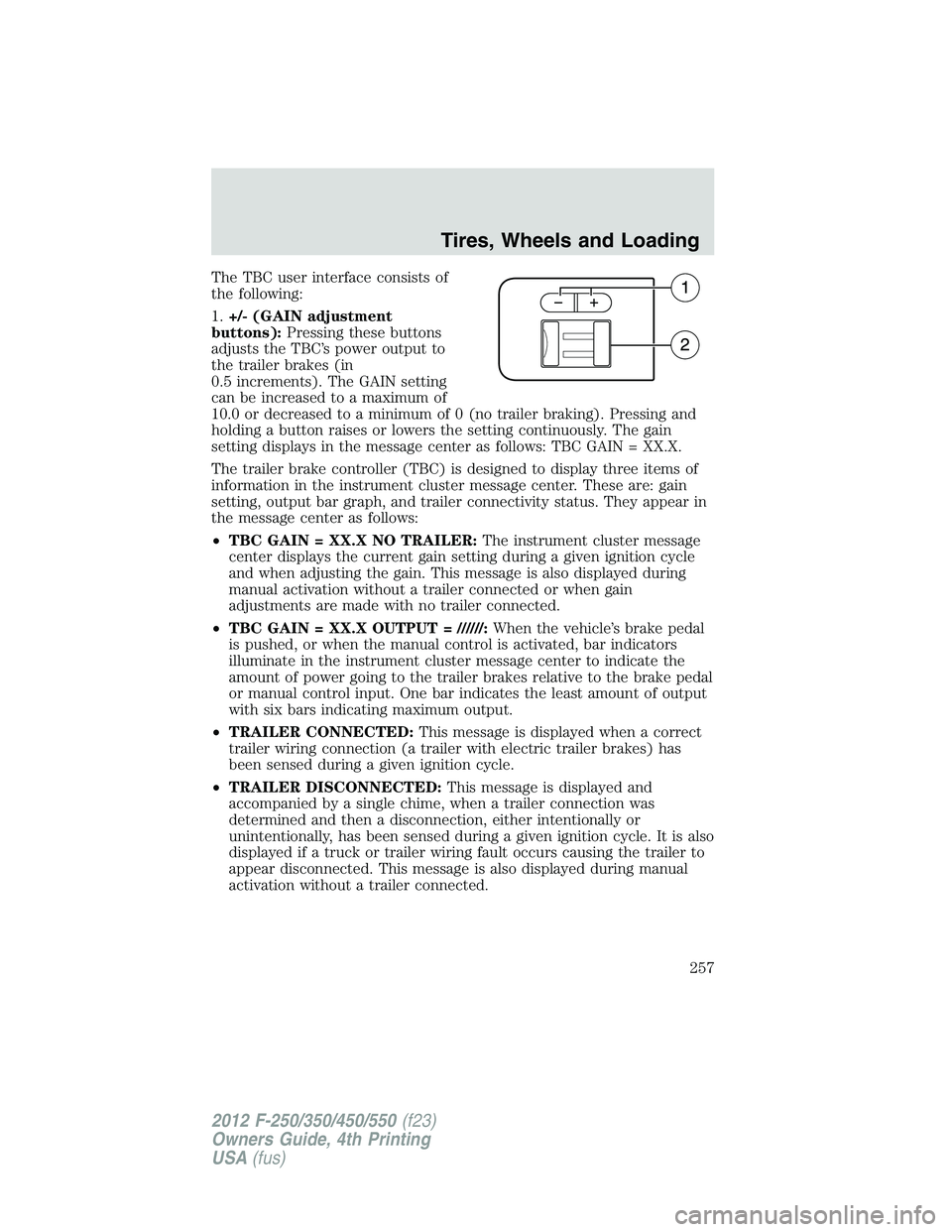
The TBC user interface consists of
the following:
1. +/- (GAIN adjustment
buttons): Pressing these buttons
adjusts the TBC’s power output to
the trailer brakes (in
0.5 increments). The GAIN setting
can be increased to a maximum of
10.0 or decreased to a minimum of 0 (no trailer braking). Pressing and
holding a button raises or lowers the setting continuously. The gain
setting displays in the message center as follows: TBC GAIN = XX.X.
The trailer brake controller (TBC) is designed to display three items of
information in the instrument cluster message center. These are: gain
setting, output bar graph, and trailer connectivity status. They appear in
the message center as follows:
• TBC GAIN = XX.X NO TRAILER: The instrument cluster message
center displays the current gain setting during a given ignition cycle
and when adjusting the gain. This message is also displayed during
manual activation without a trailer connected or when gain
adjustments are made with no trailer connected.
• TBC GAIN = XX.X OUTPUT = //////: When the vehicle’s brake pedal
is pushed, or when the manual control is activated, bar indicators
illuminate in the instrument cluster message center to indicate the
amount of power going to the trailer brakes relative to the brake pedal
or manual control input. One bar indicates the least amount of output
with six bars indicating maximum output.
• TRAILER CONNECTED: This message is displayed when a correct
trailer wiring connection (a trailer with electric trailer brakes) has
been sensed during a given ignition cycle.
• TRAILER DISCONNECTED: This message is displayed and
accompanied by a single chime, when a trailer connection was
determined and then a disconnection, either intentionally or
unintentionally, has been sensed during a given ignition cycle. It is also
displayed if a truck or trailer wiring fault occurs causing the trailer to
appear disconnected. This message is also displayed during manual
activation without a trailer connected. Tires, Wheels and Loading
257
2012 F-250/350/450/550 (f23)
Owners Guide, 4th Printing
USA (fus)
Page 258 of 448
2. Manual control lever: Slide the control lever to the left to activate
power to the trailer’s electric brakes independent of the tow vehicle’s
brakes (see the following Procedure for adjusting GAIN section for
instructions on proper use of this feature). If the manual control is
activated while the brake is also applied, the greater of the two inputs
determines the power sent to the trailer brakes.
• Stop lamps: Activating the TBC manual control lever illuminates both
the trailer brake lamps and the tow vehicle brake lamps except the
center high-mount stop lamp (presuming proper trailer electrical
connection). Pressing the vehicle brake pedal also illuminates both
trailer and vehicle brake lamps.
Procedure for adjusting GAIN:
The GAIN setting is used to set the TBC for the specific towing condition
and should be changed as towing conditions change. Changes to towing
conditions include trailer load, vehicle load, road conditions and weather.
The GAIN should be set to provide the maximum trailer braking
assistance while ensuring the trailer wheels do not lock when braking;
locked trailer wheels may lead to trailer instability.
Note: This should only be performed in a traffic-free environment at
speeds of approximately 20–25 mph (30–40 km/h).
1. Make sure the trailer brakes are in good working condition, functioning
normally and properly adjusted. See your trailer dealer if necessary.
2. Hook up the trailer and make the electrical connections according to
the trailer manufacturer’s instructions.
3. When a trailer with electric brakes is plugged in, the TRAILER
CONNECTED message displays in the instrument cluster message center.
4. Use the GAIN adjustment (+/-) buttons to increase or decrease the
GAIN setting to the desired starting point. A GAIN setting of 6.0 is a
good starting point for heavier loads.
5. In a traffic-free environment, tow the trailer on a dry, level surface at
a speed of 20–25 mph (30–40 km/h) and squeeze the manual control
lever completely.
6. If the trailer wheels lock up (indicated by squealing tires), reduce the
GAIN setting; if the trailer wheels turn freely, increase the GAIN setting.
Repeat Steps 5 and 6 until the GAIN setting is at a point just below
trailer wheel lock-up. If towing a heavier trailer, trailer wheel lock-up
may not be attainable even with the maximum GAIN setting of 10.Tires, Wheels and Loading
258
2012 F-250/350/450/550 (f23)
Owners Guide, 4th Printing
USA (fus)
Page 292 of 448
To deactivate the tow/haul feature and return to normal driving mode,
press the button on the end of the gearshift lever. The tow/haul light will
no longer be illuminated.
Tow/haul will also deactivate when the vehicle is powered down for a few
minutes.
WARNING: Do not use the tow/haul feature when driving in icy
or slippery conditions as the increased engine braking can cause
the rear wheels to slide and the vehicle to swing around with the
possible loss of vehicle control.
M (Manual) without Overdrive
With the gearshift lever in M (Manual), the driver can change gears up
or down as desired. This is called SelectShift Automatic™ transmission
(SST) mode. By moving the gearshift lever from drive position D
(Overdrive) to M (Manual) you now have control of selecting the gear
you desire using buttons on the shift lever.
To return to normal D (Overdrive) position, move the shift lever back
from M to D.
• The transmission will operate in gears one through six.
2 (Second)
Use 2 (Second) to start-up on slippery roads or to provide additional
engine braking on downgrades.
1 (First)
• Provides maximum engine braking.
• Allows upshifts by moving gearshift lever.
• The transmission will not downshift into 1 (First) at high speeds; it
will downshift to a lower gear and then shift into 1 (First) when the
vehicle reaches slower speeds.
Forced downshifts
• Allowed in D (Overdrive).
• Press the accelerator to the floor.
• Allows transmission to select an appropriate gear.Driving
292
2012 F-250/350/450/550 (f23)
Owners Guide, 4th Printing
USA (fus)
Page 293 of 448
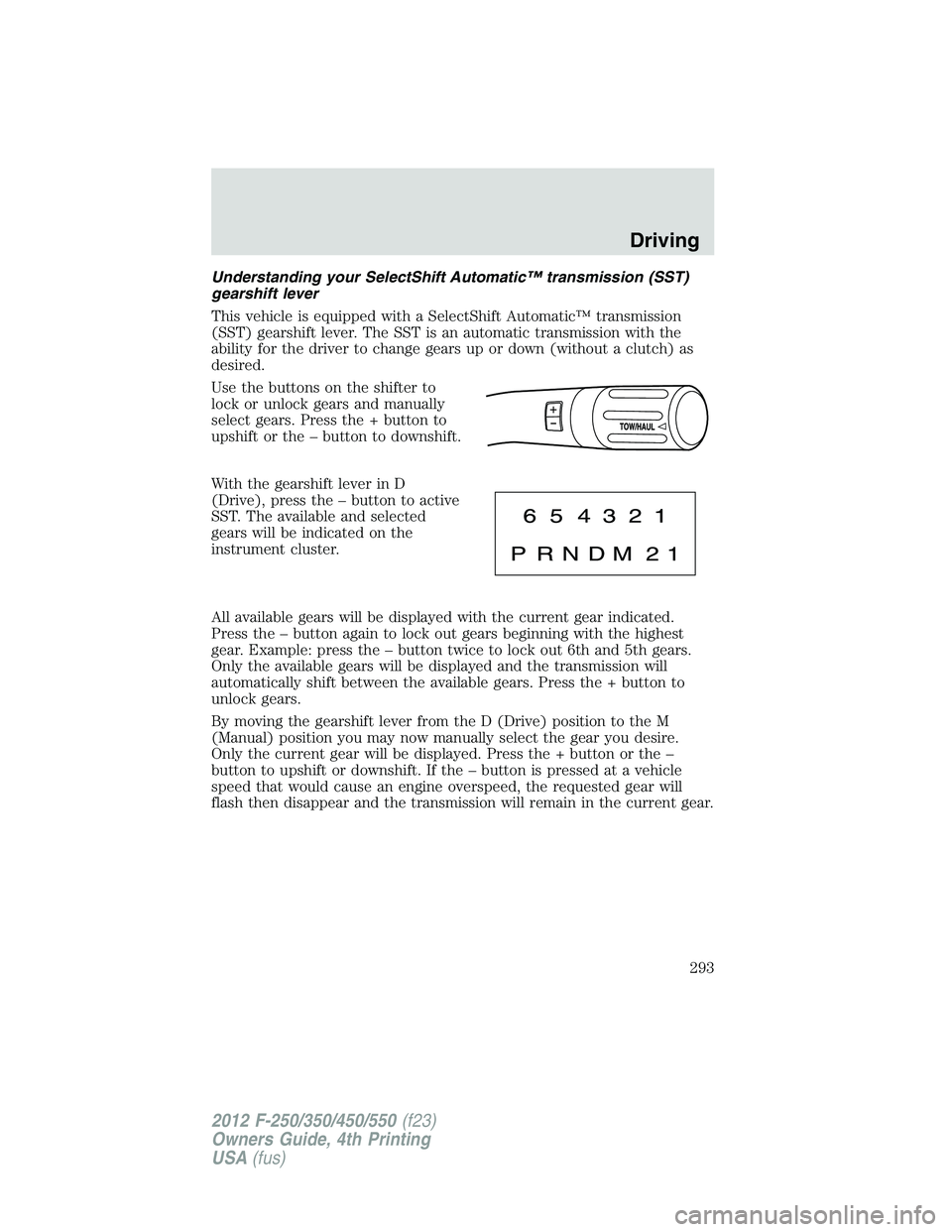
Understanding your SelectShift Automatic™ transmission (SST)
gearshift lever
This vehicle is equipped with a SelectShift Automatic™ transmission
(SST) gearshift lever. The SST is an automatic transmission with the
ability for the driver to change gears up or down (without a clutch) as
desired.
Use the buttons on the shifter to
lock or unlock gears and manually
select gears. Press the + button to
upshift or the – button to downshift.
With the gearshift lever in D
(Drive), press the – button to active
SST. The available and selected
gears will be indicated on the
instrument cluster.
All available gears will be displayed with the current gear indicated.
Press the – button again to lock out gears beginning with the highest
gear. Example: press the – button twice to lock out 6th and 5th gears.
Only the available gears will be displayed and the transmission will
automatically shift between the available gears. Press the + button to
unlock gears.
By moving the gearshift lever from the D (Drive) position to the M
(Manual) position you may now manually select the gear you desire.
Only the current gear will be displayed. Press the + button or the –
button to upshift or downshift. If the – button is pressed at a vehicle
speed that would cause an engine overspeed, the requested gear will
flash then disappear and the transmission will remain in the current gear. Driving
293
2012 F-250/350/450/550 (f23)
Owners Guide, 4th Printing
USA (fus)