303-04b FORD FIESTA 2007 Owner's Manual
[x] Cancel search | Manufacturer: FORD, Model Year: 2007, Model line: FIESTA, Model: FORD FIESTA 2007Pages: 1226, PDF Size: 61.26 MB
Page 832 of 1226
Fuel Charging and Controls - 2.OL
303-04B-24 Duratec-HE (M14) 303-04B-24
REMOVAL AND INSTALLATION
Throttle Body
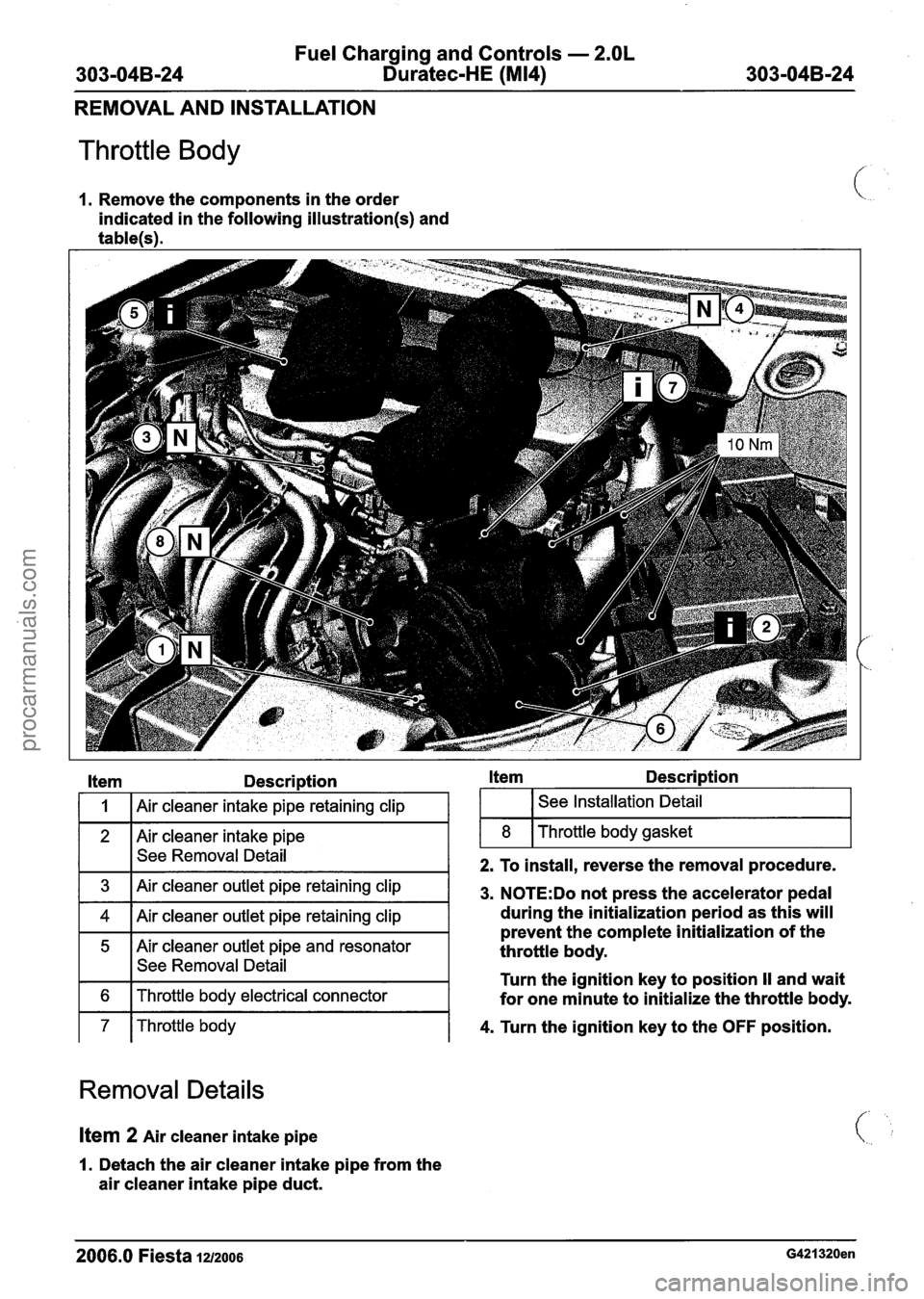
1. Remove the components in the order
indicated in the following
illustration(s) and
tablelsl.
Item Description Item Description
See Removal ~etaii-
1 7 I Throttle body 1 4. Turn the ignition key to the OFF position.
1
2 I I
2. To install, reverse the removal procedure.
3
4
5
6
Removal Details
8
Air cleaner intake pipe retaining clip
Air cleaner intake pipe
Item 2 Air cleaner intake pipe
See Installation Detail
Throttle body gasket
Air cleaner outlet pipe retaining clip
Air cleaner outlet pipe retaining clip
Air cleaner outlet pipe and resonator
See Removal Detail
Throttle body electrical connector
1. Detach the air cleaner intake pipe from the
air cleaner intake pipe duct.
3. N0TE:Do not press the accelerator pedal
during the initialization period as this will
prevent the complete initialization of the
throttle body.
Turn the ignition key to position
II and wait
for one minute to initialize the throttle body.
2006.0 Fiesta 1212006 G421320en
procarmanuals.com
Page 833 of 1226
Fuel Charging and Controls - 2.OL
303-04B-25 Duratec-HE (M14) 303-04B-25
REMOVAL AND INSTALLATION
Item 5 Air cleaner outlet pipe and resonator from
the air cleaner and remove the air
1. Detach the air cleaner outlet pipe resonator cleaner
outlet pipe.
Installation Details
Ifem 7 Throttle body
N0TE:Do not fully tighten the throttle body
retaining bolts at this stage.
I. Install each throttle body retaining bolt three
full turns by hand.
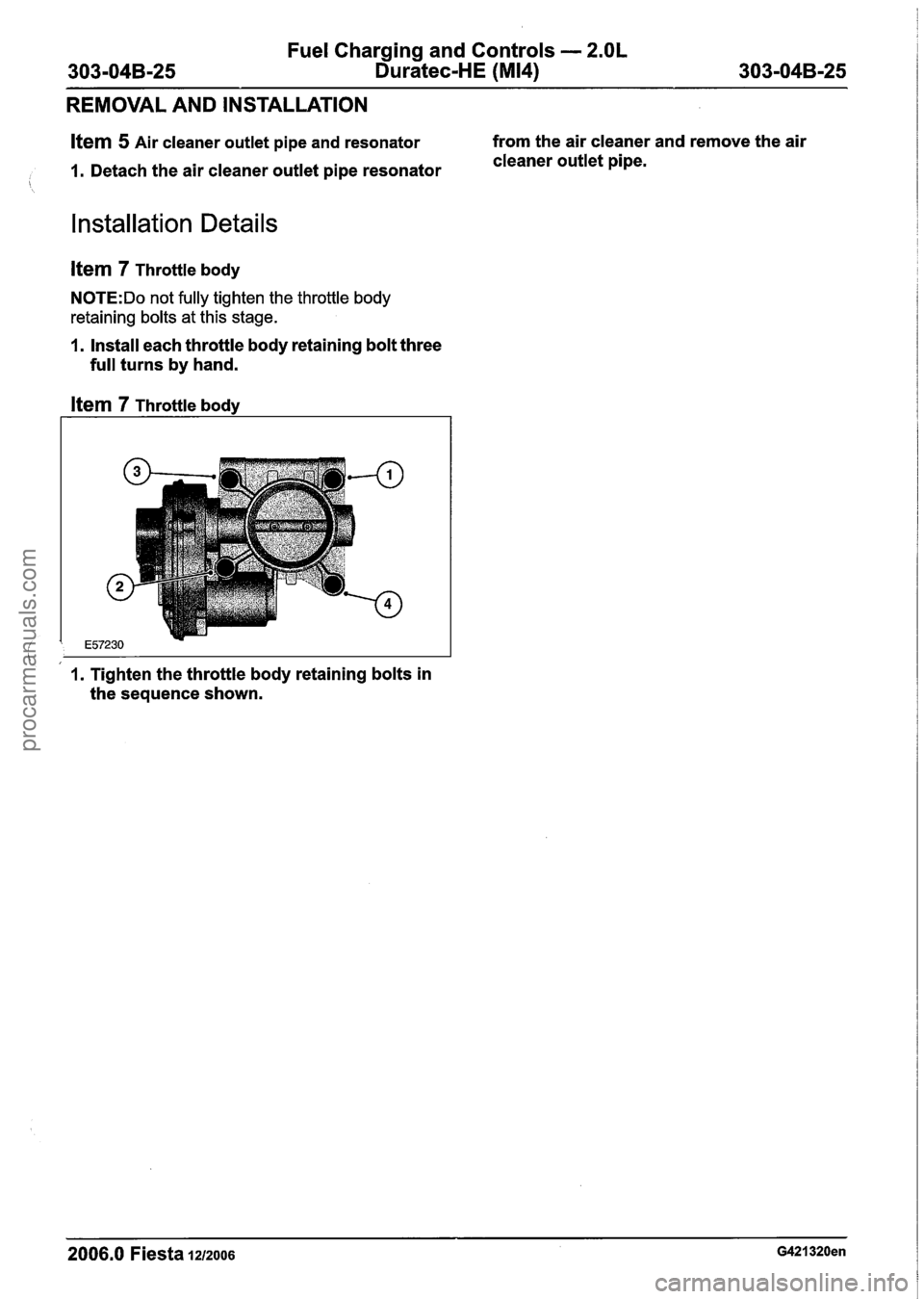
Item 7 Throttle body
1. Tighten the throttle body retaining bolts in
the sequence shown.
2006.0 Fiesta 1212006 G421320en
procarmanuals.com
Page 835 of 1226
Fuel Charging and Controls - 2.OL
303-04B-27 Duratec-HE (M14) 303-04B-27
REMOVAL AND INSTALLATION
Fuel Rail
Materials Name Specification
I Engine Oil - 5W-30 I WSS-~2~91 3-B I
WARNINGS:
A Do not smoke or carry lighted tobacco or
open flame of any type when working on
or near any fuel related components.
Highly flammable vapors are always
present and may ignite. Failure to follow
these instructions may result in personal
injury.
A This procedure involves fuel handling. Be
prepared for fuel spillage at all times and
always observe fuel handling precautions.
Failure to follow these instructions may
result in personal injury.
1. Release the fuel system pressure.
For additional information, refer to: Fuel
System Pressure Release (31 0-00 Fuel
System
- General Information, General
Procedures).
2. Disconnect the battery ground cable.
For additional information, refer to: Battery
Disconnect
(414-01 Battery, Mounting and
Cables, General Procedures).
3. Remove the air cleaner assembly.
For additional information, refer to: Air
Cleaner
- 2.OL Duratec-HE (M14) (303-1 2
intake Air Distribution and Filtering,
Removal and Installation).
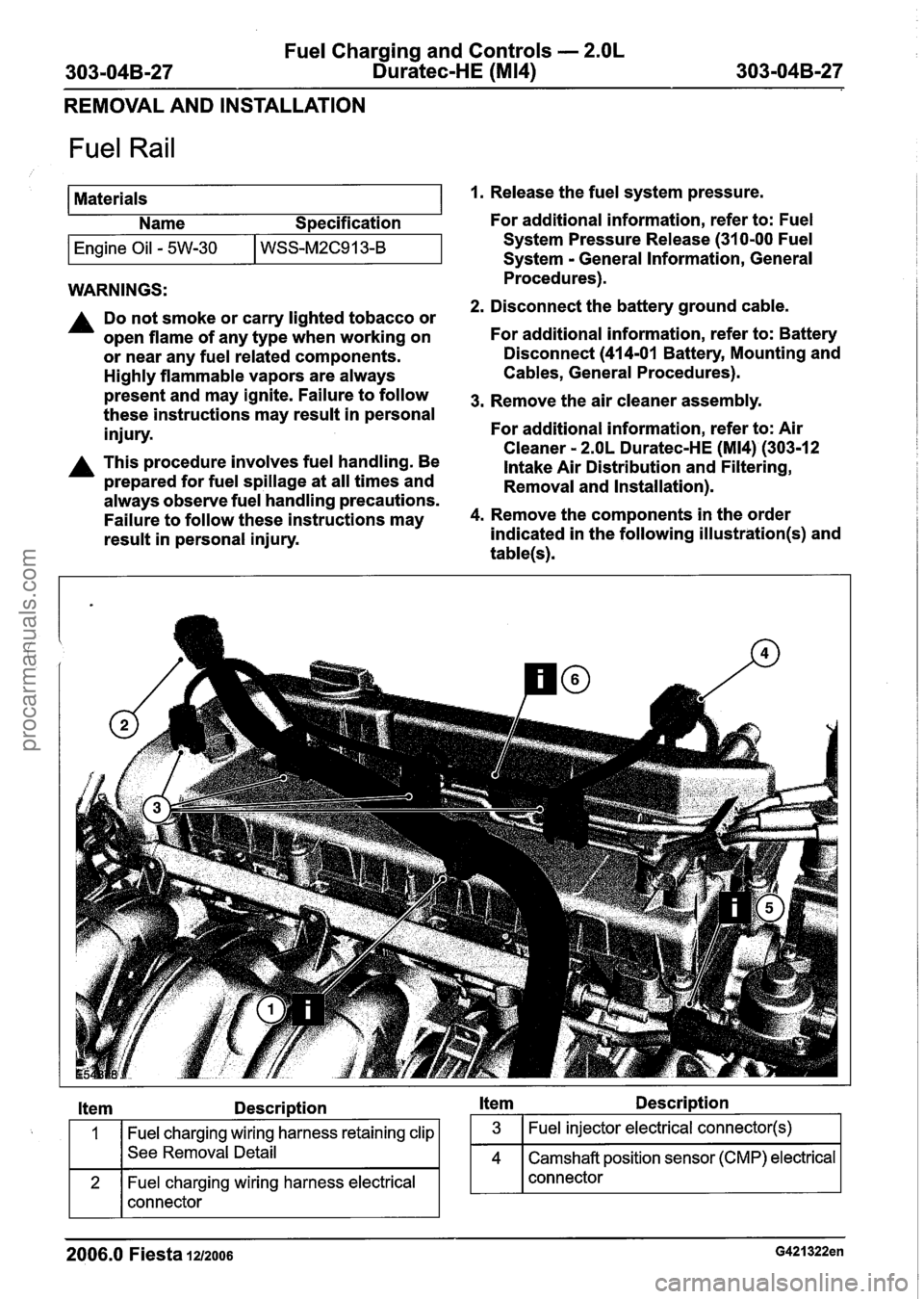
4. Remove the components in the order
indicated in the following
illustration(s) and
table(s).
Item Description Item Description
Fuel charging wiring harness retaining clip
See Removal Detail
Fuel charging wiring harness electrical
connector
2006.0 Fiesta 1212006 G421322en
procarmanuals.com
Page 837 of 1226
Fuel Charging and Controls - 2.OL
303-04B-29 Duratec-HE (M14) 303-04B-29
REMOVAL AND INSTALLATION
Item 5 Fuel rail fuel supply line
, 1. Disconnect the fuel supply line from the fuel rail.
For additional information, refer to: Quick
Release Coupling (310-00 Fuel System
-
General Information, General Procedures).
Item 6 Fuel charging wiring harness retaining
clip
1. Detach the fuel charging wiring harness
retaining clip from the fuel rail retaining bolt.
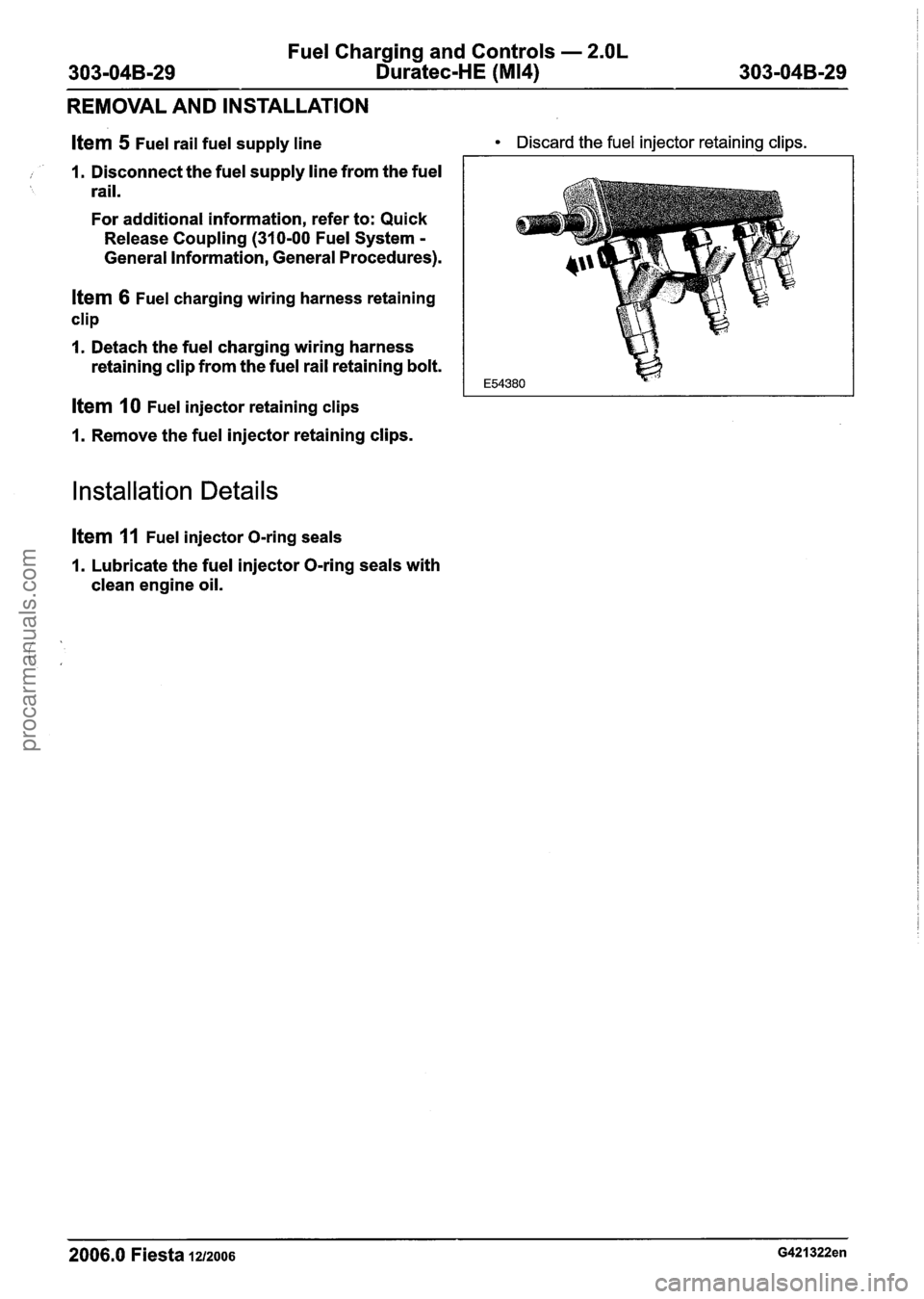
Item 10 Fuel injector retaining clips
1. Remove the fuel injector retaining clips.
Installation Details
item 11 Fuel injector O-ring seals
1. Lubricate the fuel injector O-ring seals with
clean engine oil.
Discard the fuel injector retaining clips.
- --
2006.0 Fiesta 1212006 G421322en
procarmanuals.com