wheel FORD FIESTA 2013 Workshop Manual
[x] Cancel search | Manufacturer: FORD, Model Year: 2013, Model line: FIESTA, Model: FORD FIESTA 2013Pages: 346, PDF Size: 5.27 MB
Page 255 of 346
•Ground clearance and parking at curbs
•Winter weather driving capability
•Wet weather driving capability
•All-wheel driving capability (if applicable)
•Load leveling adjustment (if applicable)
When driving with the full-size dissimilar spare tire and wheel assembly,
additional caution should be given to:
•towing a trailer.
•driving vehicles equipped with a camper body.
•driving vehicles with a load on the cargo rack.
Drive cautiously when using a full-size dissimilar spare tire and wheel,
and seek service as soon as possible.
Tire Change Procedure
WARNING:When one of the front wheels is off the ground, the
transmission alone will not prevent the vehicle from moving or
slipping off the jack, even if the transmission selector lever is in
positionPorN.
WARNING:To help prevent the vehicle from moving when you
change a tire, be sure to place the transmission selector lever in
positionPorN,set the parking brake and block (in both directions)
the wheel that is diagonally opposite (other side and end of the
vehicle) to the tire being changed.
WARNING:Never get underneath a vehicle that is supported
only by a jack. If the vehicle slips off the jack, you or someone
else could be seriously injured.
WARNING:Do not attempt to change a tire on the side of the
vehicle close to moving traffic. Pull far enough off the road to
avoid the danger of being hit when operating the jack or changing the
wheel.
254Wheels and Tires
2013 Fiesta(fie)
Owners Guide gf, 2nd Printing
USA(fus)
ProCarManuals.com
Page 256 of 346
WARNING:Always use the jack provided as original equipment
with your vehicle. If using a jack other than the one provided as
original equipment with your vehicle, make sure the jack capacity is
adequate for the vehicle weight, including any vehicle cargo or
modifications.
Note:Passengers should not remain in the vehicle when the vehicle is
being jacked.
1. Park on a level surface, set the parking brake and activate the hazard
flashers.
2. Place the transmission selector lever in positionPorRand turn the
engine off.
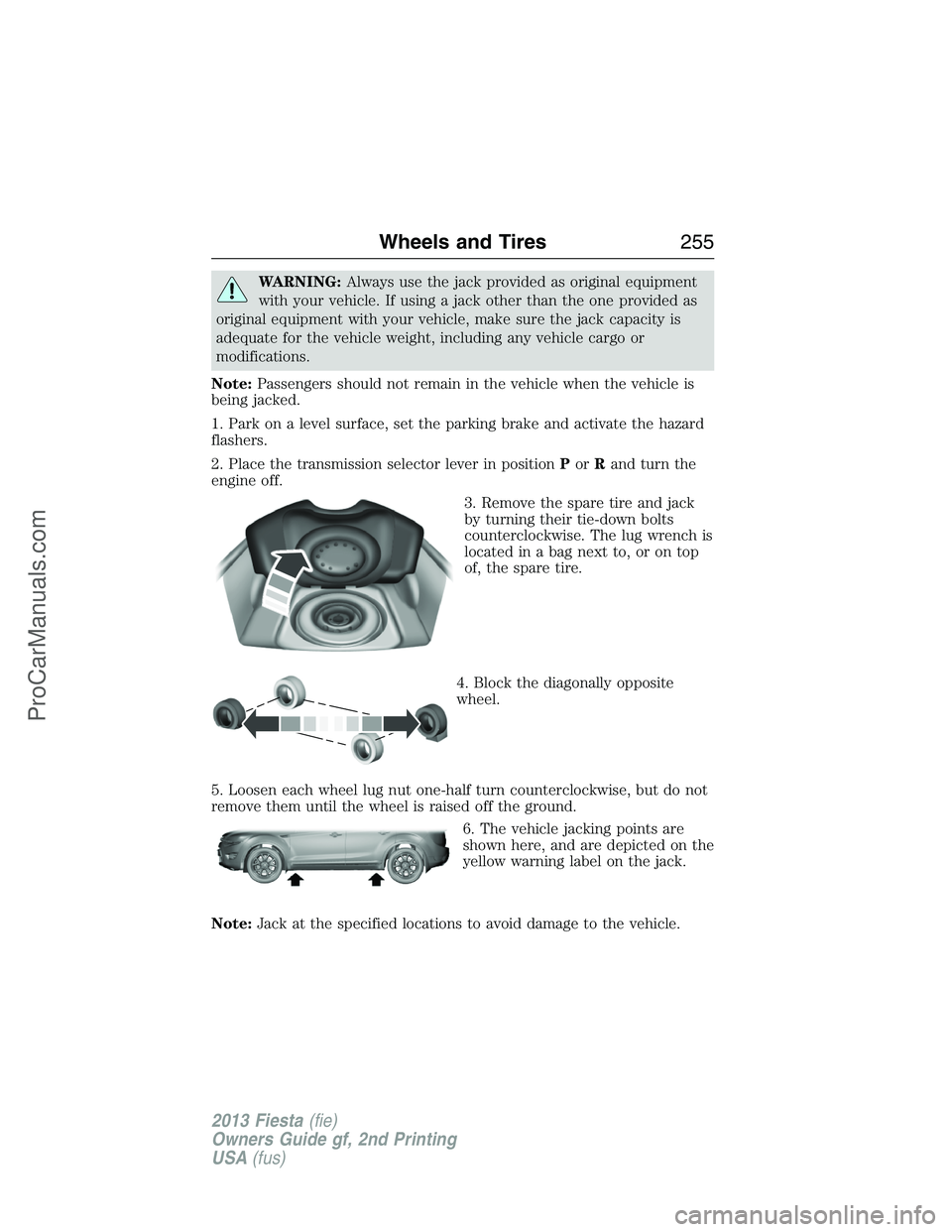
3. Remove the spare tire and jack
by turning their tie-down bolts
counterclockwise. The lug wrench is
located in a bag next to, or on top
of, the spare tire.
4. Block the diagonally opposite
wheel.
5. Loosen each wheel lug nut one-half turn counterclockwise, but do not
remove them until the wheel is raised off the ground.
6. The vehicle jacking points are
shown here, and are depicted on the
yellow warning label on the jack.
Note:Jack at the specified locations to avoid damage to the vehicle.
Wheels and Tires255
2013 Fiesta(fie)
Owners Guide gf, 2nd Printing
USA(fus)
ProCarManuals.com
Page 257 of 346
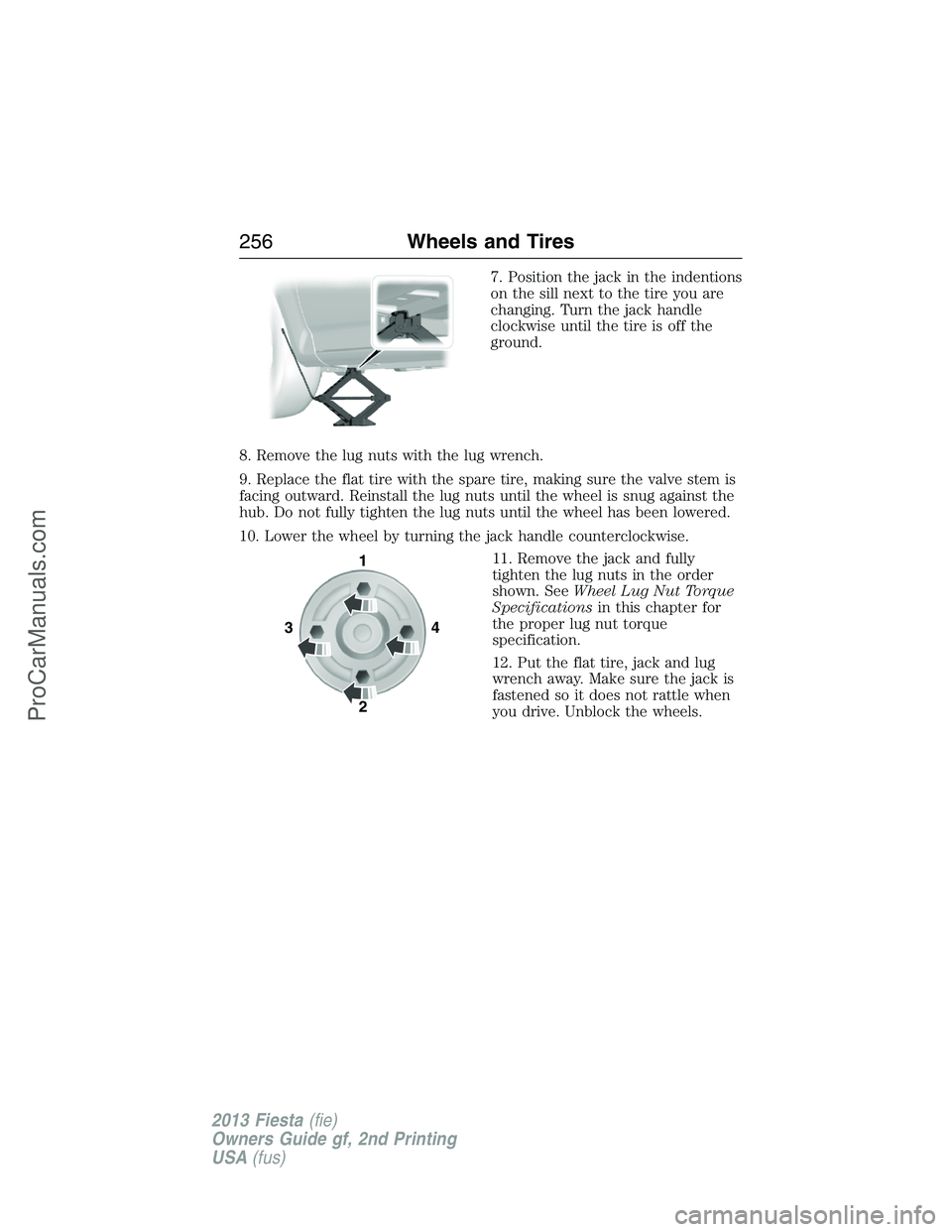
7. Position the jack in the indentions
on the sill next to the tire you are
changing. Turn the jack handle
clockwise until the tire is off the
ground.
8. Remove the lug nuts with the lug wrench.
9. Replace the flat tire with the spare tire, making sure the valve stem is
facing outward. Reinstall the lug nuts until the wheel is snug against the
hub. Do not fully tighten the lug nuts until the wheel has been lowered.
10. Lower the wheel by turning the jack handle counterclockwise.
11. Remove the jack and fully
tighten the lug nuts in the order
shown. SeeWheel Lug Nut Torque
Specificationsin this chapter for
the proper lug nut torque
specification.
12. Put the flat tire, jack and lug
wrench away. Make sure the jack is
fastened so it does not rattle when
you drive. Unblock the wheels.
341
2
256Wheels and Tires
2013 Fiesta(fie)
Owners Guide gf, 2nd Printing
USA(fus)
ProCarManuals.com
Page 258 of 346
TECHNICAL SPECIFICATIONS
Wheel Lug Nut Torque Specifications
WARNING:When a wheel is installed, always remove any
corrosion, dirt or foreign materials present on the mounting
surfaces of the wheel or the surface of the wheel hub, brake drum or
brake disc that contacts the wheel. Make sure that any fasteners that
attach the rotor to the hub are secured so they do not interfere with
the mounting surfaces of the wheel. Installing wheels without correct
metal-to-metal contact at the wheel mounting surfaces can cause the
wheel nuts to loosen and the wheel to come off while the vehicle is in
motion, resulting in loss of control.
Retighten the lug nuts to the specified torque within 100 miles
(160 kilometers) after any wheel disturbance (such as tire rotation,
changing a flat tire, wheel removal).
Bolt size Wheel lug nut torque*
ft-lb N•m
M12 x 1.5 100 135
* Torque specifications are for nut and bolt threads free of dirt and
rust. Use only Ford recommended replacement fasteners.
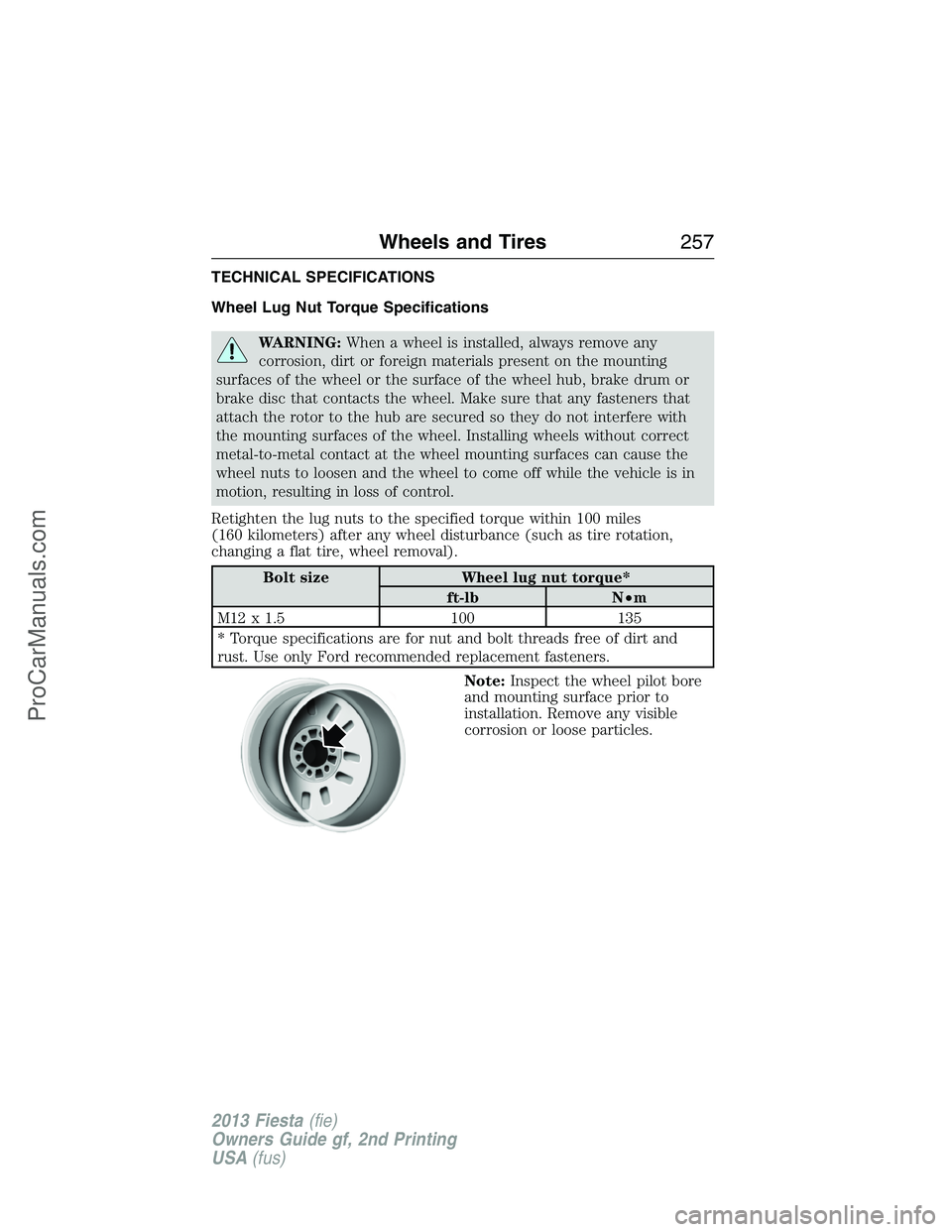
Note:Inspect the wheel pilot bore
and mounting surface prior to
installation. Remove any visible
corrosion or loose particles.
Wheels and Tires257
2013 Fiesta(fie)
Owners Guide gf, 2nd Printing
USA(fus)
ProCarManuals.com
Page 265 of 346
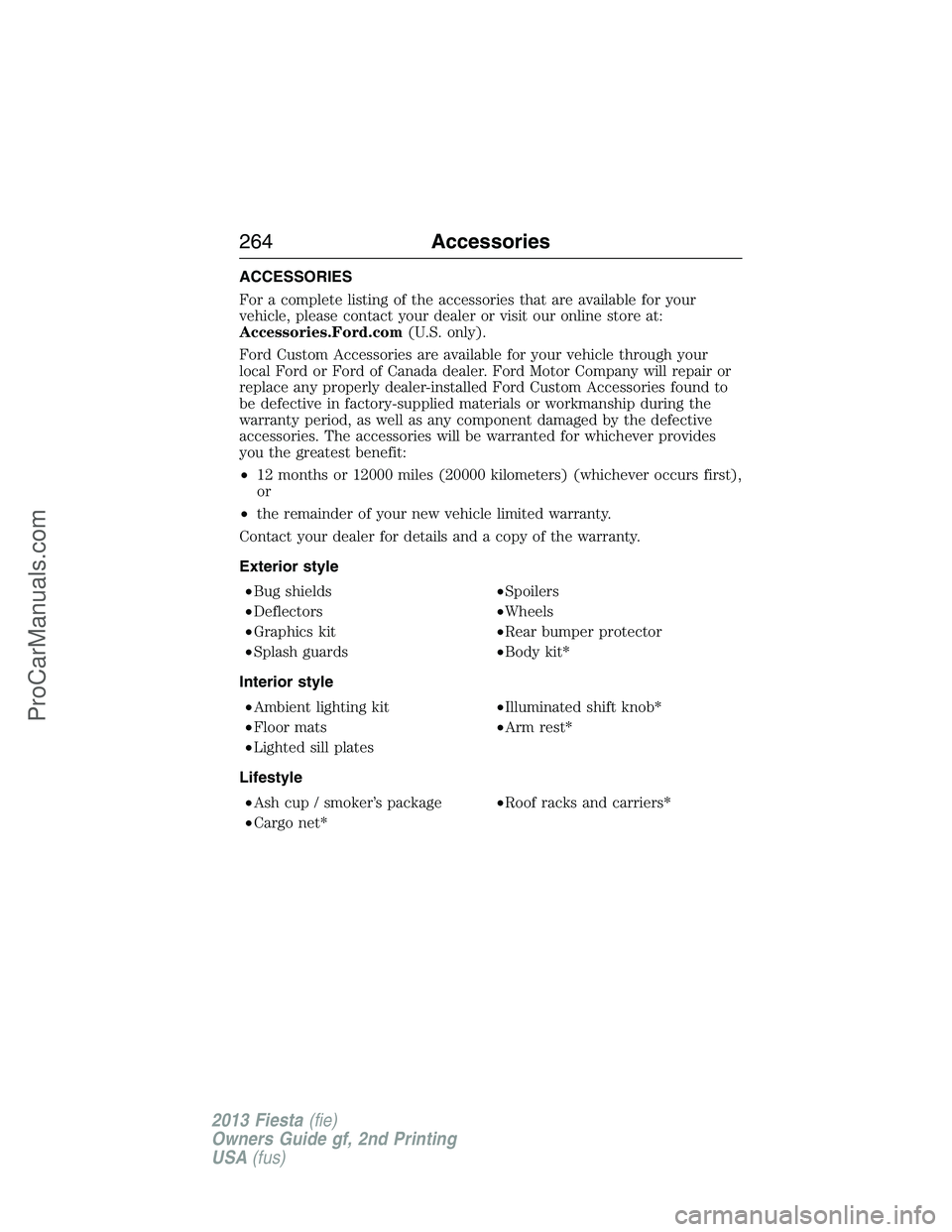
ACCESSORIES
For a complete listing of the accessories that are available for your
vehicle, please contact your dealer or visit our online store at:
Accessories.Ford.com(U.S. only).
Ford Custom Accessories are available for your vehicle through your
local Ford or Ford of Canada dealer. Ford Motor Company will repair or
replace any properly dealer-installed Ford Custom Accessories found to
be defective in factory-supplied materials or workmanship during the
warranty period, as well as any component damaged by the defective
accessories. The accessories will be warranted for whichever provides
you the greatest benefit:
•12 months or 12000 miles (20000 kilometers) (whichever occurs first),
or
•the remainder of your new vehicle limited warranty.
Contact your dealer for details and a copy of the warranty.
Exterior style
•Bug shields•Spoilers
•Deflectors•Wheels
•Graphics kit•Rear bumper protector
•Splash guards•Body kit*
Interior style
•Ambient lighting kit•Illuminated shift knob*
•Floor mats•Arm rest*
•Lighted sill plates
Lifestyle
•Ash cup / smoker’s package•Roof racks and carriers*
•Cargo net*
264Accessories
2013 Fiesta(fie)
Owners Guide gf, 2nd Printing
USA(fus)
ProCarManuals.com
Page 266 of 346
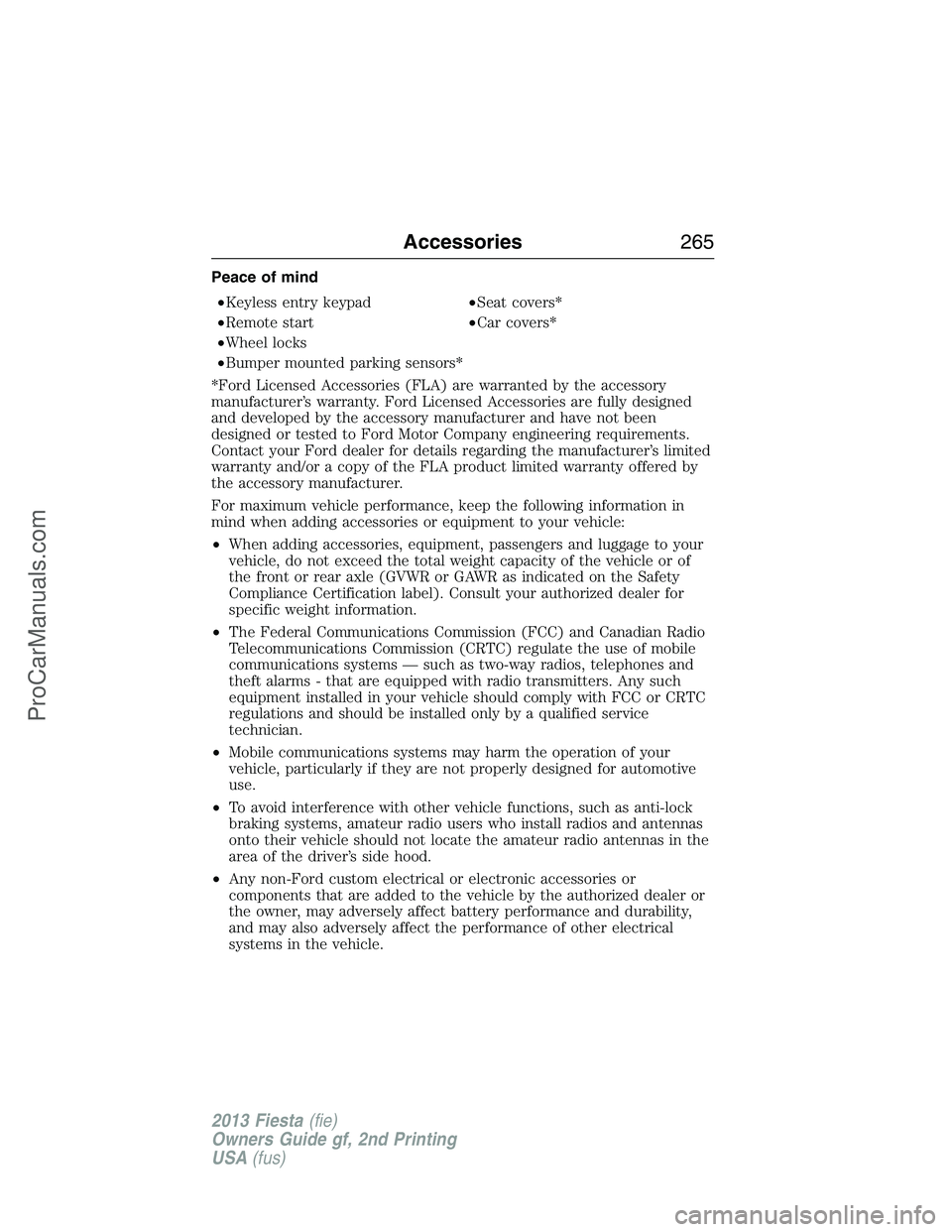
Peace of mind
•Keyless entry keypad•Seat covers*
•Remote start•Car covers*
•Wheel locks
•Bumper mounted parking sensors*
*Ford Licensed Accessories (FLA) are warranted by the accessory
manufacturer’s warranty. Ford Licensed Accessories are fully designed
and developed by the accessory manufacturer and have not been
designed or tested to Ford Motor Company engineering requirements.
Contact your Ford dealer for details regarding the manufacturer’s limited
warranty and/or a copy of the FLA product limited warranty offered by
the accessory manufacturer.
For maximum vehicle performance, keep the following information in
mind when adding accessories or equipment to your vehicle:
•When adding accessories, equipment, passengers and luggage to your
vehicle, do not exceed the total weight capacity of the vehicle or of
the front or rear axle (GVWR or GAWR as indicated on the Safety
Compliance Certification label). Consult your authorized dealer for
specific weight information.
•The Federal Communications Commission (FCC) and Canadian Radio
Telecommunications Commission (CRTC) regulate the use of mobile
communications systems — such as two-way radios, telephones and
theft alarms - that are equipped with radio transmitters. Any such
equipment installed in your vehicle should comply with FCC or CRTC
regulations and should be installed only by a qualified service
technician.
•Mobile communications systems may harm the operation of your
vehicle, particularly if they are not properly designed for automotive
use.
•To avoid interference with other vehicle functions, such as anti-lock
braking systems, amateur radio users who install radios and antennas
onto their vehicle should not locate the amateur radio antennas in the
area of the driver’s side hood.
•Any non-Ford custom electrical or electronic accessories or
components that are added to the vehicle by the authorized dealer or
the owner, may adversely affect battery performance and durability,
and may also adversely affect the performance of other electrical
systems in the vehicle.
Accessories265
2013 Fiesta(fie)
Owners Guide gf, 2nd Printing
USA(fus)
ProCarManuals.com
Page 275 of 346
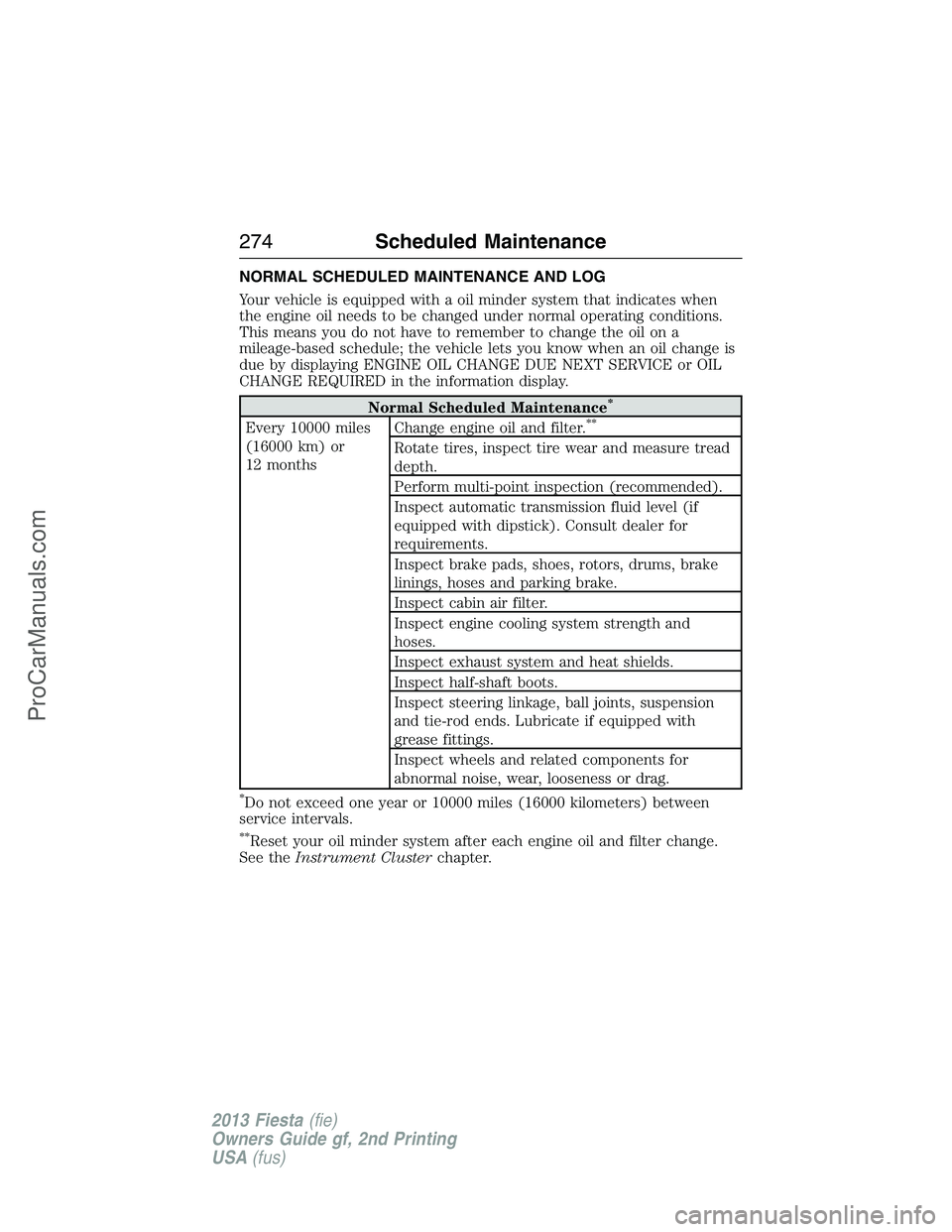
NORMAL SCHEDULED MAINTENANCE AND LOG
Your vehicle is equipped with a oil minder system that indicates when
the engine oil needs to be changed under normal operating conditions.
This means you do not have to remember to change the oil on a
mileage-based schedule; the vehicle lets you know when an oil change is
due by displaying ENGINE OIL CHANGE DUE NEXT SERVICE or OIL
CHANGE REQUIRED in the information display.
Normal Scheduled Maintenance*
Every 10000 miles
(16000 km) or
12 monthsChange engine oil and filter.**
Rotate tires, inspect tire wear and measure tread
depth.
Perform multi-point inspection (recommended).
Inspect automatic transmission fluid level (if
equipped with dipstick). Consult dealer for
requirements.
Inspect brake pads, shoes, rotors, drums, brake
linings, hoses and parking brake.
Inspect cabin air filter.
Inspect engine cooling system strength and
hoses.
Inspect exhaust system and heat shields.
Inspect half-shaft boots.
Inspect steering linkage, ball joints, suspension
and tie-rod ends. Lubricate if equipped with
grease fittings.
Inspect wheels and related components for
abnormal noise, wear, looseness or drag.
*Do not exceed one year or 10000 miles (16000 kilometers) between
service intervals.
**Reset your oil minder system after each engine oil and filter change.
See theInstrument Clusterchapter.
274Scheduled Maintenance
2013 Fiesta(fie)
Owners Guide gf, 2nd Printing
USA(fus)
ProCarManuals.com
Page 281 of 346
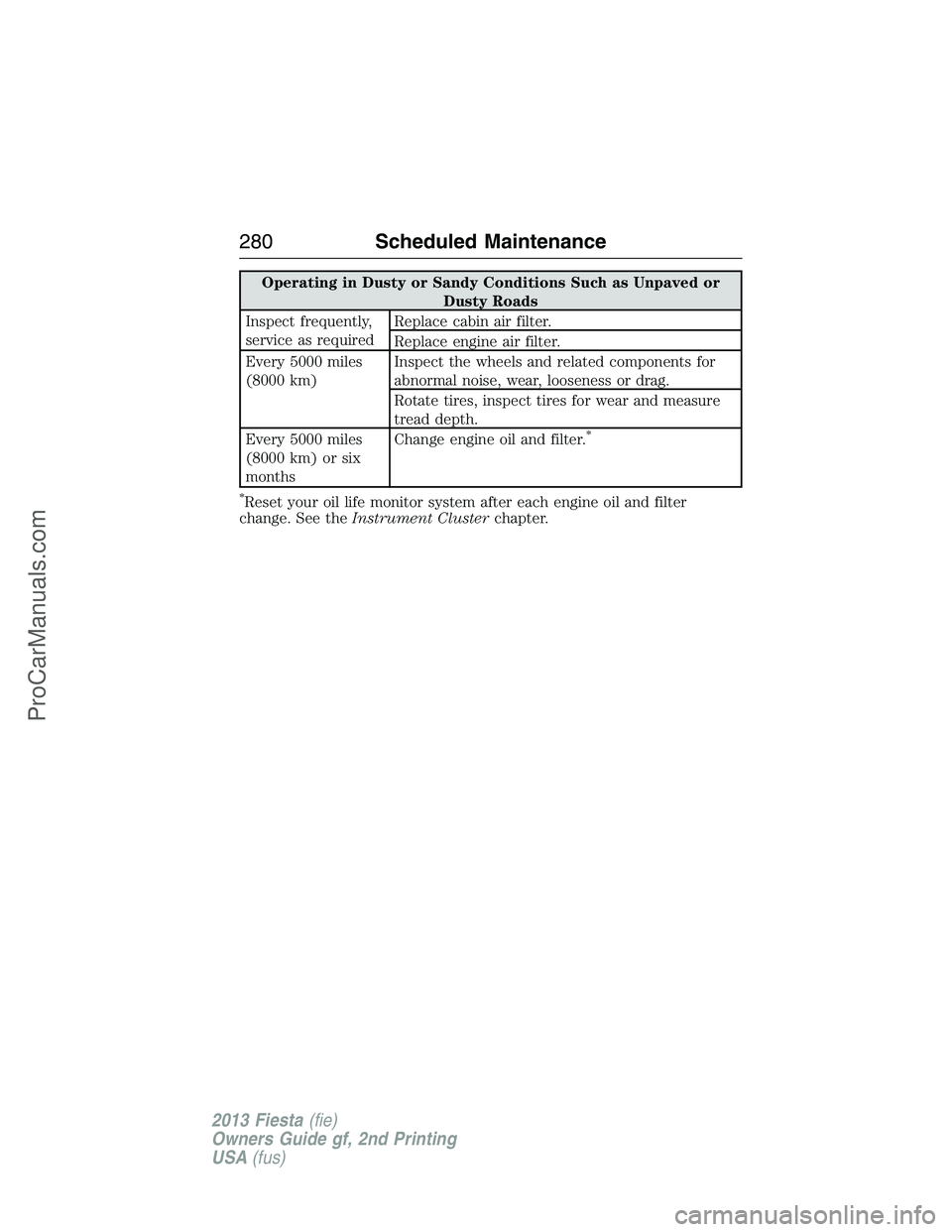
Operating in Dusty or Sandy Conditions Such as Unpaved or
Dusty Roads
Inspect frequently,
service as requiredReplace cabin air filter.
Replace engine air filter.
Every 5000 miles
(8000 km)Inspect the wheels and related components for
abnormal noise, wear, looseness or drag.
Rotate tires, inspect tires for wear and measure
tread depth.
Every 5000 miles
(8000 km) or six
monthsChange engine oil and filter.
*
*
Reset your oil life monitor system after each engine oil and filter
change. See theInstrument Clusterchapter.
280Scheduled Maintenance
2013 Fiesta(fie)
Owners Guide gf, 2nd Printing
USA(fus)
ProCarManuals.com
Page 288 of 346
•Do not leave playing devices in your vehicle during extreme conditions
as it could cause them damage. See your device’s user guide for
further information.
•Do not attempt to service or repair the system. See your authorized
dealer.
For your safety, some SYNC functions are speed-dependent. Their use is
limited to when your vehicle is traveling at speeds under 3 mph
(5 km/h).
Make sure that you review your device’s user guide before using it with
SYNC.
Privacy Information
When a cellular phone is connected to SYNC, the system creates a
profile within your vehicle that is linked to that cellular phone. This
profile is created in order to offer you more cellular features and to
operate more efficiently. Among other things, this profile may contain
data about your cellular phone book, text messages (read and unread),
and call history, including history of calls when your cell phone was not
connected to the system. In addition, if you connect a media device, the
system creates and retains an index of supported media content. The
system also records a short development log of approximately
10 minutes of all recent system activity. The log profile and other system
data may be used to improve the system and help diagnose any problems
that may occur.
The cellular profile, media device index, and development log remain in
the vehicle unless you delete them and are generally accessible only in
the vehicle when the cellular phone or media player is connected. If you
no longer plan to use the system or the vehicle, we recommend you
perform a Master Reset to erase all stored information.
System data cannot be accessed without special equipment and access to
the vehicle’s SYNC module. Ford Motor Company and Ford of Canada do
not access the system data for any purpose other than as described
absent consent, a court order, or where required by law enforcement,
other government authorities, or other third parties acting with lawful
authority. Other parties may seek to access the information
independently of Ford Motor Company and Ford of Canada. For further
privacy information, see the sections on 911 Assist®, Vehicle Health
Report, and Traffic, Directions and Information.
USING VOICE RECOGNITION
This system helps you control many features using voice commands. This
allows you to keep your hands on the wheel and focus on what is in
front of you.
SYNC®287
2013 Fiesta(fie)
Owners Guide gf, 2nd Printing
USA(fus)
ProCarManuals.com
Page 294 of 346
“DIAL”
“411” (four-one-one), “911” (nine-one-one), etc.
“700 (seven hundred)” (seven hundred)
“800 (eight hundred)” (eight hundred)
“900 (nine hundred)” (nine hundred)
“#” “/” (pound, slash)
“
“Asterisk” (*)
“Clear” (deletes all entered digits)
“Delete” (deletes one digit)
“Plus”
“Star”
Note:To exit dial mode, press and hold the phone button or press
MENU to go to the PHONE menu.
Making Calls
Press the voice icon and when prompted say:
1. Say “Call
2. When the system confirms the number, say “Dial” again to initiate the
call.
To erase the last spoken digit, say “Delete” or press the left arrow
button. To erase all spoken digits, say “Clear” or press and hold the left
arrow button.
To end the call, press and hold the phone button.
Receiving Calls
When receiving a call, you can:
Answer the call by pressing this button on your steering wheel
controls.
Reject the call by pressing this button on your steering wheel
controls.
Ignore the call by doing nothing.
Phone Options during an Active Call
During an active call, you have additional menu features which become
available such as putting a call on hold, joining calls, etc. Use the arrow
buttons to scroll through the menu options.
SYNC®293
2013 Fiesta(fie)
Owners Guide gf, 2nd Printing
USA(fus)
ProCarManuals.com