lock FORD FIESTA 2013 Manual Online
[x] Cancel search | Manufacturer: FORD, Model Year: 2013, Model line: FIESTA, Model: FORD FIESTA 2013Pages: 346, PDF Size: 5.27 MB
Page 267 of 346
FORD ESP EXTENDED SERVICE PLANS (U.S. ONLY)
More than 32 million Ford and Lincoln owners have discovered the
powerful protection of Ford ESP. It is the only extended service plan
backed by Ford Motor Company, and provides “peace of mind”
protection beyond the New Vehicle Limited Warranty coverage.
Up to 500+ Covered Vehicle Components
There are four, new-vehicle Extended Service Plans with different levels
of coverage. Ask your dealer for details.
PremiumCare –Our most comprehensive coverage. With over 500
covered components, this plan is so complete that we generally only
discuss what is not covered!
ExtraCare –Covers 113 components, and includes many high-tech
items.
BaseCare –Covers 84 components.
PowertrainCare –Covers 29 critical components.
Ford ESP is honored by all Ford and Lincoln Dealers in the U.S.
and Canada.It is the only extended service plan authorized and backed
by Ford Motor Company. That means you get:
•Reliable, quality service anywhere you go.
•Factory-trained technicians.
•Ford Authorized Parts used with every covered repair.
Rental Car Reimbursement
If your vehicle is kept overnight for covered repairs,you are
eligible for rental car coverage, including Bumper-to-Bumper warranty
repairs, or manufacturer’s recalls.
Transferable Coverage
If you sell your vehicle before your Ford ESP coverage expires, you can
transfer any remaining coverage to the new owner. Whenever you are
ready to sell your car, prospective buyers may feel better about taking a
risk on your used vehicle. Ford ESP may add resale value!
Plus,exclusive 24/7 roadside assistance,including:
•Towing, flat-tire change and battery jump starts.
•Out-of-fuel and lock-out assistance.
•Travel expense reimbursement for lodging, meals and rental car.
•Destination assistance for taxi, shuttle, rental car coverage and
emergency transportation.
266Ford Extended Service Plan
2013 Fiesta(fie)
Owners Guide gf, 2nd Printing
USA(fus)
ProCarManuals.com
Page 272 of 346
Oils, Fluids and Flushing
In many cases, fluid discoloration is a normal operating characteristic
and, by itself, does not necessarily indicate a concern or that the fluid
needs to be changed. However, discolored fluids that also show signs of
overheating and foreign material contamination should be inspected
immediately by a qualified expert, such as the factory-trained technicians
at your dealership. Your vehicle’s oils and fluids should be changed at the
specified intervals or in conjunction with a repair. Flushing is a viable
way to change fluid for many vehicle sub-systems during scheduled
maintenance. It is critical that systems are flushed only with new fluid
that is the same as that required to fill and operate the system, or using
a Ford-approved flushing chemical.
Owner Checks and Services
Certain basic maintenance checks and inspections should be performed
every month or at six month intervals.
Check Every Month
Engine oil level.
Function of all interior and exterior lights.
Tires (including spare) for wear and proper pressure.
Windshield washer fluid level.
Check Every Six Months
Battery connections. Clean if necessary.
Body and door drain holes for obstructions. Clean if necessary.
Cooling system fluid level and coolant strength.
Door weatherstrips for wear. Lubricate if necessary.
Hinges, latches and outside locks for proper operation. Lubricate if
necessary.
Parking brake for proper operation.
Safety belts and seat latches for wear and function.
Safety warning lamps (brake, ABS, airbag, safety belt) for operation.
Washer spray and wiper operation. Clean or replace blades as
necessary.
Scheduled Maintenance271
2013 Fiesta(fie)
Owners Guide gf, 2nd Printing
USA(fus)
ProCarManuals.com
Page 308 of 346
911 Assist May Not Work If
•Your cellular phone or 911 Assist hardware was damaged in a crash.
•The vehicle’s battery or SYNC system has no power.
•The phone(s) paired and connected to the system was thrown from
the vehicle.
911 Assist Privacy Notice
Once 911 Assist is set on, it may disclose to emergency services that the
vehicle has been in a crash involving the deployment of an airbag or
activation of the fuel pump shut-off. Certain versions or updates to 911
Assist may also be capable of electronically or verbally disclosing to 911
operators the vehicle location, and/or other details about the vehicle or
crash to assist 911 operators to provide the most appropriate emergency
services. If you do not want to disclose this information, do not turn the
feature on.
Vehicle Health Report
WARNING:Always follow scheduled maintenance instructions,
regularly inspect your vehicle, and seek repair for any damage or
problem you suspect. Vehicle Health Report supplements, but cannot
replace normal maintenance and vehicle inspection. Vehicle Health
Report only monitors certain systems that are electronically monitored
by the vehicle and will not monitor or report the status of any other
system, (i.e., brake lining wear). Failure to perform scheduled
maintenance and regularly inspect your vehicle may result in vehicle
damage and serious injury.
Note:Your Vehicle Health Report feature requires activation prior to
use. Visit www.SYNCMyRide.com to register. There is no fee or
subscription associated with Vehicle Health Report, but you must register
to use this feature.
Note:This feature may not function properly if you have enabled caller
ID blocking on your mobile phone. Before running a report, review the
Vehicle Health Report privacy notice.
Note:In order to allow a break-in period for your vehicle, you may not
be able to create a Vehicle Health Report until your vehicle odometer has
reached 200 miles.
Register for Vehicle Health Report and set your report preferences at
www.SYNCMyRide.com. After registering, you can request a Vehicle
SYNC®307
2013 Fiesta(fie)
Owners Guide gf, 2nd Printing
USA(fus)
ProCarManuals.com
Page 310 of 346
Vehicle Health Report Privacy Notice
When you run a Vehicle Health Report, Ford Motor Company may collect
your cellular phone number (to process your report request) and
diagnostic information about your vehicle. Certain versions or updates to
Vehicle Health Report may also collect additional vehicle information.
Ford may use the vehicle information it collects for any purpose. If you
do not want to disclose your cellular phone number or vehicle
information, do not run the feature or set up your Vehicle Health Report
profile at www.SYNCMyRide.com. See www.SYNCMyRide.com - Vehicle
Health Report Terms and Conditions, and Privacy Statement - for more
information.
SYNC Services: Traffic, Directions & Information (TDI)
Note:SYNC Services requires activation prior to use. Visit
www.SYNCMyRide.com to register and check your eligibility for
complimentary services. Standard phone and message rates may apply.
Subscription may be required. You must also have the active SYNC
Services Bluetooth-enabled cellular phone paired and connected to the
system in order to connect to, and use, SYNC Services. SeeUsing SYNC
with your phonefor pairing instructions.
Note:This feature does not function properly if you have enabled caller
ID blocking on your mobile phone. Make sure your mobile phone is not
blocking caller ID before using SYNC Services.
Note:The driver is ultimately responsible for the safe operation of the
vehicle, and therefore, must evaluate whether it is safe to follow the
suggested directions. Any navigation features are provided only as an aid.
Make your driving decisions based on your observations of local
conditions and existing traffic regulations. Do not follow the route
suggestions if doing so would result in an unsafe or illegal maneuver, if
you would be placed in an unsafe situation, or if you would be directed
into an area that you consider unsafe. Maps used by this system may be
inaccurate because of errors, changes in roads, traffic conditions or
driving conditions.
Note:When you connect, the service uses GPS technology and advanced
vehicle sensors to collect the vehicle’s current location, travel direction
and speed to help provide you with the directions, traffic reports, or
business searches you request. Further, to provide the services you
request and for continuous improvement, the service may collect and
record call details and voice communications. For more information, see
SYNC Services Terms and Conditions at www.SYNCMyRide.com. If you
do not want Ford or its service providers to collect the vehicle travel
SYNC®309
2013 Fiesta(fie)
Owners Guide gf, 2nd Printing
USA(fus)
ProCarManuals.com
Page 313 of 346
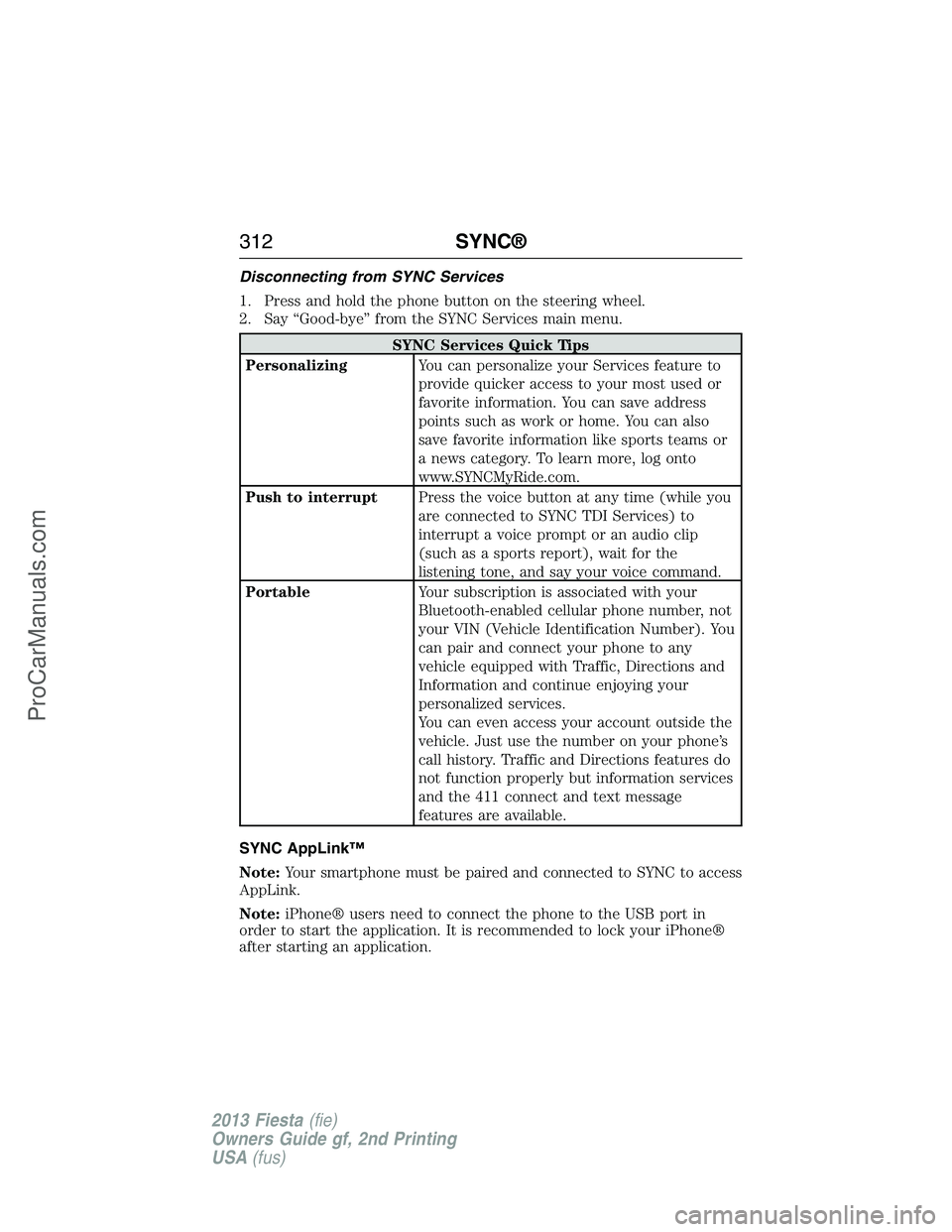
Disconnecting from SYNC Services
1. Press and hold the phone button on the steering wheel.
2. Say “Good-bye” from the SYNC Services main menu.
SYNC Services Quick Tips
PersonalizingYou can personalize your Services feature to
provide quicker access to your most used or
favorite information. You can save address
points such as work or home. You can also
save favorite information like sports teams or
a news category. To learn more, log onto
www.SYNCMyRide.com.
Push to interruptPress the voice button at any time (while you
are connected to SYNC TDI Services) to
interrupt a voice prompt or an audio clip
(such as a sports report), wait for the
listening tone, and say your voice command.
PortableYour subscription is associated with your
Bluetooth-enabled cellular phone number, not
your VIN (Vehicle Identification Number). You
can pair and connect your phone to any
vehicle equipped with Traffic, Directions and
Information and continue enjoying your
personalized services.
You can even access your account outside the
vehicle. Just use the number on your phone’s
call history. Traffic and Directions features do
not function properly but information services
and the 411 connect and text message
features are available.
SYNC AppLink™
Note:Your smartphone must be paired and connected to SYNC to access
AppLink.
Note:iPhone® users need to connect the phone to the USB port in
order to start the application. It is recommended to lock your iPhone®
after starting an application.
312SYNC®
2013 Fiesta(fie)
Owners Guide gf, 2nd Printing
USA(fus)
ProCarManuals.com
Page 330 of 346
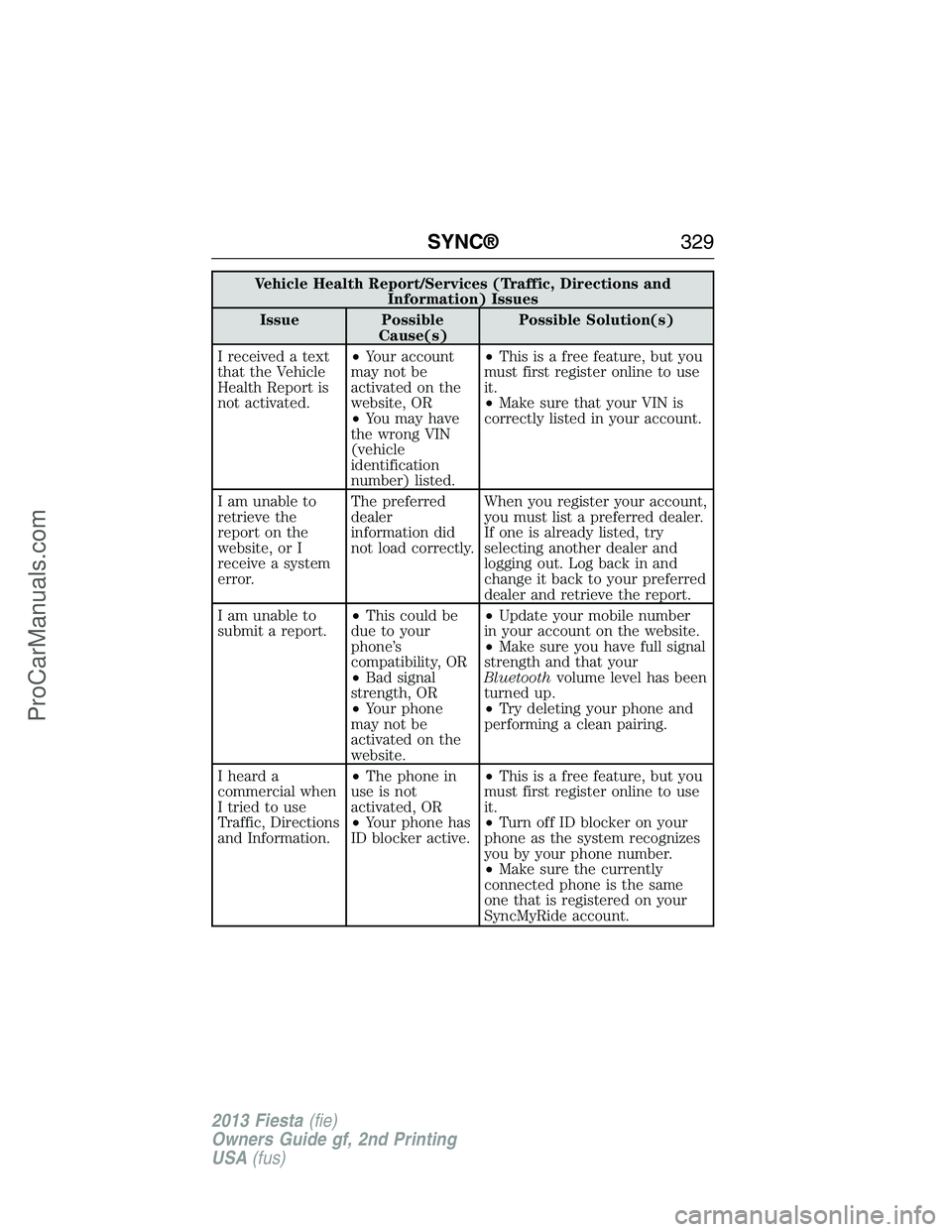
Vehicle Health Report/Services (Traffic, Directions and
Information) Issues
Issue Possible
Cause(s)Possible Solution(s)
I received a text
that the Vehicle
Health Report is
not activated.•Your account
may not be
activated on the
website, OR
•You may have
the wrong VIN
(vehicle
identification
number) listed.•This is a free feature, but you
must first register online to use
it.
•Make sure that your VIN is
correctly listed in your account.
I am unable to
retrieve the
report on the
website, or I
receive a system
error.The preferred
dealer
information did
not load correctly.When you register your account,
you must list a preferred dealer.
If one is already listed, try
selecting another dealer and
logging out. Log back in and
change it back to your preferred
dealer and retrieve the report.
I am unable to
submit a report.•This could be
due to your
phone’s
compatibility, OR
•Bad signal
strength, OR
•Your phone
may not be
activated on the
website.•Update your mobile number
in your account on the website.
•Make sure you have full signal
strength and that your
Bluetoothvolume level has been
turned up.
•Try deleting your phone and
performing a clean pairing.
I heard a
commercial when
I tried to use
Traffic, Directions
and Information.•The phone in
use is not
activated, OR
•Your phone has
ID blocker active.•This is a free feature, but you
must first register online to use
it.
•Turn off ID blocker on your
phone as the system recognizes
you by your phone number.
•Make sure the currently
connected phone is the same
one that is registered on your
SyncMyRide account.
SYNC®329
2013 Fiesta(fie)
Owners Guide gf, 2nd Printing
USA(fus)
ProCarManuals.com
Page 341 of 346
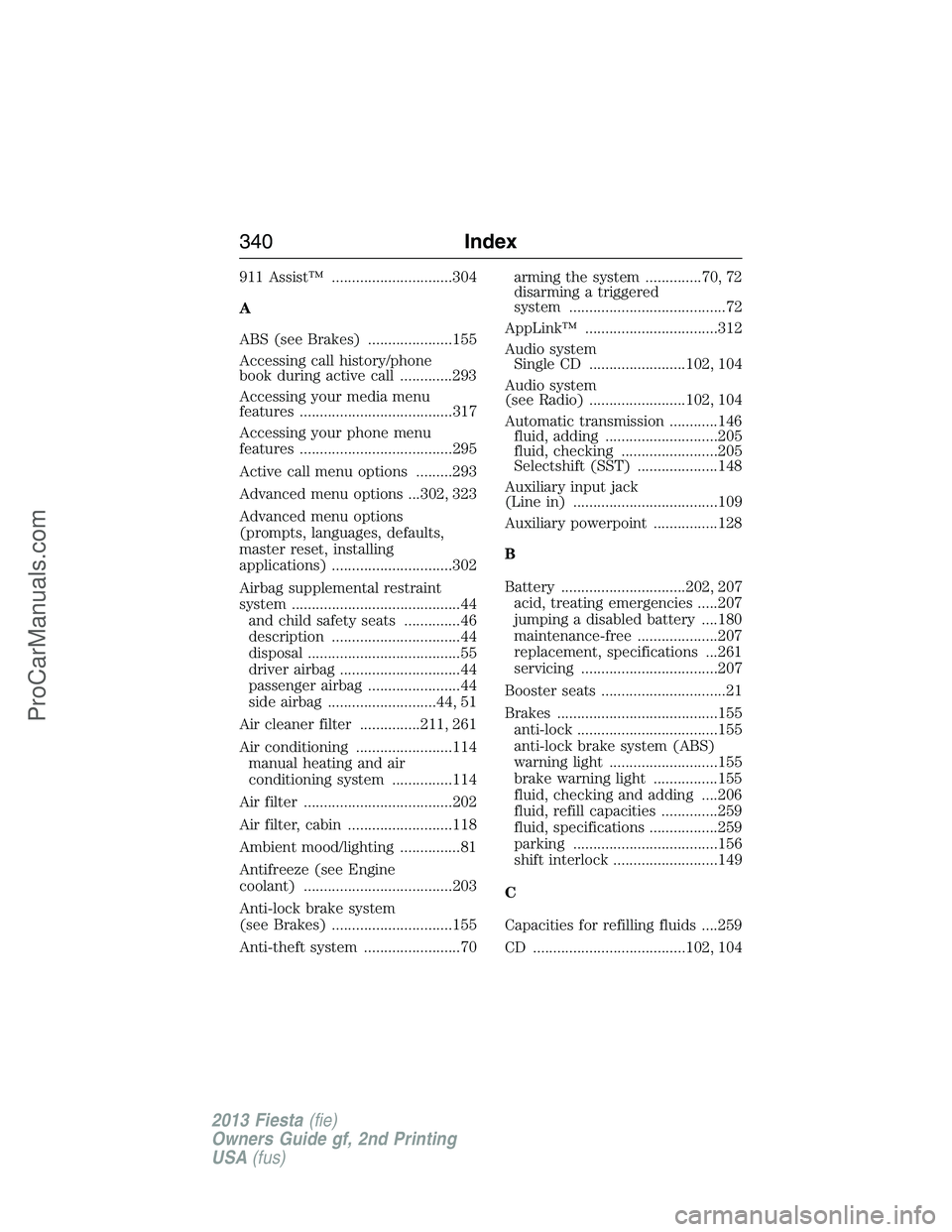
911 Assist™ ..............................304
A
ABS (see Brakes) .....................155
Accessing call history/phone
book during active call .............293
Accessing your media menu
features ......................................317
Accessing your phone menu
features ......................................295
Active call menu options .........293
Advanced menu options ...302, 323
Advanced menu options
(prompts, languages, defaults,
master reset, installing
applications) ..............................302
Airbag supplemental restraint
system ..........................................44
and child safety seats ..............46
description ................................44
disposal ......................................55
driver airbag ..............................44
passenger airbag .......................44
side airbag ...........................44, 51
Air cleaner filter ...............211, 261
Air conditioning ........................114
manual heating and air
conditioning system ...............114
Air filter .....................................202
Air filter, cabin ..........................118
Ambient mood/lighting ...............81
Antifreeze (see Engine
coolant) .....................................203
Anti-lock brake system
(see Brakes) ..............................155
Anti-theft system ........................70arming the system ..............70, 72
disarming a triggered
system .......................................72
AppLink™ .................................312
Audio system
Single CD ........................102, 104
Audio system
(see Radio) ........................102, 104
Automatic transmission ............146
fluid, adding ............................205
fluid, checking ........................205
Selectshift (SST) ....................148
Auxiliary input jack
(Line in) ....................................109
Auxiliary powerpoint ................128
B
Battery ...............................202, 207
acid, treating emergencies .....207
jumping a disabled battery ....180
maintenance-free ....................207
replacement, specifications ...261
servicing ..................................207
Booster seats ...............................21
Brakes ........................................155
anti-lock ...................................155
anti-lock brake system (ABS)
warning light ...........................155
brake warning light ................155
fluid, checking and adding ....206
fluid, refill capacities ..............259
fluid, specifications .................259
parking ....................................156
shift interlock ..........................149
C
Capacities for refilling fluids ....259
CD ......................................102, 104
340Index
2013 Fiesta(fie)
Owners Guide gf, 2nd Printing
USA(fus)
ProCarManuals.com
Page 342 of 346
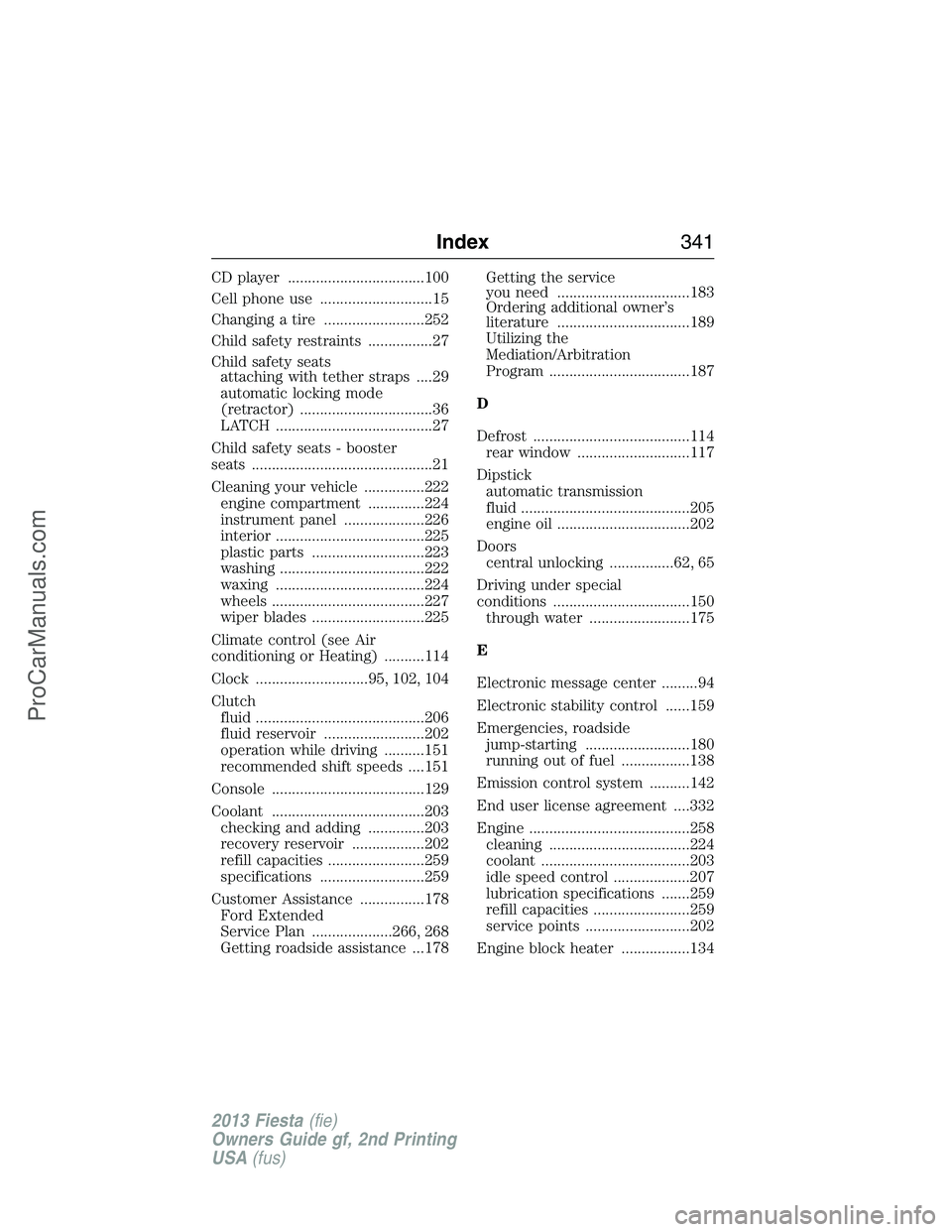
CD player ..................................100
Cell phone use ............................15
Changing a tire .........................252
Child safety restraints ................27
Child safety seats
attaching with tether straps ....29
automatic locking mode
(retractor) .................................36
LATCH .......................................27
Child safety seats - booster
seats .............................................21
Cleaning your vehicle ...............222
engine compartment ..............224
instrument panel ....................226
interior .....................................225
plastic parts ............................223
washing ....................................222
waxing .....................................224
wheels ......................................227
wiper blades ............................225
Climate control (see Air
conditioning or Heating) ..........114
Clock ............................95, 102, 104
Clutch
fluid ..........................................206
fluid reservoir .........................202
operation while driving ..........151
recommended shift speeds ....151
Console ......................................129
Coolant ......................................203
checking and adding ..............203
recovery reservoir ..................202
refill capacities ........................259
specifications ..........................259
Customer Assistance ................178
Ford Extended
Service Plan ....................266, 268
Getting roadside assistance ...178Getting the service
you need .................................183
Ordering additional owner’s
literature .................................189
Utilizing the
Mediation/Arbitration
Program ...................................187
D
Defrost .......................................114
rear window ............................117
Dipstick
automatic transmission
fluid ..........................................205
engine oil .................................202
Doors
central unlocking ................62, 65
Driving under special
conditions ..................................150
through water .........................175
E
Electronic message center .........94
Electronic stability control ......159
Emergencies, roadside
jump-starting ..........................180
running out of fuel .................138
Emission control system ..........142
End user license agreement ....332
Engine ........................................258
cleaning ...................................224
coolant .....................................203
idle speed control ...................207
lubrication specifications .......259
refill capacities ........................259
service points ..........................202
Engine block heater .................134
Index341
2013 Fiesta(fie)
Owners Guide gf, 2nd Printing
USA(fus)
ProCarManuals.com
Page 344 of 346
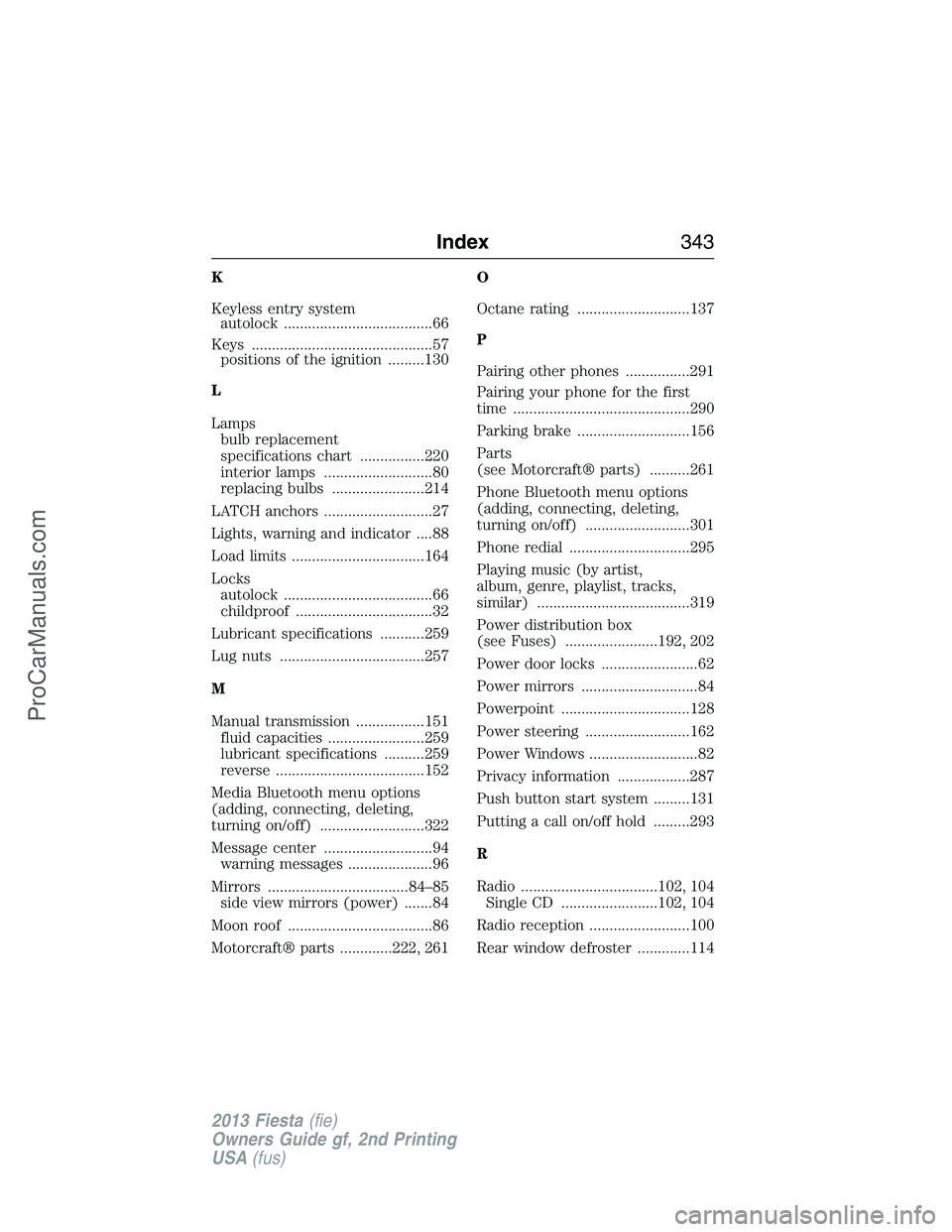
K
Keyless entry system
autolock .....................................66
Keys .............................................57
positions of the ignition .........130
L
Lamps
bulb replacement
specifications chart ................220
interior lamps ...........................80
replacing bulbs .......................214
LATCH anchors ...........................27
Lights, warning and indicator ....88
Load limits .................................164
Locks
autolock .....................................66
childproof ..................................32
Lubricant specifications ...........259
Lug nuts ....................................257
M
Manual transmission .................151
fluid capacities ........................259
lubricant specifications ..........259
reverse .....................................152
Media Bluetooth menu options
(adding, connecting, deleting,
turning on/off) ..........................322
Message center ...........................94
warning messages .....................96
Mirrors ...................................84–85
side view mirrors (power) .......84
Moon roof ....................................86
Motorcraft® parts .............222, 261O
Octane rating ............................137
P
Pairing other phones ................291
Pairing your phone for the first
time ............................................290
Parking brake ............................156
Parts
(see Motorcraft® parts) ..........261
Phone Bluetooth menu options
(adding, connecting, deleting,
turning on/off) ..........................301
Phone redial ..............................295
Playing music (by artist,
album, genre, playlist, tracks,
similar) ......................................319
Power distribution box
(see Fuses) .......................192, 202
Power door locks ........................62
Power mirrors .............................84
Powerpoint ................................128
Power steering ..........................162
Power Windows ...........................82
Privacy information ..................287
Push button start system .........131
Putting a call on/off hold .........293
R
Radio ..................................102, 104
Single CD ........................102, 104
Radio reception .........................100
Rear window defroster .............114
Index343
2013 Fiesta(fie)
Owners Guide gf, 2nd Printing
USA(fus)
ProCarManuals.com
Page 345 of 346
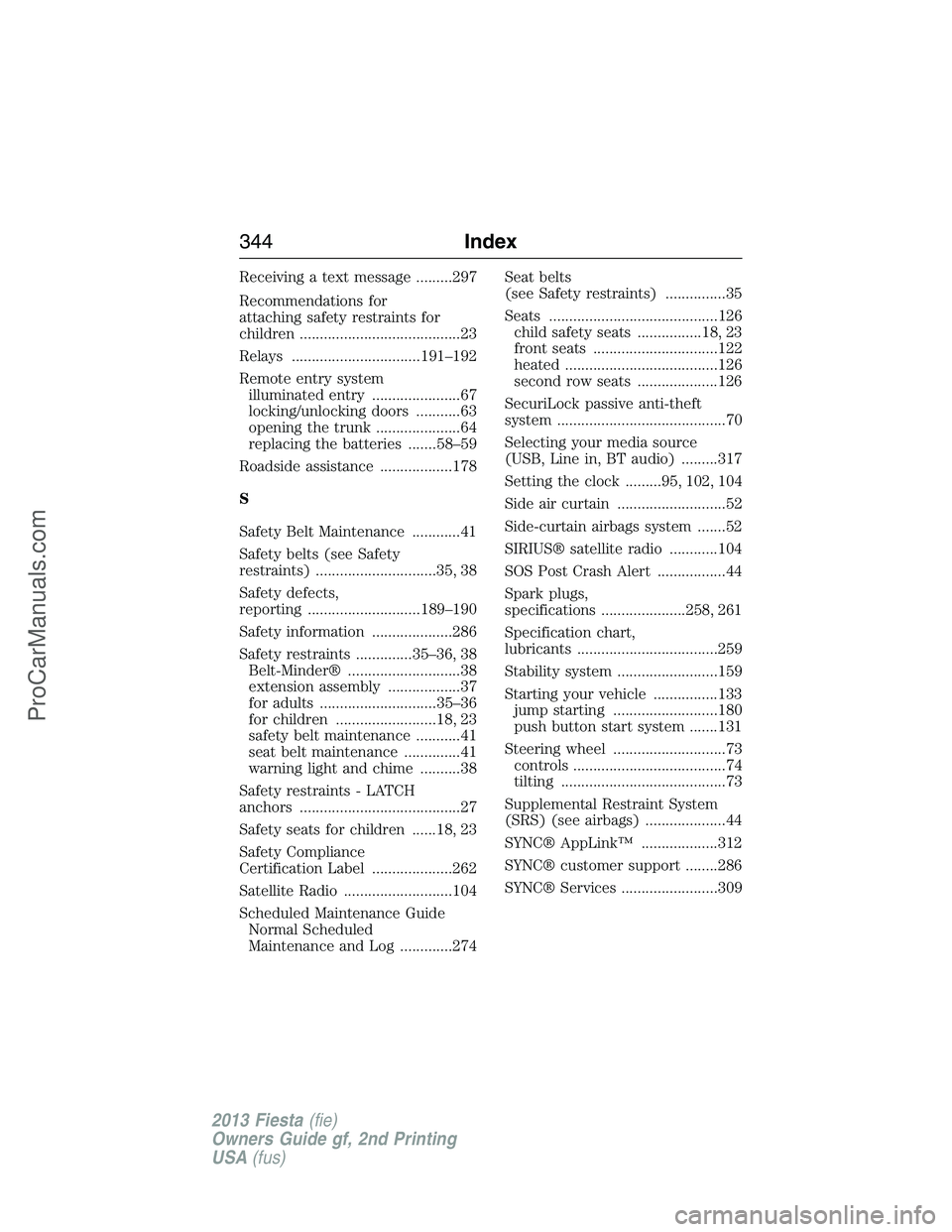
Receiving a text message .........297
Recommendations for
attaching safety restraints for
children ........................................23
Relays ................................191–192
Remote entry system
illuminated entry ......................67
locking/unlocking doors ...........63
opening the trunk .....................64
replacing the batteries .......58–59
Roadside assistance ..................178
S
Safety Belt Maintenance ............41
Safety belts (see Safety
restraints) ..............................35, 38
Safety defects,
reporting ............................189–190
Safety information ....................286
Safety restraints ..............35–36, 38
Belt-Minder® ............................38
extension assembly ..................37
for adults .............................35–36
for children .........................18, 23
safety belt maintenance ...........41
seat belt maintenance ..............41
warning light and chime ..........38
Safety restraints - LATCH
anchors ........................................27
Safety seats for children ......18, 23
Safety Compliance
Certification Label ....................262
Satellite Radio ...........................104
Scheduled Maintenance Guide
Normal Scheduled
Maintenance and Log .............274Seat belts
(see Safety restraints) ...............35
Seats ..........................................126
child safety seats ................18, 23
front seats ...............................122
heated ......................................126
second row seats ....................126
SecuriLock passive anti-theft
system ..........................................70
Selecting your media source
(USB, Line in, BT audio) .........317
Setting the clock .........95, 102, 104
Side air curtain ...........................52
Side-curtain airbags system .......52
SIRIUS® satellite radio ............104
SOS Post Crash Alert .................44
Spark plugs,
specifications .....................258, 261
Specification chart,
lubricants ...................................259
Stability system .........................159
Starting your vehicle ................133
jump starting ..........................180
push button start system .......131
Steering wheel ............................73
controls ......................................74
tilting .........................................73
Supplemental Restraint System
(SRS) (see airbags) ....................44
SYNC® AppLink™ ...................312
SYNC® customer support ........286
SYNC® Services ........................309
344Index
2013 Fiesta(fie)
Owners Guide gf, 2nd Printing
USA(fus)
ProCarManuals.com