battery FORD FIESTA 2013 Owners Manual
[x] Cancel search | Manufacturer: FORD, Model Year: 2013, Model line: FIESTA, Model: FORD FIESTA 2013Pages: 346, PDF Size: 5.27 MB
Page 7 of 346
Maintenance 199
General information...................................199
Under hood overview..................................201
Engine oil dipstick....................................202
Engine oil check......................................202
Engine coolant check..................................203
Automatic transmission fluid check........................205
Brake fluid check.....................................206
Power steering fluid check..............................206
Fuel filter...........................................206
Washer fluid check....................................207
Battery ............................................207
Checking the wiper blades..............................209
Changing the wiper blades..............................210
Air filter(s).........................................211
Adjusting the headlamps................................211
Changing a bulb......................................214
Bulb specification chart.................................220
Vehicle Care 222
Cleaning products.....................................222
Cleaning the exterior..................................222
Waxing.............................................224
Repairing minor paint damage............................224
Cleaning the engine...................................224
Cleaning the windows and wiper blades.....................225
Cleaning the interior...................................225
Cleaning the instrument panel and instrument cluster lens.......226
Cleaning leather seats..................................227
Cleaning the alloy wheels...............................227
Vehicle storage.......................................228
6Table of Contents
2013 Fiesta(fie)
Owners Guide gf, 2nd Printing
USA(fus)
ProCarManuals.com
Page 10 of 346
Protecting the Environment
You must play your part in protecting the environment. Correct
vehicle usage and the authorized disposal of waste, cleaning
and lubrication materials are significant steps toward this aim.
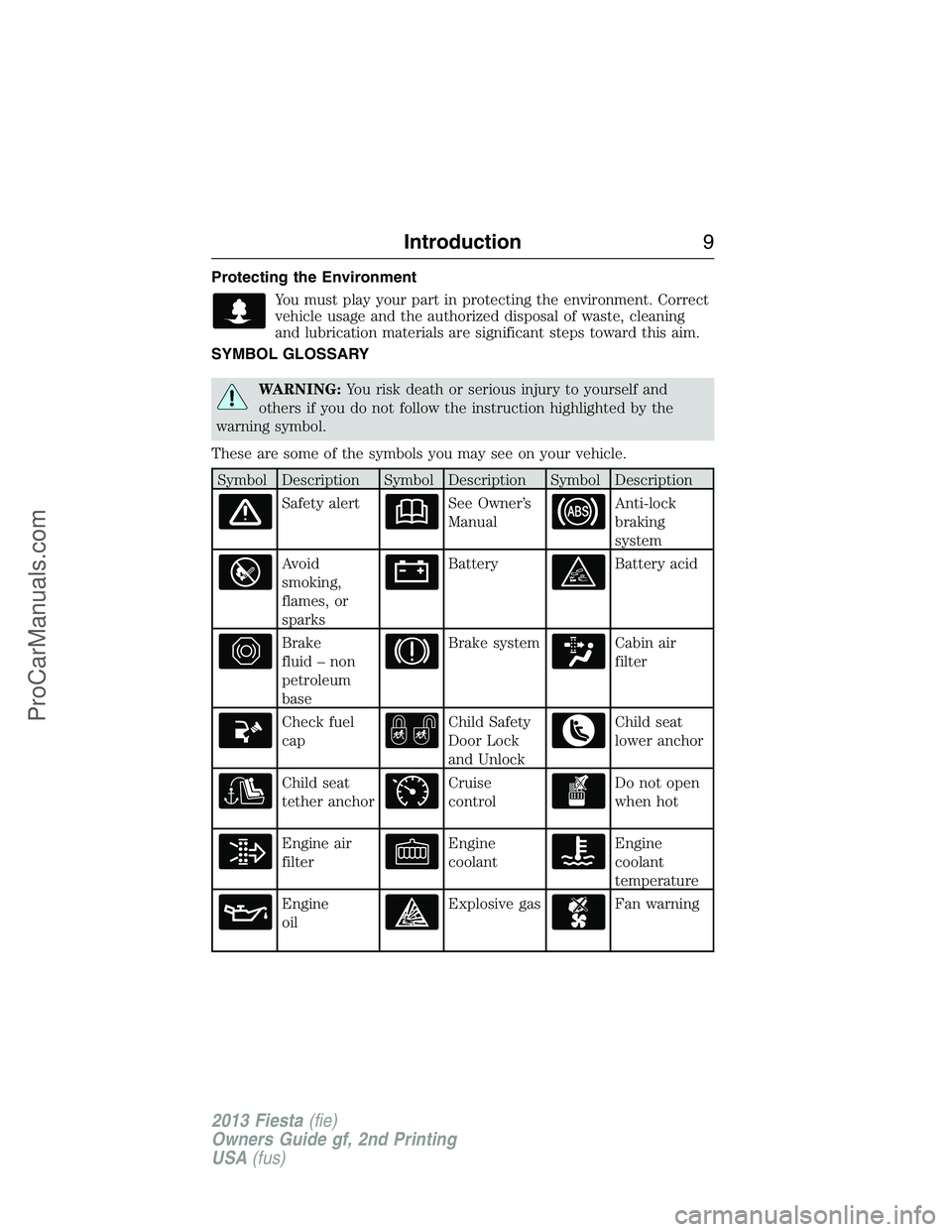
SYMBOL GLOSSARY
WARNING:You risk death or serious injury to yourself and
others if you do not follow the instruction highlighted by the
warning symbol.
These are some of the symbols you may see on your vehicle.
Symbol Description Symbol Description Symbol Description
Safety alertSee Owner’s
ManualAnti-lock
braking
system
Avoid
smoking,
flames, or
sparksBatteryBattery acid
Brake
fluid – non
petroleum
baseBrake systemCabin air
filter
Check fuel
capChild Safety
Door Lock
and UnlockChild seat
lower anchor
Child seat
tether anchorCruise
controlDo not open
when hot
Engine air
filterEngine
coolantEngine
coolant
temperature
Engine
oilExplosive gasFan warning
Introduction9
2013 Fiesta(fie)
Owners Guide gf, 2nd Printing
USA(fus)
ProCarManuals.com
Page 58 of 346
Intelligent Access (If Equipped)
The system uses a radio frequency signal to communicate with your
vehicle and authorize your vehicle to unlock when one of the following
conditions are met:
•You touch the inside of the front exterior door handle.
•You press the luggage compartment button.
•You press a button on the transmitter.
If excessive radio frequency interference is present in the area or if the
transmitter battery is low, it may be necessary to mechanically unlock
your door. You can use the mechanical key blade in your intelligent
access key open the driver door in this situation. Refer toRemote
Controlin this chapter for more information on the location and use of
the mechanical key blade.
REMOTE CONTROL
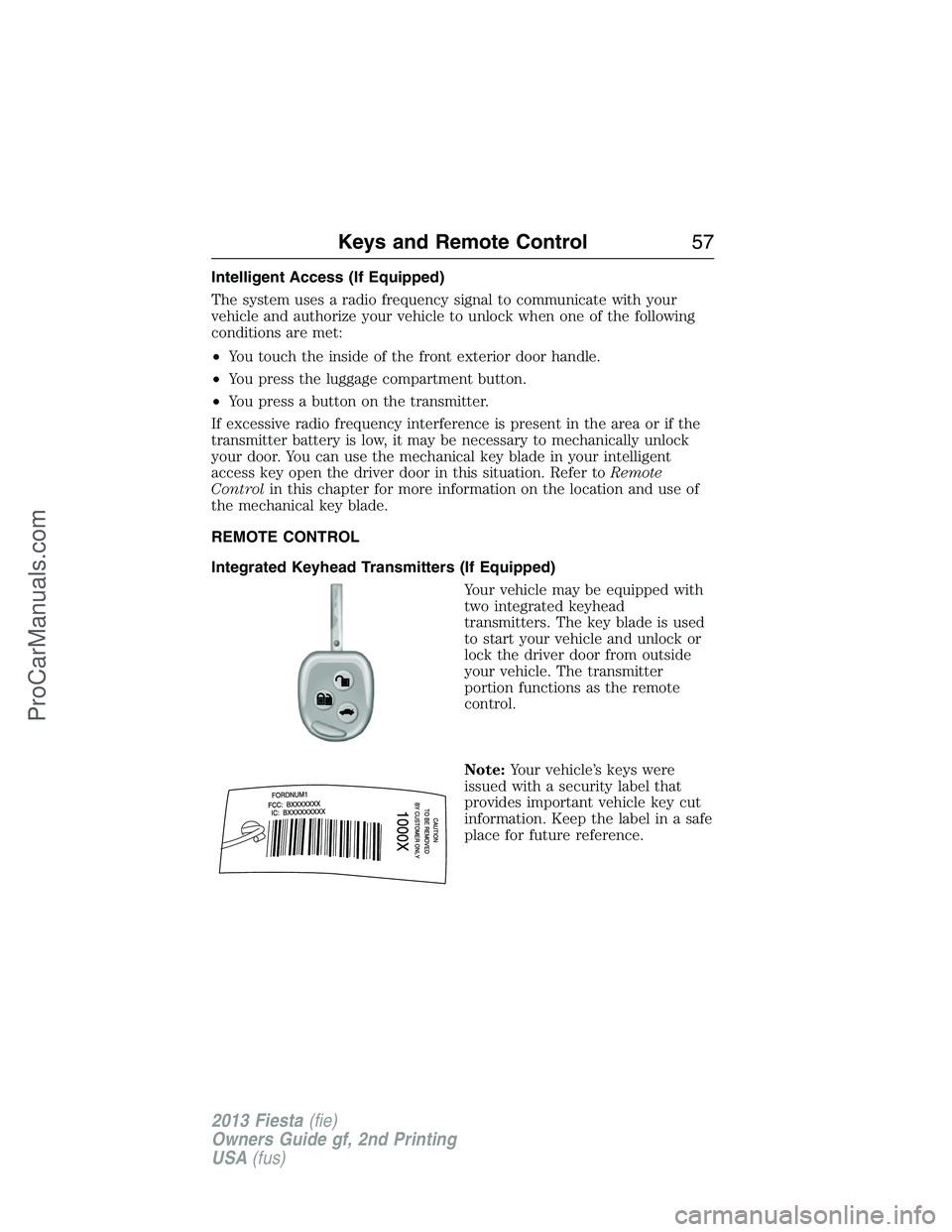
Integrated Keyhead Transmitters (If Equipped)
Your vehicle may be equipped with
two integrated keyhead
transmitters. The key blade is used
to start your vehicle and unlock or
lock the driver door from outside
your vehicle. The transmitter
portion functions as the remote
control.
Note:Your vehicle’s keys were
issued with a security label that
provides important vehicle key cut
information. Keep the label in a safe
place for future reference.
Keys and Remote Control57
2013 Fiesta(fie)
Owners Guide gf, 2nd Printing
USA(fus)
ProCarManuals.com
Page 59 of 346
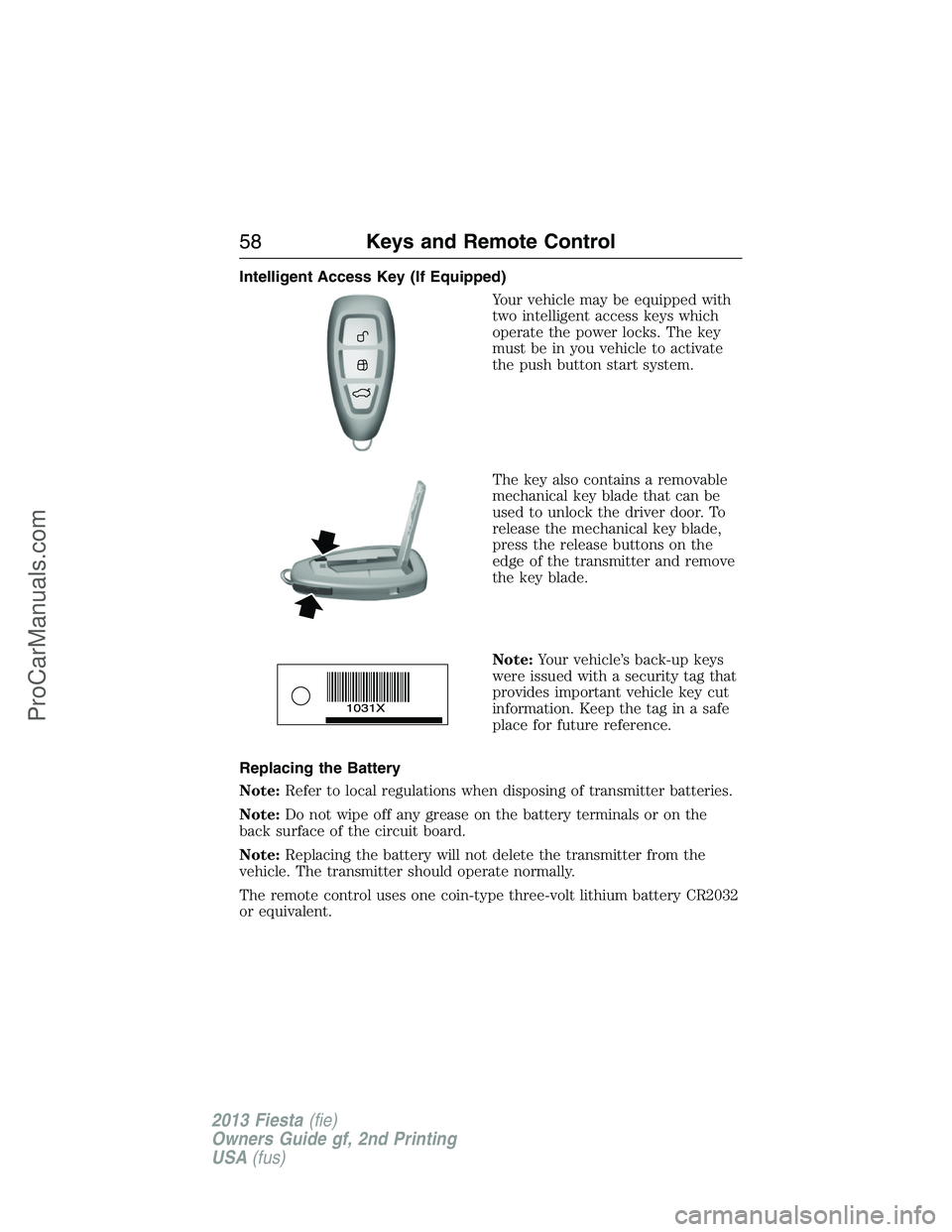
Intelligent Access Key (If Equipped)
Your vehicle may be equipped with
two intelligent access keys which
operate the power locks. The key
must be in you vehicle to activate
the push button start system.
The key also contains a removable
mechanical key blade that can be
used to unlock the driver door. To
release the mechanical key blade,
press the release buttons on the
edge of the transmitter and remove
the key blade.
Note:Your vehicle’s back-up keys
were issued with a security tag that
provides important vehicle key cut
information. Keep the tag in a safe
place for future reference.
Replacing the Battery
Note:Refer to local regulations when disposing of transmitter batteries.
Note:Do not wipe off any grease on the battery terminals or on the
back surface of the circuit board.
Note:Replacing the battery will not delete the transmitter from the
vehicle. The transmitter should operate normally.
The remote control uses one coin-type three-volt lithium battery CR2032
or equivalent.
58Keys and Remote Control
2013 Fiesta(fie)
Owners Guide gf, 2nd Printing
USA(fus)
ProCarManuals.com
Page 60 of 346
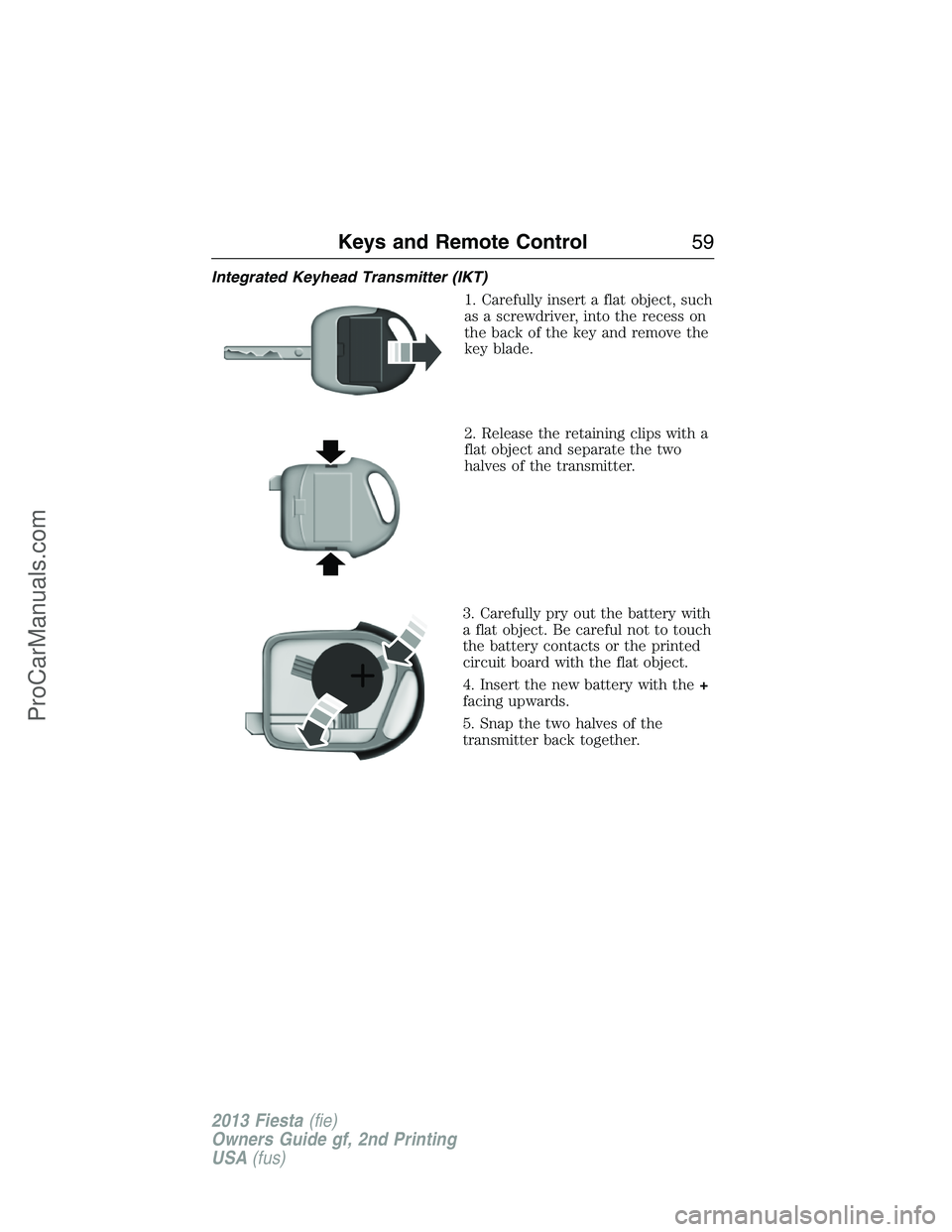
Integrated Keyhead Transmitter (IKT)
1. Carefully insert a flat object, such
as a screwdriver, into the recess on
the back of the key and remove the
key blade.
2. Release the retaining clips with a
flat object and separate the two
halves of the transmitter.
3. Carefully pry out the battery with
a flat object. Be careful not to touch
the battery contacts or the printed
circuit board with the flat object.
4. Insert the new battery with the+
facing upwards.
5. Snap the two halves of the
transmitter back together.
Keys and Remote Control59
2013 Fiesta(fie)
Owners Guide gf, 2nd Printing
USA(fus)
ProCarManuals.com
Page 61 of 346
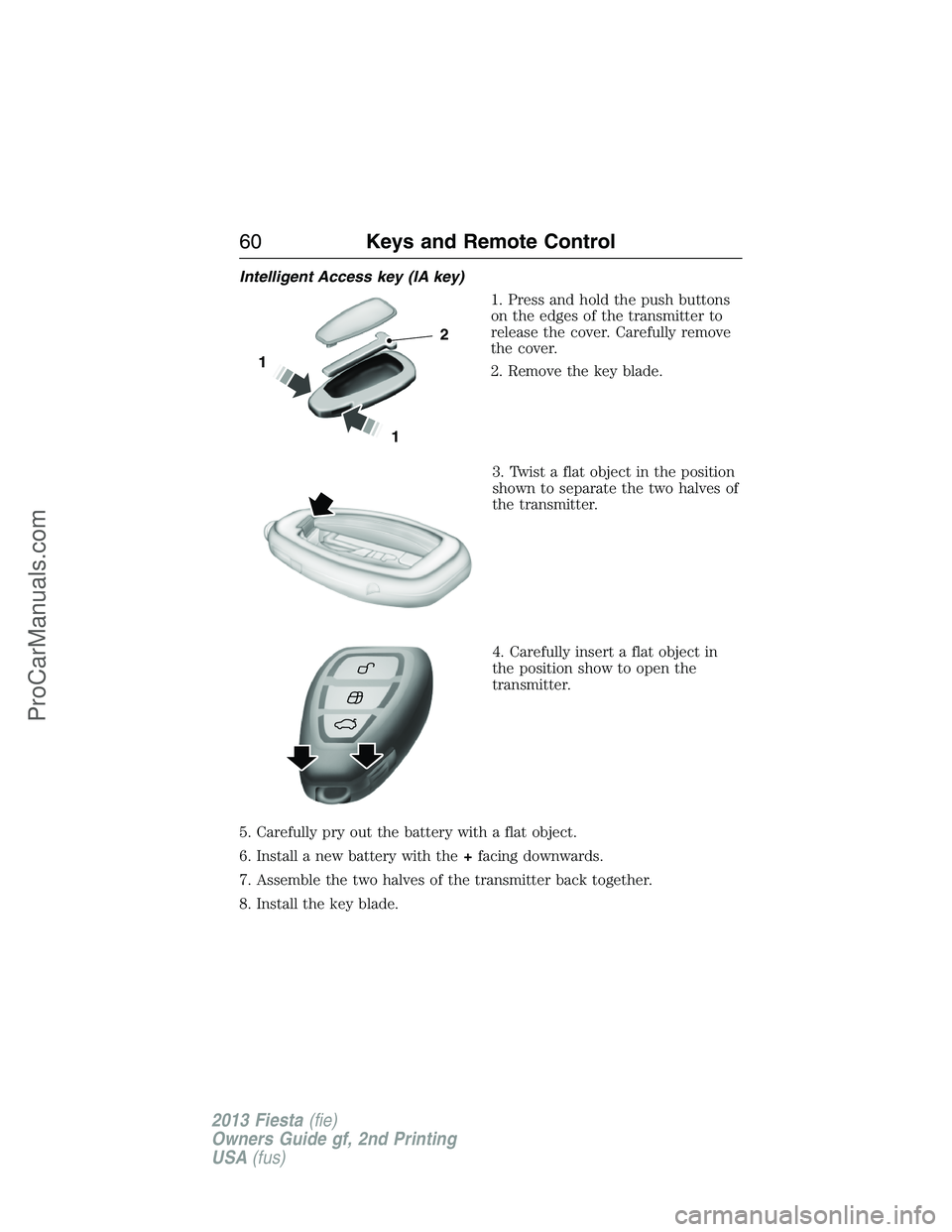
Intelligent Access key (IA key)
1. Press and hold the push buttons
on the edges of the transmitter to
release the cover. Carefully remove
the cover.
2. Remove the key blade.
3. Twist a flat object in the position
shown to separate the two halves of
the transmitter.
4. Carefully insert a flat object in
the position show to open the
transmitter.
5. Carefully pry out the battery with a flat object.
6. Install a new battery with the+facing downwards.
7. Assemble the two halves of the transmitter back together.
8. Install the key blade.
1
1
2
60Keys and Remote Control
2013 Fiesta(fie)
Owners Guide gf, 2nd Printing
USA(fus)
ProCarManuals.com
Page 69 of 346
Accessory Mode Battery Saver for Intelligent Access Keys
(If Equipped)
If you shut off the engine and leave the ignition in the on or accessory
mode, the ignition will shut off after 30 minutes.
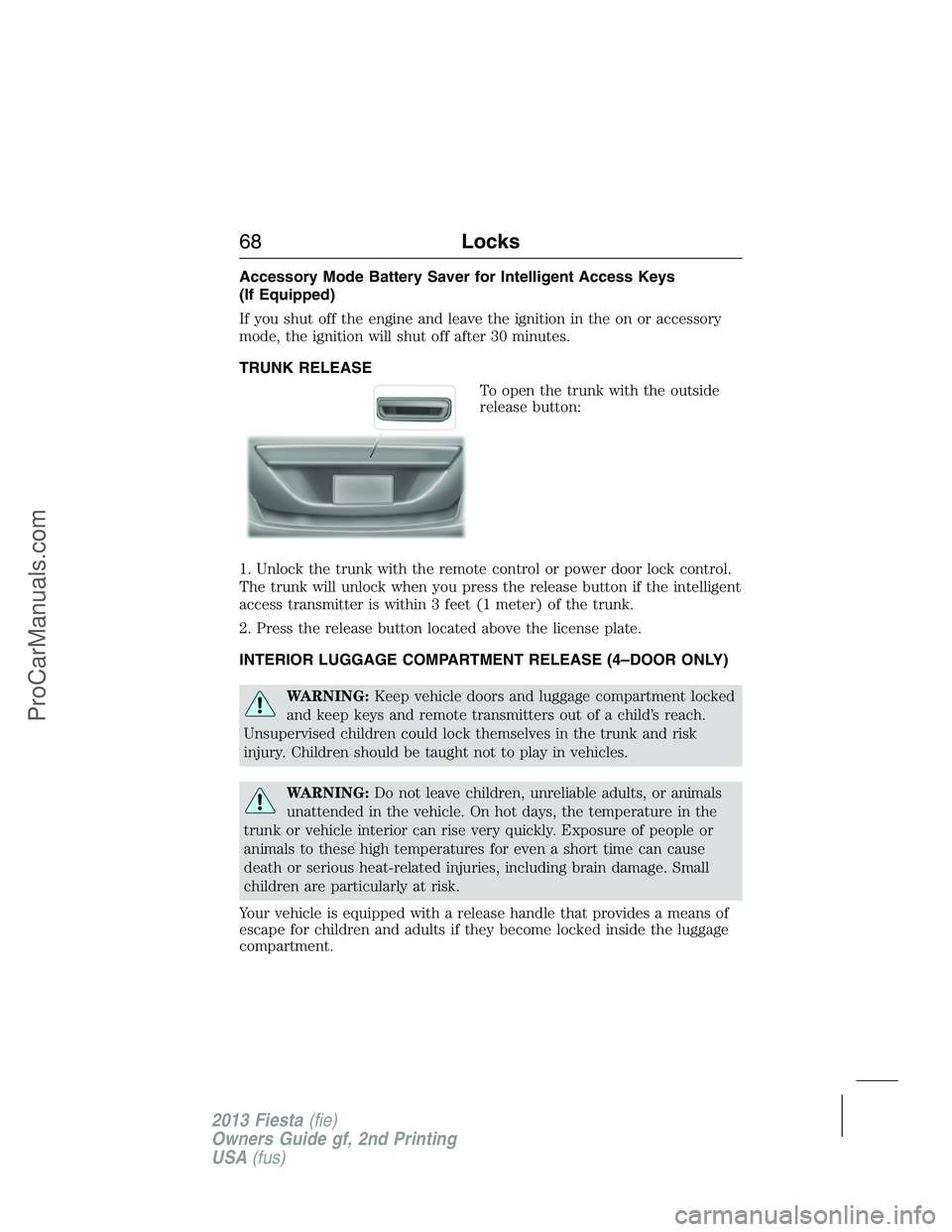
TRUNK RELEASE
To open the trunk with the outside
release button:
1. Unlock the trunk with the remote control or power door lock control.
The trunk will unlock when you press the release button if the intelligent
access transmitter is within 3 feet (1 meter) of the trunk.
2. Press the release button located above the license plate.
INTERIOR LUGGAGE COMPARTMENT RELEASE (4–DOOR ONLY)
WARNING:Keep vehicle doors and luggage compartment locked
and keep keys and remote transmitters out of a child’s reach.
Unsupervised children could lock themselves in the trunk and risk
injury. Children should be taught not to play in vehicles.
WARNING:Do not leave children, unreliable adults, or animals
unattended in the vehicle. On hot days, the temperature in the
trunk or vehicle interior can rise very quickly. Exposure of people or
animals to these high temperatures for even a short time can cause
death or serious heat-related injuries, including brain damage. Small
children are particularly at risk.
Your vehicle is equipped with a release handle that provides a means of
escape for children and adults if they become locked inside the luggage
compartment.
68Locks
2013 Fiesta(fie)
Owners Guide gf, 2nd Printing
USA(fus)
ProCarManuals.com
Page 82 of 346
Battery Saver
The battery saver feature will switch off the interior lamps 10 minutes
after the ignition has been turned to the (off) position and one of the
vehicle doors has been opened.
Note:The battery saver feature will turn off the map lamps after
30 minutes if left in the on position.
AMBIENT LIGHTING (If Equipped)
Illuminates the interior with a choice of several colors. The ambient
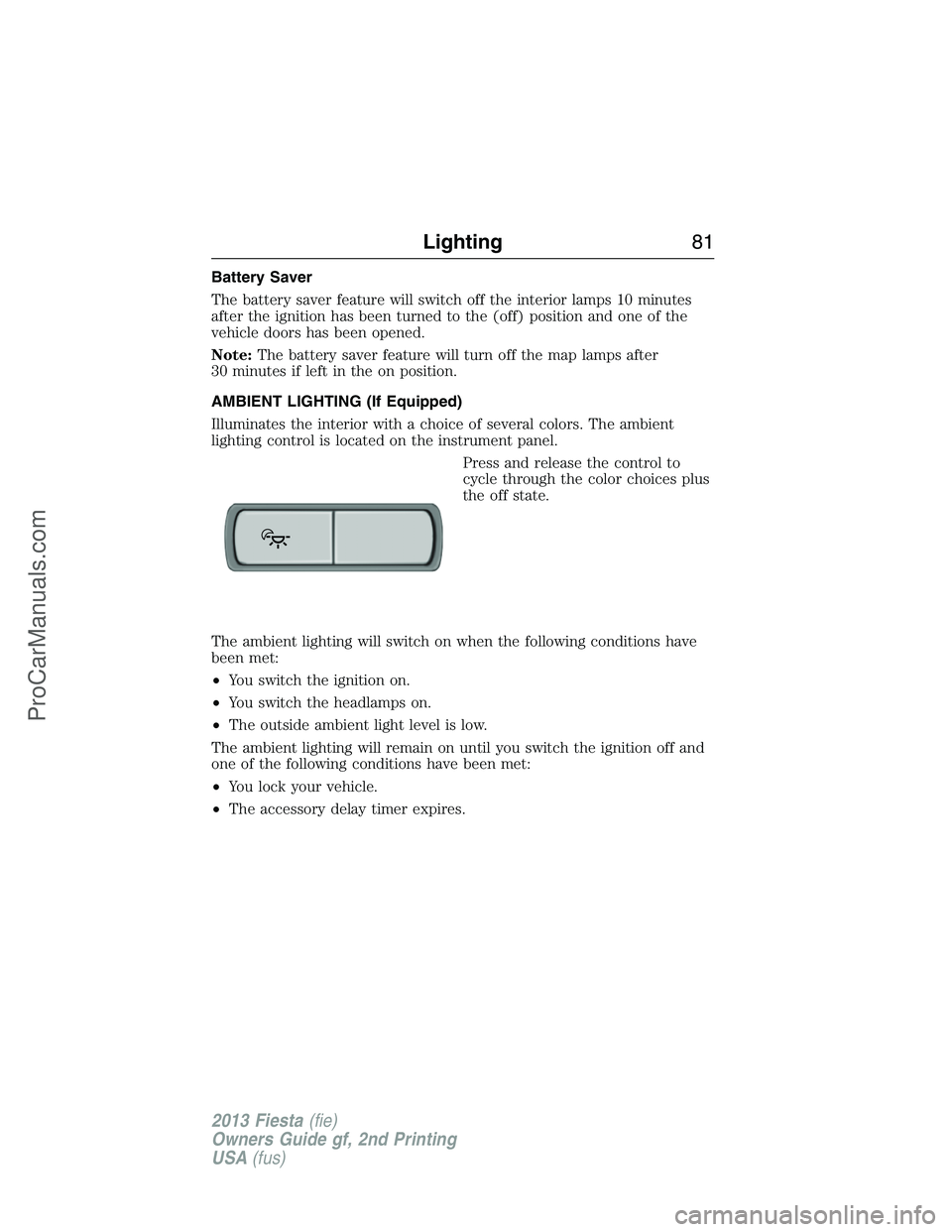
lighting control is located on the instrument panel.
Press and release the control to
cycle through the color choices plus
the off state.
The ambient lighting will switch on when the following conditions have
been met:
•You switch the ignition on.
•You switch the headlamps on.
•The outside ambient light level is low.
The ambient lighting will remain on until you switch the ignition off and
one of the following conditions have been met:
•You lock your vehicle.
•The accessory delay timer expires.
Lighting81
2013 Fiesta(fie)
Owners Guide gf, 2nd Printing
USA(fus)
ProCarManuals.com
Page 84 of 346
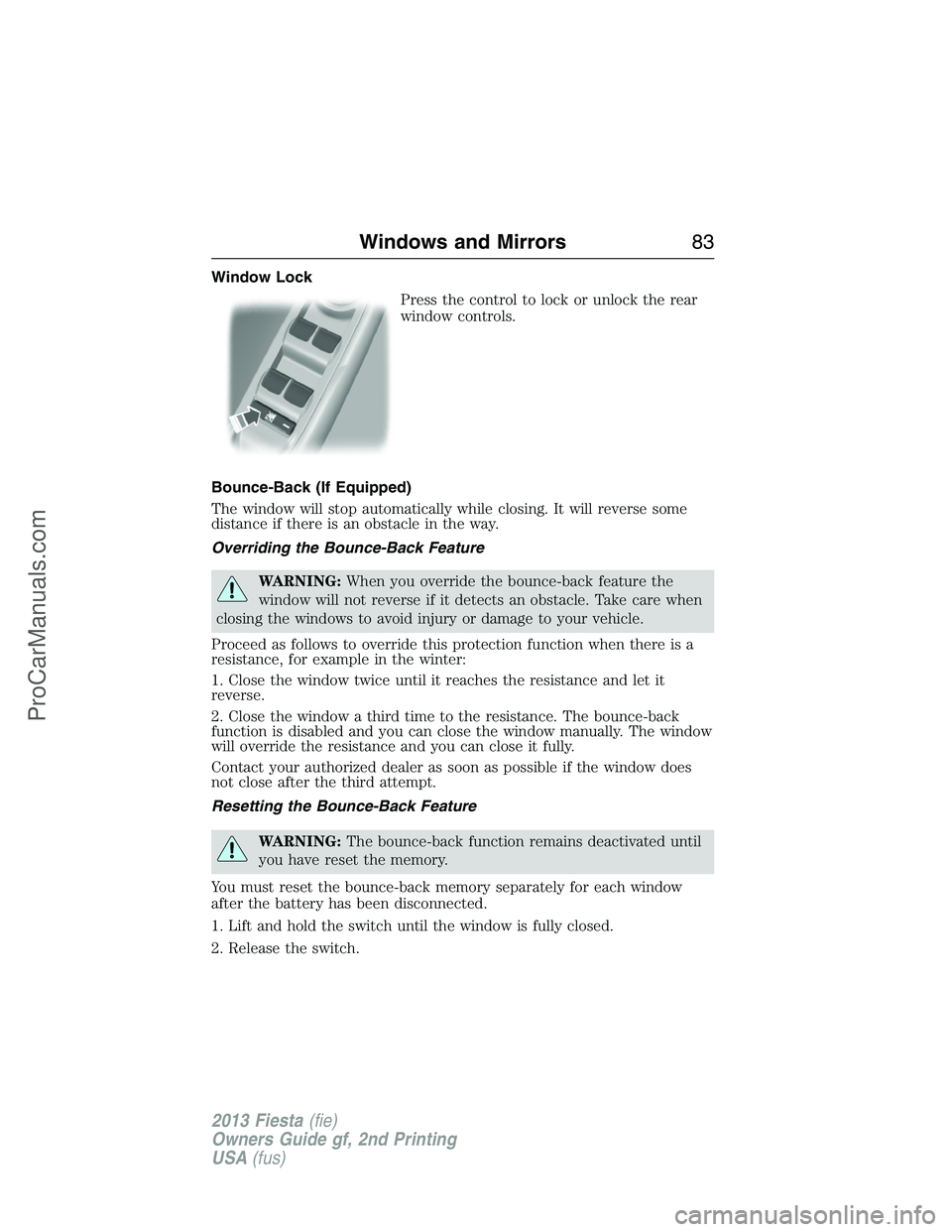
Window Lock
Press the control to lock or unlock the rear
window controls.
Bounce-Back (If Equipped)
The window will stop automatically while closing. It will reverse some
distance if there is an obstacle in the way.
Overriding the Bounce-Back Feature
WARNING:When you override the bounce-back feature the
window will not reverse if it detects an obstacle. Take care when
closing the windows to avoid injury or damage to your vehicle.
Proceed as follows to override this protection function when there is a
resistance, for example in the winter:
1. Close the window twice until it reaches the resistance and let it
reverse.
2. Close the window a third time to the resistance. The bounce-back
function is disabled and you can close the window manually. The window
will override the resistance and you can close it fully.
Contact your authorized dealer as soon as possible if the window does
not close after the third attempt.
Resetting the Bounce-Back Feature
WARNING:The bounce-back function remains deactivated until
you have reset the memory.
You must reset the bounce-back memory separately for each window
after the battery has been disconnected.
1. Lift and hold the switch until the window is fully closed.
2. Release the switch.
Windows and Mirrors83
2013 Fiesta(fie)
Owners Guide gf, 2nd Printing
USA(fus)
ProCarManuals.com
Page 90 of 346
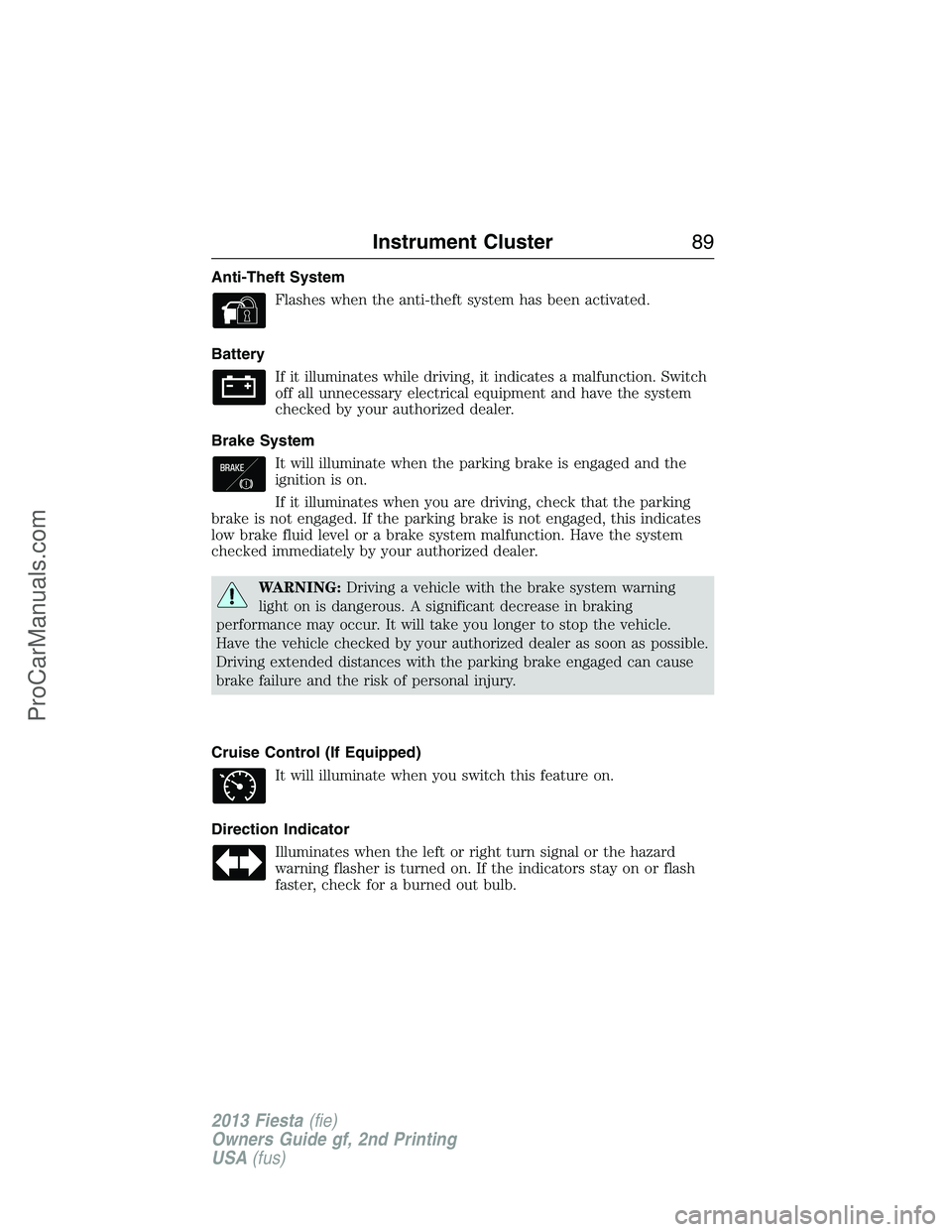
Anti-Theft System
Flashes when the anti-theft system has been activated.
Battery
If it illuminates while driving, it indicates a malfunction. Switch
off all unnecessary electrical equipment and have the system
checked by your authorized dealer.
Brake System
It will illuminate when the parking brake is engaged and the
ignition is on.
If it illuminates when you are driving, check that the parking
brake is not engaged. If the parking brake is not engaged, this indicates
low brake fluid level or a brake system malfunction. Have the system
checked immediately by your authorized dealer.
WARNING:Driving a vehicle with the brake system warning
light on is dangerous. A significant decrease in braking
performance may occur. It will take you longer to stop the vehicle.
Have the vehicle checked by your authorized dealer as soon as possible.
Driving extended distances with the parking brake engaged can cause
brake failure and the risk of personal injury.
Cruise Control (If Equipped)
It will illuminate when you switch this feature on.
Direction Indicator
Illuminates when the left or right turn signal or the hazard
warning flasher is turned on. If the indicators stay on or flash
faster, check for a burned out bulb.
Instrument Cluster89
2013 Fiesta(fie)
Owners Guide gf, 2nd Printing
USA(fus)
ProCarManuals.com