clock FORD FIESTA 2013 Owners Manual
[x] Cancel search | Manufacturer: FORD, Model Year: 2013, Model line: FIESTA, Model: FORD FIESTA 2013Pages: 346, PDF Size: 5.27 MB
Page 33 of 346
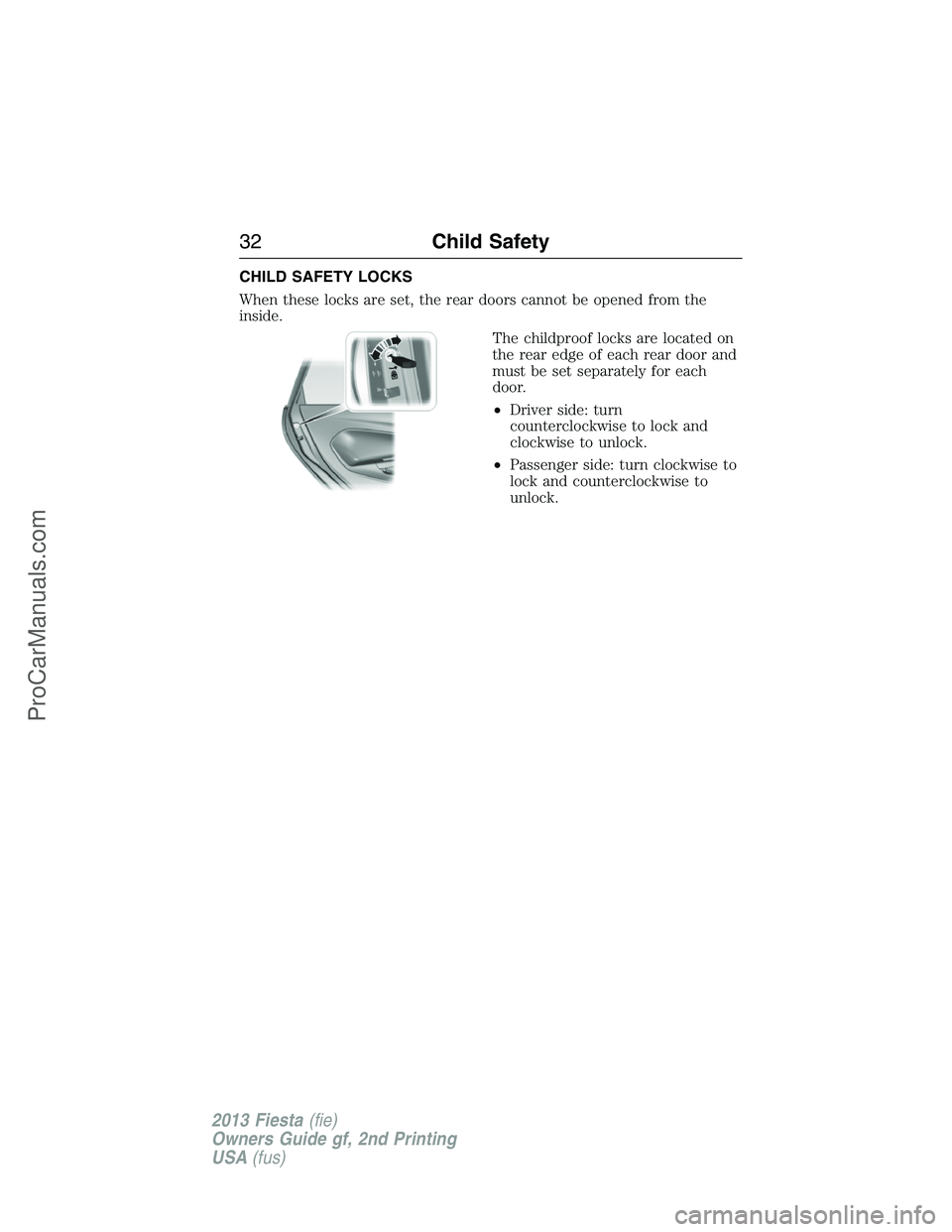
CHILD SAFETY LOCKS
When these locks are set, the rear doors cannot be opened from the
inside.
The childproof locks are located on
the rear edge of each rear door and
must be set separately for each
door.
•Driver side: turn
counterclockwise to lock and
clockwise to unlock.
•Passenger side: turn clockwise to
lock and counterclockwise to
unlock.
32Child Safety
2013 Fiesta(fie)
Owners Guide gf, 2nd Printing
USA(fus)
ProCarManuals.com
Page 63 of 346
LOCKING AND UNLOCKING
You can use the power door lock control or the remote control to lock
and unlock the vehicle.
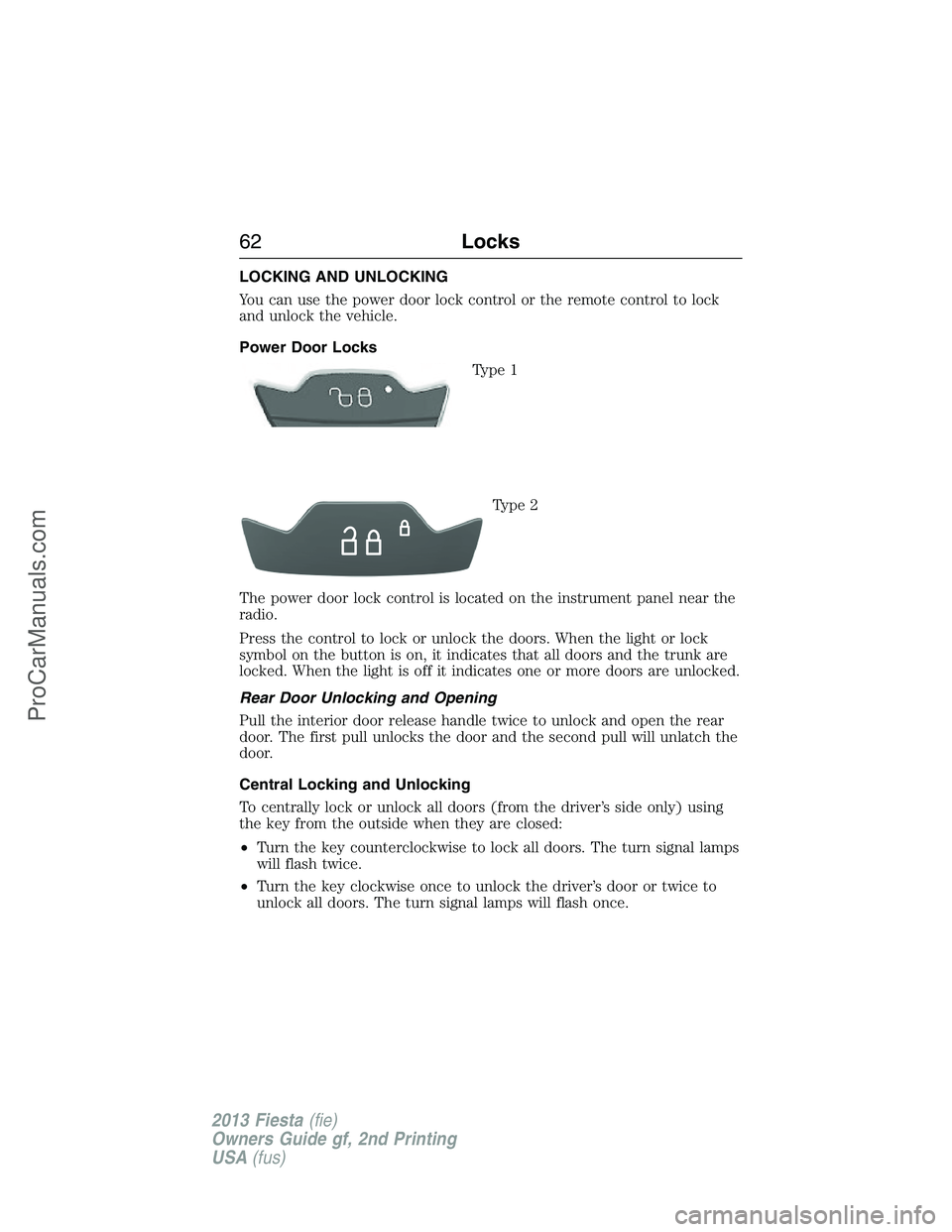
Power Door Locks
Type 1
Type 2
The power door lock control is located on the instrument panel near the
radio.
Press the control to lock or unlock the doors. When the light or lock
symbol on the button is on, it indicates that all doors and the trunk are
locked. When the light is off it indicates one or more doors are unlocked.
Rear Door Unlocking and Opening
Pull the interior door release handle twice to unlock and open the rear
door. The first pull unlocks the door and the second pull will unlatch the
door.
Central Locking and Unlocking
To centrally lock or unlock all doors (from the driver’s side only) using
the key from the outside when they are closed:
•Turn the key counterclockwise to lock all doors. The turn signal lamps
will flash twice.
•Turn the key clockwise once to unlock the driver’s door or twice to
unlock all doors. The turn signal lamps will flash once.
62Locks
2013 Fiesta(fie)
Owners Guide gf, 2nd Printing
USA(fus)
ProCarManuals.com
Page 64 of 346
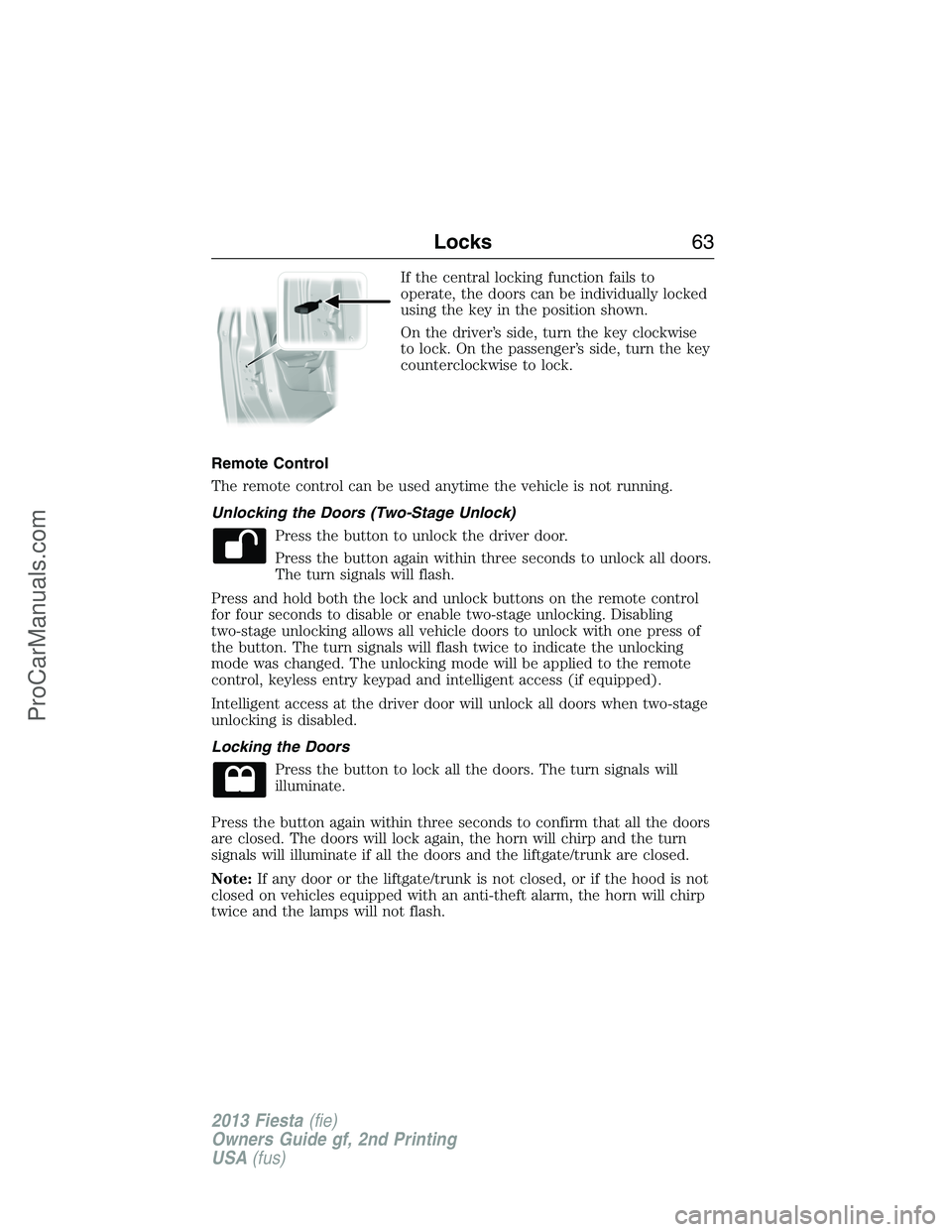
If the central locking function fails to
operate, the doors can be individually locked
using the key in the position shown.
On the driver’s side, turn the key clockwise
to lock. On the passenger’s side, turn the key
counterclockwise to lock.
Remote Control
The remote control can be used anytime the vehicle is not running.
Unlocking the Doors (Two-Stage Unlock)
Press the button to unlock the driver door.
Press the button again within three seconds to unlock all doors.
The turn signals will flash.
Press and hold both the lock and unlock buttons on the remote control
for four seconds to disable or enable two-stage unlocking. Disabling
two-stage unlocking allows all vehicle doors to unlock with one press of
the button. The turn signals will flash twice to indicate the unlocking
mode was changed. The unlocking mode will be applied to the remote
control, keyless entry keypad and intelligent access (if equipped).
Intelligent access at the driver door will unlock all doors when two-stage
unlocking is disabled.
Locking the Doors
Press the button to lock all the doors. The turn signals will
illuminate.
Press the button again within three seconds to confirm that all the doors
are closed. The doors will lock again, the horn will chirp and the turn
signals will illuminate if all the doors and the liftgate/trunk are closed.
Note:If any door or the liftgate/trunk is not closed, or if the hood is not
closed on vehicles equipped with an anti-theft alarm, the horn will chirp
twice and the lamps will not flash.
Locks63
2013 Fiesta(fie)
Owners Guide gf, 2nd Printing
USA(fus)
ProCarManuals.com
Page 95 of 346
GENERAL INFORMATION
WARNING:Driving while distracted can result in loss of vehicle
control, accident and injury. Ford strongly recommends that
drivers use extreme caution when using any device or feature that may
take their focus off the road. Your primary responsibility is the safe
operation of the vehicle. We recommend against the use of any
handheld device while driving and that you comply with all applicable
laws.
Various systems can be programmed using the audio unit controls.
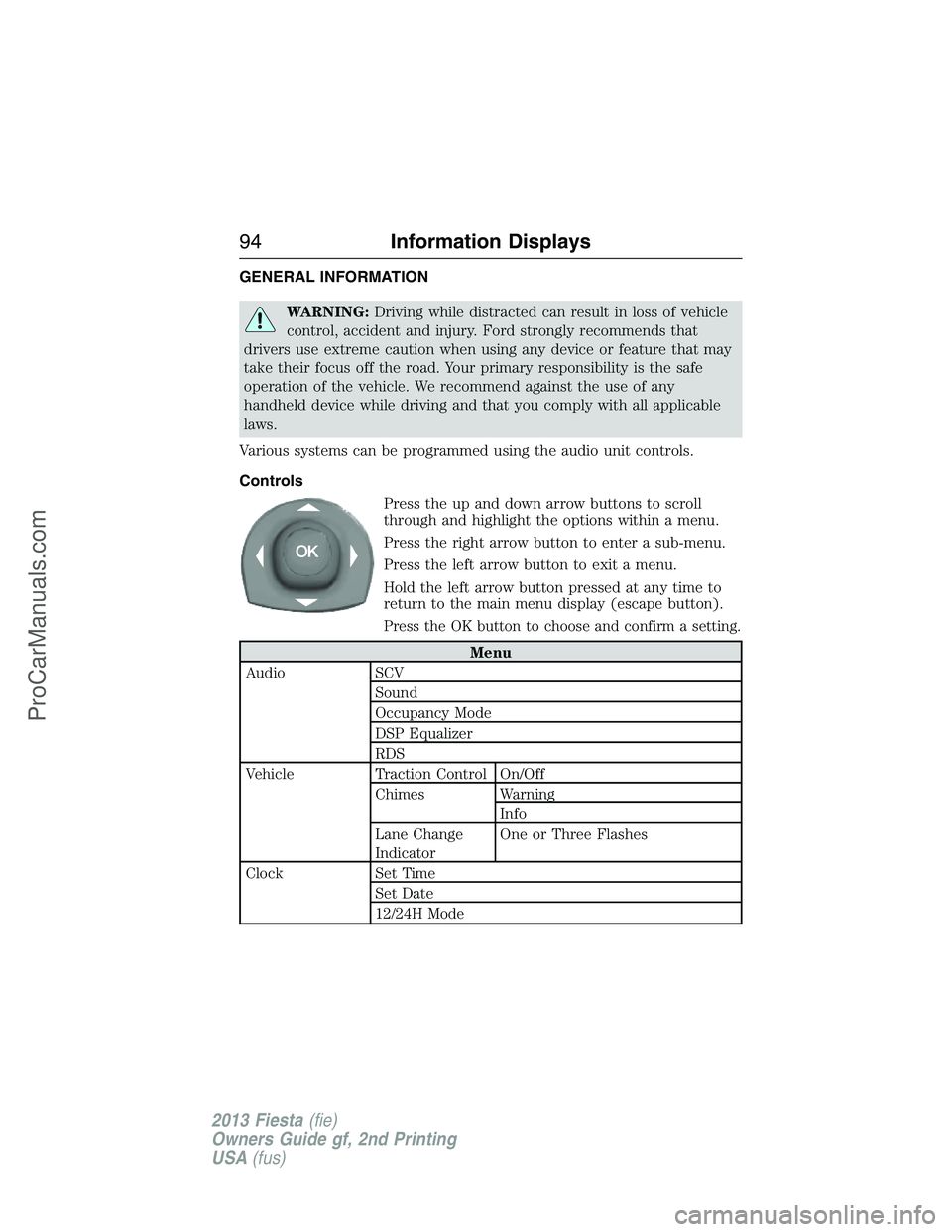
Controls
Press the up and down arrow buttons to scroll
through and highlight the options within a menu.
Press the right arrow button to enter a sub-menu.
Press the left arrow button to exit a menu.
Hold the left arrow button pressed at any time to
return to the main menu display (escape button).
Press the OK button to choose and confirm a setting.
Menu
Audio SCV
Sound
Occupancy Mode
DSP Equalizer
RDS
Vehicle Traction Control On/Off
Chimes Warning
Info
Lane Change
IndicatorOne or Three Flashes
Clock Set Time
Set Date
12/24H Mode
94Information Displays
2013 Fiesta(fie)
Owners Guide gf, 2nd Printing
USA(fus)
ProCarManuals.com
Page 96 of 346
Menu
Display Units of measure
Language
Messages
Compass
(if equipped)If your vehicle is equipped with SYNC®, the
compass heading is displayed to the left of the clock
in the upper portion of the multifunction display.
Trip Computer (if equipped)
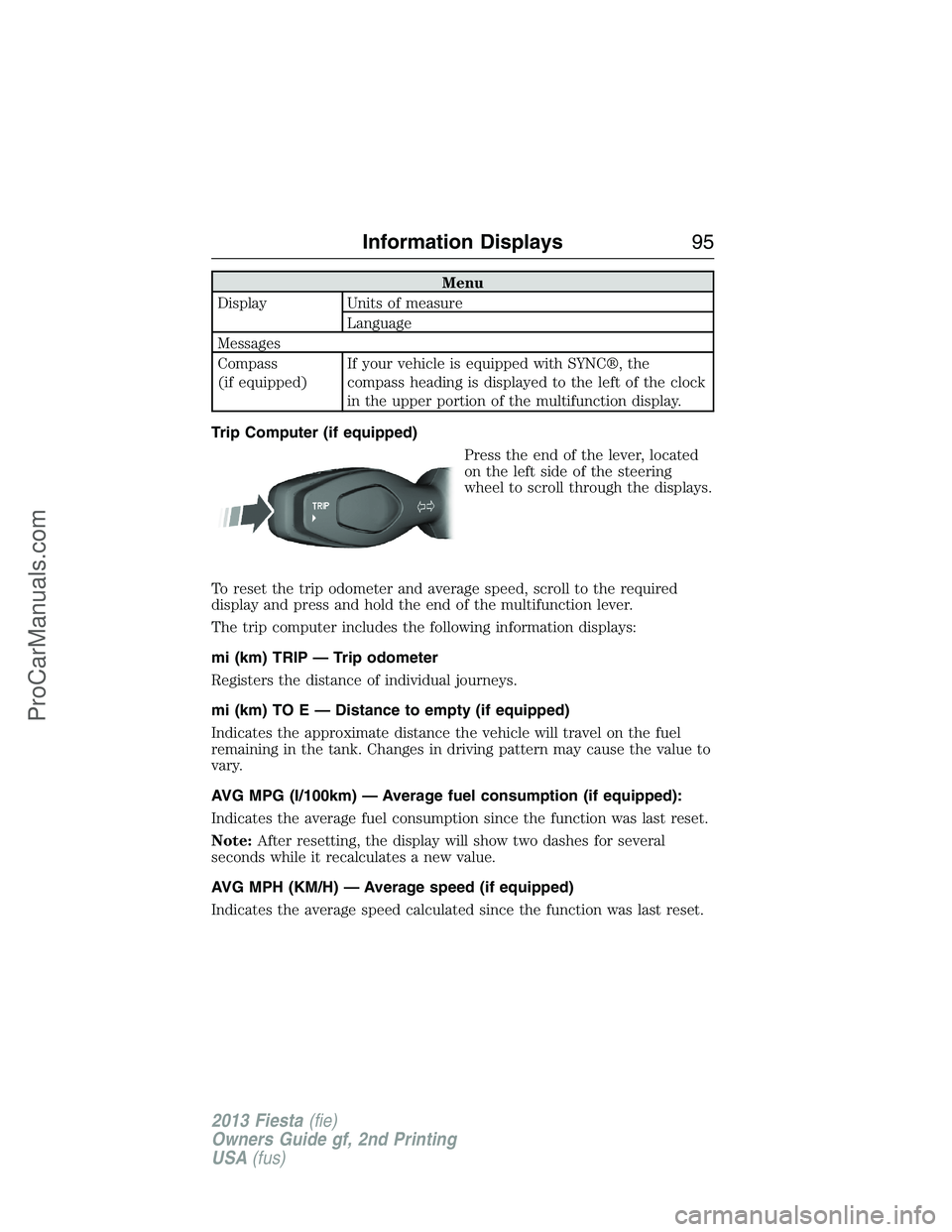
Press the end of the lever, located
on the left side of the steering
wheel to scroll through the displays.
To reset the trip odometer and average speed, scroll to the required
display and press and hold the end of the multifunction lever.
The trip computer includes the following information displays:
mi (km) TRIP — Trip odometer
Registers the distance of individual journeys.
mi (km) TO E — Distance to empty (if equipped)
Indicates the approximate distance the vehicle will travel on the fuel
remaining in the tank. Changes in driving pattern may cause the value to
vary.
AVG MPG (l/100km) — Average fuel consumption (if equipped):
Indicates the average fuel consumption since the function was last reset.
Note:After resetting, the display will show two dashes for several
seconds while it recalculates a new value.
AVG MPH (KM/H) — Average speed (if equipped)
Indicates the average speed calculated since the function was last reset.
Information Displays95
2013 Fiesta(fie)
Owners Guide gf, 2nd Printing
USA(fus)
ProCarManuals.com
Page 107 of 346
M.SEEK:
•Press and release this button to go to the previous track or preset
radio station.
•Press and hold to reverse through the current track or to a the
previous strong radio station (manually reverses between station
presets or through radio stations).
N.Function Button 2:Select different functions of the audio system
depending on which mode you are in (such as Radio mode or CD mode).
O.Function Button 1:Select different functions of the audio system
depending on which mode you are in (such as Radio mode or CD mode).
P.PHONE:Press this button to access the phone features of the SYNC®
system. See theSYNC®chapter for more information.
Q.AUX:Press this button to access your auxiliary input jack or switch
between devices you plug into the input jack or USB port.
R.SIRIUS:Press this button to listen to SIRIUS satellite radio.
S.RADIO:Press this button to listen to the radio or change radio
frequencies. Press the function buttons below the radio screen to select
different radio functions.
T.CD:Press this button to listen to a CD. Press the function buttons
below the radio screen to select on-screen options of Repeat or Shuffle.
Setting the clock
Press the H or M buttons on the outside of the multifunction display to
access the clock settings. Once you are in the clock setting, press the H
or M button repeatedly until the desired number appears. PressOKto
confirm and close.
MENU STRUCTURE
Note:Depending on your system, some options may appear slightly
different, not at all or on-screen and able to be selected using the
function buttons.
PressMENU.
Press the up and down arrow buttons to scroll through the options (if
active).
Press the right arrow to enter a menu. Press the left arrow to exit a
menu.
106Audio System
2013 Fiesta(fie)
Owners Guide gf, 2nd Printing
USA(fus)
ProCarManuals.com
Page 110 of 346
Clock Settings
Set TimeSelect to set the time.
Set DateSelect to set the calendar date.
24h ModeSelect to view clock time in a 12–hour mode or
24–hour mode.
Display Settings
DimmingSelect to change display brightness.
LanguageSelect to display the language in English,
French or Spanish.
Temp. SettingSelect to display the outside temperature in
Fahrenheit or Celsius
AUXILIARY INPUT JACK
WARNING:Driving while distracted can result in loss of vehicle
control, accident and injury. Ford strongly recommends that you
use extreme caution when using any device or feature that may take
your focus off the road. Your primary responsibility is the safe operation
of your vehicle. We recommend against the use of any handheld device
while driving, encourage the use of voice-operated systems when
possible and that you become aware of applicable state and local laws
that may affect use of electronic devices while driving.
WARNING:For safety reasons, do not connect or adjust the
settings on your portable music player while your vehicle is
moving.
WARNING:Store the portable music player in a secure location,
such as the center console or the glove box, when your vehicle is
moving. Hard objects may become projectiles in a collision or sudden
stop, which may increase the risk of serious injury. The audio extension
cable must be long enough to allow the portable music player to be
safely stored while your vehicle is moving.
Audio System109
2013 Fiesta(fie)
Owners Guide gf, 2nd Printing
USA(fus)
ProCarManuals.com
Page 210 of 346
5. Turn the A/C on and allow the engine to idle for at least one minute.
6. Drive the vehicle to complete the relearning process.
•The vehicle may need to be driven 10 mi (16 km) or more to relearn
the idle and fuel trim strategy.
•Note:If you do not allow the engine to relearn its idle trim, the idle
quality of your vehicle may be adversely affected until the idle trim is
eventually relearned.
When the battery is disconnected or a new battery installed, the
transmission must relearn its adaptive strategy. As a result of this, the
transmission may shift firmly. This operation is considered normal and
will not affect function or durability of the transmission. Over time the
adaptive learning process will fully update transmission operation to its
optimum shift feel.
If the battery has been disconnected or a new battery has been installed,
the clock and the preset radio stations must be reset once the battery is
reconnected.
Always dispose of automotive batteries in a responsible manner. Follow
your local authorized standards for disposal. Call your local authorized
recycling center to find out more about recycling automotive batteries.
CHECKING THE WIPER BLADES
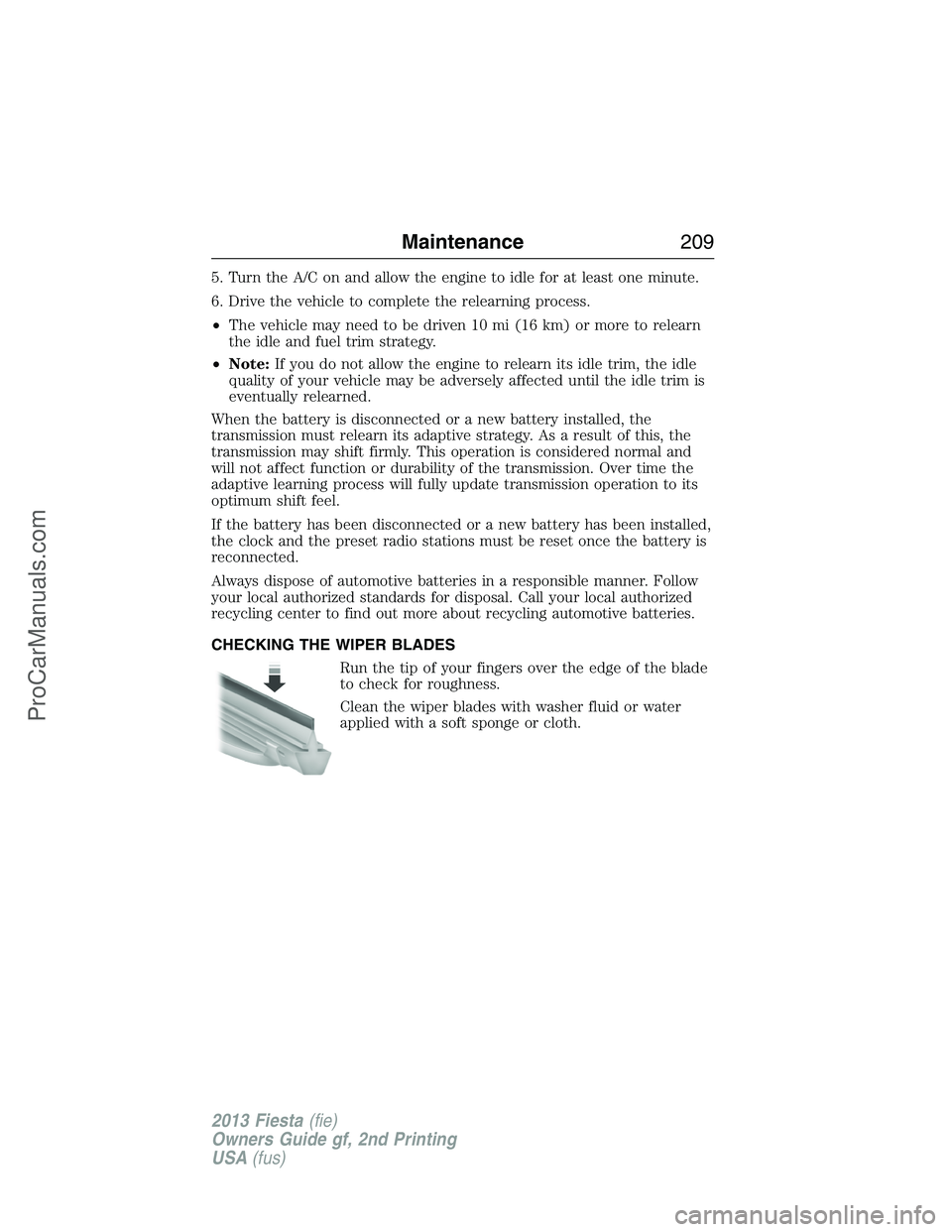
Run the tip of your fingers over the edge of the blade
to check for roughness.
Clean the wiper blades with washer fluid or water
applied with a soft sponge or cloth.
Maintenance209
2013 Fiesta(fie)
Owners Guide gf, 2nd Printing
USA(fus)
ProCarManuals.com
Page 214 of 346
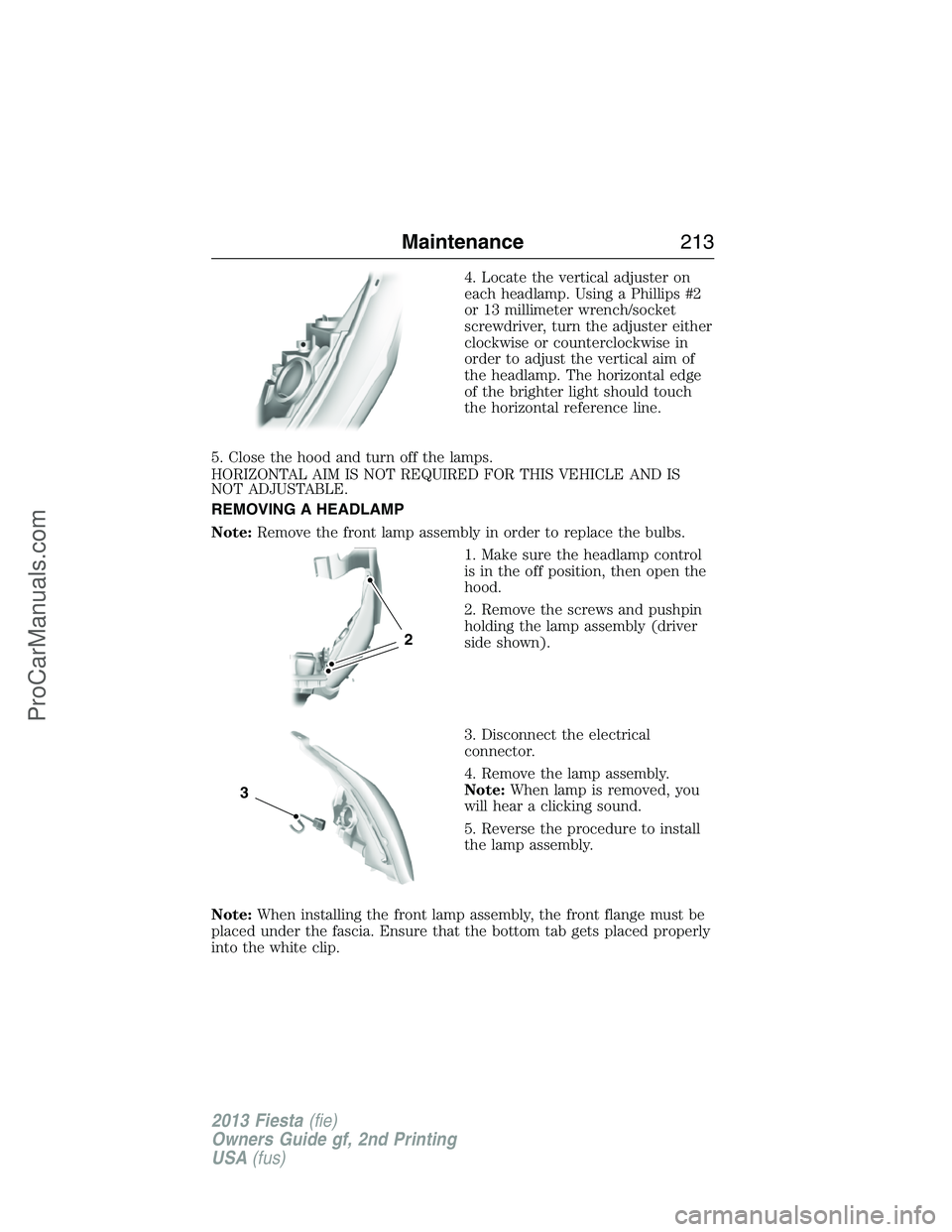
4. Locate the vertical adjuster on
each headlamp. Using a Phillips #2
or 13 millimeter wrench/socket
screwdriver, turn the adjuster either
clockwise or counterclockwise in
order to adjust the vertical aim of
the headlamp. The horizontal edge
of the brighter light should touch
the horizontal reference line.
5. Close the hood and turn off the lamps.
HORIZONTAL AIM IS NOT REQUIRED FOR THIS VEHICLE AND IS
NOT ADJUSTABLE.
REMOVING A HEADLAMP
Note:Remove the front lamp assembly in order to replace the bulbs.
1. Make sure the headlamp control
is in the off position, then open the
hood.
2. Remove the screws and pushpin
holding the lamp assembly (driver
side shown).
3. Disconnect the electrical
connector.
4. Remove the lamp assembly.
Note:When lamp is removed, you
will hear a clicking sound.
5. Reverse the procedure to install
the lamp assembly.
Note:When installing the front lamp assembly, the front flange must be
placed under the fascia. Ensure that the bottom tab gets placed properly
into the white clip.
2
3
Maintenance213
2013 Fiesta(fie)
Owners Guide gf, 2nd Printing
USA(fus)
ProCarManuals.com
Page 216 of 346
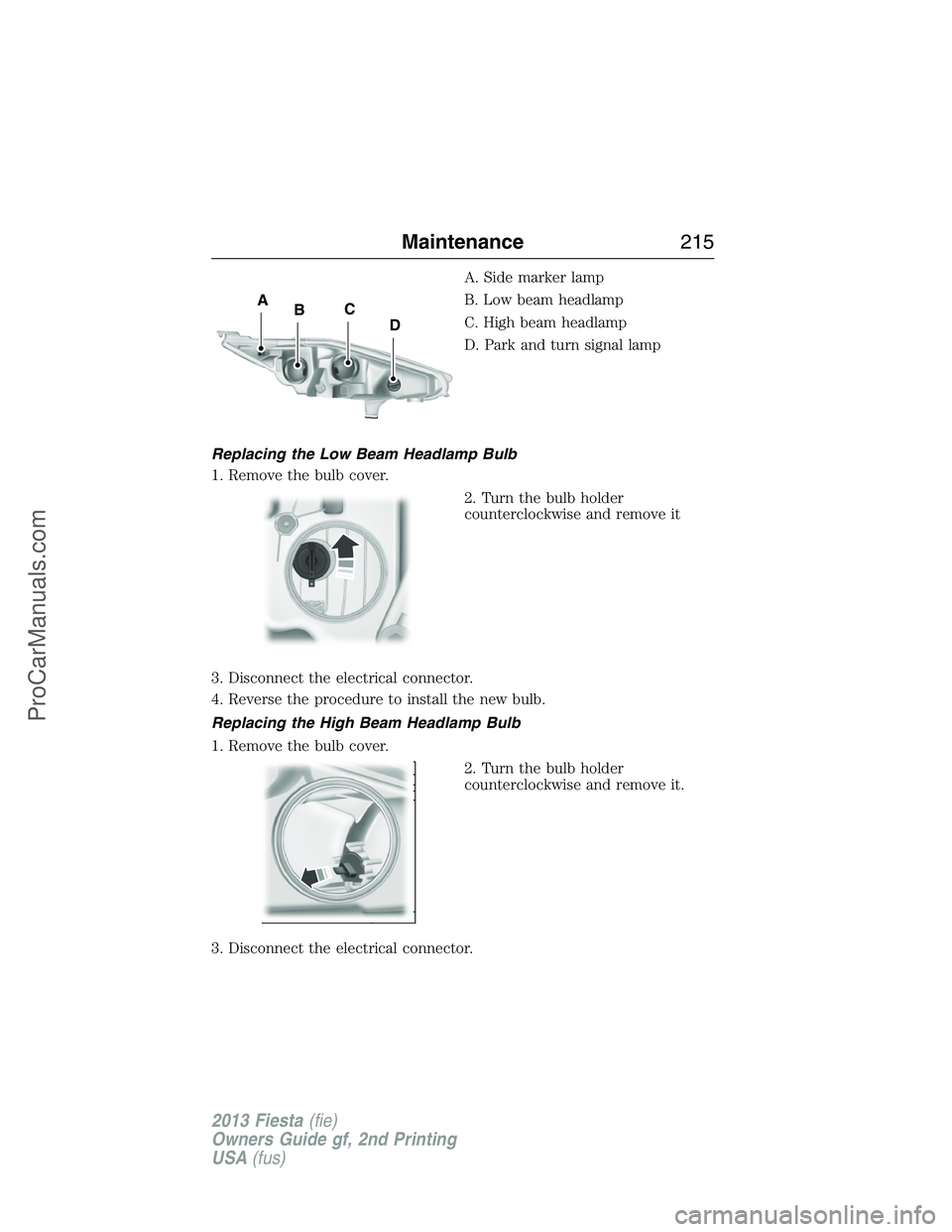
A. Side marker lamp
B. Low beam headlamp
C. High beam headlamp
D. Park and turn signal lamp
Replacing the Low Beam Headlamp Bulb
1. Remove the bulb cover.
2. Turn the bulb holder
counterclockwise and remove it
3. Disconnect the electrical connector.
4. Reverse the procedure to install the new bulb.
Replacing the High Beam Headlamp Bulb
1. Remove the bulb cover.
2. Turn the bulb holder
counterclockwise and remove it.
3. Disconnect the electrical connector.
C
DBA
Maintenance215
2013 Fiesta(fie)
Owners Guide gf, 2nd Printing
USA(fus)
ProCarManuals.com