reset FORD FIESTA 2013 Owners Manual
[x] Cancel search | Manufacturer: FORD, Model Year: 2013, Model line: FIESTA, Model: FORD FIESTA 2013Pages: 346, PDF Size: 5.27 MB
Page 11 of 346
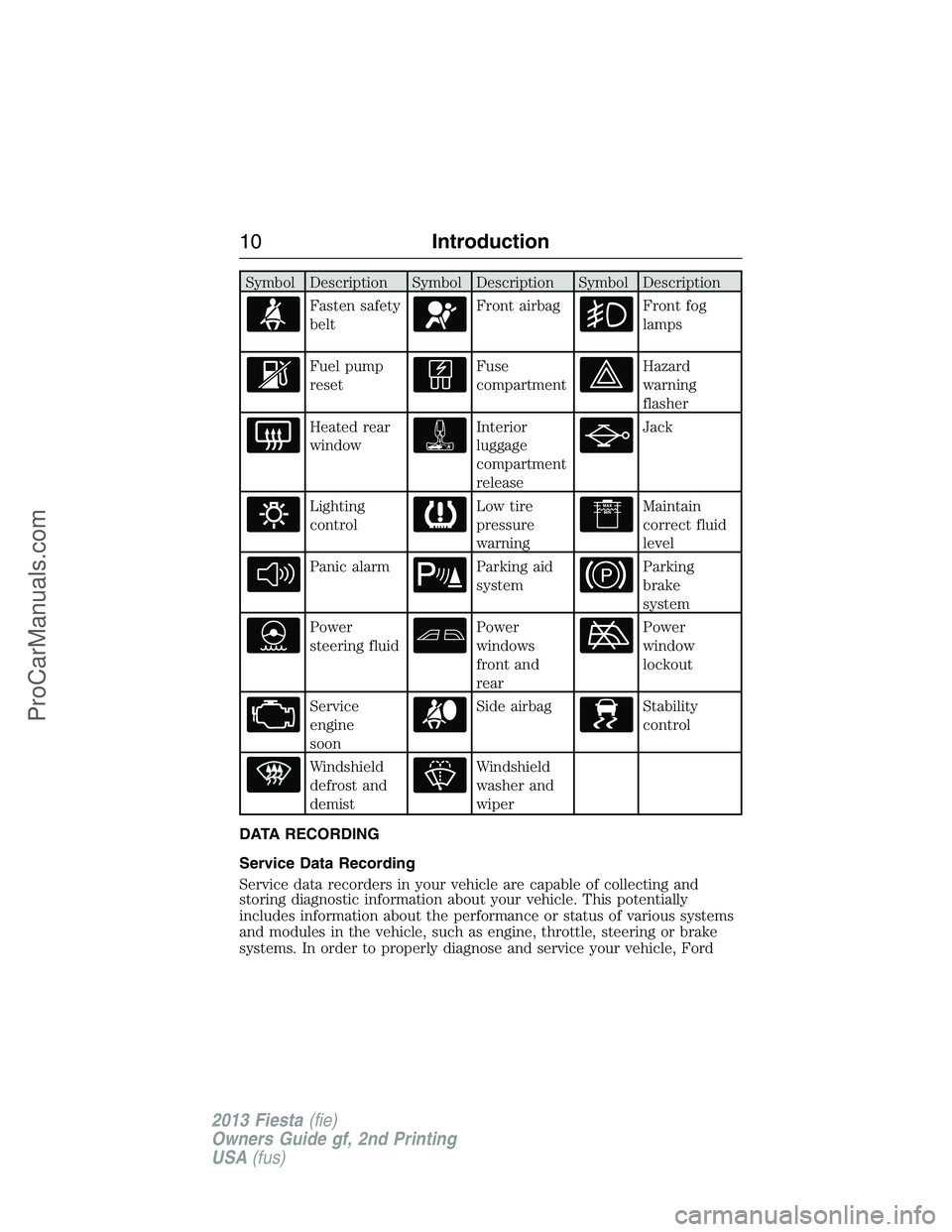
Symbol Description Symbol Description Symbol Description
Fasten safety
beltFront airbagFront fog
lamps
Fuel pump
resetFuse
compartmentHazard
warning
flasher
Heated rear
windowInterior
luggage
compartment
releaseJack
Lighting
controlLow tire
pressure
warningMaintain
correct fluid
level
Panic alarmParking aid
systemParking
brake
system
Power
steering fluidPower
windows
front and
rearPower
window
lockout
Service
engine
soonSide airbagStability
control
Windshield
defrost and
demistWindshield
washer and
wiper
DATA RECORDING
Service Data Recording
Service data recorders in your vehicle are capable of collecting and
storing diagnostic information about your vehicle. This potentially
includes information about the performance or status of various systems
and modules in the vehicle, such as engine, throttle, steering or brake
systems. In order to properly diagnose and service your vehicle, Ford
10Introduction
2013 Fiesta(fie)
Owners Guide gf, 2nd Printing
USA(fus)
ProCarManuals.com
Page 75 of 346
AUDIO CONTROL (IF EQUIPPED)
Select the required source on the audio unit.
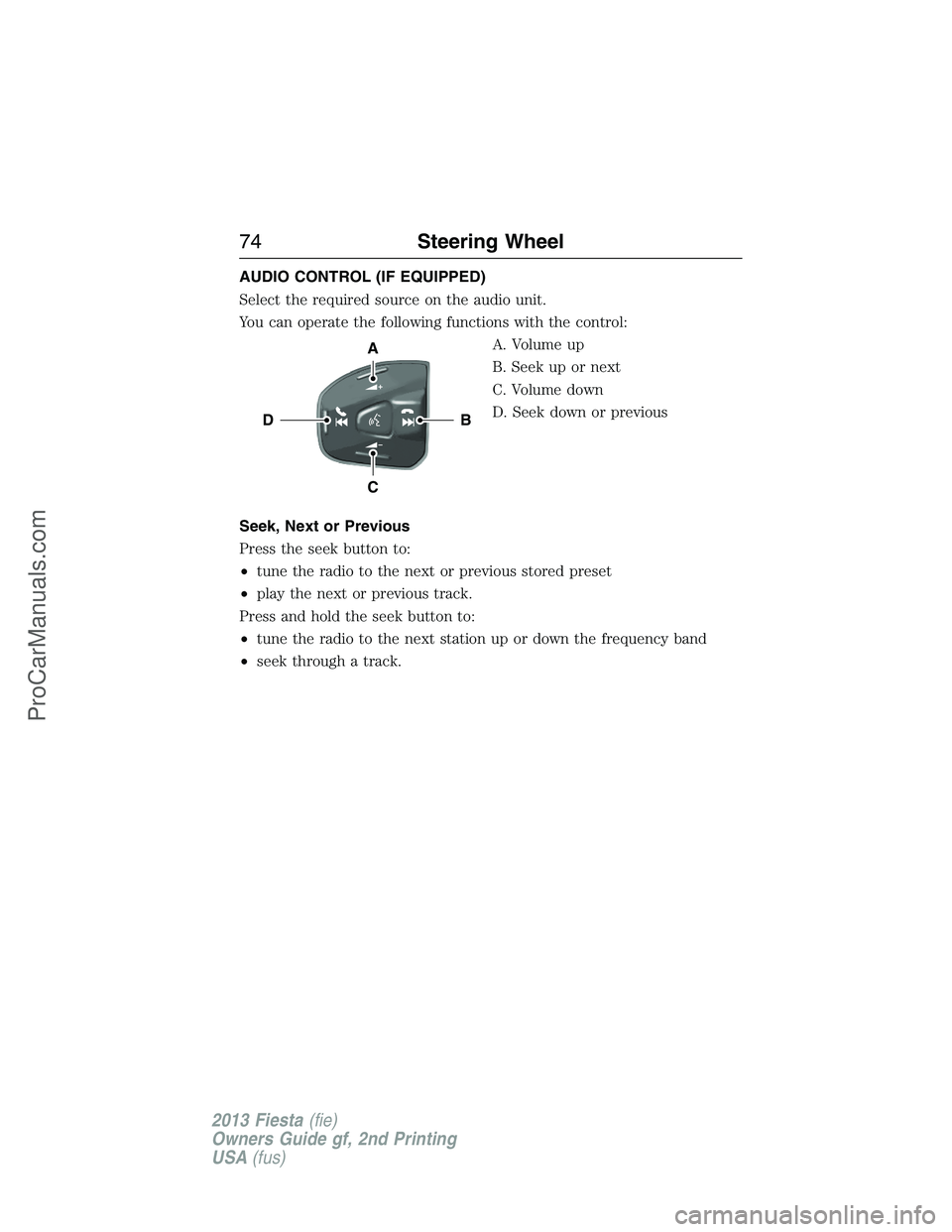
You can operate the following functions with the control:
A. Volume up
B. Seek up or next
C. Volume down
D. Seek down or previous
Seek, Next or Previous
Press the seek button to:
•tune the radio to the next or previous stored preset
•play the next or previous track.
Press and hold the seek button to:
•tune the radio to the next station up or down the frequency band
•seek through a track.
B
A
C
D
74Steering Wheel
2013 Fiesta(fie)
Owners Guide gf, 2nd Printing
USA(fus)
ProCarManuals.com
Page 84 of 346
Window Lock
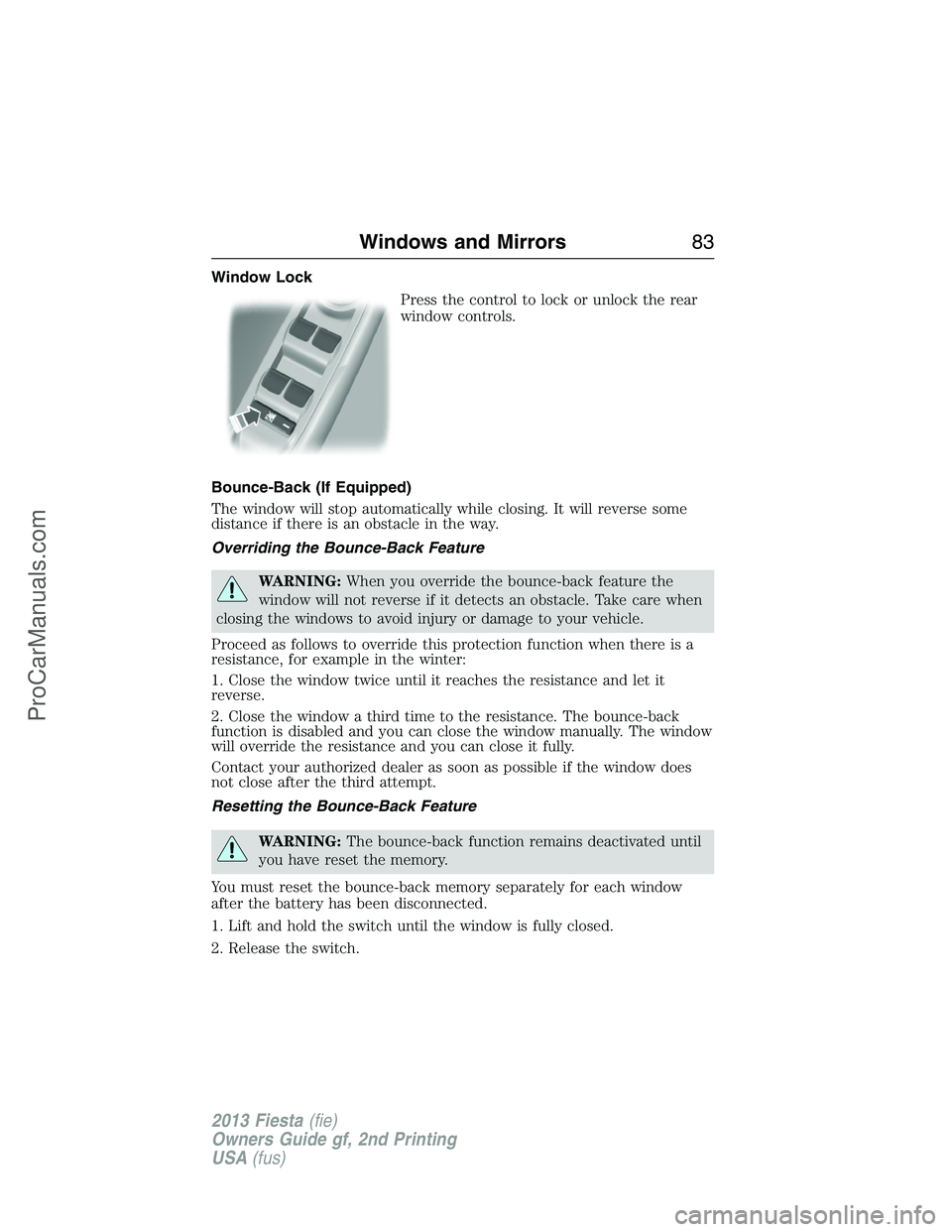
Press the control to lock or unlock the rear
window controls.
Bounce-Back (If Equipped)
The window will stop automatically while closing. It will reverse some
distance if there is an obstacle in the way.
Overriding the Bounce-Back Feature
WARNING:When you override the bounce-back feature the
window will not reverse if it detects an obstacle. Take care when
closing the windows to avoid injury or damage to your vehicle.
Proceed as follows to override this protection function when there is a
resistance, for example in the winter:
1. Close the window twice until it reaches the resistance and let it
reverse.
2. Close the window a third time to the resistance. The bounce-back
function is disabled and you can close the window manually. The window
will override the resistance and you can close it fully.
Contact your authorized dealer as soon as possible if the window does
not close after the third attempt.
Resetting the Bounce-Back Feature
WARNING:The bounce-back function remains deactivated until
you have reset the memory.
You must reset the bounce-back memory separately for each window
after the battery has been disconnected.
1. Lift and hold the switch until the window is fully closed.
2. Release the switch.
Windows and Mirrors83
2013 Fiesta(fie)
Owners Guide gf, 2nd Printing
USA(fus)
ProCarManuals.com
Page 85 of 346
3. Lift the switch again for one more second.
4. Press and hold the switch until the window is fully open.
5. Release the switch
6. Lift and hold the switch until the window is fully closed.
7. Open the window and then try to close it automatically.
8. Reset and repeat the procedure if the window does not close
automatically.
EXTERIOR MIRRORS
Power Exterior Mirrors
WARNING:Do not adjust the mirror while your vehicle is in
motion.
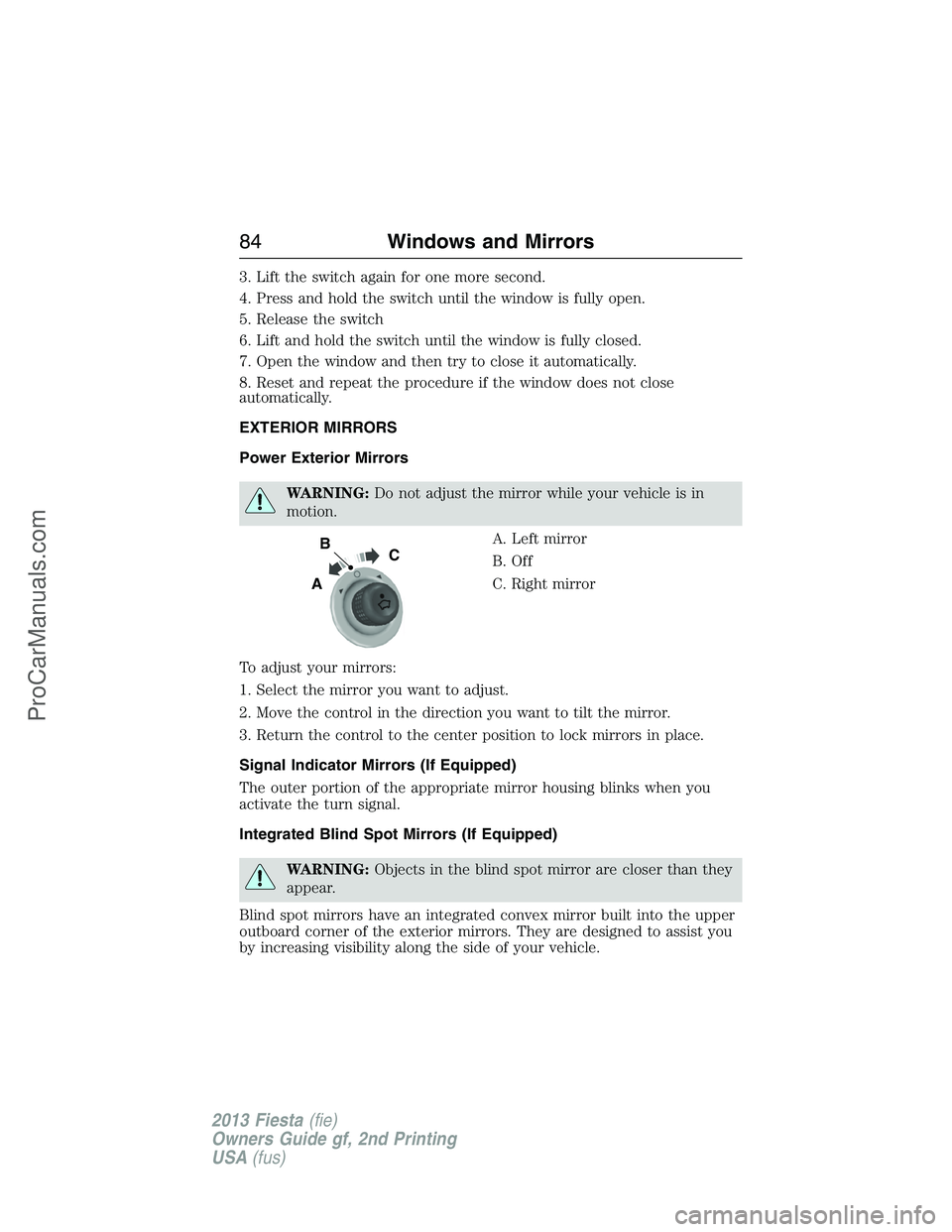
A. Left mirror
B. Off
C. Right mirror
To adjust your mirrors:
1. Select the mirror you want to adjust.
2. Move the control in the direction you want to tilt the mirror.
3. Return the control to the center position to lock mirrors in place.
Signal Indicator Mirrors (If Equipped)
The outer portion of the appropriate mirror housing blinks when you
activate the turn signal.
Integrated Blind Spot Mirrors (If Equipped)
WARNING:Objects in the blind spot mirror are closer than they
appear.
Blind spot mirrors have an integrated convex mirror built into the upper
outboard corner of the exterior mirrors. They are designed to assist you
by increasing visibility along the side of your vehicle.
B
A
C
84Windows and Mirrors
2013 Fiesta(fie)
Owners Guide gf, 2nd Printing
USA(fus)
ProCarManuals.com
Page 88 of 346
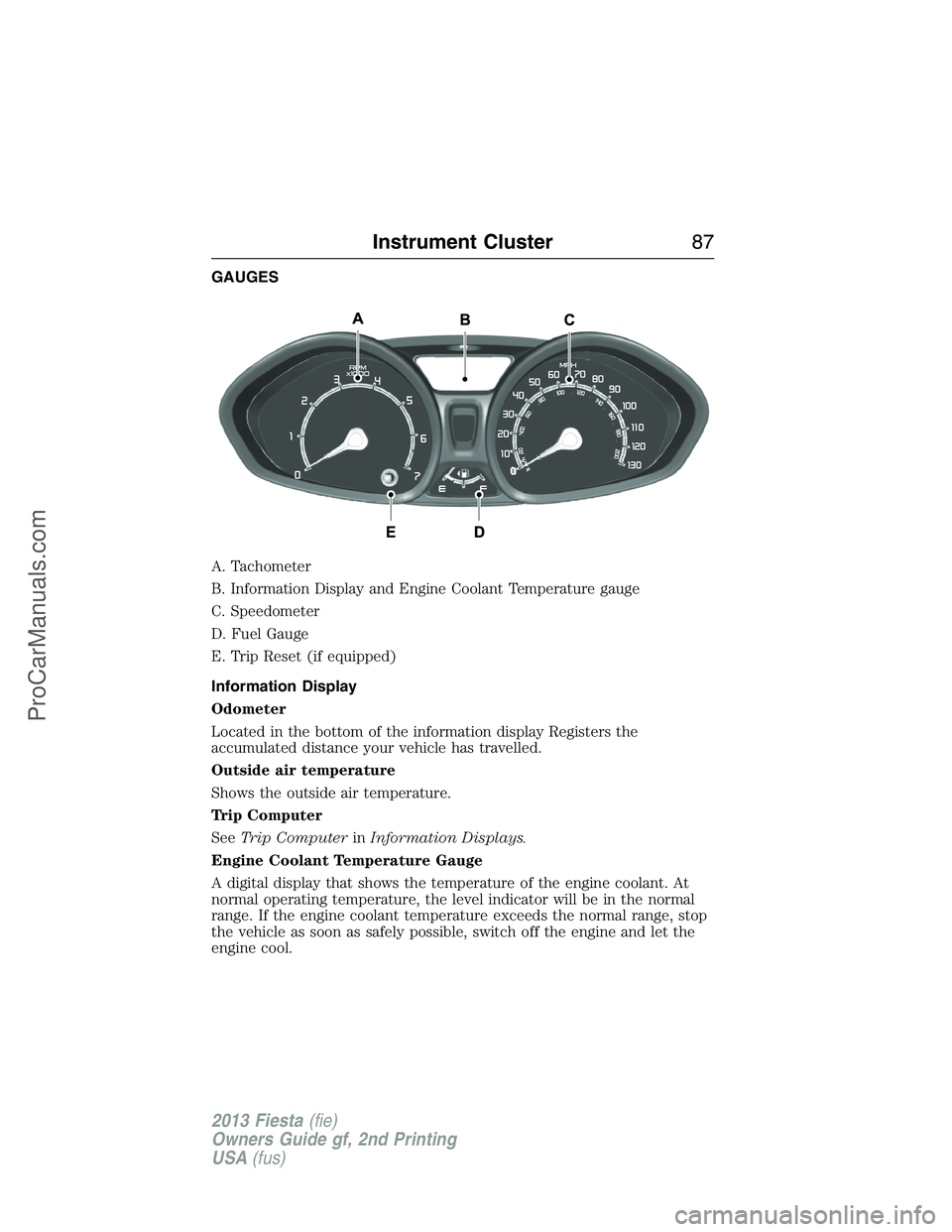
GAUGES
A. Tachometer
B. Information Display and Engine Coolant Temperature gauge
C. Speedometer
D. Fuel Gauge
E. Trip Reset (if equipped)
Information Display
Odometer
Located in the bottom of the information display Registers the
accumulated distance your vehicle has travelled.
Outside air temperature
Shows the outside air temperature.
Trip Computer
SeeTrip ComputerinInformation Displays.
Engine Coolant Temperature Gauge
A digital display that shows the temperature of the engine coolant. At
normal operating temperature, the level indicator will be in the normal
range. If the engine coolant temperature exceeds the normal range, stop
the vehicle as soon as safely possible, switch off the engine and let the
engine cool.
Instrument Cluster87
2013 Fiesta(fie)
Owners Guide gf, 2nd Printing
USA(fus)
ProCarManuals.com
Page 92 of 346
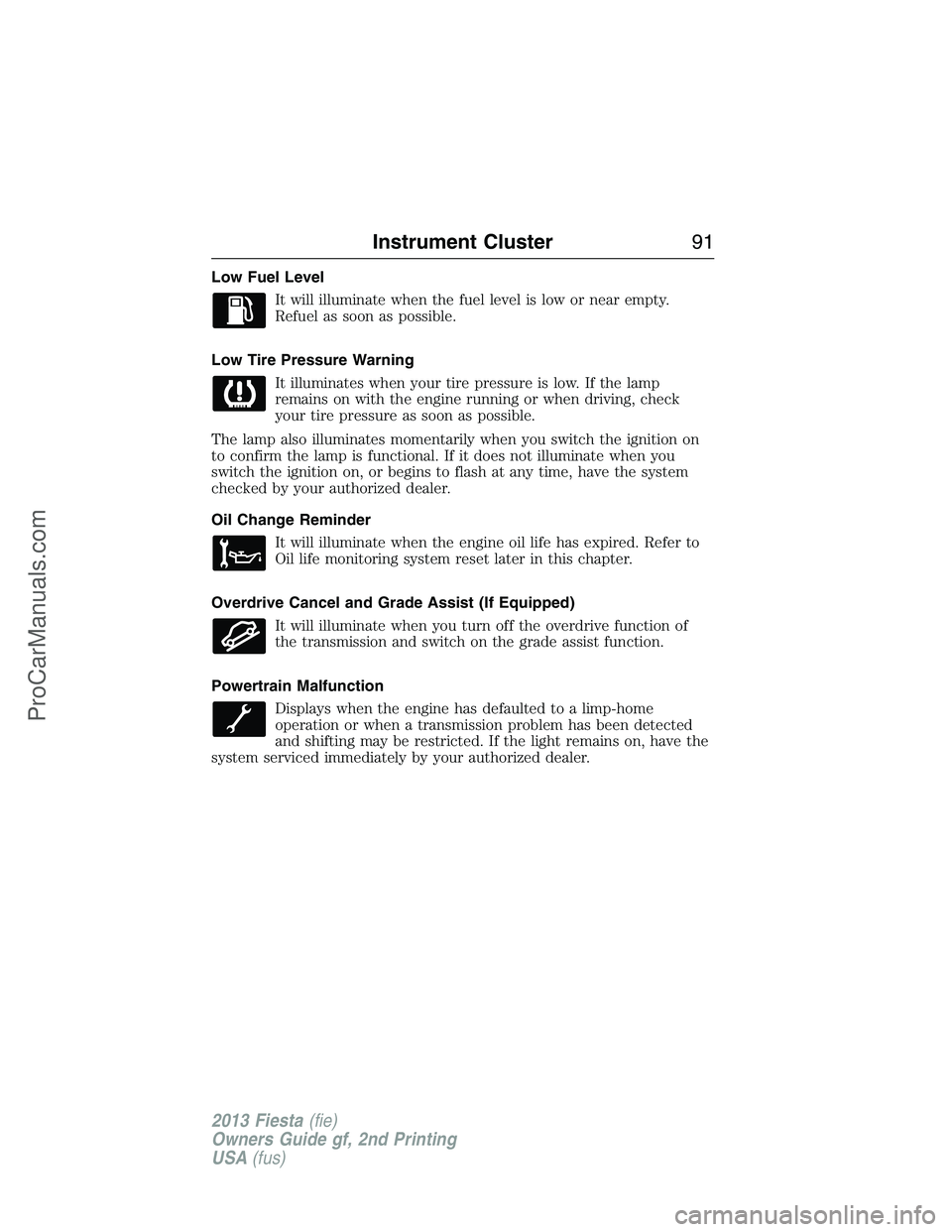
Low Fuel Level
It will illuminate when the fuel level is low or near empty.
Refuel as soon as possible.
Low Tire Pressure Warning
It illuminates when your tire pressure is low. If the lamp
remains on with the engine running or when driving, check
your tire pressure as soon as possible.
The lamp also illuminates momentarily when you switch the ignition on
to confirm the lamp is functional. If it does not illuminate when you
switch the ignition on, or begins to flash at any time, have the system
checked by your authorized dealer.
Oil Change Reminder
It will illuminate when the engine oil life has expired. Refer to
Oil life monitoring system reset later in this chapter.
Overdrive Cancel and Grade Assist (If Equipped)
It will illuminate when you turn off the overdrive function of
the transmission and switch on the grade assist function.
Powertrain Malfunction
Displays when the engine has defaulted to a limp-home
operation or when a transmission problem has been detected
and shifting may be restricted. If the light remains on, have the
system serviced immediately by your authorized dealer.
Instrument Cluster91
2013 Fiesta(fie)
Owners Guide gf, 2nd Printing
USA(fus)
ProCarManuals.com
Page 96 of 346
Menu
Display Units of measure
Language
Messages
Compass
(if equipped)If your vehicle is equipped with SYNC®, the
compass heading is displayed to the left of the clock
in the upper portion of the multifunction display.
Trip Computer (if equipped)
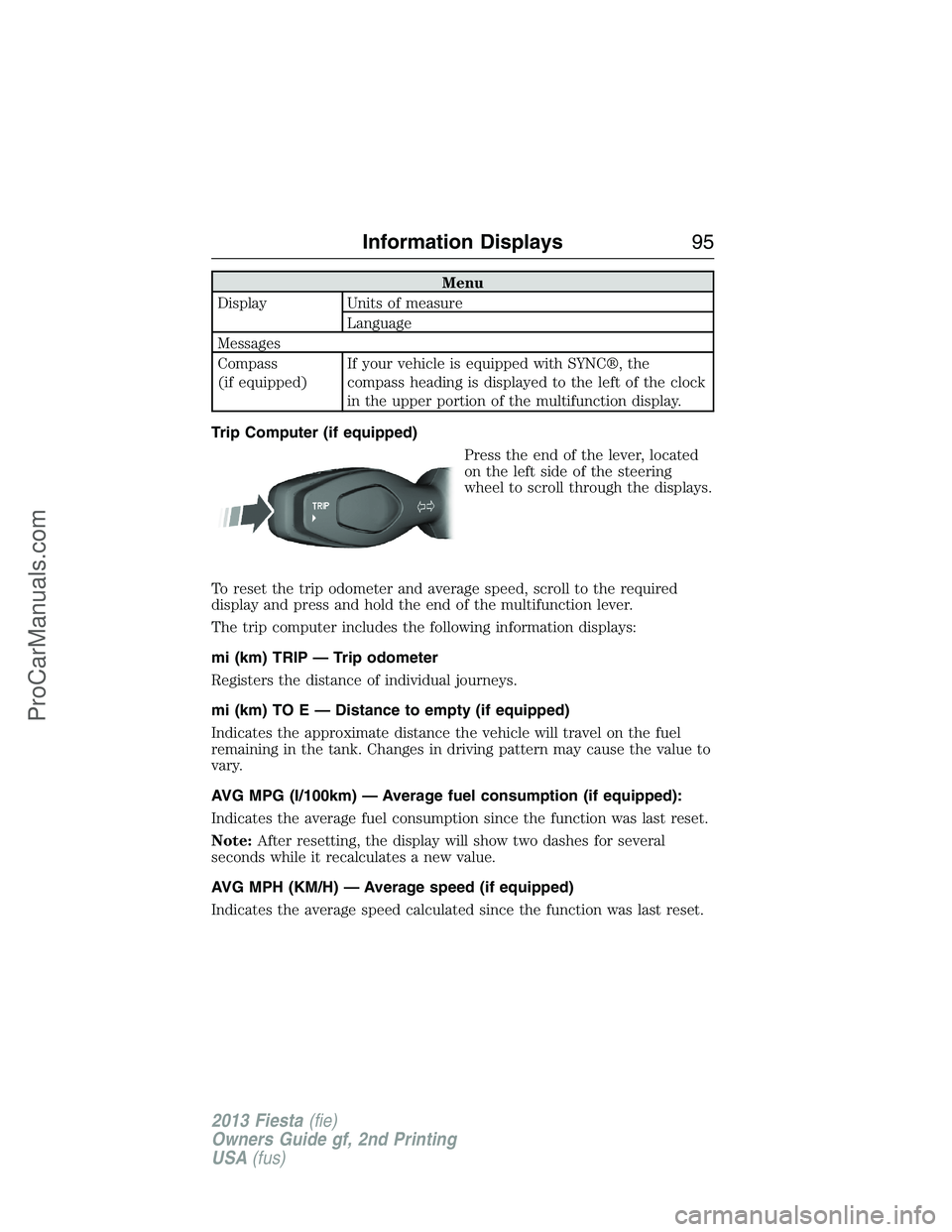
Press the end of the lever, located
on the left side of the steering
wheel to scroll through the displays.
To reset the trip odometer and average speed, scroll to the required
display and press and hold the end of the multifunction lever.
The trip computer includes the following information displays:
mi (km) TRIP — Trip odometer
Registers the distance of individual journeys.
mi (km) TO E — Distance to empty (if equipped)
Indicates the approximate distance the vehicle will travel on the fuel
remaining in the tank. Changes in driving pattern may cause the value to
vary.
AVG MPG (l/100km) — Average fuel consumption (if equipped):
Indicates the average fuel consumption since the function was last reset.
Note:After resetting, the display will show two dashes for several
seconds while it recalculates a new value.
AVG MPH (KM/H) — Average speed (if equipped)
Indicates the average speed calculated since the function was last reset.
Information Displays95
2013 Fiesta(fie)
Owners Guide gf, 2nd Printing
USA(fus)
ProCarManuals.com
Page 99 of 346
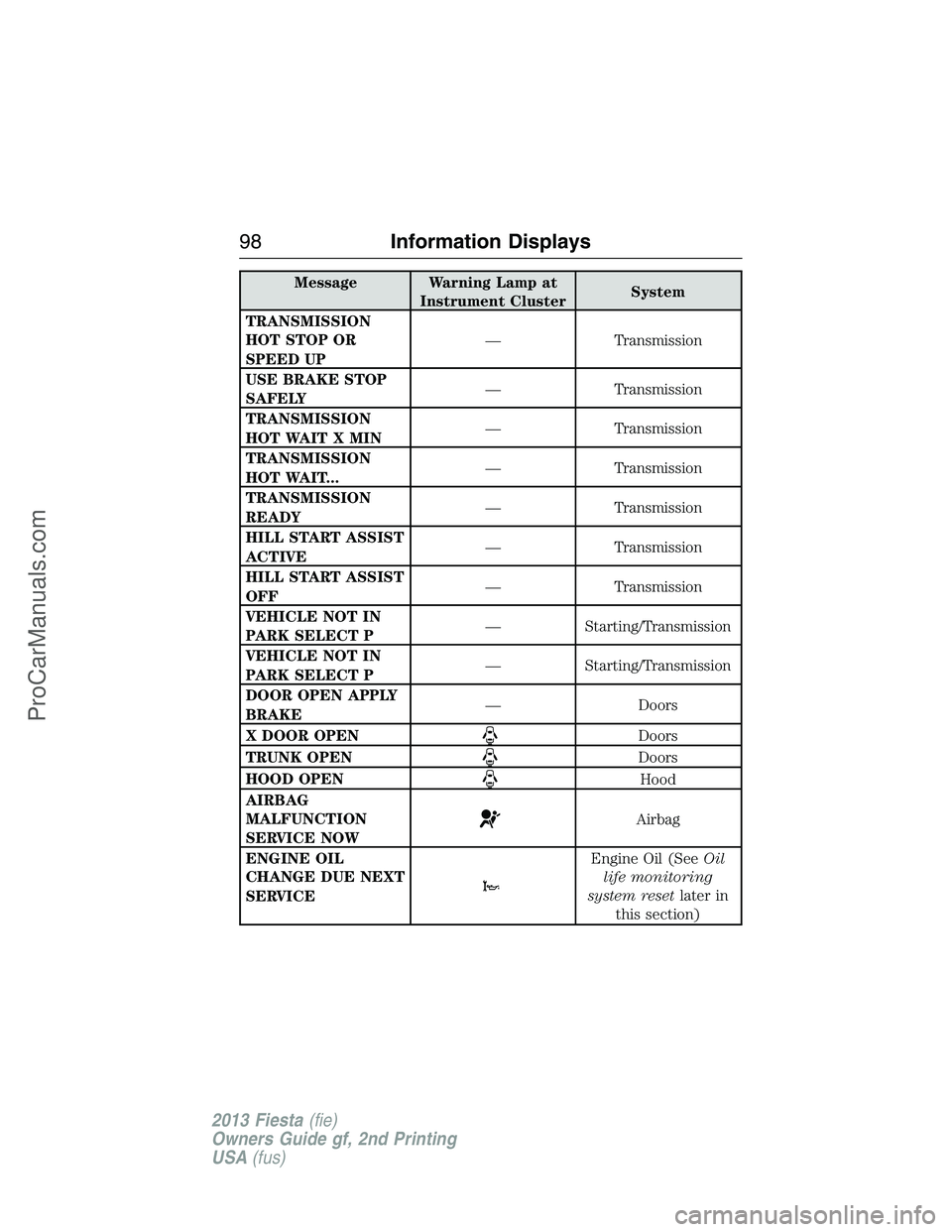
Message Warning Lamp at
Instrument ClusterSystem
TRANSMISSION
HOT STOP OR
SPEED UP— Transmission
USE BRAKE STOP
SAFELY— Transmission
TRANSMISSION
HOT WAIT X MIN— Transmission
TRANSMISSION
HOT WAIT...— Transmission
TRANSMISSION
READY— Transmission
HILL START ASSIST
ACTIVE— Transmission
HILL START ASSIST
OFF— Transmission
VEHICLE NOT IN
PARK SELECT P— Starting/Transmission
VEHICLE NOT IN
PARK SELECT P— Starting/Transmission
DOOR OPEN APPLY
BRAKE— Doors
X DOOR OPEN
Doors
TRUNK OPEN
Doors
HOOD OPEN
Hood
AIRBAG
MALFUNCTION
SERVICE NOW
Airbag
ENGINE OIL
CHANGE DUE NEXT
SERVICE
Engine Oil (SeeOil
life monitoring
system resetlater in
this section)
98Information Displays
2013 Fiesta(fie)
Owners Guide gf, 2nd Printing
USA(fus)
ProCarManuals.com
Page 100 of 346
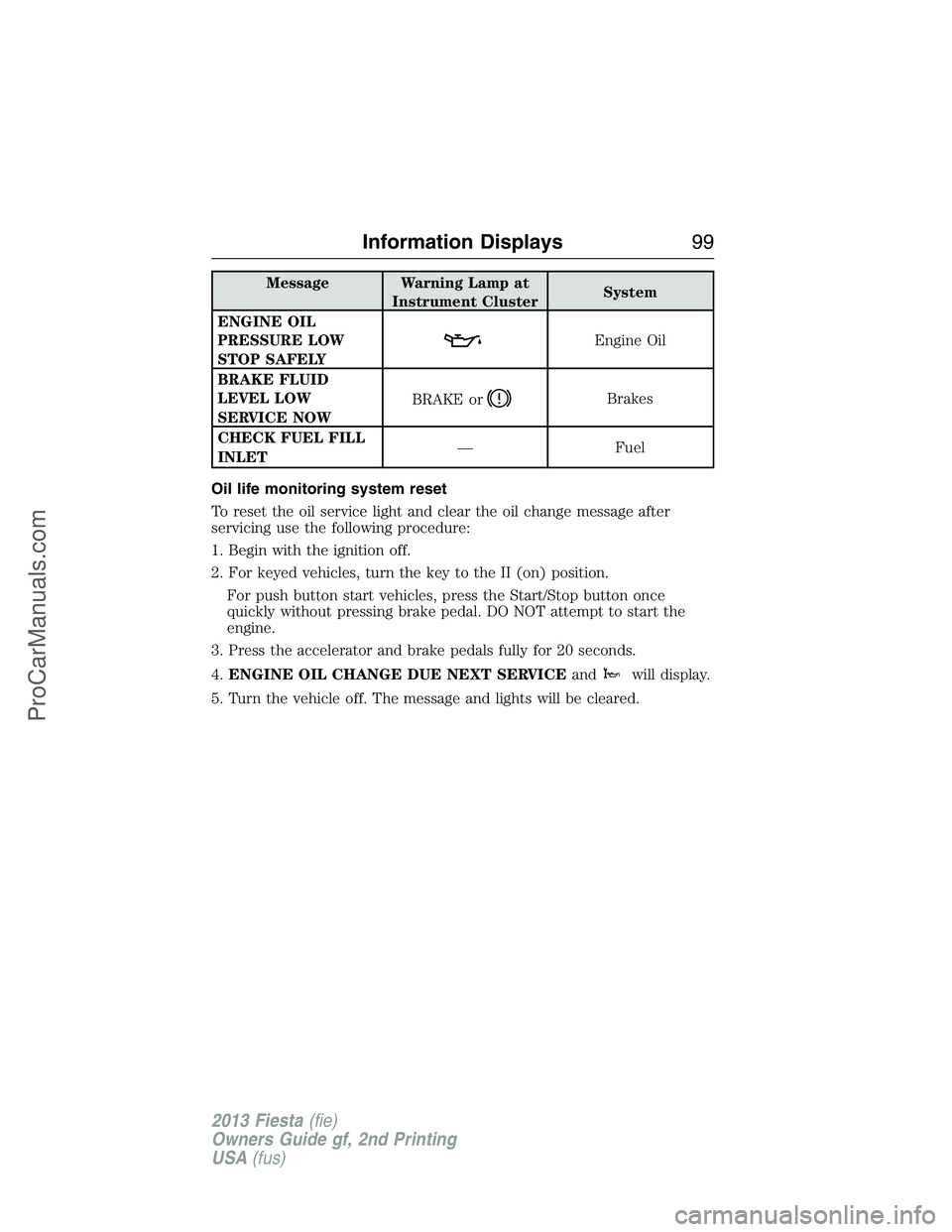
Message Warning Lamp at
Instrument ClusterSystem
ENGINE OIL
PRESSURE LOW
STOP SAFELY
Engine Oil
BRAKE FLUID
LEVEL LOW
SERVICE NOWBRAKE or
Brakes
CHECK FUEL FILL
INLET— Fuel
Oil life monitoring system reset
To reset the oil service light and clear the oil change message after
servicing use the following procedure:
1. Begin with the ignition off.
2. For keyed vehicles, turn the key to the II (on) position.
For push button start vehicles, press the Start/Stop button once
quickly without pressing brake pedal. DO NOT attempt to start the
engine.
3. Press the accelerator and brake pedals fully for 20 seconds.
4.ENGINE OIL CHANGE DUE NEXT SERVICEand
will display.
5. Turn the vehicle off. The message and lights will be cleared.
Information Displays99
2013 Fiesta(fie)
Owners Guide gf, 2nd Printing
USA(fus)
ProCarManuals.com
Page 104 of 346
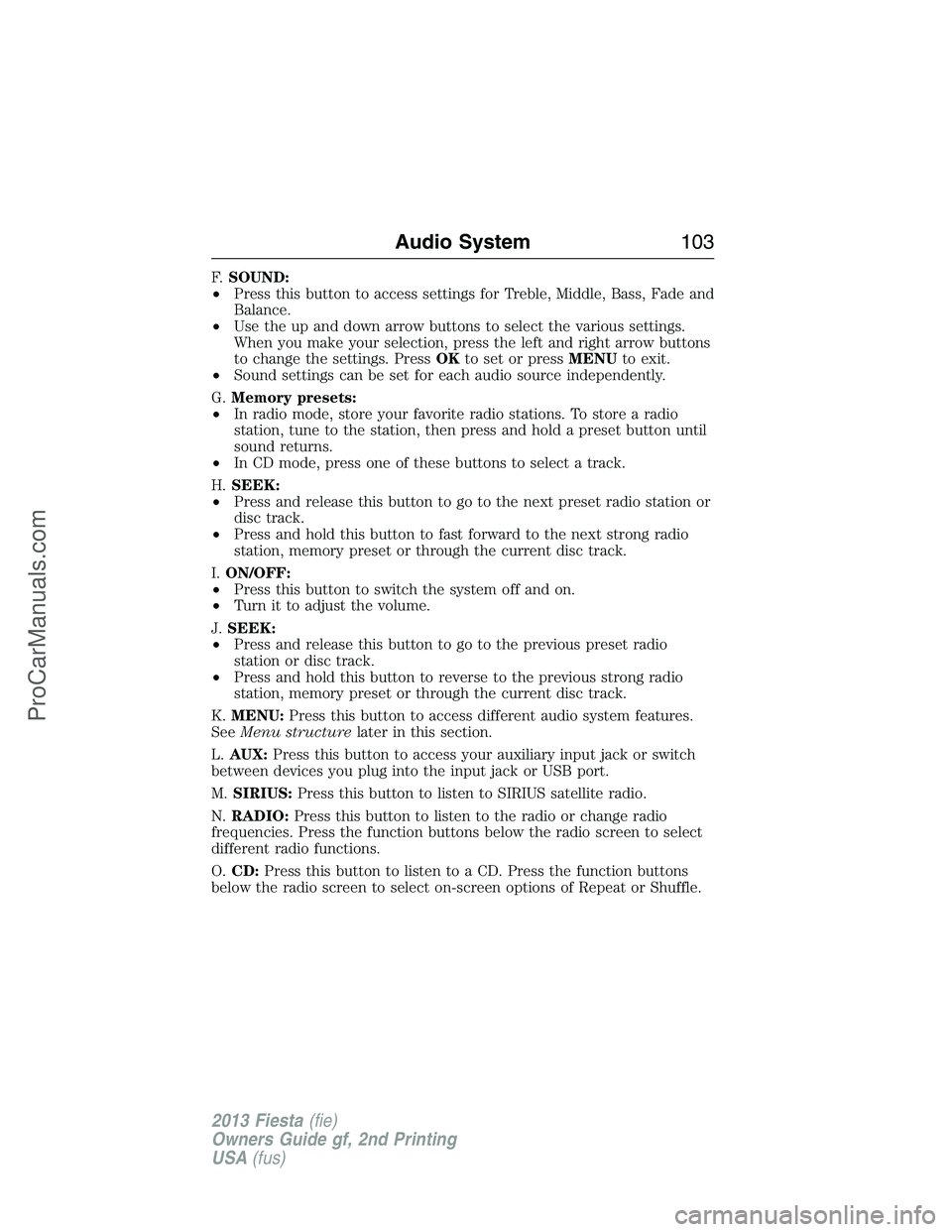
F.SOUND:
•Press this button to access settings for Treble, Middle, Bass, Fade and
Balance.
•Use the up and down arrow buttons to select the various settings.
When you make your selection, press the left and right arrow buttons
to change the settings. PressOKto set or pressMENUto exit.
•Sound settings can be set for each audio source independently.
G.Memory presets:
•In radio mode, store your favorite radio stations. To store a radio
station, tune to the station, then press and hold a preset button until
sound returns.
•In CD mode, press one of these buttons to select a track.
H.SEEK:
•Press and release this button to go to the next preset radio station or
disc track.
•Press and hold this button to fast forward to the next strong radio
station, memory preset or through the current disc track.
I.ON/OFF:
•Press this button to switch the system off and on.
•Turn it to adjust the volume.
J.SEEK:
•Press and release this button to go to the previous preset radio
station or disc track.
•Press and hold this button to reverse to the previous strong radio
station, memory preset or through the current disc track.
K.MENU:Press this button to access different audio system features.
SeeMenu structurelater in this section.
L.AUX:Press this button to access your auxiliary input jack or switch
between devices you plug into the input jack or USB port.
M.SIRIUS:Press this button to listen to SIRIUS satellite radio.
N.RADIO:Press this button to listen to the radio or change radio
frequencies. Press the function buttons below the radio screen to select
different radio functions.
O.CD:Press this button to listen to a CD. Press the function buttons
below the radio screen to select on-screen options of Repeat or Shuffle.
Audio System103
2013 Fiesta(fie)
Owners Guide gf, 2nd Printing
USA(fus)
ProCarManuals.com