light FORD FIESTA 2014 6.G Repair Manual
[x] Cancel search | Manufacturer: FORD, Model Year: 2014, Model line: FIESTA, Model: FORD FIESTA 2014 6.GPages: 396, PDF Size: 5.58 MB
Page 245 of 396
GENERAL INFORMATION
Radio Frequencies and Reception Factors
Radio reception factors
The further you travel away from an FM station, the weaker
the signal and the weaker the reception.
Distance and Strength
Hills, mountains, tall buildings, bridges, tunnels, freeway
overpasses, parking garages, dense tree foliage and
thunderstorms can interfere with the reception.
Terrain
When you pass near a radio transmission tower, a stronger
signal can override a weaker signal and can cause interfer-
ence in the audio system.
Station overload
CD and CD Player Information
Note: CD units play commercially pressed
4.75-inch (12 centimeter) audio compact
discs only. Due to technical incompatibility,
certain recordable and re-recordable
compact discs may not function correctly
when used in Ford CD players.
Note: Do not insert CDs with homemade
paper (adhesive) labels into the CD player
as the label may peel and cause the CD to
become jammed. You should use a
permanent felt tip marker rather than
adhesive labels on your homemade CDs.
Ballpoint pens may damage CDs. Please
contact an authorized dealer for further
information.
Note: Do not use any irregularly shaped
discs or discs with a scratch protection film
attached.
Always handle discs by their edges only.
Clean the disc with an approved CD
cleaner only. Wipe it from the center of the
disc toward the edge. Do not clean in a
circular motion.
Do not expose discs to direct sunlight or
heat sources for extended periods. MP3 and WMA Track and Folder
Structure
Audio systems capable of recognizing and
playing MP3 and WMA individual tracks
and folder structures work as follows:
•
There are two different modes for MP3
and WMA disc playback: MP3 and
WMA track mode (system default) and
MP3 and WMA folder mode.
• MP3 and WMA track mode ignores any
folder structure on the MP3 and WMA
disc. The player numbers each MP3
and WMA track on the disc (noted by
the .mp3 or .WMA file extension) from
T001 to a maximum of T255. The
maximum number of playable MP3 and
WMA files may be less depending on
the structure of the CD and exact
model of radio present.
242
Fiesta (CCT) Audio System
Page 250 of 396
When selected, the unit continually
evaluates signal strength and if a better
signal becomes available, the unit will
switch to that alternative. It mutes while
it checks a list of alternative frequencies
and if necessary, it will search once across
the selected waveband for a genuine
alternative frequency.
It will restore radio reception when it finds
one or if one is not found, the unit will
return to the original stored frequency.
When selected,
AF will be shown in the
display.
1. Press the
MENU button.
2. Select
Audio Settings.
3. Scroll to
Alternat. freq. or Alt.
Frequency and turn on or off with the
OK button.
4. Press the
MENU button to return.
Regional Mode
Regional mode controls the behavior of
alternative frequencies switching between
regionally related networks of a parent
broadcaster. A broadcaster may run a fairly
large network across a large part of the
country. At various times of the day this
large network may be broken down into a
number of smaller regional networks,
typically centered on major towns or cities.
When the network is not split into regional
variants, the whole network carries the
same programming.
Regional mode ON: This prevents random
alternative frequency switches when
neighboring regional networks are not
carrying the same programming. Regional mode OFF: This allows a larger
coverage area if neighboring regional
networks are carrying the same
programming, but can cause random
alternative frequency switches if they are
not.
1. Press the
MENU button.
2. Select
Audio Settings.
3. Scroll to
RDS regional and turn on or
off with the OK button.
4. Press the
MENU button to return.
AUDIO UNIT - VEHICLES WITH:
AM/FM/CD/SYNC WARNING
Driving while distracted can result in
loss of vehicle control, crash and
injury. We strongly recommend that
you use extreme caution when using any
device that may take your focus off the
road. Your primary responsibility is the safe
operation of your vehicle. We recommend
against the use of any handheld device
while driving and encourage the use of
voice-operated systems when possible.
Make sure you are aware of all applicable
local laws that may affect the use of
electronic devices while driving. Note:
An integrated multi function display
is situated above the unit. This shows
important information regarding control of
your system. Additionally, there are various
icons placed around the display screen
which light up when a function is active (for
example CD, Radio or Aux).
247
Fiesta (CCT) Audio System
Page 305 of 396
From this screen, you can also make other
adjustments such as 12-hour or 24-hour
mode, activate GPS time synchronization
and have the system automatically update
new time zones.
You can also turn the outside air
temperature display off and on. It appears
at the top center of the touchscreen, next
to the time and date.
The system automatically saves any
updates you make to the settings.
Display
You can adjust the touchscreen display
through the touchscreen or by pressing the
voice button on the steering wheel controls
and when prompted, say, "Display
settings".
To make adjustments using the
touchscreen, press:
1. Settings icon.
2. Display
.
Then select from the following:
• Brightness
allows you to make the
screen display brighter or dimmer.
• Mode
allows you to set the screen to
a certain brightness or have the system
automatically change based on the
outside light level.
• If you select
AUTO or NIGHT, you
have the options of turning the
display's Auto Dim feature on or off
and changing the Auto Dim Manual
Offset feature.
• Edit Wallpaper
allows you to display
the default photo or upload your own. Uploading Photos for Your Home
Screen Wallpaper
Note:
You cannot load photos directly from
your camera. You must access the photos
either from your USB mass storage device
or from an SD card.
Note: Photographs with extremely large
dimensions (such as 2048 x 1536) may not
be compatible and appear as a blank
(black) image on the display.
Your system allows you to upload and view
up to 32 photos. To access, press:
1. Settings
icon.
2. Display
.
3. Edit Wallpaper
.
4. follow the system prompts to upload your photographs.
Only the photograph(s), which meets the
following conditions, display:
• Compatible file formats are as follows:
.jpg, .gif, .png, .bmp
• Each file must be 1.5 MB or less.
• Recommended dimensions: 800 x 384
Sound To make adjustments using the
touchscreen, press:
1. Settings
icon.
2. Sound
.
Then select from the following:
• Bass
• Midrange
• Treble
• Set Balance and Fade
• Occupancy Mode
302
Fiesta (CCT) MyFord Touch
™
(If Equipped)E142607 E142607 E142607
Page 316 of 396
Memory Presets
Save a station by pressing and holding one
of the memory preset areas. There is a brief
mute while the radio saves the station.
Sound returns when finished.
HD Radio
Touch this button to turn HD Radio on. The
light on the button illuminates when the
feature is on. HD Radio allows you to
receive radio broadcasts digitally, where
available, providing free, crystal-clear
sound. See HD Radio information later in
this chapter.
Scan
Touch this button to go to the next strong
AM or FM radio station. The light on the
button illuminates when the feature is on.
Options
Sound Settings
Touch this button to adjust settings for:
•
Bass
• Midrange
• Treble
• Balance and Fade
• DSP (Digital Signal processing)
• Occupancy Mode
• Speed Compensated Volume.
Note: Your vehicle may not have all these
sound settings.
Set PTY for Seek/Scan
This allows you to select a category of
music you would like to search for. You can
then choose to either seek or scan for the
stations playing that category.
RDS Text Display
This allows you to view the information
broadcast by FM stations. AST
AST (Autostore) allows you to have the
system automatically store the six
strongest stations in your current location.
TAG Button
This feature is available when HD Radio is
on, and allows you to tag a song to
download later. When you select On,
TAG
appears on-screen when HD Radio is
active. You can touch TAG to save the
information of the song that is playing.
When you plug in your portable music
player, the information transfers, if
supported by your device. When you are
connected to iTunes®, the tags appear to
remind you of the songs you would like to
download. See HD Radio information later
in this chapter.
Direct Tune
Touch this button to enter the desired
station number when prompted. Touch
Enter
when you are done.
HD Radio ™ Information (If Available)
Note: HD Radio broadcasts are not
available in all markets.
HD Radio technology is the digital
evolution of analog AM/FM radio. Your
system has a special receiver that allows
it to receive digital broadcasts (where
available) in addition to the analog
broadcasts, it already receives. Digital
broadcasts provide a better sound quality
than analog broadcasts with free,
crystal-clear audio and no static or
distortion. For more information, and a
guide to available stations and
programming, please visit
www.hdradio.com.
When HD Radio is on and you tune to a
station broadcasting HD Radio technology,
you may notice the following indicators on
your screen:
313
Fiesta (CCT) MyFord Touch
™
(If Equipped)
Page 317 of 396
The HD Radio logo blinks when acquiring
a digital station and stays solid when
digital audio is playing. When this logo is
available, you may also see Title and Artist
fields on-screen.
The multicast indicator appears in FM
mode (only) if the current station is
broadcasting multiple digital broadcasts.
The highlighted numbers signify available
digital channels where new or different
content is available. HD1 signifies the main
programming status and is available in
analog and digital broadcasts. Other
multicast stations (HD2 through HD7) are
only available digitally.
TAG allows you to save a song to
download later when you are on an
acquired HD Radio station and the feature
is on. To turn the feature on and use it,
press:
1. AM
or FM.
2. Options
.
3. TAG Button
.
4. On
.
5. When you hear a song you like, press TAG
. The system automatically saves the song's
information and transfers it to your
portable music player (if supported) when
you connect it to the system. The system
automatically transfers the tag to your
player (if already connected) and a pop-up
confirms the transfer.
When you access iTunes® with your
portable music player, the tags appear to
you as a reminder. The system allows you
to tag up to approximately 100 songs. For
a list of devices that support tagging, see
www.SYNCMyRide.com,
www.SYNCMyRide.ca or
www.syncmaroute.ca.
When HD Radio broadcasts are active, you
can access the following functions:
•
Scan
allows you to hear a brief
sampling of all available stations. This
feature still works when HD Radio
reception is on, although it does not
scan for HD2-HD7 channels. You may
see the HD logo appear if the station
has a digital broadcast.
• Memory presets
allow you to save an
active channel as a memory preset.
Touch and hold a memory preset slot
until the sound returns. There is a brief
mute while the radio saves the station.
Sound returns when finished. When
switching to an HD2 or HD3 memory
preset, the sound mutes before the
digital audio plays, because the system
has to reacquire the digital signal.
Note: As with any saved radio station, you
cannot access the saved station if your
vehicle is outside the station ’s reception
area.
314
Fiesta (CCT) MyFord Touch
™
(If Equipped)E142616
Page 318 of 396
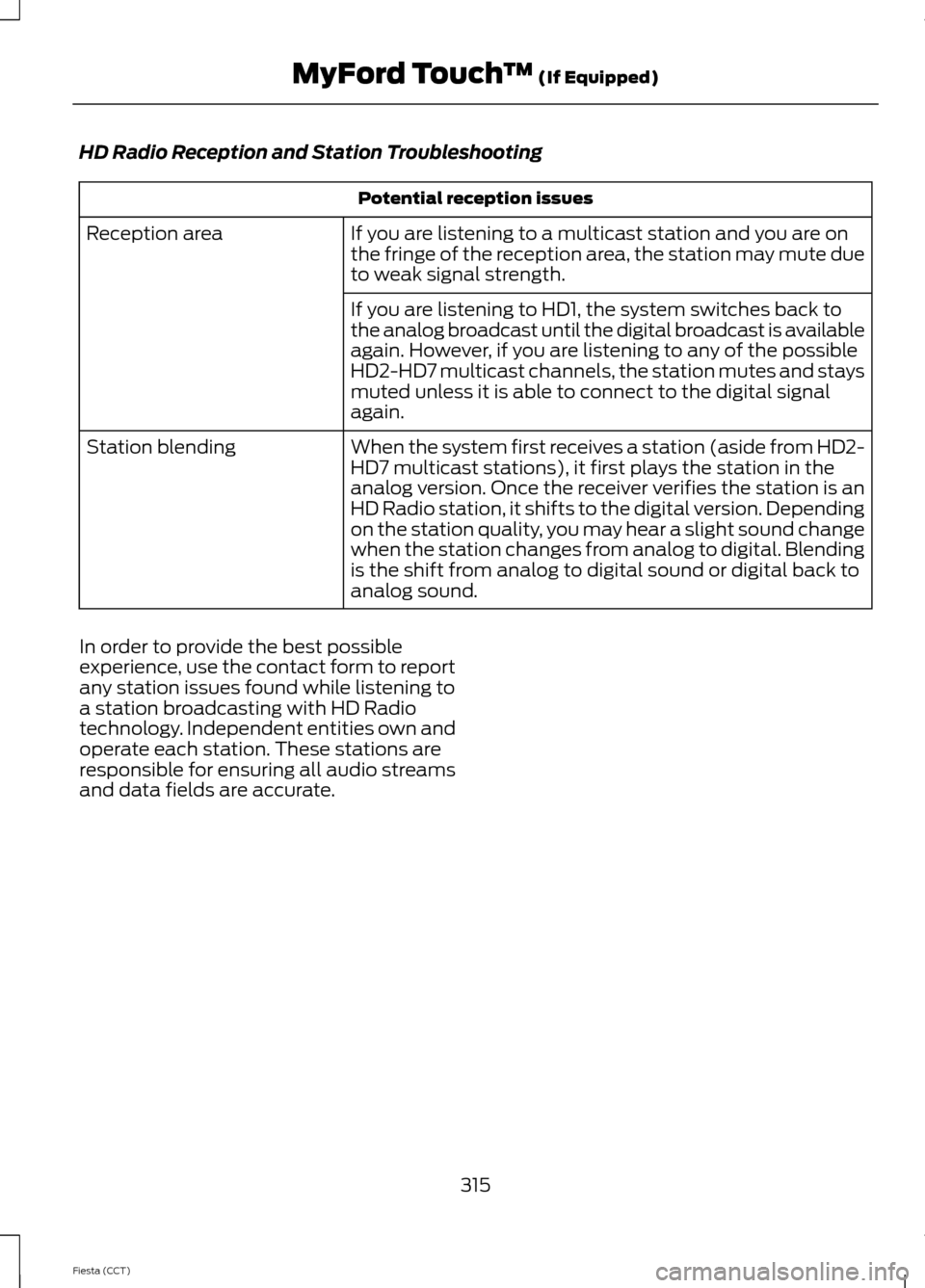
HD Radio Reception and Station Troubleshooting
Potential reception issues
If you are listening to a multicast station and you are on
the fringe of the reception area, the station may mute due
to weak signal strength.
Reception area
If you are listening to HD1, the system switches back to
the analog broadcast until the digital broadcast is available
again. However, if you are listening to any of the possible
HD2-HD7 multicast channels, the station mutes and stays
muted unless it is able to connect to the digital signal
again.
When the system first receives a station (aside from HD2-
HD7 multicast stations), it first plays the station in the
analog version. Once the receiver verifies the station is an
HD Radio station, it shifts to the digital version. Depending
on the station quality, you may hear a slight sound change
when the station changes from analog to digital. Blending
is the shift from analog to digital sound or digital back to
analog sound.
Station blending
In order to provide the best possible
experience, use the contact form to report
any station issues found while listening to
a station broadcasting with HD Radio
technology. Independent entities own and
operate each station. These stations are
responsible for ensuring all audio streams
and data fields are accurate.
315
Fiesta (CCT) MyFord Touch
™ (If Equipped)
Page 347 of 396
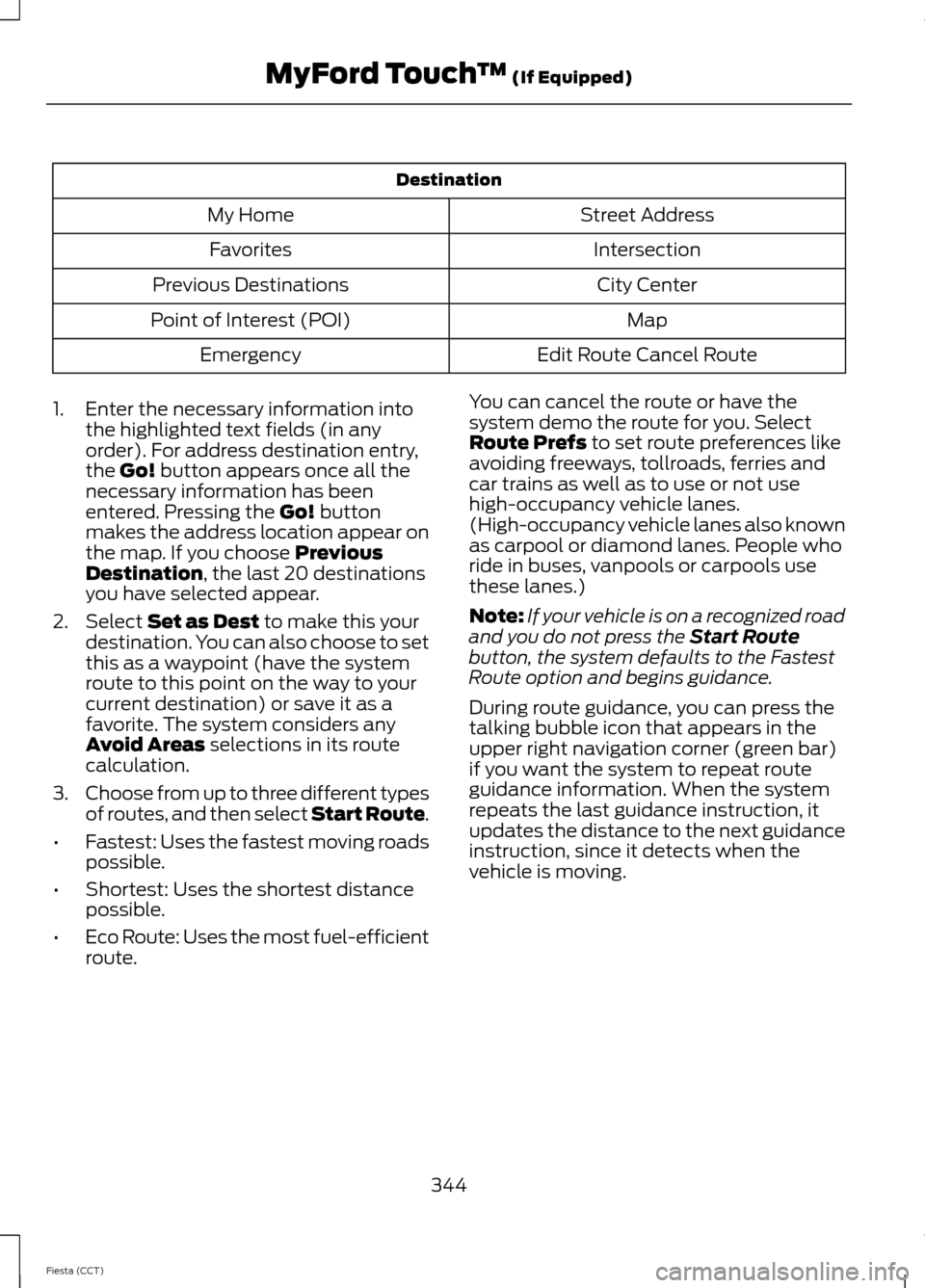
Destination
Street Address
My Home
Intersection
Favorites
City Center
Previous Destinations
Map
Point of Interest (POI)
Edit Route Cancel Route
Emergency
1. Enter the necessary information into the highlighted text fields (in any
order). For address destination entry,
the Go! button appears once all the
necessary information has been
entered. Pressing the
Go! button
makes the address location appear on
the map. If you choose
Previous
Destination, the last 20 destinations
you have selected appear.
2. Select
Set as Dest to make this your
destination. You can also choose to set
this as a waypoint (have the system
route to this point on the way to your
current destination) or save it as a
favorite. The system considers any
Avoid Areas
selections in its route
calculation.
3. Choose from up to three different types
of routes, and then select Start Route.
• Fastest: Uses the fastest moving roads
possible.
• Shortest: Uses the shortest distance
possible.
• Eco Route: Uses the most fuel-efficient
route. You can cancel the route or have the
system demo the route for you. Select
Route Prefs
to set route preferences like
avoiding freeways, tollroads, ferries and
car trains as well as to use or not use
high-occupancy vehicle lanes.
(High-occupancy vehicle lanes also known
as carpool or diamond lanes. People who
ride in buses, vanpools or carpools use
these lanes.)
Note: If your vehicle is on a recognized road
and you do not press the
Start Route
button, the system defaults to the Fastest
Route option and begins guidance.
During route guidance, you can press the
talking bubble icon that appears in the
upper right navigation corner (green bar)
if you want the system to repeat route
guidance information. When the system
repeats the last guidance instruction, it
updates the distance to the next guidance
instruction, since it detects when the
vehicle is moving.
344
Fiesta (CCT) MyFord Touch
™
(If Equipped)
Page 372 of 396
When ENGINE OIL CHANGE DUE or OIL
CHANGE REQUIRED appears in the
information display, it is time for an oil
change. The oil change must be done
within two weeks or 500 miles (800
kilometers) of the message appearing. The
oil minder system must be reset after each
oil change. See
Engine Oil Check (page
182).
If your information display is prematurely
reset or becomes inoperative, you should
perform the oil change interval at six
months or 5000 miles (8000 kilometers)
from your last oil change. Never exceed
one year or 10000 miles (16000
kilometers) between oil change intervals.
Your vehicle is very sophisticated and built
with multiple, complex, performance
systems. Every manufacturer develops
these systems using different
specifications and performance features.
That is why it is important to rely upon your
dealership to properly diagnose and repair
your vehicle.
Ford Motor Company has recommended
maintenance intervals for various parts
and component systems based upon
engineering testing. Ford Motor Company
relies upon this testing to determine the
most appropriate mileage for replacement
of oils and fluids to protect your vehicle at
the lowest overall cost to you and
recommends against maintenance
schedules that deviate from the scheduled
maintenance information.
Ford strongly recommends the use of only
genuine Ford, Motorcraft® or
Ford-authorized re-manufactured
replacement parts because they are
engineered for your vehicle. Additives and Chemicals
Recommended additives and chemicals
are listed in this owner's manual and in the
Ford Workshop Manual. Additional
chemicals or additives not approved by
Ford Motor Company are not
recommended as part of normal
maintenance. Please consult your warranty
information.
Oils, Fluids and Flushing
In many cases, fluid discoloration is a
normal operating characteristic and, by
itself, does not necessarily indicate a
concern or that the fluid needs to be
changed. However, discolored fluids that
also show signs of overheating or foreign
material contamination should be
inspected immediately by a qualified
expert, such as the factory-trained
technicians at your dealership.
Your vehicle
’s oils and fluids should be
changed at the specified intervals or in
conjunction with a repair. Flushing is a
viable way to change fluid for many vehicle
sub-systems during scheduled
maintenance. It is critical that systems are
flushed only with new fluid that is the same
as that required to fill and operate the
system or using a Ford-approved flushing
chemical.
Owner Checks and Services
Certain basic maintenance checks and
inspections should be performed every
month or at six month intervals.
Check Every Month
• Engine oil level.
• Function of all interior and exterior
lights.
• Tires (including spare) for wear and
proper pressure.
• Windshield washer fluid level.
369
Fiesta (CCT) Scheduled Maintenance
Page 386 of 396
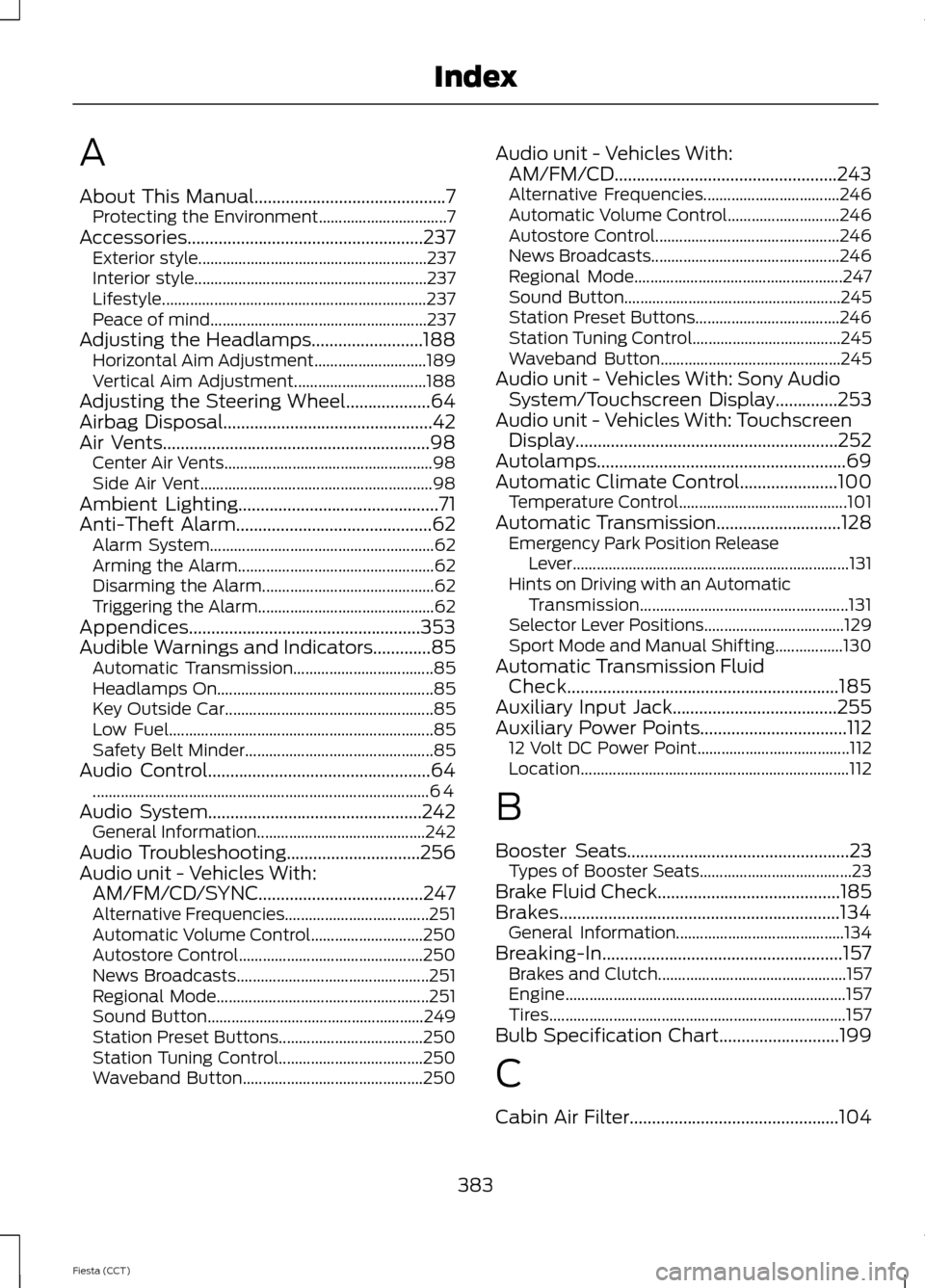
A
About This Manual...........................................7
Protecting the Environment................................ 7
Accessories.....................................................237 Exterior style......................................................... 237
Interior style.......................................................... 237
Lifestyle.................................................................. 237
Peace of mind...................................................... 237
Adjusting the Headlamps.........................188 Horizontal Aim Adjustment............................ 189
Vertical Aim Adjustment................................. 188
Adjusting the Steering Wheel...................64
Airbag Disposal
...............................................42
Air Vents............................................................98 Center Air Vents.................................................... 98
Side Air Vent.......................................................... 98
Ambient Lighting
.............................................71
Anti-Theft Alarm............................................62 Alarm System........................................................ 62
Arming the Alarm................................................. 62
Disarming the Alarm........................................... 62
Triggering the Alarm............................................ 62
Appendices....................................................353
Audible Warnings and Indicators.............85 Automatic Transmission................................... 85
Headlamps On...................................................... 85
Key Outside Car.................................................... 85
Low Fuel.................................................................. 85
Safety Belt Minder............................................... 85
Audio Control..................................................64 ........................................................................\
............ 64
Audio System
................................................242
General Information.......................................... 242
Audio Troubleshooting
..............................256
Audio unit - Vehicles With: AM/FM/CD/SYNC.....................................247
Alternative Frequencies.................................... 251
Automatic Volume Control............................ 250
Autostore Control.............................................. 250
News Broadcasts................................................ 251
Regional Mode..................................................... 251
Sound Button...................................................... 249
Station Preset Buttons.................................... 250
Station Tuning Control.................................... 250
Waveband Button............................................. 250Audio unit - Vehicles With:
AM/FM/CD
..................................................243
Alternative Frequencies.................................. 246
Automatic Volume Control............................ 246
Autostore Control.............................................. 246
News Broadcasts............................................... 246
Regional Mode.................................................... 247
Sound Button...................................................... 245
Station Preset Buttons.................................... 246
Station Tuning Control..................................... 245
Waveband Button............................................. 245
Audio unit - Vehicles With: Sony Audio System/Touchscreen Display
..............253
Audio unit - Vehicles With: Touchscreen Display...........................................................252
Autolamps........................................................69
Automatic Climate Control......................100 Temperature Control.......................................... 101
Automatic Transmission
............................128
Emergency Park Position Release
Lever..................................................................... 131
Hints on Driving with an Automatic Transmission.................................................... 131
Selector Lever Positions................................... 129
Sport Mode and Manual Shifting.................130
Automatic Transmission Fluid Check.............................................................185
Auxiliary Input Jack.....................................255
Auxiliary Power Points.................................112 12 Volt DC Power Point...................................... 112
Location................................................................... 112
B
Booster Seats
..................................................23
Types of Booster Seats...................................... 23
Brake Fluid Check
.........................................185
Brakes...............................................................134 General Information.......................................... 134
Breaking-In......................................................157 Brakes and Clutch............................................... 157
Engine...................................................................... 157
Tires........................................................................\
.. 157
Bulb Specification Chart...........................199
C
Cabin Air Filter...............................................104
383
Fiesta (CCT) Index
Page 387 of 396
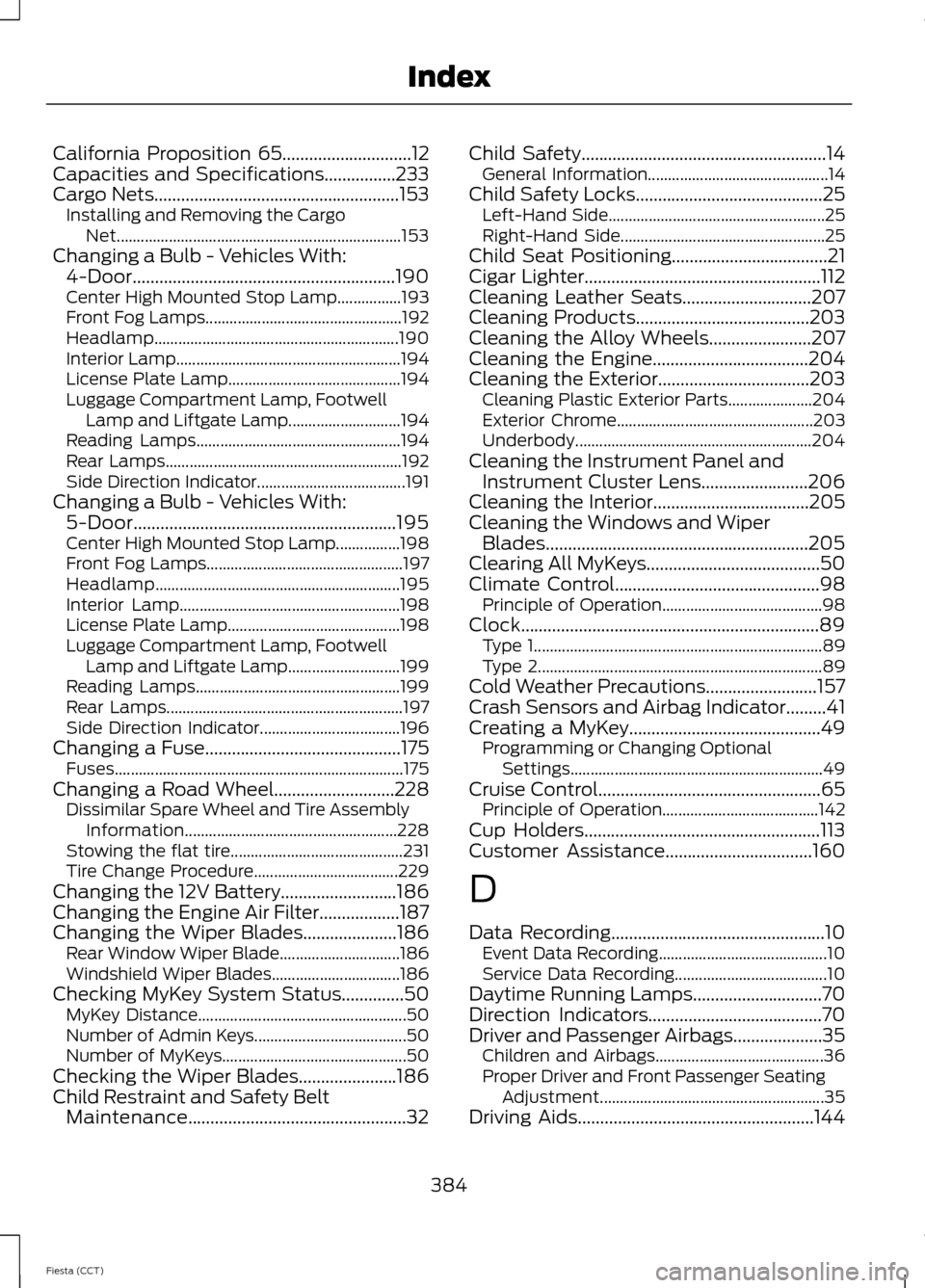
California Proposition 65.............................12
Capacities and Specifications................233
Cargo Nets
.......................................................153
Installing and Removing the Cargo
Net....................................................................... 153
Changing a Bulb - Vehicles With: 4-Door...........................................................190
Center High Mounted Stop Lamp................193
Front Fog Lamps................................................. 192
Headlamp............................................................. 190
Interior Lamp........................................................ 194
License Plate Lamp........................................... 194
Luggage Compartment Lamp, Footwell Lamp and Liftgate Lamp............................ 194
Reading Lamps................................................... 194
Rear Lamps........................................................... 192
Side Direction Indicator..................................... 191
Changing a Bulb - Vehicles With: 5-Door...........................................................195
Center High Mounted Stop Lamp................198
Front Fog Lamps................................................. 197
Headlamp............................................................. 195
Interior Lamp....................................................... 198
License Plate Lamp........................................... 198
Luggage Compartment Lamp, Footwell Lamp and Liftgate Lamp............................ 199
Reading Lamps................................................... 199
Rear Lamps........................................................... 197
Side Direction Indicator................................... 196
Changing a Fuse
............................................175
Fuses........................................................................\
175
Changing a Road Wheel...........................228 Dissimilar Spare Wheel and Tire Assembly
Information
..................................................... 228
Stowing the flat tire........................................... 231
Tire Change Procedure.................................... 229
Changing the 12V Battery..........................186
Changing the Engine Air Filter..................187
Changing the Wiper Blades
.....................186
Rear Window Wiper Blade.............................. 186
Windshield Wiper Blades................................ 186
Checking MyKey System Status..............50 MyKey Distance.................................................... 50
Number of Admin Keys...................................... 50
Number of MyKeys.............................................. 50
Checking the Wiper Blades......................186
Child Restraint and Safety Belt Maintenance.................................................32 Child Safety.......................................................14
General Information............................................. 14
Child Safety Locks
..........................................25
Left-Hand Side...................................................... 25
Right-Hand Side................................................... 25
Child Seat Positioning
...................................21
Cigar Lighter.....................................................112
Cleaning Leather Seats.............................207
Cleaning Products.......................................203
Cleaning the Alloy Wheels.......................207
Cleaning the Engine...................................204
Cleaning the Exterior..................................203 Cleaning Plastic Exterior Parts..................... 204
Exterior Chrome................................................. 203
Underbody........................................................... 204
Cleaning the Instrument Panel and Instrument Cluster Lens........................206
Cleaning the Interior
...................................205
Cleaning the Windows and Wiper Blades...........................................................205
Clearing All MyKeys.......................................50
Climate Control
..............................................98
Principle of Operation........................................ 98
Clock...................................................................89 Type 1........................................................................\
89
Type 2....................................................................... 89
Cold Weather Precautions.........................157
Crash Sensors and Airbag Indicator
.........41
Creating a MyKey...........................................49
Programming or Changing Optional
Settings............................................................... 49
Cruise Control..................................................65 Principle of Operation....................................... 142
Cup Holders.....................................................113
Customer Assistance
.................................160
D
Data Recording
................................................10
Event Data Recording.......................................... 10
Service Data Recording...................................... 10
Daytime Running Lamps.............................70
Direction Indicators
.......................................70
Driver and Passenger Airbags....................35 Children and Airbags.......................................... 36
Proper Driver and Front Passenger Seating Adjustment........................................................ 35
Driving Aids
.....................................................144
384
Fiesta (CCT) Index