warning light FORD FIESTA 2015 6.G User Guide
[x] Cancel search | Manufacturer: FORD, Model Year: 2015, Model line: FIESTA, Model: FORD FIESTA 2015 6.GPages: 423, PDF Size: 4.76 MB
Page 41 of 423
•
Objects lodged underneath the seat
• Objects between the seat cushion and
the center console
• Objects hanging off the seat back
• Objects stowed in the seat back map
pocket
• Objects placed on the occupant's lap
• Cargo interference with the seat
• Other passengers pushing or pulling on
the seat
• Rear passenger feet and knees resting
or pushing on the seat
The conditions listed above may cause the
weight of a properly seated occupant to
be incorrectly interpreted by the front
passenger sensing system. The person in
the front passenger seat may appear
heavier or lighter due to the conditions
described in the list above. Make sure the front passenger
sensing system is operating
properly. See Crash Sensors
and Airbag Indicator (page 41).
If the airbag readiness light is lit, do the
following:
The driver and adult passengers should
check for objects lodged underneath the
front passenger seat, or cargo interfering
with the seat.
If there are lodged objects, or cargo is
interfering with the seat, take the following
steps to remove the obstruction:
• Pull the vehicle over.
• Turn the vehicle off.
• Driver and adult passengers should
check for any objects lodged
underneath the front passenger seat
or cargo interfering with the seat.
• Remove the obstruction(s) (if found).
• Restart the vehicle. •
Wait at least two minutes and verify
that the airbag readiness light is no
longer illuminated.
• If the airbag readiness light remains
illuminated, this may or may not be a
problem due to the front passenger
sensing system.
Do not attempt to repair or service the
system. Take your vehicle immediately to
an authorized dealer.
If it is necessary to modify an advanced
front airbag system to accommodate a
person with disabilities, contact the Ford
Customer Relationship Center. See
Getting the Services You Need
(page
162).
SIDE AIRBAGS WARNINGS
Do not place objects or mount
equipment on or near the airbag
cover, on the side of the seatbacks
(of the front seats), or in front seat areas
that may come into contact with a
deploying airbag. Failure to follow these
instructions may increase the risk of
personal injury in the event of a crash. Do not use accessory seat covers.
The use of accessory seat covers
may prevent the deployment of the
side airbags and increase the risk of injury
in an accident. Do not lean your head on the door.
The side airbag could injure you as it
deploys from the side of the
seatback. Do not attempt to service, repair, or
modify the airbag, its fuses or the
seat cover on a seat containing an
airbag as you could be seriously injured or
killed. Contact your authorized dealer as
soon as possible.
38
Fiesta (CCT), enUSA, Second Printing Supplementary Restraints System
Page 60 of 423
INTERIOR LUGGAGE
COMPARTMENT RELEASE (If
Equipped) WARNINGS
Keep vehicle doors and luggage
compartment locked and keep keys
and remote transmitters out of a
child ’s reach. Unsupervised children could
lock themselves in the trunk and risk injury.
Children should be taught not to play in
vehicles. Do not leave children, unreliable
adults, or animals unattended in the
vehicle. On hot days, the
temperature in the trunk or vehicle interior
can rise very quickly. Exposure of people
or animals to these high temperatures for
even a short time can cause death or
serious heat-related injuries, including brain
damage. Small children are particularly at
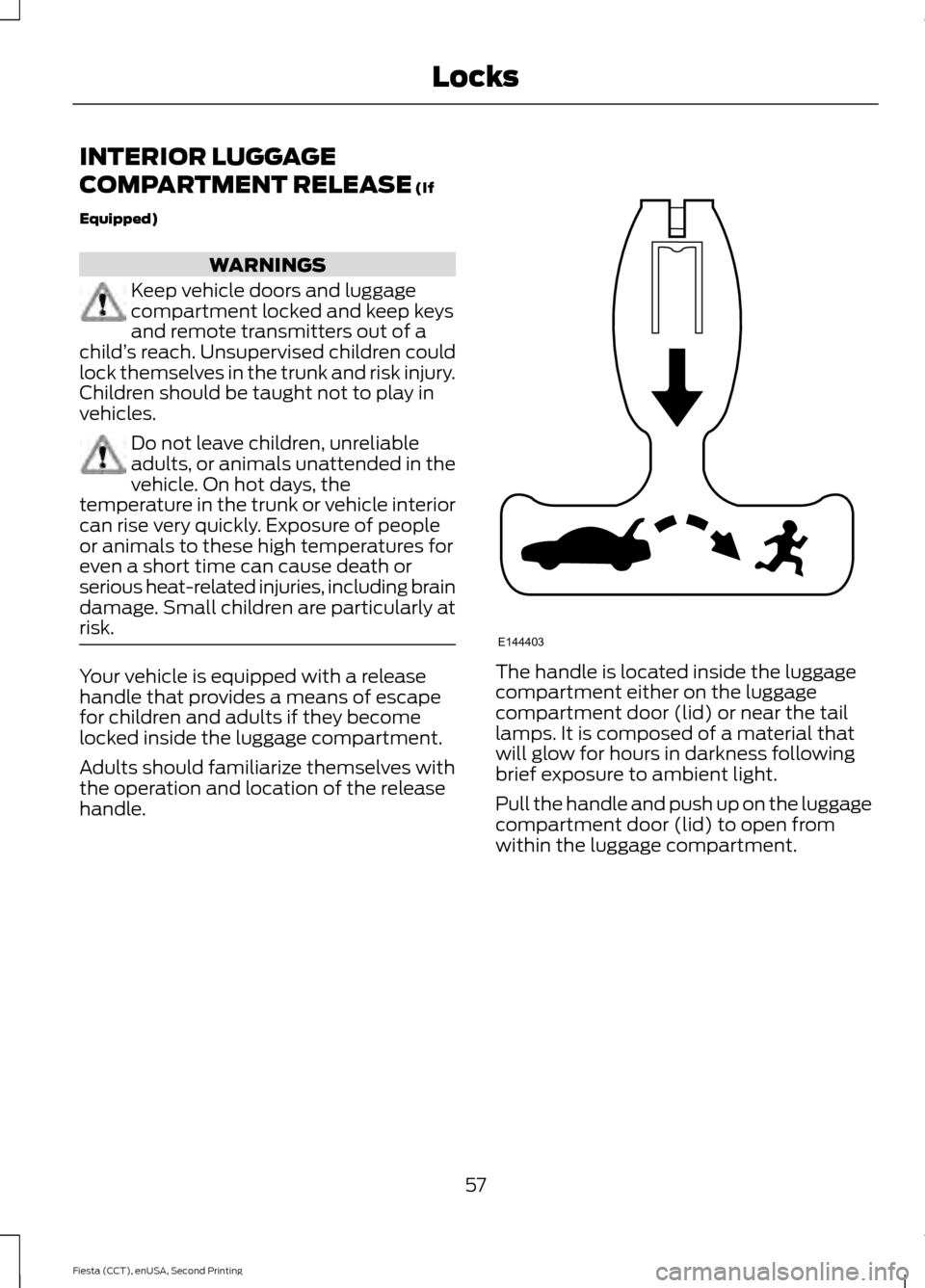
risk. Your vehicle is equipped with a release
handle that provides a means of escape
for children and adults if they become
locked inside the luggage compartment.
Adults should familiarize themselves with
the operation and location of the release
handle. The handle is located inside the luggage
compartment either on the luggage
compartment door (lid) or near the tail
lamps. It is composed of a material that
will glow for hours in darkness following
brief exposure to ambient light.
Pull the handle and push up on the luggage
compartment door (lid) to open from
within the luggage compartment.
57
Fiesta (CCT), enUSA, Second Printing LocksE144403
Page 69 of 423
High Beams
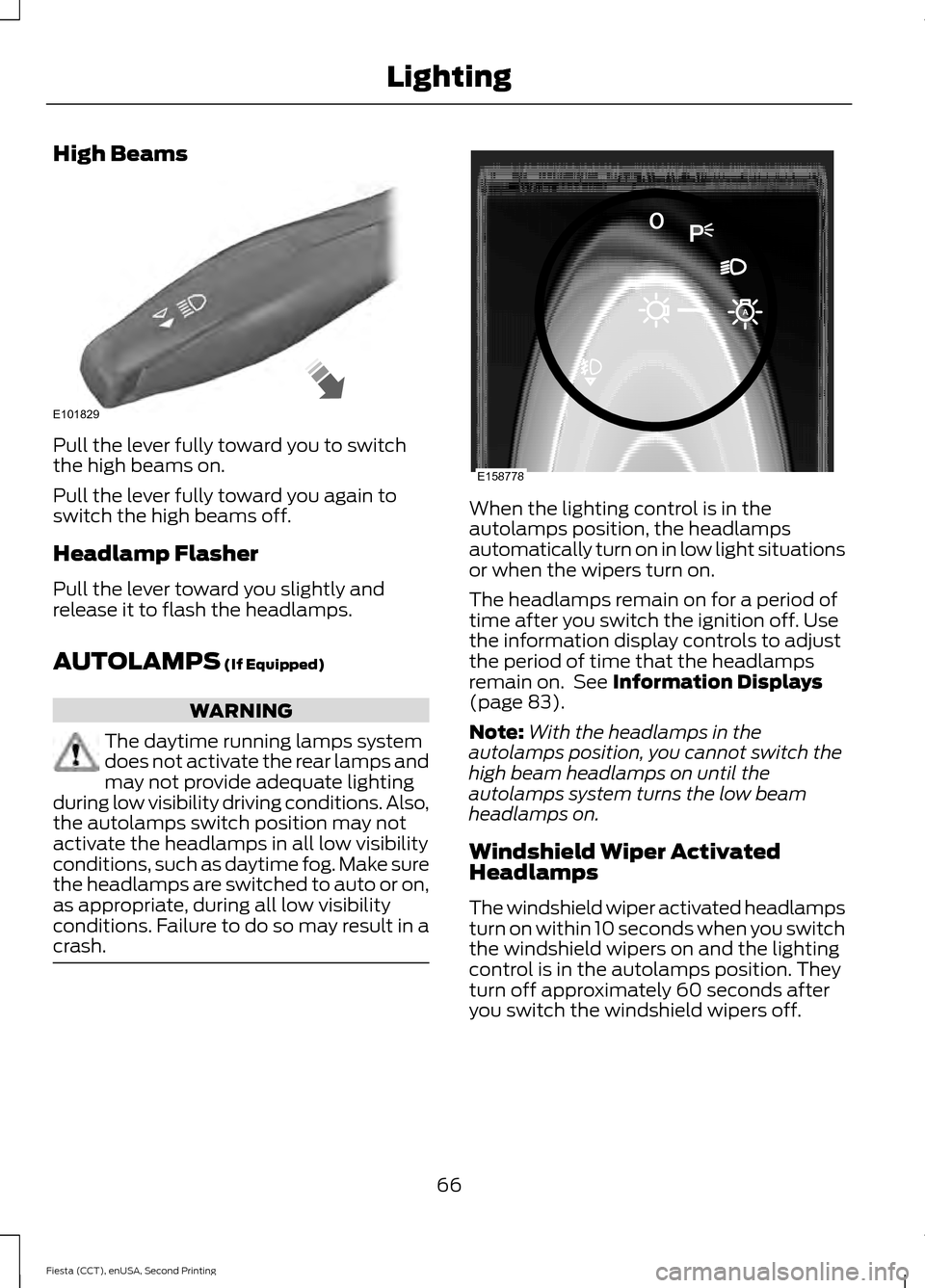
Pull the lever fully toward you to switch
the high beams on.
Pull the lever fully toward you again to
switch the high beams off.
Headlamp Flasher
Pull the lever toward you slightly and
release it to flash the headlamps.
AUTOLAMPS (If Equipped)
WARNING
The daytime running lamps system
does not activate the rear lamps and
may not provide adequate lighting
during low visibility driving conditions. Also,
the autolamps switch position may not
activate the headlamps in all low visibility
conditions, such as daytime fog. Make sure
the headlamps are switched to auto or on,
as appropriate, during all low visibility
conditions. Failure to do so may result in a
crash. When the lighting control is in the
autolamps position, the headlamps
automatically turn on in low light situations
or when the wipers turn on.
The headlamps remain on for a period of
time after you switch the ignition off. Use
the information display controls to adjust
the period of time that the headlamps
remain on. See Information Displays
(page 83).
Note: With the headlamps in the
autolamps position, you cannot switch the
high beam headlamps on until the
autolamps system turns the low beam
headlamps on.
Windshield Wiper Activated
Headlamps
The windshield wiper activated headlamps
turn on within 10 seconds when you switch
the windshield wipers on and the lighting
control is in the autolamps position. They
turn off approximately 60 seconds after
you switch the windshield wipers off.
66
Fiesta (CCT), enUSA, Second Printing LightingE101829 E158778
Page 70 of 423
The headlamps will not turn on by wiper
activation:
•
During a single wipe.
• When the wipers are on to clear washer
fluid during a wash condition.
• If the wipers are in intermittent mode.
Note: If you switch autolamps and
autowipers on, the headlamps will
automatically turn on when the windshield
wipers continuously operate.
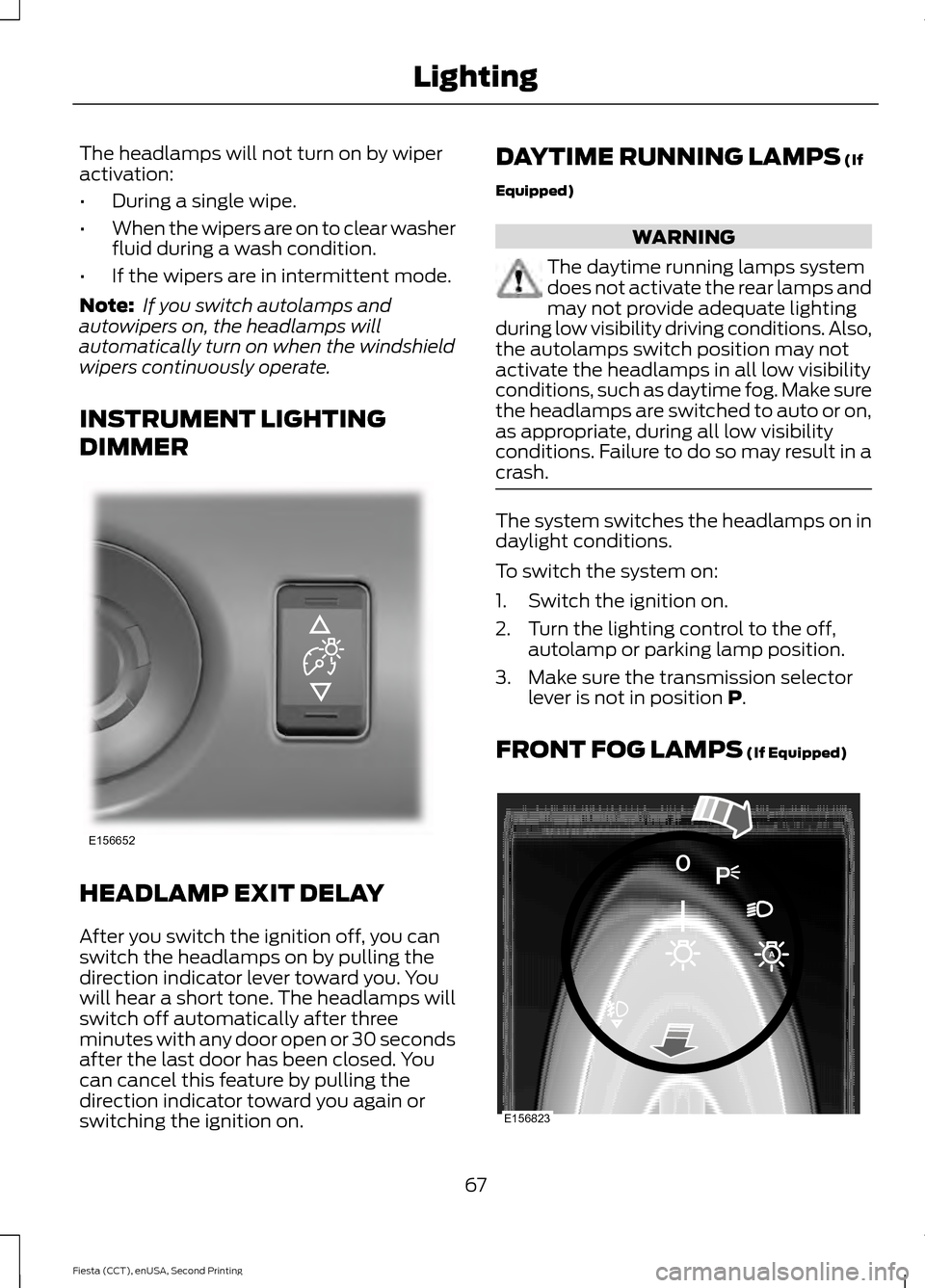
INSTRUMENT LIGHTING
DIMMER HEADLAMP EXIT DELAY
After you switch the ignition off, you can
switch the headlamps on by pulling the
direction indicator lever toward you. You
will hear a short tone. The headlamps will
switch off automatically after three
minutes with any door open or 30 seconds
after the last door has been closed. You
can cancel this feature by pulling the
direction indicator toward you again or
switching the ignition on. DAYTIME RUNNING LAMPS (If
Equipped) WARNING
The daytime running lamps system
does not activate the rear lamps and
may not provide adequate lighting
during low visibility driving conditions. Also,
the autolamps switch position may not
activate the headlamps in all low visibility
conditions, such as daytime fog. Make sure
the headlamps are switched to auto or on,
as appropriate, during all low visibility
conditions. Failure to do so may result in a
crash. The system switches the headlamps on in
daylight conditions.
To switch the system on:
1. Switch the ignition on.
2. Turn the lighting control to the off,
autolamp or parking lamp position.
3. Make sure the transmission selector lever is not in position
P.
FRONT FOG LAMPS
(If Equipped) 67
Fiesta (CCT), enUSA, Second Printing LightingE156652 E156823
Page 73 of 423
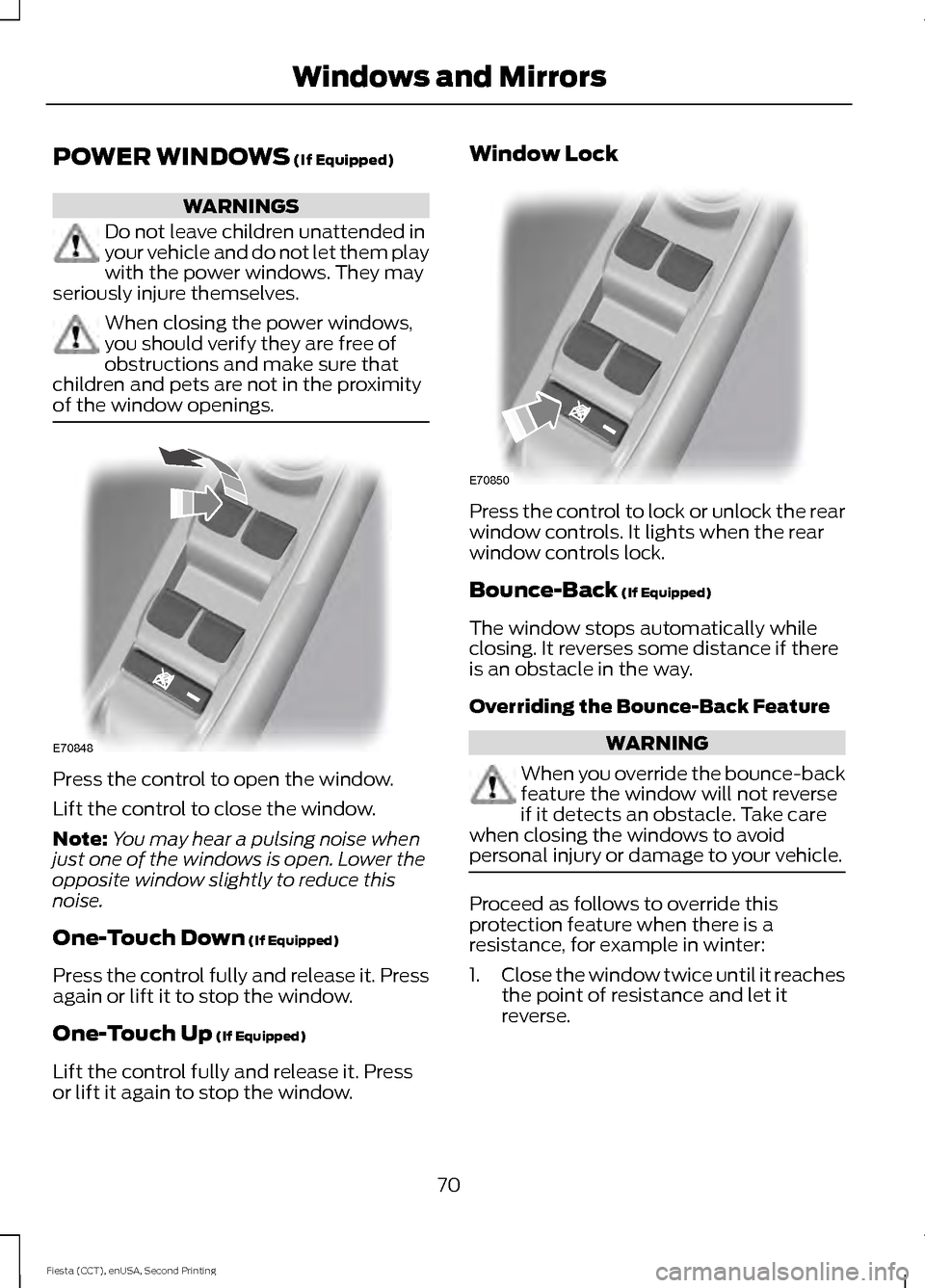
POWER WINDOWS (If Equipped)
WARNINGS
Do not leave children unattended in
your vehicle and do not let them play
with the power windows. They may
seriously injure themselves. When closing the power windows,
you should verify they are free of
obstructions and make sure that
children and pets are not in the proximity
of the window openings. Press the control to open the window.
Lift the control to close the window.
Note:
You may hear a pulsing noise when
just one of the windows is open. Lower the
opposite window slightly to reduce this
noise.
One-Touch Down
(If Equipped)
Press the control fully and release it. Press
again or lift it to stop the window.
One-Touch Up
(If Equipped)
Lift the control fully and release it. Press
or lift it again to stop the window. Window Lock
Press the control to lock or unlock the rear
window controls. It lights when the rear
window controls lock.
Bounce-Back
(If Equipped)
The window stops automatically while
closing. It reverses some distance if there
is an obstacle in the way.
Overriding the Bounce-Back Feature WARNING
When you override the bounce-back
feature the window will not reverse
if it detects an obstacle. Take care
when closing the windows to avoid
personal injury or damage to your vehicle. Proceed as follows to override this
protection feature when there is a
resistance, for example in winter:
1.
Close the window twice until it reaches
the point of resistance and let it
reverse.
70
Fiesta (CCT), enUSA, Second Printing Windows and MirrorsE70848 E70850
Page 77 of 423
Note:
Do not clean the housing or glass of
any mirror with harsh abrasives, fuel or other
petroleum or ammonia-based cleaning
products.
You can adjust the interior mirror to your
preference. Some mirrors also have a
second pivot point. This lets you move the
mirror head up or down and from side to
side.
Pull the tab below the mirror toward you
to reduce glare at night.
Auto-Dimming Mirror (If Equipped)
Note: Do not block the sensors on the front
and back of the mirror. Mirror performance
may be affected. A rear center passenger or
raised rear center head restraint may also
block light from reaching the sensor.
The mirror will dim automatically to reduce
glare when bright lights are detected from
behind your vehicle. It will automatically
return to normal reflection when you select
reverse gear to make sure you have a clear
view when backing up.
MOONROOF
(If Equipped) WARNINGS
Do not let children play with the
moonroof or leave them unattended
in the vehicle. They may seriously
hurt themselves. When closing the moonroof, you
should verify that it is free of
obstructions and make sure that
children and pets are not in the proximity
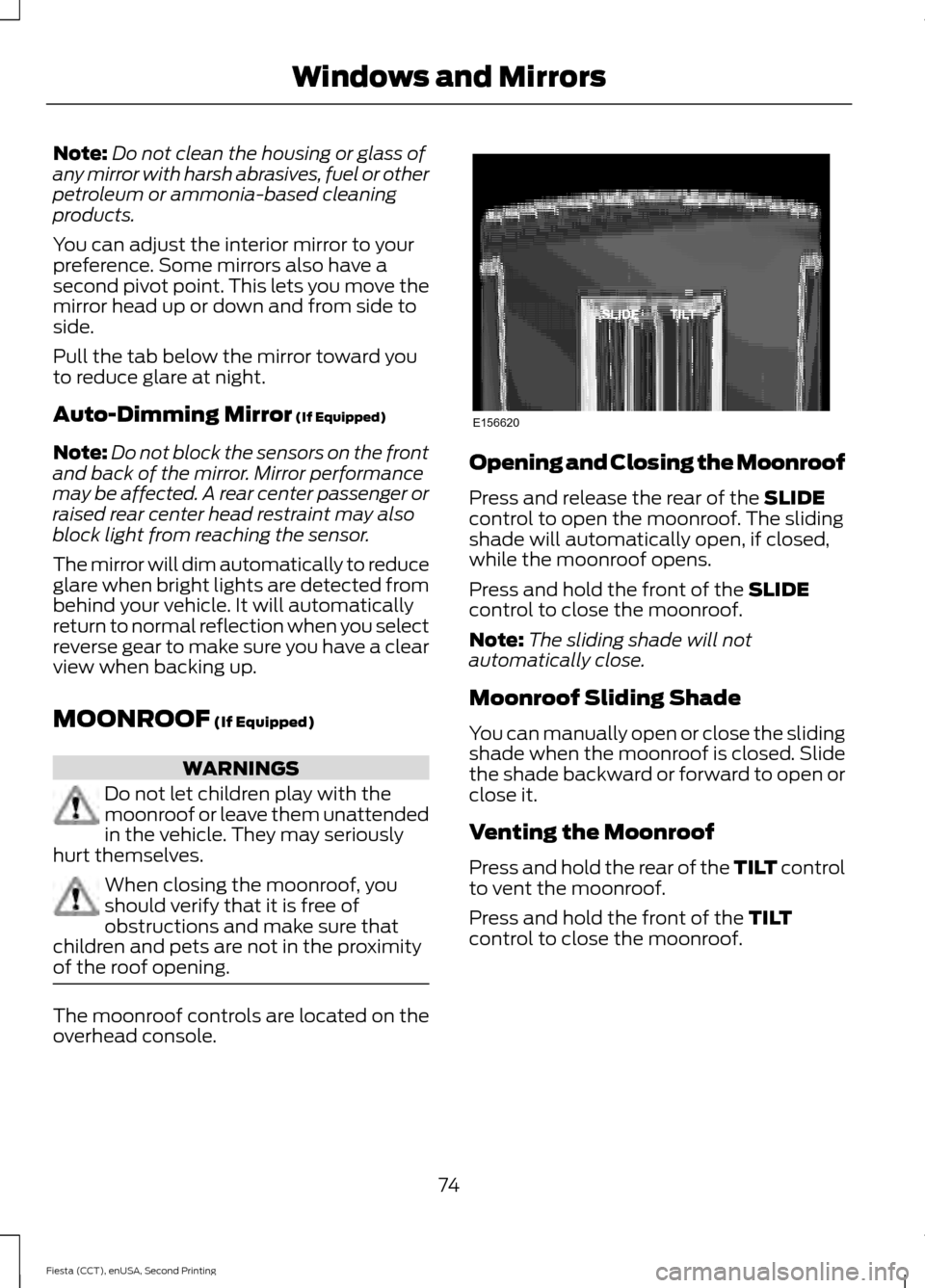
of the roof opening. The moonroof controls are located on the
overhead console. Opening and Closing the Moonroof
Press and release the rear of the
SLIDE
control to open the moonroof. The sliding
shade will automatically open, if closed,
while the moonroof opens.
Press and hold the front of the
SLIDE
control to close the moonroof.
Note: The sliding shade will not
automatically close.
Moonroof Sliding Shade
You can manually open or close the sliding
shade when the moonroof is closed. Slide
the shade backward or forward to open or
close it.
Venting the Moonroof
Press and hold the rear of the TILT control
to vent the moonroof.
Press and hold the front of the
TILT
control to close the moonroof.
74
Fiesta (CCT), enUSA, Second Printing Windows and MirrorsE156620
Page 79 of 423
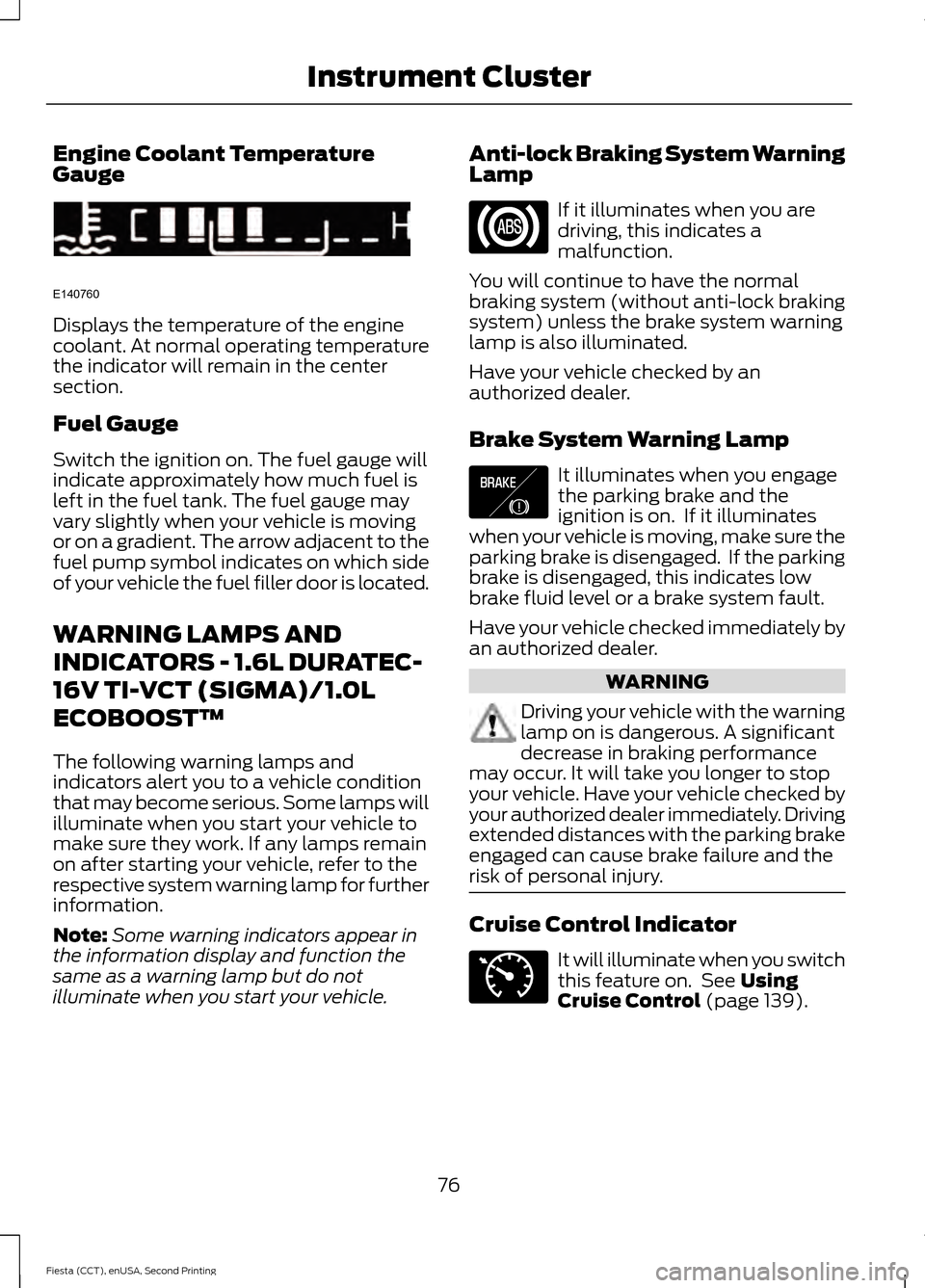
Engine Coolant Temperature
Gauge
Displays the temperature of the engine
coolant. At normal operating temperature
the indicator will remain in the center
section.
Fuel Gauge
Switch the ignition on. The fuel gauge will
indicate approximately how much fuel is
left in the fuel tank. The fuel gauge may
vary slightly when your vehicle is moving
or on a gradient. The arrow adjacent to the
fuel pump symbol indicates on which side
of your vehicle the fuel filler door is located.
WARNING LAMPS AND
INDICATORS - 1.6L DURATEC-
16V TI-VCT (SIGMA)/1.0L
ECOBOOST™
The following warning lamps and
indicators alert you to a vehicle condition
that may become serious. Some lamps will
illuminate when you start your vehicle to
make sure they work. If any lamps remain
on after starting your vehicle, refer to the
respective system warning lamp for further
information.
Note:
Some warning indicators appear in
the information display and function the
same as a warning lamp but do not
illuminate when you start your vehicle. Anti-lock Braking System Warning
Lamp If it illuminates when you are
driving, this indicates a
malfunction.
You will continue to have the normal
braking system (without anti-lock braking
system) unless the brake system warning
lamp is also illuminated.
Have your vehicle checked by an
authorized dealer.
Brake System Warning Lamp It illuminates when you engage
the parking brake and the
ignition is on. If it illuminates
when your vehicle is moving, make sure the
parking brake is disengaged. If the parking
brake is disengaged, this indicates low
brake fluid level or a brake system fault.
Have your vehicle checked immediately by
an authorized dealer. WARNING
Driving your vehicle with the warning
lamp on is dangerous. A significant
decrease in braking performance
may occur. It will take you longer to stop
your vehicle. Have your vehicle checked by
your authorized dealer immediately. Driving
extended distances with the parking brake
engaged can cause brake failure and the
risk of personal injury. Cruise Control Indicator
It will illuminate when you switch
this feature on. See Using
Cruise Control (page 139).
76
Fiesta (CCT), enUSA, Second Printing Instrument ClusterE140760 E138644 E71340
Page 81 of 423
Information Indicator
It will illuminate when a new
message is stored in the
information and entertainment
display. See Information Messages
(page 87).
Low Fuel Level Warning Lamp If it illuminates, refuel as soon as
possible.
Low Tire Pressure Warning It will illuminate when your tire
pressure is low. If the lamp
remains on with the engine
running or when driving, check
your tire pressure as soon as possible.
It will also illuminate momentarily when
you switch the ignition on to confirm the
lamp is functional. If it does not illuminate
when you switch the ignition on, or begins
to flash at any time, have your vehicle
checked by an authorized dealer.
Safety Belt Minder Warning Lamp It will illuminate and a chime will
sound to remind you to fasten
your safety belt. See
Safety
Belt Minder (page 30).
Service Engine Soon If the service engine soon
indicator light stays illuminated
after the engine is started, it
indicates that the On-Board Diagnostics
(OBD-II) system has detected a
malfunction of the vehicle emissions
control system. Refer to On-Board
Diagnostics (OBD-II) in the Fuel and
Refueling chapter for more information
about having your vehicle serviced. See
Emission Control System
(page 119). If the light is blinking, engine misfire is
occurring which could damage your
catalytic converter. Drive in a moderate
fashion (avoid heavy acceleration and
deceleration) and have your vehicle
serviced immediately.
WARNING
Under engine misfire conditions,
excessive exhaust temperatures
could damage the catalytic
converter, the fuel system, interior floor
coverings or other vehicle components,
possibly causing a fire. Have an authorized
dealer service your vehicle immediately. The service engine soon indicator light
illuminates when the ignition is first turned
on prior to engine start to check the bulb
and to indicate whether the vehicle is ready
for Inspection/Maintenance (I/M) testing.
Normally, the service engine soon light will
stay on until the engine is cranked, then
turn itself off if no malfunctions are
present. However, if after 15 seconds the
service engine soon light blinks eight times,
it means that the vehicle is not ready for
I/M testing. See
Emission Control
System (page 119).
Shift Indicator It will illuminate to inform you
that shifting to a higher gear may
give better fuel economy and
lower CO2 emissions. It will not illuminate
during periods of high acceleration, braking
or when the clutch pedal is pressed.
78
Fiesta (CCT), enUSA, Second Printing Instrument Cluster
Page 84 of 423
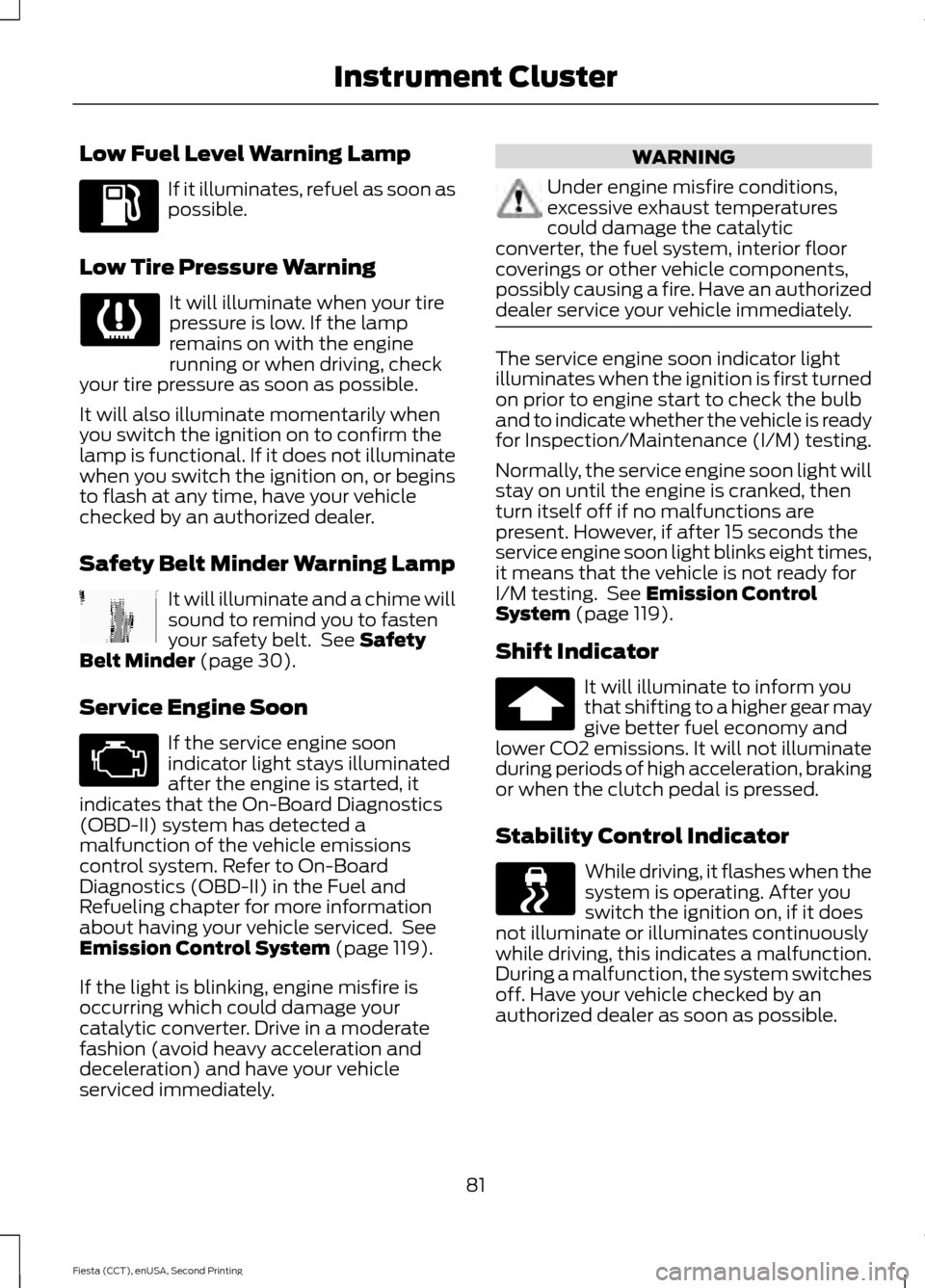
Low Fuel Level Warning Lamp
If it illuminates, refuel as soon as
possible.
Low Tire Pressure Warning It will illuminate when your tire
pressure is low. If the lamp
remains on with the engine
running or when driving, check
your tire pressure as soon as possible.
It will also illuminate momentarily when
you switch the ignition on to confirm the
lamp is functional. If it does not illuminate
when you switch the ignition on, or begins
to flash at any time, have your vehicle
checked by an authorized dealer.
Safety Belt Minder Warning Lamp It will illuminate and a chime will
sound to remind you to fasten
your safety belt. See Safety
Belt Minder (page 30).
Service Engine Soon If the service engine soon
indicator light stays illuminated
after the engine is started, it
indicates that the On-Board Diagnostics
(OBD-II) system has detected a
malfunction of the vehicle emissions
control system. Refer to On-Board
Diagnostics (OBD-II) in the Fuel and
Refueling chapter for more information
about having your vehicle serviced. See
Emission Control System
(page 119).
If the light is blinking, engine misfire is
occurring which could damage your
catalytic converter. Drive in a moderate
fashion (avoid heavy acceleration and
deceleration) and have your vehicle
serviced immediately. WARNING
Under engine misfire conditions,
excessive exhaust temperatures
could damage the catalytic
converter, the fuel system, interior floor
coverings or other vehicle components,
possibly causing a fire. Have an authorized
dealer service your vehicle immediately. The service engine soon indicator light
illuminates when the ignition is first turned
on prior to engine start to check the bulb
and to indicate whether the vehicle is ready
for Inspection/Maintenance (I/M) testing.
Normally, the service engine soon light will
stay on until the engine is cranked, then
turn itself off if no malfunctions are
present. However, if after 15 seconds the
service engine soon light blinks eight times,
it means that the vehicle is not ready for
I/M testing. See
Emission Control
System (page 119).
Shift Indicator It will illuminate to inform you
that shifting to a higher gear may
give better fuel economy and
lower CO2 emissions. It will not illuminate
during periods of high acceleration, braking
or when the clutch pedal is pressed.
Stability Control Indicator While driving, it flashes when the
system is operating. After you
switch the ignition on, if it does
not illuminate or illuminates continuously
while driving, this indicates a malfunction.
During a malfunction, the system switches
off. Have your vehicle checked by an
authorized dealer as soon as possible.
81
Fiesta (CCT), enUSA, Second Printing Instrument Cluster
Page 86 of 423
GENERAL INFORMATION
WARNING
Driving while distracted can result in
loss of vehicle control, crash and
injury. We strongly recommend that
you use extreme caution when using any
device that may take your focus off the
road. Your primary responsibility is the safe
operation of your vehicle. We recommend
against the use of any hand-held device
while driving and encourage the use of
voice-operated systems when possible.
Make sure you are aware of all applicable
local laws that may affect the use of
electronic devices while driving. Note:
The information display will remain
on for several minutes after you switch the
ignition off.
Device List
The icon changes to show the current
function in use. CD
Radio
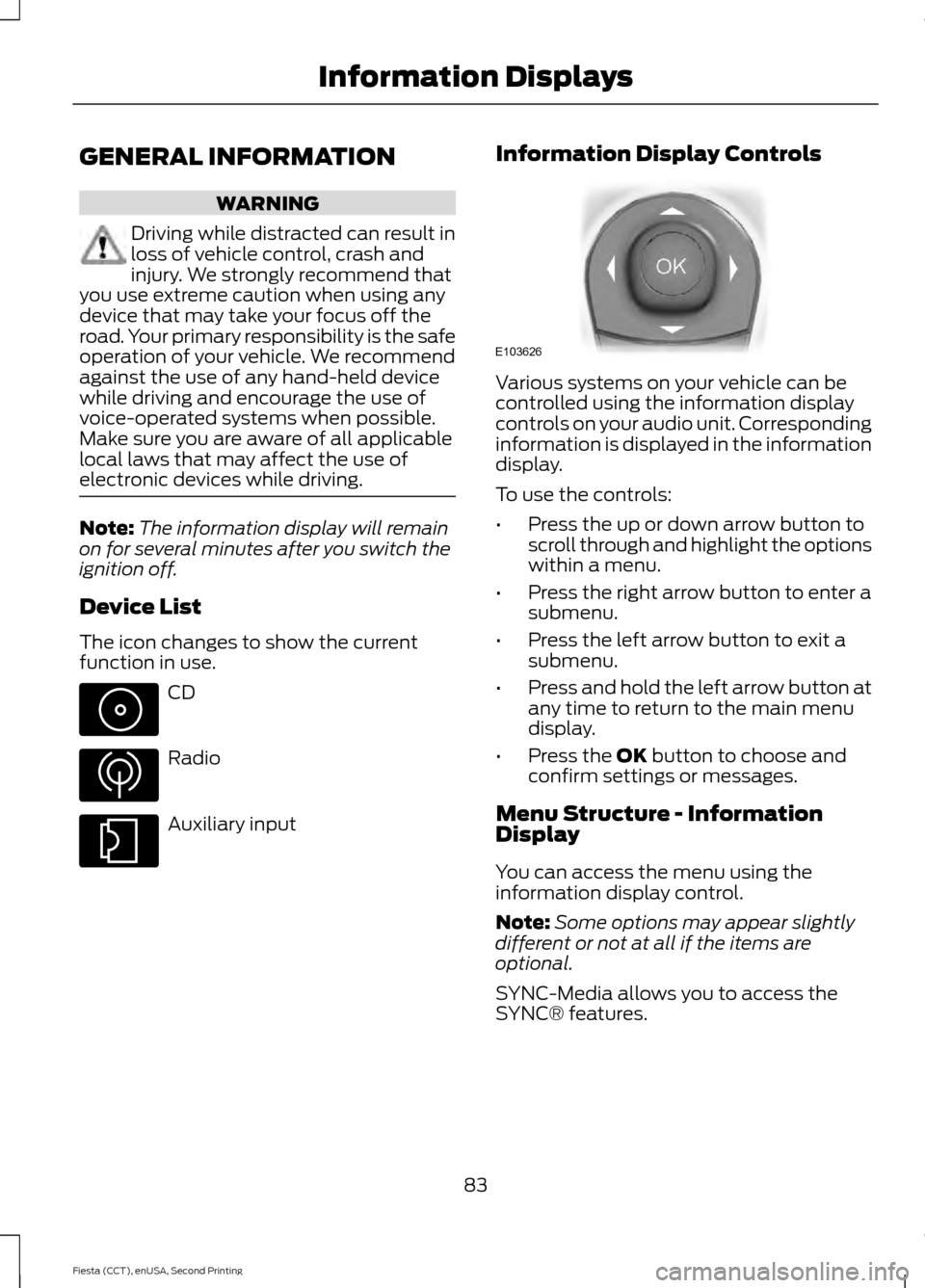
Auxiliary input Information Display Controls Various systems on your vehicle can be
controlled using the information display
controls on your audio unit. Corresponding
information is displayed in the information
display.
To use the controls:
•
Press the up or down arrow button to
scroll through and highlight the options
within a menu.
• Press the right arrow button to enter a
submenu.
• Press the left arrow button to exit a
submenu.
• Press and hold the left arrow button at
any time to return to the main menu
display.
• Press the OK button to choose and
confirm settings or messages.
Menu Structure - Information
Display
You can access the menu using the
information display control.
Note: Some options may appear slightly
different or not at all if the items are
optional.
SYNC-Media allows you to access the
SYNC® features.
83
Fiesta (CCT), enUSA, Second Printing Information Displays E103626