sensor FORD FIESTA 2016 Owner's Manual
[x] Cancel search | Manufacturer: FORD, Model Year: 2016, Model line: FIESTA, Model: FORD FIESTA 2016Pages: 363, PDF Size: 5.9 MB
Page 292 of 363
Note:
When you connect, the service uses
GPS technology and advanced vehicle
sensors to collect your vehicle's current
location, travel direction and speed to help
provide you with the directions, traffic
reports, or business searches you request.
Further, to provide the services you request,
for continuous improvement, the service
may collect and record call details and voice
communications. For more information, see
SYNC Services Terms and Conditions at
www.SYNCMyRide.com. If you do not want
Ford or its service providers to collect your
vehicle travel information or other
information identified in the Terms and
Conditions, do not subscribe or use the
service. SYNC Services uses advanced vehicle
sensors, integrated GPS technology and
comprehensive map and traffic data, to
give you personalized traffic reports,
precise turn-by-turn directions, business
search, news, sports, weather and more.
For a complete list of services, or to learn
more, please visit www.SYNCMyRide.com.
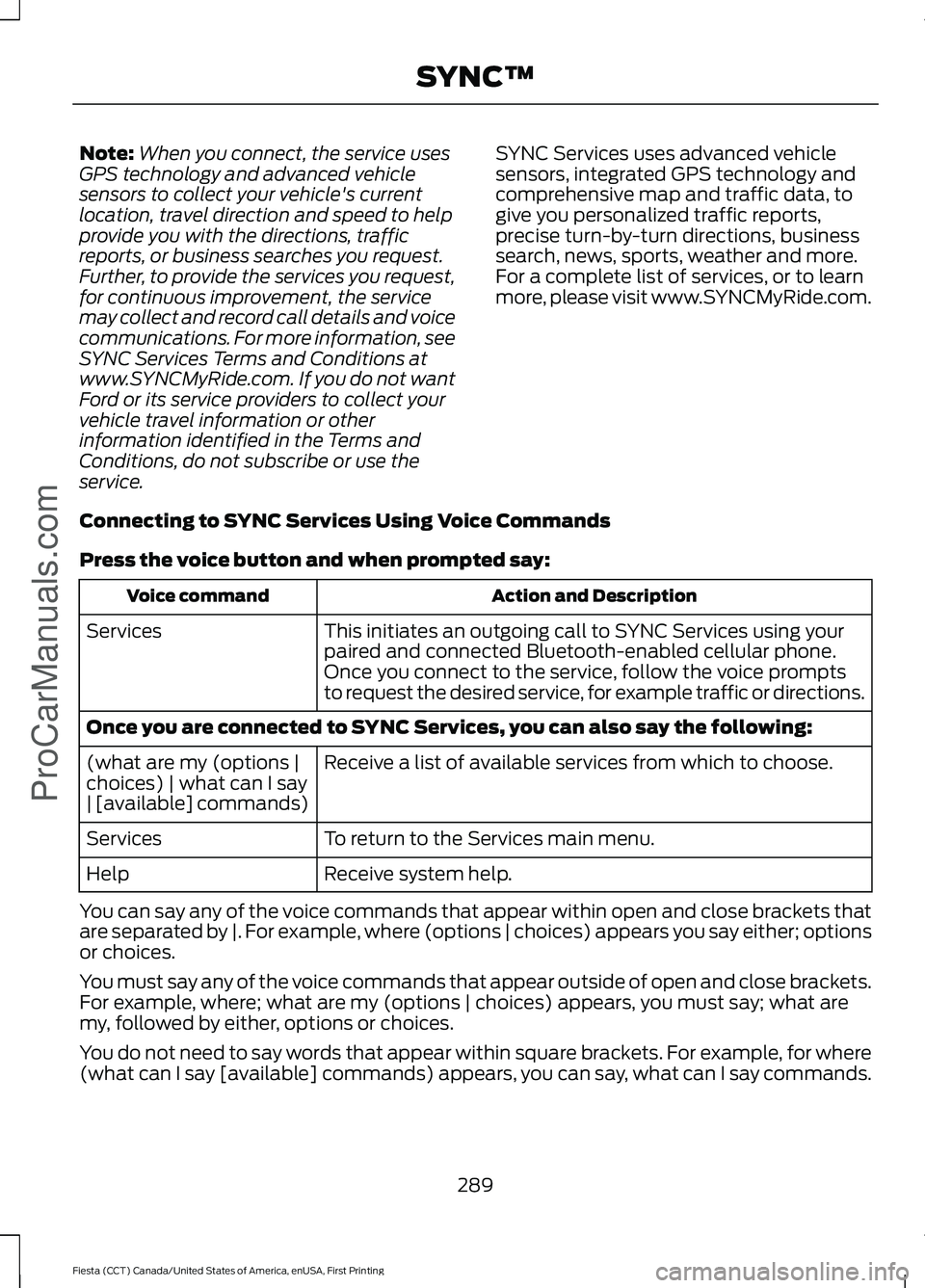
Connecting to SYNC Services Using Voice Commands
Press the voice button and when prompted say: Action and Description
Voice command
This initiates an outgoing call to SYNC Services using your
paired and connected Bluetooth-enabled cellular phone.
Services
Once you connect to the service, follow the voice prompts
to request the desired service, for example traffic or directions.
Once you are connected to SYNC Services, you can also say the following: Receive a list of available services from which to choose.
(what are my (options |
choices) | what can I say
| [available] commands)
To return to the Services main menu.
Services
Receive system help.
Help
You can say any of the voice commands that appear within open and close brackets that
are separated by |. For example, where (options | choices) appears you say either; options
or choices.
You must say any of the voice commands that appear outside of open and close brackets.
For example, where; what are my (options | choices) appears, you must say; what are
my, followed by either, options or choices.
You do not need to say words that appear within square brackets. For example, for where
(what can I say [available] commands) appears, you can say, what can I say commands.
289
Fiesta (CCT) Canada/United States of America, enUSA, First Printing SYNC™ProCarManuals.com
Page 315 of 363
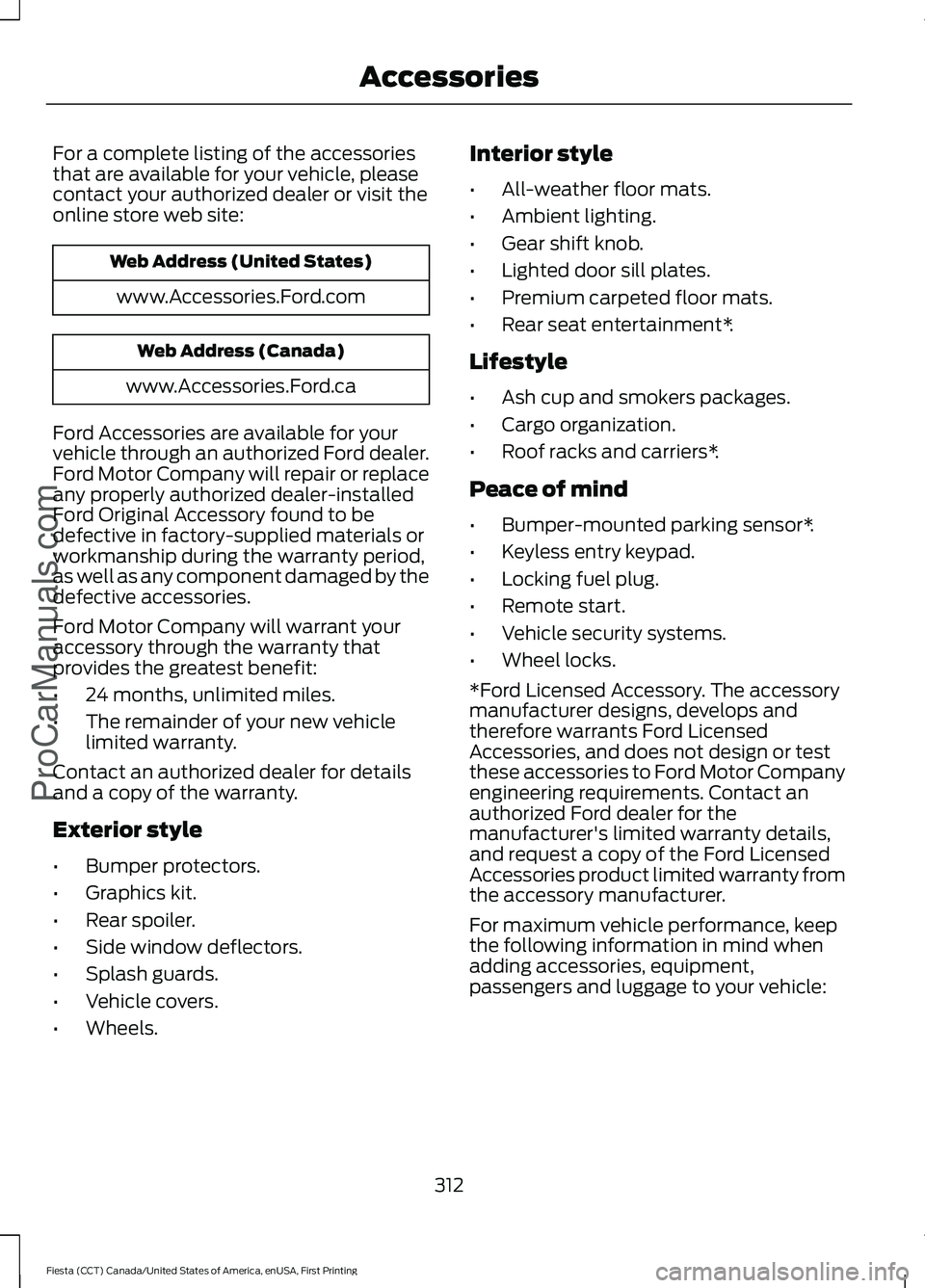
For a complete listing of the accessories
that are available for your vehicle, please
contact your authorized dealer or visit the
online store web site:
Web Address (United States)
www.Accessories.Ford.com Web Address (Canada)
www.Accessories.Ford.ca
Ford Accessories are available for your
vehicle through an authorized Ford dealer.
Ford Motor Company will repair or replace
any properly authorized dealer-installed
Ford Original Accessory found to be
defective in factory-supplied materials or
workmanship during the warranty period,
as well as any component damaged by the
defective accessories.
Ford Motor Company will warrant your
accessory through the warranty that
provides the greatest benefit:
• 24 months, unlimited miles.
• The remainder of your new vehicle
limited warranty.
Contact an authorized dealer for details
and a copy of the warranty.
Exterior style
• Bumper protectors.
• Graphics kit.
• Rear spoiler.
• Side window deflectors.
• Splash guards.
• Vehicle covers.
• Wheels. Interior style
•
All-weather floor mats.
• Ambient lighting.
• Gear shift knob.
• Lighted door sill plates.
• Premium carpeted floor mats.
• Rear seat entertainment*.
Lifestyle
• Ash cup and smokers packages.
• Cargo organization.
• Roof racks and carriers*.
Peace of mind
• Bumper-mounted parking sensor*.
• Keyless entry keypad.
• Locking fuel plug.
• Remote start.
• Vehicle security systems.
• Wheel locks.
*Ford Licensed Accessory. The accessory
manufacturer designs, develops and
therefore warrants Ford Licensed
Accessories, and does not design or test
these accessories to Ford Motor Company
engineering requirements. Contact an
authorized Ford dealer for the
manufacturer's limited warranty details,
and request a copy of the Ford Licensed
Accessories product limited warranty from
the accessory manufacturer.
For maximum vehicle performance, keep
the following information in mind when
adding accessories, equipment,
passengers and luggage to your vehicle:
312
Fiesta (CCT) Canada/United States of America, enUSA, First Printing AccessoriesProCarManuals.com
Page 355 of 363
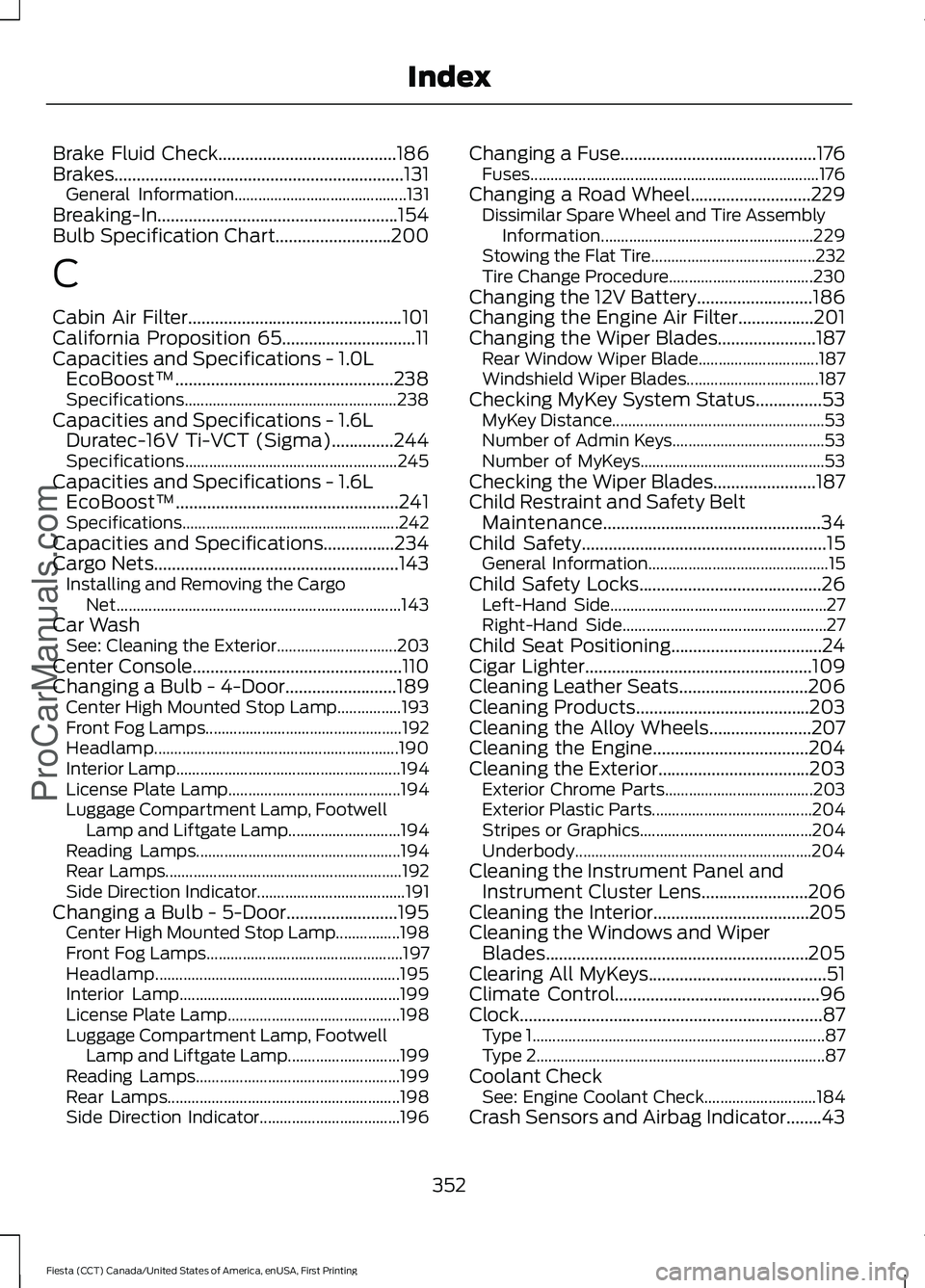
Brake Fluid Check........................................186
Brakes.................................................................131
General Information........................................... 131
Breaking-In......................................................154
Bulb Specification Chart..........................200
C
Cabin Air Filter
................................................101
California Proposition 65..............................11
Capacities and Specifications - 1.0L EcoBoost™.................................................238
Specifications..................................................... 238
Capacities and Specifications - 1.6L Duratec-16V Ti-VCT (Sigma)
..............244
Specifications..................................................... 245
Capacities and Specifications - 1.6L EcoBoost™..................................................241
Specifications...................................................... 242
Capacities and Specifications................234
Cargo Nets
.......................................................143
Installing and Removing the Cargo
Net....................................................................... 143
Car Wash See: Cleaning the Exterior.............................. 203
Center Console
...............................................110
Changing a Bulb - 4-Door.........................189
Center High Mounted Stop Lamp................193
Front Fog Lamps................................................. 192
Headlamp............................................................. 190
Interior Lamp........................................................ 194
License Plate Lamp........................................... 194
Luggage Compartment Lamp, Footwell Lamp and Liftgate Lamp............................ 194
Reading Lamps................................................... 194
Rear Lamps........................................................... 192
Side Direction Indicator..................................... 191
Changing a Bulb - 5-Door.........................195 Center High Mounted Stop Lamp................198
Front Fog Lamps................................................. 197
Headlamp............................................................. 195
Interior Lamp....................................................... 199
License Plate Lamp........................................... 198
Luggage Compartment Lamp, Footwell Lamp and Liftgate Lamp............................ 199
Reading Lamps................................................... 199
Rear Lamps.......................................................... 198
Side Direction Indicator................................... 196Changing a Fuse
............................................176
Fuses........................................................................\
176
Changing a Road Wheel
...........................229
Dissimilar Spare Wheel and Tire Assembly
Information..................................................... 229
Stowing the Flat Tire......................................... 232
Tire Change Procedure.................................... 230
Changing the 12V Battery..........................186
Changing the Engine Air Filter.................201
Changing the Wiper Blades......................187 Rear Window Wiper Blade.............................. 187
Windshield Wiper Blades................................. 187
Checking MyKey System Status...............53 MyKey Distance..................................................... 53
Number of Admin Keys...................................... 53
Number of MyKeys.............................................. 53
Checking the Wiper Blades.......................187
Child Restraint and Safety Belt Maintenance.................................................34
Child Safety
.......................................................15
General Information............................................. 15
Child Safety Locks.........................................26 Left-Hand Side...................................................... 27
Right-Hand Side................................................... 27
Child Seat Positioning..................................24
Cigar Lighter
...................................................109
Cleaning Leather Seats.............................206
Cleaning Products.......................................203
Cleaning the Alloy Wheels.......................207
Cleaning the Engine...................................204
Cleaning the Exterior..................................203 Exterior Chrome Parts..................................... 203
Exterior Plastic Parts........................................ 204
Stripes or Graphics........................................... 204
Underbody........................................................... 204
Cleaning the Instrument Panel and Instrument Cluster Lens........................206
Cleaning the Interior
...................................205
Cleaning the Windows and Wiper Blades...........................................................205
Clearing All MyKeys
........................................51
Climate Control..............................................96
Clock....................................................................87 Type 1........................................................................\
. 87
Type 2........................................................................\
87
Coolant Check See: Engine Coolant Check............................ 184
Crash Sensors and Airbag Indicator........43
352
Fiesta (CCT) Canada/United States of America, enUSA, First Printing Index
ProCarManuals.com