warning FORD FIESTA 2016 Owner's Guide
[x] Cancel search | Manufacturer: FORD, Model Year: 2016, Model line: FIESTA, Model: FORD FIESTA 2016Pages: 363, PDF Size: 5.9 MB
Page 46 of 363
The design and development of the side
curtain airbags included recommended
testing procedures that were developed
by a group of automotive safety experts
known as the Side Airbag Technical
Working Group. These recommended
testing procedures help reduce the risk of
injuries related to the deployment of side
curtain airbags.
CRASH SENSORS AND
AIRBAG INDICATOR
WARNING
Do not modify the front end of your
vehicle. Modifying or adding
equipment to the front end of your
vehicle, including frame, bumper, front end
body structure or tow hooks, may affect
the performance of the airbag system,
increasing the risk of injury. Your vehicle has a collection of crash and
occupant sensors. These provide
information to the restraints control
module which will deploy the front safety
belt pretensioners, driver airbag, driver knee
airbag, passenger airbag, seat mounted
side airbags, and the side curtain airbags.
Based on the type of crash, frontal impact
or side impact, the restraints control
module will deploy the appropriate safety
devices.
The restraints control module also
monitors the readiness of the above safety
devices plus the crash and occupant
sensors. The readiness of the safety
system is indicated by a warning lamp in
the instrument cluster or by a backup tone
if the warning lamp is not working. Routine
maintenance of the airbag is not required.
A difficulty with the system is indicated by
one or more of the following: The lamp will not illuminate
immediately when you switch
the ignition on.
• The lamp will either flash or remain on.
• A series of five beeps will be heard. The
tone pattern will repeat periodically
until the problem, the lamp or both are
repaired.
If any of these things happen, even
intermittently, have the supplemental
restraint system checked by an authorized
dealer immediately. Unless serviced, the
system may not function correctly in the
event of a crash.
The safety belt pretensioners and the front
airbag supplemental restraint system are
designed to deploy when your vehicle
sustains longitudinal deceleration
sufficient to cause the restraints control
module to deploy a safety device.
The fact that the safety belt pretensioners
or front airbags did not deploy for both
front seat occupants in a crash does not
mean that something is wrong with the
system. It means the restraints control
module determined that the crash
conditions were not appropriate to deploy
these safety devices.
• The design of the front airbags is to
deploy only in frontal and near-frontal
crashes (not rollovers, side impacts or
rear impacts) unless the crash causes
sufficient longitudinal deceleration.
• The design of the safety belt
pretensioners is to deploy in frontal and
near-frontal crashes, and may also
deploy when a side curtain airbag
deploys.
43
Fiesta (CCT) Canada/United States of America, enUSA, First Printing Supplementary Restraints SystemProCarManuals.com
Page 53 of 363
PRINCIPLE OF OPERATION
MyKey allows you to program keys with
restricted driving modes to promote good
driving habits. All but one of the keys
programmed to the vehicle can be
activated with these restricted modes.
Any keys that have not been programmed
are referred to as administrator keys or
admin keys. These can be used to:
•
Create a MyKey.
• Program configurable MyKey settings.
• Clear all MyKey features.
When you have created a MyKey, you can
access the following information using the
information display:
• How many admin keys and MyKeys are
programmed to your vehicle.
• The total distance your vehicle has
traveled using any MyKey.
Note: All MyKeys are programmed to the
same settings. You cannot program them
individually.
Note: For vehicles with keyless start, when
both a MyKey transmitter and an admin
transmitter are present, the admin
transmitter will be recognized by the vehicle
to start the engine.
Non-configurable Settings
The following settings cannot be changed:
• Belt-Minder™. You cannot disable this
feature. The audio system will mute
when the driver and front seat
passengers’ safety belts are not
fastened.
• Early low-fuel warning. The low-fuel
warning activates earlier, giving the
MyKey user more time to refuel.
• Driver assist features, if equipped on
your vehicle, are forced on: parking aid. Configurable Settings
You can configure certain MyKey settings
when you first create a MyKey. You can
also change the settings afterward with
an admin key.
The following settings can be configured
using an admin key:
•
A vehicle speed limit can be set.
Warnings will be shown in the display
followed by an audible tone when your
vehicle reaches the set speed. You
cannot override the set speed by fully
depressing the accelerator pedal or by
setting the cruise control. WARNING
Do not set MyKey maximum speed
limit to a limit that will prevent the
driver from maintaining a safe speed
considering posted speed limits and
prevailing road conditions. The driver is
always responsible to drive in accordance
with local laws and prevailing conditions.
Failure to do so could result in accident or
injury. •
Vehicle speed minders can be set.
Once you select a speed, a visual
warning will be shown in the display
followed by an audible tone when the
set vehicle speed is exceeded.
• Audio system maximum volume of
45%. A message will be shown in the
display when you attempt to exceed
the limited volume. Also, the speed
sensitive compensated volume
(automatic volume control) feature
will be disabled.
• Always on setting. When this is
selected you will not be able to disable
AdvanceTrac, 911 Assist or the do not
disturb feature (if your vehicle is
equipped with these features).
50
Fiesta (CCT) Canada/United States of America, enUSA, First Printing MyKey
™ (If Equipped)
ProCarManuals.com
Page 61 of 363
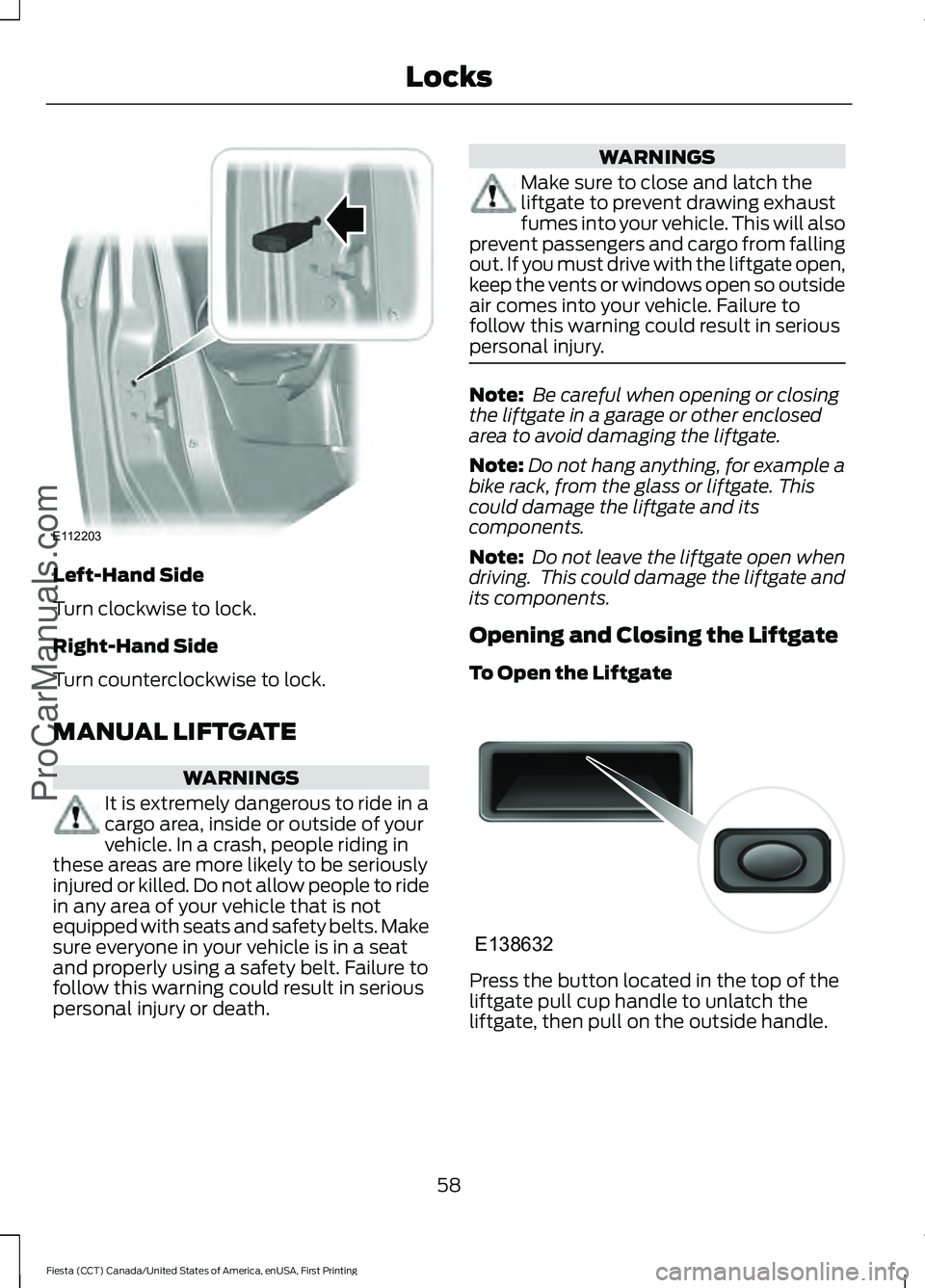
Left-Hand Side
Turn clockwise to lock.
Right-Hand Side
Turn counterclockwise to lock.
MANUAL LIFTGATE
WARNINGS
It is extremely dangerous to ride in a
cargo area, inside or outside of your
vehicle. In a crash, people riding in
these areas are more likely to be seriously
injured or killed. Do not allow people to ride
in any area of your vehicle that is not
equipped with seats and safety belts. Make
sure everyone in your vehicle is in a seat
and properly using a safety belt. Failure to
follow this warning could result in serious
personal injury or death. WARNINGS
Make sure to close and latch the
liftgate to prevent drawing exhaust
fumes into your vehicle. This will also
prevent passengers and cargo from falling
out. If you must drive with the liftgate open,
keep the vents or windows open so outside
air comes into your vehicle. Failure to
follow this warning could result in serious
personal injury. Note:
Be careful when opening or closing
the liftgate in a garage or other enclosed
area to avoid damaging the liftgate.
Note: Do not hang anything, for example a
bike rack, from the glass or liftgate. This
could damage the liftgate and its
components.
Note: Do not leave the liftgate open when
driving. This could damage the liftgate and
its components.
Opening and Closing the Liftgate
To Open the Liftgate Press the button located in the top of the
liftgate pull cup handle to unlatch the
liftgate, then pull on the outside handle.
58
Fiesta (CCT) Canada/United States of America, enUSA, First Printing LocksProCarManuals.comE112203 E138632
Page 62 of 363
Opening With the Remote Control
Press the button twice within
three seconds.
To Close the Liftgate A recessed grip is located inside the liftgate
to help with closing.
KEYLESS ENTRY
General Information
WARNING
The system may not function if the
key is close to metal objects or
electronic devices such as cell
phones. The system will not function if:
•
Your vehicle battery has no charge.
• The passive key frequencies are
jammed.
• The passive key battery has no charge.
Note: If the system does not function, you
will need to use the key blade to lock and
unlock your vehicle. The system allows you to operate your
vehicle without the use of a key or remote
control.
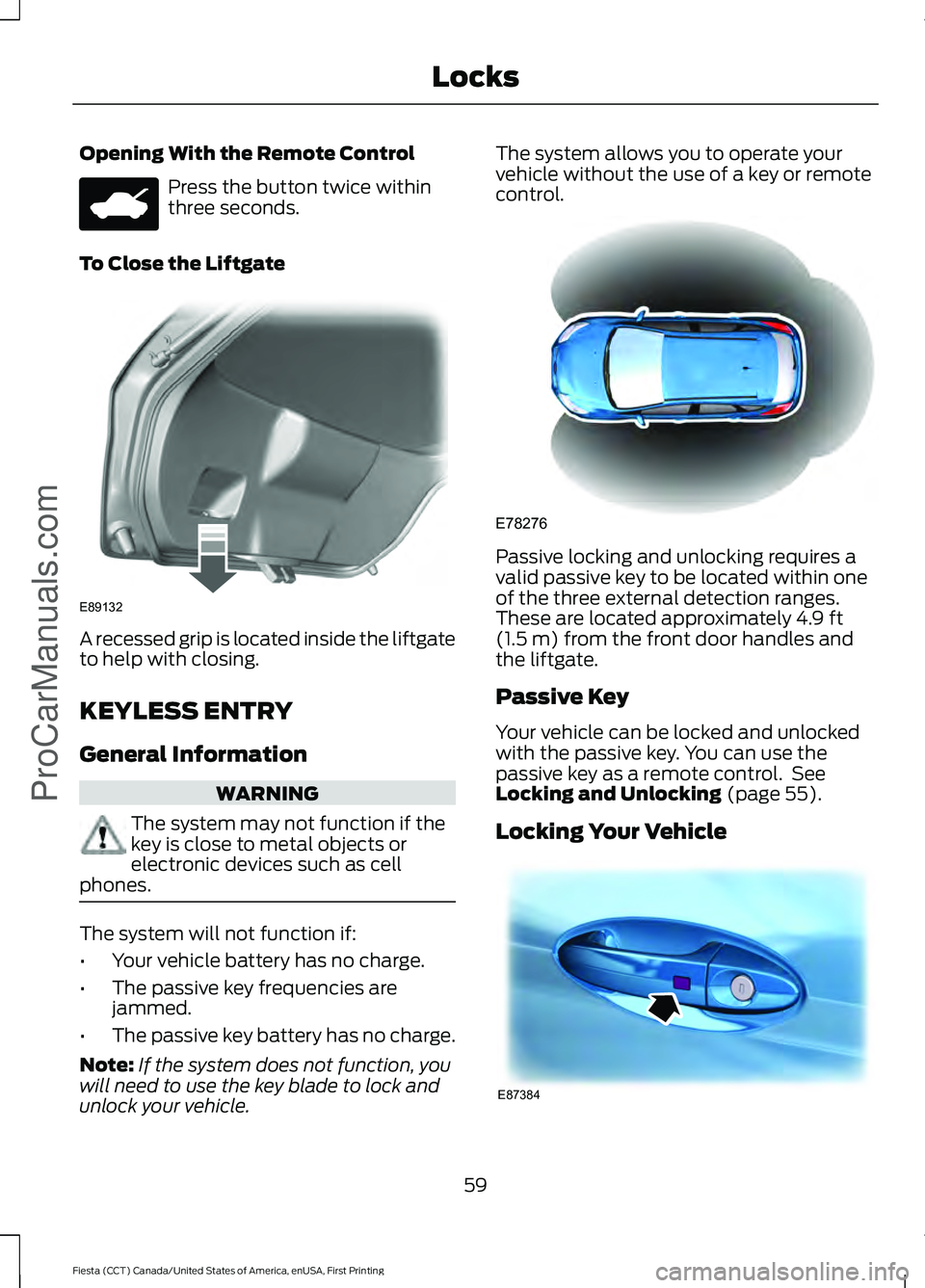
Passive locking and unlocking requires a
valid passive key to be located within one
of the three external detection ranges.
These are located approximately 4.9 ft
(1.5 m) from the front door handles and
the liftgate.
Passive Key
Your vehicle can be locked and unlocked
with the passive key. You can use the
passive key as a remote control. See
Locking and Unlocking
(page 55).
Locking Your Vehicle 59
Fiesta (CCT) Canada/United States of America, enUSA, First Printing Locks
ProCarManuals.com E89132 E78276 E87384
Page 63 of 363
WARNING
Your vehicle does not lock itself
automatically. If you do not press a
locking button your vehicle will
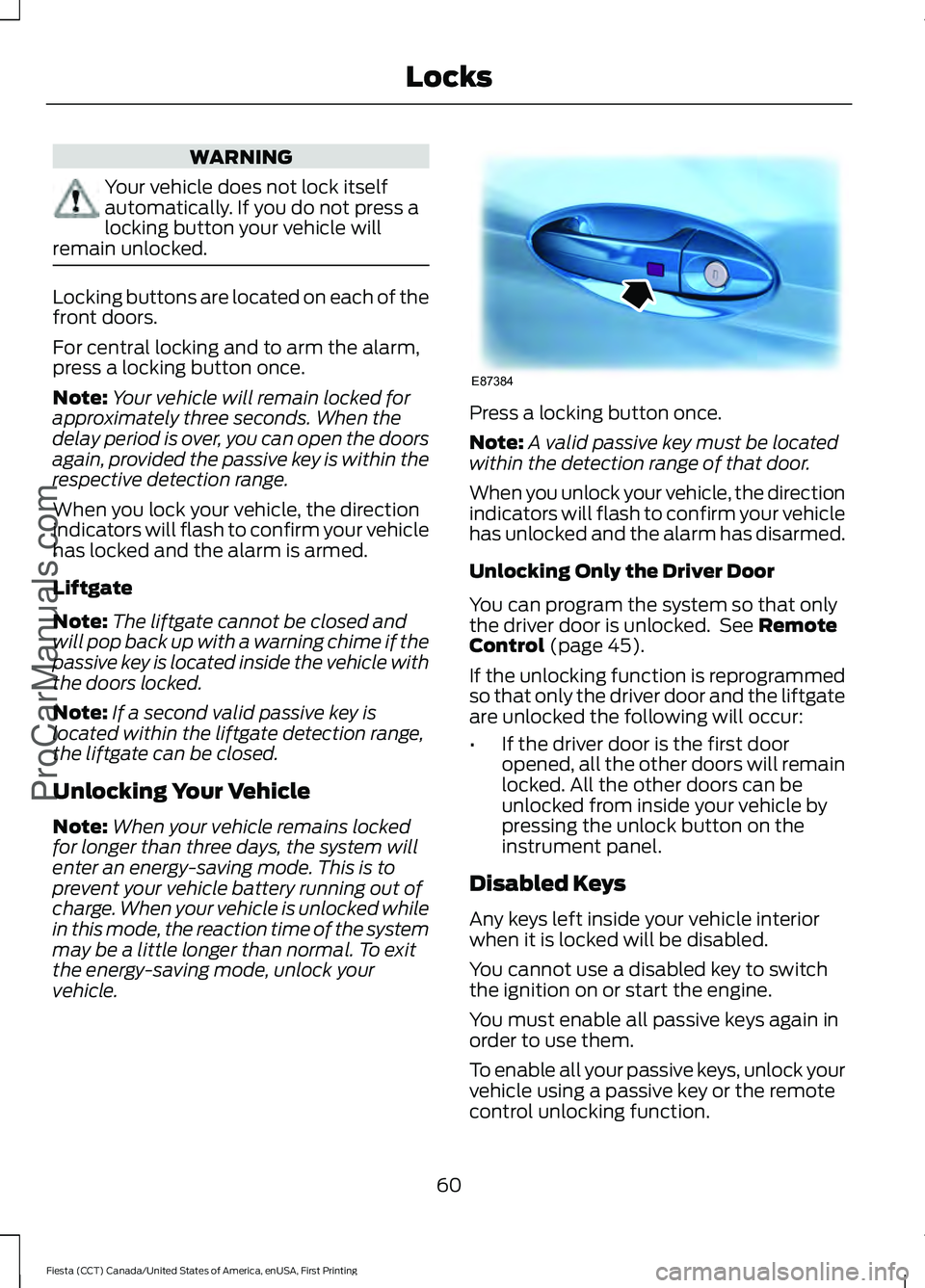
remain unlocked. Locking buttons are located on each of the
front doors.
For central locking and to arm the alarm,
press a locking button once.
Note:
Your vehicle will remain locked for
approximately three seconds. When the
delay period is over, you can open the doors
again, provided the passive key is within the
respective detection range.
When you lock your vehicle, the direction
indicators will flash to confirm your vehicle
has locked and the alarm is armed.
Liftgate
Note: The liftgate cannot be closed and
will pop back up with a warning chime if the
passive key is located inside the vehicle with
the doors locked.
Note: If a second valid passive key is
located within the liftgate detection range,
the liftgate can be closed.
Unlocking Your Vehicle
Note: When your vehicle remains locked
for longer than three days, the system will
enter an energy-saving mode. This is to
prevent your vehicle battery running out of
charge. When your vehicle is unlocked while
in this mode, the reaction time of the system
may be a little longer than normal. To exit
the energy-saving mode, unlock your
vehicle. Press a locking button once.
Note:
A valid passive key must be located
within the detection range of that door.
When you unlock your vehicle, the direction
indicators will flash to confirm your vehicle
has unlocked and the alarm has disarmed.
Unlocking Only the Driver Door
You can program the system so that only
the driver door is unlocked. See Remote
Control (page 45).
If the unlocking function is reprogrammed
so that only the driver door and the liftgate
are unlocked the following will occur:
• If the driver door is the first door
opened, all the other doors will remain
locked. All the other doors can be
unlocked from inside your vehicle by
pressing the unlock button on the
instrument panel.
Disabled Keys
Any keys left inside your vehicle interior
when it is locked will be disabled.
You cannot use a disabled key to switch
the ignition on or start the engine.
You must enable all passive keys again in
order to use them.
To enable all your passive keys, unlock your
vehicle using a passive key or the remote
control unlocking function.
60
Fiesta (CCT) Canada/United States of America, enUSA, First Printing Locks
ProCarManuals.comE87384
Page 64 of 363
All passive keys will then be enabled if you
switch the ignition on or you start your
vehicle with a valid key.
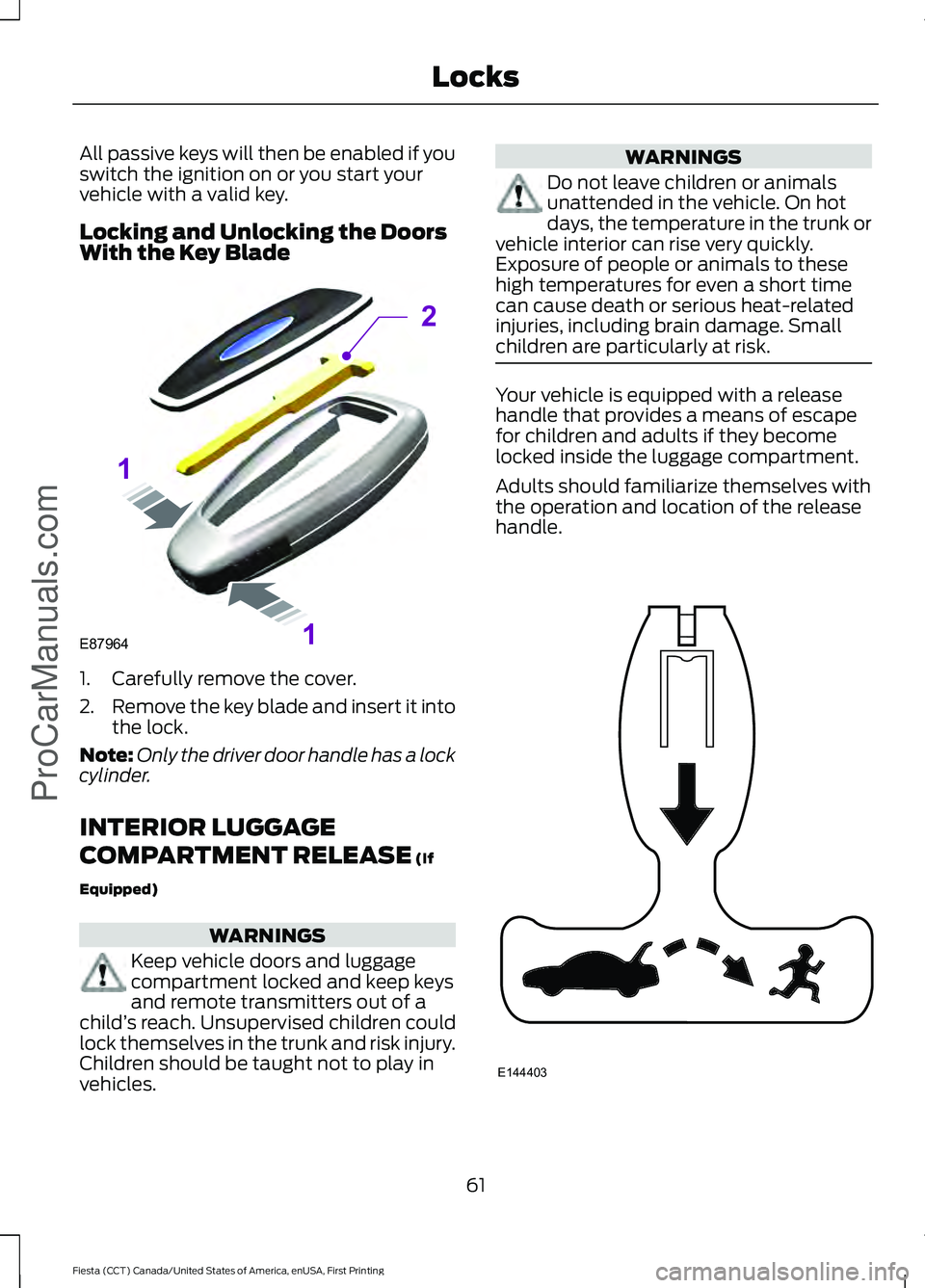
Locking and Unlocking the Doors
With the Key Blade
1. Carefully remove the cover.
2.
Remove the key blade and insert it into
the lock.
Note: Only the driver door handle has a lock
cylinder.
INTERIOR LUGGAGE
COMPARTMENT RELEASE (If
Equipped) WARNINGS
Keep vehicle doors and luggage
compartment locked and keep keys
and remote transmitters out of a
child ’s reach. Unsupervised children could
lock themselves in the trunk and risk injury.
Children should be taught not to play in
vehicles. WARNINGS
Do not leave children or animals
unattended in the vehicle. On hot
days, the temperature in the trunk or
vehicle interior can rise very quickly.
Exposure of people or animals to these
high temperatures for even a short time
can cause death or serious heat-related
injuries, including brain damage. Small
children are particularly at risk. Your vehicle is equipped with a release
handle that provides a means of escape
for children and adults if they become
locked inside the luggage compartment.
Adults should familiarize themselves with
the operation and location of the release
handle.
61
Fiesta (CCT) Canada/United States of America, enUSA, First Printing Locks
ProCarManuals.comE87964
2
1
1 E144403
Page 67 of 363
You must have two previously
programmed coded keys and the new
unprogrammed key readily accessible. See
your authorized dealer to have the spare
key programmed if two previously
programmed coded keys are not available.
Read and understand the entire procedure
before you begin.
1.
Insert the first previously programmed
coded key into the ignition.
2. Switch the ignition from off to on. Keep
the ignition on for at least three
seconds, but no more than 10 seconds.
3. Switch the ignition off and remove the
first coded key from the ignition.
4. After three seconds but within 10 seconds of switching the ignition off,
insert the second previously coded key
into the ignition.
5. Switch the ignition from off to on. Keep
the ignition on for at least three
seconds, but no more than 10 seconds.
6. Switch the ignition off and remove the
second previously programmed coded
key from the ignition.
7. After three seconds but within 10 seconds of switching the ignition off
and removing the previously
programmed coded key, insert the new
unprogrammed key into the ignition.
8. Switch the ignition from off to on. Keep
the ignition on for at least six seconds.
9. Remove the newly programmed coded
key from the ignition.
If the key has been successfully
programmed it will start the engine and
operate the remote entry system (if the
new key is an integrated keyhead
transmitter).
If programming was not successful, wait
10 seconds and repeat Steps 1 through 8.
If you are still unsuccessful, take your
vehicle to your authorized dealer. Programming a Spare Intelligent
Access Key
See your authorized dealer to have
additional keys programmed to your
vehicle.
ANTI-THEFT ALARM
Alarm System
The perimeter alarm is a deterrent against
unauthorized access to your vehicle
through the doors and the hood. It also
protects the audio unit.
Triggering the Alarm
Once armed, the alarm is triggered in any
of the following ways:
•
If someone opens a door, the liftgate
or the hood without a valid key or
remote control.
• If someone removes the audio or
navigation system.
• If you switch the ignition on without a
valid key.
If the alarm is triggered, the alarm horn will
sound for 30 seconds and the hazard
warning flasher will flash for five minutes.
Any further attempts to perform one of the
above will trigger the alarm again.
Arming the Alarm
To arm the alarm, lock your vehicle. See
Locks (page 55).
Disarming the Alarm
Vehicles Without Keyless Entry
Disarm and silence the alarm by unlocking
the doors with the key and switching the
ignition on with a correctly coded key or
unlocking the doors with the remote
control.
64
Fiesta (CCT) Canada/United States of America, enUSA, First Printing Security
ProCarManuals.com
Page 69 of 363
ADJUSTING THE STEERING
WHEEL
WARNING
Do not adjust the steering wheel
when your vehicle is moving.
Note:
Make sure that you are sitting in the
correct position. See Sitting in the Correct
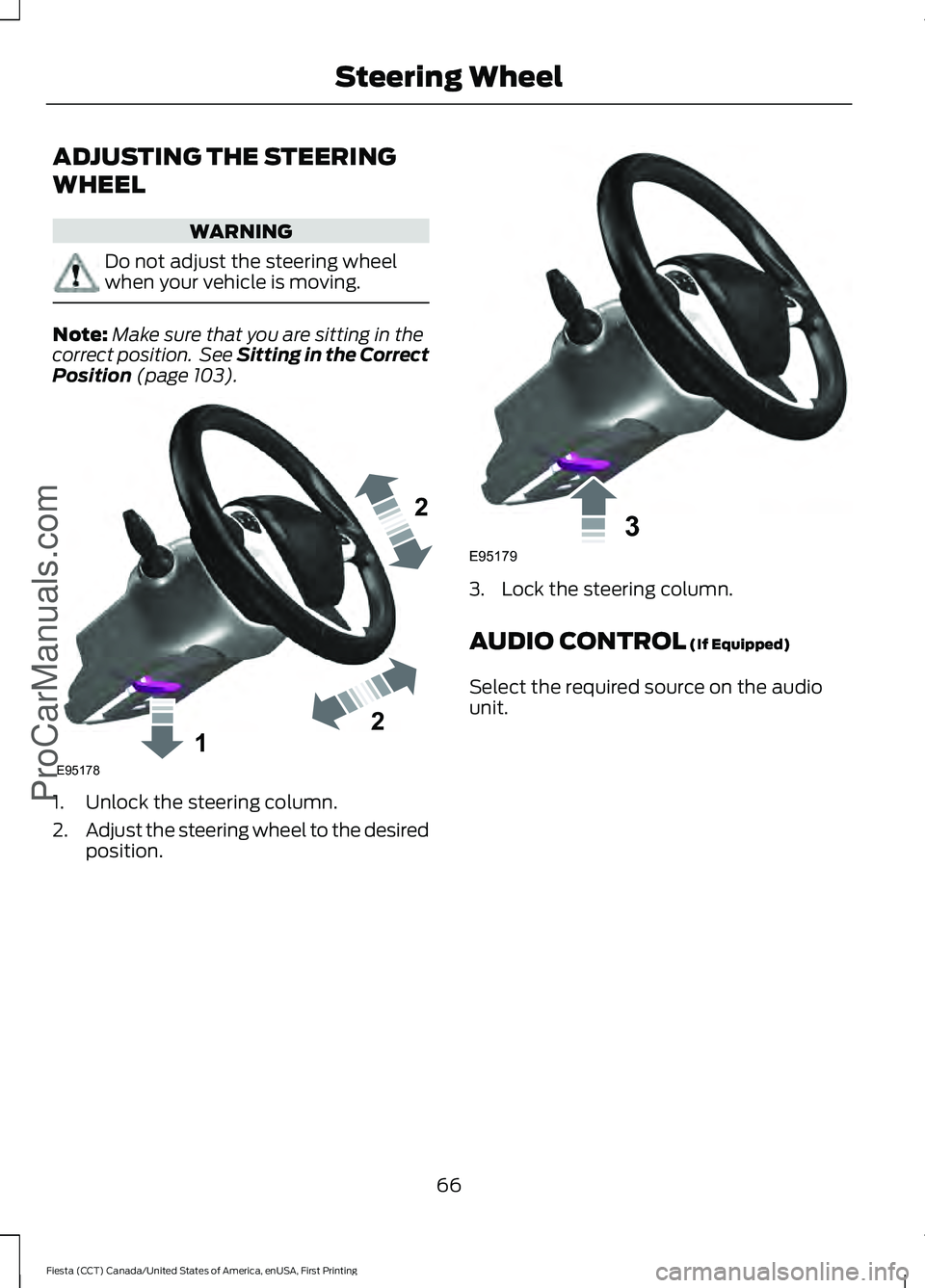
Position (page 103). 1. Unlock the steering column.
2.
Adjust the steering wheel to the desired
position. 3. Lock the steering column.
AUDIO CONTROL
(If Equipped)
Select the required source on the audio
unit.
66
Fiesta (CCT) Canada/United States of America, enUSA, First Printing Steering Wheel
ProCarManuals.com122E95178 3E95179
Page 75 of 363
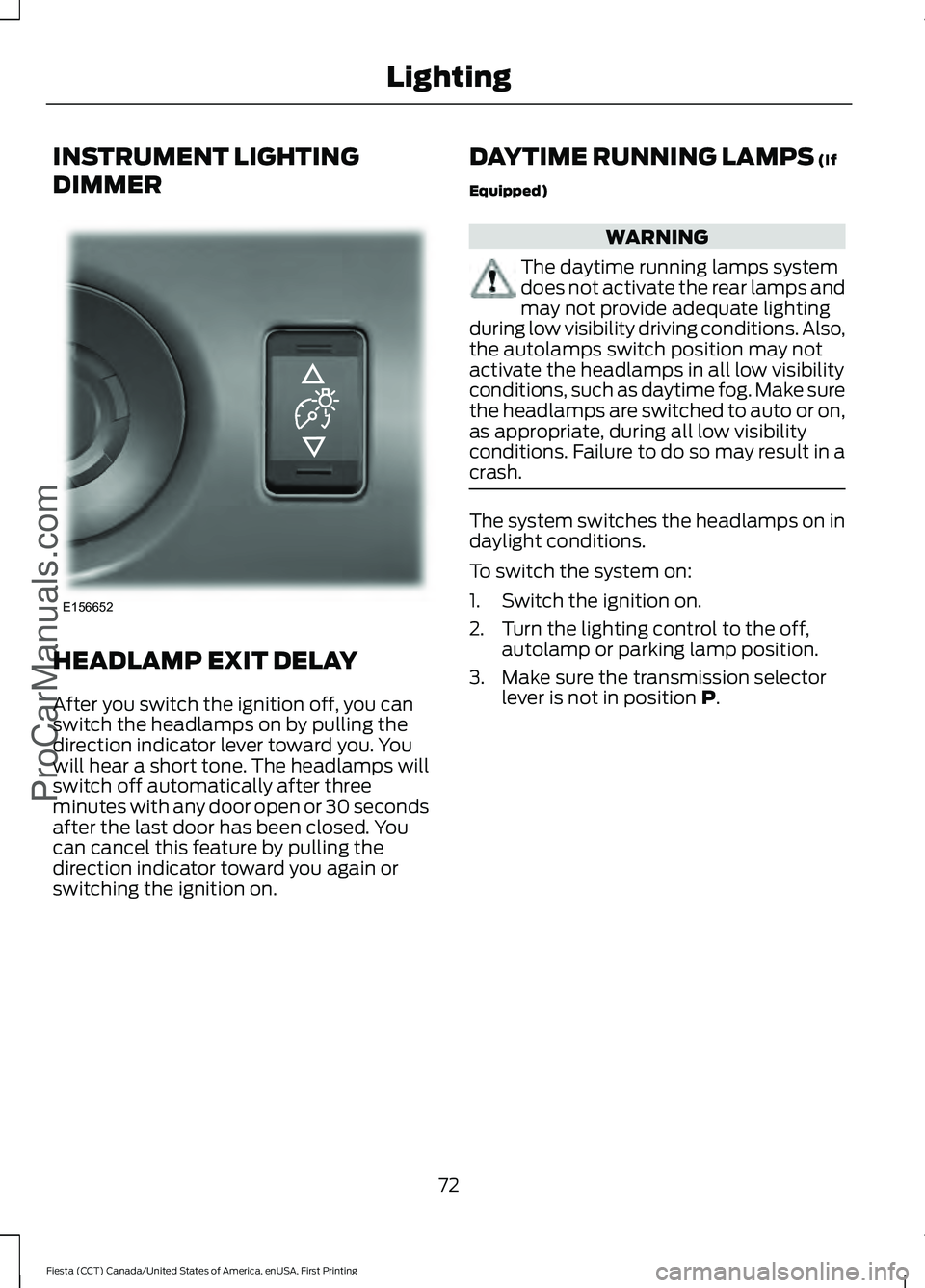
INSTRUMENT LIGHTING
DIMMER
HEADLAMP EXIT DELAY
After you switch the ignition off, you can
switch the headlamps on by pulling the
direction indicator lever toward you. You
will hear a short tone. The headlamps will
switch off automatically after three
minutes with any door open or 30 seconds
after the last door has been closed. You
can cancel this feature by pulling the
direction indicator toward you again or
switching the ignition on. DAYTIME RUNNING LAMPS (If
Equipped) WARNING
The daytime running lamps system
does not activate the rear lamps and
may not provide adequate lighting
during low visibility driving conditions. Also,
the autolamps switch position may not
activate the headlamps in all low visibility
conditions, such as daytime fog. Make sure
the headlamps are switched to auto or on,
as appropriate, during all low visibility
conditions. Failure to do so may result in a
crash. The system switches the headlamps on in
daylight conditions.
To switch the system on:
1. Switch the ignition on.
2. Turn the lighting control to the off,
autolamp or parking lamp position.
3. Make sure the transmission selector lever is not in position
P.
72
Fiesta (CCT) Canada/United States of America, enUSA, First Printing Lighting
ProCarManuals.comE156652
Page 78 of 363
POWER WINDOWS (If Equipped)
WARNINGS
Do not leave children unattended in
your vehicle and do not let them play
with the power windows. They may
seriously injure themselves. When closing the power windows,
you should verify they are free of
obstructions and make sure that
children and pets are not in the proximity
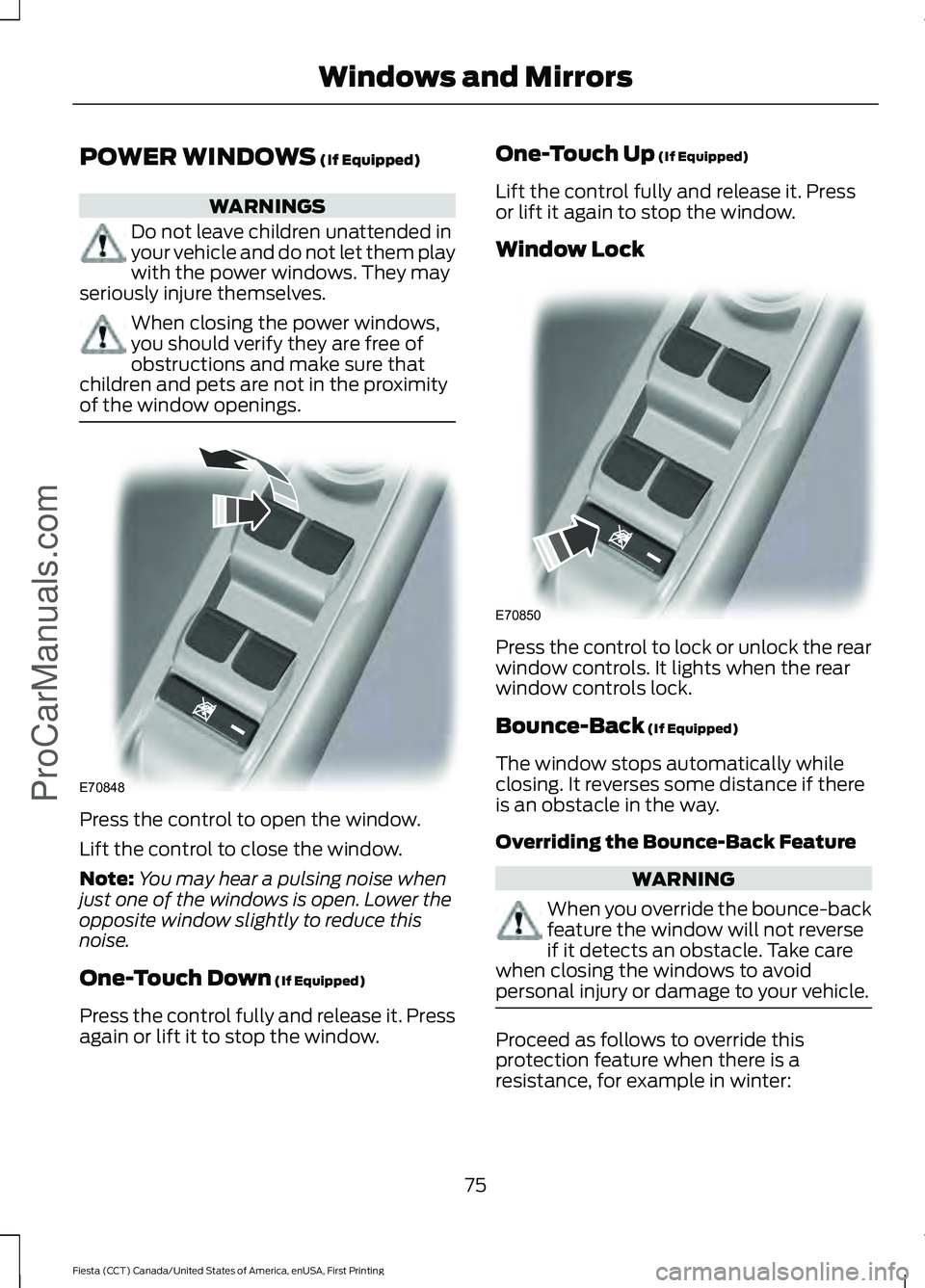
of the window openings. Press the control to open the window.
Lift the control to close the window.
Note:
You may hear a pulsing noise when
just one of the windows is open. Lower the
opposite window slightly to reduce this
noise.
One-Touch Down
(If Equipped)
Press the control fully and release it. Press
again or lift it to stop the window. One-Touch Up
(If Equipped)
Lift the control fully and release it. Press
or lift it again to stop the window.
Window Lock Press the control to lock or unlock the rear
window controls. It lights when the rear
window controls lock.
Bounce-Back
(If Equipped)
The window stops automatically while
closing. It reverses some distance if there
is an obstacle in the way.
Overriding the Bounce-Back Feature WARNING
When you override the bounce-back
feature the window will not reverse
if it detects an obstacle. Take care
when closing the windows to avoid
personal injury or damage to your vehicle. Proceed as follows to override this
protection feature when there is a
resistance, for example in winter:
75
Fiesta (CCT) Canada/United States of America, enUSA, First Printing Windows and Mirrors
ProCarManuals.comE70848 E70850