battery FORD FIESTA 2017 6.G User Guide
[x] Cancel search | Manufacturer: FORD, Model Year: 2017, Model line: FIESTA, Model: FORD FIESTA 2017 6.GPages: 450, PDF Size: 6.05 MB
Page 77 of 450
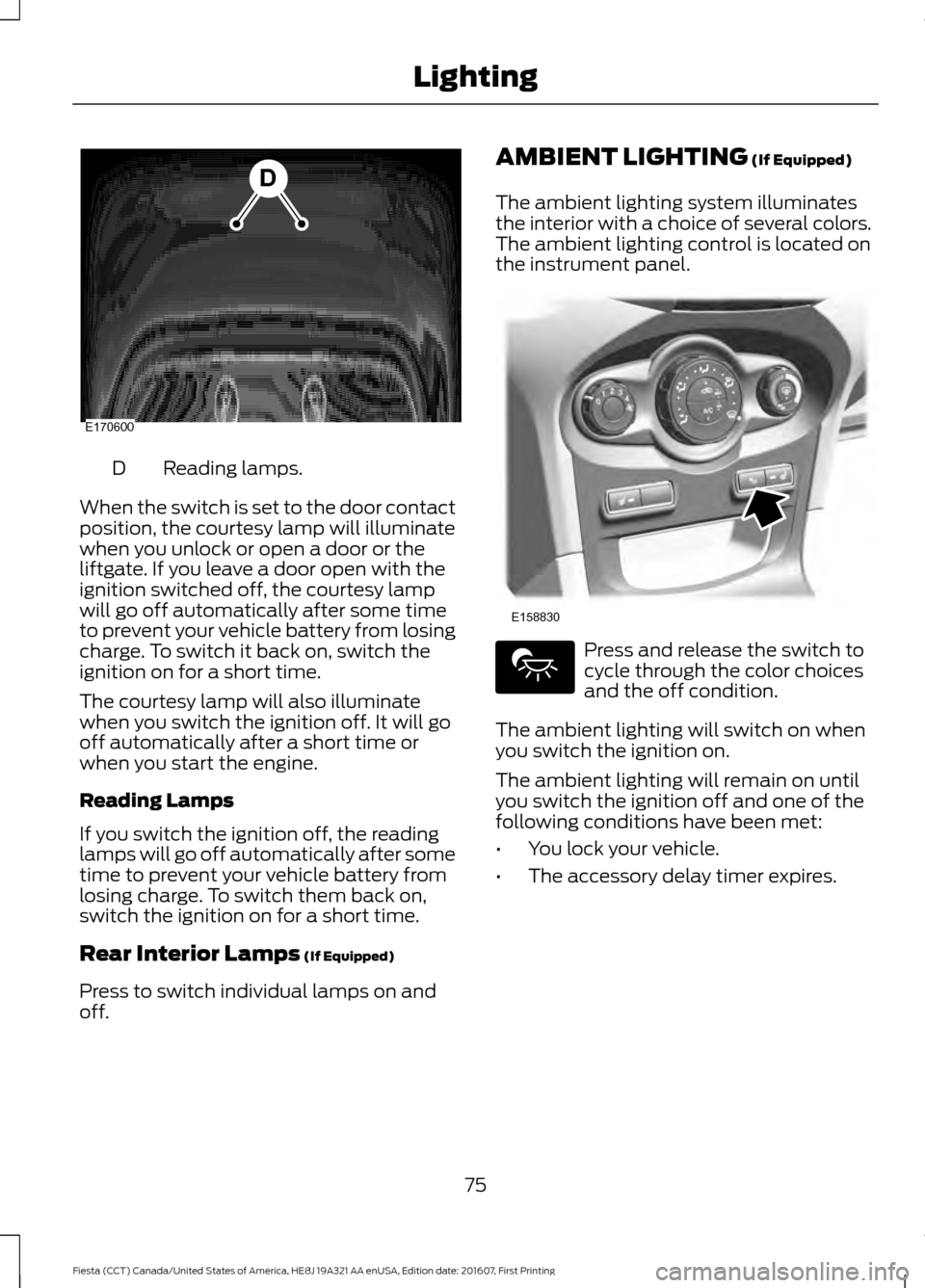
Reading lamps.
D
When the switch is set to the door contact
position, the courtesy lamp will illuminate
when you unlock or open a door or the
liftgate. If you leave a door open with the
ignition switched off, the courtesy lamp
will go off automatically after some time
to prevent your vehicle battery from losing
charge. To switch it back on, switch the
ignition on for a short time.
The courtesy lamp will also illuminate
when you switch the ignition off. It will go
off automatically after a short time or
when you start the engine.
Reading Lamps
If you switch the ignition off, the reading
lamps will go off automatically after some
time to prevent your vehicle battery from
losing charge. To switch them back on,
switch the ignition on for a short time.
Rear Interior Lamps (If Equipped)
Press to switch individual lamps on and
off. AMBIENT LIGHTING
(If Equipped)
The ambient lighting system illuminates
the interior with a choice of several colors.
The ambient lighting control is located on
the instrument panel. Press and release the switch to
cycle through the color choices
and the off condition.
The ambient lighting will switch on when
you switch the ignition on.
The ambient lighting will remain on until
you switch the ignition off and one of the
following conditions have been met:
• You lock your vehicle.
• The accessory delay timer expires.
75
Fiesta (CCT) Canada/United States of America, HE8J 19A321 AA enUSA, Edition date: 201607, First Printing LightingE170600
D E158830
Page 79 of 450
1.
Close the window twice until it reaches
the point of resistance and let it
reverse.
2. Close the window a third time to the point of resistance. You disabled the
bounce-back feature and you can now
close the window manually. The
window travels past the point of
resistance and you can close it fully.
Contact an authorized dealer as soon as
possible if the window does not close after
the third attempt.
Resetting the Bounce-Back Feature WARNING
The bounce-back feature remains
turned off until you reset the
memory.
If you have disconnected the battery, you
must reset the bounce-back memory
separately for each window.
1. Lift and hold the control until the
window is fully closed.
2. Release the control.
3. Lift and hold the control again for a few
seconds.
4. Release the control.
5. Lift and hold the control again for a few
seconds.
6. Release the control.
7. Press and hold the control until the window is fully open.
8. Lift and hold the control until the window is fully closed.
9. Release the control.
10. Open the window and then try to close it automatically.
11. Repeat the procedure if the window does not close automatically. Accessory Delay (If Equipped)
You can use the window controls for
several minutes after switching off the
ignition or until opening either front door.
EXTERIOR MIRRORS
Power Exterior Mirrors WARNING
Do not adjust the mirrors when your
vehicle is moving. This could result
in the loss of control of your vehicle,
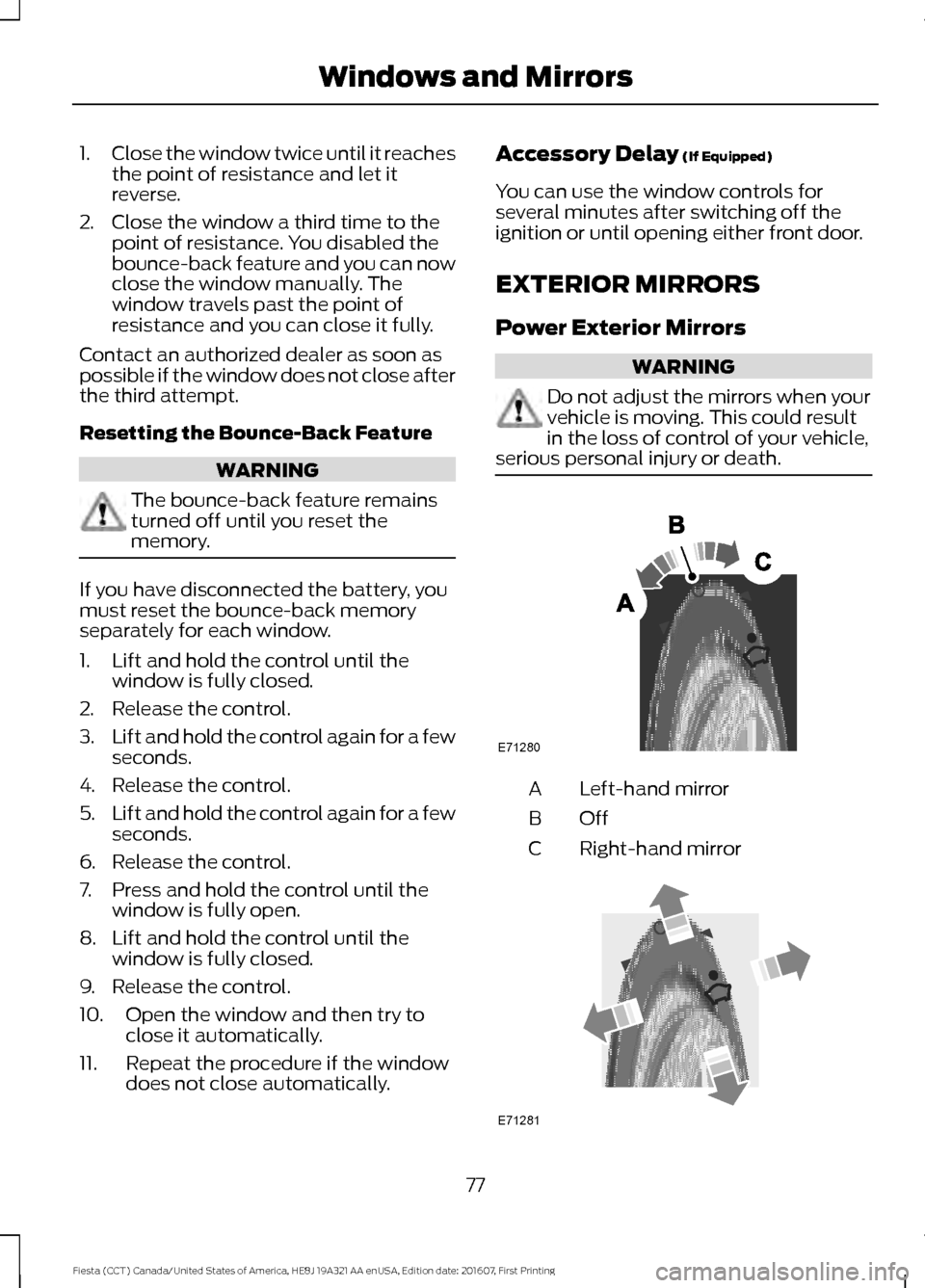
serious personal injury or death. Left-hand mirror
A
OffB
Right-hand mirror
C 77
Fiesta (CCT) Canada/United States of America, HE8J 19A321 AA enUSA, Edition date: 201607, First Printing Windows and MirrorsE71280 E71281
Page 91 of 450
Engine Immobilizer
Action
Message Indic-
ator
Message
Have your vehicle checked as soon as
possible.
Red
Immobiliser malfunction
Service now
Fuel System Action
Message Indic-
ator
Message
Displays if the fuel fill inlet did not fully
close.
-
Check Fuel Fill Inlet See Refueling (page 119).
Refuel as soon as possible.
-
Fuel Level Low
Hill Start Assist Action
Message Indic-
ator
Message
Displays when hill start assist is not avail-
able. Have your vehicle checked as soon
as possible.
Amber
Hill start assist not avail-
able
See
Hill Start Assist (page 132).
Keyless Entry Action
Message Indic-
ator
Message
Displays when the system cannot detect a
valid key.
Amber
Key not detected
See
Keyless Entry (page 60).
Displays when the system cannot detect a
valid key.
Amber
Key outside car
See
Keyless Entry (page 60).
Displays when the remote key battery
requires replacing.
Amber
Key Battery low Replace
soon
89
Fiesta (CCT) Canada/United States of America, HE8J 19A321 AA enUSA, Edition date: 201607, First Printing Information Displays
Page 109 of 450
Press the required switch to turn
the seat heating on. The lamp
inside the switch will illuminate.
Press the switch again to turn the seat
heating off.
The seat heaters will only turn on with the
ignition turned on.
Note: You should avoid using the seat
heaters unless the engine is running. Using
the seat heaters without the engine running
could drain your vehicle battery.
The heated seat will remain turned on until
either the heated seat switch or the ignition
is turned off.
107
Fiesta (CCT) Canada/United States of America, HE8J 19A321 AA enUSA, Edition date: 201607, First Printing Seats
Page 110 of 450
12 Volt DC Power Point
WARNINGS
Do not plug optional electrical
accessories into the cigar lighter
socket. Incorrect use of the cigar
lighter can cause damage not covered by
the vehicle warranty, and can result in fire
or serious injury. Incorrect use of the power points can
cause damage not covered by the
vehicle warranty, and can result in
fire or serious injury. Note:
When you switch the ignition on, you
can use the socket to power 12 volt
appliances with a maximum current rating
of 15 amps.
If the power supply does not work after you
switch the ignition off, switch the ignition
on.
Note: Do not insert objects other than an
accessory plug into the power point. This
will damage the outlet and blow the fuse.
Note: Do not hang any accessory from the
accessory plug.
Note: Do not use the power point over the
vehicle capacity of 12 volt DC 180 watts or
a fuse may blow.
Note: Do not use a power point for
operating a cigar lighter.
Note: Always keep the power point caps
closed when not in use.
Run the vehicle for full capacity use of the
power point.
Using a USB charger through the auxiliary
power point can cause interference in the
audio system. Disconnecting the charger
could improve the signal. To prevent the battery from running out of
charge:
•
Do not use the power point longer than
necessary when the vehicle is not
running.
• Do not leave devices plugged in
overnight or when you park your vehicle
for extended periods.
Location
Power points may be in the following
locations:
• On the center console.
• On the rear of the center console.
CIGAR LIGHTER (If Equipped) WARNING
Do not plug optional electrical
accessories into the cigar lighter
socket. Incorrect use of the cigar
lighter can cause damage not covered by
the vehicle warranty, and can result in fire
or serious injury. Note:
Do not hold the cigar lighter element
pressed in.
Note: If the power supply does not work
after you switch the ignition off, switch the
ignition on.
Note: If you use the socket when the engine
is not running, the battery may lose charge.
Note: When you switch the ignition on, you
can use the socket to power 12 volt
appliances with a maximum current rating
of 15 amps.
108
Fiesta (CCT) Canada/United States of America, HE8J 19A321 AA enUSA, Edition date: 201607, First Printing Auxiliary Power Points
Page 113 of 450
GENERAL INFORMATION
WARNINGS
Extended idling at high engine
speeds can produce very high
temperatures in the engine and
exhaust system, creating the risk of fire or
other damage. Do not park, idle or drive your vehicle
on dry grass or other dry ground
cover. The emission system heats up
the engine compartment and exhaust
system, creating the risk of fire. Do not start the engine in a closed
garage or in other enclosed areas.
Exhaust fumes can be toxic. Always
open the garage door before you start the
engine. If you smell exhaust fumes inside
your vehicle, have your vehicle
checked by an authorized dealer
immediately. Do not drive your vehicle if
you smell exhaust fumes. If you disconnect the battery, your vehicle
may exhibit some unusual driving
characteristics for approximately 5 miles
(8 kilometers) after you reconnect it. This
is because the engine management system
must realign itself with the engine. You can
disregard any unusual driving
characteristics during this period.
The powertrain control system meets all
Canadian interference-causing equipment
standard requirements regulating the
impulse electrical field or radio noise.
When you start the engine, avoid pressing
the accelerator pedal before and during
operation. Only use the accelerator pedal
when you have difficulty starting the
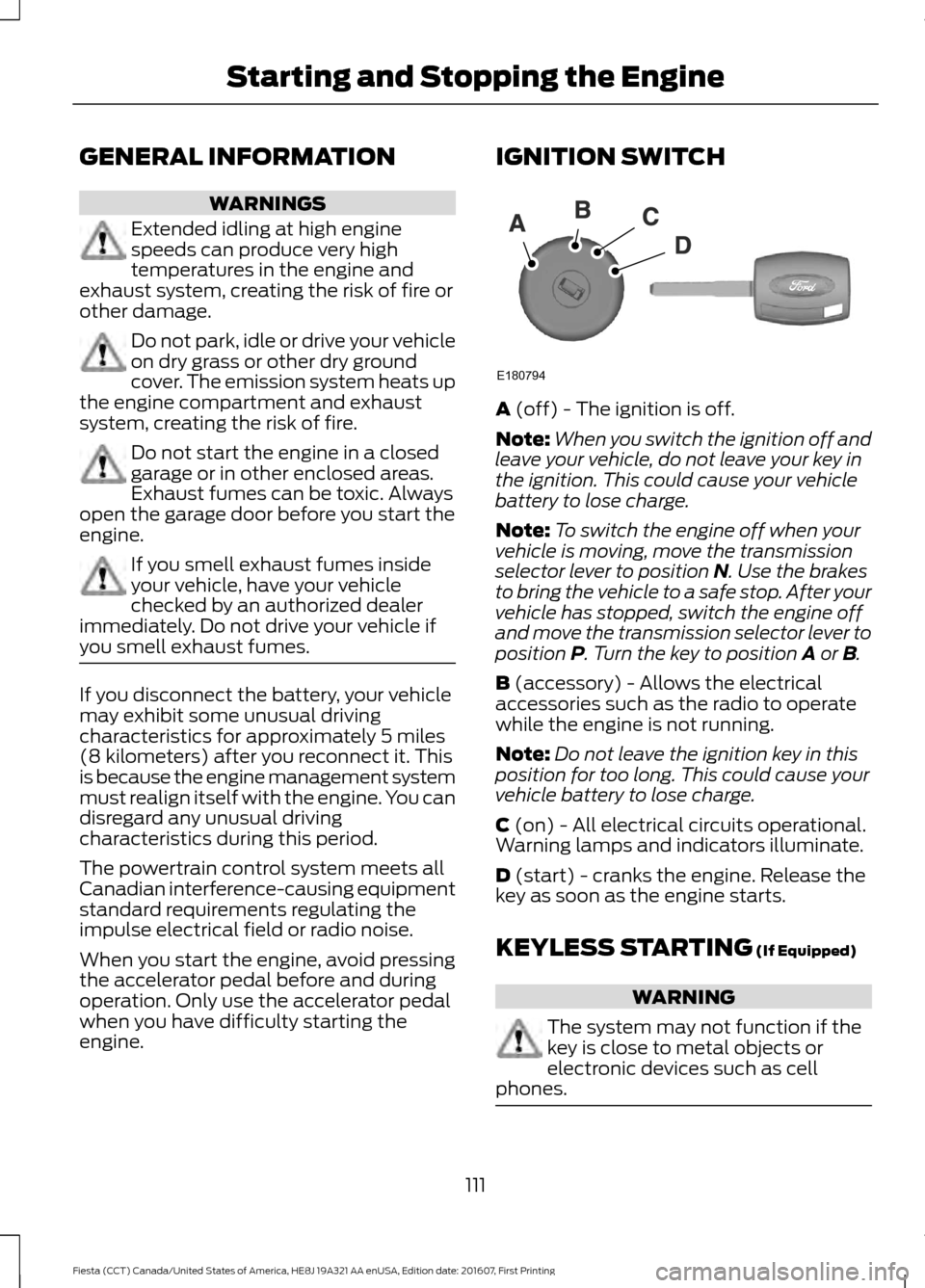
engine. IGNITION SWITCH
A (off) - The ignition is off.
Note: When you switch the ignition off and
leave your vehicle, do not leave your key in
the ignition. This could cause your vehicle
battery to lose charge.
Note: To switch the engine off when your
vehicle is moving, move the transmission
selector lever to position
N. Use the brakes
to bring the vehicle to a safe stop. After your
vehicle has stopped, switch the engine off
and move the transmission selector lever to
position
P. Turn the key to position A or B.
B
(accessory) - Allows the electrical
accessories such as the radio to operate
while the engine is not running.
Note: Do not leave the ignition key in this
position for too long. This could cause your
vehicle battery to lose charge.
C
(on) - All electrical circuits operational.
Warning lamps and indicators illuminate.
D
(start) - cranks the engine. Release the
key as soon as the engine starts.
KEYLESS STARTING
(If Equipped) WARNING
The system may not function if the
key is close to metal objects or
electronic devices such as cell
phones. 111
Fiesta (CCT) Canada/United States of America, HE8J 19A321 AA enUSA, Edition date: 201607, First Printing Starting and Stopping the EngineE180794
Page 114 of 450
Note:
The ignition will automatically switch
off when you leave your vehicle unattended.
This is to prevent your vehicle battery
running out of charge.
Note: A valid key must be located inside
your vehicle to switch the ignition on and
start the engine.
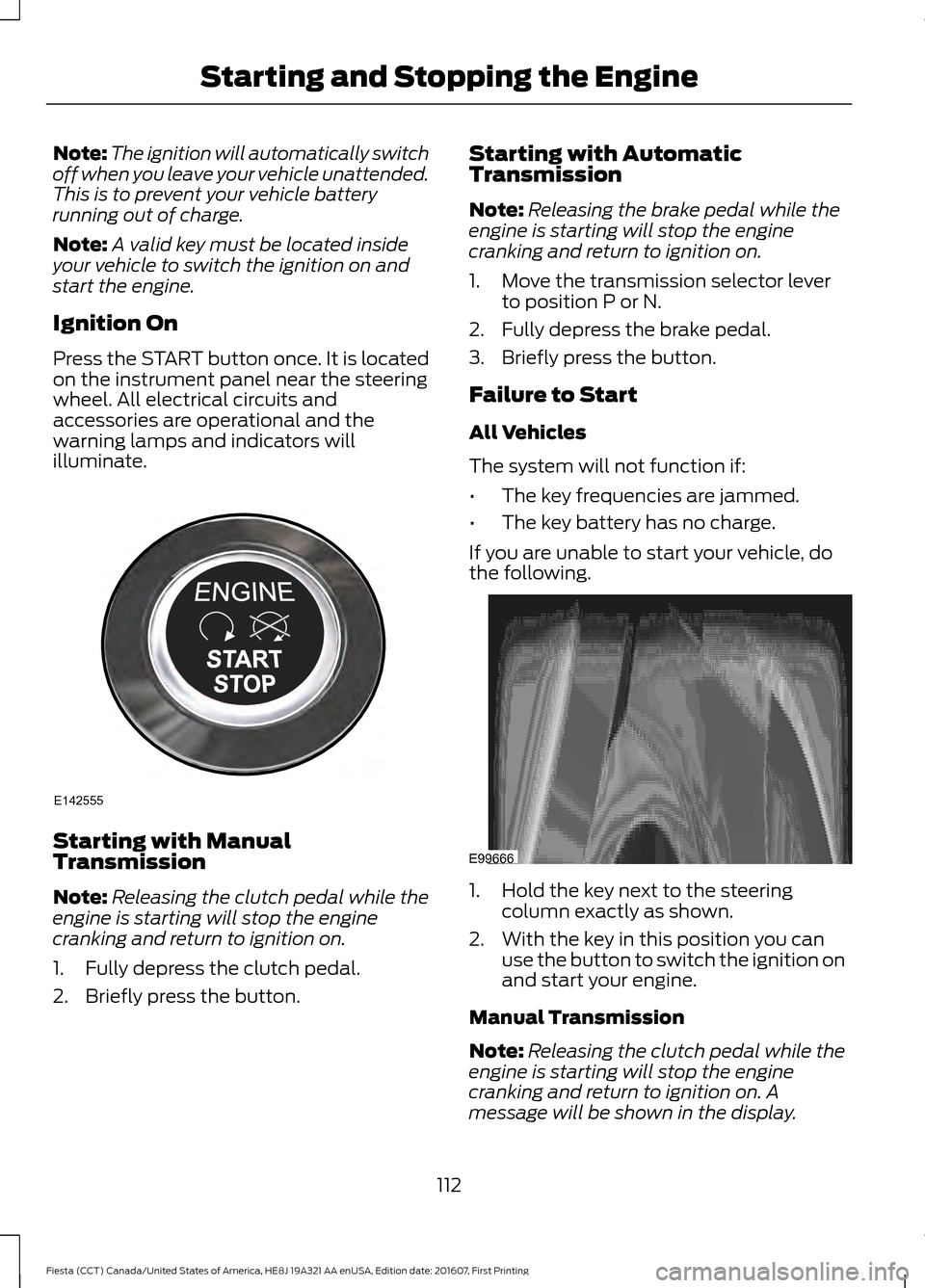
Ignition On
Press the START button once. It is located
on the instrument panel near the steering
wheel. All electrical circuits and
accessories are operational and the
warning lamps and indicators will
illuminate. Starting with Manual
Transmission
Note:
Releasing the clutch pedal while the
engine is starting will stop the engine
cranking and return to ignition on.
1. Fully depress the clutch pedal.
2. Briefly press the button. Starting with Automatic
Transmission
Note:
Releasing the brake pedal while the
engine is starting will stop the engine
cranking and return to ignition on.
1. Move the transmission selector lever to position P or N.
2. Fully depress the brake pedal.
3. Briefly press the button.
Failure to Start
All Vehicles
The system will not function if:
• The key frequencies are jammed.
• The key battery has no charge.
If you are unable to start your vehicle, do
the following. 1. Hold the key next to the steering
column exactly as shown.
2. With the key in this position you can use the button to switch the ignition on
and start your engine.
Manual Transmission
Note: Releasing the clutch pedal while the
engine is starting will stop the engine
cranking and return to ignition on. A
message will be shown in the display.
112
Fiesta (CCT) Canada/United States of America, HE8J 19A321 AA enUSA, Edition date: 201607, First Printing Starting and Stopping the EngineE142555 E99666
Page 126 of 450
Readiness for Inspection and
Maintenance (I/M) Testing
Some state and provincial and local
governments may have
Inspection/Maintenance (I/M) programs
to inspect the emission control equipment
on your vehicle. Failure to pass this
inspection could prevent you from getting
a vehicle registration.
If the service engine soon
indicator is on or the bulb does
not work, your vehicle may need
service. See On-Board Diagnostics.
Your vehicle may not pass the I/M test if
the service engine soon indicator is on or
not working properly (bulb is burned out),
or if the OBD-II system has determined
that some of the emission control systems
have not been properly checked. In this
case, the vehicle is not ready for I/M
testing.
If the vehicle ’s engine or transmission has
just been serviced, or the battery has
recently run down or been replaced, the
OBD-II system may indicate that the
vehicle is not ready for I/M testing. To
determine if the vehicle is ready for I/M
testing, turn the ignition key to the on
position for 15 seconds without cranking
the engine. If the service engine soon
indicator blinks eight times, it means that
the vehicle is not ready for I/M testing; if
the service engine soon indicator stays on
solid, it means that your vehicle is ready
for I/M testing.
The OBD-II system checks the emission
control system during normal driving. A
complete check may take several days.
If the vehicle is not ready for I/M testing,
you can perform the following driving cycle
consisting of mixed city and highway
driving: 1. 15 minutes of steady driving on an
expressway or highway followed by 20
minutes of stop-and-go driving with at
least four 30-second idle periods.
2. Allow your vehicle to sit for at least eight hours with the ignition off. Then,
start the vehicle and complete the
above driving cycle. The vehicle must
warm up to its normal operating
temperature. Once started, do not turn
off the vehicle until the above driving
cycle is complete.
If the vehicle is still not ready for I/M
testing, you need to repeat the above
driving cycle.
124
Fiesta (CCT) Canada/United States of America, HE8J 19A321 AA enUSA, Edition date: 201607, First Printing Fuel and Refueling
Page 131 of 450
Moving off
1. Press the brake pedal to apply the
brakes.
2. Move the transmission selector lever to R,D or S.
3. Release the parking brake.
4. Release the brake pedal and press the
accelerator pedal.
Stopping
1. Release the accelerator pedal and press the brake pedal.
2. Apply the parking brake.
3. Move the transmission selector lever to
N or P.
Downshift
Press the accelerator pedal fully with the
transmission selector lever in either
D, S
mode or manual shifting position to select
a lower gear for optimum performance.
Release the accelerator pedal when you
no longer require downshift.
If Your Vehicle Gets Stuck In Mud or
Snow
If your vehicle gets stuck in mud or snow,
it may be rocked out by shifting between
D
and R, stopping between shifts in a
steady pattern. Press the accelerator
lightly in each gear.
Note: Do not rock your vehicle if the engine
is not at normal operating temperature as
this can damage the transmission.
Note: Do not rock your vehicle for more
than a minute as this can damage the
transmission or the tires and the engine may
overheat. Emergency Park Position Release
Lever WARNINGS
Do not drive your vehicle until you
verify that the brake lamps are
working. Failure to adhere to warning
indicators may lead to an accident or injury. If you release the parking brake and
the brake warning lamp remains
illuminated the brakes may not be
working correctly. Have your vehicle
checked by an authorized dealer as soon
as possible. Failure to adhere to warning
lamps and indicators may lead to an
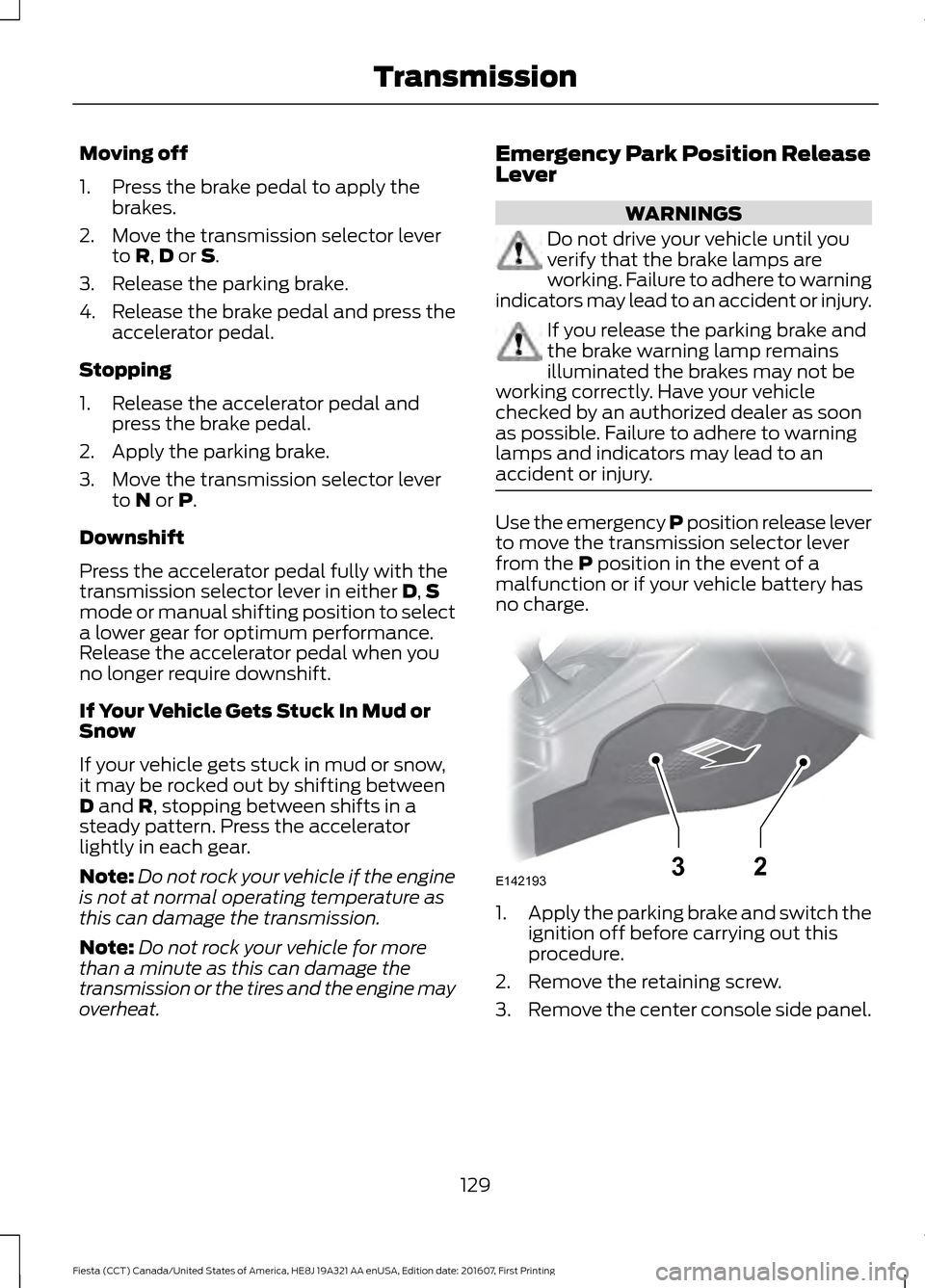
accident or injury. Use the emergency P position release lever
to move the transmission selector lever
from the
P position in the event of a
malfunction or if your vehicle battery has
no charge. 1.
Apply the parking brake and switch the
ignition off before carrying out this
procedure.
2. Remove the retaining screw.
3. Remove the center console side panel.
129
Fiesta (CCT) Canada/United States of America, HE8J 19A321 AA enUSA, Edition date: 201607, First Printing TransmissionE14219332
Page 143 of 450
WARNINGS
Do not switch the camera features
on or off when your vehicle is moving.
The operation of the camera may
vary depending on the ambient
temperature, vehicle and road
conditions. To help avoid personal injury always
use caution when in reverse (R) and
when using the rear view camera.
The rear view camera provides an image
of the area behind your vehicle. During
operation, lines appear in the display that
represents the path of your vehicle and
proximity to objects behind it.
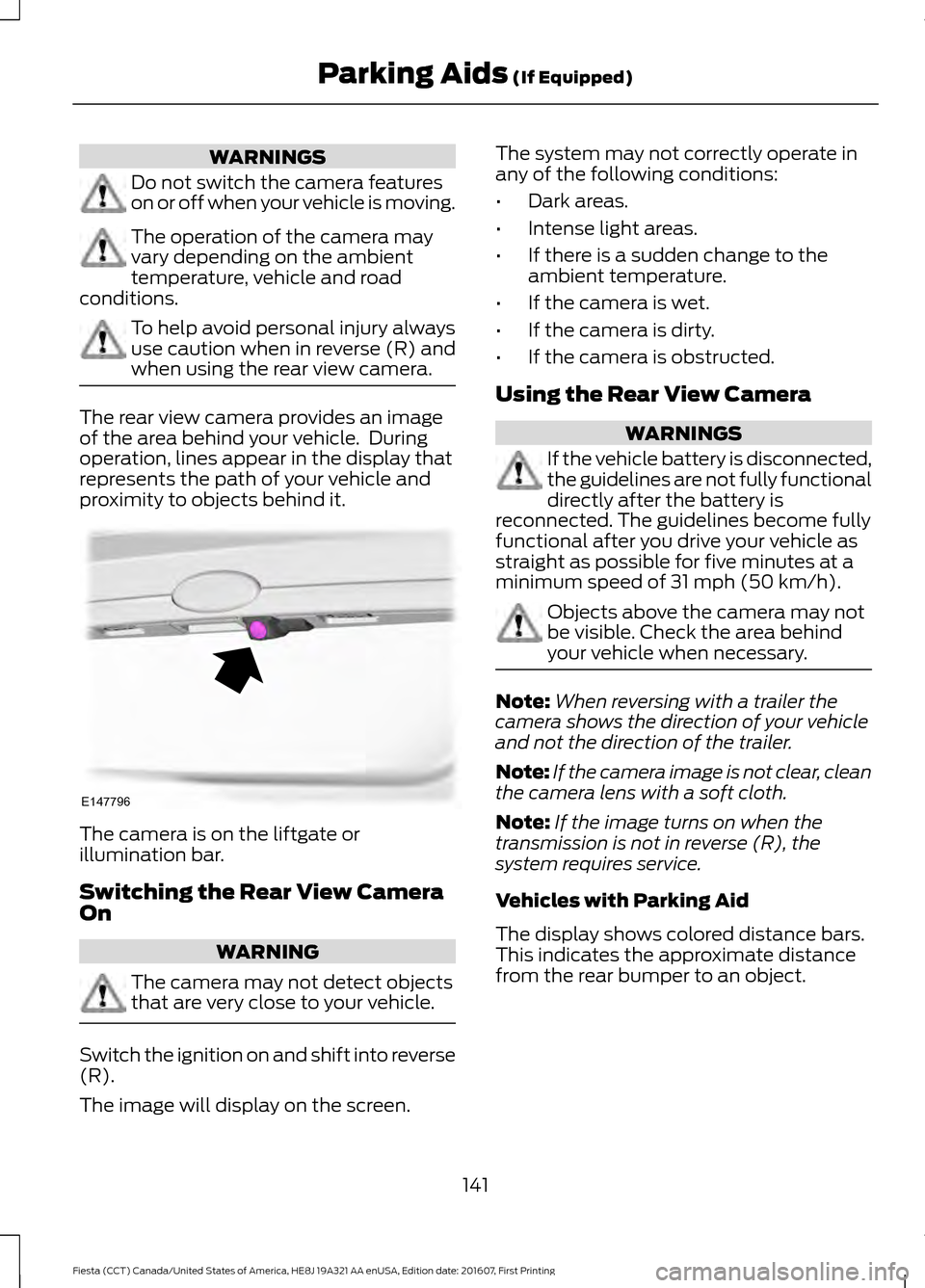
The camera is on the liftgate or
illumination bar.
Switching the Rear View Camera
On
WARNING
The camera may not detect objects
that are very close to your vehicle.
Switch the ignition on and shift into reverse
(R).
The image will display on the screen. The system may not correctly operate in
any of the following conditions:
•
Dark areas.
• Intense light areas.
• If there is a sudden change to the
ambient temperature.
• If the camera is wet.
• If the camera is dirty.
• If the camera is obstructed.
Using the Rear View Camera WARNINGS
If the vehicle battery is disconnected,
the guidelines are not fully functional
directly after the battery is
reconnected. The guidelines become fully
functional after you drive your vehicle as
straight as possible for five minutes at a
minimum speed of 31 mph (50 km/h). Objects above the camera may not
be visible. Check the area behind
your vehicle when necessary.
Note:
When reversing with a trailer the
camera shows the direction of your vehicle
and not the direction of the trailer.
Note: If the camera image is not clear, clean
the camera lens with a soft cloth.
Note: If the image turns on when the
transmission is not in reverse (R), the
system requires service.
Vehicles with Parking Aid
The display shows colored distance bars.
This indicates the approximate distance
from the rear bumper to an object.
141
Fiesta (CCT) Canada/United States of America, HE8J 19A321 AA enUSA, Edition date: 201607, First Printing Parking Aids
(If Equipped)E147796