USB port FORD FLEX 2014 1.G Owner's Manual
[x] Cancel search | Manufacturer: FORD, Model Year: 2014, Model line: FLEX, Model: FORD FLEX 2014 1.GPages: 554, PDF Size: 8.04 MB
Page 462 of 554
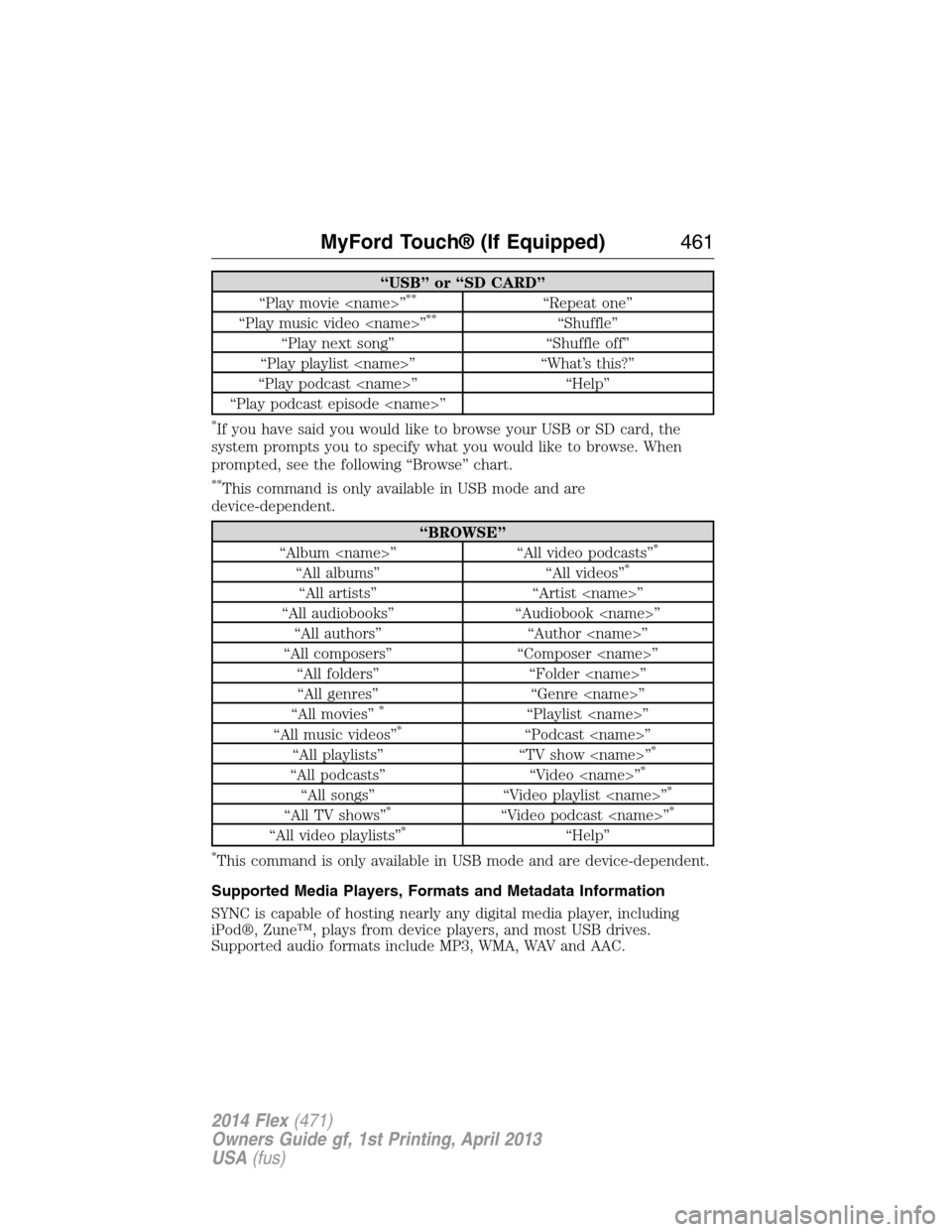
“USB” or “SD CARD”
“Play movie
“Play music video
“Play next song” “Shuffle off”
“Play playlist
“Play podcast
“Play podcast episode
*If you have said you would like to browse your USB or SD card, the
system prompts you to specify what you would like to browse. When
prompted, see the following “Browse” chart.
**This command is only available in USB mode and are
device-dependent.
“BROWSE”
“Album
“All albums” “All videos”*
“All artists” “Artist
“All audiobooks” “Audiobook
“All authors” “Author
“All composers” “Composer
“All folders” “Folder
“All genres” “Genre
“All movies”
*“Playlist
“All music videos”*“Podcast
“All playlists” “TV show
“All podcasts” “Video
“All songs” “Video playlist
“All TV shows”*“Video podcast
“All video playlists”*“Help”
*This command is only available in USB mode and are device-dependent.
Supported Media Players, Formats and Metadata Information
SYNC is capable of hosting nearly any digital media player, including
iPod®, Zune™, plays from device players, and most USB drives.
Supported audio formats include MP3, WMA, WAV and AAC.
MyFord Touch® (If Equipped)461
2014 Flex(471)
Owners Guide gf, 1st Printing, April 2013
USA(fus)
Page 463 of 554
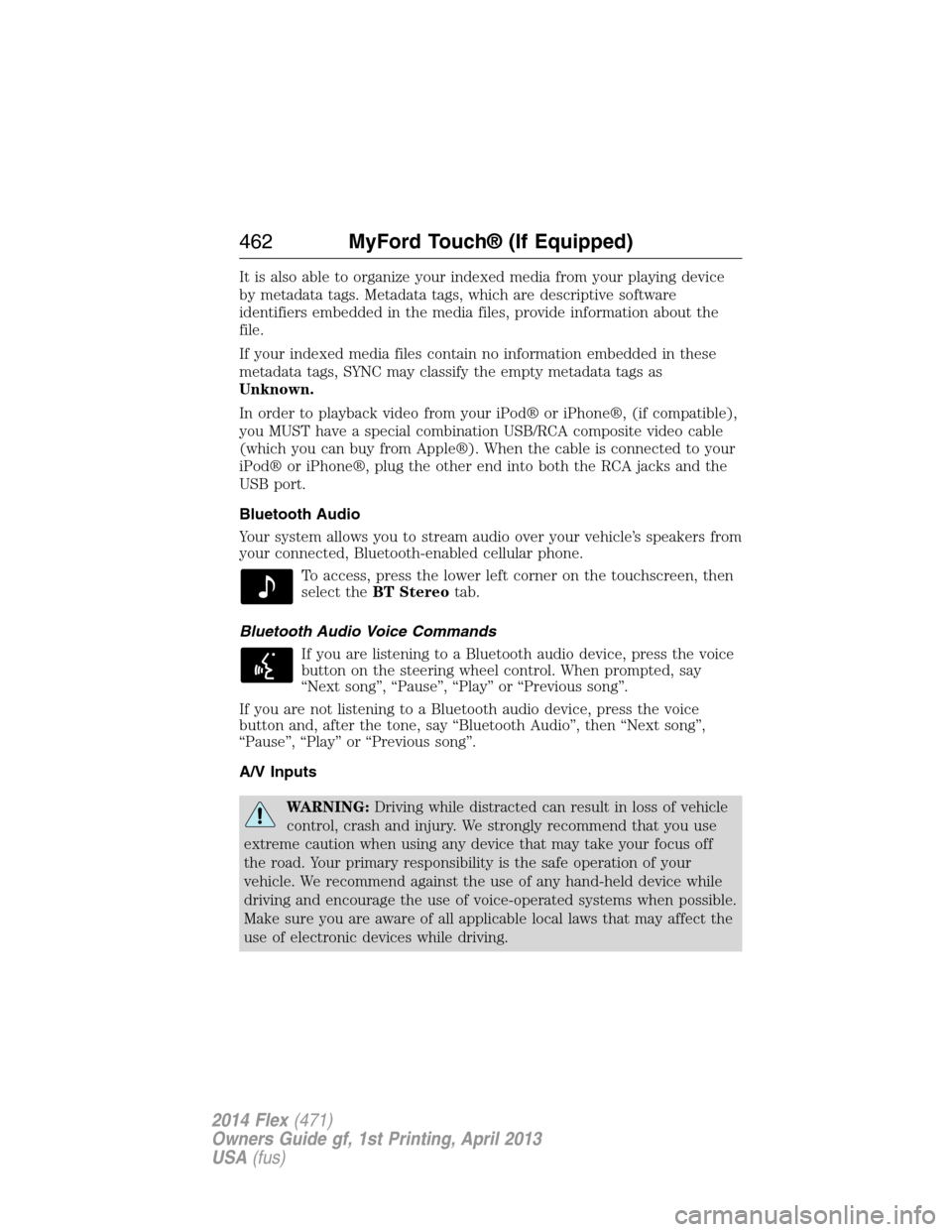
It is also able to organize your indexed media from your playing device
by metadata tags. Metadata tags, which are descriptive software
identifiers embedded in the media files, provide information about the
file.
If your indexed media files contain no information embedded in these
metadata tags, SYNC may classify the empty metadata tags as
Unknown.
In order to playback video from your iPod® or iPhone®, (if compatible),
you MUST have a special combination USB/RCA composite video cable
(which you can buy from Apple®). When the cable is connected to your
iPod® or iPhone®, plug the other end into both the RCA jacks and the
USB port.
Bluetooth Audio
Your system allows you to stream audio over your vehicle’s speakers from
your connected, Bluetooth-enabled cellular phone.
To access, press the lower left corner on the touchscreen, then
select theBT Stereotab.
Bluetooth Audio Voice Commands
If you are listening to a Bluetooth audio device, press the voice
button on the steering wheel control. When prompted, say
“Next song”, “Pause”, “Play” or “Previous song”.
If you are not listening to a Bluetooth audio device, press the voice
button and, after the tone, say “Bluetooth Audio”, then “Next song”,
“Pause”, “Play” or “Previous song”.
A/V Inputs
WARNING:Driving while distracted can result in loss of vehicle
control, crash and injury. We strongly recommend that you use
extreme caution when using any device that may take your focus off
the road. Your primary responsibility is the safe operation of your
vehicle. We recommend against the use of any hand-held device while
driving and encourage the use of voice-operated systems when possible.
Make sure you are aware of all applicable local laws that may affect the
use of electronic devices while driving.
462MyFord Touch® (If Equipped)
2014 Flex(471)
Owners Guide gf, 1st Printing, April 2013
USA(fus)
Page 465 of 554
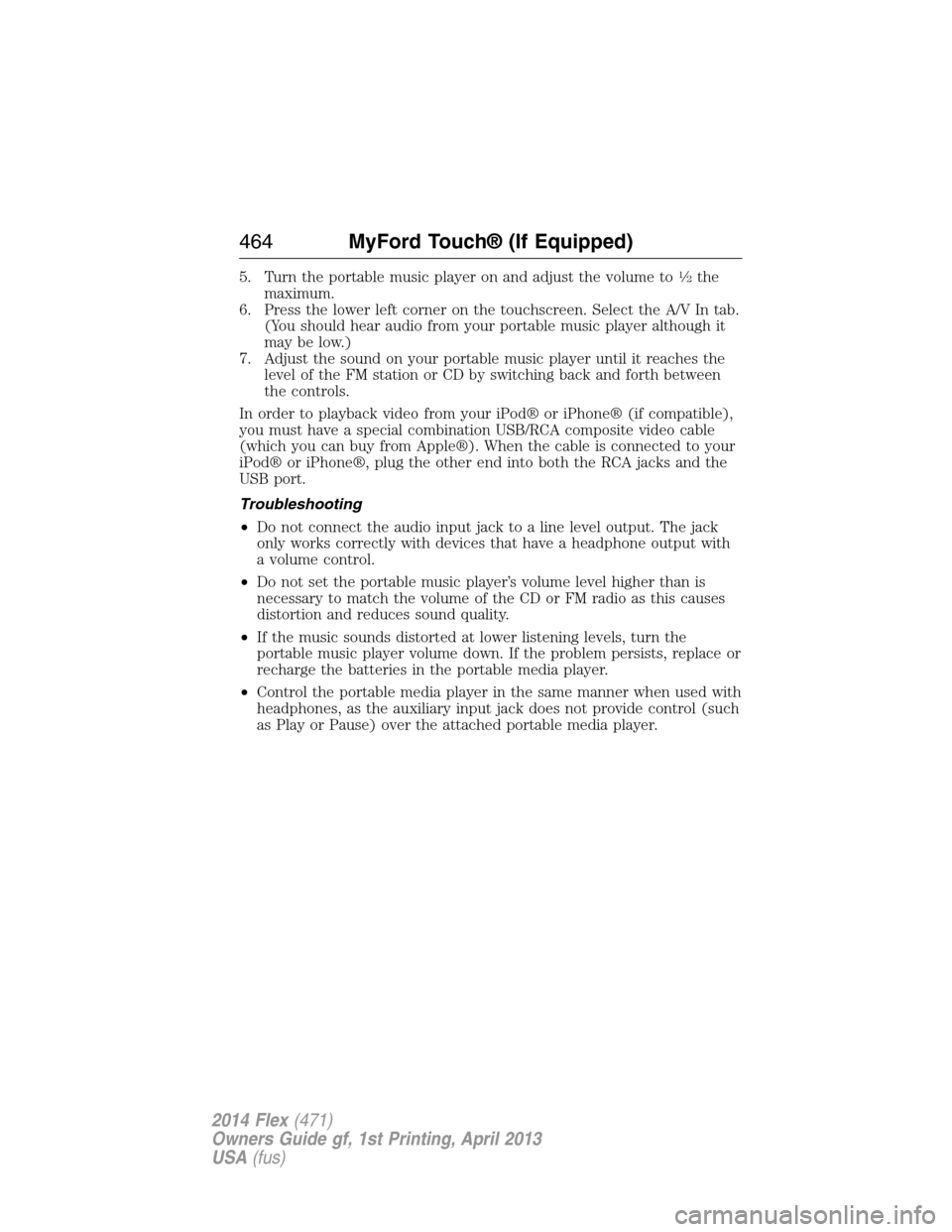
5. Turn the portable music player on and adjust the volume to12the
maximum.
6. Press the lower left corner on the touchscreen. Select the A/V In tab.
(You should hear audio from your portable music player although it
may be low.)
7. Adjust the sound on your portable music player until it reaches the
level of the FM station or CD by switching back and forth between
the controls.
In order to playback video from your iPod® or iPhone® (if compatible),
you must have a special combination USB/RCA composite video cable
(which you can buy from Apple®). When the cable is connected to your
iPod® or iPhone®, plug the other end into both the RCA jacks and the
USB port.
Troubleshooting
•Do not connect the audio input jack to a line level output. The jack
only works correctly with devices that have a headphone output with
a volume control.
•Do not set the portable music player’s volume level higher than is
necessary to match the volume of the CD or FM radio as this causes
distortion and reduces sound quality.
•If the music sounds distorted at lower listening levels, turn the
portable music player volume down. If the problem persists, replace or
recharge the batteries in the portable media player.
•Control the portable media player in the same manner when used with
headphones, as the auxiliary input jack does not provide control (such
as Play or Pause) over the attached portable media player.
464MyFord Touch® (If Equipped)
2014 Flex(471)
Owners Guide gf, 1st Printing, April 2013
USA(fus)
Page 493 of 554
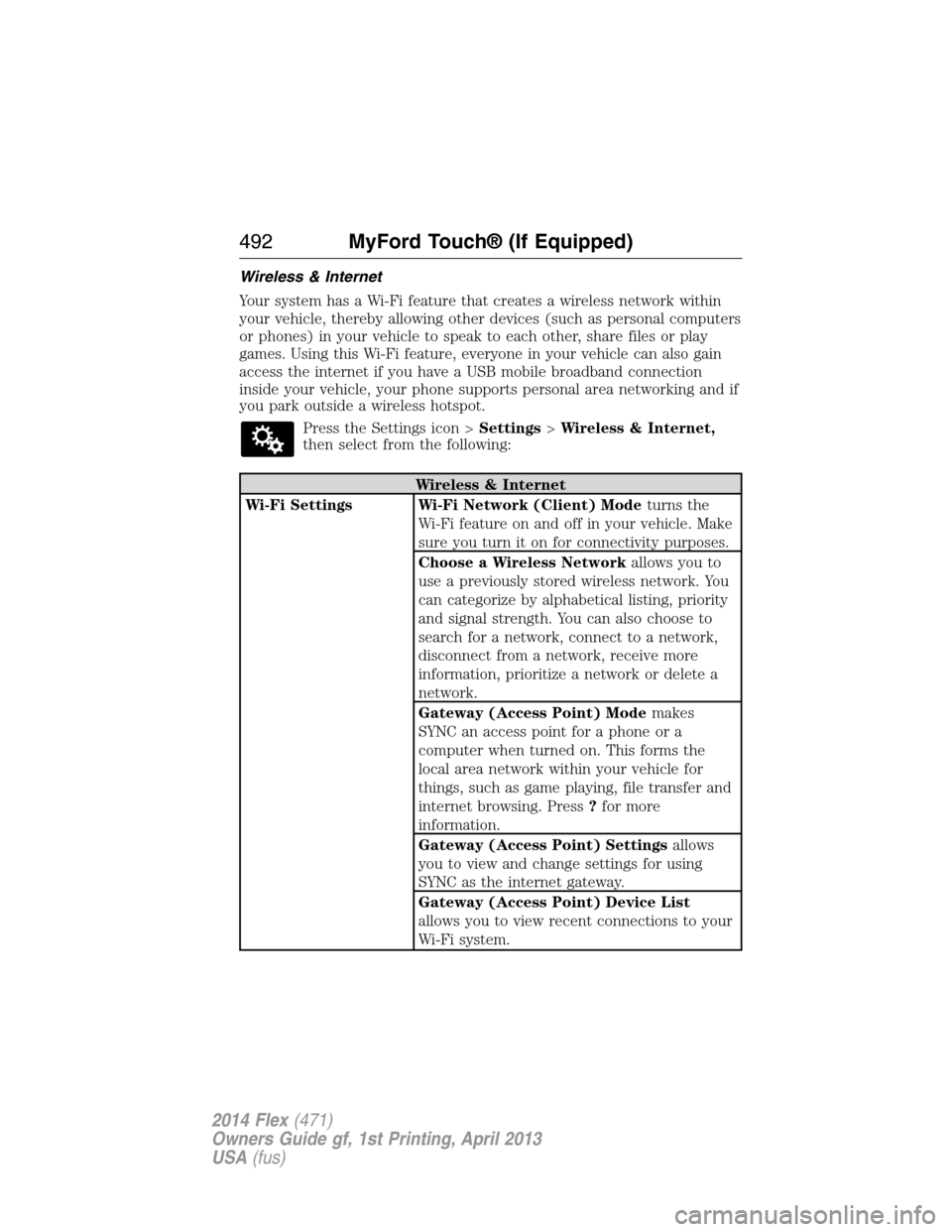
Wireless & Internet
Your system has a Wi-Fi feature that creates a wireless network within
your vehicle, thereby allowing other devices (such as personal computers
or phones) in your vehicle to speak to each other, share files or play
games. Using this Wi-Fi feature, everyone in your vehicle can also gain
access the internet if you have a USB mobile broadband connection
inside your vehicle, your phone supports personal area networking and if
you park outside a wireless hotspot.
Press the Settings icon >Settings>Wireless & Internet,
then select from the following:
Wireless & Internet
Wi-Fi Settings Wi-Fi Network (Client) Modeturns the
Wi-Fi feature on and off in your vehicle. Make
sure you turn it on for connectivity purposes.
Choose a Wireless Networkallows you to
use a previously stored wireless network. You
can categorize by alphabetical listing, priority
and signal strength. You can also choose to
search for a network, connect to a network,
disconnect from a network, receive more
information, prioritize a network or delete a
network.
Gateway (Access Point) Modemakes
SYNC an access point for a phone or a
computer when turned on. This forms the
local area network within your vehicle for
things, such as game playing, file transfer and
internet browsing. Press?for more
information.
Gateway (Access Point) Settingsallows
you to view and change settings for using
SYNC as the internet gateway.
Gateway (Access Point) Device List
allows you to view recent connections to your
Wi-Fi system.
492MyFord Touch® (If Equipped)
2014 Flex(471)
Owners Guide gf, 1st Printing, April 2013
USA(fus)
Page 547 of 554
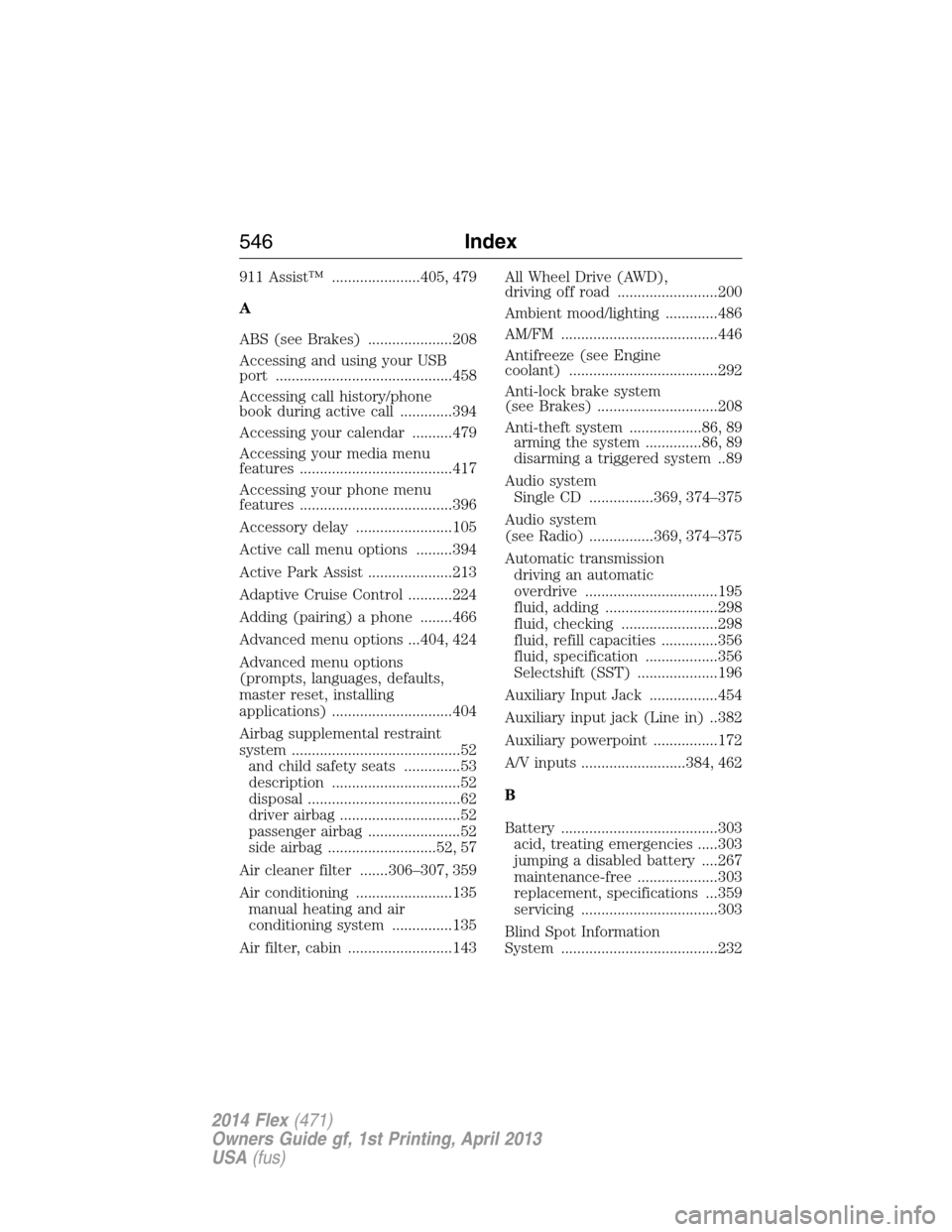
911 Assist™ ......................405, 479
A
ABS (see Brakes) .....................208
Accessing and using your USB
port ............................................458
Accessing call history/phone
book during active call .............394
Accessing your calendar ..........479
Accessing your media menu
features ......................................417
Accessing your phone menu
features ......................................396
Accessory delay ........................105
Active call menu options .........394
Active Park Assist .....................213
Adaptive Cruise Control ...........224
Adding (pairing) a phone ........466
Advanced menu options ...404, 424
Advanced menu options
(prompts, languages, defaults,
master reset, installing
applications) ..............................404
Airbag supplemental restraint
system ..........................................52
and child safety seats ..............53
description ................................52
disposal ......................................62
driver airbag ..............................52
passenger airbag .......................52
side airbag ...........................52, 57
Air cleaner filter .......306–307, 359
Air conditioning ........................135
manual heating and air
conditioning system ...............135
Air filter, cabin ..........................143All Wheel Drive (AWD),
driving off road .........................200
Ambient mood/lighting .............486
AM/FM .......................................446
Antifreeze (see Engine
coolant) .....................................292
Anti-lock brake system
(see Brakes) ..............................208
Anti-theft system ..................86, 89
arming the system ..............86, 89
disarming a triggered system ..89
Audio system
Single CD ................369, 374–375
Audio system
(see Radio) ................369, 374–375
Automatic transmission
driving an automatic
overdrive .................................195
fluid, adding ............................298
fluid, checking ........................298
fluid, refill capacities ..............356
fluid, specification ..................356
Selectshift (SST) ....................196
Auxiliary Input Jack .................454
Auxiliary input jack (Line in) ..382
Auxiliary powerpoint ................172
A/V inputs ..........................384, 462
B
Battery .......................................303
acid, treating emergencies .....303
jumping a disabled battery ....267
maintenance-free ....................303
replacement, specifications ...359
servicing ..................................303
Blind Spot Information
System .......................................232
546Index
2014 Flex(471)
Owners Guide gf, 1st Printing, April 2013
USA(fus)
Page 552 of 554
Radio reception .........................367
Radio voice commands .............451
Rear heated seats .....................154
Rear view camera
display ................................218, 487
Rear window
defroster ....................135, 137–138
Receiving a text
message .............................398, 470
Recommendations for
attaching safety restraints for
children ........................................24
Refrigerator ...............................176
Relays ................................278–279
Remote entry system
illuminated entry ......................78
locking/unlocking doors ...........75
replacing the batteries .............65
Reverse sensing system ...........213
Roadside assistance ..................265
Roof rack ...................................242
Route preferences ....................502
S
Safety Belt Maintenance ............48
Safety belts (see Safety
restraints) ..............................39, 42
Safety defects, reporting ..........277
Safety information ............386, 437
Safety restraints ..............39–40, 42
Belt-Minder® ............................42
extension assembly ..................42
for adults .............................39–40
for children ...............................24
inflatable safety belt .................46Occupant Classification
Sensor ........................................53
safety belt maintenance ...........48
seat belt maintenance ..............48
warning light and chime ....42–43
Safety restraints - LATCH
anchors ........................................30
Safety seats for children ............24
Safety Compliance
Certification Label ....................360
Satellite Radio ...................369, 452
Scheduled Maintenance Guide
Normal Scheduled
Maintenance and Log .............534
SD card ......................384, 458, 498
Seat belts
(see Safety restraints) ...............39
Seats ..........................................157
child safety seats ......................24
climate control ........................156
easy access/easyout feature ..152
front seats ...............148, 150, 155
heated ..............................153–154
memory seat .....................66, 151
second row seats ............157, 161
third row seats ........161, 163–164
Second-row power fold seat ....158
SecuriCode keyless entry
system ..........................................82
SecuriLock passive anti-theft
system ..........................................86
Selecting your media source
(USB, Line in, BT audio) .........417
Sending new text messages .....469
Setting a destination ................498
Setting a destination by
voice ...........................................499
Index551
2014 Flex(471)
Owners Guide gf, 1st Printing, April 2013
USA(fus)
Page 554 of 554
Trailer Brake
Controller-Integrated ................256
Trailer sway control ..................252
Transaxle
fluid, refill capacities ..............356
lubricant specifications ..........356
Transmission
brake-shift interlock (BSI) ....198
fluid, checking and adding
(automatic) .............................298
Turn signal ................................102
U
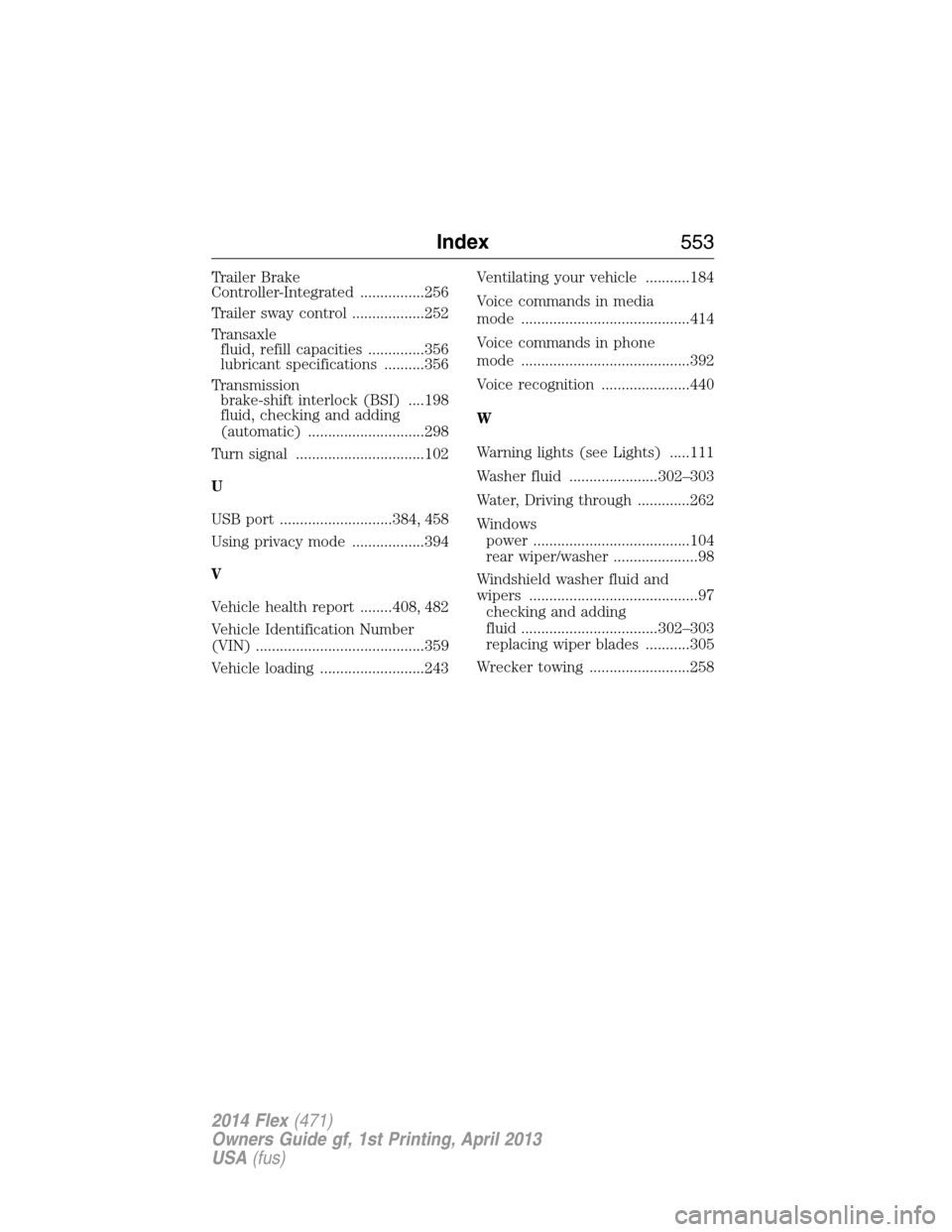
USB port ............................384, 458
Using privacy mode ..................394
V
Vehicle health report ........408, 482
Vehicle Identification Number
(VIN) ..........................................359
Vehicle loading ..........................243Ventilating your vehicle ...........184
Voice commands in media
mode ..........................................414
Voice commands in phone
mode ..........................................392
Voice recognition ......................440
W
Warning lights (see Lights) .....111
Washer fluid ......................302–303
Water, Driving through .............262
Windows
power .......................................104
rear wiper/washer .....................98
Windshield washer fluid and
wipers ..........................................97
checking and adding
fluid ..................................302–303
replacing wiper blades ...........305
Wrecker towing .........................258
Index553
2014 Flex(471)
Owners Guide gf, 1st Printing, April 2013
USA(fus)